
We may receive a commission from our partners if you click on a link to review or purchase a product or service. Click to Learn More
HubSpot pricing starts at $9 per user, per month for its sales, marketing, customer service, content, and data hubs, as well as its Customer platform that bundles them all together.
Perhaps more importantly, though, HubSpot offers a free forever plan that allows for up to two users and enables basic functionality across all hubs. This makes HubSpot one of the best CRM for small businesses according to our research, which investigated 13 different CRM platforms across 84 categories of evaluation.
In this guide, you’ll learn about the many hubs and pricing plans available with HubSpot, primarily focusing on the Sales, Marketing, and Customer Service Hubs, as well as the Customer Platform and Smart CRM, so you can make the right decision for your business.
- Starting price – All of HubSpot’s hubs start at $9 per user, per month, but prices can vary after that.
- Free plan – HubSpot does offer a free forever plan for up to two users that provides sales, marketing, service, content, and data tools.
- Per user pricing – HubSpot pricing is generally based on a per-user basis, so if you have a large team, you’ll have to pay more.
- Free trial – HubSpot does offer a 14-day free trial that allows you access to the premium features before making a financial commitment.
- Competitors – HubSpot’s starting price undercuts a lot of other CRMs on the market, with options like Zoho CRM and Pipedrive costing $14 per user, per month, and Salesforce starting at $25 per user, per month.
What Are the Different HubSpot Hubs and Their Pricing Tiers?
HubSpot splits its various services into what it calls “hubs,” aimed at different aspects of running a client-focused business.
These Hubs are available in three different tiers: Starter, Professional, and Enterprise. Each tier adds features and comes in at a higher price point. The other option is building a custom HubSpot bundle or picking one of the multi-purpose customer platform plans.
|
Free plan
|
Starting price
|
Most expensive plan
|
Verdict
|
||
|---|---|---|---|---|---|
 |
|
|
|||
|
Sales Hub |
Marketing Hub |
Service Hub |
|||
|
|
|
|
|||
|
$9/user/month |
$9/user/month |
$9/user/month |
|||
|
$150/user/month |
$3,600/month |
$150/user/month |
|||
|
A scalable tool that’s perfect for managing contracts and payments |
The best option for businesses looking to scale |
A solid option with good functionality, but others do it cheaper |
HubSpot’s Marketing Hub Professional plan is a seriously good option if you’re ready to scale up your campaigns, covering both social media and email. It also has enough campaign reporting tools to help you leverage insights from your team’s performance and marketing data.
The same goes for HubSpot’s Sales Hub — the Professional and Enterprise plans are for ambitious sales teams that need a tidy interface for storing all of their client data, but also want to improve their processes with coaching features and analytics tools.
However, this plan level won’t suit all teams. For example, if you’re a marketing team exclusively looking for a cheap email campaigns platform, HubSpot’s Starter plan will suit you better. It only costs $9 per user, per month, and it’s got tools for designing newsletters and lots of options for scheduling. Similarly, small sales teams that need a basic sales pipeline only need to invest in the Starter Sales Hub plan.
While the marketing, service, and sales hub Starter plans have limitations, they’re all a big upgrade on HubSpot’s multi-purpose free plan. They provide automation capabilities and advanced team management features that aren’t included in the free package, which justify the upgrade for many growing businesses taking on new staff.
If you want access to the advanced AI agent, Breeze, you’ll have to pay for the Professional plan, though, which is definitely a bit more expensive.

What Is the Price of HubSpot Marketing Hub?
HubSpot’s Marketing Hub tiers start monthly at $9 (Starter), $800 (Professional), and $3,600 (Enterprise), offering comprehensive tools for visitor attraction, lead conversion, and customer retention. It’s so robust, in fact, that we consider HubSpot to be the best CRM for marketing available, according to our in-depth research. Here’s a specific breakdown of each plan:
- Starter (1,000 contacts) – $9 per user, per month
- Professional (2,000 contacts) – $800 per month
- Enterprise (10,000 contacts) – $3,600 per month
Our research shows that HubSpot provides the most functionality across different marketing channels (email, social media, content marketing, and paid marketing) compared to competitors. On top of that, HubSpot offers the best email marketing features in our research, even in its free plan.
It’s worth noting that the Marketing Hub from HubSpot does not follow the per-user pricing model that other Hubs follow. This Hub charges based on how many contacts you have and has a set number of users depending on the plan.
The Professional plan allows for three users and additional users cost $45 per user, per month
The Enterprise plan allows for five users and additional users cost $75 per user, per month.
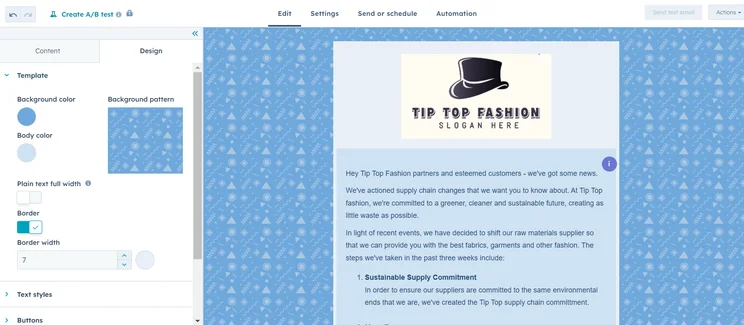
HubSpot allows you to create a branded email template directly in the platform. Source: Tech.co testing
The more affordable Starter plan, on the other hand, will let you remove the HubSpot branding and access the platform’s automation features. However, bear in mind that there’s a Professional plan onboarding fee of $3,000 and an Enterprise plan onboarding fee of $7,000, which is significantly more than HubSpot’s other hubs.
Marketing Hub Features
- Email templates
- Click map
- Keyword monitoring
- Page audits
- Google and social ad builder
- Ad retargeting
- Website visit tracking
|
Plan
|
Price
Billed annually
|
Onboarding fee
|
Users
|
Storage
|
Email marketing
|
Social marketing
|
Content marketing
|
Paid marketing
|
Omnichannel features
|
Contact limit
|
|
|---|---|---|---|---|---|---|---|---|---|---|---|
|
|
|
|
|
||||||||
|
Free |
Starter |
Professional |
Enterprise |
||||||||
|
Free |
$9/user/month |
$800/month |
$3,600/month |
||||||||
|
|
|
$3,000 |
$7,000 |
||||||||
|
2 |
Unlimited |
Unlimited |
Unlimited |
||||||||
|
Unlimited |
Unlimited |
Unlimited |
Unlimited |
||||||||
|
|
|
|
|
||||||||
|
|
|
|
|
||||||||
|
|
|
|
|
||||||||
|
|
|
|
|
||||||||
|
|
|
|
|
||||||||
|
Unlimited |
1,000 |
2,000 |
10,000 |
What Is the Price of HubSpot Sales Hub?
The Sales Hub starts at $9 per user, per month, helping businesses centralize activities and track every lead interaction, down to email open details. Here’s how much each Sales Hub plan costs.
- Starter – $9 per user, per month
- Professional – $90 per user, per month
- Enterprise – $150 per user, per month
In addition to viewing deals and sales pipelines from their dashboard, you’ll be able to keep track of meetings, playbooks, quotes, and conversations, making the customer management process even smoother.
You can test out this plan before you make a financial commitment by taking advantage of the 14-day free trial.
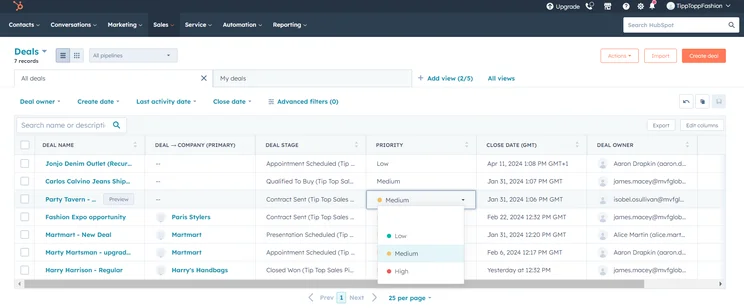
We were able to easily create a sales pipeline in HubSpot. Source: Tech.co testing
If you’re a small to medium-sized business specifically interested in growth, HubSpot could certainly help you to better manage your customer lifecycle. With all of your customer information in one place, you’ll be able to make faster and better-informed business decisions based on your customers’ digital purchases in real-time, improving productivity.
Our research also shows HubSpot Sales is great for scalability because, at least on the higher-tier plans, it provides an excellent infrastructure for managing sales teams when compared to leading competitors. Additionally, our research shows it’s one of the top platforms for contact management.
In a recent update, HubSpot announced that it has redesigned its email editor, launching a “modern, full-canvas interface” that allows you to view all pertinent information in a single dashboard. More specifically, the update allows users to “set your audience, sender information, subject line, and preview text alongside your email body with no more jumping between tabs.”
You’ll also see a few one-time fees in the higher-paying tiers; any business starting at the Professional tier will need to pay a one-time $1,500 fee for a mandatory Quick Start Consultation, or if opting for the Enterprise tier, they’ll need to pay a one-time $3,500 fee for onboarding.
Sales Hub Features
- Website live chat
- Customizable sales pipeline
- Quote proposal management
- List segmentation
- Communication history
- Revenue data views
|
Plan
|
Price
Billed annually
|
Onboarding fee
|
Users
|
Storage
|
Lead scoring
|
API
|
Custom reports
|
Advanced forecasting
|
|
|---|---|---|---|---|---|---|---|---|---|
|
BEST FOR SMB
|
|
|
|
||||||
|
Free |
Starter |
Professional |
Enterprise |
||||||
|
Free |
$9/user/month |
$90/user/month |
$150/user/month |
||||||
|
|
|
$1,500 |
$3,500 |
||||||
|
2 |
Unlimited |
Unlimited |
Unlimited |
||||||
|
5 documents |
5000 documents |
5000 documents |
5000 documents |
||||||
|
|
|
|
Predictive scoring |
||||||
|
|
|
|
|
||||||
|
|
|
|
|
||||||
|
|
|
|
|
What Is the Price of HubSpot Service Hub?
HubSpot’s Service Hub offers customer service software tools that can help a business craft a frictionless customer experience. The hub offers ways to streamline and automate the process (like creating a knowledge base or offering chatbots) and to gather customer feedback via pop-up or native forms. It has also improved the interaction tracking feature for clearer analytics. The three tiers for the Service Hub cost the same as those for the Sales Hub.
- Starter – $9 per user, per month
- Professional – $90 per user, per month
- Enterprise – $150 per user, per month
Our research shows that this plan is on the pricier end of things compared to other service CRM but is the best choice if you’ll be using HubSpot for other functions like sales and marketing.
You can test out this plan before you make a financial commitment by taking advantage of the 14-day free trial.
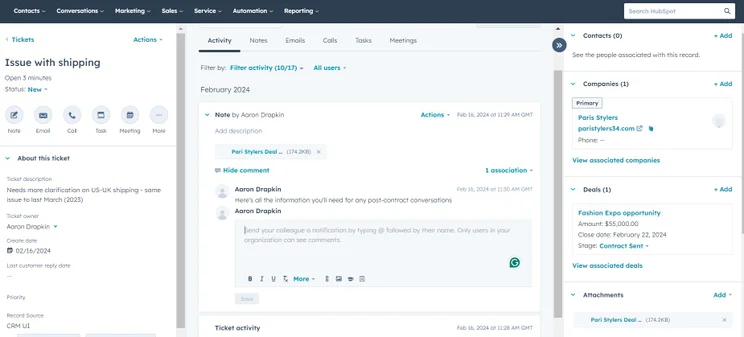
HubSpot made managing tickets easy, allowing us to keep track of all service issues in one place. Source: Tech.co testing
If used to their fullest potential, Service Hub tools can even turn satisfied customers into advocates for your brand who can bring up additional clients, or who can serve as case studies to promote your business. It all pays for itself — in the B2B space, high customer engagement scores are correlated with 50% higher revenue and sales.
The Service Hub also charges the same one-time fees as the Sales Hub — $1,500 for Professional setup and $3,500 for Enterprise customers.
Service Hub Features
- Email, chatbot, and web-form ticketing
- Email templates
- Website chatbot
- Contact database functionality
- Ticket resolution and response data
|
Plan
|
Price
Billed annually
|
Onboarding fee
|
Users
|
Email support
|
Phone support
|
Live chat support
|
Social media support
|
|
|---|---|---|---|---|---|---|---|---|
|
|
|
|
|
|||||
|
Free |
Starter |
Professional |
Enterprise |
|||||
|
Free |
$9/user/month |
$90/user/month |
$150/user/month |
|||||
|
|
|
$1,500 |
$3,500 |
|||||
|
2 |
Unlimited |
Unlimited |
Unlimited |
|||||
|
|
|
|
|
|||||
|
|
|
|
|
|||||
|
|
|
|
|
|||||
|
|
|
|
|
What Is the Price of HubSpot Smart CRM?
Smart CRM is the AI-powered platform from HubSpot that is designed to streamline even more of your customer relationship management needs. It provides centralized data and process functionality, and it can fully take over certain operations, like enriching customer data, connecting interactions, and get AI insights on specifics deals.
As is common with AI-powered platforms, HubSpot provides a specific number of credits for each, which are for accessing premium AI and automation features.
- Starter – $10 per user, per month (500 HubSpot credits)
- Professional – $45 per user, per month (3,000 HubSpot credits)
- Enterprise – $75 per user, per month (5,000 HubSpot credits)
Like the standard CRM, the Smart CRM from HubSpot does allow you to get started with a free plan, but no credits are included, so you’ll have to pay to access the real convenience of the AI system.
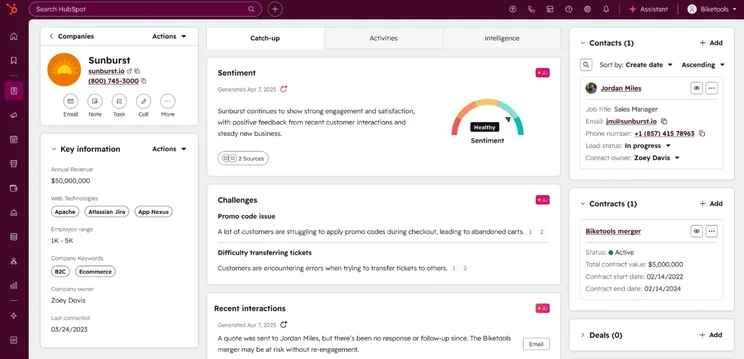
The Smart CRM from HubSpot is an AI-powered platform that can enrich data for you. Source: HubSpot
What Is the Price of HubSpot Customer Platform?
HubSpot’s “Customer Platform” is its biggest offering. It includes features from all three hubs — Marketing, Sales, and Service — and charges a discounted price compared to what you would pay for all three subscriptions individually. It’s like the free plan in principle, but more commerce and content features are included. There are three plans in total:
- Starter tier starts at $9 per month (1,000 marketing contacts)
- Professional tier starts at $1,300 per month (2,000 marketing contacts)
- Enterprise tier starts at $4,700 per month (10,000 marketing contacts)
Like the Marketing Hub, the Customer Platform plans also has a set number of users, rather than a per-user pricing model. The Professional plan allows for six users with additional users costing $45 per month, and the Enterprise plan allows for eight users with additional users costing $75 per month.
HubSpot Customer Bundles and Add-Ons
As we just covered, if you really want to take HubSpot’s customizability to the next level, you can build a bundle of different hub plans from scratch. So, in theory, you could combine the Marketing Hub Starter plan, Sales Hub Professional plan, and Service Hub Enterprise plan and get a cheaper rate than if you were paying for them separately.
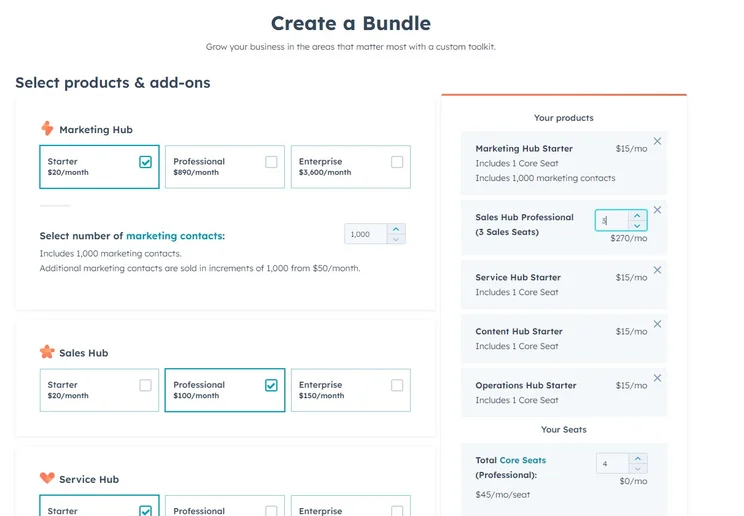
We were able to create a custom bundle with the HubSpot pricing feature. Source: Tech.co testing
HubSpot custom bundle add-ons
There’s also a range of add-ons for HubSpot’s bundles, which you can use to do things like scale your software or increase the number of CRM records you can store. They include:
- API call volume expansion – $500/month
- Custom SSL add-on for additional customization – $100/month
- Reporting limit increase (300+ dashboards and 3,000+ customer reports) – $200/month
- Domain limit increase (knowledge base hosting) – $100/month
- 400+ additional transcription hours for team calls – $250/month
- Sandbox limit increase for large-scale testing – $750/month
- Connected phone number limit increase – $25/month
- Teams limit increase – $200/month
- 10+ extra videos for your site – $50/month
- WhatsApp conversation limit increase – $70/month
- CRM contact records limit increase – $1,700/month
HubSpot’s Free Plan Explained
Yes, HubSpot does offer a free plan. Users can get a stripped-down version of the HubSpot CRM, along with a small selection of the marketing, sales, and service tools that are available from the paid HubSpot hubs.
It’s a decent toolkit, if not comprehensive, and it’s all available indefinitely, for unlimited users, totally free. You can try HubSpot for free at any time.
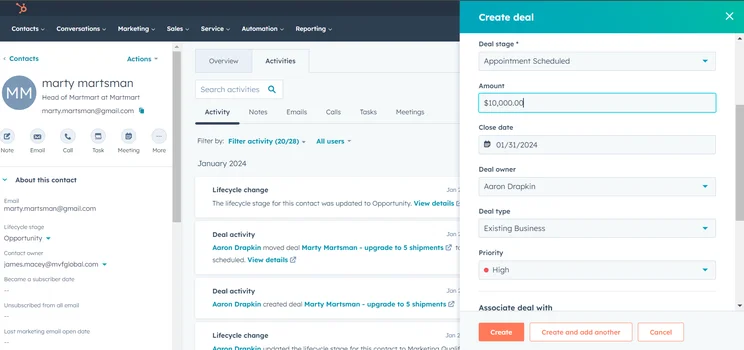
The HubSpot sales pipeline made it easy to see how our team was progressing. Source: Tech.co testing
In fact, our research shows that the HubSpot free plan is an excellent choice for small businesses compared to other small-business-focused CRM products – although it’s got nothing on HubSpot’s paid plans, which will upgrade you based on the specific needs of your team, be it marketing, sales, customer service.
There are very few team management features, for example, and no automation. There are also limitations, such as only one deal pipeline being allowed per account, and this won’t do for a lot of sales teams.
Granted, you’ll be able to manage contacts, tasks, and activities, integrate the CRM with Xero, Gmail, Outlook, and HubSpot Connect, and use a small range of free marketing tools, including team email, live chat, and conversational bots, but there’s no support for social media marketing.
While some businesses have marketing, sales, and customer service departments, a lot of small businesses won’t necessarily need features that pertain to all three areas.
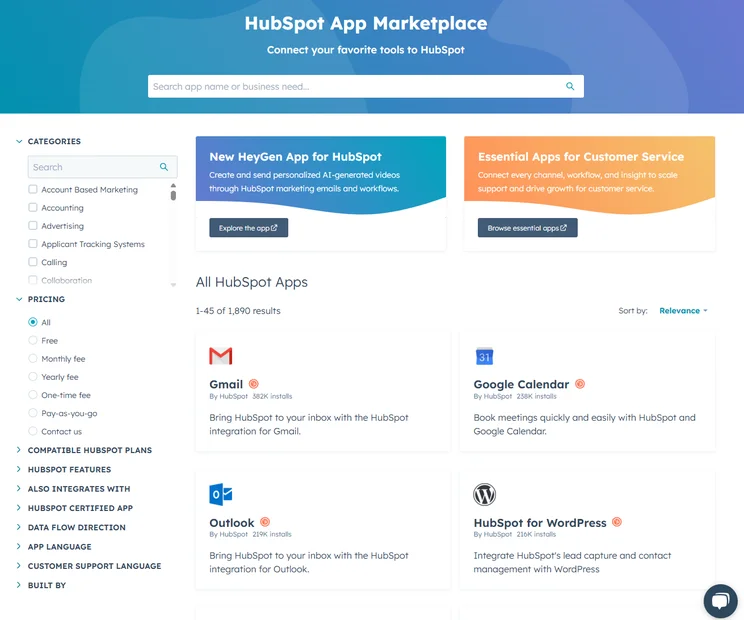
We were able to connect HubSpot with other services like Gmail and Outlook, even on the HubSpot free plan. Source: Tech.co testing
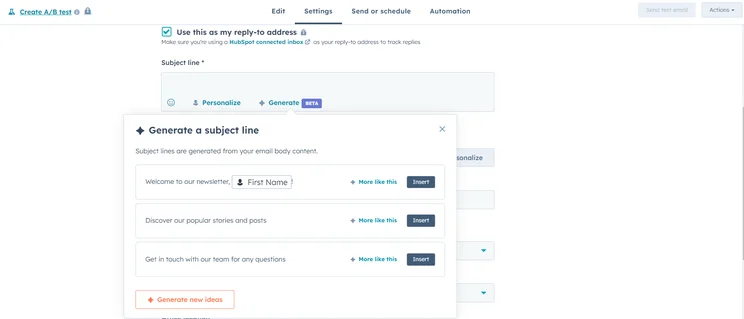
On top of this, if your team is growing, you’ll eventually run up against a must-have feature that you’ll need to upgrade to a paid plan to enjoy – whether it’s the Marketing Hub’s A/B testing abilities referenced earlier, or the Service Hub’s customer video hosting and management.
Free plans aren’t everything, particularly if your business needs can benefit from the added flexibility and centralization that a paid plan’s feature set offers. Be sure to keep that in mind if you want a CRM that can scale with your business.
HubSpot CRM

In Short
-
Software developer HubSpot offers its CRM service for free, or more accurately as a “freemium.” Additional integrations with HubSpot’s sales and marketing tools will cost you extra. Still, the CRM’s free features beat every other free CRM option on the market. With over 48,000 customers across more than 100 countries since its 2006 launch, HubSpot is a force worth reckoning with, at a price that’s hard to beat.
30 Second Facts
- Established: 2006
- HQ: Cambridge, MA, U.S.
- Intuitive interface
- Additional integrations can be expensive
- Available for free
Images
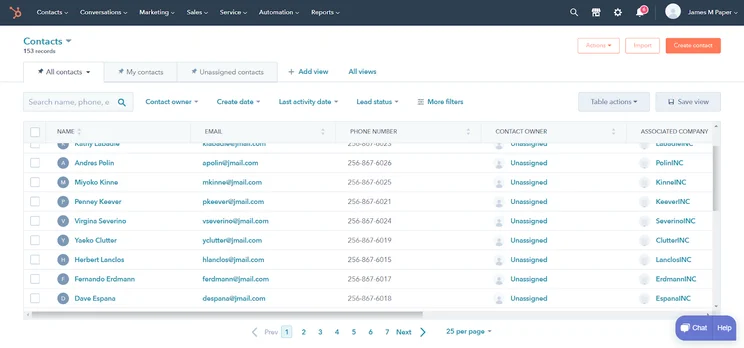
HubSpot Cost Per User
Per-user pricing is the norm for CRM software, and HubSpot follows suit. Across most HubSpot plan tiers and bundles, the amount businesses pay per month correlates with how many users are using the software.
This makes sense, as it offers a scalable model that ensures startups with just five or six team members can afford a service that is capable of supporting an operation with hundreds or thousands of employees – they just won’t need to pay for the features they don’t need.
The most notable exception is the HubSpot Marketing plan, which (aside from the Starter plan) charges based on the number of contacts in a business’s database, rather than how many users the business employs. In other words, when looking at which HubSpot plans to purchase, a business should consider its number of current employees, as well as how fast it plans to grow in the future.
How to Ensure You Aren’t Paying Too Much for HubSpot
When looking for a CRM, it can be hard to decipher all the different options when it comes to price. With CRM pricing ranging from $7 to almost $5,000 per month, it’s easy to accidentally pay too much when you don’t need to.
HubSpot, in particular, has a massive range of plans, so we’re here to give you some handy do’s and don’ts that can help you keep costs as low as possible:
- Do: Understand your needs before you pick a plan. HubSpot has options for different industries, company sizes, and feature requirements, so you’ll need to know what you actually want to do with HubSpot before you make a decision.
- Don’t: Forget about onboarding and implementation. HubSpot offers some (admittedly expensive) onboarding, but getting it right is worth the cost of admission.
- Do: Evaluate team size before you buy. HubSpot pricing is based on a per user model, so you’ll have to pay extra for every employee that uses that platform.
- Don’t: Overbuy user seats that you don’t need. HubSpot provides users with View-Only free accounts that are ideal for managers that are just looking at analytics and not actually using the platform.
- Do: Take advantage of the free plan. Even if you’re a larger company, the free forever plan from HubSpot is one of the best on the market, and it can give you a good idea of how the platform works before you make a commitment.
- Don’t: Rely on the free plan for too long. The HubSpot free plan is great for getting started, but it’s too limited for long-term usage. Use it as more of an extended free trial than a viable CRM option for your business.
HubSpot Data, Content, and Commerce Hub Pricing
Along with these CRM products, HubSpot also provides an Data hub for managing your business processes and customer data, a Content hub geared towards digital publications and webpages, and a Commerce Hub to help businesses close deals faster.
HubSpot’s Data Hub pricing
- Free ($0): The free Data Hub plan is quite limited compared to the paid plans. However, you’ll still get 10 custom properties per object, tasks & activities, user management, contact management, app marketplace integrations, and email health reporting.
- Starter plan ($9 per user, per month): On this plan, you’ll get everything in the free plan plus 1,000 custom properties per object, Default field mappings, historical sync, data sync, email health reporting, HubSpot payments, and Email reply tracking.
- Professional ($720 per month): The Professional plan includes everything in the Starter plan plus features like bulk duplicate management, data health trends, scheduled workflow triggers, programmable automation, and AI-powered data recommendations
- Enterprise ($2,000 per month): This plan includes everything in the Professional plan plus single sign-on, advanced permissions, data calculations, more dashboards, the ability to create datasets, and additional advanced features for large businesses.
HubSpot’s Content Hub pricing
- Free ($0): HubSpot’s free plan is a mix of useful but limiting sales, marketing, data, customer service, and content tools. It’s nowhere near as capable as the paid plans, but considering you don’t have to pay anything, it’s quite good value.
- Starter plan ( $9 per user, per month): The first content plan includes website pages with built-in assets, web forms, AI blogging, premium hosting, and access to HubSpot’s AI assistants, which can be used to perform a wide variety of tasks from data administration to copy generation.
- Professional ($450 per month): The professional plan is quite a jump up in pricing. It includes everything in the Starter plan as well as expanded custom reporting, A/B testing, smart content for pages, content embedding, dynamic pages, Memberships, and AI translation capabilities.
- Enterprise ($1,500 per month): The Enterprise plan is the plan you’ll need if you’d like to use HubSpot to manage multiple sites. It includes user permissions that will ensure you can limit team access to content and data, content approval processes, custom objects, team organization features, and extensive activity logging.
HubSpot’s Commerce Hub pricing
- Professional ($48 per user, per month): This plan in the Commerce Hub includes features like invoices, payment links, and subscriptions, and can integrate with popular payment processors like Stripe.
- Enterprise ($84 per user, per month): The Enterprise plan for the Commerce Hub adds e-signature functionality, so you can utilize advanced approval processes to your business.
HubSpot Pricing vs Competitors
While HubSpot may be one of our top choices for the best CRM software — and the best lead management software we’ve researched — there are plenty of capable HubSpot alternatives out there that might be a better fit for your particular business. Take a look at some of the competitors below and match them up against your specific needs to pick the right one.
|
Plan
|
Price
Billed annually
|
Free trial
|
Users
|
Storage
|
Rating
Based on usability, customization, functionality, pricing, and help and support
|
Try it
|
|||
|---|---|---|---|---|---|---|---|---|---|
|
SPONSORED
 |
|
BEST OVERALL
 |
 |
 |
 |
 |
 |
 |
 |
|
Salesforce Sales Cloud |
HubSpot |
Zoho CRM |
Freshsales Suite |
monday CRM |
Bigin by Zoho CRM |
Zendesk |
Pipedrive |
Less Annoying CRM |
Act! |
|
Starter Suite |
Free |
Professional |
Growth |
Pro |
Express |
Sell Team |
Advanced |
Less Annoying CRM |
Cloud |
|
$25/user/month |
Free |
$23/user/month |
$9/user/month |
$28/user/month |
$7/user/month |
$19/user/month |
$39/user/month |
$15/user/month |
$30/user/month |
|
30 days |
|
15 days |
21 days |
14 days |
15 days |
|
14 days |
30 days |
14 days |
|
Unlimited |
2 |
Unlimited |
Unlimited |
Unlimited |
5 |
Unlimited |
Unlimited |
Unlimited |
Unlimited |
|
File storage: 1GB |
Unlimited |
User: 20MB |
2GB |
100GB |
1 GB |
2GB per user |
Unlimited |
10 GB per user |
6GB |
|
3.8
|
4.2
|
4.6
|
4.5
|
4.3
|
4.3
|
4.0
|
3.9
|
3.7
|
3.2
|
| Try Salesforce | Try HubSpot | Try Zoho | See CRM Deals | Try monday CRM | Try Bigin | Try Zendesk | Try Pipedrive | Compare Deals | Compare Deals |
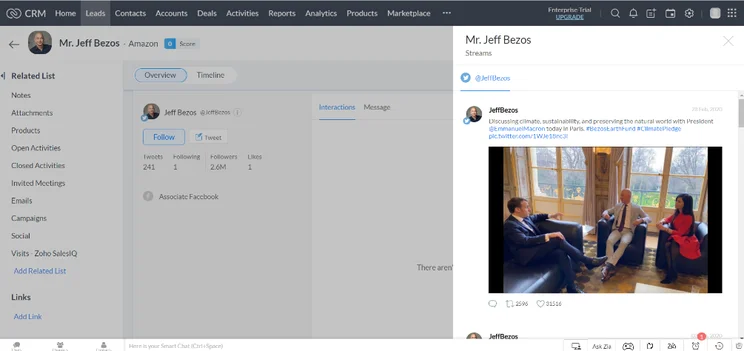
HubSpot pricing vs Zoho CRM – starts at $14/user/month
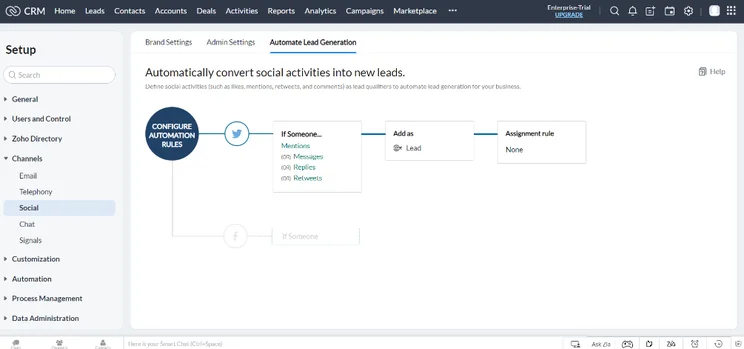
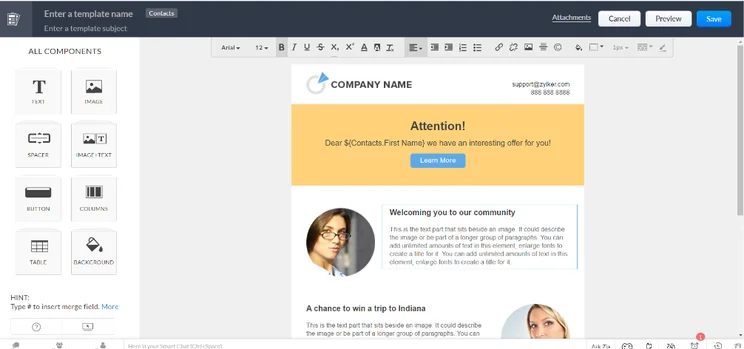
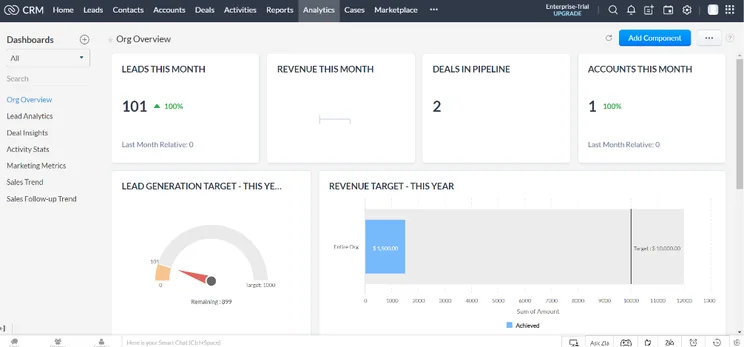
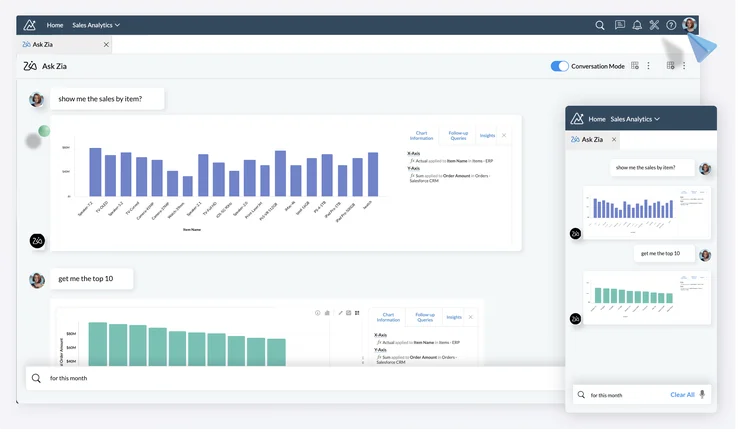
Our research found that Zoho CRM is the best option for small businesses, providing a robust feature catalog at competitive pricing across its many plans. Like HubSpot, Zoho CRM also offers a free plan, although it’s a bit more limited than HubSpot’s, offering even fewer contact management and marketing features.
More specifically, Zoho CRM doesn’t offer marketing drip campaign features in any of its pricing plans, whereas HubSpot offers them on all of its plans. HubSpot lags behind a little when it comes to customization, though, not allowing custom task types, which Zoho CRM offers in all paid plans and even its free plan.
All in all, if you’re a small business that needs to get a lot for a low price, Zoho CRM is absolutely the way to go.
Check out our HubSpot vs Zoho CRM guide for more information
Zoho CRM

In Short
-
Pros
- 15-day free trial
- Sales and marketing functionality available in free plan
- Highly customizable dashboards and fields across platform
- Integrates with other Zoho services or the vast app library
-
Cons
- No spam prevention on web forms
- Onboarding assistance for your team costs extra
- Team management functionality lacking, with limited storage space
Pricing
-
 Free plan available
-
Standard: $14/user/month
-
Professional: $23/user/month
-
Enterprise: $40/user/month
-
Ultimate: $52/user/month
Images
HubSpot pricing vs Salesforce – starts at $25/user/month
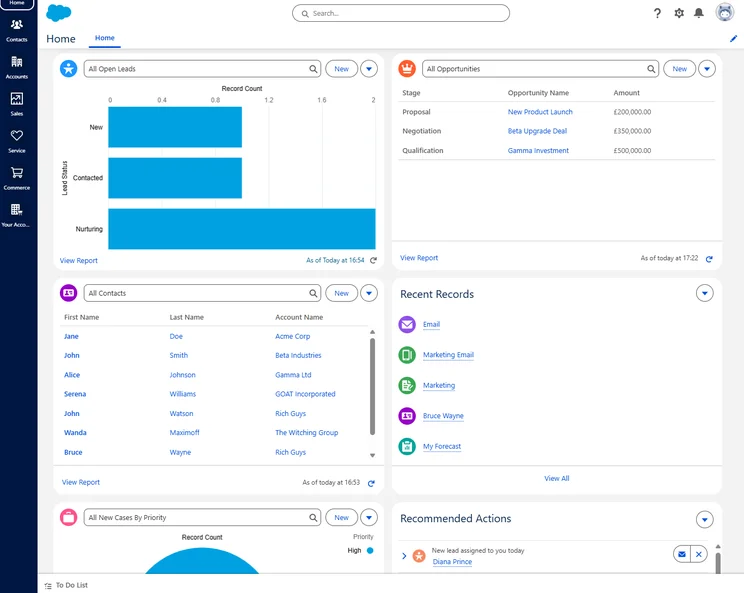
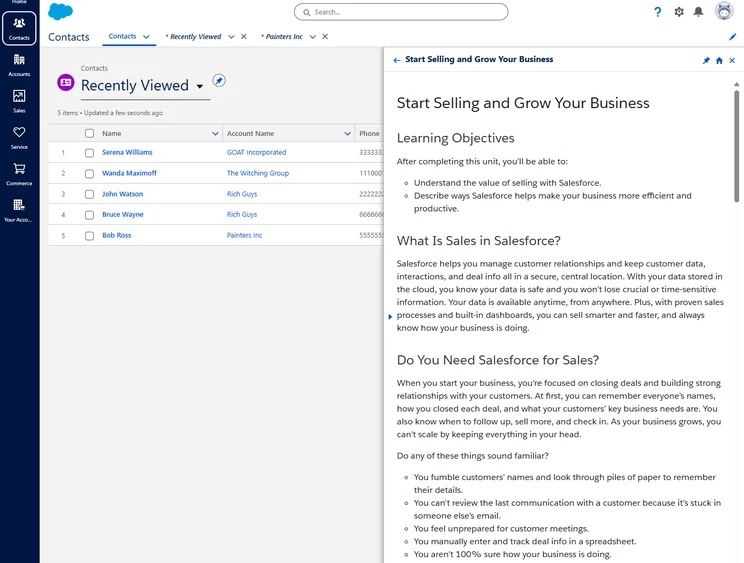
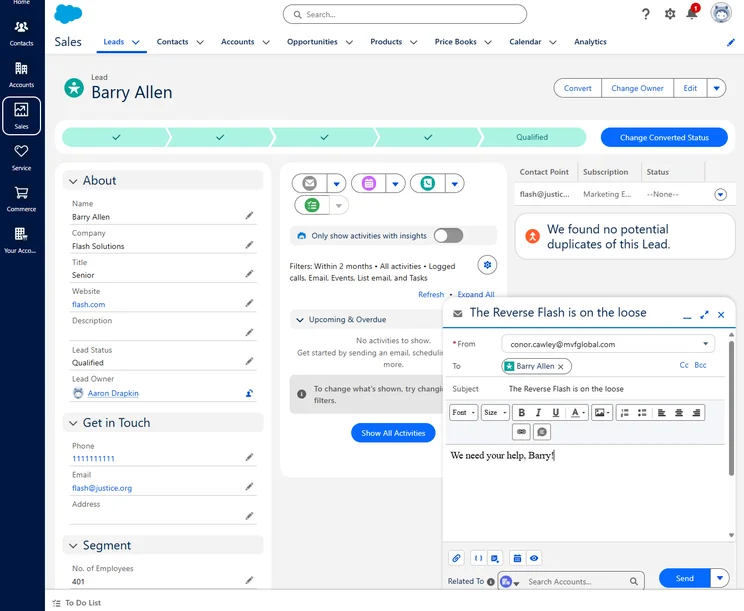
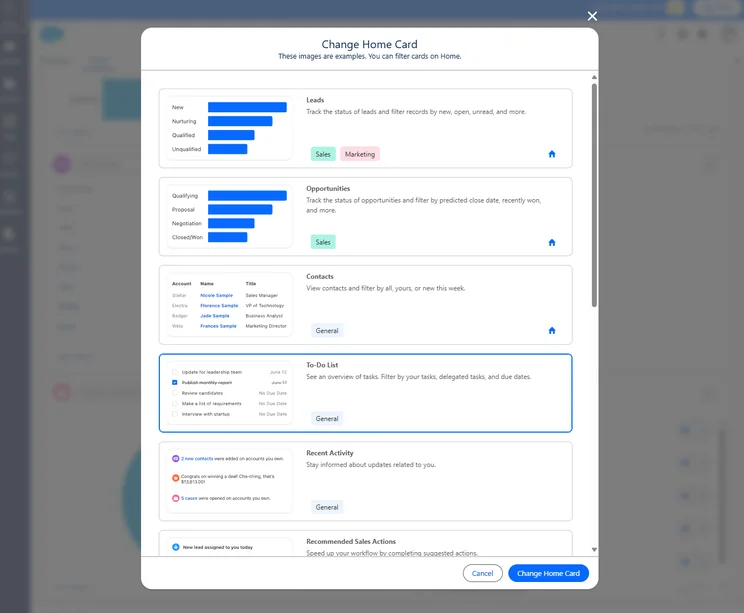
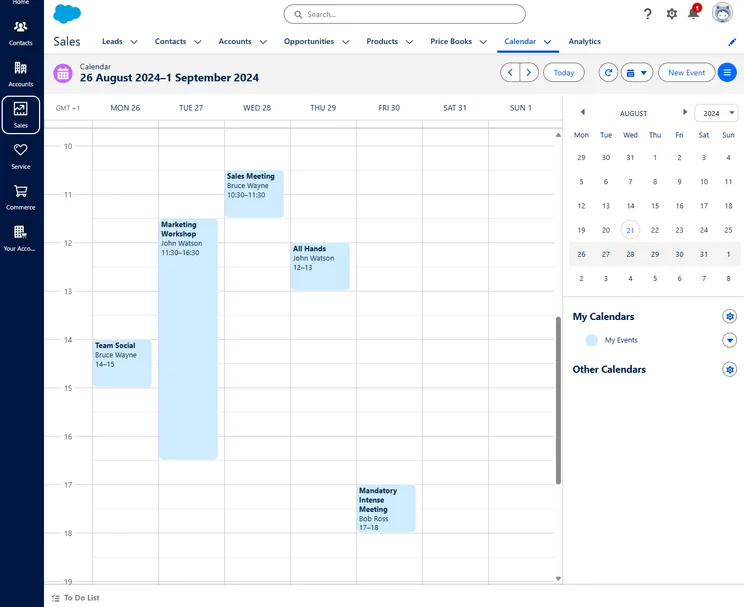
Salesforce and HubSpot are surprisingly similar when it comes to pricing. Both offer relatively accessible starter plans but get quite expensive when you reach the enterprise-level plans. For Salesforce, you can spend as much as $330 per user, per month for these kinds of advanced plans.
Like HubSpot, though, Salesforce offers robust functionality, thorough analytics, and strong customer support, so if you have the funds and plan to scale, both of these options are a good fit. In true CRM fashion, each offers specific options that the other doesn’t. Salesforce has email auto-response, and HubSpot doesn’t. HubSpot has website visitor tracking, and Salesforce doesn’t.
Honestly, these two providers are so similar, you’ll really have to dig into the nitty gritty details to find out what exactly will be the right fit for your business.
Check out our HubSpot vs Salesforce guide for more information
Salesforce CRM
In Short
-
Pros
- Free forever plan
- Vast data collection combined with customizable reporting tools
- Helpful customer support pop-ups throughout the platform with 24/7 live support
- Varied pricing plans and industry-specific “Clouds” make it very scalable
-
Cons
- More expensive than industry average of $15/user/month
- 24/7 support will cost extra, adding to price
- Robust analytics probably aren’t necessary for smaller businesses
Pricing
-
Starter Suite: $25/user/month
-
Pro Suite: $100/user/month
-
Enterprise: $175/user/month
-
Unlimited: $350/user/month
-
Agentforce 1 Sales: $550/user/month
-
30-day free trial
Images
HubSpot pricing vs Zendesk – starts at $19/user/month
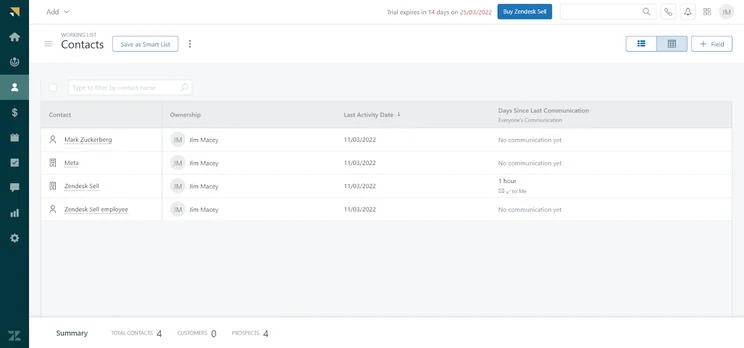
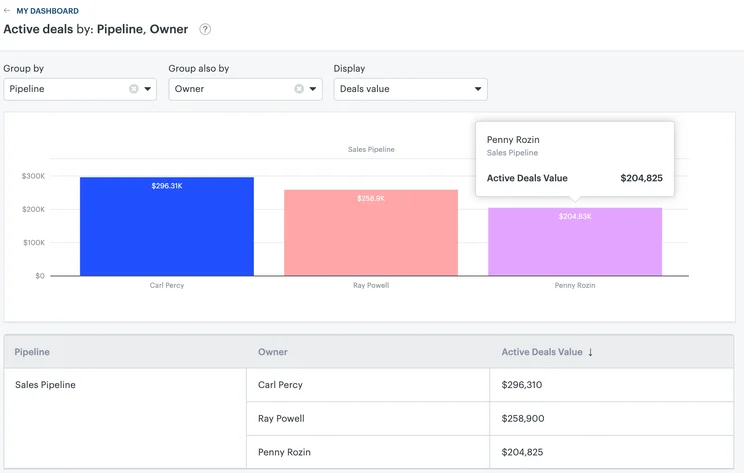
If you’re looking for helpdesk software, we can’t recommend any CRM more than Zendesk. While HubSpot’s Service Hub is respectable, we found that Zendesk offers more functionality, better prices, and excellent customizability to get exactly what you want out of the platform.
Plus, Zendesk offers omnichannel functionality at a lower price point (only $55 per user per month compared to $800 per month for HubSpot), which is always a perk for those looking to reach customers across multiple channels.
Check out our HubSpot vs Zendesk guide for more information
Zendesk

In Short
-
Pros
- 14-day free trial
- Unmatched selection of customer service features
- Offers good customizability
- Robust help and support tools with 24/7 availability
-
Cons
- Limited team infrastructure features
- A bit on the expensive side, especially high tier plans
- Most advanced features like AI cost extra
Pricing
-
Support Team: $19/user/month
-
Suite Team: $55/user/month
-
Suite Professional: $115/user/month
-
 Suite Enterprise: $169/user/month
Images

Overall, HubSpot offers a wide range of options for businesses of all sizes. From its affordable Starter plan at only $9 per user, per month to its expensive enterprise-level plans that reach as high as $4,700 per month, HubSpot has an offering for everyone.
The most impressive aspect of HubSpot pricing for a small business is its ability to cater to growing businesses that need to onboard and train staff, as well as implement processes to ensure data is being leveraged efficiently and appropriately to support wider business outcomes, which themselves change as businesses do.
Since it costs nothing, there’s nothing to lose by giving HubSpot a try. Although HubSpot can get pricey for larger businesses, considering the feature-rich platform you’ll have access to, it’s definitely worth it.
But if you’re still not sold, there are plenty of other CRM providers out there. Check out our guide to the best CRM for marketing and the best CRM for small businesses to get started.
If you click on, sign up to a service through, or make a purchase through the links on our site, or use our quotes tool to receive custom pricing for your business needs, we may earn a referral fee from the supplier(s) of the technology you’re interested in. This helps Tech.co to provide free information and reviews, and carries no additional cost to you. Most importantly, it doesn’t affect our editorial impartiality. Ratings and rankings on Tech.co cannot be bought. Our reviews are based on objective research analysis. Rare exceptions to this will be marked clearly as a ‘sponsored’ table column, or explained by a full advertising disclosure on the page, in place of this one. Click to return to top of page


