
We may receive a commission from our partners if you click on a link to review or purchase a product or service. Click to Learn More
The best software for lead tracking and management is the Hubspot CRM due to its detailed lead capture, conversion tools and analytics abilities. Hubspot offers great flexibility as well, since the lowest Hubspot plan is available for free, and higher plans allow a fast-growing company to scale up.
Other top services worth considering include Pipedrive — which is slightly easier to use than Hubspot, though with a little less functionality and less attractive pricing. Freshsales is another industry-leader for lead tracking, standing out for its customization options and its stellar help and support — which is equal to or better than every other provider on this list. For businesses looking to connect lead management with their marketing efforts, exploring the best marketing CRMs can also offer valuable insights.
We’ve tested and rated all the top CRM software for their lead tracking tools, comparing each and every feature they have to offer. Read on for our breakdown of the need-to-know information for each of the five best lead-tracking software.
Best Lead Management Software Reviewed
Our top choices for lead management software based on our in-depth research include:
|
Free plan
|
Free trial
|
Starting price
|
Verdict
|
Lead capture
|
Get started
Click to get started and compare prices for your business
|
||
|---|---|---|---|---|---|---|---|
|
SPONSORED
 |
 |
 |
 |
 |
 |
||
|
Salesforce |
HubSpot |
Freshsales |
Less Annoying CRM |
Zoho CRM |
Pipedrive |
||
|
|
|
|
|
|
|
||
|
30 days |
14 days |
21 days |
30 days |
15 days |
14 days |
||
|
$25/user/month |
$9/user/month |
$9/user/month |
$15/user/month |
$14/user/month |
$14/user/month |
||
|
An incredibly popular and customizable CRM for all businesses, with excellent communication tools |
An easy-to-use and highly scalable platform ideal for growing businesses, with an excellent free plan |
A low-cost option that’s great for engaging potential customers online |
An extremely affordable CRM tool with a simple interface and a 30-day free trial |
An attractive option, with lots of features for a low price |
Core CRM features in flexible pricing plans make this one of the best value CRM options for any small business |
||
|
|
|
|
|
|
|
||
| Try Salesforce | Try HubSpot | Compare Quotes | Try LACRM | Try Zoho CRM | Try Pipedrive |
HubSpot
Best free lead-tracking software
Price from: $22.50 per user, per month (min. 2 users)
We rate the HubSpot Sales Hub highly across nearly all the main categories important to lead management — Lead capture and conversion tools, analytics, and a contact database. It’s an unbeatable solution for small companies that plan to scale rapidly, since the lowest tier is available for free and the highest tiers can support an employee base of thousands.
Our testers also loved Hubspot for the quality of its tools for managing the contract and payment sides of sales, which they found to have more extensive functionality than any other solution on this list. With Hubspot, your sales team will be able to convert leads to customers as easily as they can track them.
HubSpot CRM

In Short
-
Pros
- Sales and marketing features for growing businesses on all plans
- Tidy, easy-to-navigate interface
- Shared team inbox makes chasing leads and support tickets much less complex
- Feature-rich free plan
- Easy-to-use AI and automation tools
-
Cons
- Scarce customer support on the free plan
- 5 document storage limit on free plan
- Mandatory, one-time onboarding fees on premium plans
Pricing
-
 Free plan available
-
Starter: $7/user/month
-
Professional: $1,300/month/includes 6 seats
-
Enterprise: $4,700/month/includes 8 seats
Images
HubSpot pricing
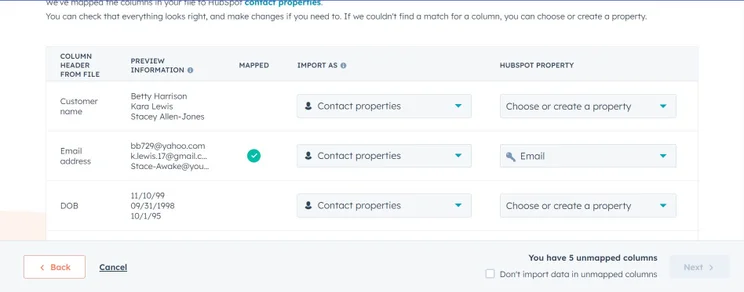
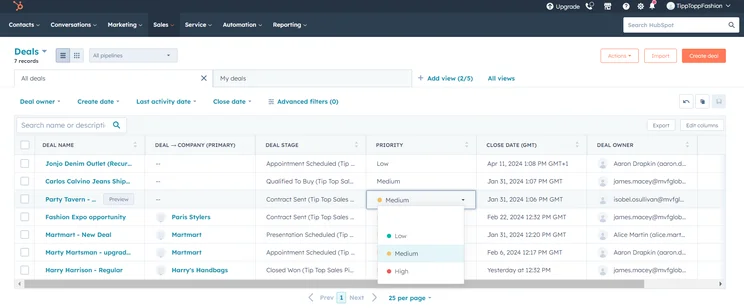
Hubspot offers three plans in addition to the free one. The Starter plan comes in at $22.50 per user, per month with a two-user minimum. The Professional plan is $90 per user, per month with a five-user minimum and a $375 onetime onboarding fee. The Enterprise plan is $120 per user, per month with a ten-user minimum, and a onetime onboarding fee of $3,000.
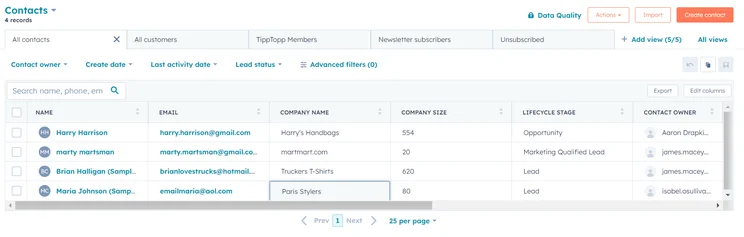
HubSpot’s Free plan offers a customizable sales pipeline, quote proposal management, list segmentation, a communication history for each contact, duplicate detection (which automatically identifies when a contact in the database is accidentally added twice), three custom dashboards, and a wide range of third-party integrations.
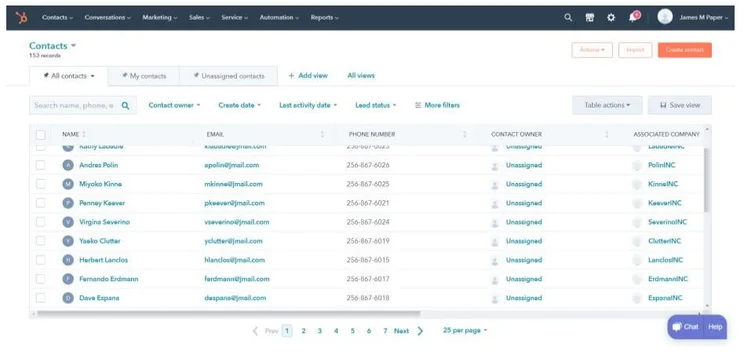
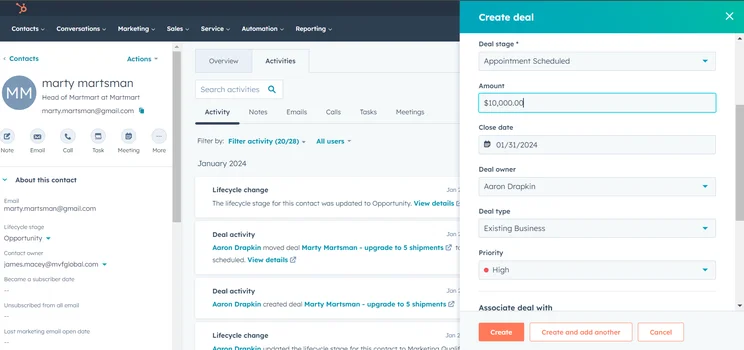
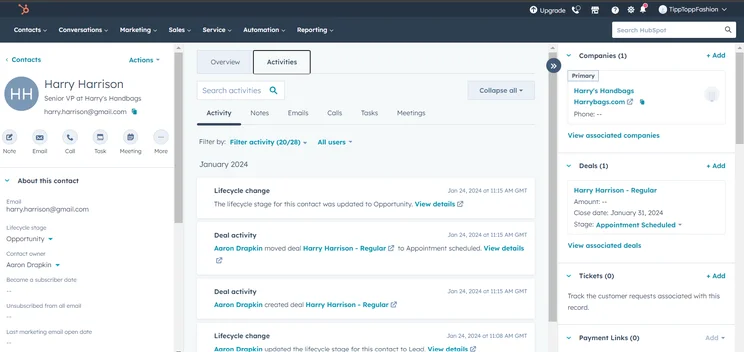
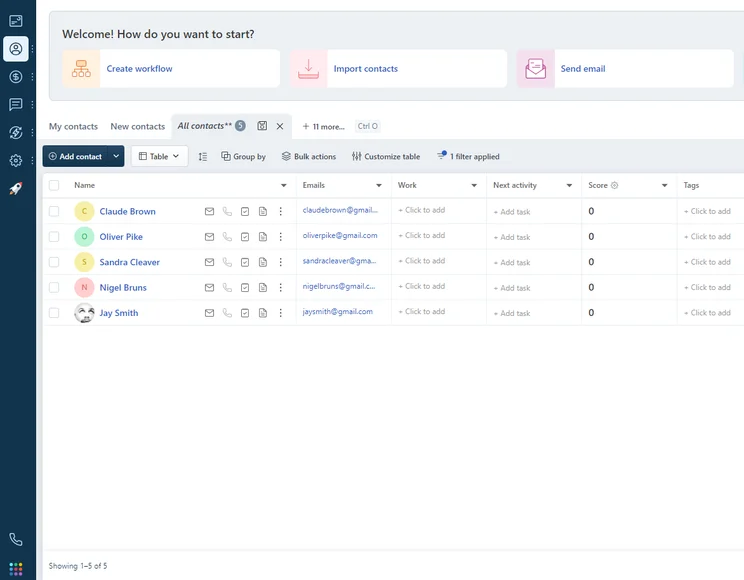
The Hubspot Free plan displays contacts.
The Free plan even includes support for a website chatbot — every other service on this list makes you pay for this ability, and Zoho CRM only offers it with its most expensive, enterprise-level plan.
Custom reports are missing from the Free plan, as are useful data-crunching tools like a chart builder, sales forecasts, and the ability to see data on individual sales reps or pipeline stages. These tools are all included starting with the Professional plan. Phone support starts with Professional as well, though live chat and email support is included with Starter.
Read our full guide to Hubspot pricing for more details on each plan on offer.
Pipedrive
Best for focusing on leads
Price from: $14 per user, per month
Many services bundle leads in with customers when it comes to management, but the Pipedrive software is aimed squarely at lead management: This means it helps sales teams track and manage business deals.
With it, you’ll get competitive functionality wrapped up in a good user experience. Our testers found any task could be completed quickly, and rated its chatbot and web form functionality particularly highly in comparison to leading competitors Freshsales and Hubspot.
Pipedrive

In Short
-
Pros
- Unlimited contact database for larger businesses with lots of clients
- Great security tools include user permissions and multi-factor authentication
- 24/7 live support via chat and phone
-
Cons
- 24/7 support only available in more expensive plans
- Can’t create custom task types within the platform
- Web form creation is a paid add-on
Pricing
-
14-day free trial
-
 Lite: $14/seat/month
-
Growth: $39/seat/month
-
Premium: $59/seat/month
-
Ultimate: $79/user/month
Images
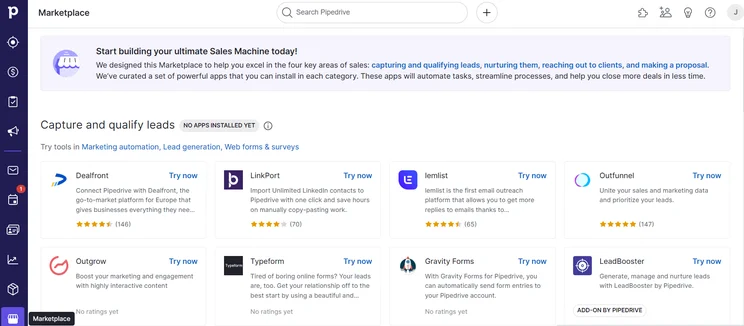
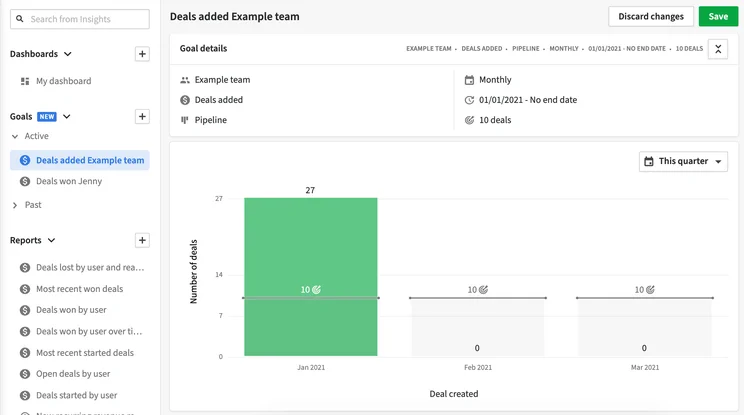
Pipedrive pricing
The $39 per user, per month Advanced plan is the best Pipedrive plan for most SMBs, but the service offers four more: Essential, for $14 per user, per month; Professional, for $49 per user, per month; Power, for $64 per user, per month; and Enterprise, for $99 per user, per month.
Essential starts with the basics — lead, deal, calendar and pipeline management, limited data import functionality, and over 275 integrations.
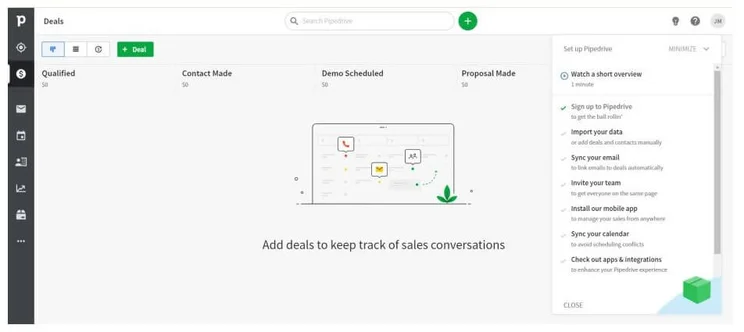
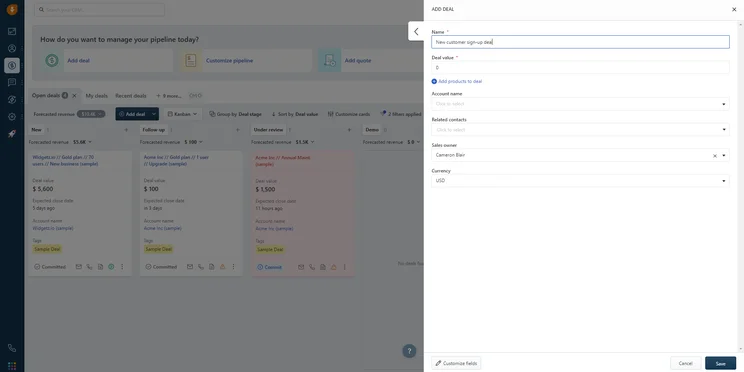
Deal management on the Pipedrive Essentials plan.
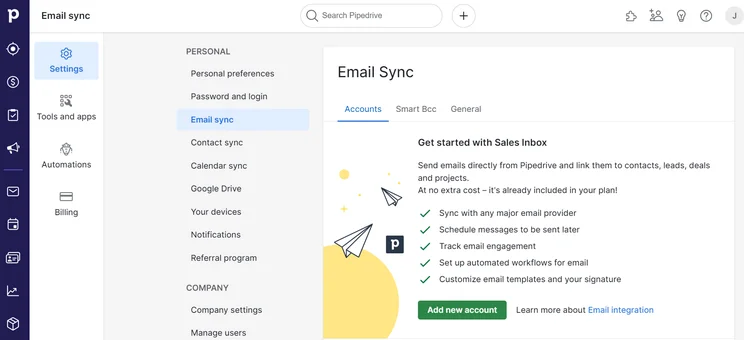
Advanced adds more commonly used lead tracking tools — email-focused tools including syncing, templates, scheduling, group emailing, and open and click tracking. Advanced also adds a workflow builder with automated triggers.
Professional adds document eSigning and management, revenue projections, forecasts and enhanced custom reporting, while Enterprise adds unlimited users, higher security options, and phone support. All Pipedrive plans include 24/7 support — a useful perk that you won’t get from any other service on this list.
Our complete guide to Pipedrive’s plans is available as well, if you need more details.
Freshsales
Best for customization
Price from: $9 per user, per month
An all-in-one sales and marketing solution, Freshsales Suite is designed for use by small businesses, offering good lead-tracking functionality that’s easy to use, customizable, and available at reasonable prices.
Our recommendation is the $39 per user, per month Pro plan (billed annually). Users are guided through actions like data import, email connection, and adding users, and lead pipeline customization is easy as well. Contact profiles can be edited to include important details while hiding any empty fields.
Another example of how Freshsales prioritizes customizability is that the service has an email marketing design editor. This uses a simple drag-and-drop function to let users add different sections like headings, footers, images, and video. It won’t do everything, though: A/B testing isn’t available for email.
Freshsales Suite

In Short
-
Pros
- 21-day free trial
- Fast data imports for simple, speedy setup process
- Extensive reporting functionality with customizable dashboards
- Time tracking features to manage team productivity
-
Cons
- Fewer custom field options than competitors
- Only offers Facebook and Instagram social media integrations
- Capped at 1,000 marketing actions, so larger businesses will be limited
Pricing
-
Growth: $9/user/month
-
Pro: $39/user/month
-
Enterprise: $59/user/month
Images
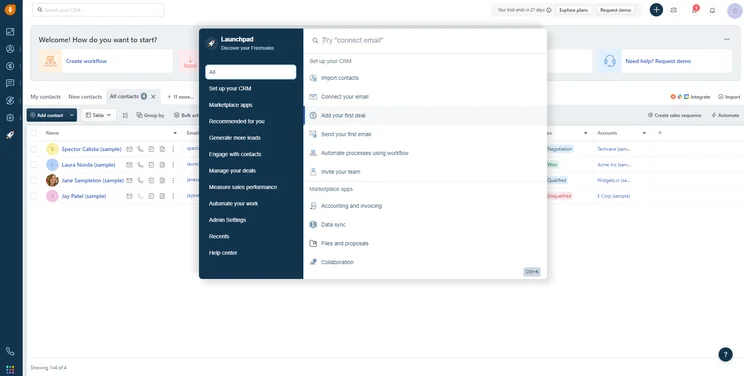
Freshsales pricing
Freshsales Suite has four pricing plans, including a Free plan, and all include a three-user minimum across and unlimited user support. The Growth will set you back $9 per user, per month, whereas the Pro comes in at $39 per user, per month, and is our recommended plan for small businesses. The Enterprise plan is better suited to larger businesses, and costs $59 per user, per month
Free is a limited plan, with main features including a standard contact database with communication history and list segmentation, as well as customer support via phone, chat and email. Growth adds integrations, a unified inbox, user roles, 20 custom lead communication automations, and 2GB per user data storage.
The Pro plan stands out for contact duplicate detection, custom security permissions, and up to 50 custom automations, up from 20 with the Growth plan. Teams can set KPIs and individual targets under the Pro plan, too, making it a good option for an expanding business.
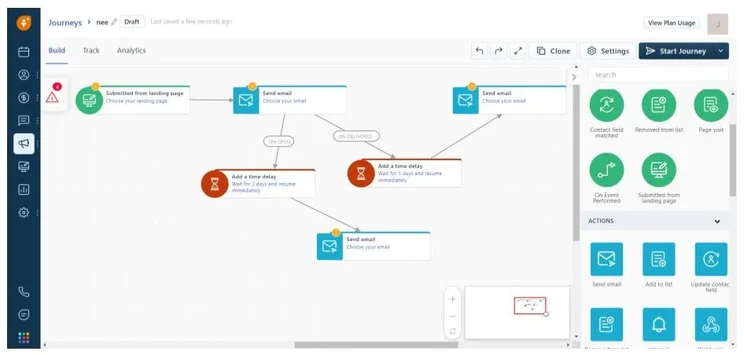
A lead journey, displayed on the Freshsales Suite Pro plan.
Hubspot and Zoho CRM both offer more lead capture tools than Freshsales — neither social listening nor website visitor tracking are offered by Freshsales, although web forms are offered across all plans and website chatbots are supported by Pro and Enterprise.
One final Freshsales quirk worth noting — the service has unlimited users across all plans, but limits the number of contacts that can be involved in marketing actions (like email campaigns) to 1,000 per month.
Less Annoying CRM
Best for simple pricing
Price from: $15 per user, per month
Less Annoying CRM only comes with one plan but includes support for a database of up to 50,000 contacts, 1GB file storage per user — which is more than Pipedrive, Zoho, or HubSpot, but less than Freshsales — data import (our testers found Less Annoying’s import time was faster than every other service listed here), and contact profiles with custom fields.
Less Annoying CRM

In Short
-
Pros
- Very simple, fast onboarding process
- Phone support provided on all paid plans
- Notably low cost option for small businesses
-
Cons
- Rigged interface with low level of customization
- Incredibly stripped back feature list
- Limited email functionality
Pricing
-
$15 per user per month
-
30-day free trial
-
One plan, no hidden fees
Images
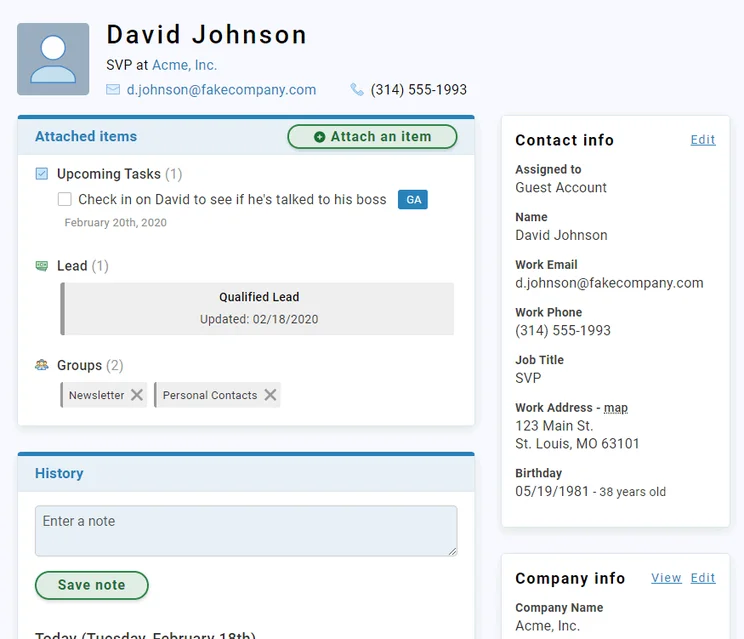

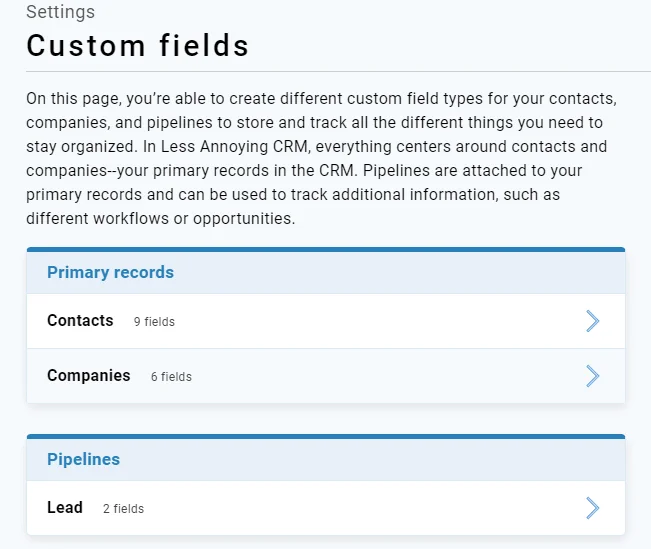
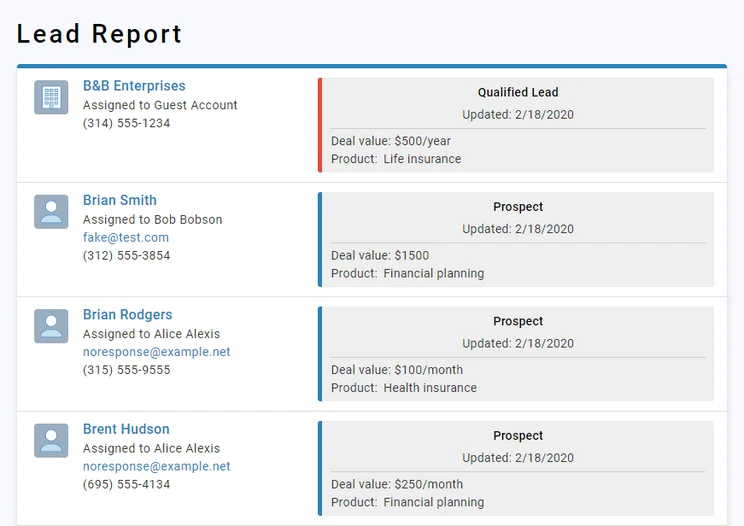
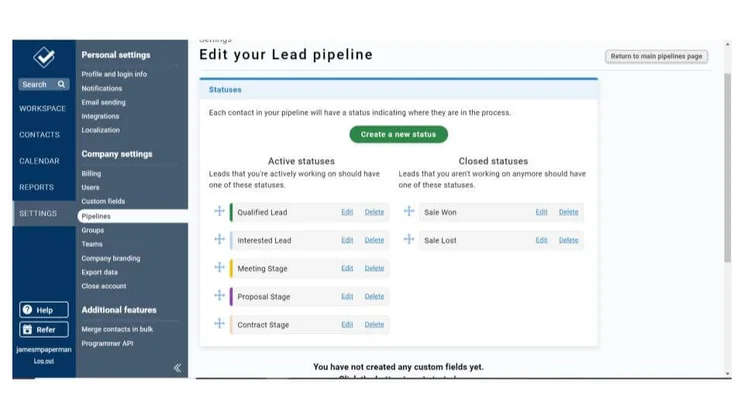
Less Annoying CRM pricing
Less Annoying CRM costs $15 per user, per month. Customer support options include phone, email, and a knowledge base, although 24/7 support is not available.
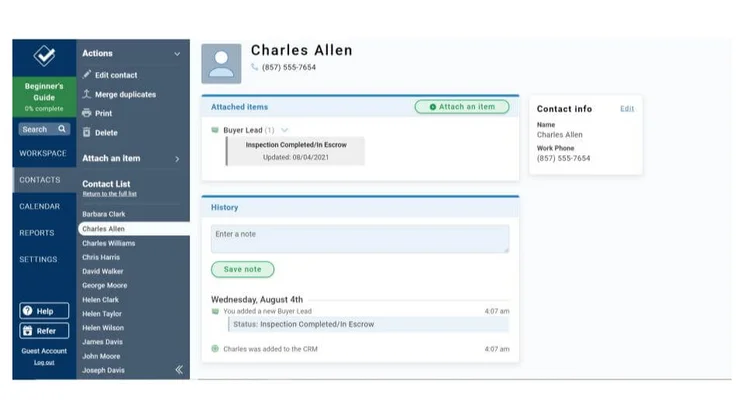
A contact profile on Less Annoying CRM.
The software doesn’t include lead-generation tools like web forms, chatbots, social media integrations, or website-visitor tracking. Lead-conversion tools are limited too, with no quotes, invoicing, or payments supported. There’s no dedicated lead scoring, either, but custom fields can compensate.
If you’re interested, read our full Less Annoying CRM review for more details.
Zoho CRM
Best for easy setup
Price from: $14 per user, per month
Zoho CRM’s Professional plan includes the core lead-tracking tools a small or midsize business will need, with relatively few limitations. Users will get a customizable sales pipeline, lead scoring, each contact’s communication history including their Twitter and Facebook, list segmentation, and unlimited custom reports.
The CRM is comprehensive, covering features for marketing and customer service as well as sales, and our testers found it to be quick and easy to set up and use. Adding to that ease of use are the healthy support options: Phone, chat, and email support is available as well as a knowledge base and forum, although support hours aren’t 24/7 with the Professional plan.
Other limitations of the Professional plan to know include: Up to ten web forms, up to 25 user roles, and a plan-wide limit of 10GB of data, with an additional 20MB-per-user cap.
Zoho CRM

In Short
-
Pros
- 15-day free trial
- Sales and marketing functionality available in free plan
- Highly customizable dashboards and fields across platform
- Integrates with other Zoho services or the vast app library
-
Cons
- No spam prevention on web forms
- Onboarding assistance for your team costs extra
- Team management functionality lacking, with limited storage space
Pricing
-
Free plan available
-
Standard: $14/user/month
-
Professional: $23/user/month
-
Enterprise: $40/user/month
-
Ultimate: $52/user/month
Images
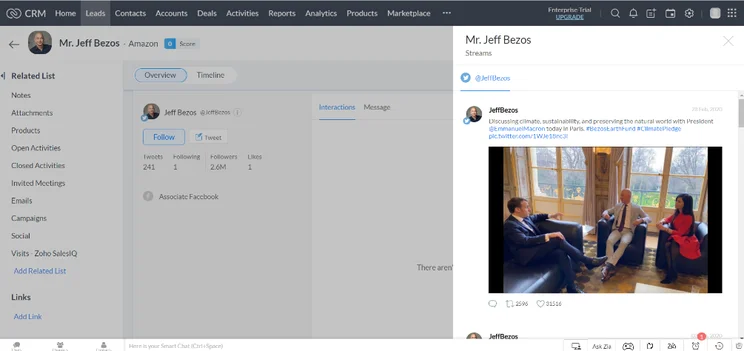
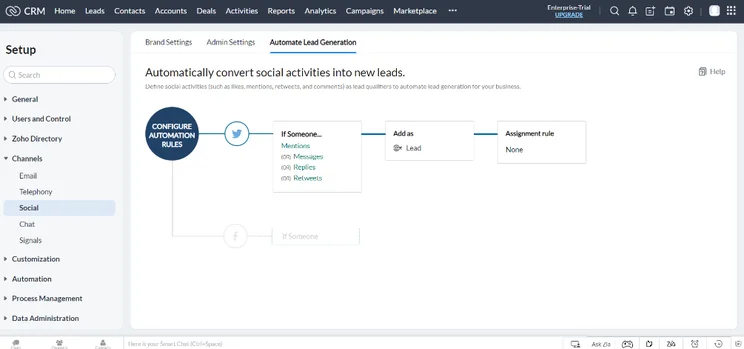
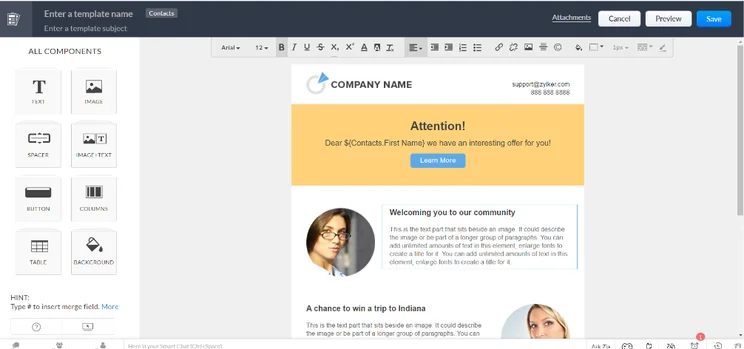
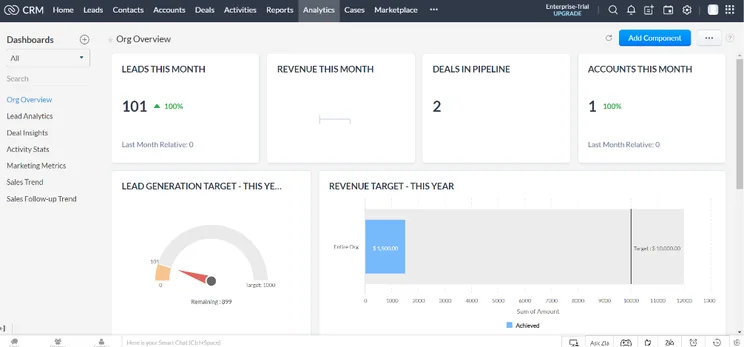
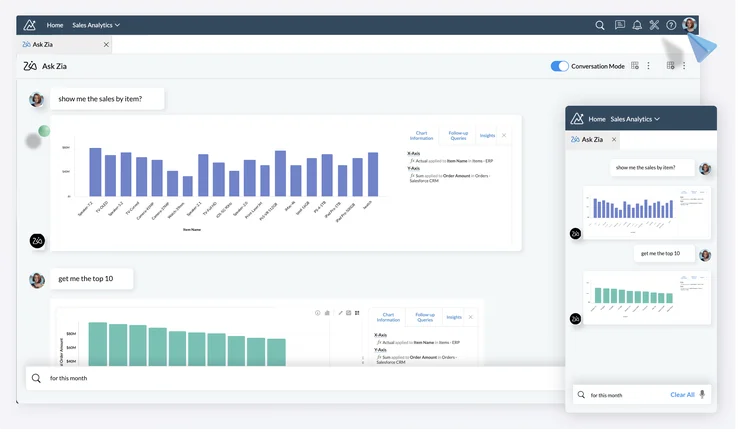
Zoho CRM pricing
Zoho CRM has six pricing plans in total — all priced at per user, per month. They include the Free plan, the Standard plan for $14, the Professional plan for $23, Enterprise for $40, Ultimate for $52, and the Plus plan for $57 per user, per month.
While they’re all worth considering, the first one, Zoho Free, doesn’t offer a lot in comparison to others. For example, Zoho’s free plan is capped at three users and 10MB of data, making the Hubspot Free plan a better pick by comparison. The Standard plan however, adds unlimited users and a 200MB data limit. It also opens up more tools, including up to five web forms, 100 email templates, 100 custom reports, 10 custom dashboards, and five user roles.
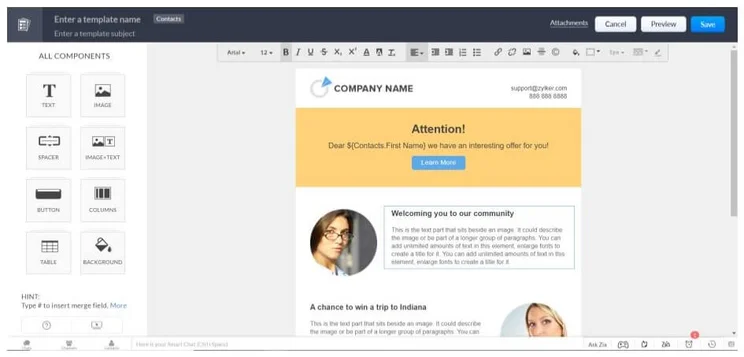
An email template on Zoho CRM.
Enterprise is best for scaling companies, as it dramatically boosts limits — supporting 250 user roles up from Professional’s 25 roles, for instance — while adding approval workflows to help managers track organization-wide progress. The Ultimate plan notably adds 24/7 live support, while the Plus plan adds a few additional tools like support for website chatbots and social platform messaging.
The prices and features for all the plans are a lot to get through — for a comprehensive look, read our guide to Zoho CRM pricing.
How to Choose a Lead Tracking Software for Your Business
A good lead tracking software needs to meet a range of requirements, all specific to your business needs. It must include the features and customizations you’ll use, must be easy enough to use, must integrate with your other business software, and it should scale as your company grows.
It’s a worthwhile investment to figure out, as the correct software will more than pay for itself.
For most small and mid-sized businesses, considering your budget is the best way to figure out the lead tracking tool that will meet your requirements. A smaller business will have a lower budget and will be unlikely to need the extra bells and whistles of a more complex lead tracking software. All of the software options on this page could work for any size business, but here are a few specific suggestions to get you started.
Check out our CRM database guide for more information
Small budget
If you’re working as an individual or on a small team at a startup, HubSpot’s Free plan should satisfy most of your needs. We ranked HubSpot as the top CRM for lead tracking, so as your operation grows, you’ll be in good hands with the expanded data limits and functionality of its three paid plans.
Pipedrive is another great option for small businesses in particular, thanks to its pared-down focus on lead tracking as opposed to a full customer relationship management solution.
Big budget
We didn’t include Salesforce on this list — its Essentials plan is the one best suited for small businesses but it doesn’t perform well in terms of lead management. However, if you’re managing a large operation, the Salesforce Sales Cloud could be for you. It’s a well-rounded solution that is very scalable, ideal for businesses with a big budget and a big sales team to match.
How We Compared the Best Lead Tracking Software
We take our impartial research and analysis seriously, so you can have complete confidence that we’re giving you the clearest, most useful recommendations.
After conducting an initial exploration to identify the most relevant, popular, and established CRM tools in the market, we put them through their paces to find out more about their strengths and weaknesses. In total, we analyzed 13 CRM systems, grading them across 84 areas of investigation.
Based on years of market research and CRM product testing, we’ve established a CRM research methodology to score products, which consists of six main assessment categories and 13 subcategories. This covers everything, from the available features and scalability capacity to the product’s value for money, and much more.
Our main testing categories for CRM systems are:
- Features: The functionalities and capabilities provided by the CRM software, such as contact management, lead and opportunity tracking, and task and activity management.
- Help and support: The resources and assistance available to users when they encounter issues or require guidance while using the CRM software.
- Customization: The ability to tailor the CRM software to suit the specific needs and processes of the organization, e.g. customizing fields, layouts, and workflows.
- Scalability: The ability of the CRM software to accommodate the growth and changing needs of the organization, such as the capacity to handle a growing customer database.
- Price: The cost associated with using the CRM software. It includes factors such as licensing fees, subscription plans, and additional charges for add-on modules or features.
- Team structure — sales CRM: Determining if a platform makes it easier to manage large sales teams, including team dashboards, team hierarchies, and team inboxes.
- Usability — small business CRM: Assessing the simplicity of the interface, the ease of navigating through menus and options, and the overall user experience.
When it comes to calculating a product’s final score, not all testing areas are weighted evenly, as we know some aspects matter more to our readers than others, which are merely “nice to have.” After hundreds of hours, our process is complete, and the results should ensure you can find the best solution for your needs.
At Tech.co, we have a number of full-time in-house researchers, who re-run this testing process regularly, to ensure our results remain reflective of the present day.
Our pick for the best lead tracking software overall is HubSpot CRM, for its lead capture, lead conversion, analytics, and flexible price plans.
That said, Pipedrive may be best for a company looking for a simple solution, while Freshsales Suite offers the best customization. Plus, while Zoho CRM isn’t our top pick for lead tracking specifically, it is the best full CRM service for small businesses, due to its comprehensive sales, marketing, and service functionality.
Lead Management Frequently Asked Questions
Lead management refers to the business process of finding and guiding potential customers (called leads) along a sales journey towards the goal — getting the lead to make a purchase.
The best software for lead management is Hubspot CRM, due to its lead conversion tools, impressive contact database, and oodles of data collection. Pipedrive and Freshsales are also top options for lead managing, according to our expert testers, with good data collection and lead communication features.
Lead tracking systems refer to the software that a business marketing team uses to follow and guide a lead through their customer journey.
The lead management process isn’t set in stone, but it can be broken into five major steps. First is lead capture, when leads are first identified from sources like email, events, or ads. Second is lead distribution, when agents are assigned to each lead based on best fit (the right software can automate this). Third is lead nurturing, when agents build a relationship with the lead, and fourth is the opportunity creation, when agents offer the lead the chance to commit to a purchase. Finally, the fifth step is lead analytics, a data-based look at what can be improved on the next lead journey.
If you click on, sign up to a service through, or make a purchase through the links on our site, or use our quotes tool to receive custom pricing for your business needs, we may earn a referral fee from the supplier(s) of the technology you’re interested in. This helps Tech.co to provide free information and reviews, and carries no additional cost to you. Most importantly, it doesn’t affect our editorial impartiality. Ratings and rankings on Tech.co cannot be bought. Our reviews are based on objective research analysis. Rare exceptions to this will be marked clearly as a ‘sponsored’ table column, or explained by a full advertising disclosure on the page, in place of this one. Click to return to top of page


