




We may receive a commission from our partners if you click on a link to review or purchase a product or service. Click to Learn More
The best AI CRM platform is HubSpot, because our in-depth research of 11 CRM providers found that its Breeze AI model is easy to use, and it provides generative tools, behavioral insights, and conversational setup features throughout the multi-industry platform.
Other top CRMs for AI from our hands-on research include Salesforce for its enterprise-level analytics, monday CRM, for its resource management and team collaboration features, Zoho CRM for its affordability, and Pipedrive for its sales-focused AI tools.
We take our impartial research and analysis seriously, so you can have complete confidence that we’re giving you the clearest, most useful product recommendations.
Here’s how our CRM research came about, by the numbers:
- More than 100 hours
- Six categories of investigation
- 14 sub categories
- 66 individual evaluations
The primary categories of investigation included pricing (20%), customization (20%), features (10%), team infrastructure (10%), customer support (20%), and scalability (20%).
|
Price
|
Free plan
|
Free trial
|
Pros
|
Cons
|
Score
|
AI features
|
||
|---|---|---|---|---|---|---|---|---|
 |
 |
 |
 |
 |
||||
|
HubSpot |
Salesforce |
monday CRM |
Zoho CRM |
Pipedrive |
||||
|
$7/user/month |
$25/user/month |
$12/user/month |
$14/user/month |
$14/user/month |
||||
|
|
|
|
|
|
||||
|
14 days |
30 days |
14 days |
15 days |
14 days |
||||
|
|
|
|
|
||||
|
|
|
|
|
||||
|
4.8
|
4.7
|
4.5
|
4.3
|
4.2
|
||||
|
|
|
|
|
- HubSpot is the best AI CRM, with its Breeze AI providing an intuitive interface and vast functionality, including generative tools and customer insights.
- Alternatives AI CRMs to consider are Salesforce for customization, monday for team collaboration, Zoho CRM for affordability, and Pipedrive for sales-focused AI tools.
- The cost of CRM starting plans range from $7 to $25 per user, per month, although advanced AI features can cost as much as $125 per user, per month.
- HubSpot, Salesforce, and Zoho CRM offer free forever plans, but they have strict user limits and substantial feature restrictions, sometime excluding AI features, like content generation and advanced insights.
- For CRM, you typically want to look for a provider that offers AI features like generative tools, chatbots, AI agents, and general automations.
What Are the Best AI CRM Platforms?
According to our in-depth research, these are the top CRM platforms for AI functionality:
1. HubSpot: Best for Ease of Use and Automation
- Starting price: $7 per user, per month
- Free plan: Yes
HubSpot is the best CRM for AI because of its Breeze AI model, which provides generative tools, client behavior insights, customer service chatbots, and agentic tools to automate your business. More importantly, it works across the various hubs, so your AI isn’t siloed into a single platform.
HubSpot is also one of the easiest to use CRM, particularly for how much it can do. The intuitive interface makes using AI features easy, allowing even beginners to create workflows and generate content.
Check out our HubSpot review for more information.
HubSpot CRM

In Short
-
Pros
- Sales and marketing features for growing businesses on all plans
- Tidy, easy-to-navigate interface
- Shared team inbox makes chasing leads and support tickets much less complex
- Feature-rich free plan
- Easy-to-use AI and automation tools
-
Cons
- Scarce customer support on the free plan
- 5 document storage limit on free plan
- Mandatory, one-time onboarding fees on premium plans
Pricing
-
 Free plan available
-
Starter: $7/user/month
-
Professional: $1,300/month/includes 6 seats
-
Enterprise: $4,700/month/includes 8 seats
Images
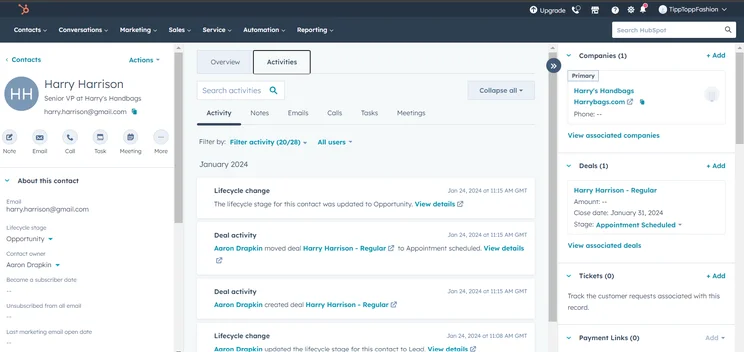
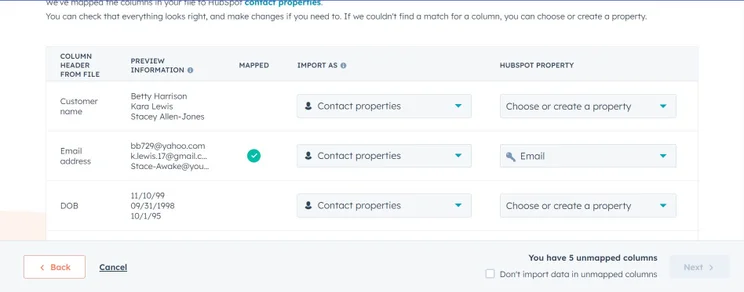
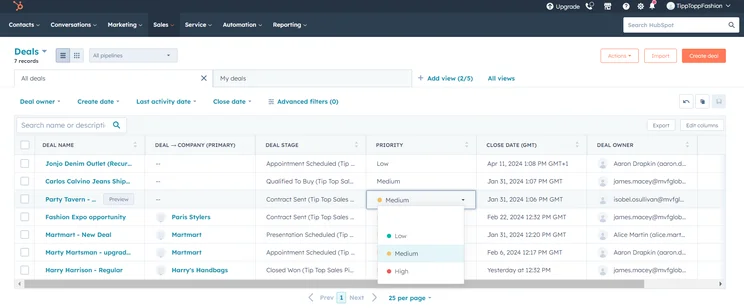
HubSpot AI features
- Breeze Agents: This feature can qualify leads, research prospects, and resolve support tickets without human intervention.
- Breeze Assistant: This chatbot can answer questions, draft content, and prep you for meetings with in-depth summaries and information.
- Conversation Intelligence: This tool will let you get a more granular look at customer service calls to understand what customers need more effectively.
Check out our HubSpot pricing guide to learn more.
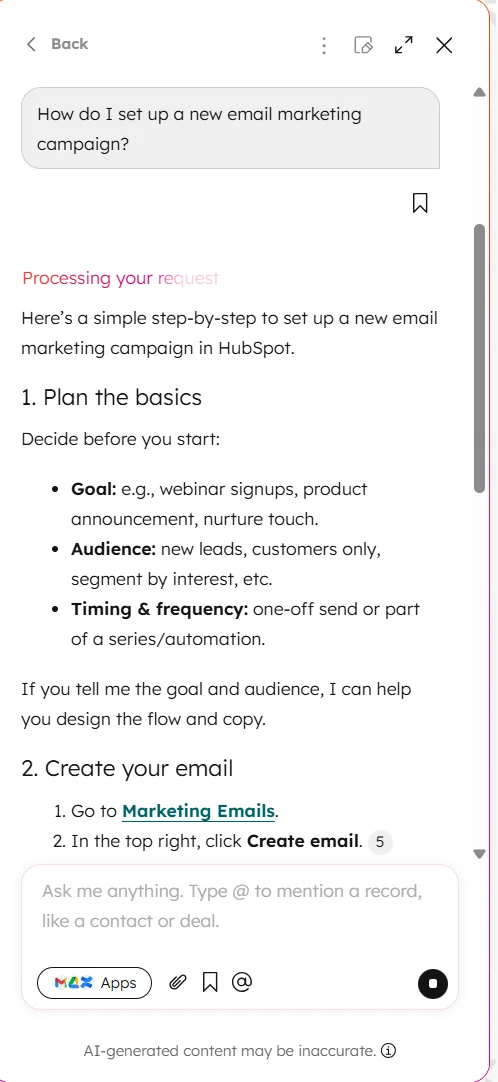
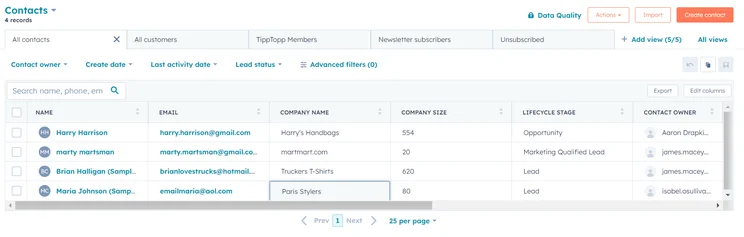
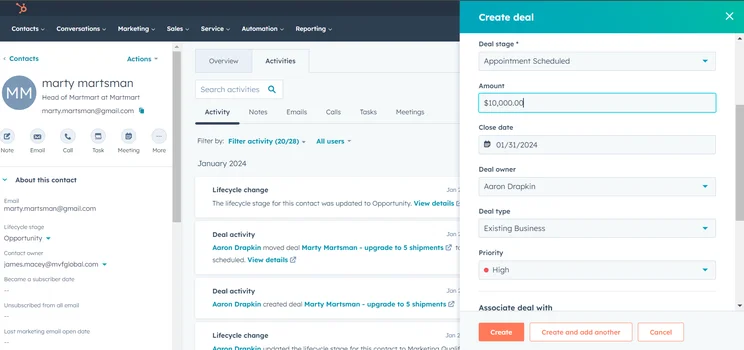
Breeze is integrated directly into the platform, so you can ask it a question at any time. Source: Tech.co testing
2. Salesforce: Best for Analytics
- Starting price: $25 per user, per month
- Free plan: Yes
Salesforce is an ideal CRM for businesses that want to use AI to extract data from your pipeline. The platform uses AI-powered analytics to generate massively helpful custom reports and its agentic Agentforce tool can use that data to automate much of your system.
Salesforce is also geared towards enterprise-level businesses. Firstly, because it’s on the more expensive side of the spectrum, but also because it offers a lot of customizability that may be more valuable to larger operations that require flexibility.
Check out our Salesforce review for more information.
Salesforce CRM
In Short
-
Pros
- Free forever plan
- Vast data collection combined with customizable reporting tools
- Helpful customer support pop-ups throughout the platform with 24/7 live support
- Varied pricing plans and industry-specific “Clouds” make it very scalable
-
Cons
- More expensive than industry average of $15/user/month
- 24/7 support will cost extra, adding to price
- Robust analytics probably aren’t necessary for smaller businesses
Pricing
-
Starter Suite: $25/user/month
-
Pro Suite: $100/user/month
-
Enterprise: $175/user/month
-
Unlimited: $350/user/month
-
Agentforce 1 Sales: $550/user/month
-
30-day free trial
Images
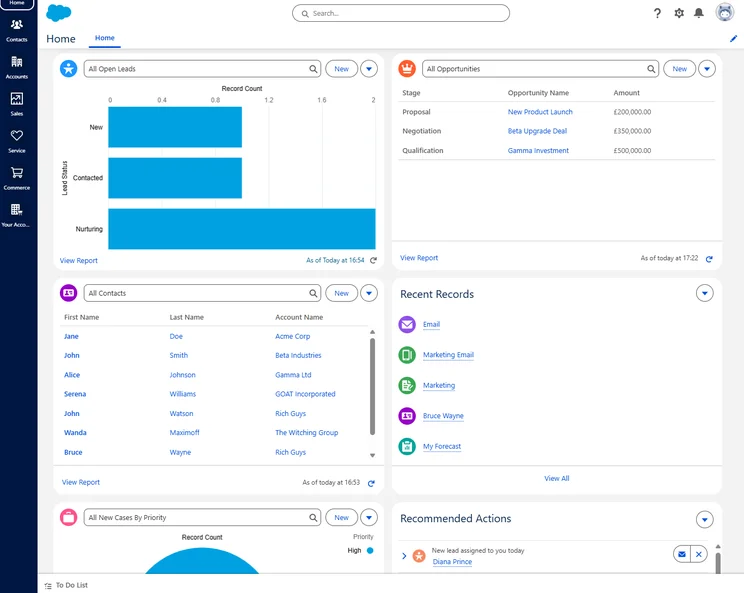
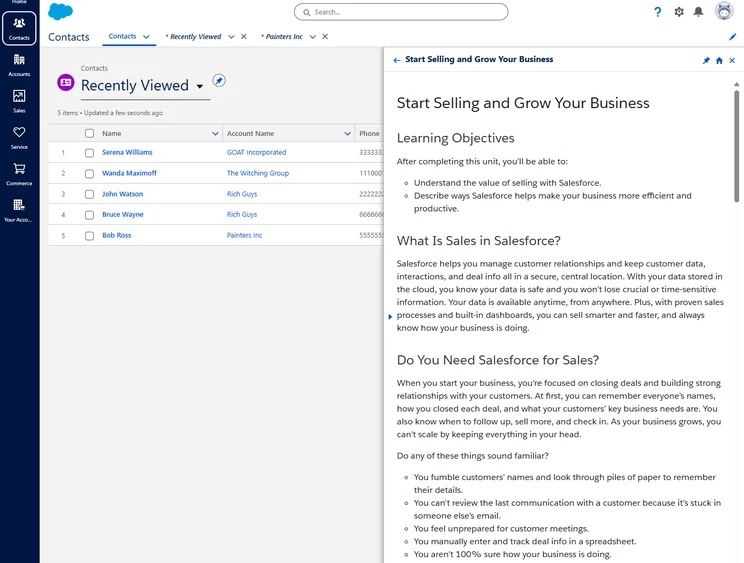
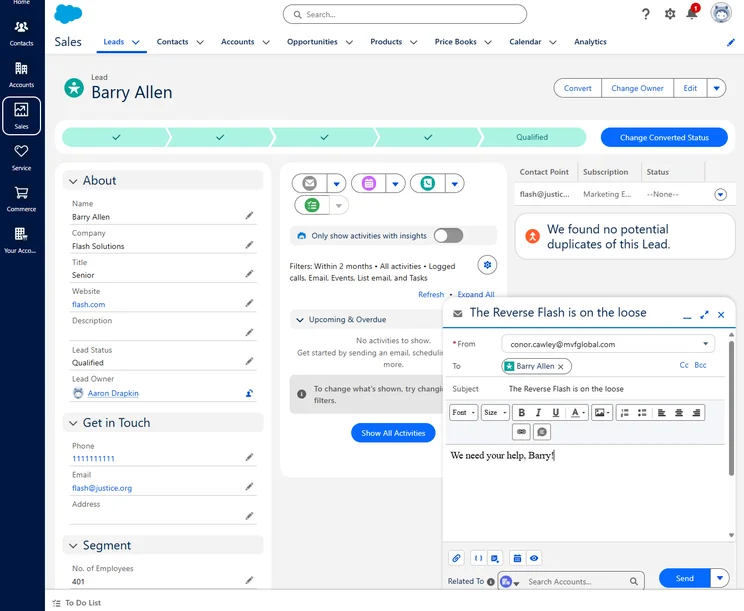
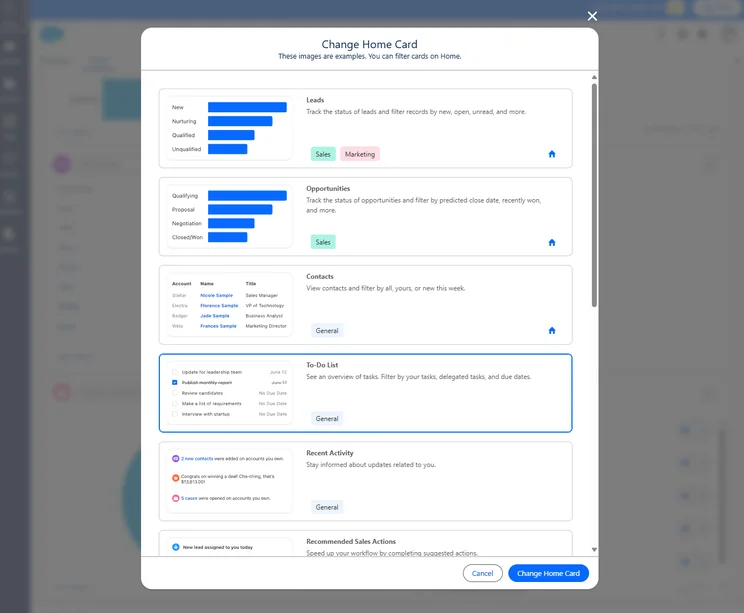
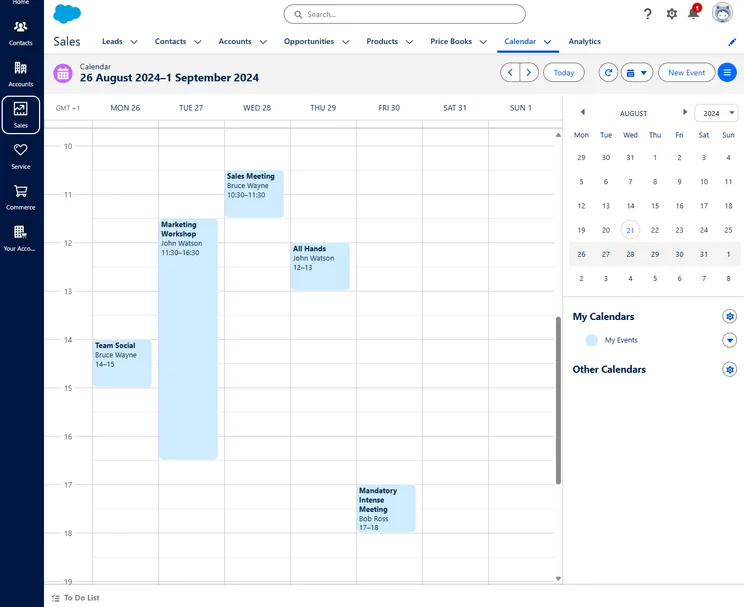
Salesforce AI features
- Agentforce: This is the agentic AI platform from Salesforce, which can understand CRM data and use it to execute sales, service, and marketing tasks for you.
- Einstein Bots: These AI-powered chatbots can be used to launch a multi-channel, multilingual bot that knows and understands your data to handle service requests.
- Data 360: This AI-powered system consolidates all your data across the Salesforce platform into a single, all-in-one hub.
Check out our Salesforce pricing guide to learn more.
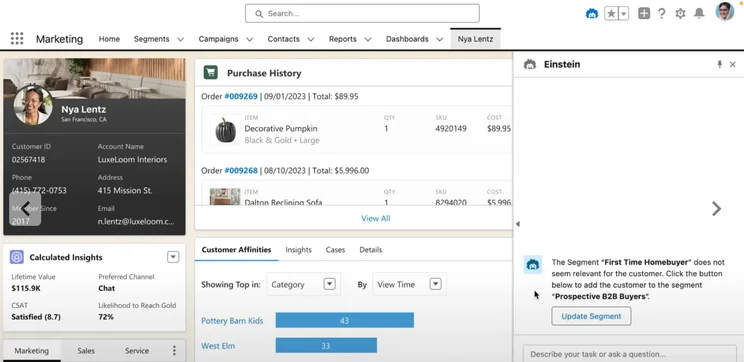
The Einstein AI chatbot from Salesforce can help you use the platform more effectively. Source: Salesforce
3. monday CRM: Best for Team Collaboration
- Starting price: $12 per user, per month
- Free plan: No
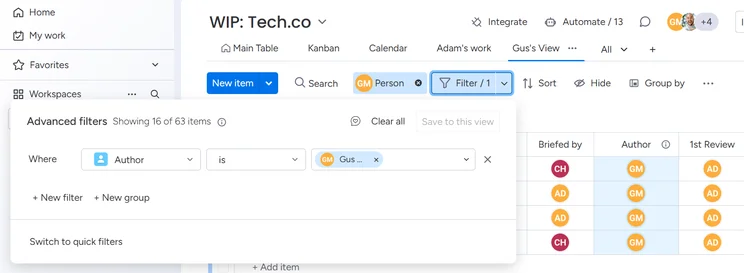
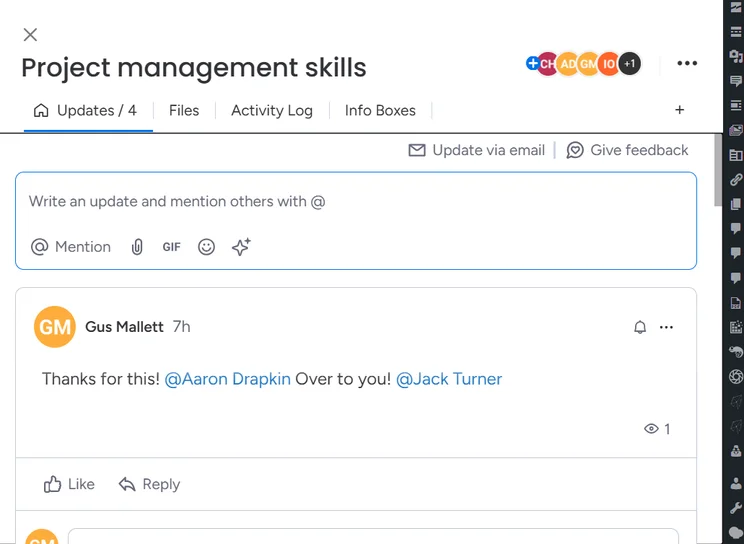
Fast-paced, lean teams should look into monday CRM as their choice, because it provides advanced team collaborations tools that can automate communication through internal notifications. You can set up workflows that alert certain team members of deadlines and target dates, so no one falls behind.
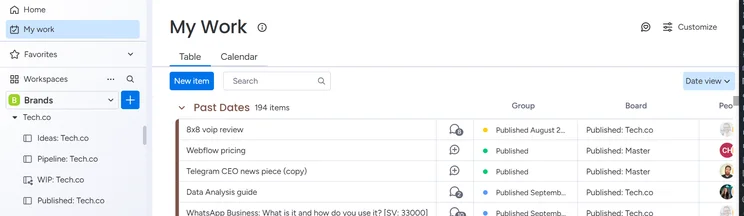
monday CRM is also one of the easiest CRMs to use in our in-depth research, with its embedded generative AI tools and intuitive, color-coordinated interface making automation easy, even for beginners.
Check out our monday CRM review to learn more.
monday CRM

In Short
-
Pros
- 14-day free trial
- Simple and modern layout with basic color-coded system
- Custom fields across platform, including customizable dashboards
- Many reports: deals, activity, recurring revenue, and more
-
Cons
- Workflow automations are capped monthly
- No centralized inbox to improve team management
- No phone support on any plan, but live chat is available
Pricing
-
Basic: $12/user/month
-
Standard: $17/user/month
-
Pro: $28/user/month
Images
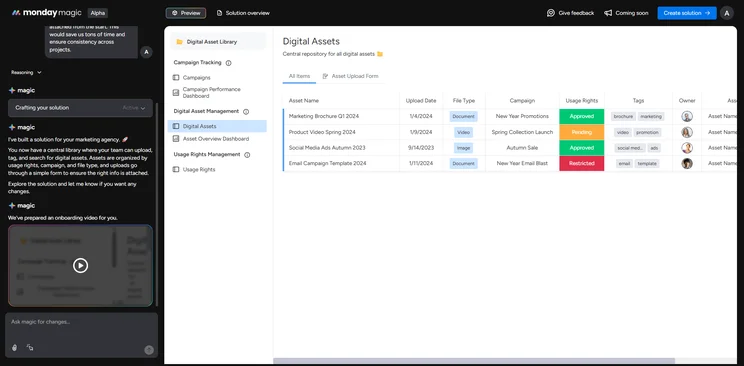
monday CRM AI features
- monday Sidekick: This is the AI-powered chatbot from monday, which is available to users for queries, summaries, content generation, and data requests.
- No-code automation: monday CRM allows users to create in-depth workflows that automate across the system, which require no technical knowledge to execute.
- Deal Insights: This AI-powered feature can analyze deal health, identify risks, and suggest actions to increase conversion rates.
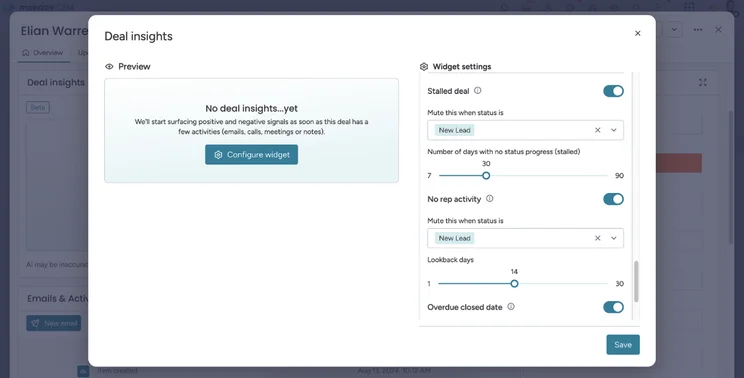
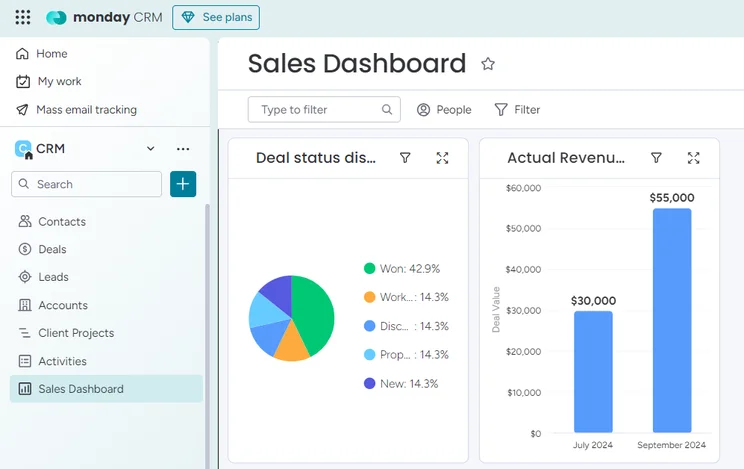
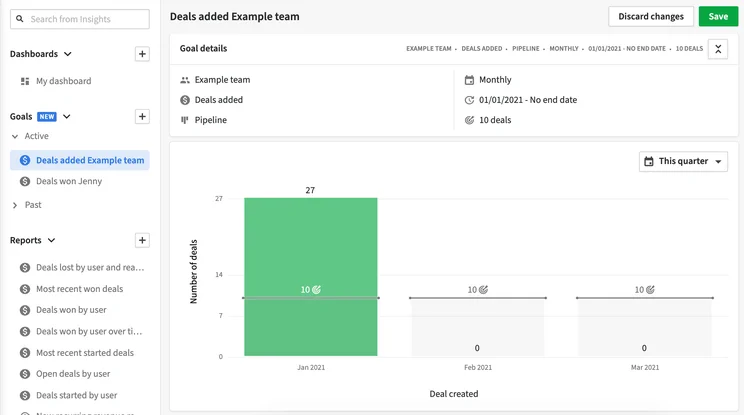
monday CRM offers specific Deal Insights, which can give you a clear picture of how your sales get done. Source: monday.com
4. Zoho CRM: Best for Affordable AI Features
- Starting price: $14 per user, per month
- Free plan: Yes
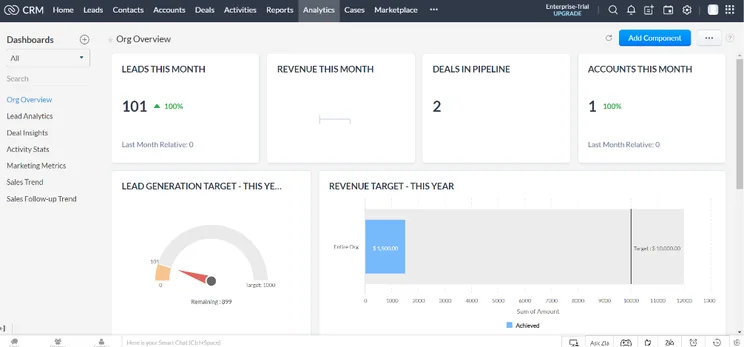
Zoho CRM is the best option for businesses that want to keep costs as low as possible when it comes to AI. With Zia Agents, which are free, you can deploy autonomous digital employees that can nurture leads, create quotes, analyze deals, and coach sales staff.
monday CRM also gives users access to AI image generation and the custom AI studio to create autonomous business applications with its more affordable plan, which costs only $14 per user, per month. Sadly, AI features are not available in the Zoho CRM free plan.
Check out our Zoho CRM pricing guide to learn more.
Zoho CRM

In Short
-
Pros
- 15-day free trial
- Sales and marketing functionality available in free plan
- Highly customizable dashboards and fields across platform
- Integrates with other Zoho services or the vast app library
-
Cons
- No spam prevention on web forms
- Onboarding assistance for your team costs extra
- Team management functionality lacking, with limited storage space
Pricing
-
Free plan available
-
Standard: $14/user/month
-
Professional: $23/user/month
-
Enterprise: $40/user/month
-
Ultimate: $52/user/month
Images
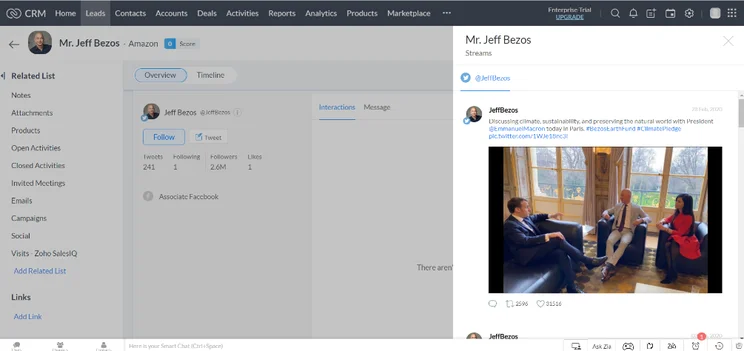
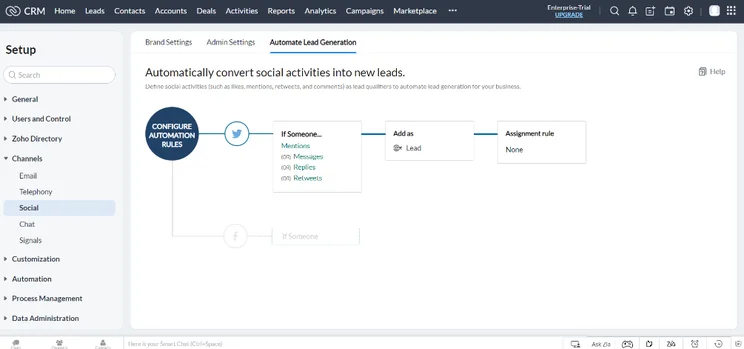
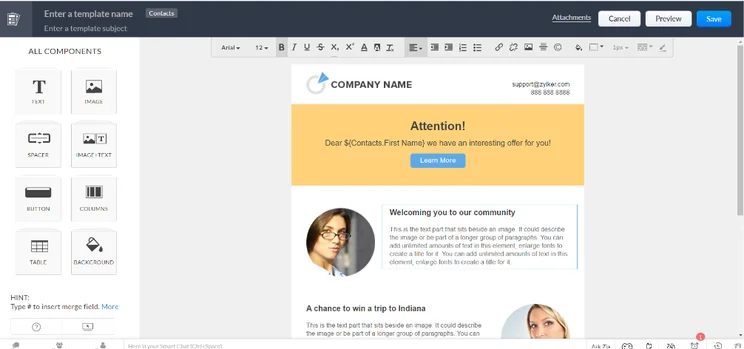
Zoho CRM AI features
- Zia scores: This feature automatically provides AI-powered scores for specific records, so you can evaluate high-need areas quickly.
- Zia presentation: This tool can generate presentations for you based on data found through the Zoho CRM platform and integrated services.
- Zia writing assistant: This feature can generate and edit content for you in customer emails to improve readability.
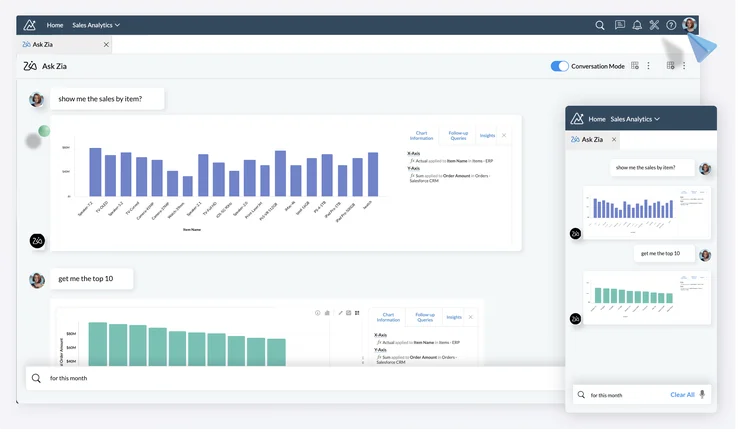
You can ask Zia to provide data visualizations of your data. Source: Zoho
5. Pipedrive: Best AI CRM for Sales Teams
- Starting price: $14 per user, per month
- Free plan: No
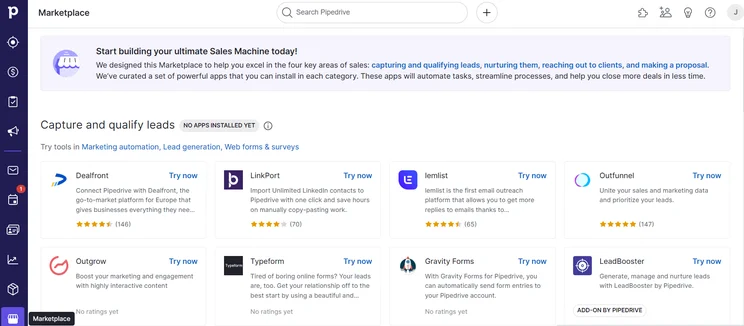
For businesses exclusively looking for a sales CRM that is powered by AI, Pipedrive is a good fit, focusing on closing deals. The integrated AI tools provide focused, hands-on guidance through the pipeline, keeping clients engaged throughout the process.
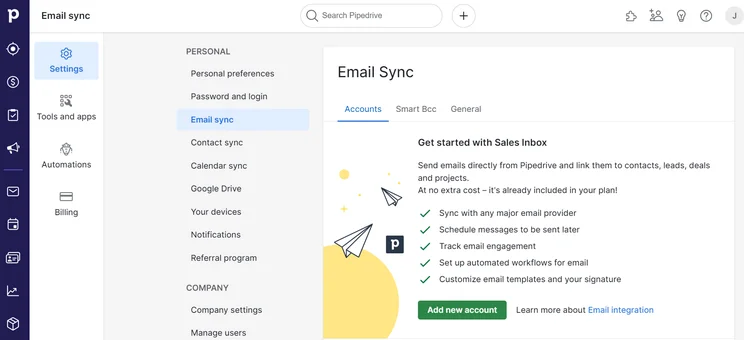
Pipedrive is also a notably affordable CRM, giving users access to its AI features in the entry-level plan, which only costs $14 per user, per month, including AI-powered report creation and smart app recommendations.
Check out our Pipedrive pricing guide to learn more.
Pipedrive

In Short
-
Pros
- Unlimited contact database for larger businesses with lots of clients
- Great security tools include user permissions and multi-factor authentication
- 24/7 live support via chat and phone
-
Cons
- 24/7 support only available in more expensive plans
- Can’t create custom task types within the platform
- Web form creation is a paid add-on
Pricing
-
14-day free trial
-
 Lite: $14/seat/month
-
Growth: $39/seat/month
-
Premium: $59/seat/month
-
Ultimate: $79/user/month
Images
Pipedrive AI features
- AI notifications: Pipedrive notifications use AI to identify patterns and recommend high-potential deals.
- Email generator: This tool from Pipedrive can craft customized emails from natural language prompts to streamline your response times.
- AI summaries: Pipedrive provides a feature that condenses emails into comprehensive summaries to improve inbox management.
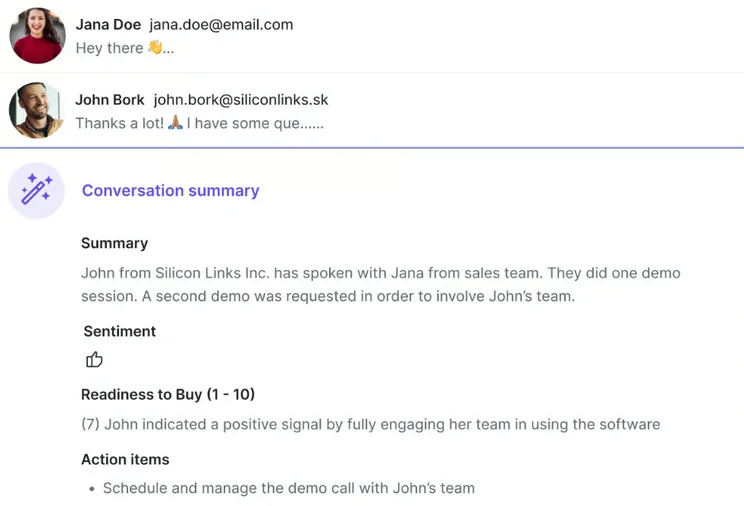
Pipedrive’s AI summaries can help you get a clear picture of a sale based on your email. Source: Pipedrive
What to Look For in AI CRM Software
In this section, you’ll find examples of AI features that you should look for in a CRM platform.
- Generative AI: These tools generate written content or imagery for you, providing optimized subject lines, CTAs, and more, to drive sales.
- Chatbots: Chatbots are ideal for customer services teams, as they enable customers to self-serve.
- Automations: AI-powered automations establish automatic processes to save time and eliminate manual workflow building.
- AI agents: AI agents, such as Salesforce’s Einstein, can deliver advanced predictive analytics based on existing data and autonomously handle key processes, including data input.
Beyond AI features, it’s important to consider other factors, including pricing, integrations, security, and ease of use.
Check out our guide to the best CRM for beginners to learn more.
How We Test and Evaluate AI CRM Software
Our main testing categories for CRM systems are:
- Features (10%): The functionalities and capabilities provided by the CRM software, such as contact management, lead and opportunity tracking, and task and activity management.
- Help and support (20%): The resources and assistance available to users when they encounter issues or require guidance while using the CRM software.
- Customization (20%): The ability to tailor the CRM software to suit the specific needs and processes of the organization, e.g. customizing fields, layouts, and workflows.
- Scalability (20%): The ability of the CRM software to accommodate the growth and changing needs of the organization, such as the capacity to handle a growing customer database.
- Price (20%): The cost associated with using the CRM software. It includes factors such as licensing fees, subscription plans, and additional charges for add-on modules or features.
- Team infrastructure (10%): Determining if a platform makes it easier to manage large sales teams, including team dashboards, team hierarchies, and team inboxes.
At Tech.co, we have a number of full-time in-house researchers, who re-run this testing process regularly, to ensure our results remain reflective of the present day.
Learn more about our research.
The best AI CRM is HubSpot, because it offers a comprehensive range of AI tools, including generative AI, chatbots, and automation features. It’s also one of the best CRM platforms across our research, due to its scalability, low starting price, ease of use, and decent free plan.
However, there are several alternatives worth considering, depending on your business case. Salesforce, for instance, is a fantastic solution for large enterprises with complex reporting needs, while Pipedrive is optimized for sales teams.
Frequently Asked Questions
If they have them at all, CRM providers do not typically include AI features in the free plans of their platforms. You will have to pay for the starting plan at a minimum, like HubSpot providing access to the Breeze Assistant for only $7 per user, per month, whereas some AI features, like Agentforce from Salesforce, cost as much as $125 per user, per month as an add-on.
Most enterprise-level CRM platforms like Salesforce and HubSpot offer high-level security protocols that can secure customer and company data effectively. However, some platforms require you to pay for more added layers of security, like single sign-on and HIPAA compliance.
If you click on, sign up to a service through, or make a purchase through the links on our site, or use our quotes tool to receive custom pricing for your business needs, we may earn a referral fee from the supplier(s) of the technology you’re interested in. This helps Tech.co to provide free information and reviews, and carries no additional cost to you. Most importantly, it doesn’t affect our editorial impartiality. Ratings and rankings on Tech.co cannot be bought. Our reviews are based on objective research analysis. Rare exceptions to this will be marked clearly as a ‘sponsored’ table column, or explained by a full advertising disclosure on the page, in place of this one. Click to return to top of page


