
We may receive a commission from our partners if you click on a link to review or purchase a product or service. Click to Learn More
Our research found that Zoho CRM is the best CRM for small businesses, offering access to a wide range of advanced features on its low-cost plans, making it an accessible option for teams with a smaller budget. Plus, it offers a free forever plan, which can get you started before you make a financial commitment.
As a small business, CRM software can make a big difference when it comes to productivity. Whether your team is split between home and the office, or just has a lot of information to keep track of, CRMs for sales, marketing, and customer service are designed to make life easier through organization and automation.
But not all CRM systems are equal – and choosing the right provider isn’t always easy. So, we’ve analyzed and tested some the best CRM for small businesses to help you find the right fit.
- Zoho CRM — best for small businesses, thanks to low-cost plans; top value.
- Freshsales Suite — great for dedicated sales teams.
- monday CRM —the most customizable platform.
- HubSpot — a surprisingly robust freemium solution.
Use the links above to see the latest deals directly, or the button below to get CRM price quotes for your team’s specific needs. If you want to find out more about how we ranked these CRM systems, head to the methodology section.
If you’re already a bit overwhelmed at the choices provided, we don’t blame you. The industry is filled with a lot of great options, each one of which has a bunch of features, add-ons, and integrations that you may or may not need. For a simple overview of the key features offered by the top providers, just read on!
Check out our guide to the best CRM for QuickBooks integration to learn more
Top Small Business CRM Software Compared
The best CRM for small businesses includes Zoho CRM, Freshsales Suite, and monday CRM. Each have their own merits which may (or may not) make them suitable for your small business.
|
Plan
|
Price
Billed annually
|
Free trial
|
Users
|
Storage
|
Generative AI features
|
Try it
|
||
|---|---|---|---|---|---|---|---|---|
|
SPONSORED
 |
BEST OVERALL
 |
BEST VALUE
 |
 |
 |
||||
|
Salesforce Sales Cloud |
Zoho CRM |
HubSpot |
Freshsales Suite |
monday CRM |
||||
|
Starter Suite |
Professional |
Free |
Growth |
Pro |
||||
|
$25/user/month |
$23/user/month |
Free |
$9/user/month |
$28/user/month |
||||
|
30 days |
15 days |
|
21 days |
14 days |
||||
|
Unlimited |
Unlimited |
2 |
Unlimited |
Unlimited |
||||
|
File storage: 1GB |
User: 20MB |
Unlimited |
2GB |
100GB |
||||
|
|
|
|
|
|
||||
| Try Salesforce | Try Zoho | Try HubSpot | See CRM Deals | Try monday CRM |
Good CRM software will allow you to ramp up your ability to convert leads while simultaneously cutting down on churn. It can help support teams to deliver solutions to customers, or it can help marketing teams to engage with new and existing customers. All of the above can be crucial for a small business looking to scale up.
Below, we list the best CRM software providers in our research. Each one has tiered plans that can help a small business scale and grow, so you can find affordable packages that may help you to start small.
- Zoho CRM – Best all-in-one for Sales, Marketing & Customer Service
- Freshsales Suite – Best combined Sales and Marketing CRM
- monday CRM – Best for customization
- Bigin by Zoho CRM – Best entry-level CRM
- HubSpot Free – Best free option
- Zendesk Sell – Best for fast-loading reports
- Pipedrive – Best security options
- Salesforce Starter Suite – Best for growing businesses
As you can see, there are plenty of options out there for small businesses, each with its own set of features, price points, and support options that can fit a small company.
Here’s our closer look at the pros, cons, and unique abilities of the best CRM software vendors available today.
One of the primary reasons that Zoho CRM was able to nab the top spot on this list of the best CRM for small business was value. Our research found that the CRM not only provided users with more overall features than other providers on the list, but it also offered them across most of its paid plans, even the more affordable ones.
That’s not to say there weren’t some worthy competitors. Freshsales Suite fell just short of the mark due to its limited sales and customer service features compared to Zoho CRM, but its marketing features and low price proved a formidable comparison. HubSpot is also noteworthy, as it offers comparative functionality at no cost, so small businesses can get started without a hit to their budget.
All that to say, cost was a big factor in deciding the best CRM for small businesses, as that status often comes with fewer resources. Luckily, most of these platforms are equipped to scale with you, so if you go from a small business to a medium-sized — or even large — business, you’ll be all set.

1. Zoho CRM
- Best all-in-one Sales, Marketing, Customer Service CRM
- Price from: $23/user/month
This is Zoho’s main CRM platform, and our top-rated option for small businesses, according to our research. It’s affordable and provides a lot of features covering Sales, Marketing, and Customer Service, making it a safe bet for small businesses right through to larger enterprises.
Zoho CRM

In Short
-
Pros
- 15-day free trial
- Sales and marketing functionality available in free plan
- Highly customizable dashboards and fields across platform
- Integrates with other Zoho services or the vast app library
-
Cons
- No spam prevention on web forms
- Onboarding assistance for your team costs extra
- Team management functionality lacking, with limited storage space
Pricing
-
 Free plan available
-
Standard: $14/user/month
-
Professional: $23/user/month
-
Enterprise: $40/user/month
-
Ultimate: $52/user/month
Images
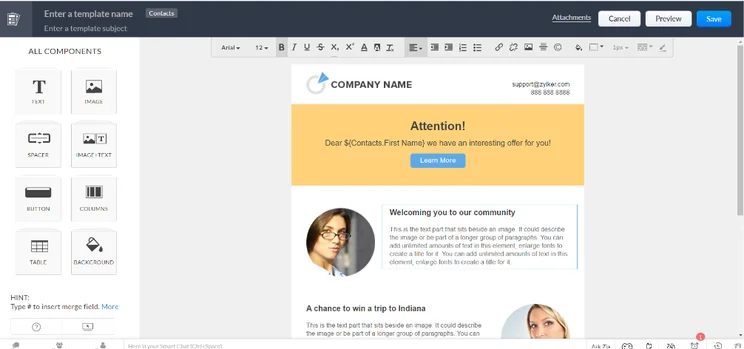
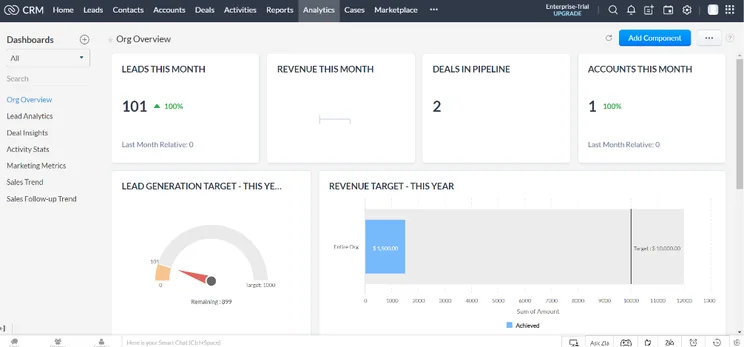
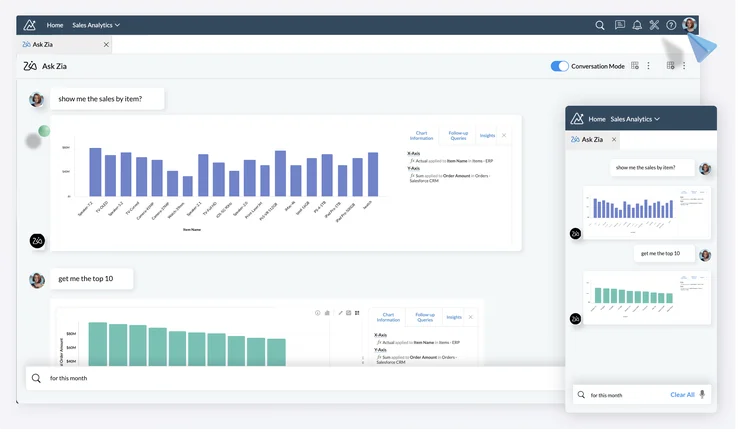
What does Zoho CRM do well?
During testing, we found this platform to be quick and easy to set up and use, even for beginners, so your smaller team should have no problem finding their footing. In fact, in our usability research, it scored higher than any other CRM, except for Freshsales Suite, which had a slightly faster setup process.
Zoho CRM is also very customizable, to the extent that you can create new object types, allowing you to store any type of information that’s relevant to your business. All-in-all, this results in a very comprehensive CRM package, offering the best sales management features available.
Another area where Zoho CRM excels is automation. Similarly to its competitor monday, the platform’s workflow automation features help to simplify repetitive tasks, including managing approvals, assigning leads, and sending follow-up emails. Zoho’s AI assistant Zia helps to streamline processes further, by assisting with data entry and organization. These features have the potential to be massive time savers for businesses and will be especially useful for busy teams.
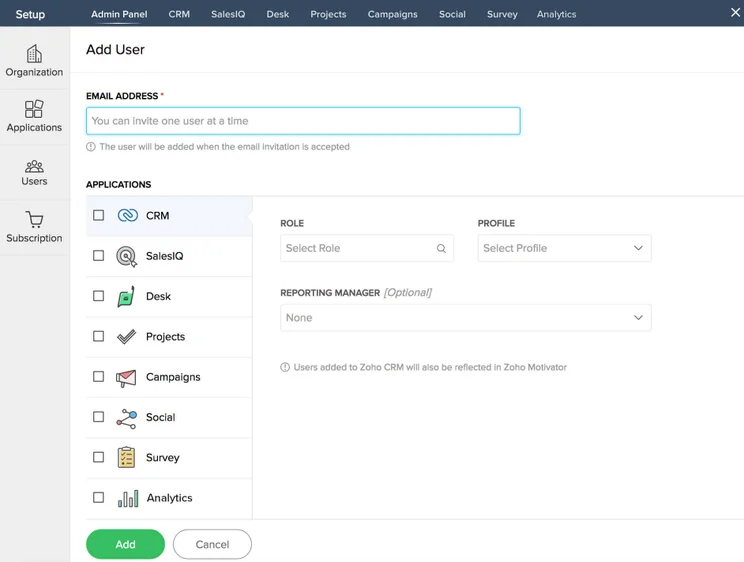
The “add user” page in Zoho CRM allowed us to add team members to the platform easily.
Image: Tech.co testing
Where could Zoho CRM improve?
It is difficult to label where Zoho CRM could even be improved honestly. It’s not the cheapest, but the additional investment can be justified thanks to the massive set of features and overall functionality of the platform. Simply put, this is the best CRM example for small businesses – you won’t find value like this elsewhere.
Truly, the only downside to Zoho CRM is that it isn’t exactly suited to the smallest of small businesses, given its larger feature catalog. If you need something a bit more budget-friendly that won’t be full of features you don’t need, Bigin by Zoho is a great option for entry-level CRM use, and it’s our fourth top-rated option overall.
Zoho CRM is most suitable for…
- Beginners to CRM software
- Businesses that are looking to expand
- Businesses with complex sales processes
Zoho CRM is less suitable for…
- Budget-conscious businesses
- Businesses after a simple, stipped-back solution
How much does Zoho CRM cost?
Zoho CRM offers four different pricing plans, in addition to its free plan. The Standard plan costs $14 per user, per month, the Professional plan costs $23 per user, per month, the Enterprise plan costs $40 per user, per month, and the Ultimate plan costs $52 per user, per month. This is considerably cheaper than industry-leader Salesforce, although the features aren’t as advanced.
Our research shows that the Professional plan is the best option for small businesses. The Professional plan comes in at $23 per user, per month. Compared to the less expensive plans featured in this article, it has a wider range of functionality, without too much of a price jump. From sales features like macros and SalesSignals to the added automation functionality, this plan gives small businesses the power to really dig into their strategy without costing a fortune.
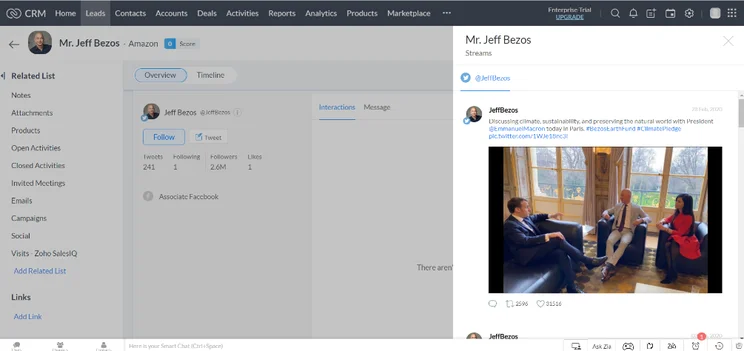
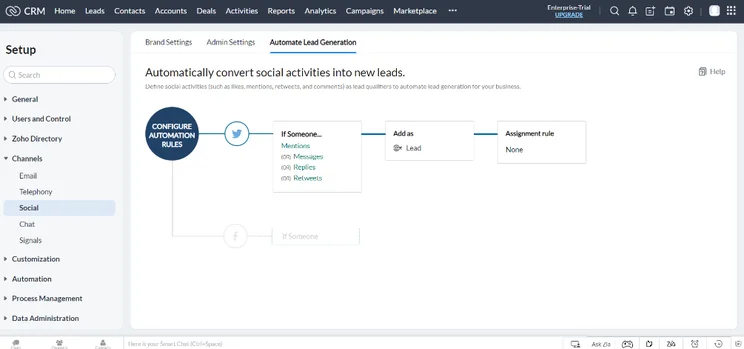
Another true benefit of this plan is that it unlocks a wide range of social media features which can greatly improve your overall experience. It includes data on Twitter and Facebook, as well as automated lead generation through your favorite platforms.
|
Plan
|
Price
Billed annually
|
Users
|
Storage
|
Support
|
Lead scoring
|
API
|
Custom reports
|
Custom automation builder
|
|
|---|---|---|---|---|---|---|---|---|---|
|
TRY FOR FREE
|
|
BEST FOR SMB
|
|
|
|
||||
|
Free |
Standard |
Professional |
Enterprise |
Ultimate |
Plus |
||||
|
$23/user/month |
|||||||||
|
3 |
Unlimited |
Unlimited |
Unlimited |
Unlimited |
Unlimited |
||||
|
User: n/a |
User: n/a |
User: 20MB |
User: 50MB |
User: 100mb |
User: 1GB |
||||
|
Basic |
Standard |
Live chat, phone, email |
Standard |
24/7 live |
24/7 live |
||||
|
|
|
|
|
|
|
||||
|
|
|
|
|
|
|
||||
|
|
Max 100 |
|
|
|
|
||||
|
|
|
|
|
|
|
- Improved reporting: Zoho CRM has enhanced its reporting features, and users are now able to aggregate data into a single column in reports, improving clarity and usability as a result. (May, 2024)
- Better Canvas integrations – Users can now use Zoho CRM’s Canvas integrations to record creation forms. This allows for customized field selection and styling. (December, 2024)
2. Freshsales Suite
- Best combined Sales and Marketing CRM
- Price from: $9/user/month
Freshsales Suite is Freshwork’s all-in-one sales and marketing product for small businesses. The platform provides a solid level of functionality while being affordable and extremely easy to use. In fact, it’s our highest-ranking CRM for ease of use too, making it a great CRM for startups.
However, Freshsales’ tiny price tag does come at a cost. Its automation and analytics capability are notably limited, and the platform lacks integrations with popular social media platforms like Instagram, and LinkedIn.
Freshsales Suite

In Short
-
Pros
- 21-day free trial
- Fast data imports for simple, speedy setup process
- Extensive reporting functionality with customizable dashboards
- Time tracking features to manage team productivity
-
Cons
- Fewer custom field options than competitors
- Only offers Facebook and Instagram social media integrations
- Capped at 1,000 marketing actions, so larger businesses will be limited
Pricing
-
Growth: $9/user/month
-
Pro: $39/user/month
-
Enterprise: $59/user/month
Images
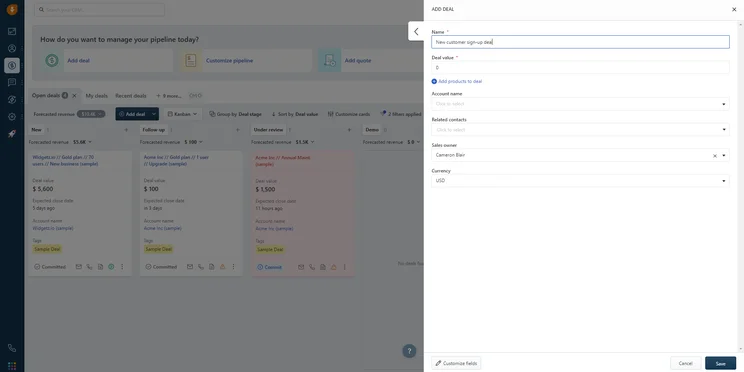
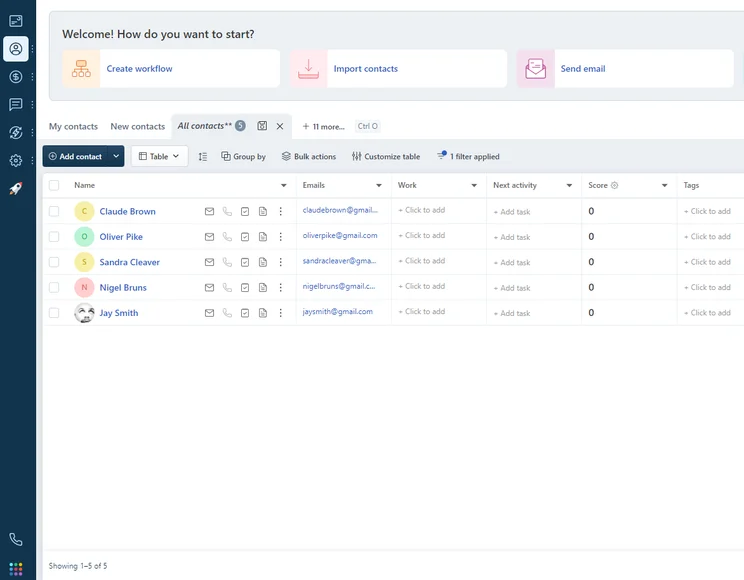
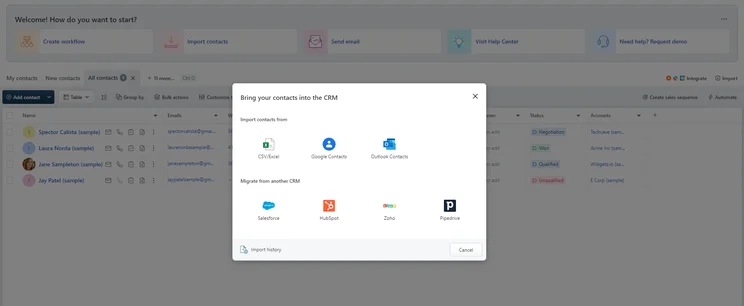
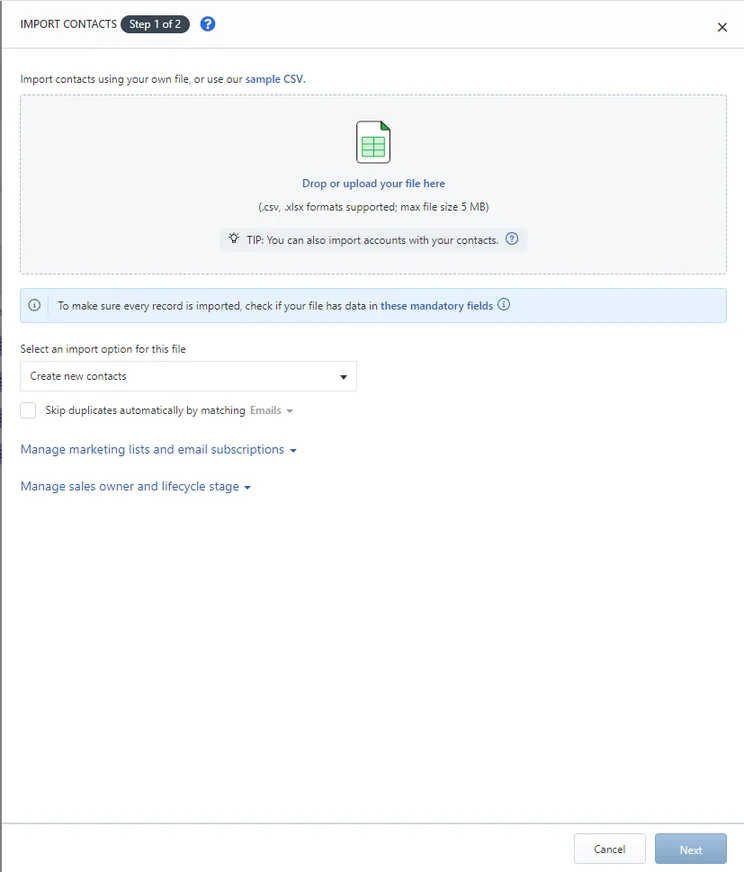
What does Freshsales Suite do well?
Freshsales Suite provides good customer service options across all its plans, including live email, phone, and chat support and access to an AI-powered chatbot if you’re interested in virtual assistance. These useful resources make it easier for teams to resolve issues without investing tons of time and effort.
Freshsales Suite even provides a lead scoring algorithm that automatically scores your leads based on data from previous sales and information you can input yourself. This makes it easy to understand which leads you’ll have the best chance of converting into customers. Plus, the platform has comprehensive reporting tools, to make it easy for businesses to plan for future scaling efforts.
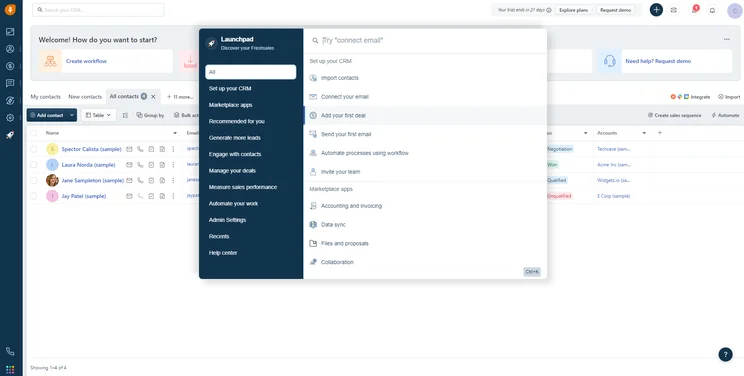
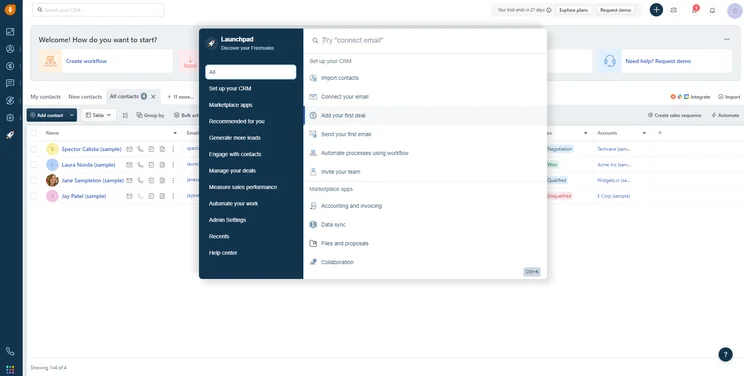
Freshsales’s Launchpad feature makes it easy for users to pin down features quickly.
Image: Tech.co user testing
Where could Freshsales Suite improve?
Despite Freshsale’s perks, it suffers substantially when it comes to features, offering virtually no customer service functionality and social media integrations unlike our top choice Zoho CRM. For larger businesses and those in frequent communication with customers, this shortcoming will likely be a dealbreaker, especially if they rely heavily on social media to connect with their audience.
Freshsales Suite is most suitable for…
- Small businesses and startups
- Businesses planning to expand
- Businesses after a low learning curve
Freshsales Suite is less suitable for…
- Larger businesses with complex sales processes
- Businesses that require a customer service functionality
How much does Freshsales Suite cost?
Freshsales Suite comes in three different pricing plans, as well as a free plan. The Growth plan costs $9 per user, per month, the Pro plan costs $39 per user, per month, and the Enterprise plan costs $59 per user, per month.
According to our research, the Pro plan is the best option for small businesses. The Pro plan from Freshsales Suite costs $39 per user, per month.
At a reasonable price point, this plan still offers a whole lot of functionality, including workflows, custom reports, and a visual sales pipeline, so you can understand how your customers interact with your business. The next most expensive plan comes in at a whopping $59 per user, per month, which is why this option is the best bet for small businesses.
|
Plan
|
Price
Billed annually
|
Users
|
Storage
|
Lead scoring
|
API
|
Custom reports
|
Custom automation builder
|
|
|---|---|---|---|---|---|---|---|---|

|
BEST FOR SMB
|
|
|
|||||
|
$9/user/month |
$39/user/month |
$59/user/month |
||||||
|
3 |
Unlimited |
Unlimited |
Unlimited |
|||||
|
None |
2 GB |
5 GB per user |
100 GB per user |
|||||
|
|
|
|
|
|||||
|
|
|
|
|
|||||
|
|
|
|
|
|||||
|
|
20 |
50 |
100 |
- ScanBuddy integration: Freshsales now integrates with ScanBuddy, allowing businesses to add contacts more conveniently by scanning business cards. (May, 2024)
- AI-powered Sales Battlecards: Freshsales recently released a new AI-powered feature that makes it easier for sales teams to analyze customer data, and identify market trends in real-time. (August, 2024)
3. monday CRM
- Best for customization
- Price from: $28/user/month
As a complete and fully functional sales CRM, monday CRM provides some unmatched customizability when it comes to CRM. While that may sound intimidating to first-time users, monday CRM combines this platform’s flexibility with some seriously intuitive design, so you won’t be bogged down by complicated customizations.
monday CRM

In Short
-
Pros
- 14-day free trial
- Simple and modern layout with basic color-coded system
- Custom fields across platform, including customizable dashboards
- Many reports: deals, activity, recurring revenue, and more
-
Cons
- Workflow automations are capped monthly
- No centralized inbox to improve team management
- No phone support on any plan, but live chat is available
Pricing
-
Basic: $12/user/month
-
Standard: $17/user/month
-
Pro: $28/user/month
Images
What does monday CRM do well?
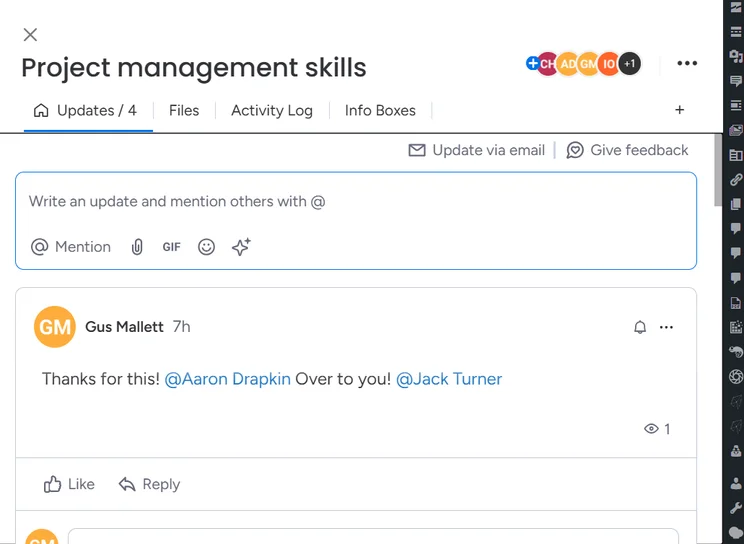
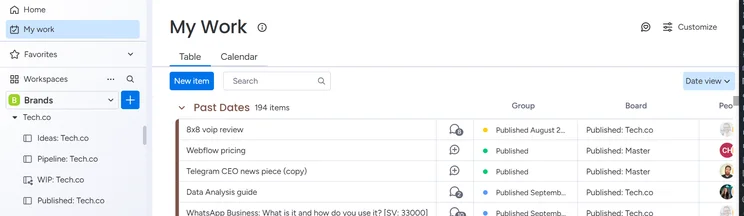
When we reviewed monday CRM, we found it to be an easy-to-use platform with impressive flexibility.
For one, you can edit almost anything – allowing you to fully tailor the platform to your business. There are also several dedicated CRM features available with monday CRM, like the ability to create web forms, create invoices, and send emails.
Even better, monday CRM provides this at a very competitive price – making it a genuinely attractive option for businesses. Starting at $10 per user, per month, it is more affordable than Zoho CRM ($14 per user, per month) and most other options on this list, with only Zoho Bigin ($7 per user, per month) and Freshsales ($9 per user, per month) offering a lower starting price.
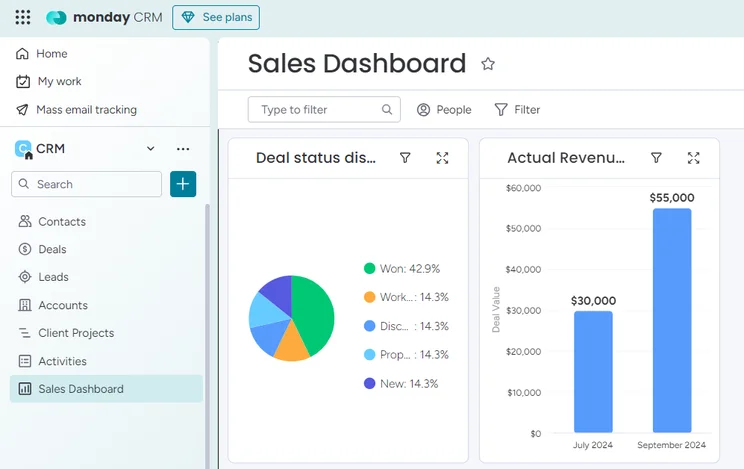
monday also offers a range of strong reporting options, including sales dashboards with real-time data on key metrics like sales rep performance and conversion rates. Like everything else on monday, these reports are extremely visually appealing and can be customized to suit your liking.
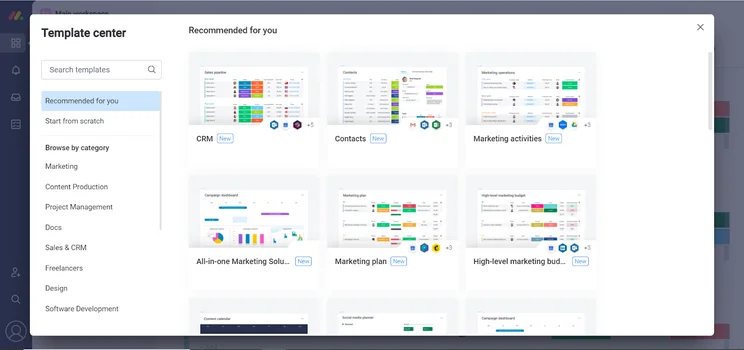
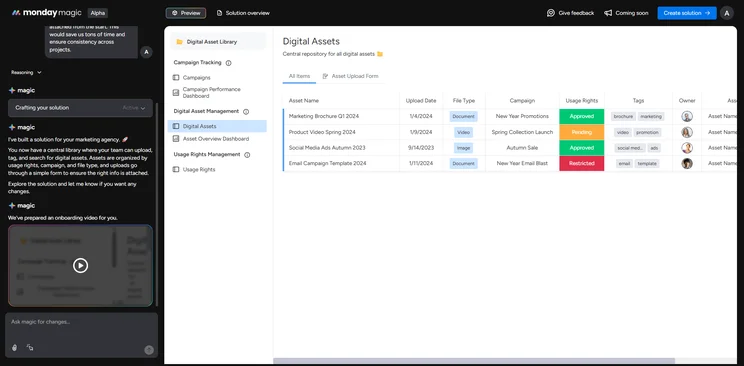
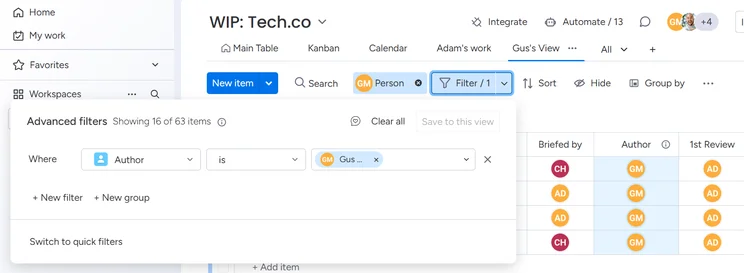
We found monday CRM very customizable, with plenty of templates to choose from.
Source: Tech.co testing
Where could monday CRM improve?
The only real downside to monday CRM is help and support. Those having issues with the platform are forced to rely on email, forums, and help articles, which isn’t always ideal, especially if you need to resolve issues right away. However, the general ease of use should hopefully keep road bumps to a minimum.
monday CRM is most suitable for…
- Businesses after an ultra-customizable platform
- Beginners to CRM software
- Businesses already using monday for work or project management
monday CRM is less suitable for…
- Businesses that require specific industry-specific features
- Large businesses with advanced CRM demands
- Businesses that rely heavily on help and support
How much does monday CRM cost?
monday CRM pricing offers four different pricing plans, as well as a free plan. The Basic plan costs $12 per user per month, the Standard plan costs $17 per user, per month, the Pro plan costs $28 per user per month, and the Enterprise plan does not provide publicly available pricing. For small businesses, we recommend investing in the Pro plan as its custom automation limit is much more generous.
Given that monday CRM is one of the more affordable options on this list, the higher-tier plans make more sense, as they won’t cut into your budget and still offer a lot. You’ll get up to 25,000 automation and integrations, along with a dashboard that can combine multiple boards. Plus, with time tracking enabled, you can really turn monday CRM into a full-on CRM with this plan.
|
Plan
|
Price
Billed annually
|
Users
|
Storage
|
Lead scoring
|
Custom automation builder
|
Activity timeline
|
|
|---|---|---|---|---|---|---|---|
 |
|
|
|
||||
|
Basic |
Standard |
Pro |
Ultimate |
||||
|
$12/user/month |
$17/user/month |
$28/user/month |
Custom |
||||
|
Unlimited |
Unlimited |
Unlimited |
Unlimited |
||||
|
5GB |
20GB |
100GB |
1000GB |
||||
|
|
|
|
|
||||
|
|
250 actions/month |
25,000 actions/month |
25,000 actions/month |
||||
|
1 week |
6 months |
1 year |
5 years |
- Item Page Widgets: monday CRM recently released a new widget that lets you visualize all of your item’s information in one central place for improved management. (December, 2024)
- Email Sequences: monday’s new email sequence capability lets you create automated email sequences that fire off emails based on specific triggers or actions happening on your board. (October, 2024)
4. Bigin by Zoho CRM
- Best entry-level CRM
- Price from: $7/user/month
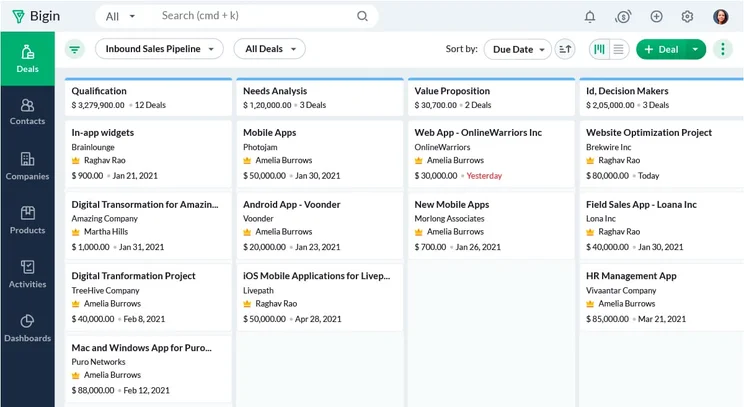
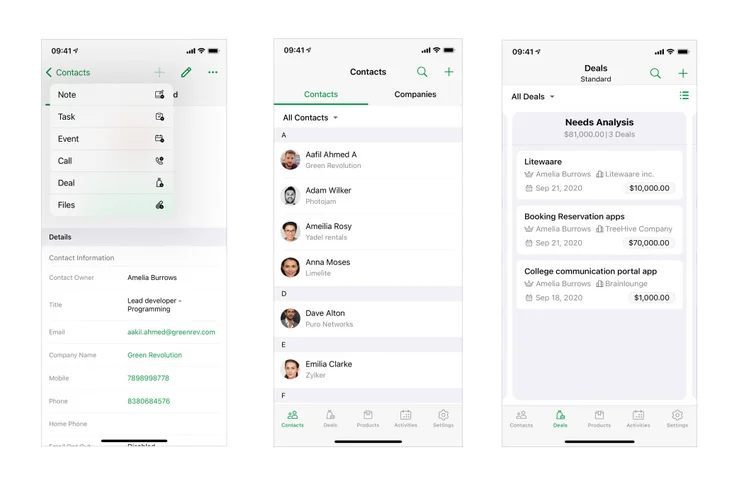
This is Zoho’s dedicated small-business CRM platform. Zoho has aimed this product at users taking their first steps from spreadsheet to CRM. As such, it is very low cost, but still provides a good level of functionality.
Bigin by Zoho CRM

In Short
-
Pros
- 15-day free trial
- Very low-cost platform w/ free plan for small businesses
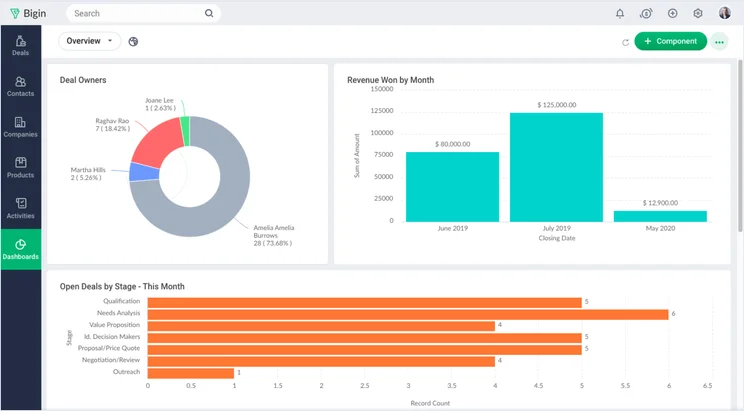
- Fully customizable dashboard for clear data visualizations
- Unique social media integrations
-
Cons
- No live help or support
- Limited marketing and lead gen features
- No invoicing or quoting functionality
Pricing
-
Express: $7/month
-
Premier: $12/month
-
Bigin 360: $18/month
Images
What does Bigin by Zoho CRM do well?
Bigin by Zoho CRM was found to be one of the more customizable platforms, allowing users to fill in custom fields and create custom reports. While it may not be quite as flexible as monday.com, it’s still a great contender for businesses that want to tailor a solution to their unique needs.
If you aren’t importing tons of customer data, the CRM platform can also be set up in under 30 minutes. This, alongside its competitive price tag, makes it a great option for smaller businesses that are new to CRM software.
Where could Bigin by Zoho CRM improve?
Where Bigin by Zoho CRM can be improved is with aspects of usability. Most notably, the onboarding process had one of the more complicated data imports on the list. It also lacks any form of “live” help and support, unlike the full-on Zoho CRM, leaving users to rely on email, forums, and help articles when they have a problem.
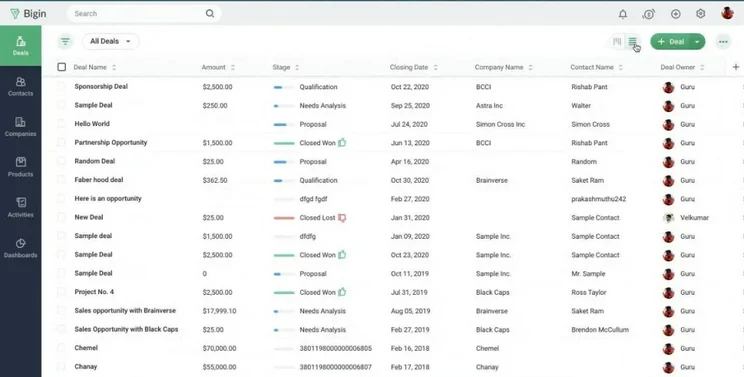
The Bigin by Zoho CRM was a good stripped-down version, which we found perfect for smaller teams.
Source: Bigin by Zoho CRM
Bigin by Zoho CRM is most suitable for…
- Small businesses and startups
- Budget-conscious businesses
- Businesses after a very customizable platform
Bigin by Zoho CRM is less suitable for…
- Businesses that require live customer support
- Larger businesses with complex sales processes
- Businesses after an ultra-low learning curve
How much does Bigin by Zoho CRM cost?
Bigin by Zoho CRM pricing is pretty basic. It offers two pricing plans, in addition to its free plan. The Express plan costs $7 per user, per month and the Premier plan costs $12 per user, per month.
For your small business, we recommend you opt for the paid plan, which is dubbed Express. As one of the more affordable options on the list, Bigin by Zoho CRM is definitely an option for those just graduating from spreadsheets. It offers basic functionality that’ll get you by.
You can test Bigin out with the free plan, but for business purposes, we highly recommend opting for the paid plan, as the free plan really lacks the functionality necessary to conduct business in a meaningful way. For example, you can only use the email features in the paid plan, which is vital to the success of any growing business.
|
Plan
|
Price
Billed annually
|
Free trial
|
Users
|
Storage
|
|
|---|---|---|---|---|---|

|
BEST FOR SMB
|
|
|||
|
Free |
Express |
Premier |
|||
|
15 days |
15 days |
15 days |
|||
|
1 |
Unlimited |
Unlimited |
|||
|
1 GB |
1 GB |
1 GB |
- WhatsApp integration: Bigin by Zoho CRM users are now able to communicate with customers via WhatsApp, giving them a new avenue to engage with buyers. (February, 2024)
- Booking Pages: The provider’s new feature simplifies appointment scheduling by allowing users to generate personalized booking pages. (June, 2024)
5. HubSpot Free
- Best free CRM software
- Price from: Free
This is HubSpot’s free platform, an all-in-one product providing sales, marketing, and customer service functionality. Rather than a dedicated small business platform, it acts as the “starting tier” of their paid products which specialize in one of those aforementioned areas.
HubSpot is not the only option on the list with a free plan, with Zoho CRM offering one as well, but you can’t beat the HubSpot free plan when it comes to functionality for sales, marketing, and customer service.
HubSpot CRM

In Short
-
Pros
- Sales and marketing features for growing businesses on all plans
- Tidy, easy-to-navigate interface
- Shared team inbox makes chasing leads and support tickets much less complex
- Feature-rich free plan
- Easy-to-use AI and automation tools
-
Cons
- Scarce customer support on the free plan
- 5 document storage limit on free plan
- Mandatory, one-time onboarding fees on premium plans
Pricing
-
Free plan available
-
Starter: $7/user/month
-
Professional: $1,300/month/includes 6 seats
-
Enterprise: $4,700/month/includes 8 seats
Images
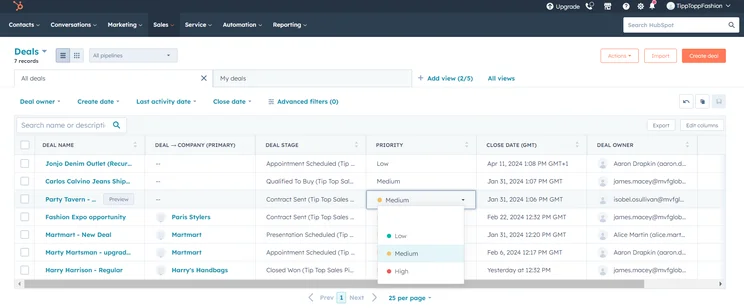
What does HubSpot do well?
The fact that businesses don’t need to drop a single cent on this service is one of its biggest strengths. This will be hugely useful for businesses looking to keep overheads as low as possible, without completely sacrificing quality.
What’s more, HubSpot actually provides a pretty comprehensive package that competes with the paid products listed here in terms of functionality. It scored well in usability due to its thorough onboarding process and tidy interface. This makes it a no-brainer for small businesses with virtually no budget to work with, as it can handle a respectable number of contacts, deals, and requests, without costing a dime.
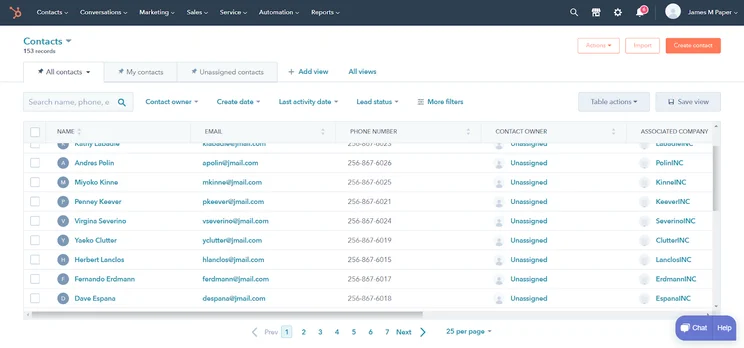
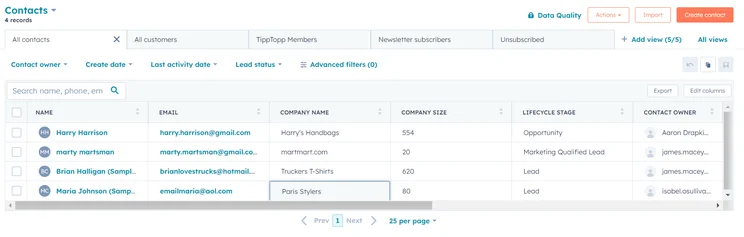
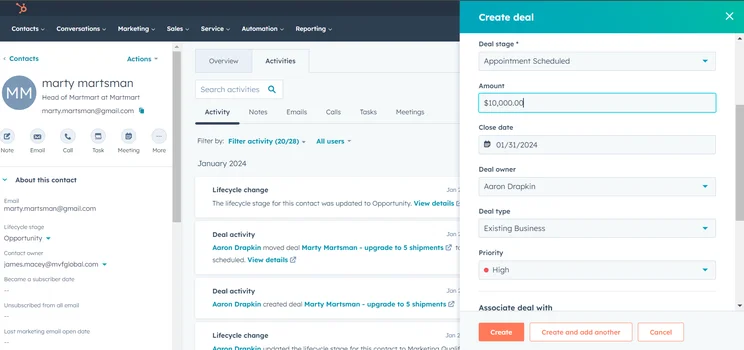
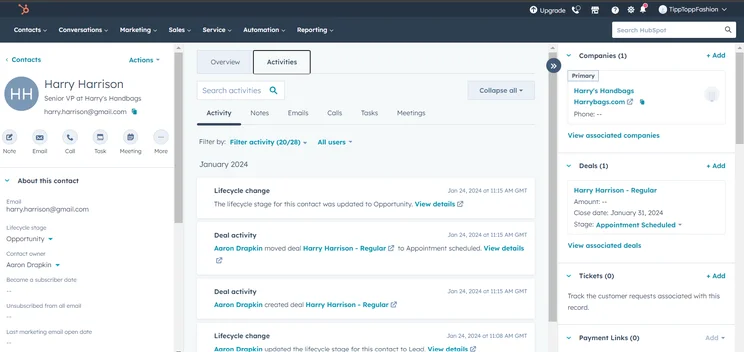
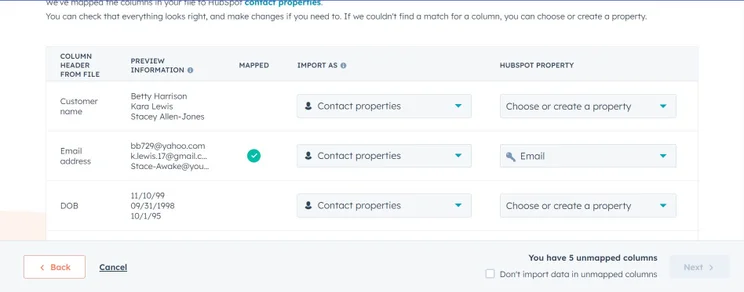
The contacts page on HubSpot free is just as functional as many paid plans on this list.
Image: Tech.co testing
Where could HubSpot improve?
Key points of improvement for HubSpot Free would be the limited customization it provides users, which is to be expected with a free plan. It also has basically no customer support options aside from forums and help articles, and its robust AI features aren’t available in the free plan either. Understandably, these features are locked behind a paywall – encouraging users to pay for very expensive premium platforms which will be beyond the price range of most small businesses.
Check out our guide to the best AI CRM software for more information
HubSpot is most suitable for…
- Businesses after a free CRM solution
- Businesses looking for a scalable option
- Businesses with less complex sales processes
HubSpot is less suitable for…
- Larger businesses with advanced CRM needs
- Businesses after affordable AI features
- Businesses that rely heavily on customer support
How much does HubSpot cost?
There’s a wide range of HubSpot pricing options for sales, marketing, and customer service teams. The Starter plans cost $15 per user, per month, the Professional plans cost $90 per user, per month, and the Enterprise plans cost between $130-150 per user, per month.
All that is pretty expensive, so we only recommend the Free plan for small businesses. As you can imagine, the Free plan from HubSpot costs nothing forever, so you can start organizing your business without cutting into your budget.
For a free plan, it’s surprisingly robust, allowing for contact and ad management, live support chat, email scheduling, and ticketing. The only problem is that you’ll have to pay a lot to upgrade, so make sure this is all you need in the long term.
Learn more in our HubSpot vs Zoho CRM comparison guide
|
Plan
|
Price
Billed annually
|
Onboarding fee
|
Users
|
Storage
|
Lead scoring
|
API
|
Custom reports
|
Advanced forecasting
|
|
|---|---|---|---|---|---|---|---|---|---|
|
BEST FOR SMB
|
|
|
|
||||||
|
Free |
Starter |
Professional |
Enterprise |
||||||
|
Free |
$9/user/month |
$90/user/month |
$150/user/month |
||||||
|
|
|
$1,500 |
$3,500 |
||||||
|
2 |
Unlimited |
Unlimited |
Unlimited |
||||||
|
5 documents |
5000 documents |
5000 documents |
5000 documents |
||||||
|
|
|
|
Predictive scoring |
||||||
|
|
|
|
|
||||||
|
|
|
|
|
||||||
|
|
|
|
|
- Association Label Filtering: HubSpot has rolled out enhanced filtering options for associated records, making it easier for users to improve the organization of their data, and unlock important insights. (September, 2024)
- WhatsApp integration: HubSpot now integrates directly with WhatsApp via its Help Desk, making it easier for businesses to reach out and engage with customers.(August, 2024)
6. Zendesk Sell
- Best for fast-loading reports
- Price from: $19/user/month
Zendesk Sell is the sales-focused CRM by Zendesk, one of our top-rated providers when it comes to CRM. With plans starting from as little as $19 per user, per month, the platform is cheaper than some of our leading options, but unfortunately, this is reflected in its slightly smaller feature offering.
Zendesk Sell

In Short
-
Pros
- 14-day free trial
- Provides great security options to secure data
- Offers good customizability including custom fields
- Lots of infrastructure to manage teams long term
-
Cons
- Very few digital selling tools for ecommerce businesses
- No quotes or proposal features
- No onboarding support for team members
Pricing
-
Team: $19/user/month
-
Growth: $49/user/month
-
Professional: $99/user/month
Images
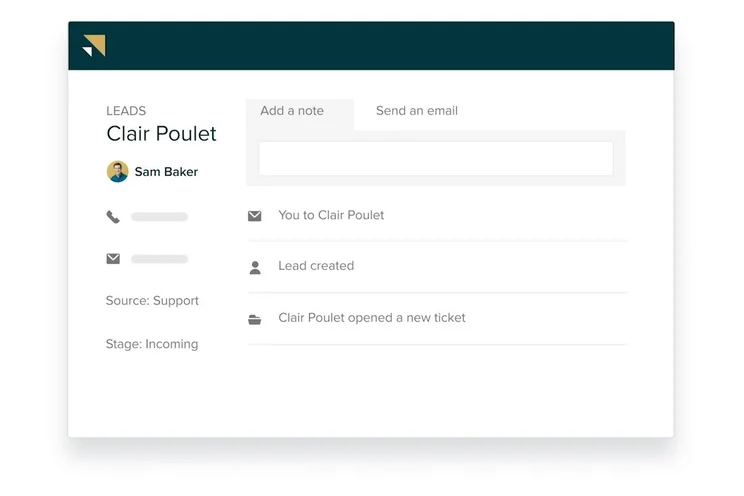
What does Zendesk Sell do well?
Our research shows that this option has a few strengths, including its notable ease of use, even for beginners, its customizability, which is key for growing businesses, and its prices, which are reasonably competitive in the field.
Zendesk Sell also offers a helpful Task Player feature which streamlines daily tasks by displaying related information on a centralized dashboard, while allowing users to work uninterrupted through routine sales activities.
Where could Zendesk Sell improve?
Still, it has some weak spots too, with help and support leading the pack. With virtually no options for contacting the team, including no email, phone, or live chat, you’re left to check out the knowledge base and community forum for all your issues. The security is also pretty weak, lacking features that Zoho CRM has, like user permissions. To be clear, though, Zendesk offers lots of integrations so you can fix that for a price.
Overall, we can really only recommend Zendesk Sell to actual sales teams that need a customizable option at a lower price. If you work in marketing or customer service, we highly recommend you stay away.

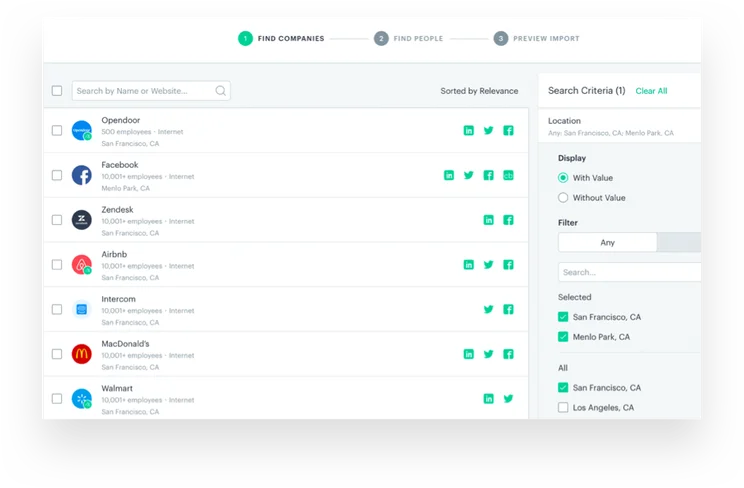
Zendesk Sell even lets us manage returns, as well as a wide range of other categories.
Image: Zendesk
Zendesk Sell is most suitable for…
- Businesses after a low-cost solution
- Beginners to CRM software
- Businesses after a customizable platform
Zendesk Sell is less suitable for…
- Businesses that rely heavily on customer support
- Businesses managing very sensitive data
- Businesses and marketing and customer service
How much does Zendesk Sell cost?
Zendesk Sell offers four different pricing plans for a wide range of business needs. The Team plan costs $19 per user, per month, the Growth plan costs $49 per user, per month, the Professional plan costs $99 per user, per month, and the Enterprise plan costs $150 per user, per month.
The best Zendesk Sell plan for small businesses is the Team plan, which costs $19 per user, per month and provides a wide range of sales features to help your business. From extensive sales reports to live chat and forum support, you’ll have a good idea of how your team is doing while saving some time. This plan also comes with 2GB of storage per users, which isn’t much, but should be more than enough for small businesses.
|
Plan
|
Price
Billed annually
|
Users
|
Storage
|
Lead scoring
|
Custom automation builder
|
|
|---|---|---|---|---|---|---|
|
BEST FOR SMB
 |
|
|
|
|||
|
Sell Team |
Sell Growth |
Sell Professional |
Sell Enterprise |
|||
|
$19/user/month |
||||||
|
Unlimited |
Unlimited |
Unlimited |
Unlimited |
|||
|
2GB per user |
5GB per user |
10GB per user |
25GB per user |
|||
|
|
|
|
|
|||
|
|
|
|
|
7. Pipedrive
- Best for security options
- Price from: $14/user/month
Pipedrive is a dedicated small business CRM platform aimed primarily at Sales teams as a solution for tracking business deals. Pipedrive isn’t a particularly competitive platform compared to others on this list. It provides an average level of functionality whilst being one of the more expensive options.
Pipedrive

In Short
-
Pros
- Unlimited contact database for larger businesses with lots of clients
- Great security tools include user permissions and multi-factor authentication
- 24/7 live support via chat and phone
-
Cons
- 24/7 support only available in more expensive plans
- Can’t create custom task types within the platform
- Web form creation is a paid add-on
Pricing
-
14-day free trial
-
 Lite: $14/seat/month
-
Growth: $39/seat/month
-
Premium: $59/seat/month
-
Ultimate: $79/user/month
Images
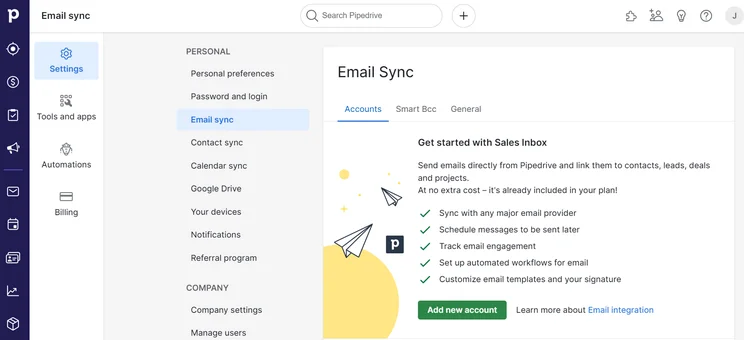
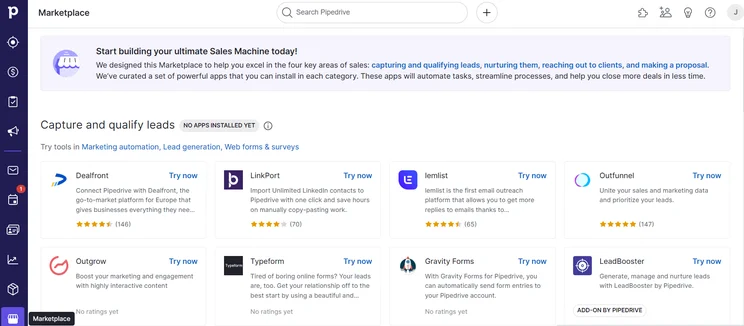
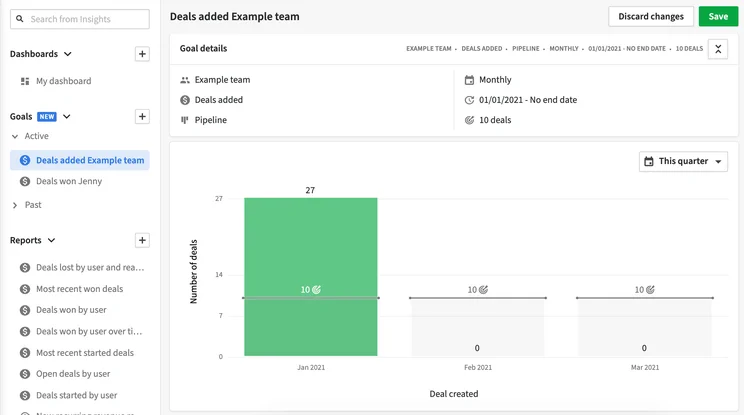
What does Pipedrive do well?
While it is a bit expensive, you could classify Pipedrive as the premium option where you get both a competitive level of functionality and a good user experience. Yes, the starting price is competitive at $14 per user, per month, which is comparable to Freshsales Suite ($9 per user, per month) but the high tier plans get as high as $99 per user, per month, and for this level of functionality, that’s a bit much.
Pipedrive offers a number of unique features as well. For example, the CRM software gives users access to Pipedrive Pulse – a capability that uses an AI scoring system to prioritize leads based on buyer intent signals. Even some of our best-rated CRM systems don’t offer this perk, making Pipedrive a great contender for businesses that are serious about clever, time saving solutions.
Where could Pipedrive improve?
With Pipedrive, tasks can be completed quite quickly within the platform, and its chatbot and web form functionality are the most straightforward to use, especially when compared to Freshsales Suite and HubSpot.
Pipedrive’s reporting and analytics features are also pretty limited, and its customization options are much less flexible than monday CRM’s. While this shouldn’t be too much of an issue for small businesses with very basic sales processes, it could be a dealbreaker for sales focused businesses, especially if they’re trying to expand.
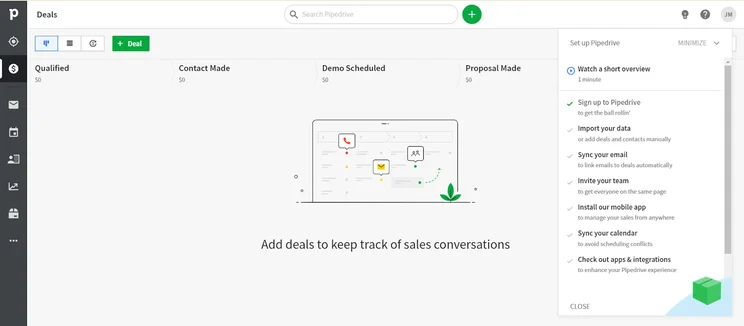
Pipedrive provides us with a step-by-step guide to getting started.
Source: Tech.co testing
Pipedrive is most suitable for…
- Businesses that prefer to resolve issues with chatbots
- Businesses with the budget to invest in advanced CRM features
- Businesses after a low learning curve
Pipedrive is less suitable for…
- Budget-conscious businesses
- Larger businesses with complex sales processes
- Businesses in need of industry-specific features
How much does Pipedrive cost?
Pipedrive pricing comes in four different plans. The Essentials plan costs $14 per user, per month, the Advanced plan costs $39 per user, per month, the Professional plan costs $49 per user, per month, the Power plan costs $64 per user, per month, and the Enterprise plan costs $99 per user, per month.
For small businesses, we recommend the Advanced plan – even though its price rose from $34 to $39 per month back in January 2025. The Advanced plan offers core CRM functionality, along with API access, contacts maps, and a basic meeting scheduler. You’ll be allowed up to 10,000 deals, which is more than triple the amount in the less expensive plan, so you don’t have to worry about a harder limit. Plus, this plan unlocks a lot more automation and communication tools, which are integral to the effectiveness of a CRM.
|
Plan
|
Price
Billed annually
|
Users
|
API
|
Custom reports
|
Custom automation builder
|
|
|---|---|---|---|---|---|---|
 |
BEST FOR SMB
|
|
|
|||
|
Lite |
Growth |
Premium |
Ultimate |
|||
|
$14/user/month |
$39/user/month |
$49/user/month |
$79/user/month |
|||
|
Unlimited |
Unlimited |
Unlimited |
Unlimited |
|||
|
|
|
|
|
|||
|
|
|
|
|
|||
|
|
30 |
60 |
90 |
8. Salesforce Starter Suite
- Best for growing businesses
- Price from: $25/user/month
This is Salesforce’s starting tier for its Sales and Customer Service products. As such, it provides all-in-one Sales, Marketing, and Customer Service functionality.
Salesforce CRM
In Short
-
Pros
- Free forever plan
- Vast data collection combined with customizable reporting tools
- Helpful customer support pop-ups throughout the platform with 24/7 live support
- Varied pricing plans and industry-specific “Clouds” make it very scalable
-
Cons
- More expensive than industry average of $15/user/month
- 24/7 support will cost extra, adding to price
- Robust analytics probably aren’t necessary for smaller businesses
Pricing
-
Starter Suite: $25/user/month
-
Pro Suite: $100/user/month
-
Enterprise: $175/user/month
-
Unlimited: $350/user/month
-
Agentforce 1 Sales: $550/user/month
-
30-day free trial
Images
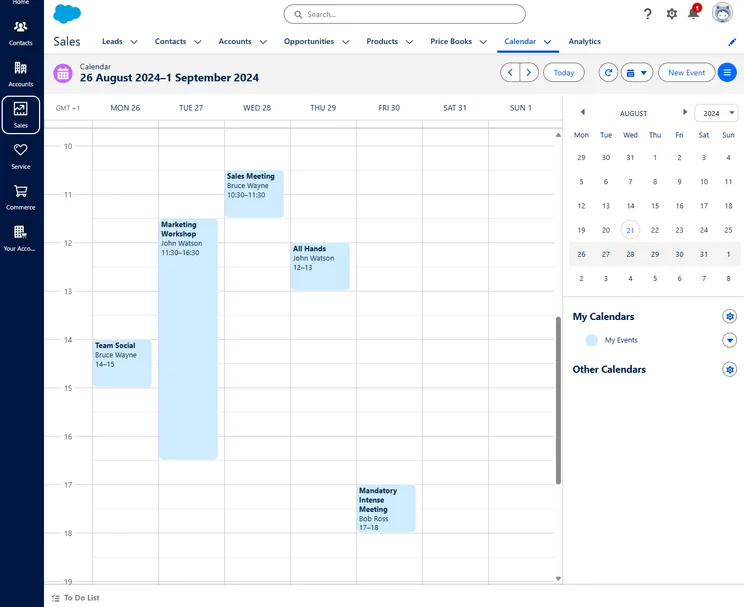
What does Salesforce Starter Suite do well?
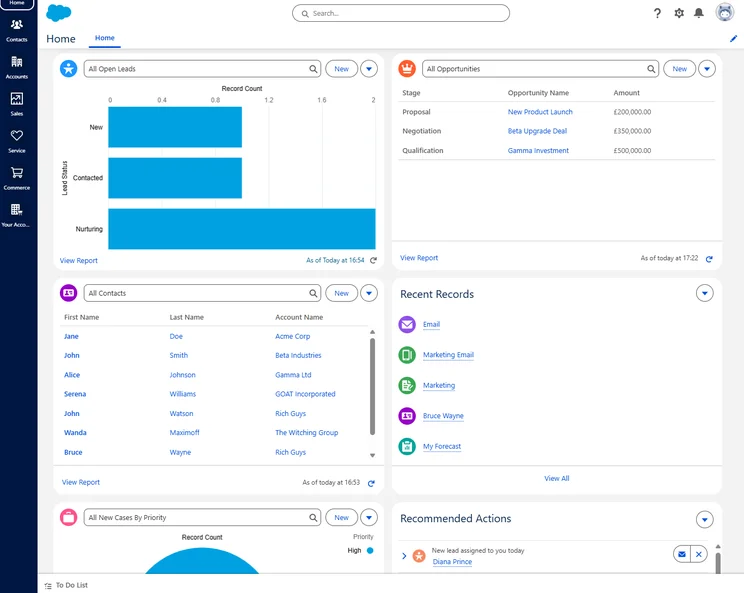
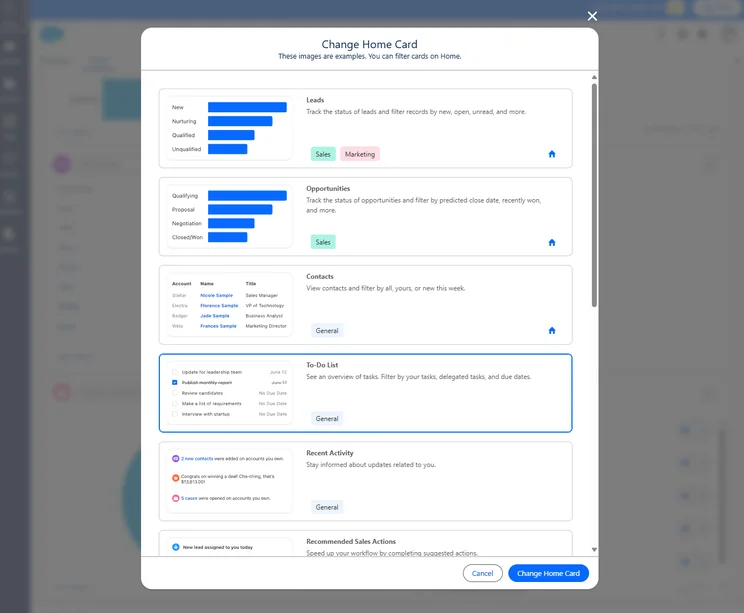
Salesforce markets the Starter Suite plan as its product for small businesses but — like HubSpot Free — this works more like a stripped-back version of their enterprise products. With that being said, in the context of small business CRM, it provides a competitive level of functionality. The platform’s simplicity will likely benefit businesses that are new to CRM software too, as they won’t be overloaded with unnecessary features.
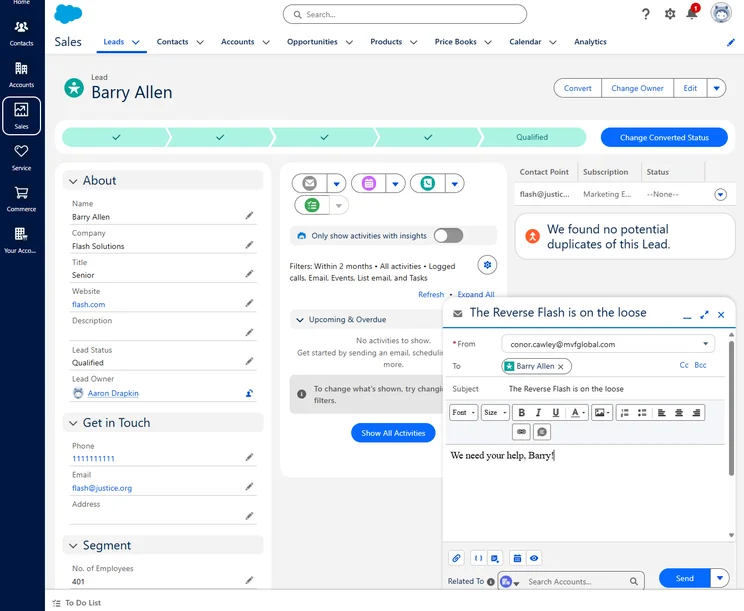
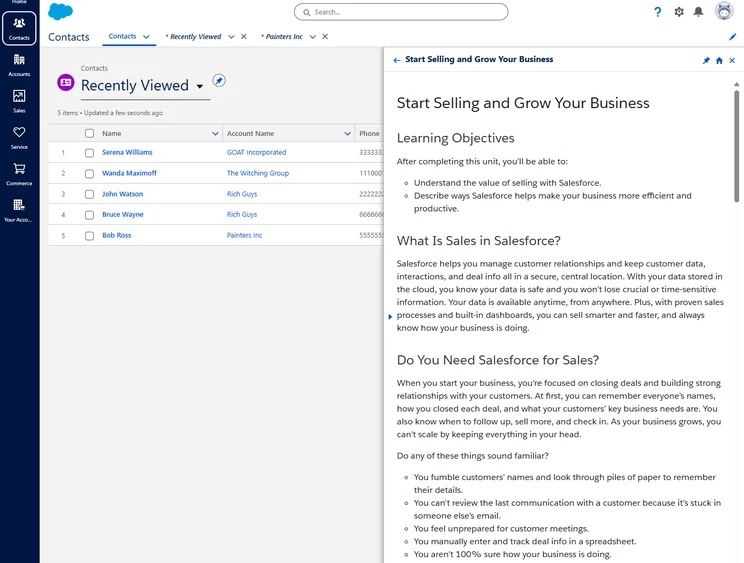
We were able to email leads directly from Salesforce, but we did have to connect our Gmail or Outlook account beforehand.
Source: Tech.co testing
Where could Salesforce Starter Suite improve?
Where the Salesforce Starter Suite plan is lacking is mainly on usability and price. While it did well overall in the usability testing, it would’ve scored significantly better had it not been for a poor user onboarding experience. It’s also more expensive than other platforms, which are just as good for functionality and usability.
Salesforce Starter Suite is most suitable for…
- Businesses after a unified sales, marketing, and CRM solution
- Businesses already using Salesforce services
Salesforce Starter Suite is less suitable for…
- Businesses after an ultra-low learning curve
- Budget-conscious businesses
- Businesses after a streamlined onboarding process
How much does Salesforce cost?
Much like HubSpot, Salesforce offers a wide range of pricing options depending on what you’re looking for. For small businesses, though, Salesforce recently narrowed the options down to two pricing plans. The Starter Suite plan costs $25 per user, per month and the Pro Suite plan costs $100 per user, per month.
With the Starter Suite plan at $25 per user, per month, it sits right at the top end of the spectrum for small business pricing. You’ll get access to sales, marketing and service functionality, which is quite impressive for the price.
Additionally, there’s an advanced version of the Starter Suite, called Pro Suite, that costs $100 per user, per month, which adds real-time chat to stay in touch with customers and greater customization to make the platform work for you.
Check out our Salesforce pricing page for more information on other products
|
Plan
|
Price
Billed annually
|
Best for
|
Live chat support
|
Custom automation builder
|
Advanced forecasting
|
|
|---|---|---|---|---|---|---|
|
|
|
|||||
|
Starter Suite |
Pro Suite |
|||||
|
$25/user/month |
$100/user/month |
|||||
|
Small businesses |
Customization |
|||||
|
|
|
|||||
|
|
|
|||||
|
|
|
The Benefits of CRM Software for Small Businesses
If you’re looking for the best CRM system, it’s safe to assume that you’d like to know how CRM actually benefits your business. Suffice it to say, these providers aim to generally improve your sales, service, or marketing efforts, and they do so in a wide range of different ways.
- Improved productivity – Whether you need a CRM platform for sales, service, marketing, or all three, the right provider will be able to improve productivity across the board through organization, automation, and collaboration. This could be by increasing sales through more qualified leads, speeding up customer requests, or automating your marketing efforts, so you’re gaining and retaining customers more often.
- More sales – Ultimately, by making it easier for businesses to manage their sales pipeline, nurture leads, and convert leads into buying customers, revenue tends to be increased as a result. This helps to justify the price of CRM software, with the average CRM providing $8.71 return on investment for every dollar.
- Robust analytics – CRM software typically comes with reporting and analytical tools that can help you understand exactly how to improve your business. These features use current and historical data to provide actionable recommendations, which can be used to make smart business decisions. One study even found that businesses that utilize some form of reporting tools see an 8% increase in revenue and a 10% reduction in costs.
- Streamlined communications – Keeping in touch with your team and your customers is arguably one of the more important aspects of running a business, and CRM software provides it in spades. Whether it be in-platform messaging or simply an effective email marketing tool, CRM can make communication easier on everyone involved.
How We Research and Test the Best CRM Software
We take our impartial research and analysis seriously, so you can have complete confidence that we’re giving you the clearest, most useful recommendations.
After conducting an initial exploration to identify the most relevant, popular, and established CRM tools in the market, we put them through their paces to find out more about their strengths and weaknesses. In total, we analyzed 13 CRM systems, grading them across 84 areas of investigation.
Based on years of market research and CRM product testing, we’ve established a CRM research methodology to score products, which consists of six main assessment categories and 13 subcategories. This covers everything, from the available features and scalability capacity to the product’s value for money, and much more.
Our main testing categories for CRM systems are:
- Features: The functionalities and capabilities provided by the CRM software, such as contact management, lead and opportunity tracking, and task and activity management.
- Help and support: The resources and assistance available to users when they encounter issues or require guidance while using the CRM software.
- Customization: The ability to tailor the CRM software to suit the specific needs and processes of the organization, e.g. customizing fields, layouts, and workflows.
- Scalability: The ability of the CRM software to accommodate the growth and changing needs of the organization, such as the capacity to handle a growing customer database.
- Price: The cost associated with using the CRM software. It includes factors such as licensing fees, subscription plans, and additional charges for add-on modules or features.
- Team structure — sales CRM: Determining if a platform makes it easier to manage large sales teams, including team dashboards, team hierarchies, and team inboxes.
- Usability — small business CRM: Assessing the simplicity of the interface, the ease of navigating through menus and options, and the overall user experience.
When it comes to calculating a product’s final score, not all testing areas are weighted evenly, as we know some aspects matter more to our readers than others, which are merely “nice to have.” After hundreds of hours, our process is complete, and the results should ensure you can find the best solution for your needs.
At Tech.co, we have a number of full-time in-house researchers, who re-run this testing process regularly, to ensure our results remain reflective of the present day.
According to our research, Zoho CRM is the best option for small businesses, because it offers a lot of functionality for sales, marketing, and customer service companies, and it’s easy and quick to use for beginners. It is a bit on the expensive side, but it offers low-cost starter plans that will allow you to scale your small business with the platform.
Other great options include Freshsales Suite — for its reasonable pricing and ease of use — and monday CRM — for its modern, intuitive design and flexibility of usage for businesses.
If you want to get started with a CRM platform, we don’t blame you. All these great tools represent the best of the best in the market, so take your pick and make productivity a priority at your small business today!
If you click on, sign up to a service through, or make a purchase through the links on our site, or use our quotes tool to receive custom pricing for your business needs, we may earn a referral fee from the supplier(s) of the technology you’re interested in. This helps Tech.co to provide free information and reviews, and carries no additional cost to you. Most importantly, it doesn’t affect our editorial impartiality. Ratings and rankings on Tech.co cannot be bought. Our reviews are based on objective research analysis. Rare exceptions to this will be marked clearly as a ‘sponsored’ table column, or explained by a full advertising disclosure on the page, in place of this one. Click to return to top of page


