
We may receive a commission from our partners if you click on a link to review or purchase a product or service. Click to Learn More
Both have their merits, but according to our research, Zoho is better than Salesforce thanks to its massive feature catalog and general affordability for businesses of all sizes. In fact, it’s our expert tester’s choice for the best CRM for small businesses overall. Salesforce remains an excellent choice for larger businesses, though, offering lots of scalability and robust data analytics.
If your business is deciding on which CRM platform to use, both providers have their pros and cons, as is the case with most of the industry. You’ll want to have a good idea of what’s important to your business, like number of features or price, before making a decision.
Let’s take a closer look at both platforms below, and don’t forget you can compare Salesforce, Zoho, and other CRM platforms with our helpful comparison tool to get the right price for your business.
|
Free plan
|
Free trial
|
Starting price
|
Most expensive plan
|
Verdict
|
||
|---|---|---|---|---|---|---|
 |
 |
|||||
|
Salesforce |
Zoho CRM |
|||||
|
|
|
|||||
|
30 days |
15 days |
|||||
|
$25/user/month |
$14/user/month |
|||||
|
$550/user/month |
$52/user/month |
|||||
|
An incredibly popular and customizable CRM for all businesses, with excellent communication tools |
An attractive option, with lots of features for a low price |
In this Guide:
- Zoho vs Salesforce: Quick Fact File
- Zoho CRM vs Salesforce: Software Comparison
- Zoho CRM Pricing vs Salesforce Pricing
- Customer Service CRM: Zoho and Salesforce
- Small Business CRM: Zoho and Salesforce
- How Did We Research Zoho and Salesforce?
- FAQs
Of course, these aren’t the only CRM tools to consider. Check out some of these further alternatives, below. Or, scroll on to learn more about Salesforce and Zoho. The question really isn’t if Zoho CRM or Salesforce are the best choice, but whether either of them is the right fit for you. A good way to discover a CRM that can be customized for your needs is to use our handy CRM Quotes Tool to receive tailor-made, zero-obligation CRM cost quotes, which take into account your company’s individual needs and scale.
Zoho CRM vs Salesforce: Quick Fact File
Deciding between Salesforce and Zoho CRM isn’t easy, because both are decidedly respectable options in their field. They both offer a lot of helpful pros that can help you run your business, but also feature some notable cons that could be a deal-breaker:
- Zoho CRM is better for smaller businesses than Salesforce
- Salesforce offers more scalability than Zoho CRM
- Zoho CRM is easier to use than Salesforce
- Salesforce offers more customization opportunities than Zoho CRM
- Zoho CRM offers a free plan and Salesforce does not
- Both Salesforce and Zoho CRM have excellent customer support
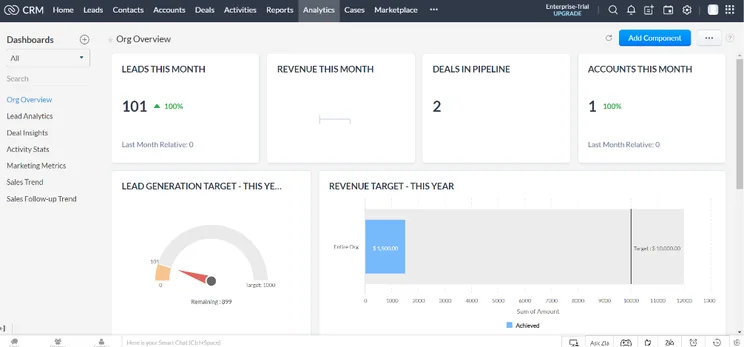
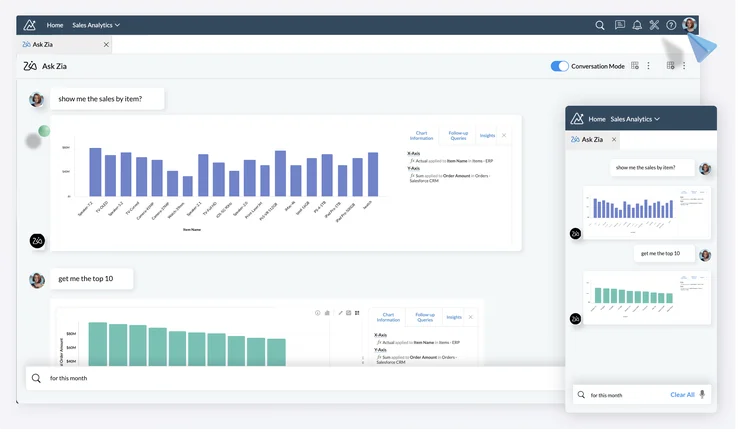
Zoho CRM

In Short
-
Pros
- 15-day free trial
- Sales and marketing functionality available in free plan
- Highly customizable dashboards and fields across platform
- Integrates with other Zoho services or the vast app library
-
Cons
- No spam prevention on web forms
- Onboarding assistance for your team costs extra
- Team management functionality lacking, with limited storage space
Pricing
-
 Free plan available
-
Standard: $14/user/month
-
Professional: $23/user/month
-
Enterprise: $40/user/month
-
Ultimate: $52/user/month
Images
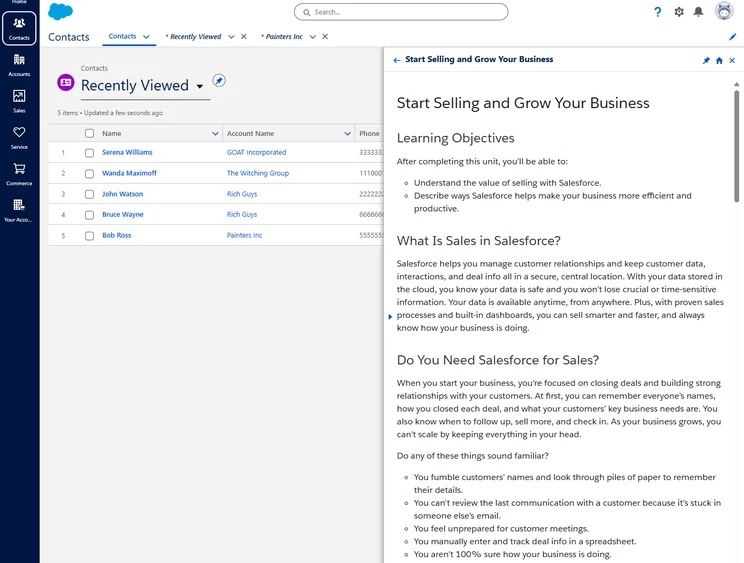
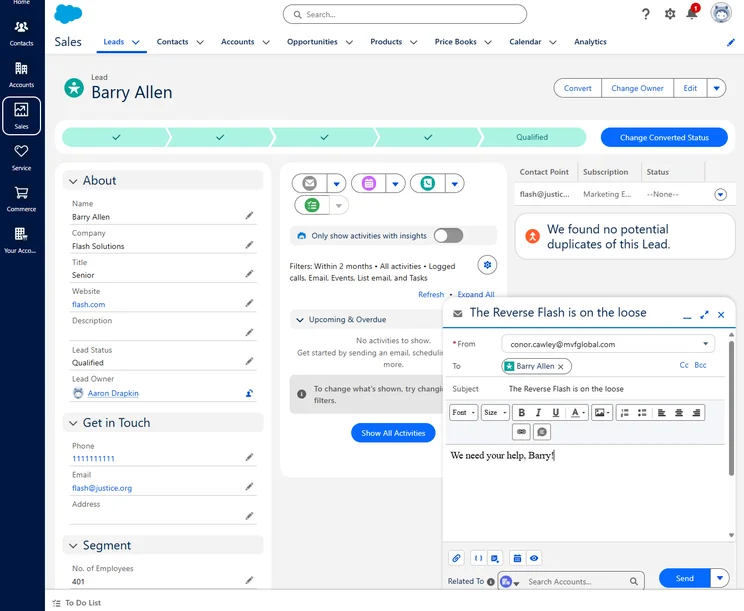
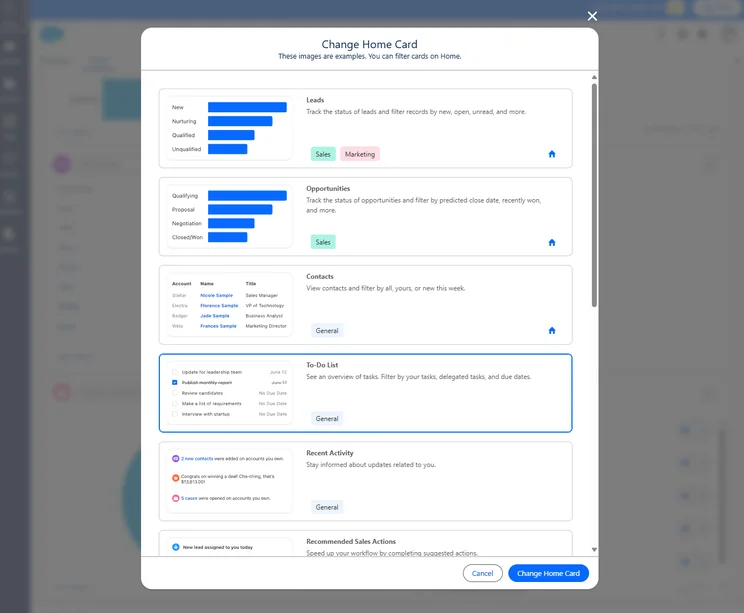
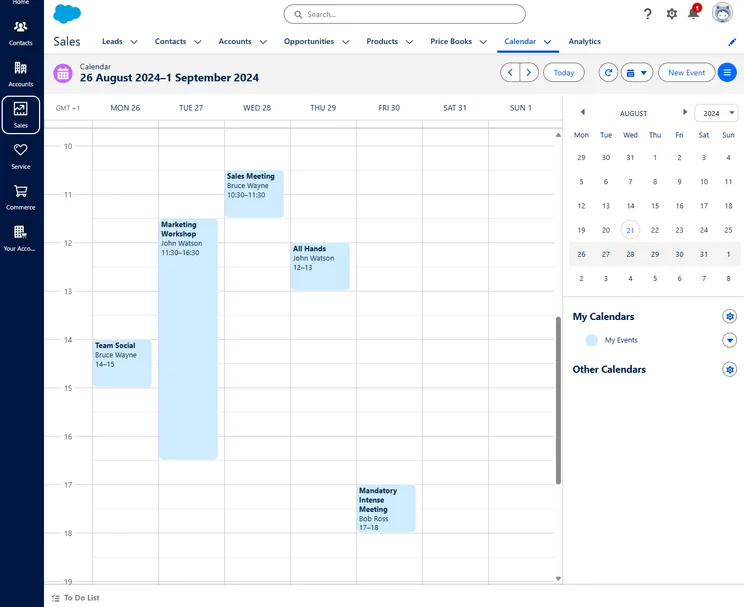
Salesforce CRM
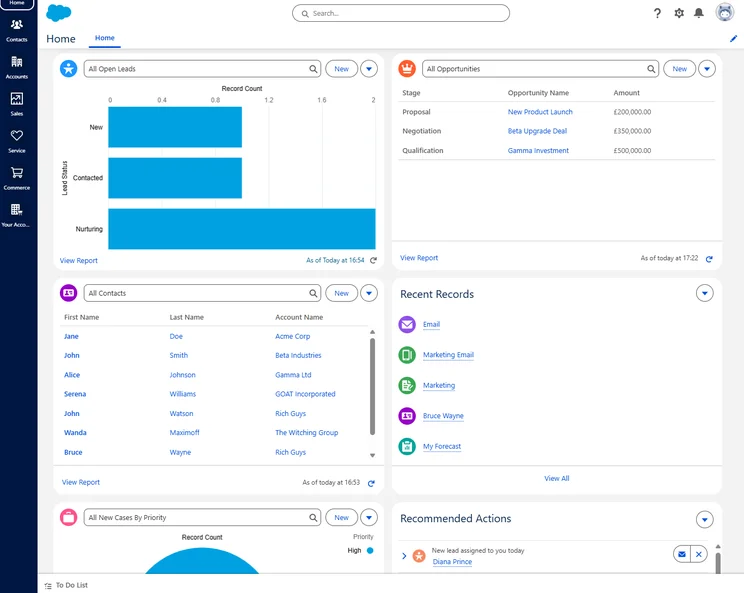
In Short
-
Pros
- Free forever plan
- Vast data collection combined with customizable reporting tools
- Helpful customer support pop-ups throughout the platform with 24/7 live support
- Varied pricing plans and industry-specific “Clouds” make it very scalable
-
Cons
- More expensive than industry average of $15/user/month
- 24/7 support will cost extra, adding to price
- Robust analytics probably aren’t necessary for smaller businesses
Pricing
-
Starter Suite: $25/user/month
-
Pro Suite: $100/user/month
-
Enterprise: $175/user/month
-
Unlimited: $350/user/month
-
Agentforce 1 Sales: $550/user/month
-
30-day free trial
Images
Zoho CRM vs Salesforce: Software Comparison
When it comes to deciding which CRM is best for you, there’s a lot to consider. Features, functionality, ease of use, integrations, scalability, and of course price. Below, we’ll match these two CRM up against each other on all of those, so you can get the best information for your business.
Best for Ease of Use: Zoho CRM
Looking at both services from an ease-of-use perspective, there’s no question that Zoho is the best CRM example in this face-off.
Salesforce has a ton of features and options to tweak. The basic categories are easy enough to understand, but there are many ways to customize the service and many extra features to explore – not to mention a thriving third-party app marketplace.
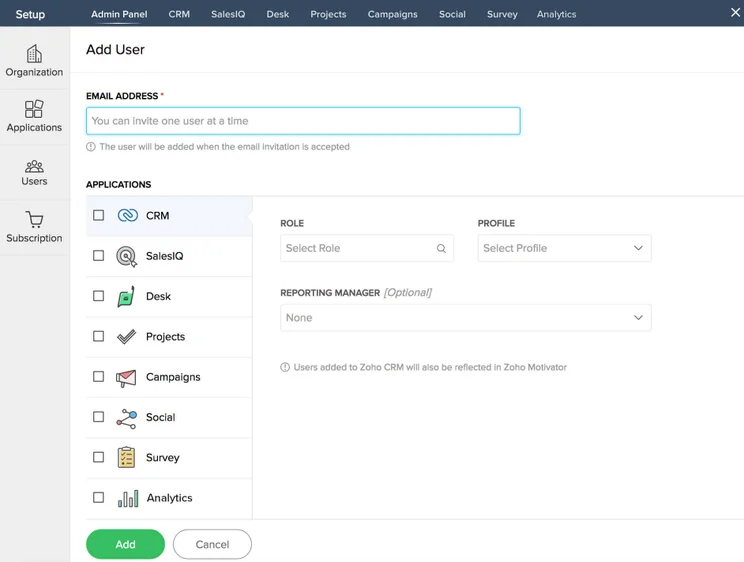
Zoho is more straightforward, with a cleaner look and about the same number of menu tabs as Salesforce. Zoho’s third-party integrations aren’t as deep as Salesforce, but if you’re looking for simplicity, then that may be less of an issue unless there’s a particular third-party tool you absolutely must use.
We tested both platforms for usability. Our research found that the experience of completing basic actions such as managing contacts and sales pipelines was largely similar between the two. However, Zoho had a far better onboarding experience which only took 17 minutes whilst SF took 35 minutes due to a more complicated data import process.
Best for Integrations: Salesforce
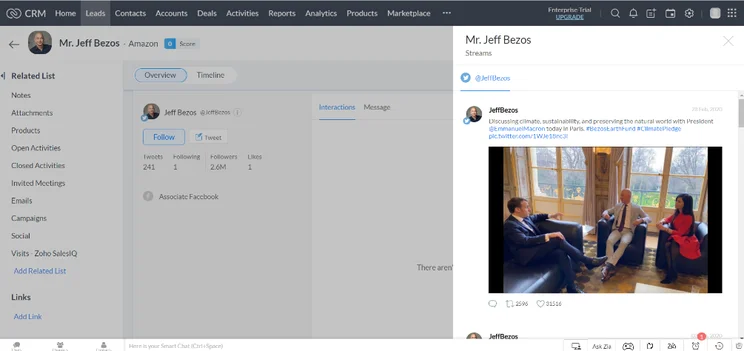
Contacts is a key section for any CRM, and both Salesforce and Zoho cover the basics here. Zoho, however, has some nice integrations that are available by default – the key one being if a salesperson adds their Twitter or Facebook account, and then adds the corresponding social account for their contacts, they can view their contacts’ social activity within Zoho’s CRM. This is a great feature if you run a business where most of your interactions happen on social media.
Salesforce can do something similar with a lot of powerful tools for social media monitoring, but it requires Marketing Cloud, which is a service beyond Sales Cloud, Salesforce’s basic CRM. Plus, with Salesforce and Microsoft teaming up, you can seamlessly add functionality to the platform through Microsoft Teams.
Additionally, Salesforce has announced a few great add-ons that could really bolster your online offering. For one, Salesforce Anywhere is the company’s answer to the pandemic, offering a team collaboration platform that allows for real-time messaging and document sharing for remote workers. It has also announced that its new analytics platform is called Tableau and offers aa 360-degree view of customer interactions to give you all the information you need.
Overall, we give the advantage to Salesforce due to the massive number of web conferencing and VoIP integrations available through the platform. During a pandemic that has seen increasing numbers of employees working from home, the ability to remotely communicate with team members is more important than ever.

Comparing CRM providers is no easy task
Find out exactly how much Salesforce and Zoho cost right now
Best for Scalability: Salesforce
When it comes to scalability, it’s hard to beat Salesforce. The company has become the most popular CRM on the planet by quite a large margin, mostly due to the fact that it can scale up with large businesses, no matter how many sales they make. Zoho CRM, on the other hand, is an excellent choice for small businesses because it offers a lot for the price, but it doesn’t offer some of the customizability that Salesforce does, which can be key for larger organizations.
One of the factors that contributes to Salesforce’s scalability is its team infrastructure features. While both Zoho CRM and Salesforce offer tools like team and use hierarchies, team dashboards, and individual targets, Salesforce allows for unlimited access, while Zoho CRM puts limits on the number of roles you can track, depending on the plan.
All in all, both CRM options here are well equipped for scalability, with Salesforce (4.7/5) and Zoho CRM (4.5/5) scoring the highest marks in the category for our research. Still, Salesforce slightly has the edge because of its unlimited status at the enterprise level.
Best for Features: Zoho CRM
We found that Zoho CRM not only has more features than Salesforce, but actually has more features than any CRM across our research. With a score of 4.4/5, Zoho CRM beats out Salesforce (3.5/5) quite heartily, and it’s largely due to its lead capture features for sales businesses.
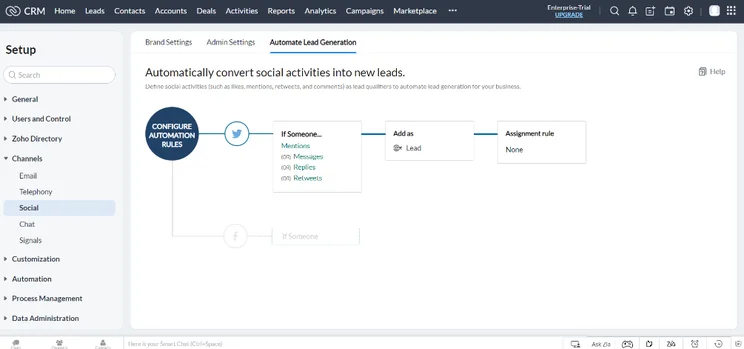
You’ll find social listening, website visitor tracking, and web form functionality with Zoho CRM, whereas Salesforce only offers web forms built in and social listening as a paid for add-on. Zoho CRM also offers lead communication features that Salesforce doesn’t, but you’ll have to pay for the Plus plan. Luckily, thanks to Zoho CRM’s affordable pricing, that’ll only run you $57 per user, per month, which is well below Salesforce’s comparable plans.
All in all, both CRM platforms offer more than enough features to get by, but Zoho CRM goes that extra mile to provide helpful features across its plans. Plus, with affordable enterprise level plans, you can get access to advanced features at a lower price, which is why we gave Zoho CRM the edge when it came to features.
Zoho CRM Pricing vs Salesforce Pricing
One important difference between Zoho CRM and Salesforce is the price. While Salesforce is on the more expensive side — for good reason given the massive selection of features, analytics, and support — Zoho CRM caters to more budget-conscious businesses with lower prices that make it a bit more accessible. Still, the lower price comes with less functionality, so be sure to check on how that could affect your business.
Below, we’ve compared Zoho CRM and Salesforce pricing to give you a better idea of how much these platforms actually cost.
Salesforce CRM Pricing
Because Zoho CRM is a sales-focused option, we’re going to focus on the Salesforce Sales Cloud pricing here. It starts with the Essentials plan, which despite the low price compared to other plans actually still offers a lot. You still get all the robust data analytics and support options, and only take a hit in certain advanced lead capture, communication, and conversion categories.
After that, the Professional, Enterprise, and Unlimited plans really open the door to more advanced features, namely in lead communication and conversion. Additionally, you’ll get much more advanced infrastructure features, which can help you organize your team for better success.
Take a look at how these plans compare below and check out our Salesforce pricing guide for more information.
|
Plan
|
Price
Billed annually
|
Users
|
Lead scoring
|
API
|
Advanced forecasting
|
Mobile app
|
Offline mobile access
|
Agentforce AI
|
Key features
|
|
|---|---|---|---|---|---|---|---|---|---|---|
 |
|
|
|
|
|
|||||
|
Free Suite |
Starter Suite |
Pro Suite |
Enterprise |
Unlimited |
Agentforce 1 Sales |
|||||
|
Free |
$25/user/month |
$100/user/month |
$175/user/month |
$350/user/month |
$550/user/month |
|||||
|
2 |
Unlimited |
Unlimited |
Unlimited |
Unlimited |
Unlimited |
|||||
|
|
|
|
Paid add-on |
|
|
|||||
|
|
|
$25/user/month |
|
|
|
|||||
|
|
|
|
|
|
|
|||||
|
|
|
|
|
|
|
|||||
|
|
|
|
|
|
|
|||||
|
|
|
|
$125/user/month |
$125/user/month |
|
|||||
|
|
|
|
|
|
Zoho CRM Pricing
Zoho also has a wide range of pricing plans. The software starts with a great free plan service for up to three users that includes its basic CRM. After that, Zoho CRM offers five different pricing plans: Standard, Professional, Enterprise, and Ultimate.
The Standard plan is quite affordable but offers notably less than Salesforce’s Essentials plan even. You’ll miss out on a lot of lead-based features, as well as a few key data visualization options. Still, it’s a great starting point if the free plan isn’t cutting it for you.
The Professional plan is the one we recommend for most businesses. It’s still affordable while bringing more advanced features into the fray, most notably when it comes to lead conversion. Plus, you get a lot more infrastructure features, so you can keep track of your team more effectively.
The Enterprise and Ultimate plans are, as you can imagine, aimed at larger businesses. In this case, we recommend Salesforce over these, as it’s more geared to enterprise-level organizations. But if you’re already set up with Zoho, you might find this a better fit.
Zoho CRM also offers a unique Plus plan, which combines a wide range of other Zoho apps into one platform and costs $57 per user per month. The all-in-one hub allows for sales, marketing, and help desk functionality, as well as access to advanced analytics, social media integration, and project management features.
Take a look at how these pricing plans compare below and check out our Zoho CRM pricing guide for more information.
|
Plan
|
Price
Billed annually
|
Users
|
Storage
|
Support
|
Lead scoring
|
API
|
Custom reports
|
Custom automation builder
|
|
|---|---|---|---|---|---|---|---|---|---|
|
TRY FOR FREE
|
|
BEST FOR SMB
|
|
|
|
||||
|
Free |
Standard |
Professional |
Enterprise |
Ultimate |
Plus |
||||
|
$23/user/month |
|||||||||
|
3 |
Unlimited |
Unlimited |
Unlimited |
Unlimited |
Unlimited |
||||
|
User: n/a |
User: n/a |
User: 20MB |
User: 50MB |
User: 100mb |
User: 1GB |
||||
|
Basic |
Standard |
Live chat, phone, email |
Standard |
24/7 live |
24/7 live |
||||
|
|
|
|
|
|
|
||||
|
|
|
|
|
|
|
||||
|
|
Max 100 |
|
|
|
|
||||
|
|
|
|
|
|
|
Helpdesk: Zoho Desk vs Salesforce Service Cloud
While Zoho and Salesforce are great for sales-focused businesses, both providers also offer customer service CRM options that can make handling your business that much easier. Learn more about the features and pricing options of Zoho Desk and Salesforce Service Hub below:
Zoho Desk
Zoho Desk was the third best CRM we researched for customer support, netting an overall score of 4.5/5 thanks to excellent affordability and plenty of features for service, team infrastructure, and customizability.
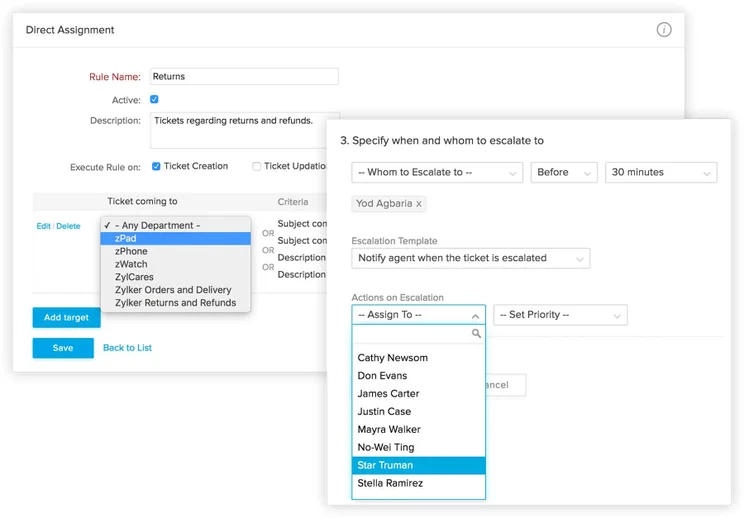
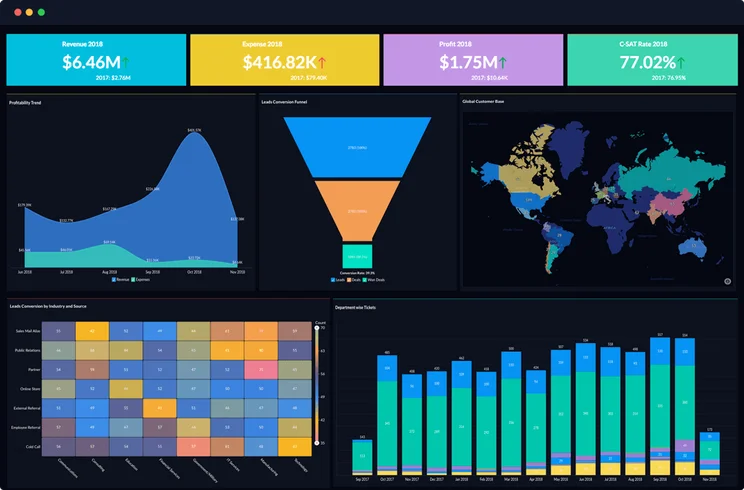
Zoho Desk provides one of the affordable CRMs for customer support — starting at $14 per user, per month — that is geared towards small businesses. You’ll get a lot of customer service features, although it is lacking a bit when it comes to customer feedback and the number of communication channels you can take advantage of.
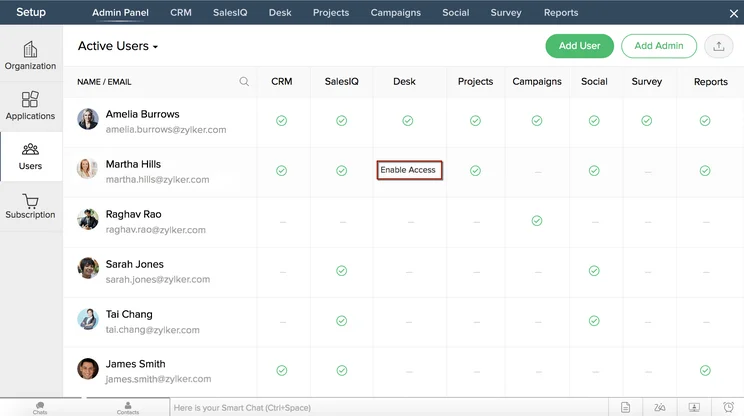
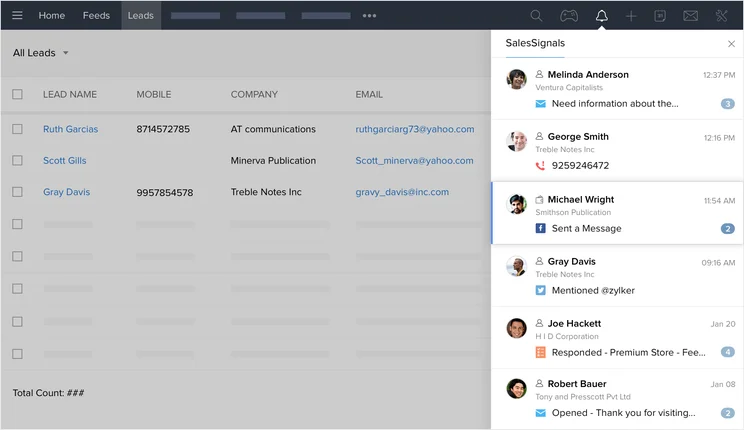
Still, Zoho Desk provides great ticketing channels, plenty of contact focused features, and a lot of data so you can hone your strategy a bit more effectively. Here are a few pros, cons, and screenshots to get a better idea of how these customer service-focused CRM operates.
Zoho Desk

In Short
-
Pros
- Affordable prices and 15-day free trial
- Plenty of features, particularly for the price
- Easy to use interface with intuitive layout
-
Cons
- Limited customer support options
- Small amount of available customization
Images
Salesforce Service Cloud
Salesforce is ideal for sales businesses, as the name implies, but it also offers a wide range of other options, and the Salesforce Service Cloud is the one of best for customer service-focused companies. While it isn’t our favorite CRM for customer service — an honor that goes to Zendesk — it definitely holds its own for larger businesses in need of a robust option that costs a bit extra — specifically $25 per user per month.
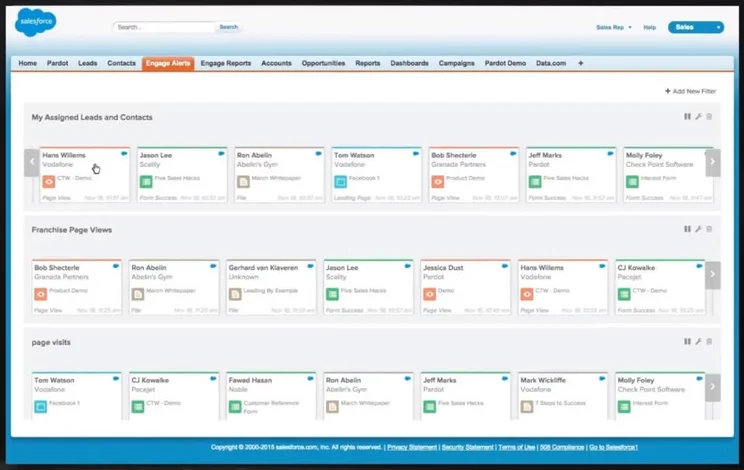
Our research found that Salesforce Service Cloud is the fourth best in our research, netting an overall score of 4.3/5, which puts it within spitting distance of Zoho CRM, which we mentioned is in third place. Salesforce Service Cloud offers excellent features, substantial customization, and unmatched team infrastructure features, but the price makes it too intimidating for smaller businesses.
Take a look at some pros, cons, and screenshots of Salesforce Service Hub to get a better idea of what you’re in for with this platform.
Salesforce Service Cloud
In Short
-
Pros
- Great infrastructure for managing larger teams
- Lots of customization opportunities to make it work for your business
- Plenty of communication channels to stay in touch with customers
-
Cons
- No built-in customer feedback options
- Comparatively quite expensive
- Robust customization can make it a bit intimidating
Images
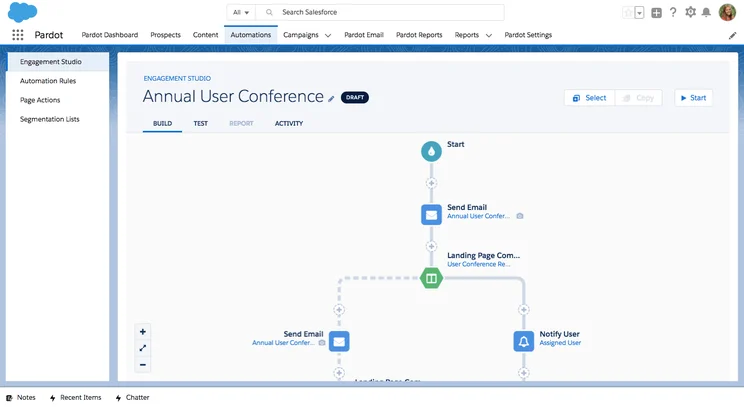
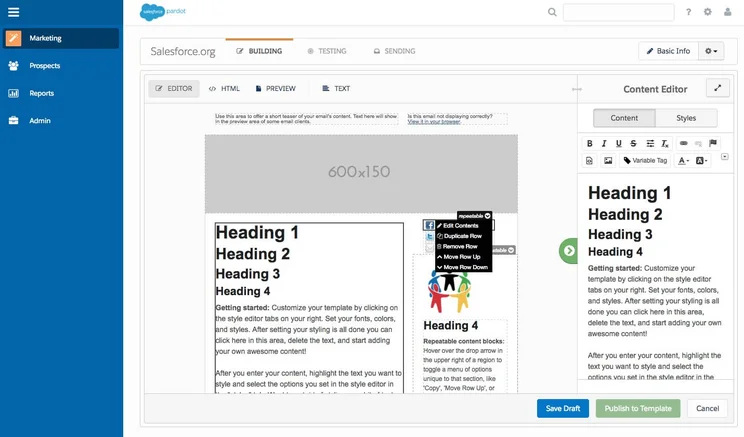
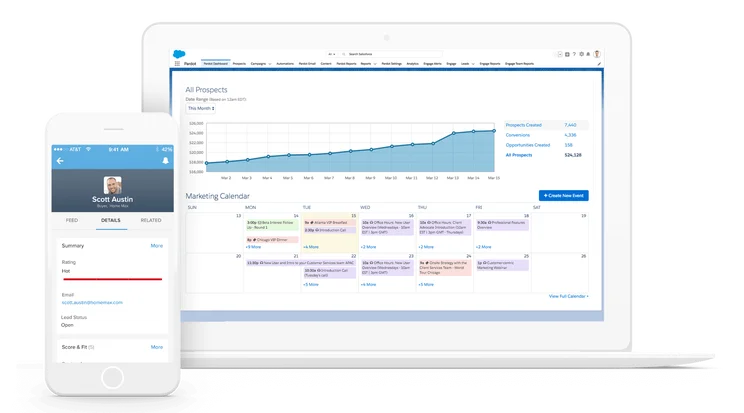

Zoho CRM and Salesforce for Small Business
Any small business looking at these two CRM platforms first has to consider the onboarding process. If you just want to get up and go, then Zoho is probably the better option. It’s easier to understand, and the interface is less intimidating. Zoho also specializes to a certain degree in small businesses, though there are tools for enterprises as well.
In fact, our research found that Zoho CRM is the best CRM for small businesses, which is definitely saying something. It received an overall score of 4.7/5 in our research, thanks to an excellent ease of use score and plenty of feature availability at low price points. Conversely, Salesforce netted a score of only 4.3/5 overall, mostly due to the majority of valuable features only being available in more expensive pricing plans.
If neither of these is appealing to you because you’re a really small business, you’re in luck! Bigin by Zoho CRM is the company’s extra small business option that can save you a bit of money while providing you with a stripped-down CRM that can handle your needs.
|
Plan
|
Price
Billed annually
|
Free trial
|
Users
|
Storage
|
Generative AI features
|
Try it
|
||
|---|---|---|---|---|---|---|---|---|
|
SPONSORED
|
BEST OVERALL
|
BEST VALUE
 |
 |
 |
||||
|
Salesforce Sales Cloud |
Zoho CRM |
HubSpot |
Freshsales Suite |
monday CRM |
||||
|
Starter Suite |
Professional |
Free |
Growth |
Pro |
||||
|
$25/user/month |
$23/user/month |
Free |
$9/user/month |
$28/user/month |
||||
|
30 days |
15 days |
|
21 days |
14 days |
||||
|
Unlimited |
Unlimited |
2 |
Unlimited |
Unlimited |
||||
|
File storage: 1GB |
User: 20MB |
Unlimited |
2GB |
100GB |
||||
|
|
|
|
|
|
||||
| Try Salesforce | Try Zoho | Try HubSpot | See CRM Deals | Try monday CRM |
How Did We Research Zoho and Salesforce?
We take our impartial research and analysis seriously, so you can have complete confidence that we’re giving you the clearest, most useful recommendations.
After conducting an initial exploration to identify the most relevant, popular, and established CRM tools in the market, we put them through their paces to find out more about their strengths and weaknesses. In total, we analyzed 13 CRM systems, grading them across 84 areas of investigation.
Based on years of market research and CRM product testing, we’ve established a CRM research methodology to score products, which consists of six main assessment categories and 13 subcategories. This covers everything, from the available features and scalability capacity to the product’s value for money, and much more.
Our main testing categories for CRM systems are:
- Features: The functionalities and capabilities provided by the CRM software, such as contact management, lead and opportunity tracking, and task and activity management.
- Help and support: The resources and assistance available to users when they encounter issues or require guidance while using the CRM software.
- Customization: The ability to tailor the CRM software to suit the specific needs and processes of the organization, e.g. customizing fields, layouts, and workflows.
- Scalability: The ability of the CRM software to accommodate the growth and changing needs of the organization, such as the capacity to handle a growing customer database.
- Price: The cost associated with using the CRM software. It includes factors such as licensing fees, subscription plans, and additional charges for add-on modules or features.
- Team structure — sales CRM: Determining if a platform makes it easier to manage large sales teams, including team dashboards, team hierarchies, and team inboxes.
- Usability — small business CRM: Assessing the simplicity of the interface, the ease of navigating through menus and options, and the overall user experience.
When it comes to calculating a product’s final score, not all testing areas are weighted evenly, as we know some aspects matter more to our readers than others, which are merely “nice to have.” After hundreds of hours, our process is complete, and the results should ensure you can find the best solution for your needs.
At Tech.co, we have a number of full-time in-house researchers, who re-run this testing process regularly, to ensure our results remain reflective of the present day.
Our research shows that Zoho CRM is better than Salesforce, because it offers more features at lower price points, making it an excellent option for smaller businesses. Salesforce is still an excellent choice, however, offering virtually unlimited scalability along with robust analytics and reporting tools.
If you’re looking for a CRM for your business, though, don’t just stop at these two platforms. There are a ton of other providers besides Zoho and Salesforce that can offer a capable CRM. To make sure you’re getting a CRM that suits your company, grab a quote using our simple CRM software quotes form that takes into consideration your company’s particular situation and needs.
Frequently Asked Questions
If you only need three users, it is. However, if you need more users, you’ll need to pay. Fortunately, with the Standard plan charging $12 per user, per month, it isn’t too expensive.
Salesforce’s pricing starts from $25 per user, per month which is more expensive than Zoho. However, we think Salesforce’s extra features atone for the extra outlay.
Zoho’s pricing plans start from $12 per month and can grow to $100 per month based on the type and number of features your business needs.
It certainly is. Zoho is one of our favorite CRM providers for small businesses.
However, we think that Salesforce might be a better choice as it scales better with growing companies.
Salesforce is the best CRM due to its unmatched feature set and ability to fit the needs of any business, small or large.
Salesforce is expensive because it’s the best CRM on the market. You get an unmatched set of features and it can grow to fit your business’ needs.
Nope. The cheapest plan is the $25 per user per month Standard plan.
You bet. A big part of Salesforce being the best CRM on the market is its easy-to-use interface. Plus, it has robust support and training, which makes getting to grips with the software easy.
Zoho is a very easy to use CRM platform with easy-to-understand tools and lots of visual cues.
If you click on, sign up to a service through, or make a purchase through the links on our site, or use our quotes tool to receive custom pricing for your business needs, we may earn a referral fee from the supplier(s) of the technology you’re interested in. This helps Tech.co to provide free information and reviews, and carries no additional cost to you. Most importantly, it doesn’t affect our editorial impartiality. Ratings and rankings on Tech.co cannot be bought. Our reviews are based on objective research analysis. Rare exceptions to this will be marked clearly as a ‘sponsored’ table column, or explained by a full advertising disclosure on the page, in place of this one. Click to return to top of page


