
We may receive a commission from our partners if you click on a link to review or purchase a product or service. Click to Learn More
Our research shows that Zoho CRM is better than HubSpot for small businesses and sales teams, due to its affordable pricing, plentiful features, robust customization, and responsive customer support. However, HubSpot is better than Zoho CRM when it comes to marketing, due to its functionality across multiple communication channels and serious scalability for growing businesses.
In fact, this is quite a matchup as far as the CRM industry is concerned, as our research dubbed Zoho CRM the best CRM for small businesses and the best CRM for sales, while HubSpot was found to be the best CRM for marketing.
In this comparison guide, we’ll talk about how these two CRMs compare on everything from price and features to support and customizability, so you can make the right decision for your business. And if you’re interested in getting started with CRM software today, check out our CRM comparison page for more in-depth information about a wide range of providers.
Zoho CRM vs HubSpot: Key Differences
There’s no debating the fact that Zoho CRM and HubSpot are two of the top CRM providers in the industry, offering flexible platforms that are great for startups. And while Zoho CRM and HubSpot share a lot of similarities, there are some notable differences between the two. Here are some key differences between Zoho CRM and HubSpot:
- Zoho CRM is better for small businesses, whereas HubSpot is mostly geared towards medium-sized and enterprise-level businesses.
- HubSpot is more expensive than Zoho CRM, although it offers a surprisingly robust free plan.
- Zoho CRM is best for sales, while HubSpot is best for marketing.
- Zoho CRM has better customer support, training, and onboarding than HubSpot.
Because these two CRM are so vastly different in so many ways, comparing them can get a bit complicated. For that reason, we’ve decided to largely focus on comparing these two in regard to their small business-facing solutions, which are the Professional plan from Zoho CRM and the free plan from HubSpot. Check out the table below to see how these two plans match up against each other and keep scrolling for more in-depth reviews.
|
Plan
|
Price
Billed annually
|
Free trial
|
Users
|
Storage
|
Support
|
Contact limit
|
Social Media Channels
|
Lead scoring
|
Try it
|
||
|---|---|---|---|---|---|---|---|---|---|---|---|
 |
 |
||||||||||
|
Zoho CRM |
HubSpot |
||||||||||
|
Professional |
Free |
||||||||||
|
$23/user/month |
Free |
||||||||||
|
15 days |
|
||||||||||
|
Unlimited |
2 |
||||||||||
|
User: 20MB |
Unlimited |
||||||||||
|
Live chat, phone, email |
Knowledge center |
||||||||||
|
5 million |
Unlimited |
||||||||||
|
Facebook, Twitter |
Facebook Messenger |
||||||||||
|
|
|
||||||||||
| Try Zoho | Try HubSpot |
Zoho CRM
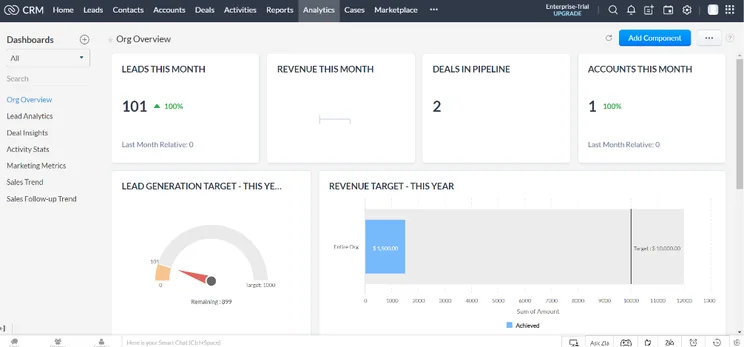
Zoho is a massive business software empire, offering a wide range of tools for everything from accounting to project management. And when it comes to CRM software, you can’t do much better than Zoho CRM for the majority of industries.
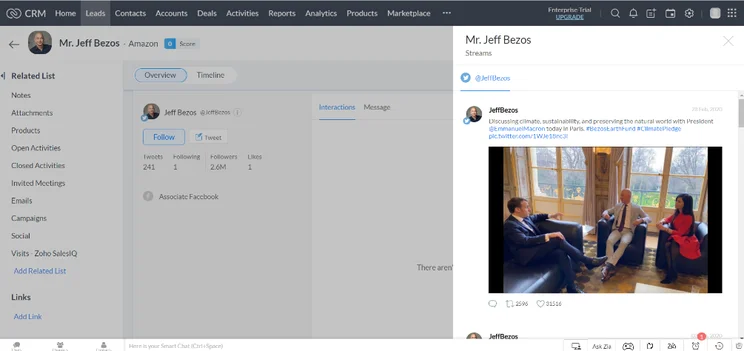
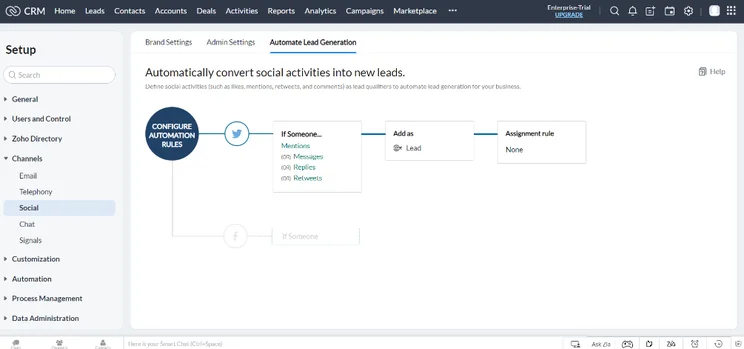
In fact, our research found that Zoho CRM is the best CRM for small business and the best CRM for sales, offering a massive selection of features while undercutting the majority of the industry on price. In addition to sales, Zoho CRM provides features for marketing and customer service as well, although its offerings aren’t nearly as robust compared to the impressive sales functionality.
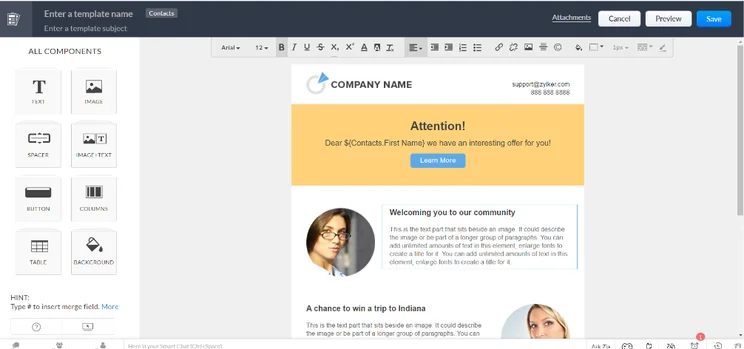
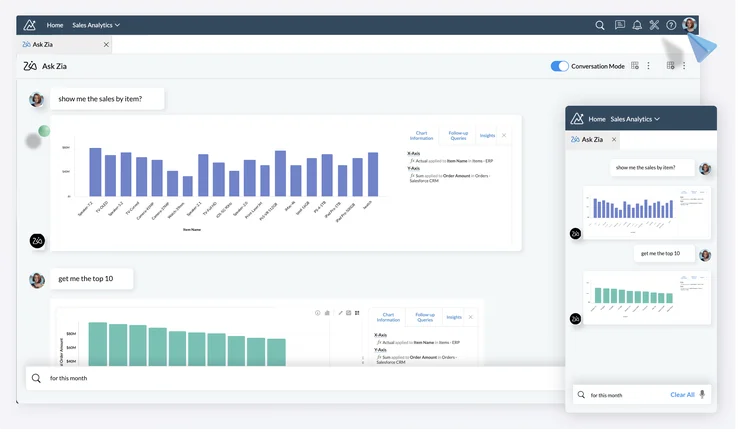
A large feature catalog isn’t all Zoho CRM has going for it either. The platform is decidedly customizable, allowing for custom reports and a customizable sales pipeline. That, combined with its robust customer support offerings, make Zoho CRM one of the best CRM on the market.
Zoho CRM

In Short
-
Pros
- 15-day free trial
- Sales and marketing functionality available in free plan
- Highly customizable dashboards and fields across platform
- Integrates with other Zoho services or the vast app library
-
Cons
- No spam prevention on web forms
- Onboarding assistance for your team costs extra
- Team management functionality lacking, with limited storage space
Pricing
-
 Free plan available
-
Standard: $14/user/month
-
Professional: $23/user/month
-
Enterprise: $40/user/month
-
Ultimate: $52/user/month
Images
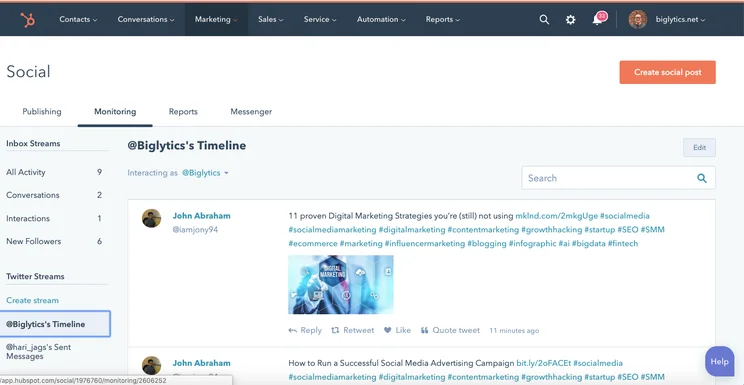
HubSpot
If you’re an enterprise-level organization that needs some serious power behind its CRM software, HubSpot could be the provider you’re looking for. While we’ve focused on the free plan, which is a solid budget pick for small businesses, HubSpot’s pricing structure is more aptly defined by its quite-expensive paid plans, which offer unmatched functionality compared to its competitors.
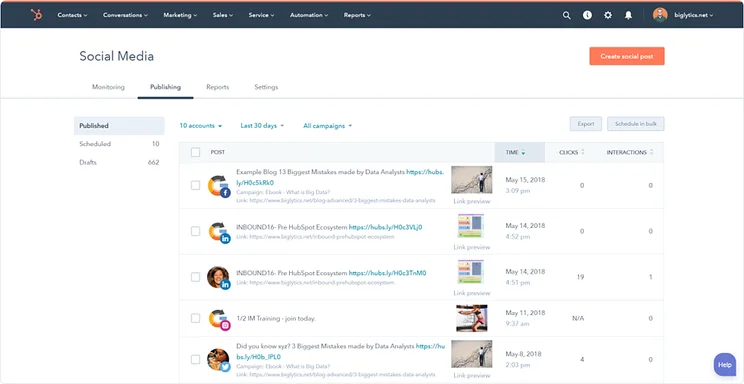
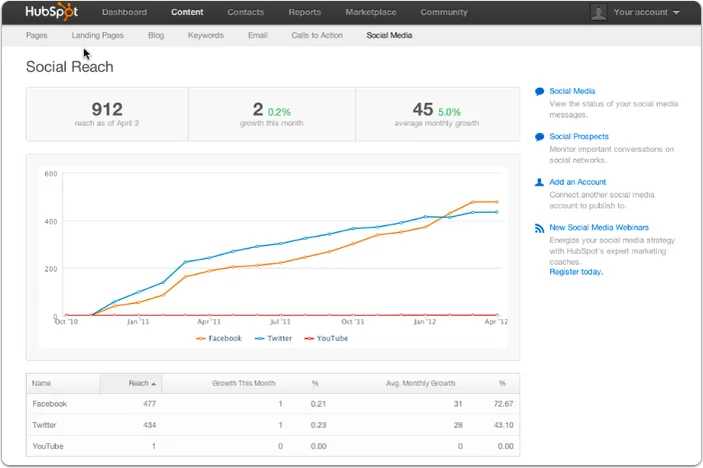
More specifically, the HubSpot Marketing Hub, which can cost between $18 per month and a staggering $3,600 per month, offers some amazing scalability, providing marketing functionality on virtual every communication channel you can imagine. In fact, it’s so good that our research found HubSpot to be the best CRM for marketing.
Overall, HubSpot is really quite expensive, though, especially compared to a lot of Hubspot alternatives, which means you really need to make sure you actually require this advanced functionality. The costs can get really high, and outside of marketing, HubSpot might be just a bit too much for most businesses looking to get set up with a standard CRM.
HubSpot

In Short
-
Pros
– Extensive marketing features (not just social media)
– Great customer support options
– Publishing and listening features -
Cons
– Very expensive
– Engagement and analytics features not great for the price
– Posting limit of 10,000 posts per month
Images
How Did We Research HubSpot and Zoho?
We take our impartial research and analysis seriously, so you can have complete confidence that we’re giving you the clearest, most useful recommendations.
After conducting an initial exploration to identify the most relevant, popular, and established CRM tools in the market, we put them through their paces to find out more about their strengths and weaknesses. In total, we analyzed 13 CRM systems, grading them across 84 areas of investigation.
Based on years of market research and CRM product testing, we’ve established a CRM research methodology to score products, which consists of six main assessment categories and 13 subcategories. This covers everything, from the available features and scalability capacity to the product’s value for money, and much more.
Our main testing categories for CRM systems are:
- Features: The functionalities and capabilities provided by the CRM software, such as contact management, lead and opportunity tracking, and task and activity management.
- Help and support: The resources and assistance available to users when they encounter issues or require guidance while using the CRM software.
- Customization: The ability to tailor the CRM software to suit the specific needs and processes of the organization, e.g. customizing fields, layouts, and workflows.
- Scalability: The ability of the CRM software to accommodate the growth and changing needs of the organization, such as the capacity to handle a growing customer database.
- Price: The cost associated with using the CRM software. It includes factors such as licensing fees, subscription plans, and additional charges for add-on modules or features.
- Team structure — sales CRM: Determining if a platform makes it easier to manage large sales teams, including team dashboards, team hierarchies, and team inboxes.
- Usability — small business CRM: Assessing the simplicity of the interface, the ease of navigating through menus and options, and the overall user experience.
When it comes to calculating a product’s final score, not all testing areas are weighted evenly, as we know some aspects matter more to our readers than others, which are merely “nice to have.” After hundreds of hours, our process is complete, and the results should ensure you can find the best solution for your needs.
At Tech.co, we have a number of full-time in-house researchers, who re-run this testing process regularly, to ensure our results remain reflective of the present day.
Zoho CRM vs HubSpot: Pricing Plans
While we’re only comparing one plan from each of these providers, Zoho CRM and HubSpot offer a wide range of pricing plans that might better suit your business. Take a look at the pricing breakdowns below to see how these two CRMs compare on the most important metric there is: price.
Learn more about Zoho CRM pricing and HubSpot pricing on Tech.co
Zoho CRM Pricing
Zoho CRM offers five different pricing plans, in addition to a free plan, which has no time limit. You’ll also be able to take advantage of a 15-day free trial of the more expensive paid plans.
The Standard plan costs $14 per user per month, the Professional plan costs $23 per user per month, the Enterprise plan costs $40 per user per month, the Ultimate plan cost $52 per user per month, and the Plus plan costs $57 per user per month.
Check out the table below for more specific information about what each of these plans provides:
|
Plan
|
Price
Billed annually
|
Users
|
Storage
|
Support
|
Lead scoring
|
API
|
Custom reports
|
Custom automation builder
|
|
|---|---|---|---|---|---|---|---|---|---|
|
TRY FOR FREE
|
|
BEST FOR SMB
|
|
|
|
||||
|
Free |
Standard |
Professional |
Enterprise |
Ultimate |
Plus |
||||
|
$23/user/month |
|||||||||
|
3 |
Unlimited |
Unlimited |
Unlimited |
Unlimited |
Unlimited |
||||
|
User: n/a |
User: n/a |
User: 20MB |
User: 50MB |
User: 100mb |
User: 1GB |
||||
|
Basic |
Standard |
Live chat, phone, email |
Standard |
24/7 live |
24/7 live |
||||
|
|
|
|
|
|
|
||||
|
|
|
|
|
|
|
||||
|
|
Max 100 |
|
|
|
|
||||
|
|
|
|
|
|
|
HubSpot Pricing
As you know, HubSpot offers a free forever plan that is great for small businesses looking to get started without taking a hit to their budget. However, HubSpot also offers three different hubs for different industries: Sales Hub, Marketing Hub, and Service Hub.
Within each of these three hubs, HubSpot offers three different pricing plans, Starter, Professional, and Enterprise. The Starter plan for the Sales Hub and Service Hub costs $9 per user per month with a minimum of two users, while the Starter plan for the Marketing Hub costs $18 per month for 1,000 contacts.
The Professional plan costs $90 per user, per month for the Sales Hub and Service Hub with a minimum of five users and $800 per month for the Marketing Hub.
The Enterprise plan costs $120 per user per month for the Sales Hub and Service Hub with a minimum of ten users, while it costs a whopping $3,600 per month for the Marketing Hub for 10,000 contacts.
Take a look at all the plans together in the table below, with their designated type based on which hub they’re in, to see how they compare to each other:
|
Plan
|
Type
|
Price
Billed annually
|
Onboarding fee
|
Best for
|
Users
|
Email marketing
|
Contact limit
|
||
|---|---|---|---|---|---|---|---|---|---|
|
TRY FREE
|
|
|
|
|
|
|
|
|
|
|
Free |
Starter |
Starter |
Starter |
Professional |
Professional |
Professional |
Enterprise |
Enterprise |
Enterprise |
|
All |
Sales |
Service |
Marketing |
Sales |
Service |
Marketing |
Sales |
Service |
Marketing |
|
$7/user/month |
$9/user/month |
$9/user/month |
$1,300/month (include 6 seats) |
$90/user/month |
$800/month |
$4,700/month (includes 8 seats) |
$150/user/month |
$3,600/month |
|
|
|
|
|
|
$1,500 |
$1,500 |
$3,000 |
$3,500 |
$3,500 |
$7,000 |
|
Small businesses expecting to scale their operations soon and want a platform that can grow alongside them. |
Small sales teams that want to make their sales cycle more efficient and improve their deal-closing rates. |
Small customer service teams that want to remove HubSpot’s branding and look authentic and professional. |
Marketing teams with a small contact book that want to expand beyond just basic email marketing. |
Sales teams that need a comprehensive platform with forecasting features, as well as features for coaching employees. |
Customer service teams that want robust analytics tools they can use to elevate and improve their on-call manner. |
Marketing teams that want to engage with customers across multiple channels and hunt down leads on social media. |
Ambitious sales teams that want to perfect their deal-closing process with lead form routing and AI-powered reporting on call content. |
Businesses managing sensitive customer data that need additional security features like single sign-on and field-level permissions for data hygiene. |
Large marketing teams with remote and in-house team members that need advanced team management features. |
|
Up to 2 |
Unlimited |
Unlimited |
Unlimited |
Unlimited |
Unlimited |
Unlimited |
Unlimited |
Unlimited |
Unlimited |
|
|
|
|
|
|
|
|
|
|
|
|
Unlimited |
N/A |
N/A |
1,000 |
N/A |
N/A |
2,000 |
N/A |
N/A |
10,000 |
Best for Business Features: HubSpot
While Zoho CRM is certainly no slouch, HubSpot has a lot of features. Whether you’re looking to get started on improving your sales team or automating your marketing processes, HubSpot has the feature to get it done and then some.
However, while we have to give the edge to Hubspot on the number of business features, but it’s worth mentioning that the price you’re paying to get all of them is substantially higher than that of Zoho CRM. In some cases, you could be paying up to $100 per user per month more for the same features, which isn’t exactly doable for a small business.
Suffice it to say, HubSpot has the most business features, but Zoho CRM offers them at a much lower price.
Best for Customization: Zoho CRM
CRM software is great for businesses, because most of the best providers offer customizability on a grand scale. You can do what you want, track what you need, and generally get all the information necessary to effectively run your business.
When it comes to customizability, we have to give it to Zoho CRM for offering a wide range of options. Custom fields, custom dashboards, customizable sales pipelines are all available on the most affordable Zoho CRM plans, whereas the HubSpot free plan is quite limited in this regard. There are limits on customizable options on both HubSpot and Zoho CRM, but Zoho offers much higher limits so you can customize more.
Best for Training and Onboarding: HubSpot
Getting familiar with a new business software can be difficult, particularly when it comes to something as overarching as CRM. You want to be sure your team is fully equipped to handle all those new automations and processes, which is where training and onboarding can really come in handy.
While both providers offer solid onboarding and training options, HubSpot just beats out Zoho CRM on this one. Both providers offer training classes at an additional cost and provide free online documentation on their websites. However, HubSpot provides set-up support, which is even mandatory for some plans, whereas Zoho CRM provides this at an additional cost, which means HubSpot gets the win here.
Best for Help & Support: Zoho CRM
Even after setup and onboarding, problems can arise in a new software. Fortunately, the average CRM provides customer support that can help you navigate any issues with ease.
As far as which CRM providers better customer support, Zoho CRM offers more customer support options than HubSpot. HubSpot offers no plans with 24/7 coverage, whereas Zoho CRM provides it in its more expensive plans. You’ll also get phone support in less expensive plans that HubSpot, which is great when you need to actually talk to a human being for once.

How do Zoho CRM and HubSpot compare to other CRM providers?
While our research shows that Zoho CRM is the best CRM for small business and HubSpot is a top choice for a wide range of companies, the reality is that they might not be perfect for your business. Fortunately, we’ve done a lot of in-depth research on lots of CRM providers, so you should be able to find an option that fits your needs a bit better.
Take a look at some of the CRM providers in the table below and keep scrolling for some of our other top picks that might be a better fit.
|
Plan
|
Price
Billed annually
|
Free trial
|
Users
|
Storage
|
Generative AI features
|
Try it
|
||
|---|---|---|---|---|---|---|---|---|
|
SPONSORED
 |
BEST OVERALL
|
BEST VALUE
|
 |
 |
||||
|
Salesforce Sales Cloud |
Zoho CRM |
HubSpot |
Freshsales Suite |
monday CRM |
||||
|
Starter Suite |
Professional |
Free |
Growth |
Pro |
||||
|
$25/user/month |
$23/user/month |
Free |
$9/user/month |
$28/user/month |
||||
|
30 days |
15 days |
|
21 days |
14 days |
||||
|
Unlimited |
Unlimited |
2 |
Unlimited |
Unlimited |
||||
|
File storage: 1GB |
User: 20MB |
Unlimited |
2GB |
100GB |
||||
|
|
|
|
|
|
||||
| Try Salesforce | Try Zoho | Try HubSpot | See CRM Deals | Try monday CRM |
monday CRM – starting at $8 per user per month
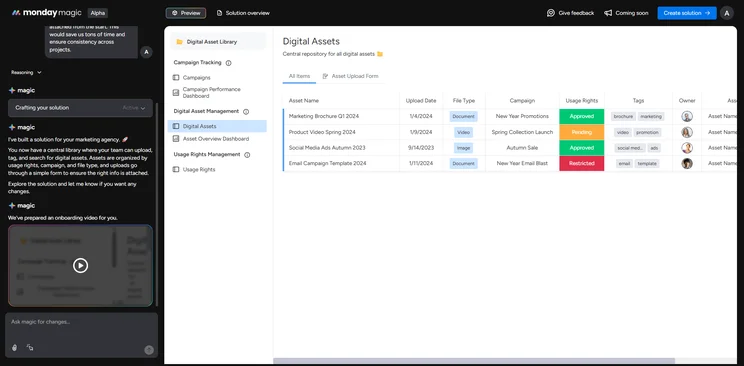
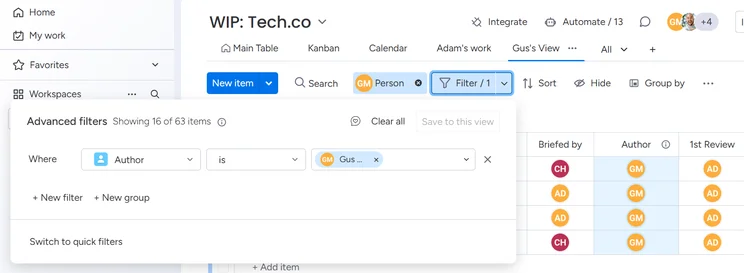
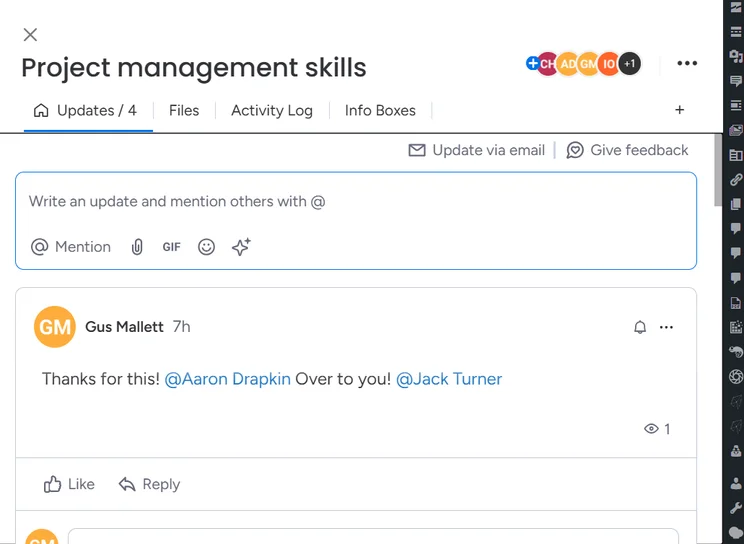
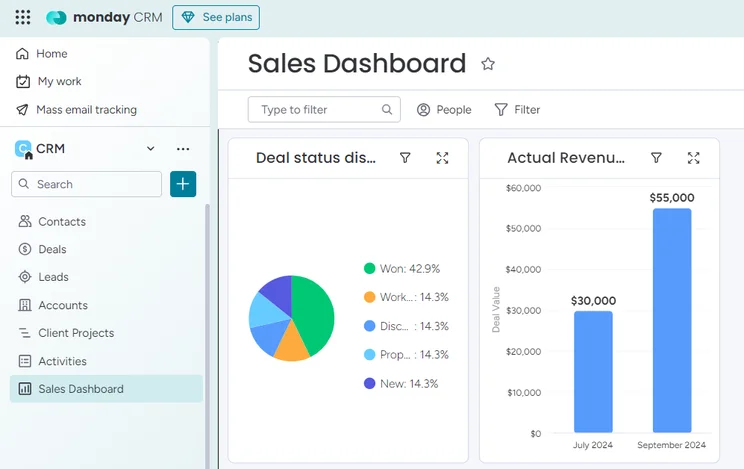
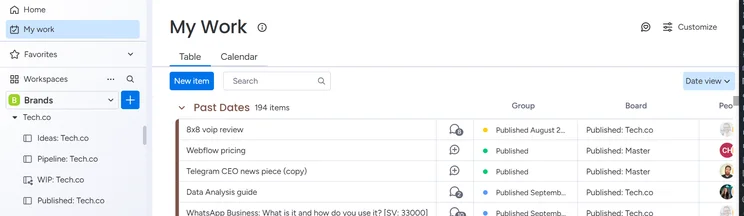
Customizability can go a long way in helping a business get started with a CRM. After all, you want it to do what you need it to do, right? With monday CRM, you’re getting arguably one of the most customizable options on the market, providing custom fields, custom dashboards, and even a customizable sales pipeline for your business.
While the pricing may seem extremely attractive, it’s worth noting that you won’t be paying $8 per month, as the service requires a minimum of three users to get started. This means the minimum price paid will be closer to $24 per month, so be sure to take that into consideration before making a decision.
If you’d like to find out more, check out our detailed review of monday CRM.
monday CRM

In Short
-
Pros
- 14-day free trial
- Simple and modern layout with basic color-coded system
- Custom fields across platform, including customizable dashboards
- Many reports: deals, activity, recurring revenue, and more
-
Cons
- Workflow automations are capped monthly
- No centralized inbox to improve team management
- No phone support on any plan, but live chat is available
Pricing
-
Basic: $12/user/month
-
Standard: $17/user/month
-
Pro: $28/user/month
Images
Freshsales Suite – starting at $15 per user per month
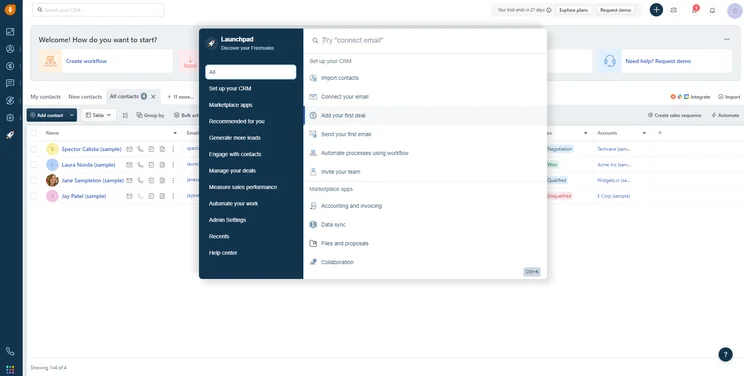
Freshworks is a robust CRM offering, but it provides the option to go the small business route with Freshsales Suite, an all-in-one sales and marketing platform exclusively geared towards small businesses. Our research found it to be one of the best options for small businesses, in fact, thanks to its easy-to-use interface, simple set up process, and impressive customization.
Even better, the $15 per user per month price makes it decidedly competitive within the CRM market. And with no user minimum, that low price will stay low as long as you only need one user.
Freshsales Suite

In Short
-
Pros
- 21-day free trial
- Fast data imports for simple, speedy setup process
- Extensive reporting functionality with customizable dashboards
- Time tracking features to manage team productivity
-
Cons
- Fewer custom field options than competitors
- Only offers Facebook and Instagram social media integrations
- Capped at 500 marketing actions, so larger businesses will be limited
Pricing
-
Growth: $9/user/month
-
Pro: $39/user/month
-
Enterprise: $59/user/month
Images
Our research shows that Zoho CRM is better than HubSpot for small businesses. Additionally, Zoho CRM is better than HubSpot for sales, but HubSpot is better than Zoho CRM when it comes to marketing. Zoho CRM simply offers more features for a lower price, while providing solid options for customizability, customer support, and team features. HubSpot is still a great option, but it’s much more expensive than Zoho CRM when you go beyond the free forever plan.
There’s a lot to consider when it comes to deciding on a CRM for your business. For a little help, feel free to check out our CRM comparison page, which features pros, cons, prices, and feature lists to give you a clearer picture of the CRM industry.
Frequently Asked Questions
Yes, HubSpot does provide a completely free forever pricing plan, which gives you access to a surprisingly large number of features for your business. Obviously, there are some notable limitations, like the fact that only two separate users can operate the CRM, but overall, this free plan from HubSpot makes it quite competitive for small businesses.
Our research shows that Zoho CRM is the best CRM for small businesses, as it provides a lot of features while undercutting most of the competition on price. HubSpot is quite competitive, though, particularly given its robust free plan that can get you started at no charge.
When it comes to sales and small businesses, Zoho CRM is the best option out there. It provides plenty of features and doesn’t cost a fortune, which can go a long way in helping your business. For marketing and customer service, though, Zoho CRM doesn’t matchup to other providers, including HubSpot, which is the best for marketing, and Zendesk, which is best for customer service.
If you click on, sign up to a service through, or make a purchase through the links on our site, or use our quotes tool to receive custom pricing for your business needs, we may earn a referral fee from the supplier(s) of the technology you’re interested in. This helps Tech.co to provide free information and reviews, and carries no additional cost to you. Most importantly, it doesn’t affect our editorial impartiality. Ratings and rankings on Tech.co cannot be bought. Our reviews are based on objective research analysis. Rare exceptions to this will be marked clearly as a ‘sponsored’ table column, or explained by a full advertising disclosure on the page, in place of this one. Click to return to top of page


