
We may receive a commission from our partners if you click on a link to review or purchase a product or service. Click to Learn More
Our research shows that Zendesk is the best CRM for customer database functionality, offering robust customizability and lots of contact management features, all packaged into an easy-to-use platform. Zoho CRM is a close second, though, providing more contact management functionality, but ultimately less customization.
In this guide, we’ll cover some of the top CRM providers on the market today that have customer database functionality built into the platform, reviewing everything from pricing to features. Additionally, if you’re in the market for a software platform today, check out our CRM comparison page to get more information about the top options.
- Zendesk Sell – An ideal solution if you need to import data from another software.
- Zoho CRM– Best fit for small businesses that need a low-cost solution and lots of features.
- Freshsales Suite CRM– An incredibly easy to use platform with sales and marketing functionality.
- Pipedrive– Best suited for businesses that need management tools to keep your team organized.
- HubSpot CRM – An surprisingly solid free option that can get you started at no cost.
Click the link below to check out our in-depth comparison page of CRM software
Best Customer Database CRM
We’ve done the research and found that Zendesk is the best CRM to manage a customer database, but there are plenty of other options out there that could be a better fit for your business. Here are our top picks for customer database CRMs:
- Zendesk Sell– best for importing data
- Zoho CRM– best for small business
- Freshsales Suite CRM– best for ease of use
- Pipedrive– best for organization
- HubSpot CRM – best free CRM
For more information about these individual providers, as well as some other CRM alternatives, keep scrolling to make sure you decide on the right software for your business.
|
Plan
|
Price
Billed annually
|
Free trial
|
Users
|
Storage
|
Support
|
Lead scoring
|
API
|
||
|---|---|---|---|---|---|---|---|---|---|
|
SPONSORED
 |

|
 |
 |
 |
 |
||||
|
Salesforce Sales Cloud |
Zoho CRM |
Freshsales Suite |
Pipedrive |
HubSpot |
|||||
|
Starter Suite |
Sell Professional |
Professional |
Growth |
Premium |
Free |
||||
|
$25/user/month |
$23/user/month |
$9/user/month |
$49/user/month |
Free |
|||||
|
30 days |
|
15 days |
21 days |
|
|
||||
|
Unlimited |
Unlimited |
Unlimited |
Unlimited |
Unlimited |
2 |
||||
|
File storage: 1GB |
10GB per user |
User: 20MB |
2GB |
Unlimited |
Unlimited |
||||
|
24/7 |
Live chat |
Live chat, phone, email |
24/5 |
24/7 |
Knowledge center |
||||
|
|
|
|
|
|
|
||||
|
|
|
|
|
|
|
Zendesk Sell – Best for importing data
Zendesk Sell is the sales-focused arm of Zendesk, a popular CRM for all industry types. The benefit of Zendesk Sell is that it’s very competitively priced, starting at only $19 per user, per month, making it an ideal option for small businesses looking to bolster their sales performance across the company.
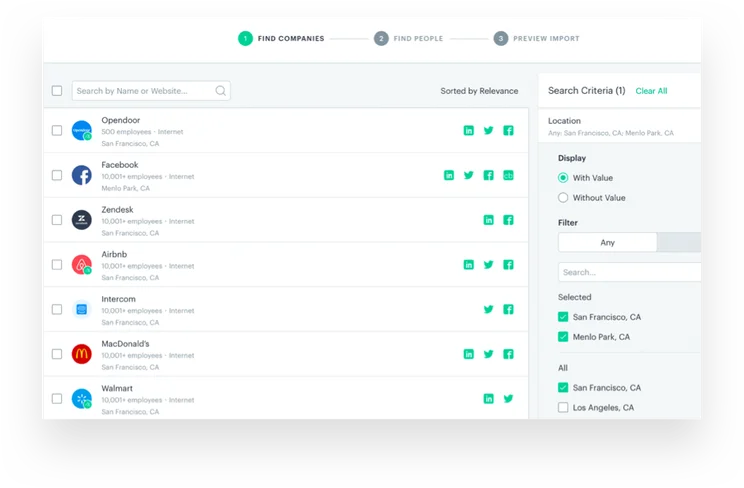
From a customer database standpoint, the reason we have Zendesk Sell at the top of our list is thanks to its customizability, scoring a 4.3 out of 5 in our research. While there are other providers on this list with better contact management features and usability, Zendesk Sell is the most customizable of the lot, allowing for custom fields, custom dashboards, custom objects, and fully editable contact fields.
Zendesk Sell

In Short
-
Pros
- 14-day free trial
- Provides great security options to secure data
- Offers good customizability including custom fields
- Lots of infrastructure to manage teams long term
-
Cons
- Very few digital selling tools for ecommerce businesses
- No quotes or proposal features
- No onboarding support for team members
Pricing
-
 Team: $19/user/month
-
Growth: $49/user/month
-
Professional: $99/user/month
Images

Zendesk Sell pricing
Zendesk Sell offers four different pricing plans: Team, Growth, Professional, and Enterprise.
The Team plan costs $19 per user, per month, the Growth plan costs $49 per user, per month, the Professional plan costs $99 per user, per month, and the Enterprise plan costs $150 per user, per month.
Our research shows that the Team plan is the best option for small businesses, offering a very competitive starting price while still offering features to organize your sales team. Plus, with some of the best organization tools in the industry, you can very effectively organize your customer database.
Check out our Zendesk pricing guide for more information.
|
Plan
|
Price
Billed annually
|
Users
|
Storage
|
Lead scoring
|
Custom automation builder
|
|
|---|---|---|---|---|---|---|
|
BEST FOR SMB
|
|
|
|
|||
|
Sell Team |
Sell Growth |
Sell Professional |
Sell Enterprise |
|||
|
$19/user/month |
||||||
|
Unlimited |
Unlimited |
Unlimited |
Unlimited |
|||
|
2GB per user |
5GB per user |
10GB per user |
25GB per user |
|||
|
|
|
|
|
|||
|
|
|
|
|
Zoho CRM – Best for small businesses
There’s no way around it, Zoho CRM is one of the best CRMs available today. In our research, we found it to be the best CRM for small businesses and the top client management software, thanks to the combination of a bountiful feature catalog and its low starting price. This allows them to significantly undercut the competition on price and still provide robust functionality.
The only reason why Zoho CRM isn’t the top choice for customer database functionality is that customizability is a bit limited, particularly when it comes to the cheaper plans. Scoring only a 4.1 out of 5, it is just edged out by Zendesk in this category. Still, it offers more contact management features and usability, so this really is a close race for first place.
Zoho CRM

In Short
-
Pros
- 15-day free trial
- Sales and marketing functionality available in free plan
- Highly customizable dashboards and fields across platform
- Integrates with other Zoho services or the vast app library
-
Cons
- No spam prevention on web forms
- Onboarding assistance for your team costs extra
- Team management functionality lacking, with limited storage space
Pricing
-
Free plan available
-
Standard: $14/user/month
-
Professional: $23/user/month
-
Enterprise: $40/user/month
-
Ultimate: $52/user/month
Images
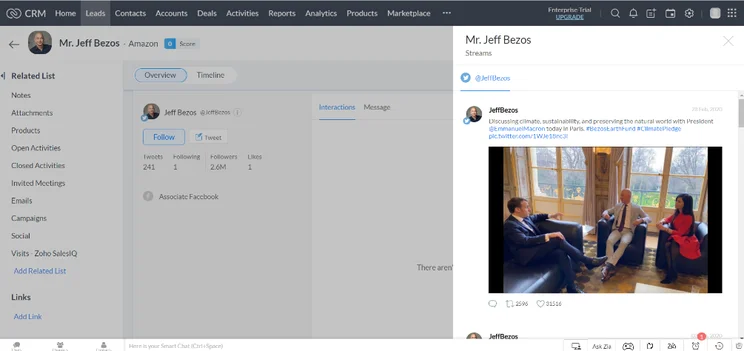
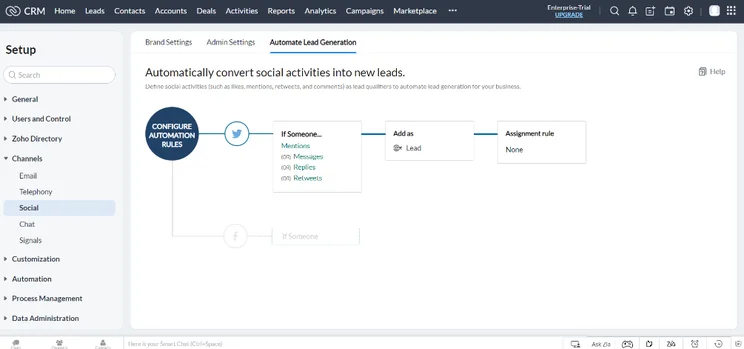
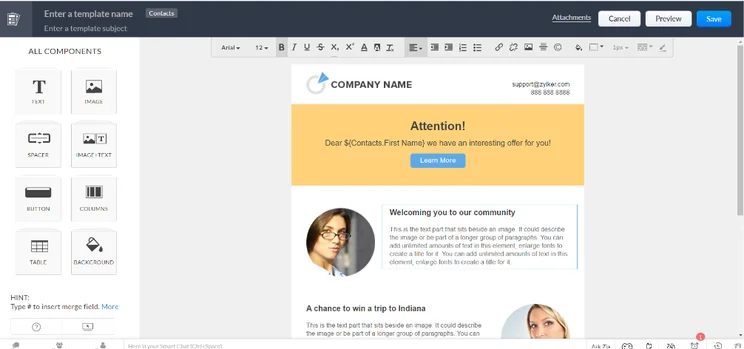
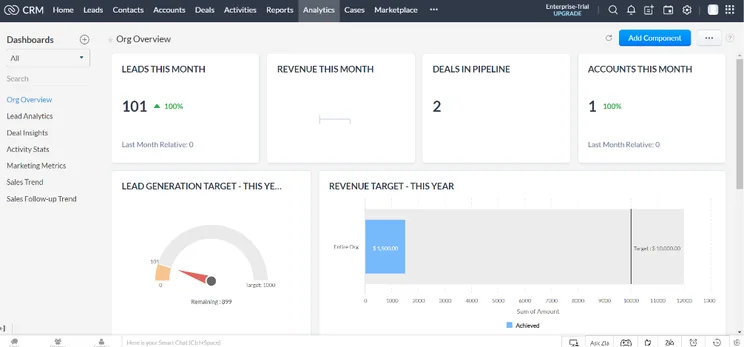
Zoho CRM pricing
Zoho CRM has five different pricing plans: Standard, Professional, Enterprise, Ultimate, and Plus. Zoho CRM also has a free plan that costs nothing – forever.
The Standard plan costs $14 per user, per month, the Professional plan costs $23 per user, per month, the Enterprise plan costs $40 per user, per month, the Ultimate plan costs $52 per user, per month, and the Plus plan costs $57 per user, per month.
Our research finds that the Professional plan from Zoho CRM was the best option for small businesses because it provides a good feature set at a minimal price increase. This plan also unlocks custom reports, which can help improve your customer database needs.
Check out our Zoho CRM pricing guide for more information.
|
Plan
|
Price
Billed annually
|
Users
|
Storage
|
Support
|
Lead scoring
|
API
|
Custom reports
|
Custom automation builder
|
|
|---|---|---|---|---|---|---|---|---|---|
|
TRY FOR FREE
|
|
BEST FOR SMB
|
|
|
|
||||
|
Free |
Standard |
Professional |
Enterprise |
Ultimate |
Plus |
||||
|
$23/user/month |
|||||||||
|
3 |
Unlimited |
Unlimited |
Unlimited |
Unlimited |
Unlimited |
||||
|
User: n/a |
User: n/a |
User: 20MB |
User: 50MB |
User: 100mb |
User: 1GB |
||||
|
Basic |
Standard |
Live chat, phone, email |
Standard |
24/7 live |
24/7 live |
||||
|
|
|
|
|
|
|
||||
|
|
|
|
|
|
|
||||
|
|
Max 100 |
|
|
|
|
||||
|
|
|
|
|
|
|
Freshsales Suite – Best for ease of use
Freshsales Suite is the platform aimed at small businesses from Freshworks CRM, which offers a wide range of CRM tools for sales, marketing, and customer service. Freshsales Suite is a sales and marketing platform with a low entry price to keep small businesses with small budgets in the fray.
For customer database needs, Freshsales Suite is solid thanks to its robust contact management features and usability, getting a perfect score of 5 out of 5 in our research. Plus, with sales and marketing built in, you can truly utilize those contacts to their highest potential. Customizability is the only downside, only scoring 3.4 out of 5, keeping it from taking our top spot.
Freshsales

In Short
-
Pros
- Free plan available for up to three users
- More digital selling options than most
- Phone, email, and live chat support with 24/5 coverage
-
Cons
- Lacks some team organization capabilities found in competitors
- Doesn’t provide an IP restriction security feature
- No integrations available on free plan
Pricing
-
Growth: $9/user/month
-
Pro: $39/user/month
-
Enterprise: $59/user/month
Images
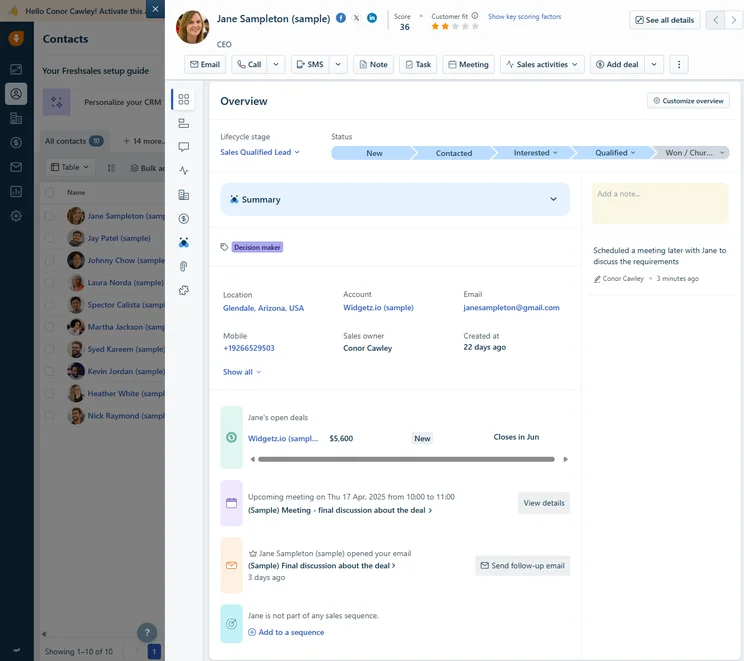
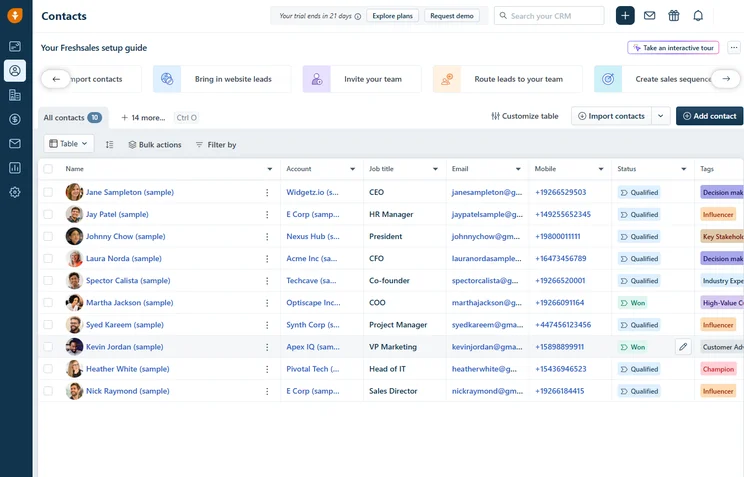
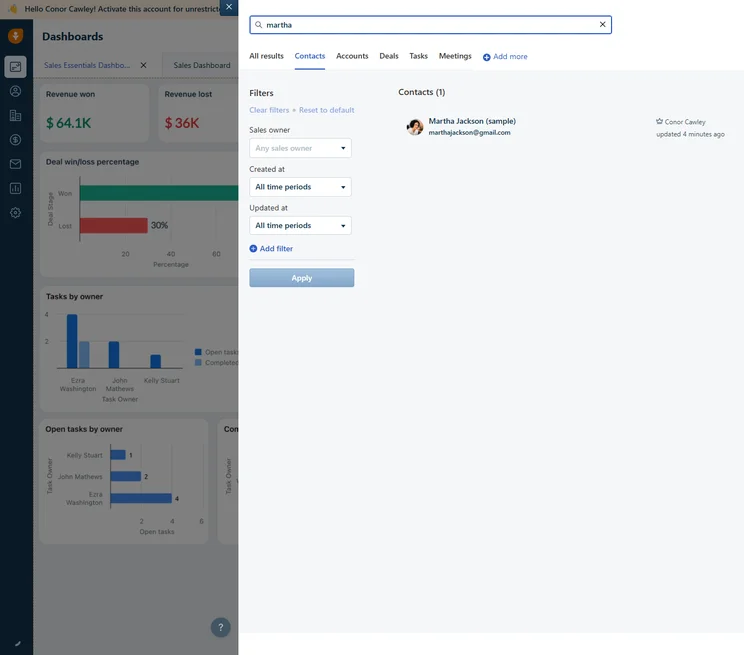
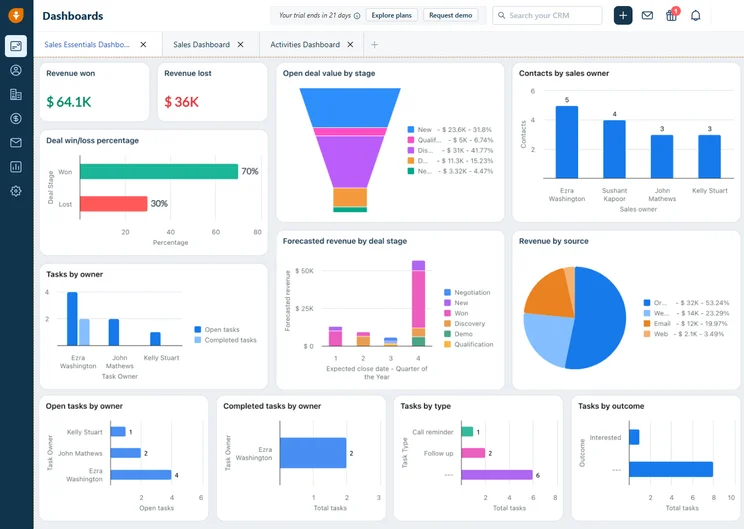
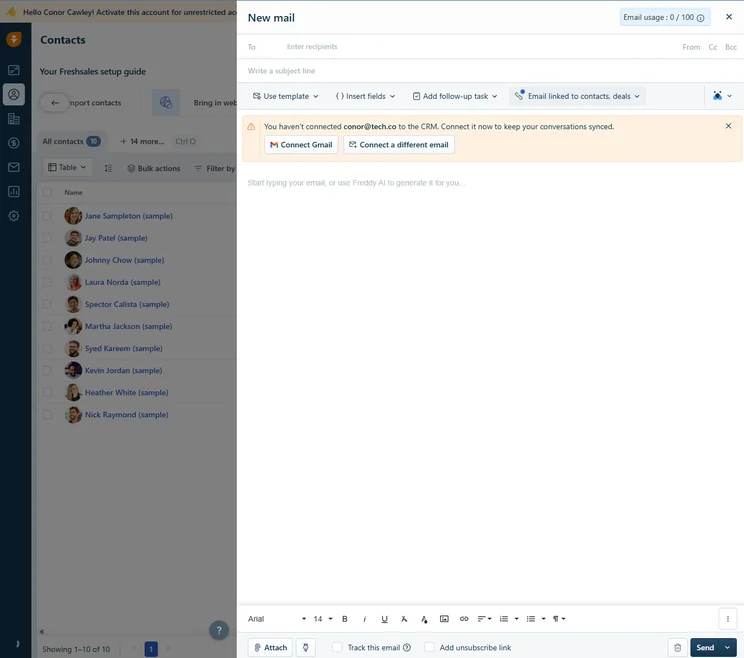
Freshsales Suite pricing
Freshsales Suite has three different pricing plans: Growth, Pro, and Enterprise. There is also a free plan that offers limited functionality, but it doesn’t cost anything.
The Growth plan costs $9 per user, per month, the Pro plan costs $39 per user, per month, and the Enterprise plan costs $59 per user, per month.
Our research finds that the best plan for small businesses is the Growth plan, unlocking a wide range of features at an extremely competitive price point. You’ll be able to build up to 20 custom automations and you’ll get access to storage with this plan, which can add a lot to a customer database’s usage.
|
Plan
|
Price
Billed annually
|
Users
|
Storage
|
Lead scoring
|
API
|
Custom reports
|
Custom automation builder
|
|
|---|---|---|---|---|---|---|---|---|

|
BEST FOR SMB
|
|
|
|||||
|
$9/user/month |
$39/user/month |
$59/user/month |
||||||
|
3 |
Unlimited |
Unlimited |
Unlimited |
|||||
|
None |
2 GB |
5 GB per user |
100 GB per user |
|||||
|
|
|
|
|
|||||
|
|
|
|
|
|||||
|
|
|
|
|
|||||
|
|
20 |
50 |
100 |
Pipedrive – Best for organization
Customer database CRMs are most effective and important for sales-based companies, and Pipedrive is a sales-focused CRM that can certainly improve your overall functionality. It’s competitively priced and offers a straightforward, easy-to-use platform that still has some serious functionality when it comes to advanced sales features.
Even better, Pipedrive offers an unlimited contact database, so there is no reason for you to keep count out how many clients you’re trying to keep track of. Beyond that, though, Pipedrive really lacks when it comes to customizability, only scoring an average 2.5 out of 5, which is why it fell so far down in our rankings.
Pipedrive

In Short
-
Pros
- Unlimited contact database for larger businesses with lots of clients
- Great security tools include user permissions and multi-factor authentication
- 24/7 live support via chat and phone
-
Cons
- 24/7 support only available in more expensive plans
- Can’t create custom task types within the platform
- Web form creation is a paid add-on
Pricing
-
14-day free trial
-
 Lite: $14/seat/month
-
Growth: $39/seat/month
-
Premium: $59/seat/month
-
Ultimate: $79/user/month
Images
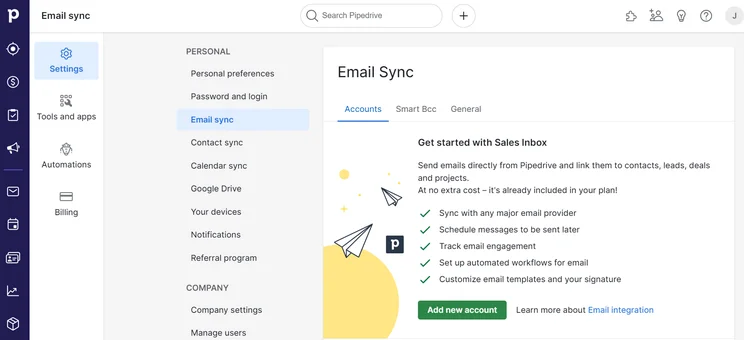
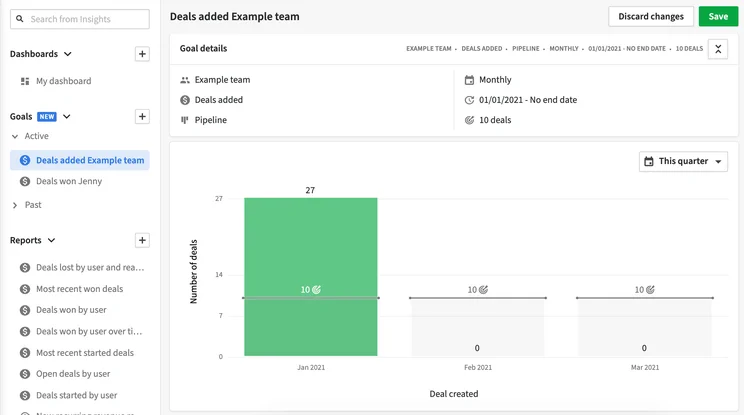
Pipedrive pricing
Pipedrive offers four different pricing plans: Essential, Advanced, Professional, and Enterprise.
The Essential plan costs $14 per user, per month, the Advanced plan costs $39 per user, per month, the Professional plan costs $49 per user, per month, the Power plan costs $64 per user, per month, and the Enterprise plan costs $99 per user, per month.
Our research finds that the Advanced plan is the best option for small businesses, unlocking a lot of helpful time-saving features like automation builders, custom templates, and single sign-on functionality. Plus, the Advanced plan from Pipedrive offers smart contact data, which can make your customer database that much easier to navigate.
Check out our Pipedrive pricing guide for more information.
|
Plan
|
Price
Billed annually
|
Users
|
API
|
Custom reports
|
Custom automation builder
|
|
|---|---|---|---|---|---|---|
|
|
BEST FOR SMB
|
|
|
|||
|
Lite |
Growth |
Premium |
Ultimate |
|||
|
$14/user/month |
$39/user/month |
$49/user/month |
$79/user/month |
|||
|
Unlimited |
Unlimited |
Unlimited |
Unlimited |
|||
|
|
|
|
|
|||
|
|
|
|
|
|||
|
|
30 |
60 |
90 |
HubSpot CRM – Best free CRM
HubSpot is a robust CRM typically used by larger businesses. While the prices are far too high for the average business to consider, the provider offers a surprisingly robust free plan that is ideal for smaller businesses, particularly those in need of marketing tools. This makes it perfect for businesses that may foresee scalability as a necessity in a platform because they plan to grow quickly.
From a customer database standpoint, you can understand that a free plan, even one as robust as HubSpot, is going to have some downfalls. For one, it’s not very customizable, netting a low score of 2.2 out of 5, one of our lowest for the category. Contact management features and usability isn’t too bad for a free platform, but it does offer plenty of functionality to get the job done.
HubSpot CRM

In Short
-
Pros
- Sales and marketing features for growing businesses on all plans
- Tidy, easy-to-navigate interface
- Shared team inbox makes chasing leads and support tickets much less complex
- Feature-rich free plan
- Easy-to-use AI and automation tools
-
Cons
- Scarce customer support on the free plan
- 5 document storage limit on free plan
- Mandatory, one-time onboarding fees on premium plans
Pricing
-
Free plan available
-
Starter: $7/user/month
-
Professional: $1,300/month/includes 6 seats
-
Enterprise: $4,700/month/includes 8 seats
Images
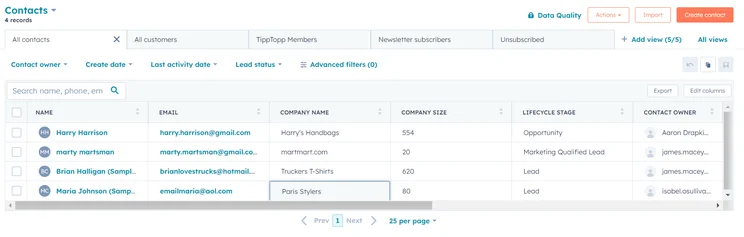
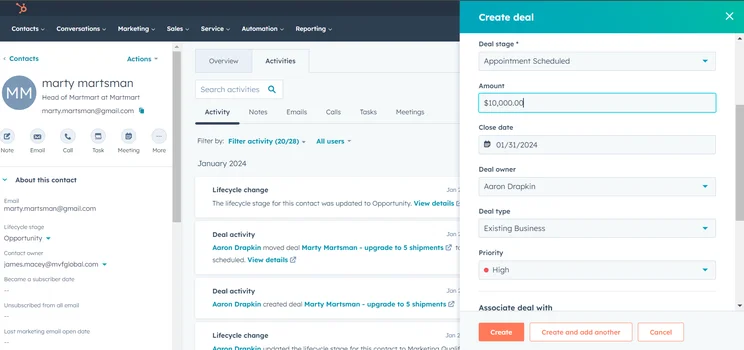
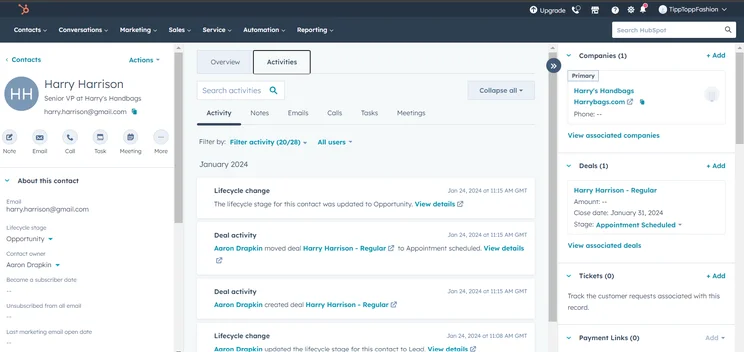
HubSpot pricing
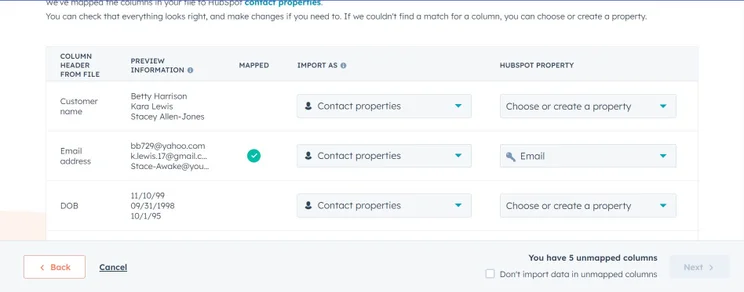
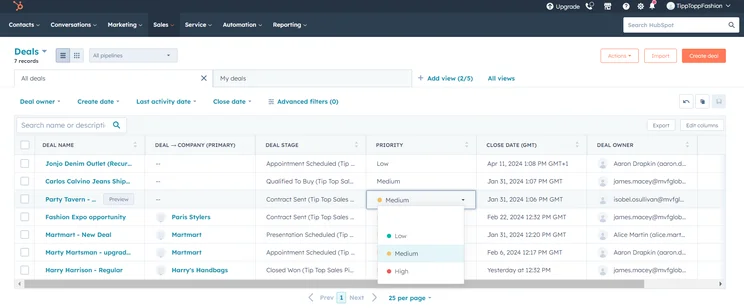
As we mentioned, HubSpot offers a robust free plan that should be your focus if you’re a smaller business. The functionality is surprisingly powerful for a free platform, and you can get a real feel for the platform without the stressful time limit of a free trial.
If you are looking for something with a price tag on it, HubSpot offers three different hubs — Sales, Marketing, and Service — which each have three different pricing plans, all varying in price.
Check out our HubSpot pricing guide for more information.
|
Plan
|
Price
Billed annually
|
Onboarding fee
|
Users
|
Storage
|
Lead scoring
|
API
|
Custom reports
|
Advanced forecasting
|
|
|---|---|---|---|---|---|---|---|---|---|
|
BEST FOR SMB
|
|
|
|
||||||
|
Free |
Starter |
Professional |
Enterprise |
||||||
|
Free |
$7/user/month |
$1,300/month (include 6 seats) |
$4,700/month (includes 8 seats) |
||||||
|
|
|
$1,500 |
$3,500 |
||||||
|
2 |
Unlimited |
Unlimited |
Unlimited |
||||||
|
5 documents |
5000 documents |
5000 documents |
5000 documents |
||||||
|
|
|
|
Predictive scoring |
||||||
|
|
|
|
|
||||||
|
|
|
|
|
||||||
|
|
|
|
|
What Is a Customer Database?
A customer database is a collection of all customer interactions across a business, organized in a customizable dashboard that other employees can access to better facilitate effective sales, marketing, or customer support actions. Simply put, it’s designed to make every single interaction with customers easier through information. This can help businesses communicate better with clients, thereby provide faster support, market effectively, and push sales consistently.
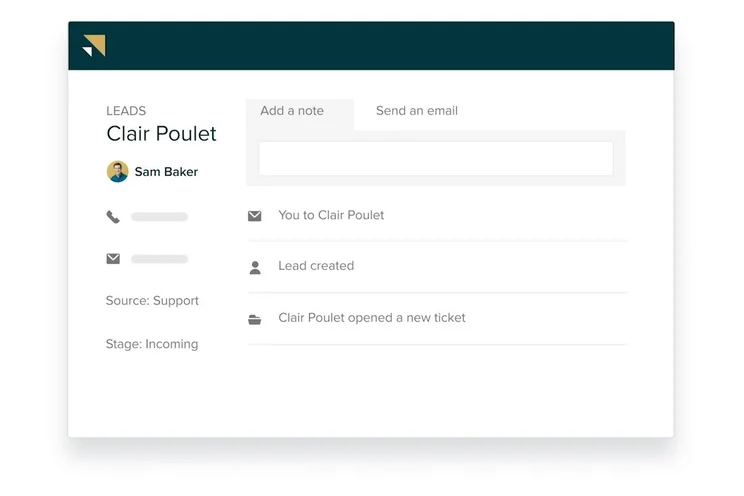
A good customer database — like the one in the screenshot below, found through Tech.co testing of Zendesk — is typically facilitated through CRM software because it can organize and automate the majority of the information, so you don’t have to scroll through a spreadsheet to find what you need. There are three types of CRMs — open source, cloud-based, and on-premises.Most CRM providers are cloud-based, charging a monthly fee and allowing access to anyone with access to the internet. You can also pay extra for an on-premises system for better security, but you will need to make sure you have the funds for that kind of infrastructure.
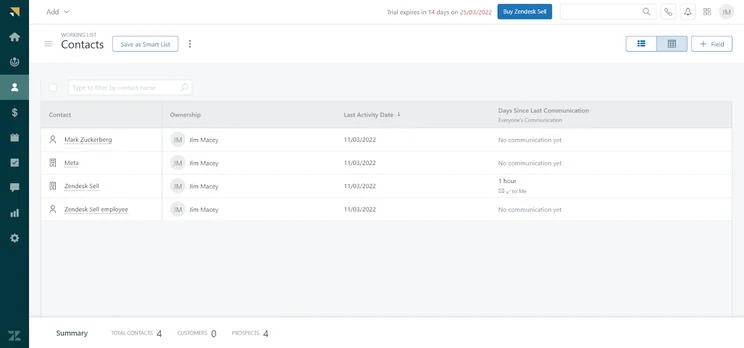
A contact database on Zendesk Sell, our top choice for customer database CRM
Image: Tech.co testing
Common Customer Database Categories
A CRM is designed to collect and organize data, so that you can more easily perform tasks, analyze patterns, and improve communication across your team. Generally, the data collected by customer databases falls into categories that can help streamline your organization and increase productivity. Here are the three common customer database categories:
- Operational – This kind of data is used to accomplish tasks and streamline operations more effectively across your business.
- Analytical – This kind of data is used to create reports that inform businesses of how they’re doing and where they need to improve.
- Collaborative – Also known as Strategic, this kind of data is shared across your business, so your team has consistency and transparency when dealing with customers.
In most cases, a CRM provider will offer the functionality to manage all three of these kinds of data. Still, it’s important to know how they perform each, and which one is more valuable to your company in the long run.
How Did We Research The Best CRM Systems?
We take our impartial research and analysis seriously, so you can have complete confidence that we’re giving you the clearest, most useful recommendations.
After conducting an initial exploration to identify the most relevant, popular, and established CRM tools in the market, we put them through their paces to find out more about their strengths and weaknesses. In total, we analyzed 13 CRM systems, grading them across 84 areas of investigation.
Based on years of market research and CRM product testing, we’ve established a CRM research methodology to score products, which consists of six main assessment categories and 13 subcategories. This covers everything, from the available features and scalability capacity to the product’s value for money, and much more.
Our main testing categories for CRM systems are:
- Features: The functionalities and capabilities provided by the CRM software, such as contact management, lead and opportunity tracking, and task and activity management.
- Help and support: The resources and assistance available to users when they encounter issues or require guidance while using the CRM software.
- Customization: The ability to tailor the CRM software to suit the specific needs and processes of the organization, e.g. customizing fields, layouts, and workflows.
- Scalability: The ability of the CRM software to accommodate the growth and changing needs of the organization, such as the capacity to handle a growing customer database.
- Price: The cost associated with using the CRM software. It includes factors such as licensing fees, subscription plans, and additional charges for add-on modules or features.
- Team structure — sales CRM: Determining if a platform makes it easier to manage large sales teams, including team dashboards, team hierarchies, and team inboxes.
- Usability — small business CRM: Assessing the simplicity of the interface, the ease of navigating through menus and options, and the overall user experience.
When it comes to calculating a product’s final score, not all testing areas are weighted evenly, as we know some aspects matter more to our readers than others, which are merely “nice to have.” After hundreds of hours, our process is complete, and the results should ensure you can find the best solution for your needs.
At Tech.co, we have a number of full-time in-house researchers, who re-run this testing process regularly, to ensure our results remain reflective of the present day.
Our research shows that Zendesk is the best customer database CRM, offering a lot of customizability as well as plenty of contact management features to keep track of clients. Zoho CRM is another respectable option, although it provides slightly less customizability than Zendesk.
The CRM market is filled with some excellent providers that could be exactly what you’re looking for to enhance your business. For a clearer picture of your options, be sure to check out our CRM comparison page with in-depth looks at a wide range of other providers.
Frequently Asked Questions
Customer relationship management (CRM) software is an online business resource that can typically track, manage, and organize a wide range of business operations, including client relationship status and sales pipeline progress. It can also often perform a wide range of other tasks, like managing customer service requests and managing marketing campaigns, depending on the provider.
Our research shows that Zendesk is the best CRM to keep track of clients, allowing for a lot of customizability, and simultaneously providing plenty of contact management features and usability.
A customer database system, sometimes referred to as a client management system (or a CRM), is a business resource designed to keep track of, and organize, a list of clients for improved sales, marketing, and customer support efforts.
If you click on, sign up to a service through, or make a purchase through the links on our site, or use our quotes tool to receive custom pricing for your business needs, we may earn a referral fee from the supplier(s) of the technology you’re interested in. This helps Tech.co to provide free information and reviews, and carries no additional cost to you. Most importantly, it doesn’t affect our editorial impartiality. Ratings and rankings on Tech.co cannot be bought. Our reviews are based on objective research analysis. Rare exceptions to this will be marked clearly as a ‘sponsored’ table column, or explained by a full advertising disclosure on the page, in place of this one. Click to return to top of page


