
We may receive a commission from our partners if you click on a link to review or purchase a product or service. Click to Learn More
A Point of Sale (POS) system is a device businesses use to log orders and process sales. It is made up of hardware and software elements, and can also be used to carry out advanced functions like managing inventory, improving customer loyalty, tracking employees, and analyzing business performance.
The best small business POS systems offer numerous ways to maximize efficiency and cut costs, making them a staple for retail and food businesses alike in 2025. In this guide, we cover everything you need to know about the versatile sales device, including how they work, how much they cost, and which systems performed the best in our research.
Read on to learn more, or use our free tool to compare POS costs today.
- POS systems are devices that help businesses manage their sales transactions, inventory, and customer data. They’re most commonly used by restaurant and retail businesses that process customer transactions in person.
- The total cost of a POS system is highly variable and will depend on a business’s size, specific needs and the hardware you already have (if any). Some providers, like Square, offer free services, whereas others offer comprehensive paid packages that include both software and hardware.
- Businesses should consider their operational model when choosing a POS, as systems are available in various types, including mobile, tablet, terminal, or self-service kiosks, and can be cloud-based or on-premise.
- Selecting the right POS system requires identifying essential features beyond basic sales, such as labor management, loyalty programs, or industry-specific functionalities, to ensure alignment with business objectives.
- Top POS suppliers specialize in different areas. Square, for example, is a shrewd choice for businesses focused on scaling and growth. Clover, on the other hand, offers durable hardware solutions, which make it one of the better options out there for restaurants.
What Is a POS System?
A ‘Point of Sale’ (POS) is the system you use to scan or log the items a customer is buying, process their cash or card payment, and generate a receipt. Unlike cash registers, POS systems are made up of hardware and software components, and they let brick-and-mortar businesses do far more than take payments and process orders.
For instance, you can use POS systems to improve customer loyalty, create granular performance reports, manage staff and stock, and more.
How Does a POS Work?
You can use POS systems to scan products manually or log orders onto the screen. Once the order is placed, a POS lets you take payments from the customer, whether this be through cash, card, mobile payment apps, or another method.
Point of Sale systems then log this data, so you can account for each sale and gain a full overview of your sales history. Modern POSs will also house stock information, customer profiles, and other important business data to help you manage a broad range of processes from one central platform.
If your POS doesn’t offer features that you require in-house, you’ll also be able to integrate the system with third-party software to extend its use further. Read our full guide to POS features to learn about what capabilities you should expect.
Different Types of POS
There are many types of POS systems out there. When it comes to purchasing a POS system for your business, the main forms include:
- Mobile and tablet POS systems
- Terminal POS systems
- Self-service kiosk POS systems
- Multi-channel systems (which allow you to sell your goods across multiple sales channels).
POS systems can also be broken down into on-premise or cloud-based systems, as we explain further down this article.
POS Systems by Industry
POS systems can be tailored to suit industries as specific as nail salons or coffee stands. However, just two types of industries are popular enough to stand out from the pack and warrant mentioning here: Retail and restaurant.
Retail systems offer industry-specific features like refunds, quick-key look-up, auto stock refills, and will be able to integrate with retail hardware like barcode scanners and weighing scales. They’re designed for any type of retail store selling products from a specific inventory, including:
- Clothes shops
- Pet shops
- Jewelry shops
- Sports retailers
- Electronics stores
Check out our guide to the best POS systems for retail businesses to learn about our top picks.
Restaurant systems offer a number of hospitality capabilities like tableside ordering, tip splitting and food safety checks. This type of POS is aimed at all types of restaurants and food businesses, including:
- Quick-service food businesses
- Cafes
- Bars
- Food trucks
- Fine dining establishments
According to our research, these are currently the best restaurant POS systems on the market.
What are the Advantages of POS?
After pouring years into researching the best systems and speaking to businesses about their unique experiences, we’ve found that these are the main advantages of using a POS.
- Increased Productivity: Centralizing all business processes into one system lets you quickly and easily move from task to task as prompted, while being notified with alerts when inventories need restocking or employees need to be scheduled.
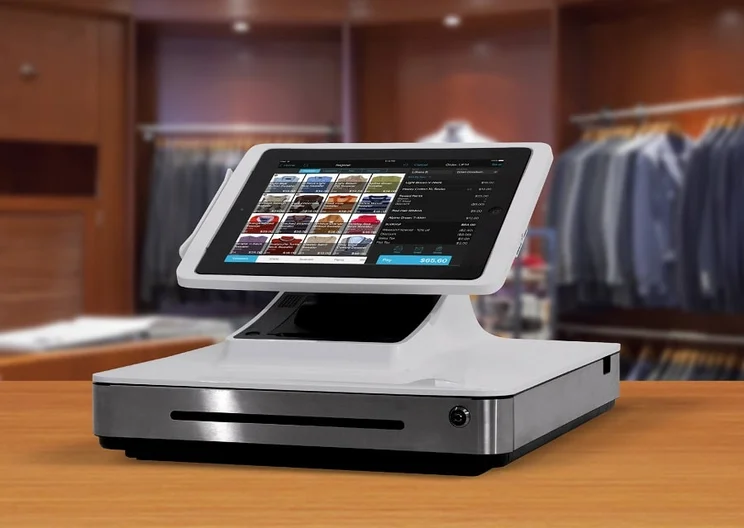
- Professionalism: A customer will be more impressed by a sleek tablet with an appealing interface and trim card reader than a dusty, clunky cash register.
- Data-Driven Insights: Perhaps one employee is under-performing, or customers enjoy one type or color of product above another. Months or years of data collected can reveal weak spots, missed opportunities, or other insights that allow managers to execute at a level beyond their own instincts.
- Collaboration: Messaging capabilities can allow for rapid communication from within the POS software itself, helping cashiers talk to each other or alert a floor manager, or a restaurant’s back-of-house team interact easily with servers.
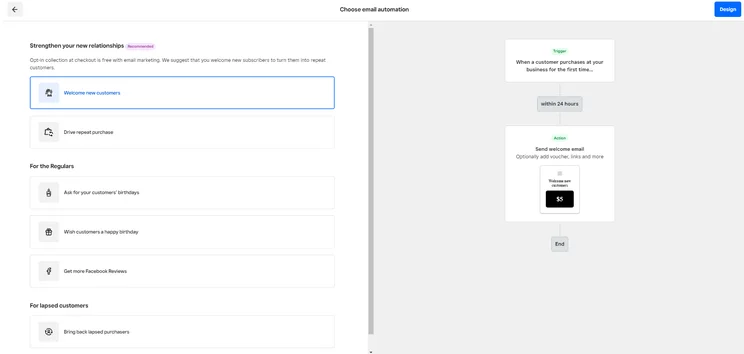
- Marketing Campaigns: Many point-of-sale systems can collect email addresses when sending receipts, building a ready-made email marketing list. Customers who might otherwise forget about your store or restaurant can be turned into regular customers with a few coupons or gift cards — two additional features supported by the best POS systems.
How Much Does a POS System Cost?
Small businesses with single cash registers can expect to pay around $15 for more modest systems and up to $100 for more feature-rich models. Alternatively, medium to larger businesses with a higher volume of transactions and more complex requirements may need to pay upwards of $100 per month, per location.
The cost of a POS system depends on a range of factors, including the size of your business, your chosen payment model, and any industry-specific hardware and software needs. To compare prices for yourself, try our free comparison tool.
How does hardware affect the price of a POS?
Larger businesses that run over multiple premises may need to invest over $10,000 for specialized hardware devices. If a business decides to take orders through a single touch screen device, however, they should be able to cover their hardware requirements for under $500 upfront.
Which POS systems are in my budget?
If you’re on a budget, there are a number of low-cost and free POS systems to choose from. For example, Square POS, our top-rated POS system for restaurants and small businesses, offers a robust free service with advanced sales reporting and inventory management features. However, many free options charge transaction fees instead of asking for monthly payments, so business owners should read the small print before signing up.
Small businesses or hobbyists may opt for a cost-conscious system without the bells and whistles. Larger businesses will likely need to avoid free services in order to receive more complex features.
For more information on how much this tech could set back your business, you can learn about how much POS systems cost. If you’d like to learn more about transaction costs, check out our complete guide to credit card processing fees.

The Square POS is an easy-to-use platform that we were able to test out in person. Source: Tech.co testing

Need a high quality POS system for your operation?
Grab a customized quote for your business
What Is POS System Hardware?
Every POS system requires software and a hardware component. The software is typically provided by a specialist vendor and designed to be compatible with most hardware solutions.
Compatible hardware can either be purchased from the same provider or bought separately from commercial retailers. Only rarely will a system depend on provider-specific hardware elements that won’t be available anywhere else.
Five basic POS hardware components are strongly recommended for any physical store. Today’s typical shopper might not know anything about the systems they use for shopping, but they’ll be familiar with these:
- Credit card reader
- Register screen
- Receipt printer
- Barcode scanner
- Cash drawer
It’s worth noting that smaller businesses can opt for devices that include multiple components. For instance, a mobile card reader might even do all five tasks by plugging into an iPad or phone directly, and sending digital receipts while accepting cashless payments.
However, larger businesses with more specific requirements will need to invest more in specific hardware like barcode scanners and cash drawers. If you’re able to function on minimal hardware, check out our guide to the best iPad POS systems.
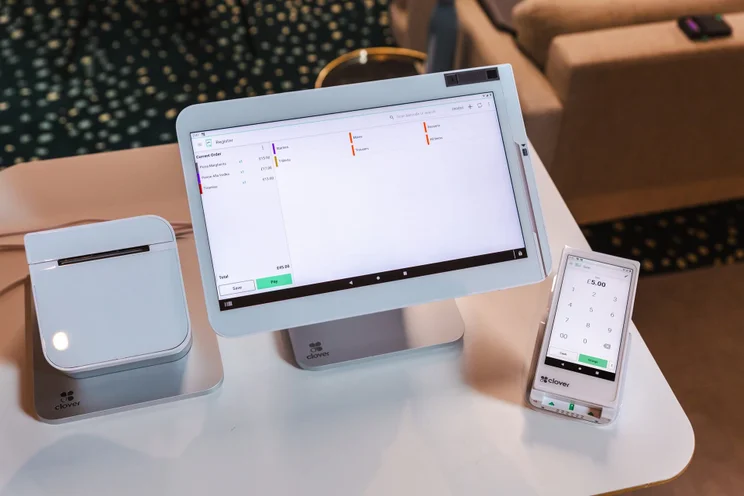
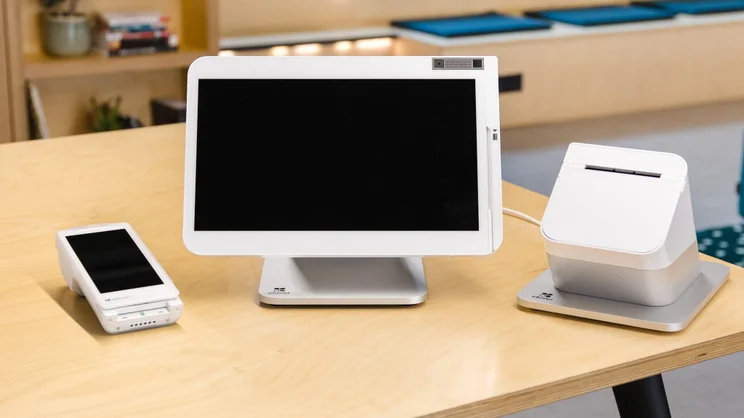
This suite of Clover POS products includes a tablet, credit card reader, and mobile device. Source: Tech.co testing

Want to find the best POS system for your business?
Get bespoke quotes for your business using our comparison tool or take a look at Square, our favorite all-round POS system
What Is POS System Software?
Point of sale systems can operate using two different main software options: On-premise software and cloud-based software.
- On-premise POS software isn’t connected to the internet. It keeps all the information on a closed system within the store, and must be maintained by the store manager or an IT employee.
- Cloud-based POS software relies on the internet in order to work. They are SaaS, or Software as a Service, which means that store managers must pay a set fee, usually monthly, in order to use a cloud-based service. The upside is that any bug fixes or updates are the responsibility of your provider, not you. Plus, your information is always backed up and can be accessed from anywhere.
Additional Features of POS Systems
While inventory and sales are essential features for any good Point of Sale system, the modern iteration comes with plenty of additional abilities, all aimed at making a store owner’s life easier.
Sales and inventory
First, the basics. Any point of sale system should let you track sales, register that every item has been sold for the correct price, and record the amount of that item that remains in the inventory. At the end of each day, the system will have an accurate count of the store’s revenue during that period.
Labor management
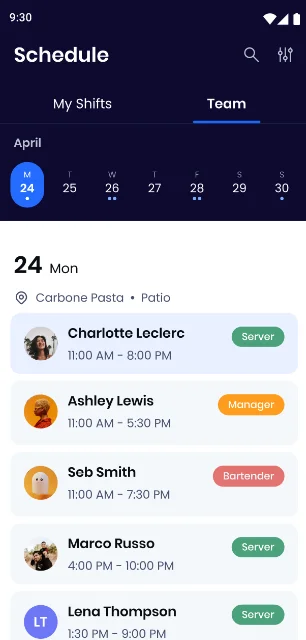
Another common feature is employee tracking. Members of your team should be able to log in and out, letting the system know who is responsible for which sales. As an added benefit, this feature allows you to track the hours each employee works, which can be useful for payroll purposes.
Loyalty programs
Most POS systems offer dedicated loyalty programs, too. If you regularly shop at Starbucks or Safeway, you probably carry their loyalty card around wherever you go. It’s a great move for a business, with research from McKinsey revealing that 62% of consumers are more likely to return to a brand after signing up for a paid loyalty program.
Gift cards
Like the loyalty program, a gift card option can help attract and retain customers, but it also needs to be available as an option through the store’s POS vendor, in order to be accepted.
Mobile-friendly
A mobile app helps you manage orders flexibly and on the go. While mobile POS apps aren’t a necessity, 54% of US businesses have already used the software to process transactions.
Mobile-friendly solutions will be especially useful if you’re operating on the move, whether you run a food truck, kiosk, or Farmer’s Market stall.
Check out our guide to the best POS systems for food trucks to learn more about these industries.
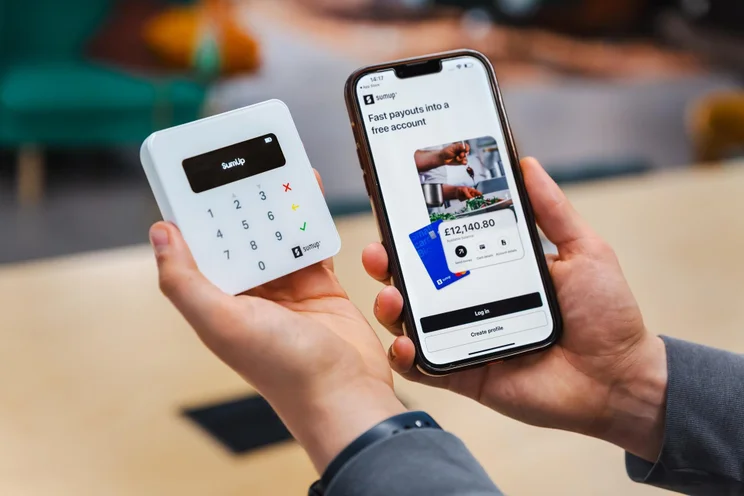
The SumUp hardware and software platforms, side by side. Source: Tech.co testing
Reports
POS systems let you track data that might otherwise be forgotten, compiling it into reports that deliver insights. With the right details about typical customer behaviors, sales information, or employee habits, it’s easier to improve store efficiency, ultimately helping you to improve your bottom line.
Industry-specific features
In addition to all the above features, different industries may require specialized features. For example, restaurants may require hospitality-specific features like menu editing, kitchen-display systems, and detailed inventory management that tracks each individual ingredient required to make the meals.
Meanwhile, a salon POS system needs to be able to track appointments months into the future, while a system designed for use in a bar or busy cafe needs to run incredibly quickly to keep customers happy. When deciding which POS features to prioritize, we’d recommend understanding your business’s unique needs and working backward from there.
How To Choose a POS for Your Business
Now you know how POS systems work, all that’s left is to find the best one for your specific business. Try writing out a list of the features your business needs. Then, once you have the list, look at the top suppliers to find the best fit. Here are a few questions to consider:
- Will on-premise or cloud-based software be more appropriate for your working conditions?
- Are the basic features enough, or will you need something a bit more advanced?
- What payment processors must the Point of Sale be able to use?
- Are there any unique hardware elements you’ll need (such as a self-service checkout)?
- What price range are you comfortable with?
If you’re ready to start looking into which POS system is right for your business, fill out our quick and easy form to get custom quotes from leading suppliers. You’ll be under no obligation to get started with any of the providers, but you’ll be able to get a sense for what they offer.

We have years of experience helping businesses with POS
Grab a tailored quote for your business to get a better idea of how much it will cost
Who Are the Top POS Suppliers?
While this isn’t a comprehensive list, it’s a fast, at-a-glance look at the POS vendors that performed the best in our independent research. Alternatively, if you’re looking for a more tailored recommendation, you can use our free matching tool to compare providers and price quotes.
|
Price
The typical lowest starting price. The lowest price available for your business will depend on your needs
|
Free plan
|
Free trial
|
Best for
Tech.co's verdict to help you identify the most suitable choice for your small business
|
Additional costs
Any additional costs you'll need to pay to get started
|
Lowest transaction fee
The lowest possible fee that will be incurred with each transaction
|
Highest transaction fee
The highest possible fee that will be incurred with each transaction
|
User limit
|
24/7 support
|
Get started
|
||
|---|---|---|---|---|---|---|---|---|---|---|---|
|
BEST OVERALL
 |
 |
 |
 |
 |
 |
||||||
|
Square |
Shopify POS |
Toast |
Clover |
SpotOn |
SumUp |
||||||
|
From $0/month |
From $0/month |
$0/month |
From $16/month for 36 months (depending on plan) |
$0/month |
$0/month |
||||||
|
|
|
|
|
|
|
||||||
|
30 days |
3 days |
14 days |
90 days |
No |
Demo only |
||||||
|
Scaling and growing your business |
Managing in-store and online sales |
Restaurants with complex operations |
Professional hardware |
Simplifying staff scheduling and communication |
Speed, efficiency and data-driven sales insights |
||||||
|
Marketing, customer loyalty, and employee management features cost extra |
Shopify POS Pro is available for $89/location/month |
Digital ordering, third party delivery, email marketing, and catering/events cost extra |
Accounting integrations cost extra |
Loyalty programs cost extra |
Customer loyalty programs cost extra |
||||||
|
2.5% + 15¢ |
2.4% + 10¢ |
2.49% + 15¢ |
2.3% +10¢ |
2.79% + $0.20 |
1.5% + 10¢ |
||||||
|
3.5% + 15¢ |
2.6% + 10¢ |
3.50% + 15¢ |
3.5% +10¢ |
3.79% + $0.20 |
3.25% + $0.15 |
||||||
|
Unlimited (each till requires a new license) |
Single user/license across all plans |
Unlimited |
Unlimited (each till requires a new license) |
Unlimited |
Unlimited |
||||||
|
|
|
|
|
|
|
||||||
| Visit Square | Try Shopify | Visit Toast | Compare Prices | Compare Quotes | Try SumUp |
Square: Best for scaling and growing your business
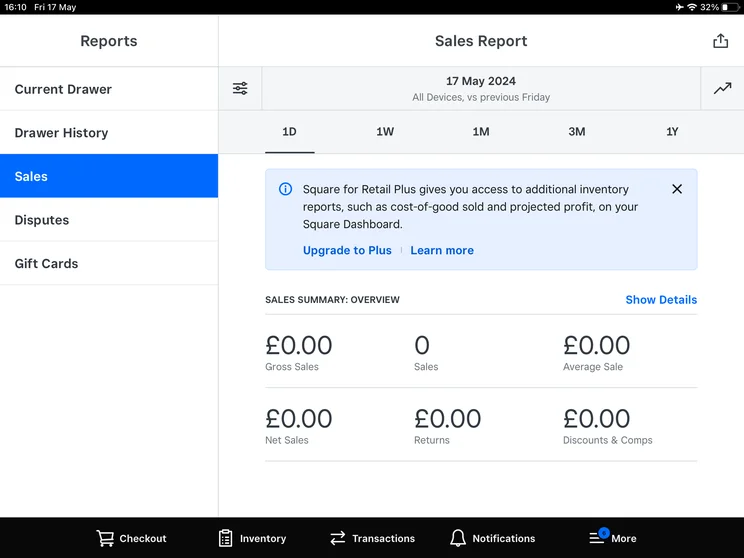
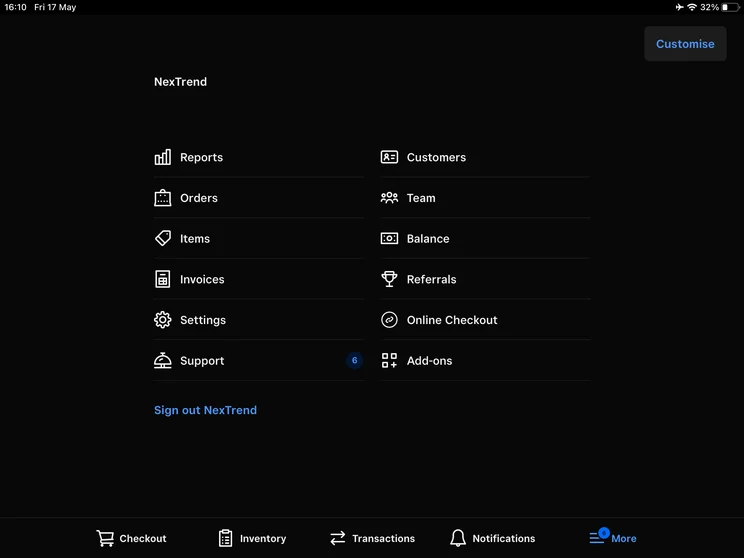
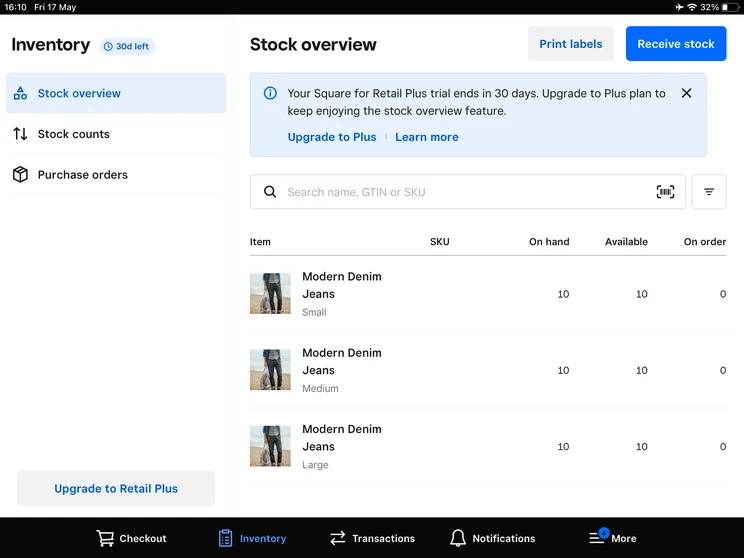
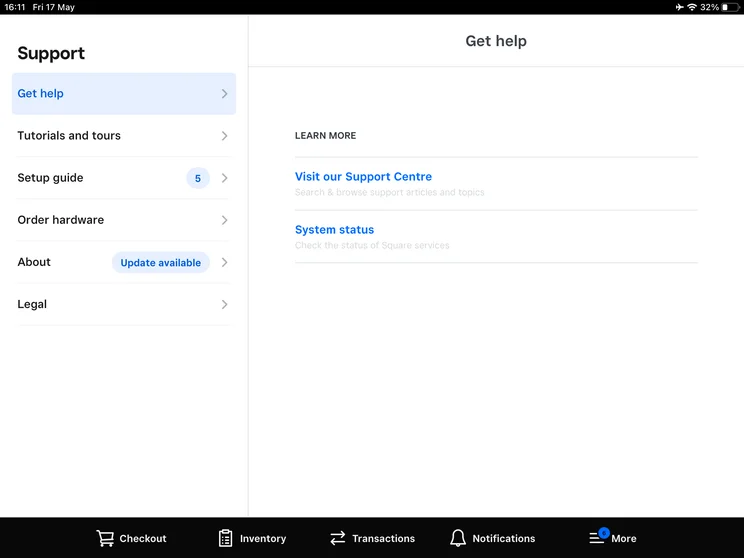
After putting the top through the wringer, our dedicated research team found that Square was the best overall POS. A favorite of small-time vendors everywhere, this company offers free POS apps. In addition, they sell the all-in-one hardware component you’ll need to run their app.
Square excels for restaurant and retail businesses alike with its brilliantly easy-to-use platform and versatility. Most importantly, Square charges no monthly fees. Instead, you pay a small percentage of the fee you receive for every transaction you make, meaning you won’t start paying until you start selling.
Learn more about the provider in our Square POS review.
Square POS

In Short
-
Pros
- Free to get started
- Serves businesses of all sizes and in all sectors
- Strong analytics, inventory, and third-party integrations
-
Cons
- Some necessary features for mid-sized businesses cost more
- 3.5% + 15¢ charge for keyed-in transactions on free plan
- Support options vary by plan
Pricing
-
 Square Free plan at $0/month
-
 Square Plus plan at $49/month
-
Square Premium at $149/month
Images
Clover: Best for professional restaurant hardware
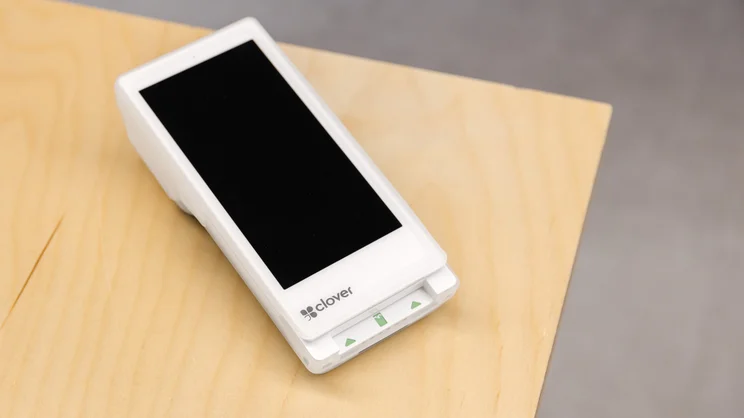
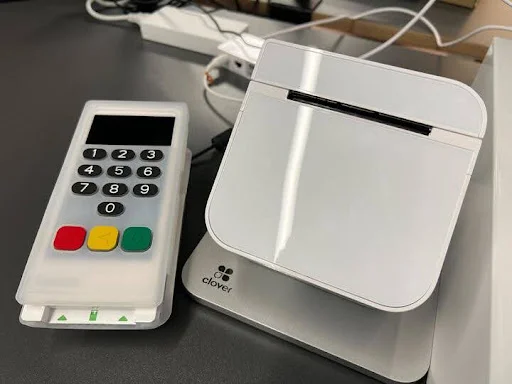
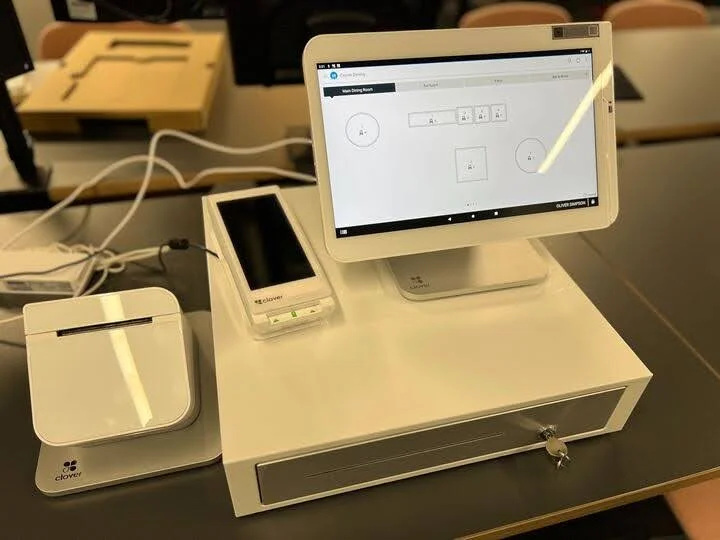
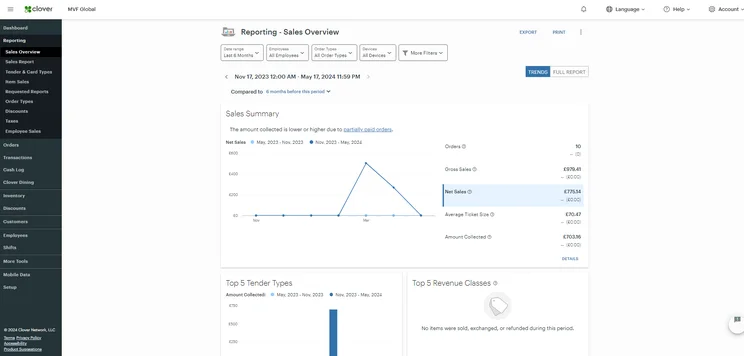
The Clover POS supports restaurants with an easy-to-use system. In the back end, users can quickly create categories and add new products or modifiers, while tracking stock orders with automatic notifications. The front end is also easy for customers to figure out, making it great for a fast-paced environment like a restaurant.
The hardware is worth mentioning, delivering helpful tools including fingerprint logins and customer display screen customization for the most accurate orders.
To learn more about the POS, check out our full Clover review.
CloverPOS

In Short
-
Pros
- Great for companies that started online but need a physical presence
- Good range of hardware options
- 90-day free trial when applying for Clover Account experience without hardware
-
Cons
- Need pre-existing website unlike Shopify, for example
- Additional features cost extra and can become expensive
- Pricier than similar POS systems
Pricing
-
Cheapest plan is $14.95 per month (Professional services)
-
Retail packages start at $13 per month for 36 months
-
Offers six restaurant plans from $105 per month for 36 months
Images
SpotOn: Best for simplifying staff scheduling and communication
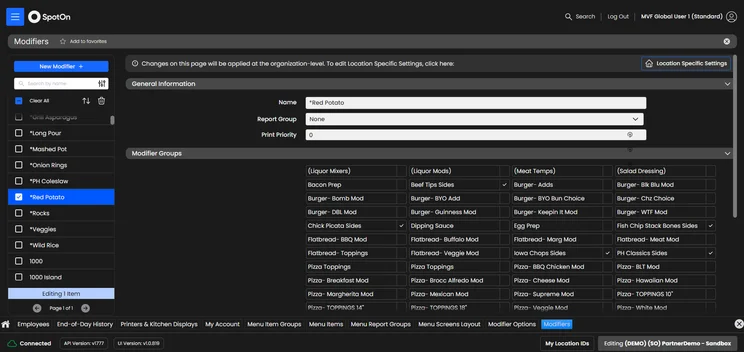
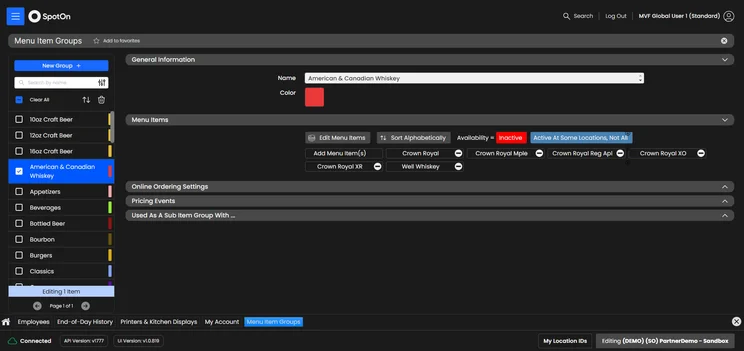
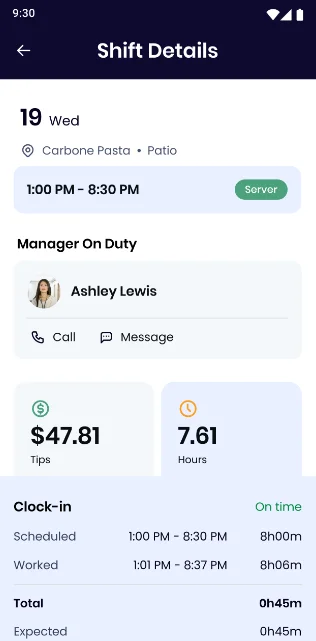
SpotOn POS stands out for its staff management tools. The platform’s backend tracks staffers’ labor and revenue, handles automatic tip sharing, and can compile cost vs profit analysis reports to help managers assess individual product profitability.
Like Square, SpotOn offers a completely free plan that even covers hardware, though users must still pay per-transaction fees.
Read our full SpotOn review for more information on features, pricing, and more.
SpotOn

In Short
-
Pros
- Top tier free plan for small businesses
- Affordable hardware add-ons for in-person selling
- Automatic offline functionality without internet connection
-
Cons
- Few hardware options
- Expensive paid plans for restaurants
- Limited retail functionality only suited for small shops
Pricing
-
Free plan includes hardware
-
Restaurant plan (POS Essentials): From $55/month
-
Transaction fees from: 2.45% + 15¢
Images
For most POS needs, a business can’t do better than Square or Clover, our researchers’ top two picks thanks to their usability, features, pricing, and support.
Square won’t even cost you a cent to get started with, since it offers a free plan.
Every operation is unique, however. To see if your specific feature needs are met by any of the best POS systems on the market, take a minute to fill out our handy quotes form.
If you click on, sign up to a service through, or make a purchase through the links on our site, or use our quotes tool to receive custom pricing for your business needs, we may earn a referral fee from the supplier(s) of the technology you’re interested in. This helps Tech.co to provide free information and reviews, and carries no additional cost to you. Most importantly, it doesn’t affect our editorial impartiality. Ratings and rankings on Tech.co cannot be bought. Our reviews are based on objective research analysis. Rare exceptions to this will be marked clearly as a ‘sponsored’ table column, or explained by a full advertising disclosure on the page, in place of this one. Click to return to top of page


