
We may receive a commission from our partners if you click on a link to review or purchase a product or service. Click to Learn More
The best POS system for small businesses is Square, due to its versatile, low-cost hardware solutions, helpful support options, and easy-to-use interface. Plus, with a free-forever plan that allows you to sell, it’s arguably the most accessible POS option for small businesses on a budget.
A POS system can help your small business operate more efficiently by quickly processing a range of transaction types, as well as analyzing sales data and managing employees. But with pricing plans and feature sets varying from provider to provider, it’s important to understand precisely what you’re paying for.
To help, we’ve put a range of the best POS systems for small businesses through their paces with extensive hands-on testing to help you find the right one. In this guide, you’ll learn about all the features, pricing, and other information that’s important to choosing a POS for your small business.
- Square – Best for omnichannel and hybrid sellers
- Shopify – Best for businesses with flexible customer fulfillment
- Toast – Best for high-volume quick-service restaurants (QSRs) and cafes
- Clover – Best for service-based businesses
- SpotOn – Best for hospitality businesses with multiple locations
- SumUp – Best for microbusinesses and low-volume merchants
- Square is the best POS system for small businesses because of its robust free plan and affordable, versatile hardware.
- Clover offers the cheapest paid POS plan from $16 a month for 36 months, but this depends on your business’s industry.
- Square, Toast and SpotOn offer free plans for businesses – you’ll only have to pay for transaction fees per sale.
- When choosing a POS system for your business, you should consider its software, hardware, pricing, usability, and the level of customer support available
- You can expect to pay between $40 to $100 per month for a single registered POS system, but prices can vary.
Best POS Systems for Small Business
The information on this page is based on Tech.co’s impartial research and testing of POS systems, taking into account pricing, help and support, hardware options, software functionality, reputation, and overall usability, for a variety of industries, including hospitality and retail POS systems.
Check out our research page to learn more about how we rate and rank these POS providers, and check out the table below to see how these providers match up on the basics:
|
Price
The typical lowest starting price. The lowest price available for your business will depend on your needs
|
Free plan
|
Free trial
|
Best for
Tech.co's verdict to help you identify the most suitable choice for your small business
|
Additional costs
Any additional costs you'll need to pay to get started
|
Lowest transaction fee
The lowest possible fee that will be incurred with each transaction
|
Highest transaction fee
The highest possible fee that will be incurred with each transaction
|
User limit
|
24/7 support
|
Get started
|
||
|---|---|---|---|---|---|---|---|---|---|---|---|
|
BEST OVERALL
 |
 |
 |
 |
 |
 |
||||||
|
Square |
Shopify POS |
Toast |
Clover |
SpotOn |
SumUp |
||||||
|
From $0/month |
From $0/month |
$0/month |
From $16/month for 36 months (depending on plan) |
$0/month |
$0/month |
||||||
|
|
|
|
|
|
|
||||||
|
30 days |
3 days |
14 days |
90 days |
No |
Demo only |
||||||
|
Scaling and growing your business |
Managing in-store and online sales |
Restaurants with complex operations |
Professional hardware |
Simplifying staff scheduling and communication |
Speed, efficiency and data-driven sales insights |
||||||
|
Marketing, customer loyalty, and employee management features cost extra |
Shopify POS Pro is available for $89/location/month |
Digital ordering, third party delivery, email marketing, and catering/events cost extra |
Accounting integrations cost extra |
Loyalty programs cost extra |
Customer loyalty programs cost extra |
||||||
|
2.5% + 15¢ |
2.4% + 10¢ |
2.49% + 15¢ |
2.3% +10¢ |
2.79% + $0.20 |
1.5% + 10¢ |
||||||
|
3.5% + 15¢ |
2.6% + 10¢ |
3.50% + 15¢ |
3.5% +10¢ |
3.79% + $0.20 |
3.25% + $0.15 |
||||||
|
Unlimited (each till requires a new license) |
Single user/license across all plans |
Unlimited |
Unlimited (each till requires a new license) |
Unlimited |
Unlimited |
||||||
|
|
|
|
|
|
|
||||||
| Visit Square | Try Shopify | Visit Toast | Compare Prices | Compare Quotes | Try SumUp |
The Tech.co team pours hundreds of hours into researching the best POS systems because it’s the only way to ensure we’re providing our readers with the most accurate, up-to-date information possible.
We assessed more than 20 point-of-sale platforms against six criteria to determine our top picks: software (35%), hardware (20%), usability (20%), pricing (10%), help & support (10%), and reputation (5%).
We’ve also spoken to daily POS users working in restaurants, retail and more, to help you make a clear decision for your business needs.
Head over to our methodology section to learn more about our product review process, which is one of the reasons more than one million users consult our articles every month.
1. Square – Best for omnichannel and hybrid sellers
Square POS

In Short
-
Pros
- Free to get started
- Serves businesses of all sizes and in all sectors
- Strong analytics, inventory, and third-party integrations
-
Cons
- Some necessary features for mid-sized businesses cost more
- 3.5% + 15¢ charge for keyed-in transactions on free plan
- Support options vary by plan
Pricing
-
 Square Free plan at $0/month
-
 Square Plus plan at $49/month
-
Square Premium at $149/month
Images
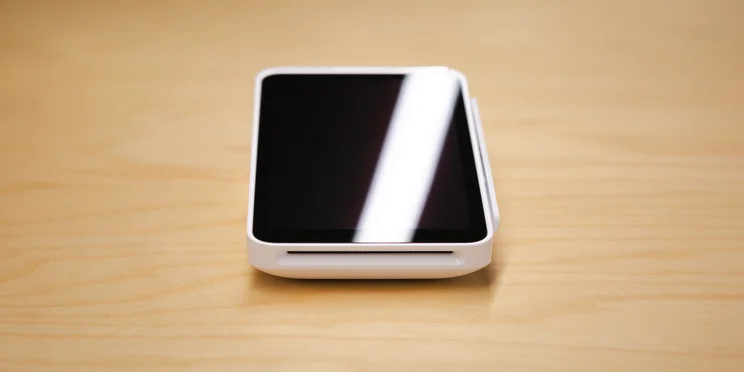
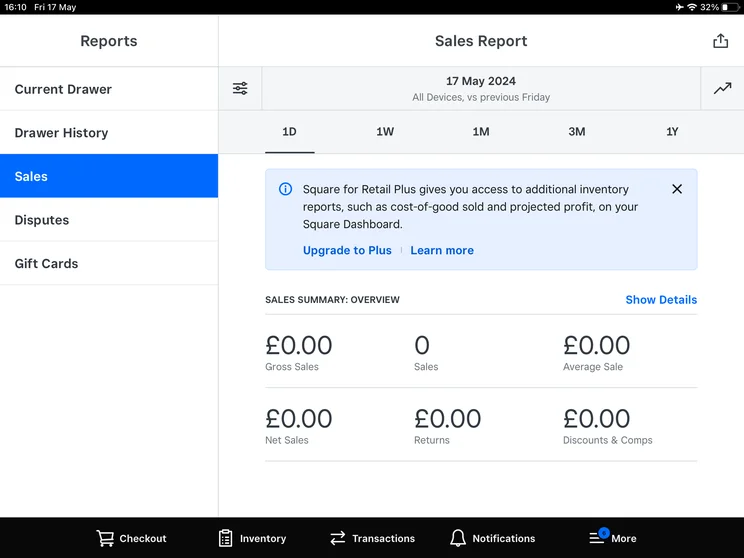
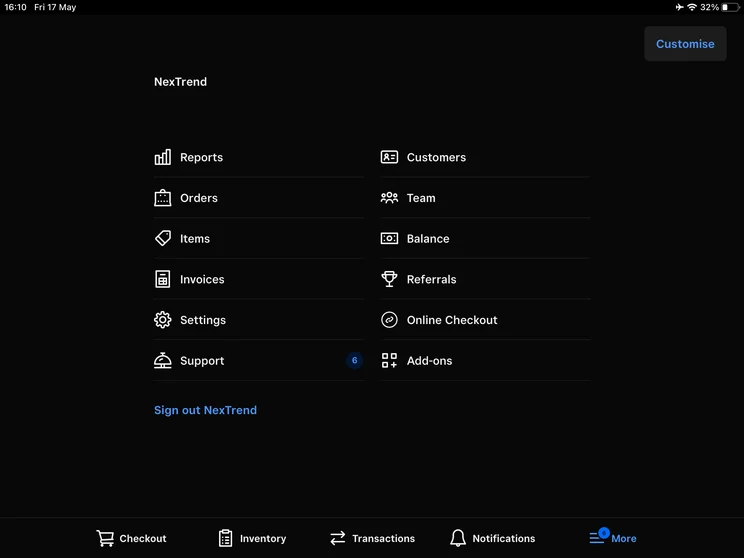
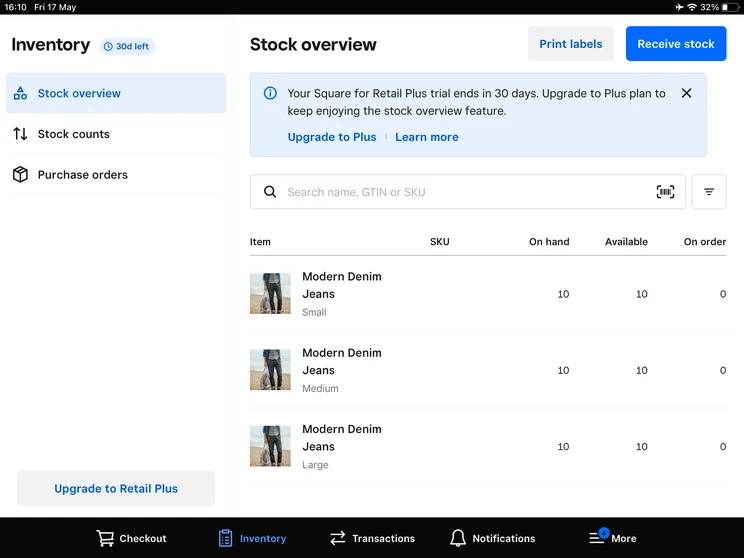
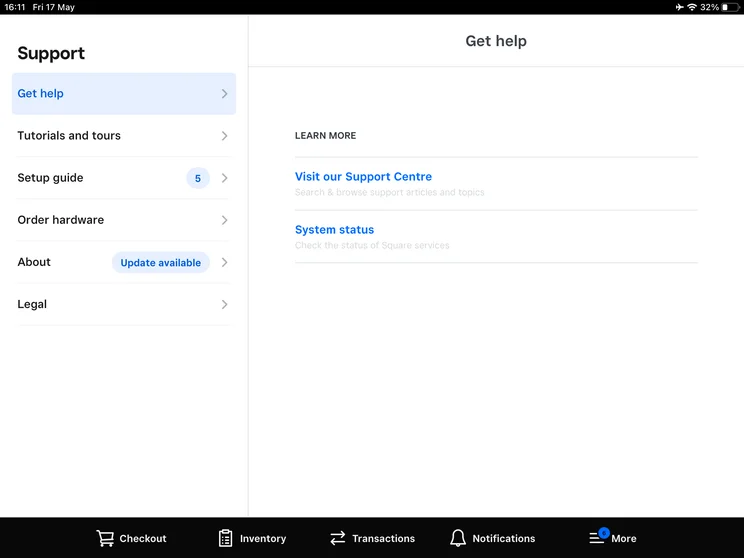
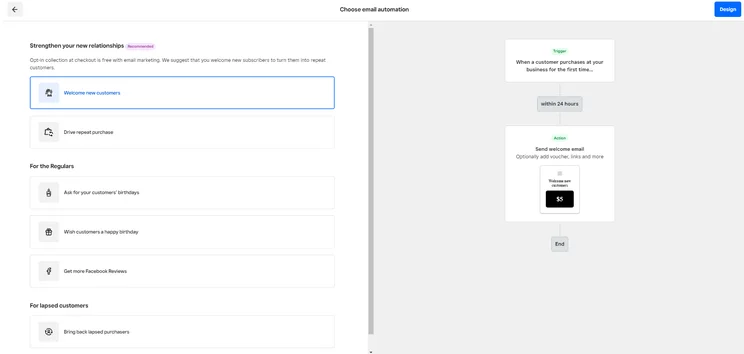
Square is best for retailers handling both a physical and an online store, as its software natively merges physical counter service with digital ecommerce into a single operating system.
This means when an item sells in-store at the physical POS terminal, the inventory count instantly updates on the business’s online store and linked social media channels (like Instagram and Facebook). It also offers automated inventory tracking, digital gift cards, and integrated online ordering, which helps to reduce manual admin, prevent overselling, and create a consistent shopping experience for customers.
We also consider Square one of the best POS systems for restaurants, thanks to its sleek, grid-based interface that allows new staff members to process transactions with zero formal training, which is great for businesses with high staff turnover.
Square POS: Our experience
We found Square’s interface to be mostly user-friendly and easy to navigate across both the front-end and back-end. In particular, our users highlighted how easy and simple it was to carry out functions such as seating guests and sending orders to the kitchen.
However, we found some processes to be overly complex and repetitive. For instance, cancelling items or adding users required multiple clicks, therefore seeming unnecessarily time-consuming. We also found it a little difficult to add a batch of items to an order one at a time, with one tester admitting they did find this process “a bit clunky”.
“I did find it a bit like clunky, but I think this is suited to small businesses or like food trucks or just starting out with like a food store.” – Tech.co POS testing participant
While this shouldn’t pose problems for smaller businesses like pop-up sellers or food trucks, it could be a sticking point for businesses with complex operations like established restaurants or retailers who want to maximise efficiency.
Overall, I found the app-based approach of Square really convenient and easy to use, and the back-end felt responsive and intuitive on the laptop. In particular, when creating a new product in the system, I loved the fact that there were several ways you could go about it. It made it feel like Square had definitely kept its users in mind.
There were some functions that I found unnecessarily difficult. For example, when generating a sales report, I found it difficult to create a custom timeframe for the data I wanted to see. It was also hard to find where I could toggle certain filters, such as seeing how much I had sold of each item.
However, I think even a POS novice would be able to handle Square, and it could be mastered quite quickly. There’s a reason it has such a good reputation, and why it has topped so much of our research over the years.

How much does Square POS cost?
Square offers its POS software at no cost to users. You will have to endure transaction fees, but if you’re on a tight budget, it’s a great way to ensure you aren’t going over before making a sale. Beyond the free plan, Square’s core POS software plans start from $49 per month, per location.
Square also retails its own line of hardware, from mobile terminals right up to register kits. The price of Square’s hardware starts at $59 for its Square Reader (2nd generation) and goes up to $899 for the Square Register. It also offers pre-bundled hardware kits, including cash drawers and receipt printers:
- Square Stand Kit — $689 to $1,636: Includes the Square Stand, a physical printer-driven cash drawer, and a companion USB receipt printer.
- Square Register Kit — $1,189 to $1,699: Includes the dual-screen Square Register terminal, a heavy-duty cash drawer, and an external USB receipt printer.
Check out our full guide to Square POS pricing to learn more
|
Plan
|
Price
Monthly cost of the software.
|
Transaction fees
|
|
|---|---|---|---|
 |
|
|
|
|
Free |
Plus |
Premium |
|
|
Free |
$49/month |
$149/month |
|
|
Card: 2.6% + 15¢ |
Card: 2.5% + 15¢ |
Card: 2.4% + 15¢ |
2. Shopify – Best for businesses with flexible customer fulfillment
Shopify POS

In Short
-
Pros
- Very strong ecommerce integration
- 24/7 support via phone, live chat, and email
- Works with lots of different hardware options
-
Cons
- Exclusively-focused on retail and ecommerce
- Charges transaction fees unless you’re using Shopify’s own Payments processing system
- No offline mode
Pricing
-
$0/month for Shopify POS Lite
-
$89/month/location for Shopify POS Pro
Images
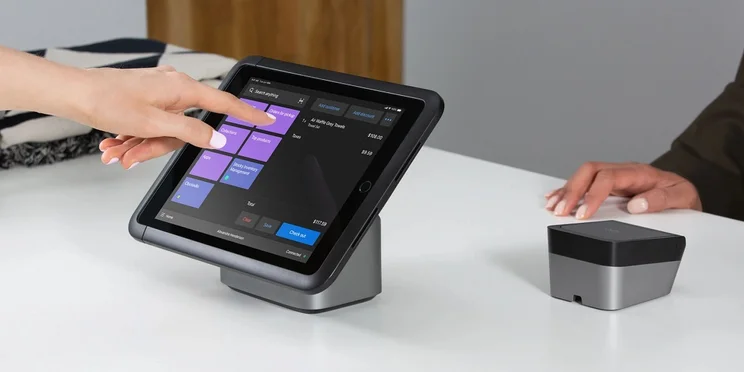
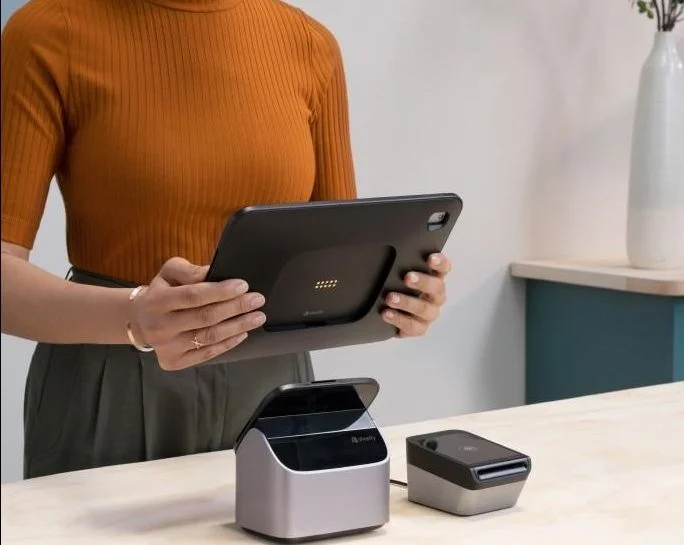
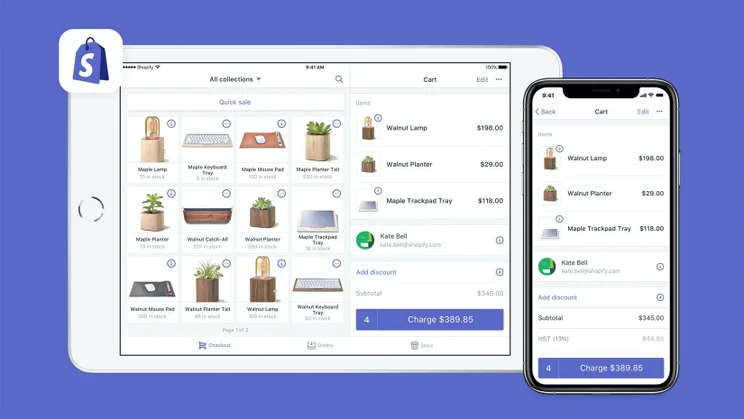

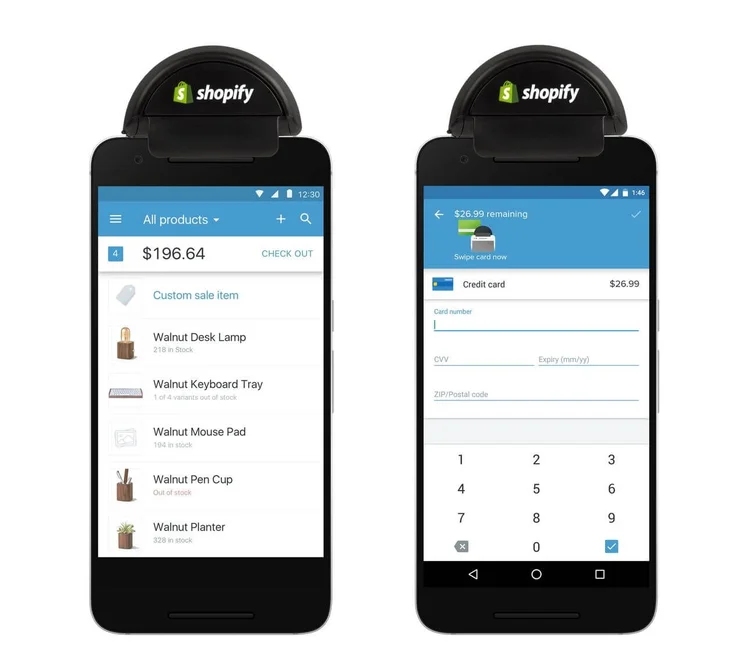
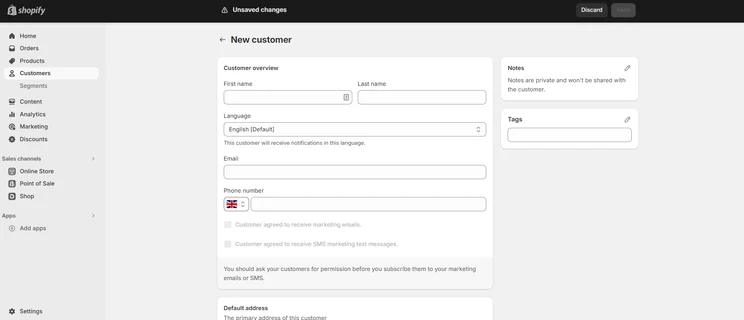
Shopify is the top choice for businesses offering checkout flexibility – such as Buy Online Pick-up In-Store (BOPIS), local delivery, or direct-to-home shipping from the store floor – thanks to its built-in omnichannel fulfillment tools.
Through its system, front-of-house staff receive immediate notification of an order on their handheld or tablet registers. They can then pick the items directly from the sales floor, tap “Mark as Ready for Pickup” on the POS register, and trigger an automated email or SMS message to the customer.
Shopify also has a built-in Ship-to-Customer fulfillment routing. If a physical store runs out of a specific size or color for an item, this tool lets sales associates scan a product tag, look at real-time stock levels across all other store locations or fulfillment centers, and ring up the transaction instantly on the floor. After the customer pays at the counter, the order is automatically routed to the warehouse or secondary store for home delivery.
Shopify POS: Our experience
Shopify’s POS is generally really easy to use. Our team of user testers found its software to be extremely responsive, with changes made on the back end instantly appearing on the front end. Many even described it as the best POS system they’d ever used, scoring higher than both Clover and SumUp in our task completion tests.
Shopify’s interface is very modern as well, and its tile system makes adding individual products a breeze. Our testers also found that while the POS was tailored well to businesses with multiple collections of products, this perk may be lost on smaller retailers, who might be better off with an option like Square.
“It was very responsive. As soon as you did something on the back end, it would appear on the iPad straight away.” – Tech.co POS testing participant
The downside of Shopify is that it charges some pretty hefty transaction fees, which can make it quite expensive. On top of that, while Shopify does offer its own hardware options, its products are slightly more expensive than competitor Square’s. That said, you’ll have access to the iOS app on iPad, which in the modern era, shouldn’t be a dealbreaker for most businesses.
How much does Shopify POS cost?
Shopify’s POS plan starts from $89 a month, putting it on the more expensive side of the spectrum. While it offers an affordable $5 per month Starter plan, the transaction fees are through the roof, and its functionality is quite limited.
3. Toast POS – Best for high-volume quick-service restaurants (QSRs) and cafes
Toast

In Short
-
Pros
- Built-in customer engagement and loyalty program features
- Excellent inventory management tools, like stock alerts
- Support for tableside ordering and payment
-
Cons
- Main restaurant POS has no iOS compatibility
- No social media or email support
- No ecommerce app market integration
Pricing
-
Free pay-as-you-go plan available
-
POS pricing starts at $69/month
-
Transaction fee: 2.49% + 15¢
-
Customizable starter kits available
Images
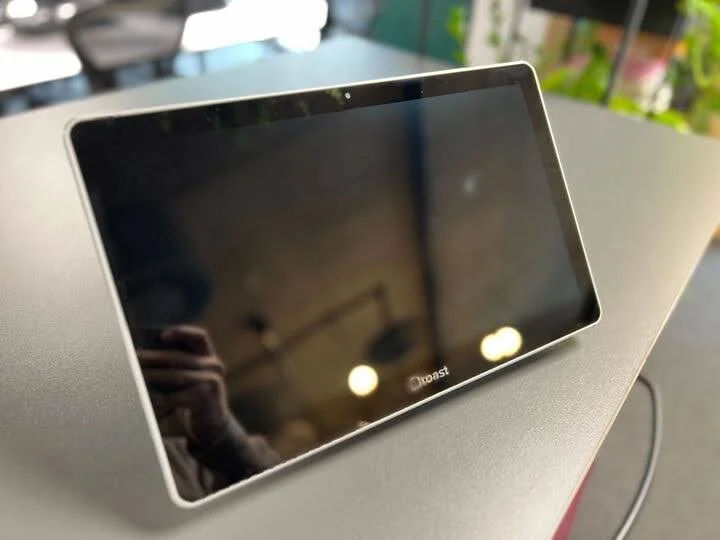
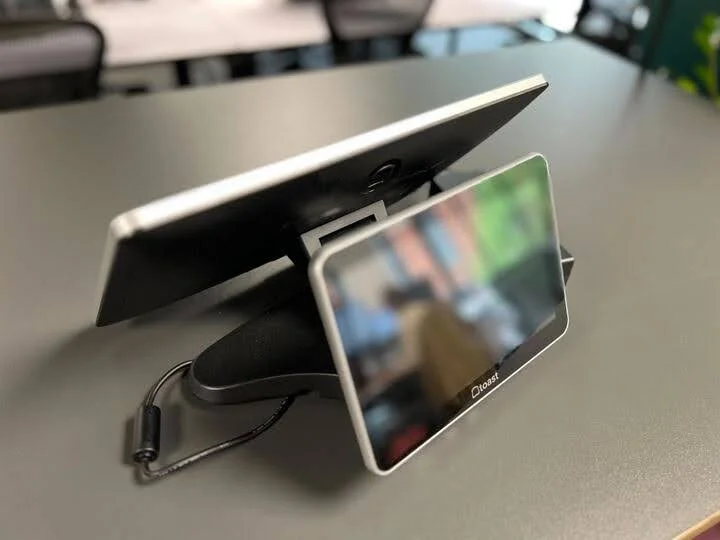
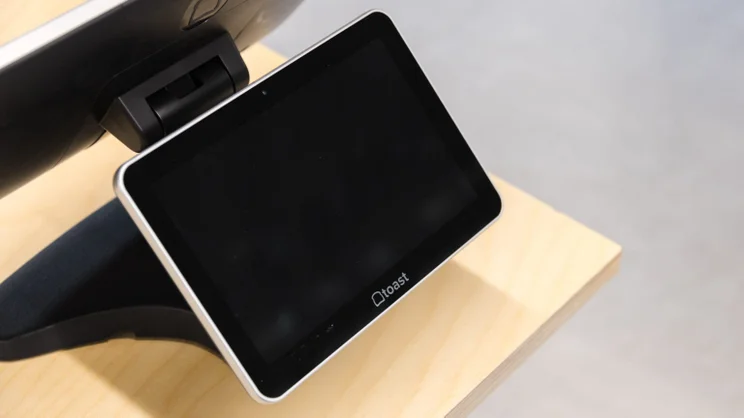
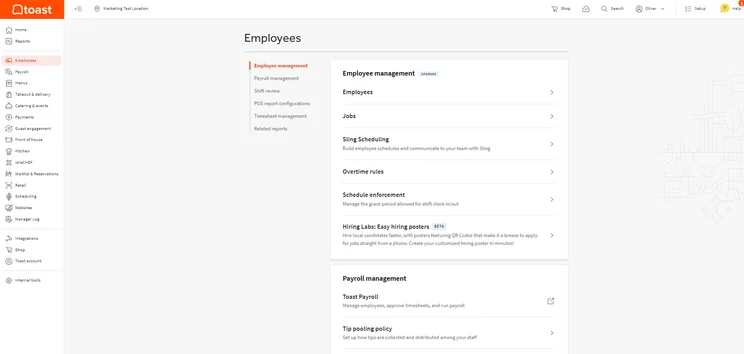
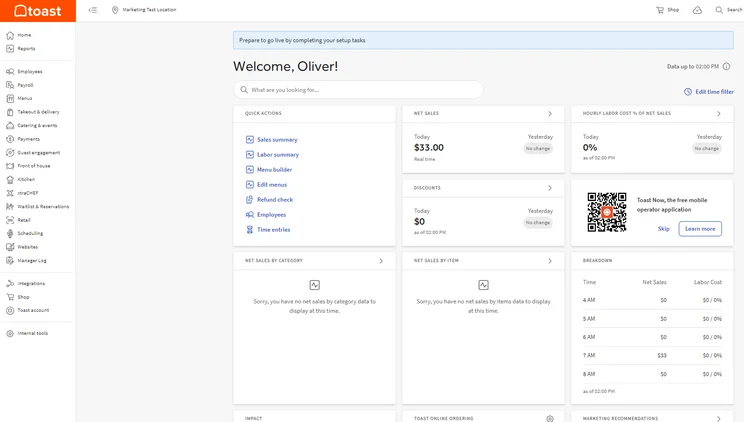
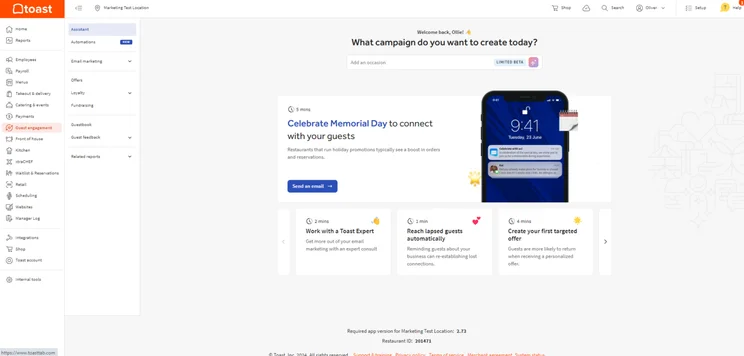
Toast POS is ideal for quick-service restaurants (QSRs) and cafes – like coffee shops, bakeries, and food trucks – as its software is designed to maximize speed and accuracy during high-volume service.
Through its native Kitchen Display System (KDS), Toast routes items instantly to specific preparation stations (like hot line, cold station, drinks bar, etc.) the moment an order is made, keeping ticket prep times low during peak rush hours.
Additionally, Toast’s system is built to handle orders with a lot of modifiers. Specifically, modifiers (such as milk choices, shot counts, temperature, syrups, etc.) are displayed on a single screen, allowing cashiers to tap available options as the customer speaks to them, reducing order entry times during busy periods.
Toast POS: Our experience
Toast’s help and support options lagged behind the other systems we tested, lacking social media and email support. Our users, however, liked the initial tutorial that offered a step-by-step guide on how to use the platform, an asset that could be beneficial for businesses looking to train multiple staff on a POS.
We were also disappointed to find that, for a hospitality-specific POS, we were only able to add/remove items to the menu via the back-end. Despite this, excellent tip management and a built-in reservation system mean Toast is well-suited to meet the needs of a growing and complex restaurant.
How much does Toast POS cost?
You can get started for free with Toast’s Starter Kit, although there will still be transaction fees involved. However, its cheapest paid plan starts at $69.
For a more feature-rich free plan, we would recommend SpotOn instead.
Check out our Toast POS review for more information
|
Plan
|
Price
Monthly cost of the software.
|
Best for
|
Transaction fees
|
Benefits
|
|
|---|---|---|---|---|---|
 |
|
|
|||
|
Starter Kit |
Point of Sale |
Build Your Own |
|||
|
Free |
$69/month |
Custom |
|||
|
Small, single location food vendors and mobile sellers |
Established food and beverage businesses |
Large or complex food and beverage establishments |
|||
|
2.99%-3.69% + 15¢ |
2.49% + 15¢ for in-person transactions
|
2.49% + 15¢ for in-person transactions
|
|||
|
|
|
4. Clover – Best for service-based businesses
Clover POS

In Short
-
Pros
- Solid range of hardware options
- 90-day free trial (software-only)
- Low transaction fees
-
Cons
- Need pre-existing website, unlike, for example, Shopify
- Additional features cost extra and can become expensive
- No inter-store transactions
Pricing
-
Cheapest Retail plan: $16/month
-
Transaction rates from 2.3% + 10¢ (Standard and Advanced)
Images
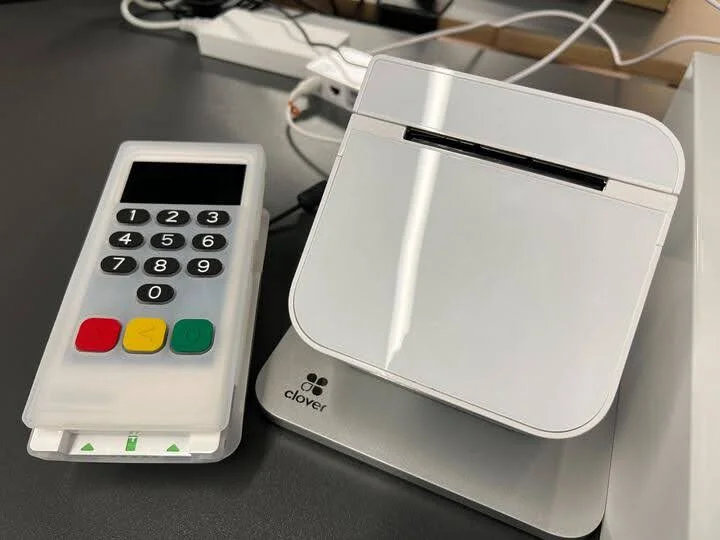
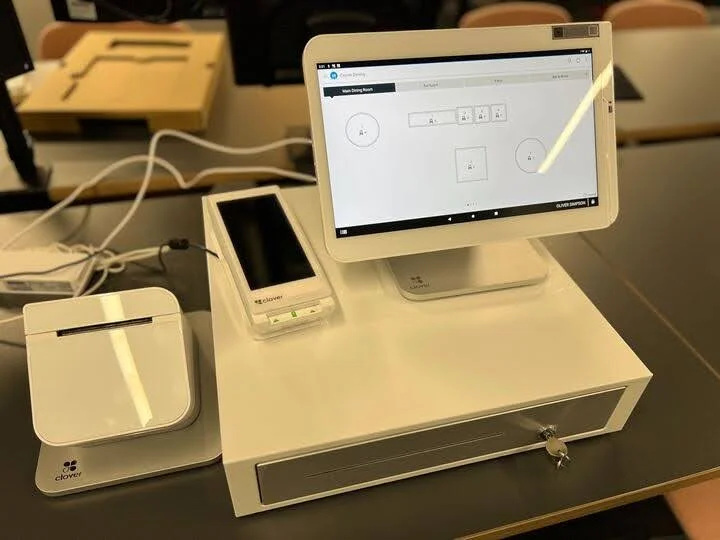
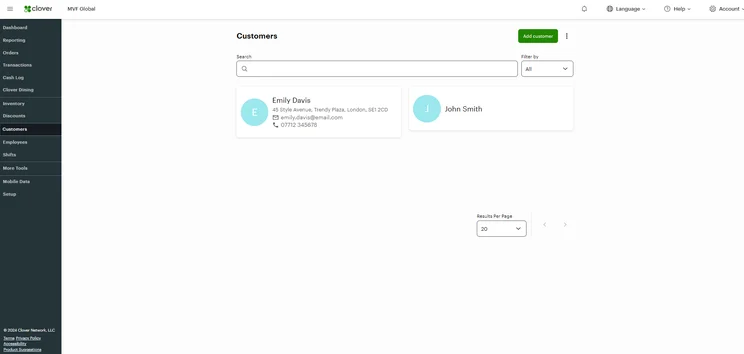
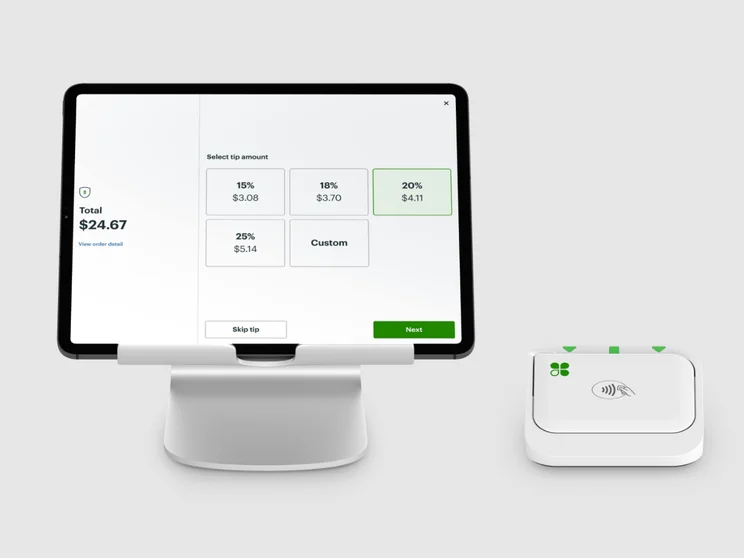
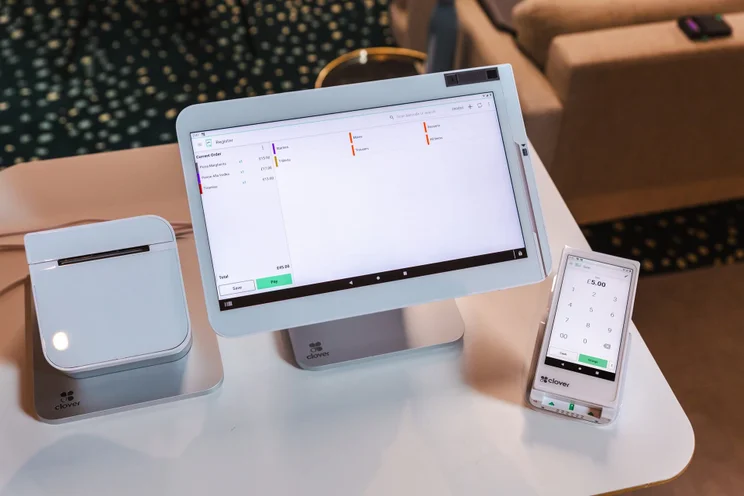
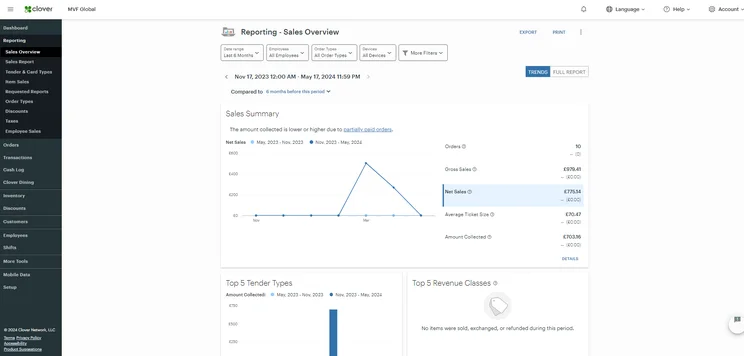
Clover is the top choice for service-based businesses like salons, boutiques and repair shops because its extensive app marketplace lets businesses tailor the POS to their specific operational needs.
Specifically, businesses can install specialized apps directly from the Clover App Market – such as Cozy, Cal, Appointments and Loyalty – to schedule appointments. It also connects client booking schedules directly to the checkout register. For instance, after a client completes a service, staff can open the appointment on the POS, add any retail products (like haircare items or bike parts) to the same transaction, and process a single payment.
Clover’s deposit and invoice capabilities also allow businesses to issue custom estimates, take upfront partial deposits, and collect final balances through credit card or a digital link. This helps service-based businesses secure revenue before carrying out labor-intensive tasks, reduce no-shows and protect cash flow before final fulfillment.
Clover POS: Our experience
During testing, our users praised the front-end experience Clover offers. We enjoyed how easy it was to perform tasks such as selecting items and splitting bills, and we appreciated the intuitive, slick touchscreen interface.
Despite impressive hardware options and strong analytics tools, Clover didn’t perform as well as competitors such as Shopify or SpotOn during our usability tests, particularly due to the steep learning curve of the back-end. In particular, functions such as discount and loyalty workflows proved difficult to carry out.
Check out our head-to-head comparison of Square vs Clover
How much does Clover POS cost?
Clover’s cheapest monthly cost starts from $16 per month for 36 months. However, this depends on which industry you’re working in, either retail, services, or food and beverage.
While there is a free plan, this is only for retail and service industries. Restaurants will have to go with either countertop or full-service options.
Check out our Clover pricing guide here for more information
|
Plan
|
Price
Monthly cost of the software.
|
Transaction fees
|
|
|---|---|---|---|
 |
|
|
|
|
Retail Basic |
Retail Standard |
Retail Advanced |
|
|
$16/month for 36 months |
$180/month for 36 months |
$240/month for 36 months |
|
|
|
|
Most of the systems ranked here will handle the basics, but once a business starts processing more transactions, some systems hold up better than others. Square is easier to roll out and works well for smaller teams, while systems like Clover tend to fit retail environments that rely more on dedicated hardware at a cash wrap. Platforms like Toast are better-suited for restaurants, and Shopify leans heavily on ecommerce. The trade-off is that more advanced systems take more effort to set up and require stronger processes behind the scenes.

Sergio Corona is a retail industry advisor and manager with multi-market leadership experience across the U.S. and Mexico. His background spans global brands, including Levi Strauss & Co., Ralph Lauren, Adidas Group, Invicta, and Lovisa. He has overseen regional and country-level performance for various retail and outlet environments, including new store openings and market expansion.
5. SpotOn – Best for hospitality businesses with multiple locations
SpotOn

In Short
-
Pros
- Top tier free plan for small businesses
- Affordable hardware add-ons for in-person selling
- Automatic offline functionality without internet connection
-
Cons
- Few hardware options
- Expensive paid plans for restaurants
- Limited retail functionality only suited for small shops
Pricing
-
Free plan includes hardware
-
Restaurant plan (POS Essentials): From $55/month
-
Transaction fees from: 2.45% + 15¢
Images
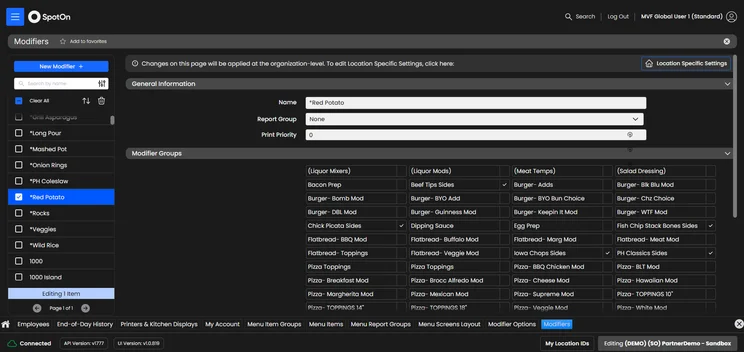
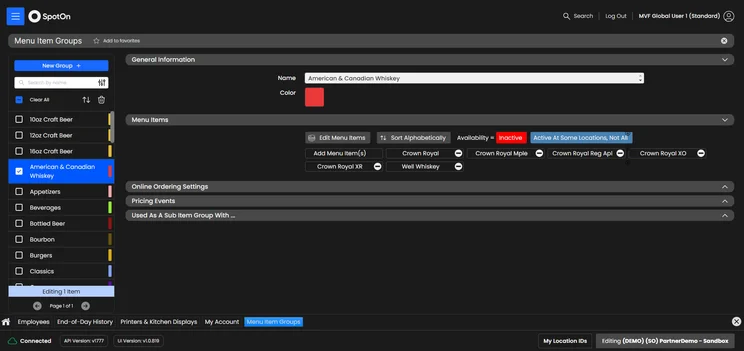
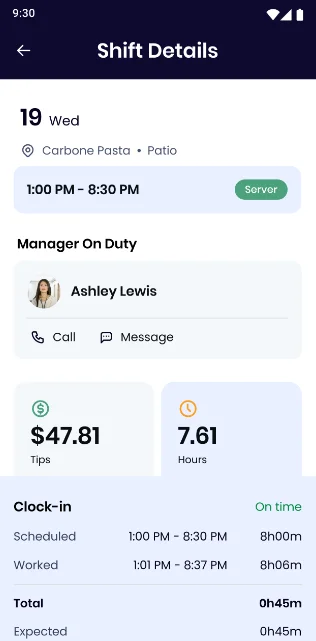
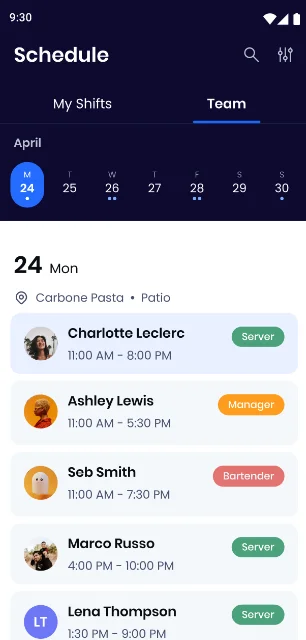
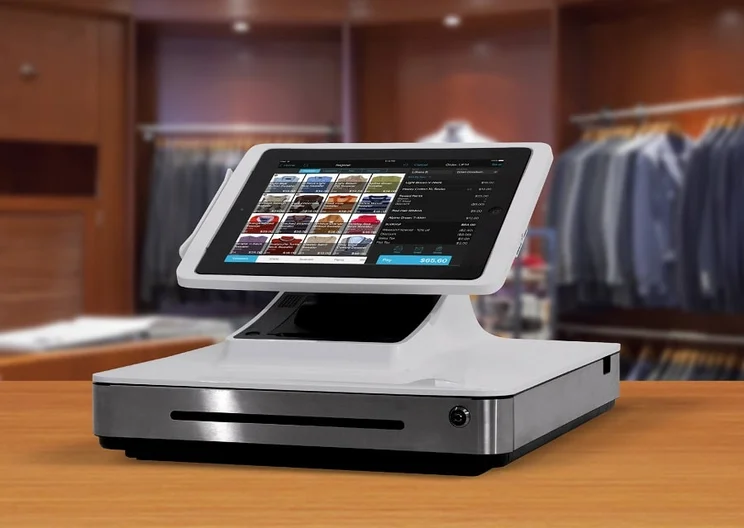
SpotOn is best for hospitality businesses with multiple venues, thanks to its centralized multi-location management and restaurant-specific service tools.
SpotOn’s centralized back-office system allows businesses to update menus and adjust pricing for multiple locations at once. This removes the need to update each location manually, reduces the risk of pricing errors, and helps maintain a consistent customer experience across every site.
Through its floor-plan customization and seat-level tracking, servers can use the “drag-and-drop” tools to transfer tabs between tables, move items between guests, and split bills directly from the POS terminal without needing manager approval – helping to speed up service, reduce delays, and help restaurants turn tables faster.
SpotOn: Our experience
We found SpotOn generally pretty easy to use too, considering its impressive suite of features. Yet, one of our first-hand user testers was frustrated when they were trying to create a custom floor plan, as the POS doesn’t have a drag-and-drop builder like Square or Clover.
“Frustration came with little things like when creating the floor plan, you had to click an add or minus button… and I was just like, why can’t it just be drag and drop?” – Tech.co POS testing participant
Despite some issues with the usability, SpotOn offers a wide range of tools beyond its own collection. With the software, you’ll also get access to a wide set of third-party POS integrations. This includes Teamwork, where you can easily view team management, cost projections, and payroll.
If you were dead set on tablet usage for your POS system, though, you are out of luck. SpotOn only works with its own hardware, so you won’t be able to use the software on any third-party devices. Still, as a low-risk option with no upfront costs, you could do a lot worse than SpotOn.
Check out our SpotOn review for more information
How much does SpotOn POS cost?
Like Square, SpotOn offers a free plan, while its paid plans start at $55 a month.
The hardware, on the other hand, is quite expensive, but the financing options ensure that you won’t have to take a big hit right as you’re launching your restaurant.
|
Plan
|
Price
Monthly cost of the software.
|
Transaction fees
|
|
|---|---|---|---|
 |
 |
|
|
|
All-In Plan |
POS Essentials |
Customize Your Own |
|
|
Free |
$55/month |
Custom pricing |
|
|
2.79% + 20¢ (card present) 3.79 + 20¢ (keyed-in) |
2.45% + $0.15 card present (excluding Amex) 3.45% + $0.15 keyed-in |
Custom rates |
6. SumUp – Best for microbusinesses and low-volume merchants
SumUp

In Short
-
Pros
- Great range of hardware accessories for in-person selling
- Low monthly costs for small businesses on a budget
- Excellent stock management to track your inventory
-
Cons
- No customer display option
- No restaurant reservation system
- No handheld POS option
Pricing
-
Free plan: $0/month
-
POS with Connect Plus: $199/month
-
POS with Connect Pro: $289/month
Images
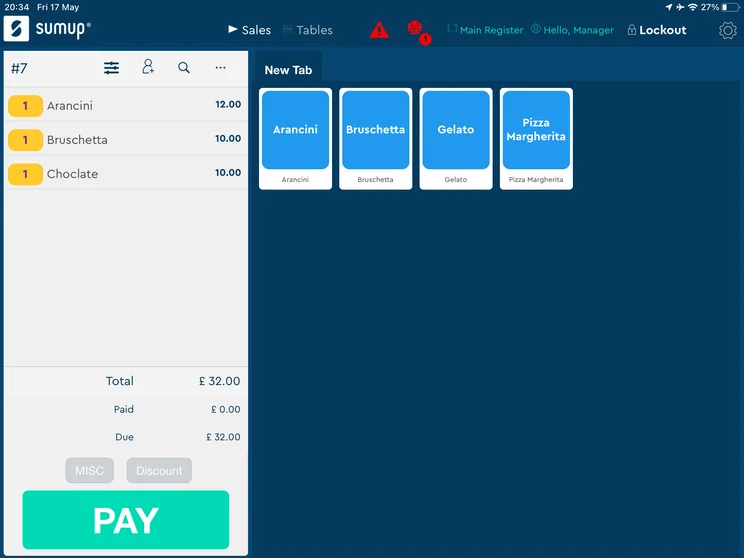
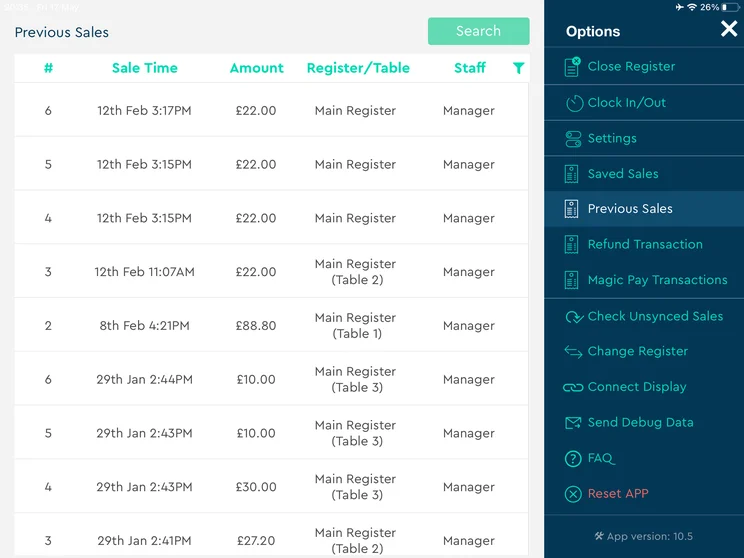
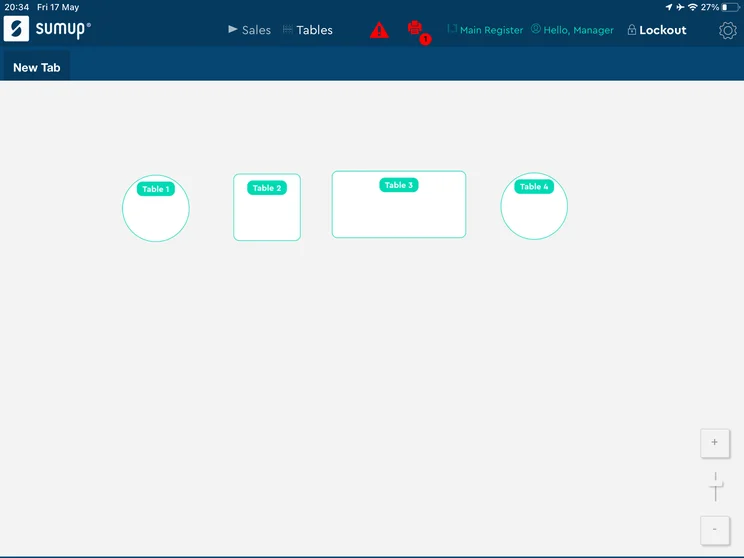
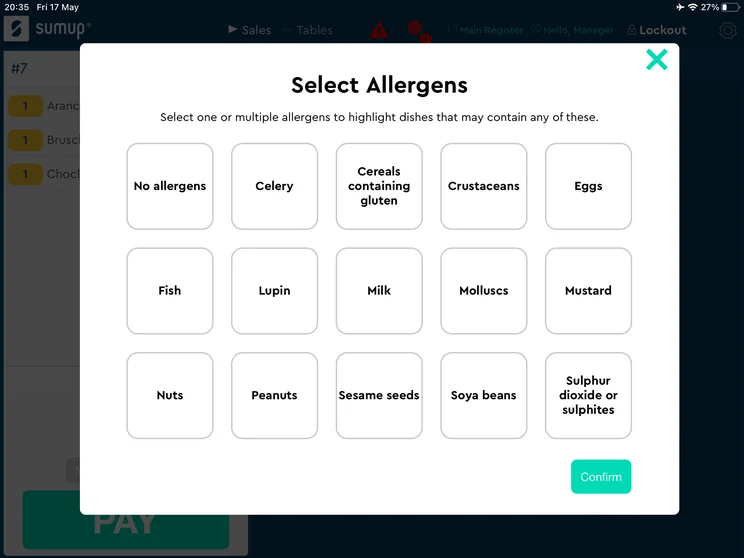
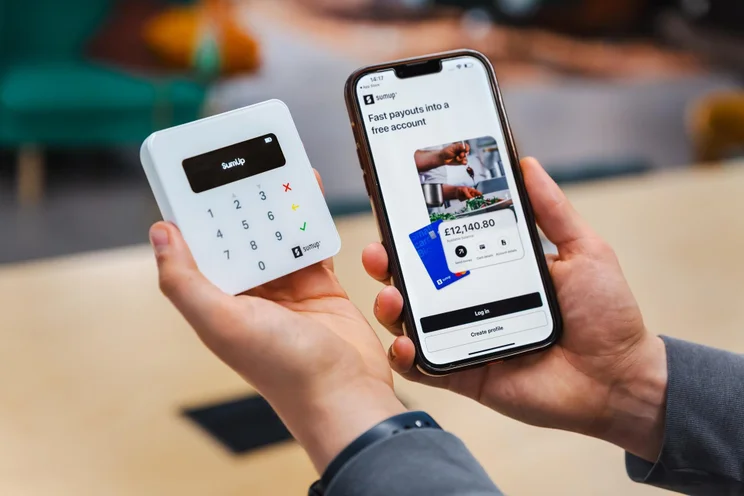
SumUp is the best choice for microbusinesses and low-volume merchants (such as market stalls and pop-up stores) as it provides a quick setup and simple operation features, such as catalog entry, item variants, basic sales reporting, and payment links.
Meanwhile, its standalone terminals (such as SumUp Solo and SumUp Terminal) come with integrated and unlimited 4G data cards and WiFi, which operate fully independently without needing a phone pairing – ideal for market stalls, pop-up stores or mobile vendors that would otherwise rely on a smartphone pairing or weak event WiFi.
SumUp also comes with mid-transaction “park order” capabilities, which allow you to save active baskets for later so you can serve other customers without losing progress – something that’s particularly useful during busy trading hours.
SumUp POS: Our experience
Our users found SumUp’s front-end simple and easy to navigate, and found there were very minimal areas of difficulty. In particular, users found the black and white, minimalist design easy to follow.
Unlike the front-end, the back-end wasn’t received with as much enthusiasm. It was described as “clunky” and “unintuitive”, and we had problems during our tests because of slow loading times. Similarly, we were frustrated with the lack of a knowledge base, and many of our users reverted to using Google when wanting to find out how to carry out a specific feature.
While SumUp offers its own receipt printer and terminal, it doesn’t offer a customer display, which Clover and Shopify both offer. Likewise, we were disappointed to find that there was no option for a handheld POS terminal, which may be a setback for busy businesses that want to take orders quickly.
How much does SumUp POS cost?
SumUp starts at $199 a month on the Connect Plus plan, which comes with everything the POS offers, as well as customer rewards and automated marketing.
SumUp also offers a free plan, like Square and Toast, and you will only have to pay transaction fees for every sale you make, which is 2.6% + $0.10 for standard in-person purchases.
|
Plan
|
Price
Monthly cost of the software.
|
Transaction fees
|
|
|---|---|---|---|
 |
|
|
|
|
Free |
SumUp Connect Plus |
SumUp Connect Pro |
|
|
$0/month |
$199/month |
$289/month |
|
|
2.6% + 10¢ (in-person card) |
2.6% + 10¢ (in-person card) |
2.6% + 10¢ (in-person card) |
How To Choose the Best POS for Your Small Business
Here are a couple of important things to bear in mind when you’re searching for your best POS option:
- Your budget – If you have limited means, only choose plans that offer the features you need.
- Ease of use – Selecting a POS system with a good user experience is essential, especially if you’re new to the software.
- Integrations – If your business already uses certain software, you should only be considering POS systems that can readily integrate with this software. Check out our guide to POS integrations to learn more.
- Help and support – Picking a system with reliable help and support options is an effective way to keep technical disruptions at bay. You should also make sure their channels are compatible with your needs, i.e., would you rather access support through live chats or phone lines?
- Your industry – Select options that were designed with your industry specialism in mind.
You can read our small business guide to work out how to use a POS system.
How much should a small business pay for a POS system?
Small businesses can expect to pay anywhere from $40 to $100 per month for a single registered system.
Typically, systems at this price point will contain a suite of basic tools and services. There are, however, loads of promising POS solutions available within this price range, so if you run a small or growing business, rest assured that you can find a reliable, feature-rich system without breaking the bank.
For more information, check out our guide on POS pricing.
Cost can often be overlooked. Most businesses focus on the monthly fee, but processing fees tend to have the bigger impact. A difference of even 0.3% to 0.5% in transaction fees can add up to thousands annually as sales grow. Add-ons and integrations also push costs higher over time.
I advise clients to evaluate the full picture based on expected sales, not just monthly pricing. The right system is one [that] the team can run consistently while keeping fees and reporting under control as the business grows.
Sergio Corona is a retail industry advisor and manager with multi-market leadership experience across the U.S. and Mexico. His background spans global brands, including Levi Strauss & Co., Ralph Lauren, Adidas Group, Invicta, and Lovisa. He has overseen regional and country-level performance for various retail and outlet environments, including new store openings and market expansion.
What features should I look for when choosing a POS system?
For starters, make sure your POS system comes with an offline mode. This will allow you to still accept payments and run your business, even if the internet goes out. Additionally, some POS systems work on mobile devices, so you can simply switch over to cellular data if Wi-Fi issues arise.
Finally, if you want help fixing these kinds of problems, a POS provider with 24/7 live support will be key. You’ll be able to get in touch with an actual person any time of day, so any connectivity problems won’t last until the next day.
Here are some more features to consider:
POS software features
- Loyalty programs
- Inventory management
- Transaction history
- Returns and refunds
- Customer relationship management (CRM)
- Reporting and analytics
POS hardware features
- Accept transactions
- Touch display
- Tip functionality
- Digital and paper receipts
- Floor plan and table management
- Guest feedback
How We Researched the Best POS Systems for Small Businesses
We identified the leading POS platforms and tested 16 systems using a hands-on research methodology. Participants completed common tasks and shared their experiences, helping us evaluate each platform’s usability. We also assessed every system across six key categories, including features and customer support, with detailed subcategories to give us a more thorough comparison.
Here’s an overview of our main testing categories for POS systems:
- Software (35%): The capabilities provided by the POS product, including general features like ordering and payment functionality, as well as industry-specific tools like KSU uploads, and inventory-level stock tracking KDS software.
- Hardware (20%): The quality of a POS’s hardware selection, including the presence of an own-brand terminal, as well as hardware accessories like kitchen display systems, receipt printers, and barcode scanners.
- Usability (20%): How intuitive and easy to navigate it is, as well as how easy the software is to navigate, and whether any errors took place during testing.
- Pricing (10%): The cost associated with acquiring and using the POS system, such as the initial purchase cost, transaction fees, licensing fees, subscription plans, and any additional charges or ongoing costs.
- Help & Support (10%): The assistance and resources available to users when they encounter issues or need guidance while using the POS system, including documentation, tutorials, or knowledge bases.
- Reputation (5%): The aggregate score from customer review sites like Trustpilot and TrustRadius, to understand how POS providers are viewed by their own customer bases.
When it comes to calculating a product’s final score, not all testing areas are weighted evenly, as we know some aspects matter more to our readers than others, For example, we’ll prioritize certain industry-specific features for specific reviews, like an offline mode when reviewing POS systems for food trucks, or kitchen display systems (KDS) when reviewing restaurant POS systems.
At Tech.co, we have a number of full-time in-house researchers who regularly rerun this testing process to ensure our results remain up to date.
Learn more about our research.
Our research found that Square is the best POS system for small businesses, thanks to its affordable pricing, robust hardware offerings, and helpful customer support options.
POS systems are essential for small businesses. By helping you manage sales transactions, take stock of inventory, and improve the experiences of both staff and customers, the right system can streamline your business’s operations and save you money over time.
The best free POS software for small businesses is Square POS and PayPal Point of Sale. Both systems are completely free and offer useful tools like sales and analytics tracking, and CRM software.
The most important features to look for in a POS system include inventory management, sales reporting, customer management, employee management, multiple payment methods, integrations, and an offline mode.
Yes. If your chosen provider offers an “offline mode”, you will be able to continue taking payments even when your WiFi goes down.
A cloud-based POS stores your business data online, allowing you to access sales, inventory, and reports from any device with an internet connection. Meanwhile, a traditional POS stores data locally on an on-site server or terminal. While it may involve a higher upfront cost, it can offer greater control over your data and can continue operating even without an internet connection.
Yes. However, compatibility depends on the provider and the equipment you already own, which is something you should check before switching. If not, you’ll need to factor in the cost of replacing equipment into your budget. If you’re planning to use a tablet or smartphone as your POS terminal, make sure it’s running a supported operating system and meets the provider’s minimum requirements.
The time it takes to set up a POS system depends on the size of your business and the complexity of your setup. Many cloud-based POS systems can be installed and configured in just a few hours, especially if you’re starting with a single location and a small product catalog. However, businesses with multiple locations or extensive inventory may need several days or even a few weeks to complete the setup.
If you click on, sign up to a service through, or make a purchase through the links on our site, or use our quotes tool to receive custom pricing for your business needs, we may earn a referral fee from the supplier(s) of the technology you’re interested in. This helps Tech.co to provide free information and reviews, and carries no additional cost to you. Most importantly, it doesn’t affect our editorial impartiality. Ratings and rankings on Tech.co cannot be bought. Our reviews are based on objective research analysis. Rare exceptions to this will be marked clearly as a ‘sponsored’ table column, or explained by a full advertising disclosure on the page, in place of this one. Click to return to top of page


