
We may receive a commission from our partners if you click on a link to review or purchase a product or service. Click to Learn More
Square POS is free to install, making it a highly cost-effective option for small businesses. The provider charges per transaction, rather than a monthly fee – typically 2.6% + 15¢ for swiped, dipped, or tapped card transactions, or 3.3% + 30¢ for online transactions.
Square hardware costs extra, however. You can start things off with a free iPad-compatible card reader, though you’ll need to pay $59 for a contactless, chip or Apple Pay version – plus further costs for stands and full Square cash registers.
In this guide, you’ll learn everything you need to know about the Square credit card processing fees, its monthly plans, and how much they cost per month, to help you understand how much the POS will set you back.
Square POS

In Short
-
Pros
- Free to get started
- Serves businesses of all sizes and in all sectors
- Strong analytics, inventory, and third-party integrations
-
Cons
- Some necessary features for mid-sized businesses cost more
- 3.5% + 15¢ charge for keyed-in transactions on free plan
- Support options vary by plan
Pricing
-
 Square Free plan at $0/month
-
 Square Plus plan at $49/month
-
Square Premium at $149/month
Images
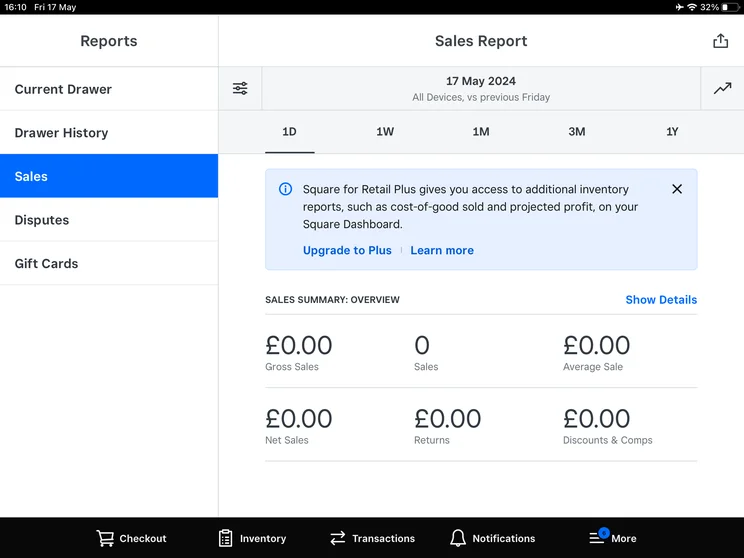
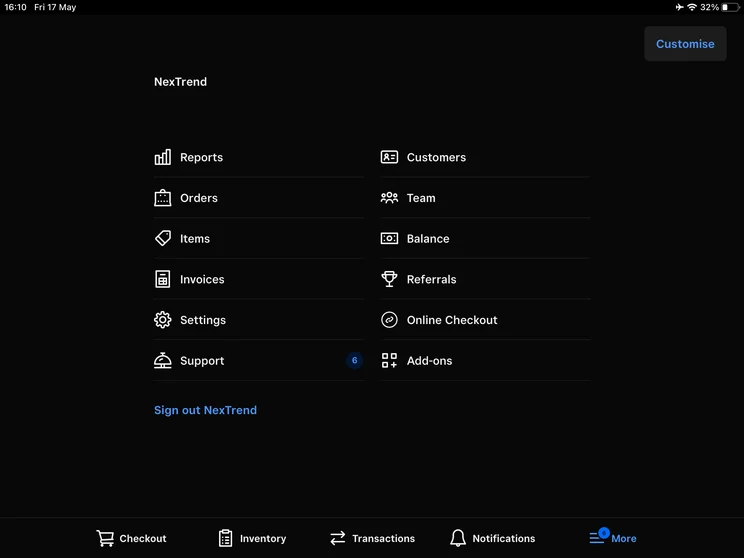
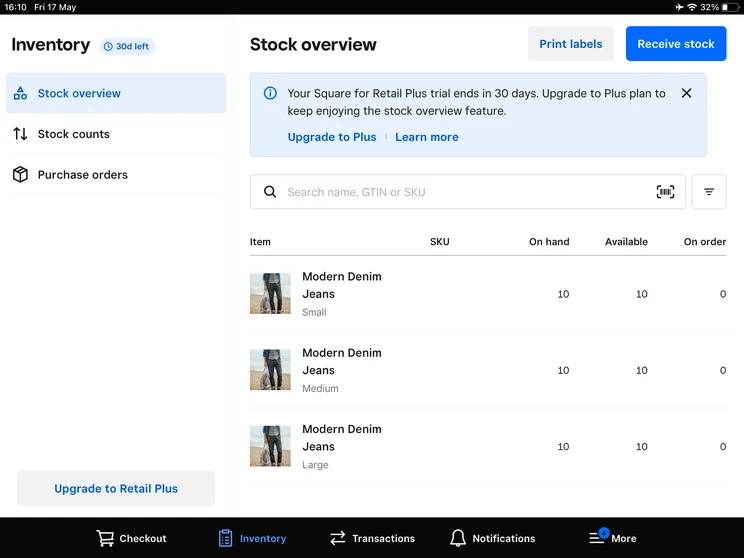
The Tech.co team pours hundreds of hours into researching the best POS systems because it’s the only way to ensure we’re providing our readers with the most accurate, up-to-date information possible.
We’ve spoken to daily POS users working in restaurants, retail and more, and have tested out more than 20 point-of-sale platforms ourselves, paying close attention to everything from the quality and feel of the hardware to how easy the software is to use, to help you make a clear decision for your business needs.
How Much Does Square POS Cost Per Month?
Square offers two dedicated paid plans: Square Plus costs $49 per month plus an additional 2.5% + 15¢ per sale, and Square Premium costs $149 per month plus an additional 2.4% + 15¢ per sale.
If you don’t want to be tied down with monthly fees, Square POS also offers a free plan that charges 2.6% + 15¢ per transaction.
Square’s Paid POS Plans
In the past, Square has offered separate plans for retail and restaurant operations. After a revamp, however, Square simply offers two upgraded plans that both offer all the features that retail and restaurant businesses will need.
- Square Plus ($49 per month, per location): Transaction fees are reduced to 2.5% + 15¢ for in-person sales and 2.9% + 30¢ for online sales. You get everything from the free plan, plus product exchanges, advanced retail reports, and Square Team Management. Phone support is also available from 6am to 6pm PT M–F.
- Square Premium ($149 per month, per location): Transaction fees drop to just 2.4% + 15¢ for in-person sales, although the online sales fee remains 2.9% + 30¢. Premium users get access to everything in the Plus plan, with additional features including seat management, reservation management, and vendor sales reporting. Phone support becomes 24/7.
Read our full guide to learn more about how much POS systems cost.
Does Square have a free POS plan?
Yes. Anyone can download Square’s POS software for free and begin selling immediately. Square’s free plan gives users access to a POS app and a credit card reader that takes swipe payments.
However, with Square charging slightly higher transaction rates on its free plan than its paid packages, the main cost of the POS system kicks in when you make a sale. Here are the key points you should know:
- Square POS’s free plan software is free to install with no monthly fees.
- You can get a free Square magnetic stripe card reader for iPhone or Android, while contactless and chip readers start from $59.
- Square charges 2.6% + 15¢ on each card-based sale.
- Manually keyed-in card sales are charged at 3.5% + 15¢ per transaction.
- Online sales are charged at 3.3% + 30¢ per transaction (this drops to 2.9% + 30¢ when using the Square API).
- Additional hardware costs depend on the setup you want. (Jump to the Square POS hardware costs section to learn more about these expenses.)
- Phone support is available only for the first 90 days, from 6am to 6pm PT M–F.
As a result, using Square’s free POS plan will mean that most businesses will see a small percentage of their total monthly revenue go towards paying their POS costs, but that’s it.
Who do we recommend Square’s free POS plan to?
We’d recommend Square’s free POS plan for small operations, such as market stalls, food trucks, and small coffee shops. Most POS vendors bill for their service annually, which can be tough for a business on a budget.
However, for a huge operation or a business that makes many sales, the costs of using Square POS will scale up at a faster rate than POS services that typically charge a set monthly fee in order to process unlimited sales. This makes free plans like Square’s a worse deal for them in the long run.
|
Plan
|
Price
Monthly cost of the software.
|
Transaction fees
|
|
|---|---|---|---|
 |
|
|
|
|
Free |
Plus |
Premium |
|
|
Free |
$49/month |
$149/month |
|
|
Card: 2.6% + 15¢ |
Card: 2.5% + 15¢ |
Card: 2.4% + 15¢ |
Square’s POS Hardware Costs
Square’s POS hardware costs as little as $10 to $1,199 upfront, depending on what your business needs.
Free software is all well and good, but if you’re a brick-and-mortar store looking to use Square POS, it’s inevitable that you’ll need to take on some Square POS hardware costs, too.
Here’s a summary of Square’s main hardware prices below:
- $10: non-contactless card reader to fit iPhone/Android (you can get your first one free)
- $59: contactless card reader for chip or Apple Pay
- $299: portable terminal
- $149: Square iPad stand (second gen) with built-in card reader
- $689: Square stand kit
- $399: Mobile POS kit for Square Reader
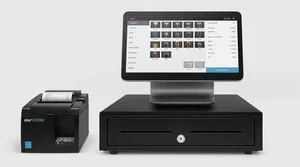
- $1,189: Square register kit
- $1,199: Square stand kit for restaurants
The above list isn’t exhaustive, but it covers most of the main ways you can take payments on a Square POS system. See below for more on each type of Square POS hardware and its associated costs.
Important to know: Except for Square Register – Square’s fully integrated POS system – all of its hardware options require a smartphone or iPad to operate. This makes its hardware costs a lot more reasonable than competitors like Toast or Vend, but it also means that businesses will have to factor in the cost of these devices on top of Square’s listed hardware costs.
|
Price
The typical lowest starting price. The lowest price available for your business will depend on your needs
|
Good to know
|
||||
|---|---|---|---|---|---|
 |
 |
 |
 |
 |
 |
|
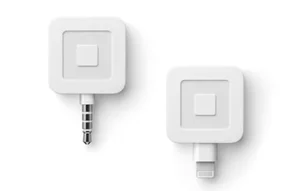
Card Reader |
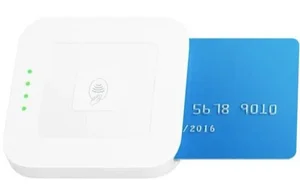
Contactless Card Reader |
Square POS terminal |
Square Stand 2nd Generation (for iPads) |
Square Stand Kit |
Square Register Kit |
|
$10/unit (first unit free) |
$59/unit |
$299/unit |
$149/unit |
$539 |
$1,189 |
|
|
|
|
|
|
Square’s card reader costs
Square’s basic card reader is free for new customers and only costs $10 per unit afterwards.
This is one of the most affordable ways to get started with Square POS, as its portable card readers can be easily connected to an iPhone, iPad, or Android device.
However, it’s restricted to swipe payments and doesn’t accept PIN or tap payments. If you want to unlock more payment options, however, you can buy Square’s Contactless Card Reader for $59 per unit.
Square’s POS terminals and iPad stand costs
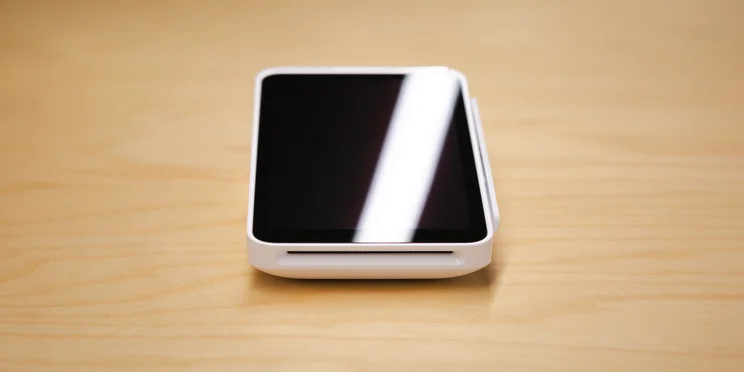
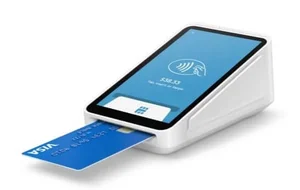
Square’s POS terminal is an all-in-one device that takes payments, tracks orders, and manages inventory, all for $299 per unit. The device is versatile, compact, and can be used by every industry.
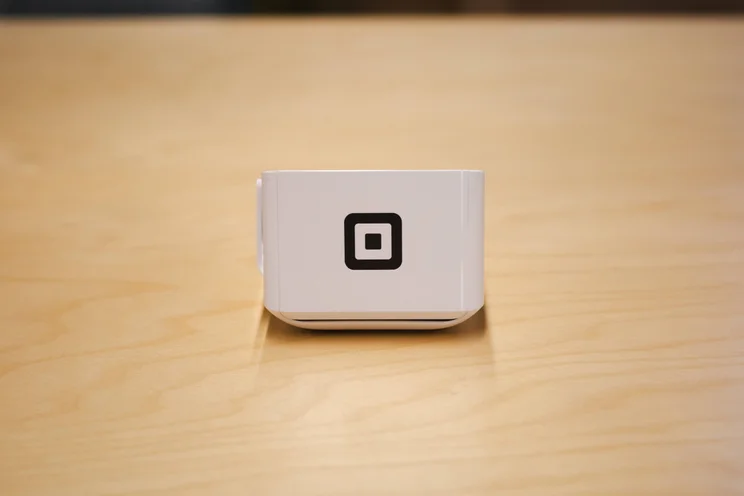
The Square POS terminal, as viewed from the top. Source: Tech.co
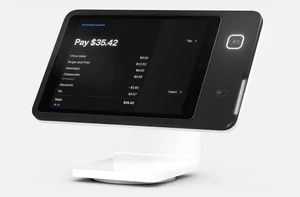
But if you’re looking to keep costs down you can also utilize your existing technology with Square’s iPad stands. Square’s second-generation iPad stand only costs $149 per unit, and comes with a built-in integrated contactless and chip card reader for businesses to take payments with.
Square’s hardware kit costs
Here’s where prices start to escalate – if you’re looking for a POS system kit, including an all-singing, all-dancing Square Register (or a register for an iPad setup) then costs can get into the hundreds or even thousands of dollars.
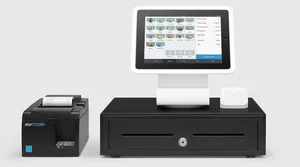
For instance, Square’s Stand Kit, which includes a 2nd gen Square Stand, Printer-Driven Cash Drawer, and a USB Receipt Printer, costs $689.
Square’s Stand Kit for Restaurants with a Square Handheld includes a Square Stand, a Printer Driven Cash Drawer, Kitchen Printer, Receipt Printer Paper, and USB Receipt Printer, and costs from $1,199.
Square credit card processing fees, added costs and extras
While you can certainly get started with Square POS for free, there are numerous additional software add-ons to consider. It’s likely your business will need to factor in at least a few of these.
Some of these features (such as employee management) are essential to running a mid-size business, though a small operation likely won’t need them.
- Square Shifts — The service is free up to five team members. For bigger teams, it’ll cost $4 per employee per month. You can define roles, allow clock in/out ability, set employee-specific access restrictions, and generate timecard reports.
- Square Email Marketing — Starting at $15 per month, you can craft and track email marketing campaigns through the Square POS system.
- Square Loyalty — At $45-$49 per month, you can create a loyalty program. Customers can enroll at checkout to receive digital punch cards and/or tiered reward levels. Customers spend 53% more after enrolment, according to Square.
- Gift Cards — Create gift cards, tracking activations, redemptions, and refunds through your POS. Physical custom cards cost from 34 cents each, while digital ones come at a 2.9% + 30 cents transaction processing rate.
- Square Payroll — For $35 per month, plus $6 per employee paid, you can run an IRS-compliant payroll system that automatically tracks and records your employees’ timecards.
Important considerations
Several of these features are packaged directly into other leading POS vendors’ main services, so depending on how essential these features are, you may want to weigh other POS software options more highly.
However, if you’re only interested in one or two of these add-ons, Square POS likely remains the more cost-effective option.
As with any massive software company, “feature bloat” can be a concern with Square, as the service continues expanding with features that might overwhelm you more than is justified by the value they provide. Still, too many features is a good problem to have, and the system’s interface and abilities remain some of the best in the POS industry.
Is Square POS a good value for my Business?
In our research, we found that Square is one of the best value POSs. We were impressed with Square’s forever-free plan and the average price of its monthly packages. When you compare the pricing against what you and your business will get, it’s a no-brainer.
While Square’s transaction rates are slightly higher than PayPal POS – another free POS provider – the Square credit card processing fees fall well within the industry average. What’s more, the quality of Square’s packages and its ability to scale over time will still make the POS a great value for most users.
If you’re still unsure if the POS is a good pairing for you, we break down its value offering for different business sizes below:
- For solo traders – Square POS is a great solution, with low-cost card readers that make it easy to take mobile payments. The 2.6% + 15¢ transaction fee keeps costs simple.
- For small businesses – Square offers great value, with a high-quality POS for a cost-effective price. Restaurants and stores will need to factor in some extra costs for Square’s hardware.
- For large businesses – Larger businesses may not find Square quite as cost-effective because added costs can mount up.
Make sure to read our Square review for a full breakdown of features, pros and cons, and more.
Alternatives to Square POS
It might be our favorite POS provider for small businesses, but Square is far from the only choice. There are plenty of great providers, offering great options, and many with great iPad POS apps that can help.
Toast: Best for hospitality businesses
We’d recommend Toast for established hospitality venues like full-service restaurants, because the POS offers the best customer engagement and stock management features out of any other provider we tested. Likewise, Toast bested Square across our features research category, offering more robust reservation capabilities and offline functionality.
Check out our Toast vs Square guide to see how the POSs compare head-to-head.
Clover: Best for retail stores
For retail stores with high turnovers, Clover may be a better choice for you. While the cost of its hardware and software packages may be off-putting for smaller vendors, Clover’s impressive retail toolkit – which includes perks like multi-store stock management – and low transaction fees make it ideal for established retail stores that are planning to grow even bigger.
Shopify: Best for ecommerce businesses
If you’re selling across channels, Shopify should be on your radar. Its powerful ecommerce features and seamless integration with its online platform make it a safe bet for POS users with an online store, and it lets users sell online from as little as $5 per month. Learn more about how the provider compares to Square in our Square vs Shopify guide.
Ultimately, the best POS system depends on your business priorities. See some of our top-rated options below.
|
Price
The typical lowest starting price. The lowest price available for your business will depend on your needs
|
Free plan
|
Free trial
|
Best for
Tech.co's verdict to help you identify the most suitable choice for your small business
|
Additional costs
Any additional costs you'll need to pay to get started
|
Lowest transaction fee
The lowest possible fee that will be incurred with each transaction
|
Highest transaction fee
The highest possible fee that will be incurred with each transaction
|
User limit
|
24/7 support
|
Get started
|
||
|---|---|---|---|---|---|---|---|---|---|---|---|
|
BEST OVERALL
 |
 |
 |
 |
 |
 |
||||||
|
Square |
Shopify POS |
Toast |
Clover |
SpotOn |
SumUp |
||||||
|
From $0/month |
From $0/month |
$0/month |
From $16/month for 36 months (depending on plan) |
$0/month |
$0/month |
||||||
|
|
|
|
|
|
|
||||||
|
30 days |
3 days |
14 days |
90 days |
No |
Demo only |
||||||
|
Scaling and growing your business |
Managing in-store and online sales |
Restaurants with complex operations |
Professional hardware |
Simplifying staff scheduling and communication |
Speed, efficiency and data-driven sales insights |
||||||
|
Marketing, customer loyalty, and employee management features cost extra |
Shopify POS Pro is available for $89/location/month |
Digital ordering, third party delivery, email marketing, and catering/events cost extra |
Accounting integrations cost extra |
Loyalty programs cost extra |
Customer loyalty programs cost extra |
||||||
|
2.5% + 15¢ |
2.4% + 10¢ |
2.49% + 15¢ |
2.3% +10¢ |
2.79% + $0.20 |
1.5% + 10¢ |
||||||
|
3.5% + 15¢ |
2.6% + 10¢ |
3.50% + 15¢ |
3.5% +10¢ |
3.79% + $0.20 |
3.25% + $0.15 |
||||||
|
Unlimited (each till requires a new license) |
Single user/license across all plans |
Unlimited |
Unlimited (each till requires a new license) |
Unlimited |
Unlimited |
||||||
|
|
|
|
|
|
|
||||||
| Visit Square | Try Shopify | Visit Toast | Compare Prices | Compare Quotes | Try SumUp |
Yes – if you’re a retail or restaurant business, then Square POS is an excellent solution. In fact, after testing the product firsthand and analyzing it against hundreds of data points, we think Square’s point-of-sale is one of the best options on the market.
The software’s robust features – combined with its ease of use and a pricing plan designed to cut down on upfront costs – make it an attractive option to small businesses everywhere.
For businesses that don’t want to be tied down with monthly fees, Square’s free plan offers an excellent way to get up and running too. There’s a reason everyone uses this service, and why you keep seeing that little card reader around – we recommend getting one for yourself, too.
Square Pricing FAQs
It can. You can choose whether your store will automatically calculate and add sales tax using TaxJar’s real-time sales data.
Yes. Square is required to issue a 1099-K form and report to the IRS when you make $600 or more in credit card sales.
PayPal charges 2.29% + 9¢ for swipe, chip, and contactless transactions, while Square charges 2.6% + 15¢, so they’re quite similar. However, PayPal charges extra for non-US cards, charges you the original transaction fee for refunds, and charges $20 for chargebacks.
All told, Square might just come out a little bit cheaper. Plus, Square’s POS platform is stronger than PayPal Here.
No, you don’t need a tax ID or EIN to get started with Square. But you will need to enter your Social Security number to create a Square account.
$50,000. All Square accounts have the same maximum charge. Though, to be fair, as the system is aimed at SMBs, we doubt any of Square’s users will be meriting charges higher than that.
If you click on, sign up to a service through, or make a purchase through the links on our site, or use our quotes tool to receive custom pricing for your business needs, we may earn a referral fee from the supplier(s) of the technology you’re interested in. This helps Tech.co to provide free information and reviews, and carries no additional cost to you. Most importantly, it doesn’t affect our editorial impartiality. Ratings and rankings on Tech.co cannot be bought. Our reviews are based on objective research analysis. Rare exceptions to this will be marked clearly as a ‘sponsored’ table column, or explained by a full advertising disclosure on the page, in place of this one. Click to return to top of page


