
We may receive a commission from our partners if you click on a link to review or purchase a product or service. Click to Learn More
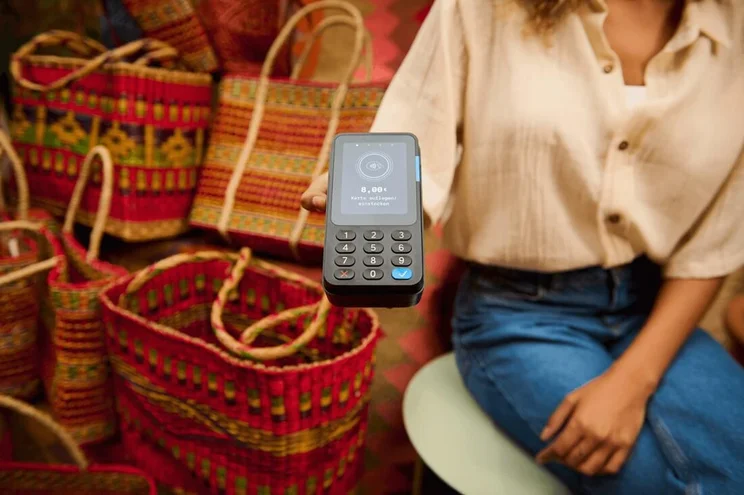
Formerly called Zettle, the PayPal Point of Sale is a good POS for small businesses, and among the best systems for selling while on the go. Food trucks, farmer’s market stalls, and pop-up retail stores can all benefit from PayPal POS’s small and portable hardware and user-friendly interface.
We found that PayPal POS offers a very decent range of features considering its low cost. Users will just have to pay transaction fees on purchases since the software itself is available for free with no monthly charge, while hardware starts from $29 for a card reader. The system has drawbacks that may give some pause, however: There’s no offline mode, and customization options are limited.
Here, we’ll give you the rundown on all the essential tools PayPal POS offers and which ones the system can’t deliver. Once you’re up to speed, fill out our quick comparison form to see how all the top POS systems compare to PayPal POS.
PayPal POS

In short
-
Pros
- No monthly fees to really keep costs low for small businesses
- Reasonable transaction fees that won’t take too much
- Unlimited users across your entire team
- Ideal for food trucks, due to iPad app & small, portable hardware
-
Cons
- No add-on features are available
- No CRM or offline mode
- Limited amount of integrations
Pricing
-
 Free software
-
2.29% + 9¢ fee for card transactions
-
3.49% + 9¢ fee for manual transactions
-
3.49% + 49¢ fee for invoicing
-
Card readers from $29
-
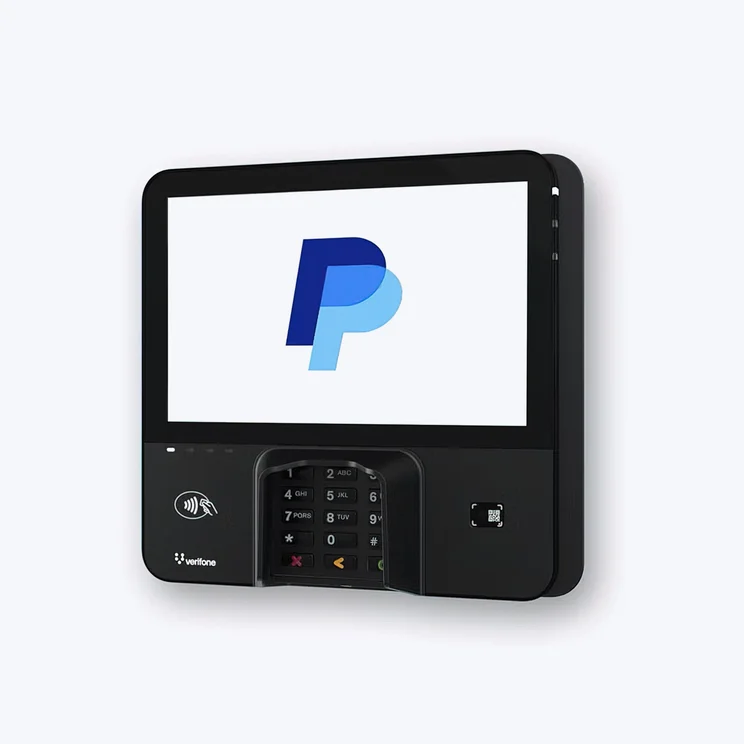
Terminals from $199
Images
PayPal POS: Quick Fact-File
Here’s what to know about PayPal POS’s value, support, and cloud-based functionality, along with our team’s 5-point score for each of our six research categories.
- Hardware: PayPal POS stands out for its small and portable displays, as they’re a good fit for small retail stores, food trucks, or other tiny operations. However, there’s no physical terminal option, which in turn means there’s no customer display or handheld POS terminal.
- Software: PayPal POS offers a great app market and good employee management tools, but lacks offline functionality, however, it scored poorly on the food and beverage section of our analysis because it won’t let you create floor plans or track table statuses, making it unsuitable for even small dining establishments.
- Help and Support: PayPal POS has a decent online knowledge center and customer support, but earned a so-so 3.5/5 score in this category because it offers no training mode, unlike competitor Lightspeed Retail.
- Customer Reviews: Brand recognition and customer recommendations were largely in favor of PayPal POS, and ultimately earned the provider a strong 4.2/5 score – second only to Square in our research.
- Value for money: PayPal POS’s upfront, ongoing, and processing fees are all low, and its impressive free plan in particular helped it stand out with a great 4.2/5 score for its pricing.
- Usability: The PayPal POS interface is easy to navigate, though it lacks some customization tools and there’s no QR ordering function, something that rivals Toast, Clover, and Square all offer.
The Tech.co team pours hundreds of hours into researching the best POS systems because it’s the only way to ensure we’re providing our readers with the most accurate, up-to-date information possible.
We’ve spoken to daily POS users working in restaurants, retail and more, and have tested out more than 20 point-of-sale platforms ourselves, paying close attention to everything from the quality and feel of the hardware to how easy the software is to use, to help you make a clear decision for your business needs.
Head over to our methodology section to learn more about our product review process, which is one of the reasons more than one million users consult our articles every month.
Is PayPal POS Right for Your Business?
Getting started with PayPal POS is inexpensive and the service has solid inventory features, making it a fit for a small business that doesn’t need any extra bells and whistles. It also supports gift cards, which can help to bring in repeat customers.
Still, the system lacks an offline mode, advanced loyalty tools and CRM support, all of which are key tools for a growing business. PayPal POS isn’t the best for a scrappy operation that needs to make the most of what it has, and its clunky multi-store management features will make it less attractive for larger businesses, as well.
One area in which PayPal POS does stand out? It has a great free plan – although its per-transaction fees mean that it isn’t entirely free to use. In our team’s estimation, PayPal’s free POS plan is very good, but Square’s free plan is the best on the market. Both services are a great choice for a tiny business like a farmer’s market stall, although we’d be remiss not to point out that Square POS has better support than PayPal POS and better features overall.
Is PayPal POS Free?
The PayPal POS system itself has no monthly fee and no plan tiers. However, users will pay in two different ways.
First, you’ll need PayPal POS-branded hardware. This is a one-time cost, and starts at just $29 for a handheld card reader, whereas each additional card reader you purchase after that will cost $79. So, if you’re looking for a POS for a pop-up store or a very small food truck and you can make do with just one card reader, you’ll be able to get up and running with PayPal POS for a much lower cost than other major providers.
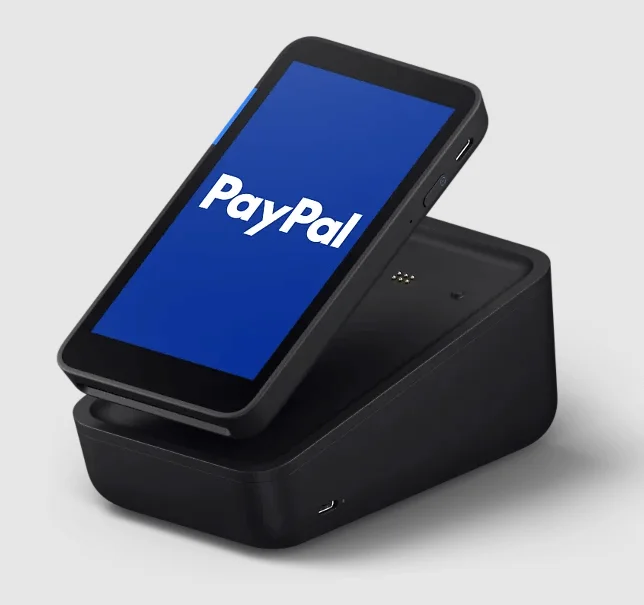
Terminals, on the other hand, start at $199. Other accessories include a charging dock for $49 (currently discounted to $29) and a terminal with a built-in barcode scanner for $239.
The second payment method is the fee that you’ll be charged for each transaction. This starts at 2.29% plus nine cents, but varies depending on the type of sale — we’ve explained more in our PayPal POS pricing guide.
Take a minute to fill out Tech.co’s quote collection form to see how PayPal POS compares to other top POS prices.
And if you’re looking for something cheaper, you can check out our list of the best free POS systems.

Need the best POS for your business?
Find and compare quotes for Square, PayPal POS, and more:
PayPal POS Review: Key Features
PayPal POS offers a good price and boasts good customer reviews, but falls down on a few types of features. Here are all the features our testers deemed important for POS systems.
Sales features
PayPal POS handles core sales and inventory needs: It lists product variants, bill splitting, receipt customization, table management, mobile sales, floorplan customization, discounts, accepting all major payment types, and the ability to delete, remove, or void items. This level of functionality is pretty good, especially considering you can get started for free, but it should be noted that nothing here is particularly unique.
We did, however, find it very easy to navigate the inventory section compared to other POS systems. As it’s quite a simple piece of software, viewing, editing, and adding products was easy and we were able to expand our inventory with minimal menu diving.

We had no issue with assigning name, price, and category to each product that we added. Image: Tech.co testing
PayPal POS offers limited loyalty tools beyond its support for gift cards and has no CRM tools. However, these customer engagement tools are free, so they’re a good option for any small business that couldn’t afford them otherwise, even if they lack complexity.
PayPal POS does not offer a training mode or the ability to set up barcodes or QR codes, although you can add the latter with a third-party integration.
Reporting and insights
PayPal POS is just a bit more basic than some of the other POS providers out there, and this means it won’t provide you with as many insights as the likes of Lightspeed. For instance, while it’ll let you track how close you are to big milestones related to your loyalty program, it doesn’t really provide the sort of information that feeds nicely into marketing campaigns and personalized promotions, which competitors TouchBistro and Revel POS both provide (as do many others).
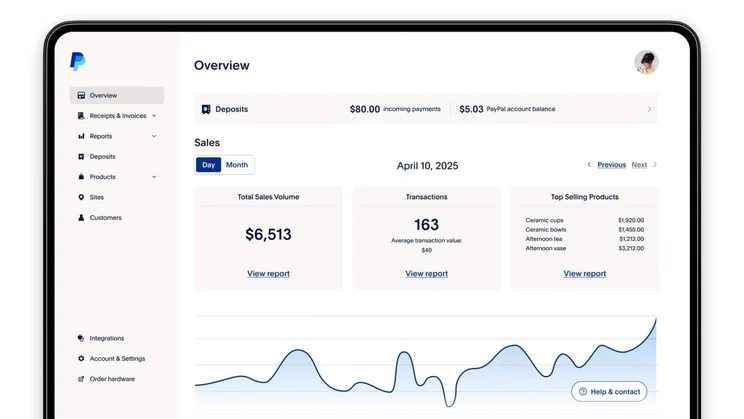
We were impressed with PayPal POS’s reporting tools, which give users a top-level view of products sold, products returned, money earned, and average sale amounts across custom time periods. Source: PayPal POS
PayPal POS lacks delivery support, offline mode, and some analytics tools like sales forecasting. Reports can cover products by “top selling” or “overall category,” but many types of reports are not offered, such as sales or payment trends, discounts, voids, taxes, or gift cards. While this is disappointing, we did like the way that data was visualized, which made it easy to get a picture of information such as your sales.
Unlimited users are supported, however, as are staff sales. Payment partners include PayPal, Apple Pay, Google Pay, and Android Pay.
Stock and inventory management
Managers will receive low stock alerts, prompting them to make additional inventory purchases before they run out entirely. Other tools that may help managers streamline their workflow include bulk product uploads, product images, and support for inter-store transactions. Bulk product uploads, in particular, can be really useful for stores with a limited range of items, such as a wine bar, which might stock its products on a rotational basis. It should be noted, though, that it’s quite a standard feature across POS systems as a whole, shared by the likes of Talech, Lightspeed, and Epos Now.
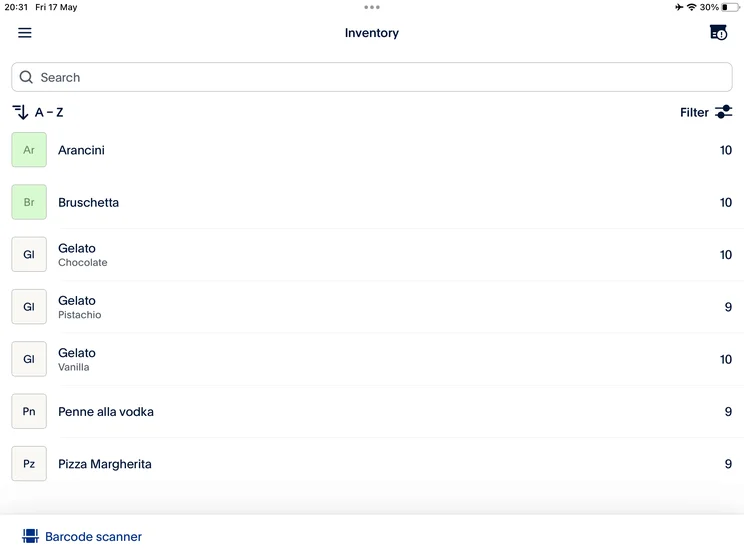
PayPal POS’s inventory comes with a search bar, so we were able to quickly locate the right product. Image: Tech.co testing
However, PayPal POS doesn’t offer any way to track or manage your costs and profits, something that you can do to quite a granular level with most major competitors, such as Clover and Square. However, as we’ve emphasized already, PayPal POS is a more lightweight platform – but it also doesn’t cost anything to use.
Integrations
POS integrations can be a real value-add for your business. We found that PayPal POS’s range of integrations has expanded since we last vetted the service. The best integrations are still those within two core categories, though: For accounting services, users can add either QuickBooks or Xero, both of which our researchers recommend. For ecommerce, users can integrate with BigCommerce or Shopify.
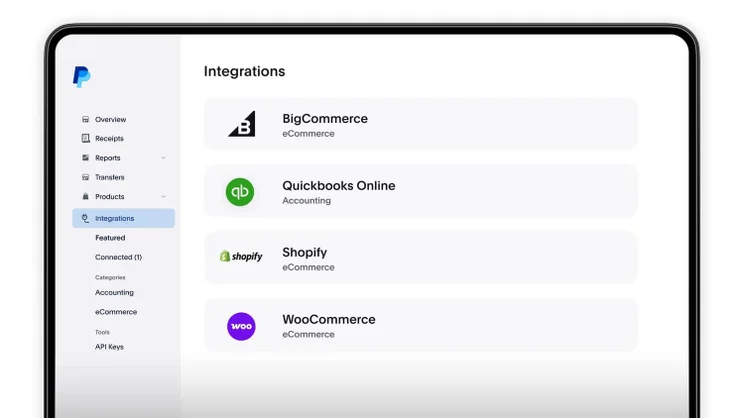
PayPal POS’s most popular integrations include BigCommerce for ecommerce and Quickbooks Online for accounting. Image: Tech.co testing
Inventories can be connected to Adobe Commerce or Woocommerce as well.
Hardware
PayPal POS sells card readers starting at $29 and terminals starting at $199. The readers will need a tablet or smartphone to work, but the terminals offer a standalone ability with a preloaded SIM card and 3G/4G network that takes over when the Wi-Fi is down.
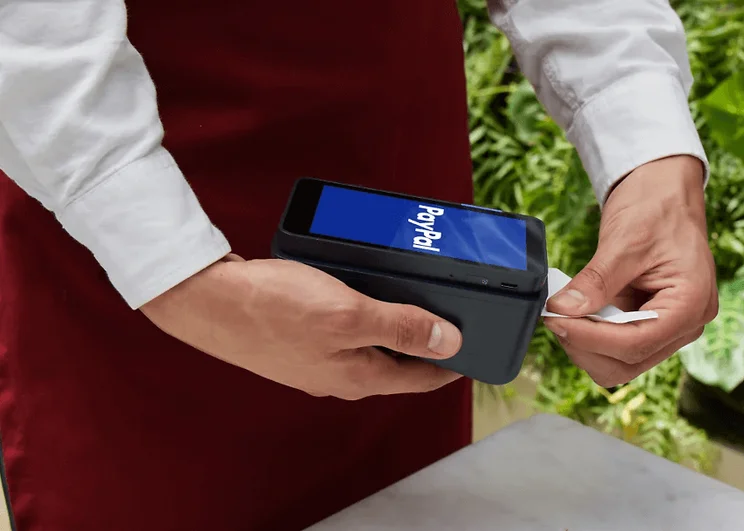
PayPal POS offers a range of hardware alongside its free software. Source: PayPal.
Terminals at a higher price offer a built-in barcode scanner, and terminal docks can be bought with or without receipt printers. All hardware is sleek and easy to use, although the terminal dimensions (5.4 by 3 by 0.6 inches) mean that its display is comparatively small.
How Does PayPal POS Compare to Other POS Systems?
PayPal POS is worth considering, but our researchers found that its feature selection and support limitations held it back in comparison to many of the best competing POS systems. Here’s an overview table of all the best options, complete with our research scores for each.
|
Price
The typical lowest starting price. The lowest price available for your business will depend on your needs
|
Free plan
|
Free trial
|
Best for
Tech.co's verdict to help you identify the most suitable choice for your small business
|
Additional costs
Any additional costs you'll need to pay to get started
|
Lowest transaction fee
The lowest possible fee that will be incurred with each transaction
|
Highest transaction fee
The highest possible fee that will be incurred with each transaction
|
User limit
|
24/7 support
|
Get started
|
||
|---|---|---|---|---|---|---|---|---|---|---|---|
|
BEST OVERALL
 |
 |
 |
 |
 |
 |
||||||
|
Square |
Shopify POS |
Toast |
Clover |
SpotOn |
SumUp |
||||||
|
From $0/month |
From $0/month |
$0/month |
From $16/month for 36 months (depending on plan) |
$0/month |
$0/month |
||||||
|
|
|
|
|
|
|
||||||
|
30 days |
3 days |
14 days |
90 days |
No |
Demo only |
||||||
|
Scaling and growing your business |
Managing in-store and online sales |
Restaurants with complex operations |
Professional hardware |
Simplifying staff scheduling and communication |
Speed, efficiency and data-driven sales insights |
||||||
|
Marketing, customer loyalty, and employee management features cost extra |
Shopify POS Pro is available for $89/location/month |
Digital ordering, third party delivery, email marketing, and catering/events cost extra |
Accounting integrations cost extra |
Loyalty programs cost extra |
Customer loyalty programs cost extra |
||||||
|
2.5% + 15¢ |
2.4% + 10¢ |
2.49% + 15¢ |
2.3% +10¢ |
2.79% + $0.20 |
1.5% + 10¢ |
||||||
|
3.5% + 15¢ |
2.6% + 10¢ |
3.50% + 15¢ |
3.5% +10¢ |
3.79% + $0.20 |
3.25% + $0.15 |
||||||
|
Unlimited (each till requires a new license) |
Single user/license across all plans |
Unlimited |
Unlimited (each till requires a new license) |
Unlimited |
Unlimited |
||||||
|
|
|
|
|
|
|
||||||
| Visit Square | Try Shopify | Visit Toast | Compare Prices | Compare Quotes | Try SumUp |
Our top pick overall is Square POS, which offers more features than PayPal POS alongside a free plan that’ll be a better option for a wider range of businesses. It has top-notch pricing, great hardware, and is easy to operate. These strengths make Square the best choice for small businesses in particular since smaller retailers must prioritize usability and value for money. PayPal POS lovers may be tempted to switch to Square for the offline mode alone.
After that, Clover POS is our second-best pick and worth considering for its in-depth app store, great free plan, and customizable display screen. It’s particularly great for PayPal POS users who have more complex inventory needs, as well as any business that wants durable, reliable hardware for countertops rather than a software program to use on pre-purchased tablets.
Finally, SpotOn is a great POS choice overall, with another free plan supported by transaction fees that can help ease the financial burden for businesses switching from PayPal POS.
Our Methodology
Here at Tech.co, we test all of the products and services we write about, so we can provide helpful information for our readers to factor into their buying decisions. For POS systems, we created a six-category framework to help us rank every market-leading platform before putting them to the test ourselves during the last few months. First, all features were broken down into three categories:
- Hardware: We assessed each provider’s terminals, displays, scanners, printers, and general portability
- Software: We assessed each provider’s inventory management, employee management and customer engagement features, as well as their gift card support options and offline functionality
- Usability: We scored each provider based on the results from a range of ease-of-use tests, error occurrence rates, and interface navigation and customization.
The remaining three categories we use to grade POS systems are pricing (which helped us to understand which platforms offer the best value for money), customer reviews, and help & support options.
Each service was ranked on a five-point scale for each category, and all category rankings were then compiled into one overall score for easy yet accurate comparison.
PayPal POS is worth considering for small businesses, due to its low pricing and decent sales features. Still, you may not want to settle for it: Top POS options like Square have more features and better support than PayPal POS, and come at a low cost as well, so there’s no reason best for most businesses.
If you love PayPal and need a basic and inexpensive POS system, PayPal POS can work for you. If your business is growth-focused, we’d recommend filling out the Tech.co quotes form to receive deals from all the best POS services on the market.
FAQs
PayPal used to have a POS system called PayPal Here, but the company acquired the POS provider Zettle in the late 2010s. The company then replaced PayPal Here with PayPal Zettle, which they have since rebranded to just “PayPal POS.”
PayPal POS’s per-transaction fees start at 2.29% + 9 cents for card-present sales, and rise to 3.49% + 9 cents for keyed-in sales and for invoice sales. There is no fee for cash transactions.
Yes, you’ll need to download the PayPal POS app and sign up for an account before you can start using the service for your business. This is free to do, however, and is unlikely to be a difficult process if you’re familar with mobile or tablet apps.
If you click on, sign up to a service through, or make a purchase through the links on our site, or use our quotes tool to receive custom pricing for your business needs, we may earn a referral fee from the supplier(s) of the technology you’re interested in. This helps Tech.co to provide free information and reviews, and carries no additional cost to you. Most importantly, it doesn’t affect our editorial impartiality. Ratings and rankings on Tech.co cannot be bought. Our reviews are based on objective research analysis. Rare exceptions to this will be marked clearly as a ‘sponsored’ table column, or explained by a full advertising disclosure on the page, in place of this one. Click to return to top of page


