
We may receive a commission from our partners if you click on a link to review or purchase a product or service. Click to Learn More
The best hotel POS system is Square, thanks to its top-tier hardware options, competitive pricing (including a free plan), and its stellar reputation in the industry. On top of that, Square was the easiest POS system to use across our in-depth research, making it ideal for smaller hotels with staff that are unfamiliar with the technology.
Square isn’t the only option when it comes to the best POS systems on the market, though. In fact, there are plenty of top-tier solutions that will mesh well with your hotel needs, providing the tools you need to manage guests, take reservations, and engage customers.
In this guide, you’ll learn about the best hotel POS systems, including how much they cost, what they can do, and what kind of hotels are the best fit for particular solutions.

Square – Our top-rated POS system
You can get started for free with this POS system that is easy to use, even for users just starting out with the technology.
Start for Free
- Square is the best POS system for seasonal hotels, thanks to its scalable pricing, easy onboarding, and combination of retail and restaurant functionalities.
- Software costs for hotel POS platforms range from $0 to $199 per month, with flat-rate card processing fees starting as low as 2.4% + $0.15 per transaction.
- Hardware investments range from $49 for basic mobile card readers to $799 for dual-touchscreen countertop terminals.
- Hotels running full-service restaurants should look for a POS system that provides kitchen display routing, drag-and-drop table mapping, and split-bill functionality.
- Hotels should consider factors such as their size, budget, marketing requirements, and internet infrastructure when choosing a POS system.
What Are the Best Hotel POS Systems?
Hotels are multifaceted businesses with lots of moving parts. Luckily, POS systems can streamline operations by helping staffers carry out several tasks, including managing room reservations, taking payments from guests, tracking stock levels, and more.
Based on the results of our rigorous data analysis and user testing, these are the best hotel POS systems the market has to offer.
- Square – Best for seasonal hotels
- Toast – Best for hotels with a full-service restaurant
- Clover – Best for hotels with gift shops
- SpotOn – Best for boutique hotels looking for personalized support
- SumUp – Best for hotel pop-up bars
|
Price
The typical lowest starting price. The lowest price available for your business will depend on your needs
|
Free plan
|
Pros
|
Cons
|
|||
|---|---|---|---|---|---|---|
|
BEST OVERALL
 |
 |
 |
 |
 |
||
|
Square POS |
Toast |
Clover POS |
SpotOn |
SumUp |
||
|
$0/month |
$0/month |
$16/month (36 months) |
$0/month |
$0/month |
||
|
|
|
|
|
|
||
|
|
|
|
|
||
|
|
|
|
|
||
| Visit Square | Visit Toast | Compare Quotes | Compare Quotes | Try SumUp |
The Tech.co team pours hundreds of hours into researching the best hotel POS systems because it’s the only way to ensure we’re providing our readers with the most accurate, up-to-date information possible.
We’ve spoken to daily POS users working in restaurants, hotels, bars, and retail shops, and we have tested out more than 20 point-of-sale platforms ourselves, paying close attention to everything from the quality and feel of the hardware to how easy the software is to use, to help you make a clear decision for your business needs.
Head over to our methodology section to learn more about our product review process, which is one of the reasons more than one million users consult our articles every month.
1. Square: Best for seasonal hotels
- Starting price: $0 per month
- Free plan: Yes
- Transaction fees: From 2.4% + $0.15 per transaction
Square is the strongest choice for seasonal hotel businesses because it is designed around flexibility, simplicity, and the ability to scale operations up and down as demand changes.
Specifically, with pricing starting at $0 per month with no mandatory recurring monthly software fees or lock-in contracts, businesses with fluctuating guest numbers avoid paying expensive monthly subscriptions during low seasons.
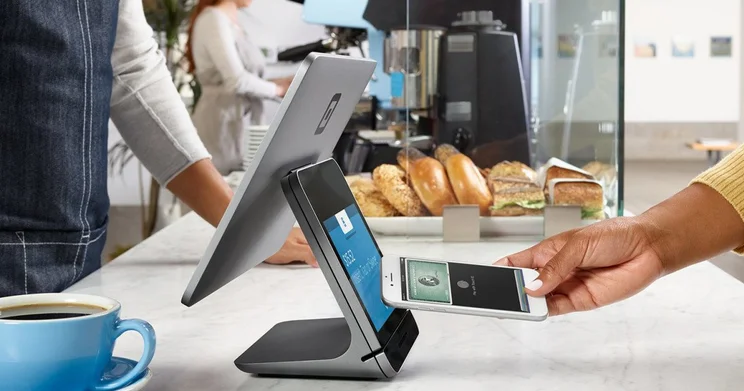
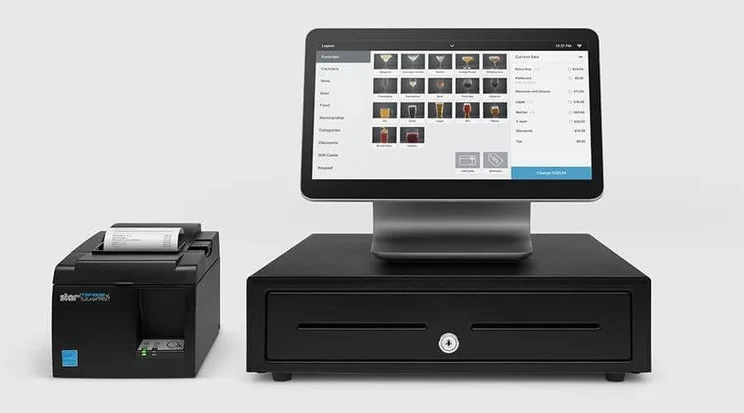
For those with high staff turnover, Square’s iPad and mobile interfaces have visual tile layouts, drag-and-drop table management, and instant search capabilities for quick item and modifier selection, so there’s little to no training needed. It also combines restaurant-focused capabilities (like table management and split bills) with retail functionality (including barcode scanning and inventory tracking), allowing hotels to manage different operations through a single platform rather than relying on separate systems.
Check out our Square POS review to learn more.
Square POS

In Short
-
Pros
- Completely free plan available
- Stylish and popular hardware options
- Excellent mobile ordering features for customers
- 24/7 phone support available for most users
-
Cons
- Limited cost management and inventory tracking features
- 3.5% + 15¢ charge for keyed-in transactions
- Support options vary by plan
Pricing
-
 Free to install
-
No monthly fees, charges transaction fees instead
-
 2.6% + 15c fees for card transactions
Images
How much does Square cost?
Square’s software starts at $0 per month under its free plan, which includes the core POS software, basic menu/inventory management, table mapping, and baseline reporting.
Square’s paid POS pricing plans start at $49 per month, per location, for Square Plus, which includes everything in the paid plan, as well as advanced hospitality features like kitchen display system (KDS) routing, advanced auto-discounts, and reduced processing rates.
Its highest tier is Square Premium for $149 per month, per location. This is made for more high-volume or multi-property hotel business setups, offering custom administrative controls, 24/7 priority phone support, and lower transaction fees.
Square also uses flat-rate processing fees, which vary depending on the plan you choose:
- Free: 2.6% + $0.15 per transaction in-store and 3.3% + $0.30 per transaction online
- Plus: 2.5% + $0.15 per transaction in-store and 2.9% + $0.30 per transaction online
- Premium: 2.4% + $0.15 per transaction in-store and 2.9% + $0.30 per transaction online
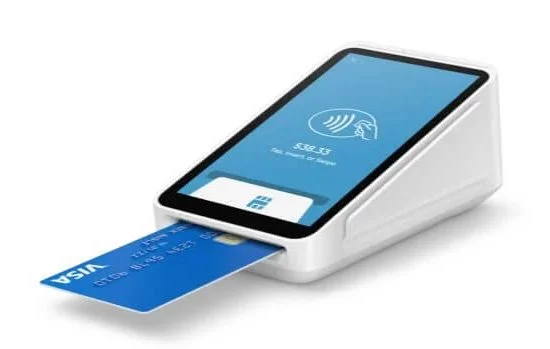
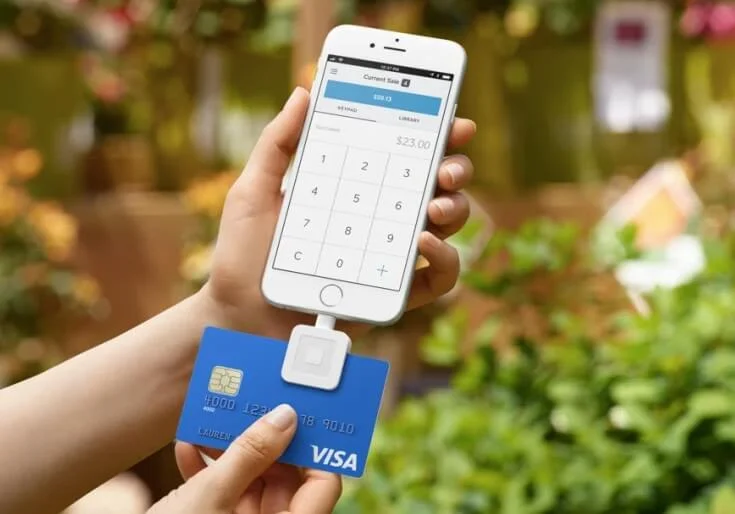
Square also offers affordable hardware, which starts at $59 for the Square Reader. Other hardware includes:
- Square Stand (for iPad): $149 (or $14/month with financing)
- Square Terminal (handheld/all-in-one): $299 (or $27/month for 12 months)
- Square Register (dual touchscreen countertop): $899 (or $44/month for 24 months)
To learn more about Square’s pricing model, you can check out our Square POS pricing review, or compare its plans in the table below:
|
Plan
|
Price
Monthly cost of the software.
|
Transaction fees
|
|
|---|---|---|---|
 |
|
|
|
|
Free |
Plus |
Premium |
|
|
Free |
$49/month |
$149/month |
|
|
Card: 2.6% + 15¢ |
Card: 2.5% + 15¢ |
Card: 2.4% + 15¢ |
Our experience with Square
When we tested Square out, we found it took quite a long time to search for specific features, like advanced payment splitting tools. This wasn’t helped by the fact that there wasn’t a search bar to access features quickly.
Despite this, some functions like adding items to a tab and customizing floor plans were very simple, suggesting that the POS will be useful for hotels with accompanying cafes or bars.
What’s more, we didn’t think Square’s till features were very versatile, making it less suitable for hotels that require specific payment and ordering functions. However, with the system producing one of the best app stores we’ve reviewed, and Square’s support team available 24/7, we think this setback can be overlooked pretty easily.
If you like Square, you may also like…
- Clover, if you’re able to invest slightly more in dedicated hardware and software hotel POS packages
- SpotOn, if you want to get started with a free hardware plan
Learn more about the free Square alternative in our SpotOn POS review.
2. Toast: Best for hotels with a full-service restaurant
- Starting price: $0 per month
- Free plan: Yes
- Transaction fees: From 2.49% + $0.15 per transaction
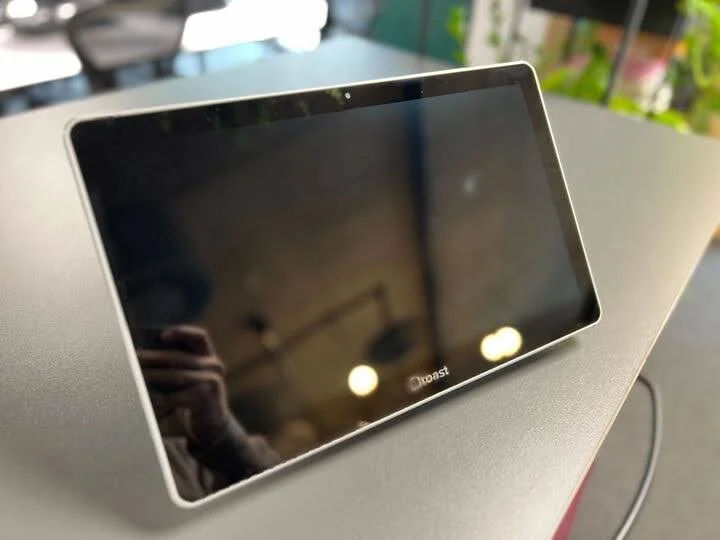
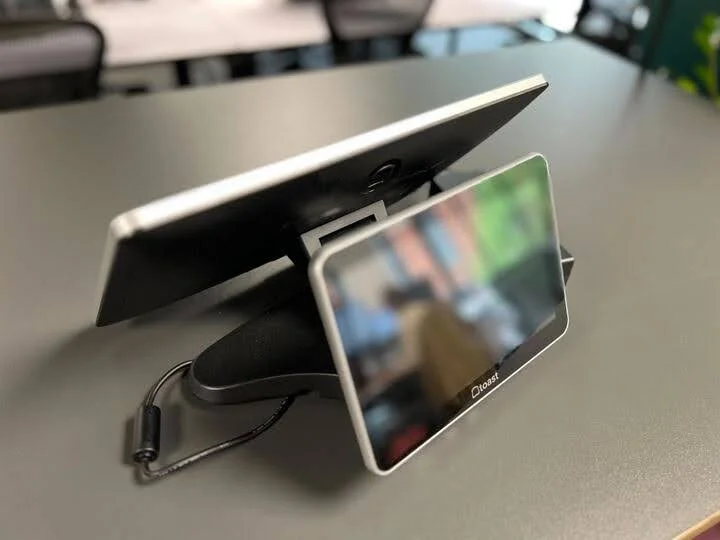
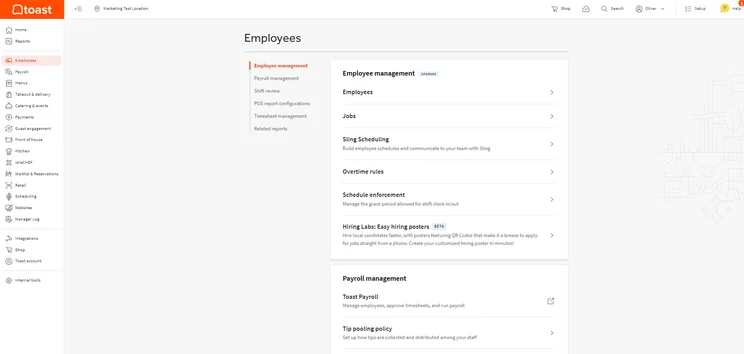
Toast is the best choice for hotels with a full-service restaurant because it delivers the specialized restaurant workflows and hotel integrations needed to improve service speed, accuracy, and guest experience.
Toast’s proprietary Kitchen Display System (KDS) supports order firing based on preparation times, color-coded modifiers and allergen alerts, plus routing tickets to the appropriate kitchen stations. For hotel restaurants, this improves consistency during peak service periods by ensuring that components of a single guest order are timed and coordinated to reach the table together.
It also integrates directly with leading hotel Property Management Systems (such as Opera, Cloudbeds, and Stayntouch), allowing servers to look up hotel guests by last name or room number directly at the table or bar register. Restaurant charges, item breakdowns, and tips flow straight into the guest’s room account, reducing disputes at checkout and cutting down the time spent manually reconciling restaurant and front-desk transactions.
Check out our Toast review to learn more.
Toast

In Short
-
Pros
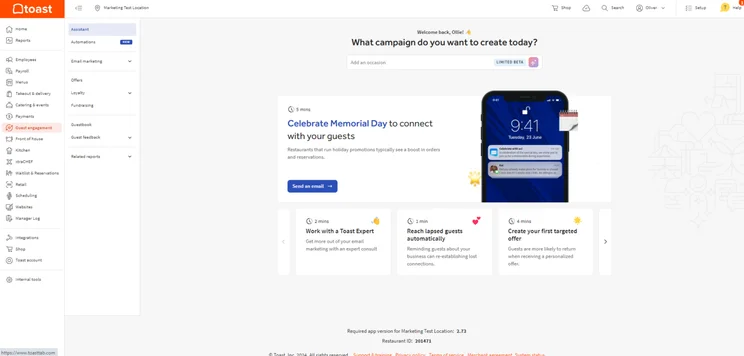
- Built-in customer engagement and loyalty program features
- Excellent inventory management tools, like stock alerts
- Support for tableside ordering and payment
-
Cons
- Main restaurant POS has no iOS compatibility
- No social media or email support
- No ecommerce app market integration
Pricing
-
Free pay-as-you-go plan available
-
POS pricing starts at $69/month
-
Transaction fee: 2.49% + 15¢
-
Customizable starter kits available
Images
How much does Toast cost?
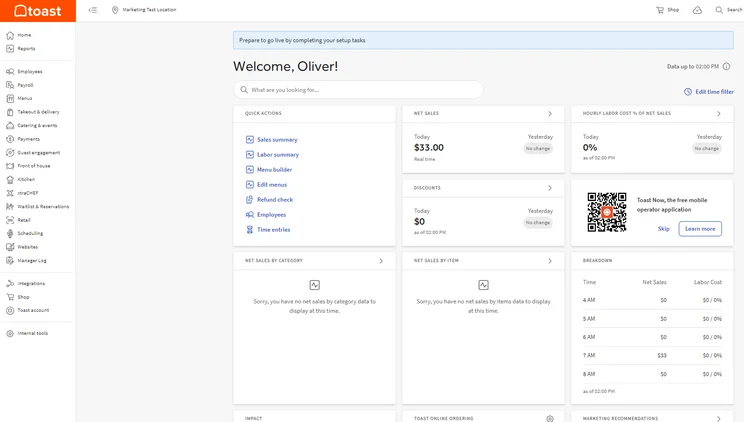
Like Square, Toast also starts at $0 per month on its free plan. This covers basic POS software, cloud reporting, menu management, and standard 24/7 technical support for 1–2 terminals.
However, its free plan may be too limited for hotels, notably not having access to the team management features that allow for scheduling and tip sharing. Therefore, its Standard Plan at $69 per month would be the better choice, as it offers full F&B POS functionality and multi-terminal management. Meanwhile, its Build Your Own Plan (custom priced) includes all these tools, plus custom processing fees and payroll services, such as payroll processing, tax filing, applicant tracking systems, and more.
Toast requires merchants to process payments natively through Toast Processing. Rates vary by software plan:
- Starter Kit ($0/month plan): 2.99% + $0.15 per in-person transaction
- Standard ($69/month plan): 2.49% + $0.15 per in-person transaction
For hardware, Toast’s prices are significantly higher compared to Square, with its cheapest hardware starting at around $149-$169 for Toast Tap (contactless card reader). Other prices include:
- Toast Go® 3 (mobile handheld terminal): $549
- Toast Flex® (primary countertop terminal): Around $799-$1,024
- Kitchen Display System (KDS hardware screen): Around $499-$74
|
Plan
|
Price
Monthly cost of the software.
|
Best for
|
Transaction fees
|
Benefits
|
|
|---|---|---|---|---|---|
 |
|
|
|||
|
Starter Kit |
Point of Sale |
Build Your Own |
|||
|
Free |
$69/month |
Custom |
|||
|
Small, single location food vendors and mobile sellers |
Established food and beverage businesses |
Large or complex food and beverage establishments |
|||
|
2.99%-3.69% + 15¢ |
2.49% + 15¢ for in-person transactions
|
2.49% + 15¢ for in-person transactions
|
|||
|
|
|
Our experience with Toast
Toast was also notably quite easy to use, mostly thanks to the in-depth tutorial that walked us through the setup process, step by step. In fact, we found the entire back-end experience to be particularly intuitive, so beginners should feel comfortable adapting to Toast at your hotel.
“You can’t fault a platform which pretty much has everything and actually it’s very very simple and simplistic” – A member of Tech.co’s user testing team
The system has a useful search functionality as well, which helped our testers locate features quickly without having to spend lots of time figuring things out. This gives Toast’s user experience a leg up over Square, as the POS does not currently offer this capability.
If you like Toast, you may also like…
- TouchBistro, if you’re after a feature-rich iPad-based hotel POS system
- Square, if you run a smaller hotel or lodging and don’t require tons of advanced features
3. Clover: Best for hotels with gift shops
- Starting price: $16 per month (for 36 months)
- Free plan: No
- Transaction fees: From 2.3% + $0.10 per transaction
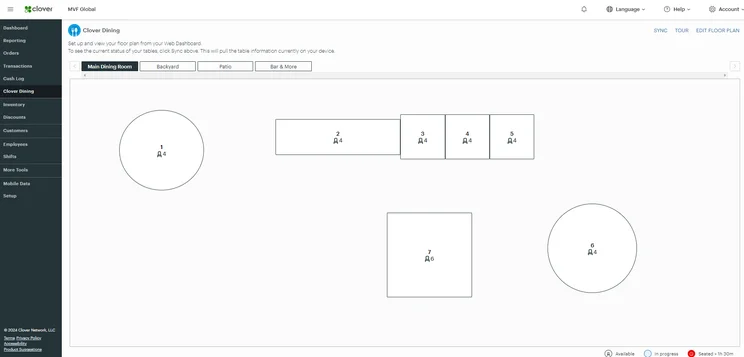
Clover is the top POS for hotels with gift shops or boutique retail counters, thanks to its strong retail-focused capabilities, integrated hardware ecosystem, and advanced inventory management tools.
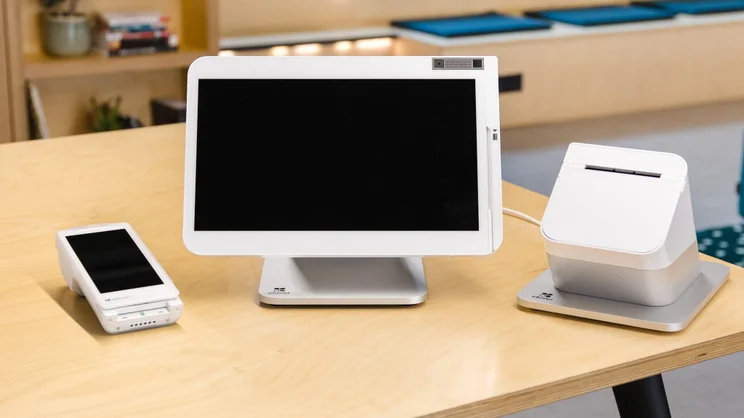
With the Clover Station Duo – which comes with a customer-facing display – guests can see scanned souvenir items, applicable taxes, and the final total in real time before completing a payment – helping to reduce pricing disputes at checkout. And by supporting a wide range of integrated hardware (including handheld barcode scanners, weight scales, and label printers), staff can process multiple items quickly and accurately to cut down lines during busy periods.
Clover also integrates directly with advanced inventory suites like Shopventory through the Clover App Market, allowing managers to execute bulk item imports, track stock thresholds with automated low-stock alerts, and calculate real-time profit margins on retail merchandise.
Check out our Clover POS review to learn more.
Clover POS

In Short
-
Pros
- Top-of-the-line hardware options for users
- Many features for staff and order efficiency
- In-depth and customizable analytics system
-
Cons
- High up-front cost for hardware
- Additional features cost extra and can become expensive
- No automated tip sharing tools
Pricing
-
Cheapest plan is $16/month (36-month contract)
-
Cheapest restaurant plan is $135/month for 36 months
-
Offers 'Quick-Service' and 'Full Service' dining plans
Images
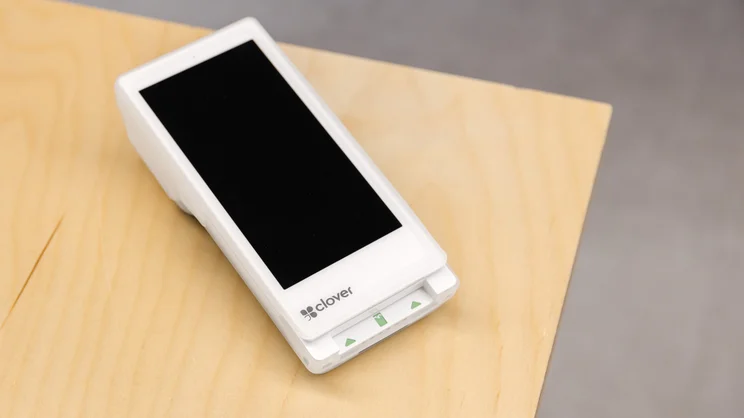
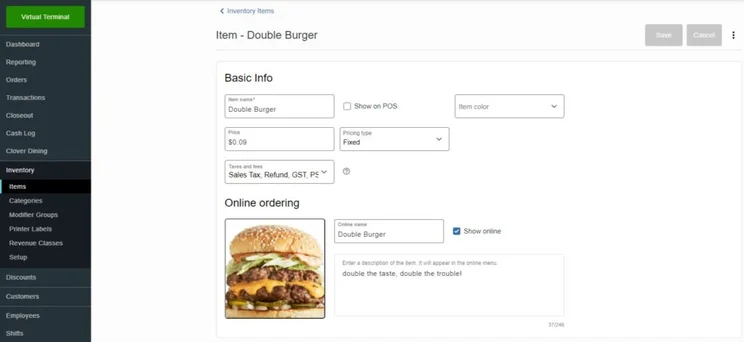
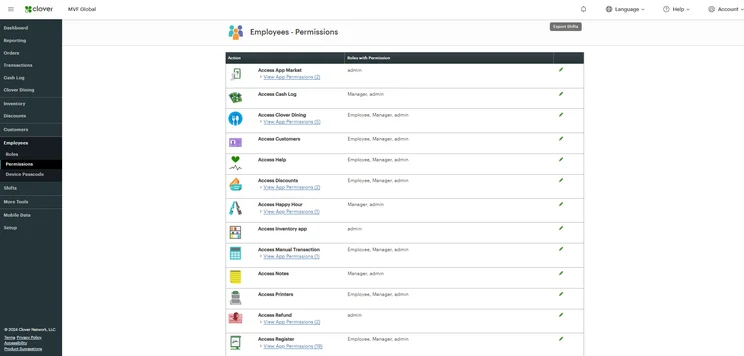
How much does Clover cost?
Clover’s pricing starts at $16 for 36 months under its Basic plan, which includes payment processing, real-time sales tracking, and tax reporting.
However, the Basic plan doesn’t include inventory management, so you’ll need to upgrade to its Standard plan for $180/month for 36 months. This also includes a cash drawer, detailed sales reports, and employee shift management. And finally, for all essential retail features, the Advanced plan costs $240 per month for 36 months.
Payment processing rates remain at 3.5% + $0.10 for transactions where card information is typed in. For tapped, swiped, or inserted payments, they are 2.6% + $0.10 under Basic and 2.3% + $0.10 for Standard and Advanced.
Clover software runs exclusively on proprietary hardware purchased directly or through authorized banking partners:
- Clover Go (mobile reader): $199
- Clover Flex (handheld terminal with printer): $599-$749
- Clover Mini (compact 7-inch countertop): $799-$899
- Clover Station Solo (14-inch single screen countertop): $1,099-$1,799
- Clover Station Duo (dual touchscreen countertop with guest display): $1,699-$1,899
Check out our table below for more clarity on the provider’s pricing, or check out our Clover POS pricing guide.
|
Plan
|
Price
Monthly cost of the software.
|
Transaction fees
|
|
|---|---|---|---|
 |
|
|
|
|
Retail Basic |
Retail Standard |
Retail Advanced |
|
|
$16/month for 36 months |
$180/month for 36 months |
$240/month for 36 months |
|
|
|
|
Our experience with Clover
Clover’s software offers an intuitive, straightforward interface in the backend that can provide robust analytics like stock alerts and profit tracking. With most hotels managing multiple forms of revenue, these tools are essential for helping business owners track their lodging’s performance over time and identify areas to boost profitability.
Plus, the front end is particularly equipped for fast-paced environments thanks to the responsive displays. One user tester in particular commended Clover for its “simple” and “modern” interface, and how easy it was to gain insights from performance reports.
If you like Clover, you may also like…
- Square, if you run a simple lodging like a motel or B&B, and want to avoid hefty start-up fees
- Toast, if you need advanced employee management capabilities like automated tip-sharing tools
4. SpotOn: Best for boutique hotels looking for personalized support
- Starting price: $0 per month
- Free plan: Yes
- Transaction fees: From 2.45% + $0.15 per transaction
SpotOn is the leading option for boutique hotels that want personalized support because it removes the risk of “self-serve” onboarding failures through a hands-on implementation approach.
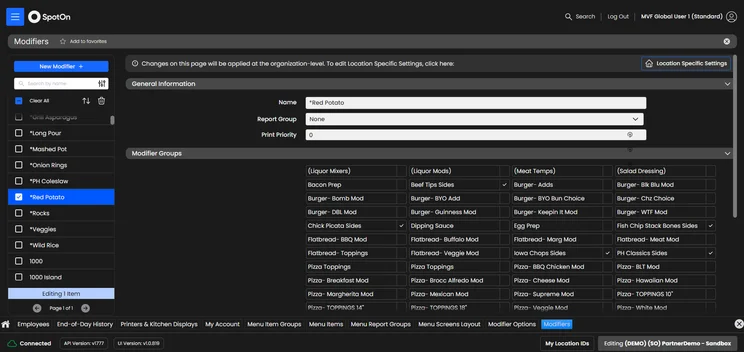
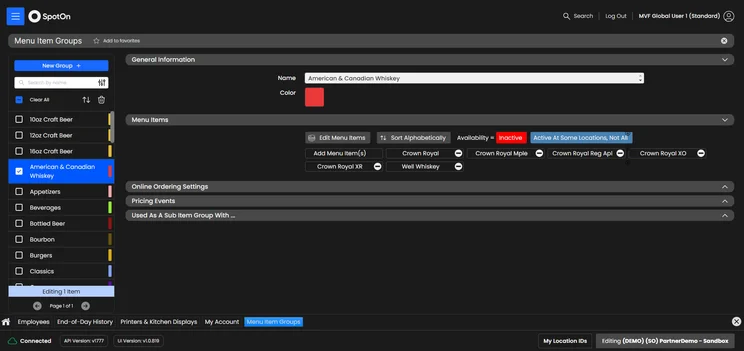
SpotOn’s dedicated specialists configure and test menus, modifiers, and floor plans before deployment, which reduces the setup effort for hotel teams, speeds up the live launch, and ensures the POS is aligned with operational requirements from day one. It also offers direct 24/7 US-based phone support with dedicated account reps and available local on-site technicians for initial go-live training and deployment.
Additionally, SpotOn builds guest engagement tools directly into the payment experience, including digital loyalty programs, review collection, and targeted email marketing. Guests can be encouraged to leave feedback or join the hotel’s VIP list as part of the payment process, giving hotel managers the chance to address negative experiences before they become public reviews, while also helping them build a valuable guest database for future marketing.
Check out our SpotOn review to learn more.
SpotOn

In Short
-
Pros
- Top tier free plan for small businesses
- Affordable hardware add-ons for in-person selling
- Automatic offline functionality without internet connection
-
Cons
- Few hardware options
- Expensive paid plans for restaurants
- Limited retail functionality only suited for small shops
Pricing
-
Free plan includes hardware
-
Restaurant plan (POS Essentials): From $55/month
-
Transaction fees from: 2.45% + 15¢
Images
How much does SpotOn cost?
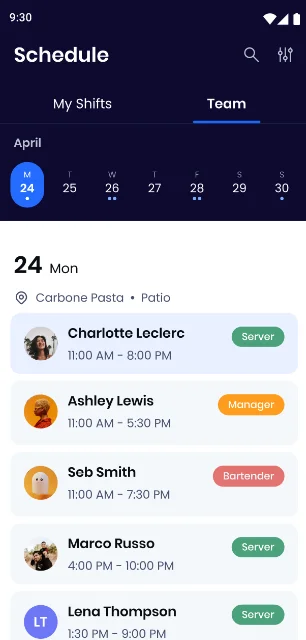
SpotOn’s starting price is $0 per month for its All-In plan, covering core POS software, payment processing, table layouts, menu management, and basic reporting. However, it requires a two-year contract minimum, so it isn’t as flexible as competitors like Square.
A step up is its Essentials Plan, which costs $55 per month and includes everything in All-In, plus financing options on selected POS hardware and lower processing fees (down from 2.79% + $0.20 to 2.45% + $0.15 per transaction).
Meanwhile, SpotOn’s hardware costs depend on whether equipment is purchased outright or bundled under a long-term agreement:
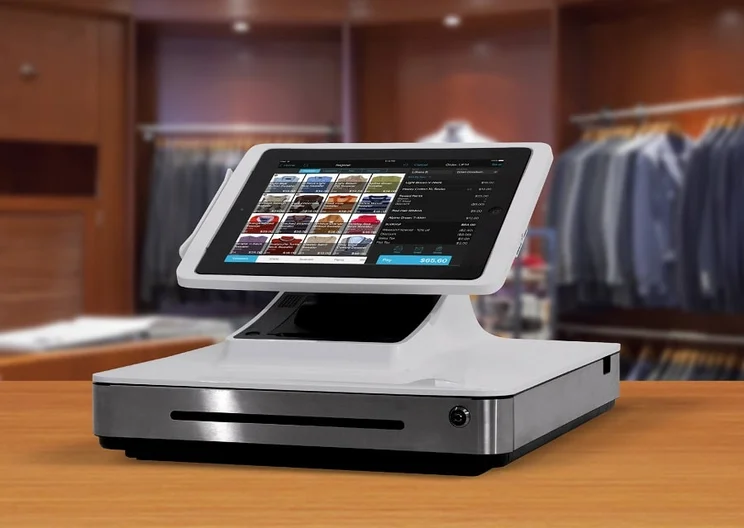
- SpotOn Station 15 (15″ countertop terminal): $995 (or $750 under the Essentials plan)
- SpotOn Station 10 (10″ compact terminal): $415
- Handheld (handheld POS system): $405 (or $297 under the Essentials plan)
There are also additional implementation costs, which range from $500 to $1,500, depending on menu complexity, custom database builds, and on-site staff training requirements.
|
Plan
|
Price
Monthly cost of the software.
|
Transaction fees
|
|
|---|---|---|---|
 |
 |
|
|
|
All-In Plan |
POS Essentials |
Customize Your Own |
|
|
Free |
$55/month |
Custom pricing |
|
|
2.79% + 20¢ (card present) 3.79 + 20¢ (keyed-in) |
2.45% + $0.15 card present (excluding Amex) 3.45% + $0.15 keyed-in |
Custom rates |
Our experience with SpotOn
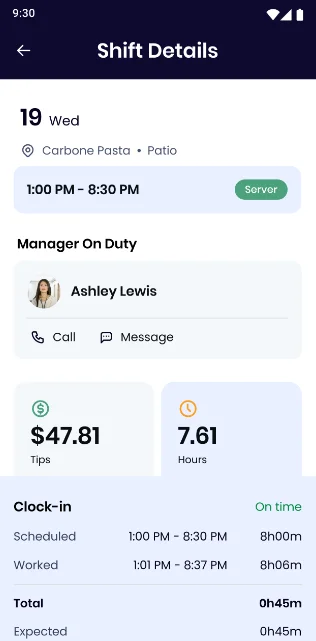
SpotOn definitely has some downsides, though, including no kitchen display options and no hardware accessories to add to your range. The app market is also quite limited, with no integrations for CRM, floor management, booking and reservations, or ecommerce tools.
SpotOn is still a clear choice for businesses that want to save a bit of money, though, as it offers an impressive free plan and its pricing plans feature some of the lowest transaction fees across our research at only 2.45% and $0.15. All that said, if you need a budget POS system and can do without some bells and whistles, you’ve found it with SpotOn.
If you like SpotOn, you may also like…
- Square, if you want to purchase additional POS accessories.
- TouchBistro, if you want a portable, tablet-based POS system.
5. SumUp: Best for hotel pop-up bars
- Starting price: $0 per month
- Free plan: Yes
- Transaction fees: 2.6% + $0.10
SumUp stands out as the best solution for hotel pop-up bars, seasonal setups, and temporary event kiosks because it is made for fast deployment, easy staff adoption, and mobile payment flexibility.
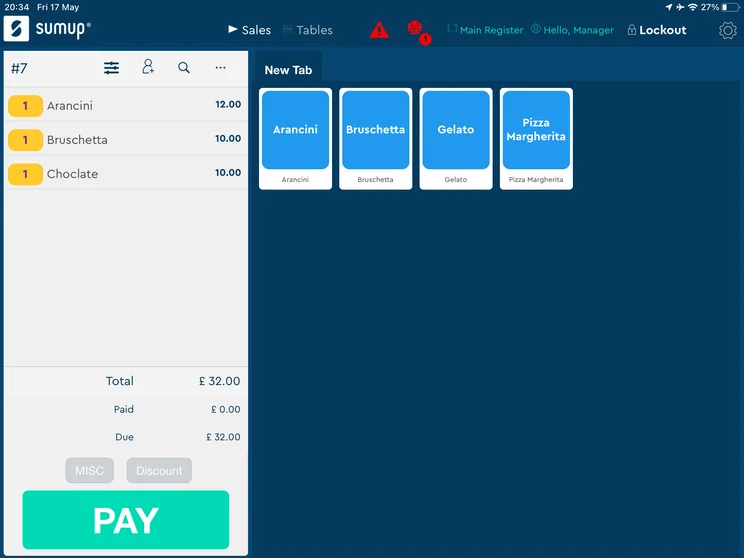
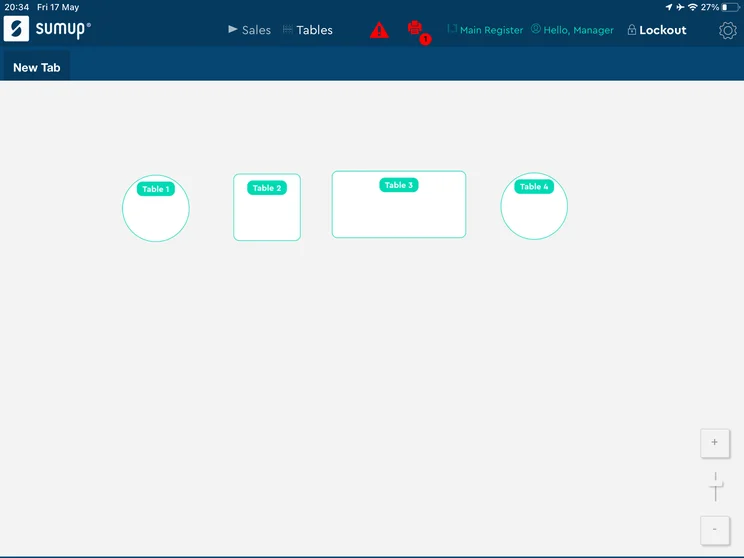
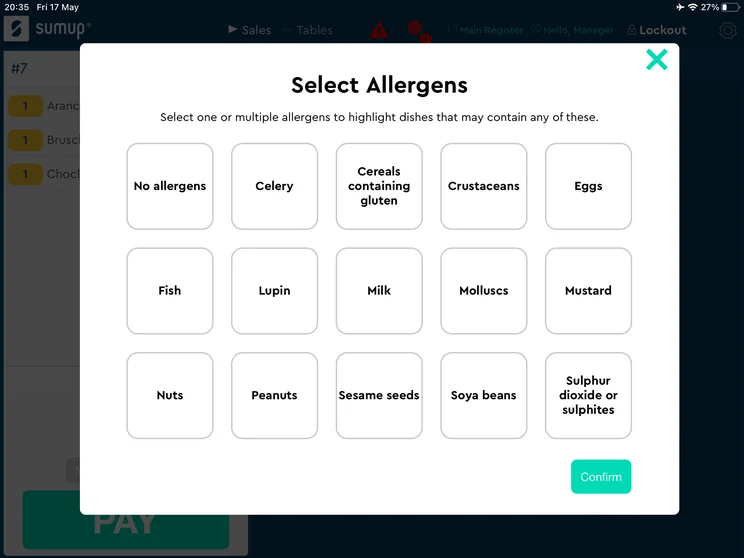
SumUp’s front-end app features an Apple-like layout with large, clear item tiles and a quick “Park Order” feature that allows bartenders to hold a tab mid-transaction. With this, bar staff can hold, recall, and edit drink orders quickly during busy periods – reducing cashier errors and shortening staff training times, so new floor staff can get up and running within minutes.
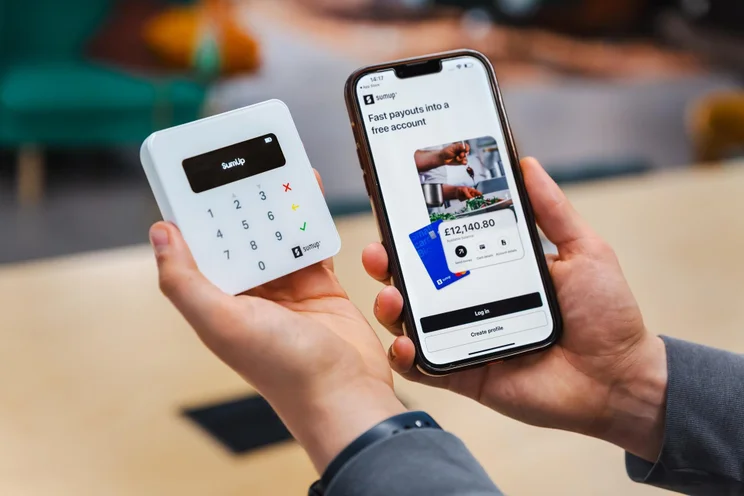
Plus, SumUp’s lightweight handheld terminals (like SumUp Solo) include integrated free 3G/4G SIM card connectivity alongside standard WiFi and can function without being tethered to a central register station, so that servers can take payments directly at cocktail tables, lawn lounges, or bar rails without running cables or relying on hotel Wi-Fi infrastructure.
Check out our SumUp POS review to learn more.
SumUp

In Short
-
Pros
- Great range of hardware accessories for in-person selling
- Low monthly costs for small businesses on a budget
- Excellent stock management to track your inventory
-
Cons
- No customer display option
- No restaurant reservation system
- No handheld POS option
Pricing
-
Free plan: $0/month
-
POS with Connect Plus: $199/month
-
POS with Connect Pro: $289/month
Images
How much does SumUp cost?
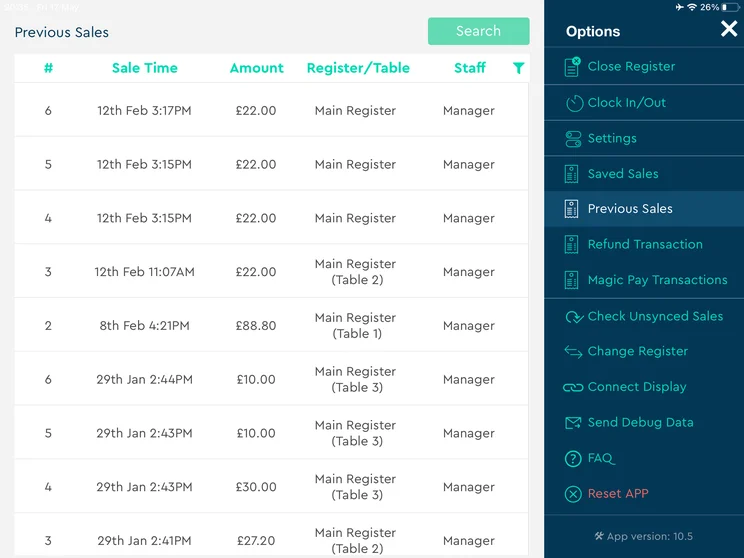
SumUp costs $0 per month for its free plan. This covers core POS software, basic menu item creation, transaction reporting, and the “park order” features. You can also get the POS with Connect Plus plan for $199 per month, which comes with everything the POS offers, as well as customer rewards, automated marketing and two standard SMS and email promotions each month. For unlimited marketing, POS with Connect Pro costs $289 per month.
SumUp uses flat-rate processing, which is 2.6% + $0.10 across all plans for in-person sales. Online and manual entry transactions are 3.5% + $0.15.
For hardware, SumUp’s cheapest equipment is the SumUp Plus card reader for $54 upfront. Other hardware includes:
- SumUp Solo ($79): Includes a built-in SIM card with free unlimited data.
- SumUp Solo Printer Bundle ($135): Includes a standalone terminal and a built-in thermal receipt-printing dock.
- Terminal ($199): A handheld card reader with a built-in receipt printer featuring a 6.5″ HD touchscreen.
- POS Lite and Solo Bundle ($399): Includes the SumUp Solo card reader, plus a tablet with built-in software to manage sales, create item catalogs, and generate reports.
|
Plan
|
Price
Monthly cost of the software.
|
Transaction fees
|
|
|---|---|---|---|
 |
|
|
|
|
Free |
SumUp Connect Plus |
SumUp Connect Pro |
|
|
$0/month |
$199/month |
$289/month |
|
|
2.6% + 10¢ (in-person card) |
2.6% + 10¢ (in-person card) |
2.6% + 10¢ (in-person card) |
Our experience with SumUp
SumUp’s quick-service features put purchasable items at the forefront of the backend, so users can easily select and send them quickly without a lot of extra steps. This can save minutes or even hours, depending on how often you’re inputting items.
However, it’s worth noting that SumUp was found to have limited customizability, with no dark mode option and no ability to change text size. Beyond that, though, it was a fairly easy-to-use system that features an intuitive interface, even for beginners.
If you like SumUp, you may also like…
- Square, if you want to create physical gift cards on your terminal.
- Shopify, if you need a handheld POS system for your hotel.
How to Choose the Right POS System for Your Hotel
When choosing the best POS system for your hotel, these are the kinds of features and functionalities you should be looking for to help you choose the right one for your business:
- Hotel size – Smaller establishments like hostels and B&Bs would be fine with simpler tablet-based solutions, while larger hotels and resorts will likely need enterprise-level solutions with advanced hardware to keep up.
- Budget – The price range on hotel POS systems is substantial, so if you can’t afford the advanced functionality, you should probably opt for one of the lower-cost solutions.
- Staff expertise – Some POS systems are easier to learn than others, so if your team isn’t well-versed in the technology, you’ll want to be sure that your system isn’t too complicated for beginners.
- Marketing needs – If you are trying to attract new customers while managing your patron needs, some POS systems offer built-in marketing tools that can help you get started.
- Connectivity – Not all hotels have reliable internet, and the last thing you want is a long line at checkout if the Wi-Fi goes out, so finding a solution that offers offline functionality can go a long way.
- Property management compatibility – Many POS systems integrate with property management systems, which can be beneficial for hotel operations to keep everything in one place.
Need to upgrade how you communicate with customers? Check out our guide to the best hotel phone systems.
Hospitality POS systems function across multiple touchpoints, including restaurants, bars, spas, room service, and retail. Therefore, they necessitate a comprehensive solution.
Systems like Square offer features such as multi-channel payments and integrations with booking systems, making them essential tools for revenue collection and management. This underscores a crucial notion in hospitality: POS is less about transactions and more about consolidating and monetizing revenue.
The hidden cost for hospitality operators is fragmented billing and missed upselling opportunities. Without stronger integration, revenue from ancillary services can become complicated, leading to billing errors or delayed payments. For hospitality POS systems, the primary requirement is to unify revenue streams with guest data, not just to process payments. Choose POS systems that integrate seamlessly and support bundled billing.

Vatsal Bhandari is a Certified Anti-Money Laundering Specialist (CAMS) and a financial and business operations consultant. He has a Master’s of Business Administration from Imperial College London and an LLM (Master of Laws) in Banking & Finance Law from the University of Edinburgh.
How Did We Compare Hotel POS Systems?
By testing 16 POS systems and conducting rigorous research, we carried out 40 user testing sessions, which amounted to 720 hours of testing in total.
These categories were broken down into a further 41 subcategories, so we were able to drill down further into certain topics to make our insights as granular and useful as possible. Here’s an overview of our main testing categories for POS systems:
- Software (35%): Floor plans and table management, order bill-splitting, ingredient-level inventory tracking, offline reliability, KDS integration, menu customization, and third-party app marketplace integrations.
- Hardware (20%): Build quality of primary registers, mobility of handheld ordering devices, KDS screens, receipt printers, and connectivity (like scanners and cash drawers).
- Usability (20%): User testing task completion speed, ease of staff training, workflow simplicity, layout customization, and front-end transaction efficiency.
- Pricing (10%): Software subscription plans, card processing transaction fees (flat-rate vs. custom interchange-plus), hardware purchase/lease terms, and contract commitments.
- Help & Support (10%): Availability of 24/7 phone support, live chat resolution speed, dedicated account management, on-site setup options, and training resources.
- Reputation (5%): Customer sentiment across review platforms (like Trustpilot, Capterra, and Reddit), brand market share, and peer recommendations.
Our research found that Square is definitely the best POS for hotels, thanks to its robust set of features that can handle the complex aspects of the business. From reservations to mobile ordering, the platform makes it easier to run a hotel.
Beyond that, though, there are lots of options out there. From the wide range of integrations from Clover to the ease of use of SumUp, it all depends on what you need a POS system for that will decide your best option.
Even with resources like this, finding a POS that matches your budget isn’t always easy. If you’re looking to cut through the noise and find accurate pricing, our quote-finding tool can provide you with tailored quotes in minutes — it’s completely free too.
Flat-rate processing charges a fixed percentage and transaction fee (such as 2.6% + $0.15) on every sale, regardless of the card type used. Meanwhile, custom interchange-plus charges businesses the card network’s wholesale interchange fees, plus a fixed processor markup. This is often more cost-effective for high-volume businesses, as larger merchants can benefit from lower processing costs compared with flat-rate pricing.
Clover offers the cheapest processing fees at 2.3% + $0.10. However, this is only available under its Standard and Advanced plans, which are $180/month and $240/month, respectively.
PMS integration enables seamless communication between the hotel’s property management system and POS system through APIs or built-in integrations. When a guest charges a restaurant meal, minibar item, or retail purchase to their room, the POS system validates the guest’s stay details and automatically transfers the transaction, including charges, taxes and gratuities, to the guest’s folio in real time.
Leading POS platforms (including Square, Clover and Lightspeed) support multi-location management through centralized backend systems. This allows operators to configure separate inventory settings, pricing rules, tax rates, and product offerings for each outlet, such as a lobby cafe, bar, or full-service restaurant. At the same time, all sales data, employee performance metrics, tip allocations, and labor reports can be consolidated into a single dashboard – providing greater operational visibility and control across the property.
If you click on, sign up to a service through, or make a purchase through the links on our site, or use our quotes tool to receive custom pricing for your business needs, we may earn a referral fee from the supplier(s) of the technology you’re interested in. This helps Tech.co to provide free information and reviews, and carries no additional cost to you. Most importantly, it doesn’t affect our editorial impartiality. Ratings and rankings on Tech.co cannot be bought. Our reviews are based on objective research analysis. Rare exceptions to this will be marked clearly as a ‘sponsored’ table column, or explained by a full advertising disclosure on the page, in place of this one. Click to return to top of page


