
We may receive a commission from our partners if you click on a link to review or purchase a product or service. Click to Learn More
Square is the best mobile POS due to its free plan and simple interface. The POS even throws in a card reader at no cost, earning its title as the most affordable option on this list and the best small business POS system we researched overall.
However, if you’re looking for a mobile POS that can do more than log orders and take payments, Lightspeed POS is another excellent mPOS, with an integrated customer rewards system to encourage repeat buying and inventory management tools capable of managing the biggest and most complex inventories.
If you’re in the market for a cost-effective and user-friendly mobile POS, this authoritative guide ranks and reviews the best mobile POS system options there, based on the independent findings from our research team.
- Square is the best overall mobile POS system, offering a $0 per month base software plan with no inactivity fees and offline payment processing.
- Square is also the cheapest mPOS system, letting businesses start selling at zero monthly costs and only charging processing fees per transaction.
- Transaction fees for mPOS systems range from 2.4% + 10¢ to 2.9% + 30¢, depending on the type of transaction and the provider you choose.
- The main benefits of mPOS systems are flexibility, good value for money, quick payments, fast setup, and the ability to scale if your business needs more advanced software or hardware.
- Tap to Pay on iPhone and Android allows businesses using Square or Shopify to accept contactless card payments directly on a smartphone via NFC without extra hardware.
|
Price
The typical lowest starting price. The lowest price available for your business will depend on your needs
|
Tech.co rating
Score out of 5 for general mobile, based on Tech.co's independent market research
|
Lowest transaction fee
The lowest possible fee that will be incurred with each transaction
|
Key benefits
|
Drawbacks
|
Hardware kit starting price
|
Get started
|
||
|---|---|---|---|---|---|---|---|---|
 |
 |
 |
 |
 |
||||
|
Square |
Shopify POS |
Lightspeed |
TouchBistro POS |
Epos Now |
||||
|
From $0/month |
From $0/month |
From $89/month |
From $69/month |
Around $39-$79/month |
||||
|
4.6
|
4.5
|
4.2
|
4.2
|
3.8
|
||||
|
2.5% + 15¢ |
2.4% + 10¢ |
2.6% + 10¢ |
N/A (quote-based) |
2.6% + 10¢ |
||||
|
|
|
|
|
||||
|
|
|
|
|
||||
|
$59 for the Square Reader |
$49 for the Tap & Chip Mobile Reader |
$49-$79 for the mobile tap/card reader |
Around $1,500-$2,500 |
$299-$499 |
||||
| Visit Square | Try Shopify | Compare Quotes | Try TouchBistro | Compare Quotes |
The Tech.co team pours hundreds of hours into researching the best POS systems because it’s the only way to ensure we’re providing our readers with the most accurate, up-to-date information possible.
We’ve spoken to daily POS users working in restaurants, retail and more, and have tested out more than 20 point-of-sale platforms ourselves, paying close attention to everything from the quality and feel of the hardware to how easy the software is to use, to help you make a clear decision for your business needs.
Head over to our methodology section to learn more about our product review process, which is one of the reasons more than one million users consult our articles every month.
1. Square: Best for low-volume, seasonal, or pop-up retailers
- Price from: $0/month
- Free plan: Yes
- Payment processing from: 2.4% + 15¢ per transaction
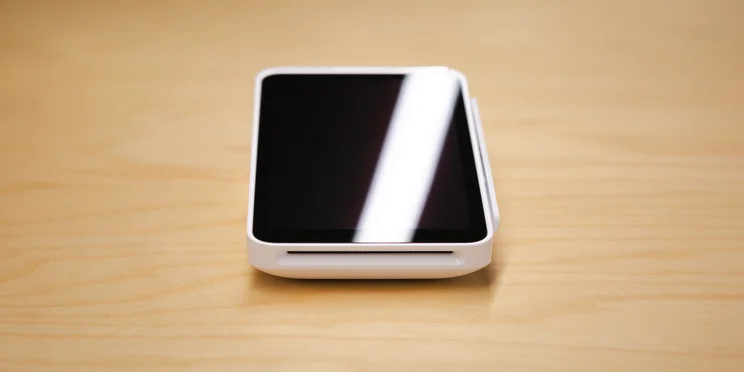
Square is the best mobile POS for low-volume and seasonal businesses – such as food trucks and pop-up retailers – thanks to its intuitive software and generous fee plan, making it the best POS system overall for small businesses.
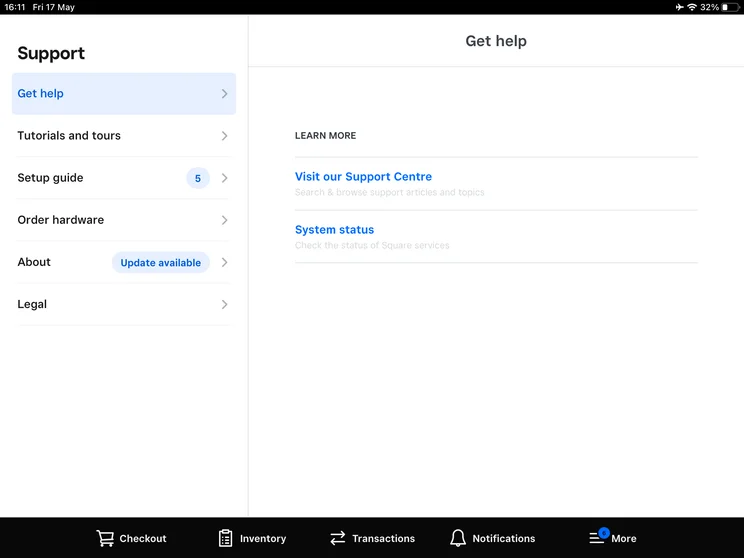
Starting at $0 per month, merchants can start selling right away through the Square POS app on a compatible iPad or Android device using Tap to Pay. And for businesses operating in areas with weak connections, Square’s Offline Mode lets merchants continue taking card payments even when disconnected from the internet, with transactions automatically queued and processed once connectivity is restored.
Another great thing about Square is that there are no contractual commitments. For seasonal businesses that routinely go dormant for 6-9 months, Square charges zero monthly maintenance or inactivity fees, letting merchants pause operations indefinitely at no cost between seasons.
Check out our full guide to the best POS systems for food trucks.
Square POS

In Short
-
Pros
- Free to get started
- Serves businesses of all sizes and in all sectors
- Strong analytics, inventory, and third-party integrations
-
Cons
- Some necessary features for mid-sized businesses cost more
- 3.5% + 15¢ charge for keyed-in transactions on free plan
- Support options vary by plan
Pricing
-
 Square Free plan at $0/month
-
 Square Plus plan at $49/month
-
Square Premium at $149/month
Images
How much does Square POS cost?
You can start using Square at no cost on its free plan. With this, you’ll only be charged a per-transaction fee (2.6% + 15¢ for card-based and 3.3% + 30¢ for online sales), saving you from costly overhead prices.
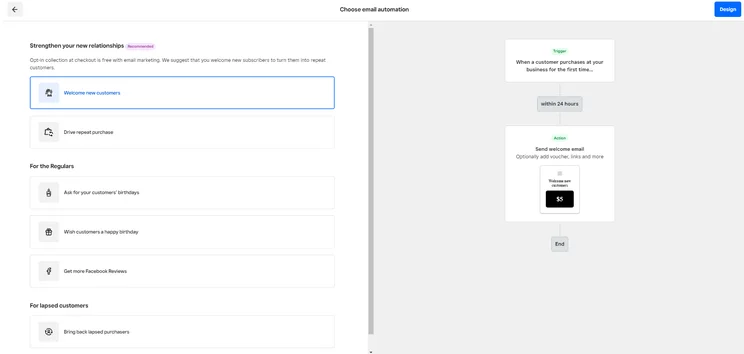
Meanwhile, Square’s Plus plan costs $49 per month, per location, which comes with slightly lower transaction fees (2.5% + 15¢ for in-person card payments and 2.9% + 30¢ for online sales). It also comes with everything from Free, plus advanced tools in reporting, staff management, a loyalty rewards program, and more.
There’s also Square Premium, which costs $149 per month, per location. This gives you tools in bookings reportings and more restaurant operations (such as seat/course management and drive-thru), on top of what you get from Free and Plus. Transaction fees also drop to 2.4% + 15¢ for in-store payments and 2.9% + 30¢ for online sales.
Square’s hardware is also affordable, starting at $59 upfront for the Square Reader. Other hardware costs include:
- Square Terminal (all-in-one handheld POS & printer): $299
- Square Stand (iPad enclosure): $149
For more details on Square’s pricing plans, fees, and a hidden charges, check out our full Square POS review.
|
Plan
|
Price
Monthly cost of the software.
|
Transaction fees
|
|
|---|---|---|---|
 |
|
|
|
|
Free |
Plus |
Premium |
|
|
Free |
$49/month |
$149/month |
|
|
Card: 2.6% + 15¢ |
Card: 2.5% + 15¢ |
Card: 2.4% + 15¢ |
What are Square’s key features?
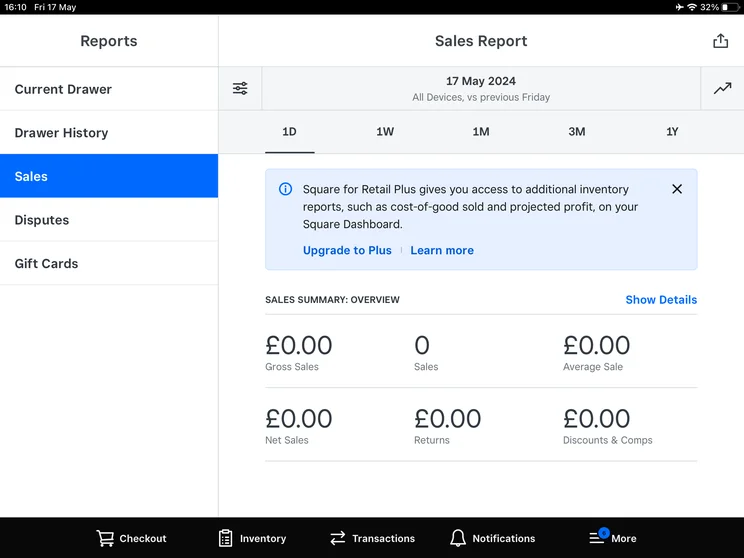
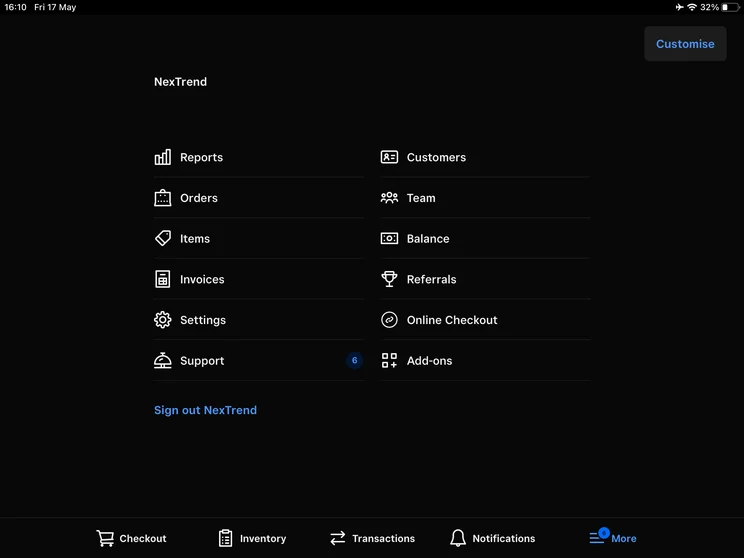
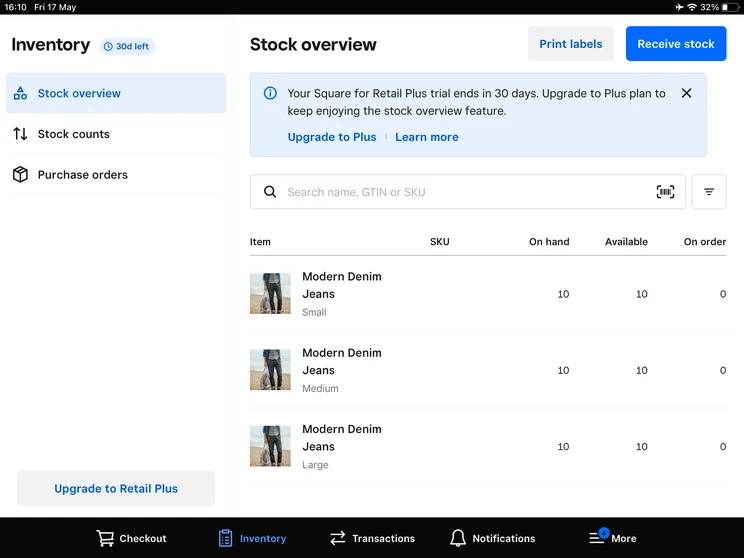
Square provides the most comprehensive feature set among entry-level mobile POS systems, including CRM and Loyalty, detailed reports and analytics, sales forecasting, staff management and scheduling, inventory management, online orders, booking features, item modification, and automatic restock scheduling.
While Square POS’s features are strong across the board, its payment options stood out to our researchers in particular. Aside from standard payment options like cash, credit and debit cards, and mobile payment apps, Square POS accepts digital invoices, QR code payments, and invoices, and even links up to third-party BNPL services.
Square’s customer loyalty program is also highly customizable. For businesses looking to drive up purchases, the POS lets you choose a loyalty system that works best for you, choose specific terminology like ‘stamps’ and ‘stars’, and select multiple reward levels.
Compared to competitors like Lightspeed, Clover, and Epos Now, Square’s till features fall slightly short. This is because Square doesn’t offer a training mode to help staff learn the software. In fact, Epos Now is the only POS offering in this guide that does offer one.
Check out our guide to all the best restaurant POS systems.
2.Shopify: Best for brands with existing ecommerce stores
- Price from: $0/month
- Free plan: Yes
- Payment processing from: 2.4% + 10¢ per transaction
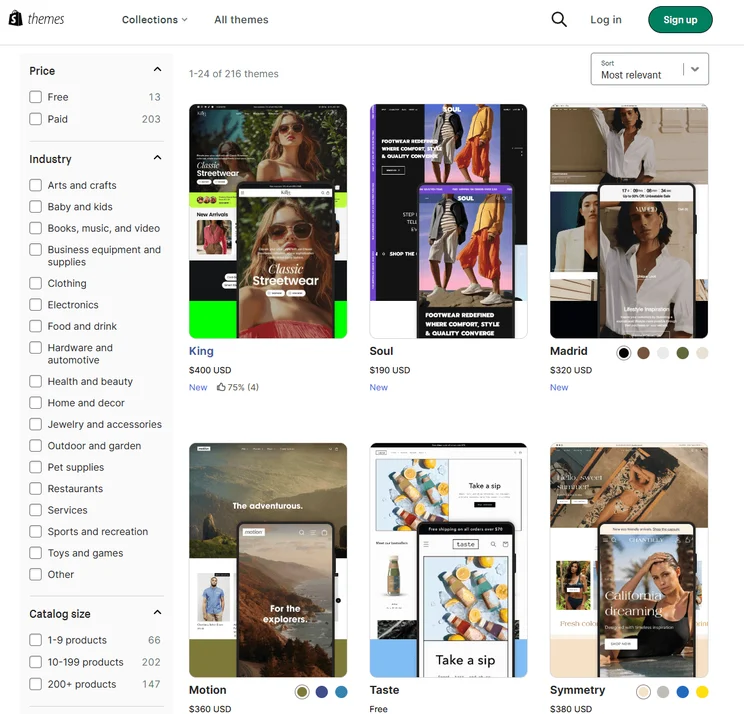
Shopify is the top choice for businesses with existing Shopify ecommerce stores because its POS system seamlessly connects in-store sales with online orders, customer profiles and inventory from a single platform.
It also comes with impressive customer loyalty tools. When a store cashier scans or inputs a customer’s email at the mobile register, Shopify pulls up their complete online purchasing history, shipping address, and preferences (such as a clothing size). From there, discount codes, digital store credits, and loyalty rewards issued online can be redeemed instantly at the physical register.
Plus, even if you don’t sell goods across multiple channels, Shopify’s integrated payment options and a broad selection of mobile-compatible hardware, like the WisePad portable card reader. This makes it a good option for casual mobile sellers – as long as they’re willing to front its relatively high card transaction fees.
Shopify

In Short
-
Pros
- Vast selection of third-party integrations and apps
- Range of customer support including phone, live chat, and 24/7 options
- Excellent generative AI features to craft content
-
Cons
- Messy interface between backend and frontend
- No free domain, must pay extra
- Short 3-day free trial to try platform before you buy
Pricing
- Agentic plan: $0/month
- Basic plan: $29/month
- Grow plan: $79/month
- Advanced plan: $299/month
- Plus plan: $2,300/month
- Transaction fees from 2.9% + 30¢
Images



How much does Shopify POS cost?
Shopify POS is available for free if you have an active Shopify ecommerce plan, including Basic ($39/month), Grow ($105/month annually), Advanced ($399/month), and Plus (from $2,300/month). You can’t use Shopify’s POS without an active subscription plan.
Shopify’s free POS (Shopify Lite) is included in all base plans, but you can upgrade to the Shopify POS Pro for $89 per month, per location ($79 annually). You get everything on Shopify Lite, plus extra features like staff permissions/roles, order exchanges, in-store pickup (BOPIS) workflows, advanced stock counts, and daily register summary reports.
As for its in-person processing fees, these scale down based on your base subscription tier. These are 2.6% + 10¢ on the Basic plan, 2.5% + 10¢ on the Grow plan, and 2.4% + 10¢ on the Advanced plan.
Shopify also offers its own hardware, which you pay for upfront:
- Tap & Chip Mobile Reader: $49
- Shopify POS Terminal: $399
- Victa Mobile (Handheld Terminal): $399
|
Plan
|
Price
Monthly cost of the software.
|
Transaction fees
|
|
|---|---|---|---|
|
|
|
||
|
Shopify Lite |
Shopify POS Pro |
||
|
$0/month (free with every base plan) |
$89/month |
||
|
Basic: 2.6% + 10¢ |
Basic: 2.6% + 10¢ |
What are Shopify POS’s key features?
Shopify’s key features are seamless ecommerce integrations, demand forecasting, local delivery, in-store pickup, sale item suggestions, staff management, and custom printed receipts.
Its real strengths come from its omnichannel selling toolkit. Stores can use the POS app to view order-taking plans in-person and online. The platform even lets sellers accept online orders, manage pick-up orders, and even ship goods to customers. Most of Shopify’s advanced features are only available to Pro users, however, making the app less accessible to smaller sellers who are just starting on their journey.
Like Lightspeed, Shopify also shines when it comes to inventory management. Aside from standard capabilities like real-time stock tracking, Shopify offers inventory analysis tools to help you work out which products are worth reordering, demand forecasting features to get order suggestions based on product performance or seasonality, and purchase orders to streamline the supplier purchase process.
See how the POS compares to Shopify in our Lightspeed vs Shopify review.
3. Lightspeed: Best for multi-location retailers
- Price from: $89 per month
- Free plan: No
- Payment processing from: 2.6% + 10¢ per transaction
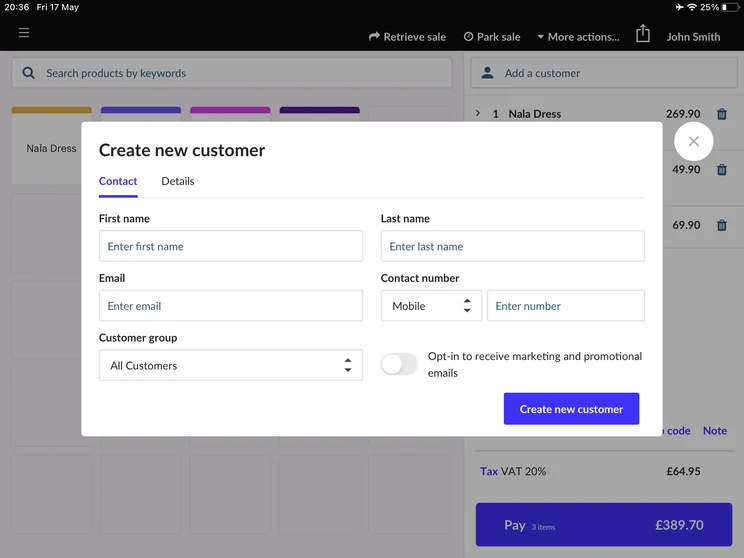
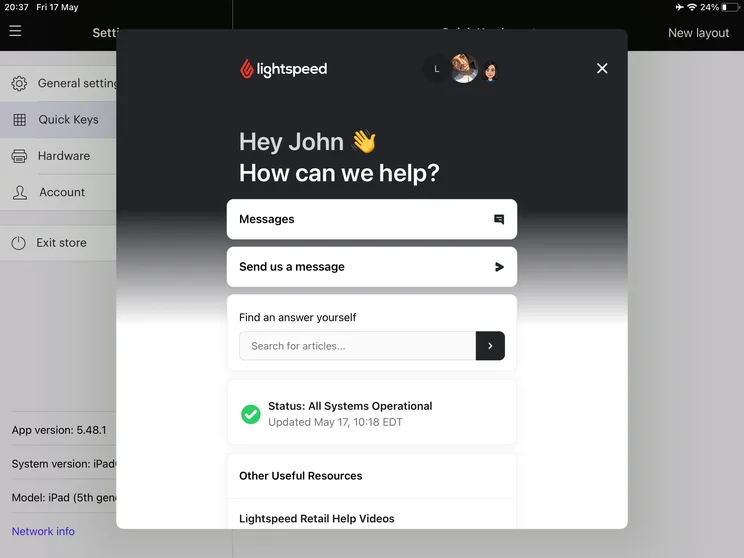
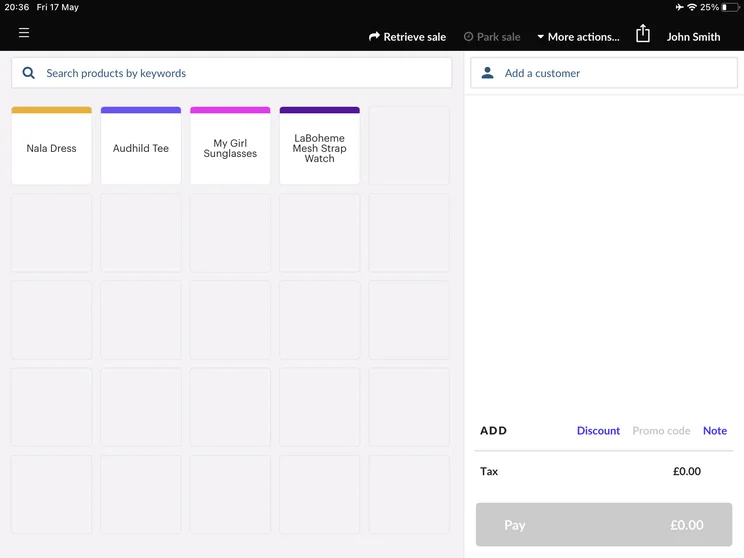
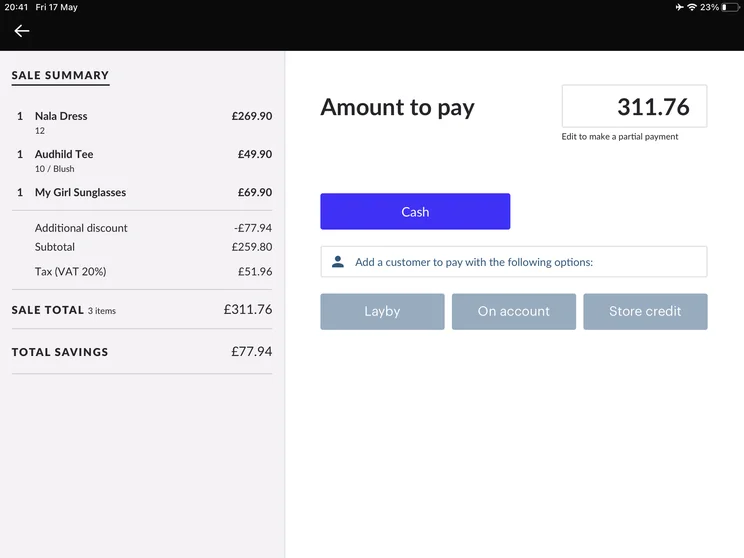
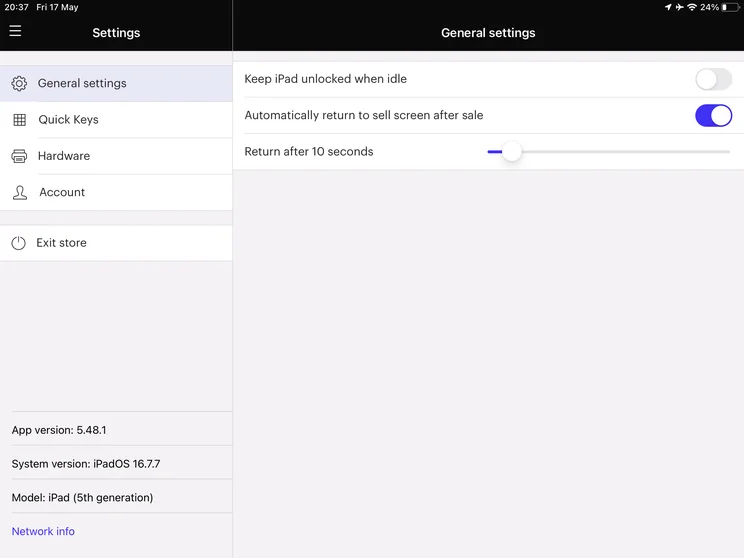
Lightspeed POS is the top choice for businesses with complex inventories and multi-location retailers, thanks to its advanced inventory management tools, real-time stock visibility, and ability to scale across multiple stores.
Lightspeed makes it easier to manage complex product catalogs by grouping multiple variants under a single parent product. This allows businesses to track large numbers of size, color, and other combinations, alongside serial numbers and custom attributes, across their POS system.
Its multi-stock tools also mean that cashiers can check live stock levels at all other store locations directly from their mobile tablet during a customer interaction. They can then initiate stock transfer requests or reserve items at another brand instantly, which helps to reduce lost sales.
Lightspeed POS

In Short
-
Pros
- Ideal for multiple retail stores with barcoded inventory
- Straightforward pricing with no hidden fees
- Extensive app store for users to expand customer engagement
-
Cons
- Slightly more expensive than some rivals
- Harder to use for restaurants, florists and businesses without barcodes
- Doesn’t integrate with weighing scales
Pricing
-
Basic: $89/month
-
Core: $149/month
-
Plus: $289/month
Images
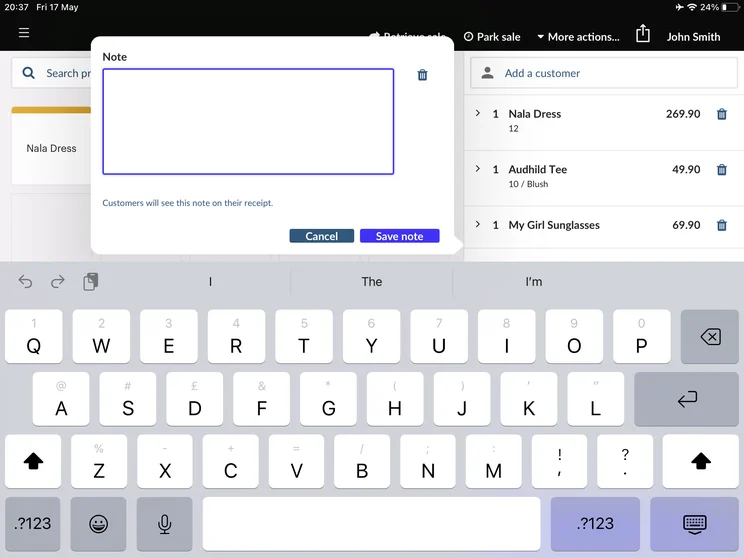
How much does Lightspeed POS cost?
Lightspeed offers three distinct pricing plans for retail businesses. Businesses can get started with its Basic plan ($148 per month), Core plan ($208 per month), or Plus plan ($348 per month). This includes the base plan cost, plus additional registers for $59.
Lightspeed’s processing fees are 2.6% + 10¢ per transaction for in-person payments and 2.6% + 30¢ for online sales. There are also custom enterprise rates available for businesses processing over $250,000 annually.
As for its hardware, Lightspeed doesn’t publish its explicit prices. However, these are the upfront costs you can expect to pay:
- Mobile tap/card reader: Around $49-$79
- Smart terminal with built-in printer: Around $329-$399
- iPad stand/enclosure: $169
- Barcode scanners (Bluetooth/USB): $149-$209
- Complete single-register hardware bundles: Typically range between $1,000 and $1,500 (excluding table devices)
Read our full Lightspeed POS review for a more detailed breakdown of the system’s price points and features.
|
Plan
|
Price
Monthly cost of the software.
|
Transaction fees
|
Benefits
|
|
|---|---|---|---|---|
|
|
|
|
||
|
2.6% + 10¢ per sale |
2.6% + 10¢ per sale |
2.6% + 10¢ per sale |
||
|
|
|
What are Lightspeed POS’s key features?
Lightspeed’s most standout features are its inventory alerts, margin reports, online ordering, CRM and Loyalty, sell on-the-go, delivery support, staff goal setup, and bulk product editing.
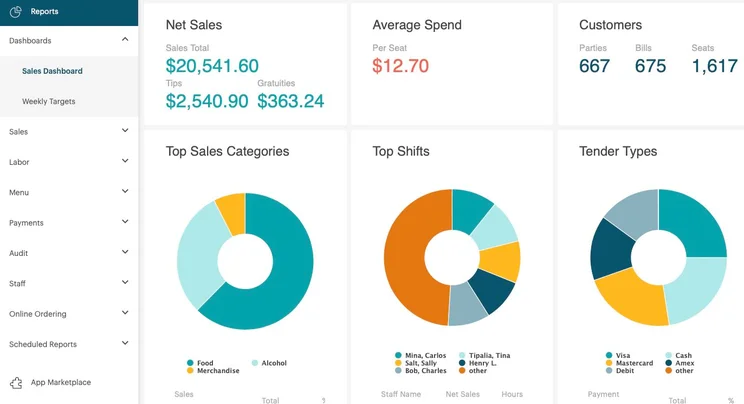
It may not be the best retail POS system we reviewed (that accolade goes to Square), but the mPOS did perform well in our research. The system excelled in the business management tools category because of its advanced reporting and analytics features, which let you measure customer demand and gain tailored marketing insights, and its powerful staff performance capabilities.
If your business stocks large or complex inventories, Lightspeed offers several unique stock management features like stock transfers, product categorization and supplier returns – all features that competitors like Square and Clover lack.
Lightspeed also does well with till and business development features, meaning it can easily accept any major form of payment and has tools to help keep audiences engaged and growing. The service’s mobile processing tools let you accept a wide variety of payment methods from anywhere in your store, while extras like delivery support and online ordering open up new market segments.
4. TouchBistro: Best for full-service restaurants, bars, and cafes
- Price from: $69 per month
- Free plan: No
- Payment processing from: Quote-based
TouchBistro is best for full-service dining businesses – including restaurants, bars, and cafes, because it is built around table service workflows, giving servers tools for managing tables, orders and guest experiences from the dining floor.
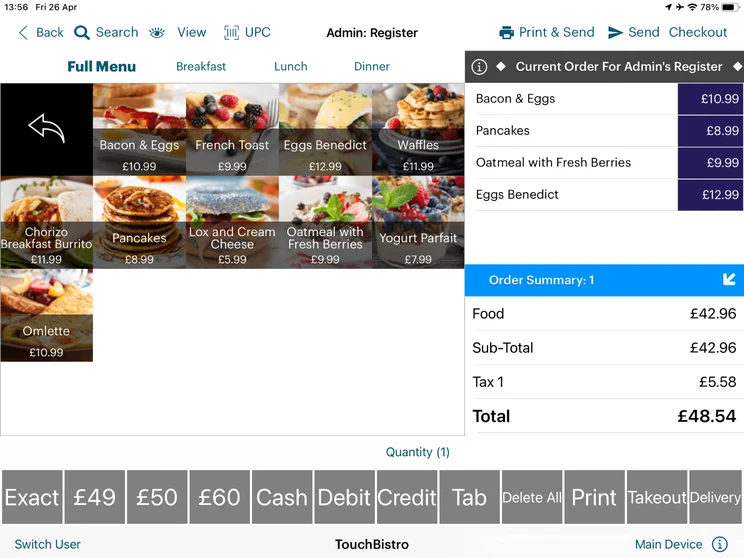
TouchBistro lets servers edit floor plans directly on the mobile iPad. This includes merging tables for large parties, transferring active checks between sections, and tracking meal progress (such as seated, ordered and paid). It also logs order items by individual seat number rather than on a single bill, meaning staff can split and settle payments directly at the table in seconds without leaving the dining floor or navigating away from the order screen.
Additionally, waitstaff can apply detailed item modifiers and manage course timing directly from the table, including requests such as delaying main courses. Orders are then automatically routed to the correct kitchen stations or kitchen display systems (KDS), improving communication between front-of-house teams and kitchen employees.
TouchBistro POS

In Short
-
Pros
- Entirely tablet-based system for better mobility
- Easily accessible floor planning tools
- Helpful cost management features for managers
-
Cons
- TouchBistro does not sell POS hardware
- No automated tip management features
- No mobile or QR code ordering available
Pricing
- Point of Sale Core Plan: $69/month
- Essentials bundle: $119/month
- Dual/team plans: $129-$249/month
Images
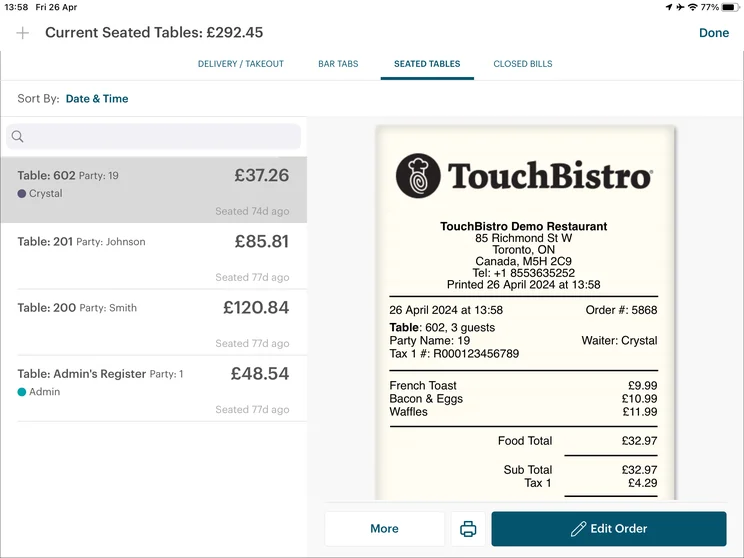
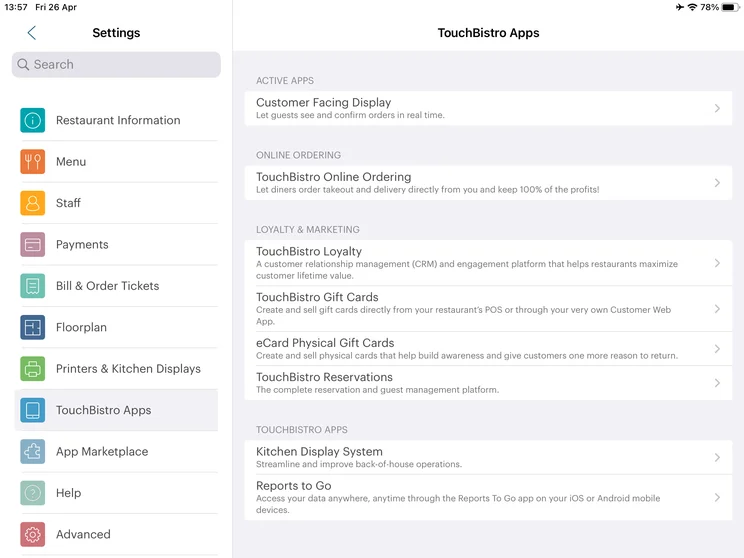
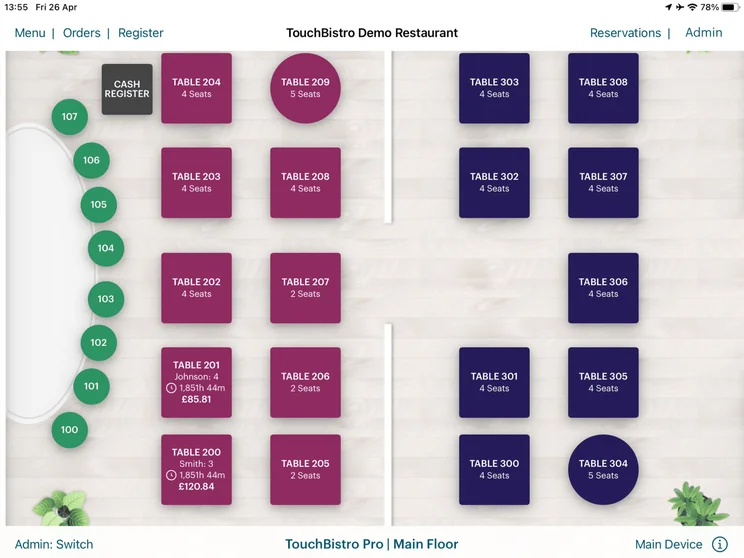
How much does TouchBistro POS cost?
TouchBistro starts at $69 per month and requires a 12-month software contract commitment with its tiered software plans.
- Point of Sale Core Plan ($69/month): Includes floor plan and table management, tableside ordering, menu management, basic staff permissions, and reporting analytics.
- Essentials bundle ($119/month): Bundles core software features with integrated payment processing tools and hardware configuration.
- Dual/team plans ($129-$249/month): Scale license allowances for multi-terminal dining rooms.
TouchBistro also offers optional hospitality add-ons, which are usually quote-based. These include online ordering, reservations & table management, gift cards & customer loyalty, advanced inventory & profit management, and labor management.
Unlike other providers, TouchBistro does not offer a flat fee for its transaction fees. Instead, these are tailored based on a business’s annual card volume.
TouchBistro also runs natively on Apple iOS, so businesses buy hardware upfront rather than leasing. These typically cost between $1,500 and $2,500, depending on whether the hardware is brand new or refurbished. The hardware components include Apple iPads, iPad swivel enclosures/stands, receipt printers, KDS, mobile card readers, and cash drawers.
|
Plan
|
Price
Monthly cost of the software.
|
Transaction fees
|
|
|---|---|---|---|
|
|
|
|
|
|
Core |
Essentials |
Dual/Team |
|
|
$69/month |
$119/month |
$129-$249/month |
|
|
Quote-based |
Quote-based |
Quote-based |
What are TouchBistro’s key features?
TouchBistro’s core features include menu management, stock management, tableside ordering, customizable floor plans, take-out and delivery order management, bill splitting and seat joining, bar tab management, and custom reports
While TouchBistro’s feature offering may not match the likes of Square and Lightspeed, the POS still offers an impressive range of mobile POS capabilities for restaurants and hospitality businesses.
TouchBistro’s software is exclusively iPad-based too, which means that mobile vendors get access to the provider’s full toolkit. Notable features include the POS menu management, which lets you create, edit, and upload customized menus in a couple of taps, and its floor plan management features, which let you create a custom replica of your venue, even down to the table size.
5. Epos Now: Best for businesses needing specialized app store integrations
- Price from: Around $39-$69 per month (contract)
- Free plan: No
- Payment processing fees from: 2.6% + 10¢ per transaction
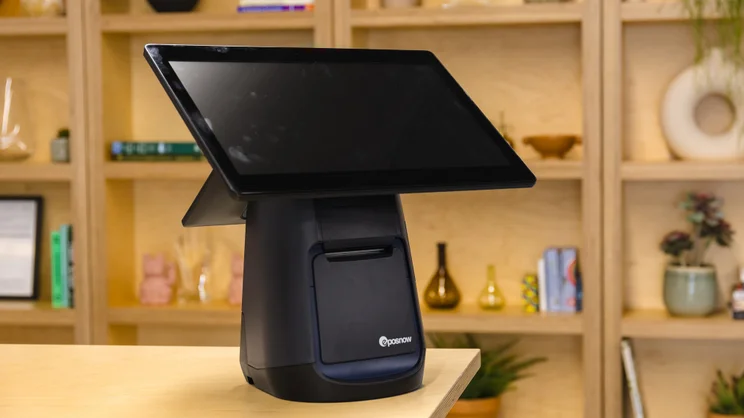
Epos Now is ideal for businesses that need specialized app store integrations, as its extensive App Store ecosystem offers a wide variety of third-party platforms – including accounting, marketing and delivery management – which can be downloaded into the Epos Now system in seconds.
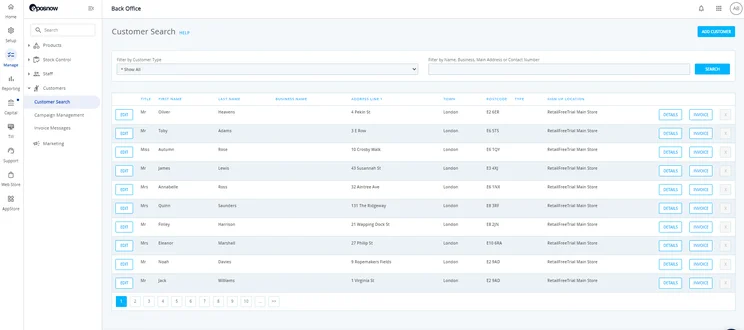
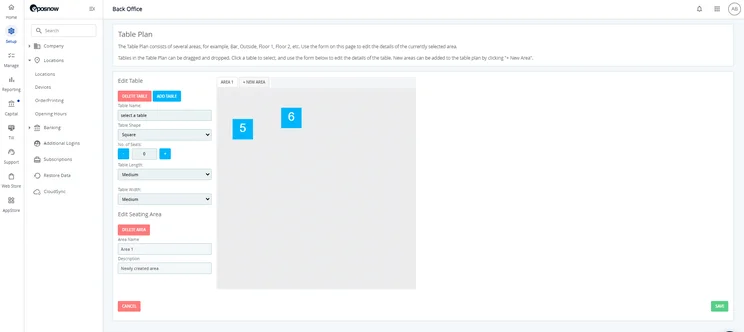
Epos Now’s back-office tools offer a high level of customization, including flexible layouts, custom data fields and adaptable reporting options. This gives managers complete control over how third-party app data flows into local register screens, stock tracking, and sales analytics.
It offers one of the most comprehensive stock management tools out of any other POS mobile systems we’ve tested. Its detailed stock categorization supports item variant creation, SKU tracking, bulk product uploads and centralized inventory monitoring across multiple locations or registers – giving businesses clear visibility into stock levels, wastage, and product movement without relying on external spreadsheets.
Epos Now

In Short
-
Pros
- Robust and granular inventory management tools
- Dedicated training mode to easily get staff used to software
- High quality hardware options available
-
Cons
- No option for automated tip sharing
- Can be confusing for users new to POS systems
- Hefty upfront fees
Pricing
-
Plans start at $39-$69/month
-
Additional registers are around $24/month
-
Hardware starts at around $299/month
Images
How much does Epos Now cost?
Epos Now charges about $39- $69 per terminal per month under a fixed contract, usually 12 to 24 months. This includes core POS register capabilities, inventory cataloging, basic customer profiles, and standard back-office sales reporting.
Epos Now also charges 2.6% + 10¢ per in-person transaction and 2.9% + 30¢ per online sale, applied as a single flat rate.
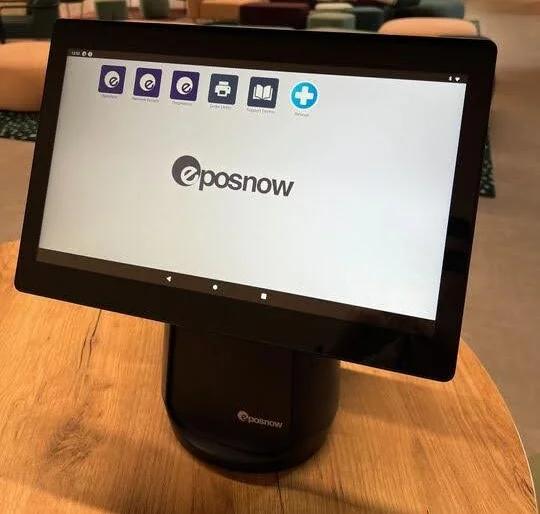
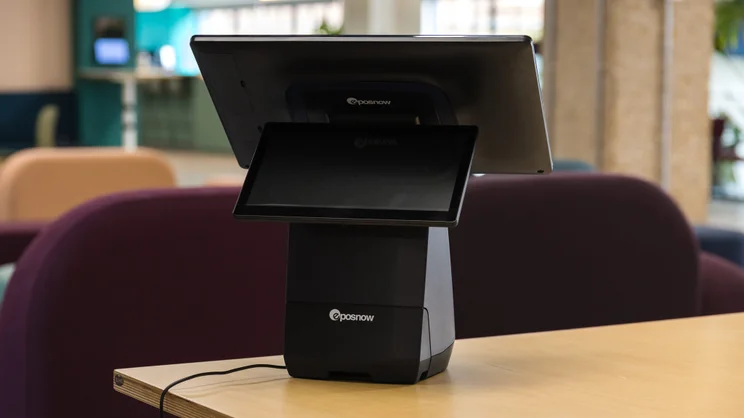
For its hardware, Epos Now offers a Complete System Bundle, which costs around $299-$499 upfront (though discounted with an integrated merchant contract). This includes a touch-screen terminal, built-in thermal receipt printer, and heavy-duty cash drawer. There’s also the Mobile/Tablet Hardware bundle for around $99-$299, which includes smart tablet registers and handheld card readers.
|
Plan
|
Price
Monthly cost of the software.
|
Best for
|
Benefits
|
|
|---|---|---|---|---|
|
|
|
|
||
|
Full System |
Software Only |
Enterprise |
||
|
$79/month |
$39/month |
Custom quote |
||
|
Full-service locations that need terminals, card readers, and software |
Small, single location businesses that don’t need heavy-duty hardware |
Large or complex full-service businesses |
||
|
|
|
What are Epos Now’s key features?
Epos Now’s main features are cost-profit stock controls, on-the-go report management, staff training, online ordering, barcode ticket scanning, advanced analytics, real-time stock updates, and loyalty tools.
With its inventory management features like real-time stock updates and cost-profit reporting, the POS app will lend itself well to more established retail stores and full-service restaurants. It even lets you access and edit reports from any device you download it on, making it easy for you to track important business insights on the go.
While Epos Now’s mobile app offers just about every POS capability in the book, its feature-rich software does come at a slight cost to the overall user experience. When we used Epos Now’s app in our user testing, it took us longer to carry out simple tasks like applying discounts and managing table plans compared with other systems. There was a slight delay when logging orders too, which could easily get frustrating for small and fast-service businesses under pressure to serve customers quickly.
What are the benefits of mPOS?
As customer expectations continue to evolve, businesses are looking for faster and more flexible ways to accept payments and improve the overall buying experience.
Mobile point-of-sale (mPOS) has emerged as a popular solution, with adoption surpassing 42% in the US. mPOS systems give businesses the ability to process transactions using portable devices like smartphones and tablets rather than relying on traditional, fixed checkout terminals.
- Flexibility – mPOS systems can be fixed in one destination, or used on the go. This makes the solution much more flexible than fully fledged POS systems.
- Value – mPOS systems don’t require bulky, expensive hardware. This makes them much more cost-effective than regular point-of-sale systems.
- Shorter wait times – mPOS devices allow you to take payments anywhere, allowing you to serve customers when they’re in the queue, keeping the line moving and minimizing wait time as a result.
- Scalable – While mPOS are a great launchpad for small businesses, most providers let you upgrade to larger software and hardware packages if your needs evolve.
- Quick set up – mPOS systems are easy to transport and can be set up in no time, making it easy for you to work from multiple locations.
More businesses than ever are embracing m-payments. Learn about the facts and figures in our mobile payment statistics round-up.
How did we research and test the best mobile POS systems?
We put 16 POS systems to the test with a rigorous research and testing methodology. We conducted 40 user testing sessions, totalling 720 hours of testing. These categories were broken down into a further 41 subcategories, so we were able to drill down into specific topics to make our insights as granular and useful as possible.
- Software (35%): The capabilities provided by the POS product, including features like ordering and payment functionality, as well as industry-specific tools like KSU uploads, inventory-level stock tracking, and kitchen display system (KDS) software.
- Hardware (25%): The quality of a POS system’s hardware selection. The presence of an own-brand terminal, as well as hardware accessories like KDS, receipt printers, and barcode scanners.
- Pricing (15%): The cost associated with acquiring and using the POS system, such as the initial purchase cost, transaction fees, licensing fees, subscription plans, and any additional charges or ongoing costs.
- Usability (15%): Measures front-end register speed, screen layout clarity, workflow efficiency (like order editing, bill splitting, applying discounts), and time-to-value for frontline staff.
- Help & support (5%): The assistance and resources available to users when they encounter issues or need guidance while using the POS system, including documentation, tutorials, or knowledge bases.
- Reputation (5%): The aggregate score from customer review sites like Trustpilot and TrustRadius, to understand how POS providers are viewed by their own customer bases.
Our top pick for the best mobile POS is Square. It is the best mobile POS system for businesses watching their bottom lines, offering a free plan with flat-rate transaction fees, a surprising number of advanced capabilities, and a reliable support system.
Lightspeed is another competitive option for mobile sellers, with industry-leading loyalty features, while Shopify should be the top choice for stores selling across multiple channels.
Once you’ve confirmed which POS systems will suit your needs, the hard part is over. The easy part? Taking a minute to fill out Tech.co’s quotes form, to receive customized quotes from the best mobile POS services we’ve vetted.
Frequently Asked Questions
Yes, but you still have to pay for a base subscription to access its POS system. If you have no intention of ever selling online, zero-subscription platforms like Square eliminate this recurring software cost.
Shopify offers the lowest transaction fees at 2.4% + 10¢, but only on its Advanced plan, which costs $399/month. While Square has slightly higher processing fees at 2.6% + 15¢, there is no monthly software cost on its free plan.
Yes, you can turn an iPad into a fully operational, cloud-based POS register. In fact, the majority of modern mobile POS platforms – including Square, TouchBistro, Lightspeed and Shopify – were engineered specifically around Apple’s iOS hardware architecture. All you have to do is download the native iOS app directly from the Apple App Store onto your iPad, connect a Bluetooth or physical dock card reader (like Square Reader, Shopify Tap & Chip, or Wisepad) and mount the iPad into a dedicated swivel enclosure (such as a Square Stand or Bouncepad) and pair peripheral hardware via Bluetooth, LAN, or USB hub (cash drawer, receipt printer, and barcode scanner).
For food and beverage, TouchBistro is the best option for full dining thanks to its native iPad tableside checks, seat-based billing, and localized network reliability, while Square for Restaurants is a good alternative for quick-service or cafes needing lower fixed costs. For retail, Shopify dominates omnichannel e-commerce retail, while Lightspeed Retail is superior for complex apparel matrices, serial tracking, and multi-store vendor purchasing.
Yes. Platforms like Square and Shopify support Tap to Pay on iPhone and Android. Using the phone’s built-in NFC chip, customers tap their contactless card or mobile wallet (Apple Pay, Google Pay) directly against your smartphone.
If you click on, sign up to a service through, or make a purchase through the links on our site, or use our quotes tool to receive custom pricing for your business needs, we may earn a referral fee from the supplier(s) of the technology you’re interested in. This helps Tech.co to provide free information and reviews, and carries no additional cost to you. Most importantly, it doesn’t affect our editorial impartiality. Ratings and rankings on Tech.co cannot be bought. Our reviews are based on objective research analysis. Rare exceptions to this will be marked clearly as a ‘sponsored’ table column, or explained by a full advertising disclosure on the page, in place of this one. Click to return to top of page


