
We may receive a commission from our partners if you click on a link to review or purchase a product or service. Click to Learn More
Square is the best point of sale (POS) system for food trucks, because you can sell without monthly fees on its free plan, it has sleek, easy-to-use hardware, and it has reliable 24/7 support.
If you process a high volume of orders, we’d recommend using Toast. It has excellent customer engagement and inventory management tools, which are great for scaling your business.
We’ve spent hours researching and testing the best POS systems, putting them through several different assessments to determine their suitability for food trucks. We can also get you a custom-fitted quote for your chosen POS system.
- Square is the best POS for food trucks, because of its robust free plan, high-quality hardware, and solid offline functionality feature.
- If you’re dealing with multiple food trucks, Toast is a solid option, due to its extensive set of hospitality features and ability to manage complex and large operations.
- For businesses on a budget, SpotOn offers the cheapest options when it comes to paid plans, starting at $25 per month.
- You can get started with a food truck POS completely for free with options like Square, Toast, and SpotOn.
- When choosing a POS for your food truck, you should consider elements such as the quality of your hardware, the size of separate hardware components, and whether the system offers offline functionality.
- All of our results are based on hands-on user testing of each POS system we recommend.
The Tech.co team pours hundreds of hours into researching the best POS systems because it’s the only way to ensure we’re providing our readers with the most accurate, up-to-date information possible.
We’ve spoken to daily POS users working in restaurants, retail, and more, and have tested out more than 20 point of sale platforms ourselves, paying close attention to everything, from the quality and feel of the hardware to how easy the software is to use, to help you make a clear decision for your business needs.
Head to our methodology section to learn more about our product review process, which is one of the reasons more than one million users consult our articles every month.
What Are the Best POS Systems for Food Trucks?
- Square – Best overall
- Toast – Best for scaling operations
- SpotOn – Best for keeping costs low
- Clover – Best hardware
- SumUp – Best for performance insights
|
Price
The typical lowest starting price. The lowest price available for your business will depend on your needs
|
Free plan
|
Transaction fees
|
Tech.co rating
Score out of 5 based on Tech.co's independent market research
|
Hardware
|
Offline mode
|
User limit
|
iPad app
Is there a version of the software made specifically for iPad use?
|
Android app
Is there a version of the software made specifically for Android tablet use?
|
24/7 support
|
Reporting/analytics
|
Staff management
|
Pros
|
Cons
|
|||
|---|---|---|---|---|---|---|---|---|---|---|---|---|---|---|---|---|
|
BEST OVERALL
 |
 |
 |
 |
 |
||||||||||||
|
Square |
Toast |
SpotOn |
Clover |
SumUp |
||||||||||||
|
From $0/month |
$0/month |
$0/month |
From $16/month for 36 months (depending on plan) |
$0/month |
||||||||||||
|
|
|
|
|
|
||||||||||||
|
4.8
|
4.6
|
4.3
|
4.1
|
3.8
|
||||||||||||
|
Sold by Square, separately or packaged with software. First card reader free. Compatible with most leading brands |
Sells an impressive line of its own products. All splash-proof and durable to suit high-intensity food truck environment |
Broad range, packaged with software for a one-time fee |
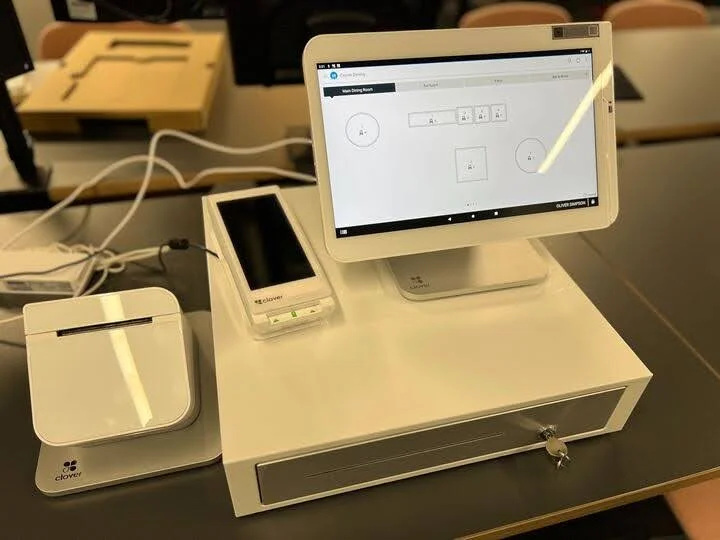
Sells a broad range of hardware, including full cash stations and mobile card readers |
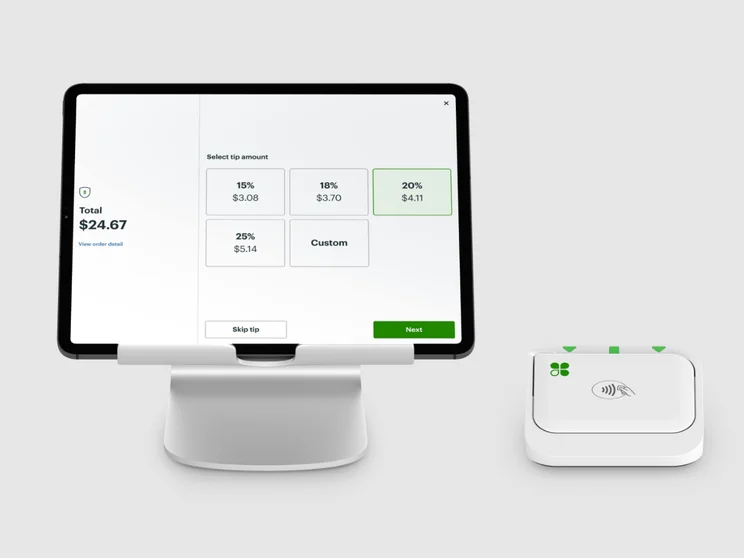
Sells a range of in-house hardware, including iPad stands, card readers, and KDS |
||||||||||||
|
|
|
|
|
|
||||||||||||
|
Unlimited (each till requires a new license) |
Unlimited |
Unlimited |
Unlimited (each till requires a new license) |
Unlimited |
||||||||||||
|
|
|
|
|
|
||||||||||||
|
|
|
|
|
|
||||||||||||
|
|
|
|
|
|
||||||||||||
|
|
|
|
|
|
||||||||||||
|
|
|
|
|
|
||||||||||||
|
|
|
|
|
||||||||||||
|
|
|
|
|
||||||||||||
| Try Square | Visit Toast | Compare Quotes | Compare Quotes | Try SumUp |
1. Square: Best Overall
- Pricing from: Free (but transaction fees apply)
Square POS is the best overall POS system for food trucks, because it’s user-friendly, feature-rich, and you can get started for free. I’ve tested it myself, and it was a pleasure to navigate.
Square

In Short
-
Pros
- Free plan available
- Slick, stylish, and durable hardware that withstands shocks
- Serves businesses of all sizes and in all sectors
- Strong analytics, inventory, and third-party integrations
-
Cons
- Some necessary features for mid-sized businesses cost more
- Keyed-in transactions are expensive (3.5% + 15¢)
- Support options vary by plan
Pricing
-
 Square Free: $0/month/location
-
Square Plus: $49/month/location
-
 Square Plus: $149/month/location
-
2.6% + 10c fees for card transactions
Images

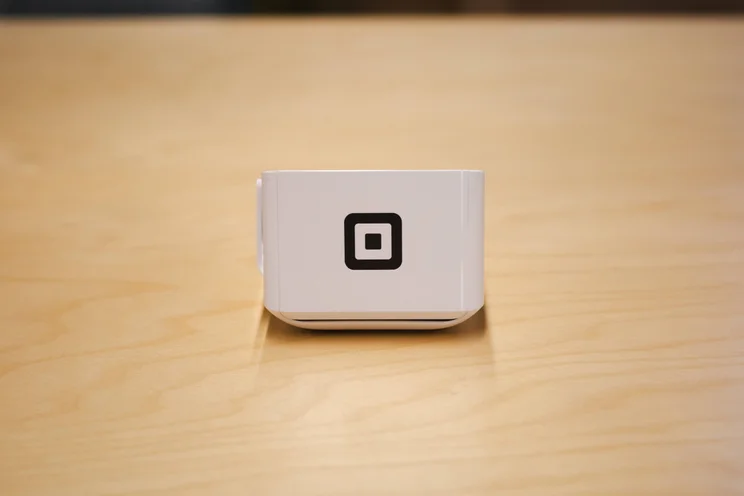
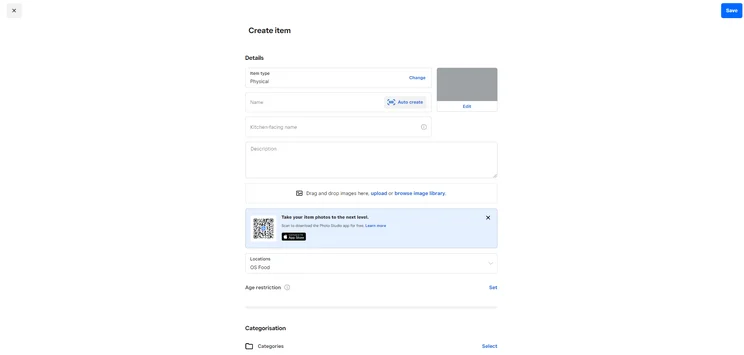
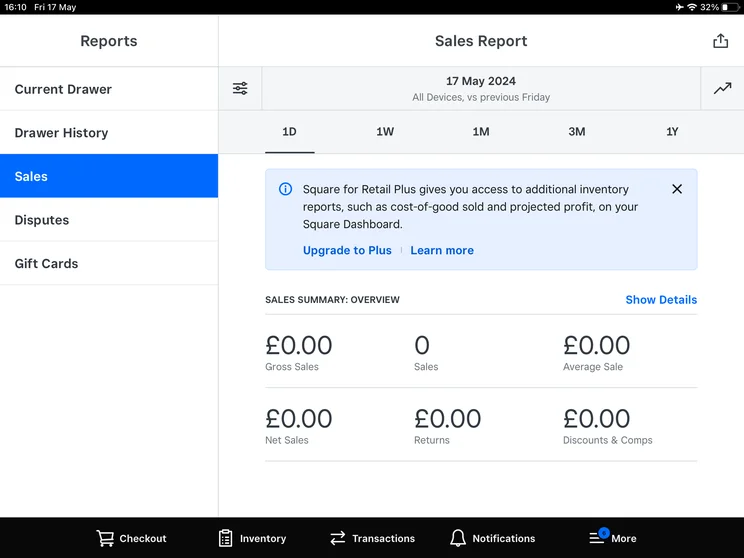
I recently put Square through a series of tests to evaluate its performance as a hospitality-focused POS system. Quite simply, it was an absolute pleasure.
Square is so easy to use, with a responsive touchscreen, a sleek interface, and logical site-mapping that means everything is where you would expect.
Aside from a few minor drawbacks, such as the inability to open item cards for individual items, it’s by far the best POS system that I’ve ever used.

Why is Square good for food trucks?
- Excellent line-busting frontend tools, including built-in self-serve QR code order functionality.
- Easy-to-use backend tools make it easy to manage menus and customer expectations, add orders, and edit table layouts. Examples include custom layouts and item grouping.
- 24/7 support to help you resolve issues on the go, which is a major selling point for quick-service establishments.
What could Square improve?
- Ringing up large orders is quite clunky, as you can’t add items in bulk. Rather, Square requires you to tap on an individual item multiple times.
- By default, you can’t add more than one variation on an individual item, such as two drink garnishes. You need to enable this in the backend first.
- High transaction fees add up if you sell in high volume.
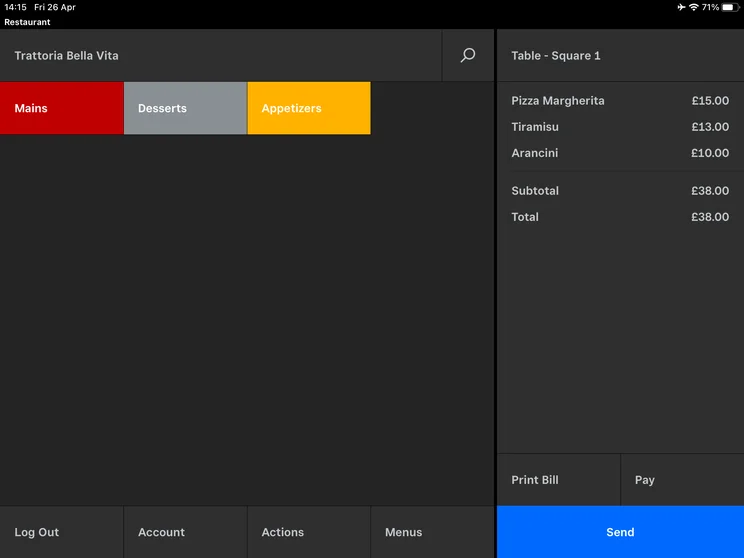
Square’s simple interface made it easy for me to log customer orders quickly. Source: Tech.co testing
What hardware options are available for Square?
- Square Handheld ($399)
- Square Terminal ($299)
- Square Register ($899)
- Square Stand ($149)
- Square Kiosk ($149)
- Square Reader ($59)
- Square Reader for Magstripe (first is free, additional readers are $10).
Check out our full Square POS pricing guide for more information.
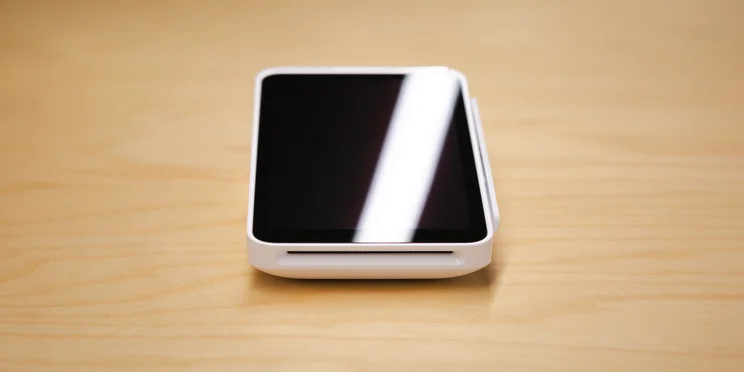
Square’s POS Terminal lets you take payments and print receipts on the go. Source: Tech.co testing
How much does Square cost?
- Square Free – Free
- Square Plus – $49 per month, per location
- Square Premium – $149 per month, per location
Learn more about how much the provider could cost in our Square POS pricing review.
2. Toast: Best for Scaling Operations
- Pricing from: Free (but transaction fees apply)
With its sophisticated customer-first features, including SMS and email alerts, Toast is the best POS for scaling food trucks that want to reach a higher volume of customers.
Toast

In Short
-
Pros
- Great for Android users with built-in interface
- Strong menu customization for your team
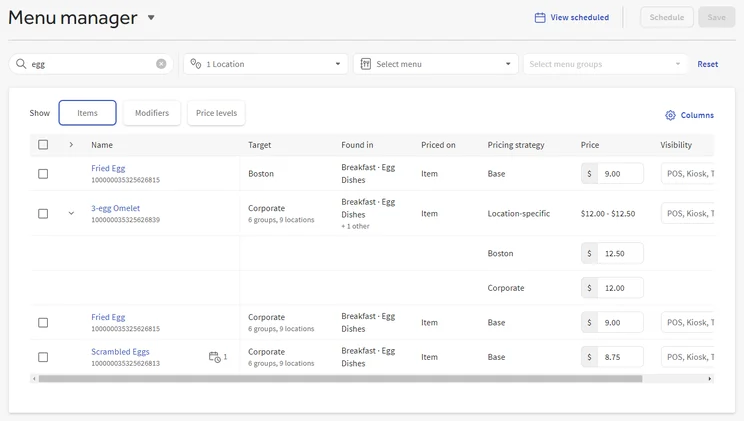
- Advanced inventory management tools, including cost management
-
Cons
- Limited functionality on iOS devices
- No knowledge center
Pricing
-
Free Starter plan available
-
Point of Sale plan starts at $69/month
-
Build your own plan, including hardware, with custom pricing
-
Transaction fees from 2.49% + 15¢
Images
Why is Toast good for food trucks?
- Outstanding restaurant-first features, including the ability to instantly relay orders to the kitchen, optimize every transaction for speed and ticket size.
- Excellent customer-facing features, including Mobile Order & Pay, so customers can order via QR code, and SMS or email alerts for end customers.
- Rugged, durable, and easy-to-use hardware that remains responsive in the intense kitchen environment.
What could Toast improve?
- Toast is a closed payment processing loop, meaning customers have to accept the company’s native transaction fees.
- Toast often locks users into two-year contracts which incur high cancelation penalties.
- Toast is built on Android architecture, which might deter iOS natives.
What hardware options are available for Toast?
- Toast Go 3 ($549)
- Toast Kiosk ($1,099–$1,899)
- Toast Flex ($799–$1,199)
- Toast Kitchen Display System ($599–$1,199)
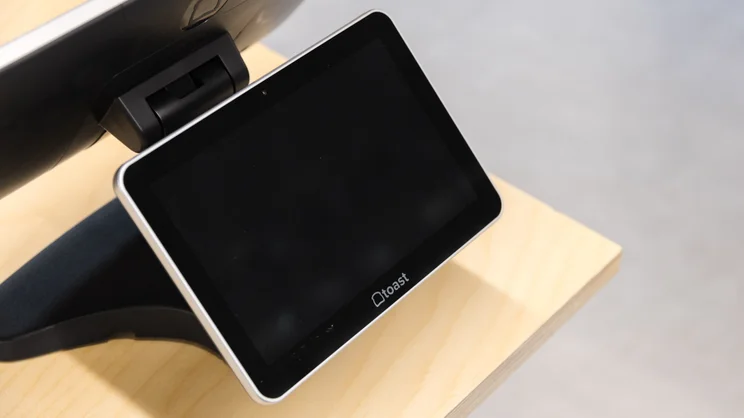
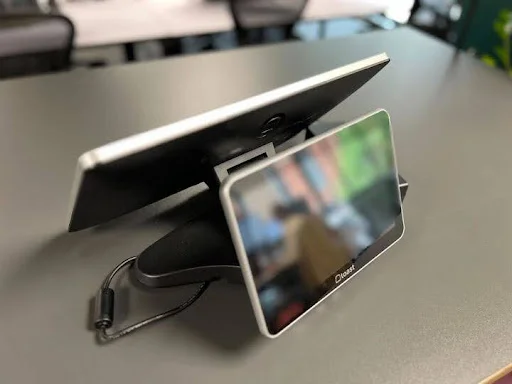
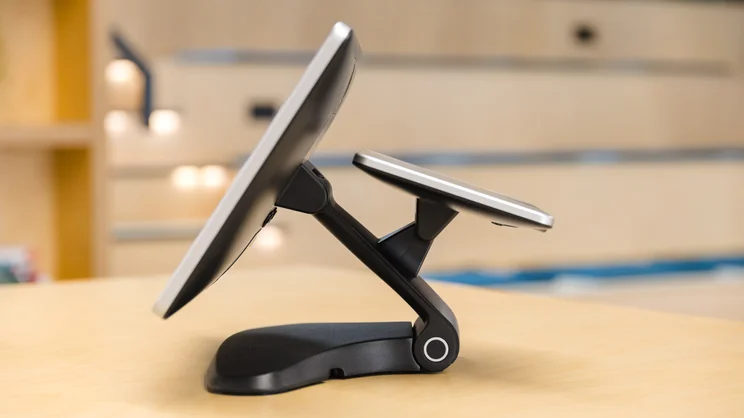
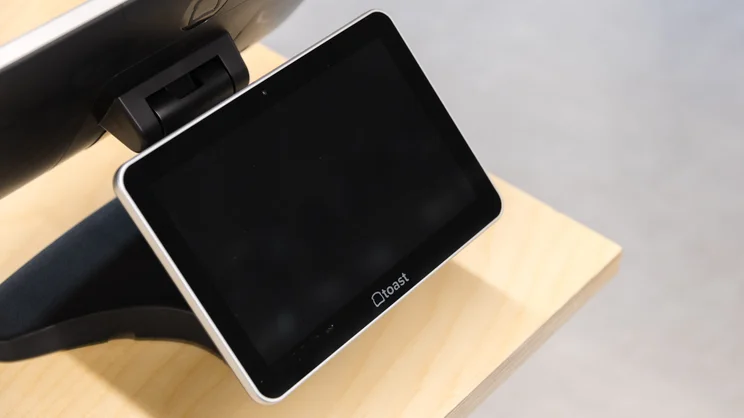
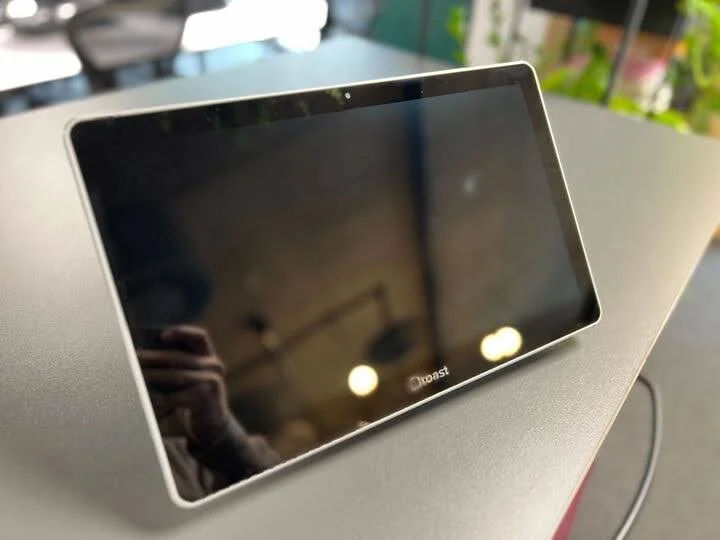
Toast POS Customer Facing Display. Source: Tech.co
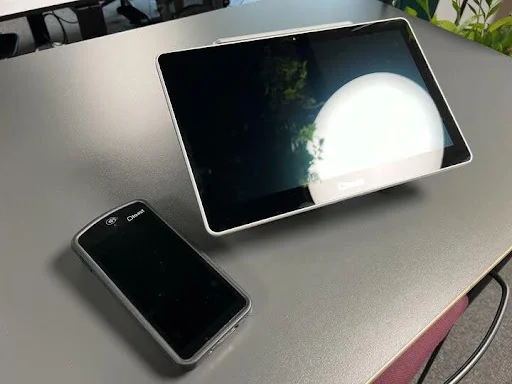
Toast POS Terminal and Card Reader. Tech.co
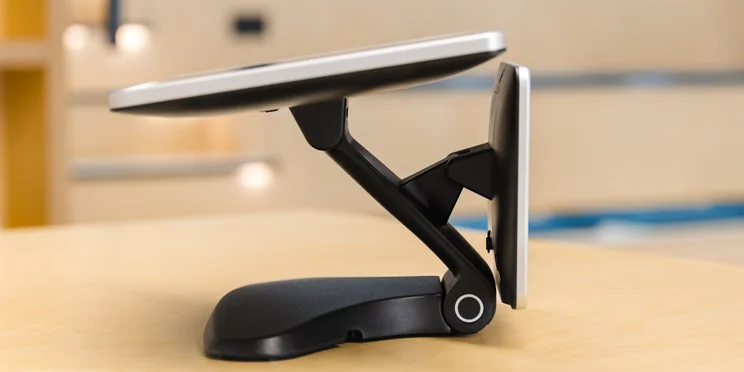
The single display POS from Toast. Source: Tech.co
How much does Toast cost?
- Starter Kit – Free
- Point of Sale – $69 per month
- Build Your Own – Custom pricing
Check out our full review to learn more.
3. SpotOn: Best for Keeping Costs Low
- Pricing from: Free (but transaction fees apply)
SpotOn is the best food truck POS for keeping costs low, because hardware is available at no extra cost. Rather, users pay for their devices through the monthly transaction fees that you’ll incur.
SpotOn

In Short
-
Pros
- Customizable POS options
- Solid inventory management tools
- Affordable hardware
-
Cons
- Charges extra for lots of features
- Pricier than similar systems
- Business management features are lacking
Pricing
-
Free plan available
-
Restaurant plan from $55/month
-
Terminal from $25/month
-
Transaction fee: 2.45% + 15¢ to 3.79% + 20¢
Images
Why is SpotOn good for food trucks?
- Backend is robust yet easy to use, so it is well-suited to busy kitchen environments.
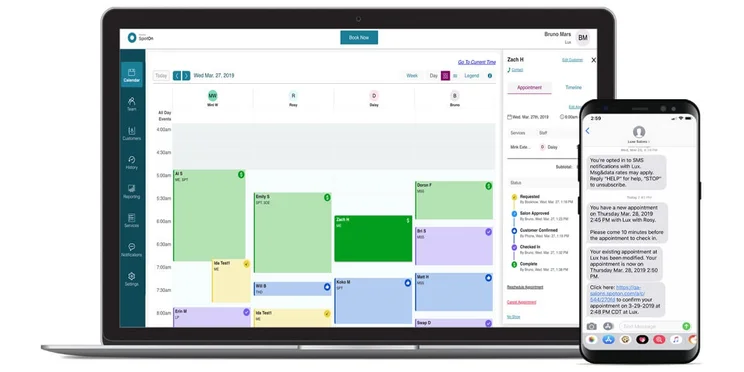
- Excellent tools for managing your business and staff, including labor versus revenue breakdowns, automatic tip sharing, and cost versus profit analysis.
- Platform automatically switches to offline mode during an outage and offline card payments are instantly processed once you re-establish connection.
What could SpotOn improve?
- High transaction fees of 2.89% + 25¢, which is more expensive than Square’s 2.6% + 15¢ fee for card-present transactions.
- Pricing structure is not favorable to scaling businesses.
- Steep setup and installation costs.
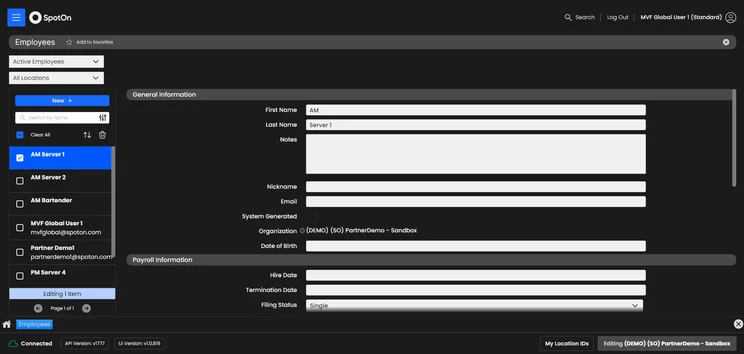
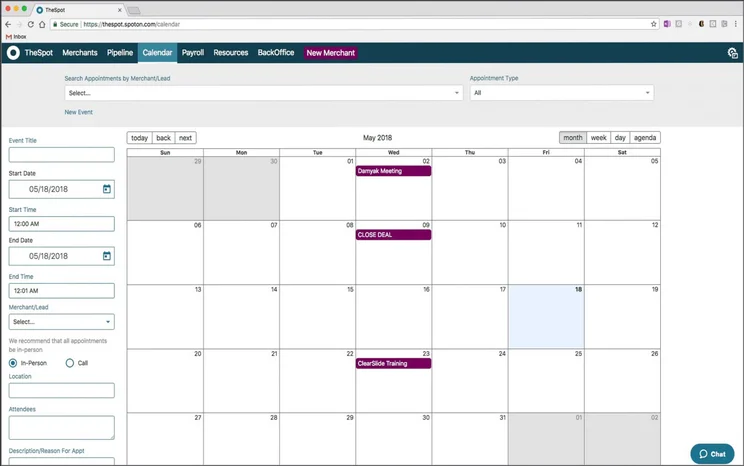
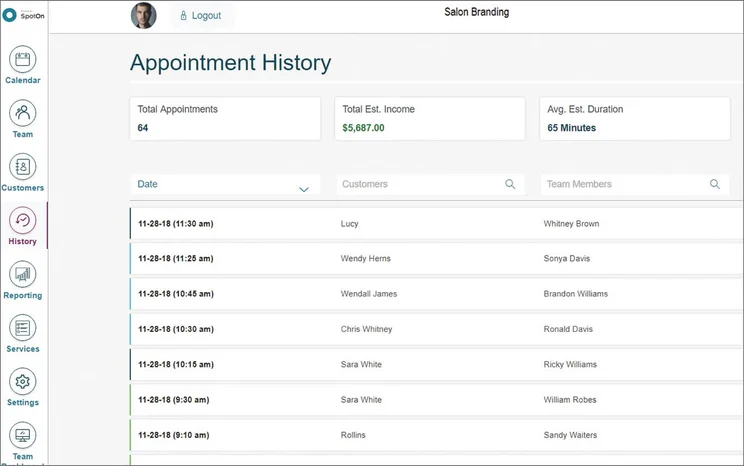
There’s a lot of information you can keep track of for staff. Source: Tech.co testing
What hardware options are available for SpotOn?
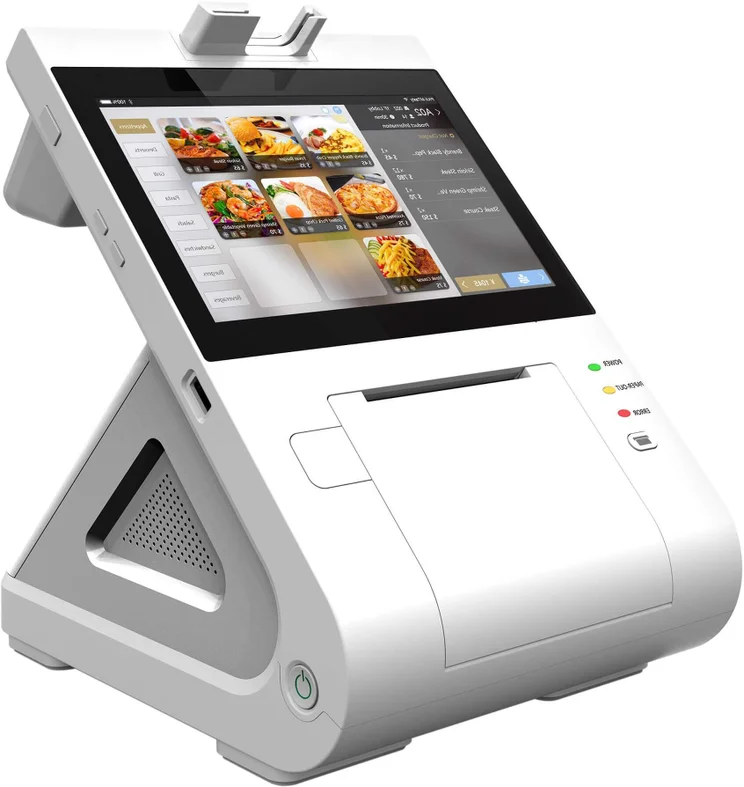
- SpotOn Station 15 ($750)
- SpotOn Handheld ($375)
- SpotOn Station 10 ($415)
- SpotOn guest-facing display ($950 with 15″ station/$615 with 10″ station)
How much does SpotOn cost?
- All-In – Free
- POS Essentials – $55 per station, per month
- Build Your Own – Custom pricing
Food truck setups are significantly different from the layouts of traditional retail stores or restaurants. They prioritize portability, quick service, and simplicity, often using compact handheld devices instead of stationary terminals.
While a feature-rich POS might be appealing, complex workflows or cumbersome interfaces can slow down service in high-pressure situations, potentially resulting in lost revenue. From a financial perspective, the hidden costs go beyond the subscription fees to include throughput efficiency.
For small or single-truck operations, choose simple, mobile-first systems. The decision’s main metric should be revenue per hour, not feature depth.

Vatsal Bhandari is a Certified Anti-Money Laundering Specialist (CAMS) and a financial and business operations consultant. He has a Master’s of Business Administration from Imperial College London and an LLM (Master of Laws) in Banking & Finance Law from the University of Edinburgh.
4. Clover: Best Hardware
- Pricing from: $135 per month for 36 months
Clover offers lots of excellent hospitality features, has a low learning curve, and has the best hardware on the market. Our team of researchers found the POS platform to be extremely easy to use, which helped it to the top score for hardware and joint-top score for software out of all the providers that we tested.
Clover

In Short
-
Pros
- Low learning curve and intuitive software
- Top-tier POS and payments app Clover Go
- Excellent hardware and accessories
-
Cons
- No free plan like SumUp, Square, and PayPal POS
- Additional features cost extra and can become expensive
- No inter-store transactions
Pricing
-
Cheapest plan: $16/month
-
Cheapest Quick Service plan: $135/month for 36 months
-
Transaction rates from 2.3% + 10¢
Images
Why is Clover good for food trucks?
- Feature-rich platform, combining sophisticated staff management tools alongside POS basics, such as inventory and order management, custom item variants, offline mode, and a selection of third party integrations.
- Very easy to use, with our research team commending the platform’s “warmth” and “supportiveness”.
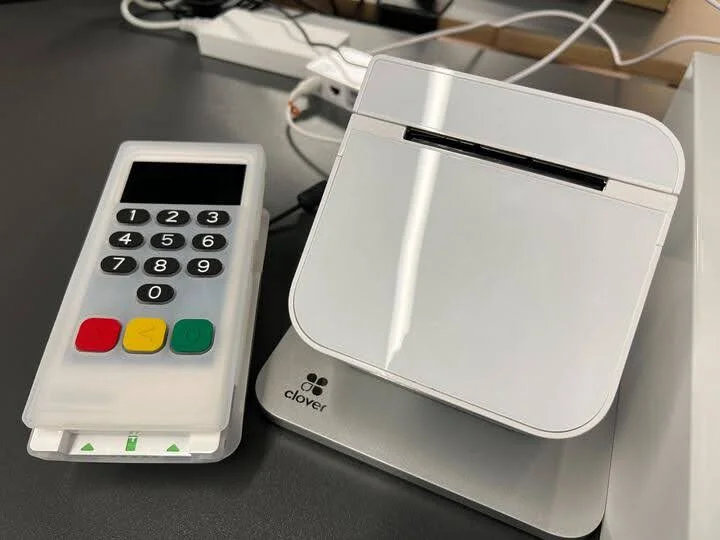
- Durable and splash-proof hardware perfectly suits the food truck environment.
What could Clover improve?
- Initial setup is slow compared with Square, which might deter time-poor business owners.
- Some features are available as paid add-ons.
- Offline mode functionality is highly limited, compared with Square.
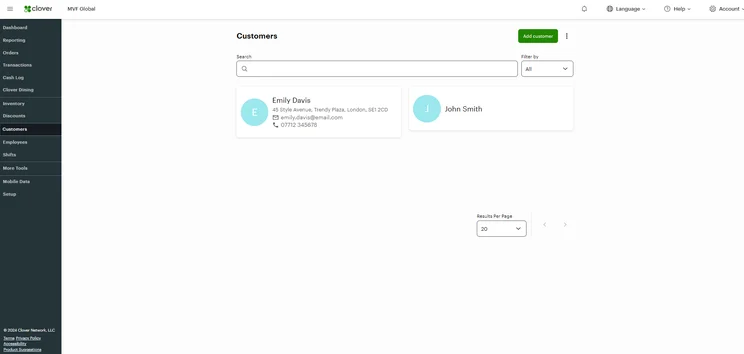
The Clover Customers page offers options to customize data. Source: Tech.co testing
What hardware options are available for Clover POS?
- Clover Flex ($749)
- Clover Flex Pocket ($699)
- Clover Compact ($349)
- Clover Kiosk — $3,499 + $34.95 per month
- Clover Kitchen Display System ($899 + $25 per month/$799 + $25 per month for 14″ screen)
- Clover Station Duo ($1,899)
- Clover Mini ($849)
- Clover Station Solo ($1,799)
- Clover Go ($199)
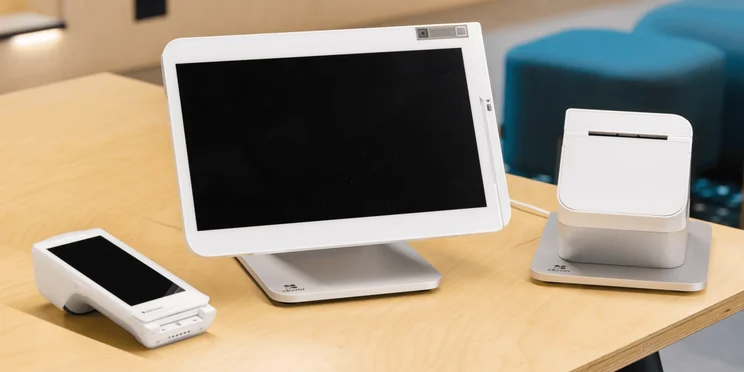
Clover was found to offer the best hardware options in our research, and its touchscreen terminal and iPad stand are ideal for food trucks. Source: Tech.co testing
How much does Clover cost?
- Quick Service Starter plan – $135 per month for 36 months
- Quick Service Standard plan – $185 per month for 36 months
- Quick Service Advanced plan – $245 per month for 36 months
5. SumUp: Best For Performance Insights
- Pricing from: Free (but transaction fees apply)
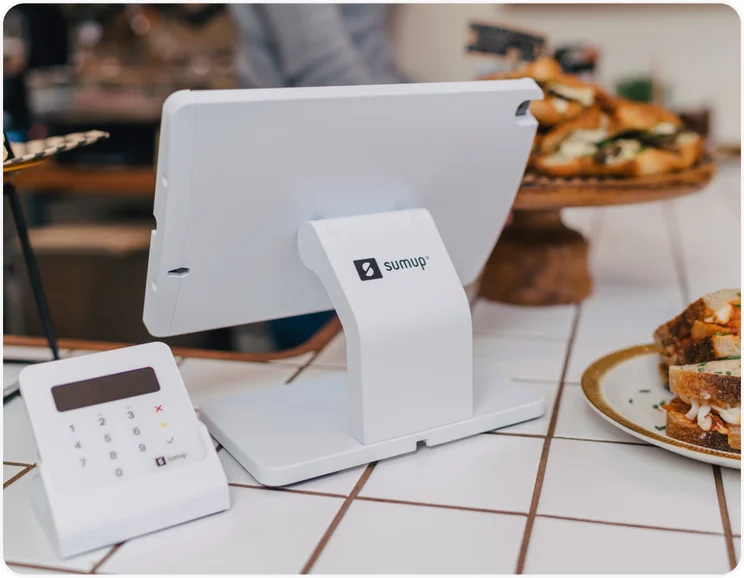
SumUp has a wide range of useful capabilities, including multi-location sales tracking, employee management, and a free smartphone and tablet app that lets you access detailed sales data.
SumUp

In Short
-
Pros
- Great range of hardware accessories for in-person selling
- Low monthly costs for small businesses on a budget
- Excellent stock management to track your inventory
-
Cons
- Lacks offline mode
- No restaurant reservation system
- Comparatively high transaction frees on free plan
Pricing
-
Free to install
-
Hardware and software packages from $99/month
-
2.6% + 10¢ for transaction fees
Images
Why is SumUp good for food trucks?
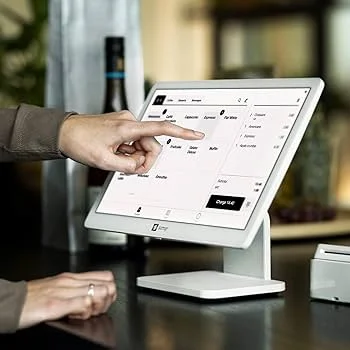
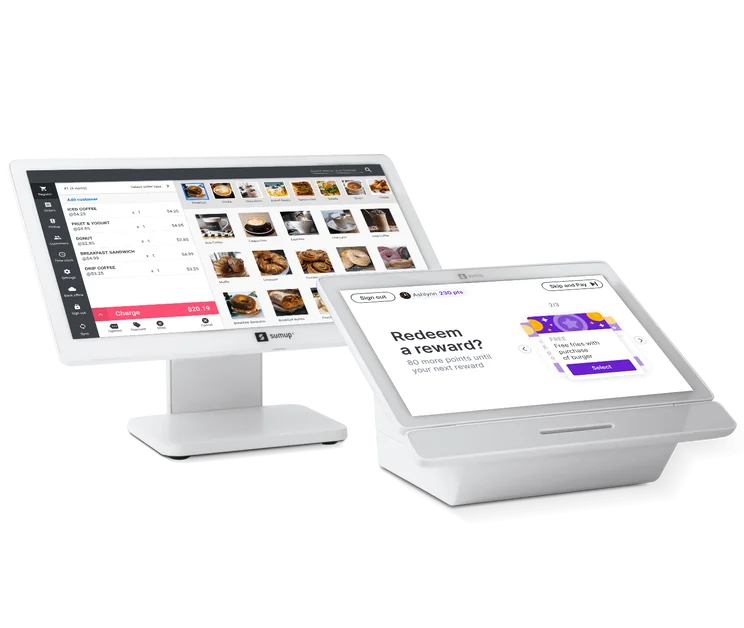
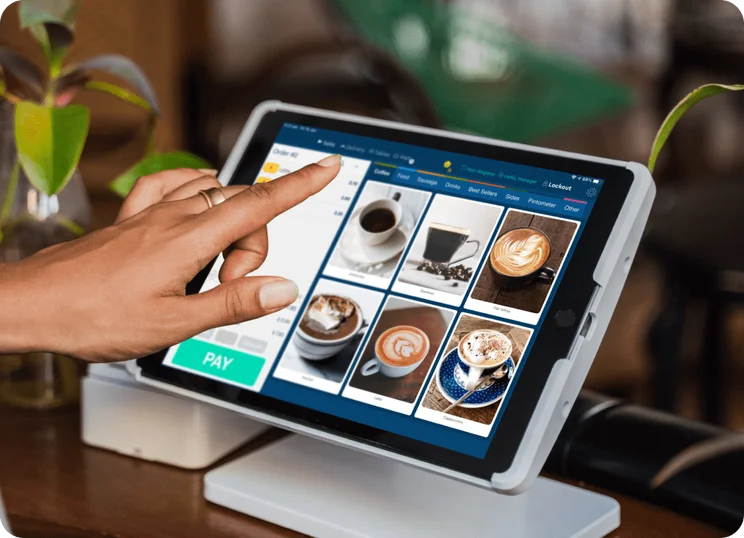
- Intuitive backend impressed our team. Nicole noted: “Adding items to create an order was super simple and intuitive.” They observed that the black and white UI “made the whole system incredibly easy to navigate.”
- Relatively low transaction fees — 2.6% + 10¢ for each card-based sale and 3.5% + 15¢ for each keyed-in transaction and online sale.
- Useful “park order” function that allows users to quickly adjust items mid-transaction, meaning that you can make minor alterations without needing to abandon the order and start again.
What could SumUp improve?
- Interface is very simplistic, which might deter some users.
- Lacks a reliable offline mode — making it ill-suited to food trucks without a stable internet connection.
- Inability to add modifiers is ill-suited to complex menus.
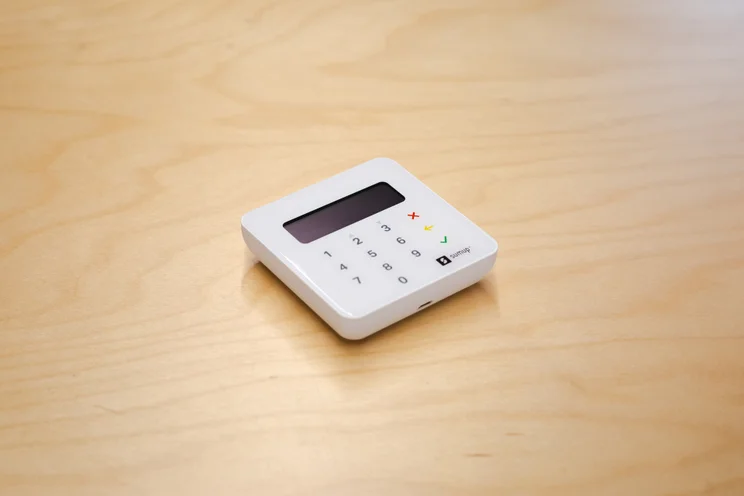
A SumUp card reader. Source: Tech.co testing
What hardware options are available for SumUp POS?
- SumUp Plus ($54)
- SumUp Solo ($99)
- SumUp Terminal ($249)
- SumUp Register ($499)
How much does SumUp cost?
- Standard — $0 per month (but transaction fees apply)
- POS with Connect Plus — $199 per month
- POS with Connect Pro — $289 per month
- Connect Plus — $269 per month
- Connect Pro — $349 per month
How Did We Rank the Best POS Systems for Food Trucks?
We take our impartial research and analysis seriously, so you can have complete confidence that we’re giving you the clearest, most useful recommendations.
After conducting an initial exploration to identify the most relevant, popular, and established POS platforms on the market, we put them through their paces with hands-on testing to see their real strengths and weaknesses. Specifically, we grade them against six main criteria: hardware, software, help and support, customer satisfaction, pricing, and usability.
We also consider factors that matter more to food truck owners, including the portability of hardware, quick service features, offline mode, and the presence and quality of smartphone and tablet apps.
After we’ve made sure all bases have been covered, we give each POS system a score out of five in every research category, as well as an overall score, before using these scores to determine their final ranking order.
After hundreds of hours, our process is complete — and we hope our results will help you find the best solution for your business.
Learn more about our research.
Square is the best POS for food truck vendors. Not only does the provider offer a highly capable free version, but its ease of use and robust feature set elevate it above its contemporaries.
Clover is another great option if you’re able to invest more in feature-rich packages, while SumUp is another free POS system, that offers stronger reporting insights than Square.
Still undecided? If you’d like to compare prices from the leading POS providers, based on your food truck’s requirements, fill in our quick quote collection form today.
Frequently Asked Questions
Business owners need a POS system that saves time and maximizes efficiency, without feature bloat. Some examples of key tools include:
- Remote menu updates
- Robust payment processing
- Little upfront investment
- Flexibility
- Offline functionality
For further research, see our guide to POS system costs so that you know what price ranges to expect.
Food truck vendors should prioritize hardware that is both durable and flexible, to keep up with the daily demands of a food truck business. Similarly, taking orders from a food truck may mean you have less space for hardware, so choosing options that are sleek and minimal is a solid move.
If you click on, sign up to a service through, or make a purchase through the links on our site, or use our quotes tool to receive custom pricing for your business needs, we may earn a referral fee from the supplier(s) of the technology you’re interested in. This helps Tech.co to provide free information and reviews, and carries no additional cost to you. Most importantly, it doesn’t affect our editorial impartiality. Ratings and rankings on Tech.co cannot be bought. Our reviews are based on objective research analysis. Rare exceptions to this will be marked clearly as a ‘sponsored’ table column, or explained by a full advertising disclosure on the page, in place of this one. Click to return to top of page


