

We may receive a commission from our partners if you click on a link to review or purchase a product or service. Click to Learn More
Clover POS pricing starts at $29.95 per month for a virtual terminal that will let you take payments on a smartphone or tablet. However, for just $16 per month for 36 months, you can purchase the provider’s retail starter plan, which includes a hardware device and more features.
If you’re looking to do more than just accept payments, however, Clover’s Standard plans cost $130 to $354 per month, depending on the type of business you run. You’re also able to cover some costs up-front, reducing the size of your monthly fee. Clover offers a lot of different pricing packages — 18 in total — for a wide range of industries.
This guide breaks down how much Clover’s point of sale (POS) solution could cost your business. We’ll also cover the cost of hardware devices, which can be bought separately.See our full Clover review for how Clover POS compares with the top POS systems across the market.
- Clover’s software (virtual terminal) is available for tablets and iPhones for $29.95 per month.
- For retail businesses, Clover’s pricing starts at $16 per month, and most hardware bundles require a 36-month contract commitment.
- For restaurants, Clover can be more expensive, with quick-service plans starting at $135 per month and full-service options at $179 per month.
- Transaction fees for Clover range between 2.3% and 2.6% + 10¢ for card-present sales, and all keyed-in sales are 3.5% + 10¢.
- Hardware is included in Clover’s packages, and additional hardware can be bought directly from Clover for a monthly fee.
- Alternatives to Clover include Square, which offers the best free plan of all POS providers, and Toast, which stands out for its robust restaurant and customer loyalty features.
- Our research is based on in-depth, hands-on user testing and years of expertise in POS systems.
What Business Type Do You Need Clover POS for?
- Quick-service restaurant – from $135 per month
- Full service dining – from $179 per month
- Retail store – from $16 per month
- Professional services – from $0 per month
- Personal services – from $16 per month
- Home & field services – from $29.95 per month
36-month contracts or one-off pricing options available.
Who is Clover suitable for?
- Medium-to-large restaurants or retail establishments
- Businesses serious about retaining customers
- Businesses that want industry-leading hardware
Who is Clover less suitable for?
- Small businesses or pop-up vendors
- Businesses that want to avoid expensive upfront costs
- Businesses that require tip-sharing tools
Why Should You Trust Us?
The Tech.co team pours hundreds of hours into researching the best POS systems because it’s the only way to ensure we’re providing our readers with the most accurate, up-to-date information possible.
We’ve spoken to daily POS users working in restaurants, retail, and more, and have tested out more than 20 point of sale platforms ourselves, paying close attention to everything, from the quality and feel of the hardware to how easy the software is to use, to help you make a clear decision for your business needs.
How Much Does Clover POS Cost?
Clover POS is a great option for small businesses, with prices starting from $16 per month for simple payments to $179 per month or more for full-service restaurant plans. Transaction fees range from 2.3% + 10¢ to 2.6% + 10¢.
Not only is it one of the best POS systems, but it also offers a whole range of plans and tiers for different business contexts and price points.
However, while Clover’s POS packages include software and hardware, the provider’s entry-level plan ($16 per month) is more expensive than free plans offered by competitors like Square and PayPal POS.
This will likely be a deal breaker for lots of vendors, but if you’re able to front the entry price of $135 per month for 36 months, for a quick-service package, or $179 per month for 36 months, for a full-service restaurant plan, Clover’s feature set will offer you a solid return on your investment.
Read on for a speedy summary of Clover POS pricing:
- Clover Retail starts at $16 per month for 36 months, or $349 upfront.
- Clover Quick Service starts at $135 per month for 36 months, or $849 upfront, plus $89.95 per month.
- Clover Full-Service starts at $179 per month for 36 months, or $1,799 upfront, plus $89.95 per month.
- Transaction fees on card-present sales range from 2.3% + 10¢ to 2.6% + 10¢.
- All of Clover’s POS packages include software and hardware.
Learn more about average POS system costs in our hardware and software pricing guide.
|
Price
The typical lowest starting price. The lowest price available for your business will depend on your needs
|
Free trial
|
Additional costs
Any additional costs you'll need to pay to get started
|
Lowest transaction fee
The lowest possible fee that will be incurred with each transaction
|
User limit
|
24/7 support
|
|||
|---|---|---|---|---|---|---|---|---|
 |
SPONSORED
 |
BEST ON TEST
 |
 |
 |
 |
 |
 |
 |
|
Clover |
Lavu POS |
Square |
PayPal POS |
Epos Now |
TouchBistro POS |
Shopify POS |
SpotOn |
Lightspeed |
|
From $16/month for 36 months (depending on plan) |
$9.99/month |
From $0/month |
Free |
Around $39-$79/month |
From $69/month |
From $0/month |
$0/month |
From $89/month |
|
90 days |
|
30 days |
|
30 days |
|
3 days |
No |
14 days |
|
Accounting integrations cost extra |
Unable to verify online |
Marketing, customer loyalty, and employee management features cost extra |
$29 for first card reader |
Single training costs $175 or $35 per month for unlimited sessions (as per most recently available figures) |
Reservations cost $229 per month, online ordering costs $50 per month |
Shopify POS Pro is available for $89/location/month |
Loyalty programs cost extra |
$40 per additional register per month |
|
2.3% +10¢ |
2.6% + 10¢ for each card-based sale (as per most recently available figures) |
2.5% + 15¢ |
2.29% + 9¢ |
2.6% + 10¢ |
N/A (quote-based) |
2.4% + 10¢ |
2.79% + $0.20 |
2.6% + 10¢ |
|
Unlimited (each till requires a new license) |
Unlimited user limit |
Unlimited (each till requires a new license) |
Unlimited user limit |
Single user per license across all plans |
1 (Solo), 2 (Dual), 5 (Team) |
Single user/license across all plans |
Unlimited |
User limit depends on plan |
|
|
|
|
|
|
|
|
|
|
Clover Hardware and Software Pricing Plans
Clover’s plans, which bundle hardware and software, start at $16 per month for simple payment processing, but full POS packages range from $130 to $354 per month or more. Clover offers plans for retail, service, and food businesses.
Unfortunately, Clover doesn’t offer free POS tiers like Square, and its pricing structure is a little more complex than providers like Lightspeed.
While Clover’s prices technically start at $16 per month — for the provider’s Retail Basic and Personal Services Basic packages — they run on Clover’s Payments software plan, so can only be used to accept payments, track sales, and manage other simple processes.
They only include access to Clover’s compact terminal system, too. So, if you require a physical POS terminal, you’ll have to opt for a pricier package plan instead, which starts at $180 per month for retailers and $185 per month for quick service food businesses.
Likewise, Clover also offers a software-only plan through its Virtual Terminal. This allows businesses to take payments on any computer, tablet, or smartphone, so long as they have an internet connection. Existing Clover customers will already have access to the service but, otherwise, you can access it for $29.95 per month through Clover.
Check out our table below to see how Clover’s full business plans compare at a glance, or scroll down to learn about them in greater detail.
|
Plan
|
Price
Monthly cost of the software.
|
Transaction fees
|
|
|---|---|---|---|
 |
|
|
|
|
Retail Basic |
Retail Standard |
Retail Advanced |
|
|
$16/month for 36 months |
$180/month for 36 months |
$240/month for 36 months |
|
|
|
|
In the following section, I’ll provide an overview of some of the most popular Clover plans, with a breakdown of what you can expect at each tier.
What are Clover’s pricing plans for retail?
Clover has three retail-focused packages for stores. We compare them below.
Basic
- Best for: A straightforward, stripped-back way to track sales and accept payments
- Price: $16 per month (for 36 months) or $349 upfront
- Transaction fees: 2.6% + 10¢ (card-present), 3.5% + 10¢ (keyed-in)
- Software plan: Clover Payments
- Hardware included: Compact payment terminal with a 3.6-inch screen
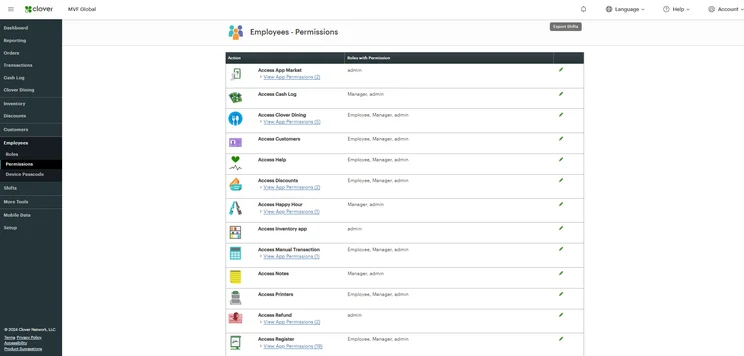
Clover gives managers granular control over employee permissions. Source: Tech.co testing
Standard
- Best for: Streamlining daily inventory management
- Price: $185 per month (for 36 months) or $1,899 upfront + $89.95 per month
- Transaction fees: 2.5% + 10¢ (card-present), 3.5% + 10¢ (keyed-in)
- Software plan: Retail Growth
- Hardware included: Station Duo POS (14-inch merchant-facing system, 8″ screen), receipt printer, cash drawer
Advanced
- Best for: Advanced retail capabilities and features
- Price: $240 per month (for 36 months) or $2,648 upfront + $104.90 per month
- Transaction fees: 2.5% + 10¢ (card-present), 3.5% + 10¢ (keyed-in)
- Software plan: Register plan
- Hardware included: Station Duo POS (with built-in receipt printer and cash drawer), Clover Flex handheld POS
See how Clover weighs up against the best retail POS systems.
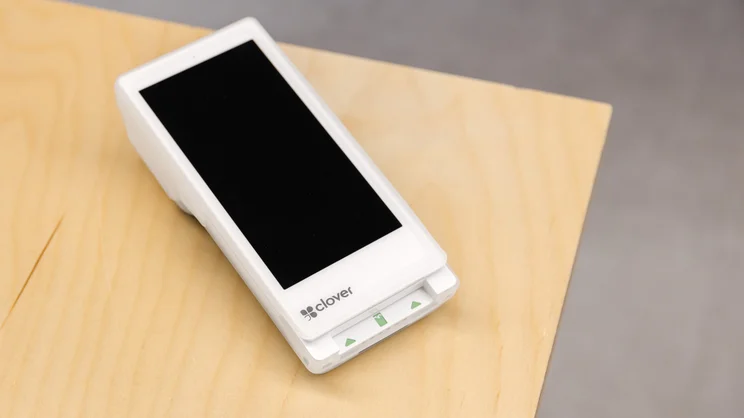
Clover POS handheld device with built-in receipt printer. Source: Tech.co testing

What are Clover’s plans for quick service restaurants?
Clover offers three packages for quick-service restaurants: Starter, Standard, and Advanced.
Starter
- Best for: Basic hospitality features like stock tracking and order notes
- Price: $135 per month (for 36 months) or $849 upfront + $89.95 per month
- Transaction fees: 2.3% + 10¢ (card-present), 3.5% + 10¢ (keyed-in)
- Software plan: Restaurant Growth
- Hardware included: Clover Mini (with a built-in receipt printer)
Standard
- Best for: Mid-size quick service restaurants
- Price: $185 per month (for 36 months) or $1,899 upfront + $89.95 per month
- Transaction fees: 2.3% + 10¢ (card-present), 3.5% + 10¢ (keyed-in)
- Software plan: Restaurant Growth
- Hardware included: Station Duo, receipt printer, cash drawer
Advanced
- Best for: Businesses that don’t just rely on counter-service orders
- Price: $245 per month (for 36 months) or $2,648 upfront + $109.90 per month
- Transaction fees: 2.3% + 10¢ (card-present), 3.5% + 10¢ (keyed-in)
- Software plan: Counter Service Restaurant
- Hardware included: Station Duo POS (with a receipt printer and cash drawer), Clover Flex handheld POS

What are Clover’s plans for full service dining?
Clover also offers three plans for full-service restaurants. We break these down below.
Starter
- Best for: Smaller full-service restaurants
- Price: $179 per month (for 36 months) or $1,799 upfront + $89.95 per month
- Transaction fees: 2.3% + 10¢ (card-present), 3.5% + 10¢ (keyed-in)
- Software plan: Restaurant Growth
- Hardware included: Station Solo POS (with a cash drawer and receipt printer)
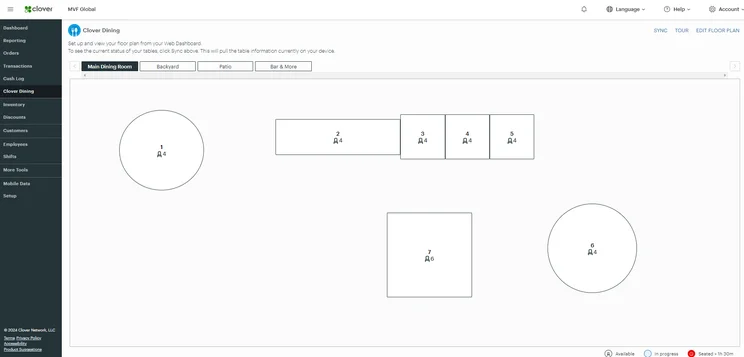
Clover’s Full Service Dining Starter plan lets users create a customizable replica of their floor plan. Source: Tech.co testing
Standard
- Best for: Restaurants that favor tableside service
- Price: $239 per month (for 36 months) or $2,548 upfront + $109.90 per month
- Transaction fees: 2.3% + 10¢ (card-present), 3.5% + 10¢ (keyed-in)
- Software plan: Restaurant Growth
- Hardware included: Station Solo (with a built-in cash drawer and receipt printer), Clover Flex handheld POS
Advanced
- Best for: Medium-sized and large full-service restaurants
- Price: $354 per month (for 36 months) or $4,447 upfront + $129.85 per month
- Transaction fees: 2.3% + 10¢ (card-present), 3.5% + 10¢ (keyed-in)
- Software plan: Restaurant Growth
- Hardware included: Station Solo POS, Station Duo POS, Clover Flex handheld POS

What are Clover’s plans for personal services?
Clover offers three pricing packages for personal services businesses. They are as follows.
Basic
- Best for: Smaller service businesses, or those just starting out
- Price: $16 per month (for 36 months) or $349 upfront
- Transaction fees: 2.6% + 10¢ (card-present), 3.5% + 10¢ (keyed-in)
- Software plan: Clover Payments
- Hardware included: Compact terminal system
Standard
- Best for: Features such as appointment management and detailed sales reports
- Price: $130 per month (for 36 months) or $849 upfront + $84.95 per month
- Transaction fees: 2.5% + 10¢ (card-present), 3.5% + 10¢ (keyed-in)
- Software plan: Services Growth
- Hardware included: Clover Mini (8-inch touchscreen POS with a built-in receipt printer), cash drawer and swivel stands optional
Advanced
- Best for: Comprehensive personal services businesses
- Price: $180 per month (for 36 months) or $1,899 upfront + $84.95 per month
- Transaction fees: 2.5% + 10¢ (card-present), 3.5% + 10¢ (keyed-in)
- Software plan: Services Growth
- Hardware included: Station Duo (14-inch merchant-facing POS with an 8″ customer screen), receipt printer, cash drawer
Other Clover plans
Clover also offers POS packages for professional service businesses that start at $0 + $29.95 per month, and home and field businesses that also start at $0 + $29.95 per month.
Read our guide to the best restaurant POS systems to see how Clover’s packages compare with its rivals.
Clover Hardware Pricing
Clover’s hardware is typically bundled with its software plans, with monthly costs for 36-month contracts ranging from $16 per month for a simple terminal to over $354 per month for advanced multi-device setup. Hardware can also be bought up-front, with prices like $349 for the Starter terminal or $1,799 for the Station Solo.
Clover Station Solo
The price of Clover Station Solo will depend on your business type.
If you’re using the POS with the Retail Growth software plan, it will cost $174 per month for 36 months, or $1,799 upfront, plus $84.95 per month.
If you’re using the POS with the Restaurant Growth software plan, it will cost $179 per month for 36 months, or $1,799 up-front, plus $89.95 per month.
Clover’s Station Solo is the provider’s most affordable all-in-one POS, offering businesses a streamlined way to accept payments, take orders, and support wider operations.
It includes the following:
- 14-inch merchant-facing touchscreen
- Built-in camera & barcode scanner
- Thumbprint login reader
- Receipt printer
- Cash draw
- Credit card reader for swipe and dip
Alongside this hardware, you’ll also be paying for industry-specific software packages — which include advanced tools like item categorization features and online ordering — and benefit from flat transaction rates as low as 2.3% + 10¢.
In short, it’s everything you’d need to run a restaurant or retail business in one package.
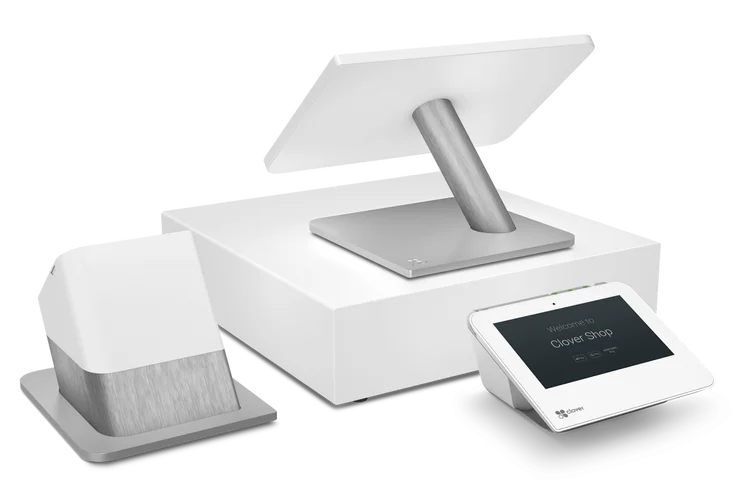
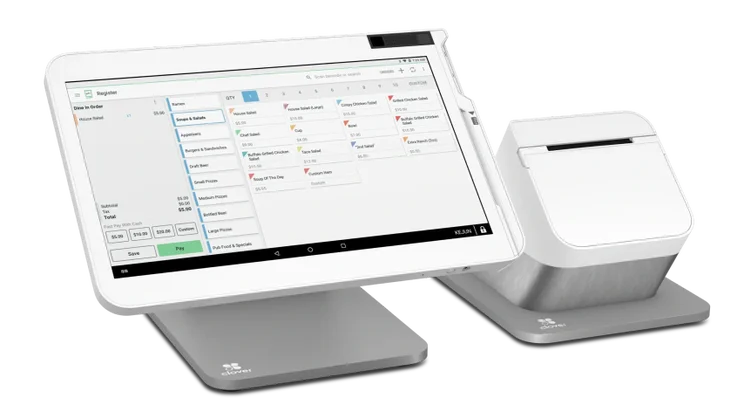
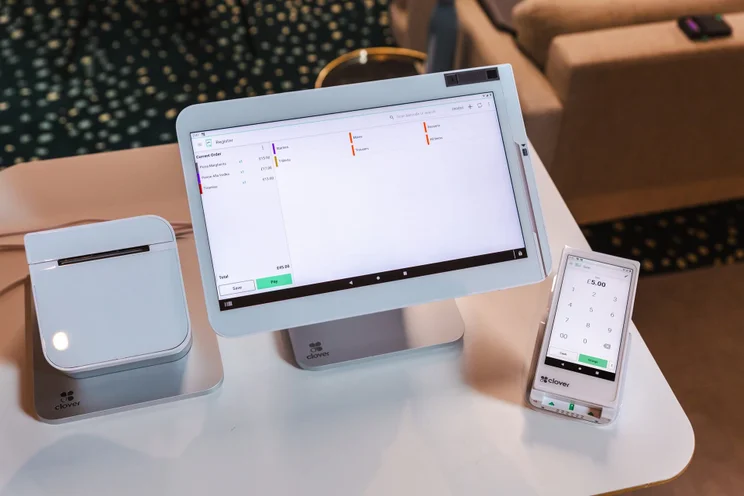
This suite of Clover POS products includes a tablet, card scanner, and mobile device. Source: Tech.co testing
Clover Station Solo is ultra user-friendly and it comes with a wide range of hardware accessories. Source: Clover
Clover Station Duo
The price of Clover Station Duo will also depend on your accompanying software package.
If you’re using the POS with the Retail Growth software plan, it will cost $180 per month for 36 months, or $1,899 up-front, plus $84.95 per month.
If you’re using the POS with the Restaurant Growth software plan, it will cost $185 per month for 36 months, or $1,899 up-front, plus $89.95 per month.
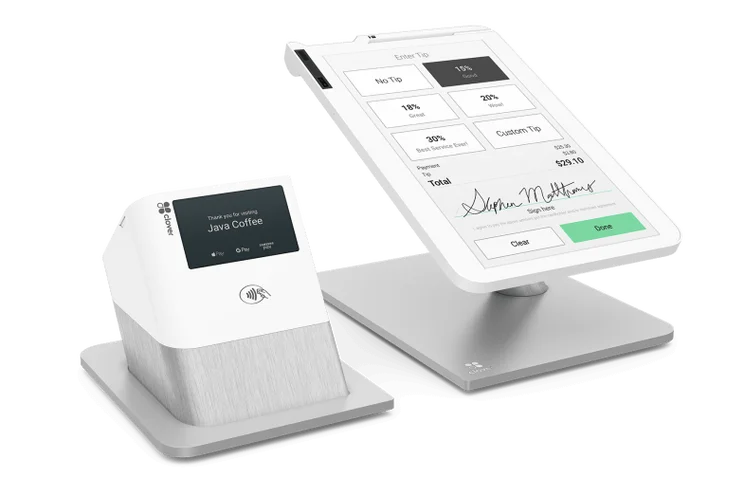
It works seamlessly with all of Clover’s accompanying devices and offers two screens instead of one, with a customer-facing display that allows buyers to confirm their order, leave tips, or request receipts. It also charges flat fees as low as 2.3% + 10¢ per transaction, like with Station Solo.
The POS includes the following:
- 14-inch merchant-facing touchscreen
- 8-inch customer-facing touchscreen
- Built-in camera and barcode scanner
- Credit card reader for swipe and dip
- Contactless card reader
- Receipt printer
- Cash draw
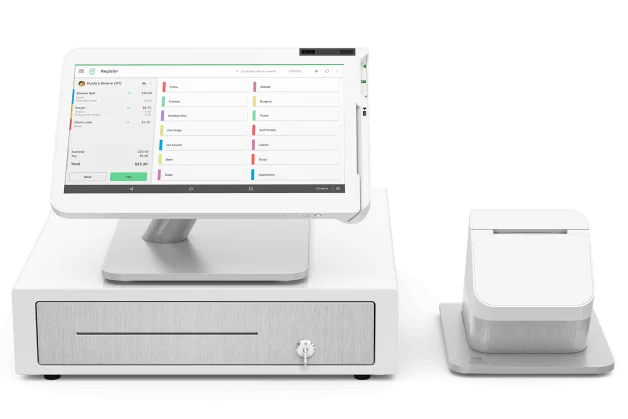
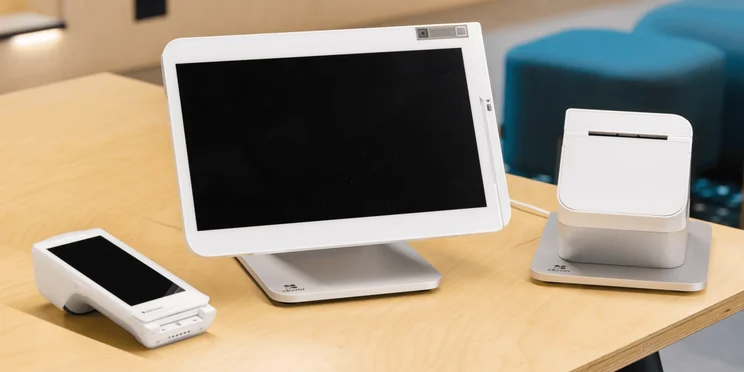
Clover was found to offer the best hardware options in our research. Source: Tech.co testing
Clover Station Duo comes with an impressive 8-inch customer-facing display, making it ideal for counter-service businesses. Source: Clover
Clover Flex
The Clover Flex is a small handheld tablet that allows you to manage all aspects of your POS. You can accept cash and card payments, send paperless receipts, and process refunds, as well as manage your inventory and create reports on sales, tax, and payroll.
With 86% of restaurants harnessing POS data to inform discounting, loyalty, and marketing strategies, being able to create performance reports on a handheld tablet is a real advantage. Moreover, due to Clover Flex’s compact size, it could be a great fit for businesses that are limited in counter space and are dealing with single clients at a time, such as a bicycle repair shop.
With the Payments plan, Clover Flex costs $749 outright or $40 per month for 36 months. If you want to unlock detailed sales reports and item categorization features, Clover Flex will cost $70 per month for 36 months or $749 upfront plus $29.95 per month with the provider’s Essential plan, while the device will cost $125 per month for 36 months, or $749 + $84.95 per month for the Services Growth.
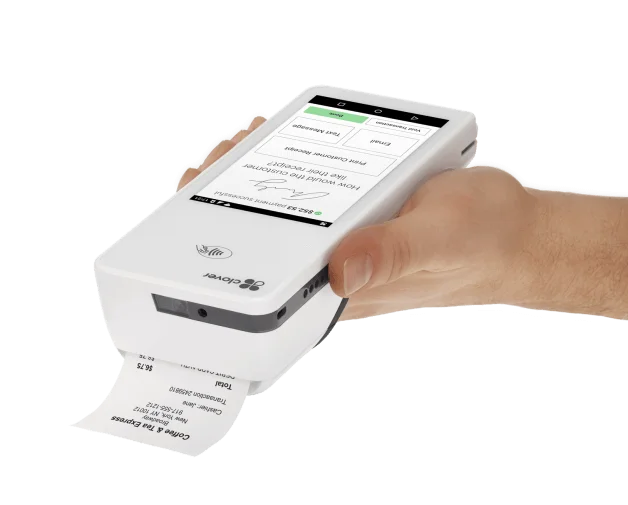
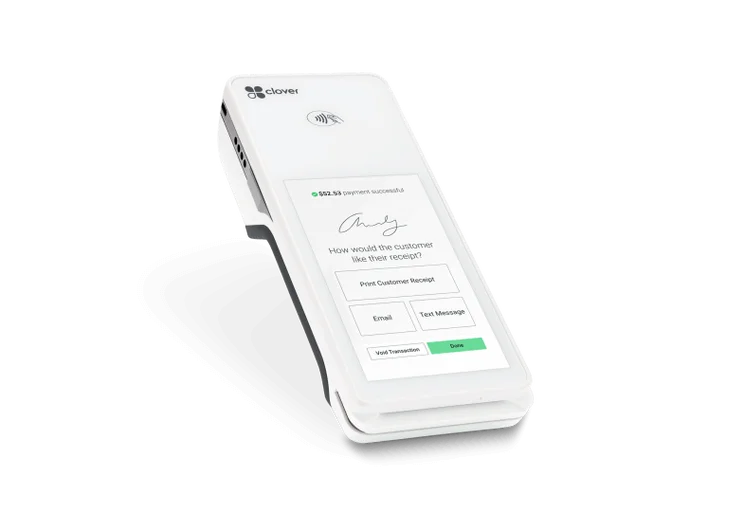
Clover Flex
Clover Flex is a sleek handheld POS terminal that lets vendors accept cash and card payments. Source: Clover
Clover Mini
The Clover Mini is a small tablet-style POS system. It doesn’t have the cash drawer or receipt printer of the Station, but it will still let you manage your entire business from one device.
The Clover Mini starts at $45 per month for 36 months for its Retail and Services package, or $849 up-front. If you opt for the Restaurants and Food Services plan, the device will cost you $135 per month for 36 months or $849 up-front.
It’s also worth noting that Clover sells different versions of the Mini for full-service or counter-service restaurants, as well as a version for retail businesses. They all cost the same, but the full-service Mini will let you create floor plans and pre-authorize bar tabs, while the retail version integrates with barcode scanners and weight scales.
Read our guide to the best cash registers if you’re in need of an all-purpose hardware system.
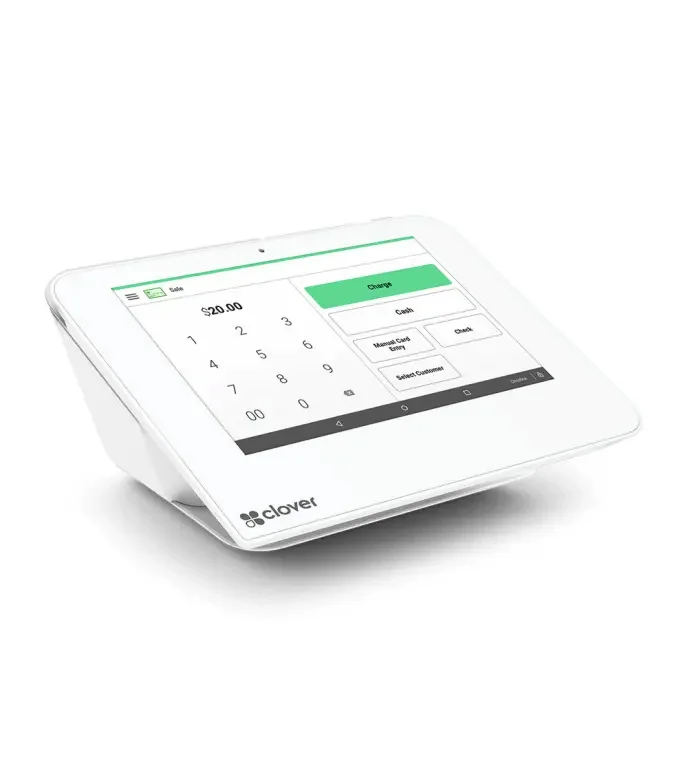
Clover Mini
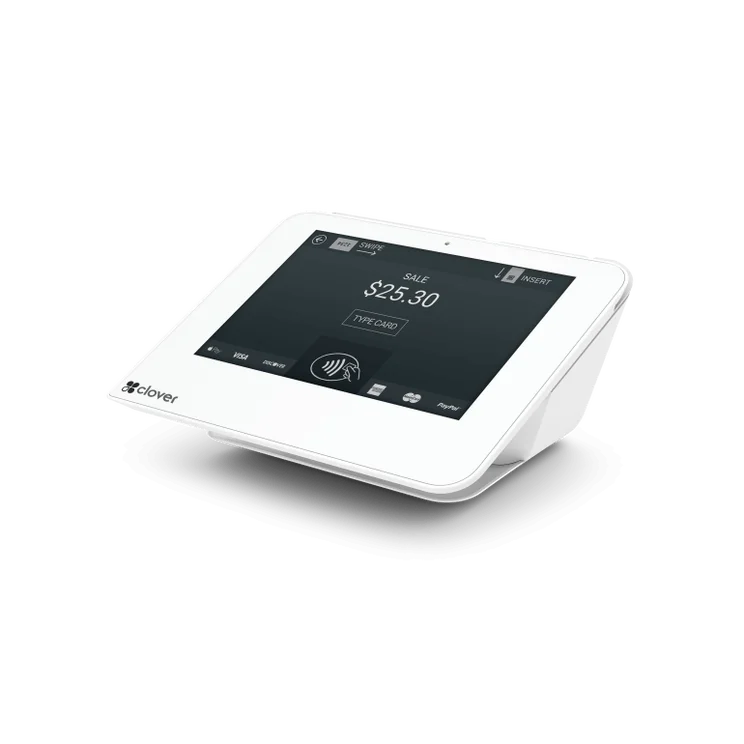
Clover Mini is a compact tablet-style POS system that lets you manage a wide range of processes. Source: Clover
Clover Go
The Clover Go is a simple card reader that allows you to take payments on the go, as long as you have a Wi-Fi or cellular connection. Clover no longer lets you purchase the card reader independently.
You’ll have to purchase it alongside a software package, with Clover Go costing $199 up-front when bought with the Stater plan and $199 up-front plus $29.95 per month with the Essentials plan.
The device will let you take contactless, chip, and swipe payments from cards, as well as process Apple, Samsung, and Google Pay transactions. The card reader is slightly cheaper than Square’s 2nd Generation Square Reader, which costs $59 up-front.
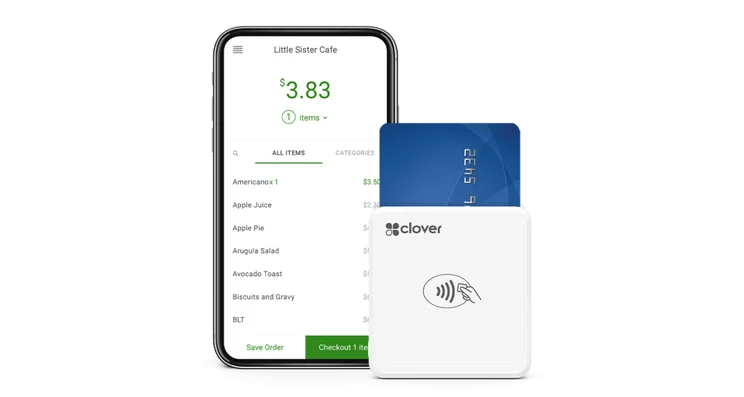
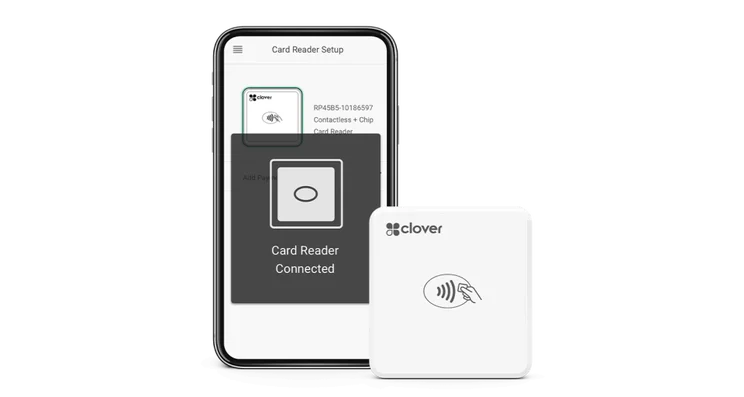
Clover Go is a card reader that lets vendors take payments anywhere they have Wi-Fi or cellular connection. Source: Clover
Clover POS Hidden and Extra Costs
In addition to the price of hardware and software, here are hidden fees that are worth being aware of.
Clover App Market
Clover’s App Market provides integrations (like Gusto, Shopify, and QuickBooks) to add extra features to your Clover POS.
However, some (though not all) of these apps will cost money to add to your POS setup.
That Gusto app, for example, is free for the first three months. However, if you want a tool that imports your sales into QuickBooks or Xero, you’ll need to pay upwards of $50 per month. Convenience can come at a cost.
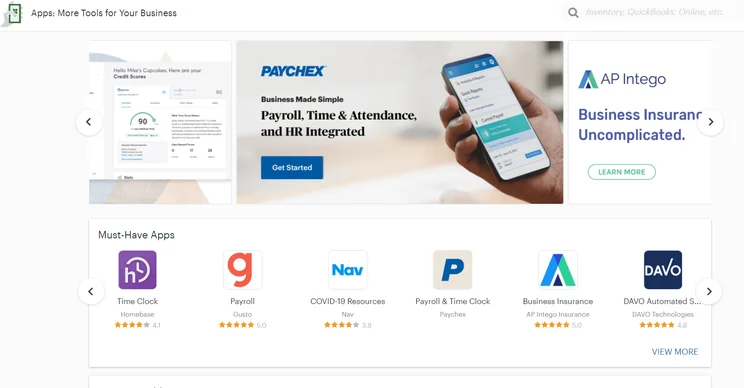
Clover’s App Market lets businesses browse through a seemingly endless array of software integrations. Source: Clover
Transaction fees
While Clover’s card processing fees aren’t necessarily hidden, they aren’t included in the price of monthly plans and are important to be aware of.
Depending on your chosen plan, Clover charges anywhere between 2.3% + 10¢ to 2.6% + 10¢ for card-present sales, with pricier plans tending to offer lower fees. Clover also charges a flat rate of 3.5% + 10¢ for all card-not-present sales, the same across all tiers.
Additional Clover fees
All of Clover’s pricing plans only give you one user license. This means that if you require more than one register, regardless of whether it’s in the same location or a different one, it will need a whole new license.
If you need a second terminal, you can purchase it directly from Clover by contacting their sales team. You will, however, have to pay an additional monthly fee on top of your existing one. According to users online, this will typically cost between $9.95 and $19.95 per month, per device, but you should contact Clover for the most accurate pricing.
Contract lengths and termination fees
To use Clover, you’ll have to sign a contract that typically lasts around 36 or 48 months, so there is a degree of commitment for businesses looking to get started. Contracts are a pretty common element of the POS industry.
You can cancel your contract early. However you will have to pay a termination fee. Usually, this is equal to the remaining balance you owe on your contract.
For some users, this has been over $500, so businesses should think carefully before both signing and canceling contracts with Clover.
No, you can’t use third-party processors with Clover. The POS provider is owned by Fiserv, a payments technology company, and so Clover is designed to be exclusively compatible with Fiserv services.
Therefore, you’ll have to buy any additional hardware directly from Clover if the hardware in your plan doesn’t cover all of your business’ daily operations.
How Does Clover POS Compare With the Competition?
Clover’s bundled hardware/software plans result in a higher starting price ($16 per month) than competitors like Square, SpotOn, and Toast, which offer free entry-level software plans (transaction fees still apply).
If you’re looking for a more budget-friendly alternative, we’d recommend using Square. Not only does it offer a commendable free plan, but its paid packages start from an affordable $49 per month — $86 lower than Clover’s Quick Service Dining Starter plan.
Toast has the most robust feature set out of all the providers that we’ve tested. Standouts include its rigorous customer loyalty tools, which allow you to create your own loyalty program and custom points system. It’s a great way to grow your customer base and, ultimately, your business.
SpotOn, meanwhile, will allow you to get started with a POS terminal without paying high up-front fees. The POS provider lets you pay for its hardware and software packages in affordable monthly installments, and its free Quick Start plan kits businesses out with a 15-inch POS terminal and customer-facing display.
See the table below for a full breakdown of how Clover competes with other top POS providers:
|
Price
The typical lowest starting price. The lowest price available for your business will depend on your needs
|
Best for
Tech.co's verdict to help you identify the most suitable choice for your small business
|
Hardware
|
iPad app
Is there a version of the software made specifically for iPad use?
|
Android app
Is there a version of the software made specifically for Android tablet use?
|
24/7 support
|
Key benefits
|
Drawbacks
|
||
|---|---|---|---|---|---|---|---|---|---|
|
BEST OVERALL
|
|
 |
 |
|
|
|
|
||
|
Square |
Clover |
Toast |
SumUp |
Shopify POS |
Epos Now |
Lightspeed |
PayPal POS |
||
|
From $0/month |
From $16/month for 36 months (depending on plan) |
$0/month |
$0/month |
From $0/month |
Around $39-$79/month |
From $89/month |
Free |
||
|
Scaling and growing your business |
Professional hardware |
Restaurants with complex operations |
Speed, efficiency and data-driven sales insights |
Managing in-store and online sales |
Optimizing guest experiences |
Driving repeat business and loyalty |
Great value for money |
||
|
Sold by Square, separately or packaged with software. First card reader free. Compatible with most leading brands |
Sells a broad range of hardware, including full cash stations and mobile card readers |
Sells an impressive line of its own products. All splash-proof and durable to suit high-intensity food truck environment |
Sells a range of in-house hardware, including iPad stands, card readers, and KDS |
Sold by Shopify, but also works with iPads and Android tablets |
Works with a range of third-party peripherals |
Specialized hardware available. Not compatible with weighing scales |
Retails a range of hardware solutions, including card readers and cash registers |
||
|
|
|
|
|
|
|
|
|
||
|
|
|
|
|
|
|
|
|
||
|
|
|
|
|
|
|
|
|
||
|
|
|
|
|
|
|
|
||
|
|
|
|
|
|
|
|
Verdict: Is Clover POS Worth the Cost?
Compared with similar POS systems on the market, Clover is definitely on the expensive side, especially compared with providers like Square and PayPal POS, which offer generous free packages. However, Clover’s packages include both software and hardware, which will make the plans attractive to businesses that are building a POS system from scratch.
What’s more, Clover is one of our picks of the best POS systems for small businesses in 2026 — for both retail and hospitality contexts. This is because it offers unbeatable hardware, very impressive software (particularly its retail plans), and 24/7 support on all plans.
Ultimately, Clover’s POS pricing exceeds the budget of most smaller vendors, but if your business can afford it, the POS will likely be worth the investment.
If you click on, sign up to a service through, or make a purchase through the links on our site, or use our quotes tool to receive custom pricing for your business needs, we may earn a referral fee from the supplier(s) of the technology you’re interested in. This helps Tech.co to provide free information and reviews, and carries no additional cost to you. Most importantly, it doesn’t affect our editorial impartiality. Ratings and rankings on Tech.co cannot be bought. Our reviews are based on objective research analysis. Rare exceptions to this will be marked clearly as a ‘sponsored’ table column, or explained by a full advertising disclosure on the page, in place of this one. Click to return to top of page


