
We may receive a commission from our partners if you click on a link to review or purchase a product or service. Click to Learn More
Wave offers competitive accounting software, and is a great choice if you’re running a side hustle and can do without the bells and whistles that come with pricier options. In fact, with free accounting software options available, businesses don’t need to spend a dime to get started with Wave — the best value accounting software we’ve reviewed.
Due to a perfect score for accounts receivable features and a custom bill-scanning app, our research shows that Wave’s toolkit isn’t too far behind the costly alternatives either. However, if you’re after advanced features, like budgeting, projection, and stock management, you’d be better off with FreshBooks or Xero, as these are not offered with Wave.
From its add-ons to its support options, there is a lot to discuss when it comes to this provider. So, scroll down to find out if Wave is right for your business, or use the links on the right to jump to specific sections.
Not sure yet? You can check out our comparison table to see how Wave compares against the top accountancy providers, too.
Wave Financial

In Short
-
Pros
- Completely free tier available
- Offers affordable add-ons
- Does the basics well
-
Cons
- Lacks advanced features
- Struggles to scale with growing businesses
Pricing
-
 Starter plan: Free
-
Pro plan: $19 per month
-
Transaction fee: 2.9% + 60¢ for credit card, 3.4% + 60¢ for Amex
Images
Wave Accounting: Quick Fact File
Below is a summary of Wave’s main research findings to help you gauge its suitability at a glance:
- Bookkeeping features – Wave offers nearly every bookkeeping feature you’ll need, proving that its offering is almost as strong as what is offered by QuickBooks and FreshBooks.
- Help & support – Phone and live chat support cost Wave users a premium, which is why the software only receives a lackluster review for its support options.
- Value for money – With quality free plans available, Wave scores a very high value for its price, topping every other provider we’ve reviewed.
- Financial reporting features – Wave offers decent financial reports overall, securing it a respectable rank in this category.
- Accounts payable – Wave’s accounts payable features are strong enough to get the job done, but they aren’t as competitive as QuickBooks’ or Xero’s.
- Advanced features – Wave really doesn’t offer advanced options, so its basic tools make it a poor choice for businesses with complex accountancy needs.
Learn how Wave stacks up to other free options in our guide to the best free accounting software.
Is Wave Accounting Really Free?
Yes, Wave’s accounting software offers a completely free plan, called Wave Starter. It requires no contract, features no hidden fees, and businesses don’t even need to use a credit card to get started. You’ll get these functions:
- Accounting: Wave’s accounting software costs $0. It offers everything small ventures need to manage their finances, including income and expense tracking tools, solid reporting features, and unlimited bank card connections. However, this service does lack project accounting functions, budgeting features, and stock handling tools. This makes it it unsuitable for retail stores and businesses with advanced needs like health care providers and government agencies.
- Online payments: 2.9% + $0.60 per credit card transaction and 3.4% + $0.60 per Amex transaction
- Invoicing: Wave’s invoicing service also costs $0, but it does charge users transaction fees. Read our Wave invoicing pricing guide to learn more about this software and its price point.
- Banking: Wave’s bank account, Wave Money, is also available for $0. The bank account may not be as comprehensive as industry leaders, like Chase and Amex, but it includes a free card, decent bookkeeping tools, and extra perks. One of these additions is Instant Payouts, which is a great feature for smaller businesses with single owners.
In addition to these permanently free tools, Wave offers an additional paid plan. Wave Pro costs $19 per month or $190 per year, and includes a few extra perks on top of all the free features we’ve listed above. The paid plans add:
- Discounted online payments: 2.9% + $0 per credit card transaction and 3.4% + $0 per Amex transaction
- Unlimited receipt scanning
- Expense tracking
- Automated late payment reminders
- Bank transaction importing, merging, and categorizing
Wave Accounting Review: Key Features
While Wave’s accounting software isn’t as feature-rich as many of its competitors, it offers more than enough tools for small businesses to manage their finances. With this in mind, we break down Wave’s accountancy features, from bookkeeping to financial reporting.
Bookkeeping
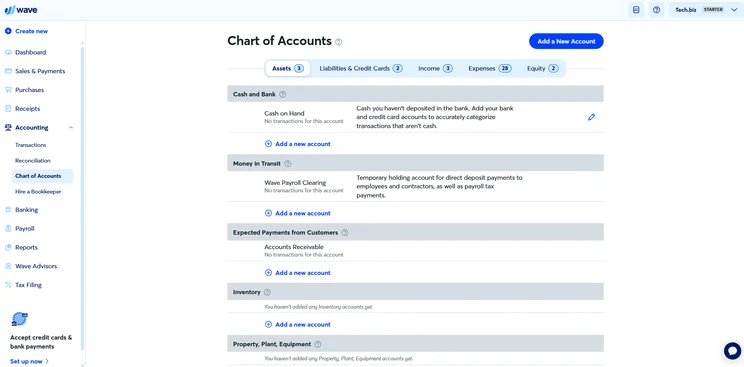
If you’re looking for a reliable tool to track your financial transactions, Wave’s bookkeeping features will definitely get the job done. According to our researchers, the platform is head-to-head with our accountancy frontrunners, QuickBooks and Xero. It is worth noting that Wave offers a wide range of bookkeeping functions that include journal entries, bank reconciliation statements, customizable charts of accounts, and balance sheets.
Income and expense tracking
Wave offers unlimited income and expense tracking capabilities, which is almost unheard of for free accountancy software. Businesses can link their bank accounts to the platform, import bank statements, and add expenses manually. Wave even lets you categorize transactions in bulk as well as merge duplicate transactions, allowing you to streamline the process.
For those looking to ditch physical documents, the software will let you back up your business’s receipts, too. This will allow your organization to keep important transaction data in the cloud and make it easier to keep up with legal requirements.
Check our reviews of competing expense tracking solutions.
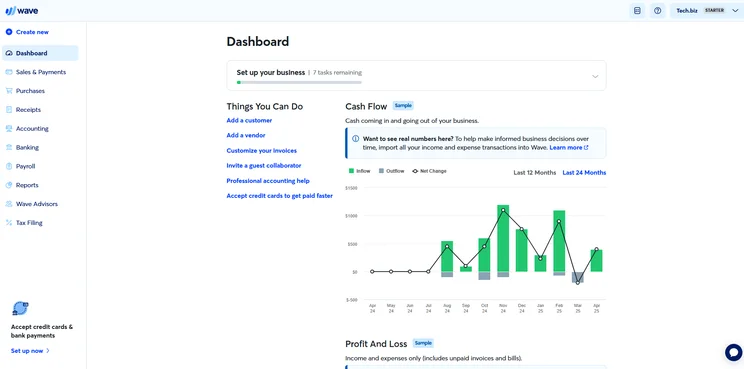
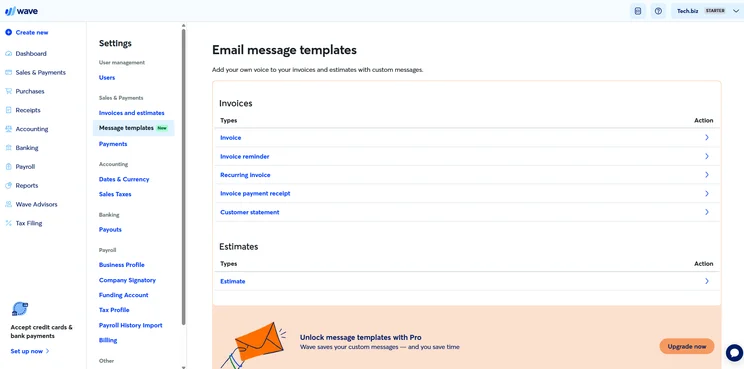
Wave Accounting’s dashboard can be set up to include the graphs and charts you need. Source: Tech.co testing
Accounts payable
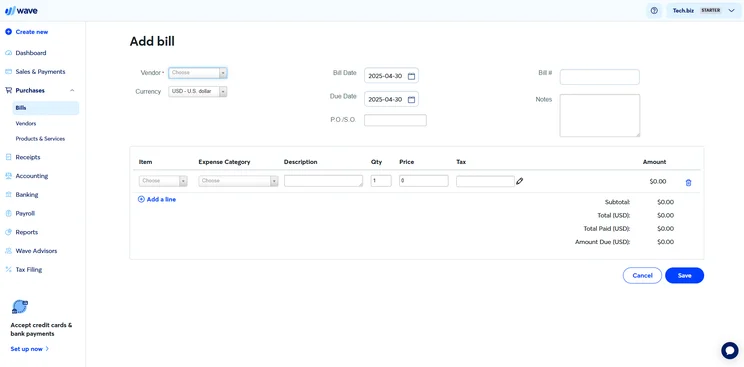
Though not perfect, Wave’s accounts payable features are well above average. Users can use the tool to track bills and expenses, record payments in multiple currencies, and scan bills. However, unlike QuickBooks and Zoho Books, businesses using the software can’t set recurring bills or create purchase orders, making it harder for them to manage finances automatically. Unfortunately, this prevents Wave from scoring any higher in this category.
Accounts receivable
Solid accounts receivable features make light work of tracking money owed. Wave understands this more than anyone, offering its users a broad range of attractive accounts receivable features.
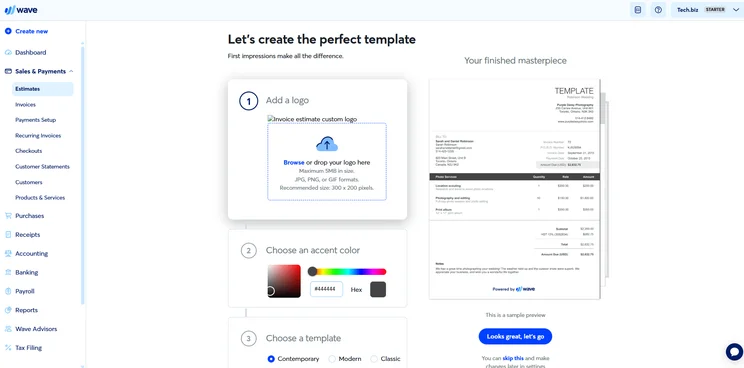
For instance, Wave can be used to track overdue client payments, create and send invoices and estimates, set up recurring invoices, and create payment reminders. Wave even lets businesses store client information in comprehensive customer profiles, letting users access a range of important information from one user-friendly dashboard. (pictured below).
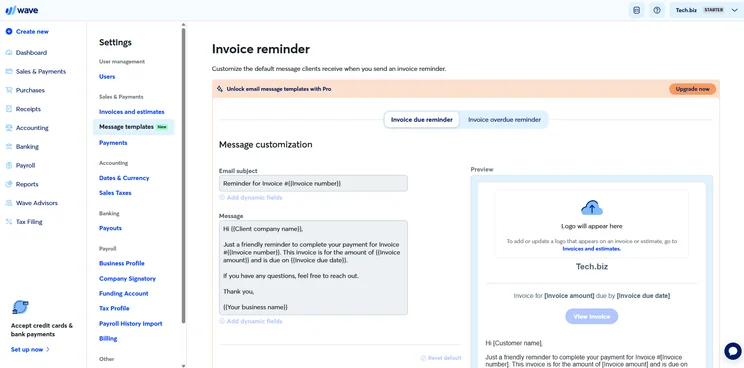
Wave Accounting includes invoice reminder templates as well as standard invoices. Source: Tech.co testing
Financial reports
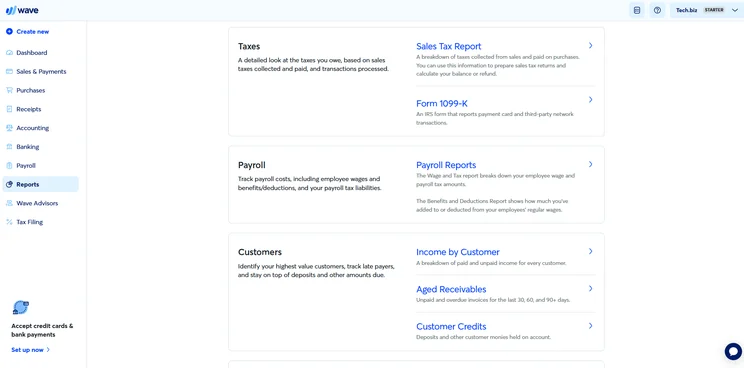
Wave’s financial reporting features are fairly extensive, offering businesses a wide range of money-tracking tools that include income statements, cash flow statements, balance sheets, sales reports, and sales tax reports. Wave’s sales reports even let users view paid and unpaid income per customer, which separates its reporting features from the competition.
However, if it’s specialist tools you’re looking for, such as customizable reports, you’d be better off choosing Xero, as it gives users full control over the metrics, dimensions, and the layout of their reports.
What’s more, Wave doesn’t let users create cash flow projections or any budget forecasting tools at that, making the software less suited to larger businesses that require an advanced overview of their finances.
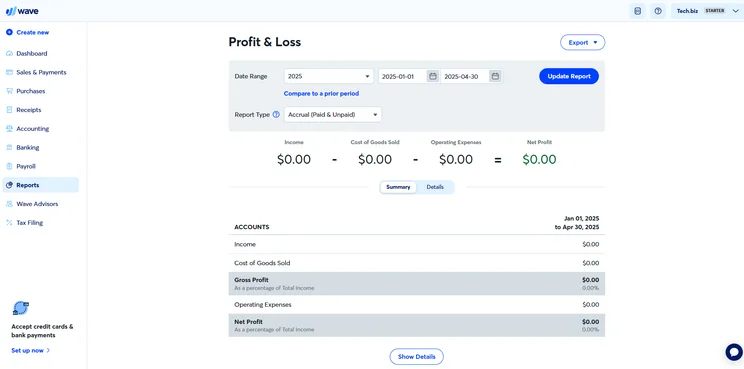
Wave Accounting’s Profit and Loss report template guides users who need this key business statement. Source: Tech.co testing
Is Wave Right for Your Business?
Wave is a streamlined accountancy platform that likes to keep things simple. However, it completely lacks budgeting tools, making it unsuitable for businesses that need a one-size-fits-all solution.
If you’re looking to gain a firmer grasp of your business’s finances, Zoho Books offers excellent budget management features for as low as $15 per month. QuickBooks is another great contender. However, its budget management tools are reserved for its pricier tiers, making it less appropriate for budget-conscious businesses.
How Does Wave Compare With Other Providers?
Wave is the cheapest accountancy software you’ll be able to get your hands on, but it’s not the only worthy contender out there. If you’re able to afford $20 per month, QuickBooks has much stronger reporting and accounts payable features than Wave, making it easier for businesses to understand their finances and improve their payroll efficiency. In fact, with a research score of 4.7/5, QuickBooks is our top-ranked accountancy software for small businesses.
With a similarly strong feature offering — including a built-in budget creator — Xero is better for hospitality businesses, while FreshBooks is the optimum choice for retail stores, thanks to its top-tier stock handling tools. However, there are tons of quality options out there, including Zoho Books and Sage, so take a look at our comparison table to discover which piece of accounting software will work best for you.
|
Starting price
|
Free trial
|
Core Benefit
|
Try now
|
||
|---|---|---|---|---|---|
 |

|
 |
 |
 |
|
|
QuickBooks |
Xero |
Zoho Books |
FreshBooks |
||
|
|
|
Free |
|
||
|
30 days |
It’s free, no trial needed |
30 days |
14 days |
30 days |
|
|
Excellent help and support features, including dedicated on all plans and 24/7 support and training on Advanced plan |
Basic accounting functionality for free |
Online integrations |
Strong automation features |
Inventory tools at a low price, plus a great 60% discount for the first 6 months |
|
| Try QuickBooks | Try Wave Starter | Try Xero now | Try Zoho Books | Try FreshBooks |
Our Methodology
Accountancy software is a vital tool for a business’s financial well-being. We understand this well at Tech.co, and it’s why we make sure every recommendation is research-backed and quantifiable.
Working alongside our team of independent in-house researchers, we consider a huge variety of metrics when reviewing the top accountancy software and award each provider a mark out of 10 in each sub-category. Our accounting reviews rely on this process, and we break down some of our key research criteria below:
- Pricing – We asses the average price of each provider’s plans, and check for the presence of free versions and trials to gain a comprehensive overview of each software’s value offering.
- Help & support – To judge the quality of a provider’s support tools, we take multiple factors into account, including what support channels are offered, whether they can be accessed around the clock, and whether quality support is available on all pricing tiers.
- Bookkeeping tools – To measure how equipped bookkeeping tools are at fulfilling their purpose, we look out for a number of key features, including stock management, receipt scanning, and reconciliation statements.
- Accounts receivable – In this category, we assess how capable a piece of software is at tracking money owed, i.e, does the tool offer advanced capabilities, like invoice trackers, client databases, and payment reminders?
- Accounts payable – To help businesses stay on top of supplier payments, we also look out for accounts payable tools, such as supplier databases, bill scanning tools, and recurring bill payment options.
- Financial reports – Finally, to determine how capable a tool is at monitoring finances, we measure the number and quality of reporting options available, i.e, does the software give users access to sales reports, custom reports, balance sheets, and cash-flow statements?
According to our rigorous research, Wave is definitely worth it, especially if you’re running a side business and don’t require specialist accountancy features.
Considering Wave is completely free, with no trials or hidden fees in sight, its value offering is extremely impressive. In addition to being super user-friendly, the software receives full marks in numerous research categories, including software attributes and bookkeeping – a feat that even some paid tools weren’t able to achieve, like Sage and Kashoo.
Still, Wave’s affordability does come with a slight cost. The software lacks a number of basic accountancy capabilities, including stock tracking, project accounting, and budgeting and forecasting. This means that if you have specific needs, it’ll make more sense to pay for paid alternatives, like Xero or QuickBooks.
The market is stacked with competitive accounting software options, though, so check out our comparison page to see how the best of the best compare side by side.
Frequently Asked Questions
Wave is very committed to protecting user data. Wave is Level 1 PCI-DSS certified, secures data with 256-bit TLS encryption, features a built-in internal risk system, and even employs industry-leading banking services to manage your bank account and password data.
When using Wave, credit card payments are normally paid out within two business days. However, Automated Clearing House (ACH) bank payments can take slightly longer, with the payment type typically taking around two to seven days to go through.
While Wave doesn’t impose monthly fees, the platform charges users a card processing fee of 2.9% + 60¢ per Visa, Mastercard, and Discover transaction, and 3.4% + 60¢ per transaction for American Express.
Depending on your business’s needs, accounting software can cost anywhere between $2 and $20 per month. However, if you can do without advanced features, there are also a number of free options available, like Wave.
If you click on, sign up to a service through, or make a purchase through the links on our site, or use our quotes tool to receive custom pricing for your business needs, we may earn a referral fee from the supplier(s) of the technology you’re interested in. This helps Tech.co to provide free information and reviews, and carries no additional cost to you. Most importantly, it doesn’t affect our editorial impartiality. Ratings and rankings on Tech.co cannot be bought. Our reviews are based on objective research analysis. Rare exceptions to this will be marked clearly as a ‘sponsored’ table column, or explained by a full advertising disclosure on the page, in place of this one. Click to return to top of page


