



We may receive a commission from our partners if you click on a link to review or purchase a product or service. Click to Learn More
QuickBooks is the best accounting software for self-employed workers, as its entry-level Solopreneuer plan offers several useful capabilities, including receipt capture, bank connections and time-saving AI features.
A capable accounting platform can help self-employed workers and sole traders manage their finances in-house, without having to outsource tasks to professionals. Even the best accounting platforms for small businesses aren’t created equal, though, with some lending themselves much better to one-person operations with specific needs than others.
We’ve researched and reviewed the best self-employed accounting software on the market, paying particular attention to factors that matter the most to sole traders, like ease of use, core accounting features, and value, to help match you with the perfect solution. Read on to discover our top picks, based on detailed insights gleaned from our in-house research team.
|
Starting price
|
Free trial
|
Custom reports
|
Live chat
|
Phone support
|
Try now
|
||
|---|---|---|---|---|---|---|---|
 |
 |
 |
 |
 |
 |
||
|
QuickBooks |
Zoho Books |
FreshBooks |
Clear Books |
Xero |
FreeAgent |
||
|
|
Free |
|
Free |
|
|
||
|
30 days |
14 days |
30 days |
30 days |
30 days |
30 days |
||
|
|
|
|
|
|
|
||
|
|
|
|
|
|
|
||
|
|
|
|
|
|
|
||
| Try QuickBooks | Try Zoho Books | Try FreshBooks | Get Quotes | Try Xero now | Get Quotes |
Top 6 Accounting Software for Self-Employed
If you’re self-employed or a sole trader, some accounting software will be able to meet your needs more than others. Here are our top picks, rated and reviewed.
- QuickBooks– Best self-employed accounting software overall
- Zoho Books – Best accounting software for micro businesses
- FreshBooks – Best accounting software for beginners
- FreeAgent – Great for cash flow management
- Xero – Best for sole traders with high turnovers
- Clear Books – Best for managing complex tax processes
1. QuickBooks – Best Self-Employed Accounting Software Overall
QuickBooks is a widely used accounting platform and our third-best-rated accounting platform overall. While its expansive bookkeeping and financial planning toolkit makes it a top choice for larger enterprises, it’s also the best accounting platform for self-employed workers – namely due to its clear set-up guide and bespoke Solopreneur plan, which only costs $20 per user, per month.
While QuickBooks’s entry price undercuts other providers on this list like FreeAgent and Xero, the provider doesn’t skip on features, offering a raft of useful capabilities to help you prepare for self-assessment, gain cash flow insights, build custom reports, and more.
QuickBooks

In Short
-
Pros
- Extensive analytics template customization
- Automatic alerts for mismatched balances
- Built-in cash flow projection tools
-
Cons
- Steep learning curve for advanced functionality
- Limited customer support resources for self-help
- No time tracking features
Pricing
-
 Solopreneur: $20/month
-
Simple Start: $38/month
-
Essentials: $85/month
-
Plus: $140/month
-
Advanced: $340/month
-
50% off for first 3 months on all plans
Images
Why is QuickBooks a good accounting software for the self-employed?
QuickBooks’ Solopreneur plan is specifically geared towards self-employed workers, property owners, and landlords, and offers an abundance of useful capabilities to help individuals manage their business’s finances, track income and expenses, and maintain tax compliance seamlessly.
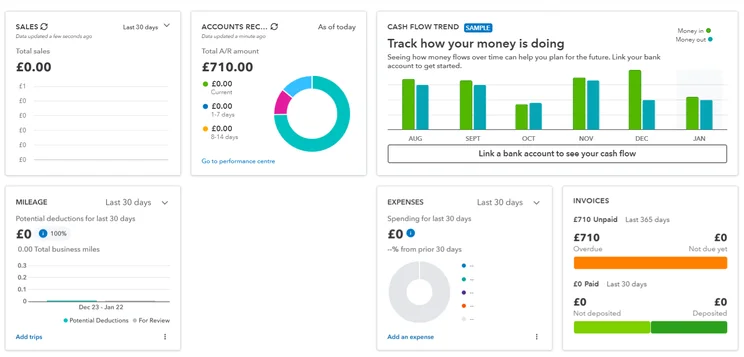
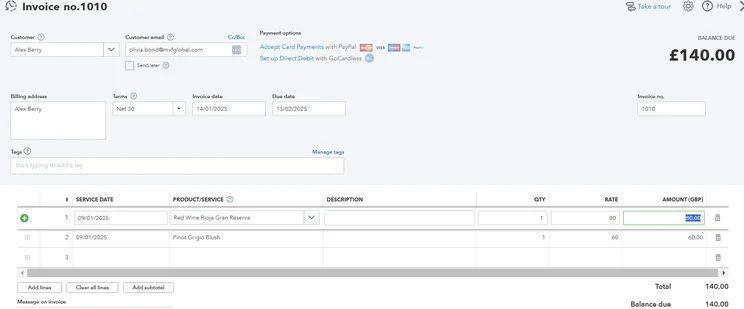
For self-employed workers, getting paid on time and maintaining a professional relationship with clients is paramount. Fortunately, QuickBooks recognizes this. Its invoice toolkit lets you create professional custom invoices with your company’s own branding, track the status of these invoices, and the platform even notifies you when they’ve been paid. QuickBooks even allows users to view when invoices have been viewed by clients, a feature that competing systems, like Clear Books, currently lack.
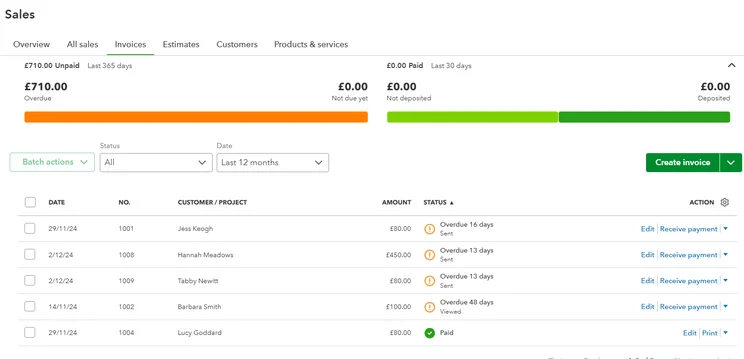
We were able to check sales invoices and get a clear look at our financial situation with QuickBooks. Source: Tech.co testing
QuickBooks is also one step ahead of competitors when it comes to artificial intelligence. The platform lets you extract relevant information from invoices, categorize expenses, and flag potential errors or unusual charges with its powerful AI toolkit. This makes QuickBooks a great option for individuals keen on saving time by streamlining manual processes.
If you experience fluctuating income, QuickBooks’s cash flow features could benefit you. They offer personalized insights based on recurring expenses and transactions, to help you understand how different actions could affect your business. The best thing is that this capability is available with QuickBooks’ entry-level sole trader plan, so you don’t need to upgrade to a pricier package for the privilege as you would need to do with providers like Xero.
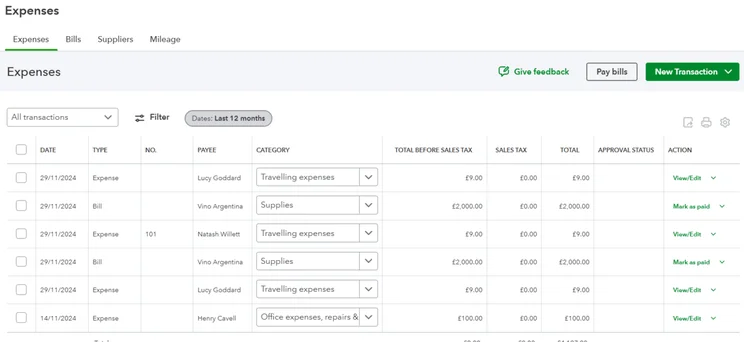
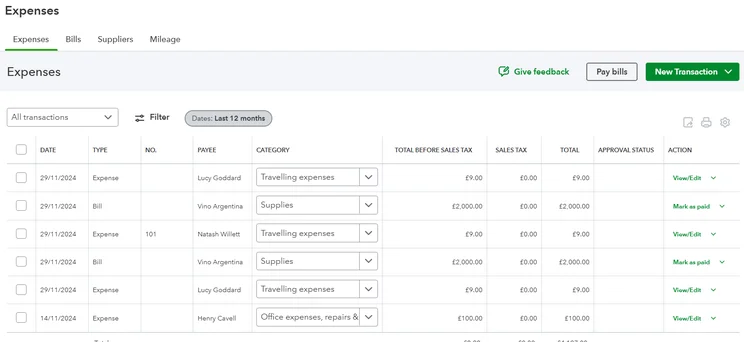
QuickBooks lets you track your expenses easily, including their type, category, total value, and more. Source: Tech.co user testing
How did we find using QuickBooks?
When we tested out QuickBooks, it became clear the platform was best suited to users with some prior experience with accounting software.
Compared to systems like Zoho Books and FreshBooks, QuickBooks’ learning curve was particularly steep, largely down to its cluttered layout and dated typography. We also found some processes, like creating expenses and sending payment reminders, to be overcomplicated too – requiring us to take more steps than we felt was necessary.
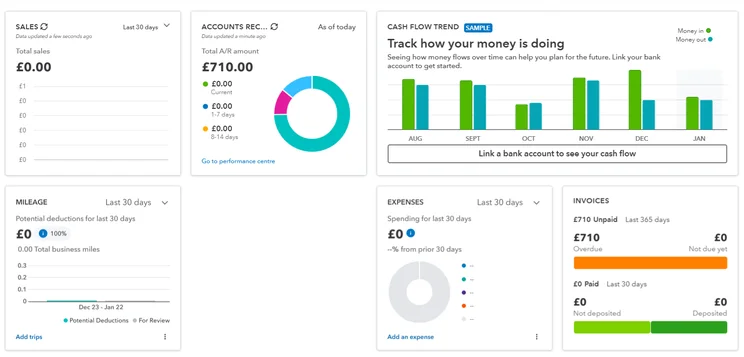
We found QuickBooks’ interface to be much more modern and slick than competitors like Xero’s. Source: Tech.co user testing
Our experience with the platform wasn’t wholly negative, though. QuickBooks’ clear set-up guide and clear signposting helped us get up and running quickly. What’s more, when we did encounter issues with the software, we were able to smooth out any bumps in the road quickly with the provider’s reliable 24/7 help desk.
We were also impressed with how customizable QuickBooks was, with one member of our user testing team praising the software’s amendable menu options, which let you display the features you needed and hide the ones you didn’t.
QuickBooks Pricing
QuickBooks’ Solopreneur plan should be able to meet the needs of most self-employed workers. Coming in at $20 per month – or $10 for the first three months with the provider’s current deal – it offers all the features solo entrepreneurs need to handle tax processes, manage their finances, and stay on top of everyday admin.
That said, the Solopreneur plan offers fewer features than the other QuickBooks Online plans, so it may not be able to meet the needs of self-employed workers managing complex financial processes. Simple Start is $35 per month ($3.50 per user, per month, for the first six months), and offers everything in the Sole Trader tier, with an additional onboarding session, tax support, and one-click invoicing options.
Learn more about how much the provider could cost you in our QuickBooks Online pricing guide.
|
Price
|
Users
|
Bookkeeping
Does it include bookkeeping functions?
|
Accounts payable
Does it include a range of accounts payable functions?
|
Accounts receivable
Does it include a range of accounts receivable functions?
|
Project accounting
Does it offer tools to track different projects?
|
Financial reporting
Does it offer financial reporting tools?
|
Budget and forecasting
Does it offer budgeting and forecasting tools?
|
Best for
|
||
|---|---|---|---|---|---|---|---|---|---|---|
|
|
|
|
|
|
||||||
|
$20/month |
|
|
|
|
||||||
|
1 |
1 |
3 |
5 |
25 |
||||||
|
|
|
|
|
|
||||||
|
|
|
|
|
|
||||||
|
|
|
|
|
|
||||||
|
|
|
|
|
|
||||||
|
|
|
|
|
|
||||||
|
|
|
|
|
|
||||||
2. Zoho Books – Best for Micro Businesses
- Pricing from: $0 per month
Zoho Books is a user-friendly accounting platform that performed particularly well in our rigorous research and user testing. Not only is it our top-rated accounting software for small businesses, but our research found its intuitive software and excellent core bookkeeping features make it an extremely competitive option for self-employed workers too.
Zoho Books also offers a free plan catered toward solo entrepreneurs, which self-employed workers can use to create invoices, track mileage, and more. However, if you need to unlock advanced capabilities like bank feed integrations and custom reporting, we recommend upgrading to its Standard plan ($15 per user, per month), or opting for QuickBooks’ Soloprenuer plan, instead.
Zoho Books

In Short
-
Pros
- Extensive data import/export features built in
- Time tracking tools with billable hours conversion for invoicing
- Highly effective transaction documentation
-
Cons
- No customer support outside business hours (no weekends)
- Limited third-party integrations outside of Zoho
- Shorter free trial than most other accounting platforms
Pricing
-
Free: $0/month
-
Standard: $15/month
-
Professional: $40/month
-
Premium: $60/month
-
Elite: $120/month
-
Ultimate: $240/month
Images
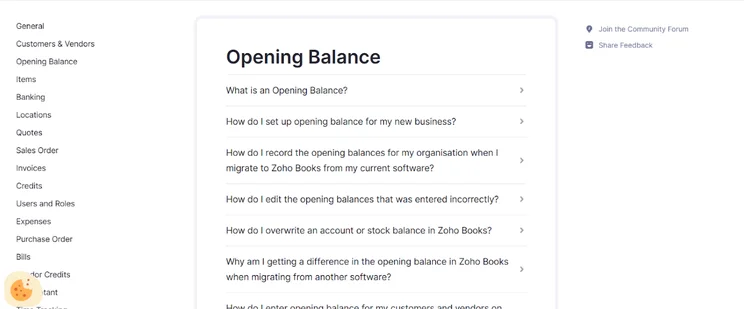
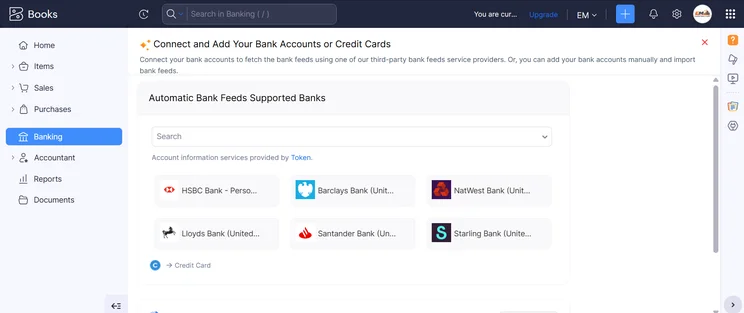
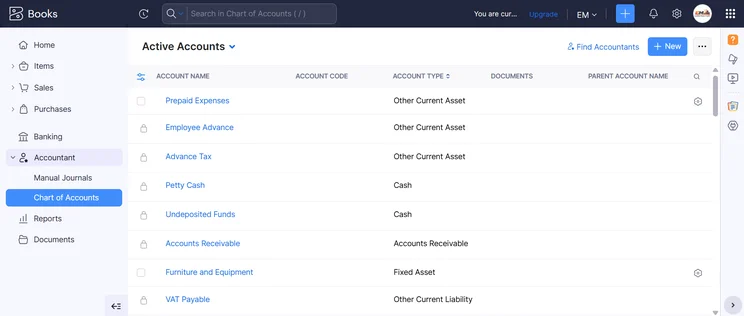
Why is Zoho Books a good accounting software for the self-employed?
Zoho Books may not boast the same name recognition as rivals like QuickBooks and Xero, but our research found its core accounting features to be in a league of their own.
Not only does the provider offer all the capabilities you’d expect from a leading accounting provider – including recurring invoicing, tax calculations, and multi-currency support, but it also boasts the best journal entry tools of any software we tested. This makes Zoho Books an especially good choice for self-employed workers looking to organize their finances in a more structured manner by keeping accurate records of their income and expenses.
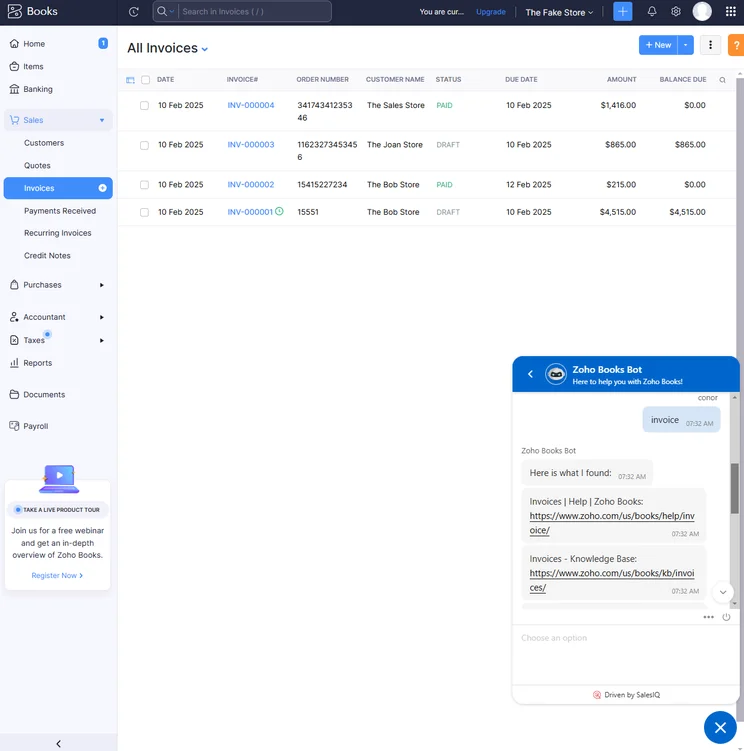
Editing an invoice was easy for our team, with clear indicators for all sections and a simple, intuitive layout. Source: Tech.co testing
Zoho Books’s invoice limits are also much more generous than its rivals. Its Free plan lets users send off 1,000 invoices a year, with the cap growing to 5,000 with its Standard plan. In contrast, Xero’s entry-level plan Early only lets you send off 20 invoices per month, making Zoho Books much more suitable for self-employed workers frequently requesting payments from a broad range of clients.
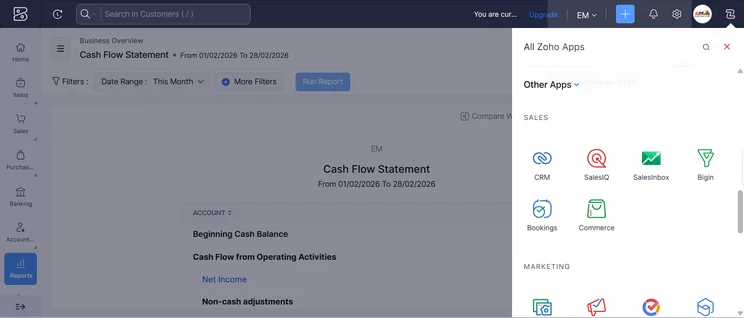
What’s more, for self-employed workers who often find themselves on the go, Zoho Books’ comprehensive mobile app allows you to manage core accounting processes from anywhere. Specifically, the app lets users view financial insights in real time, create invoices, enter mileage, and make payments, making it the most versatile mobile app we researched.
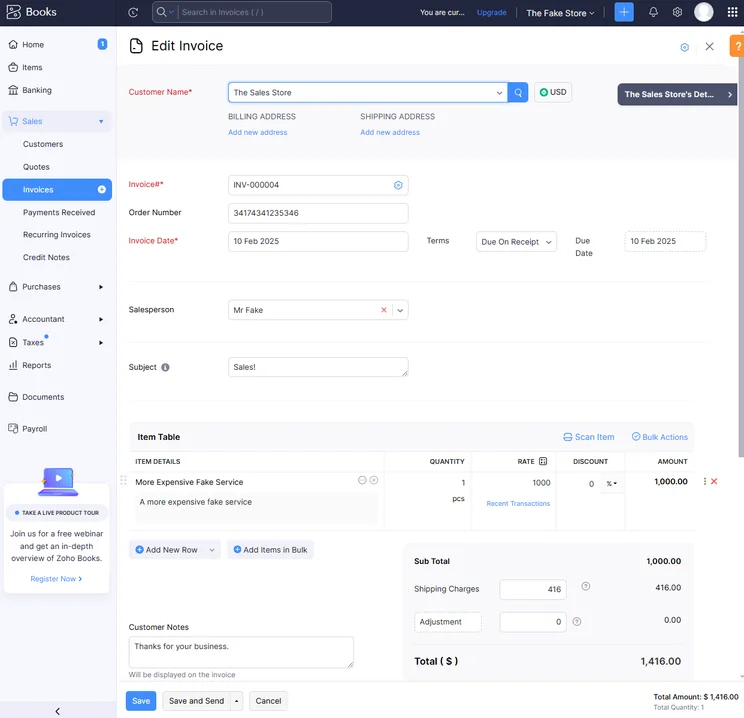
We were able to get help with tasks like creating invoices thanks to the built-in AI chatbot. Source: Tech.co testing
When it comes to customer support, options include live chat and phone in addition to email, which means that Zoho Books gives customers more support channels than Xero or FreshBooks. However, unlike Xero and QuickBooks, Zoho Books does not offer 24/7 live support, making it slightly less suitable for sole traders who operate outside of traditional working hours.
How did we find using Zoho Books?
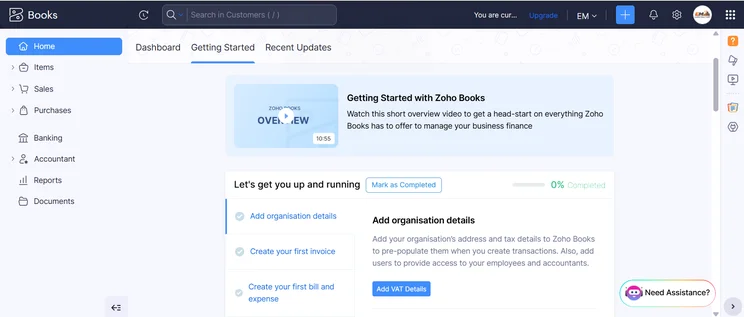
We found Zoho Books a dream to get started on when we tested it out ourselves. Its modern interface and straightforward navigation lends itself extremely well to beginners. What’s more, its central dashboard gives you a snapshot of core insights at a glance, preventing you from needing to switch between multiple tabs to retrieve important information.
“The dashboard provides everything a small business owner might need to see straightaway, like cash flow and payments.” – A member of the Tech.co user testing team
While it took us a bit longer to master specific tasks like finding and customizing reminders, we were able to resolve these issues eventually with the help of its support center. Overall, Zoho Books boasts the best user experience out of all the accounting software we tested, and is heads and shoulders easier to navigate than more complex systems like Xero and QuickBooks.
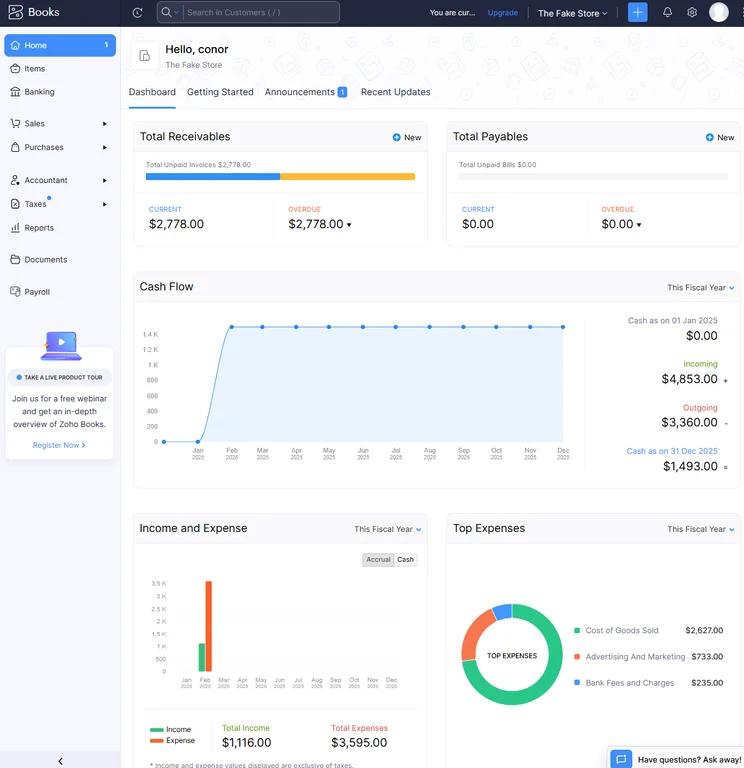
The home dashboard from Zoho Books provided us with lots of valuable data, without feeling overwhelming. Source: Tech.co testing
Zoho Books Pricing
Zoho Books offers a total of six pricing plans, although self-employed users will likely want to pick from the lowest two plans: Zoho Books Free, and Zoho Books Standard.
Its free plan offers basic features like customer management, invoice customization, and payment reminders, but it comes with a big restriction: it’s only for businesses making $50,000 or less per year. For freelancers, that’s not an unreasonable limit, and Free includes recurring bills, expense tracking, and a client database. However, it doesn’t include inventory management, analytics, or detailed reports.
The pricing of the other five plans (Standard, Professional, Premium, Ultimate, and Elite) ranges from $15 per month to $240 per month. Check out our Zoho Books pricing guide to learn more about how much the software could cost you.
|
Price
|
Users
|
Create and send invoices
|
Track expenses
|
Track bills
|
Record fixed assets
|
Multi-currency transactions
|
Advanced analytics
|
Budget management
|
Custom reports
|
||
|---|---|---|---|---|---|---|---|---|---|---|---|
 |
|
|
|
|
|
||||||
|
Free |
Standard |
Professional |
Premium |
Elite |
Ultimate |
||||||
|
Free |
$15/month |
$40/month |
$60/month |
$120/month |
$240/month |
||||||
|
1 |
3 |
5 |
10 |
10 |
15 |
||||||
|
1,000/year |
5,000/year |
10,000/year |
25,000/year |
100,000/year |
100,000/year |
||||||
|
1,000 expenses |
5,000 expenses |
10,000 expenses |
25,000 expenses |
100,000 expenses |
100,000 expenses |
||||||
|
|
|
|
|
|
|
||||||
|
|
|
|
|
|
|
||||||
|
|
|
|
|
|
|
||||||
|
|
|
|
|
|
|
||||||
|
|
|
|
|
|
|
||||||
|
|
10 reports |
25 reports |
50 reports |
Unlimited |
Unlimited |
3. FreshBooks – Best for Beginners
Pricing from: $23 per month
If you’re new to accounting software, or you don’t have a lot of time to invest in getting to grips with a complicated platform, FreshBooks should be on your radar. The system is easy to get started on and is ideal for sole traders and micro businesses handling relatively simple accounting processes, as it doesn’t overwhelm you with heaps of advanced features that you’d find with alternatives like QuickBooks and Zoho Books.
FreshBooks shines when it comes to customer support, too. Joint with QuickBooks, the platform offers the best help center we researched, letting you resolve queries via email, phone, live agent, or AI chatbot, depending on your personal preference.
FreshBooks

In Short
-
Pros
- Intuitive, easy-to-use interface for beginners
- Time tracking features with invoice compatibility
- 24/7 customer support options for platform help
- Automated reminders are included on all plans
-
Cons
- Limited functionality in mobile app
- No forecasting or budgeting features for future analysis
- Few custom reporting options
- Lower-tier plans restrict the number of active clients you can bill
Pricing
-
Lite: $23/month
-
Plus: $43/month
-
Premium: $70/month
-
90% off all plans for the first 3 months
Images
Why is FreshBooks a good accounting software for the self-employed?
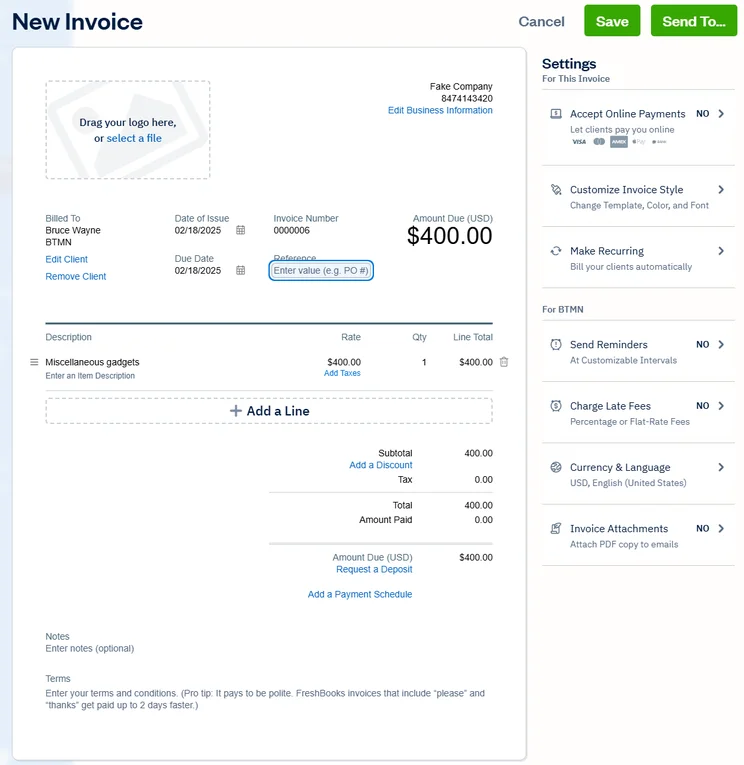
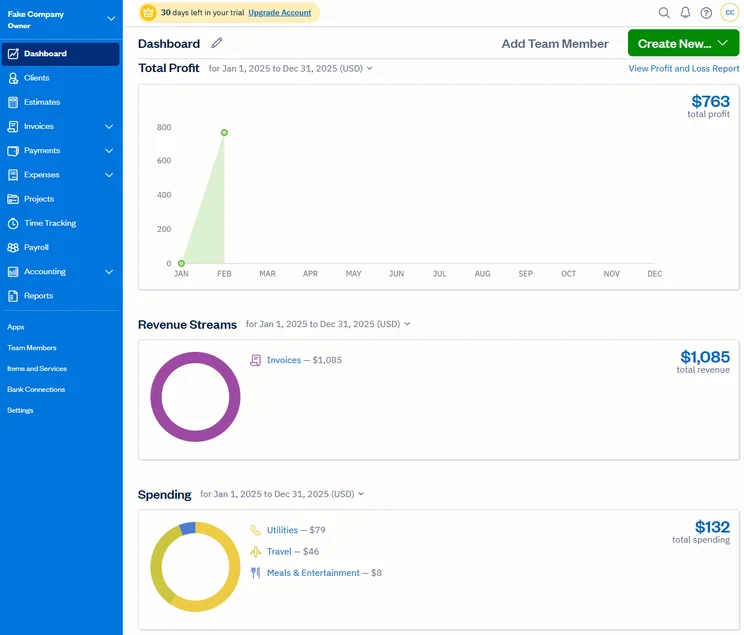
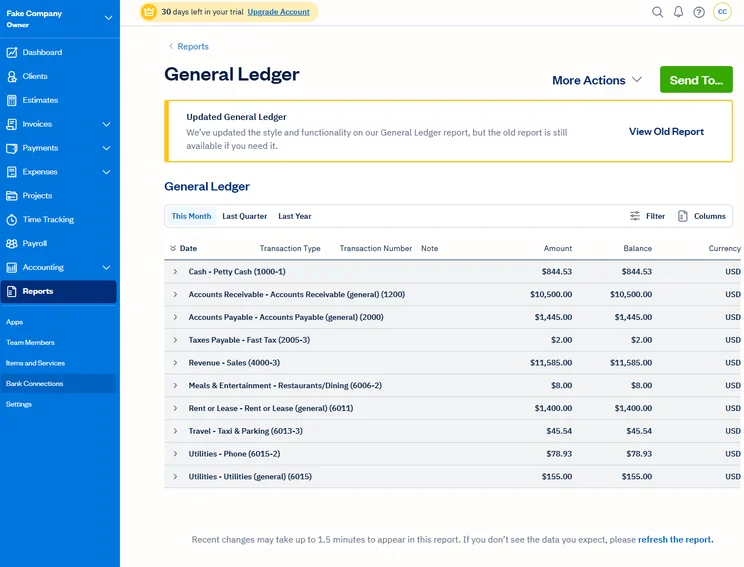
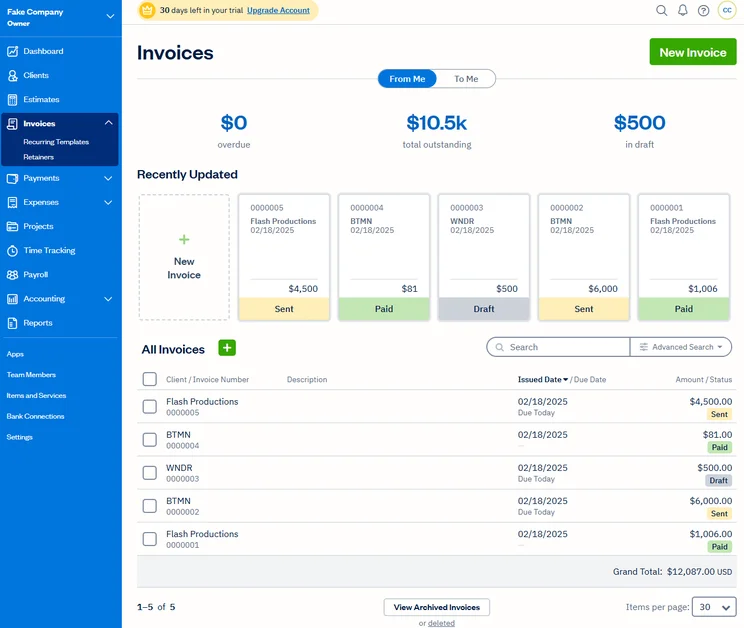
FreshBooks’s suite of features is nothing to sniff at. The provider offers a broad range of accounting tools to help sole traders manage their finances, including expense tracking, late payment reminders, business health reports, unlimited time tracking, and more. All of these capabilities are available on FreshBooks’ entry-level Lite plan too, making the platform a good choice for solo entrepreneurs with tighter budgets.
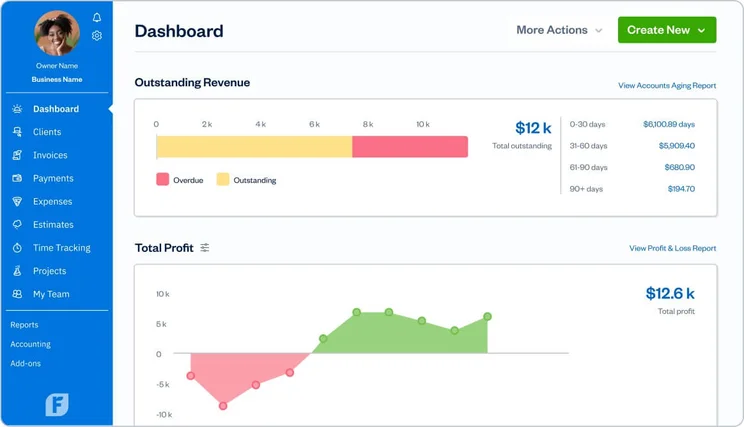
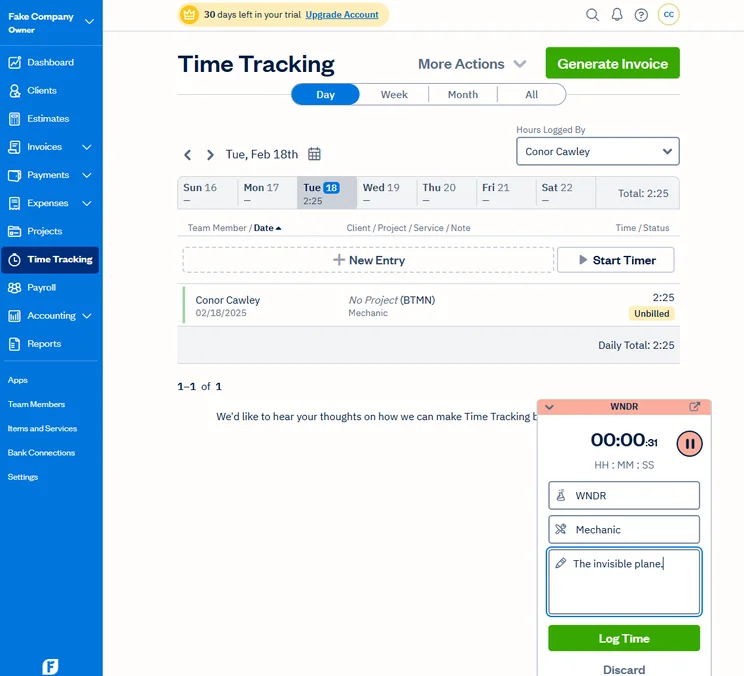
FreshBooks’ dashboard gives you a useful snapshot of key financial data, without overcomplicating anything. Source: Tech.co user testing
All FreshBooks plans offer inventory management capabilities and integrate with big ecommerce platforms, making it a great pick for individuals running their own online retail or dropshipping operations.
However, self-employed workers with advanced accounting needs could be left short-changed when using FreshBooks. Unlike top services Xero and QuickBooks, FreshBooks has no budgeting or cash-flow projection tools, making it harder for users to gain a clear overview of their future finances.
In addition, you’ll need to upgrade to its Premium plan to do away with invoice limits, which could make the platform less affordable for sole traders sending off high volumes of bills.
How did we find using FreshBooks?
We had a positive experience using FreshBooks, namely because of its clear visual signposting, and appealing interface. Finding features was a breeze, with the help of its vertical navigation bar, and the platform was notably less overwhelming than feature-rich systems.
FreshBooks’ dashboard gives you a useful snapshot of key financial data, without overcomplicating anything. Source: Tech.co user testing
It was particularly easy to edit aspects with FreshBooks too, with one member of our user testing team mentioning that once you customized items like invoices, you “always knew where to look next time”. We did face some minor issues when trying to message staff on the platform, but all things considered, our research concludes that most sole traders and self-employed workers will have an easy time using FreshBooks.
FreshBooks Pricing
FreshBooks starts at $23 per month for its Lite plan, and has three additional plans to choose from: Plus (for $43 per month), Premium (for $70 per month), and Select for a custom price. Currently, they’re running a deal: You can get 90% off the first three months of all plans.
Lite offers the features that most self-employed users will need: It has unlimited expensing, time tracking, and estimates, plus custom invoicing. The downside here is that it has a maximum of five clients. The Plus plan does add automations and it boosts the client limit to 50.
Learn more about how much FreshBooks costs, and how its pricing plans differ.
|
Price
|
Users
|
||
|---|---|---|---|
|
CHEAPEST PLAN
|
|
|
|
|
|
|
|
|
|
1 |
1 |
1 |
3 |
Check out our FreshBooks pricing guide for more detail or read our QuickBooks vs FreshBooks comparison guide for more information on how the two services stack up to each other.
4. FreeAgent – Great for cash flow management
- Price from: $27 per month
FreeAgent is a simple yet effective accounting platform with a straightforward pricing structure. Unlike other competitors on this list, it only offers one pricing plan – packed with a range of useful features for self-employed workers like tax forecasting, customizable invoices, and advanced financial planning tools.
However, despite FreeAgent’s stripped-back interface, our team of user testers found it slightly harder to navigate than rivals like Zoho Books and FreshBooks, making it slightly less suited to beginners and preventing the provider from appearing any higher on this list.
Check out our in-depth FreeAgent review for more information
FreeAgent

In Short
-
Pros
- Simple, low cost pricing options for businesses
- Built-in tax forecasting tools for future financial planning
- Helpful cash flow alerts for surpluses and shortfalls
-
Cons
- Overly complex and unhelpful support options
- Difficult to navigate for basic feature usage
- Distracting call-to-action buttons everywhere
Pricing
-
Billed monthly: $27/month
-
Billed annually: $270/year
-
30-day free trial
Images
Why is FreeAgent a good accounting software for the self-employed?
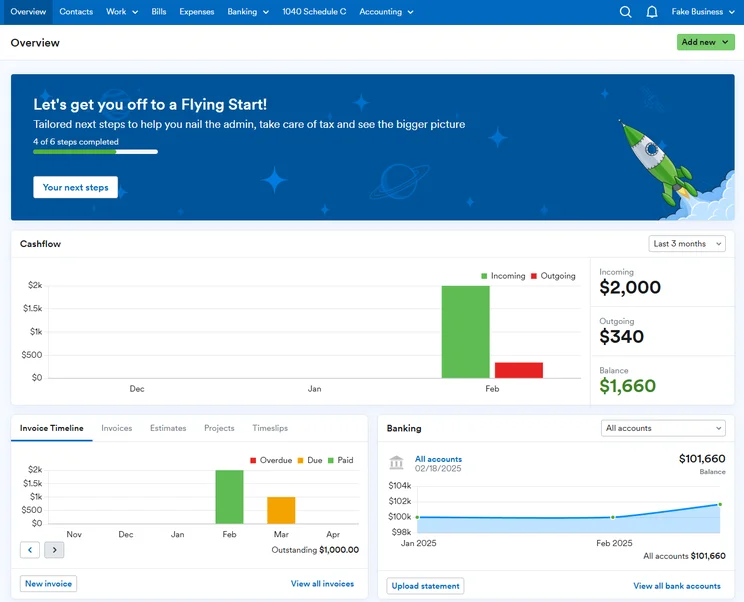
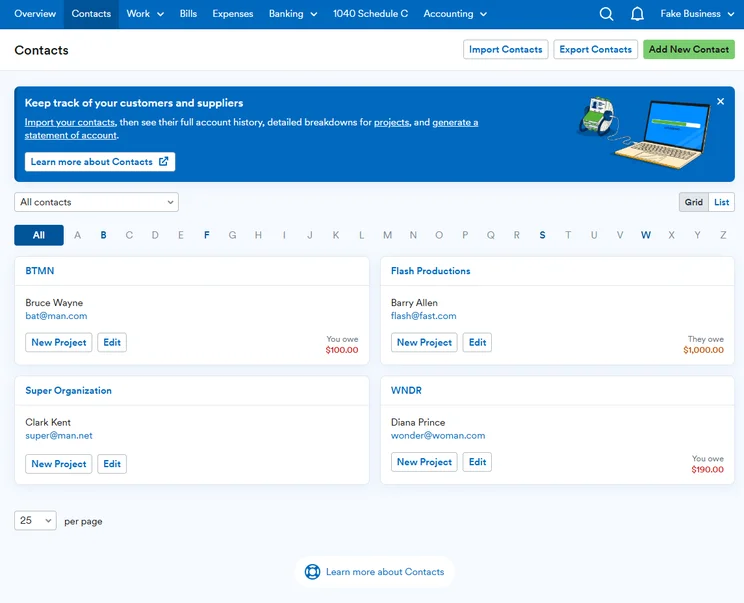
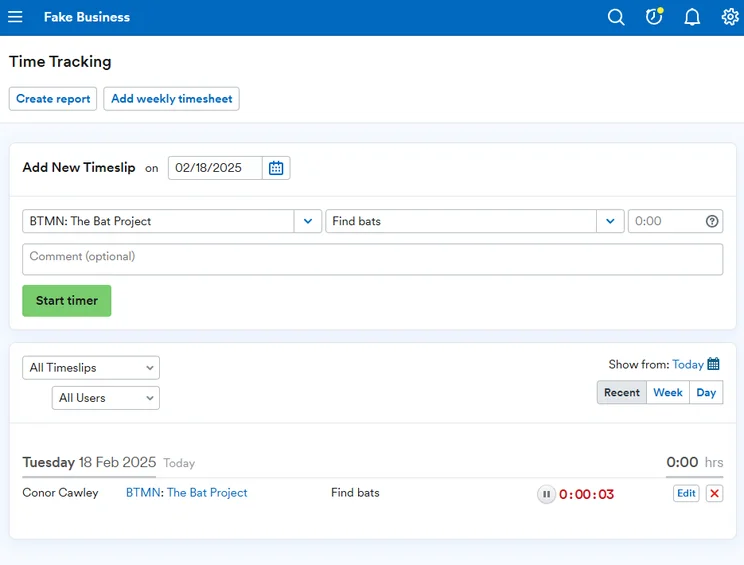
One of FreeAgent’s biggest accolades is its sophisticated cash flow management features. The platform’s cash flow graph provides users with a visual representation of their forecasted cash flow over the next 90 days. You’re also able to edit the graph to show your balance or ongoing and ongoing transactions, and customize the data available, to glean detailed insights into your finances.
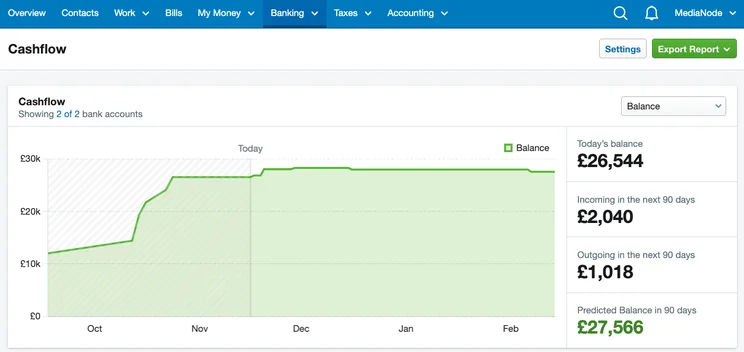
FreeAgent’s cash flow graph gives you clear visibility over your future finances, and it’s highly customizable too. Source: FreeAgent
FreeAgent also offers tax management features as part of its core package. The platform lets users calculate and forecast their tax liabilities with ease, which will be a huge boon for self-employed workers who don’t want to outsource these tasks to professionals.
FreeAgent isn’t perfect, however. The platform doesn’t allow users to enter multiple delivery addresses for clients, which could be a roadblock for businesses working with multi-location clients.
What’s more, while the platform lets you resolve queries through a range of channels – including via phone lines, live agents, and AI chatbot – its support is only available during traditional hours, unlike with platforms like QuickBooks, Xero, and FreshBooks, which all offer 24/7 support.
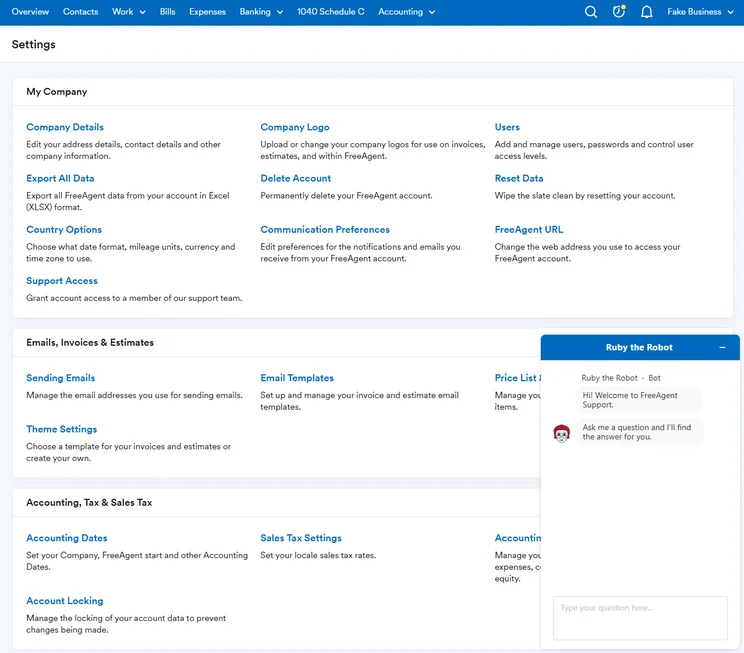
We were able to resolve our queries with FreeAgent’s AI chatbot. Source: Tech.co testing
How did we find using FreeAgent?
Another reason why FreeAgent will be a great choice for self-employed workers is because it was designed with non-accountants in mind. After trying out the software ourselves, we were impressed by its user-friendly templates for invoices and estimates. We also found its tax timeline feature incredibly easy to use, suggesting the platform will be a good option for novice users who want to track tax processes without getting overwhelmed.
We did find it hard to locate some important features, however, such as payment reminders and invoice customizations. The platform’s search bar was quite unreliable too, with one member of our testing team commenting, “I tried to use the search bar to see if anything came up, but nothing ever came up.”
We found FreeAgent’s learning curve to be much shallower than QuickBooks’ and Xero’s, but if you’re a beginner to accounting software and prioritize usability highly, we’d recommend Zoho Books or FreshBooks instead.
FreeAgent pricing
FreeAgent’s pricing is as simple as it can get. The platform offers one plan which is $27 per month, or $270 per year, depending on your chosen billing cycle. The accounting software is also running a current deal that gives businesses 50% off for the first six months, bringing its price down to $13.50 per month, temporarily.
Another huge perk of FreeAgent is that it doesn’t charge businesses to register extra users. While this may not be useful for one-man shows, it makes the platform a cost-effective choice for sole traders planning on expanding their business down the line.
5. Xero – Best for sole traders with high turnovers
- Price from: $25 per month
Xero is a versatile accounting platform packed with an extremely broad selection of bookkeeping, organization, and financial planning features.
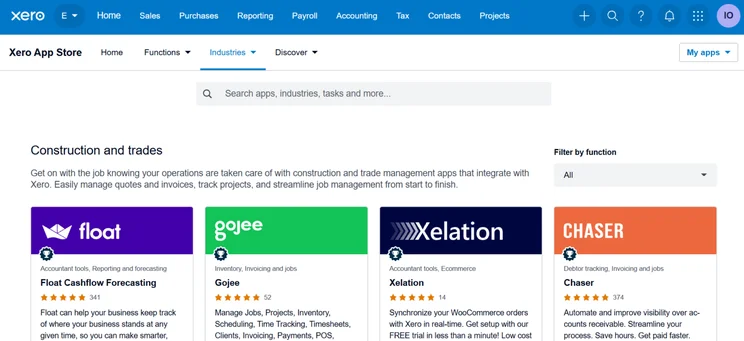
After putting the platform through its paces, our research determined Xero is specifically well suited to self-employed workers who manage complex workflows or have healthy profits, due to its top-tier cash financial planning tools and its seismic app marketplace, which lets you connect to over 1,000 third-party integrations.
Xero
In Short
-
Pros
- Over 1,000 third-party integrations available
- Useful client portal for clients to access financial information
- Robust fixed asset tracking functionality with depreciation values
-
Cons
- Steep learning curve for advanced features like workflows
- Outdated, poorly designed interface with difficult navigation
- Must give one-month notice before cancellation
Pricing
-
Early: $25/month
-
Growing: $55/month
-
Established: $90/month
-
90% off all plans for the first 6 months with Tech.co deal
Images
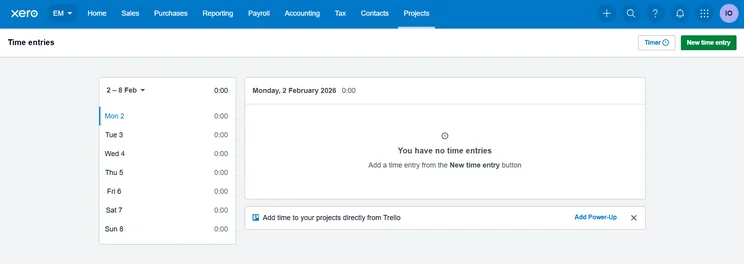
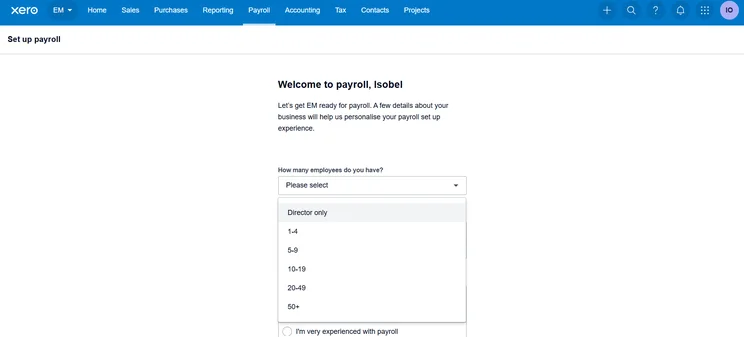
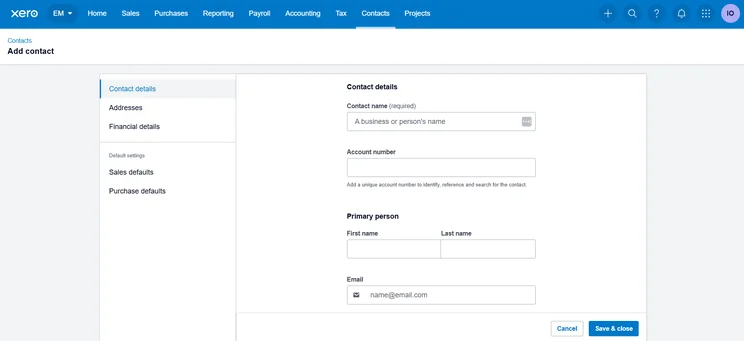
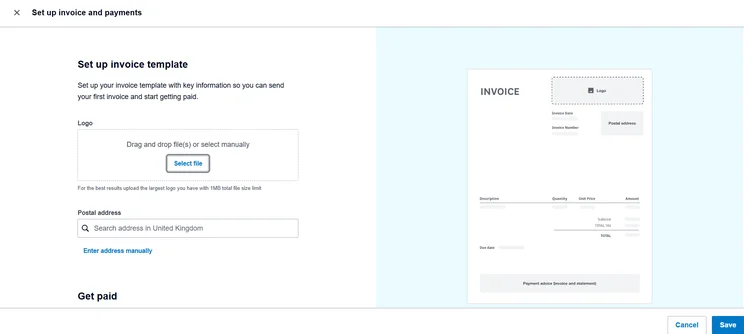
Why is Xero a good accounting software for the self-employed?
While most self-employed workers will be able to get by on simpler accounting systems like Zoho Books and FreshBooks, Xero should be a top choice for sole traders with complex financial needs.
The platform is a leading name in accounting for a reason. Behind ZohoBooks, it offers the widest selection of core accounting features we’ve researched – including capabilities like recurring invoicing, versatile tax support, and an advanced journal entry logging – as well as some sophisticated cash flow management tools that really separate it from the pack.
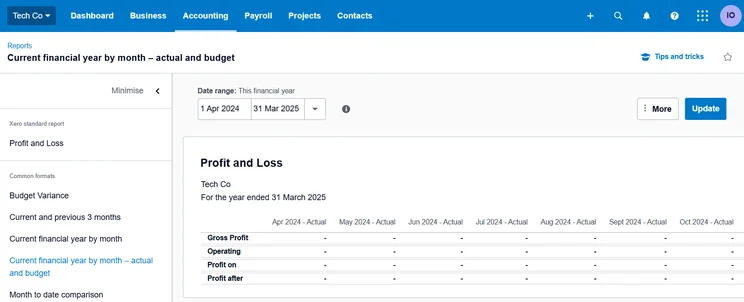
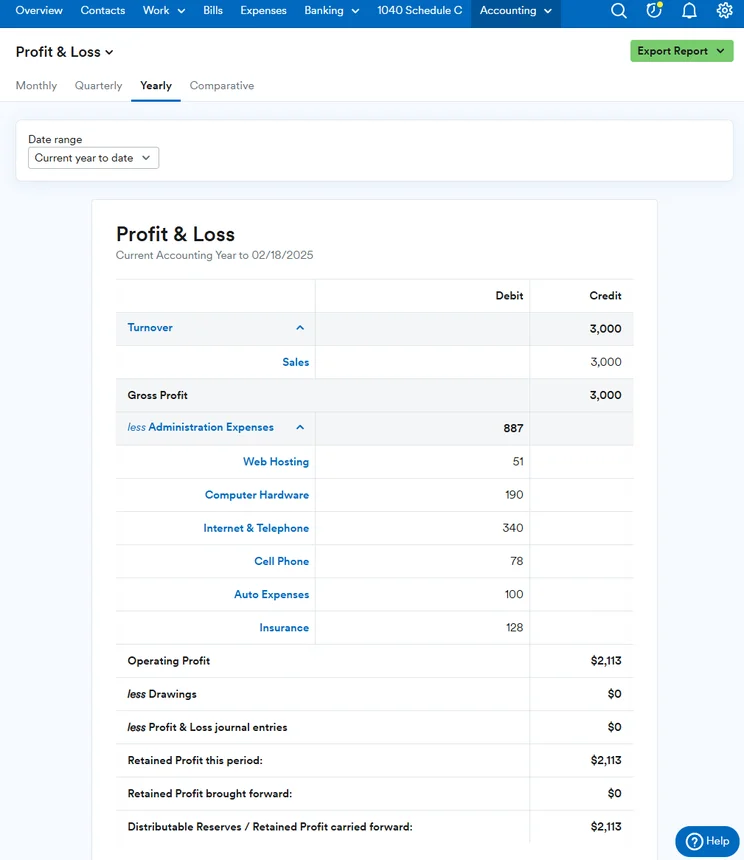
Xero’s profit and loss features give you a detailed overview of your business’s financial health. Source: Tech.co user testing
For instance, Xero’s cash flow forecasting tool provides users with visualizations of their business’s bank balance in real time, including cash flow predictions for the next seven or 30 days. This advanced capability can help self-employed workers track when payments are due, and make important decisions about which invoices to chase.
Unfortunately though, this feature is only available in Xero’s priciest Established plan, making it less attainable for sole traders with smaller budgets.
How did we find using Xero?
Xero’s well-organized headings made it easy for us to carry out simple tasks like creating and editing invoices and uploading receipt images. One member of our user tester team also commented on how easy it was to create bills with the platform, before adding relevant information like descriptions and client information.
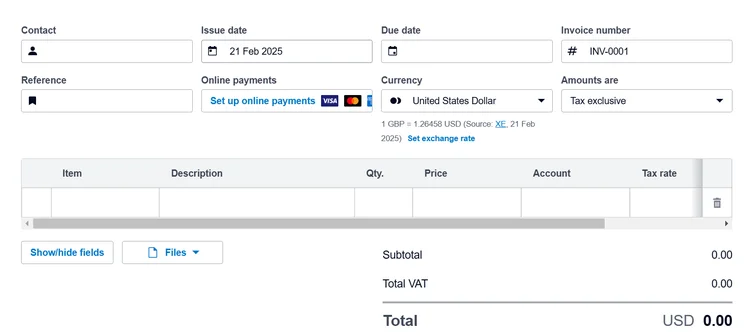
When we tried our Xero, we found creating invoices with the platform really straightforward, but complex tasks took us longer to complete. Source: Tech.co user testing
Xero’s litany of features comes at a cost, however. When we tested Xero out, its dashboard felt quite cluttered, and its interface was also noticeably more dated than slicker alternatives like Zoho Books and QuickBooks.
For these reasons, we believe Xero’s software could easily overwhelm users new to accounting software, so recommend it more for experienced users, or those willing to commit time into navigating the platforms’ intricacies.
Xero pricing
Xero offers three pricing plans: Early ($25 per user, per month), Growing ($55 per user, per month), and Established ($90 per user, per month).
Its entry-level early plan will be a natural choice for self-employed workers. It offers a range of standard accounting features including sales tax calculations, short-term cash flow snapshots, and reconciling bank transactions, but it does have quite stringent bills and invoicing limits, making it unsuitable for sole traders that request payments regularly.
If you want to do away with these restrictions, Xero’s Growing plan will be a safer bet, while Xero Established unlocks the provider’s full suite of accounting features – including advanced cash flow predictions and project tracking – albeit with higher monthly costs.
Xero is currently running a promotional deal, however, which gives businesses 90% off its plans for the first six months, enabling self-employed workers to get started with the software’s Early plan for as little as $2 per user, per month.
|
Price
|
Users
|
||
|---|---|---|---|
|
|
|
|
|
|
|
|
|
|
|
Unlimited |
Unlimited |
Unlimited |
6. Clear Books – Best for managing complex tax processes
- Price from: $0/month
Clear Books is an intuitive accounting software with flexible customization options, enabling self-employed workers to adjust the platform to meet their specific needs.
While its journal entry features may not be as advanced as competitors like QuickBooks and Zoho Books, it still offers a wide raft of core accounting features, from automated payment reminders, multi-currency invoicing, and time tracking, that should be able to meet the needs of most sole businesses.
Check out our Clear Books review for more information
Clear Books

In Short
-
Pros
- Intuitive search function for quick and easy access to key data.
- Efficient, straightforward customization features, such as quote creation.
- Pop-up project creation feature feels modern and user-friendly.
-
Cons
- No after-hours or weekend support
- No cash flow projection tools for better forecasting
- Does not track the view status of invoices
Pricing
-
Sole Trader Free: £0/month
-
Sole Trader: £5/month
-
Sole Trader Plus: £15/month
Images
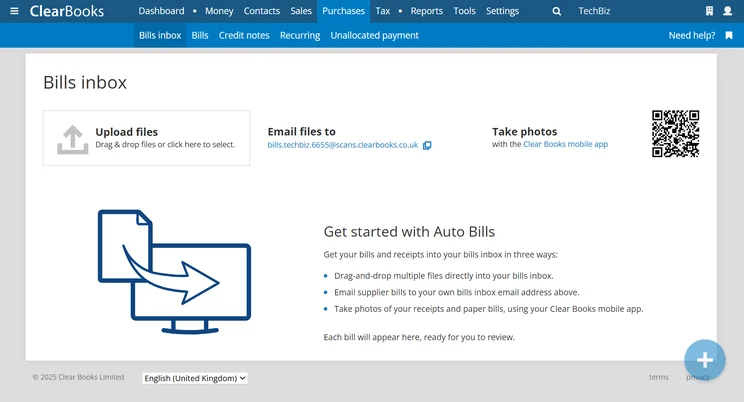
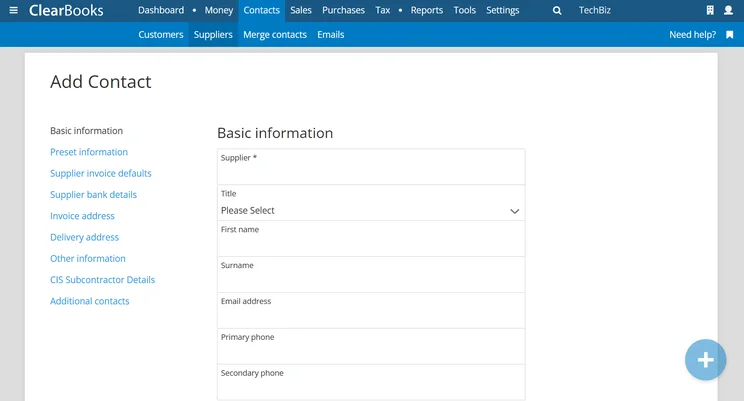
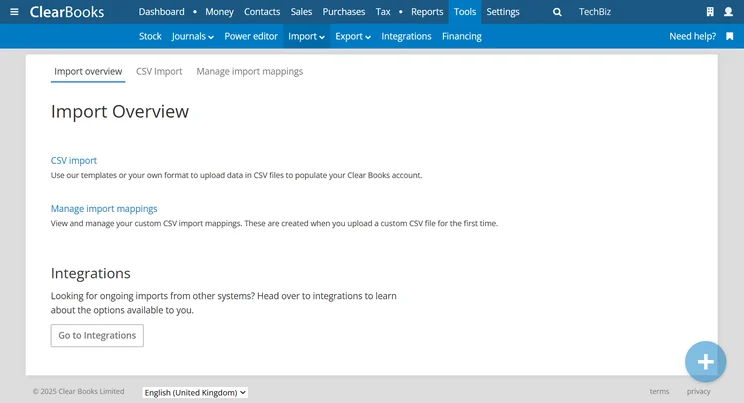
Why is Clear Books a good accounting software for the self-employed?
We were particularly impressed by how capable Clear Books was in simplifying tax calculations. For this reason, we believe Clear Books will be a solid option for self-employed workers managing complex tax processes, such as ecommerce sellers, those with significant business expenses, and those operating internationally.
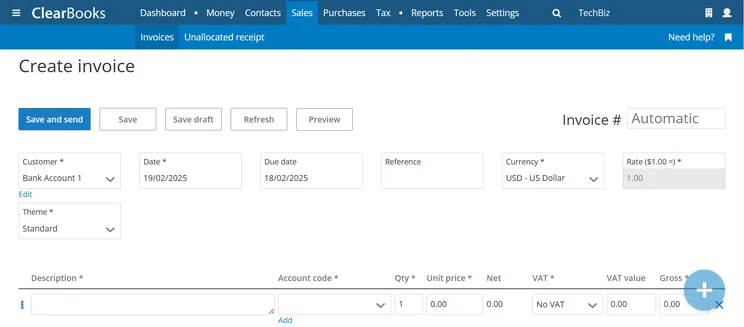
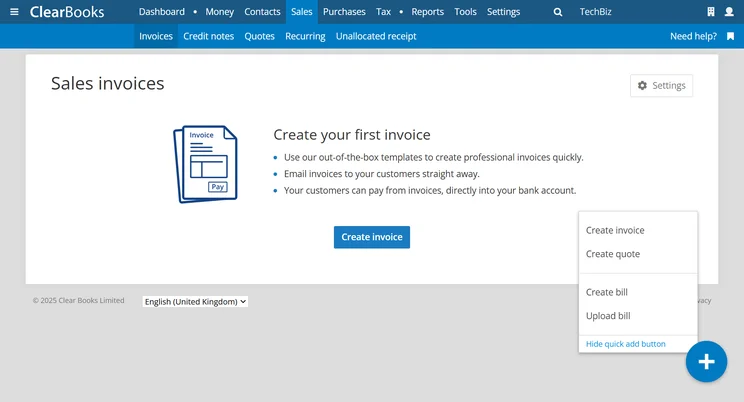
Clear Books lets users hop into invoice creation with just one click. Source: Tech.co testing
Clear Books’s stand-out customization features also make it easy to tailor invoice templates to match your brand identity. You’re able to add logos, change color schemes, and adjust the color scheme, which are huge assets for sole traders committed to presenting a professional look to their clients.
How did we find using Clear Books?
Overall, Clear Books is quite an easy accounting platform to get to grips with, mainly due to its user-friendly search function, which allowed us to retrieve information quickly. The platform’s interface is also a lot more modern than alternatives like Xero, and its customizations were easy to navigate, so overall we believe the platform is well suited to beginners.
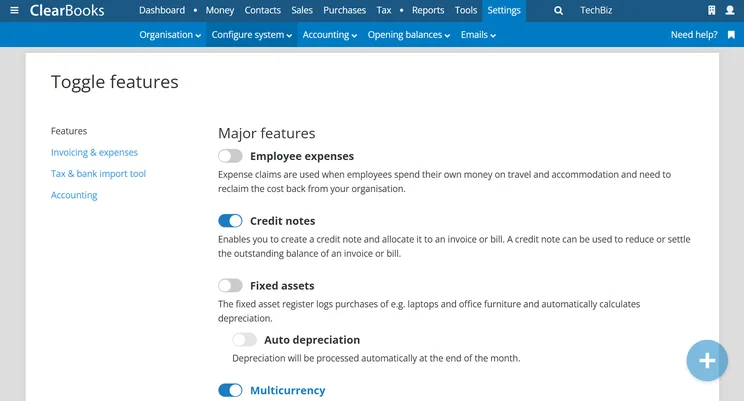
Major features can be toggled on or off through the Clear Books interface. Source: Tech.co testing
Our experience with Clear Books wasn’t without its challenges, though. The platform wasn’t as intuitive as rivals like FreshBooks and Zoho Books, and the onboarding process lacked clarity. One member of our user tester team reported slow loading times when carrying out slightly more complex financial processes like advanced tax calculations.
However, this shouldn’t pose too much of an issue for self-employed workers using the software to manage simple tasks like keeping track of financial data and creating invoices.
Clear Books pricing
Clear Books lets you choose between three pricing packages for solopreneuers (available in GBP only): Sole Trader Free (£0/month), Sole Trader (£5/month), and Sole Trader Plus (£15/month).
It should also be noted that since Clear Books is primarily a UK-based accounting software, US pricing will be subject to exchange rates, so we recommend reaching out to Clear Books directly for exact estimates.
|
Price
|
Users
|
||
|---|---|---|---|
|
|
|
|
|
|
Sole Trader Free |
Sole Trader |
Sole Trader Plus |
|
|
£0/month |
£5/month + VAT |
£15/month + VAT |
|
|
One (plus one accountant) |
Unlimited |
Unlimited |
What To Look for When Buying Accounting Software For the Self-Employed?
Self-employed workers and sole contractors have specific accounting needs that differ from those of larger businesses. So, when looking for an ideal platform to manage your finances, one-size-fits-all solutions don’t always cut it.
Here are some important pointers to consider when shopping for self-employed-friendly accounting software.
- Shallow learning curve – If you’re new to accounting software, or only need to manage relatively simple processes, you should prioritize systems with simple interfaces and quick setup times. This way, you’ll be able to get on the road quickly without having to invest tons of time getting to grips with the platform.
- Essential accounting features – Self-employed workers tend to use accounting software to handle simple processes like tracking income and expenses, generating invoices, and staying on top of tax compliance. So, if you don’t require advanced features like multi-currency support and fixed-asset tracking, don’t end up paying for capabilities you won’t use with a pricier plan.
- Financial growth features – If you’re focused on expanding your business, we recommend prioritizing software that offers cash flow management and financial reporting features on their entry-level plans, like Xero and QuickBooks.
- Scalability – Even if your business is just starting, chances are your needs will evolve. To save the hassle of switching to a different provider when you require more advanced features in the future, we advise opting for a platform with a range of scalable pricing plans.
- Value – While costs will always be a concern for businesses, self-employed workers need to be even more mindful about their outgoings. For this reason, finding an affordable accounting platform that doesn’t skimp on necessary features is essential. It’s also worth looking for platforms with free plans or free trials if you’re only managing basic processes.
Methodology: How We Tested Accounting Software for the Self-Employed
At Tech.co, we take our impartial research and analysis seriously, so you can have complete confidence that we’re giving you the clearest, most useful recommendations.
After conducting an initial investigation to identify the most relevant, popular, and established accounting tools in the market, we conducted further research, including testing six major accounting software platforms.
Based on years of market and user needs research, we’ve established an accounting software testing methodology that scores these platforms against six main categories, and 25 subcategories — with a total of 1,512 areas of investigation being considered overall.
We also put the platforms through their paces with hands-on testing to gain a deeper grasp of their average user experience. We dedicated 57 hours to carrying out 37 user tests, with a total of 555 tasks being completed in total.
Our main testing categories for accounting software are:
- Core accounting features: We check how adept a platform will be at managing accounting tasks, focusing on key bookkeeping features like invoicing, tax preparation, journal entry, time tracking, financial transactions, and payment support.
- Operational efficiency: We determine how capable a system is at ensuring day-to-day processes run seamlessly, paying close attention to third-party integrations, collaboration tools, AI automation, and customization options.
- Financial planning: We assess how capable a system will be at measuring income, profits, and losses. Specifically, we check for the presence and quality of forecasting and budgeting, inventory management, reporting, and compliance tools.
- Help and support: We assess how useful and reliable a platform’s support system is, focusing on support options, whether it’s 24/7 support or knowledge center accuracy, as well as cloud backup, and security safeguards.
- Pricing: We compare the overall cost of each platform, taking factors like monthly costs, set-up fees, hidden fees, and free plans into account. We also measure how strict contracts are, and how much it would cost for a business to terminate them early.
- User experience: An overall judgment of how easily users can interact with the platform. We tested each accounting platform and got our team to report how easy they were to use, how they felt when they were using them, and how likely they were to recommend the platform to another business.
When it comes to calculating a product’s final score, not all testing areas are weighted evenly, with factors like “core accounting features” and “operational efficiency” being prioritized for small businesses, while sector-specific features are valued more highly for businesses across different industries.
We understand that accounting software is always evolving. That’s why at Tech.co, we have full-time product researchers to re-run this testing process regularly. It’s the only way to ensure our results remain reflective of the present day.
Learn more about our research.
QuickBooks’ modern design, and the wealth of features available in its QuickBooks Solopreneur plan, make it our number one choice for self-employed workers looking to stay on top of their finances with ease. The platform lets you track your profitability and goals without having to upgrade to pricier plans, lending itself well to sole traders with smaller budgets.
QuickBooks’ isn’t the only great option for self-employed workers, though. Our research and testing concluded that Zoho Books is another stellar choice, with a shallower learning curve than QuickBooks and Xero, a quality-free plan, and much more generous invoicing and expense limits.
However, the best accounting platform for you will ultimately depend on your business’s unique needs and requirements. So if you’re interested in pinning down an ideal solution, that fits within your budget, check out our comparison page to find the best deal possible.
If you click on, sign up to a service through, or make a purchase through the links on our site, or use our quotes tool to receive custom pricing for your business needs, we may earn a referral fee from the supplier(s) of the technology you’re interested in. This helps Tech.co to provide free information and reviews, and carries no additional cost to you. Most importantly, it doesn’t affect our editorial impartiality. Ratings and rankings on Tech.co cannot be bought. Our reviews are based on objective research analysis. Rare exceptions to this will be marked clearly as a ‘sponsored’ table column, or explained by a full advertising disclosure on the page, in place of this one. Click to return to top of page


