

We may receive a commission from our partners if you click on a link to review or purchase a product or service. Click to Learn More
The best QuickBooks alternative is Zoho Books, with our research noting that it provides more core accounting features than any other platform. That, combined with its modern and intuitive interface and competitive pricing, makes Zoho Books a clear choice for users looking for the best accounting software that isn’t QuickBooks.
There are a lot of alternatives to QuickBooks out there that can handle your accounting needs, though. Xero is one option that provides more financial planning and forecasting features, although we find it more difficult to use than QuickBooks, while FreshBooks is a good choice for those in need of 24/7 customer support, but it is missing core accounting features compared to QuickBooks.
In this guide, we’ll showcase some of the best QuickBooks alternatives, highlighting their accounting features, pricing options, and overall usability, so you can make the right decision for your business.
|
Starting price
|
Free trial
|
Best for
|
Pros
|
Cons
|
Try now
|
||
|---|---|---|---|---|---|---|---|
 |
BEST ALTERNATIVE
 |
 |
 |
 |
 |
||
|
QuickBooks |
Zoho Books |
Xero |
FreeAgent |
FreshBooks |
Clear Books |
||
|
|
Free |
|
|
|
Free |
||
|
30 days |
14 days |
30 days |
30 days |
30 days |
30 days |
||
|
Businesses needing advanced financial insights and customization |
Integrations |
Experienced accountants and established businesses with complex financial needs |
Budget-conscious businesses |
New businesses |
Professionals requiring comprehensive tax preparation tools |
||
|
|
|
|
|
|
||
|
|
|
|
|
|
||
| Try QuickBooks | Try Zoho Books | Try Xero now | Get Quotes | Try FreshBooks | Get Quotes |
Best Alternatives to QuickBooks
Below, we’ve thoroughly reviewed each QuickBooks alternative to help you decide which one is best for your business. Click the links below to jump to one of the providers listed, or keep scrolling to get the whole picture.
Zoho Books – Best for Inventory Management
Starting price: $15 per month
Free plan: Yes
Zoho Books really establishes itself as better than QuickBooks when it comes to inventory management, though. Zoho Books allows for the ability to track fixed assets and to automatically calculate the value of assets within the system, a feature that is not available with QuickBooks. QuickBooks also makes you pay for the ability to set system alerts for shortfalls and surpluses, while Zoho Books includes it for free.
Zoho Books also proved to be the top QuickBooks alternative, largely thanks to its impressive selection of accounting and forecasting features combined with a modern, intuitive interface that’s easy to navigate. In fact, we found Zoho Books to be the easiest to use accounting software in our research.
Check out our Zoho Books vs QuickBooks guide to learn more
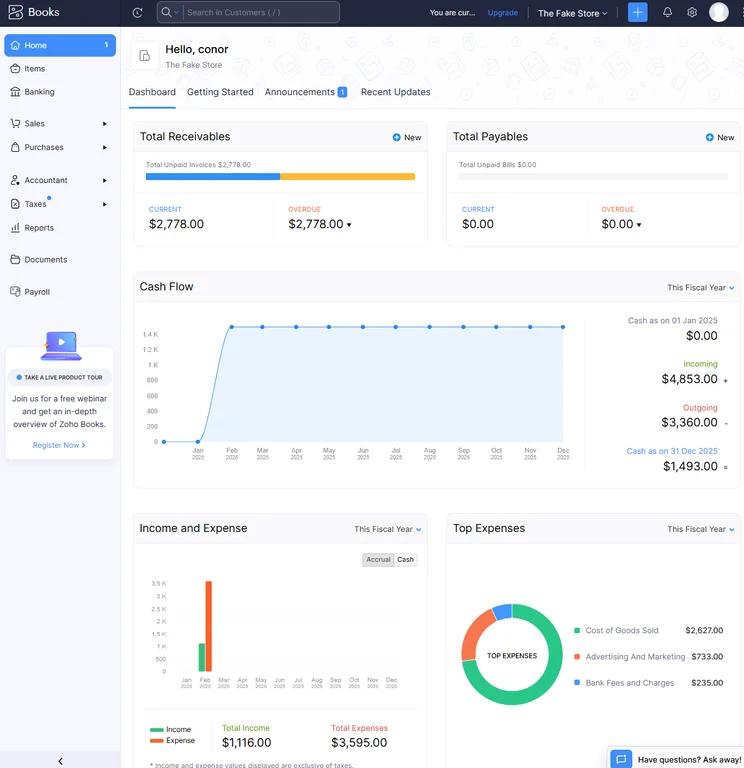
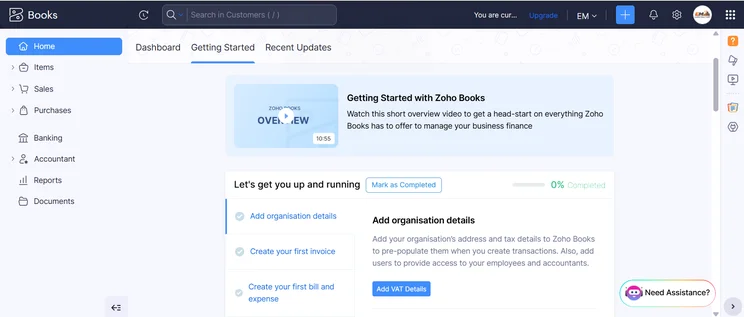
The home dashboard from Zoho Books provided us with lots of valuable data to keep us informed. Source: Tech.co testing
Where Zoho Books falls short of QuickBooks, however, is help and support. QuickBooks provides 24/7 support via its helpful chatbot, and the phone and email support options are both available for more hours than Zoho Books, including the weekend.
If you don’t foresee running into too many problems outside of business hours, though, Zoho Books is the clear option for small businesses.
Zoho Books

In Short
-
Pros
- Extensive data import/export features built in
- Time tracking tools with billable hours conversion for invoicing
- Highly effective transaction documentation
-
Cons
- No customer support outside business hours (no weekends)
- Limited third-party integrations outside of Zoho
- Shorter free trial than most other accounting platforms
Pricing
-
 Free: $0/month
-
Standard: $15/month
-
Professional: $40/month
-
Premium: $60/month
-
Elite: $120/month
-
Ultimate: $240/month
Images
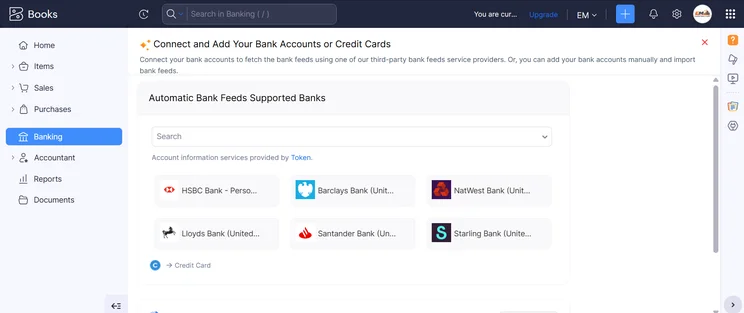
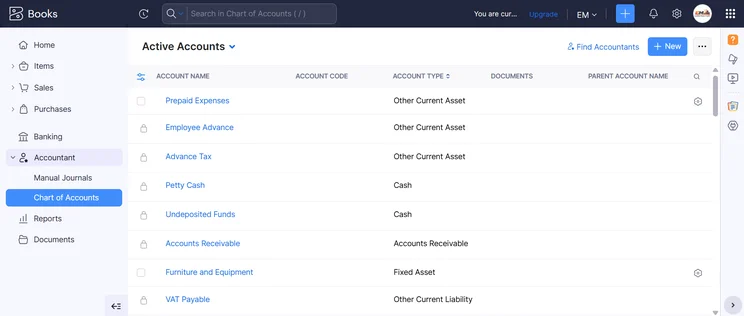
Zoho Books pricing
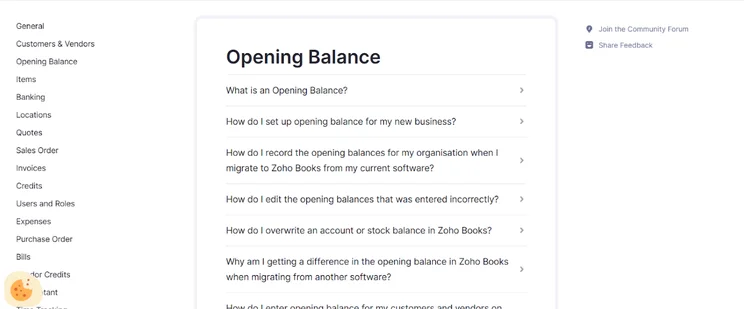
Zoho Books offers five different pricing plans, as well as a free forever plan that can get you started at no charge. Here’s how much those pricing plans cost, and make sure to keep scrolling to see a how they match up against each other on features and other functionalities.
- Standard (3 users) – $15 per month
- Professional (5 users) – $40 per month
- Premium (10 users) – $60 per month
- Elite (10 users) – $120 per month
- Advanced (15 users) – $240 per month
Zoho Books is quite comparable to QuickBooks when it comes to pricing, with both offering five different pricing plans that are all only a few dollars off from each other. Zoho Books has a slightly more affordable starting price at only $15 per month compared to $20 per month. On the other hand, QuickBooks has the more affordable enterprise-level plans, with the Plus and Advanced plans from QuickBooks slightly undercutting the Elite and Advanced plans from Zoho Books.
Check out our Zoho Books pricing guide to learn more.
|
Price
|
Users
|
Create and send invoices
|
Track expenses
|
Track bills
|
Record fixed assets
|
Multi-currency transactions
|
Advanced analytics
|
Budget management
|
Custom reports
|
||
|---|---|---|---|---|---|---|---|---|---|---|---|
 |
|
|
|
|
|
||||||
|
Free |
Standard |
Professional |
Premium |
Elite |
Ultimate |
||||||
|
Free |
$15/month |
$40/month |
$60/month |
$120/month |
$240/month |
||||||
|
1 |
3 |
5 |
10 |
10 |
15 |
||||||
|
1,000/year |
5,000/year |
10,000/year |
25,000/year |
100,000/year |
100,000/year |
||||||
|
1,000 expenses |
5,000 expenses |
10,000 expenses |
25,000 expenses |
100,000 expenses |
100,000 expenses |
||||||
|
|
|
|
|
|
|
||||||
|
|
|
|
|
|
|
||||||
|
|
|
|
|
|
|
||||||
|
|
|
|
|
|
|
||||||
|
|
|
|
|
|
|
||||||
|
|
10 reports |
25 reports |
50 reports |
Unlimited |
Unlimited |
Xero – Best for Third-Party Integrations
Starting price: $25 per month
Free plan: No
Xero outshines QuickBooks when it comes to third-party integrations, and that’s not just our research; that’s the numbers. Xero offers over 1000 apps in the Xero App Store that can integrate with the accounting software, while QuickBooks has only 800 apps in its App Center. Granted, you probably don’t need that many, but either way, Xero wins here too.
Overall, Xero was another standout accounting platform that makes for a great QuickBooks alternative, offering robust reporting tools and time-tracking features that are missing in QuickBooks. Most notably, Xero allows for unlimited users, while QuickBooks strictly limits the number depending on your plan, so we were able to collaborate more effectively with Xero.
Check out our Xero vs QuickBooks guide for more information
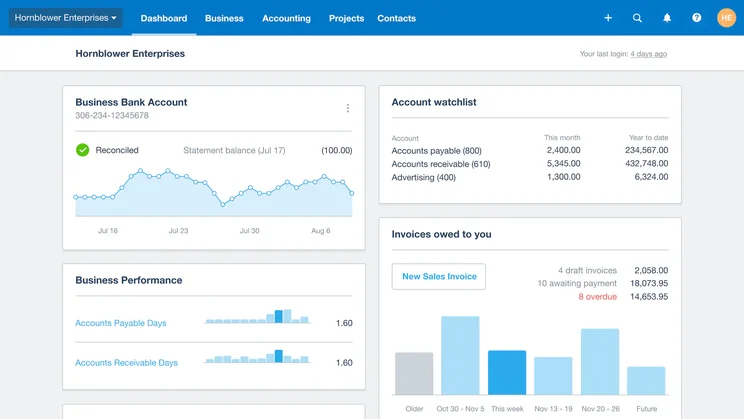
The Xero dashboard provides various accounting data visualization for your team. Source: Xero
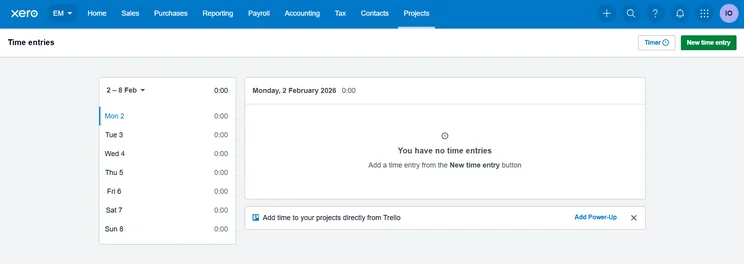
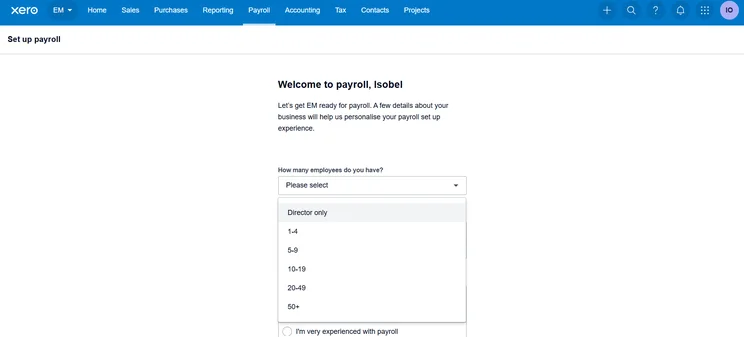
Xero loses points on usability, though. In fact, we found Xero was the least intuitive platform in our research, with regular issues on everything from starting the timer to customizing reminders.
Unlike QuickBooks or even Zoho Books, it just didn’t have the clear indicators to make navigating the system easy, which is why we’d recommend QuickBooks over Xero if you’re new to the software.
Xero
In Short
-
Pros
- Over 1,000 third-party integrations available
- Useful client portal for clients to access financial information
- Robust fixed asset tracking functionality with depreciation values
-
Cons
- Steep learning curve for advanced features like workflows
- Outdated, poorly designed interface with difficult navigation
- Must give one-month notice before cancellation
Pricing
-
Early: $27/month
-
Growing: $59/month
-
Established: $97/month
-
90% off all plans for the first 6 months with Tech.co deal
Images
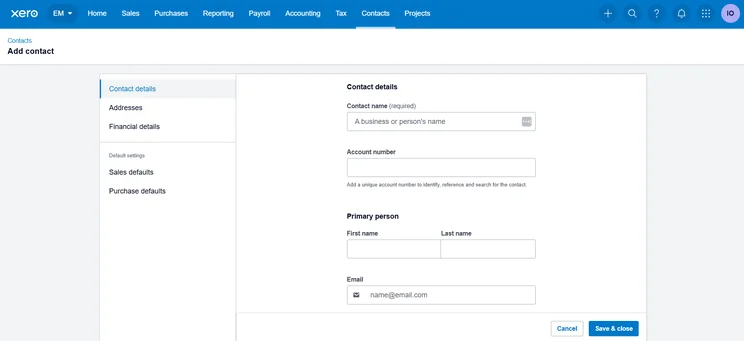
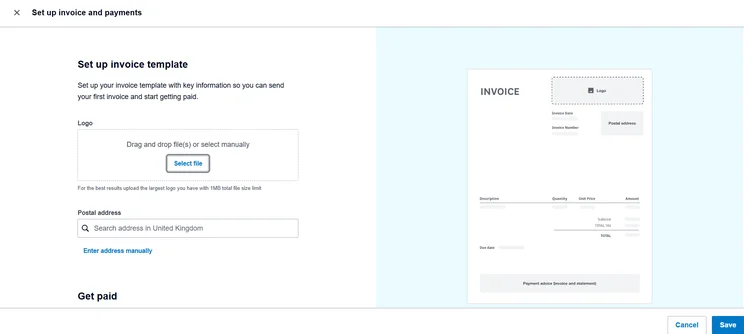
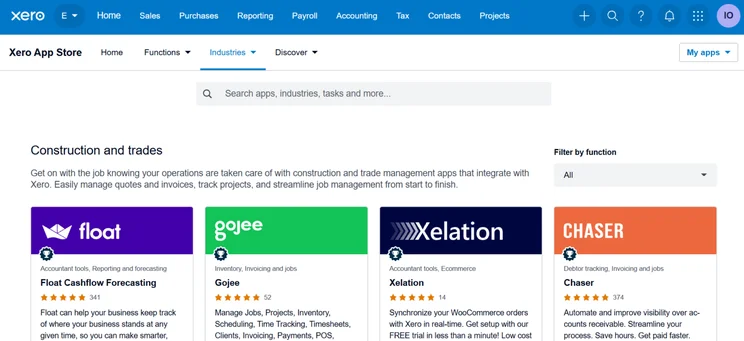
Xero pricing
Xero has three different pricing plans, and it offers a 30-day free trial that allows you to test out some of the features of the platform before you buy. Check out how much these plans cost below, and keep scrolling to compare them on features, users, and more.
- Early – $25 per month
- Growing – $55 per month
- Established – $90 per month
Xero is also currently offering a special deal that allows you to get 90% off your first six months. That means the Early plan will be only $2.50 per month for 90 days, which could be a good way to save some money in the early stages.
Most notably, Xero allows for unlimited users on all its plans, unlike QuickBooks, which has specific user allotments for each of its plans. Xero’s most expensive plan is only $90 per month, while QuickBooks comes in at $340 per month, which is a big jump.
Check out our Xero Invoice pricing guide for more information
|
Price
|
Users
|
||
|---|---|---|---|
|
|
|
|
|
|
|
|
|
|
|
Unlimited |
Unlimited |
Unlimited |
FreeAgent – Best for Forecasting and Prediction Tools
Starting price: $27 per month
Free plan: No
FreeAgent sets itself apart on this list of alternatives to QuickBooks in a few ways, not the least of which is its simple pricing. It offers only one pricing plan that costs $27 per month — compared to QuickBooks with five pricing plans ranging from $20 per month to $340 per month — making it clearly geared towards small businesses on a budget that need core accounting features and not much more.
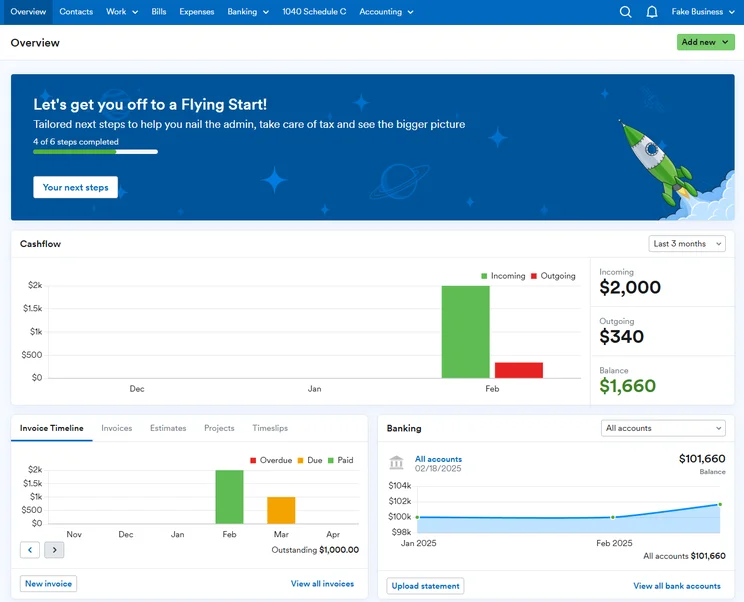
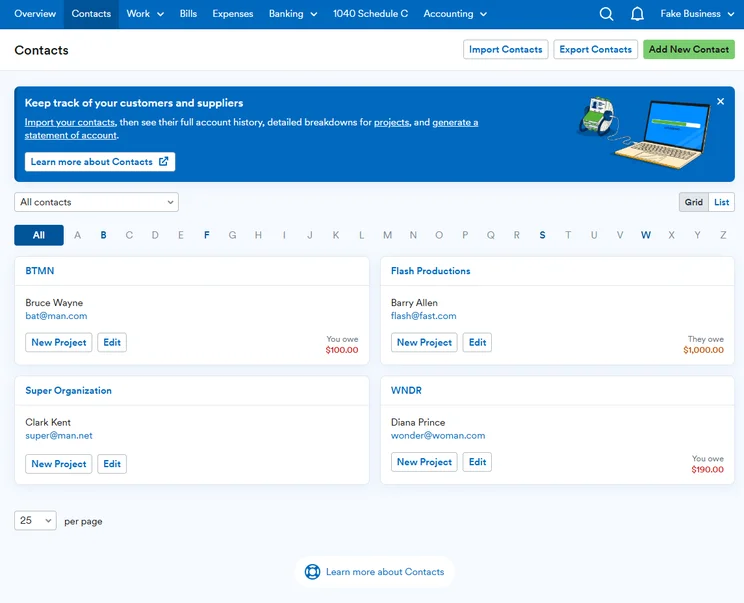
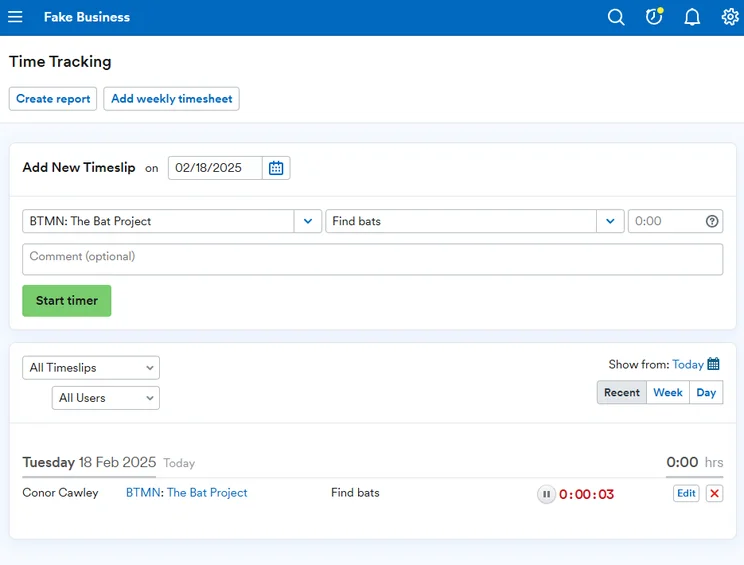
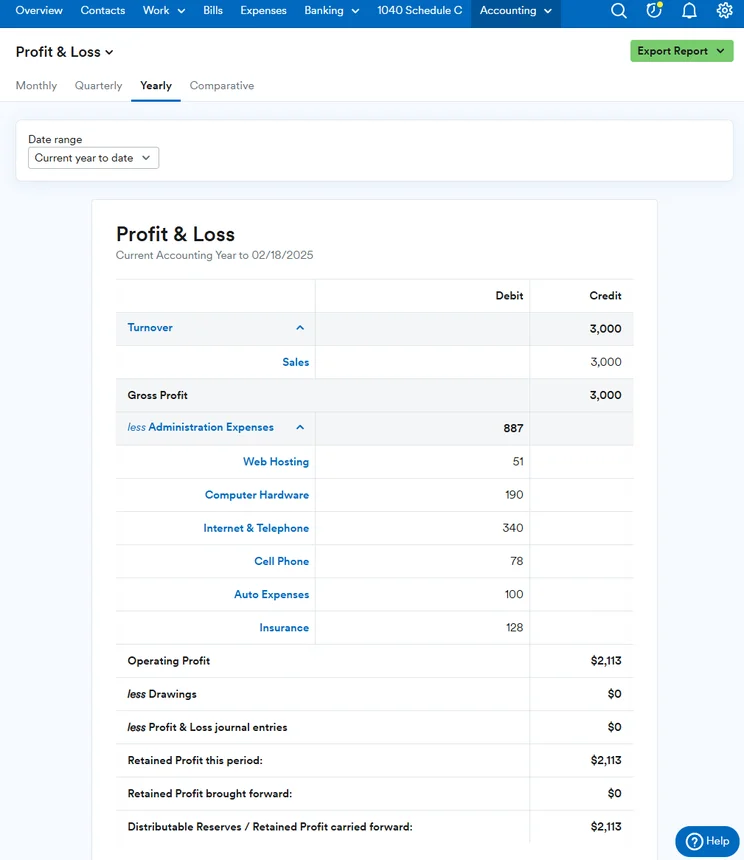
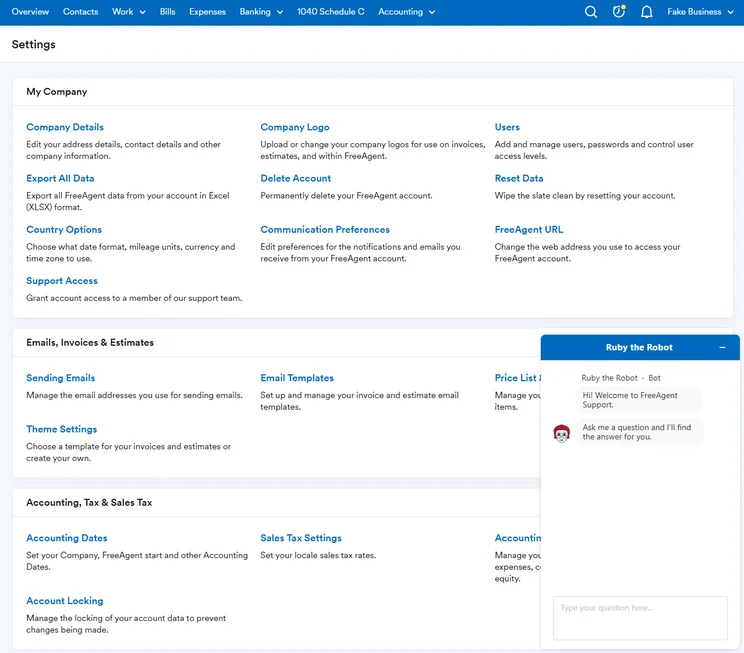
The FreeAgent dashboard provided us with a snapshot of our business’ financial situation. Source: Tech.co testing
One advanced functionality that FreeAgent does boast is providing built-in tax forecasting and planning at no additional cost, which none of the other platform’s in our research could claim, certainly not QuickBooks. We were also able to set up system alerts for shortfalls and surpluses with FreeAgent, which is not available with QuickBooks.
FreeAgent does, however, fall short of QuickBooks when it comes to customization. It allows for no customized reporting options at all, and we weren’t able to create tailored templates to save time either. We also couldn’t manage multiple delivery addresses for clients, which could be a hassle depending on your business.
FreeAgent

In Short
-
Pros
- Simple, low cost pricing options for businesses
- Built-in tax forecasting tools for future financial planning
- Helpful cash flow alerts for surpluses and shortfalls
-
Cons
- Overly complex and unhelpful support options
- Difficult to navigate for basic feature usage
- Distracting call-to-action buttons everywhere
Pricing
-
Billed monthly: $27/month
-
Billed annually: $270/year
-
30-day free trial
Images
FreeAgent pricing
FreeAgent keeps its pricing pretty simple. The accounting software offers only one pricing plan, which costs $27 per month. You can save a bit of money by opting for a yearly contract instead, which will cost you $270 per year. There’s also a 30-day free trial to let you try it out before you make a financial commitment.
FreeAgent pricing is quite different from QuickBooks, obviously. Whereas FreeAgent keeps it simple with only one plan, QuickBooks offers a huge range of pricing options, allowing larger businesses to potentially scale along with the platform. Smaller businesses will enjoy the more budget-conscious pricing of FreeAgent, as long as they won’t need to upgrade to a more advanced plan in the future.
FreshBooks – Best for Help and Support
Starting price: $23 per month
Free plan: No
FreshBooks is a good QuickBooks alternative if you don’t want to compromise on help and support. Both offer 24/7 chatbots, as well as regularly available customer support representatives outside of business hours. FreshBooks has a more comprehensive knowledge center, which made it easy for us to self-service some requests, but it is missing a user forum, which is provided by QuickBooks.
Check out our FreshBooks vs QuickBooks guide for more information
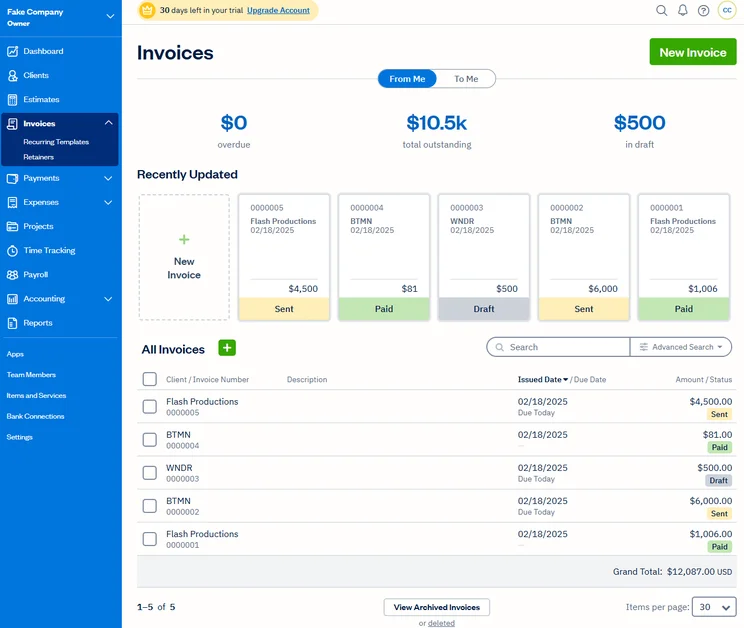
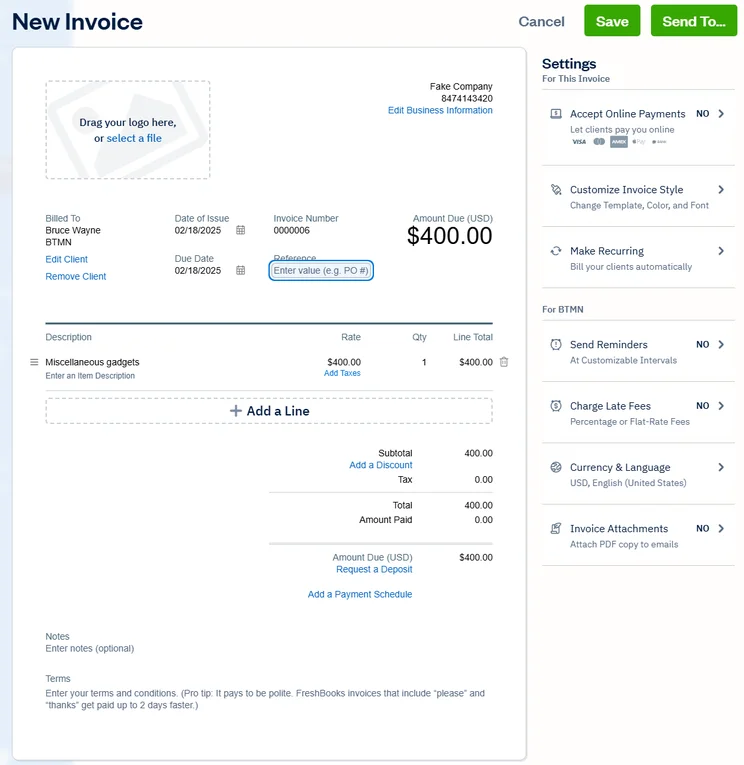
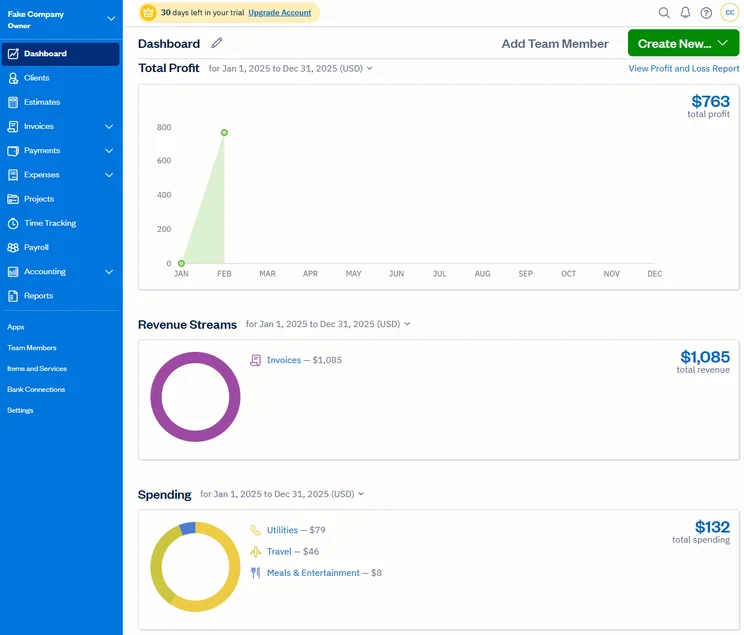
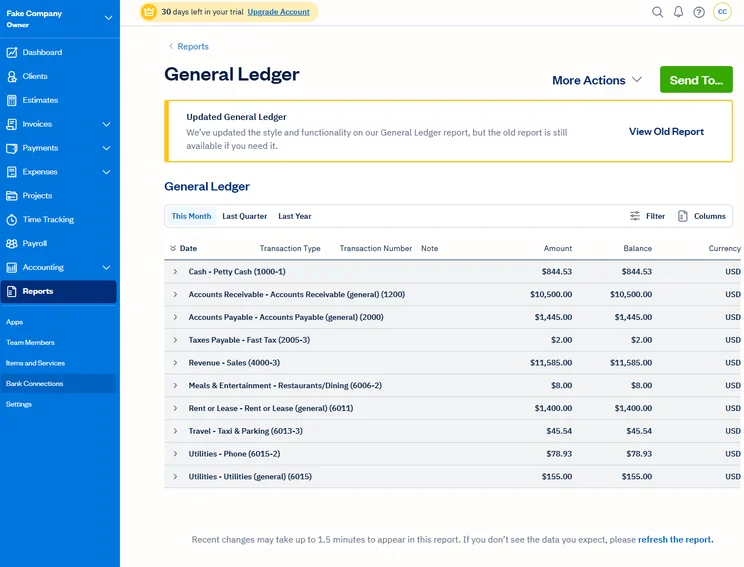
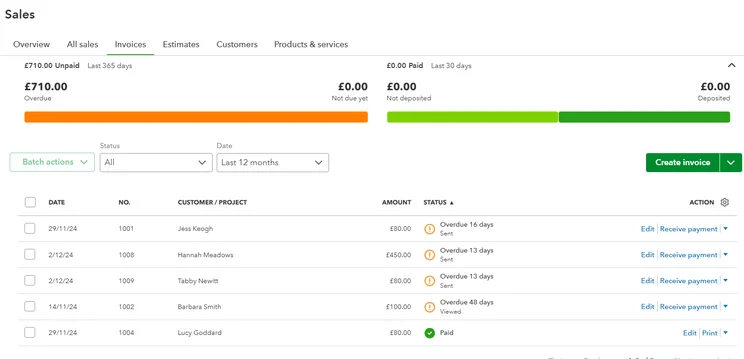
FreshBooks made managing invoices straightforward for our team. Source: Tech.co user testing
Beyond that, though, FreshBooks lags behind QuickBooks in some important ways. For one, its feature offering is pretty light, offering the fewest core accounting and forecasting features across our research, missing tools like budget management and cash flow projection reports.
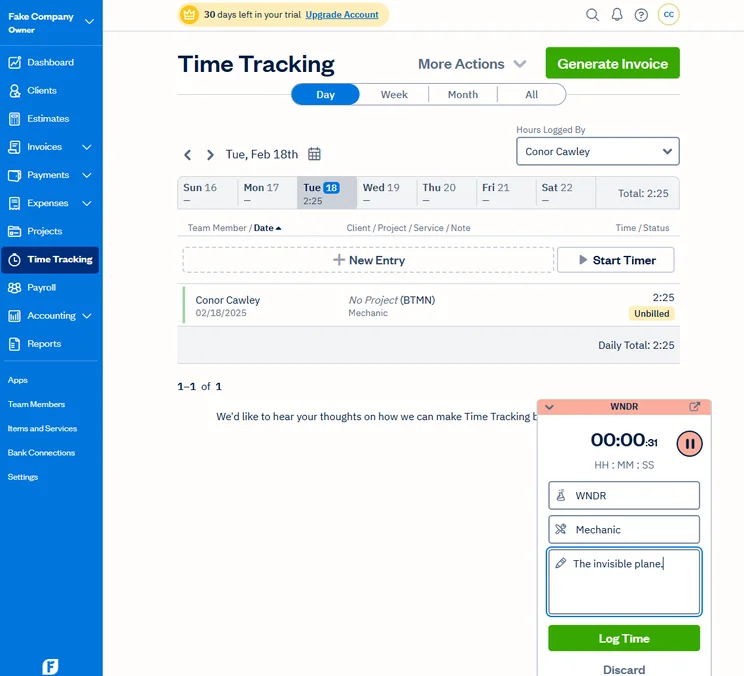
FreshBooks does provide time tracking functionality built in, though, which is something that QuickBooks is missing.
FreshBooks

In Short
-
Pros
- Intuitive, easy-to-use interface for beginners
- Time tracking features with invoice compatibility
- 24/7 customer support options for platform help
- Automated reminders are included on all plans
-
Cons
- Limited functionality in mobile app
- No forecasting or budgeting features for future analysis
- Few custom reporting options
- Lower-tier plans restrict the number of active clients you can bill
Pricing
-
Lite: $23/month
-
Plus: $43/month
-
Premium: $70/month
-
90% off all plans for the first 3 months
Images
FreshBooks pricing
FreshBooks offers four different pricing plans, as well as a 30-day free trial that can get you started before you need to actually sign up with your credit card. Here’s how the various FreshBooks pricing plans match up against each other:
- Lite (1 user) – $23 per month
- Plus (1 user) $43 per month
- Premium (1 user) – $70 per month
- Select (3 users) – Custom
If you want to add team members to the platform, you’ll have to pay an additional $11 per user, per month, so make sure to factor that in if you have a larger team. You can also save 10% on your plan if you opt for a yearly contract over the monthly option.
FreshBooks is definitely more affordable than QuickBooks, undercutting it on the starting price and the more expensive plans as well. For value, though, QuickBooks is definitely the better option for accounting features, so make sure you’re willing to part with some advanced functionality if you really need to save money.
Check out our FreshBooks pricing guide to learn more
|
Price
|
Users
|
||
|---|---|---|---|
|
CHEAPEST PLAN
|
|
|
|
|
|
|
|
|
|
1 |
1 |
1 |
3 |
Clear Books – Best for Complex Tax Needs
Starting price: £16 per month (pricing available in GBP only)
Free plan: Yes
If you’re looking for a QuickBooks alternative because the accounting software couldn’t handle your complex tax needs, then Clear Books might be your best option. It was the only accounting platform across our research that checked all the boxes, including supporting all tax types and providing tax updates for changing regulations.
Check out our Clear Books review to learn more
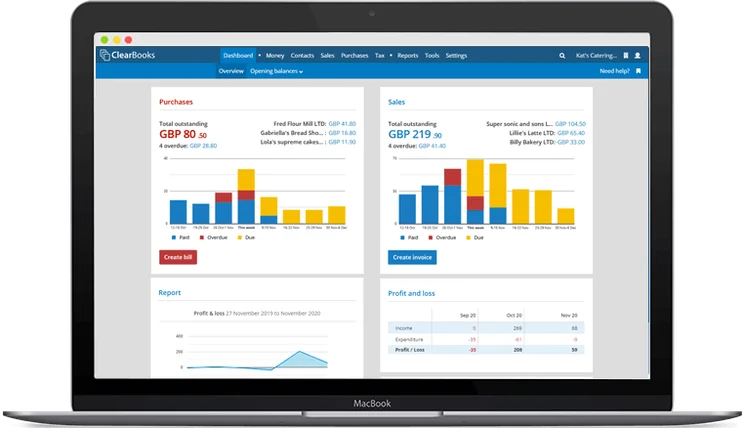
The Cleark Books interface is clean and simple, perfect for beginners. Source: Clear Books
Clear Books has great core accounting features, actually scoring higher than QuickBooks here, largely thanks to the fact that Clear Books offers time tracking features while QuickBooks offers none. Clear Books also allows you to sync with an unlimited number of bank accounts, whereas QuickBooks puts limits depending on which plan you opt for.
Beyond that, Clear Books is a bit basic, though, providing fewer projection features and operational efficiency tools than QuickBooks. Most notably, Clear Books has no cash projection tools or system alerts for shortfalls and surpluses, and you can’t create custom reports, all of which is available with QuickBooks.
Clear Books

In Short
-
Pros
- Modern, intuitive interface for beginners
- User-friendly search button for simple information location
- Extensive functionality for different tax types
-
Cons
- Unhelpful and unavailable customer support
- No cash flow projection tools
- Limited customization for dashboards and reports
Pricing
-
 Sole Trader Free: £0/month
-
Small: £16/month
-
Medium: £34/month
-
Large: £44/month
Images
Clear Books pricing
Clear Books offers three different pricing plans, as well as a 30-day free trial that allows you access to the platform before you buy it. To use the free trial, you’ll need to provide a credit card, so set a reminder if you end up wanting to cancel. It also offers a free plan for sole traders and solopreneurs. Here’s how the pricing plans from Clear Books compare.
- Sole Trader Free – £0 per month
- Small – £16 per month
- Medium – £34 per month
- Large – £44 per month
If you’re willing to sign up for a longer contract, you can save quite a bit with Clear Books. By opting for a yearly plan, you can save 10% across all plans, while a two-year plan can save you 20% on all plans.
Clear Books matches QuickBooks when it comes to core accounting features, but it does fall short in projection functionality and operational efficiency, so it’s ideal for smaller businesses on a budget that only need accounting tools and nothing more.
|
Price
|
Users
|
||
|---|---|---|---|
|
|
|
|
|
|
Sole Trader Free |
Sole Trader |
Sole Trader Plus |
|
|
£0/month |
£5/month + VAT |
£15/month + VAT |
|
|
One (plus one accountant) |
Unlimited |
Unlimited |
Should You Choose QuickBooks Anyway?
All in all, QuickBooks is a good accounting software, particularly if you’re in need of robust financial data and insights. We found the popular platform to provide robust analytics tools, including customizable templates from scratch, so we could populate reports with the exact data we need.
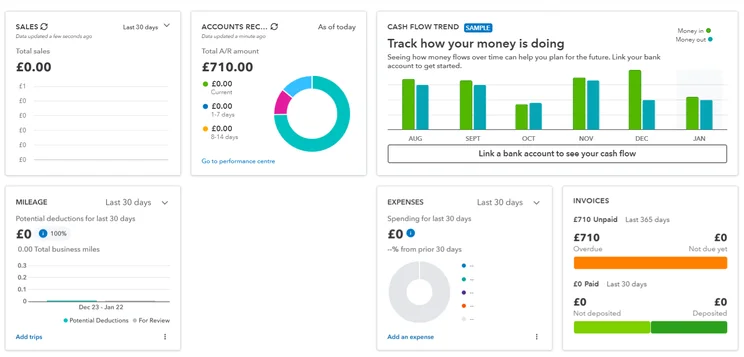
We were able to create in-depth reporting dashboards with QuickBooks, but the learning curve was a bit steep. Source: Tech.co testing
QuickBooks certainly has some shortcomings, though, that make these alternatives all the more attractive. For one, its forecasting features are lacking, with budgeting functionality reserved for more expensive plans and system alerts for surpluses and shortfalls requiring an additional fee.
Given the complex customizability, we also found that QuickBooks was notably less easy to use than options like Zoho Books or FreshBooks, as features like workflows and reports took a lot of steps to get exactly what you want. Luckily, QuickBooks offers some of the best help and support in our research, with a 24/7 chatbot and human representatives available outside of working hours, even during the weekend.
QuickBooks

In Short
-
Pros
- Extensive analytics template customization
- Automatic alerts for mismatched balances
- Built-in cash flow projection tools
-
Cons
- Steep learning curve for advanced functionality
- Limited customer support resources for self-help
- No time tracking features
Pricing
-
Solopreneur: $20/month
-
Simple Start: $38/month
-
Essentials: $85/month
-
Plus: $140/month
-
Advanced: $340/month
-
50% off for first 3 months on all plans
Images
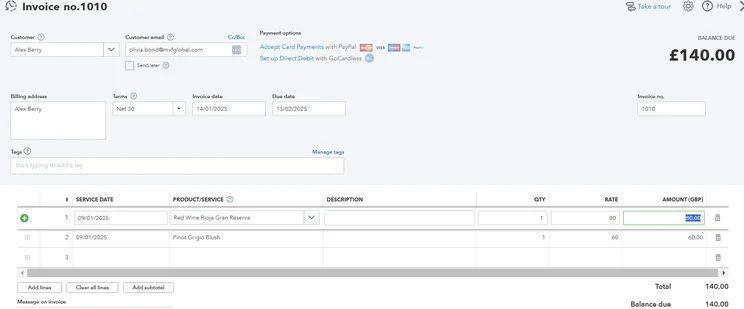
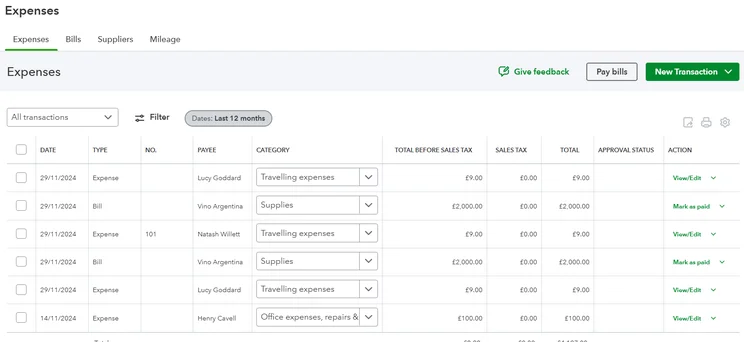
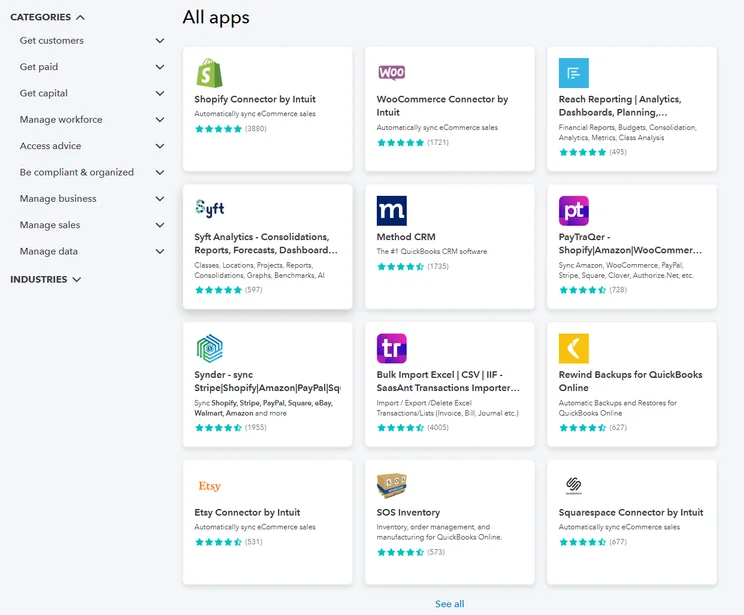
QuickBooks pricing
QuickBooks offers five different pricing plans, as well as a 30-day free trial that allows you access to the platform before you make a purchase. Here’s how the pricing plans match up against each other:
- Solopreneur (1 user) – $20 per month
- Simple Start (1 user) – $38 per month
- Essentials (3 users) – $85 per month
- Plus (5 users) – $140 per month
- Advanced (25 users) – $430 per month
QuickBooks pricing is quite expansive, with a huge selection of plans for a variety of different business sizes. It’s neither too expensive nor too affordable, with a starting price that’s largely in line with the industry average and higher tier plans that are reasonably priced, particularly given how effective QuickBooks is when it comes to accounting features.
Check out our QuickBooks Online pricing guide to learn more
|
Price
|
Users
|
Bookkeeping
Does it include bookkeeping functions?
|
Accounts payable
Does it include a range of accounts payable functions?
|
Accounts receivable
Does it include a range of accounts receivable functions?
|
Project accounting
Does it offer tools to track different projects?
|
Financial reporting
Does it offer financial reporting tools?
|
Budget and forecasting
Does it offer budgeting and forecasting tools?
|
Best for
|
||
|---|---|---|---|---|---|---|---|---|---|---|
|
|
|
|
|
|
||||||
|
$20/month |
|
|
|
|
||||||
|
1 |
1 |
3 |
5 |
25 |
||||||
|
|
|
|
|
|
||||||
|
|
|
|
|
|
||||||
|
|
|
|
|
|
||||||
|
|
|
|
|
|
||||||
|
|
|
|
|
|
||||||
|
|
|
|
|
|
||||||
Free Alternatives to QuickBooks
If you’re looking for something to replace QuickBooks, there’s a good chance you’re doing so because of the price. While the alternatives we mentioned above are great, many of them still cost money, with the exception of Zoho Books, which offers a pretty solid free plan for individuals and very small businesses.
Subsequently, if you’re on a really tight budget and need to save some serious money, there are some free accounting software providers out there. Brands like Wave and ZipBooks all offer accounting features that can get you by in a pinch without you having to even look at your wallet.
Check out our in-depth Wave review for more information
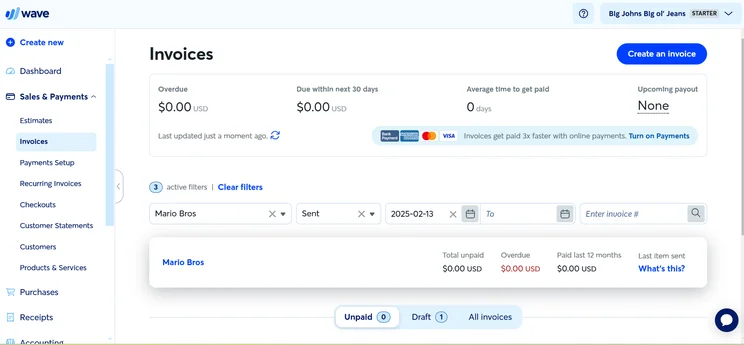
The Wave interface made checking on invoices easy for our team. Source: Tech.co testing
However, it’s worth noting that free accounting software is often lacking in some pretty important areas. You often won’t be able to use features like payroll, reporting, forecasting, inventory, and invoicing, which are considered key features for the average small business.
All this to say that accounting software is really one of those business resources worth paying for. After all, when it comes down to it, what’s more important than effectively tracking your finances, right?
Methodology: How We Evaluate Accounting Software
At Tech.co, we take our impartial research and analysis seriously, so you can have complete confidence that we’re giving you the clearest, most useful recommendations.
After conducting an initial investigation to identify the most relevant, popular, and established accounting tools in the market, we conducted further research, including testing six major accounting software platforms.
Based on years of market and user needs research, we’ve established an accounting software testing methodology that scores these platforms against six main categories, and 25 subcategories — with a total of 1,512 areas of investigation being considered overall.
We also put the platforms through their paces with hands-on testing to gain a deeper grasp of their average user experience. We dedicated 57 hours to carrying out 37 user tests, with a total of 555 tasks being completed in total.
Our main testing categories for accounting software are:
- Core accounting features: We check how adept a platform will be at managing accounting tasks, focusing on key bookkeeping features like invoicing, tax preparation, journal entry, time tracking, financial transactions, and payment support.
- Operational efficiency: We determine how capable a system is at ensuring day-to-day processes run seamlessly, paying close attention to third-party integrations, collaboration tools, AI automation, and customization options.
- Financial planning: We assess how capable a system will be at measuring income, profits, and losses. Specifically, we check for the presence and quality of forecasting and budgeting, inventory management, reporting, and compliance tools.
- Help and support: We assess how useful and reliable a platform’s support system is, focusing on support options, whether it’s 24/7 support or knowledge center accuracy, as well as cloud backup, and security safeguards.
- Pricing: We compare the overall cost of each platform, taking factors like monthly costs, set-up fees, hidden fees, and free plans into account. We also measure how strict contracts are, and how much it would cost for a business to terminate them early.
- User experience: An overall judgment of how easily users can interact with the platform. We tested each accounting platform and got our team to report how easy they were to use, how they felt when they were using them, and how likely they were to recommend the platform to another business.
When it comes to calculating a product’s final score, not all testing areas are weighted evenly, with factors like “core accounting features” and “operational efficiency” being prioritized for small businesses, while sector-specific features are valued more highly for businesses across different industries.
We understand that accounting software is always evolving. That’s why at Tech.co, we have full-time product researchers to re-run this testing process regularly. It’s the only way to ensure our results remain reflective of the present day.
Learn more about our research.
After hours of in-depth research, we can comfortably say that Zoho Books is the best QuickBooks alternative. It offers more accounting and projection features, all bundled up in the easiest-to-use platform across our research.
There are a lot of alternatives to QuickBooks, though, including Xero and its many third-party integrations or Clear Books and its robust tax management tools. Really, deciding on the right platform will come down to what you need out of an accounting system, because each one offers different functionality at vastly different price points.
The accounting software industry is always evolving, and staying on top of the latest developments can make a big difference. Take a look at our handy comparison guide to get even more information about this helpful business software.
If you click on, sign up to a service through, or make a purchase through the links on our site, or use our quotes tool to receive custom pricing for your business needs, we may earn a referral fee from the supplier(s) of the technology you’re interested in. This helps Tech.co to provide free information and reviews, and carries no additional cost to you. Most importantly, it doesn’t affect our editorial impartiality. Ratings and rankings on Tech.co cannot be bought. Our reviews are based on objective research analysis. Rare exceptions to this will be marked clearly as a ‘sponsored’ table column, or explained by a full advertising disclosure on the page, in place of this one. Click to return to top of page


