





We may receive a commission from our partners if you click on a link to review or purchase a product or service. Click to Learn More
Zoho Books pricing starts at $15 per month for the Standard plan. The accounting software offers five different paid plans that go up to $240 per month, as well as a free forever plan that gives you basic accounting features at no cost to you or your business.
In our in-depth research, we found that Zoho Books is one of the best accounting software options available today. It provides a huge selection of accounting and projection features and an intuitive and easy-to-use interface, all with competitive pricing, making Zoho Books an excellent value pick for businesses of all sizes. Zoho Books is particularly equipped for inventory management as well, so businesses that need to track products within their accounting software will find it particularly helpful.
In this guide, you’ll learn about the pricing, features, and usability of Zoho Books for accounting, so you can decide for yourself whether the platform is right for you.
Zoho Books

In Short
-
Pros
- Extensive data import/export features built in
- Time tracking tools with billable hours conversion for invoicing
- Highly effective transaction documentation
-
Cons
- No customer support outside business hours (no weekends)
- Limited third-party integrations outside of Zoho
- Shorter free trial than most other accounting platforms
Pricing
-
 Free: $0/month
-
Standard: $15/month
-
Professional: $40/month
-
Premium: $60/month
-
Elite: $120/month
-
Ultimate: $240/month
Images
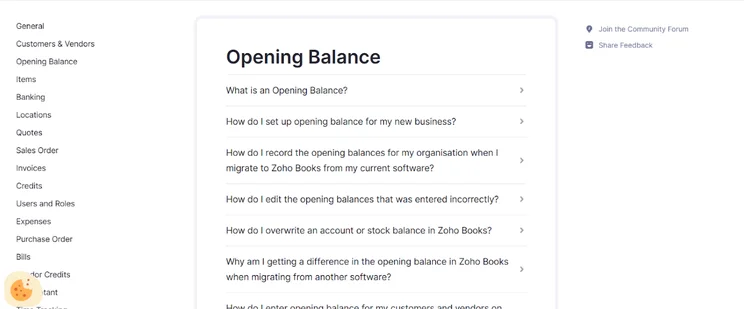
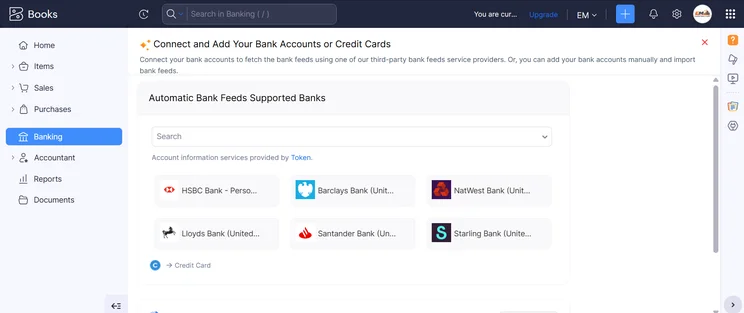
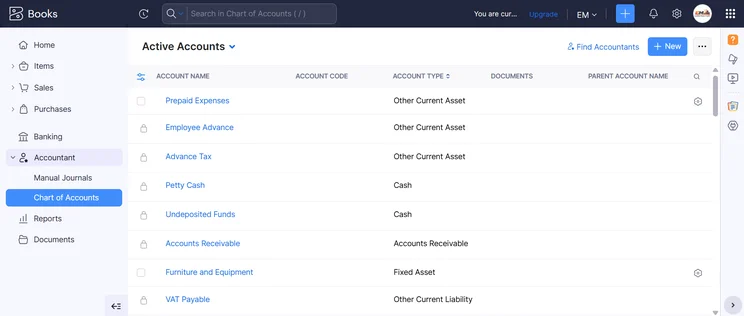
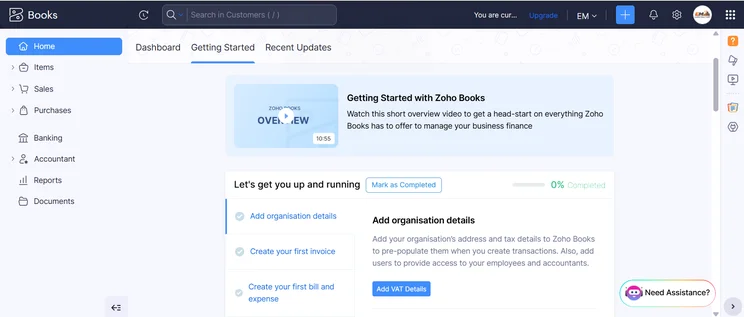
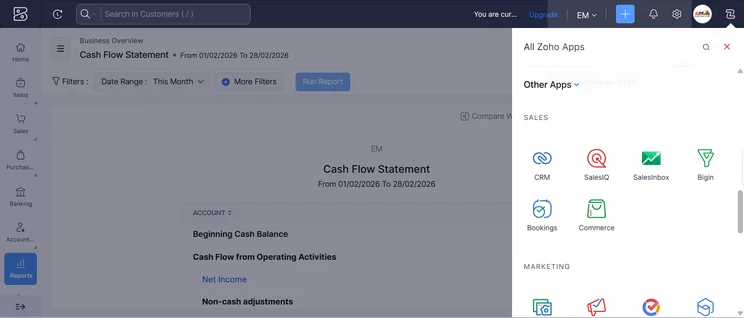
Zoho Books Pricing Plans
Zoho Books offers five different pricing plans, as well as a free forever plan with more limited features. Here’s how each of those plans costs, as well as how many users are allowed on that particular plan.
- Standard (3 users) – $15 per month (billed annually)
- Professional (5 users) – $40 per month (billed annually)
- Premium (10 users) – $60 per month (billed annually)
- Elite (15 users) – $120 per month (billed annually)
- Ultimate (10 users) – $240 per month (billed annually)
There’s also a 14-day free trial that allows you to try out the more expensive plans before you commit. Take a look at the table below to see what these plans offer, and keep scrolling to learn more about how each plan can help your business organize your accounting.
|
Price
|
Users
|
Create and send invoices
|
Track expenses
|
Track bills
|
Record fixed assets
|
Multi-currency transactions
|
Advanced analytics
|
Budget management
|
Custom reports
|
||
|---|---|---|---|---|---|---|---|---|---|---|---|
 |
|
|
|
|
|
||||||
|
Free |
Standard |
Professional |
Premium |
Elite |
Ultimate |
||||||
|
Free |
$15/month |
$40/month |
$60/month |
$120/month |
$240/month |
||||||
|
1 |
3 |
5 |
10 |
10 |
15 |
||||||
|
1,000/year |
5,000/year |
10,000/year |
25,000/year |
100,000/year |
100,000/year |
||||||
|
1,000 expenses |
5,000 expenses |
10,000 expenses |
25,000 expenses |
100,000 expenses |
100,000 expenses |
||||||
|
|
|
|
|
|
|
||||||
|
|
|
|
|
|
|
||||||
|
|
|
|
|
|
|
||||||
|
|
|
|
|
|
|
||||||
|
|
|
|
|
|
|
||||||
|
|
10 reports |
25 reports |
50 reports |
Unlimited |
Unlimited |
Zoho Books Standard plan – $15 per month
The Standard plan is the most affordable option from Zoho Books, costing only $15 per month. This plan allows for up to three users to access the platform and allows you to manage up to 5,000 invoices a year.
As you can imagine, this plan is a big step up from the free plan, adding features like recurring expenses, project tasks, custom fields, payment gateways, and a whole lot more. You’ll also get improved help and support, adding phone and live chat, as opposed to just email. This plan also adds a few available integrations, like Avalara and Zendesk, so you can turn it into a comprehensive hub rather than just a piece of accounting software.
Zoho Books Professional plan – $40 per month
The Professional plan from Zoho Books increases the price substantially, costing you $40 per month. However, this plan allows you to add five users to the platform and up to 10,000 invoices per year.
The price increase may be substantial, but you really do get a lot for paying the extra amount. The Professional plan unlocks all of the professional features of Zoho Books, including options like retainer invoices, bills, payments made, recurring bills, currency adjustments, stock tracking, landed costs, custom roles, and a bunch more. The value truly lies with the Professional plan.
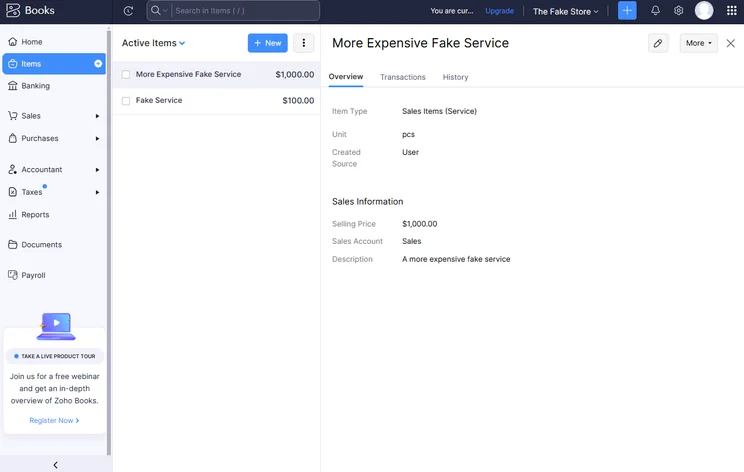
Advanced inventory management features are also unlocked with the Professional plan from Zoho Books. Source: Tech.co testing
Zoho Books Premium plan – $60 per month
The Premium plan from Zoho Books costs $60 per month and allows for up to 10 users on the platform and up to 25,000 invoices per year.
The Premium plan isn’t much more expensive than the Professional plan, adding a number of customizability features, like custom fields, custom reports, and custom buttons throughout the platform. You’ll also get access to a vendor portal, which will help you track vendor activity for your business.
Zoho Books Elite plan – $120 per month
The Elite plan from Zoho Books costs $120 per month, and it also allows for 10 users, although it increases the number of invoices to 100,000 per year for your team.
The difference between the Elite and Premium plans is that Elite unlocks a wide range of advanced inventory controls, including serial number tracking, shipping tracking, and the ability to manage up to five warehouses. You’ll also unlock an integration with Shopify, which is helpful given it’s one of the best ecommerce website builders on the market.
Zoho Books Ultimate Plan – $240 per month
The Ultimate plan is the enterprise-level solution for Zoho Books and will cost you $240 per month, allowing for up to 15 users on the platform.
This plan is all about adding advanced analytics to your business. You’ll get access to reporting tools like real-time dashboards, customized reports, collaborative features, and the ability to export and print reports in Microsoft Excel or PDF. You’ll also be able to combine Zoho Books data with other third-party information, creating a comprehensive report to keep track of everything in one place.
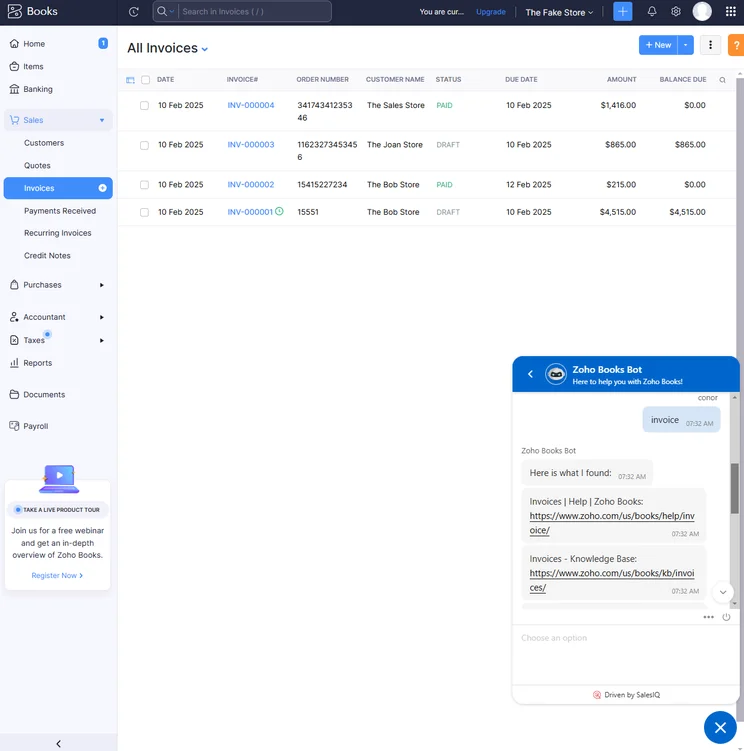
All pricing plans get access to the built-in AI chatbot, which can help with tasks like creating invoices. Source: Tech.co testing
Does Zoho Books have a free plan?
Yes, Zoho Books does have a free plan with no time limit. It does come with some other limitations that might make it hard to use in the long run. For one, your company can’t make more than $50,000 per year and still use the free plan. It allows for a single user and a single accountant, and allows you to manage no more than 1,000 invoices per year.
Other than that, though, you still get a lot of functionality, including a client portal, online and offline payments, multilingual invoicing, basic reporting and analytics, and a wide range of other Zoho Books features that make it so popular. You will only be able to integrate with other Zoho apps but, given the sheer number of those, you should be set for a while.
Zoho Books also offers a 14-day free trial for its paid plans, so you can see how they work before making a financial commitment.
Zoho Books Features
In our research, we evaluated accounting software features based on a few specific categories: core accounting, financial planning and visibility, and operational efficiency. Zoho Books consistently scored highly across all categories, providing a highly functional platform that was able to handle the basic and advanced tasks we needed to accomplish.
Below, we’ll outline some of the specific features available from Zoho Books within those three categories, to help you understand exactly what this accounting software is capable of.
Core accounting
Zoho Books offered the most core accounting features across our research, checking all the boxes for basics like recurring invoices, multi-currency transactions, automatic tax calculations, and the ability to sync with an unlimited number of bank accounts.
On top of that, Zoho Books offers time tracking functionality built directly into the platform, and makes it easy to transfer hours into billable hours and invoices. Even platforms like QuickBooks don’t offer this tool, which makes Zoho Books an even more attractive option for small businesses.
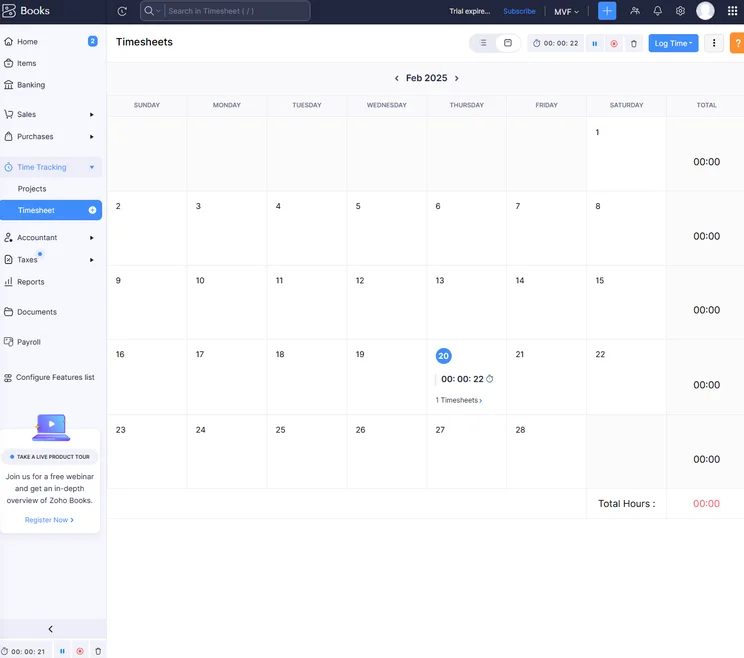
The Zoho Books time tracker feature was easy to operate, even within the calendar page. Source: Tech.co testing
Financial planning & visibility
Zoho Books also offers a wide range of tools for financial planning and visibility, including robust reporting features like cash flow statements and balance sheets, and forecasting functionality like system alerts for surpluses and shortfalls and budget limits for specific projects.
Inventory management is another spot where Zoho Books consistently beats out the competition, thanks to its ability to track fixed assets in some of its more expensive options, starting at the Premium plan.
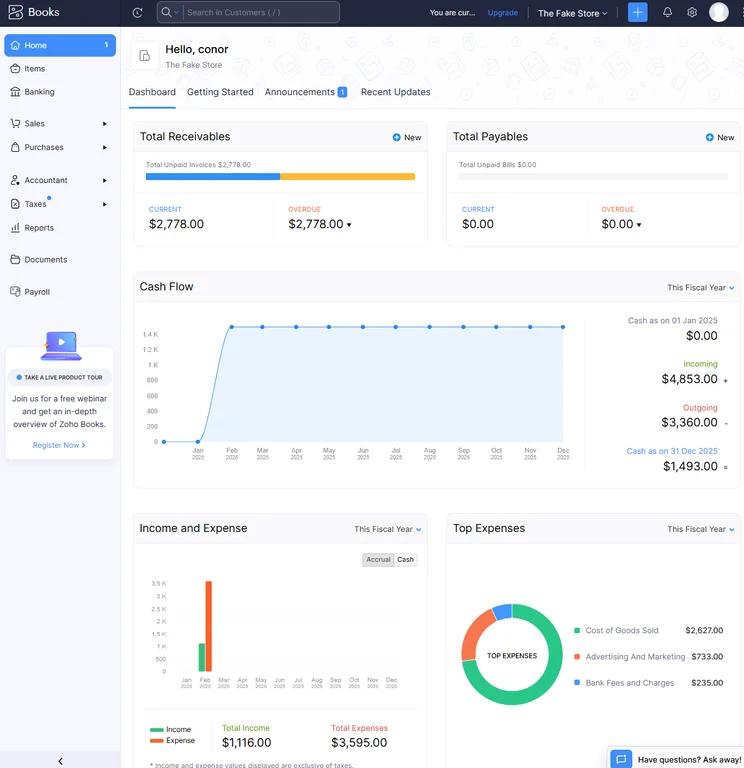
The home dashboard for Zoho Books provided us with helpful reporting data to inform our strategy. Source: Tech.co testing
Operational efficiency
In terms of helping your business simply run more smoothly, Zoho Books was again quite impressive, providing a lot of customizability within the easy-to-use platform and plenty of collaboration tools, like the ability to edit and comment on documents in real time. Zoho Books also has a great mobile app with virtually full functionality compared to the desktop version, so you can operate on-the-go if necessary.
Zoho Books does take a bit of a hit on operational efficiency when it comes to integrations, though. The platform is seamlessly compatible with other Zoho services, but the number of third-party services that it can integrate with is fewer than other options like Xero.
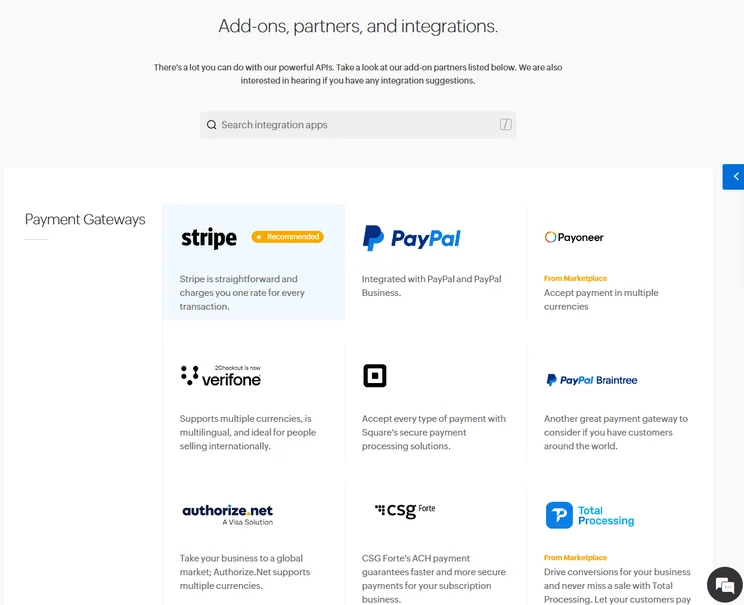
Zoho Books offers a selection of third-party integrations, as well as compatibility with other Zoho services. Source: Tech.co testing
Zoho Books Usability
In our research, Zoho Books stood out for its ease of use, with straightforward navigation throughout the platform that we were able to get the hang of very easily. Clearly marked icons, helpful dropdown menus, and a comprehensive sidebar create a seamless experience for our team. In fact, Zoho Books was the easiest to use accounting software across our research, and it wasn’t particularly close.
Zoho Books also provides quite a few automation features as well, which definitely contributes to the overall usability. Automatic mileage calculation for expenses, helpful reminder buttons for chasing clients, and flexible customization, in particular, made Zoho Books a dream for our team to use for basic and advanced accounting tasks.
While Zoho Books was the easiest-to-use platform, running into problems wasn’t fun given the support team isn’t nearly as available as other options. With no human representatives available on the weekend and the AI chatbot simply providing knowledge center articles, Zoho Books definitely lagged on help and support. But given the overall ease of use of the platform, we don’t expect you’ll run into many issues in the long run.
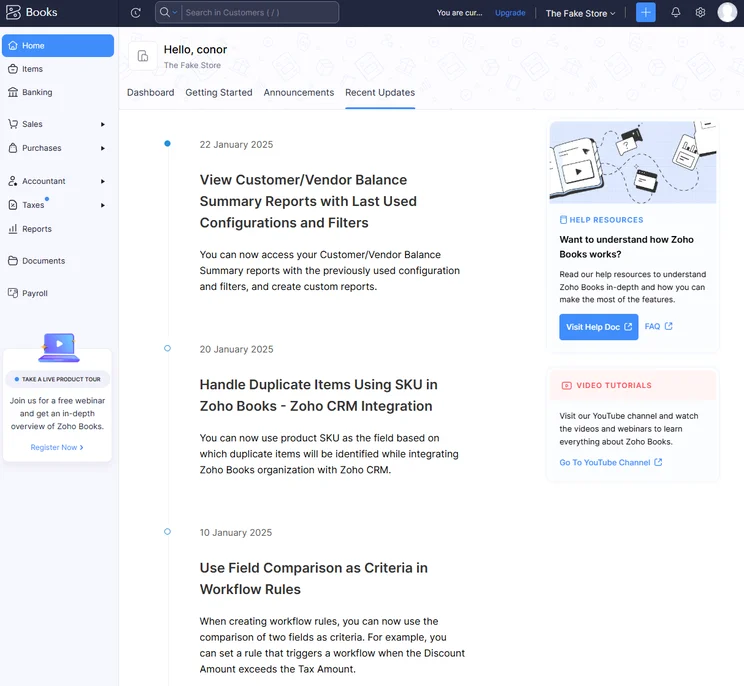
Zoho Books provided us with lots of helpful resources to figure out how to solve problems on our own, but their actual representatives were harder to get ahold of. Source: Tech.co testing
How does Zoho Books compare with other providers?
Our research found that Zoho Books was the best accounting software for small businesses, thanks to its robust feature offering, its modern and intuitive interface, and its affordable pricing, which includes a free forever plan.
Zoho Books obviously isn’t the only accounting software out there. In fact, there are a lot of respectable options that might be a better fit for your business, depending on your particular needs. Xero is one popular option that provides a lot more third-party integrations than Zoho Books, but it’s not nearly as easy to use. QuickBooks is also a great tool for advanced customization, but the pricing is definitely going to be a bit more expensive.
Take a look at the table below to see how these providers compare, and keep scrolling to get an in-depth look at some of the options we think are better than Zoho Books.
|
Starting price
|
Free trial
|
Best for
|
Pros
|
Cons
|
Try now
|
||
|---|---|---|---|---|---|---|---|
 |
 |
 |
 |
 |
|||
|
FreshBooks |
Xero |
Zoho Books |
FreeAgent |
QuickBooks |
|||
|
|
|
Free |
|
|
|||
|
30 days |
30 days |
14 days |
30 days |
30 days |
|||
|
New businesses |
Experienced accountants and established businesses with complex financial needs |
Integrations |
Budget-conscious businesses |
Businesses needing advanced financial insights and customization |
|||
|
|
|
|
|
|||
|
|
|
|
|
|||
| Try FreshBooks | Try Xero now | Try Zoho Books | Get Quotes | Try QuickBooks |
How We Evaluate Accounting Software
At Tech.co, we take our impartial research and analysis seriously, so you can have complete confidence that we’re giving you the clearest, most useful recommendations.
After conducting an initial investigation to identify the most relevant, popular, and established accounting tools in the market, we conducted further research, including testing six major accounting software platforms.
Based on years of market and user needs research, we’ve established an accounting software testing methodology that scores these platforms against six main categories, and 25 subcategories — with a total of 1,512 areas of investigation being considered overall.
We also put the platforms through their paces with hands-on testing to gain a deeper grasp of their average user experience. We dedicated 57 hours to carrying out 37 user tests, with a total of 555 tasks being completed in total.
Our main testing categories for accounting software are:
- Core accounting features: We check how adept a platform will be at managing accounting tasks, focusing on key bookkeeping features like invoicing, tax preparation, journal entry, time tracking, financial transactions, and payment support.
- Operational efficiency: We determine how capable a system is at ensuring day-to-day processes run seamlessly, paying close attention to third-party integrations, collaboration tools, AI automation, and customization options.
- Financial planning: We assess how capable a system will be at measuring income, profits, and losses. Specifically, we check for the presence and quality of forecasting and budgeting, inventory management, reporting, and compliance tools.
- Help and support: We assess how useful and reliable a platform’s support system is, focusing on support options, whether it’s 24/7 support or knowledge center accuracy, as well as cloud backup, and security safeguards.
- Pricing: We compare the overall cost of each platform, taking factors like monthly costs, set-up fees, hidden fees, and free plans into account. We also measure how strict contracts are, and how much it would cost for a business to terminate them early.
- User experience: An overall judgment of how easily users can interact with the platform. We tested each accounting platform and got our team to report how easy they were to use, how they felt when they were using them, and how likely they were to recommend the platform to another business.
When it comes to calculating a product’s final score, not all testing areas are weighted evenly, with factors like “core accounting features” and “operational efficiency” being prioritized for small businesses, while sector-specific features are valued more highly for businesses across different industries.
We understand that accounting software is always evolving. That’s why at Tech.co, we have full-time product researchers to re-run this testing process regularly. It’s the only way to ensure our results remain reflective of the present day.
Learn more about our research.
Zoho Books is an excellent option when it comes to accounting software, providing a huge selection of accounting and forecasting features at a competitive price. It offers a free forever plan, which is a huge boon for small businesses, and its usability is second to none, making it perfect for beginners who aren’t familiar with these kinds of platforms.
There are plenty of accounting software options out there for your business, and finding the right one should be a priority.
If you click on, sign up to a service through, or make a purchase through the links on our site, or use our quotes tool to receive custom pricing for your business needs, we may earn a referral fee from the supplier(s) of the technology you’re interested in. This helps Tech.co to provide free information and reviews, and carries no additional cost to you. Most importantly, it doesn’t affect our editorial impartiality. Ratings and rankings on Tech.co cannot be bought. Our reviews are based on objective research analysis. Rare exceptions to this will be marked clearly as a ‘sponsored’ table column, or explained by a full advertising disclosure on the page, in place of this one. Click to return to top of page


