





We may receive a commission from our partners if you click on a link to review or purchase a product or service. Click to Learn More
The best free accounting software is Wave. Unlike other free solutions, the platform supports unlimited users and lets you track and manage an unlimited number of invoices and payments. Because of this, it’s a great option for any business that wants to save money.
Depending on the needs of your business, there are other options worth exploring. ZipBooks, for example, has native time tracking on its free plan, making it a great option for freelancers.
In this guide, we’ve broken down the best free accounting platforms on the market, evaluating them across 1,512 areas of investigation. Read on for our full guide. You can also check out the latest accounting software deals and discounts for a complete breakdown of what the market looks like.
We spent 57 hours testing the best accounting platforms on the market, evaluating them across 1,512 areas of investigation. Then, our research team passed their thoughts along to our writers, who produced this guide.
As with everything that we do on Tech.co, this article is 100% written by humans.
-
Wave is the best free accounting platform for small businesses, due to the fact that it offers unlimited users and invoices.
-
Zoho Books has the best selection of third-party integrations.
-
Akaunting is the best free accounting platform for international support, due to its support for 50+ languages.
-
If your business requires automated payroll, tax calculation, or advanced inventory tracking, you should opt for a paid accounting solution.
What Are the Best Free Accounting Platforms?
Below, you’ll find our breakdown of the best free accounting platforms on the market. Use the links to navigate to your desired section, if you like.
- Wave — Best overall
- Zoho Books — Most integrations
- ZipBooks — Most advanced features
- Akaunting — Best for language support
|
Max users
|
Best for
|
Paid plans:
|
||
|---|---|---|---|---|

|
 |

|

|
|
|
Zoho Books |
ZipBooks |
Akaunting |
||
|
1 |
1 |
1 |
1 |
|
|
Overall |
Integrations |
Most advanced features |
Language support |
|
|
From $15.83/month |
From $15/month |
From $15/month |
From $8/month |
1. Wave — Best Overall Free Accounting Software
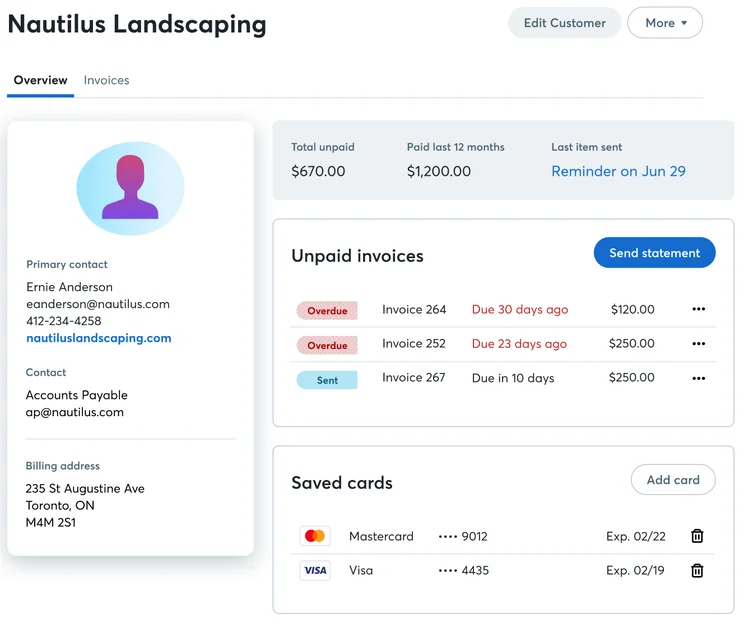
The free accounting software is Wave Financial. Wave is a comprehensive solution that offers an impressive array of free features, including unlimited estimates, invoices, bills, income tracking, and users.
Because of these generous allowances, Wave is suitable for any business with basic accounting needs that wants to save money.
Wave

In Short
-
Pros
- Impressive free features, including unlimited estimates, invoices, bills, income tracking, and users
- In-built AI chatbot to automate routine tasks
-
Cons
- Limited support options on free plan
- Complicated interface means a steep learning curve for beginners – might not be suitable for time-poor business owners
Images
What do we like about Wave Financial?
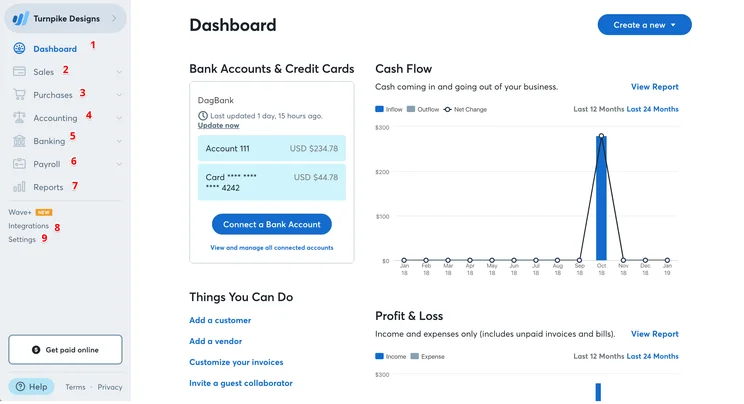
Wave Financial has a generous selection of tools on its free plan, including access to reports on overdue invoices, bills, and profit and loss summaries. Thanks to its dynamic dashboard, you’re also able to use the platform to spot new trends.
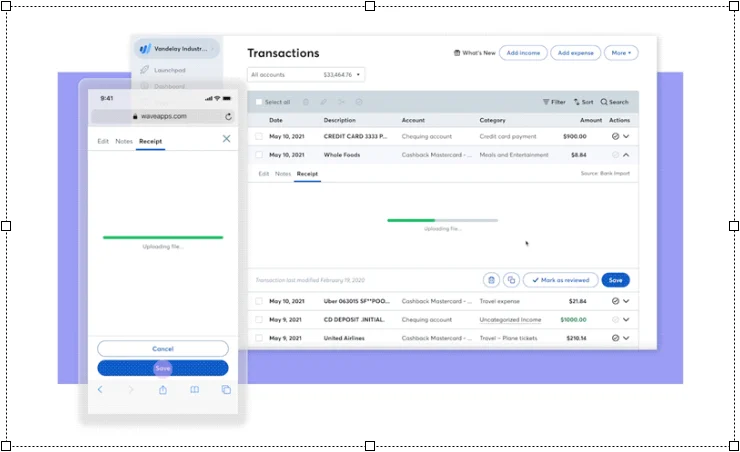
You can also easily keep track of all your expenses by scanning and logging receipts on your phone, which eliminates tiresome manual data entry.
Wave Financial allows you to sync an unlimited number of bank accounts and cards on its free plan, which is a mightily impressive feature that means the product is scalable to large businesses.
While it lacks comprehensive support on the free plan, Wave Financial has an AI chatbot, Mave, for resolving basic queries. This may prove insufficient for more complex issues, so if you’re new to accounting software, GnuCash is a better place to start.
Does Wave have any additional fees?
Yes, Wave has additional fees, including a 2.9% and ¢60 per transaction fee for receiving online payments.
The platform also has several paid add-ons. For example, to digitally upload receipts and convert them into bookkeeping records, you can pay $8 per month or $72 per year.
There’s also the ability to run payroll, which costs $40 upfront, followed by $6 per active employee, and $6 per independent contractor paid.
You can also pay $199 per month to hire a dedicated bookkeeper.
2. Zoho Books — Most Integrations
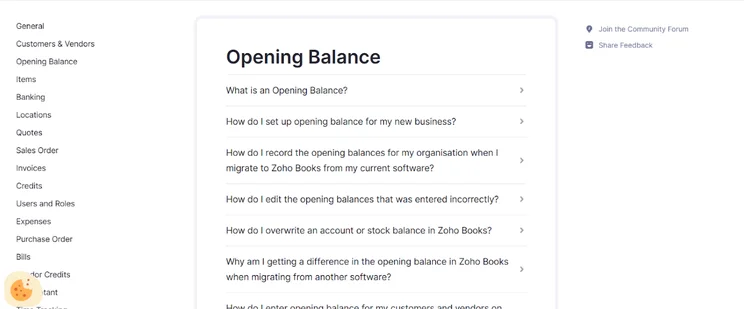
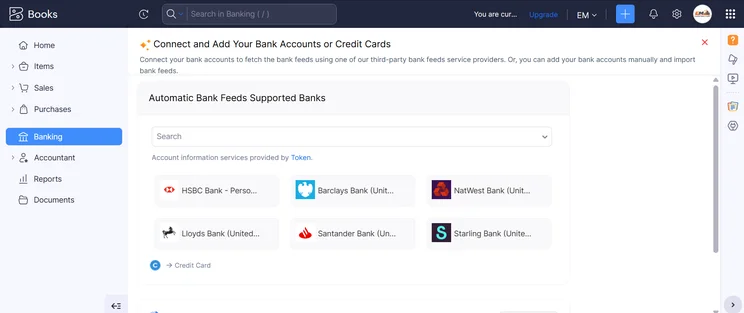
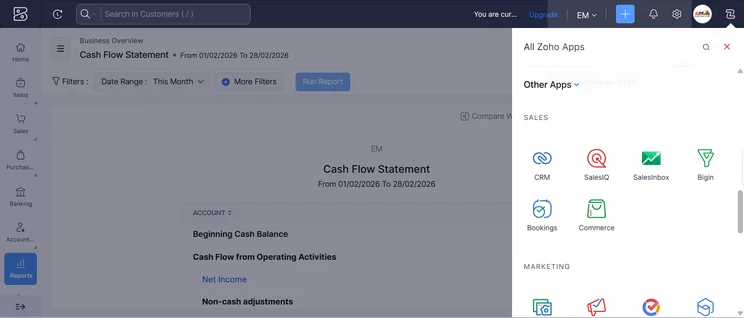
Zoho Books has the most integrations out of all the free accounting platforms that we researched.
In addition to other products in the Zoho suite of tools, you’ll get access to Google Workspace, Microsoft 365, Slack, Zapier, Dropbox, Google Drive, Evernote, OneDrive, and WhatsApp.
Simply put, this is a fantastic range of add-ons for a free accounting plan, and an area in which other free plans simply can’t compete.
Zoho Books

In Short
-
Pros
- Extensive data import/export features built in
- Time tracking tools with billable hours conversion for invoicing
- Highly effective transaction documentation
-
Cons
- No customer support outside business hours (no weekends)
- Limited third-party integrations outside of Zoho
- Shorter free trial than most other accounting platforms
Pricing
-
 Free: $0/month
-
Standard: $15/month
-
Professional: $40/month
-
Premium: $60/month
-
Elite: $120/month
-
Ultimate: $240/month
Images
What do we like about Zoho Books?
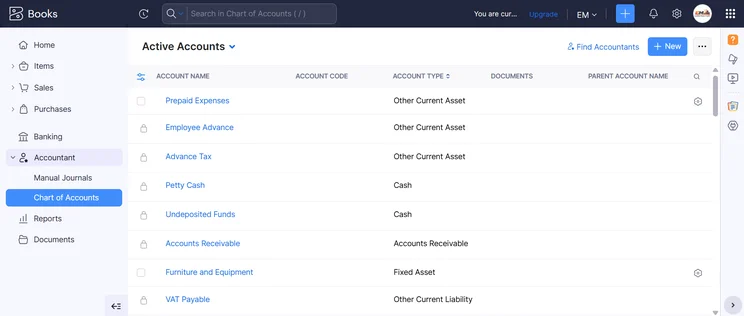
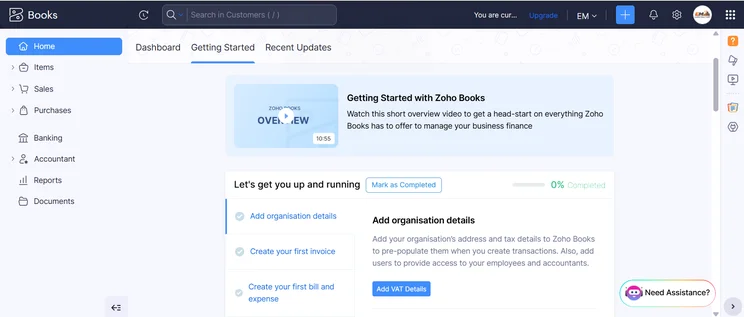
Alongside its array of available integrations, Zoho Books has some robust sales features, including quotes, recurring invoices, credit notes, sales receipts, customer portal, payment reminders, and online payments.
While you’ll be limited to one user and one accountant, you will get 1,000 invoices per year, as well as 1,000 expenses and 5 reports. This marks Zoho Books out as a great option for a freelance accountant.
Does Zoho Books have any additional fees?
No, Zoho Books doesn’t have any additional fees on its free plan.
3. ZipBooks — Most Advanced Features
ZipBooks has the most advanced features out of all the free accounting platforms that we researched.
You’ll be able to access unlimited invoices, vendors, and customers, as well as basic reports. The platform also integrates with Square and PayPal, so you can take payments directly in the platform.
ZipBooks

In Short
-
Pros
- Massive feature catalog, including basic reports, digital payments, unlimited vendors and customers
- Easy-to-use interface adds up to a good user experience
- Excellent customer support options across all plans
-
Cons
- Lots of features can be daunting for a first-time user
- Paid plans start at $15 per month, which is quite expensive
Images
What do we like about ZipBooks?
Among ZipBooks’s suite of advanced features, free users will get the ability to craft custom estimates and quotes for each client, which is great for accountants with a varied clientele.
Other standout features include unlimited vendor and customer management, meaning that larger businesses can keep track of all their different leads from one central interface.
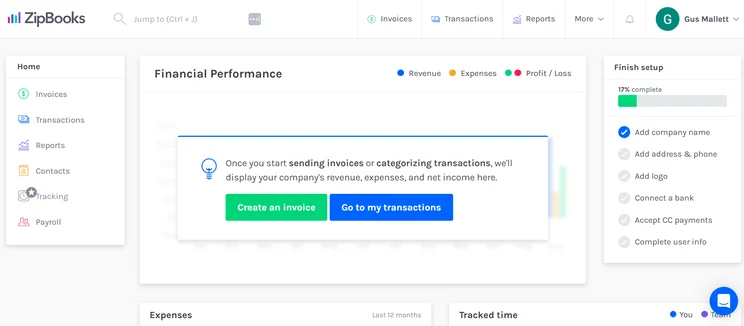
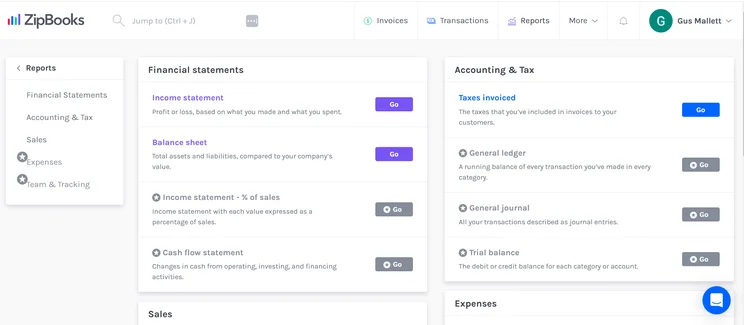
I tested ZipBooks myself, and I was impressed by how clearly laid out it was. Previous accounting software that I’ve tested (Xero, for example) has featured illogical site-mapping, but with ZipBooks, everything was where you expected it to be.
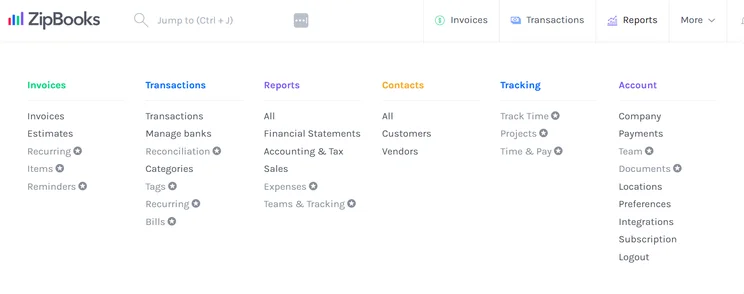
The site mapping on ZipBooks is very logical, with no features hidden in unusual places. Source: Tech.co testing
Does ZipBooks have any additional fees?
ZipBooks payment processing fees are as follows:
- Square — 2.9% + ¢30 per transaction
- Stripe — 2.9% + ¢30 per transaction
- PayPal — 2.9% + fixed fee per transaction (varies)
4. Akaunting — Best for Language Support
Akaunting is one of the more popular free accounting software options, due to its availability in over 50 languages.
The free plan is capped at one user, with one additional accountant allowed access to the data.
Akaunting

In Short
-
Pros
- Available in 50+ languages, with multiple corresponding currencies
- Open-source software means greater security, as the source code is available for inspection
-
Cons
- Akaunting has a steep learning curve, so won’t be ideal for users who aren’t familiar with accounting software
- Poor customer support options
Images
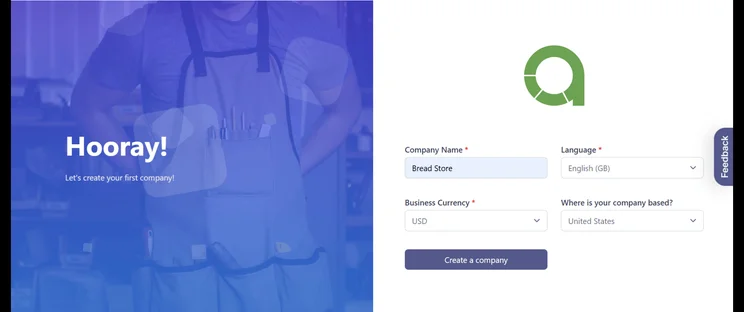
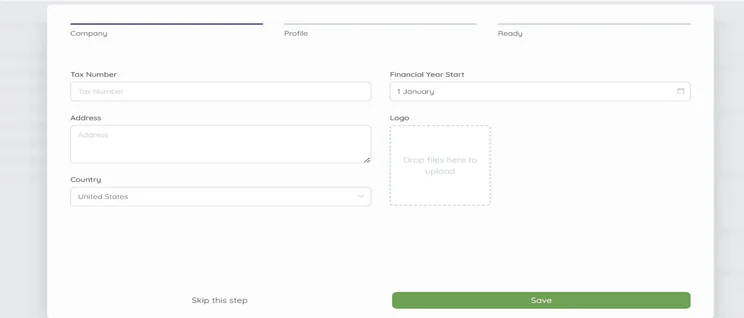
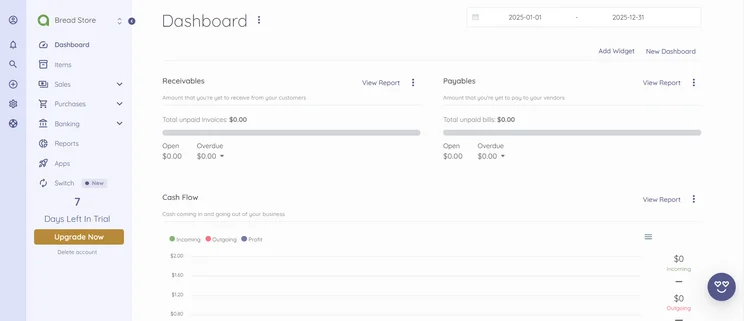
What do we like about Akaunting?
Akaunting has a decent range of free features, including up to 1,000 invoices and unlimited customers and vendors (but no estimates).
You’ll also get support for multiple currencies to correspond with its multi-language compatibility.
Akaunting has its own app store, so you can download or buy add-ons or widgets to suit your particular niche, such as shipping trackers or inventory management.
You’ll be able to connect up to four apps for free, although you’ll have to pay for more apps beyond those four.
Our research team found Akaunting to be quite unintuitive. It isn’t particularly user-friendly, and customer support is quite inadequate.
Despite this, it performs its primary functions well and offers good language capabilities, both of which still make it a fair pick.
Does Akaunting have any additional fees?
Akaunting doesn’t have any additional fees, but the limits of the free plan will be insufficient for long-term use. Therefore, you might want to consider upgrading to its Premium Cloud plan ($24 per month), which offers 10,000 invoices, up to 10 users, and 10 apps included.
Accounting Software Free Trials
In this section, we’ll give you a rundown of the best paid accounting software that offers free trials.
QuickBooks
QuickBooks Online’s pricing includes a free trial for all of its main plans — Simple Start, Essentials, Plus, and Advanced.
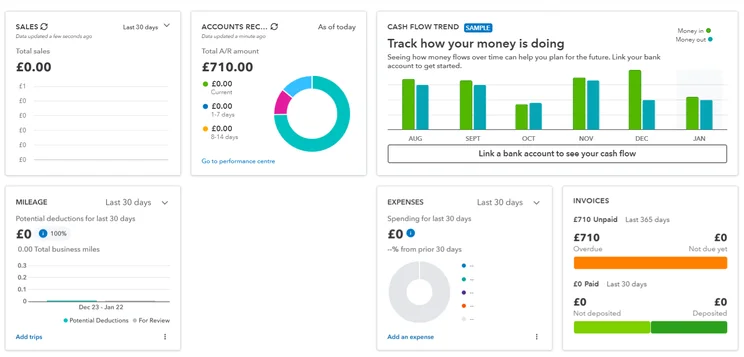
We were able to create in-depth reporting dashboards with QuickBooks, but the learning curve was a bit steep. Source: Tech.co testing
FreshBooks
FreshBooks offers three tiers of service, Lite, Plus, and Premium, and you can get a free trial of each of them. There is a fourth option, the customizable Select plan, but you can’t get a free trial of it.
Compare QuickBooks vs FreshBooks in more detail.
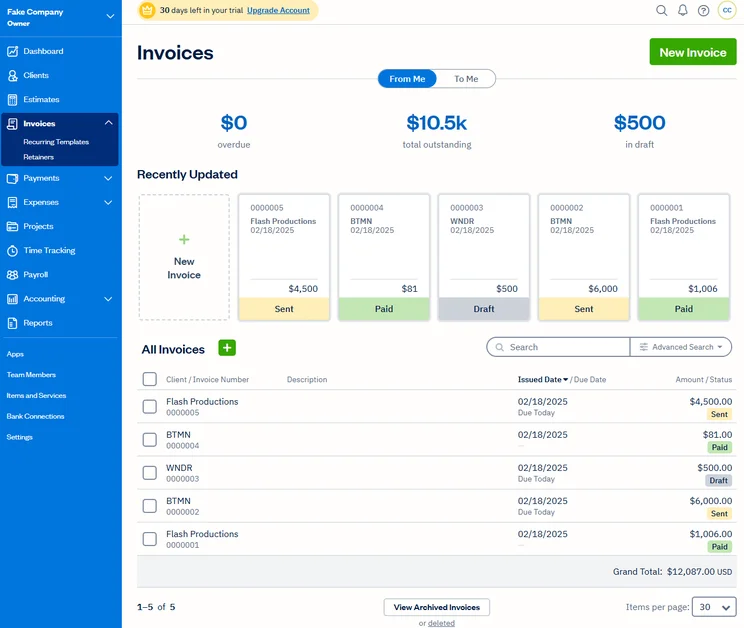
FreshBooks makes managing invoices straightforward. Source: Tech.co user testing
Xero
Like QuickBooks and FreshBooks, Xero also offers a 30-day free trial on each of its plans.
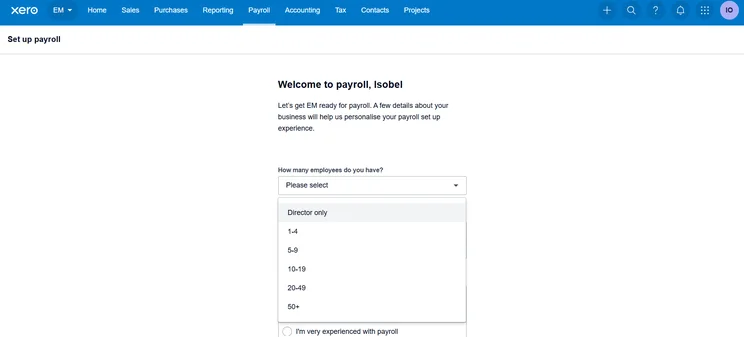
Setting up payroll on Xero is straightforward and quick. Source: Tech.co testing
Hidden Costs: Is Free Accounting Software Really Free?
Here are some things to bear in mind before choosing free accounting software:
- Time limits — Free accounting services are often only free for a limited amount of time.
- Paid add-ons — Free accounting platforms often gatekeep certain tools behind a paywall.
- Software integrations — Free accounting software rarely integrates with third-party software, or charges businesses for the privilege.
- Customer service — Many free accounting platforms, including Wave, don’t offer customer support as part of their complimentary package.
Is Free Accounting Software Worth It?
Free services are a great opportunity to test out new software or provide basic features for a small business or self-employed individual in the short term.
Here are some of the accounting features that are normally only reserved for paid plans.
1. Payroll and tax capabilities
This functionality will automatically distribute your taxes and wages to the appropriate parties, without the need for manual calculation. Manual processing comes with a significant risk of human error — automating it will save you time and stress.
2. Advanced reports
Paid accounting software offers more comprehensive information, such as data visualization, customizable invoices, or a number of other details that can help you get a more granular, accurate grip on your business.
3. Forecasting
With paid accounting software, you can forecast future performance, which is an extremely valuable tool that you will not get access to with free software.
4. Inventory and order tracking
Some paid accounting software can keep tabs on your stock, as well as tracking any orders as they’re sent, both of which are crucial if you’re hoping to run a smooth business.
5. User and invoicing count
Free accounting software usually limits the amount of users per account. Some software will also cap the amount of customers you can invoice or the amount of invoices you can send per month.
If your small business is growing fast, you might want to look at a paid service that allows you to handle higher numbers.
See our guide to the best invoicing software for small businesses.
And learn more about solutions tailored to your specific needs with our guide to the best accounting software for the self-employed.
The best free accounting software is Wave, due to its unlimited users and invoicing, which is not offered by the other names on this list.
However, free software is very limited. If you’re looking for robust at a low cost, FreshBooks’s cheapest plan is currently available for $2.30 per month for the first three months. There is also a free trial, so you can try before you commit.
Frequently Asked Questions
Most free accounting software is secure, but you should prioritize platforms with strong data encryption, secure cloud backups, and regular updates.
Most free accounting tools are cloud-based, and therefore require internet connectivity for full functionality.
No, most free accounting platforms do not offer payroll and automated tax filing. If your business needs these features, I would recommend opting for a paid solution.
If you click on, sign up to a service through, or make a purchase through the links on our site, or use our quotes tool to receive custom pricing for your business needs, we may earn a referral fee from the supplier(s) of the technology you’re interested in. This helps Tech.co to provide free information and reviews, and carries no additional cost to you. Most importantly, it doesn’t affect our editorial impartiality. Ratings and rankings on Tech.co cannot be bought. Our reviews are based on objective research analysis. Rare exceptions to this will be marked clearly as a ‘sponsored’ table column, or explained by a full advertising disclosure on the page, in place of this one. Click to return to top of page


