



We may receive a commission from our partners if you click on a link to review or purchase a product or service. Click to Learn More
The best accounting software for a retail business is QuickBooks. Not only does it integrate with the widest range of e-commerce and POS platforms out of the accounting programs that we tested, but it has very good core accounting features. Added to this, it will supplement the everyday functioning of your business with some excellent value-add features.
However, depending on your business priorities, there are other options out there. Small businesses on a budget might want to think about FreeAgent, for instance, which offers a great single-tier plan.
But it’s a crowded market, so we’re summing up five of the best accounting software platforms and how they can help retail businesses keep tabs on their finances.On this page:
Best Retail Accounting Software
While there are many accounting software platforms out there, these are the platforms we consider to be the best for retail accounting.
Our top three contenders are FreshBooks, Xero, and QuickBooks, all of which are great accounting software options in general, but definitely shine in a retail context, as their inventory management, robust ecommerce integrations, and competitive pricing make them an enticing prospect for any retail-heavy business.
- QuickBooks – Best overall
- Xero – Best for brick and mortar stores
- Zoho Books – Best for core accounting
- FreeAgent – Best pricing
- FreshBooks – Best for accounting novices
|
Starting price
|
Free trial
|
Key features
|
||
|---|---|---|---|---|
|
BEST OVERALL
 |
BEST FOR BRICK AND MORTAR STORES
 |
BEST FOR CORE ACCOUNTING
 |
BEST PRICING
 |
BEST FOR ACCOUNTING NOVICES
 |
|
QuickBooks |
Xero |
Zoho Books |
FreeAgent |
FreshBooks |
|
|
|
Free |
|
|
|
30 days |
30 days |
14 days |
30 days |
30 days |
|
|
|
|
|
1. QuickBooks
- Best for: Overall
- Price from: $35 per month (currently discounted to $17.50 per month for the first three months)
QuickBooks is as close as it comes to a “household name” for accounting software, and the platform is a powerful choice for any retailer looking to track their bottom line.
QuickBooks

In Short
-
Pros
- Extensive analytics template customization
- Automatic alerts for mismatched balances
- Built-in cash flow projection tools
-
Cons
- Steep learning curve for advanced functionality
- Limited customer support resources for self-help
- No time tracking features
Pricing
-
 Solopreneur: $20/month
-
Simple Start: $38/month
-
Essentials: $85/month
-
Plus: $140/month
-
Advanced: $340/month
-
50% off for first 3 months on all plans
Images
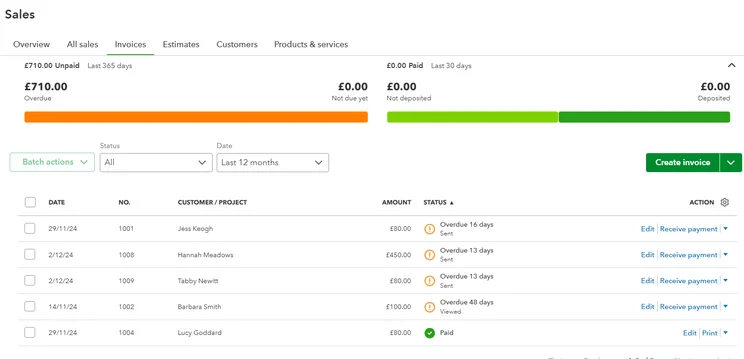
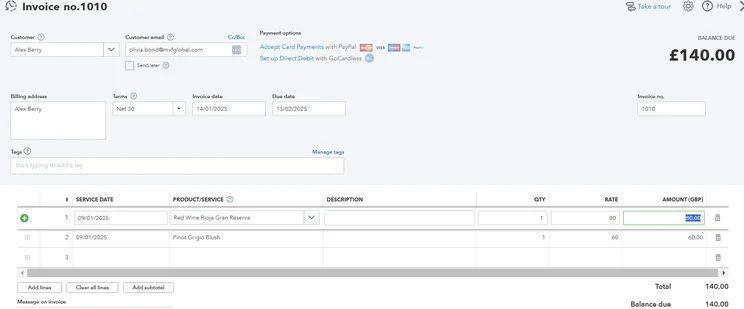
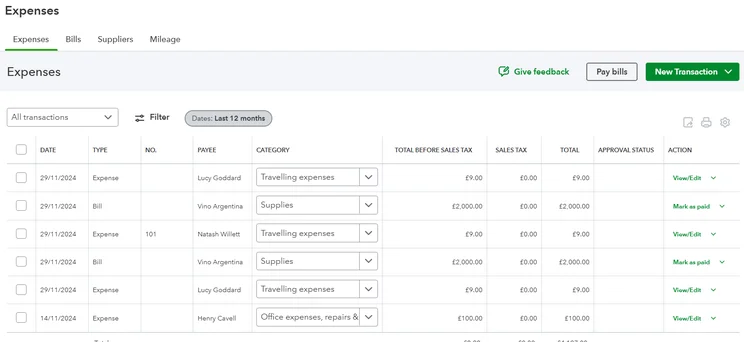
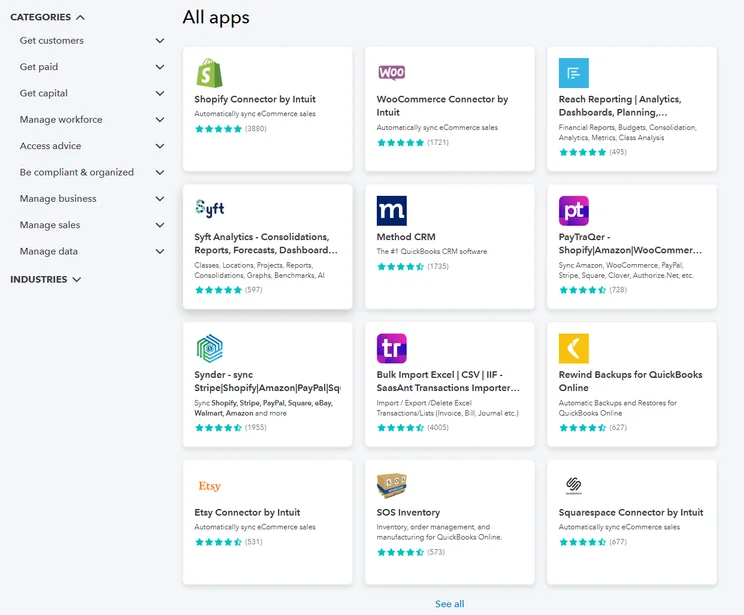
Our pick of the best accounting platforms for retail businesses is QuickBooks. This is because QuickBooks offers some great core accounting functionality, as well as some bonus perks that will give your everyday operations a shot in the arm. What’s more, QuickBooks offers some great POS and e-commerce integrations, including Shopify, WooCommerce, and more.
Owing to its array of customizable analytics tools, QuickBooks is a really good option for businesses that need in-depth financial insights. Users can get cash flow projections and build reporting templates from scratch, which is a really neat way of displaying your information in a way that makes sense for you.
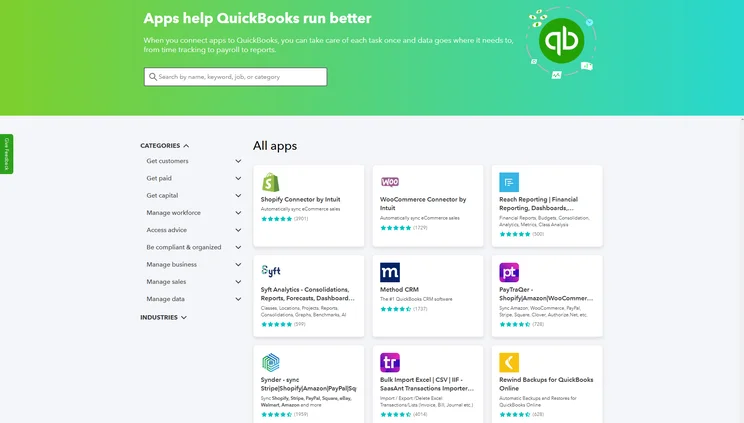
QuickBooks Online offers a library of integrations, so users can connect with useful third-party tools, including some great retail options. Source: Tech.co testing
In terms of usability, our researchers found QuickBooks to be well-laid out, with logical site-mapping and some intuitive workflows. For instance, you can issue payment reminders directly from within the overdue section, and it’s easy to convert estimates into invoices. It might sound straightforward, but this is not unanimous across the accounting space. Xero, for example, has a lot to recommend it in terms of functionality, but really falls short in terms of the user experience.
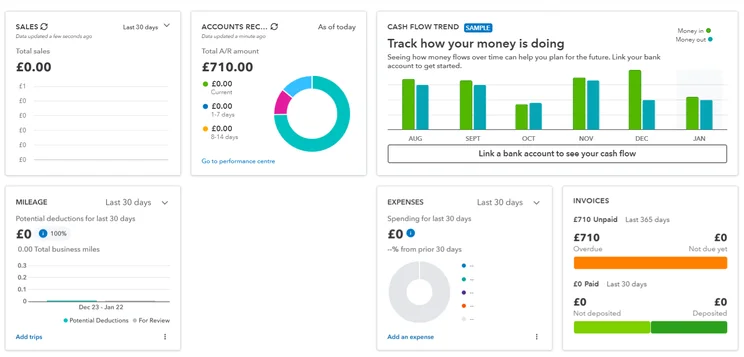
The team also really enjoyed the lengths that QuickBooks goes to lighten the load on the user. Pre-populated fields and previews can be viewed to streamline common tasks, while automation is built right into its bookkeeping functionality. The dashboard, meanwhile, is bright, engaging, and uncluttered, giving users a quick at-a-glance rundown of all their pertinent accounting information.
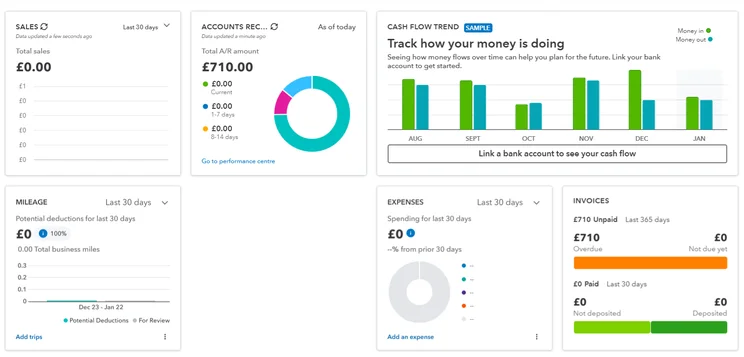
The QuickBooks dashboard, in all its glory. Source: Tech.co testing
QuickBooks pricing
QuickBooks has five tiers:
- The Solopreneur tier ($20 per month)
- The Simple Start tier ($35 per month)
- The Essentials tier ($65 per month)
- The Plus tier ($99 per month)
- The Advanced tier ($235 per month)
There’s also currently a promotional offer on, so new customers can get 50% off all plans for the first three months.
In terms of bang for your buck, the Solopreneur tier is geared towards individuals and freelancers. It supports a single user, and boasts key features like income and expenses tracking, receipt uploading, quarterly tax estimates, invoices, reports, and mileage tracking.
Upgrade to the Simple Start tier, and you’ll unlock sales and sales tax tracking, 1099 contractor management, and the ability to create and send estimates. You’ll still only have the option for one user, but that goes up to three when you opt for the Essentials plan ($65 per month). At this tier, you’ll also get time tracking, recurring billing, and the ability to record expenses in multiple currencies.
If you decide you want a bit more functionality, there’s also the Plus plan ($99 per month). This offers five users, tools for financial planning, and inventory tracking, which is a highly useful feature for retail businesses.
After this, there’s the Advanced plan ($235 per month), which includes 24/7 support and training, advanced workflow automation, and more. Like the name suggests, it’s tailored towards large enterprises, with up to 25 users available.
2. Xero
- Best for: Brick and mortar stores
- Price from: $20 per month (currently discounted to $2 per month for the first 3 months)
Xero is one of the biggest names in the accounting game, and its reputation is well-earned. Xero has a seriously robust feature set, with a great set of core accounting functions available on all of its plans. It has advanced billing features, making it particularly well-suited to larger businesses with high turnovers.
Xero
In Short
-
Pros
- Over 1,000 third-party integrations available
- Useful client portal for clients to access financial information
- Robust fixed asset tracking functionality with depreciation values
-
Cons
- Steep learning curve for advanced features like workflows
- Outdated, poorly designed interface with difficult navigation
- Must give one-month notice before cancellation
Pricing
-
Early: $27/month
-
Growing: $59/month
-
Established: $97/month
-
90% off all plans for the first 6 months with Tech.co deal
Images
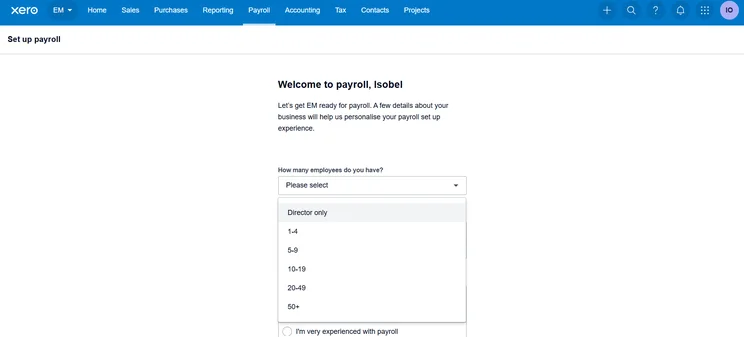
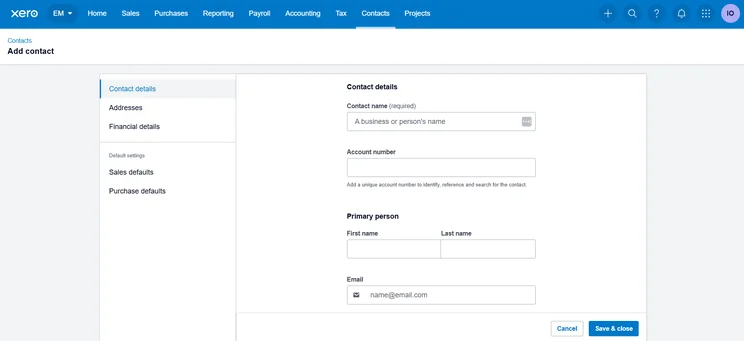
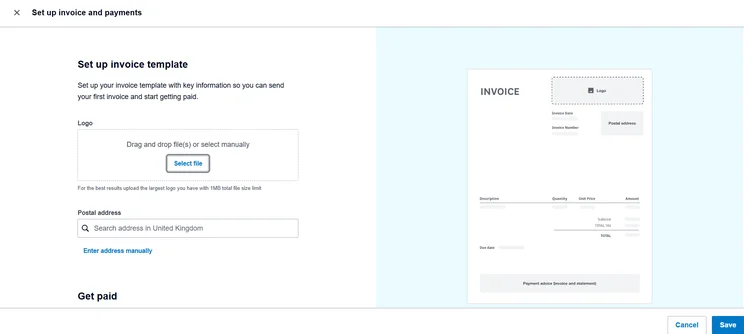
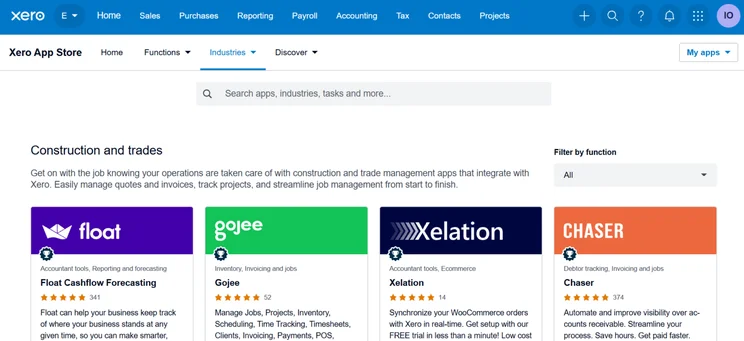
Impressively, Xero offers over 1,000 third-party integrations, making it a dream proposition for growing businesses that are likely to need to scale up their operations at short notice. This includes a number of different CRM integrations, which will be perfect for larger retail businesses with repeat customers. In terms of e-commerce and POS programs, however, Xero can’t compete with QuickBooks, which offers a greater selection of apps that will delight retail store owners.
By and large, Xero does the basics really well. It has an intuitive invoice builder, easy-to-use time tracking, and payment processing available on all plans.
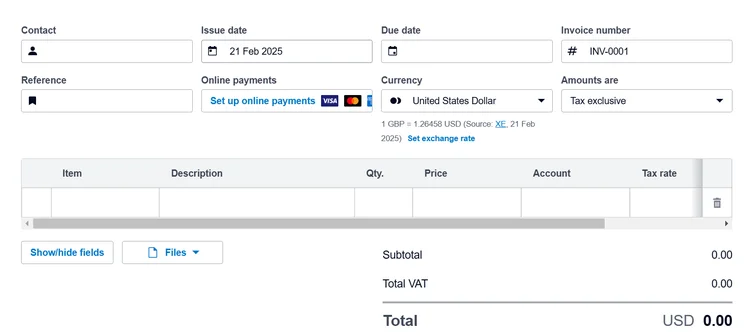
When we tried our Xero, we found creating invoices with the platform really straightforward. Source: Tech.co user testing
One big area in which Xero falls down, however, is its general usability. Unanimously, our researchers did not enjoy the experience of using Xero. I spent some time testing the platform and found myself getting highly frustrated at some of its more convoluted workflows.
I wanted to test out importing bills into Xero. But when I sat down to experiment, I found myself running into an infuriating technical issue. I tried to upload my bill multiple times, only to be rejected every time. To make matters worse, it wasn’t clear to me why my attempts had been unsuccessful.
The whole thing just looks very archaic as well. When compared with the likes of QuickBooks and Zoho Books, which both place a big emphasis on the “enjoyment factor,” Xero is miles off.
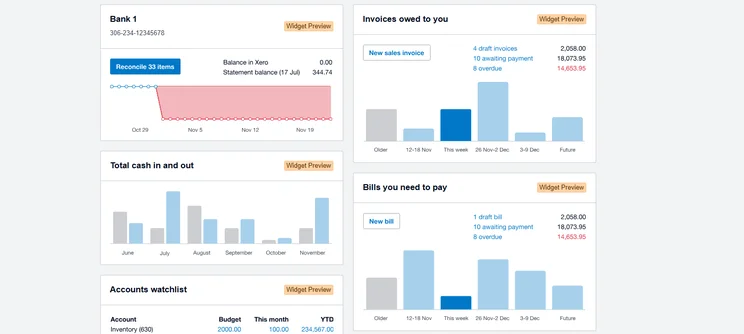
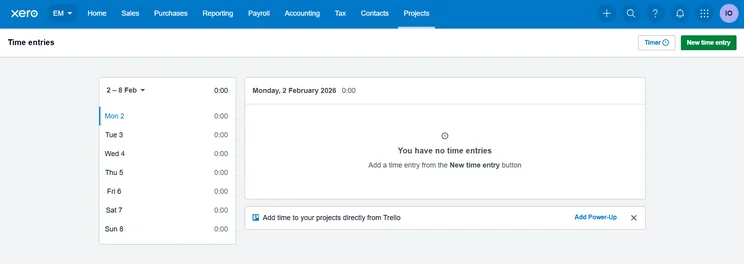
While the Xero reporting dashboard lays out all your key business information, it isn’t much to look at. Source: Tech.co testing
Xero pricing
Xero has three pricing plans:
- The Early plan ($20 per month)
- The Growing plan ($47 per month)
- The Established plan ($80 per month)
The company is also currently running a promotional offer, so new customers can get 90% off any plan for the first three months.
The differences between these plans are slight, especially for the drastic price increases. The only difference between Early and Growing is the removal of bill limits, and the only difference between Growing and Established is the addition of multi-currency support, alongside project accounting features like time-tracking and project profitability.
3. Zoho Books
- Best for: Core accounting
- Price from: $15 per month (free plan also available)
Zoho Books is another of our top choices here at Tech.co. It has an excellent set of core accounting features, as well as a top-tier user experience. However, in a retail accounting context, it also has its shortcomings.
Zoho Books

In Short
-
Pros
- Extensive data import/export features built in
- Time tracking tools with billable hours conversion for invoicing
- Highly effective transaction documentation
-
Cons
- No customer support outside business hours (no weekends)
- Limited third-party integrations outside of Zoho
- Shorter free trial than most other accounting platforms
Pricing
-
Free: $0/month
-
Standard: $15/month
-
Professional: $40/month
-
Premium: $60/month
-
Elite: $120/month
-
Ultimate: $240/month
Images
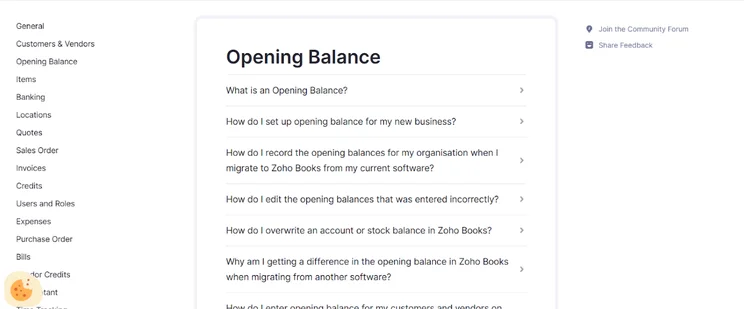
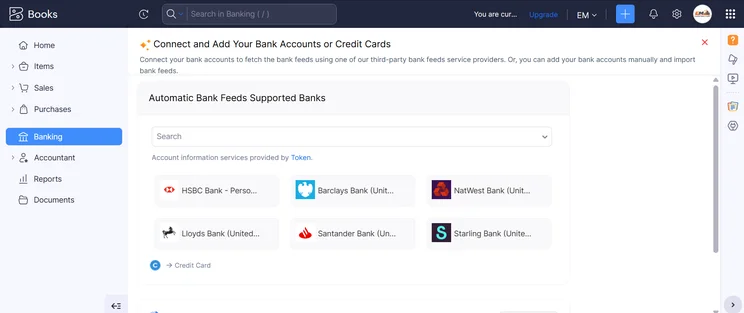
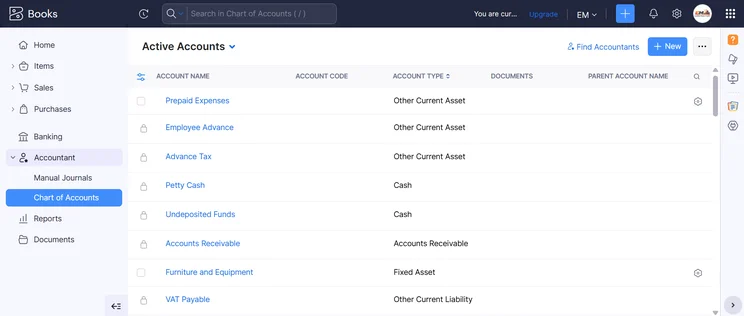
Its inventory feature is restricted to the Professional tier ($40 per month) – but unlike QuickBooks, it doesn’t make up for this by providing a wide range of features to justify the investment.
When it comes to core accounting features, though, Zoho Books excels. It nails all the basics, including recurring invoices, multi-currency transactions, automatic tax calculations, and account syncing with no limit on bank accounts.
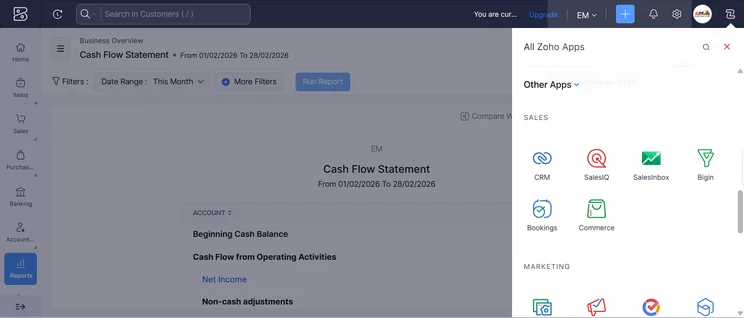
It also has some neat reporting features, including cash flow statements and balance sheets, as well as the ability to set up automatic alerts for surpluses and shortfalls. This is great for long-term budget planning, and will be appreciated by businesses that plan as far ahead as possible.
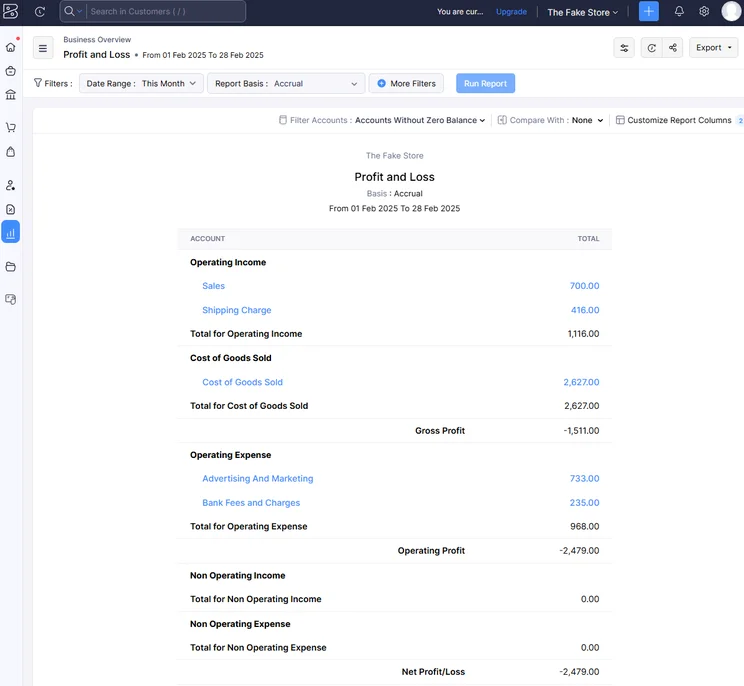
Zoho Books made it easy to get insightful data through its reports system. Source: Tech.co testing
Our researchers were full of praise for Zoho Books’ user experience. In fact, it received the highest rating for “usability” out of all the platforms that we tested (4.4/5). This is because of its “intuitive design and modern interface,” according to our researchers.
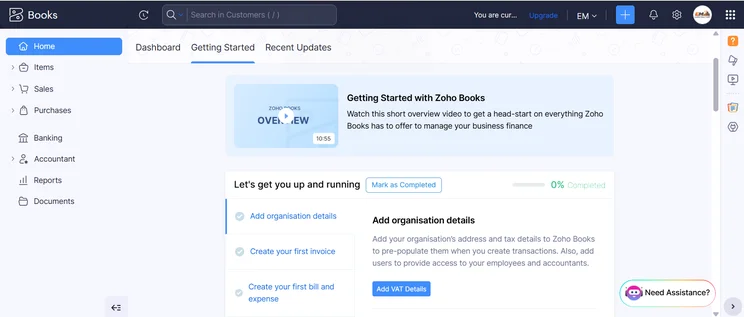
In particular, they highlighted its well-signposted sidebar and dropdown menus, which make it a dream to navigate through the platform. What’s more, the dashboard, which is tailored towards small businesses, offers key at-a-glance overviews of cash flow and payments.
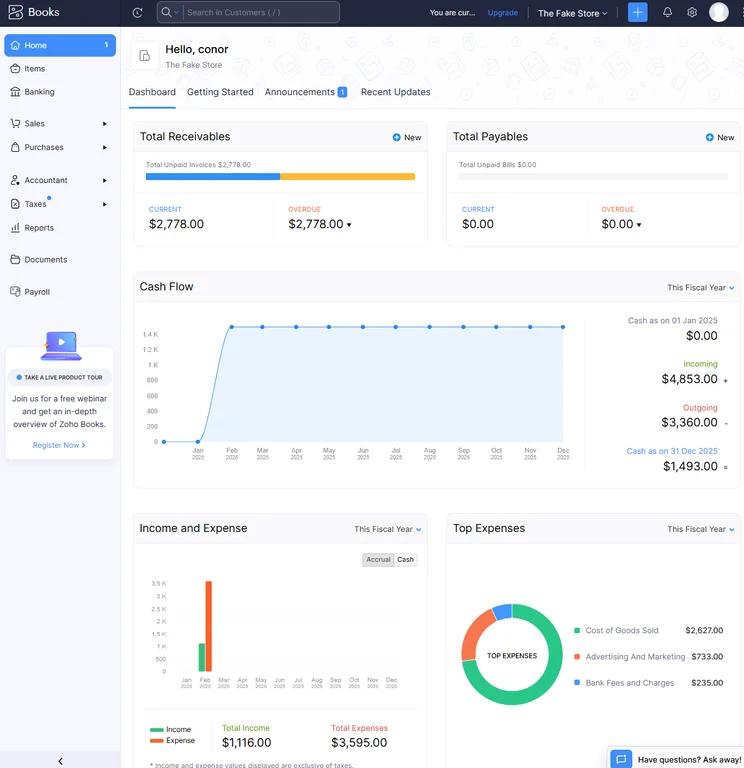
The home dashboard from Zoho Books provided us with lots of valuable data to keep us informed. Source: Tech.co testing
Zoho Books pricing
Zoho Books has six plans in total, one of which is free. The others are:
- The Standard plan ($15 per month)
- The Professional plan ($40 per month)
- The Premium plan ($60 per month)
- The Elite ($120 per month)
- The Ultimate ($240 per month)
The last two plans are geared towards larger enterprises.
As the only provider in this list to offer a free plan, Zoho Books certainly deserves some flowers. However, it’s only really suitable for solopreneurs or micro businesses, so unless you run a small, boutique store, you’ll want to upgrade.
Unfortunately, some key retail features – including inventory management and sales and PO tracking – are only available on the Professional plan, which starts at $40 per month. At this price point, you’d be better off opting for QuickBooks, which offers a more robust feature set and greater range of e-commerce integrations.
4. FreeAgent
- Best for: Pricing
- Price from: $27 per month (currently discounted to $13.50 per month for the first six months)
In isolation, FreeAgent is a decent purchase, but when compared to the other options on this list, it’s a bit of a hard argument to make. While it has aspects that are geared toward retail (inventory management and substantial ecommerce integration), it will likely leave users wanting more.
FreeAgent

In Short
-
Pros
- Simple, low cost pricing options for businesses
- Built-in tax forecasting tools for future financial planning
- Helpful cash flow alerts for surpluses and shortfalls
-
Cons
- Overly complex and unhelpful support options
- Difficult to navigate for basic feature usage
- Distracting call-to-action buttons everywhere
Pricing
-
Billed monthly: $27/month
-
Billed annually: $270/year
-
30-day free trial
Images
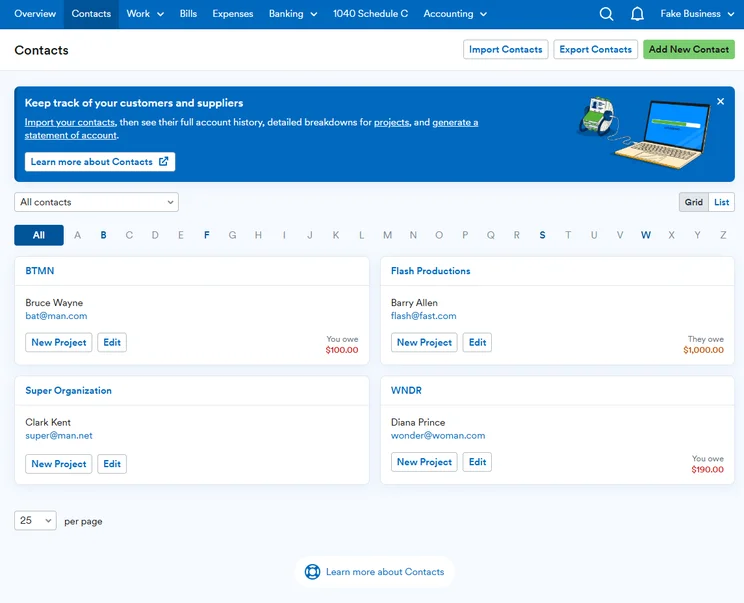
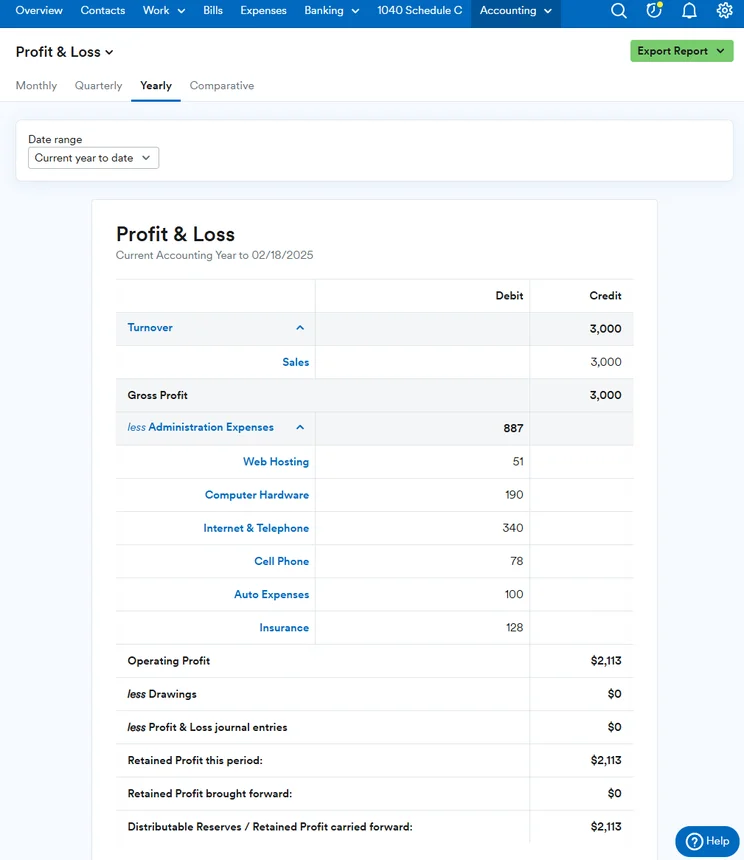
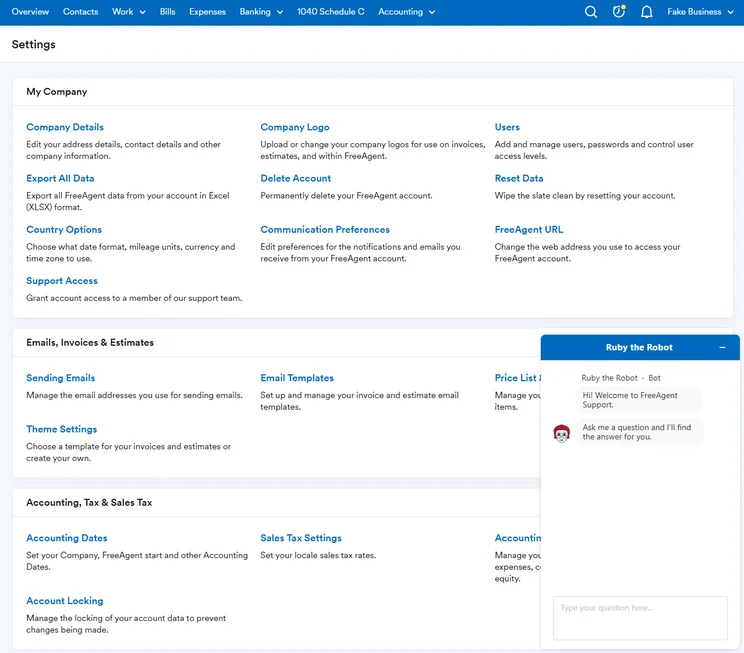
For instance, it lacks some retail-centric reports and has no form of official EPOS integration – despite siting within the same price range as brands that do. It’s hard to argue in favor of FreeAgent when better options exist.
However, it does have some really good features. During the course of our research, our testers were impressed with FreeAgent’s “beginner-friendly” layout and interface, which made it easy to perform some tasks for the first time.
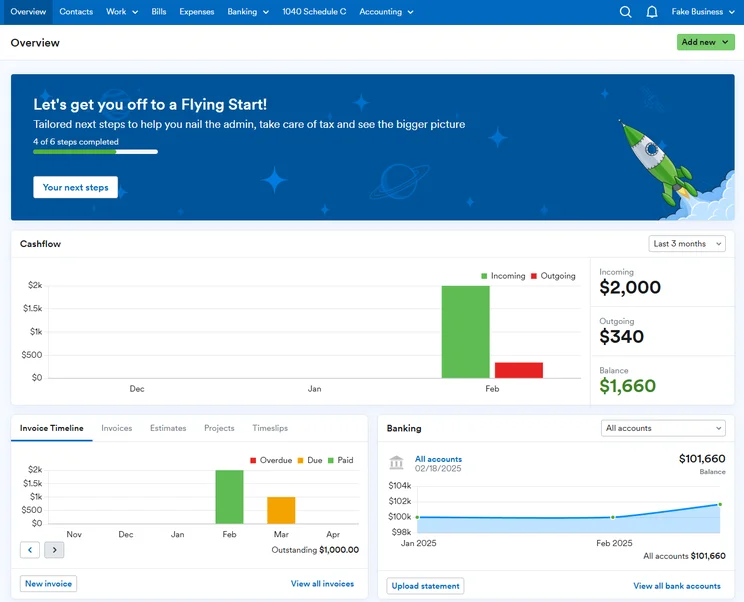
The FreeAgent dashboard provided us with a snapshot of your business’s financial situation. Source: Tech.co testing
Added to this, our researchers found its easy-to-customize invoice templates, manage tax reminders, and issue end-of-year reports, which were all spotlighted as neat features that could potentially streamline your business’s everyday operations.
FreeAgent’s invoicing tool includes a built-in timeline feature, which was easy to use and contributed to an overall shallow learning curve for the team. In a similar vein, the time tracking feature was clearly laid out and made it simple for our users to record new timeslips. This functionality is particularly valuable for businesses that work on a billable basis, as you can accurately keep track of what your employees are owed.
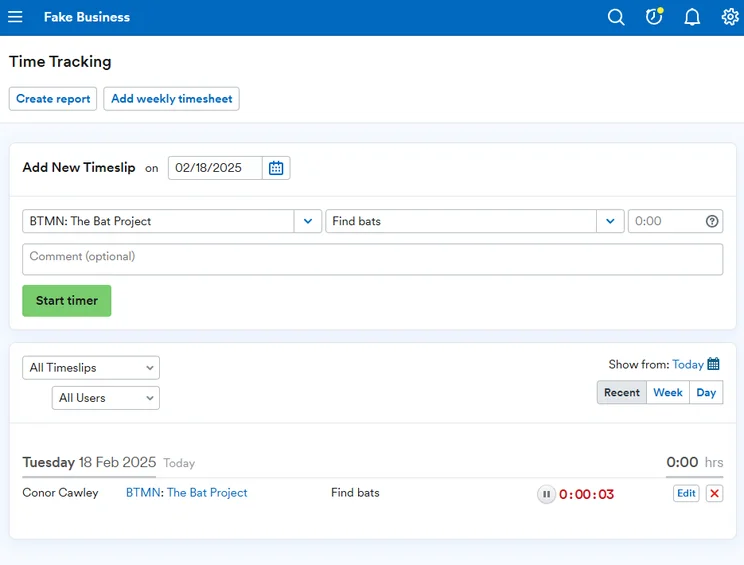
FreeAgent offers time tracking features that we found easy to use directly in the platform. Source: Tech.co testing
FreeAgent pricing
In truth, FreeAgent earns its place on this list because of its pricing. It offers one transparent pricing tier, which will set you back just $27 per month if billed annually, or $270 if billed yearly (working out as just $22.50 per month).
It’s also currently running a promotional offer, so new customers can get 50% off plans for the first six months.
5. FreshBooks
- Best for: Accounting novices
- Price from: $23 per month
Rounding out our selection of the best accounting platforms for retail businesses is FreshBooks. FreshBooks used to be our number one pick, but it fell down the pecking order after our most recent round of testing.
FreshBooks

In Short
-
Pros
- Intuitive, easy-to-use interface for beginners
- Time tracking features with invoice compatibility
- 24/7 customer support options for platform help
- Automated reminders are included on all plans
-
Cons
- Limited functionality in mobile app
- No forecasting or budgeting features for future analysis
- Few custom reporting options
- Lower-tier plans restrict the number of active clients you can bill
Pricing
-
Lite: $23/month
-
Plus: $43/month
-
Premium: $70/month
-
90% off all plans for the first 3 months
Images
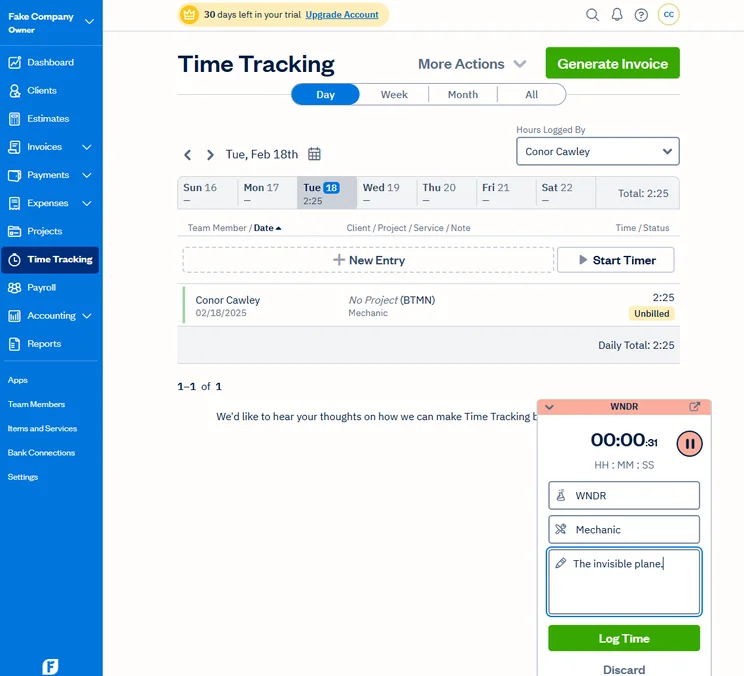
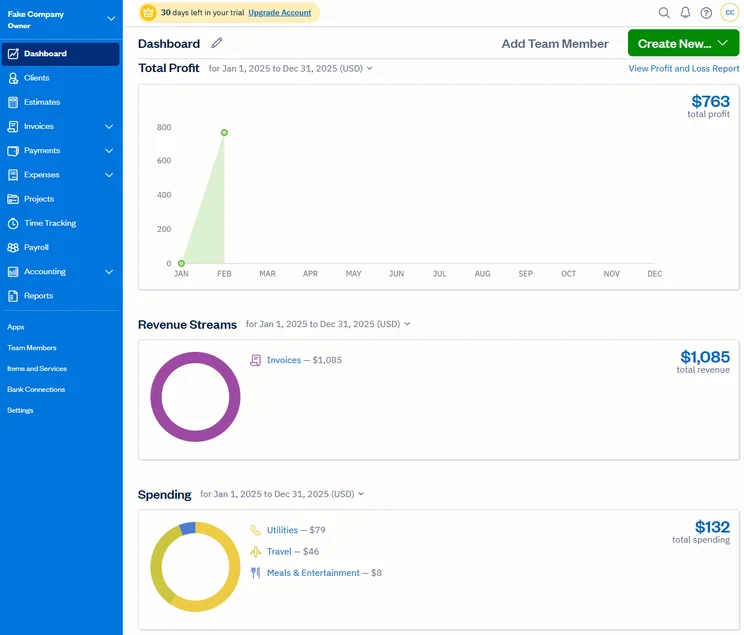
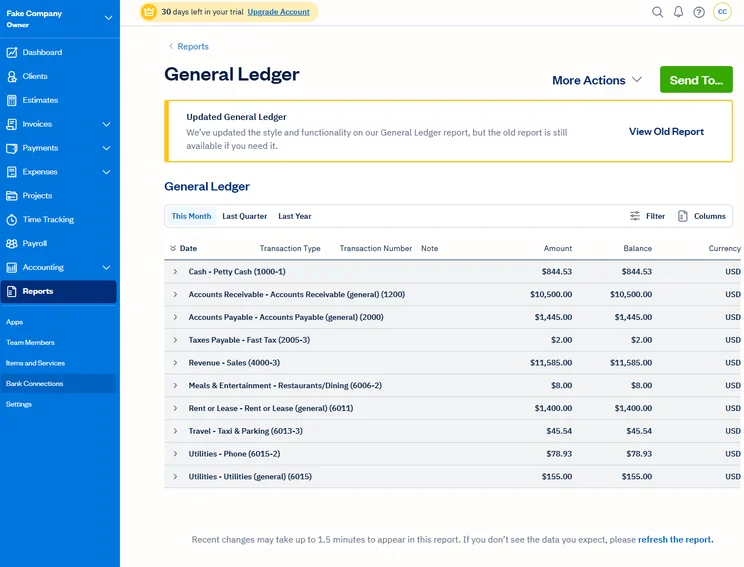
Two pivotal inclusions are inventory management on its lowest tier, and the ability to integrate with our top rated ecommerce builders, including Shopify, Big Commerce, and Squarespace.
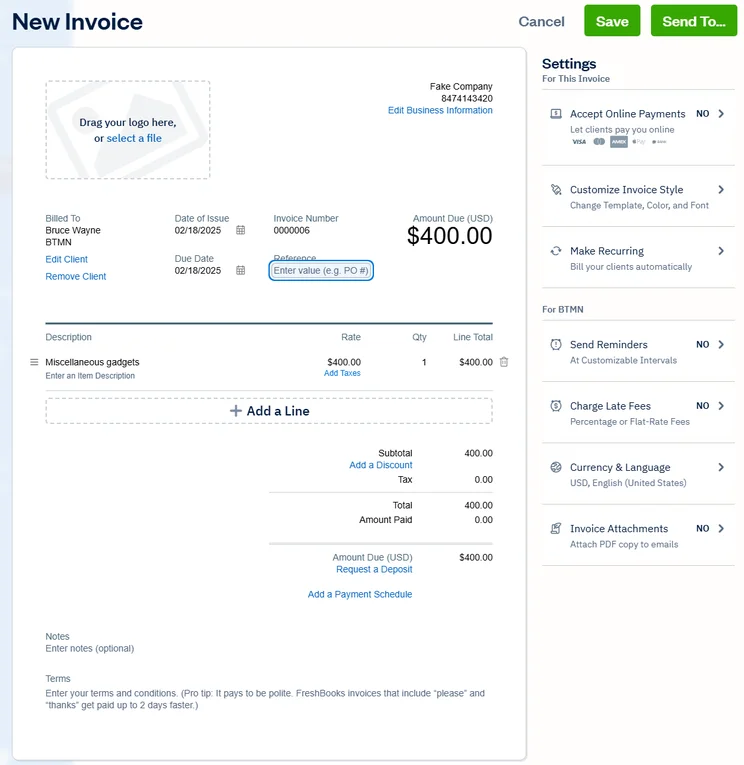
This is all great stuff, and our researchers also heaped praise on the platform’s interface, which made it easy to complete a number of tasks. Converting quotes into invoices stands out as a particularly intuitive process.
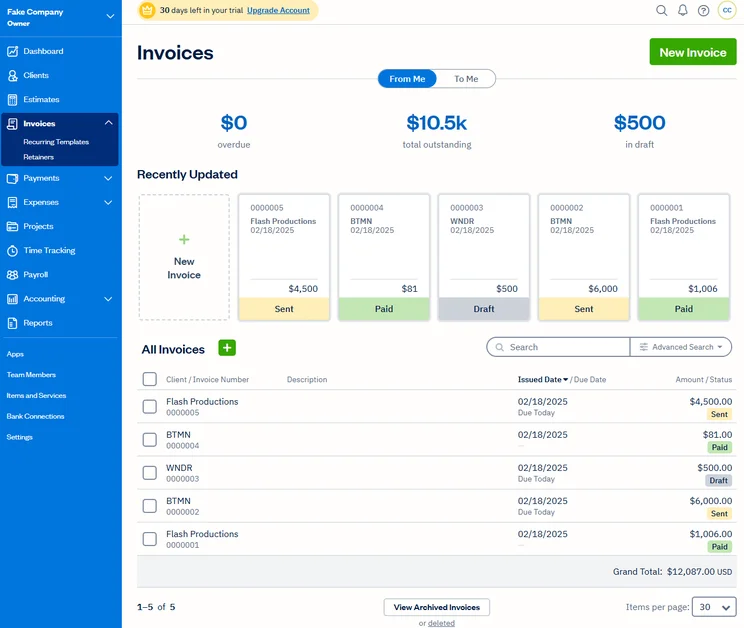
FreshBooks makes managing invoices straightforward. Source: Tech.co user testing
FreshBooks’ biggest letdown is its lack of integration with any EPOS systems. This would give it additional appeal to brick and mortar stores, as opposed to leaning heavily toward ecommerce businesses.
What’s more, FreshBooks isn’t the best solution for businesses that need forecasting and budgeting tools, as well as custom reporting. In other words, it likely won’t be suitable for larger retail businesses that operate across more than one store.
Our users also observed some frustrating technical hitches with the platform’s currency settings. Even when they had updated the default currency under “Settings,” it would often revert back to a different currency on quotes and invoices. In fact, this proved a serious blocker for our researchers in their efforts to carry out tests.
FreshBooks pricing
FreshBooks has four paid tiers, one of which is a custom plan, wherein the price is based on the features you choose. Otherwise, you can choose:
- The Lite plan ($23 per month)
- The Plus plan ($43 per month)
- The Premium plan ($70 per month)
While there are few significant differences between the lower two tiers, the difference between the Premium and Plus tiers is massive. The Premium tier includes various accounts payable and project accounting options, like project profitability and multi-currency payment, which are not available on its predecessor.
To add extra users, customers will have to pay $11 per user, per month, on top of their chosen plan. In addition, you can also opt for Advanced Payments for $20 per month, and FreshBooks Payroll for $40 per month and a further $6 per user. In other words, FreshBooks is far from the cheapest solution on the market. If price is a dealbreaker, we would recommend looking at FreeAgent.
Methodology: How We Test
At Tech.co, we take our impartial research and analysis seriously, so you can have complete confidence that we’re giving you the clearest, most useful recommendations.
After conducting an initial investigation to identify the most relevant, popular, and established accounting tools in the market, we conducted further research, including testing six major accounting software platforms.
Based on years of market and user needs research, we’ve established an accounting software testing methodology that scores these platforms against six main categories, and 25 subcategories — with a total of 1,512 areas of investigation being considered overall.
We also put the platforms through their paces with hands-on testing to gain a deeper grasp of their average user experience. We dedicated 57 hours to carrying out 37 user tests, with a total of 555 tasks being completed in total.
Our main testing categories for accounting software are:
- Core accounting features: We check how adept a platform will be at managing accounting tasks, focusing on key bookkeeping features like invoicing, tax preparation, journal entry, time tracking, financial transactions, and payment support.
- Operational efficiency: We determine how capable a system is at ensuring day-to-day processes run seamlessly, paying close attention to third-party integrations, collaboration tools, AI automation, and customization options.
- Financial planning: We assess how capable a system will be at measuring income, profits, and losses. Specifically, we check for the presence and quality of forecasting and budgeting, inventory management, reporting, and compliance tools.
- Help and support: We assess how useful and reliable a platform’s support system is, focusing on support options, whether it’s 24/7 support or knowledge center accuracy, as well as cloud backup, and security safeguards.
- Pricing: We compare the overall cost of each platform, taking factors like monthly costs, set-up fees, hidden fees, and free plans into account. We also measure how strict contracts are, and how much it would cost for a business to terminate them early.
- User experience: An overall judgment of how easily users can interact with the platform. We tested each accounting platform and got our team to report how easy they were to use, how they felt when they were using them, and how likely they were to recommend the platform to another business.
When it comes to calculating a product’s final score, not all testing areas are weighted evenly, with factors like “core accounting features” and “operational efficiency” being prioritized for small businesses, while sector-specific features are valued more highly for businesses across different industries.
We understand that accounting software is always evolving. That’s why at Tech.co, we have full-time product researchers to re-run this testing process regularly. It’s the only way to ensure our results remain reflective of the present day.
Learn more about our research.
Retail Accounting Features to Look for
Most accounting software platforms come packed with various useful features, but what should you have your eyes out for when looking for accounting software for a retail business?
Here are some particularly handy features that are worth considering:
- Inventory management: This can help you keep track of the exact amount of product you have left to sell, letting you avoid unfortunate surprises. This feature can be found in any Xero tier, QuickBooks’ higher tiers, all of FreshBooks’ tiers, Zoho Books’ higher tiers, and FreeAgent.
- Receipt scanning: This allows you to scan and catalogue any receipts as either income or expenditure. This can save a lot of time, as you won’t have to manually log these numbers. This is found in Xero and QuickBooks.
- Time-tracking: If you have several employees, time tracking can help you keep track of how many hours they work, which helps with hourly pay. This is found in the higher tiers of Xero, QuickBooks, and Zoho Books. It’s also found in all tiers of FreshBooks and FreeAgent.
- Project profitability tracking: A very useful tool that can look at records of product profits, and can allow you to know if it’s time to cut a certain project loose. This is found in the upper tiers of Zoho Books, Xero, QuickBooks, and FreshBooks.
- Custom reports: Reports are useful if you ever want to show a bird’s eye view of your business to outsiders, like investors. You can only create custom reports through Xero and QuickBooks.
- Multi-currency payments: Maybe not crucial for everyone, but if you run an international business, the ability to receive payments in various currencies can be pivotal. This can be used in the upper tiers of Xero, QuickBooks, FreshBooks, Zoho Books, and FreeAgent.
Many of these functions are also key to businesses outside retail: Check out our guide to the best accounting software for restaurants to learn more.
Can you use free accounting software for retail?
While free accounting software is certainly appealing due to the lack of financial investment, it can really only take you so far. As you would want your business to grow, the strict limits imposed by free software (or free tiers) might be too tight for a business with even slightly lofty goals.
The best accounting platform for retail businesses is QuickBooks. This is because QuickBooks combines excellent core accounting features, great usability, and a generous array of third-party integrations for things like e-commerce and ePOS. With this bonus functionality, it really has everything you need to run your retail store.
However, it’s not the only option on the market, and we understand that your business priorities might be a little different. With this in mind, another great option would be FreshBooks, which will be particularly beneficial for first-time users due to its shallow learning curve.
Otherwise, you might want to think about FreeAgent, which offers a single, generous pricing tier that should stand smaller retail businesses in good stead.
If you click on, sign up to a service through, or make a purchase through the links on our site, or use our quotes tool to receive custom pricing for your business needs, we may earn a referral fee from the supplier(s) of the technology you’re interested in. This helps Tech.co to provide free information and reviews, and carries no additional cost to you. Most importantly, it doesn’t affect our editorial impartiality. Ratings and rankings on Tech.co cannot be bought. Our reviews are based on objective research analysis. Rare exceptions to this will be marked clearly as a ‘sponsored’ table column, or explained by a full advertising disclosure on the page, in place of this one. Click to return to top of page


