
We may receive a commission from our partners if you click on a link to review or purchase a product or service. Click to Learn More
Zoho Meeting is an extremely affordable video conferencing tool that undercuts the competition with its unique pricing model, charging based on the number of participants in your meetings.
As part of the Zoho family of apps, Zoho Meeting can be integrated into a large ecosystem of business apps, like Zoho Projects and Zoho CRM, as well as a wide range of other third-party integrations. The system is notably easy to use, and the low, flexible pricing makes it an ideal choice for smaller businesses.
In this review and pricing guide, we’ll explain the features, pricing, and alternatives to Zoho Meeting, as well as provide you with some helpful advice when it comes to choosing a video conferencing tool for yourself. If you’re short on time, you can just use our form to get a quick quote.
Zoho Meeting

In Short
-
Pros
- Low-cost, flexible pricing plans
- Browser functionality
- SSL/128-bit AES encryption
-
Cons
- Recording costs extra
- Only 10 participants
- Extra participants cost more
Pricing
-
 Free plan available
-
 Standard: $1/user/month
-
Professional: $3/user/month
Images
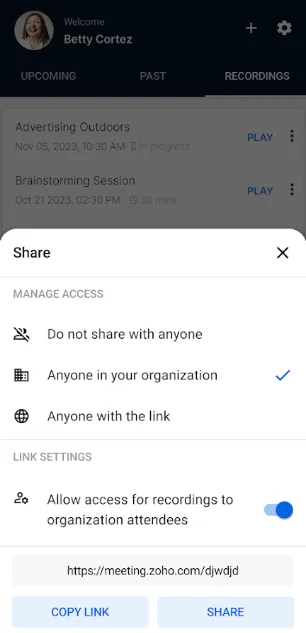
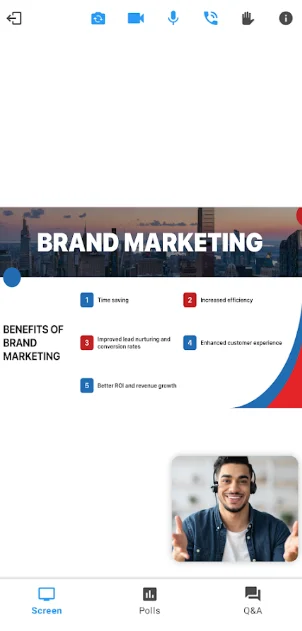
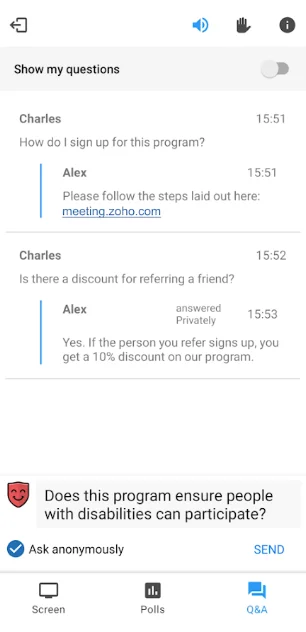
Zoho Meeting Quick Fact File
Before we dive into the nitty gritty details of Zoho Meeting, take a look at our quick fact file to understand some of the basics about the video conferencing platform:
- Zoho Meeting is one of the cheapest video conferencing platforms, starting at $1 per month.
- Zoho Meeting works in browsers and does not require you to download an app.
- Zoho Meeting video chats are secured with SSL/128-bit AES encryption.
- Zoho Meeting integrates seamlessly with other Zoho apps like Zoho CRM and Zoho Projects.
Now that you know a little bit about Zoho Meeting, let’s learn more about the video conferencing platform, like how much it costs, what kind of features you can expect, and what kind of alternatives are available on the market.
Zoho Meeting Pricing
Zoho Meeting pricing is arguably the biggest pro for the platform. It’s flexible, low-cost plans can help you minimize the impact on your budget while still getting a lot of functionality for team communication. In fact, at $1 per month, Zoho Meeting is one of the most affordable starting prices across the industry, substantially undercutting popular options like Zoom (starts at $13.32 per month) and RingCentral (starts at $10 per month).
The way Zoho Meeting keeps prices so low with its paid plans is that it’s based on the number of participants. The $1 per month Standard plan, for example, only allows for 10 participants, and increases in monthly cost if you want to add more.
Check out the pricing options in the table and read on for a more in-depth look at each of these pricing plans from Zoho Meeting.
|
Price
|
Licenses
|
Participants
|
Time limit
|
Whiteboard
|
Breakout rooms
|
||
|---|---|---|---|---|---|---|---|
 |
|
|
|||||
|
Free |
Standard |
Professional |
|||||
|
Free |
$1/month |
$3/month |
|||||
|
1 |
1 |
1 |
|||||
|
3 |
10 |
10 |
|||||
|
60 minutes |
24 hours |
24 hours |
|||||
|
|
|
|
|||||
|
|
|
|
Zoho Meeting Free – $0 per month
After the pandemic, virtually every video conferencing provider rolled out a free plan, so that people wanting to simply stay in touch with friends and family would have an option without any added cost. Zoho Meeting is no different, offering a free forever plan that has some solid feature offerings.
For starters, you’ll be allowed to host hour-long meetings for up to 100 participants. The 60-minute time limit beats out a lot of competitors, like Zoom, GoTo Meeting, and RingCentral, which all offer only 40 minutes for their free plans.
On top of that, the Zoho Meeting free plan gives you some common features, like screen sharing, virtual backgrounds, whiteboarding, and basic analytics, which are all fairly standard for free plans in the industry.
Check out our free video conferencing platform guide for more information
Zoho Meeting Standard – starts at $1 per month
At only $1 per month, the Zoho Meeting Standard plan is truly one of the best budget options for video conferencing software on the market. You still get access to advanced features common in paid plans, like cloud recording, meeting polls, and third-party integrations to improve functionality with your other business software.
So, what’s the catch? The Zoho Meeting Standard plan allows for meetings of up to 24 hours, but at the $1 per month price point, you’re only allowed 10 participants in your meeting. Fortunately, you can add more (up to 250) but it will cost extra.
For 25 participants, you’ll have to pay $4 per month. For 50 participants, you’ll have to pay $5 per month. For 10 participants, you’ll have to pay $6 per month. For 150 participants, you’ll have to pay $7 per month. For 200 participants, you’ll have to pay $9 per month. And finally, for 250 participants, you’ll have to pay $10 per month.
Zoho Meeting Professional – starts at $3 per month
If you need more advanced features for your video conferencing, like custom domains, advanced analytics, and API access, have no fear. The Zoho Meeting Professional plan adds a few more features, but as long as your participant counts are still low, you’ll still be able to seriously undercut the majority of options available on the market at only $3 per month.
Still, the same rule applies when it comes to participants, with the $3 per month Professional plan getting you only 10 participants. You can always pay more to get more participants, though, and the costs are still quite low compared to other video conferencing platforms like GoTo Meeting ($12 per month) and Webex ($12 per month).
For 25 participants, you’ll have to pay $5 per month. For 50 participants, you’ll have to pay $8 per month. For 10 participants, you’ll have to pay $10 per month. For 150 participants, you’ll have to pay $12 per month. For 200 participants, you’ll have to pay $14 per month. And finally, for 250 participants, you’ll have to pay $15 per month.
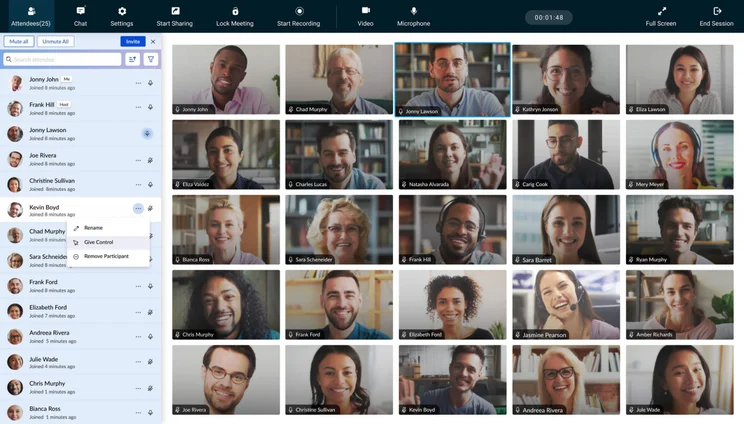
Zoho Meeting Key Features
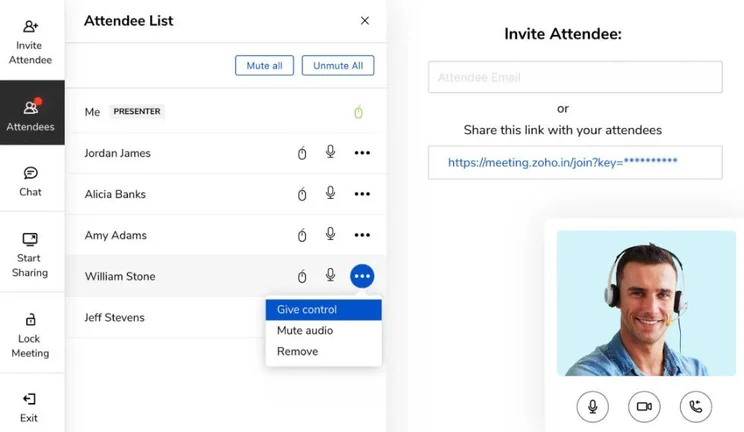
In the modern era, most video conferencing solutions offer a similar set of features, like screen sharing, whiteboarding, and virtual backgrounds, as the pandemic standardized the industry for all the basics.
Still, the biggest difference when it comes to features is which ones are available in a free plan and which ones you have to pay for. Here is a list of both the features offers in the free plan, and the features you’ll find in paid plans from Zoho Meeting.
Available in free plan:
- Screen sharing
- Meeting chat and reactions
- Hand raising and allow to talk
- Variety of meeting layouts
- Virtual backgrounds
- Basic analytics
- Collaborative whiteboard
Available in paid plans:
- All free plan features
- Additional co-hosts
- Meeting polls
- Co-branding
- Third party integrations
- Meeting recordings
- Advanced analytics
- Meeting transcriptions
- Admin control
- API access
Zoho Meeting Alternatives
Zoho Meeting certainly is a solid value pick for businesses in need of a video conferencing platform, but it’s far from the only option out there. In fact, the industry is lousy with top tier competitors that might be a better fit, depending on your particular needs.
Fortunately, we’ve done a lot of research on the topic to provide you with an in-depth look at the top video conferencing platforms available, so you can make an informed decision for your business. Take a look at the table below to see how our top choices match up against Zoho Meeting.
|
Starting price
The lowest starting price for a paid plan. The lowest price available for your business will depend on your needs
|
Free plan
|
Best for
|
Pros
|
Cons
|
||
|---|---|---|---|---|---|---|
|
|
BEST ALTERNATIVE
 |
 |
 |
 |
 |
|
|
Zoho Meeting |
RingCentral |
Zoom |
GoTo Meeting |
Microsoft Teams |
Google Meet |
|
|
$1/month |
$10/user/month |
$14.16/user/month |
$14/month |
$4/user/month |
$7/user/month |
|
|
|
|
|
|
|
|
|
|
Value |
Security |
Beginners |
Sound and video quality |
Microsoft 365 users |
Google Workspace users |
|
|
|
|
|
|
|
|
|
|
|
|
|
|
How We Rate Video Conferencing Platforms
At Tech.co, we’ll be the first to admit that finding the right business software is a daunting task. After all, there are so many different choices at even more price points that narrowing down your options can feel like a endless task that you’ll never get right. That’s why we do all the research for you, so that you can have the valuable insights available at your fingertips to make the right decision the first time.
For video conferencing, we put platforms like Zoho Meeting through a myriad of tests to discover exactly how good it is at performing particular tasks. We measured everything, including price, features, integrations, customizability, and help and support options.
For more information about our process, be sure to check out our in-depth research guide to see exactly how we rate and rank business software.
If you have a small team and a tight budget, Zoho Meeting is likely your best bet for video conferencing software. The paid plans are the cheapest you’ll find on the market as long as you keep your meetings small, coming in at $1 per month for up to 10 participants. Zoho Meeting is also easy to use and integrates seamlessly with other popular Zoho apps like Zoho Projects and Zoho CRM.
If you’re interested in getting started with a video conferencing platform like Zoho Meeting, we can help! We have a wide range of helpful guides, like how to set up a conference call, that can give you the information you need to get started. You can also get a customized quote for business communication tools like Zoho Meeting by filling out a form with a few quick and easy questions.
Frequently Asked Questions
Zoho Meeting is a web conferencing tool that allows people to communicate via video chat. Much like Zoom or Google Meet, the platform offers a wide range of features beyond simple video chat, like screen sharing and whiteboarding, so you can more effectively stay in touch with friends, family, and coworkers.
Zoho Meeting is an excellent Zoom alternative, providing a low-cost video conferencing solution that can keep you in touch with friends and family. Both solutions have a free forever plan, as well as paid plans that are aimed at small businesses.
Yes, Zoho Meeting offers a free forever plan that allows for up to 100 participants for up to 60 minutes. Zoho Meeting also provides a 14-day free trial for any of its paid plans, so you can test out the more advanced features at no cost.
Our research found that Zoho Meeting is a good video conferencing tool, providing solid functionality at a decidedly low cost for businesses that need a platform that is friendly to their budget. There are better options out there, though, like RingCentral and GoTo Meeting, due to their robust functionality.
If you click on, sign up to a service through, or make a purchase through the links on our site, or use our quotes tool to receive custom pricing for your business needs, we may earn a referral fee from the supplier(s) of the technology you’re interested in. This helps Tech.co to provide free information and reviews, and carries no additional cost to you. Most importantly, it doesn’t affect our editorial impartiality. Ratings and rankings on Tech.co cannot be bought. Our reviews are based on objective research analysis. Rare exceptions to this will be marked clearly as a ‘sponsored’ table column, or explained by a full advertising disclosure on the page, in place of this one. Click to return to top of page


