
We may receive a commission from our partners if you click on a link to review or purchase a product or service. Click to Learn More
The best Zoom alternative is RingCentral, because it offers a slightly more affordable price for comparable video conferencing, with Video Pro+ priced at $10, compared to Zoom’s Pro plan, priced at $14.16. It also offers a free plan that allows for 50 minute meetings, which is ten minutes longer than Zoom.
There are a lot of video conferencing platforms out there, though, each with its own benefits and downsides that could make them a better fit for your business, from lower prices to better third-party integrations.
In this guide, I’ll outline some of the best video conferencing platforms on the market that are direct competitors to Zoom, so you can find a service that makes sense for your specific business requirements.
- Best: RingCentral is the best Zoom alternative, because it provides a similar set of video conferencing and unified business communication tools in a more affordable package.
- Pricing: Zoom alternatives typically have a starting price between $4 per user, per month and $14 per user, per month.
- Free plans: Virtually all Zoom alternatives and video conferencing platforms in general offer some kind of free plan, but they often put time limits on meetings.
- Integrations: Video conferencing platforms work best when they can integrate with other platforms like calendars, so make sure your chosen platform works with your other systems.
Tech.co has been around longer than the iPhone, and we’ve been advising businesses on the must-have tech for just as long. We have spent hundreds of hours researching web conferencing products over the years, using them ourselves and assessing the highs, and lows, of each platform, so your company doesn’t make a costly mistake.
When it comes to the cost of web conferencing tools, we take a deep dive into not just the displayed price, but also what you’ll get for it, as well as the hidden costs the providers might not shout about. We can also tell you if the final price really offers great value, or whether you’re better taking your business elsewhere.
(Pricing updated July 27th 2026)
Best Alternatives to Zoom
To learn more about these alternatives to Zoom, click on the links below to be taken to in-depth reviews of each option that outline why they’re such a good Zoom alternative, as well as pricing information about each solution.
- RingCentral – Best Zoom alternative overall
- GoTo Meeting – Best for audio and video quality
- Google Meet – Best for Google Workspace users
- Microsoft Teams – Best for Microsoft 365 users
- Zoho Meeting – Best value alternative
Looking for video conferencing equipment? We’ve got you covered!
|
Starting price
The lowest starting price for a paid plan. The lowest price available for your business will depend on your needs
|
Free plan
|
Best for
|
Maximum participants
|
Meeting time limit (free)
|
Meeting time limit (paid)
|
App required
You have to download an app to use the platform.
|
||
|---|---|---|---|---|---|---|---|---|
 |
BEST ALTERNATIVE
 |
 |
 |
 |
 |
|||
|
Zoom |
RingCentral Video Pro + |
GoTo Meeting |
Google Meet |
Microsoft Teams |
Zoho Meeting |
|||
|
$14.16/user/month |
$10 |
$14/month |
$7/user/month |
$4/user/month |
$1/month |
|||
|
|
|
|
|
|
|
|||
|
Beginners |
Zoom alternative |
Sound and video quality |
Google Workspace users |
Microsoft 365 users |
Value |
|||
|
300 |
200 |
250 |
1,000 |
300 |
250 |
|||
|
40 minutes |
50 minutes |
40 minutes |
40 minutes |
60 minutes |
60 minutes |
|||
|
30 hours |
24 hours |
None |
24 hours |
30 hours |
24 hours |
|||
|
|
|
|
|
|
|
1. RingCentral – Best Overall Zoom Alternative
Despite not being a particularly well-known video conferencing tool compared to the likes of Google Meet and Microsoft Teams, RingCentral is the top alternative to Zoom. It offers a slightly lower starting price and a robust catalog of features, and top tier security to ensure that your company data is secure across the board.
On top of that, when using RingCentral, I discovered that it offers end-to-end encryption across all video and messaging functionality in RingCentral, a feature that is not the default setting for any other platform on this list, even Zoom. Plus, it has arguably the best free plan available when it comes to video conferencing, so there’s that.
Additionally, like Zoom, RingCentral is just a communication platform, offering a VoIP system alongside the video conferencing functionality, unlike Google Meet and Microsoft Teams, which are full-on collaboration solutions. This made it an even more obvious choice as the best Zoom alternative.
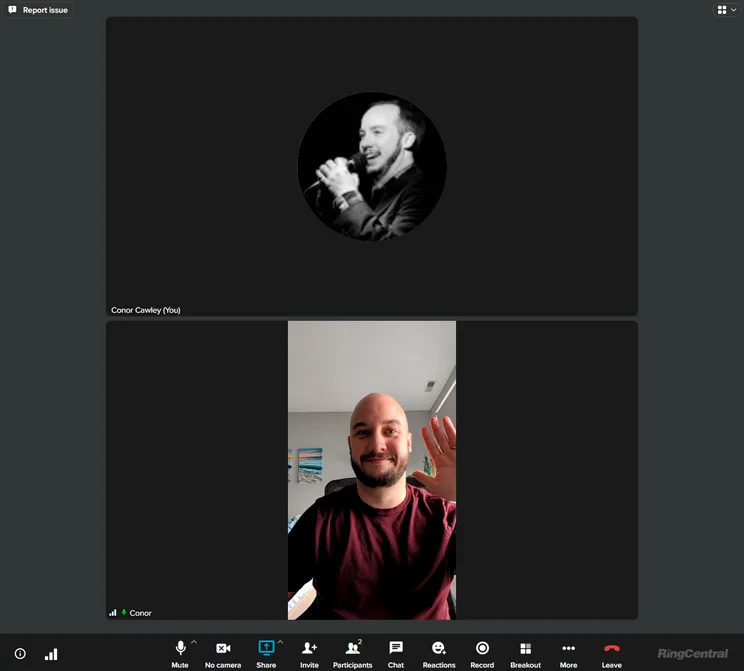
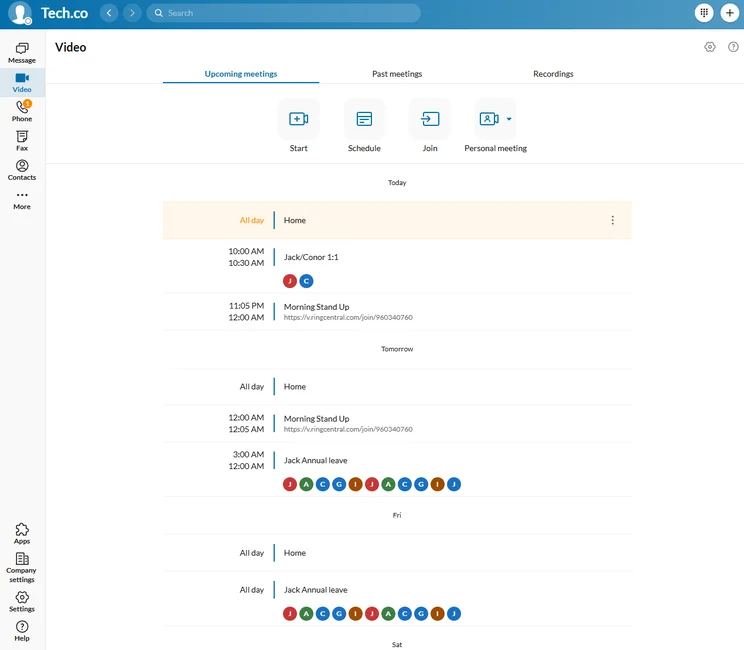
The RingCentral Video interface is unique in making 1:1 meetings vertical rather than horizontal. Source: Tech.co testing
How much does RingCentral cost?
For video conferencing, RingCentral has one paid plan, the RingCentral Video Pro+ plan, which costs $10 per user, per month, and allows for up to 200 participants. It also adds more advanced features, like single-sign on functionality, advanced analytics, and unlocks the end-to-end encryption for video and messaging.
As mentioned, RingCentral also has a free forever plan, the RingCentral Video Pro plan, which allows for only 100 participants. Meetings are limited to only 50 minutes, which is ten minutes longer than Zoom, but also ten minutes shorter than other alternatives on this list that allow for a full hour.
RingCentral Video

In Short
-
Pros
- Great free version
- No app required, works on browser too
- Integrates with Microsoft 365 and Google Workplace
-
Cons
- No analytics or single sign-on with free plan
- Less suitable for larger companies
- Lacks advanced project management tools
Pricing
-
 Free plan available
-
Video Pro+: $10/user/month
Images

2. GoTo Meeting – Best for Audio and Video Quality
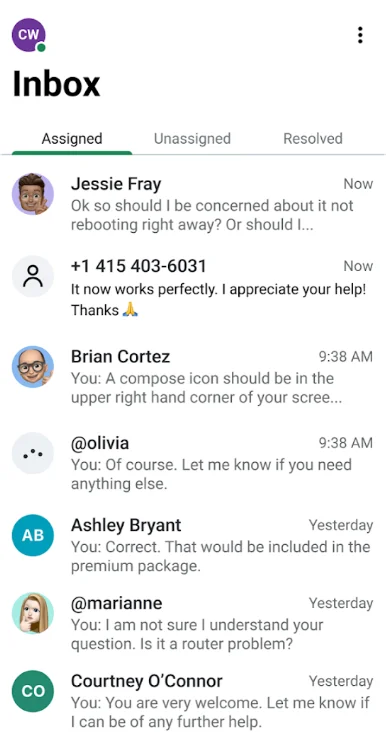
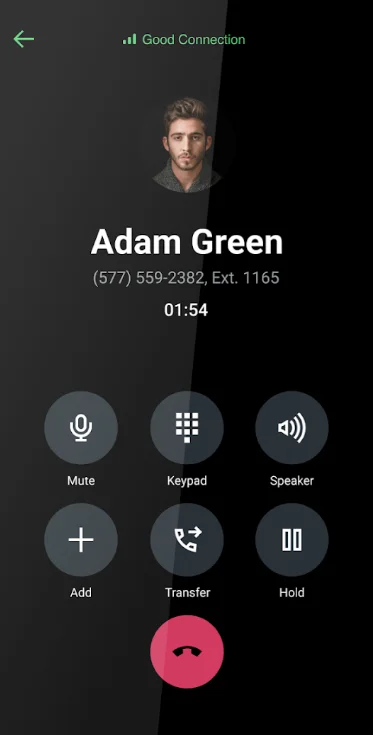
If you’ve ever been in a video meeting with poor audio and video quality, you know that it can really get in the way of your productivity. Fortunately, GoTo Meeting is one of the top Zoom alternatives because it offers great audio and video quality. With HD video and web audio, it provides crystal clear sound and lag-free video, making my team meetings that much more cohesive.
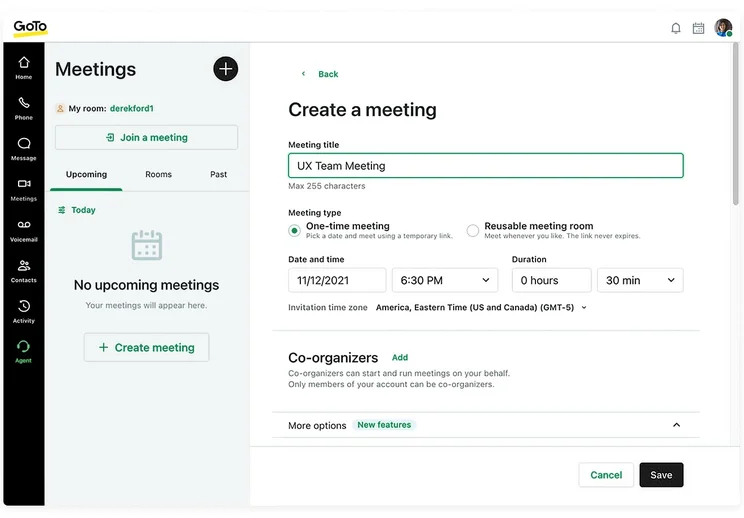
Even better, unlike Zoom, GoTo Meeting allowed us to access the platform in a browser, rather than having to download a full-on software. This makes the audio and video quality even more impressive, and generally added to the ease of use of GoTo Meeting for us.
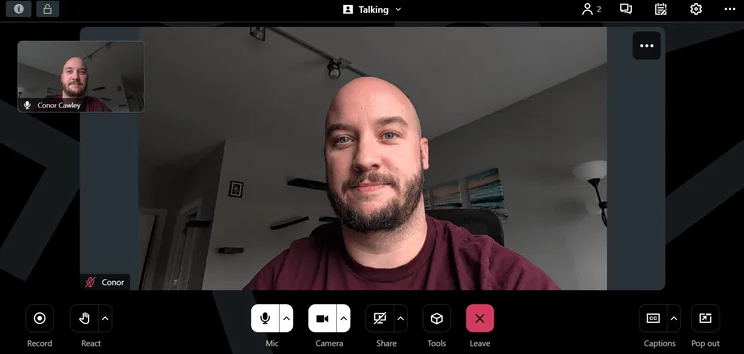
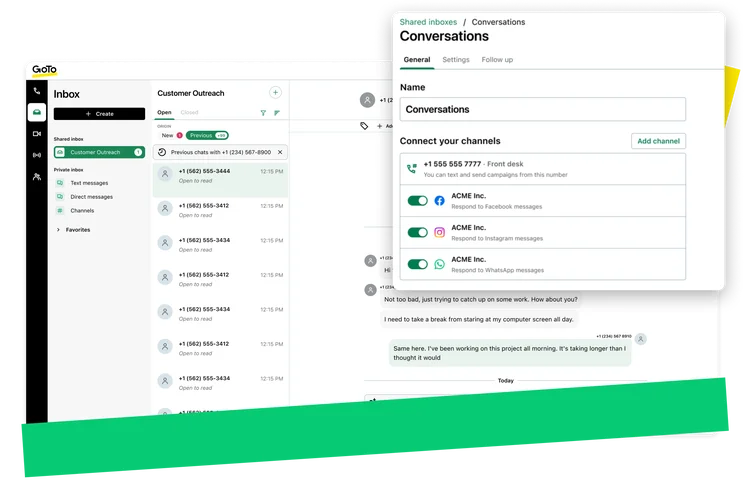
GoTo Meeting’s interface is similar to other popular options on the market in 2026. Source: Tech.co testing
How much does GoTo Meeting cost?
GoTo Meeting offers two different pricing plans. The Professional plan will cost you $12 per month and allows for 150 participants in a meeting. The Business plan costs $16 per month and allows for 250 participants, and adds features like transcription, unlimited cloud recording, and drawing tools.
The biggest downside to GoTo Meeting is that it’s the only option on the list that doesn’t offer a free forever plan. However, you can use the 14-day free trial to test it out and see if it’s worth the financial investment.
GoTo Meeting

In Short
-
Pros:
- High quality audio and video
- Very reliable and secure
- Lower cost than competitors
-
Cons:
- Weak free plan
- Relies on a very strong internet connection
- Webinar features requires GoToWebinar integration
Pricing
-
Free plan available
-
Professional: $14/user/month
- Business: $19/user/month
Images

3. Google Meet – Best for Google Workspace Users
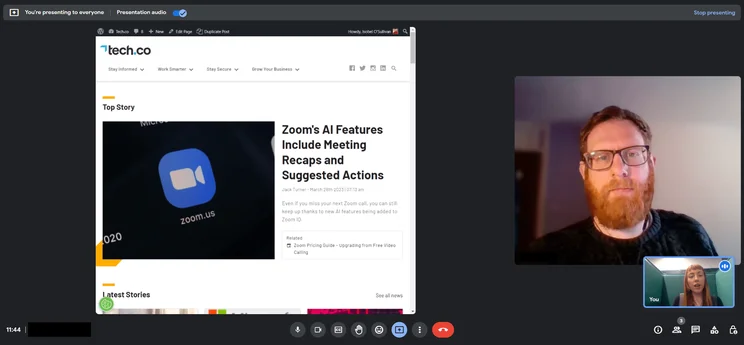
Google Meet has been a popular video conferencing tool, especially here at Tech.co, where we use it for all of our team communication needs.
Over the last few years and during our research, I’ve found Google Meet to be an easy-to-use platform that can be accessed on a browser with nothing more than a simple link. Audio and video quality is a bit weak, but the ease of use and integration with other Google services makes it a go-to solution for businesses around the world.
To be clear, though, Google Meet is more than just a video conferencing tool. It’s part of the Google Workspace service, which includes other collaboration tools like Google Drive, Calendar, and Gmail, so it’s really a full-on, all-in-one hub that we use to manage our entire team, rather than just communication. Suffice to say, you’ll want to be sure that you need all that before considering a paid plan.
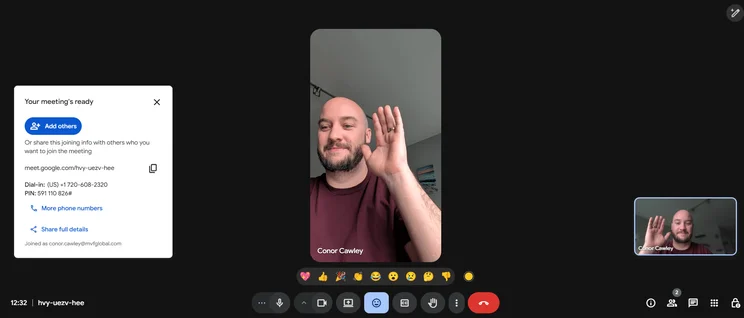
Google Meet integrates well with the rest of Google services, and provides clear instructions on getting set up. Source: Tech.co testing
How much does Google Meet cost?
Google Meet doesn’t offer a simple paid plan for video conferencing. Rather, you’ll have to pay for the entire Google Workspace hub to get access to advanced features in Google Meet.
The pricing plans for Google Workspace start with the Starter plan, which costs $7 per month and allows for 100 participants. After that, you can go with the Standard plan, which costs $14 per month and allows for 150 participants, or the Plus plan, which costs $22 per month and allows for 500 participants.
Again, Google Meet does come with a free forever plan, which limits meetings to 60 minutes and allows for up to 100 participants.
Google Meet

In Short
-
Pros:
- Very easy to use
- Gmail and Google Calendar compatibility
- Additional services included in paid plan
-
Cons:
- Spotty connectivity
- Poor audio quality
Pricing
- Starter: $7/user/month
- Standard: $14/user/month
- Plus: $22/user/month
- Free plan available
- 50% off free first 3 months
- Custom pricing for enterprise plans
Images


4. Microsoft Teams – Best for Microsoft 365 Users
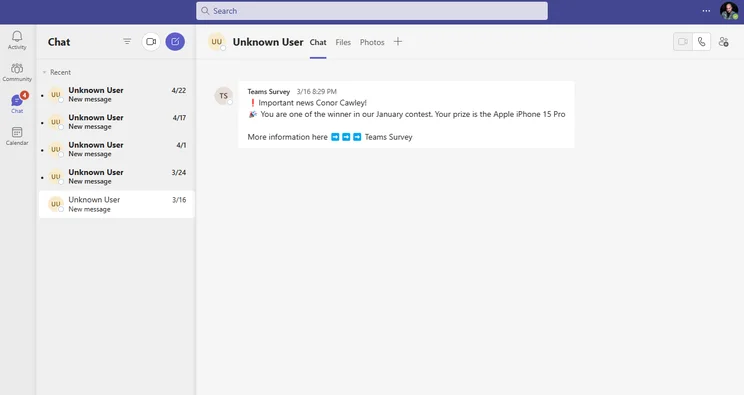
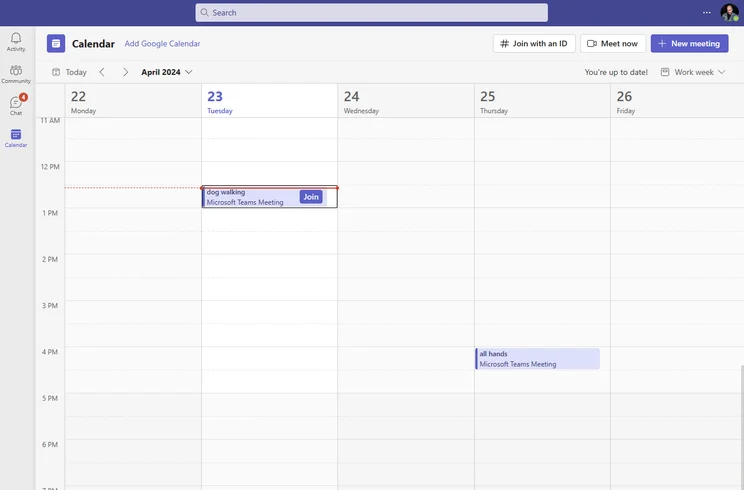
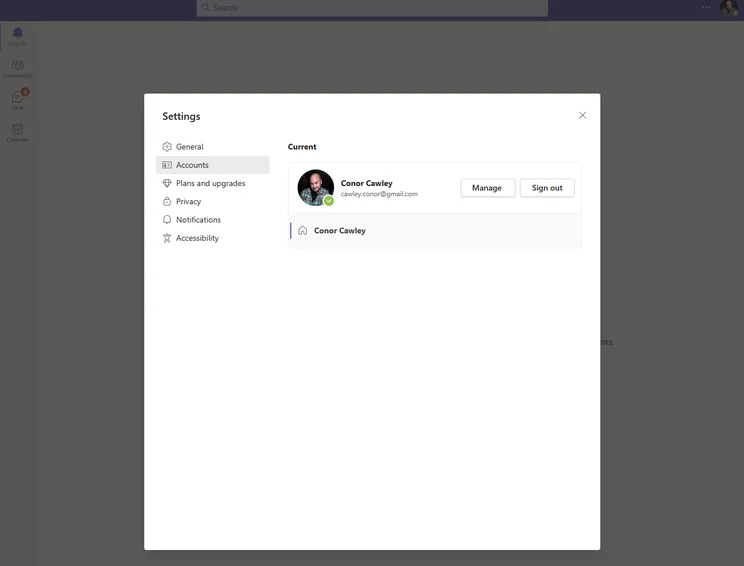
If your business is already set up with tools like Microsoft 365 and Outlook, Teams is the best platform for you. This video conferencing/collaboration platform offered a vast selection of features for keeping in touch with our team, so much so that it was a bit difficult to use in my research, particularly for users that weren’t familiar with other Microsoft services.
In that way, Microsoft Teams is similar to Google Meet. Its functionality goes far beyond that of a simple video conferencing tool. You get a wide range of project and team management tools along with it, even with the free plan, so if all those bells and whistles aren’t what you’re looking for, tools like Zoom might be a better fit.
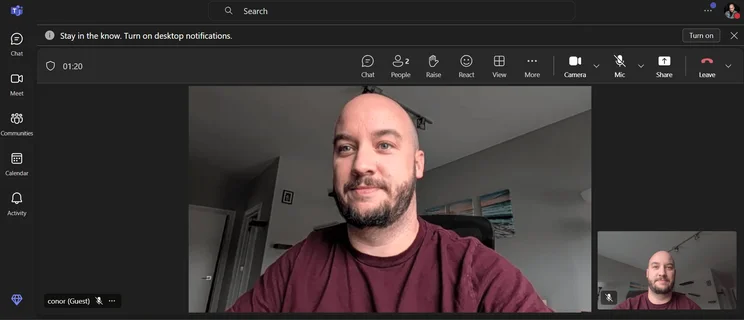
Microsoft Teams meeting interface uniquely has the tools on a bar at the top of the meeting instead of the bottom. Source: Tech.co testing
How much does Microsoft Teams cost?
Pricing for Microsoft Teams can be a bit confusing, because it’s tied to Microsoft 365 for certain plans, so I’ll try to explain it as best I can.
For starters, there is a free forever plan that gives you access to video conferencing for 100 participants and meetings up to 60 minutes. Then, there is the Essentials plan, which costs $4 per month and allows for 300 participants for meetings up to 30 hours.
After that, you’ll have to sign up for Microsoft 365, which offers Teams functionality as well as tools like OneDrive, Outlook, and Office tools. The Basic plan will cost you $6 per month and the Standard plan will cost you $14 per month.
Microsoft Teams
In Short
-
Pros:
- Lots of team collaboration features, including the ability to coauthor content
- Robust free forever version
- Seamless integration with Microsoft platforms like Outlook, OneDrive, and Office
-
Cons:
- A bit more complicated than other options, given the vast functionality
- Forced to download the app on mobile and desktop to operate
Pricing
- Essentials: $4/user/month
- Basic: $6/user/month
- Standard: $14/user/month
- Free plan available
- One month free trial
- Copilot add-on: $30.00/user/month
Images

5. Zoho Meeting – Best Value Alternative
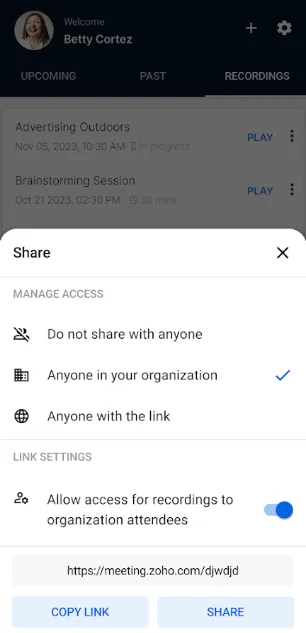
Obviously there are plenty of free plans available on this list that can help you get started at no cost to your business. However, if you want advanced features at the lowest price, Zoho Meeting provides the best value and most flexible pricing across my research. The starting price of only $1 per month alone should make budget-conscious businesses’ ears perk up.
However, it’s worth noting that this lower price comes with some caveats. For one, I was only able to have 10 participants in meetings at that price, with the cost rising to $6 per month for 100 participants and $10 per month for 250 participants.
Still, if your team is small and you want to save money, these plans still come with paid features like 24-hour time limits, meeting recordings, co-branding, and priority support, so it can really offer good value.
Check out our Zoho Meeting guide for more information

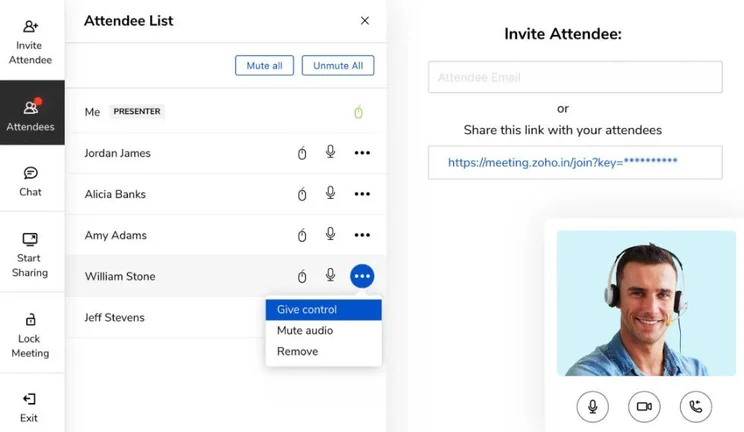
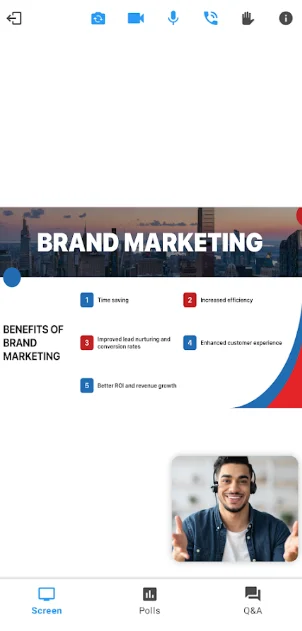
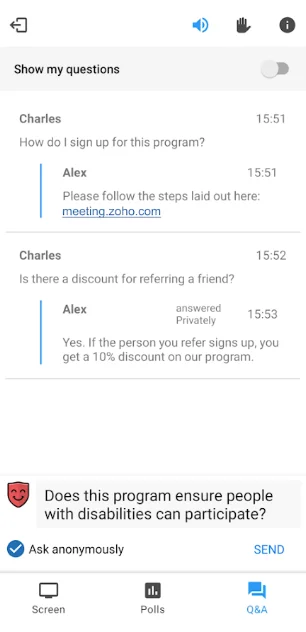
The Zoho Meetings interface offers a no-bezel experience and a less harsh dark mode color theme. Source: Tech.co testing
How much does Zoho Meeting cost?
Zoho Meeting comes with two possible pricing plans, which change in cost depending on how many participants you want. The Standard plan starts at $1 per month for 10 participants and the Professional plan starts at $3 per month for 10 participants as well, adding features like advanced analytics and API access.
Zoho Meeting also has a free forever plan, allowing for 20 participants for meetings of up to 60 minutes. You’ll also be able to utilize the 14-day free trial for any paid plan to test out the advanced features before you commit to this great value platform.
Zoho Meeting

In Short
-
Pros
- Low-cost, flexible pricing plans
- Browser functionality
- SSL/128-bit AES encryption
-
Cons
- Recording costs extra
- Only 10 participants
- Extra participants cost more
Pricing
-
Free plan available
-
 Standard: $1/user/month
-
Professional: $3/user/month
Images
Should You Stick With Zoom?
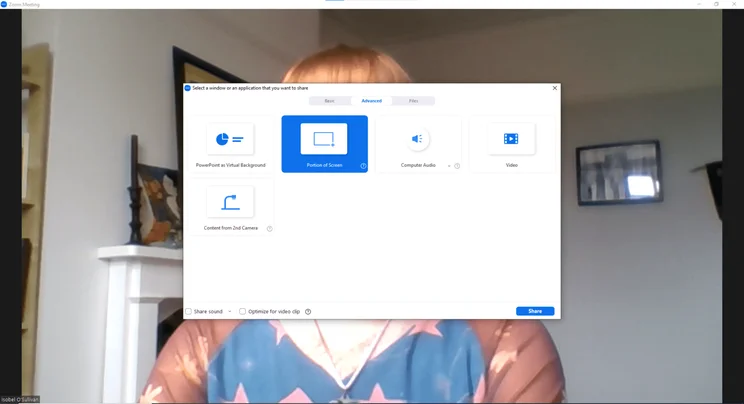
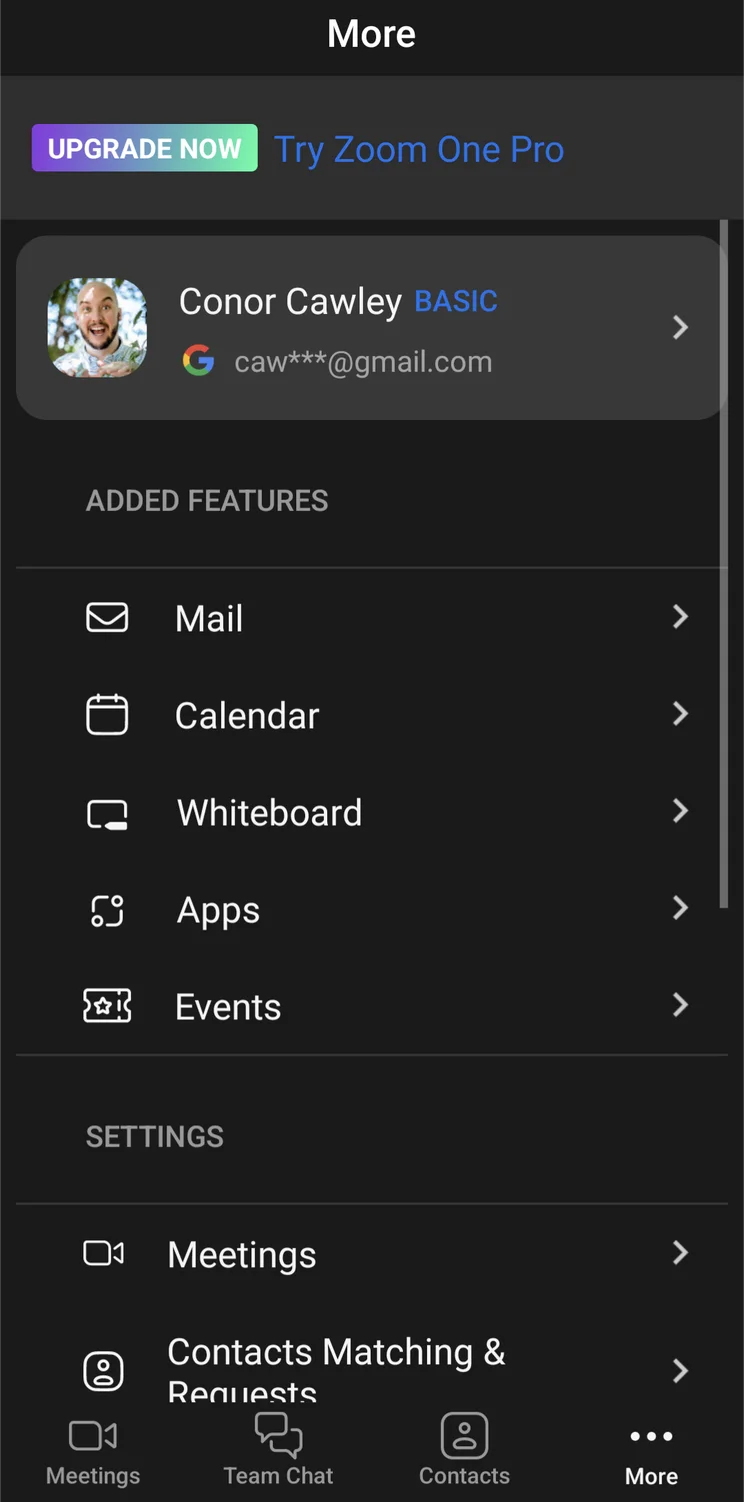
While you may be considering Zoom alternatives, it’s important to remember that Zoom is one of the more popular video conferencing platforms on the market for a reason. The simple interface makes it very easy to navigate, even for users that may not be as familiar with these kinds of platforms.
Beyond that, the biggest perk of Zoom is that it offers its AI Companion tool, which can summarize meetings, manage tasks, and create content, at no additional cost for all paid plans. GoTo Meeting, for example, only provides this functionality in its most expensive plans.
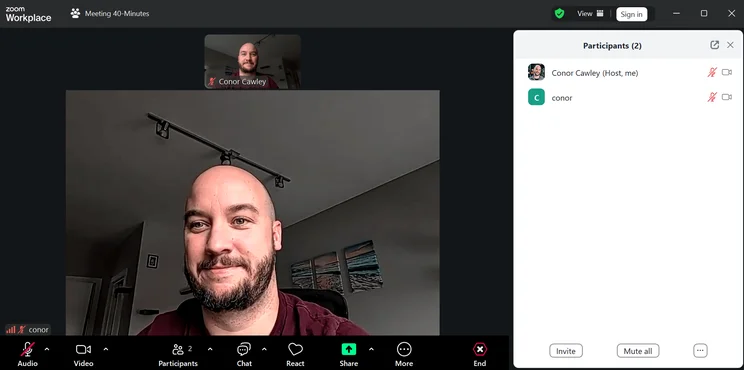
Zoom provides a clean, basic interface that is easy for beginners to get started. Source: Tech.co testing
How much does Zoom cost?
Like all the options on this list of alternatives, Zoom offers a free plan that allows for 100 participants, but you’ll only have 40 minutes instead of the 50 minutes or even 60 minutes available on some other options.
Beyond the free plan, Zoom offers three different paid plans. The Pro plan costs $14.16 per user, per month and unlocks longer meetings and unlimited document sharing. This plan also allows users access to the AI Companion feature, which can summarize meetings and manage tasks.
The Business plan costs $18.33 per user, per month and allows for 300 participants in meetings. You’ll also get access to unlimited whiteboarding functionality and added security features like single sign-on.
The Enterprise plan offers a minimum of 250 licenses, 500+ participants, and local and unlimited cloud storage. Pricing for this is custom to the client.
Zoom

In Short
-
Pros:
- Easy to use interface for beginners
- Clipping functionality available with free plan
- Paid version includes VoIP functionality
-
Cons:
- Poor audio quality compared to competitors
- Lots of features are only available as add-ons
- 40-minute meeting limit on free plan
Pricing
- Free plan available
- Pro: $14.16/user/month
- Business: $18.33/user/month
Images


What Is the Best Free Zoom Alternative?
The good thing about video conferencing software is that, after the pandemic, nearly every provider offers some kind of free plan to get you started. That means that you can use my top pick, RingCentral, right now without any cost to your business.
However, it’s worth noting that all free video conferencing plans have some notable limitations that could impede your ability to efficiently communicate with your team. Here’s how the Zoom alternatives with free plans match up when it comes to those limitations:
- Zoom – 40 minutes, 100 participants
- RingCentral – 50 minutes, 100 participants
- GoTo Meeting – 40 minutes, 3 participants
- Google Meet – 60 minutes, 100 participants
- Microsoft Teams – 60 minutes, 100 participants
- Zoho Meeting – 60 minutes, 100 participants
Committed to Zoom? Learn how to record a Zoom meeting here
What to Consider in Zoom Alternatives
Now that you know what kind of Zoom alternatives are out there, you need to understand exactly what kind of things to consider when picking an option for your business to ensure an effective video meeting. Here are some important criteria to weigh when trying to make your decision:
- Time limits – Most paid plans have extensive, 24+ time limits on meetings, but it’s still worth understanding how they match up.
- Participant limits – This is the biggest difference between providers and paid plans, so if you have a big company, make sure you know how many participants can be in a meeting at once.
- Features – Tools like hand-raising, whiteboarding, and noise cancelling can really help a business with specific needs, so make sure your option has what you need.
- Pricing – Cost is always important factor to consider when it comes to business software, so check out pricing plans before you buy.
- Integrations – Does the platform work with other business software? If you want an all-in-one hub for your team, you better make sure it does.
- Security – Whether or not your valuable company data is secure should be a top priority when choosing video conferencing software.
- Help and support – If you’re expecting a lot of problems, you might want to confirm whether or not your software has robust help and support options.
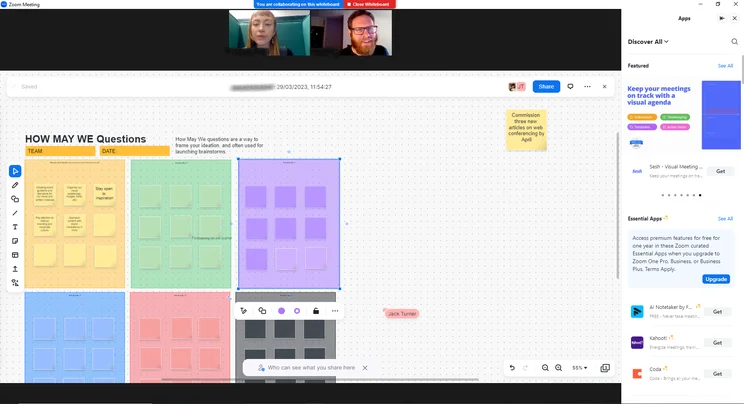
Zoom offers built in collaboration tools to work with your team on meetings. Source: Tech.co testing
About Our Research
At Tech.co, the goal for these kinds of guides is to provide our readers with actionable, valuable information about business software, so that they can make the right decision for their businesses. We do this by researching business software for hours, providing in-depth analysis on what sets them apart.
For video conferencing software like Zoom and its alternatives, we focused on a particular set of criteria to rate and rank these provides. We looked at features, pricing, time and participant limits, third party integrations, customizability, security, ease of use, and help and support options to better understand how these platforms work for your business.
If you want to further understand our process, feel free to check out our research guide that outlines our methodology for comparing business software.
My research found that RingCentral is the best Zoom alternative, offering a cheaper starting price, similar features, and excellent security options for your business. That, combined with RingCentral’s generous free plan puts it over the top for the average user.
Other popular alternatives to Zoom include GoToMeeting, Google Meet, Microsoft Teams, and Zoho Meeting, each with their own particular benefits and downfalls that could make them a good replacement to the popular video conferencing software.
If you want to revamp your business communication situation, we can help! Check out our quotes form to get valuable information about providers that fit your particular needs.
Frequently Asked Questions
The best alternative to Zoom is RingCentral, offering a nearly identical starting price, similar functionality when it comes to features, and excellent security tools to keep your data secure.
Most video conferencing tools, including our top pick RingCentral, offer some kind of free plan. Often, these tools come with time limits (around 40-60 minutes) and participant limits, so you’ll likely need a paid option to keep your team in touch.
No. All free video conferencing platforms have a time limit, although they will vary.
Unfortunately, if you’re using the free plan from Zoom, there is no way to bypass the 40-minute time limit without starting a whole new meeting or opting for a paid plan. Other providers offer longer limits, like Google Meet allowing for a full hour, and RingCentral allows for 50 minutes.
If you click on, sign up to a service through, or make a purchase through the links on our site, or use our quotes tool to receive custom pricing for your business needs, we may earn a referral fee from the supplier(s) of the technology you’re interested in. This helps Tech.co to provide free information and reviews, and carries no additional cost to you. Most importantly, it doesn’t affect our editorial impartiality. Ratings and rankings on Tech.co cannot be bought. Our reviews are based on objective research analysis. Rare exceptions to this will be marked clearly as a ‘sponsored’ table column, or explained by a full advertising disclosure on the page, in place of this one. Click to return to top of page


