
We may receive a commission from our partners if you click on a link to review or purchase a product or service. Click to Learn More
The best video conferencing app is RingCentral thanks to its generous call limits and affordable price tag. Plus, RingCentral offers a wide range of helpful AI features that can streamline your communication needs, like meeting summaries and transcriptions, as well as an excellent free video conferencing plan to get you started at no cost.
RingCentral obviously isn’t the only top video conferencing solution on the market, though, with a wide range of free and paid solutions that can help you stay in touch with your remote and hybrid workers. But with so many different features and AI functionalities, it can be hard to narrow down which one is best for your team.
In this guide, you’ll learn about all the best video conferencing apps, including how much they cost, what kind of features are available, and whether they’re equipped with AI tools to improve productivity at your business.
- RingCentral is the top overall video conferencing app thanks to its generous free tier, browser-based access without requiring downloads, and low entry price of $10 per user per month.
- You can expect to pay $1 to $20 per user per month, with meeting capacity scaling up to 250 participants for standard business tiers and up to 3,000 for enterprise solutions.
- While many providers offer free plans, watch out for time or participant limits, which could disrupt the flow of your meetings.
|
Starting price
The lowest starting price for a paid plan. The lowest price available for your business will depend on your needs
|
User rating
Average rating given by iOS and Android users in App Store and Google Play Store reviews
|
Free plan
|
Best for
|
Pros
|
Cons
|
Meeting Length
|
||
|---|---|---|---|---|---|---|---|---|
 |
 |
 |
 |
 |
||||
|
RingCentral |
GoTo Meeting |
Zoom |
Webex |
Zoho Meeting |
||||
|
$10/user/month |
$14/month |
$14.16/user/month |
$12/month |
$1/month |
||||
|
4.7
|
4.4
|
4.4
|
4.4
|
4.0
|
||||
|
|
|
|
|
|
||||
|
Security |
Sound and video quality |
Beginners |
Larger businesses |
Value |
||||
|
|
|
|
|
||||
|
|
|
|
|
||||
|
|
|
|
|
Tech.co has been around longer than the iPhone, and we’ve been advising businesses on the must-have tech for just as long. We have spent hundreds of hours researching web conferencing products over the years, using them ourselves and assessing the highs, and lows, of each platform, so your company doesn’t make a costly mistake.
When it comes to the cost of video conferencing tools, we have selected the most popular platforms, and put them through their paces in our own internal testing, using each one, accessing the features, identifying any issues, and letting you know which one is the best fit for your business.
(Pricing updated August 6th 2026)
What Is the Best Video Conferencing App?
There are a lot of excellent options when it comes to video conferencing apps, but our research has narrowed it down to a clear top five for businesses looking to bolster their communication systems. Here are the best video conferencing apps with paid plans.
- RingCentral – Best video conferencing app overall
- GoTo Meeting – Most secure video calling app
- Zoom – Best for ease of use
- Webex – Best for large businesses
- Zoho Meeting – Best for Zoho users
If you’re just looking for a simple free option, however, we can help you there. Just click here or scroll down to the free video conferencing app sections to see which tools offer free plans right out of the gate.
Best Paid Video Conferencing Apps
RingCentral is the best video conferencing app overall because it has no time limit, HD audio, good video quality, and a generous free plan — however, GoTo is also a good option for small teams. In comparison to RingCentral, It’s more affordable, easy to use, and offers a number of packages that will cater to most businesses.
Zoom also provides a shallow learning curve for smaller businesses and offers a better free plan than GoTo, but despite Zoom’s impressive name recognition, it’s not as popular among its customer base as our frontrunners RingCentral and Goto.
We’ve done the research, looking into feature sets, video, and audio quality, ease of use, available pricing plans, and everything else that makes a video meeting app tick, so that we could outline the key features, pros, and cons to help you make an informed choice.
For help deciding between the best video conferencing apps, look no further than this list.
Looking for video conferencing equipment? We’ve got you covered!
1. RingCentral – Best video conferencing app overall

4.7 stars (33k reviews) on Play Store

4.8 stars (75k reviews) on App Store
The RingCentral app allows you to access two different platforms: Video Pro and Office. Because RingCentral Office is the unified communications tools, which is likely a bit more than you bargained for, we’re going to focus on RingCentral Video Pro, the video conferencing solution that gives the popular options a run for their money.
With no time limit, a comprehensive interface, and a robust free plan, RingCentral has firmly established itself as a competitor to the likes of Zoom and Google Meet. Its entry price is lower than rivals GoTo Meeting and Webex too, making it an excellent option if you’re looking for a new budget-friendly option that offers a lot.
RingCentral Video

In Short
-
Pros
- Great free version
- No app required, works on browser too
- Integrates with Microsoft 365 and Google Workplace
-
Cons
- No analytics or single sign-on with free plan
- Less suitable for larger companies
- Lacks advanced project management tools
Pricing
-
 Free plan available
-
Video Pro+: $10/user/month
Images
Features
- High quality video and audio
- 100-200 participant limit (depending on plan)
- Integrations with Google Workspace and Microsoft 365
- No app required, browser access
- Works with iOS and Android devices
- Team and direct messaging functionality
Plans & Pricing
RingCentral offers two distinct pricing plans: Video Pro and Video Pro+. The Video Pro plan is a free option allowing users to host unlimited meetings with up to 100 participants for up to 50 minutes. No app download is required either, so you can join directly from a browser if you like. You’ll even get access to Google and Microsoft integrations to make scheduling as easy as possible.
The Video Pro+ plan is a paid plan at $10 per user per month and allows up to 200 participants in unlimited meetings. This plan adds advanced analytics, 10GB of cloud storage for recordings, and pre-built business integrations.
Learn more about the provider’s costs in our RingCentral pricing guide.
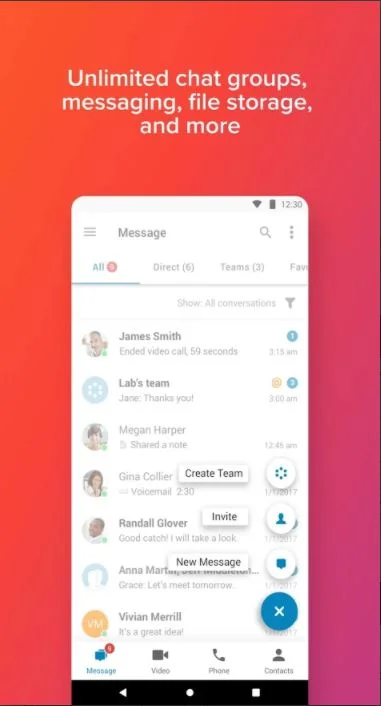
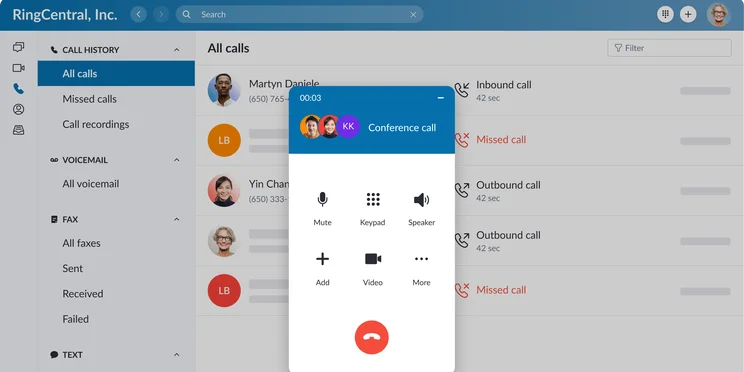
The RingCentral message interface. Source: RingCentral
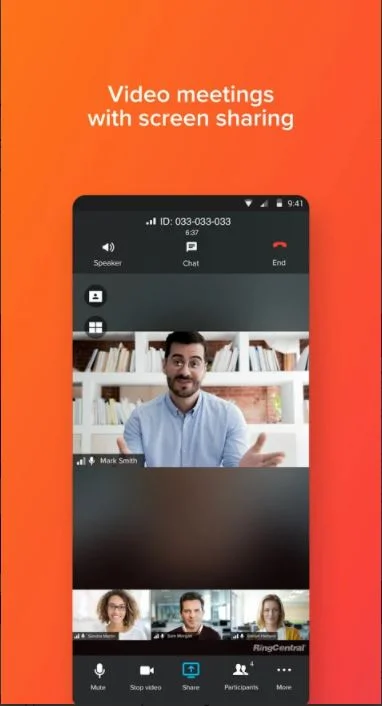
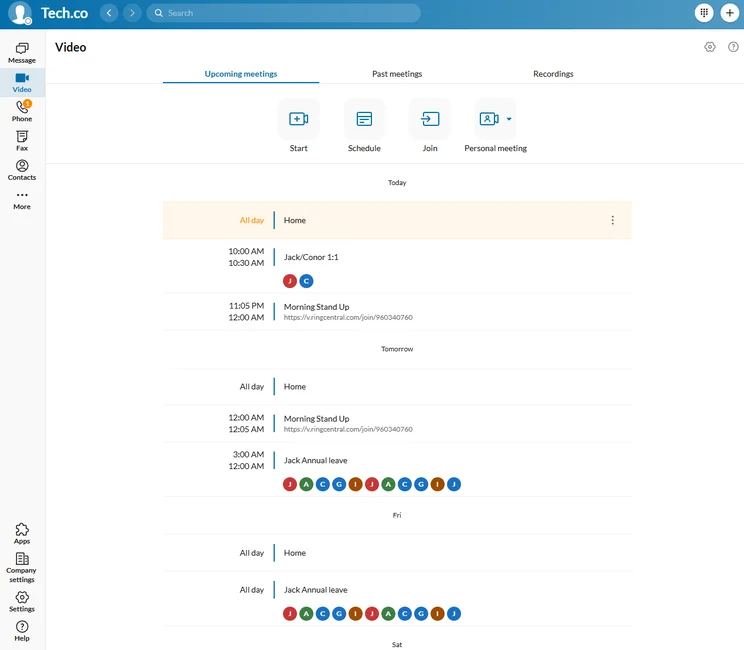
The RingCentral video meeting interface. Source: RingCentral
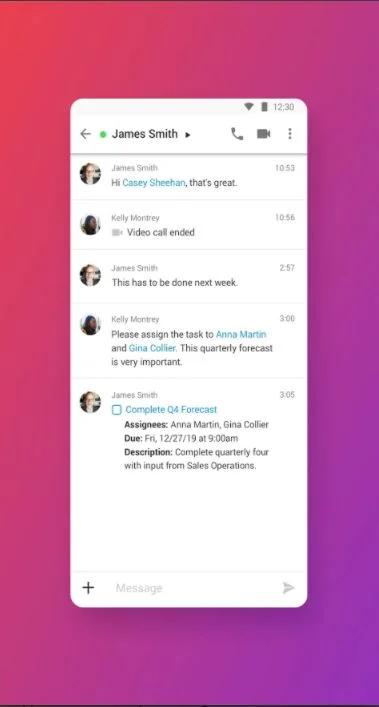
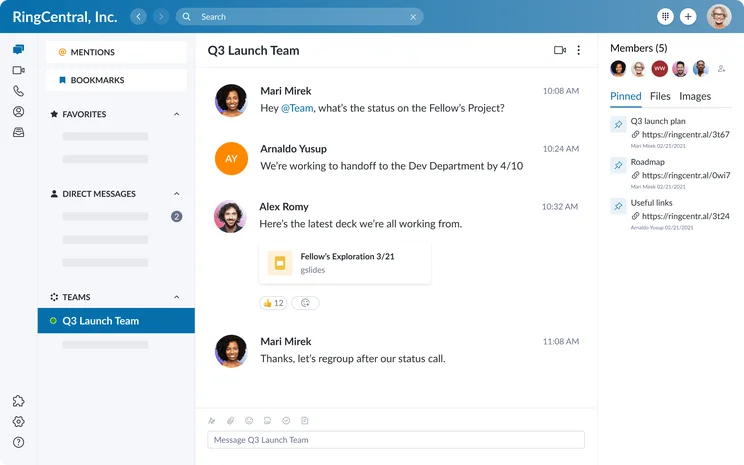
The RingCentral messaging interface. Source: RingCentral
The RingCentral app is easy to use and offers a lot of functionality. Source: RingCentral
2. GoTo Meeting – Most secure video conferencing app
4.9 stars (152k reviews) on Play Store
4.8 stars (143k reviews) on App Store
Our top-rated video conferencing service for small businesses also ranks very well for its video conferencing app. GoTo Meeting has to be considered one of your top choices right off the bat- and for good reason. With 28 million active users per month and 94 million meetings per year, it allows users to utilize video conferencing in whatever way they choose and functions just as smooth as it needs to.
With plenty of in-meeting features for finicky hosts, an intuitive platform for newbies, and plenty of customer support for those that can’t figure it out, GoTo Meeting is a no-brainer if you’re looking for a comprehensive platform.
GoTo Meeting has no limits on its paid plans, making it a great fit for teams that rely on web conferencing as their primary form of communication.
Check out our GoTo Meeting review for a more in-depth read on the web conferencing provider.
GoTo Meeting

In Short
-
Pros:
- High quality audio and video
- Very reliable and secure
- Lower cost than competitors
-
Cons:
- Weak free plan
- Relies on a very strong internet connection
- Webinar features requires GoToWebinar integration
Pricing
-
Free plan available
-
Professional: $14/user/month
- Business: $19/user/month
Images
Features
- High quality video and audio
- 10-250 participant limit (depending on plan)
- Screen sharing
- Conference recording
- Works with iOS and Android devices
- Advanced features, like polling and annotating
Plans & Pricing
GoTo Meeting offers three pricing plans: Professional, Business, and Enterprise.
The Professional plan comes in at $14 per organizer per month and allows up to 150 participants in a given meeting. This plan features all the standard video conference features you’d expect, like screen sharing, without the frills of the more expensive plans.
The Business plan is a bit more robust, costing $19 per organizer per month and allowing up to 250 participants. This plan gives you access to a few additional features, including note taking and drawing tools. More specifically, the mobile app version of this plan gives you unlimited cloud recording to look back on meetings when you need to.
The Enterprise plan is specifically reserved for larger businesses with serious video conferencing needs. With no listed price, you’ll have to call to get a quote for your business, but the plan allows for up to 3,000 participants, so it’s safe to say it’ll be on the more expensive side. Onboarding and training are also included with this plan, and you’re assigned a customer success manager to help you get acclimated.
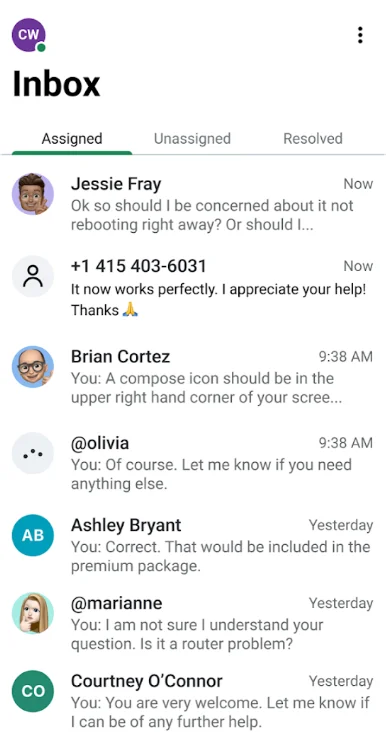
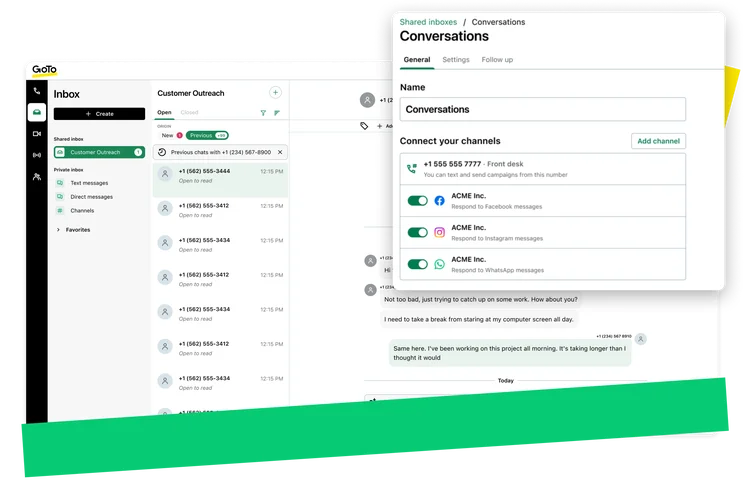
The GoTo Meeting inbox interface. Source: GoTo Meeting

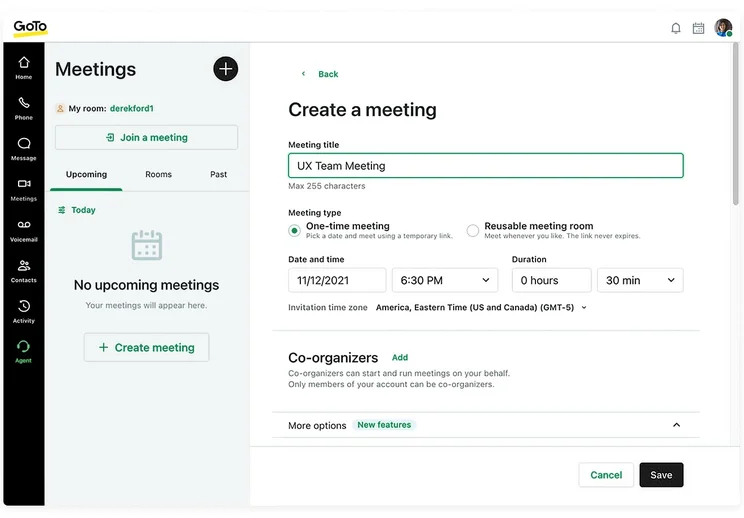
The GoTo Meeting video call interface. Source: GoTo Meeting
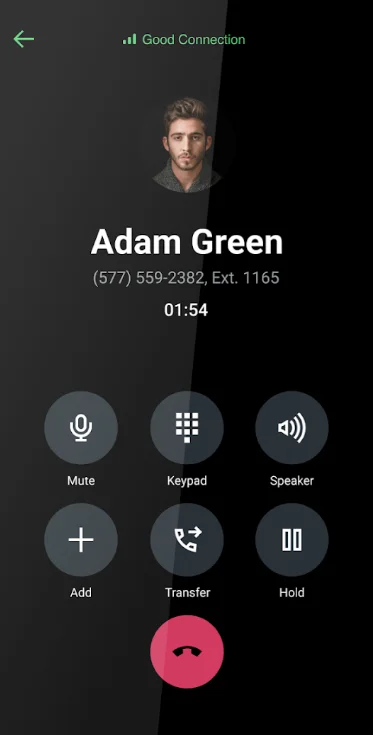
The GoTo Meeting audio call interface. Source: GoTo Meeting
GoTo Meeting offers high quality audio and video call functionality. Source: GoTo
3. Zoom – Best for ease of use
4.1 stars (4.3m reviews) on Play Store
4.7 stars (3.2m reviews) on App Store
After the pandemic, Zoom quickly established itself as a popular choice in the video conferencing space.
Between their stellar video quality, attentive customer service team, and seamless screen-sharing capabilities, it’s hard not to utter Zoom’s name among some of the most impressive services on this list — Zoom even goes toe-to-toe with GoTo Meeting as a top video conferencing app.
Zoom

In Short
-
Pros:
- Easy to use interface for beginners
- Clipping functionality available with free plan
- Paid version includes VoIP functionality
-
Cons:
- Poor audio quality compared to competitors
- Lots of features are only available as add-ons
- 40-minute meeting limit on free plan
Pricing
- Free plan available
- Pro: $14.16/user/month
- Business: $18.33/user/month
Images

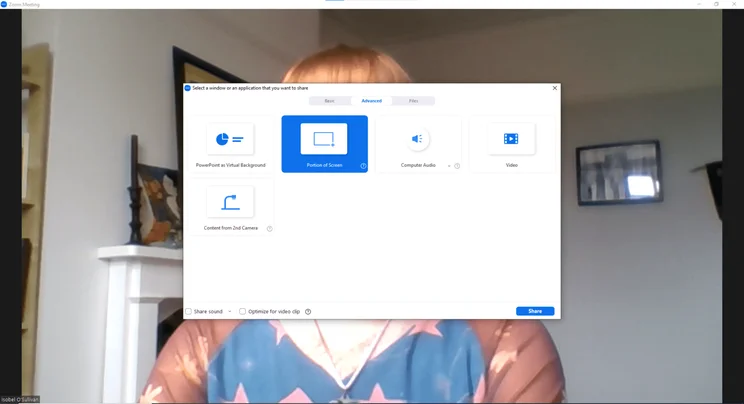
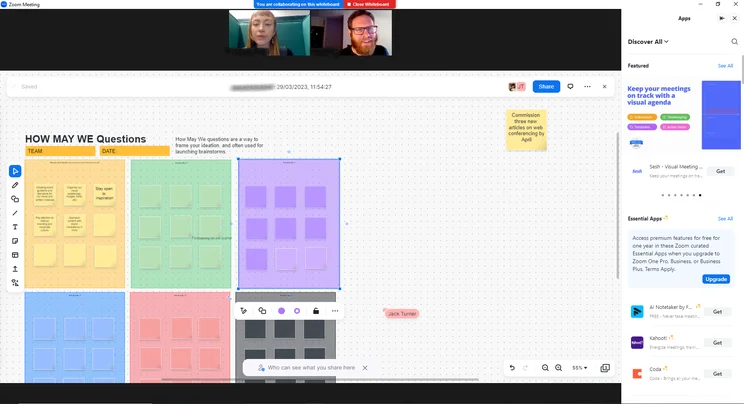
Unfortunately, reviewers frequently complain about Zoom’s poor audio quality. So if you’re looking for crystal-clear sound, you’re better off going for options like GoTo Meeting or RingCentral.
But with the high-quality video more than making up for it and a wide range of features that are improved by the additional video quality, it’s still worth taking a look at this video conference app, if only to make more visual contact with your team.
Zoom had a number of security issues throughout the pandemic years as it was plagued by a surge in free users to its service, brought on by the COVID-19 pandemic. But Zoom is more secure now than it ever was, and has updated its security infrastructure significantly since then.
Features
- High-quality video
- 1000+ participant limit (depending on plan)
- Screen sharing
- Conference and meeting recording
- Works with iOS and Android devices
- Advanced features, like annotating
- Zoom phone integrations with advanced plans

Zoom App Video Meeting Image: Tech.co testing
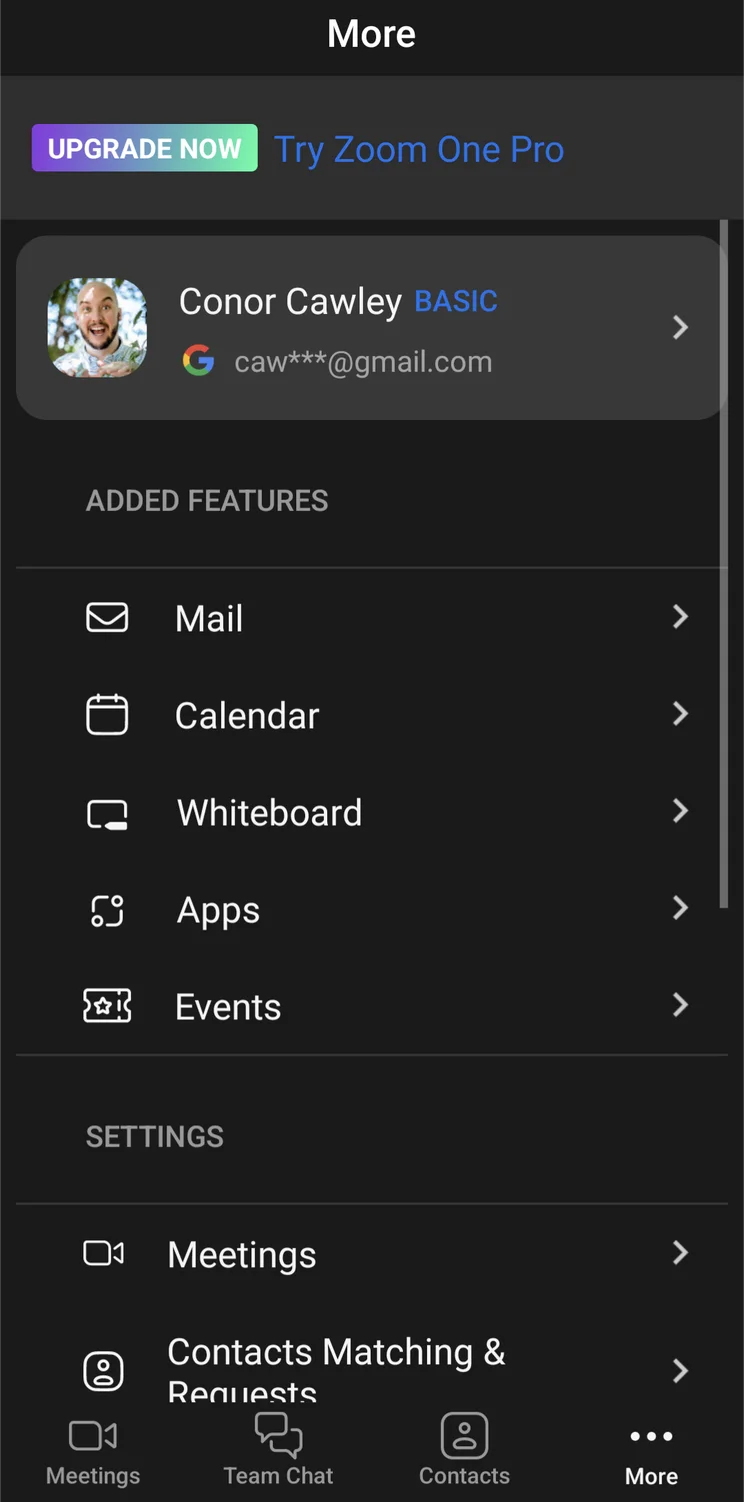
Zoom App More Menu Image: Tech.co testing

Zoom App Home Page Image: Tech.co testing
We found the Zoom interface to be very easy to use, even for beginners. Source: Tech.co testing
Plans & Pricing
Zoom’s main product is now Zoom Workplace: a combination of Zoom Meetings, Team Chat, and Zoom’s VoIP phone product, Zoom Phone. There are five Zoom pricing plans: Basic (free), Pro, Business, Business Plus, and Enterprise.
The Zoom Workplace Basic plan costs nothing and will allow you to host meetings for free — so long as they don’t run over 40 minutes. Team Chat is also included in this plan, as is a whiteboard for collaboration.
The Pro plan costs $14.16 per host per month with a maximum of nine hosts and allows up to 100 participants in meetings. It offers a number of base-level business features, like admin feature controls, user management, and 10GB of cloud storage for recordings.
The Business plan costs $18.33 per host per month, starting with at least ten hosts, and allows a maximum of 300 participants in meetings. The added features found in this plan include single sign-on, company-branded videos, and an admin dashboard for easier access.
Zoom’s Business Plus plan retails at $22.49 per host per month, has the same participant limit as the Business plan, but allows for 15 GB of cloud recording, automated translated captions, and additional Zoom Phone services.
The Enterprise plan allows for up to 500 participants in meetings, includes unlimited recording storage, and gives you access to a dedicated customer success manager to help you through any problems. For pricing information on Zoom’s Enterprise plan, businesses will need to contact the Zoom team.
4. Webex – Best video conferencing app for large businesses
4.5 stars (2.1m reviews) on Play Store
4.6 stars (911k reviews) on App Store
Choosing Webex means installing a video conferencing app from one of the largest technology conglomerates in the world, which should reassure you. Fueled by Cisco, this video conferencing app is defined by impressive audio and video quality, a feature-rich platform, and an incredibly easy setup that anyone can handle.
But while Webex’s shallow learning curve bodes well for beginners, it’s also well equipped to handle the needs of larger teams as it comes with pretty much every web conferencing feature under the sun, allows for customization to make branding a priority, and depending on which plan you get, can allow a huge amount of conference participants.
Yes, the large packages cost a bit extra, but if you’ve got a big company that needs to improve communication, Webex is the way to go.
Webex

In Short
-
Pros:
- Feature-rich software
- High quality audio and video
- Easy setup
-
Cons:
- Occasional bandwidth issues
- A little pricier than similar software
- Analytics not included in basic plans
Pricing
-
 Free plan available
-
Meet: $12/month
-
Suite: $22.50/month
Images
Features
- High quality video and audio
- 100-1000 participant limit (depending on plan)
- Screen sharing
- Conference recording
- Customizable video layouts
- Works with iOS and Android devices
- Advanced features, like polling and annotating
Plans & Pricing
There are four different pricing plans available with Webex: Free, Meet, Suite, and Enterprise. The Meet plan will cost you $12 per host, per month, and is aimed at small businesses, allowing up to 200 participants in a meeting. You’ll get 10GB of cloud storage to record meetings in MP4 format, and access to Webex third-party integrations like Google Calendars, Zapier, and Slack.
The Suite plan will cost you $22.50 per host, per month. You still get only 200 participants and 10 GB of storage, but you’ll gain access to VoIP features, like a business phone number, visual voicemail, and 6-way conferencing, so you can improve your business communication needs.
Webex also has an Enterprise plan is tailored towards businesses that are in need of a custom Webex experience. Pricing is tailored so businesses will need to contact the provider’s sales team for more information.
Webex also features a free plan, which gives users access to HD video, screen-sharing options, and meetings with up to 100 participants for 40 minutes.
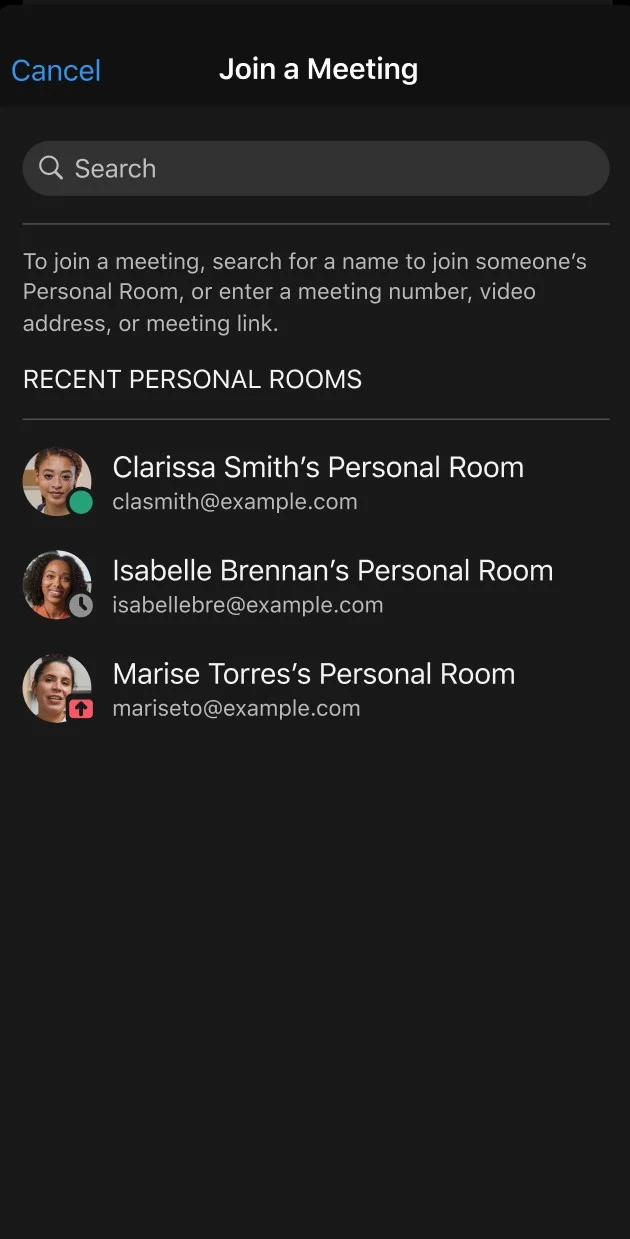
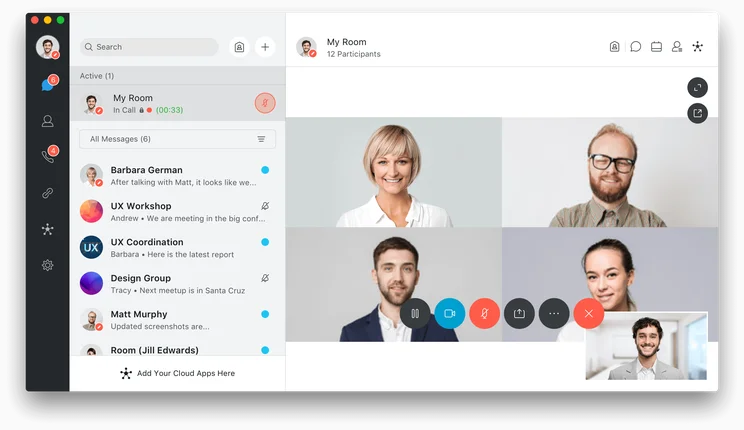
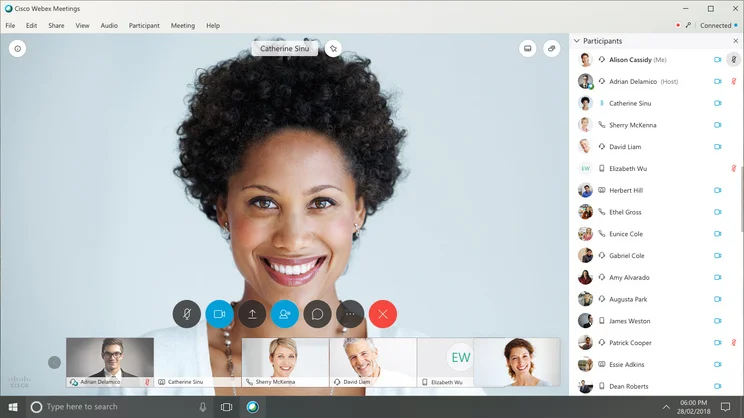
The Webex recent meetings interface. Source: Webex
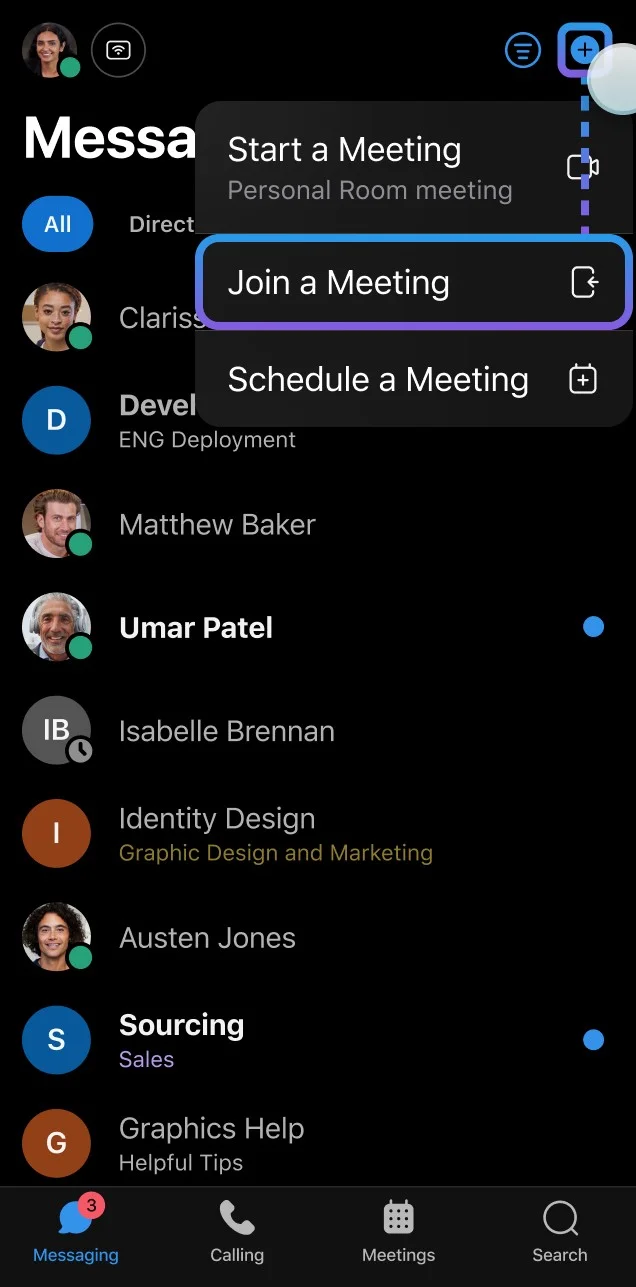
The Webex join meeting interface. Source: Webex
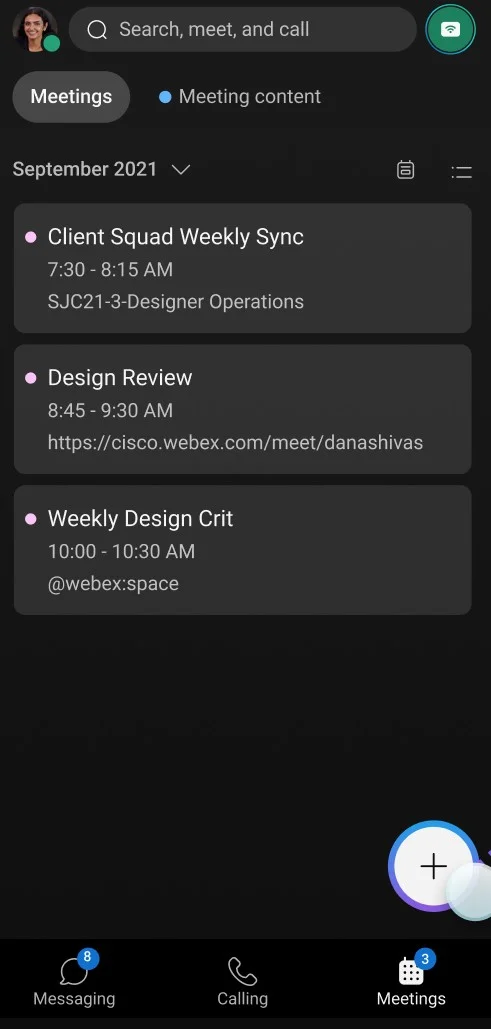
The Webex meetings list interface. Source: Webex
Webex is an ideal video conferencing solution for larger businesses. Source: Webex
5. Zoho Meeting – Best for Zoho users
4.8 stars (21.2k reviews) on Play Store
4.5 stars (1.9k reviews) on App Store
Sure, it’s not as well known as some of the other video conferencing apps on this list, but Zoho Meeting is a great option if you’re looking for something a bit different. It’s part of the massive Zoho family of apps, allowing for a wide range of integrations if you’re already set up with a CRM or other software from the company.
A few unique perks about Zoho is that it’s quite affordable compared to its alternatives, starting at only $1 per month. Getting more recordings in the paid plans does cost extra, which is a bit of a drag, but you get ten for free, so hopefully your recording needs are limited. Overall, Zoho Meeting does represent a good option, but it’s going to be hard to pull people away from the more popular options now.
Zoho Meeting

In Short
-
Pros
- Low-cost, flexible pricing plans
- Browser functionality
- SSL/128-bit AES encryption
-
Cons
- Recording costs extra
- Only 10 participants
- Extra participants cost more
Pricing
-
Free plan available
-
Standard: $1/user/month
-
Professional: $3/user/month
Images
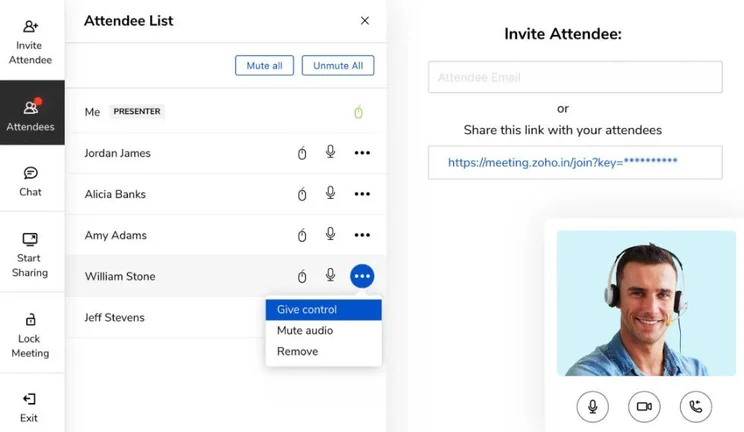
Features
- Unlimited meetings
- High quality audio and video
- No time limit on free meetings
- Zoho app integrations
- Sharing during meetings
- Meeting notes
Plans & Pricing
Zoho Meeting offers four different pricing plans and a free plan.
The Meeting plan costs only $1 per host, per month for up to 10 participants. They also offer a Professional plan for $3 per user, per month, which unlocks perks like multiple co-hosts, advanced analytics, and API access.
For larger teams, Zoho Meetings offers a Standard Webinar package that starts at $8 per user, month for a minimum of 25 attendees and a Professional Webinar package for $16 per user, per month with additional source tracking, custom domain, and live streaming options.
There’s also a free plan for Zoho Meetings, which allows up to 100 participants for only one hour.
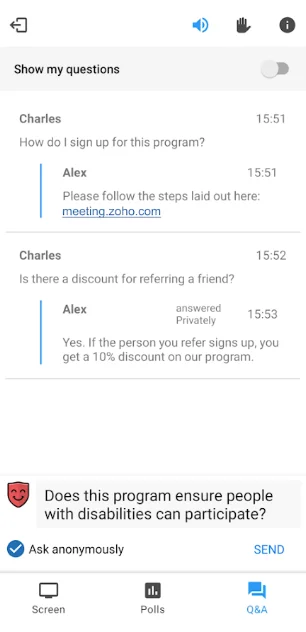
The Zoho Meeting Q&A interface. Source: Zoho
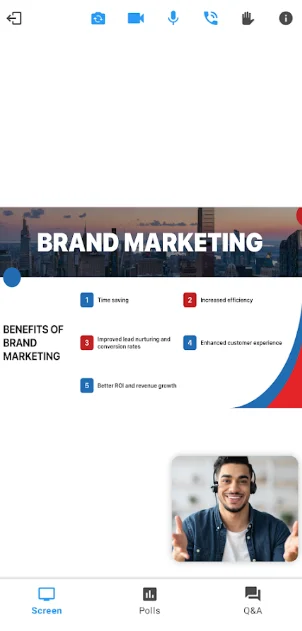
The Zoho Meeting screen share interface. Source: Zoho
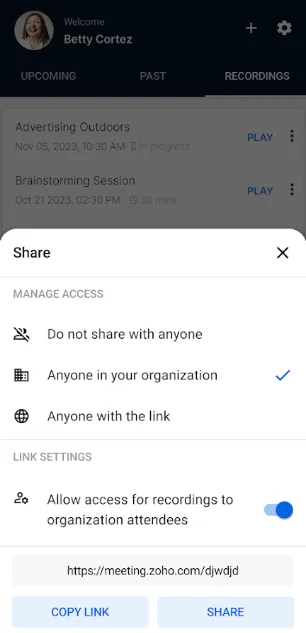
The Zoho Meeting profile interface. Source: Zoho
Zoho Meeting is affordable without sacrificing a lot of functionality. Source: Zoho
Best Free Video Conferencing Apps
Now, if you’re looking for a more casual video conferencing app, for personal or temporary use, we’ve collected some of the best free video conferencing apps available today. It’s worth noting though, that if you’re a business looking for a permanent video conferencing solution, free apps won’t cut it. You can review our list of the best free conference call services that go beyond a mobile app, but the reality is you’ll have to pay a little to find the features and flexibility you need to truly stay in touch with your team productively.
Zoom

Yes, one of the world’s most popular video chat apps comes with a free version! You’ll be able to host up to 100 participants, with gallery view, screen share, and waiting room functionality included. Plus, you’ll get unlimited 1-to-1 meetings.
However, the Zoom Workplace free plan has some pretty serious limitations. For one, calls with multiple users are limited to only 40 minutes, which sometimes just isn’t enough, and you’ll miss out on a wide range of helpful business features, like reporting, admin feature control, and user management. On top of this, Zoom’s VoIP product, Zoom Phone, is also only available on the Zoom Workplace Business Plus and Enterprise plans.
For businesses, we highly recommend checking out Zoom pricing plans before opting to go with the free plan.
RingCentral

RingCentral offers a free plan called Video Pro that allows for unlimited meetings and up to 100 participants in a meeting. You can easily join in the browser and it allows for cloud storage recording for up to seven days, which probably isn’t long enough for the average business, but it would allow you to test out the service a bit before you make a financial commitment.The RingCentral Video Pro plan integrates with Google Workspace, Microsoft Teams, and Microsoft 365, and there is no time limit on how long you can use this service.
Microsoft Teams

Once Microsoft acquired Skype, the Skype for Business tool went by the wayside and was replaced by Microsoft Teams, a free collaboration tool aimed at providing users with document sharing, chat, and yes, video conferencing capabilities. You’ll have access to screen sharing and customized backgrounds, as well as Microsoft’s easy to use interface. Microsoft Teams updates are extremely common too, as the provider frequently adds new features that align with customer feedback.
Still, Microsoft Teams does lack some of the Microsoft 365 functionality, like meeting recordings and guest access, so you might want to shell out the big bucks if you’re looking to get a more complete collaboration tool for your business.
FreeConference

For a more business-focused free option, FreeConference is solid, but only if you have a good phone setup, and there’s a reason. FreeConference only allows for five participants in a meeting if you’re looking for a video option. This limit is pretty brutal, particularly if you’re a business that needs to communicate.
However, if you’re a little more flexible, FreeConference offers phone-based conference calls as well, and that limit is as high as 400 participants. Obviously not a great video option, but still worth taking a look if you can pivot your expectations and have a tight budget.
Google Meet

It’s gone by many names — most recently Google Hangouts — but you can’t go wrong with whatever Google is calling its video conferencing app, currently Google Meet. The flexible interface makes for a seamless experience, and integration with G-Suite makes planning and accessing meetings easier than any other platform.Unfortunately, Google doesn’t have a great reputation for connectivity. Meetings are regularly spotty, with audio and video issues being a staple of the platform. Still, as free options go, you could do a lot worse than Google Meet.
Zoho Meeting

Zoho Meeting is another paid platform that offers a free plan, and it has a pretty unique feature among the list: no time limit on its free plan! That’s right, you can enjoy limitless meetings without paying a dollar. The free plan allows up to 100 participants for 60 minutes.
Outside of that, Zoho Meeting has great security with industry standard encryption, as well as standard features like file sharing in meetings, admin controls for hosts, and meeting notes. You’ll have to pay extra to get access to meeting recordings though, which aren’t offered on the free plan.
Webex

Another popular software offering a free plan, Webex also offers an extra affordable version of the platform. The company has currently relaxed restrictions on their paid plan as well, so users have access to unlimited multi-user calls with up to 100 participants.
This isn’t always the case though, which means you’re going to need a backup plan for whenever things go back to normal. Typically, the Webex plan offers 100 maximums user, and much like Zoom, limits calls to 40 minutes.
Improve Your Business Communications Today
Video conferencing can change the game for your business productivity, as long as you run your meeting effectively. It will enable key conversations and meetings to happen, regardless of travel or flexible working arrangements. Such software can be purchased separately, or- for the ultimate efficiency gains- integrate with your wider business communications suite. This means you can take advantage of interconnected instant messaging, CRM data, business phone calls and audio conferences, employee presence monitoring and more, as well as video connectivity.
Meanwhile, for more informal calls and cheaper options, these alternatives will work just fine.
How to Choose the Right Video Conferencing App for You
The right video conferencing app for you will depend on your main use cases. How many people will you be video calling, and how often? Do you need features such as call recording for training purposes, or is it more important to have an app that’s easy for anyone to use on iPhone or Android devices? Consider what aspects are most important to you now, and which might come in handy over the next year or so, to allow for business growth.
Price is another crucial factor — which option offers you the best cost efficiency? Is the solution able to scale if your business grows? Will necessary add-ons bump up the price of the overall product? Are free plans or trials available?
About Our Research
We hope this guide makes it a little easier to choose the best video conferencing app for you, with direct comparisons between the top apps available now. We at Tech.co are all about research when it comes to our recommendations, which is why we’ve looked carefully at each of the video conferencing apps above to make sure we’re giving you the best information.
To select the best video conferencing apps we’ve tried and tested functionality, analyzed feature catalogs and pricing plans, investigated customer support options, and read countless user reviews to determine each app’s ease of use and reflect real experiences.
We’ve also paid close attention to quantitative customer reviews and created an aggregate score for each application from recent reviews on Apple Store and Google Play. By using these scores out of five, alongside our existing data, we’re able to get a clearer understanding of the software’s overall offering.
We don’t let partnerships inform our decisions either, so you can be sure that our recommendations are based on accurate and independent testing.
The best video conferencing app is RingCentral. We found it offers generous call limits, top tier AI features, an affordable price tag, and seamless integrations with third-party apps as well as its own VoIP solution, which we also found to be one of the best on the market.
Whether you need a simple free platform to host small meetings or a full-on communication suite to help your entire team stay in touch, there are plenty of video conferencing apps to choose from that can handle it.
Best Video Conferencing App: FAQs
Typically, you’ll just need a device and a WiFi connection. Most video conferencing apps will allow you to use the video and audio capabilities of a smartphone or laptop to communicate, although some services do require you to call in to an actual number to speak to other participants.
It’s simple! Once you’ve installed one of these video conferencing apps, you simply launch a meeting and start inviting people. With some platforms, you’ll have to approve guests before they arrive, and you’ll occasionally have to provide a password to guests, but it all depends on which app you end up using.
It depends. There are a wide range of apps, free and paid, that offer platforms for video conferencing that will get you by. Typically though, if you’re looking for a robust, business-minded video conferencing app, using a paid service will align with your needs, but there are plenty of free apps that can help you get by.
Video conferencing apps are available in the App Store or Play Store and can be used on your smartphone as standalone products. A conference calling service is an all-in-one hub for business communication for use across desktops, laptops and smartphones, that often includes reporting tools, admin controls, and other features for long term business productivity.
You can. However, despite Slack offering a free communication tool to businesses looking for a chat solution, you do have to purchase a premium plan (from $7.25 per month) if you want to host video conferences. Once you’ve paid, you’ll be able to add integrations with Microsoft Teams, Zoom, RingCentral and more. With the free plan however, you will only be able to partake in 1-to-1 video calls (of dubious quality). Simply put, Slack is only the right choice if you’re looking for a written communication tool primarily, and not a video conferencing app.
If you click on, sign up to a service through, or make a purchase through the links on our site, or use our quotes tool to receive custom pricing for your business needs, we may earn a referral fee from the supplier(s) of the technology you’re interested in. This helps Tech.co to provide free information and reviews, and carries no additional cost to you. Most importantly, it doesn’t affect our editorial impartiality. Ratings and rankings on Tech.co cannot be bought. Our reviews are based on objective research analysis. Rare exceptions to this will be marked clearly as a ‘sponsored’ table column, or explained by a full advertising disclosure on the page, in place of this one. Click to return to top of page


