
We may receive a commission from our partners if you click on a link to review or purchase a product or service. Click to Learn More
For Wix vs GoDaddy, we found that Wix is a better website builder than GoDaddy, offering substantially more design flexibility and better customer support, while also catering to larger inventories. In fact, we found Wix to be the best website builder for small businesses across our research.
GoDaddy certainly has its merits, though. For one, it’s notably more affordable than Wix, and it provides some helpful tools to get a site online faster than any other website builder in our research. Still, it’s missing some key website design and sales functionality, like accordions and revenue analytics.
In this guide, you’ll learn about how Wix and GoDaddy match up on everything from features and pricing to customer support and ecommerce functionality, so you can make the right decision for your potential website.
|
Cheapest price
|
Special deal
|
Free plan
|
Pros
|
Cons
|
Templates
How many templates are available?
|
||
|---|---|---|---|---|---|---|---|
 |
 |
||||||
|
Wix |
GoDaddy |
||||||
|
$15.30/month with code TAKE10 |
Save 54% with annual contract |
||||||
|
|
|
||||||
|
|
||||||
|
|
||||||
|
2,000+ |
200+ |
Wix or GoDaddy: Quick Fact File
When you stack up Wix vs GoDaddy, Wix typically comes out on top. But when you dig a little deeper, you’ll find that each of these website builders has a lot to offer depending on what you’re looking for.
- Wix has a better range of features than GoDaddy
- GoDaddy has a faster ADI than Wix
- Wix has better customer support than GoDaddy
- GoDaddy is more affordable than Wix
- Wix has better ecommerce features than GoDaddy
Check out our Wix and GoDaddy reviews for more in-depth information about these website builders and their overall functionality.
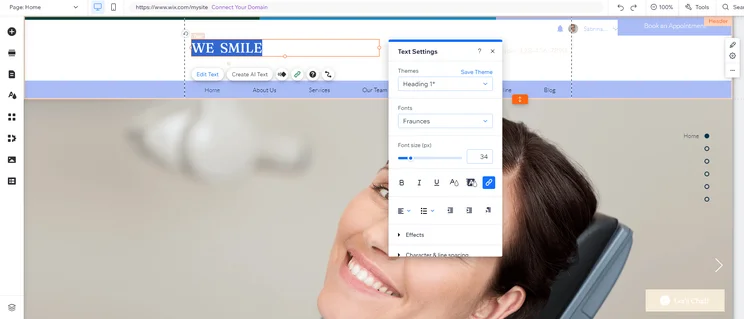
We found editing text with Wix quite easy, allowing us to customize every part of our site. Source: Tech.co testing
Wix Pricing vs GoDaddy Pricing
Generally speaking, GoDaddy offers a more competitive price for its website builder than Wix. For starters, two out of the three available plans from GoDaddy are more affordable than Wix’s starting plan, so those on a budget have a clear choice here. Yes, Wix has a free plan, but it’s so limited with the lack of a custom URL and Wix ads all over your site, it’s more of an extended free trial than a viable website builder for a business.
If you want to start an online store, you’ll have to pay at least $20.99 per month with GoDaddy and at least $29 per month with Wix, so the value win still goes to GoDaddy when it comes to ecommerce functionality.
It’s worth noting, however, that you very much get what you pay for when it comes to these two website builders. Wix may be more expensive, but you’re getting a lot more features across your site — which we’ll delve into below — whereas GoDaddy’s savings come with some missing features.
Check out the pricing overviews below to see exactly how much GoDaddy and Wix will cost your business.
Wix pricing
Wix offers four different pricing plans, as well as a free forever plan with some notable limitations like ads and no customer URL. Here’s how much each of them costs:
- Light – $17 per month
- Core – $29 per month
- Business – $39 per month
- Business Elite – $159 per month
In addition to the free forever plan, Wix also offers a 14-day free trial that will allow you to test out the features of more advanced plans, but only for a limited time.
Check out our Wix pricing guide for more information
|
Plan
|
Special deal
|
Price (1-year contract)
The price per month you'll pay if you choose to be billed annually
|
Price (1-month contract)
The price per month you'll pay if you choose to be billed monthly
|
Ecommerce
|
|---|---|---|---|---|
|
Free |
Light |
Core |
Business |
Business Elite |
|
$0 |
$15.30/month with code TAKE10 |
$26.10/month with code TAKE10 |
$35.10/month with code TAKE10 |
$143.10/month with code TAKE10 |
|
$0 |
$17/month |
$29/month |
$39/month |
$159/month |
|
$0 |
$24/month |
$36/month |
$46/month |
$172/month |
|
|
|
|
|
|
GoDaddy pricing
GoDaddy offers three different pricing plans, most of which are more affordable than any Wix plans. Here’s how the plans from GoDaddy match up against each other, when billed annually:
- Starter – $9.99 per month
- Professional – $24.99 per month
- Ultimate – $99.99 per month
GoDaddy offers a free website builder plan that you can keep live indefinitely, along with a seven-day free trial of the premium features.
|
Plan
|
Price (1-year contract)
The price per month you'll pay if you choose to be billed annually
|
Price (1-month contract)
The price per month you'll pay if you choose to be billed monthly
|
|
|---|---|---|---|
|
Free |
Starter |
Professional |
Ultimate |
|
$0 |
$9.99/month |
$24.99/month |
$99.99/month |
|
$0 |
$19.99/month |
$49.99/month |
$199.99/month |
Wix vs GoDaddy: Head-to-Head Comparison
Now that you know some basics about Wix vs GoDaddy, including how much each website builder actually costs, we can get to some of the more granular comparisons that will help you make your decision. Below, we explore the features, support, ease of use, ecommerce functionality, and versatility of these website builders to help you make the right decision.
Wix has more features than GoDaddy
Wix has an excellent range of features which can add a lot of functionality to your website. For example, it has built-in tools for appointment bookings, coupons and CRM.
If you can’t find the tools built-in to Wix, it also has an extensive app store. It has apps covering everything from SEO tools to customer reviews and website analytics. This is especially important given that, according to HubSpot, 68% of all clicks go to the first five positions in search results.
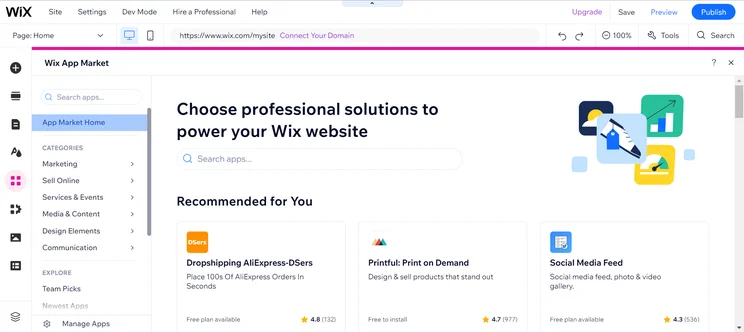
The Wix App Market provided plenty of third-party integrations to help build out our site. Source: Tech.co testing
GoDaddy, on the other hand, can’t match Wix for the number of apps on offer. And its core feature set lacks some of Wix’s quality as well. Its blogging platform, for example, is overly basic.
One thing GoDaddy does have in its favor, however, is GoDaddy Studio, a feature that was launched in July 2021. Available to all GoDaddy customers at no extra cost, it offers a broad selection of imagery, graphics, and tools to aid with visual content creation. GoDaddy Studio is an excellent feature for small businesses looking to expand their digital marketing horizons; it can help you build branded content and adverts for your social media pages and there’s a useful collection of image-editing tools for users to take full advantage of.
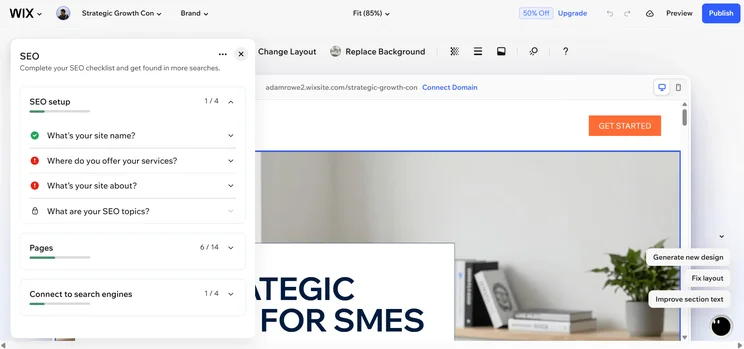
What’s more, Wix’s new SEO settings give users a granular level of control over the process, making the platform more capable than GoDaddy at improving search rankings. This is alongside the platform’s recent Semrush integration, which gives users access to countless keywords to boost the traffic of their site.
However, Wix also has functions allowing users to create graphics and videos for social media, and over 2,000 templates to choose from. Advanced users who want high levels of customizations should still go for Wix over GoDaddy, whereas beginners may find joy in GoDaddy’s easy-to-use yet more limited offering.
GoDaddy has a faster AI than Wix
ADI stands for Artificial Design Intelligence, and is the website builder industry term for computer-assisted website design. You give some information to the website builder about the type of site you want to make, and it builds the bones of your website in minutes.
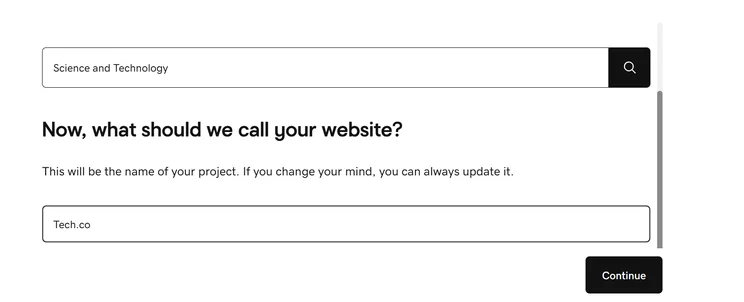
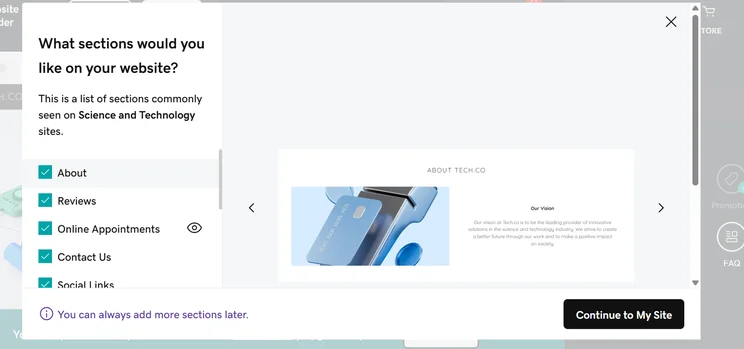
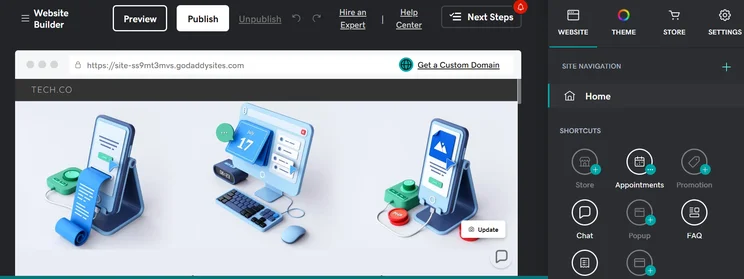
GoDaddy’s ADI is lightning fast, and it’s effective, too. You simply answer a few key questions about what you’re trying to achieve, and GoDaddy’s ADI creates for you a good-looking website seamlessly. It also fills all the pages of your site with text and images specific to the information you’ve given to the website. This means you can get your site up and running in a matter of minutes with barely any design work needed from your side. GoDaddy does it all for you, and you don’t have to delay the launch of your site due to time constraints.
The website builder help doesn’t stop there, either. Like many website builders, GoDaddy has added generative AI functionality to its platform in the form of generative content suggestions throughout. Just click the button and you can generate copy in a single click.
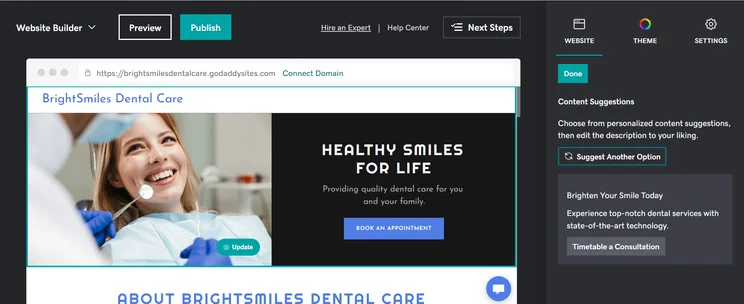
The AI Text Generator from GoDaddy made helpful content suggestions with AI-generative copy for our site. Source: Tech.co
Wix has better help and support than GoDaddy
GoDaddy and Wix both have 24/7 phone and live chat support, but GoDaddy lacks some of the other support options that have become commonplace in the world of website builders, like community forums and knowledge bases.
On the other hand, Wix offers a comprehensive and easy-to-find knowledge base. These can help you fix issues with your site on your own, which can help make you more competent when using the software.
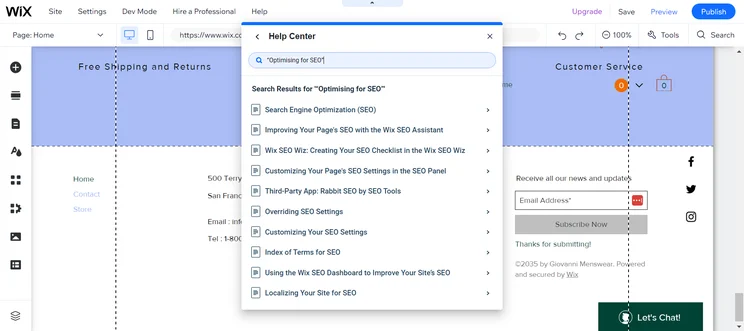
We found the Wix Help Center provides lots of helpful tips for building your business. Source: Tech.co testing
Wix has better ecommerce features than GoDaddy
While GoDaddy does give you the ability to create an ecommerce store, Wix’s ecommerce offering is better. It has better product sales options, as well as more payments and checkout options, so you’ll be able to sell more products in different ways, expanding your online store as your business grows.
We also found that Wix had better-looking online store templates, which can make a better impression on customers and facilitate even more sales.
More importantly, Wix is often updating its platform and is typically one of the first website builders to get newer technology. A good example is the Wix Owner app, which allows ecommerce customers to enable contactless payments directly on their smartphones. No POS needed, so you can grow your store even faster.
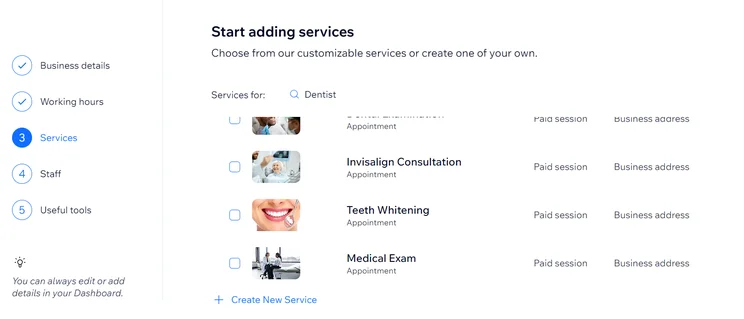
We were able to easily add new services to the Wix platform for our business. Source: Tech.co testing
Wix is more versatile than GoDaddy
GoDaddy’s templates are almost completely focused on either online stores or business websites. Wix, on the other hand, allows for a wide range of different website types.
For example, you could easily use it to run a blog or a portfolio website, as well as an online store or business website. This versatility comes from Wix’s impressive feature set and well-stocked app store, and it allows you to be more flexible with how you want to scale your business.
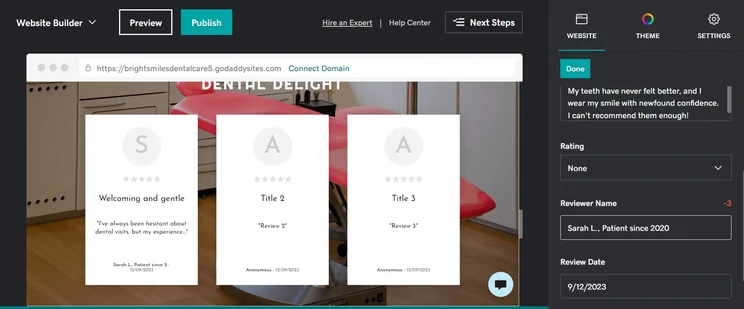
The GoDaddy text editor was intuitive, although the word count limits were a bit strict. Source: Tech.co testing
Wix Pros & Cons
We’ve done the testing and user feedback, and the results are clear. Wix is the best website builder on the market.
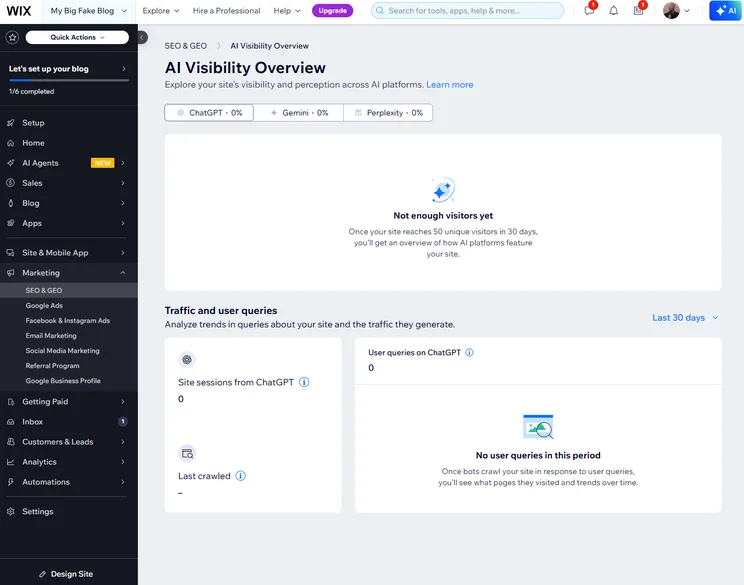
While both Wix and GoDaddy allow you to build a website, Wix gives users a greater range of features than GoDaddy. For example, it has powerful search engine optimization (SEO) tools which you can use to help your site appear at the top of search engine results pages — this will help more visitors find your site.
Here are some of the other pros and cons about Wix that can help inform your decision.
Wix

In Short
-
Pros
- Unrivaled selection of website features across design, sales, and support
- AI features can create a site in 60 seconds
- Quality free forever plan available
-
Cons
- No template switching once published
- Number of features can be overwhelming for some beginners
- Steep price increase for scaling businesses
Pricing
-
 Light: $17/month
-
Core: $29/month
-
Business: $39/month
-
Business Elite: $159/month
-
10% off any plan with code TAKE10
-
Free plan
Images
GoDaddy Pros & Cons
Our research found that GoDaddy’s website builder is easy to use — everything is intuitively laid out and jargon-free. Plus, the low price is definitely attractive for those trying to stick to a budget.
Still, fewer features and less design flexibility can be a dealbreaker for some, which might make the savings feel like it came at a high cost. Here are some of the other pros and cons about the website builder to get you started.
GoDaddy

In Short
-
Pros
- AI generated websites in two steps (30 seconds)
- 24/7 phone support available for all plans
- Free forever plan can publish site
-
Cons
- No mobile website editor to modify pages on the go
- Overly generic website design with fewer templates than other builders
- No app market to branch out functionality across your site
Pricing
-
Basic: $9.99/month
-
Premium: $14.99/month
-
Commerce: $20.99/month
Images
Our Research Methodology
We take our impartial research and analysis seriously, so you can have complete confidence that we’re giving you the clearest, most useful product recommendations.
After conducting an initial exploration to identify the most relevant, popular, and established tools in the market, we put them through their paces with hands-on testing to see their real strengths and weaknesses. In this case, we put 16 website builder products to the test across 398 areas of investigation.
Based on years of market and user needs research, we’ve established a website builder testing methodology that scores each product in six core categories of investigation and 33 subcategories. This covers everything, from customer feedback to design, ease of use, and more.
Our main testing categories for website builders are:
- Website features: The capabilities and functionalities offered by a website builder, e.g. blog functionality, SEO capability, and marketing capacity.
- Design functionality: The aesthetic appeal and visual layout of a website created using a website builder. It encompasses aspects such as page templates and customizable themes.
- Customer satisfaction: External customer opinion. This is the feedback and ratings given by customers who have used a particular website builder — the market position and reputation a website builder holds.
- User experience: How user-friendly and intuitive a website builder is for people with varying levels of technical expertise.
- Value for money: The balance between the cost of a website builder and the benefits it provides. It considers factors such as pricing plans, subscription models, and available features.
- Help and support: The assistance and resources available to users when they encounter issues or need guidance while using a website builder.
When it comes to calculating a product’s final score, not all testing areas are weighted evenly, as we know some aspects matter more to our readers than others, which are simply “nice to have”. After hundreds of hours, our process is complete, and the results should ensure you can find the best solution for your needs.
At Tech.co, we have a number of full-time in-house researchers, who re-run this testing process regularly, to ensure our results remain reflective of the present day.
We think that Wix is the best website builder on the market, thanks to its wider range of features, better templates and great support options.
GoDaddy can get you online fast, making it a viable option if you don’t need a lot of extra features. It could be a good choice if you’re looking for a website to accompany a brick-and-mortar store.
However, we think you’d be better off investing slightly more in Wix to get a better site.
Wix vs GoDaddy FAQs
Yes, you can host your Wix website with a domain from GoDaddy. It’s a bit of an involved process but it is easy enough if you follow the instructions on Wix’s support pages.
GoDaddy scored 3.5 out of 5 in our review — that’s not bad but you can do better. We’d recommend BlueHost or InMotion. Or you can take a look at our Best Cheap Web Hosting guide to learn more.
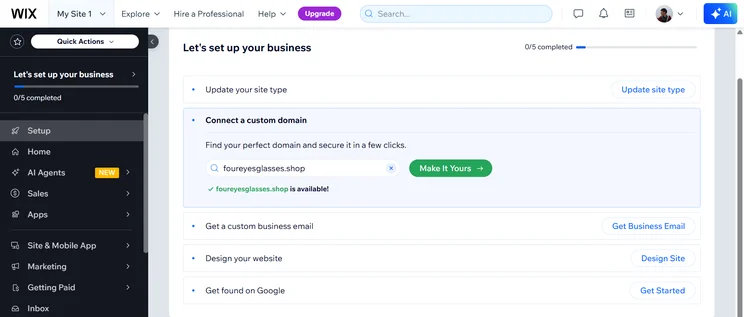
Both GoDaddy and Wix make it easy and affordable to buy a domain through their platforms. Wix gives you one free year with its premium plans, while GoDaddy charges a custom fee no matter what plan you go with.
If you click on, sign up to a service through, or make a purchase through the links on our site, or use our quotes tool to receive custom pricing for your business needs, we may earn a referral fee from the supplier(s) of the technology you’re interested in. This helps Tech.co to provide free information and reviews, and carries no additional cost to you. Most importantly, it doesn’t affect our editorial impartiality. Ratings and rankings on Tech.co cannot be bought. Our reviews are based on objective research analysis. Rare exceptions to this will be marked clearly as a ‘sponsored’ table column, or explained by a full advertising disclosure on the page, in place of this one. Click to return to top of page


