
We may receive a commission from our partners if you click on a link to review or purchase a product or service. Click to Learn More
After putting WordPress and Webflow head-to-head, our researchers found that WordPress is stronger overall, offering a lower price point, wider selection of templates, and excellent blog functionality. While neither is particularly easy to get started on, WordPress’s interface is slightly more user-friendly, making it a marginally better website builder for small businesses.
This isn’t to say WordPress is the best option for everyone. Webflow offers a good free plan and, if you’re happy to put in the hours, the web builder has fully customizable features and a virtual design assistant. These additions give users greater design control, making it better equipped than WordPress for creating custom websites.
Ultimately, the best website builder for you will depend on the needs of your business. Read on to learn more about how WordPress and Webflow’s features, ecommerce functionality, and price plans compare.
How Do WordPress and Webflow Compare Head-to-Head?
WordPress and Webflow are both advanced website-building platforms that require some building and design experience to master.
Digital publications will benefit from WordPress’s expansive blogging, SEO features, and generous plugins, which make it ideal for creating a blog, while Webflow’s granular design customization and responsive templates are great for web designers with no coding experience.
Here’s a quick round-up of how WordPress vs Webflow compare side by side:

Find One That Suits Your Needs
Overview of WordPress
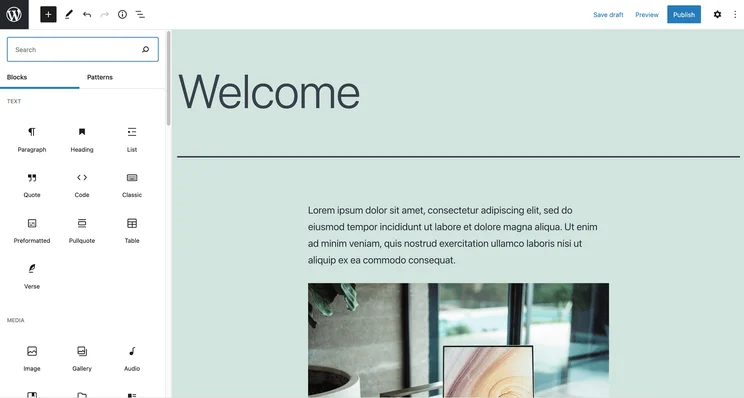
WordPress.com is a website builder designed with the needs of bloggers and publishers in mind. It’s popular, currently powering over 40% of all websites on the internet. Everyone from Sony to TIME Magazine uses WordPress, so it’s many people’s first choice when it comes to creating a new blog.
Both WordPress and Webflow offer free versions, but the WordPress one offers better value, as Webflow users have to purchase both a Site and Workspace plan. WordPress also offers a bigger selection of templates than its competitor, alongside more comprehensive SEO and marketing features.
WordPress

In Short
-
Pros
- Brilliant for bloggers with lots of features
- Easy to set up for beginners
- Large and helpful user community
- Super mobile friendly (great for SEO)
-
Cons
- Mastering the platform may take some time
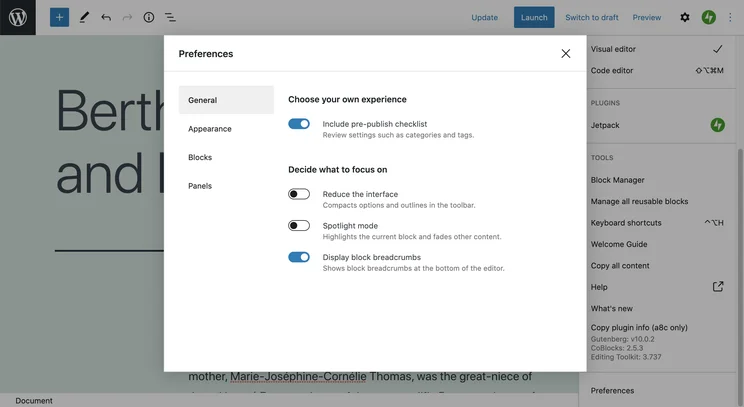
- Slightly inflexible editor
Pricing
- Plans start from $4/month
- $8/month Premium plan is its most popular
- $25/month Business plan has plug-in library access
- $45/month Commerce plan will let you accept payments in 60+ countries
- Free plan available
- Remove ads with $4/month plan
Images
Who should use WordPress?
- Digital publications, blogs, and freelancers. The platform is geared towards bloggers.
- Experienced coders and website builders. WordPress is not the easiest platform to grasp straightaway.
- Businesses on a budget – the free plan offers a suite of great functionality.
Who shouldn’t use WordPress?
- Beginners looking for a low learning curve – you will not find it with WordPress.
- Design-focused businesses should look elsewhere, as WordPress is not blessed with customization options.
- Advanced features often require forking out for added plugins, which can be expensive.
Overview of Webflow
Webflow is a website builder that allows users to create high-performing sites from scratch. It’s a powerful builder – especially when it comes to design and customization. However, it’s not as easy to get started with or as user-friendly as Wix and Squarespace.
Webflow is a better solution for users with no coding experience and users who are more concerned with the look and feel of their site. While its ecommerce plan has a much cheaper starting price than the WordPress equivalent, users do have to buy both a Site and Workspace plan, which bumps the price up.
Webflow

In Short
-
Pros
- Quick learning curve, easy for beginners
- Free plan for designing your website with some functionality
- Simple collaboration tools for teams to boost productivity
-
Cons
- Free plan is highly limited. Users can’t host a website, for example
- Price plans can be confusing, with separate plans for freelancers and agencies, in-house teams, and more
Pricing
-
 Free plan available
-
Basic: $15/month
-
Premium: $25/month
-
Teams: $2,500/month
-
Enterprise plan (contact Webflow for pricing)
-
Ecommerce plans from $29/month
Images
Who should use Webflow?
- Experienced designers that want full creative control will relish the possibilities.
- Users with no coding experience – Webflow doesn’t require any.
- Corporate and creative businesses. Webflow offers a broad range of customization features that will suit these businesses well.
Who shouldn’t use Webflow?
- Digital publishers and bloggers would be better-placed going for WordPress, which is closely aligned with their needs.
- Web builder beginners with no design experience. Design-minded individuals will get the most out of Webflow.
- Growing businesses looking to scale. The pricing plans are complex and can be frustrating for businesses in transition.
Is WordPress Better Than Webflow?
In this section, I’ll take you through how WordPress and Webflow compare across a number of key areas, which you can find below. Use the links to navigate to your desired section, if you like.
Does WordPress Have Better Website Functionality Than Webflow?
Yes, WordPress has superior website functionality to Webflow. Largely, this is due to the platform’s massive ecosystem of available plugins, which make it possible for you to customize your site with a high degree of control.
Webflow’s strength as a comprehensive solution means the most important features are already included in its packages. However, when compared with WordPress — which boasts thousands of plugin options for anything from SEO and analytics to ecommerce — Webflow’s integration options are limited and many require troubleshooting.
This shouldn’t be an issue for smaller, design-focused teams, but if you’re looking for a builder that can integrate with multiple different domains, you’d be better off using WordPress.
Not only this, but WordPress has a powerful publishing toolkit that includes commenting features, blog analytics, and integrations with Google Analytics and WordAds. These capabilities are assets to small and mid-size publishers looking to expand their audience, which gives WordPress the edge over Webflow in terms of blogging functionality.
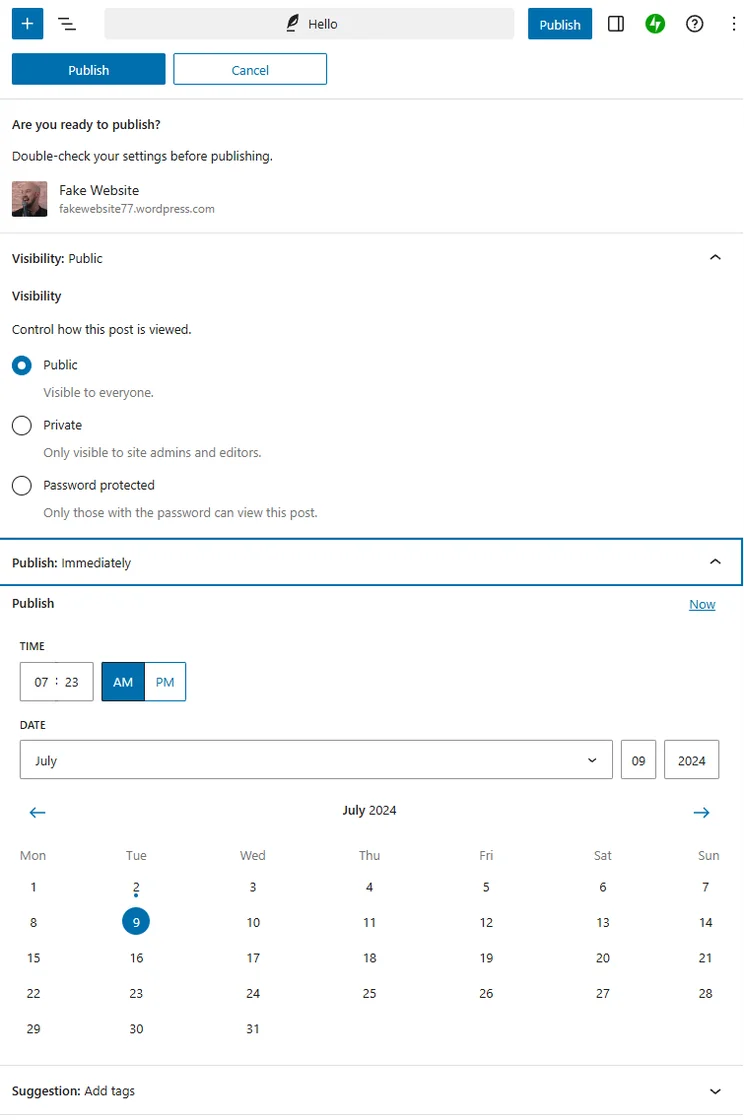
With WordPress, you can schedule posts and control permissions. Image: Tech.co
WordPress has a native SEO plugin known as Yoast SEO. It evaluates your SEO-friendliness in real-time, allowing users to iterate tags and metadata in order to boost their discoverability in search. While it is not always the most accurate (as we can personally attest to!), it’s still a highly useful guide, especially for users who are not really familiar with SEO principles and best practices.
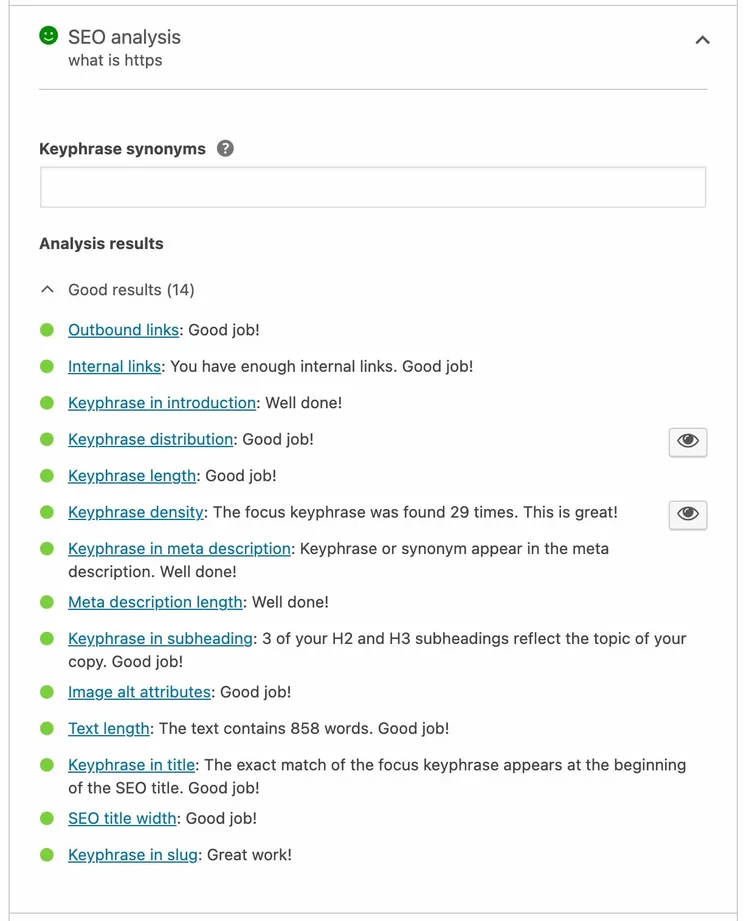
Yoast SEO integration in action. Image: Tech.co
Both website builders let businesses sell online: Webflow uses its central platform, while WordPress works through its WooCommerce integration.
Webflow is a multi-functional ecommerce builder that lets you fully customize the shopping cart experience and checkout process. Its built-in visual designer feature makes it easier to create an eye-catching site than with WooCommerce. However, if you don’t have any web designing experience, its interface may take some getting used to.

Viewing products by category in the WooCommerce integration. Source: Tech.co
On the other hand, WooCommerce is easier to navigate than Webflow and doesn’t charge transaction fees for payment gateways. However, businesses will need to use an API to unlock lots of advanced ecommerce features, which is why we think Webflow is the better option for online stores.
Does WordPress Have Better Design Features Than Webflow?
Webflow’s design features are much better than WordPress’s offering. While WordPress has more pre-designed templates (over 8,000 vs Webflow’s over 1,500), Webflow’s themes allow for more customizability and require less coding to master. This gives Webflow users more creative control over their site.
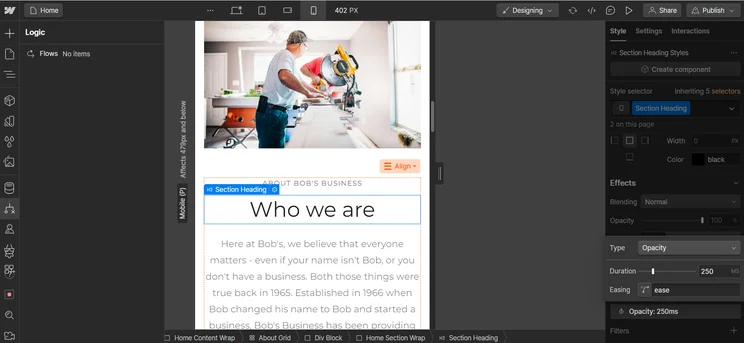
However, Webflow’s Photoshop-style interface can seem overwhelming at first and will take some time to get used to. This means that while Webflow’s design suite is impressive, it has a steeper learning curve than WordPress.
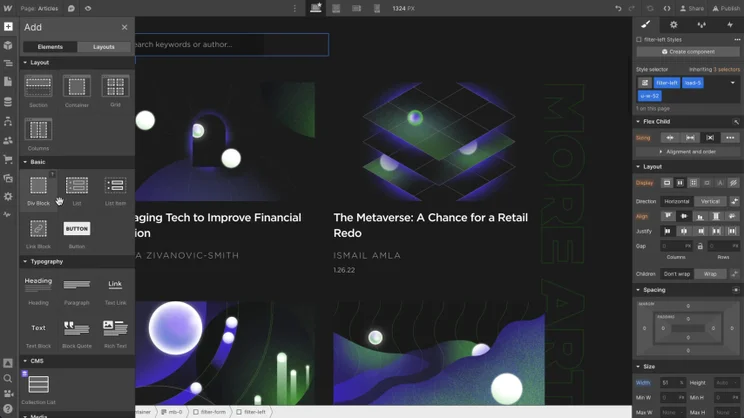
Webflow design dashboard in action. The range of customization options can be dizzying. Source: Tech.co
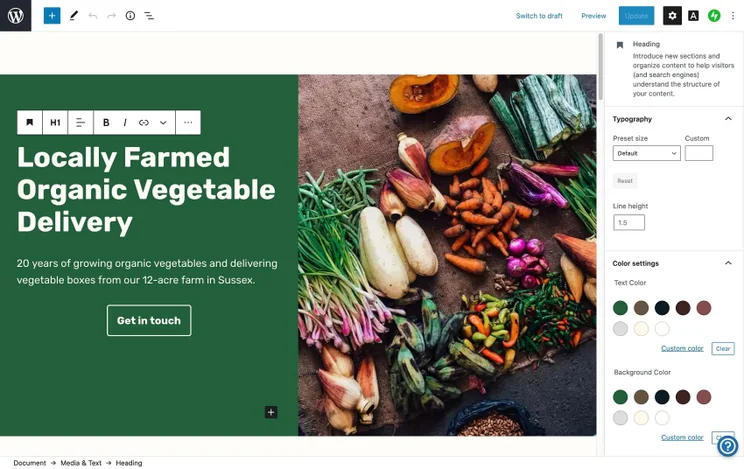
On the other hand, WordPress’s design capabilities leave a little something to be desired. While it has many more templates for users to choose from than Webflow, its backend editor is quite unintuitive and difficult to use.
For example, the drag-and-drop style modular editor is quite unresponsive, which can be highly frustrating and adds unnecessary time onto the overall process. To make matters worse, it’s also pretty rigid, meaning that users don’t have much flexibility when it comes to module placement and alignment.
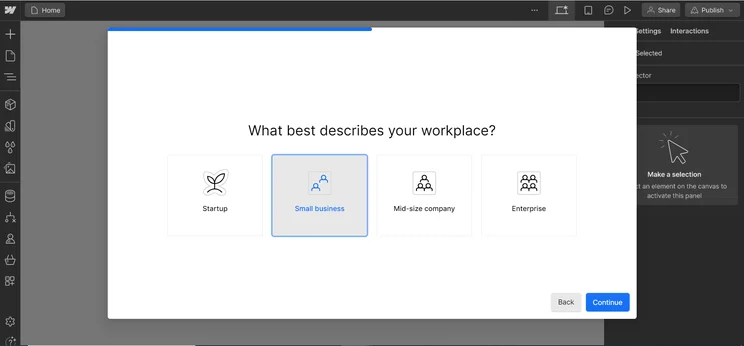
As part of this article, I took Webflow’s new AI website builder for a spin. In common with many of its contemporaries, Webflow starts you off by asking a few simple questions, such as the business case for your website.
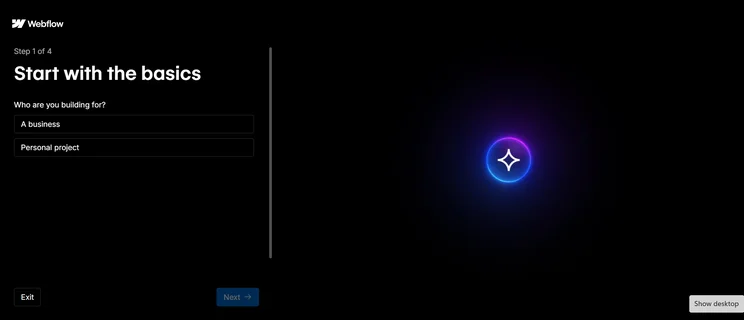
Once you’ve answered a few preliminary questions, such as the type of website that you’re looking for, Webflow will take you through a four-step “basics” process. Source: Tech.co testing
Frustratingly, I ran into difficulties almost straight away. After taking me through a few questions, I was prompted to review the generated structure of my site. Supposedly, you should be able to drag modules into different positions to meet your specs. However, the drag-and-drop tool wasn’t working for me, stranding me with a boilerplate site structure.
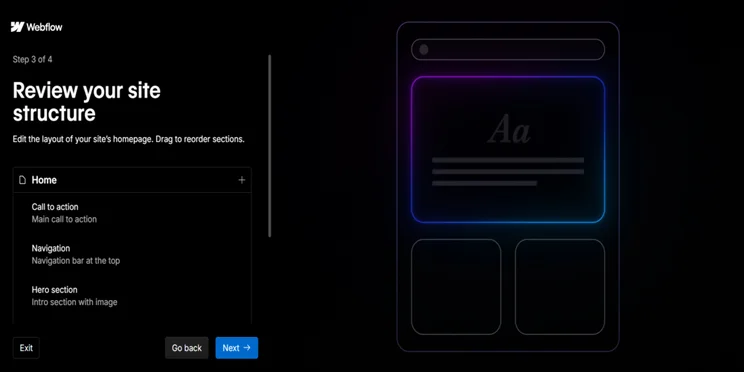
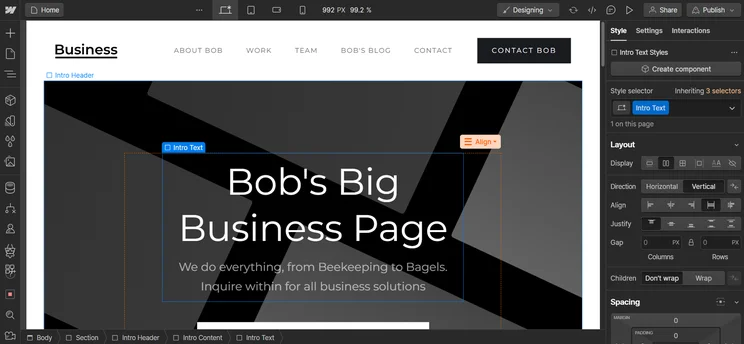
Once Webflow’s AI builder has created a basic site you can review it and make changes. Source: Tech.co testing
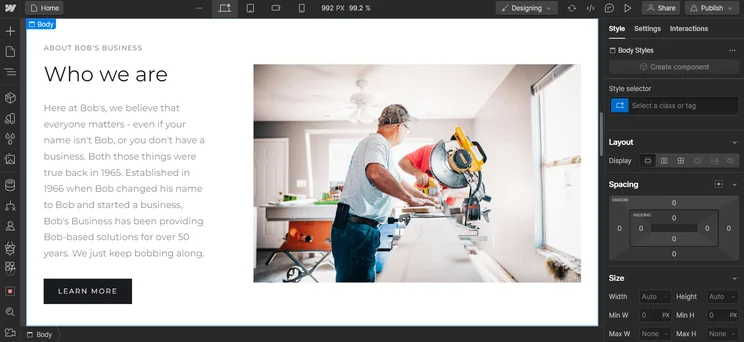
While the experience was exasperating, once I’d chosen my theme (I went for minimal), I was pretty impressed with the finished result, which you’ll find below. However, once my page was ready, I did find that editing its formal features, such as colors, typography, buttons, and images, was quite unintuitive and laggy.
The platform seemed to struggle in terms of performance. Once I’d made changes on the left-hand editor column, the in-situ previews were quite slow to load.
Overall, the experience did not emulate the slickness of, say, Squarespace. But given that I was testing it out via the free trial, I was impressed with the breadth of customizable options — and there’s every reason to think that paid versions would perform at a higher level.
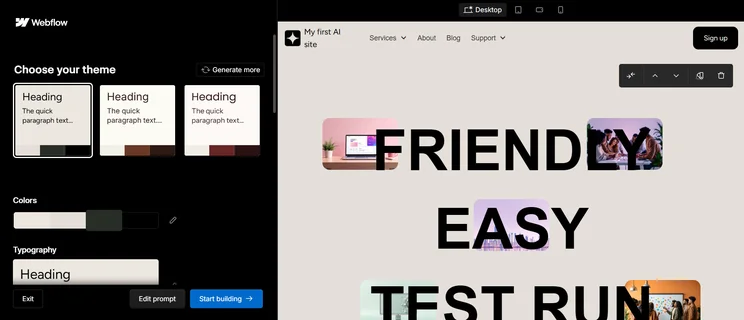
My test site in situ, with chosen theme and color scheme visible in the side column. Source: Tech.co testing
Does WordPress Have Better Help and Support Options Than Webflow?
WordPress’s help and support options are slightly stronger than Webflow’s, but not by much. WordPress.com offers a wide range of online guides, but its 24/7 chatbot is only available to customers on its Premium, Business, or Commerce plans.
Webflow has an online resource library called Webflow University. Unfortunately though, Webflow lacks a phone and a live chat service, making it less suitable than WordPress for users in need of urgent support.
If reliable support is important to your business, you’d be better off bypassing both of these website builders and opting for a solution like Wix or Shopify instead.
Which Provider Offers Better Value?
While both builders both offer reliable free versions, WordPress is slightly better value than Webflow overall because the average price of its plans is much lower.
Not only are WordPress’s web building packages more affordable, but its Commerce ecommerce plan ($45 per month) costs substantially less than Webflow’s mid-tier ecommerce package, Plus ($74 per month), making WordPress better value for online sellers too.
Webflow’s pricing is also notoriously confusing. Unlike WordPress, businesses using Webflow will need to purchase two separate plans: a Site plan to connect their site to a custom domain, and a Workspace plan to build and manage their site – bumping up its overall price.
WordPress won’t be a better deal for every business though, so read on to learn more about each provider’s value.
How much does WordPress cost?
WordPress offers one free plan and five paid plans: Personal ($4 per month), Premium ($8 per month), Business ($25 per month), Commerce ($45 per month), and Enterprise, which offers custom pricing. The website builder has a very low entry price and its Personal plan even gives users a free domain for a year. This is why we think WordPress’s value trumps Webflow.
However, when compared with our top-rated website builders Squarespace and Wix — which offer quality plans for as little as $19 per month and $17 per month respectively — WordPress’s higher-paid plans are quite steep.
Check out how WordPress’s plans compare below:
|
Plan
|
Price (1-month contract)
The price per month you'll pay if you choose to be billed monthly
|
||
|---|---|---|---|
|
Free |
Personal |
Premium |
Business |
|
N/A |
$4/month |
$8/month |
$25/month |
How much does Webflow cost?
Webflow offers five plans to help businesses publish and host their website: Starter (free), Basic ($15 per month), Premium ($25 per month), and Teams ($2,500 per month). There’s also an Enterprise, which offers custom pricing.
If you require more than basic hosting, or would like to host your site elsewhere, the web builder also provides four Workspace plans: Starter (free), Core ($19 per month), Growth ($49 per month), and Enterprise, which has custom pricing. There are also plans for freelancers and agencies – the Starter Plan (free), Freelancer ($16 per month), and Agency ($35 per month).
There are also three Webflow pricing plans specifically for online stores: Standard ($29 per month), Plus ($74 per month), and Advanced ($212 per month).
The average price of Webflow’s packages is higher than the industry standard, which is why we don’t view it as offering strong value.
Which Free Plan Is Better?
WordPress’s free plan is slightly more generous than Webflow’s – but there isn’t much in it. Neither of the free plans offer custom domains, but unlike Webflow Starter, which can only be used by one user to create two unhosted sites, WordPress Free has no page nor user limit – making it better suited for smaller teams.
Free plans normally end up costing businesses more in the long run, though. So, if you’re interested in boosting your site’s long-term return on investment (ROI) with enhanced SEO features, analytics, and editor access, we’d always recommend opting for paid plans instead.
Which Platform Offers a Better User Experience?
Neither WordPress nor Webflow offer a great user experience.
After testing WordPress, we found the platform lacked visual cues and contained a lot of tech jargon, meaning that it’s difficult to navigate for first-time users. However, once the builder is set up, it’s pretty straightforward to use – especially if you have a little coding experience.
Similarly, Webflow has a cluttered interface that can be overwhelming for beginners. But, if you’re familiar with web designing or tools like Photoshop, you shouldn’t find the learning curve too steep.
But, in truth, neither of these platforms offers a particularly pleasant user experience. If that is something that is important to you, we would definitely recommend looking elsewhere. Squarespace and Hostinger, for instance, are exceptionally easy and satisfying to use.
How Do WordPress and Webflow Compare With Other Web Builders?
WordPress and Webflow are far from the only website builders out there. According to our research, unless you’re a blogger or experienced coder, Wix will likely be a safer bet than WordPress. Not only does the provider have stronger overall features, but it’s much easier to use.
Similarly, with excellent UX and a selection of stunning templates, Squarespace will be a better choice for most creative businesses than Webflow. This isn’t to say Webflow should be overlooked entirely, but Squarespace excels when it comes to creating beautiful, high-performing websites.
Check out our table below to see how WordPress and Webflow compare with their competition:
|
Cheapest price
|
Special deal
|
Free plan
|
Free trial
|
Pros
|
Cons
|
||
|---|---|---|---|---|---|---|---|
|
BEST OVERALL
 |
 |
 |
 |
 |
|||
|
Wix |
Squarespace |
Shopify |
GoDaddy |
Hostinger |
|||
|
$15.30/month with code TAKE10 |
$17.10/month with code TC10 |
$1/month for first 3 months |
Save 54% with annual contract |
$2.69/month with code TECH |
|||
|
|
|
|
|
|
|||
|
14-day free trial |
14-day free trial |
3-day free trial |
7-day free trial |
14-day free trial |
|||
|
|
|
|
|
|||
|
|
|
|
|
What’s New in WordPress and Webflow?
Ahead of the release of its latest version, WordPress 6.9, on December 2nd 2025, WordPress has recently made the second beta version available for testing. This version contains more than 33 updates to the backend editor, as well as a raft of fixes to get it ready for wider rollout.
WordPress users are encouraged to download and test the latest beta version, as their feedback will help to shape the product ahead of its final release.
Webflow, meanwhile, recently introduced real-time collaboration via beta. While it is not yet publicly available, users will soon be able to work together on projects at the same time, making it easier than ever to put landing or product pages together.
Our Research and Testing Into Website Builders
We take our impartial research and analysis seriously, so you can have complete confidence that we’re giving you the clearest, most useful product recommendations.
After conducting an initial exploration to identify the most relevant, popular, and established tools in the market, we put them through their paces with hands-on testing to see their real strengths and weaknesses. In this case, we put 16 website builder products to the test across 398 areas of investigation.
Based on years of market and user needs research, we’ve established a website builder testing methodology that scores each product in six core categories of investigation and 33 subcategories. This covers everything, from customer feedback to design, ease of use, and more.
Our main testing categories for website builders are:
- Website features: The capabilities and functionalities offered by a website builder, e.g. blog functionality, SEO capability, and marketing capacity.
- Design functionality: The aesthetic appeal and visual layout of a website created using a website builder. It encompasses aspects such as page templates and customizable themes.
- Customer satisfaction: External customer opinion. This is the feedback and ratings given by customers who have used a particular website builder — the market position and reputation a website builder holds.
- User experience: How user-friendly and intuitive a website builder is for people with varying levels of technical expertise.
- Value for money: The balance between the cost of a website builder and the benefits it provides. It considers factors such as pricing plans, subscription models, and available features.
- Help and support: The assistance and resources available to users when they encounter issues or need guidance while using a website builder.
When it comes to calculating a product’s final score, not all testing areas are weighted evenly, as we know some aspects matter more to our readers than others, which are simply “nice to have”. After hundreds of hours, our process is complete, and the results should ensure you can find the best solution for your needs.
At Tech.co, we have a number of full-time in-house researchers, who re-run this testing process regularly, to ensure our results remain reflective of the present day.
All things considered, WordPress is a stronger website builder than Webflow — especially for bloggers and publishers. This is because it offers a superior marketing and SEO toolkit, affordably priced plans, and a wider selection of software integrations.
However, Webflow is slightly better suited to online stores, and its advanced design features and customization options make it a better choice for experienced designers looking to exert full creative control over their site.
Neither WordPress nor Webflow impressed us when it came to usability or help and support options. So, if you’re new to website building software, we’d advise using more user-friendly alternatives, like Wix or Squarespace.
Still undecided? Our free website builder quiz can help you narrow down your search by sending you tailored quotes from leading providers.
If you click on, sign up to a service through, or make a purchase through the links on our site, or use our quotes tool to receive custom pricing for your business needs, we may earn a referral fee from the supplier(s) of the technology you’re interested in. This helps Tech.co to provide free information and reviews, and carries no additional cost to you. Most importantly, it doesn’t affect our editorial impartiality. Ratings and rankings on Tech.co cannot be bought. Our reviews are based on objective research analysis. Rare exceptions to this will be marked clearly as a ‘sponsored’ table column, or explained by a full advertising disclosure on the page, in place of this one. Click to return to top of page


