
We may receive a commission from our partners if you click on a link to review or purchase a product or service. Click to Learn More
In our Zoom v Webex comparison, we found that Zoom is better than Webex, due to its ease of use, new security features, and its affordability for companies of all sizes. Both are considered among the best video conferencing apps by our expert testers after being put through their paces.
Cisco Webex isn’t without its merits, though. In fact, if you’re a larger company that needs a robust feature catalog and flawless audio and video quality, Webex is probably a better option. However, if you’re looking for an intuitive, affordable web conferencing software that won’t take up too much time and resources to figure out, Zoom is definitely the way to go.
In this guide, we’ll dig a bit deeper to help you understand the specific differences between Zoom and Webex, including features, prices, and security measures. We’ll even provide you with a few alternatives to give you a more complete picture of the web conferencing industry. And if you’re here just looking for a price quote, simply fill out this quick comparison form to find out in minutes how much web conferencing will cost your business.
|
Starting price
The lowest starting price for a paid plan. The lowest price available for your business will depend on your needs
|
Free plan
|
Best for
|
Pros
|
Cons
|
||
|---|---|---|---|---|---|---|
 |
 |
|||||
|
Zoom |
Webex |
|||||
|
$14.16/user/month |
$12/month |
|||||
|
|
|
|||||
|
Beginners |
Larger businesses |
|||||
|
|
|||||
|
|
Compare Zoom vs Webex:
Zoom vs Cisco Webex: Pricing
There’s a lot to consider when it comes to comparing pricing for Zoom and Webex. Below, we’ll outline which plans are available from each provider, how those plans compare to each other, and whether a free plan for either will satisfy your business needs.
What Zoom pricing plans are available?
Zoom Meetings is now part of Zoom Workplace, which combines Meetings, Team Chat, Zoom’s VoIP phone offering (Zoom Phone), and a variety of other useful features. Zoom Meetings is no longer available as a standalone product.
Zoom Workplace includes plans like Basic, Pro, Business, Business Plus, and Enterprise. All of Zoom’s plans are listed below:
|
Price
|
Licenses
|
Participants
|
Storage
|
Time limit
|
||
|---|---|---|---|---|---|---|
|
|
|
|
|
|||
|
Basic |
Pro |
Business |
Enterprise |
|||
|
Free |
$14.16/user/month |
$15.58/user/month for the first year, then $18.33/user/month |
Custom pricing |
|||
|
1 |
1-99 |
1-250 |
Minimum 250 |
|||
|
100 |
100 |
300 |
500+ |
|||
|
Local only |
Local + 10GB cloud |
Local + 10GB cloud |
Local + unlimited cloud |
|||
|
40 minutes |
30 hours |
30 hours |
30 hours |
What Webex pricing plans are available?
Cisco Webex offers five different pricing plans – one more than Zoom – although specific costs are only available for three of them: Free, Meet, and Suite. If the Enterprise plan looks like it’s for you, you’ll have to contact Webex to get a quote. Here are all of Webex’s plans for you to compare:
|
Price
|
Licenses
|
Participants
|
Storage
|
Time limit
|
VoIP
|
||
|---|---|---|---|---|---|---|---|
|
|
|
|
|
||||
|
Meet |
Suite |
Enterprise |
|||||
|
Free |
$12/user/month |
$22.50/user/month |
N/A |
||||
|
1 |
Unlimited |
Unlimited |
Unlimited |
||||
|
100 |
200 |
200 |
1,000 |
||||
|
Local |
10 GB |
10 GB |
Unlimited |
||||
|
40 minutes |
24 hours |
24 hours |
24 hours |
||||
|
|
|
|
|
Zoom vs Webex: Free Plans
The Zoom Workplace Basic plan is Zoom’s free option, which is mostly geared toward individuals and very small operations with limited needs. All meetings are limited to 40 minutes and can host an absolute max of 100 participants (not just meetings with three or more participants). The support options are very limited on this plan, and you won’t have access to reporting or any other advanced features.
Webex’s free plan, conversely, allows for 40 minutes of meeting time but has quite limited features and stringent time restrictions. You’ll have basic features like screen sharing, as well as some advanced features like polling and notes, which is where Webex really shines – but its paid plans are where the features really start to become useful:
Zoom vs Webex: Paid Plans
The Zoom Workplace Pro plan will cost you $13.32 per month per license, and it gives you some features you’d need as a small team (of 9 or fewer). You can still only host a max of 100 participants, but all meetings have no time limit (well, they have a 30-hour time limit, but who’s going to be in a meeting for that long?) You’ll also get access to live chat support options, as well as cloud recording, social media streaming, and reporting functionalities.
This is comparable to Webex’s Meet plan which will set you back $12 per host per month. It’s truly only good for the smallest of teams, but adds a number of additional features, like MP4 recording, transcription capabilities, and file transfer. This plan, similar to Zoom’s equivalent, also adds some extra support options, including live chat.
The Zoom Workplace Business plan will cost you $18.32 per month per license, for those wanting ten or more licenses. It’s a slightly more robust version of the Pro plan, designed for small to medium-sized businesses. This plan allows up to 300 participants in meetings and provides company branding features, 5 GB of cloud storage and cloud recording transcripts.
Webex’s Suite plan will cost you $22.50 per month per host, and it doesn’t add much in the way of video conferencing. However, the big improvement here is that you get business phone functionality, adding a business phone number, visual voicemail, 6-way conferencing calling, and other VoIP features.
Zoom Workplace now has a Business Plus plan, available for $22.49 per month per license, which includes Zoom Phone, the company’s VoIP offering, as well as 10GB of cloud storage for storing your meeting recordings.
Zoom vs Webex: Plans for Large Businesses
Webex’s Enterprise plan requires you to contact their sales department to get specific pricing options. You’ll enjoy unlimited hosts and be able to host meetings with up to 1,000 participants, which is the definition of an “enterprise-level” solution.
Zoom offers one too and, as you might expect, it’s also aimed specifically at larger businesses, but you’ll have to contact sales if you’d like more information on how much it’ll cost your business. It starts at no less than 250 licenses, so it’s going to cost you considerably more. It offers everything from the Business plan but allows up to 500 participants. It also includes unlimited cloud storage, and a dedicated customer success manager to help ensure your software is running smoothly.
Zoom vs Webex: Head-to-Head
We think Zoom is better than Webex for most businesses, but to weigh up which web conferencing solution would work best for your business, take a look at how Zoom and Webex compare on the following criteria:
We’ve explored every decision factor in depth, and even given you some alternative web conferencing options to both, which may be worth considering if neither seem quite right. We’re confident we’ll be able to help you find the best web conferencing solution to boost your business communications.

Compare customized quotes from the top web conferencing providers
Want to find out exactly how much this software will cost your business?
Zoom vs Webex Features
Zoom and Webex are both highly-rated web conferencing providers, and as such, they both offer a wide range of standard features. Screen sharing, whiteboarding, cloud recording, chat features, and mobile functionality can be found on both platforms. However, there are some notable differences between the kinds of advanced features offered by each.
Zoom offers some fun features of its own that are missing from Webex and definitely provides a better all-around user experience than Cisco Webex. Virtual backgrounds and breakout rooms, for example, made Zoom incredibly popular at the start of the pandemic, and Webex is still working on getting those live (although they will be “coming soon”).Cisco Webex trumps Zoom, on the other hand, when it comes to how many users you can have on a call, and is a more secure piece of software. It offers some more comprehensive business features throughout its platform. File transfer, for one, is an incredibly useful tool only found on Webex, as well as notes and polling, even in the free plan. Webex also offers cloud storage included in every plan (except the free one), whereas Zoom requires you to pay extra.
|
Free plan
|
Breakout rooms
|
Audio transcription
|
Live chat support
|
Touch Up & Appearance Filters
|
User Limit
|
Video Call Quality
|
Cloud Storage
|
Pros
|
Cons
|
||
|---|---|---|---|---|---|---|---|---|---|---|---|
|
|
|
||||||||||
|
Webex |
Zoom |
||||||||||
|
|
|
||||||||||
|
|
|
||||||||||
|
|
|
||||||||||
|
|
|
||||||||||
|
|
|
||||||||||
|
1,000 (Enterprise plan) |
500 (Enterprise Plan) |
||||||||||
|
720p |
720p |
||||||||||
|
10 GB per month |
1 GB per month – Unlimited |
||||||||||
|
|
||||||||||
|
|
Zoom vs Webex Security
As you might have heard, Zoom experienced some serious security problems at the start of the pandemic. However, given the insane uptick in usage, it was to be expected, and they’ve since remedied the major issues by adding end-to-end encryption for all users – even the unpaid accounts. According to the website, Zoom is also GDPR, CCPA, COPPA, FERPA, and HIPAA compliant.
Cisco Webex never experienced its own massive increase in usage, but even if they had, they’ve been rock solid on security for years. With strict password entry for users, end-to-end encryption options, and locked personal meeting rooms, you know you’ll be secure with Webex. They even offer encrypted cloud recordings on paid plans, so you can be sure no business communications will be compromised.
Zoom vs Webex Call Quality
Call quality can be a bit nebulous from provider to provider, particularly given the impact that internet connection has on any given call. Still, both Zoom and Webex offer notably solid options in this department, particularly compared to free services like Skype or Google Meet.
Zoom specifically notes that every plan they offer allows for up to 720p video quality. The audio quality is quite good, with lots of features designed to reduce background noise and focus on voices. It even offers an in-depth guide on how to improve audio quality for meetings, which can make a big difference.
Webex also boasts great audio and video quality, with HD VoIP technology for audio and up to 720p for video. Additionally, Webex provides MP4 audio recordings, so you can enjoy crystal clear transcription features for future notes.
Zoom vs Webex User Experience
While Zoom and Webex are quite similar in many ways, user experience is where Zoom really pulls away. With arguably the most intuitive interface in the entire industry, Zoom makes it as easy as possible to change formats, add members, break out new meetings, and use the advanced features throughout. Even the password system and seamless integration with G-Suite makes joining and starting meetings very easy.
Webex struggles a bit with ease of use, but it’s typically in service of security, so you can’t be too mad. The mandatory passwords and dial-in numbers can confusing beginners right off the bat, but hopefully their 24/7 support can help anyone having a tough time.
Zoom vs Webex Call Capacity
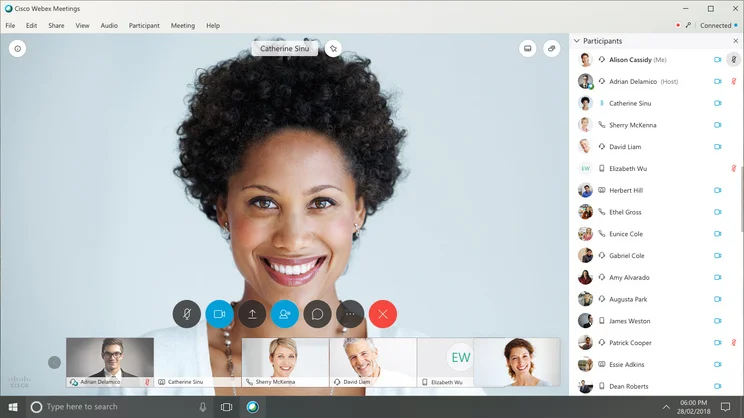
If you’re a larger business, capacity of meetings is vitally important for bigger discussions. With Zoom, you’re getting a maximum of 100 participants with the Basic (free) and Pro plans, which jumps up to 300 participants with the Business and Business Plus plans, and 500 participants with the Enterprise plan. You can get the Enterprise+ plan to up that to 1,000 participants, but that’s the absolute limit, which isn’t always enough.
Webex, on the other hand, is catered to larger businesses, and there’s a much higher ceiling. You’re still only getting 100 participants for the free plan, with 200 participants in the Meet and Suite plans. However, when you get to the Enterprise plan, you can have up to 1,000 participants, but it’ll likely cost you a pretty penny compared to the more affordable plans.
Check out the best conference phones for small business in our guide
Zoom vs Webex Setup
Zoom’s excellent user experience translates to a similarly easy setup process. After inputting your birthday and email address and completing a Captcha verification (which admittedly feels a bit outdated), you just have to confirm your email address and you’re on your way. You’ll have to download the app, but once you do, it’s smooth sailing. Setting up meetings is even easier, with simple instructions for inviting members, providing extra security, and activating the virtual backgrounds.
While the advanced features might scare you off, Webex’s setup process is pretty easy as well, and quite similar to the process for Zoom. After putting in your name and email address, you’ll have to click the confirmation link in your inbox, and download the app to get full functionality. Setting up meetings is a bit more complicated though, with passwords and PINs for each one, which admittedly make you feel secure, but take a bit more time to get you going.
Zoom vs Webex Support
For both Zoom and Webex, you’ll only have access to a ticket system when you use the free plan, as you’d expect.
With the paid plans, however, you’ll get a few more options. Zoom adds live chat and phone support to the Zoom Workplace Pro plan, and this is also available on the Business, Business Plus, and Enterprise plans. With Webex, you’ll have access to live chat and call-in capabilities with all paid plans, and benefit from a customer support representative as part of the Enterprise plan – which again, will cost you considerably more.
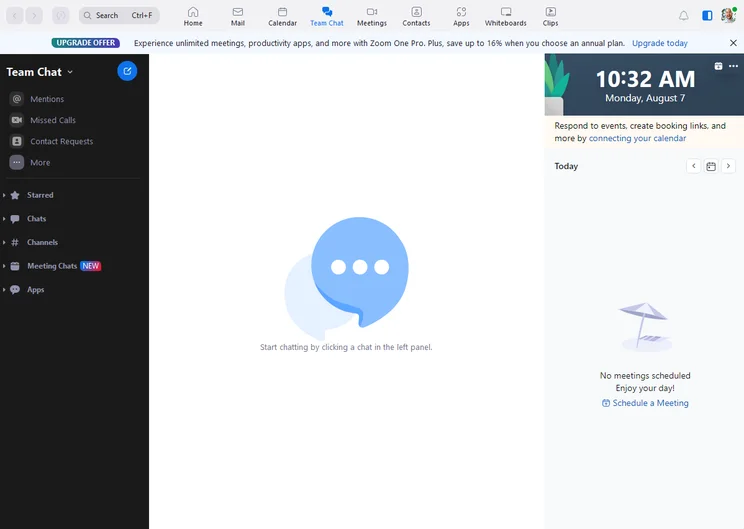
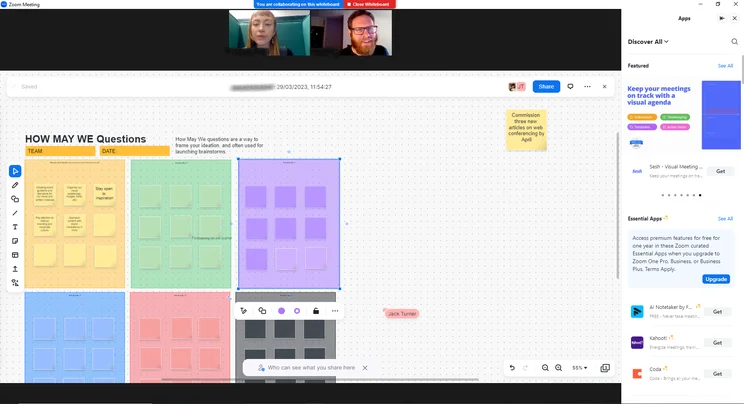
Zoom team chat interface
Image: Tech.co testing
Zoom vs Webex Integrations
One of the best parts of Zoom is the massive catalog of third-party integrations available. No need to jump back and forth between apps – with these helpful integrations, you can get it all in one place.
For scheduling and starting meetings, Zoom offers integrations with Salesforce, Skype, Microsoft Outlook, Google Calendar, IBM Workspace, Firefox, HipChat, Appointlet, and Workplace.
For content sharing, Zoom integrates with Google Drive, Microsoft One Drive, Box, Dropbox, and Panopto. And finally, for marketing and process automation, Zoom integrates with Salesforce Pardot, Marketo, Zapier, and Eloqua.
Cisco Webex, on the other hand, provides a number of helpful third-party integrations, so that you can keep all your work in one place – but not as many as Zoom. Despite this, Cisco Webex still integrates with Slack, G-Suite, Microsoft Teams, Box, Appspace, Apple, and Salesforce.
What Is Zoom?
If you haven’t heard of Zoom yet, what have you been doing since the beginning of the pandemic? This popular cloud-based video conferencing app became the poster child for connecting with friends and family during quarantine, thanks to its ease of use and intuitive interface. Since its meteoric rise, Zoom has added a lot of features – and most importantly, security measures – that make it one of our top rated providers in the industry today.
That’s not all Zoom offers, though. From a business perspective, Zoom provides a wide range of helpful features that can help you keep your company communication on track. From comprehensive scheduling functions to easily managed webinars, Zoom has become a powerhouse for businesses in need of a video conferencing solution. The web conferencing provider also now provides phone service in the form of Zoom Phone, which allows you to combine phone, video chat, and messaging into one, unified app.
Zoom has also addressed many of the security concerns that arose during the pandemic. With more stringent meeting entry measures and robust security measures now in place, you can be sure that you and your company are safe online.
Who Is Zoom For?
Simply put, Zoom is best for companies focused on ease of use when it comes to video conferencing. If you have beginners in your ranks, or just don’t feel like trying to navigate the complicated features of more robust providers, Zoom is the perfect option.
In that vein, Zoom is inherently better for small to medium sized businesses compared to Webex. It offers the basic features you need to get by, as well as some advanced features for bigger meetings, but won’t be too confusing for anyone. Plus, it scales a bit more reasonably, so if you do end up needing more features – or more capacity – you can add it pretty easily.

Find out exactly how much web conferencing will cost your business
We've helped thousands of businesses get set up with video conferencing software
Zoom

In Short
-
Pros:
- Easy to use interface for beginners
- Clipping functionality available with free plan
- Paid version includes VoIP functionality
-
Cons:
- Poor audio quality compared to competitors
- Lots of features are only available as add-ons
- 40-minute meeting limit on free plan
Pricing
- Free plan available
- Pro: $14.16/user/month
- Business: $18.33/user/month
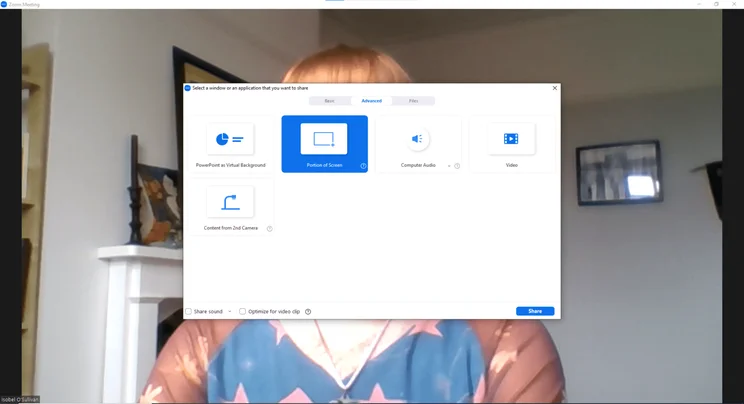
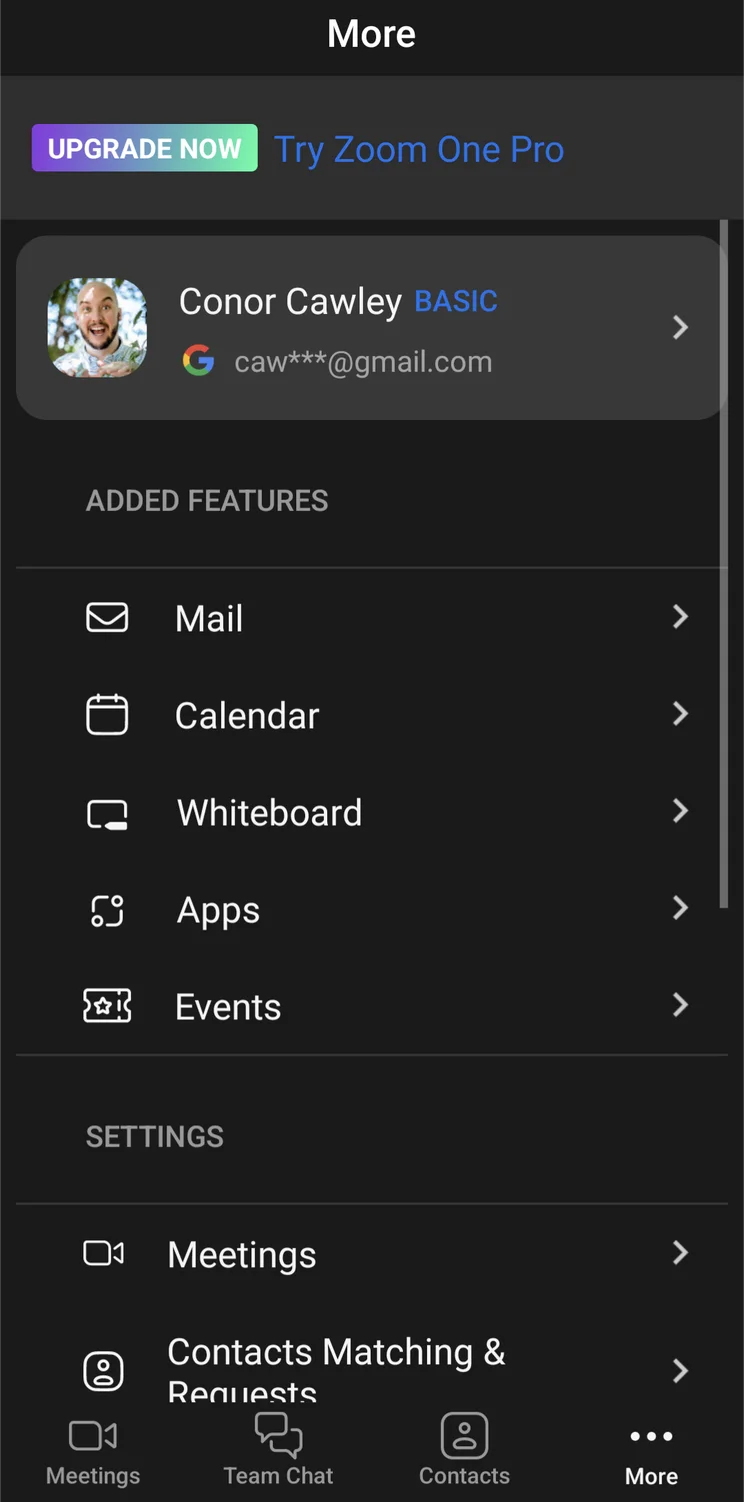
Images


What Is Cisco Webex?
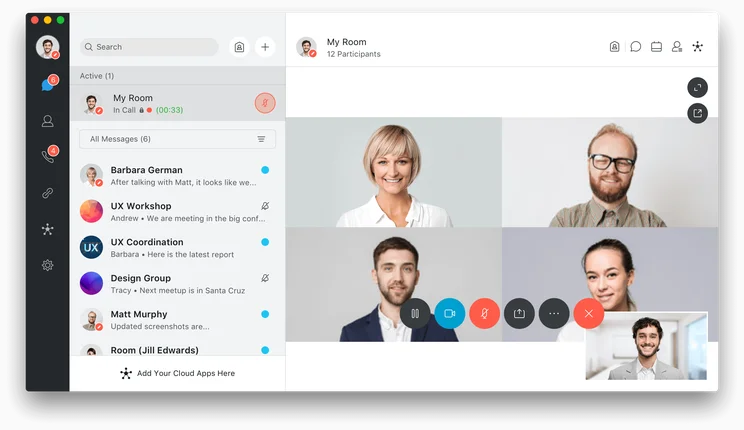
While Cisco Webex might not have the name recognition that Zoom has in the video chat world, it’s well known in the business world for being an incredibly popular tool among larger companies. With its impressively robust feature catalogue and thorough security measures, it can handle all the communication needs of large teams without breaking a sweat.
From polling and file sharing to annotation and built-in follow-up meetings, Cisco Webex is just that much more thorough than its competitors. Webex even offers add-ons like international and domestic calling, so you can really build out your communications.
We’ll be the first to admit, though, that Cisco Webex is a bit complicated – especially for beginners. Luckily, the company offers 24/7 support to its paid customers, so you can get help when you need it.
Who Is Cisco Webex For?
As you might be able to tell from the pricing plans above, Cisco Webex is firmly aimed at larger companies. The Enterprise plan alone points to a focus on massive businesses that need video chat for company-wide communication, rather than individual meetings.
Fortunately, it does allow you to implement some of the more advanced video chat throughout every one of its plans – even the free one – which makes it an attractive option. But again, all those features can get a bit complicated, so make sure your team is equipped to handle the extra load.

Need to find out how much video conferencing costs?
Compare customized quotes to learn more about the best pricing plans.
Webex

In Short
-
Pros:
- Feature-rich software
- High quality audio and video
- Easy setup
-
Cons:
- Occasional bandwidth issues
- A little pricier than similar software
- Analytics not included in basic plans
Pricing
-
 Free plan available
-
 Meet: $12/month
-
Suite: $22.50/month
Images
Video Conferencing Alternatives
Zoom and Cisco Webex obviously aren’t the only video conferencing solutions on the market. There are plenty of great alternatives that could be better for your business, depending on what you’re looking for.
Check out a few of the alternatives below to get a better idea of what the industry can offer your business today.
GoTo Meeting
GoTo Meeting is our absolute top-rated video conferencing provider. The software is a feature-rich, easy to use option that combines the best of both worlds when it comes to walking the line between robust and comprehensive. The audio and video quality are incredibly impressive, and the pricing options are some of the lowest you can find. Sure, it’s missing a few advanced features, but as far as value goes, you can’t beat GoTo Meeting.
Check out our GoTo Meeting vs Zoom guide
Lifesize
Lifesize is easily in our top five for best web conferencing software, providing some of the highest quality audio and video in the industry. The easy to use interface makes it a breeze for beginners, and the branded hardware is attractive for companies looking to truly bolster their video conferencing setup in-office. Admittedly, the chat function leaves a lot to be desired, but if you’re looking for an outright video conferencing solution, Lifesize is worth a look.
Check out our in-depth Lifesize Video Conferencing review
|
Starting price
The lowest starting price for a paid plan. The lowest price available for your business will depend on your needs
|
Free plan
|
Maximum participants
|
||
|---|---|---|---|---|
|
|
 |
 |
 |
 |
|
Zoom |
RingCentral |
Google Meet |
Microsoft Teams |
Slack |
|
$14.16/user/month |
$10/user/month |
$7/user/month |
$4/user/month |
$7.25/user/month |
|
|
|
|
|
|
|
300 |
200 |
1,000 |
300 |
50 |
Our verdict on the Zoom vs Webex debate is that Zoom is definitely better than Webex. The ease of use and intuitive interface alone are enough to put it at the front of the pack, and the added security measures and comprehensive pricing plans make it a go-to solution for nearly any sized business.
Still though, if you’re an enterprise-level business that foresees the need to use every video conferencing feature under the sun, Cisco Webex might be the way to go. It’s robust, if a bit complicated, and will provide you with everything you need to manage a massive organization.
Basically, it depends on your specific needs – and we can help you figure it out a bit more. All you have to do is fill out this handy comparison form to get all the information you need about pricing, giving you the power to make the right decision the first time.
Frequently Asked Questions
Our research found that Zoom is actually better than Webex, as it provides a more intuitive interface with common, helpful features across desktop and mobile apps. Webex is a better fit for larger businesses, though, offering more participants in meetings.
Zoom costs start at $13.32 per user, per month, with a number of other paid plans that can get you started. You can also use the platform for free forever, although the free plan is quite limited as far as features are concerned.
No, Webex is actually owned by Cisco after being acquired in 2007. Microsoft has a direct competitor to Webex, dubbed Microsoft Teams, which is more popular with better functionality, according to our research.
If you click on, sign up to a service through, or make a purchase through the links on our site, or use our quotes tool to receive custom pricing for your business needs, we may earn a referral fee from the supplier(s) of the technology you’re interested in. This helps Tech.co to provide free information and reviews, and carries no additional cost to you. Most importantly, it doesn’t affect our editorial impartiality. Ratings and rankings on Tech.co cannot be bought. Our reviews are based on objective research analysis. Rare exceptions to this will be marked clearly as a ‘sponsored’ table column, or explained by a full advertising disclosure on the page, in place of this one. Click to return to top of page


