
We may receive a commission from our partners if you click on a link to review or purchase a product or service. Click to Learn More
According to our research, the best free video conferencing app for individuals and small teams who want an easy-to-use solution that’s deeply integrated with Google Workspace apps like Gmail, Docs and Drive is Google Meet. Popular alternative Zoom is better suited for larger enterprises that need to host webinars for up to 1,000 attendees and desire advanced host controls.
With Google Meet, you get reliable video calls for up to 100 participants, screen sharing, and real-time captions. Zoom accommodates up to 1,000 attendees and has more robust options for hosts like polling and breakout rooms.
For most basic video conferencing needs, Google Meet provides better value with affordable pricing and inclusion in Google Workspace plans. However, Zoom is the way to go for expansive video webinars and events. Check out our video conferencing quotes tool for more in-depth information about your options.

Try Google Workspace for free
Get 14-days of Google Meet, business Gmail and more, with no strings attached.
Google Meet vs Zoom: Major Differences
Truthfully, most web conferencing software providers offer the same options when it comes to their platforms. Almost all of them offer screen sharing, unlimited meetings, adjustable layouts, live chat, and integrations with other software.
However, when it comes to Google Meet and Zoom, there are some major differences that should help you decide which software is best for you. Take a look at some of the differences below.
- Google Meet is more affordable than Zoom
- Zoom is easier to use that Google Meet
- Google Meet allows for more meeting participants than Zoom
- Zoom has slightly better security than Google Meet
- Google Meet can be used in browsers, while Zoom requires you to download an app
- Google Meet integrates with Google Workspace better than Zoom
For a little more information about how these two video conferencing tools match up against each other, take a look at the table below and scroll down for more in-depth look:
|
Starting price
The lowest starting price for a paid plan. The lowest price available for your business will depend on your needs
|
Free plan
|
Best for
|
Pros
|
Cons
|
||
|---|---|---|---|---|---|---|
 |
 |
|||||
|
Google Meet |
Zoom |
|||||
|
$7/user/month |
$14.16/user/month |
|||||
|
|
|
|||||
|
Google Workspace users |
Beginners |
|||||
|
|
|||||
|
|

Capacity
Perhaps one of the most important metrics when it comes to measuring web conferencing platforms, meeting capacity – whether in terms of time limits, or caps on participants – is vital in deciding which platform is best for you.
For meeting participants, both Zoom and Google Meet are quite comparable, with both allowing for 100 participants in their free and starters plans and up to 1,000 participants in their enterprise-level plans. From there, though, Google Meet takes the win, offering up to 500 participants in paid plans, whereas Zoom only offers 300 participants.
As for time limits on meetings, you’ll enjoy a 60-minute time limit for Google Meet when using the free plan, whereas you’ll only get 40 minutes with Zoom’s free option. Fortunately, time limits are virtually non-existent when it comes to paid plans, as Zoom offers 30 hours and Google Meet offer 300 hours – both of which will never be reached ever by anyone.
Integrations
Looking for a web conferencing solution for your business can be stressful, particularly because you likely need to find one that integrates with your other business software.
Fortunately, Zoom and Google Meet both offer a wide range of third-party integrations that make life a bit easier, although Google Meet is a bit better, as it fully integrates seamlessly with Google Workplace apps like Calendar and Gmail. On top of that, it also integrates with Microsoft Office 365, so you can truly get the full experience no matter what business software you use. Other integrations include Calendly, Slack, Discord, Nest, Jamboard, and many others.
Zoom is also quite loaded up on third-party integrations, but obviously doesn’t have a parent company to lean on. You can still integrate with Google Workplace and Microsoft Office 365, but it’s not nearly as robust, which is to be expected. Other integrations include Salesforce, Dropbox, Calendly, and Facebook, among others.
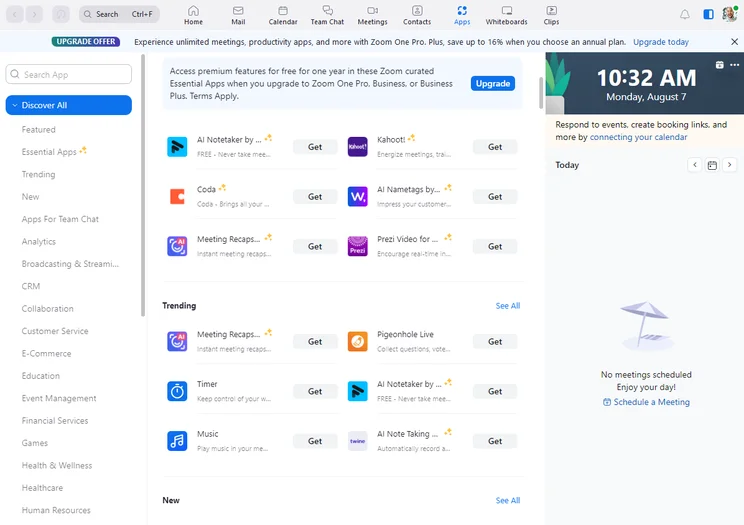
Zoom app integration library
Image: Tech.co testing
Other Features
There are some other interesting features offered by both Google Meet and Zoom that might entice you to check them out. Luckily, because they’re both competing for your attention, more features are sure to be added – so make sure you check in to see the progress.
Google Meet, for example, offers a great live captioning feature that is truly impressive. Clearly the product of Google software, this live captioning is great for hearing impaired users, as well as those that simply would rather read a meeting than listen to it. Zoom also offers this feature, as do some other options, but having the Google software to back it up makes Google Meet’s live captioning one of the best available.
Need to remember what was discussed in your meetings? Find out how to record meetings on Google Meet and on Zoom video
Zoom, on the other hand, offers some dedicated features for fun that lend themselves to even better ease of use for beginners. From avatars and virtual backgrounds to video filters and in-meeting quizzes, Zoom lends itself to a more enjoyable meeting experience for all users.

Google Meet live caption tool
Image: Tech.co testing
Best for Business Features: Google Meet
When it comes to business features, we have to give Google Meet the edge over Zoom. The reality is, while Zoom offers great third party integration, the fact that Google Meet can so seamlessly integrate with Gmail, Calendar, and other apps which are likely already in place at your business makes it terribly difficult to topple from the top spot.
In addition to that extreme level of integration, Google Meet offers some great business features. This includes live captioning and recordings saved to Google Drive, which are not only cool, but also practical in a business setting.
Zoom is nothing to scoff at when it comes to business features, though. It offers a wide range of helpful, business-facing options that can make meetings easier, like Multi-Share and Contacts. Still though, it’s hard to compete with Google when it comes to business, and video conferencing software is no exception.
Google Meet Features
- Live captioning during meetings
- Video and audio preview screen
- Adjustable layouts and screen settings
- Meeting host controls, like mute and pin
- Screen sharing for all users
- Real-time chat function during meetings
- Google Workspace and Microsoft Office 365 integrations
- Use AI to generate new backgrounds
- AI-powered note capturing
Zoom Features
- Virtual backgrounds
- Calendar integration with Google and Outlook
- Waiting Room security feature
- Multiple screen shares at once with Multi-Share
- Personal meeting room with ID
- Touch-up My Appearance
- Zoom IQ for meeting summaries and catch-up
In recent months, the advent of generative AI technology has taken the business world by storm, and this has led to tools like Google Meet and Zoom getting some notably impressive features added to their respective catalogs.
Zoom, for example, has recently launched Zoom IQ, an AI-powered tool that can provide meeting summaries after you’ve exited a video chat. Google Meet also has similar features in the works, with Google announcing a wide range of AI features that will be integrated into Google Workspace in the future.
Best for User Experience: Zoom
Google Meet might be better for business features, but that’s largely because it can be a bit complicated to use for beginners. When it comes to user experience, Zoom takes the cake for being the most truly intuitive video conferencing platform available today.
From setup to in-meeting usage, Zoom is just easy. Joining meetings takes a single click if you have the link, or is as easy as inputting a short meeting code no longer than a phone number. Plus, when in meetings, you can easily change layouts and share your screen, so even novices can get in on the feature action.
Perhaps the only user experience point that Google Meet takes from Zoom is the fact that users have to download the app – whether on mobile or desktop – to use Zoom, whereas Google Meet is available in any browser. Still, that’s hardly enough to change our mind that Zoom is intuitive because it’s a simple “download once and forget it” situation.
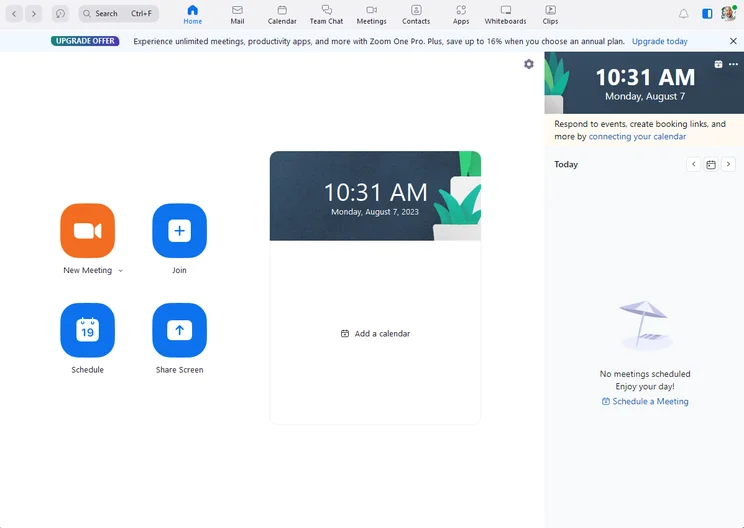
Zoom home page
Image: Tech.co testing
Who is Google Meet for?
Simply put, Google Meet is the best option for small businesses, large businesses, and everything in between, largely because it integrates some seamlessly with Google Workspace. You don’t just get a video conferencing tool, you get a full-on suite of business tools like Gmail, Calendar, Drive, and dozens of other high-quality options to improve your business.
In fact, that only reason you’d want to choose Zoom over Google Meet is if you don’t need all those bells and whistles and don’t plan on scaling your business in a meaningful way any time soon. In that case, Google Meet might be a bit overwhelming, but in most cases, Google Meet and Google Workspace is the way to go.

Google Meet video meeting
Image: Tech.co testing
Who is Zoom for?
Zoom is great for individuals and much smaller companies that just need a way to communicate and don’t necessarily need all those additional features. It’s very intuitive, so beginners can get the hang of it almost immediately, and the fun features like in-meeting quizzes make it exciting for social gatherings.
From a business standpoint, Zoom is a very respectable option, but Google Meet’s integration with Google Workplace is hard to beat. Still, if you don’t like how Google Meet feels – or just want to branch out to a more intuitive option – you could do a whole lot worse than Zoom.
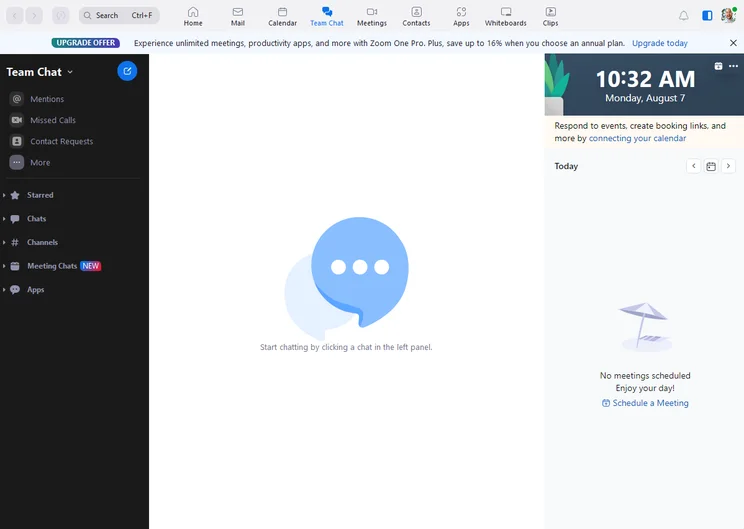
Zoom team chat
Image: Tech.co testing
Google Meet vs Zoom: Pricing Compared
Now that you understand more about the differences between Google Meet and Zoom, let’s see how they stack up against each other when it comes to price.
For starters, you’ll notice that Google Workspace (which includes Google Meet) is notably more affordable than Zoom. The starting price, in particular, is staggeringly different with Google Meet starting at only $6 per month and Zoom starting at $16 per month.
More expensive plans even out a bit, with subsequent plans from Google Meet costing $12 and $18 per month, respectively, and Zoom plans costing $20 and $25 per month, respectively. Given that Google Meet comes with all the Google Workspace tools, it’s hard to argue that Google isn’t clearly the better value.
Google Meet vs Zoom Free Options
If you’re looking for a simple video chat option for social events and short meetings, you’re in luck. Both Google Meet and Zoom offer a free option with more than enough features to handle whatever you need to do.
Google Meet and Zoom both offer excellent free options. Both allow for 100 participants, with Google Meet limiting meetings to 60 minutes and Zoom limiting them to only 40 minutes.
All in all, Google Meet and Zoom free plans are quite similar when it comes to features as well. Both allow for basics like screensharing, reactions, and team chat, which virtually every meeting software allows for in 2023. One difference is that Zoom allows for local recording, whereas all recording for Google Meet is relegated to paid plans.
Google Meet Pricing Plans
If you need added features, longer meetings, or more participants, opting for the paid Google Meet option is likely to be your next step. Fortunately, the paid versions of Google Meet are quite affordable, and they really add a lot.
Dubbed Google Workspace, this all-in-one hub gives you access to more than just Google Meet. You’ll also get business-focused access to a wide range of Google tools, like Docs, Sheets, Drive, Calendar, Forms, Jamboard, and many others.
Google Workspace comes in four different pricing plans: Starter, Standard, Plus, and Enterprise. Each one allows for up to 300 users, except for the Enterprise plan which is unlimited. Each plan also sets a time limit on meetings of 24 hours.
The Starter plan will cost you $6 per user per month and allows for up to 100 meeting participants, as well as 30 GB of cloud storage for each user. The Standard plan comes in at $12 per user per month and allows for up to 150 meeting participants, as well as 2 TB of cloud storage for each user. Finally, the Plus plan costs $18 per user per month and allows for up to 250 meeting participants, as well as 5 TB of cloud storage for each user.
If you need more than that, you’re going to have to opt for the Google Workspace Enterprise package. This offers the same unlimited meeting time, and offers up to 250 meeting participants. You gain the ability to stream directly to social channels, plus you get access to Google’s intelligent noise cancelling technology for crystal clear calls.
Public pricing for the Google Workplace Enterprise plan is not available, so you’ll have to contact the sales department.

Try Google Workspace for Free
The 14-day free trial can get you started with Gmail, Drive, and Meet today.
|
Price
|
Licenses
|
Participants
|
Time limit
|
Whiteboard
|
Breakout rooms
|
||
|---|---|---|---|---|---|---|---|
|
|
|
|
|
|
|||
|
Free |
Starter |
Standard |
Plus |
Enterprise |
|||
|
Free |
On request |
||||||
|
1 |
up to 300 |
up to 300 |
up to 300 |
Unlimited |
|||
|
100 |
100 |
150 |
500 |
1,000 |
|||
|
60 minutes |
24 hours |
24 hours |
24 hours |
24 hours |
|||
|
|
|
|
|
|
|||
|
|
|
|
|
|
Zoom Pricing Plans
While the Basic plan for Zoom is pretty robust, there’s a good chance you might need more for your business, which is where its four affordable Zoom pricing plans – Pro, Business, Business Plus and Enterprise – can come in handy.
The Pro plan for Zoom comes in at $13.32 per month per license. It allows up to 9 licenses, and up to 100 meeting participants for a virtually unlimited amount of time (30 hours, which no meeting should even come close to). In addition to the free plan features, you get social streaming, online customer support, 1GB of cloud storage for meeting recordings, and reporting tools.
The Business plan for Zoom comes in at $18.32 per month per license. It requires at least 10 licenses and allows up to 300 meeting participants. In addition to previous features, you’ll also get company branding on meetings, phone support, managed domains, and the ability to label language interpreters in real time.
The Business Plus plan is available for $22.49 per month per license, and this is the first Zoom Workplace plan that includes Zoom Phone, the provider’s VoIP offering.
The Enterprise plan for Zoom doesn’t have any publicly available pricing, but requires at least 250 licenses, allowing up to 500 meeting participants. In addition to all the features from previous plans, you’ll also get access to features like transcription, executive business reviews, and special bundle discounts. Plus, you get a Customer Success Manager assigned to your team to guarantee Zoom is improving your business.
|
Price
|
Licenses
|
Participants
|
Storage
|
Time limit
|
||
|---|---|---|---|---|---|---|
|
|
|
|
|
|||
|
Basic |
Pro |
Business |
Enterprise |
|||
|
Free |
$14.16/user/month |
$15.58/user/month for the first year, then $18.33/user/month |
Custom pricing |
|||
|
1 |
1-99 |
1-250 |
Minimum 250 |
|||
|
100 |
100 |
300 |
500+ |
|||
|
Local only |
Local + 10GB cloud |
Local + 10GB cloud |
Local + unlimited cloud |
|||
|
40 minutes |
30 hours |
30 hours |
30 hours |
Google Meet vs Zoom: Mobile App
In the modern world, you need to have the best video conferencing app to go along with your software. Fortunately, both Google Meet and Zoom offer high quality mobile experiences that make it easy to communicate with your smartphone. But how do they stack up against each other?
Google Meet App
The Google Meet app is surprisingly bare bones compared to other web conferencing options out there, and even compared to other Google apps – and that isn’t necessarily a bad thing.
With many web conferencing solutions getting a bit complicated, Google Meet’s app offers a surprisingly basic, intuitive layout that, on the home page, allows you to do nothing more than start a new meeting, join a current meeting, view your upcoming meetings, and adjust settings.
Once you’re in a meeting, it’s even more straightforward. Video and audio buttons appear at the bottom to easily turn them on and off, with a “hang up” button between them. You can also access other settings, allowing you to screen share, turn on captions, and access the live chat.

Google Meet App Start Meeting Image: Tech.co testing

Google Meet App End Meeting Image: Tech.co testing
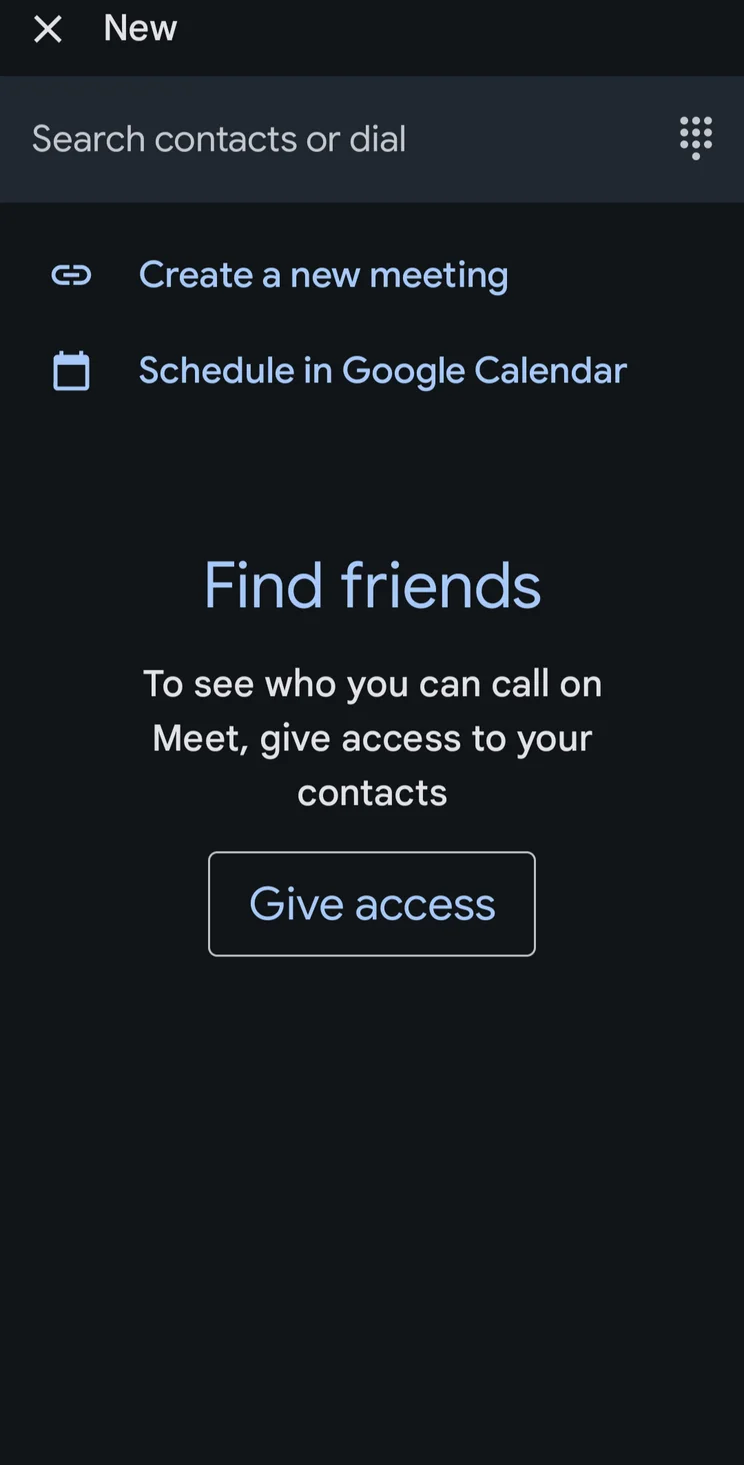
Google Meet App Find Contacts Image: Tech.co testing
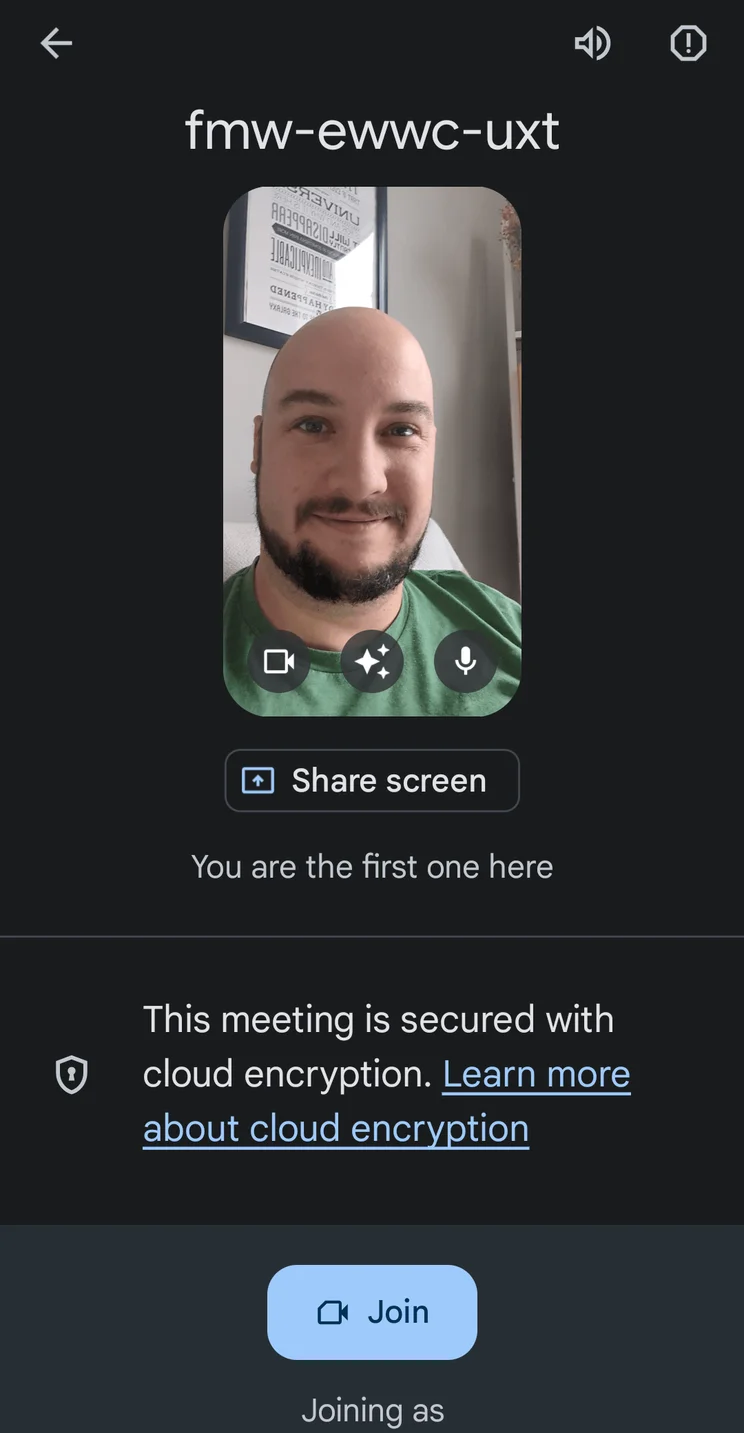
Google Meet App Preview Meeting Image: Tech.co testing
Google Meet app interface
Images: Tech.co testing
Zoom App
While Zoom is certainly the more intuitive of the two web conferencing platforms, its app is actually a bit more robust than the Google Meet app.
For one, it offers an assortment of panel options on the home page, including the “Meet & Chat” tab, which allows you to launch, join, and schedule meetings; the “Meetings” tab, which is effectively your calendar; and a contacts page, which you won’t find on Google Meet.
Once the meeting is started, the intuitive style is back. The basic layout makes it easy to talk to everyone at once, and you’ll be able to stop audio or video with a single click. You’ll be able to check out everyone in the meeting as well, giving pin and mute power to hosts. Zoom’s app even comes with a Safe Driving Mode, which turns off your video but still allows you to speak over audio.
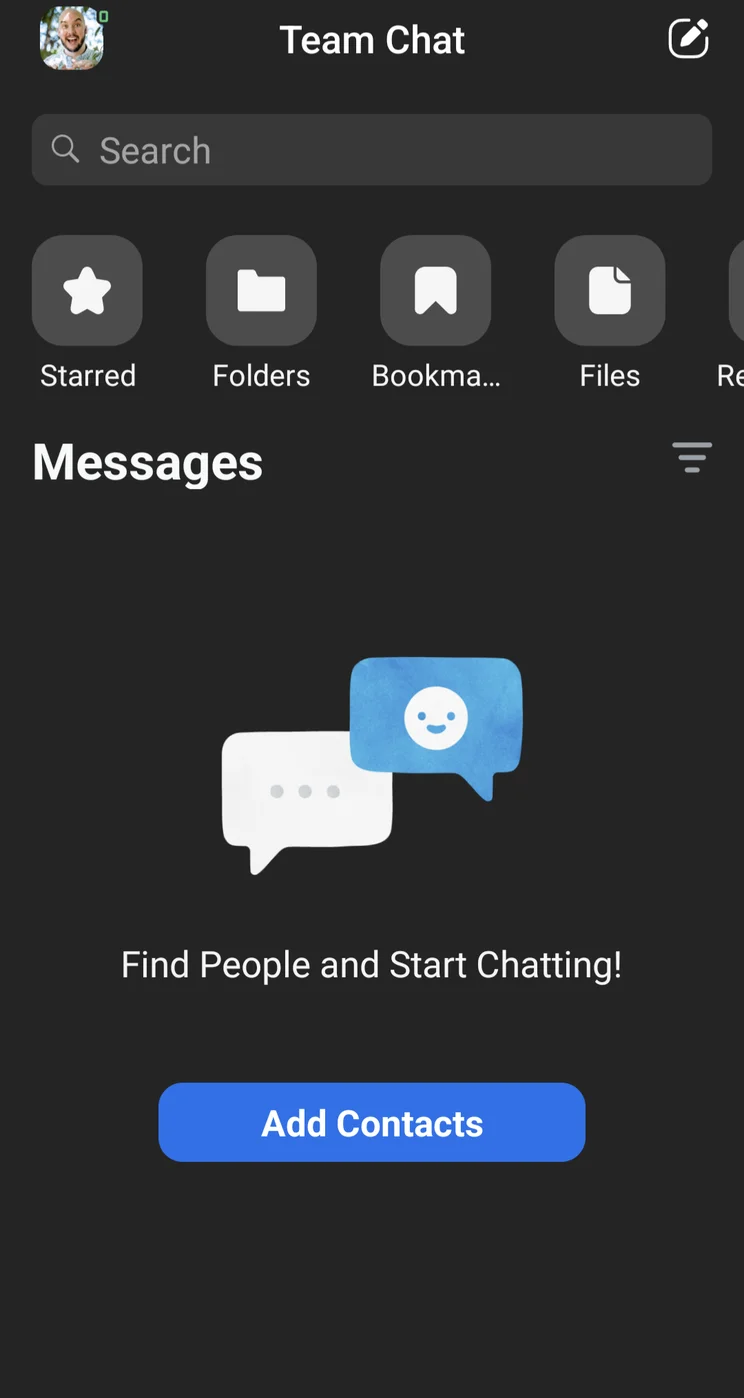
Zoom App Team Chat Image: Tech.co testing

Zoom App Home Page Image: Tech.co testing
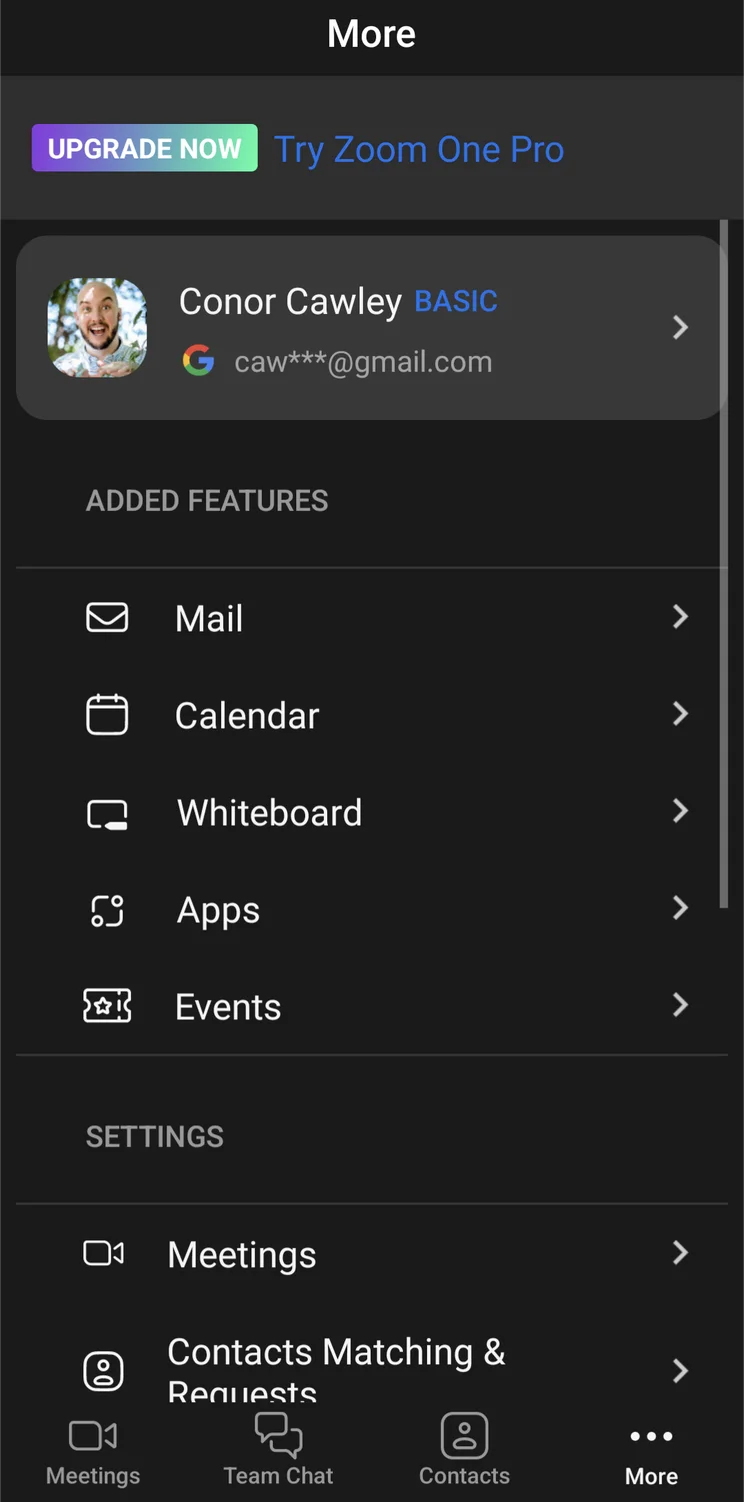
Zoom App More Menu Image: Tech.co testing

Zoom App Video Meeting Image: Tech.co testing
Zoom app interface
Images: Tech.co testing
Is Google Meet Safer than Zoom?
Lots of great features and cool mobile apps is all well and good. But when it comes to video conferencing software, you need to be sure you’re as secure as possible. Fortunately, both of these platforms offer solid security features across the board, no matter what you’ve heard in the past.
Security Concerns
You may have heard rumblings of security problems with Zoom at the beginning of the pandemic, and for good reason. Due to the staggering influx of users created by stay-at-home orders and remote work policies around the world, Zoom was inundated with huge security loopholes, allowing for breaches.
The coda to this saga: an $85 million class action settlement in August 2021, due in part to allegations that Zoom had shared its users’ private data with Facebook, Google and LinkedIn. Zoom has made security a top priority in the months since the events covered by the case, both improving encryption and adding more features, and as part of the settlement, the company will be adding new training sessions and additional security features.
From rolling out end-to-end encryption for all users to adding security features for hosts, you can be sure that Zoom is at least as secure as Google Meet, if not more secure, since Google Meet does not offer end-to-end encryption.
Security Features
Zoom offers end-to-end encryption, while Google Meet doesn’t. However, there are lots of other specific security features on each platform that can help you be a bit safer while video chatting with your team.
Google Meet Security Features
- Anti-abuse features (e.g. mute)
- 2-step verification
- Advanced Protection Program Enrollment
- Alert Center
Zoom Security Features
- Host controls (e.g. pin, mute)
- Personal meeting ID
- Waiting room for new participants
- Single-sign on
Alternatives to Google Meet and Zoom
We’ve gone through just about every comparison you can make between Google Meet and Zoom, but what if neither is the best fit for your business? If you’ve gotten all the way through this guide and still don’t think Google Meet or Zoom are right for you when it comes to video conferencing software, there’s no shame in that! There are plenty of alternatives out there that might be a better fit. In fact, our top video conferencing software choices for businesses are GoTo Meeting and Webex, depending on the size of your business.
Read more: GoTo Meeting vs Zoom
Take a look at some of Zoom alternatives and Google Meet rivals below to get a better idea of price points, features, pros, and cons before making a decision.
|
Starting price
The lowest starting price for a paid plan. The lowest price available for your business will depend on your needs
|
User rating
Average rating given by iOS and Android users in App Store and Google Play Store reviews
|
Best for
|
Pros
|
Cons
|
||
|---|---|---|---|---|---|---|
 |
 |
 |
|
 |
 |

|
|
RingCentral |
Microsoft Teams |
GoTo Meeting |
Zoom |
Webex |
Zoho Meeting |
Lifesize |
|
$10/user/month |
$4/user/month |
$14/month |
$14.16/user/month |
$12/month |
$1/month |
|
|
4.7
|
4.7
|
4.4
|
4.4
|
4.4
|
4.0
|
3.2
|
|
Security |
Microsoft 365 users |
Sound and video quality |
Beginners |
Larger businesses |
Value |
Users that need hardware |
|
|
|
|
|
|
|
|
|
|
|
|
|
|
Our research found that Google Meet is better than Zoom, as it’s not only more affordable, but also provides more features thanks to its seamless integration with the Google Workspace platform. It offers more features and functionality, lower prices on all plans, and the virtually endless integrations available through Google, making it perfect for small businesses.
Zoom still has a place for users, though. The intuitive interface is easier to use than the slightly more complex Google Meet, so beginners will feel a bit more comfortable, particularly with fun features like avatars and in-meeting quizzes. On top of that, Zoom offers end-to-end encryption for meetings in all plans (including free), and Google Meet doesn’t, which is why we gave the nod to Zoom on security.
Still, with all that functionality in Google Meet and Google Workspace, businesses that plan to grow beyond a simple video conferencing tool should definitely consider Google Meet.
Remember, if you want to get started with web conferencing software today, grab a quick quote to start communicating with your team more effectively.
Frequently Asked Questions
Google Hangouts is an old version of Google Meet that has since been discontinued. If you want to use video conferencing with Google for business, Google Meet and Google Workspace are the way to go.
On the desktop app, you do not need a Google account to use Google Meet. However, the host or someone from the organization will have to specifically allow you into the meeting.
On mobile devices, you will not be able to access Google Meet unless you have a Google or Gmail account.
At the start of the pandemic, the massive influx of Zoom users caused some pretty serious security issues. However, since then, the company has made a stern commitment to make security a priority, launching end-to-end encryption for all users. Suffice to say, no, Zoom is not a security threat… any more.
If you click on, sign up to a service through, or make a purchase through the links on our site, or use our quotes tool to receive custom pricing for your business needs, we may earn a referral fee from the supplier(s) of the technology you’re interested in. This helps Tech.co to provide free information and reviews, and carries no additional cost to you. Most importantly, it doesn’t affect our editorial impartiality. Ratings and rankings on Tech.co cannot be bought. Our reviews are based on objective research analysis. Rare exceptions to this will be marked clearly as a ‘sponsored’ table column, or explained by a full advertising disclosure on the page, in place of this one. Click to return to top of page


