
We may receive a commission from our partners if you click on a link to review or purchase a product or service. Click to Learn More
Formerly called Zettle, the PayPal Point of Sale system has no monthly cost, but it does charge per-transaction, and this starts at 2.29% of the sale, plus nine cents. The service is one of the more affordable options available to small business owners right now, so it’s definitely a good choice for those looking to keep POS costs down.
Our researchers scored PayPal POS across a range of areas, and its low pricing was the best thing about it. For this reason, it’ll best suit pop-up stores, market traders, food trucks, and small retail startups.
That being said, PayPal POS doesn’t offer great features or support when compared with other POS systems, such as Square. So if you’re still on the fence, consider taking a minute to gather quotes from all of the best POS competitors. All you need to do is give us a few details about your business, and our trusted partners will get back to you with obligation-free quotes.
|
Plan
|
Transaction fees
|
Fees for 10 sales, averaging $20 each
|
Fees for 50 sales, averaging $20 each
|
Fees for 250 sales, averaging $20 each
|
Fees for 600 sales, averaging $20 each
|
|
|---|---|---|---|---|---|---|

|
|
|
|
|||
|
Fee w/ Card |
Fee When Keyed In |
Invoice Fee |
Cash Transaction Fee |
|||
|
2.29% + 9¢ |
3.49% + 9¢ |
3.49% + 49¢ |
None |
|||
|
$5.48 |
$7.88 |
$11.88 |
$0 |
|||
|
$27.40 |
$39.40 |
$59.40 |
$0 |
|||
|
$137 |
$197 |
$297 |
$0 |
|||
|
$328.80 |
$472.80 |
$712.80 |
$0 |
PayPal POS Fees & Transactions Explained
PayPal POS has no monthly fee, and there are no plan tiers. However, it does offer four types of per-transaction fees:
- Card-present transactions (insert or swipe) and QR code transactions –2.29% + 9 cents
- Keyed-in transactions (card number typed into system) – 3.49% + 9 cents
- Invoice fees – 3.49% + 49 cents for PayPal payments, 2.99% + 49 cents for alternative payment methods
- No fee for cash transactions
Our team scored PayPal POS across six research categories, and the service earned a strong score for pricing, due, in large part, to the generous free plan and reasonable transaction fees. As we said in the intro, this means PayPal POS will only really be a good fit for small retail businesses, pop-up stores, and food trucks since the per-transaction fee becomes prohibitive with numerous transactions.
That being said, PayPal POS is still a really great option for novice POS users. During our research, our testers praised PayPal POS’s easy-to-use and intuitive software, particularly when using the front end.
Established restaurants will want something more advanced, however. Therefore, our researchers gave PayPal POS fairly low feature scores – it doesn’t contain things like built-in email marketing or even the option to create floor plans, which could certainly be limiting for some restaurants.
Square and Clover POS both offer more features while remaining competitively priced; however, so were awarded slightly better pricing scores than PayPal POS.
How Much Does PayPal POS Hardware Cost?
Card reader
The first card reader will cost $29, plus tax. Each additional reader after the first will cost $79, plus tax.
PayPal POS currently sells an all-in-one card reader which supports chip cards, contactless (NFC) cards, Apple Pay, Samsung Pay, and Google Pay. With a battery life of eight hours or 100 transactions, it connects via Bluetooth and promises to process credit cards in 10 seconds or less.
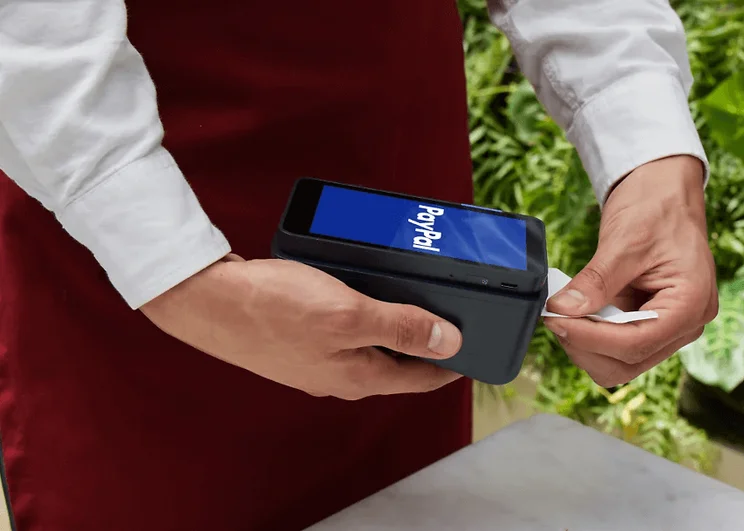
PayPal’s card reader docks are portable and can print receipts. Source: PayPal POS
Card reader dock
PayPal POS’s card reader dock costs $49 plus tax.
Our research found that if your operation sometimes processes more than 100 transactions in a day, or stays in operation longer than eight hours at a time, the battery life of PayPal’s card reader won’t be enough. The reader will stay charged through a micro USB port as long as the dock is plugged in.
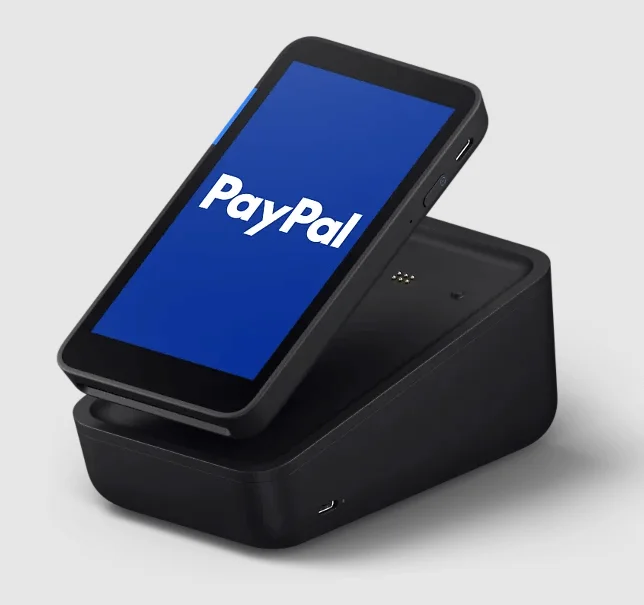
The PayPal POS terminal connects to the magnetic base of the printer and dock. Source: PayPal POS
Terminal
Several different configurations are available:
- Terminal only: $199
- Terminal with built-in barcode scanner: $239
- Terminal kit with printer and dock: from $269
Terminals will take an hour and a half to charge, for a battery life of twelve hours or 4-6 hours with “intensive use.” It can accept everything a card reader can, and will accept QR codes without requiring a smartphone or tablet like the card reader does.
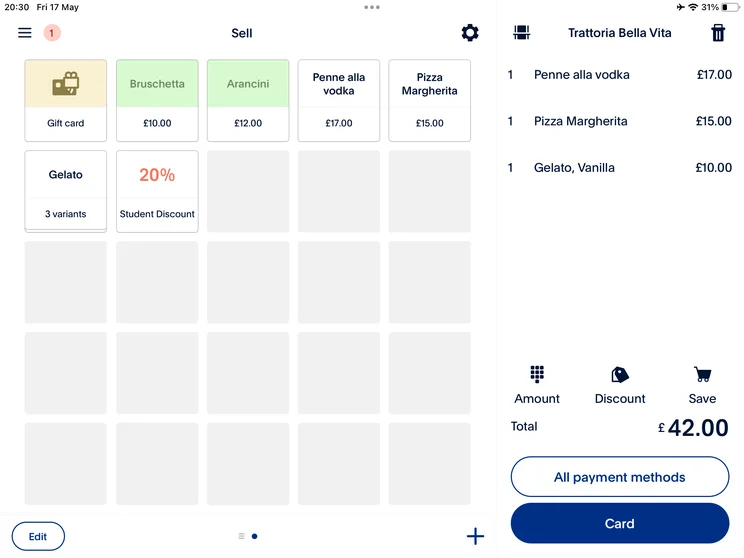
Users will see a view similar to this when an order is placed through PayPal POS. Source: Tech.co testing
The only upfront cost to getting started with PayPal POS is buying hardware. This is a one-time cost, but depending on what you’re getting, it can add up quickly. All readers and terminals must be paired with the PayPal POS app, which is free to download.
Does PayPal POS Have a Free Plan?
PayPal POS is only available as a free plan. With PayPal POS, businesses are not charged a monthly fee at all: just one plan is available, and users have access to all of its features and functionality.
Developers can set up a demo account in PayPal POS to test a software development kit, but that’s likely not helpful for the typical customer who just wants to test out PayPal POS’s interface and features. For that, our researchers would recommend setting up a free account.
If you’re interested in free POS solutions for your business, you can take a look at our roundup of the best.
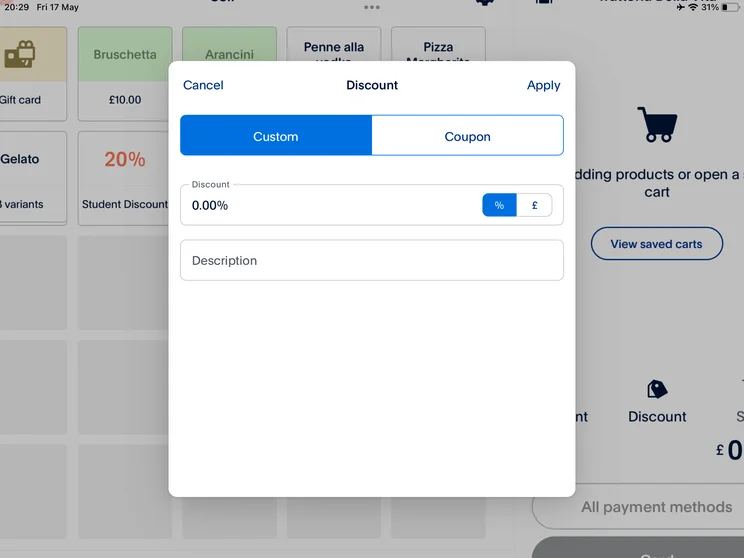
We found it easy to set up discounts in PayPal POS. Source: Tech.co testing
Does PayPal POS Have Any Extra Fees?
PayPal POS doesn’t have much in the way of unexpected fees. You won’t pay a software subscription fee, so there’s no chance of an unexpected renewal cost or a deal running out without warning.
However, you will need to have hardware, and some price changes could catch you by surprise: the first card reader will just cost $29, for instance, compared with the $79 charge for each additional one purchased. You’ll also have to pay taxes on hardware devices.
PayPal POS’s last price hike was in 2024. The cost for PayPal invoice payments was 3.49% + 9 cents per transaction, and was increased to 3.49% + 49 cents.
We’ll be updating this box with any new PayPal POS price changes as they happen.
How Does PayPal POS Pricing Compare With Other POS Providers?
PayPal POS does have great pricing, but it only offers a few features with low-end support, which places it below most of the top services we’ve looked at, including our top three picks: Square POS, Lightspeed, and Epos Now.
Here’s a table to further highlight the differences between all of the best POS systems on the market that we tested:
|
Price
The typical lowest starting price. The lowest price available for your business will depend on your needs
|
Best for
Tech.co's verdict to help you identify the most suitable choice for your retail business
|
Lowest transaction fee
The lowest possible fee that will be incurred with each transaction
|
Key benefits
|
Drawbacks
|
Get started
|
||
|---|---|---|---|---|---|---|---|
|
|
 |
 |
 |
 |
|||
|
PayPal POS |
Square POS |
Lightspeed |
Epos Now |
Shopify POS |
|||
|
Free |
Free |
From $89/month |
Around $39-$79/month |
From $0/month |
|||
|
Best for a managing sales on-the-go free option |
Ease of use |
Managing multiple stores |
Convenience stores with large inventories |
Managing in-store and online sales in one platform |
|||
|
2.29% + 9¢ |
2.4% + 15¢ |
2.6% + 10¢ |
2.6% + 10¢ |
2.4% + 10¢ |
|||
|
|
|
|
|
|||
|
|
|
|
|
|||
| Compare Prices | Try Square | Compare Quotes | Compare Quotes | Try Shopify |
PayPal POS is free to get started, making it a potential pick for smaller operations that want to get off the ground quickly.
However, it doesn’t offer more than what Square POS gives you – it’s also free, and our research team ranks it much higher overall. When compared with Square, PayPal POS lacks email marketing, offline mode, or loyalty tools.
Even though our researchers ultimately rank it low on our list of the best POS systems, PayPal POS isn’t bad. Overall, it still offers great pricing options – including its hardware and transaction fees.
You can read more about the system’s pros and cons in our full PayPal POS review, or you can see how all the top providers compare with our handy quote-matching tool.
How We Rated POS Providers
Our team of researchers combed through every feature and benefit of all the top point-of-sale systems on the market today. To gain an accurate understanding of how they compare, the team broke down each POS brand into six research categories: hardware, software, help & support, customer score, pricing, and usability.
Every relevant feature within each category was rated for all the top brands, allowing them to be easily compared and contrasted against each other.
Finally, Tech.co’s researchers compiled every brand’s category scores to create a single overall score. This way, our experts can stack each service against the others across any of these categories as well as in general. You can read through our full list of the best retail POS systems for a full examination.
PayPal POS Pricing FAQs
The PayPal POS system does charge transaction fees and a one-time hardware cost, but it does not have monthly charges.
“PayPal Here” is a now-defunct PayPal point-of-sale service: it was replaced by Paypal Zettle in 2021, which has now rebranded to “PayPal POS.”
Transactions are accepted via contactless and card payments, and through Apple, Samsung, and Google Pay.
Visa, Mastercard, American Express, JCB, UnionPay, Diners Club, Discover, Maestro, Visa Electron, and V Pay are accepted.
PayPal POS is free in the sense that you won’t have to pay any upfront costs to start using it, which sets it apart from many competing POS systems. However, it does still charge per-transaction fees, starting at 2.29% of the total transaction cost, plus 9 cents. Users will also need to purchase hardware for a one-time fee, starting at $29 for a card reader.
If you click on, sign up to a service through, or make a purchase through the links on our site, or use our quotes tool to receive custom pricing for your business needs, we may earn a referral fee from the supplier(s) of the technology you’re interested in. This helps Tech.co to provide free information and reviews, and carries no additional cost to you. Most importantly, it doesn’t affect our editorial impartiality. Ratings and rankings on Tech.co cannot be bought. Our reviews are based on objective research analysis. Rare exceptions to this will be marked clearly as a ‘sponsored’ table column, or explained by a full advertising disclosure on the page, in place of this one. Click to return to top of page


