

We may receive a commission from our partners if you click on a link to review or purchase a product or service. Click to Learn More
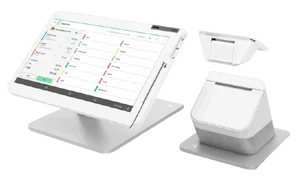
The best cash register for small businesses is the Clover Station Duo, thanks to its intuitive interface for beginners and its modern, responsive hardware, with advanced features like haptic feedback and biometric login.
For a more affordable solution, the Square Register is a similarly easy to use POS system that comes with no monthly subscription cost, although you will have to pay transaction fees on every purchase.
There are a lot of top tier cash registers on the market in 2026, and this guide will showcase some of the best POS systems, highlighting their pros, cons, features, and pricing, so you can make the right choice for your business.
- The best cash register POS system is the Clover Station Duo, with an easy-to-use interface and modern device features, like haptic feedback and fingerprint readers.
- The most affordable is Square Register, which is a good option for those trying to save money, because it comes with no monthly cost for access to the provider’s POS software.
- Pricing for cash registers and POS system hardware can range substantially, from $600 to nearly $2,000 for full-on countertop devices.
- Some POS systems require software subscriptions as well, which you will have to pay on a monthly basis.
- Cash register versus POS systems — traditional cash registers are available for a slightly lower price, but they’re far less functional for modern businesses that want to be able to accept all kinds of payments, like Apple Pay.
What’s the Difference Between Cash Registers and POS Systems?
Traditional cash registers are basic countertop machines that can perform basic business transactions like totaling, displaying, and recording sales, while point of sale (POS) systems are a combination of hardware and software with more advanced sales features.
There are a lot of features that are available with POS systems that aren’t available with cash registers, including inventory management, customer data, employee login, and loyalty programs. POS systems also integrate with other platforms, so you can have a more complete all-in-one hub for your sales information.
In 2026, you’d be doing your business a disservice in purchasing a traditional cash register when there are so many affordable and highly functional POS systems available.
|
Track sales
|
Track inventory
|
Paperwork
|
Reporting/analytics
|
Staff management
|
Accounting integration
|
Email marketing
|
Loyalty features
|
Gift card
|
|
|---|---|---|---|---|---|---|---|---|---|
|
POS systems |
Cash registers |
||||||||
|
|
|
||||||||
|
|
|
||||||||
|
Digital |
Paper |
||||||||
|
|
|
||||||||
|
|
|
||||||||
|
|
Limited |
||||||||
|
|
|
||||||||
|
|
|
||||||||
|
|
|
Who should use a POS?
- Businesses looking to grow their base
- Businesses with large or complex inventories
- Businesses that depend on card payments
- Businesses looking to improve efficiency
- Businesses with multiple locations
- Mobile vendors
- Multi-location vendors
Who should use a cash register?
- Low-tech traditional brick-and-mortar vendors
- Businesses with smaller budgets
- Single-location businesses
- Cash-based businesses
- Businesses that want a low-fuss solution
The best contemporary POS registers have built-in payroll management features and will let you track customer purchase histories, as well as all of your business’ sales and refunds.
If you want to be able to easily access crucial data about your business and use it to drive the decisions you’re making on a daily basis, then I’d advise getting a POS system rather than a basic cash register.

Best POS Cash Registers for Small Business
We’ve done hours of in-depth, hands-on research to evaluate which POS system cash registers are the best for small businesses. Here are our top picks:
- Clover Station Duo – Best all-around POS cash register
- Square Register – Best for retail businesses
- Toast Countertop Kit – Best for full-service restaurants
- Epos Now Hospitality POS System – Best for growing businesses
- SumUp POS Lite and Solo Bundle – Best for small counter service sellers
|
Price
The typical lowest starting price. The lowest price available for your business will depend on your needs
|
Monthly subscription
How much you'll have to pay per month for access to POS software
|
Transaction fees
|
Best cash register for
|
Key benefits
|
Drawbacks
|
||
|---|---|---|---|---|---|---|---|
|
BEST ALL AROUND
 |
 |
 |
 |
 |
|||
|
Clover Station Duo |
Square Register |
Toast Countertop Kit |
Epos Now Hospitality POS System |
SumUp POS |
|||
|
$1,899 |
$799 |
Free |
$299 |
$499 |
|||
|
$84.95/month |
Free |
Free |
$39/month |
Free |
|||
|
2.3% + 10¢ |
2.6% + 15¢ |
3.09% + 15¢ |
2.6% + 10¢ |
2.6% + 10¢ |
|||
|
Food businesses looking for a feature-rich hardware and software package |
Almost all businesses, the Square Register is stylish and easy to use |
Businesses with Android hardware |
Businesses looking to get set up fast |
Best for small counter service sellers |
|||
|
|
|
|
|
|||
|
|
|
|
|
1. Clover Station Duo: Best POS Cash Register Overall
- Price: $1,899 + $84.95 per month
- Transaction fee: 2.3% + 10¢
The Clover Station Duo earns the top spot due to its exceptional ease of use and responsive, modern hardware. During our testing, we found it easy to complete complex tasks, and its built-in software packages offer robust features for both retail and hospitality.
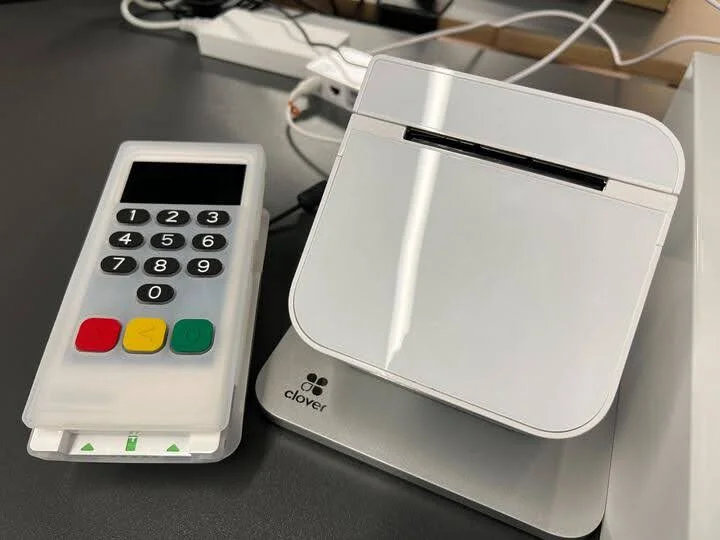
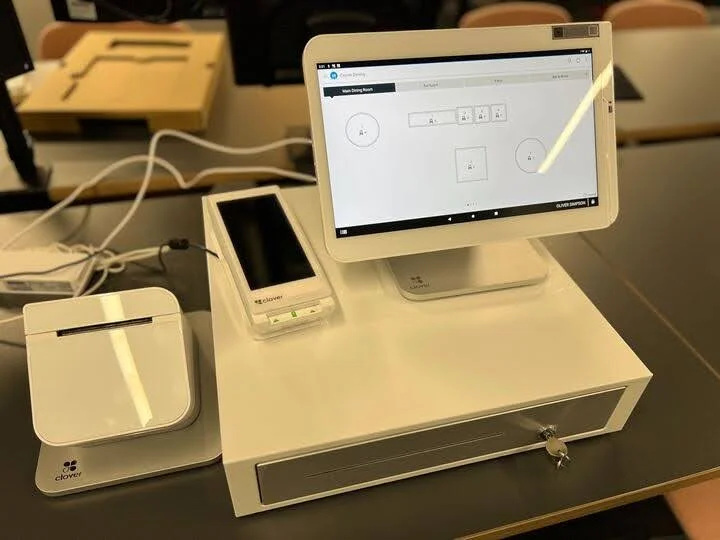
Clover Station Duo includes a 14-inch merchant-facing display, a 7-inch customer screen, a receipt printer, and a cash drawer.
Clover POS

In Short
-
Pros
- Solid range of hardware options
- 90-day free trial (software-only)
- Low transaction fees
-
Cons
- Need pre-existing website, unlike, for example, Shopify
- Additional features cost extra and can become expensive
- No inter-store transactions
Pricing
-
 Cheapest Retail plan: $16/month
-
Transaction rates from 2.3% + 10¢ (Standard and Advanced)
Images
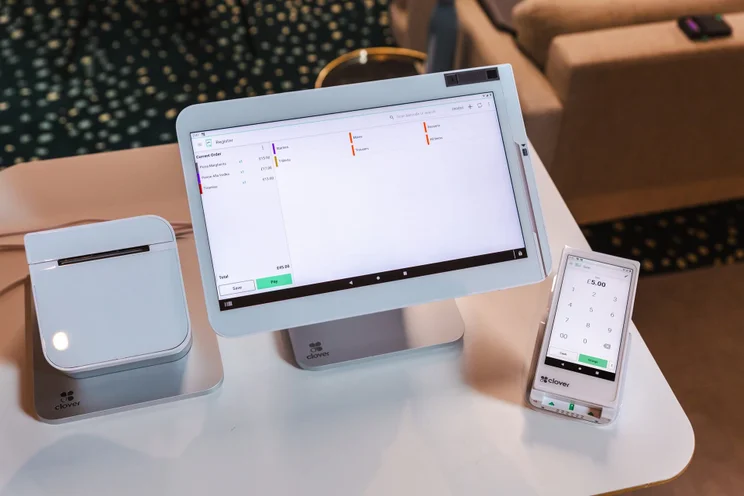
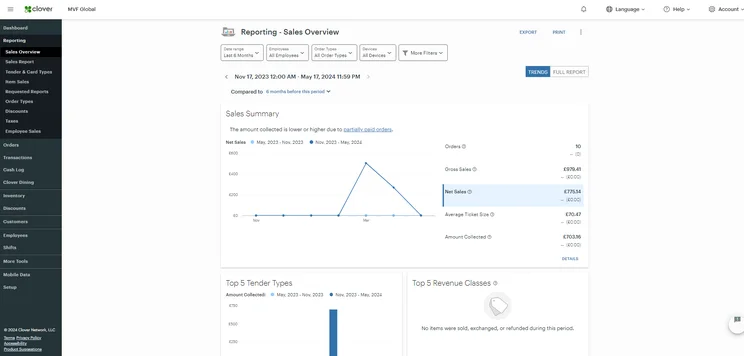
What makes the Clover Station Duo a good cash register?
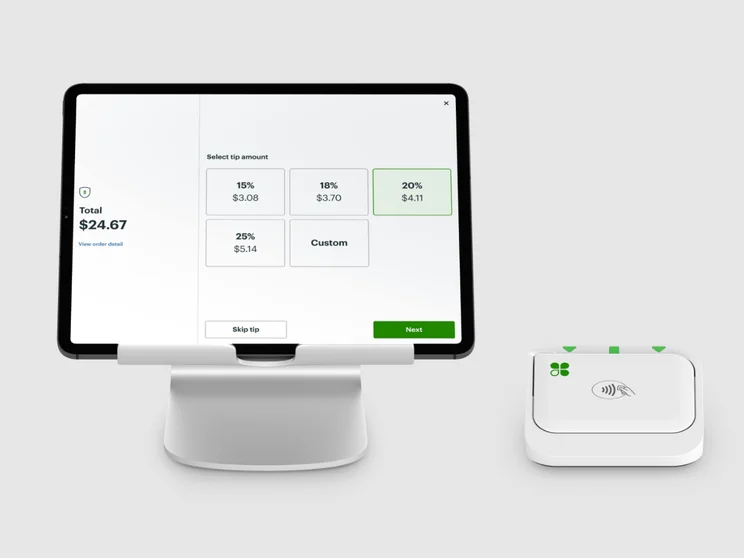
The Clover Station Duo is our clear top choice as a POS cash register for a few reasons. For one, our hands-on research found it to be extremely easy to use, with very responsive controls, haptic feedback for selections, and biometric login for employees.
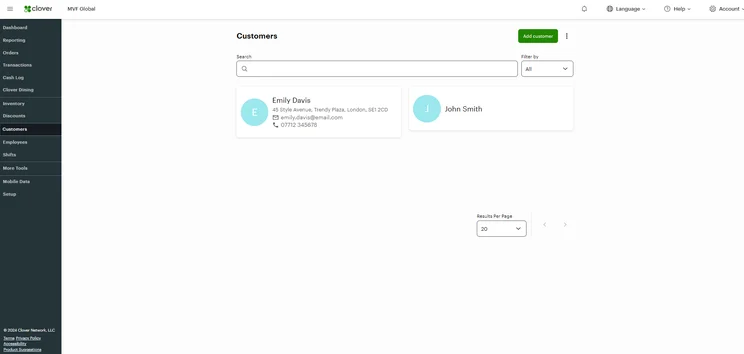
On top of that, the Clover Station Duo provides users with a test system, which we found very helpful in learning the platform, with step-by-step guidance for beginners.
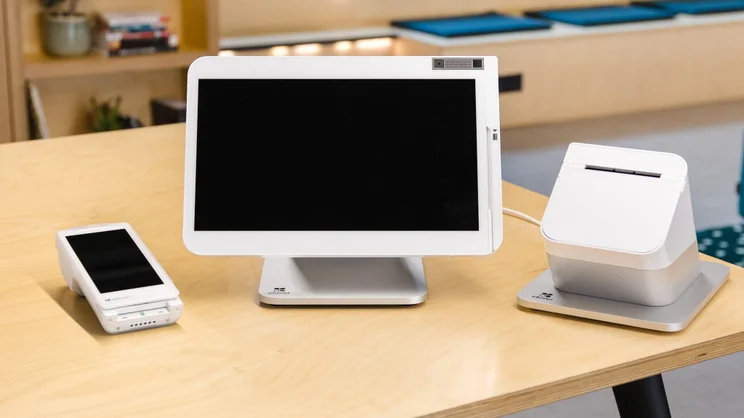
The Clover POS hardware range is a variety of sleek white devices. Source: Tech.co
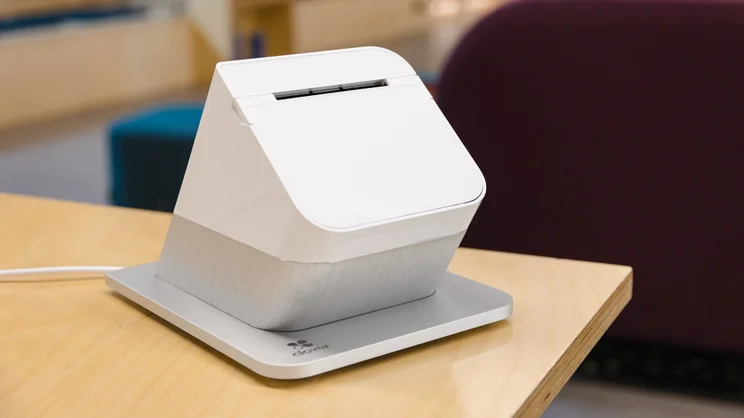
Clover receipt printer. Source: Tech.co
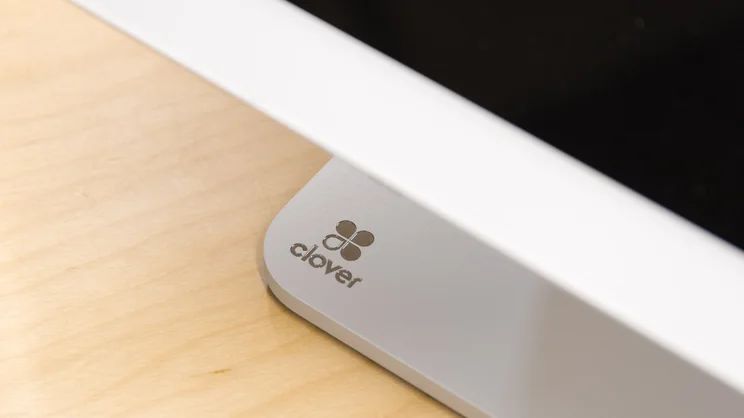
Close up of Clover Station Duo. Source: Tech.co
Clover’s professional range of hardware makes it a great choice for established restaurants and retailers. Source: Tech.co testing
Who is the Clover Station Duo best for?
The Clover Station Duo is a good POS cash register for any business that can afford it. The device and the accompanying Clover software are equipped with high-level restaurant and retail features, so any establishment will find them a good fit for their particular needs.
The only barrier to entry is the cost. The Clover Station Duo costs $1,899, plus the monthly charge for access to the Clover POS software, which is a minimum of $84.95 per month. Still, you very much get what you pay for with this POS system.
Check out our guide to Clover pricing for more information.
2. Square Register: Best for Retail Businesses
- Price: $799 + $0 per month
- Transaction fee: 2.6% + 15¢
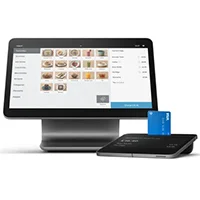
The Square Register is our top pick for retail stores because its software is extremely intuitive and provides access to the platform at no monthly cost. Its hardware is slick and popular, and we were particularly impressed with its powerful, automated tip-sharing and refunding features.
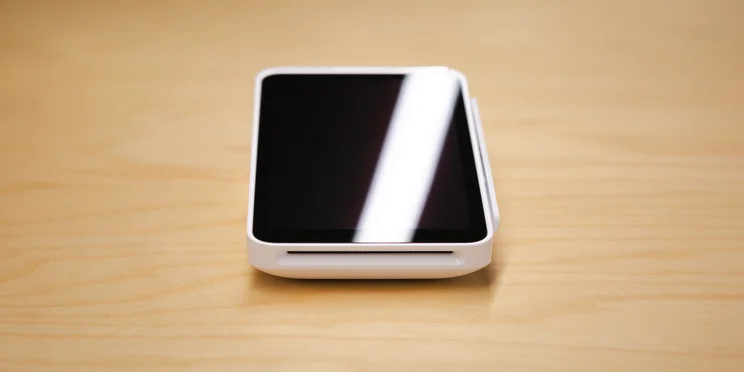
The Square Register includes a 13.27-inch merchant-facing display, a 7-inch customer-facing display, and an accessory hub.
Square POS

In Short
-
Pros
- Free to get started
- Serves businesses of all sizes and in all sectors
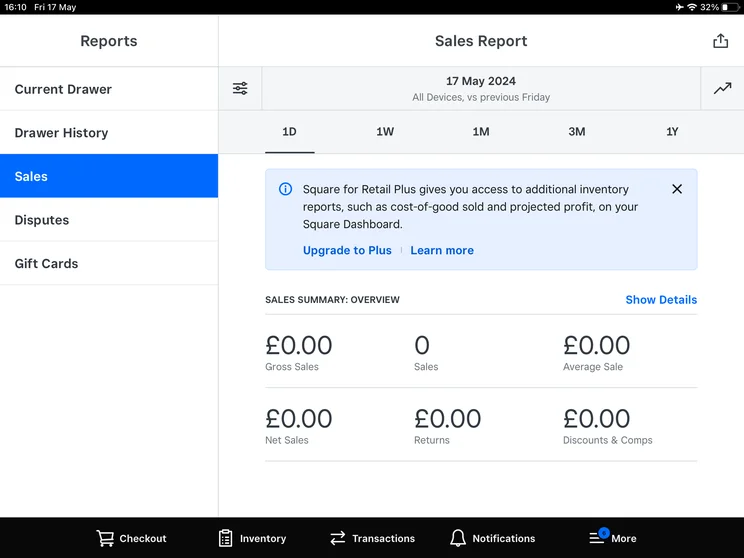
- Strong analytics, inventory, and third-party integrations
-
Cons
- Some necessary features for mid-sized businesses cost more
- 3.5% + 15¢ charge for keyed-in transactions on free plan
- Support options vary by plan
Pricing
-
 Square Free plan at $0/month
-
Square Plus plan at $49/month
-
Square Premium at $149/month
Images
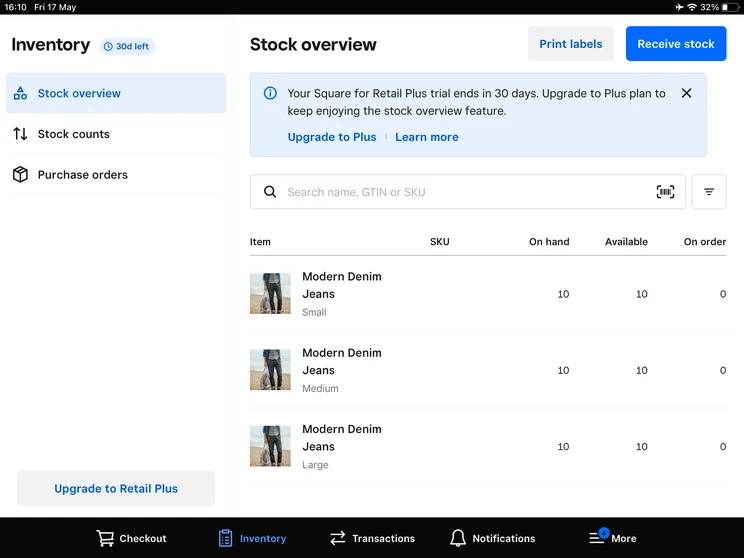
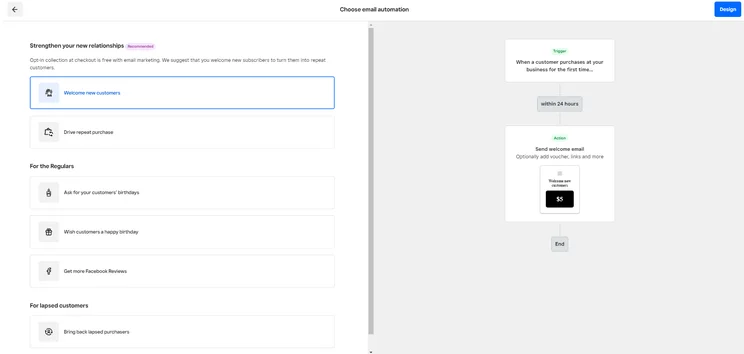
What makes the Square Register a good cash register?
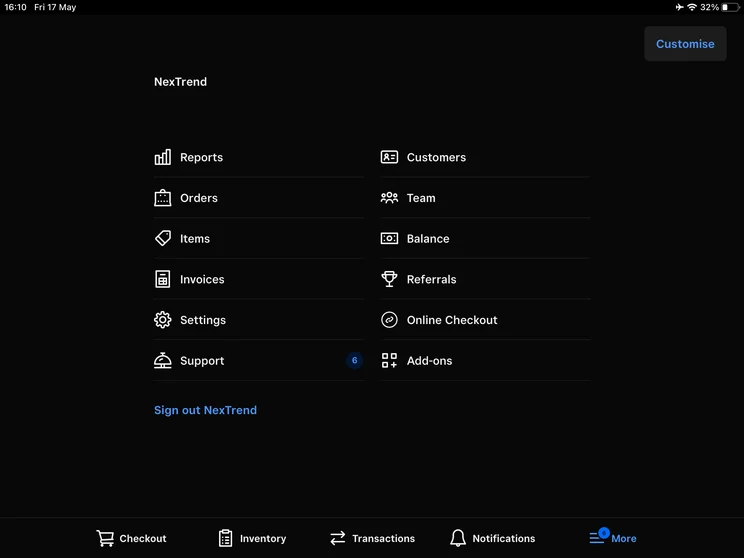
As a POS system, Square provides more sales features than any other POS system in our research. This means that, with the Square Register, you’ll get access to advanced functionality like offline payments to avoid connectivity issues, integrated customer engagement tools to drive more sales, and built-in multi-channel selling to diversity your store locations.
The real benefits of Square, though, is that you can get access to the software at no monthly cost thanks to the POS system’s free plan. However, you will have to pay transaction fees that are higher than other paid plans, like Clover, but if you need to save money to get started, Square is your best bet.
Check out our guide to Square pricing to learn more.
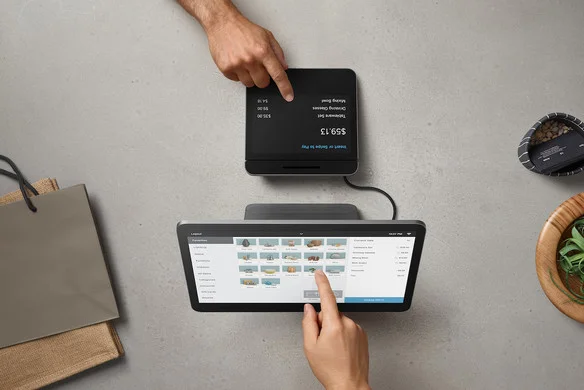
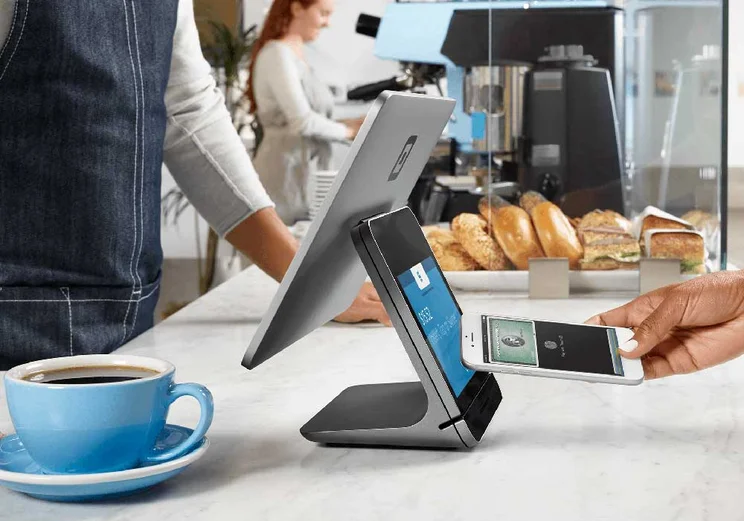
Square POS is one of our favorite POS offerings — its on-the-go touchscreen card reader is compact and lightweight. Source: Square
Who is the Square Register best for?
Square Register is the best cash register for retail stores. The built-in card readers makes sure that transactions are fast for customers and the accessory hub provides more functionality to the device, like receipt printers and bar code scanners.
Additionally, Square offers a fully integrated customer-facing display, which shows shopping cart, loyalty information, and payment options. Other providers like Clover and Toast require secondary tablets, mounts, or other add-ons for a customer-facing device.
For restaurants, though, the Square Restaurant system isn’t as functional, with a harder to navigate interface that is better suited for small food vendors rather than full-service restaurants.
Cash register pricing can look straightforward, but it often does not reflect how the system will be used long term. Entry-level hardware is relatively inexpensive, but it typically lacks the ability to track inventory, generate meaningful reports, or integrate with other tools.
The issue becomes clear as the business grows. Without proper tracking, owners end up spending more time reconciling sales, managing inventory manually, or replacing the system altogether. That creates both added expense and disruption to daily operations.
I would advise treating this as a business decision, not just a hardware purchase. If the operation is expected to remain simple, a basic register can work. If there is any plan to expand product range, volume, or locations, investing in a more capable POS setup early avoids having to replace the system later.

Sergio Corona is a retail industry advisor and manager with multi-market leadership experience across the U.S. and Mexico. His background spans global brands, including Levi Strauss & Co., Ralph Lauren, Adidas Group, Invicta, and Lovisa. He has overseen regional and country-level performance for various retail and outlet environments, including new store openings and market expansion.
3. Toast Countertop Kit: Best for Full-Service Restaurants
- Price: Free
- Transaction fees: 3.09% + 15¢
Toast is our top pick for full-service restaurants thanks to its robust set of hospitality features aimed at food service, including table management options and menu modifiers, which allow you to easily change important aspects of your restaurant via the POS system, rather than having to head to the back office to jump on a computer to do so.
On top of that, Toast provides exceptionally accessible pricing with no upfront cost and no monthly fee, although the transaction fees are on the higher end.
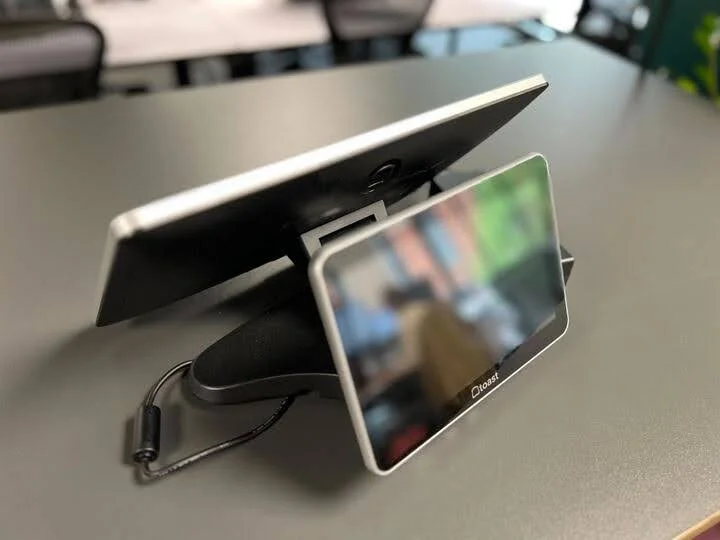
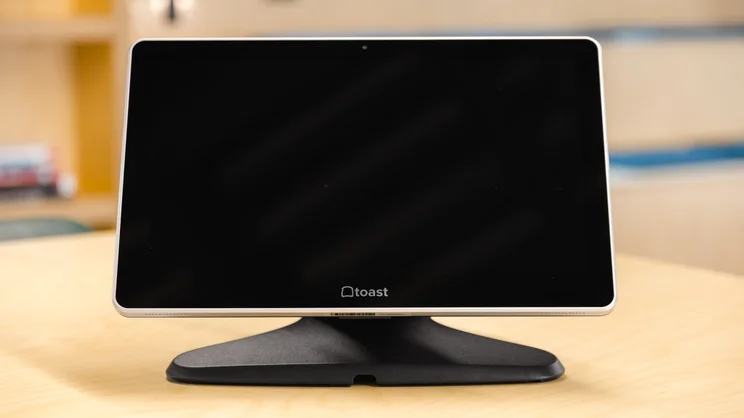
The Toast Countertop Kit includes a 14-inch merchant-facing display, a Toast Tap payment device, and a data security router. You can also purchase accessories, like cash drawers ($134.10), guest-facing displays ($225), and kitchen display screens ($674.10).
Toast

In Short
-
Pros
- Built-in customer engagement and loyalty program features
- Excellent inventory management tools, like stock alerts
- Support for tableside ordering and payment
-
Cons
- Main restaurant POS has no iOS compatibility
- No social media or email support
- No ecommerce app market integration
Pricing
-
Free pay-as-you-go plan available
-
POS pricing starts at $69/month
-
Transaction fee: 2.49% + 15¢
-
Customizable starter kits available
Images
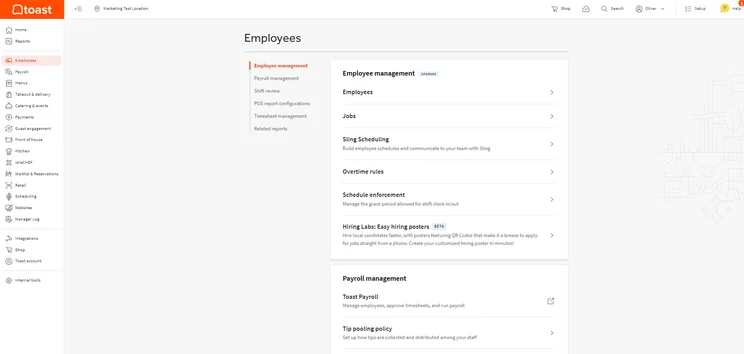
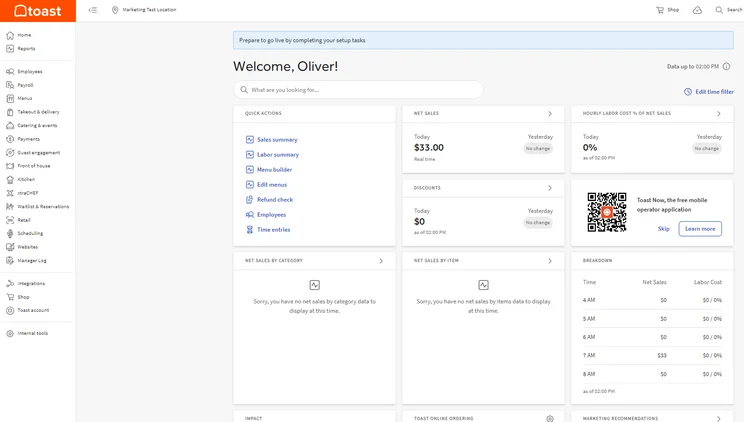
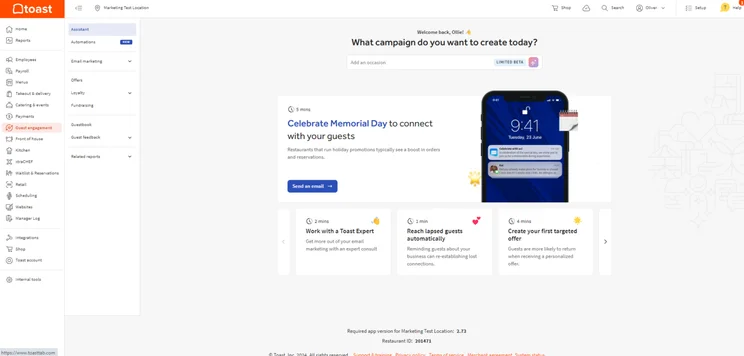
What makes the Toast Countertop Kit a good cash register?
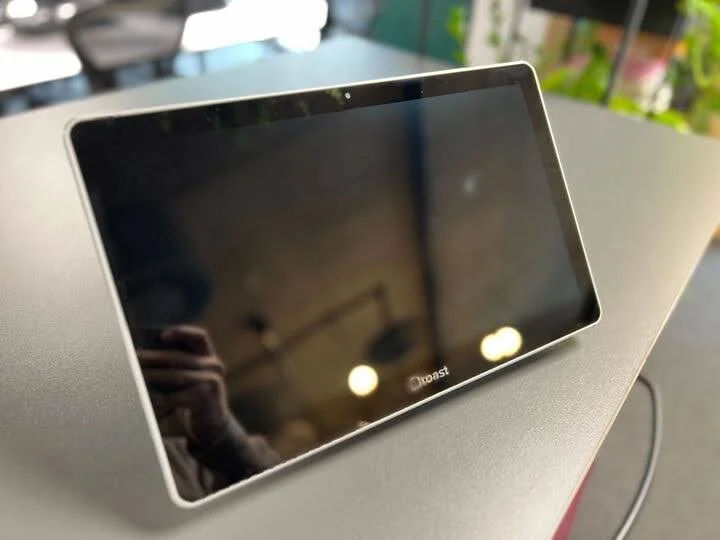
After testing out its Countertop Kit, we were impressed with how easy the platform was to use, considering its impressive array of hospitality features. We were also impressed with how sleek the design of the terminal was, making the POS an ideal option for businesses with a preference for modern, minimal aesthetics.
The Toast Countertop Kit is also a great option because the actual hardware is ruggedized, which means you won’t have worry about drops and spills in a busy restaurant.
Toast POS
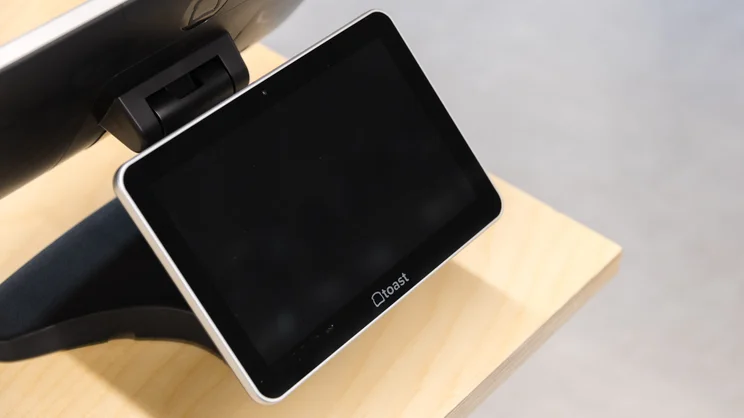
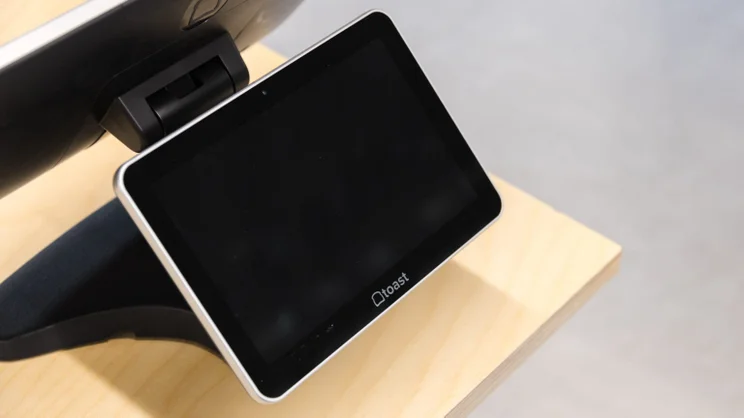
The dual screen for Toast makes customer interacts easier for your business. Source: Tech.co testing
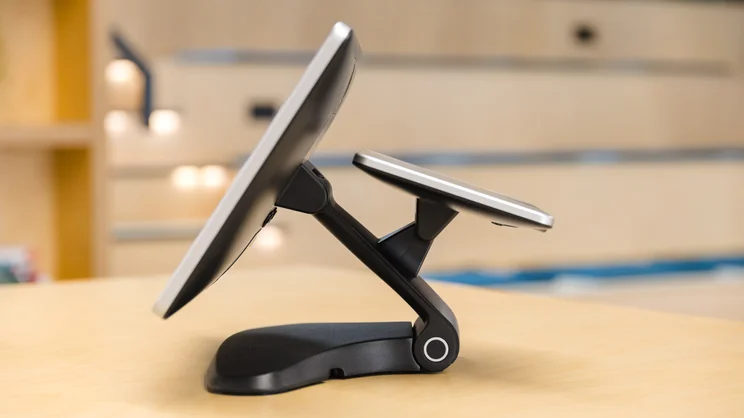
Toast offers top tier hardware options for your business. Source: Tech.co
Toast’s hardware options are of excellent quality and can be paid for in monthly installments. However, because they’re Android only, they’re incompatible with iOS devices. Source: Tech.co
Who is the Toast Countertop Kit best for?
The Toast Countertop Kit is great for full-service restaurants, because it’s packed with restaurant-specific features that give managers a granular level of control over their operations, including menu management, advanced inventory tools, and an impressive staff training mode.
Toast’s hardware and software packages are especially ideal for new businesses with little to no start-up costs. This is because the provider lets you get up and running for free, as long as you’re willing to pay slightly larger transaction fees. You can opt to pay a monthly fee to get lower transaction fees, which starts at $69 per month.
4. Epos Now Hospitality POS System: Best for Third Party Integrations
- Price: $299 + $39 per month
- Transaction fee: 2.6% + 10¢
Epos Now provides users with specialized POS options for both restaurant and retail, offering a lot of sales features, as well as third party integrations. In fact, we found it to have the most integrations available across our research.
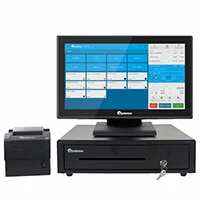
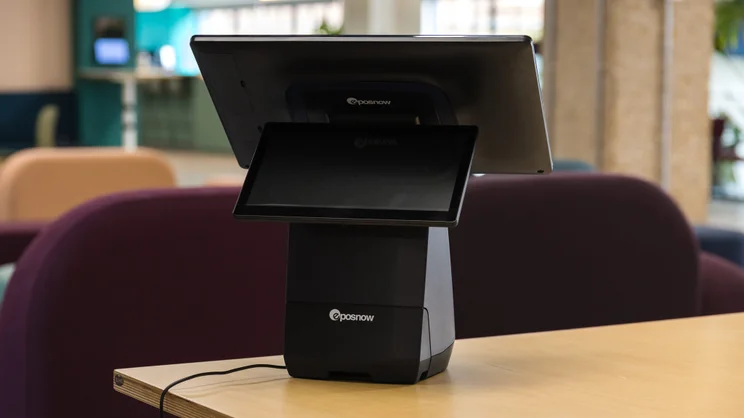
The Epos Now Complete System includes a 15.6-inch merchant-facing touchscreen terminal, a built-in receipt printer, and a metal cash drawer.
Epos Now

In Short
-
Pros
- Robust and granular inventory management tools
- Dedicated training mode to easily get staff used to software
- High quality hardware options available
-
Cons
- No option for automated tip sharing
- Can be confusing for users new to POS systems
- Hefty upfront fees
Pricing
-
Plans start at $39-$69/month
-
Additional registers are around $24/month
-
Hardware starts at around $299/month
Images
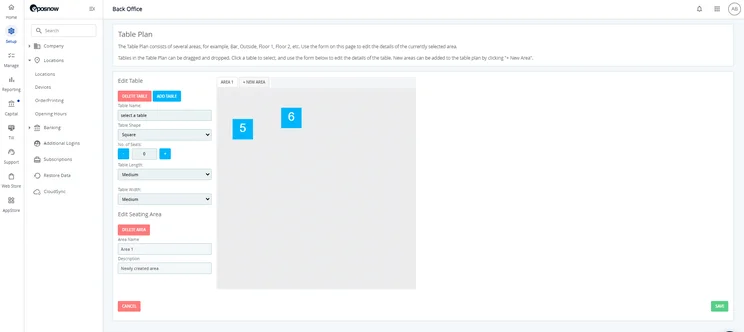
What makes the Epos Now Hospitality a good cash register?
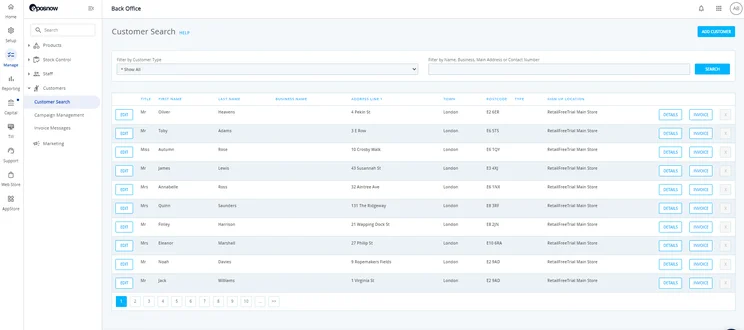
Epos Now offers the largest app library of POS systems across our research, providing more than 100 different integrations that can provide users with access to handy systems, like online ordering (Uber Eats), marketing (Mailchimp), ecommerce (Shopify), and accounting (QuickBooks).
For example, the EPOS Now integrate with UberEats will send online orders directly to your till and the kitchen. Additionally, when you update your menu on the EPOS Now system, the menu on your UberEats page will automatically update, avoiding any confusion for your team or your customers.
Additionally, the Epos Now POS system bundle provides a large, waterproof touchscreen that will help stop unwanted spillages, and it has a solid-state drive to bring super-speedy performance.
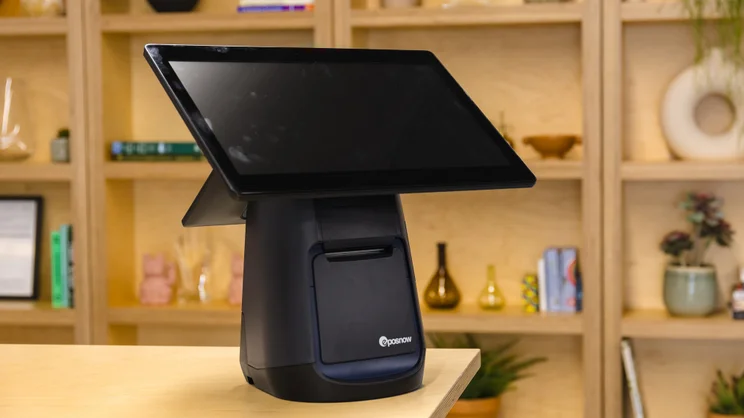
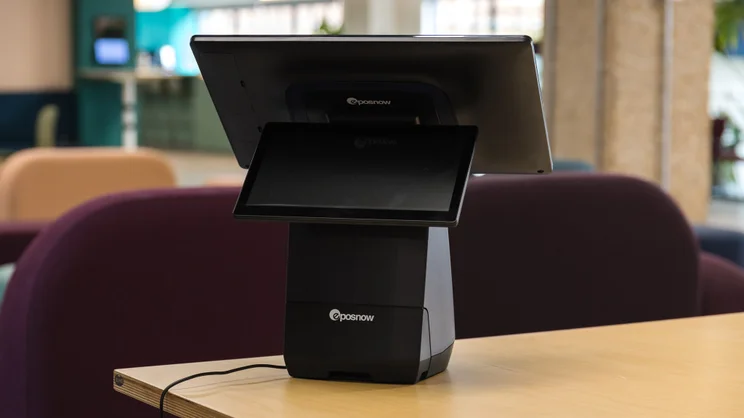
Epos Now Countertop's customer facing display gives customer a preview of important sales information. Source: Tech.co
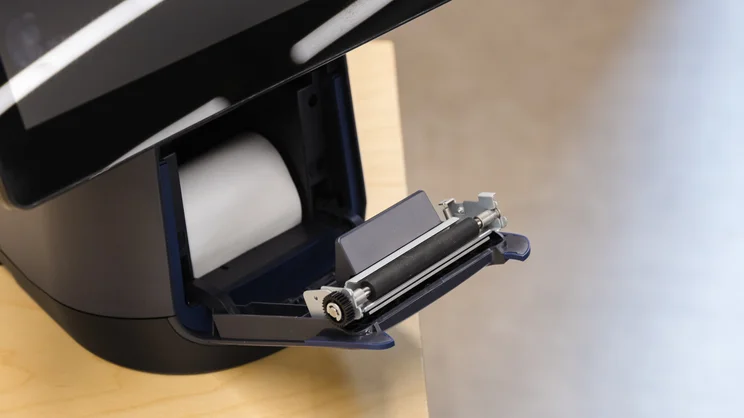
Epos Now receipt printer in its Countertop POS terminal. Source: Tech.co
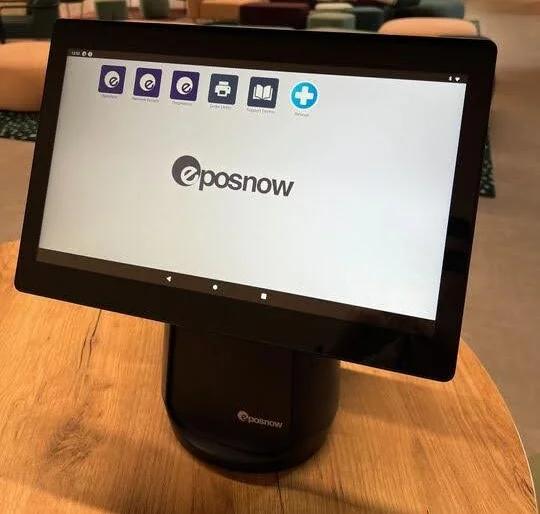
Epos Now terminal connects to a wide range of POS accessories. Source: Tech.co
Epos Now’s cash register is a great option for businesses that want to pay upfront and avoid recurring monthly fees. Source: Tech.co
Who is Epos Now best for?
Our research team found Epos Now to be a good choice for smaller, quick-service restaurants because its integrations make online ordering so easy. Plus, with flexible table management and inventory tools, you’ll be able to make changes easily on the terminal, like separating your inventory into eat-in and takeaway items.
Additionally, it offers an automatic offline mode and excellent employee management features, including employee permission rights and clock-in and clock-out functions.
5. SumUp POS Lite and Solo Bundle: Best for Counter Service Businesses
- Price: $499 + $0 per month
- Transaction fee: 2.6% + 10¢
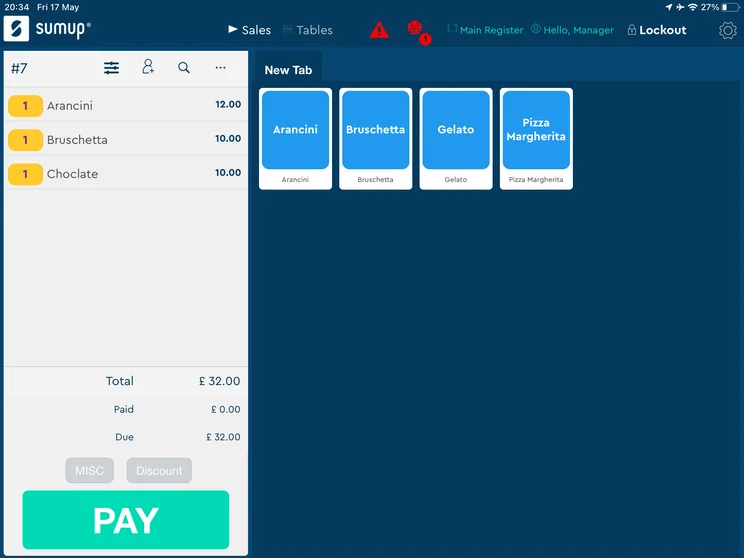
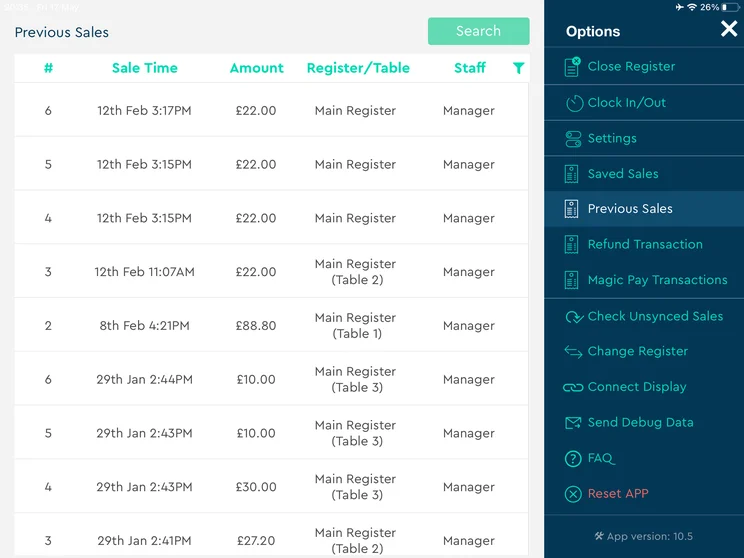
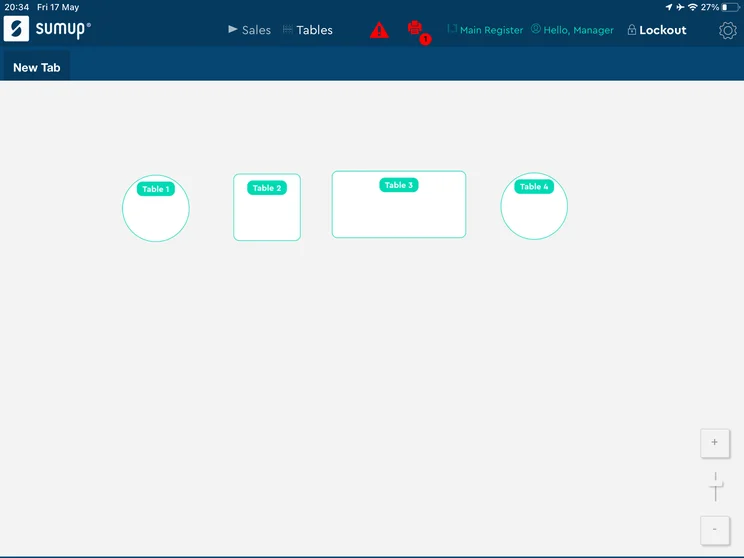
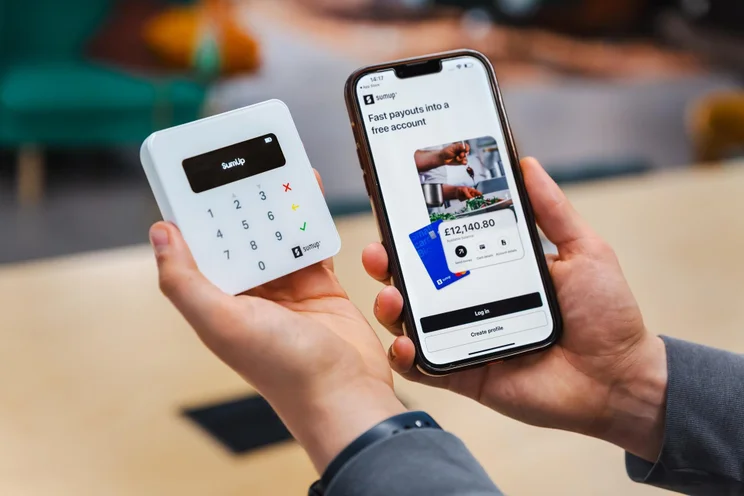
SumUp’s POS Lite and Solo Bundle is an all-in-one POS system that lets servers make orders, take payments, and access advanced capabilities, like reporting and stock control, all from one centralized location.
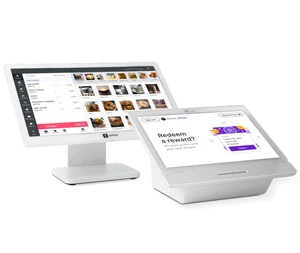
The SumUp POS Lite and Solo Bundle includes a 13-inch merchant-facing display, a handheld card reader, and a charging cradle.
SumUp

In Short
-
Pros
- Great range of hardware accessories for in-person selling
- Low monthly costs for small businesses on a budget
- Excellent stock management to track your inventory
-
Cons
- No customer display option
- No restaurant reservation system
- No handheld POS option
Pricing
-
Free plan: $0/month
-
POS with Connect Plus: $199/month
-
POS with Connect Pro: $289/month
Images
What makes the SumUp POS Lite and Solo Bundle a good cash register?
One of the best features of the SumUp POS Lite and Solo Bundle is the flexibility. Thanks to the portability and built-in unlimited data of the Solo card reader, you don’t have to worry about Wi-Fi connectivity to make sales.
The SumUp POS Lite and Solo Bundle also comes with the SumUp POS software pre-installed, so you won’t have to endure any complicated onboarding for your team.
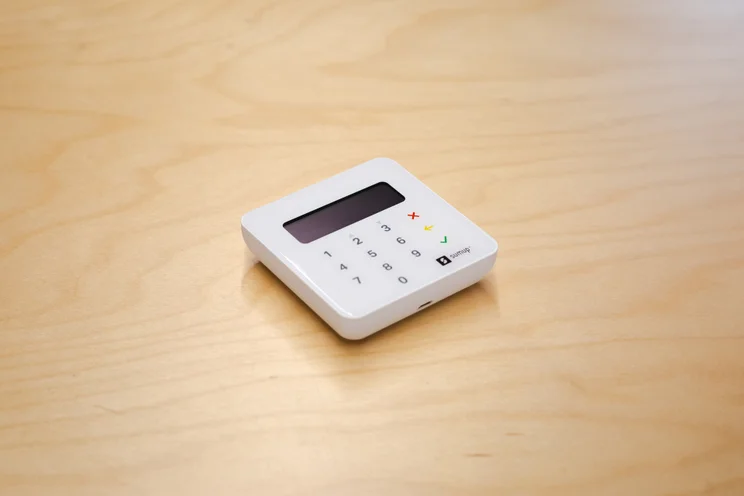
SumUp EPOS card reader. Source: Tech.co
Who is the SumUp POS Lite and Solo Bundle best for?
Quick-service restaurants that regularly switch up their offering can use SumUp’s fast menu changes feature to maximize sales.
Additionally, hair salons can use the POS system’s in-built online booking and scheduling tools to streamline the booking and improve their customer experience.
Check out our SumUp POS review to learn more.
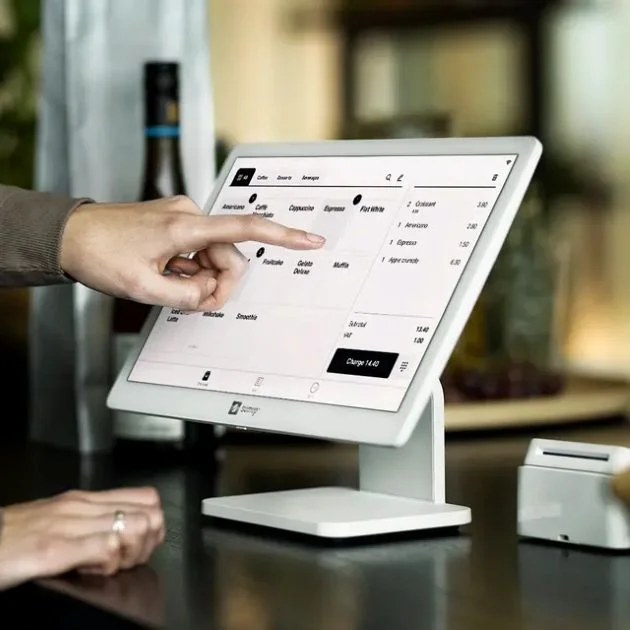
SumUp’s quick-service feature offers you a convenient way to make orders faster. Source: SumUp
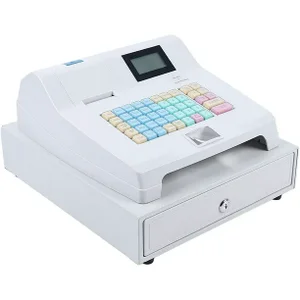
What Are the Best Traditional Cash Registers?
While we highly recommend checking out a POS system instead of a traditional cash register for your sales needs, we understand that some stores are better suited for this kind of technology, especially if they’re a cash business.
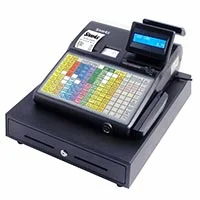
In our research, we found that the SAM4S ER-940 is an excellent choice for restaurants, with more than 100 menu combinations and spill-proof buttons for those more hectic establishments.
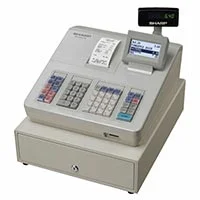
For retail stores, Sharp XE-A207 is an affordable yet highly functional cash register that features a simple menu-based control system and easy set-up process for beginners.
Below, we’ve compared these and some other traditional cash registers on price and features, so you can make a good choice for your business, if that’s what you need.
|
Price
The typical lowest starting price. The lowest price available for your business will depend on your needs
|
Best cash register for
|
Cash register price from
|
Key benefits
|
Drawbacks
|
Software included?
|
||
|---|---|---|---|---|---|---|---|
 |
 |
 |
 |
 |
|||
|
SAM4S ER-940 |
Sharp XE-A207 |
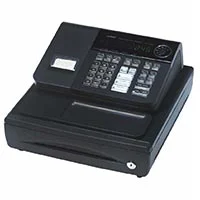
Casio PCR-T280 |
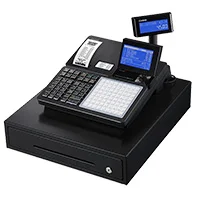
Casio SR-C4500 |
TFCFL 48 Keys |
|||
|
$589 |
$449 |
$145 |
$349 |
$125 |
|||
|
Food businesses after a traditional set up |
Retail businesses after a traditional set up |
Businesses looking for an affordable cash register |
Small retail businesses |
Businesses getting started with cash registers |
|||
|
|
|
|
|
|||
|
|
|
|
|
|||
|
|
|
|
|
|
How to Choose the Best Cash Register for Your Business
You should understand exactly what you need out of a POS cash register before you make a decision. There are some key features and elements of these devices that you should consider for your business.
- Features: Find a POS system that matches your specific business, with retail or restaurant features you need for your customers.
- Ease of use: Most cash registers and POS systems have a low learning curve to cater to beginners, but some are definitely more user-friendly than others.
- Technical support: Make sure to find a provider that offers robust technical support and consider how the support is offered, whether via phone, email, or live chat.
- Price: POS systems can get pretty expensive, so make sure you consider your budget before making a commitment. And don’t forget about the monthly software subscriptions.
- Scalability: If you plan on going from a small business to a larger business, it’s important to find a POS system that can grow with your demand over time.
- Integrations: Many POS systems integrate with other systems to make tracking and managing systems easier, so take a look at a POS system’s app library to make sure your systems are compatible.
This comparison highlights the shift from traditional registers to POS-based systems and the operational impacts. A basic register can handle transactions, but it does not provide much visibility into data, sales patterns, inventory, or employee performance. As soon as the business grows, owners start relying on manual tracking or separate tools.
The hidden cost is time and missed information. Without clear reporting, it becomes harder to manage inventory or identify what is actually driving revenue. That leads to over-ordering, stockouts, and poor decision-making. Those mistakes usually cost more than the savings from an inexpensive setup.
I would advise a small business owner to think beyond the initial purchase. If there is any expectation of growth, a POS-based register is the better investment. It reduces manual work and gives the business more control over day-to-day operations.
Sergio Corona is a retail industry advisor and manager with multi-market leadership experience across the U.S. and Mexico. His background spans global brands, including Levi Strauss & Co., Ralph Lauren, Adidas Group, Invicta, and Lovisa. He has overseen regional and country-level performance for various retail and outlet environments, including new store openings and market expansion.
Can you use an iPad as a cash register?
Yes, you can use an iPad as a cash register depending on your specific business needs. In fact, many POS software providers offer specific hardware — like card readers, receipt printers, and barcode scanners — that can connect to your iPad. Many also provide a handy stand to make it easier for customers to access.
Using an iPad as a cash register provides more flexibility for small businesses and keeps costs down because, you won’t have to pay extra for countertop hardware bundles that cost as much as $2,000.
The downsides of using an iPad as a cash register, however, include concerns about wear and tear on the device, overreliance on Wi-Fi to make sales, and the potential security risk of losing your device.
Check out our guide to the best iPad POS systems for more information.
How Did We Research the Best Cash Registers?
We take our impartial research and analysis seriously, so you can have complete confidence that we’re giving you the clearest, most useful recommendations. After identifying the most relevant, popular POS platforms on the market, we put them through their paces with hands-on testing to better understand their strengths and weaknesses.
In total, we put 16 POS systems to the test, with a vigorous research and testing methodology. We carried out 40 user testing sessions, which amounted to 720 hours of testing in total.
In these sessions, participants were asked to carry out tasks on POS software and describe their user journey, to help us understand what it’s like to use the systems first-hand. In addition to first-hand testing, we developed a detailed methodology that focuses on six categories of investigation, including criteria like software features and help and support centers.
These categories were broken down into a further 41 subcategories, so we were able to drill down further into certain topics, to make our insights as granular and useful as possible. Here’s an overview of our main testing categories for POS systems:
- Software features: The capabilities provided by the POS product. Includes general features like ordering and payment functionality, as well as industry-specific tools like KSU uploads, inventory-level stock tracking, and kitchen display system (KDS) software.
- Hardware: The quality of a POS system’s hardware selection. The presence of an own-brand terminal, as well as hardware accessories like KDS, receipt printers, and barcode scanners.
- Pricing: The cost associated with acquiring and using the POS system, such as the initial purchase cost, transaction fees, licensing fees, subscription plans, and any additional charges or ongoing costs.
- Ease of use: We test out the software to gauge how intuitive and easy to use it is. We also consider how easy the software is to navigate, and whether any errors took place during testing.
- Help and support: The assistance and resources available to users when they encounter issues or need guidance while using the POS system, including documentation, tutorials, or knowledge bases.
- Customer satisfaction: The aggregate score from customer review sites like Trustpilot and TrustRadius, to understand how POS providers are viewed by their own customer bases.
When it comes to calculating a product’s final score, not all testing areas are weighted evenly, as we know some aspects matter more to our readers than others.
For example, we’ll prioritize certain industry-specific features for specific reviews, like an offline mode when reviewing POS systems for food trucks, or KDS when reviewing restaurant POS systems.
At Tech.co, we have a number of full-time in-house researchers who re-run this testing process regularly to ensure our results remain reflective of the present day.
The Clover Station Duo is the best POS cash register overall in our hands-on research because of its generous stack of restaurant and retail features, ultra-low learning curve, and modern hardware with luxuries like haptic feedback and biometric login.
However, we’d recommend using the Square Register if you need to save a bit of money, because it comes with no monthly subscription on top of the hardware cost. The Square Register is stripped-back and easy to navigate, and it can also integrate seamlessly with your online store — making it particularly useful for omnichannel sellers.
FAQs
You can tamp down on employee theft by closely monitoring inventory and sales, watching for changes in shrinkage, or using a POS that has complex employee roles. Different systems will have different tools to help: We recommend Epos Now, which has complex employee management functionality.
For simplicity, we recommend the Casio PCR-T280, which is less expensive. It won’t sync with the rest of the software you use, but if you have a small operation, you may not need it to.
Neither Square nor Clover’s proprietary hardware will run software from its competitors. You can use a traditional cash register with either system, since it won’t require a direct connection with a POS software to operate. We recommend the SAM4S ER-940 if you’re looking for the most functionality.


