
We may receive a commission from our partners if you click on a link to review or purchase a product or service. Click to Learn More
Recently relaunched by Wix, the straightforwardly named Wix Answers is aimed at solving your enterprise-level customer support problems. The platform is designed to provide an all-encompassing service hub for companies looking to improve their customer support options.
But what exactly is Wix Answers? How does it work? And how is it going to compete with the likes of Salesforce, Zendesk, and other top CRM platforms?
In this guide, we’ll delve a bit deeper to get the details on this new platform, so you can decide for yourself whether Wix Answers is the key to solving your customer support woes.
What Is Wix Answers?
In so many words, Wix Answers is an enterprise-level customer support platform designed to consolidate tickets, emails, phone calls, and messages into a single hub, making for a seamless service experience for customers and employees alike. Some primary features include:
- 360 degree timeline view of customer complaints
- Robust, self-service knowledge base
- Built-in live chat functionality
- AI-powered recommendations for quick responses
- Intuitive, all-in-one interface
Wix Answers started out as the customer support platform used by Wix employees to manage its 160 million users, but has recently been productized for commercial use. Companies that have already signed on to use the service include Getty Images, Viber, and MyHeritage, among others.
How Does Wix Answers Work?
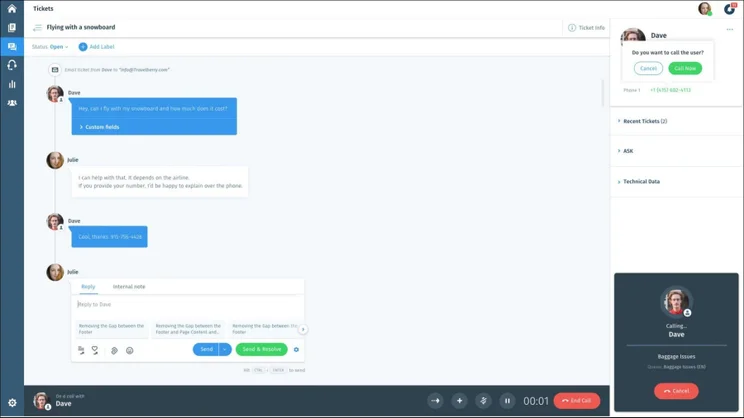
When Wix Answers says it’s an all-in-one solution for customer support, they aren’t messing around. Perhaps the most attractive feature in the platform is the timeline view of customer interactions, and it works how you’d expect a perfect customer support platform to work: by consolidating everything into a single view.
Wix Answers takes every customer interaction – from calls to live chat, messages, web forms, email, and even Facebook – and places them all on a single timeline for each customer. This means that when a customer reaches out, the agent in question will have access to their entire history of complaints. No more restating problems, no more repetitive questions, and no more redundant solutions.
Additionally, Wix Answers features some helpful self-service functionality designed to alleviated the stress on your agents. It allows you to create knowledge bases, which are online documentation hubs filled with articles that can help customers solve problems on their own. Plus, the AI-powered knowledge bases can even recommend articles for incoming customers, so your team is free to handle the bigger complaints in real time.

Wix Answers Pricing and Plans
|
Price
per agent per month, billed annually
|
Knowledge Hub
|
AI Recommendations
|
Ticketing System
|
Live Chat
|
Customer Timeline
|
Call Center
|
|
|---|---|---|---|---|---|---|---|
|
Self-Service |
Call Center |
Multi-Channel |
Unlimited |
||||
|
$24 |
$56 |
$60 |
$80 |
||||
|
|
|
|
|
||||
|
|
|
|
|
||||
|
|
|
|
|
||||
|
|
|
|
|
||||
|
|
|
|
|
||||
|
|
|
|
|
Wix Answers comes in four different pricing plans: Self-Service, Multi-Channel, Unlimited, and Call Center.
The Self-Service plan will cost you $24 per agent per month, and exclusively allows businesses to take advantage of the knowledge base features. This means you’ll be able to create a self-service center, filled with documentation designed to let customers solve problems themselves.The Multi-Channel plan will cost you $60 per agent per month. It comes with all the knowledge management features in the Self-Service plan, while adding the ticketing system and live chat functions. This gives you access to the all-in-one hub customer support portal through email, web forms, live chat, and Facebook. Additionally, you’ll gain access to the AI recommendations for the knowledge base, which markedly improves the self-service functionality.
The Unlimited plan will cost you $80 per agent per month, and simply adds the call center functionality to the Multi-Channel plan. This means that, in addition to email, web forms, live chat, and Facebook customer experiences being tracked, calls will also show up in the portal, giving you the most complete picture of customer complaint history.
The Call Center plan will cost you $56 per agent per month, and give you exclusive call center, live chat, and ticketing system functionality. You’ll be able to take advantage of features like call recording, monitoring, and routing, through a real-time dashboard designed for phone complaints. However, you don’t get access to the other, arguably more impressive Wix Answers features, so make sure phone support is all you’re looking for before making a decision.

Do You Need a Wix Website for Wix Answers?
To put it as simply as possible, no – you do not need a Wix website to gain access to Wix Answers. The company is independent from (albeit owned by) Wix, which means the platform acts independently from the website. Wix Answers is compatible with most major website builders, from WordPress to Squarespace, so there’s no need to worry about functionality outside the Wix family.
Is Wix Good for Building Websites?
We can confidently say that Wix is not just good for building websites – it’s great. In fact, according to our in-depth research of the top website builders on the market, Wix is the best website builder money can buy.
For one, Wix features an unbelievably easy to use interface, which is intuitive enough for even the freshest beginner to get the hang of. Additionally, the website builder offers robust ecommerce options, so you can get your online store set up without the hassle. Finally, with some of the more competitive pricing plans in the industry, you’re getting some serious bang for your buck when you build your website with Wix.
Take a look at our comparison table of other top website builders to see how Wix stacks up against the rest of its competitors.
Creating a Knowledge Base on Wix Answers
While Wix Answers offers some of the most impressive customer support functionality for agents, one of the more basic features is designed to let customers help themselves.
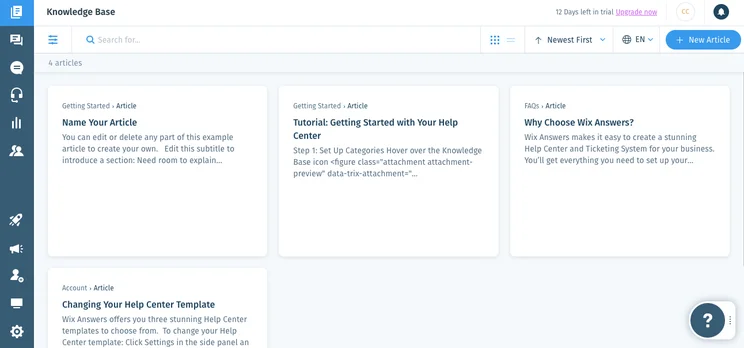
Dubbed “knowledge bases,” these self-service hubs are filled with online documentation that can guide customers through some simple and not-so-simple support cases, so your team isn’t bogged down too much by easy questions. And with 91% of customers insisting they’d use a knowledge base if it were catered to their needs, it’s safe to say this tool from Wix Answers could have a big impact on your customer support efforts.
Wix Answers gives you a lot of control over the knowledge base as well. You can customize the design to specifically fit your brand’s look, and provide self-help widgets throughout your site to gives customers the chance to find the answers they need wherever they are. Plus, with insightful analytics built in, you’ll be able to see what kinds of questions customers are asking, and whether they’re getting answered correctly.
Knowledge bases aren’t just for customers, either. You can also put them together for agents, so your company can have a go-to content hub, providing – as Wix Answers puts it – “one source of truth” for the whole company.
CRM for Customer Support
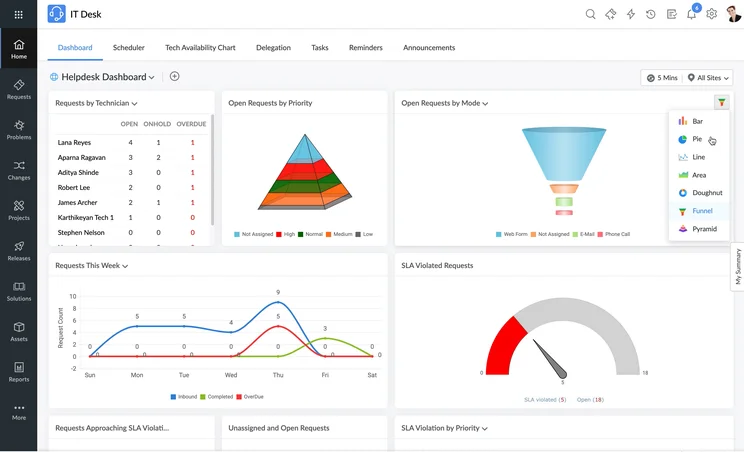
While Wix Answers doesn’t come out and say it, the general functionality of the platform is fairly consistent with Customer Relationship Management (CRM) software that is exclusive to customer support. The new company has stated that they aim to compete with the likes of Zendesk and Salesforce, so we thought it prudent to compare the platforms, head-to-head, to see how they match up.
|
Free plan
|
Free trial
|
Starting price
|
Verdict
|
Email Comms Channel
|
Phone Comms Channel
|
Website Live Chat Comms Channel
|
Get started
Click to get started and compare prices for your business
|
||
|---|---|---|---|---|---|---|---|---|---|
|
BEST OVERALL
 |
 |
 |
 |
 |
 |
 |
|||
|
Zendesk |
Freshdesk |
Zoho Desk |
Microsoft Dynamics 365 Customer Service |
Salesforce Service Cloud |
ManageEngine |
Sugar Serve |
|||
|
|
|
|
|
|
|
|
|||
|
30 days |
21 days |
15 days |
30 days |
30 days |
30 days |
|
|||
|
$19/user/month |
$19/user/month |
$14/user/month |
$50/user/month |
$25/user/month |
$13/user/month |
$80/user/month |
|||
|
A robust platform aimed at businesses looking to scale |
A practical option with lots of channels but no survey functionality |
An affordable option with plenty of features for smaller businesses |
A great, customizable platform aimed at larger businesses |
An fully-featured yet pricey CRM solution with excellent team management tools. |
A solid budget option with low costs and few features |
A weak offering with few native service channels available |
|||
|
|
|
|
|
|
|
|
|||
|
Requires Telephony integration on Support plans, available on Suite plans |
Available with Omnichannel plans |
|
Available with Enterprise plan |
Requires Telephony integration/Voice add-on on all plans |
|
|
|||
|
|
Available with Omnichannel plans |
Available with Enterprise plan |
|
Limited to 1 license (Essentials), unavailable (Pro), additional cost (Enterprise) |
|
|
|||
| Try Zendesk | Try Freshdesk | Try Zoho Desk | Get Quotes | Try Salesforce | Try ManageEngine | Get Quotes |
Zendesk vs Wix Answers
According to our research, Zendesk is one of the best CRMs on the market for customer support, so this comparison is a pretty heated one. Honestly, they both offer comprehensive, all-in-one portals for agents, and self-service hubs for customers to solve problems on their own.
However, Zendesk does have a bit of an edge, as the all-in-one channel includes email, live chat, call, and tickets. It also comes with a much more robust set of social tools, like Facebook, WhatsApp, Twitter, and WeChat, among others. That being said, Zendesk is a bit more expensive, starting at $89 per agent per month, so you’ll have decide whether those added channels are worth the extra cost.
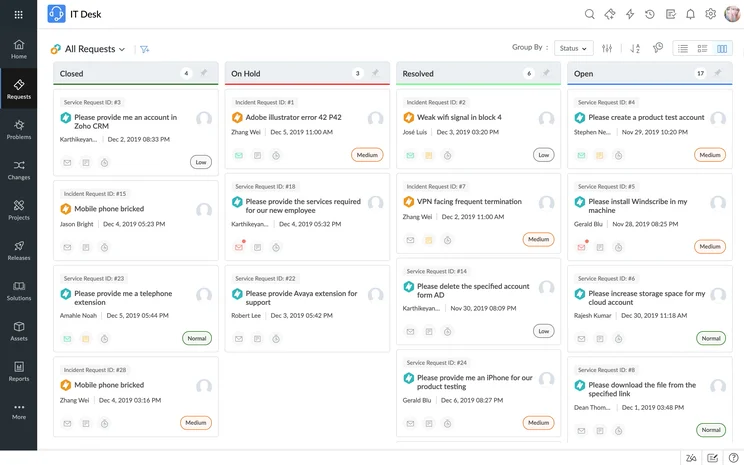
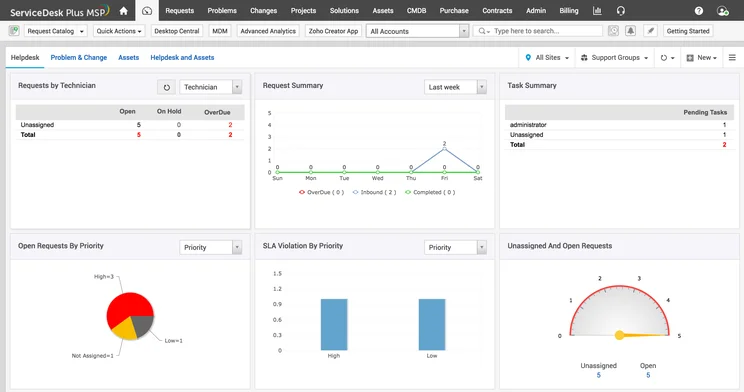
ManageEngine

In Short
-
Pros
- Very low-cost option for small businesses
- Pricing based on endpoints
- Solid team infrastructure features like task management
-
Cons
- Extremely rigged interface with limited customization
- Help and support isn’t very responsive
Images
Salesforce Service Cloud vs Wix Answers
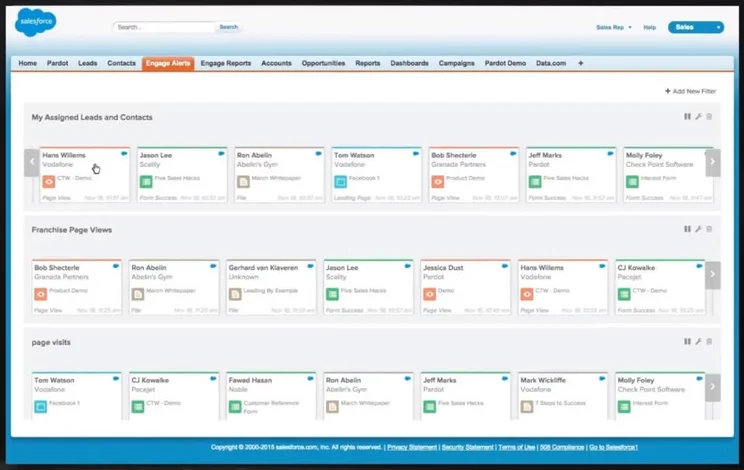
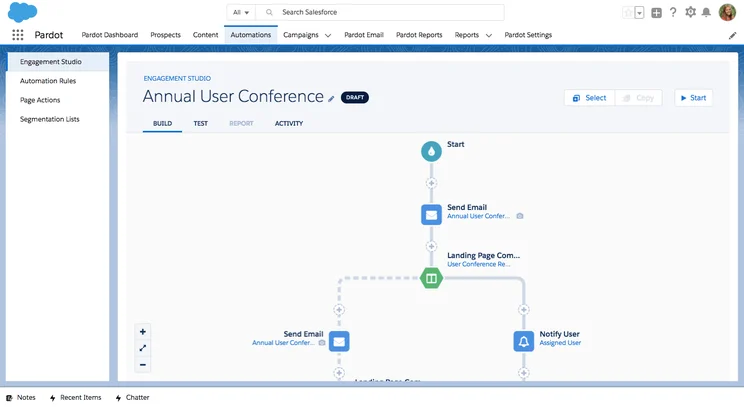
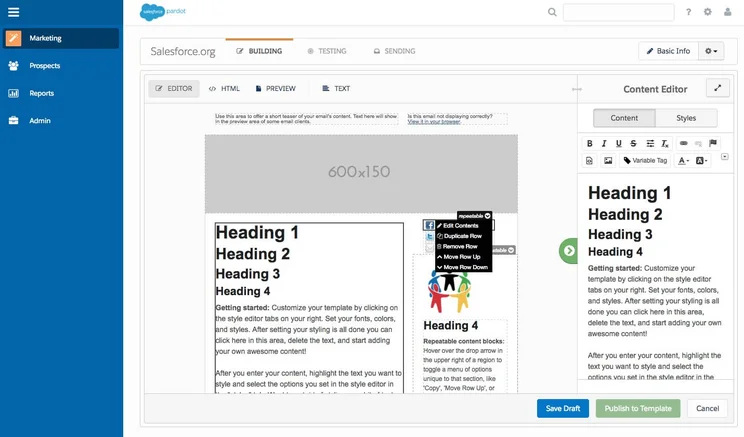
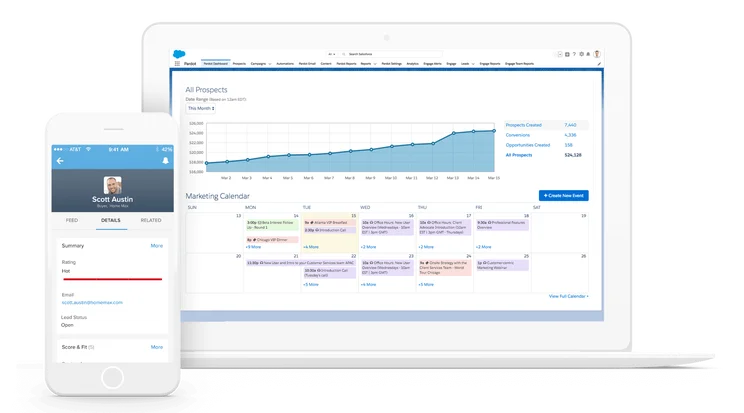
Salesforce is, undeniably, the number one outright CRM on the market today – and its customer support features are nothing to scoff at, either. Tied with Zendesk as our top-rated service CRM, Salesforce’s Service Cloud platform also offers a robust self-service hub, and its multi-channel customer experience includes the likes of WhatsApp and Facebook Messenger.
The pricing for Salesforce is a bit more erratic, with lower tiers significantly cheaper than Wix Answers ($25 per agent per month for Essentials), and top tiers significantly more expensive ($300 per agent per month for Unlimited). Salesforce likely has a bit of an edge due to its longevity in the industry and its seemingly endless feature set, but Wix Answers is notably easier to use, so you’ll have to decide which is more important to your business.
Salesforce Service Cloud

In Short
-
Pros
- Great infrastructure for managing larger teams
- Lots of customization opportunities to make it work for your business
- Plenty of communication channels to stay in touch with customers
-
Cons
- No built-in customer feedback options
- Comparatively quite expensive
- Robust customization can make it a bit intimidating
Images

HubSpot Service Hub vs Wix Answers
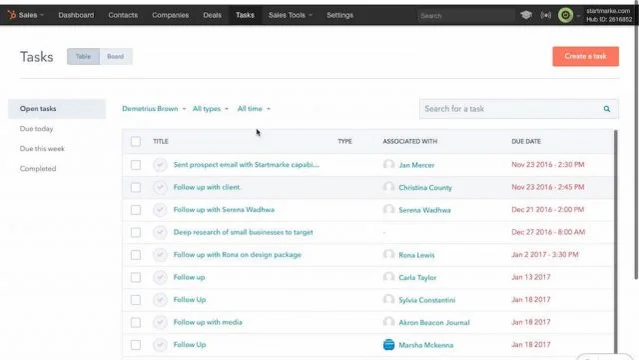
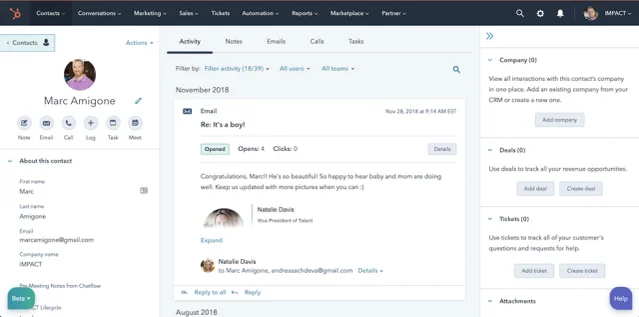
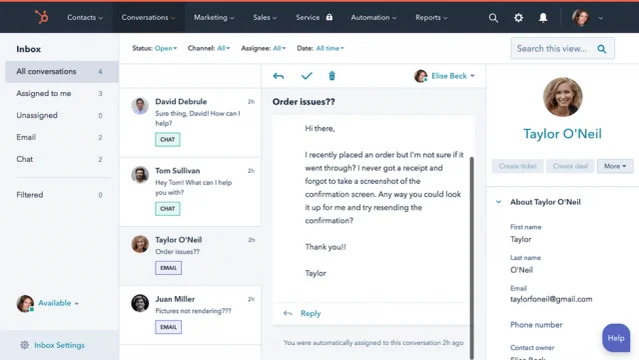
While HubSpot is considered one of the best CRM platforms for marketing, its Service Hub does lag a bit when it comes to customer support. For one, it’s missing a lot of additional features that make Wix Answers so appealing, like the omni-channel functionality and easy-to-read timeline view. Plus, the pricing plans are a bit out of control, with some rates in the thousands of dollars.
While Saleforce and Zendesk give Wix Answers a run for its money, HubSpot Service Hub doesn’t nearly compete on the same level as these three, which is why we’d definitely opt for Wix Answers. However, if you’re looking for marketing features, HubSpot is the way to go.
Hubspot Service Hub

In Short
-
Pros
- Free forever plan available to all users
- Great variety of survey functionality
- Highly customizable platform
- Plenty of features for managing your team
-
Cons
- Limited offline service features
- No social media or instant messaging tools
Images
Final Thoughts – Should You Use Wix Answers?
From what we’ve seen from Wix Answers so far, it honestly looks like exactly what the customer support industry has been needing. Between the comprehensive knowledge bases for self-service customers, the in-depth timeline view of customer experience to cut down on redundant interactions, and the reasonable pricing plans with features to fit your particular needs, it’s hard to argue that Wix Answers won’t soon become a go-to solution for customer support.
If you’re interested in giving Wix Answers a try for yourself, the fastest way to learn more is to trial the customer support solution for free across 14 days.
Frequently Asked Questions
Wix is a cloud-based software company, best known for its website builder service. This service lets users quickly and easily set up a website for desktop and mobile, using a drag-and-drop editing tool rather than code. The full company provides a range of related software aimed at a variety of industries, including ecommerce, restaurants, hotels, and event planning.
Wix Answers is a unified customer support solution for businesses. It allows a business to service its clients through a knowledge base, tickets, chats, and calls — all available from the same platform for easy employee-side access. It’s one of many services offered by the cloud software company Wix.
No, Wix Answers is available through four paid plans, starting at the $24/user/month Self-Service plan and going as high as the $80/user/month Unlimited plan. For those who would like to try it for free, however, a 14-day free trial is available to all, and Wix Answers can be contacted for an extension as well.
If you click on, sign up to a service through, or make a purchase through the links on our site, or use our quotes tool to receive custom pricing for your business needs, we may earn a referral fee from the supplier(s) of the technology you’re interested in. This helps Tech.co to provide free information and reviews, and carries no additional cost to you. Most importantly, it doesn’t affect our editorial impartiality. Ratings and rankings on Tech.co cannot be bought. Our reviews are based on objective research analysis. Rare exceptions to this will be marked clearly as a ‘sponsored’ table column, or explained by a full advertising disclosure on the page, in place of this one. Click to return to top of page


