
We may receive a commission from our partners if you click on a link to review or purchase a product or service. Click to Learn More
Square Invoices doesn’t charge a regular fee. Instead, it skims a bit off the top of every invoice, at a rate of 2.9%, plus 30 cents. Most invoice software for small businesses charges a monthly fee on top of commissions on its invoices, so for a software to be free is a pretty big deal.
But just because Square Invoices is free doesn’t mean it’s not a fully functional piece of software. In fact, it offers almost every feature you’d want from an invoicing software, including recurring invoices and invoice tracking. If we had to identify its biggest weakness, it would be the lack of premade invoice templates.
If you’re wondering how such an affordable piece of invoicing software can offer so much, that’s completely valid. Read on to find out exactly what’s behind the price and functionality of Square Invoices!
How Is Square Invoices Pricing Structured?
Square Invoices keeps things simple – signing up and registering your business into its software is entirely free. The way that Square makes money is via commission on your invoices – it takes a nominal fee of 2.9% off of every invoice you create through its system, on top of a basic 30 cent charge.
Here are some costs you can expect from a range of invoice costs and frequencies.
|
Average Invoice Cost
|
20 invoices/month
|
50 invoices/month
|
100 invoices/month
|
500 invoices/month
|
|
|---|---|---|---|---|---|

|
|
|
|
||
|
$20 |
$50 |
$100 |
$500 |
||
|
$17.60 |
$35 |
$64 |
$296 |
||
|
$44 |
$87.5 |
$160 |
$740 |
||
|
$88 |
$175 |
$320 |
$1,480 |
||
|
$440 |
$875 |
$1,600 |
$7,400 |
This fee is not taken until after you receive your payment from your customer, so you won’t have to worry about Square taking money that you don’t yet have. There’s no way around this fee, especially since you can’t use a third party payment option through Square, but since it’s free otherwise, a charge of 2.9% is worth the features you’re receiving.
And since Square Invoices is free, there’s nothing to be lost by signing up for an account and checking out the interface yourself – after all, you’ll only be charged once your invoices start being filled.
Extra Square Fees
As a brand, Square offers many different kinds of software. While Square Invoices will only charge you 2.9% of each of your invoices, some of these other platforms can run you a bit more. For example, Square POS software charges a similar rate of 2.6% on each sale, while the hardware – which includes card readers and registers – starts at $49.
But in the case of Square Invoices, as far as extra fees go, you won’t have to pay any. While you can access your invoices through a POS system, you won’t have to buy one to use this software, as it has a dedicated app and browser support.
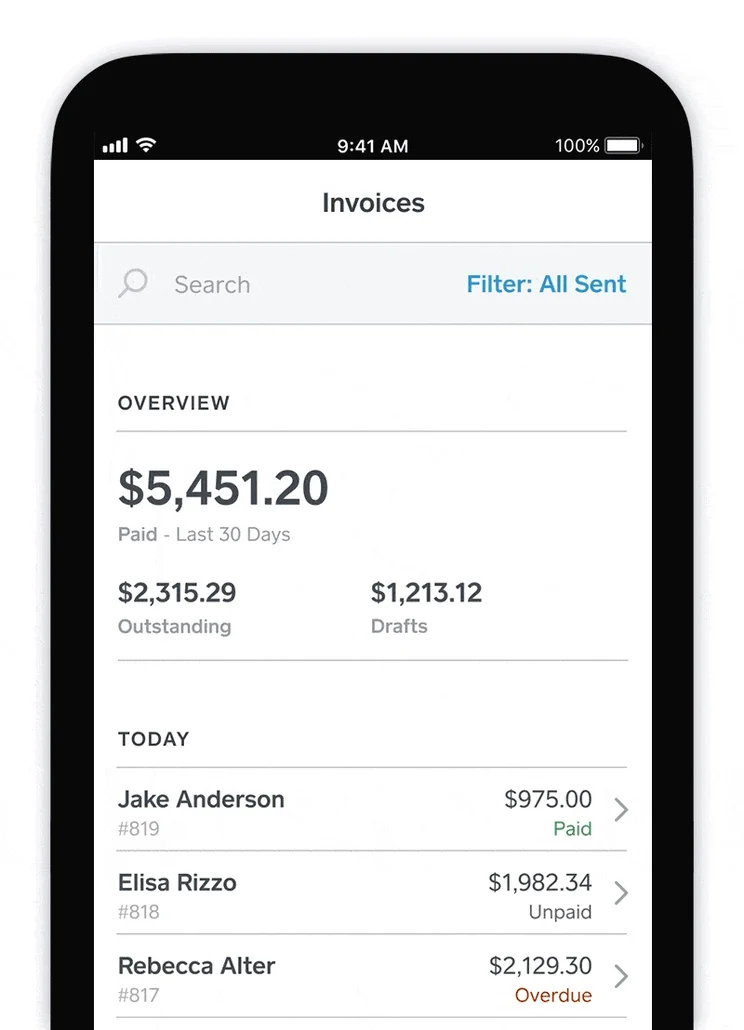
Square Invoices Features
Despite the fact that Square Invoices doesn’t charge a cent beyond its 2.9% commission (on top of a flat 30 cent charge per invoice), the software still comes loaded with features.
When it comes to limits, there are none. It’s really as simple as that – you can have as many clients and users as you like, and you can send your clients unlimited estimates as well. And since Square’s business model hinges on you cashing in on your invoices, there’s no limit on invoice sending, either.
Invoice Creation
When creating your invoices, it’s nice to have a few tools to tinker with. Square lets you do the basics – like calculating taxes, creating estimates, and attaching files (like images or PDFs) – but you can also opt for some more cosmetic changes, like logos and colors.
One thing that Square doesn’t do is offer templates, which can be a bit frustrating when you’re not looking to get too creative yourself. If you’re looking for a template-heavy platform, Zoho Invoice ($11–$33 a month) comes packaged with 16 templates, so you can really make it your own.
Invoice Distribution
Once you’ve made your invoices, it’s time to send them out. This is one of Square’s strongest areas, where it hits every industry standard. You can send recurring invoices, send payment reminder alerts, track the progress of individual invoices, and even send them via its mobile app.
Paying Invoices
Once they have their invoice, your customer will need to pay it. Most invoice software either uses first party or third party payment processors, meaning they either use their own software to process payments, or they use an external one, like PayPal or Stripe.
Square falls under the former, with all payments being processed through Square’s own systems. This doesn’t make a huge difference, but if you’re a staunch supporter of PayPal, you might want to consider a third party supporter, like Zoho Invoice. FreshBooks ($19–$60 a month) is unique, as it does let you use both first and third party processors, so if you’re looking to mix it up, they’re a good choice.
Analytics
After you’ve been running your invoices through Square for a while, you’ll have compiled a good amount of data to leaf through. Again, Square nails this area – it allows for fully customizable reports based on this data, breaking down things like sales tax and receivables (both aged receivables and receivables by customer).
Customer Service
Finally, when it comes to customer service and ease of use, Square does very well. It supports email, phone, and live chat systems, as well as having a knowledge base and user forums.
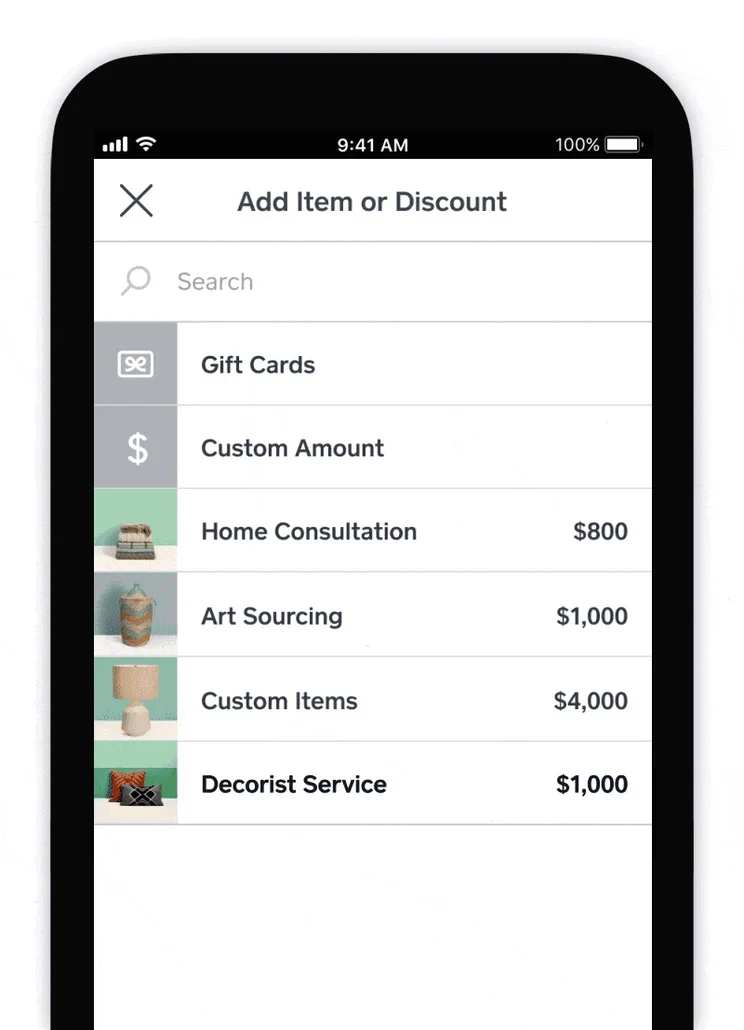
Square Invoices Integrations
Square doesn’t just operate an invoicing software. It also oversees a bunch of other software and systems that a small business might find useful, all of which fall under the “Square Dashboard” umbrella.
Some of the more eye-catching apps on this dashboard are the Contracts app, which lets you view and manage any ongoing contracts you have with clients, and the Orders app, which lets you do the same with any standing orders that your business has yet to complete.
Notable examples of Square integrations are Square POS, which lets you receive payments from customers, and Square Marketing, which lets you send not just invoices, but marketing emails as well. There’s also a built-in CRM functionality to Square, but it’s somewhat barebones.
And it’s not just Square software that can integrate with Square Invoices. There are a few other notable integrations that can be linked to Square Invoices, specifically in the realm of ecommerce. Some notable ecommerce integrations include WooCommerce, which is free, and GoDaddy Marketing, which has a free plan, or costs between $9.99 and $19.99 per month.
Notable exceptions are any kind of third party payment software, such as Stripe or PayPal, as all payments need to go through Square’s own first party payment processor. If you’re a champion of PayPal, you’ll need to let it go, or else look for a different invoice software, such as FreshBooks or Zoho.
Square Invoices Setup and Support
With a software relating to your income, you’ll want to make sure it’s all set up exactly the way it should be. You’ll be in good hands with Square, as they offer loads of resources that can help a fledgling user become a software master.
Despite the almost nonexistent cost of the software, Square doesn’t cut corners when it comes to users who are looking to get to grips with its invoice systems. Square offers live chat support, phone lines, email support, a knowledge base, and a community forum, where users can discuss the product with other users and Square professionals.
When looking at ease of use, average user reviews across the internet rated Square an 8/10 when it came to how easy users found the software. While Square doesn’t offer any kind of proactive training resources, the fact that the software is free means that you can poke around and play with the systems until you get a sense of how it works, especially when used alongside their official help pages.
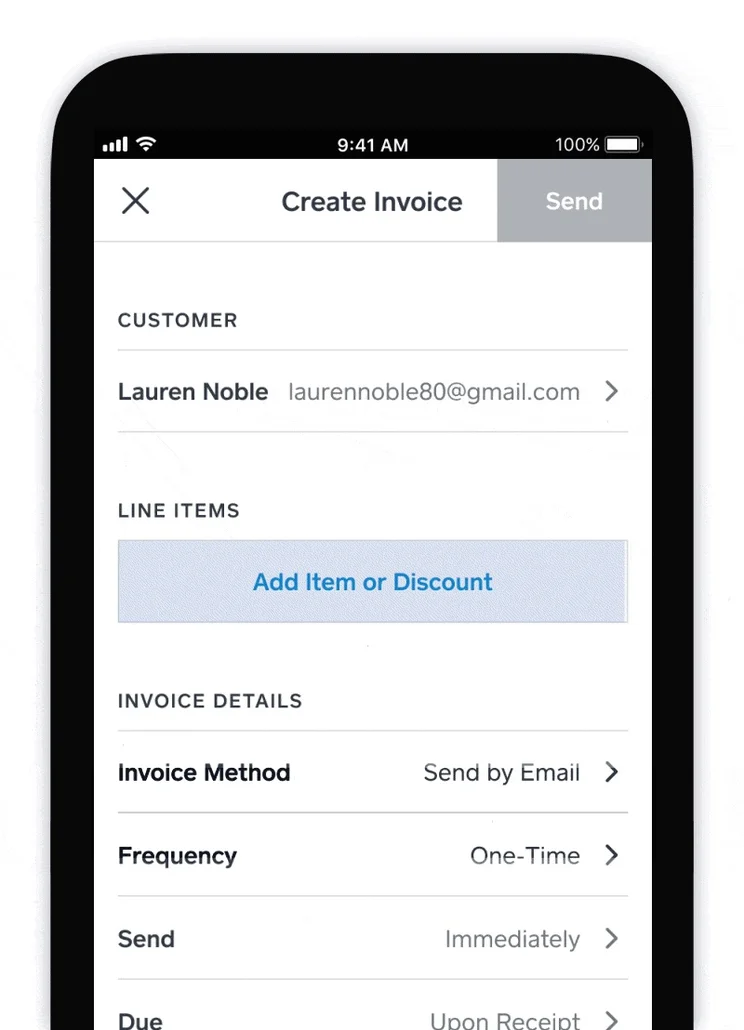
Square Invoices Software Alternatives
|
Price from
Each software platform charges an additional 2.9% of every invoice processed, as well as a 25-30 cent fee
|
Minimum clients
The client limit on the lowest tier
|
Minimum invoices
The monthly invoice limit on the lowest tier
|
Minimum estimates
The monthly estimate limit on the lowest tier
|
|||||
|---|---|---|---|---|---|---|---|---|
|
|

|
 |
 |
 |
 |
 |
 |

|
|
Square Invoices |
Wave |
Invoice2Go |
Zoho Invoice |
FreshBooks Invoice |
Xero Invoicing |
QuickBooks Invoice |
Sage Invoice |
OneUp |
|
No monthly fee |
Free (with transaction fees) |
$5.99 per month |
Free |
$23 per month |
$25 per month |
$20 per month |
$12 per month |
$9 a month |
|
Unlimited clients |
Unlimited clients |
5 clients |
5 clients |
5 clients |
Unlimited clients |
Unlimited clients |
Unlimited clients |
Unlimited clients |
|
Unlimited invoices |
Unlimited invoices |
50 invoices |
1,000 invoices |
Unlimited invoices |
20 invoices |
Unlimited invoices |
Unlimited invoices |
Unlimited invoices |
|
Unlimited invoices |
Unlimited estimates |
No estimates on lowest tier |
Unlimited estimates |
Unlimited estimates |
Unlimited estimates |
Unlimited estimates |
Unlimited estimates |
Unlimited estimates |
While Square doesn’t have any massive weakness, there are still some areas where it can fall short. In this case, you might want to look at some alternatives to Square.
Firstly, while the fact that you won’t have to pay is a plus, there is one other free software worth mentioning. Wave is another software that makes its money solely on commission, and while it has fewer features than Square, you might find its rates (2.9% for cards, 1% for bank transfers) more appealing if you operate mainly through bank transfers.
In terms of features that Square is missing, there are no premade templates that you can use to customize your invoices. While this might not be a deal-breaker, sometimes it can be nice to add some of your own flair to a pre-designed template. If you’re looking for that, you might be interested in Invoice2Go, which offers eight templates, or Zoho Invoice, which offers 16 templates.
But there are a couple of substantial features that might make you think twice before jumping on the Square bandwagon. Firstly, you won’t be able to add tracked hours to any invoices – this can be a bit of a pain, especially if you measure your labor by the hour. Zoho, FreshBooks, and QuickBooks all offer this feature on any tier.
Secondly, you can’t process payment through third party platforms, like PayPal or Stripe. You can only accept payment through Square’s own payment gateway. If you’re used to a third party payment system, you might not want to move away from it. If that’s the case, these systems are supported by FreshBooks, Zoho, Xero, and Sage.
It’s hard for a piece of software to be a bad deal when it’s free. Given everything that Square Invoices offers, at an almost nonexistent price point, you’d need to be filling some very specific niches for Square to be an unacceptable option.
Since all it’s missing is third party payment processing, templates, and the ability to add tracked hours, you can find a number of other options that can pick up this slack. Both FreshBooks (starting at $19 per month) and Zoho Invoice cover all of these bases, so they’re good places to start if you’re in need of these capabilities.
Frequently Asked Questions
Square Invoices is one of many software platforms offered by Square, and can integrate with a lot of ecommerce software. Highlights include GoDaddy Marketing and WooCommerce, both of which offer free options.
Square operates many different software platforms, from POS to payroll systems. These are all intended for a specific purpose, like accepting payments from customers or paying employees. Square Invoices is intended solely for sending invoices to clients.
Square Invoices is entirely free, so there’s no need to worry about compromising features for a lower price. The only cost a user will need to keep in mind is Square’s 2.9% cut of every invoice that goes through its system.
Square Invoices is free to use, and there are no features or limitations that are locked behind monetary gates. The only cost a user will need to worry about is Square’s 2.9% cut of every invoice that a user receives through Square.
Signing up for Square Invoices is easy, mainly due to the lack of cost. You won’t need to input any card details to begin playing around with the interface, so even if you don’t end up using the software, you won’t have lost anything but time.
If you click on, sign up to a service through, or make a purchase through the links on our site, or use our quotes tool to receive custom pricing for your business needs, we may earn a referral fee from the supplier(s) of the technology you’re interested in. This helps Tech.co to provide free information and reviews, and carries no additional cost to you. Most importantly, it doesn’t affect our editorial impartiality. Ratings and rankings on Tech.co cannot be bought. Our reviews are based on objective research analysis. Rare exceptions to this will be marked clearly as a ‘sponsored’ table column, or explained by a full advertising disclosure on the page, in place of this one. Click to return to top of page


