
We may receive a commission from our partners if you click on a link to review or purchase a product or service. Click to Learn More
It’s close, but our research shows that Google Meet is better than Microsoft Teams. Google’s offering boasts a more intuitive interface, a wider range of features, and competitive pricing that offers a whole lot of value as part of the Google Workspace suite.
While many tech companies are pushing employees back into the office, the remote work trend isn’t going anywhere, which means that companies still need top conference call services to stay in touch with their teams. The right calling software will have all the features you need at a reasonable price, while also being easy enough to use for your entire team, from any location or device.
Fortunately, when it comes to Google Meet and Microsoft Teams, you can’t get much more comprehensive. These two powerhouses in the tech industry have created two truly impressive platforms that can help you stay productive while working from home. But which one is best?
Below, we’ll compare Google Meet and Microsoft Teams on everything — including value, features, ease of use, security, and mobile apps — to help you understand which one is a better fit for you and your business.
Google Meet – An excellent personal or small business option for video conferencing that integrates seamlessly with Google Calendar, Gmail, and other Workspace services.
Microsoft Teams – An all-in-one video conferencing and collaboration platform that works best when integrating with the entire Microsoft 365 ecosystem.

Google Workspace: Free for 14-Days
Set up custom email, share files securely online, video chat from any device and more.
Get started
Google Meet vs Microsoft Teams: Major Differences
To be fair, comparing Google Meet and Microsoft Teams is a bit of a false equivalence. Google Meet is merely the video conferencing arm of the greater Google Workspace ecosystem, whereas Microsoft Teams is the full-on collaboration platform within the greater Microsoft 365 ecosystem. Of course, the lines get blurry – you have all sorts of collaboration tools on tap if you sign up to Google Workspace, after all.
Here are a few other major differences between the two platforms:
- Google Meet is great for personal and business use
- Microsoft Teams is aimed mainly at businesses
- Google Meet can be used in browser
- Microsoft Teams requires you to download an app
- Google Meet is the video conferencing tool within the Google Workspace
- Microsoft Teams is an all-in-one collaboration platform
To dig a bit deeper into how these two platforms differ, read on to learn more about which offers better value, which has more business features, which offers a better user experience, and which mobile app is easier to get the hang of.
Check out our Microsoft Teams guide for more information
|
Starting price
The lowest starting price for a paid plan. The lowest price available for your business will depend on your needs
|
Free plan
|
Best for
|
Pros
|
Cons
|
||
|---|---|---|---|---|---|---|
 |
 |
|||||
|
Google Meet |
Microsoft Teams |
|||||
|
$7/user/month |
$4/user/month |
|||||
|
|
|
|||||
|
Google Workspace users |
Microsoft 365 users |
|||||
|
|
|||||
|
|
Best for Value: Google Meet
It may surprise you that we’re picking one platform over the other when it comes to value. After all, both Google Meet and Microsoft Teams are free forever for personal users – with some limitations.
Both platforms allow for simple video meetings, chat, and basic collaboration tools at no cost. Even for very small businesses, you can stay connected with your team at no cost, on either software’s free tier.
However, when you start considering what these platforms offer when you decide to pay for them, it’s clear that Google Meet has the edge, mainly because the Google Workspace ecosystem is simply more intuitive and more complete than Microsoft 365. Check out the pricing breakdowns below for a clearer picture of why this is the case.

Try Google Workspace for Free
Get business-level Google access, including Meet, Drive, Gmail and more, with no strings attached
Google Meet Pricing
As we’ve mentioned, Google Meet is entirely free, no matter how long you want to use it for. However, if you pay for Google Workspace, you’ll get access to Google Meet, as well as an incredibly useful and expansive ecosystem of Google apps that can make life infinitely easier for business owners. Here’s a breakdown of the specific pricing plans.
The Google Workspace Starter plan will give you access to the main Google apps available, as well as Google Meet. The Standard plan adds meeting records to Google Drive, which is great for missing team members that want to stay in the loop. The Plus plan adds attendance tracking, enhanced security, and advanced endpoint management. Finally, the Enterprise plan offers bespoke pricing for each specific business, and adds S/MIME encryption, noise cancelling features, and enhanced support for your team.
In addition to Google Meet, all Google Workspace plans give you access to business accounts for Gmail, Google Drive, Calendar, Docs, Slides, Sheets, and a wide range of other Google apps that can improve your business.
|
Price
|
Licenses
|
Participants
|
Time limit
|
Whiteboard
|
Breakout rooms
|
||
|---|---|---|---|---|---|---|---|
|
|
|
|
|
|
|||
|
Free |
Starter |
Standard |
Plus |
Enterprise |
|||
|
Free |
On request |
||||||
|
1 |
up to 300 |
up to 300 |
up to 300 |
Unlimited |
|||
|
100 |
100 |
150 |
500 |
1,000 |
|||
|
60 minutes |
24 hours |
24 hours |
24 hours |
24 hours |
|||
|
|
|
|
|
|
|||
|
|
|
|
|
|
Microsoft Teams Pricing
Microsoft Teams, just like Google Meet, is free forever without a time limit. However, this platform is distinctly aimed at businesses. The platform is specifically built as a collaboration tool as well as a video conferencing platform, so it’s not ideal for personal use.
If you do decide to pay for extra functionality, all Microsoft 365 plans include Teams, along with a wide range of other tools. Here are the pricing plans:
Microsoft has just released a new plan, Microsoft Teams Essentials, geared to small businesses, which includes large meeting capacities, extended meeting times, and additional cloud storage. There’s also the Microsoft 365 Basic plan which includes Microsoft Teams, as well as OneDrive, Exchange, and SharePoint, all great collaboration tools used to connect with your team. The Standard plan adds functionality onto other Microsoft apps, including Word, Excel, PowerPoint, and Outlook.
|
Price
|
Licenses
|
Participants
|
Time limit
|
Whiteboard
|
Breakout rooms
|
||
|---|---|---|---|---|---|---|---|
|
|
|
|
|
||||
|
Microsoft Teams |
Microsoft Teams Essentials |
Microsoft 365 Business Basic |
Microsoft 365 Business Standard |
||||
|
Free |
$4/user/month |
$6/user/month |
$14/user/month |
||||
|
Unlimited |
Unlimited |
Unlimited |
Unlimited |
||||
|
300 |
300 |
300 |
300 |
||||
|
60 minutes |
30 Hours |
30 hours |
30 hours |
||||
|
|
|
|
|
||||
|
|
|
|
|
Best for Business Features: Microsoft Teams
While Google Meet certainly offers some solid business functionality, the reality is that Microsoft Teams is specifically and exclusively aimed at businesses, giving teams plenty of collaborative and communicative features that really tip the balance in its favor.
The aforementioned Microsoft Teams Essentials plan, for instance, is a new Microsoft Teams plan aimed at small businesses that might not need all the features in the provider’s Business Basic and Standard plans, but will still benefit from provisions such as extended meeting times. Even with Microsoft’s free plan, though, you’ll be able to collaborate with your team in ways that Google Meet won’t provide without a paid subscription to Google Workspace.
Here are some of the key business features for both platforms, so you can compare and contrast which one might be a better fit for you:
Google Meet Features
- Audio and video preview screen
- Screen sharing
- Meeting host controls
- Live captioning in meetings
- Google Workspace integrations
- Customizable backgrounds
- In-transit encryption
- AI-powered connection quality adjustments
Microsoft Teams Features
- Screen sharing
- Customizable backgrounds
- Collaboration tools with Microsoft apps
- 250+ app integrations
- Easy guest access
- Cloud storage
- In-transit encryption
Best for User Experience: Google Meet
This one isn’t much of a contest. For years, Microsoft has tried to compete with Google as far as user experience goes, but Google has always been a few steps ahead. The latter’s simple layouts, intuitive interfaces, and general ease of use across its many platforms absolutely carries over to Google Meet.
From the basic hosting controls that allow for safe, easygoing meetings, to the integrations with Google apps like Calendar and Gmail, you can schedule and host meetings with a few simple clicks. Plus, with call quality adjustments powered by AI, you can be sure that you’ll actually be able to see and hear your team without any problems.

Google Meet live caption tool

Google Meet presentation tool

Google Meet Screenshot
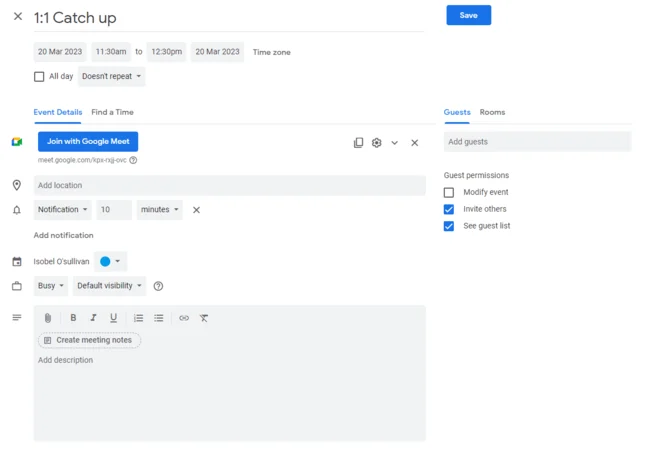
Google Meets calendar integration
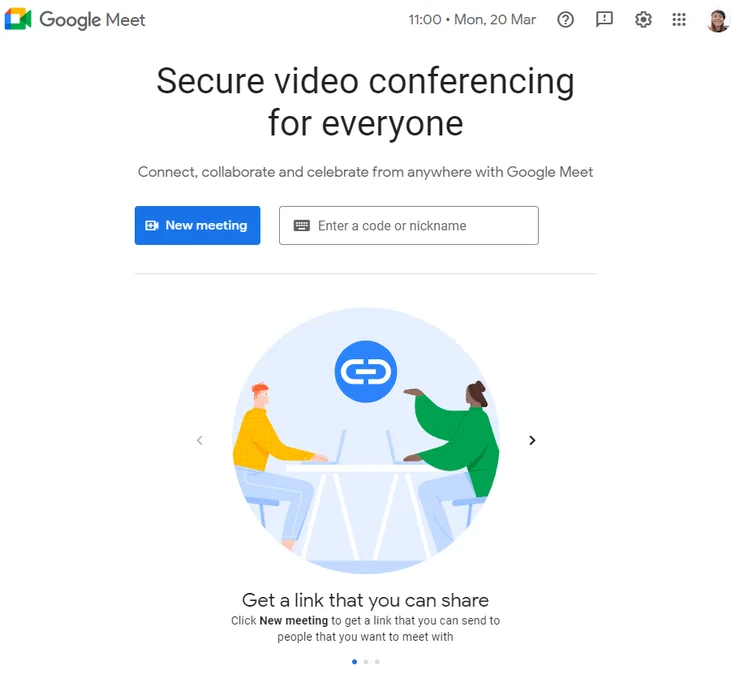
Google Meets sign in screen. Source: meet.google.com
That’s not to say Microsoft Teams isn’t a great option, but the learning curve is certainly a bit steeper. With way more people using Gmail than Outlook (1.5 billion versus 400 million), the average person is simply more familiar with the Google interface than that of Microsoft.
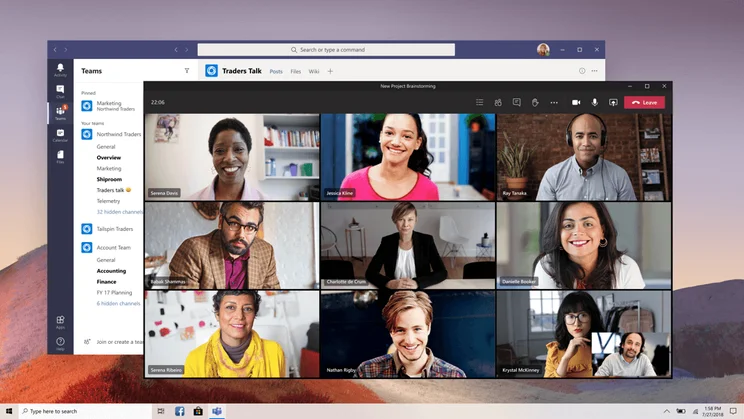
Still, if your team consists of Microsoft users that can learn new software quickly, it’s hard to dispute Microsoft Teams’ functionality. Because Microsoft Teams is more than just a video conferencing tool, you’ll have to navigate a more complex interface, but this comes with advanced features that can improve your overall experience.
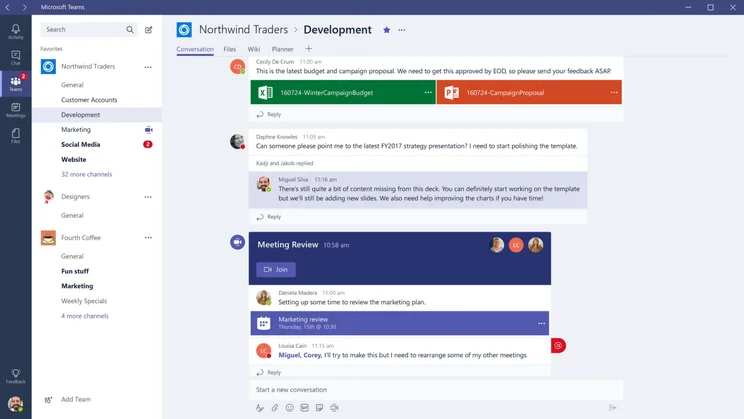
We found the Microsoft Teams interface quite similar to Slack. Image: Microsoft Teams
Best for Security: Microsoft Teams
When it comes to security, both Microsoft Teams and Google Meet are respectable options. Because they are housed in the massive ecosystem of Google Workspace and Microsoft 365, you’re getting enterprise level protection, even when you’re using the free plan for either option. Two factor authentication, security analytics, and single sign-on are available with both Teams and Meet.
The reason Microsoft Teams has an edge over Google Meet is that it offers encryption for all data in transit and at rest. Google Meet, on the other hand, only offers encryption of data in Meet in transit and cloud recordings at rest. It’s a small but notable difference that means Teams comes out on top for security.
It’s worth noting that neither Google Meet nor Microsoft Teams offers end-to-end encryption, which you can find with Zoom, but that doesn’t mean either aren’t still viably secure options for video conferencing.
Google Meet vs Microsoft Teams: Mobile App
If you’re looking for a video conferencing platform that works while you’re on the go, you’re in luck. Both of these stellar platforms offer a comprehensive mobile app compatible with both iOS and Android — so you can stay in touch with your team no matter where you are.
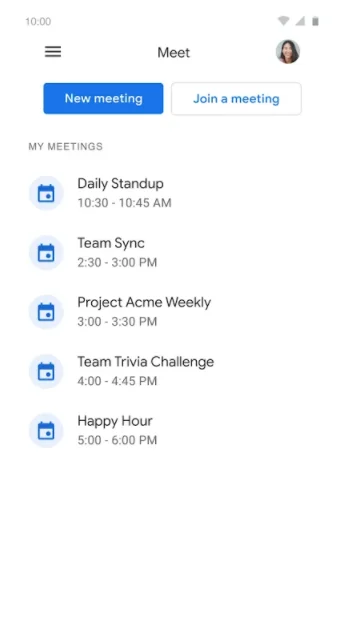
But which app is better? In earnest, it all depends on what you need it for. Google Meet is naturally better geared toward personal use, as the app is exclusively used for video conferencing. You can easily set up meetings, use standard features, and navigate the incredibly simple and easy to use app without much guidance.


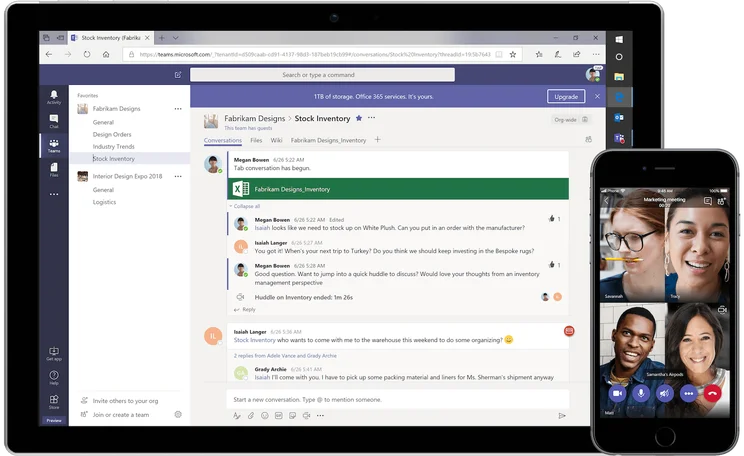
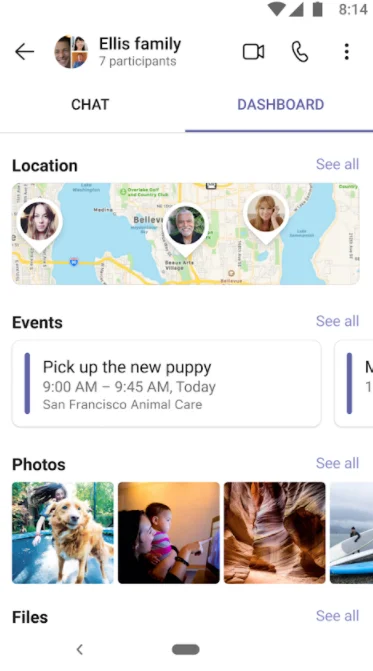
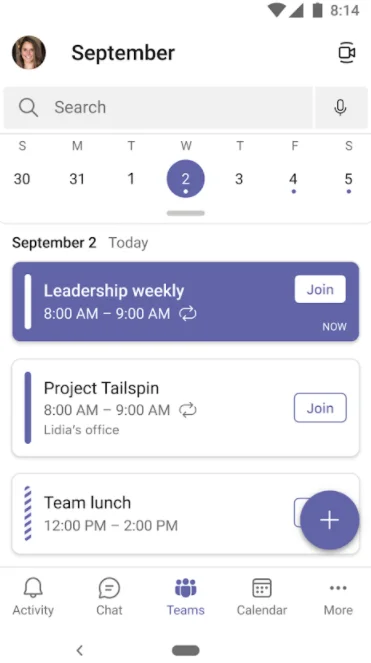
The Microsoft Teams app is a bit more complicated, due to its business-facing nature. Unlike Google Meet — which houses its many integrations with Google in other apps, like Gmail and Google Calendar, Microsoft Teams houses everything in one app, allowing you to schedule meetings, connect with teammates, post updates, and access a wide range of other functionality.
This does, however, make it a bit more difficult to use for just video conferencing. Yes, there is a tab for that, but you’ll have to navigate through a decidedly more robust app to find out what you want to do — this can slow down newbies, and even experts that are in a rush.

About Our Research
There’s no denying that we take our job quite seriously here at Tech.co. Our business software guides and reviews are backed by hours of in-depth research that takes into account a wide range of metrics to provide you with the insight you need to make the right decision for your business. Here are the metrics we used to compare Microsoft Teams and Google Meet:
- Pricing – How expensive the paid plans are and whether or not the platform offers a free forever plan.
- Features – How many features come with the platform, like custom backgrounds and noise cancelling.
- Ease of use – How intuitive the platform is and whether a beginner can figure it out easily.
- Security – How secure meetings, cloud storage, and other important data is from potential cyber criminals.
- Mobile functionality – Whether or not the service offers a mobile app and how operation it is for standard use.
If you really want to find out how Tech.co rates and ranks business software like video conferencing tools, make sure to check out our in-depth research guide for more information.
Web Conferencing Alternatives
While these two platforms are some of the best web conferencing tools out there, they might not be right for your business. If that’s the case, you’re in luck — we’ve done a whole bunch of research on Microsoft Teams alternatives as well, so you can really find the right platform for you.
Google Meet vs Zoom
If you haven’t heard of Zoom at this point, we don’t know what to tell you. The video conferencing tool exploded in popularity during the pandemic, which honestly caused a lot of security problems. Now though, the company is fully prepared to handle all its new users — especially having added end-to-end encryption — and offers a seamlessly intuitive experience that rivals Google Meet for ease of use.
Read our Google Meet vs Zoom guide for more info
In fact, while Google Meet is definitely better for personal use than Microsoft Teams, Zoom takes the cake when it comes to beginners getting familiar enough to use it regularly. However, it doesn’t offer much in the business features department, which means it’s probably better to stick to Zoom for your virtual happy hours rather than a business meeting.
|
Starting price
The lowest starting price for a paid plan. The lowest price available for your business will depend on your needs
|
Free plan
|
Best for
|
Pros
|
Cons
|
||
|---|---|---|---|---|---|---|
|
|
 |
|||||
|
Google Meet |
Zoom |
|||||
|
$7/user/month |
$14.16/user/month |
|||||
|
|
|
|||||
|
Google Workspace users |
Beginners |
|||||
|
|
|||||
|
|
Zoom vs Microsoft Teams
These two platforms are decidedly different. Zoom is a dedicated video conferencing tool that is admittedly very easy to use, even for the freshest of beginners. Microsoft Teams, while also offering a video conferencing tool, is more of a collaboration tool for businesses — meaning that personal use is virtually out the window.
Read our Zoom vs Microsoft Teams guide for more info
Simply put, the Venn Diagram for Zoom users and Microsoft Team users should virtually be two distinct circles. Yes, Zoom can be used for business, and some Microsoft Team users probably partake in the occasional personal call, but these two platforms are simply built for different purposes.
|
Starting price
The lowest starting price for a paid plan. The lowest price available for your business will depend on your needs
|
Free plan
|
Best for
|
Pros
|
Cons
|
||
|---|---|---|---|---|---|---|
|
|
|
|||||
|
Zoom |
Microsoft Teams |
|||||
|
$14.16/user/month |
$4/user/month |
|||||
|
|
|
|||||
|
Beginners |
Microsoft 365 users |
|||||
|
|
|||||
|
|
Other Alternatives
If Google Meet, Microsoft Teams, and Zoom just aren’t the right fit, have no fear. We’ve done plenty of research on the video conferencing industry to give you an idea of how all these platforms match up against each other. Take a look below to see how these video conferencing tools differ:
|
Starting price
The lowest starting price for a paid plan. The lowest price available for your business will depend on your needs
|
Free plan
|
Maximum participants
|
||
|---|---|---|---|---|
|
|
 |
|
|
 |
|
Zoom |
RingCentral |
Google Meet |
Microsoft Teams |
Slack |
|
$14.16/user/month |
$10/user/month |
$7/user/month |
$4/user/month |
$7.25/user/month |
|
|
|
|
|
|
|
300 |
200 |
1,000 |
300 |
50 |
As we’ve said a few times now, Google Meet is better than Microsoft Teams, but it really depends what you’re using it for. Google Meet is more flexible, offering business and personal use options that are a bit easier to use, and more competitive from a pricing standpoint. Microsoft Teams, on the other hand, is aimed almost entirely at businesses -– it does have a few more features, but its complex interface could result in a steep learning curve.
If you’re looking to get started with video conferencing software right now, we can help! Just check out our handy comparison tool to find out exactly how much these platforms will cost your business, both now and in the future.
Frequently Asked Questions
Our research shows that Google Meet is just a bit better than Microsoft Teams, as it offers an intuitive interface and great value paid plans thanks to its many integrations with Google Workspace and its family of apps. Microsoft Teams is great for businesses, though — it’s a collaboration platform as well as a video conferencing tool — albeit a bit more complicated to use.
If you’re looking for a video conferencing tool for personal use, Zoom is better than Google Meet. However, if you have any business needs for your video conferencing platform, Google Meet is far and away the better option — it allows you to scale up to a full-on team management platform, and offers more integrations with business-facing apps.
Yes, Microsoft Teams is free for as long as you want it to be. It does, however, come included in Microsoft 365 subscriptions, which give you access to a wide range of other functionalities that promote collaboration and productivity across your team.
Microsoft Teams is more of a business-facing video conferencing tool, rather than one for personal use, like Zoom. Still, you won’t have to pay for a subscription to join calls, as Microsoft Teams offers free guest accounts for those not within the organization.
If you click on, sign up to a service through, or make a purchase through the links on our site, or use our quotes tool to receive custom pricing for your business needs, we may earn a referral fee from the supplier(s) of the technology you’re interested in. This helps Tech.co to provide free information and reviews, and carries no additional cost to you. Most importantly, it doesn’t affect our editorial impartiality. Ratings and rankings on Tech.co cannot be bought. Our reviews are based on objective research analysis. Rare exceptions to this will be marked clearly as a ‘sponsored’ table column, or explained by a full advertising disclosure on the page, in place of this one. Click to return to top of page


