
We may receive a commission from our partners if you click on a link to review or purchase a product or service. Click to Learn More
Zoho Books is a highly recommended accounting solution for any business, thanks to its fairly comprehensive features, reasonable pricing, amazing mobile app functionality, and general ease of use.
It offers all core accounting tools, including inventory management, cash flow projection, and invoicing with time tracking support. You’ll be able to try it all with the limited free plan before you commit, as well. We consider it the best small business accounting software.
It’s not perfect, as live support hours are limited, and the number of custom reports will be restricted, depending on which subscription plan you’re on. Here, we’ll explain all the pros and cons, diving into which features Zoho Books excels and which functions it lags behind with.
Zoho Books: At a Glance
- Great for businesses tracking sales and inventory
- Impressive transaction documenting
- Seamless inventory tracking
- Great importing and exporting capabilities, with support for three different formats
- Accurate time tracking function that can be easily converted into billable hours
- Free plan available for solopreneurs and microbusinesses
- Comprehensive mobile app
Zoho Books

In Short
-
Pros
- Extensive data import/export features built in
- Time tracking tools with billable hours conversion for invoicing
- Highly effective transaction documentation
-
Cons
- No customer support outside business hours (no weekends)
- Limited third-party integrations outside of Zoho
- Shorter free trial than most other accounting platforms
Pricing
-
 Free: $0/month
-
Standard: $15/month
-
Professional: $40/month
-
Premium: $60/month
-
Elite: $120/month
-
Ultimate: $240/month
Images
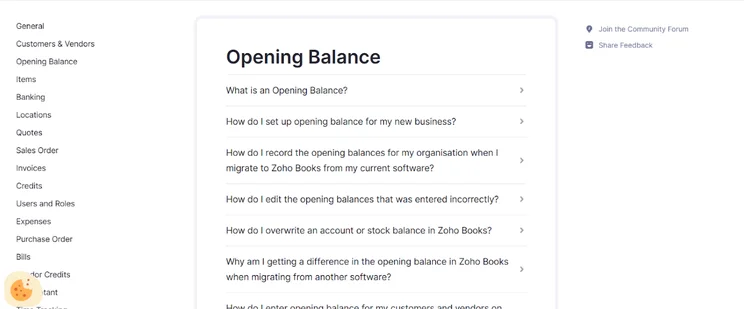
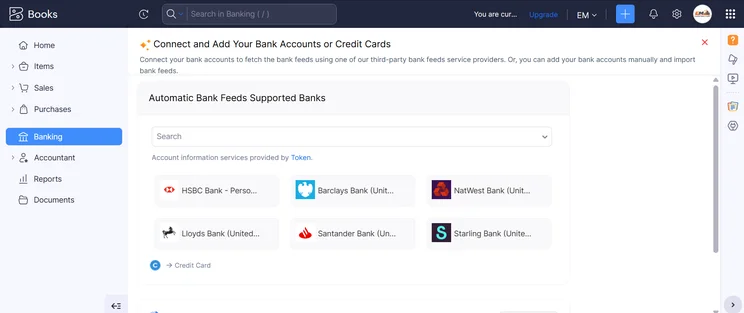
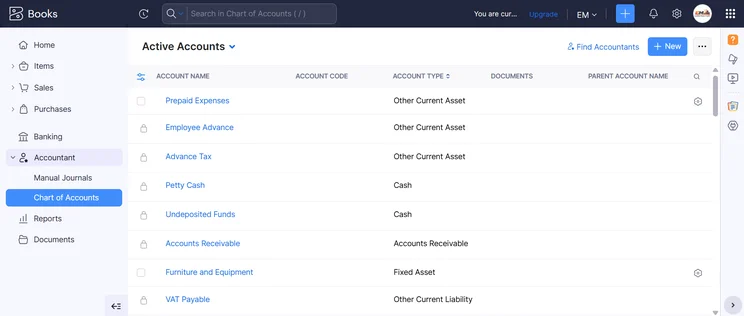
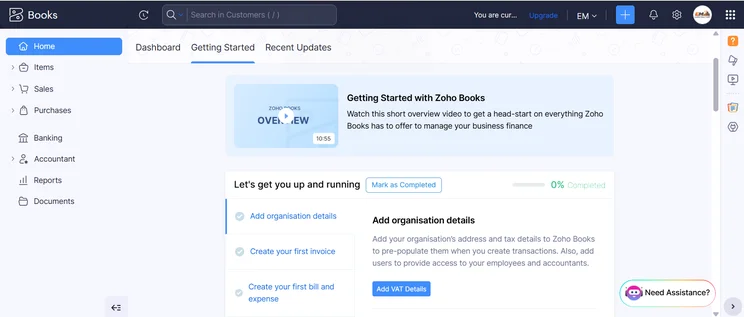
Who is Zoho Books best for?
After a few hundred hours of research and testing, Zoho Books rose to the top as our pick for the best overall accounting software. In other words, it’s best for any small, medium, or large business that needs to balance its books every quarter. This is because it delivers the broad functionality that smaller operators need, while including tools that are best for larger franchises, such as the ability to navigate between businesses while staying within the same interface.
That said, Zoho Books stands out in certain areas that will attract specific industries. It’s a particularly useful platform for any retail operation, for example, because it offers stock and inventory management tools that will ensure all product purchases and sales are tracked and accounted for. Plus, Zoho Books has delivery order fulfillment tools, so those products’ entire journeys to your customers can be correctly invoiced.
Our experience with Zoho Books
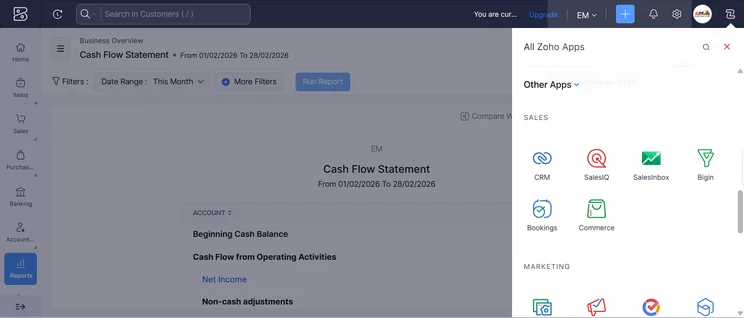
Overall, our testers found Zoho Books delivers modern software that’s easy to navigate and use. Commonly used tools like the invoicing system were well-designed, making the platform particularly useful for small companies or newcomers who may not be able to devote time to understanding complex or unapproachable software.
“The dashboard provides everything a small business owner might need to see straightaway, like cash flow and payments.” -Tech.co tester
Report templates come in easy-to-read formats, and the help and support tools can guide users through tasks like customizing their settings.
However, as with any software in the notoriously complex world of business accounting, the interface presented us with some challenges. New project creation was a lengthy process, and it was hard to find and customize notifications. Images could only be added to reminder emails with a URL, rather than a more modern drag-and-drop. Some navigation choices were unintuitive: Customers were listed under “Sales,” for example.
Not all of the issues with Zoho Books can be chalked up to the complexities inherent to accounting tools. Our testers found that the search bar didn’t effectively guide them to the information they needed, turning it into a source of frustration. You’ll likely face a bit of a learning curve when first attempting to figure out how to accomplish all your accounting tasks. Overall, however, we recommend the software.
Zoho Books Review: Key Features
Zoho Books’s features and integrations are one big reason it stands out as our top pick for the best accounting software. Here’s how it fared across each of our feature-centric research categories.
Core accounting tools
Zoho Books offers a terrific set of features for core accounting needs. You’ll get fully functional tools for invoicing and quoting, tax preparation, journal entries, and reconciliation. Zoho Books doesn’t support tax forecasting and planning functions, but that’s not a huge loss in comparison to other top software, since FreeAgent was the only other competitor to include these tools.
Time tracking is supported as well, so you’ll be able to include accurate hourly billing on your invoices without the need for manual calculations. The platform automatically calculates mileage on expenses, which not every accounting software can handle.
Financial planning tools
Zoho Books delivers everything users might need for forecasting and budgeting, with functions for logging all upcoming monthly bills and expenses, in addition to cash flow projections and budget creation. Users also get inventory management and compliance support.
The platform’s reporting tools were very good, though not completely perfect: Zoho Books won’t let users create new reports from scratch, forcing them to create or modify a report template instead.
Still, Zoho Books comes out ahead in one element of reports. It offers the best importing and exporting function by far since it supports CSV, TSV, and XLS files alike. In contrast, rivals like QuickBooks and Xero only support CSV – and Xero actually gave us an error message when we tested CSV importing.
Operational efficiency tools
Zoho Books earned perfect scores in our tests for collaboration, thanks to its support for user roles and a client portal that lets clients make payments, accept transactions, and even upload documents.
The mobile app was another standout tool, impressing us with a host of tools including the ability to read reports, enter payments and mileage, and create new invoices, customers, expenses, quotes, and payments. No other accounting platform offered as much mobile functionality.
The platform’s ability to catch duplicate entries was pretty good since it flags identical invoice numbers. However, it didn’t flag identical client profiles, a popular feature that accounting software including QuickBooks, Xero, FreshBooks, and Clear Books does offer.
Finally, while the Zoho software does allow report template modification, the cap on custom reports varies by plan, and only the four biggest report templates (Profit and Loss, Balance Sheet, Cash Flow Statement, and Invoice Details) can be customized at all.
Integrations
Like most accounting solutions, Zoho offers an app marketplace within its software, which users can browse through to find the most helpful add-ons.
Zoho Books includes an open API that can help those with coding know-how craft custom integerations. This isn’t uncommon for accounting software, although a few platforms add annoying restrictions (QuickBooks API is only open to those with an Intuit Developer account, while Xero requires users to register as an API partner).
Zoho Books Pricing Plans Explained
Zoho Books offers a wider range of plans than most accounting software: You’ll get a total of five plans (in addition to a limited free plan), ranging from $15 per month to $240 per month.
We cover all the features and user caps included with each plan in our full guide to Zoho Books pricing, but you can check out the table below for a quick summary. The most popular plans are the $15-per-month Standard plan and the $40-per-month Professional plan.
|
Price
|
Users
|
Create and send invoices
|
Track expenses
|
Track bills
|
Record fixed assets
|
Multi-currency transactions
|
Advanced analytics
|
Budget management
|
Custom reports
|
||
|---|---|---|---|---|---|---|---|---|---|---|---|
 |
|
|
|
|
|
||||||
|
Free |
Standard |
Professional |
Premium |
Elite |
Ultimate |
||||||
|
Free |
$15/month |
$40/month |
$60/month |
$120/month |
$240/month |
||||||
|
1 |
3 |
5 |
10 |
10 |
15 |
||||||
|
1,000/year |
5,000/year |
10,000/year |
25,000/year |
100,000/year |
100,000/year |
||||||
|
1,000 expenses |
5,000 expenses |
10,000 expenses |
25,000 expenses |
100,000 expenses |
100,000 expenses |
||||||
|
|
|
|
|
|
|
||||||
|
|
|
|
|
|
|
||||||
|
|
|
|
|
|
|
||||||
|
|
|
|
|
|
|
||||||
|
|
|
|
|
|
|
||||||
|
|
10 reports |
25 reports |
50 reports |
Unlimited |
Unlimited |
Zoho Books Help & Support
Zoho Books’ support options are a mixed bag. The good news: You’ll have plenty of ways to access support, since Zoho offers every type of support that we looked for. You’ll have phone support, email support, and live chat (both human and bot), as well as an online forum and knowledge center.
Resources are plentiful as well, with both video tutorials and webinars available to users. The platform complies with relevant payment standards, including PCI DSS, PSD2, and SOC 2 Type II, too. You’ll need to get an integration with a third-party service to set up automatic cloud backups, since Zoho Books doesn’t natively support it.
However, the big drawbacks to Zoho Books’ support emerged during our tests: The resources only did so-so when it came to actually helping us. The knowledge center was unclear when we tried to look up how to track time and similar tasks.
Meanwhile, the phone and live chat support hours are limited to weekdays between 9 am and 6 pm, leaving night owls or weekend warriors unable to get help. These limited hours aren’t unheard of, but most other software providers offer a little more availability. Xero even offers 24/7 support.
Zoho Books Alternatives
Zoho Books might be the best accounting software on the whole, but that doesn’t mean another popular platform isn’t the best one for you. Maybe the Zoho Books search bar left you too annoyed during your trial of the free plan. Perhaps you want something that’s tailored to your specific industry, whether that’s ecommerce (Xero is great for online businesses) or a data-heavy operation (QuickBooks offers the most customizable reports).
Whatever the case, we’re here to help. Check out our overview table here, or take a quick look at our summaries of your best alternatives worth considering.
|
Starting price
|
Free trial
|
Best for
|
Pros
|
Cons
|
Try now
|
||
|---|---|---|---|---|---|---|---|
 |
 |
 |
 |
 |
|||
|
FreshBooks |
Xero |
Zoho Books |
FreeAgent |
QuickBooks |
|||
|
|
|
Free |
|
|
|||
|
30 days |
30 days |
14 days |
30 days |
30 days |
|||
|
New businesses |
Experienced accountants and established businesses with complex financial needs |
Integrations |
Budget-conscious businesses |
Businesses needing advanced financial insights and customization |
|||
|
|
|
|
|
|||
|
|
|
|
|
|||
| Try FreshBooks | Try Xero now | Try Zoho Books | Get Quotes | Try QuickBooks |
Xero: Best for online businesses
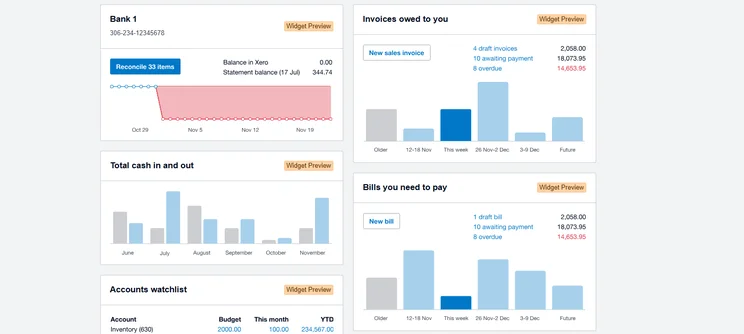
Xero’s reporting dashboard gives you an instant overview of how your business is tracking. Source: Tech.co user testing
Xero handles all your bookkeeping needs, but it also integrates with all the top tools an ecommerce manager might be using: You can connect Xero to your accounts with sellers like Amazon, Shopify, or Etsy, and you can do the same with website builders such as Squarespace or Square Online. Integrations are big: 80% of businesses use them.
Plus, there are no user limits on any plans – unlike Zoho Books, which caps users at three for its Standard plan and five for its Professional one.
QuickBooks: Best for advanced customization
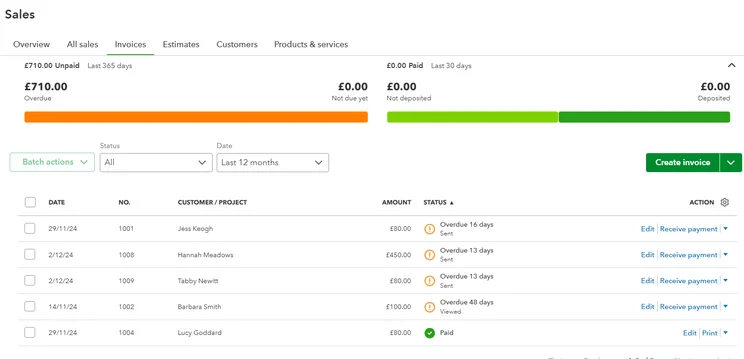
We were able to check sales invoices and get a clear look at our financial situation with QuickBooks. Source: Tech.co testing
QuickBooks is a complex platform packed with features. It offers intense customization options, so you can craft the perfect interface menus and unique report templates. The adjustable cash flow projection tools in particular are worth shouting out, but anyone who loves to tinker and appreciates data will love this accounting software. Check out our guide to QuickBooks pricing for more details.
FreeAgent: Best forecasting and prediction tools
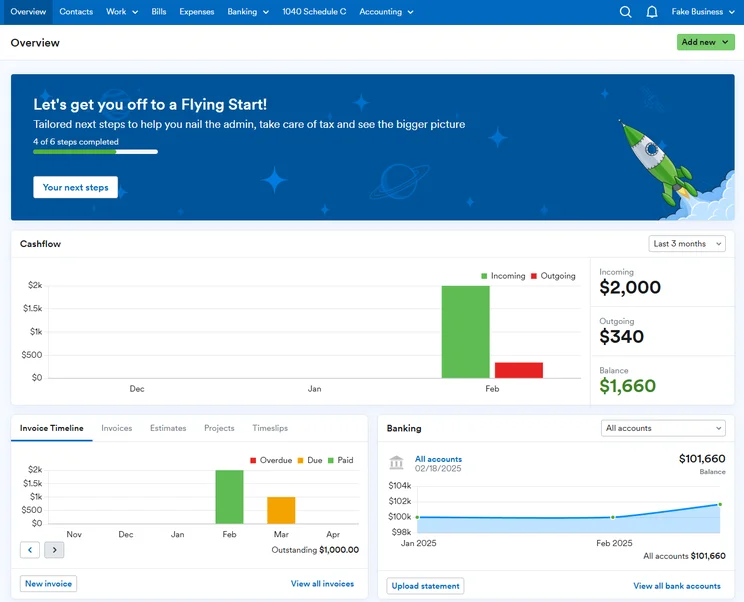
The FreeAgent dashboard provided us with a snapshot of your business’ financial situation. Source: Tech.co testing
FreeAgent’s simple but functional interface delivers the basics and stands out for its tax timeline, which includes alerts to keep users on top of their upcoming deadlines. Small businesses can also use the software’s forecasting and scenario prediction tools to plan for long-term sustainability.
Check out our guide to the best free accounting software as well.
What’s New for Zoho Books?
Zoho Books rolls out new updates virtually every month. As of writing, the latest tweaks and tools include the ability to add a Total Cost and Profit column to your Product Sales Report, so you can track your overall profits without needing to reach for a separate report.
Automations have been expanded to include workflow rules for manual journals. Popular workflows to trigger with your manual journal include email alerts, in-app notifications, or field updates, but you can set up your own custom actions as well.
Finally, in a much-appreciated security enhancement, Zoho Books has added multi-factor authentication to both the Customer and the Vendor portals. When customers and vendors first log into their portals, they’ll now get a time-sensitive password on top of their regular login credentials, for an additional layer of security.
Methodology: How We Tested Accounting Software
At Tech.co, we take our impartial research and analysis seriously, so you can have complete confidence that we’re giving you the clearest, most useful recommendations.
After conducting an initial investigation to identify the most relevant, popular, and established accounting tools in the market, we conducted further research, including testing six major accounting software platforms.
Based on years of market and user needs research, we’ve established an accounting software testing methodology that scores these platforms against six main categories, and 25 subcategories — with a total of 1,512 areas of investigation being considered overall.
We also put the platforms through their paces with hands-on testing to gain a deeper grasp of their average user experience. We dedicated 57 hours to carrying out 37 user tests, with a total of 555 tasks being completed in total.
Our main testing categories for accounting software are:
- Core accounting features: We check how adept a platform will be at managing accounting tasks, focusing on key bookkeeping features like invoicing, tax preparation, journal entry, time tracking, financial transactions, and payment support.
- Operational efficiency: We determine how capable a system is at ensuring day-to-day processes run seamlessly, paying close attention to third-party integrations, collaboration tools, AI automation, and customization options.
- Financial planning: We assess how capable a system will be at measuring income, profits, and losses. Specifically, we check for the presence and quality of forecasting and budgeting, inventory management, reporting, and compliance tools.
- Help and support: We assess how useful and reliable a platform’s support system is, focusing on support options, whether it’s 24/7 support or knowledge center accuracy, as well as cloud backup, and security safeguards.
- Pricing: We compare the overall cost of each platform, taking factors like monthly costs, set-up fees, hidden fees, and free plans into account. We also measure how strict contracts are, and how much it would cost for a business to terminate them early.
- User experience: An overall judgment of how easily users can interact with the platform. We tested each accounting platform and got our team to report how easy they were to use, how they felt when they were using them, and how likely they were to recommend the platform to another business.
When it comes to calculating a product’s final score, not all testing areas are weighted evenly, with factors like “core accounting features” and “operational efficiency” being prioritized for small businesses, while sector-specific features are valued more highly for businesses across different industries.
We understand that accounting software is always evolving. That’s why at Tech.co, we have full-time product researchers to re-run this testing process regularly. It’s the only way to ensure our results remain reflective of the present day.
Learn more about our research.
We strongly recommend Zoho Books for any business, small or large, due to its impressive feature set, great value, and useful interface. In fact, it’s our favorite accounting software, rising to the top in our last round of testing.
The help and support options aren’t perfect (you won’t get live support over the weekend) and you can expect a bit of a learning curve. However, the platform offers a free plan, so you can try it out all you want with no commitment required.
If you’re ready to start reconciling your books, check out the best Zoho Books deals today. Or, keep browsing with our main accounting software comparison page.
If you click on, sign up to a service through, or make a purchase through the links on our site, or use our quotes tool to receive custom pricing for your business needs, we may earn a referral fee from the supplier(s) of the technology you’re interested in. This helps Tech.co to provide free information and reviews, and carries no additional cost to you. Most importantly, it doesn’t affect our editorial impartiality. Ratings and rankings on Tech.co cannot be bought. Our reviews are based on objective research analysis. Rare exceptions to this will be marked clearly as a ‘sponsored’ table column, or explained by a full advertising disclosure on the page, in place of this one. Click to return to top of page


