




We may receive a commission from our partners if you click on a link to review or purchase a product or service. Click to Learn More
The best website builder for artists is Squarespace. The platform has unbeatable design features, including some top of the range templates to get your site looking as professional as possible, and some great new AI enhancements. Not only this, but the platform has the best user experience out of all the providers that we’ve tested, meaning that it couldn’t be simpler to get your portfolio off the ground.
But Squarespace is far from the only option on the market. Another great platform is Wix, which is actually our pick of the best overall website builders. It offers a broad range of advanced website features, and for artists that want to reach new audiences and potentially sell their work online, it’s a better solution. However, its design functionality pales in comparison to Squarespace.
Here at Tech.co, we understand that everyone has different priorities and business cases. That’s why we’ve put together a comprehensive guide of the best website builders for artists. You’ll find everything you need to make an informed decision, including a look at features, usability, pricing, and more.
Best Website Builders for Artists
Below, you’ll find links to our favorite website builders for artists. Use them to navigate to the review of your choice, if you like. Otherwise, the following section will break down each of our picks in detail, with a focus on features, pricing, and more.
|
Cheapest price
|
Special deal
|
Free plan
|
Free trial
|
Templates
How many templates are available?
|
||
|---|---|---|---|---|---|---|
 |
 |
 |
 |
|||
|
Squarespace |
Wix |
Shopify |
Hostinger |
|||
|
$17.10/month with code TC10 |
$15.30/month with code TAKE10 |
$1/month for first 3 months |
$2.69/month with code TECH |
|||
|
|
|
|
|
|||
|
14-day free trial |
14-day free trial |
3-day free trial |
14-day free trial |
|||
|
180+ |
2,000+ |
900+ |
400+ |
1. Squarespace
- Best overall
- Price from: $19/month ($17.10/month with code “TC10”)
Our research shows that Squarespace is the best overall website builder for artists, due to its great design elements and a wide range of 180+ templates to make sure that your art is seen at its best.
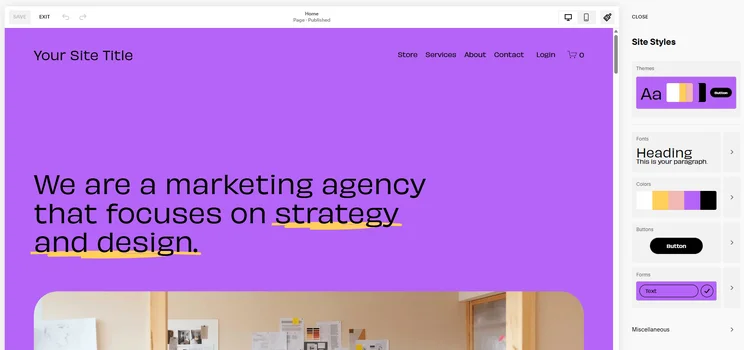
Many artists prefer a minimalistic, white-space-heavy website in order to better highlight their art, and you’ll easily find this aesthetic with a Squarespace template. In addition, the service offers design tools that can be used to further tweak a template to create a one-of-a-kind site just for you. For example, you’ll get color palettes and a wide choice of fonts to ensure that your typography matches up to your artwork.
Another reason that this provider scored so highly for artists is that it offers a strong user experience, with plenty of accessibility tools and step-by-step tutorials. You won’t need to be a coding expert to finetune your site, and an easy-to-use dashboard and seamlessly linked builder mean that you can get your art online as quickly as possible.
What’s more, the platform offers some neat analytics, such as how many visitors are viewing your art and what sites or Google searches have led them to you. However, if getting discovered is a top priority for you, we’d recommend looking into Wix. The web builder has a wide range of detailed analytics that will help you get found online, as well as hundreds of integrations to help grow your audience.
Towards the end of 2024, Squarespace rolled out a bundle of dedicated AI design tools, collectively known as Design Intelligence. Design Intelligence leverages AI to provide users with aesthetic guidance, as well as hope with content creation.
Its suite of tools is made up of Blueprint AI, which generates a website from a few prompts; a feature known as Site Themes that allows you to view your site in a variety of different curated styles; Layout Switcher, which recommends layouts based on a given combination of modules; text generation through AI writer; and Brand Identity, which interprets user information and uses it as a jumping-off point for content and style recommendations.
Check out our Squarespace pricing guide for more information
Squarespace

In Short
-
Pros
- Easiest website builder to use across our research
- Plenty of content-focused features for blogging
- Integrates with Acuity for booking and appointments
-
Cons
- Limited language support for international businesses
- AI site builder creates fairly generic output
- No autosave feature for website editor
Pricing
-
 Basic: $19/month
-
Core: $29/month
-
Plus: $49/month
-
Advanced: $99/month
-
10% off with code TC10
-
14-day free trial
Images
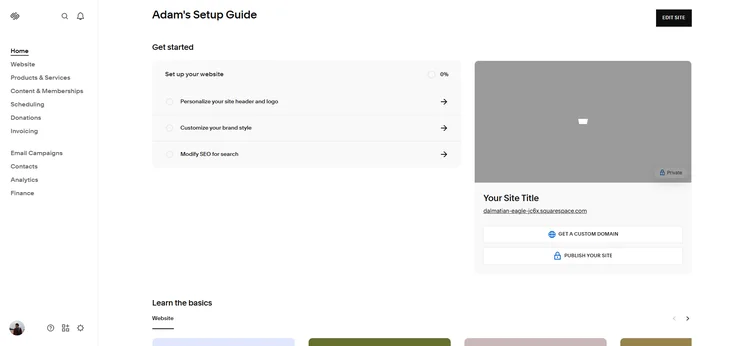
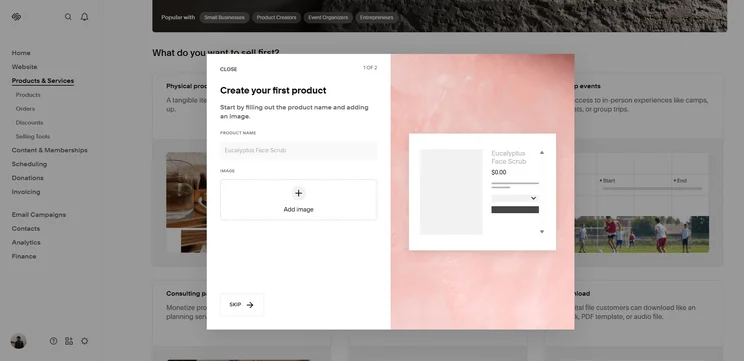
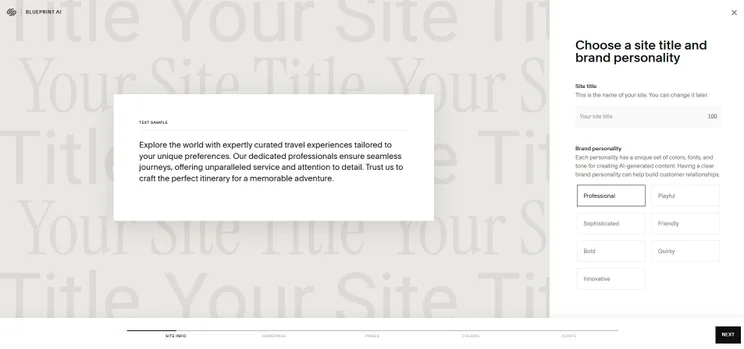
Squarespace’s design templates
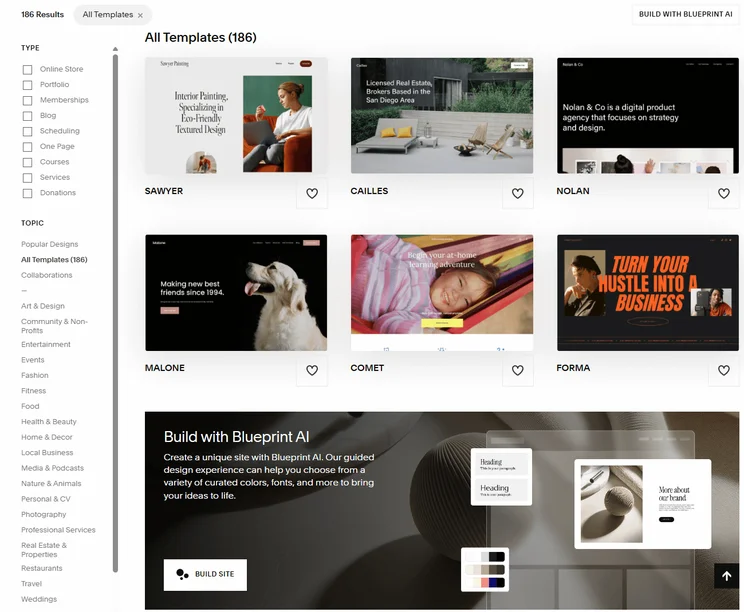
As of July 2025, Squarespace has 31 templates within its “Art & Design” subcategory. You’ll be able to custom-fit any of these templates to your own favorite color palette by heading to your dashboard and navigating to:
- Design > Colors > Edit Palette
Click the “Designer Palettes” button, and you’ll be able to pick from a range of pre-set palettes, as well. This area also allows you to pull a custom color from one of your own artworks or enter a specific Hex color code in the #00000 format.
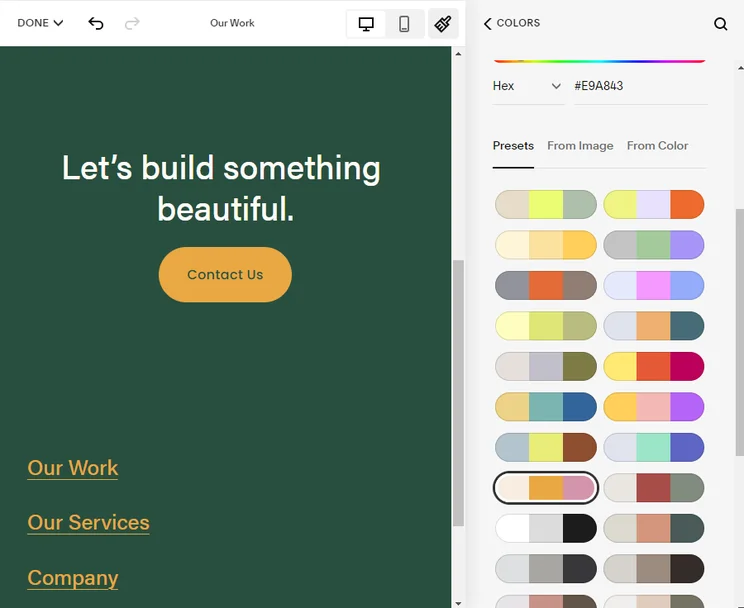
The Squarespace color editor gives users control over their website color palette. Source: Squarespace
Squarespace pricing
Squarespace offers four different pricing plans, with varying costs and features. They are as follows:
- Basic plan ($19/month): All the basics of a paid website builder, including free one-year custom domain, unlimited bandwidth, SSL security certification, and all the templates you could want.
- Core plan ($29/month): Adds ecommerce features to help you sell your art online.
- Plus plan ($49/month): Unlocks substantially lower transaction fees that will really pay off as your business grows.
- Advanced plan ($99/month): Get your hands on unlimited video hosting and storage, alongside 0% fee for digital content and memberships transactions.
|
Plan
|
Special deal
|
Price (1-year contract)
The price per month you'll pay if you choose to be billed annually
|
Price (1-month contract)
The price per month you'll pay if you choose to be billed monthly
|
Ecommerce
|
|---|---|---|---|---|
|
Basic |
Core |
Plus |
Advanced |
|
|
$17.10/month with code TC10 |
$26.10/month with code TC10 |
$44.10/month with code TC10 |
$89.10/month with code TC10 |
|
|
$19/month |
$29/month |
$49/month |
$99/month |
|
|
$25/month |
$39/month |
$65/month |
$139/month |
|
|
Limited |
|
|
|
2. Wix
- Best for growing your audience
- Price from: $17/month ($15.84/month with code “TAKE10”)
Wix has the most advanced set of website features on the market, and for that reason, it’s actually our pick of website builders for small businesses. The platform has a wealth of tools for getting your site seen by as many people as possible, with some great SEO and marketing features.
Wix offers a lot of integrations, with over 800 available options for bolstering your site functionality. This makes it a great option for higher-profile artists that intend to sell their art to a big audience. And doing so is easy and cost-effective, with basic ecommerce tools available with the Core plan ($29/month).
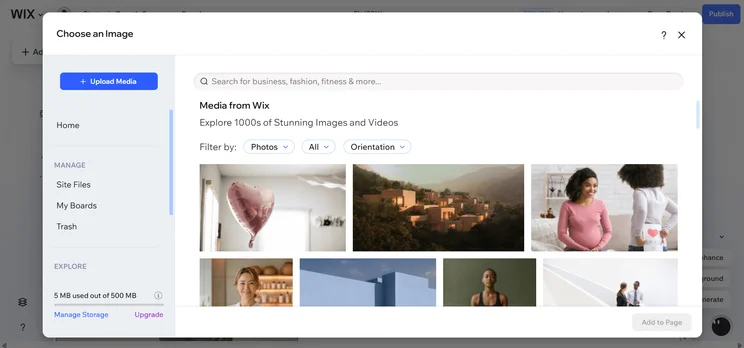
In terms of design features, you’ll be spoiled for choice, with highlights including an AI image generator and advanced editing tools to remove backgrounds and unwanted intrusions from your images. However, our researchers actually found the sheer breadth of functions quite overwhelming, noting difficulty navigating the dashboard.
What’s more, once you’ve chosen your template, you won’t be able to update to a different one without the hassle of reassigning your domain. For artists, this may be a challenge, since the right template is a key element in drawing attention to your artwork.
Check out our Wix review for more information, or see our Wix vs. Squarespace comparison.
Wix

In Short
-
Pros
- Unrivaled selection of website features across design, sales, and support
- AI features can create a site in 60 seconds
- Quality free forever plan available
-
Cons
- No template switching once published
- Number of features can be overwhelming for some beginners
- Steep price increase for scaling businesses
Pricing
-
Light: $17/month
-
Core: $29/month
-
Business: $39/month
-
Business Elite: $159/month
-
10% off any plan with code TAKE10
-
Free plan
Images
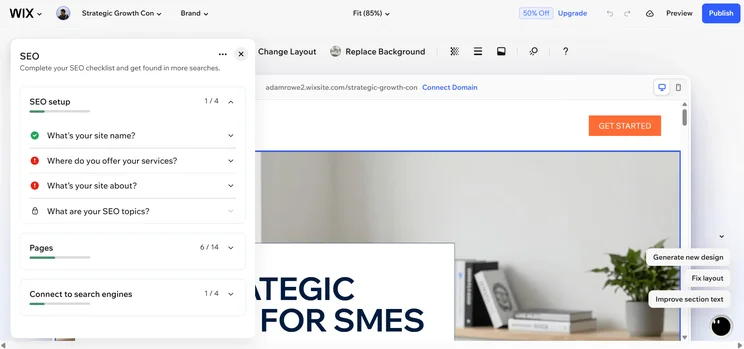
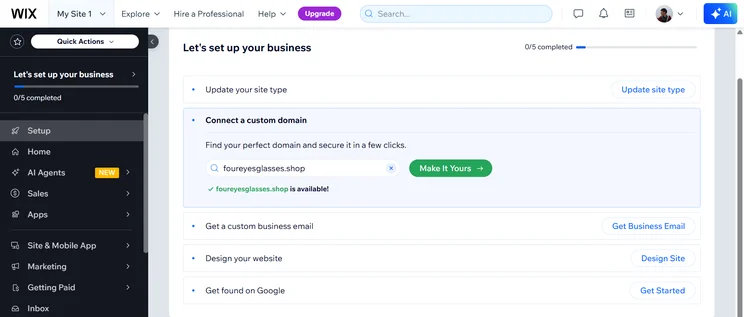
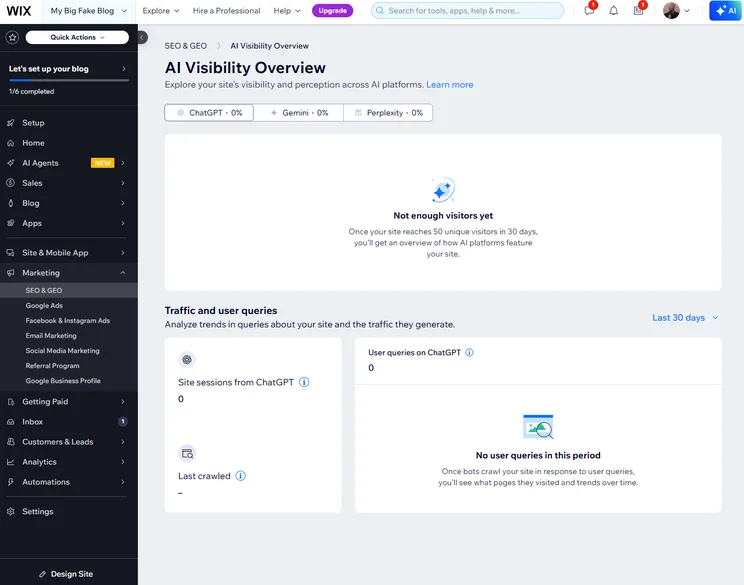
Wix’s design templates
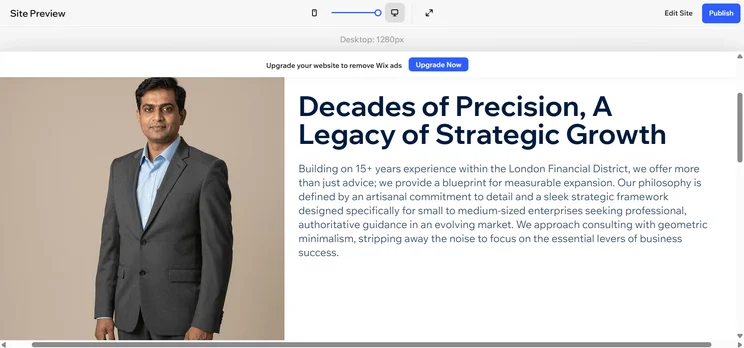
Wix offers 188 different templates within its “Design” category, broken down into architecture, interior design, art & illustration, graphic & web, branding, and fashion design.
The builder’s support for blog posts is flexible, allowing each post to serve as a showcase for a specific visual artwork, or you could go for quality over quantity and opt for a single giant artwork to serve as your landing page instead.
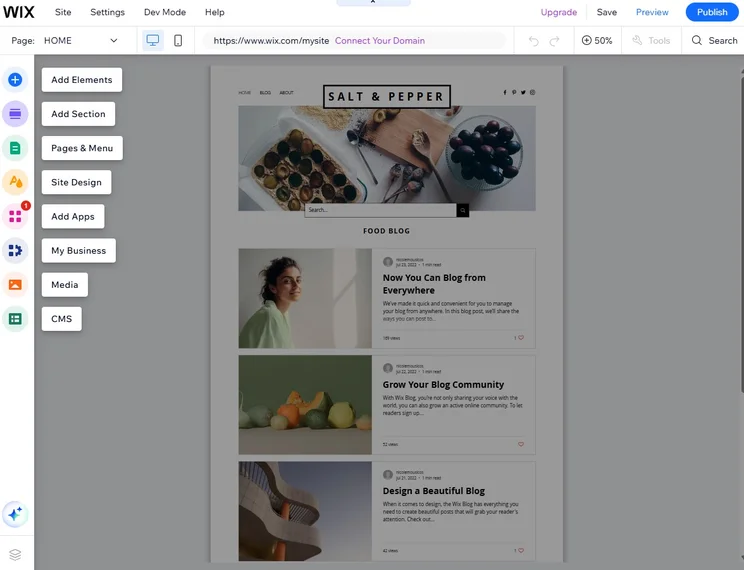
The Wix website editor offers a clear, comprehensive way to design your site. Source: Tech.co testing
Wix pricing
Wix has four available paid plans – Light, Core, Business, and Business Elite. In this section, I’ll give a quick overview of each one.
- Light ($17/month): You’ll get a custom domain, up to two collaborators, analytics, 2GB of storage space, and more.
- Core ($29/month): Unlock some decent ecommerce tools, including the ability to accept payments and sell on marketplaces and social channels.
- Business ($39/month): The Business plan ups your collaborator limit to 10, as well as doubling your storage space.
- Business Elite ($159/month): You’ll be able to sell in 11 different currencies, make use of advanced data tools, and maintain a comprehensive bookings platform.
Wix also has a free plan, but it comes with some big caveats. Storage and bandwidth are limited, so you won’t be able to field many visitors at the same time without the site crashing. What’s more, your page will be littered with Wix branding, which significantly detracts from the overall look and feel, especially for an artist portfolio.
It’s a good option for novices that just want a website to host some basic imagery and content, but in truth, we wouldn’t recommend a free website builder if you’re looking to get your portfolio off the ground or even sell your work online.
|
Plan
|
Special deal
|
Price (1-year contract)
The price per month you'll pay if you choose to be billed annually
|
Price (1-month contract)
The price per month you'll pay if you choose to be billed monthly
|
Ecommerce
|
|---|---|---|---|---|
|
Free |
Light |
Core |
Business |
Business Elite |
|
$0 |
$15.30/month with code TAKE10 |
$26.10/month with code TAKE10 |
$35.10/month with code TAKE10 |
$143.10/month with code TAKE10 |
|
$0 |
$17/month |
$29/month |
$39/month |
$159/month |
|
$0 |
$24/month |
$36/month |
$46/month |
$172/month |
|
|
|
|
|
|
3. Shopify
- Best for selling art online
- Price from: $29/month ($1/month for the first three months)
Some artists just need a website to serve as an internet welcome mat that makes them easy to contact. However, other artists are hoping to sell prints, original canvases, or coffee mugs with their illustrations on them. Those artists should opt for Shopify.
Shopify stands out in our research as the best website builder for selling art due to its impressive sales features and its multichannel integrations. With these features, artists can make their product catalog available at online marketplaces including Amazon, Walmart, Etsy, and eBay.
The service also lets you reach customers through social channels like Facebook, Instagram, YouTube, and TikTok, and you can integrate your website sales with in-person sales at a store or market stall.
While Shopify’s design customization tools aren’t as complex as Wix or Squarespace, they’re not to be sniffed at. In particular, our researchers were impressed with the new AI site builder, which can get a totally bespoke page off the ground in seconds.
Shopify

In Short
-
Pros
- Vast selection of third-party integrations and apps
- Range of customer support including phone, live chat, and 24/7 options
- Excellent generative AI features to craft content
-
Cons
- Messy interface between backend and frontend
- No free domain, must pay extra
- Short 3-day free trial to try platform before you buy
Pricing
- Agentic plan: $0/month
- Basic plan: $29/month
- Grow plan: $79/month
- Advanced plan: $299/month
- Plus plan: $2,300/month
- Transaction fees from 2.9% + 30¢
Images



Shopify’s art themes
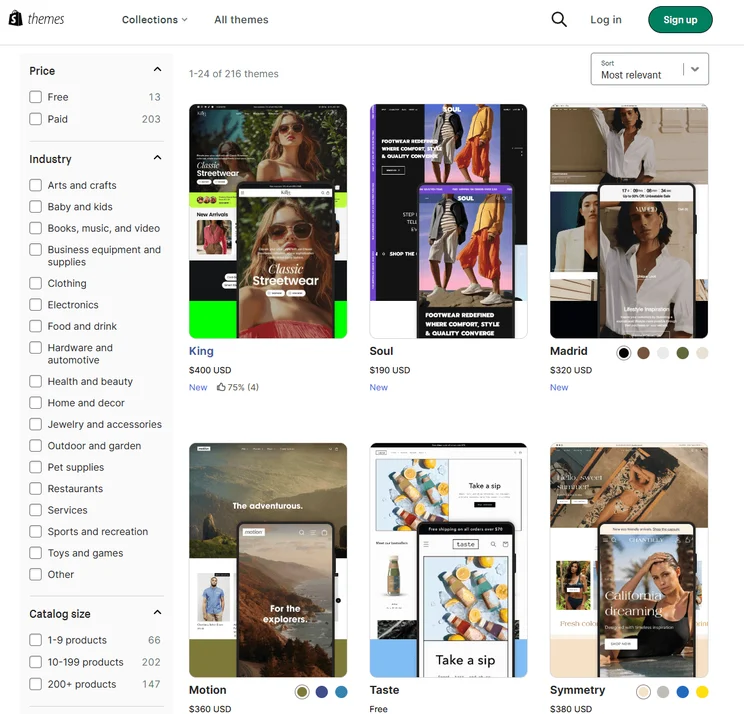
Of its 864 available website themes, Shopify gives users a choice between 34 “Art” themes. Once you’ve opted for one of those, users can fine-tune their website colors, white space, or other layout settings from within their Shopify admin dashboard. More advanced options are also available.
Users can fiddle with their website code by heading to:
- Actions > Edit code > Assets
You won’t need to be a coder to figure out the system, however, and there are plenty of online tutorials to help you figure out anything that isn’t immediately obvious. The real draw for artists, however, are all the ecommerce integrations, which can boost SEO and audiences to the customers you need.

Third-party integrations like this Instagram sale extension help you reach new audiences and direct them to your Shopify site. Source: Shopify
Shopify pricing
Shopify offers five different pricing plans with a range of varying features and functionalities for your online store. We’ll cover each of them in this section.
- Starter plan ($5/month): Gives you an an online storefront and the ability to sell online, albeit through social media channels.
- Basic plan ($29/month): Unlock more advanced ecommerce functionality, with features including a customizable online store.
- Grow plan ($79/month): The Grow plan offers lower card transaction fees than the preceding plan.
- Advanced plan ($299/month): Offers detailed insights into sales.
- Plus plan ($2,300/month): Unlock 200 inventory locations, 24/7 priority phone support, unlimited staff accounts, and more.
Check out our full Shopify review.
|
Plan
|
Price (1-year contract)
The price per month you'll pay if you choose to be billed annually
|
Price (1-month contract)
The price per month you'll pay if you choose to be billed monthly
|
Ecommerce
|
|---|---|---|---|
|
Basic |
Grow |
Advanced |
|
|
$29/month |
$79/month |
$299/month |
|
|
$39/month |
$105/month |
$399/month |
|
|
|
|
|
4. Hostinger
- Best for money-conscious artists
- Price from: $2.99/month (currently available for $2.69/month)
With the most affordable starting costs in this guide, Hostinger is clearly the budget choice on the list. Unfortunately, what it has in affordability it makes up for with limited functionality, with a feature catalog that can’t match website builders like Wix and Squarespace.
Still, from an artist’s perspective, Hostinger offers more templates than you’d expect and ecommerce features are available at a low starting point, so you really can’t ask for a more affordable option. In addition, storage space starts at 25GB, which is far higher than any similarly priced plans, and SSL certificates are included.
However, if you want to scale down the line, it’s going to be a lot easier with other providers, as Hostinger is pretty limiting for a larger site.
Check out our Hostinger review for more information
Hostinger

In Short
-
Pros
- AI generated site in three steps (60 seconds)
- Built-in heatmap for advanced site analytics
- Language translations capabilities
-
Cons
- No app market for third-party integrations
- No email marketing in any paid plans
- No free trial or free plan for users
Pricing
- Premium: $2.99/month
- Business: $3.99/month
Images
Hostinger’s design templates
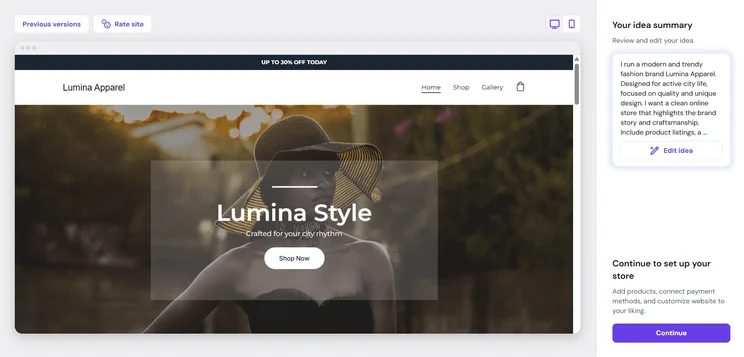
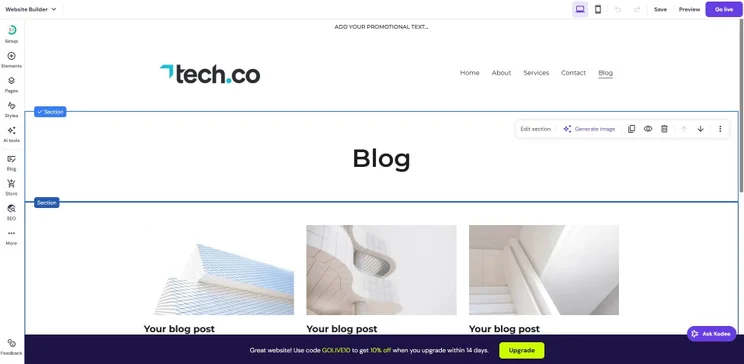
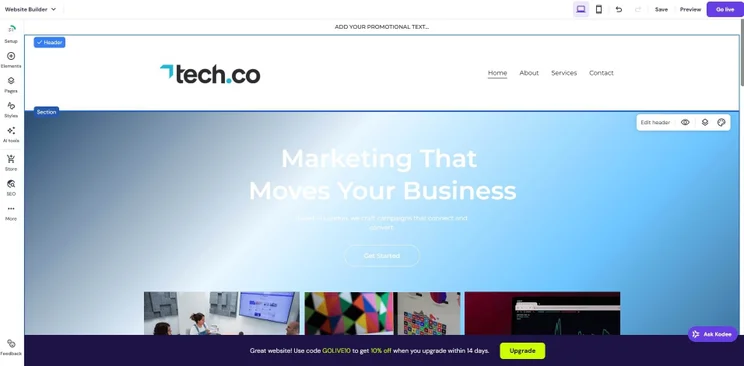
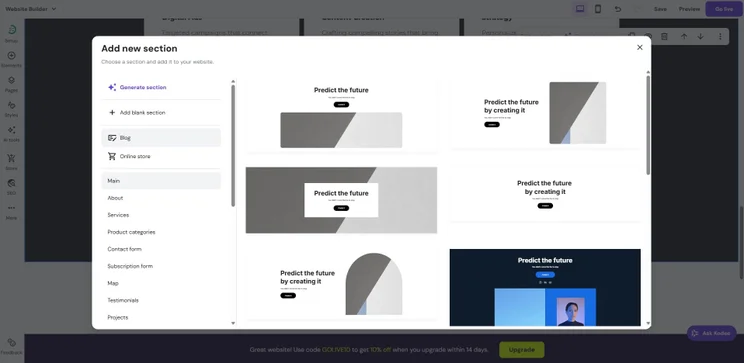
Hostinger has 23 dedicated “Creative” templates on offer, which will work well for an artist’s personal blog or a small artwork showcase. As long as you aren’t invested in adding the latest widgets and extras, and you just want an inexpensive “store front”-style website to display your artwork, Hostinger will fit the bill.
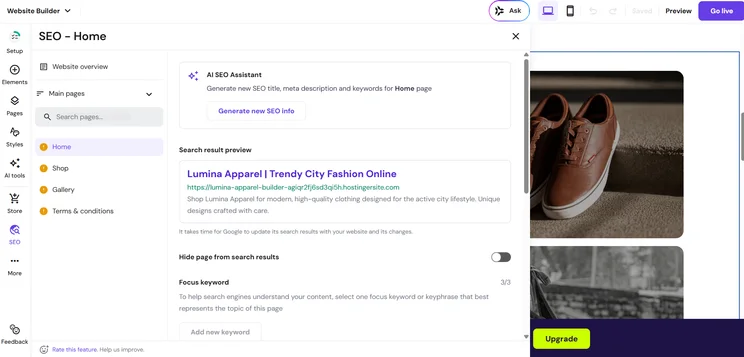
That said, Hostinger offers AI tools for building new websites and an AI logo generator that can create your company branding from scratch. It’s a good pick for those who want a guiding hand while putting together a design that’s all their own.
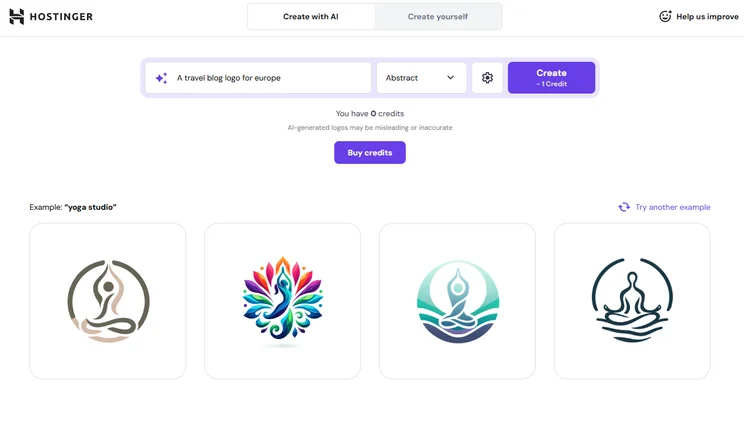
Hostinger allowed us to generate a logo for our site with a simple prompt. Source: Tech.co testing
Hostinger pricing
Hostinger has three shared hosting plans, and in this section, I’ll provide a brief overview of each.
- Premium ($2.99/month): Includes a free domain, more than 100 templates, an SSL certificate, and more.
- Business ($3.79/month): Adds faster performance, daily data backups, and a 50GB storage cap.
- Cloud Startup ($7.99/month): This will allow you to create 100 websites, boost your storage to 100GB, and more.
Check out our comparison page pitting Hostinger vs Wix.
|
Plan
|
Special deal
|
Price (4-year contract)
The price per month you'll pay if you choose to be billed for 48 months
|
Price (1-year contract)
The price per month you'll pay if you choose to be billed annually
|
Price (1-month contract)
The price per month you'll pay if you choose to be billed monthly
|
Ecommerce
|
|---|---|---|---|---|---|
|
Premium |
Unlimited |
Cloud Startup |
|||
|
$2.69/month with code TECH |
$3.59/month with code TECH |
$7.19/month with code TECH |
|||
|
$2.99/month |
$3.99/month |
$7.99/month |
|||
|
$3.99/month |
$4.99/month |
$9.99/month |
|||
|
$11.99/month |
$18.99/month |
$27.99/month |
|||
|
|
|
|
How to Make a Free Artist Website
Only one of the providers in this guide offers a free plan — Wix. It’s a pretty decent offering if you’re just looking to get a page online, but it comes with two big downsides. First, it displays Wix ads on your website, which undermines a professional image, and second, it won’t support a custom URL, which will make it more difficult for those using search engines to find your website in the first place.
Other cheap website builders we’ve reviewed also provide free options. You’ll see similar limitations for them, however: Some lack custom URLs, while others have very limited options for templates or designs.
As a rule of thumb, we wouldn’t recommend a free website builder for artists. This is because they often come with big caveats which affect the appearance and performance of your page, which are two of the most important considerations for an artist.
How to Choose a Website Builder to Sell or Showcase Art
Artists looking for a website builder should take a look at this list and identify which elements are most important to them:
- Ease of Use vs. Customizability: Some website builders are easy because they offer limited options, like Hostinger. Others are more difficult to use, but support the made-to-order website you envision, like Wix. Where are your needs on this sliding scale? If they’re in the middle, Wix or Squarespace might be best.
- Ecommerce vs. Showcase: Some artists are just trying to establish a presence on the internet, while others have an audience hoping to buy their prints and tote bags. If you don’t yet have that audience, opt for a non-ecommerce website, because you can always switch to a pricier ecommerce option down the road.
- Budget Range: No one wants to pay more than they have to. Are you happiest with a simple, static website that shows off your work? Or do you want to make sure you make the best impression possible, even if it costs an extra $20 a month?
Those are the most divisive issues, but there are a few remaining odds and ends worth mentioning. First, you may need to consider what types of integrations will be most helpful for you, from social media plugins to SEO tools. Your customer support needs might vary as well.
Finally, you might want to keep an eye on scalability, which refers to how large an audience the website builder will support, should your website vistors keep increasing.
How do artists get noticed online?
Building an online audience is a challenge with no clear answer. Some artists find success on Instagram or TikTok, either by steadily building a small following, or by riding the wave of a few viral posts. Others get their name out with paid gigs first, with online success following later. Whatever the case, you’ll eventually want a professional website to serve as a showcase for your art.
Methodology – How We Rate the Best Website Builders
We take our impartial research and analysis seriously, so you can have complete confidence that we’re giving you the clearest, most useful product recommendations.
After conducting an initial exploration to identify the most relevant, popular, and established tools in the market, we put them through their paces with hands-on testing to see their real strengths and weaknesses. In this case, we put 16 website builder products to the test across 398 areas of investigation.
Based on years of market and user needs research, we’ve established a website builder testing methodology that scores each product in six core categories of investigation and 33 subcategories. This covers everything, from customer feedback to design, ease of use, and more.
Our main testing categories for website builders are:
- Website features: The capabilities and functionalities offered by a website builder, e.g. blog functionality, SEO capability, and marketing capacity.
- Design functionality: The aesthetic appeal and visual layout of a website created using a website builder. It encompasses aspects such as page templates and customizable themes.
- Customer satisfaction: External customer opinion. This is the feedback and ratings given by customers who have used a particular website builder — the market position and reputation a website builder holds.
- User experience: How user-friendly and intuitive a website builder is for people with varying levels of technical expertise.
- Value for money: The balance between the cost of a website builder and the benefits it provides. It considers factors such as pricing plans, subscription models, and available features.
- Help and support: The assistance and resources available to users when they encounter issues or need guidance while using a website builder.
When it comes to calculating a product’s final score, not all testing areas are weighted evenly, as we know some aspects matter more to our readers than others, which are simply “nice to have”. After hundreds of hours, our process is complete, and the results should ensure you can find the best solution for your needs.
At Tech.co, we have a number of full-time in-house researchers, who re-run this testing process regularly, to ensure our results remain reflective of the present day.
We’ve done the research: Squarespace remains the best website builder for artists, since it provides great templates, color palettes, and easy-to-use design tools, all key ingredients for artists looking to showcase their work.
However, if you’re specifically looking to sell your art, our research found that Shopify is the best choice, as it provides the most robust ecommerce tools on the market, including diverse multichannel integrations.
If you click on, sign up to a service through, or make a purchase through the links on our site, or use our quotes tool to receive custom pricing for your business needs, we may earn a referral fee from the supplier(s) of the technology you’re interested in. This helps Tech.co to provide free information and reviews, and carries no additional cost to you. Most importantly, it doesn’t affect our editorial impartiality. Ratings and rankings on Tech.co cannot be bought. Our reviews are based on objective research analysis. Rare exceptions to this will be marked clearly as a ‘sponsored’ table column, or explained by a full advertising disclosure on the page, in place of this one. Click to return to top of page


