






We may receive a commission from our partners if you click on a link to review or purchase a product or service. Click to Learn More
Teamwork is the best monday work management alternative, with a strong selection of tools for managing tasks and projects, as well as decent customer support options for when you get stuck.
Another option is ClickUp, which has a huge range of features, including 15 different “views” for tracking progress, as well as an outstanding AI tool, ClickUp Brain.
To inform this gudie, I personally tested the best monday Work Management alternatives, evaluating their strengths, weaknesses, and AI capabilities.
- Teamwork is the best overall alternative, due to its excellent task management features, solid free plan, and ease of use.
- ClickUp is an excellent platform for task management, with a highly affordable pricing structure.
- Asana is better for intuitively visualizing project data.
- Wrike has more extensive integrations.
- Trello is by far the cheapest option out of all the providers on this list.
In this guide:
What Are the Best Alternatives to monday work management?
Below, you’ll find my favorite alternatives to monday Work Management. Use the links to navigate to your desired section, or check out the table below for a head-to-head comparison of each provider.
- Teamwork — Best monday work management alternative
- ClickUp — Best for task management
- Asana — Best for displaying project data
- Wrike — Best for integrations
- Trello — Cheapest monday work management alternative
|
Price
All prices listed are per user, per month (billed annually)
|
Free plan
|
Pros
|
Cons
|
Time tracking
|
Client portal
|
HIPAA compliance
|
Offline mode
|
AI assistant
|
AI features
|
||
|---|---|---|---|---|---|---|---|---|---|---|---|
 |
 |
 |
 |
 |
 |
||||||
|
monday work management |
Teamwork |
ClickUp |
Asana |
Wrike |
Trello |
||||||
|
$12/user/month |
$9.99/user/month |
$7/user/month |
$10.99/user/month |
$10/user/month |
$5/user/month |
||||||
|
|
|
|
|
|
10 users |
||||||
|
|
|
|
|
|
||||||
|
|
|
|
|
|
||||||
|
|
|
|
Paid add-on |
|
Paid add-on |
||||||
|
|
|
|
|
|
|
||||||
|
Enterprise plan only |
|
Enterprise plan only |
Enterprise plan only |
|
|
||||||
|
|
|
|
Mobile only |
|
|
||||||
|
monday AI Sidekick |
TeamworkAI |
ClickUp Brain |
Asana AI |
Wrike Copilot |
AI Project Planner Power Up |
||||||
|
|
|
|
|
|
Although monday Work Management is the best project management software tool I’ve tested, I think Teamwork certainly gives it a run for its money.
A lot of Teamwork’s advanced features — such as its automation builder — are really easy to use, and I also found tasks like creating a dashboard for my project data and tracking budgets really straightforward.
I found the interface to be really similar to Asana’s, but a little less cramped. It’s a different approach to monday work management, but it’s still easy to flick between views and manage task details.
I spent less time trawling through menus trying to find things in Teamwork than I did with Zoho Projects, Smartsheet, and even Trello, to an extent.
Plus, there’s phone-based support, which is always a plus and something monday work management doesn’t offer. So, while monday Work Management is better overall if you’ve got a tight budget, you won’t be disappointed by Teamwork.


Looking for the best monday work management alternative?
Teamwork came second in our testing series, and its plans retail at similar prices to monday work management
1. Teamwork: Best Overall monday work management Alternative
- Price from: $9.99 per user, per month
- Free plan? Yes
Teamwork is the best overall monday Work Management alternative, with a simple interface that’s easy to use, powerful task management features, and a decent free plan with up to five projects and users.
Teamwork

In Short
-
Pros
- Lots of collaboration tools
- Kanban-style boards and Gantt charts available
- Affordable pricing and solid free option
- Great security options
-
Cons
- Limited built-in integrations
- Data visualization isn’t the easiest
Pricing
- Free plan available
- Basics: $9.99/user/month
- Accelerate: $24.99/user/month
- Optimize: custom pricing
- Enterprise: custom pricing
Images
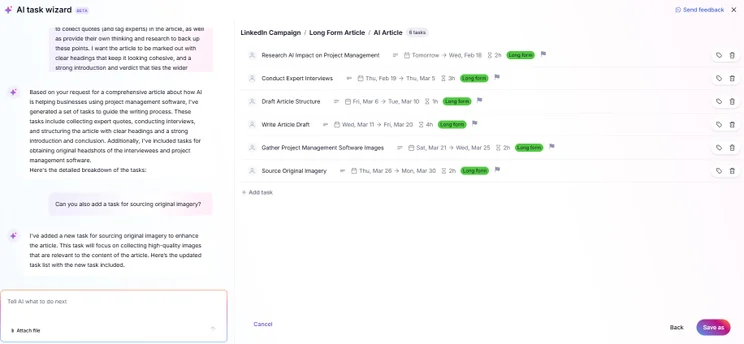
I was really impressed with how Teamwork performed during our ease-of-use tests. Aside from monday, it’s the most intuitive and usable program I’ve tried.
I found it really easy to transition between views, build up a dashboard of data, and extract insights that revealed how my test projects were progressing.
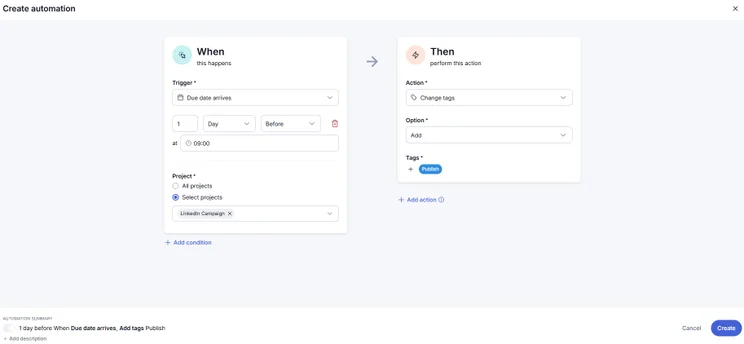
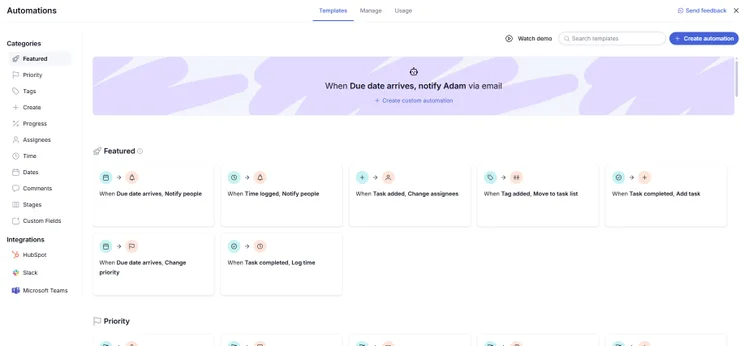
I also found the automation builder much easier to master than Wrike’s, ClickUp’s, and Asana’s.

What do we like about Teamwork?
Teamwork is the best monday Work Management alternative because of its highly competitive all-round project management offering.
Standout features include workflow creation, thanks to an impressive automation builder, which is available on all plans, and a solid range of preset project templates.
During testing, I found the automation builder to be really easy to use, especially when compared with Jira, and I thought the library of pre-built automations was a nice touch for first-time users.
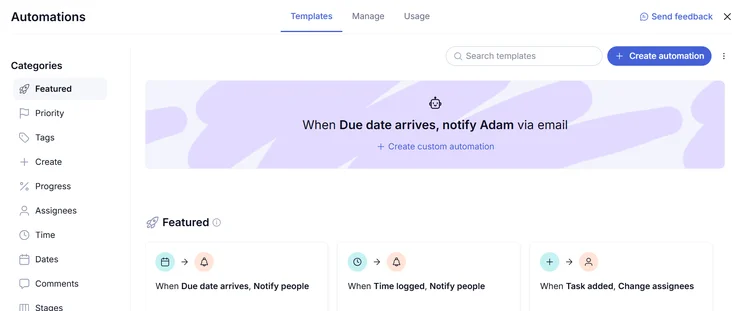
The Teamwork automations library is a great starting place for users with no background in building automations. Source: Tech.co testing
Teamwork’s free plan enough task management features to rival monday Work Management, including a Gantt chart, Team view, a task dependencies feature, and a Calendar view.
While building a custom board was quite a lengthy process, I really appreciated the high degree of control that I was afforded by Teamwork. For example, you can create “task list templates” for ease of duplication.
Furthermore, you can measure progress as a percentage on individual task cards, which is granular method of managing tasks that is absent from the other providers on this list.
How much does Teamwork cost?
Teamwork has five pricing plans, which you can learn about below.
- Free — Free
- Basics — $9.99 per user, per month
- Accelerate — $24.99 per user, per month
- Optimize — custom pricing
- Enterprise — custom pricing
Overall, monday Work Management is better value for money than Teamwork.
While Teamwork has a cheaper entry-level plan, monday’s Pro plan ($19 per seat, per month) offers similar functionality to Teamwork’s Accelerate plan ($24.99 per user, per month). monday also has a more robust free plan.
Check out our full guide to Teamwork pricing for more information.
2. ClickUp: Best monday work management Alternative for Task Management
- Price from: $7 per user, per month
- Free plan? Yes
ClickUp is the best monday Work Management alternative for task management, with several different project views to choose from, native time-tracking on its Business plan, and burndown charts for scrum teams, which monday Work Managements does not offer.
ClickUp

In Short
-
Pros
- 11+ ways to view project progress and data
- Useful “Chat” view for collaboration
- Team view for organizing tasks by team member
- Cheaper than monday Work Management or Wrike
- Agile project management features
- Vast number of features, even on cheap plans
-
Cons
- Customizability can be overwhelming to new users
- Not great at compiling project feedback
- Comparatively clunky automation builder
- Slow to load on our tests
Pricing
- Free plan available
- Unlimited: $7/user/month
- Business: $12/user/month
- Enterprise: custom pricing
Images
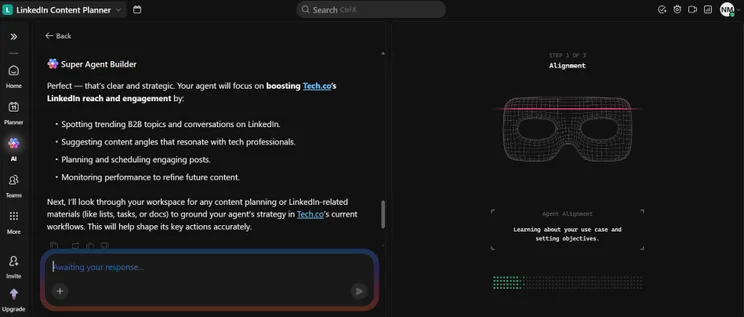
Compared to monday work management, I found ClickUp’s automation builder to be a lot clunkier, particularly as certain elements took a lot longer to load compared to the other platforms I used.
It’s hard to argue with ClickUp’s vast range of features and integrations, however. It has plenty of task management features and project management tools that will benefit any business trying to organize complex projects.
What do we like about ClickUp?
ClickUp is the best monday Work Management alternative for task management, with several available views so that users can view their projects in multiple different ways, including List, Board, and Calendar.
With this variety of options, different teams can get the benefits of ClickUp in whichever way suits them. For example, scrum teams can use burndown charts to monitor progress and identify potential bottlenecks.
ClickUp offers time tracking on its Unlimited plan ($7 per user, per month), while monday Work Management only offers it on its Pro plan ($19 per seat, per month).
For this reason, ClickUp is a better fit for small businesses that employ freelancers, such as a marketing agency, as you can accurately monitor and bill time without paying for advanced functionality that you don’t need.
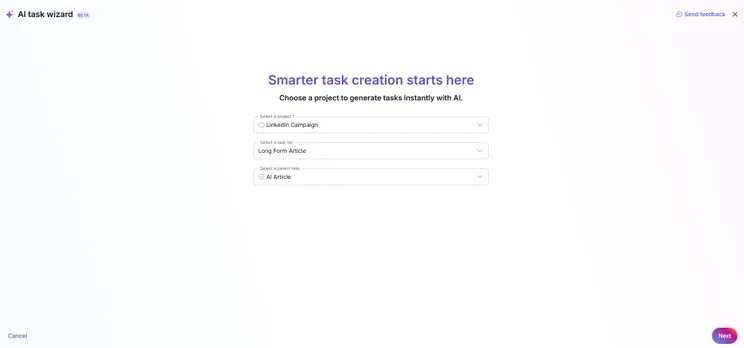
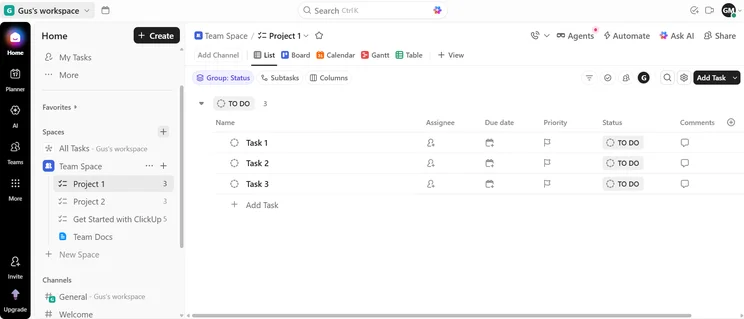
I tested ClickUp, and I was very impressed by ClickUp Brain, its flagship AI chatbot. After integrating the platform with Gmail, I asked it to draw up an action plan from my last five emails. It did so in about 10 seconds.
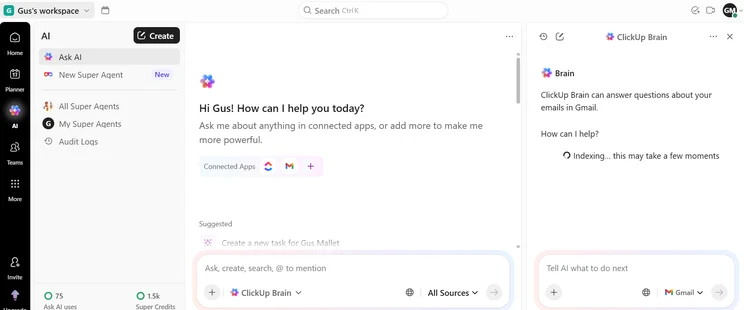
You can easily integrate your existing workplace apps with ClickUp Brain in just a few clicks. Source: Tech.co testing
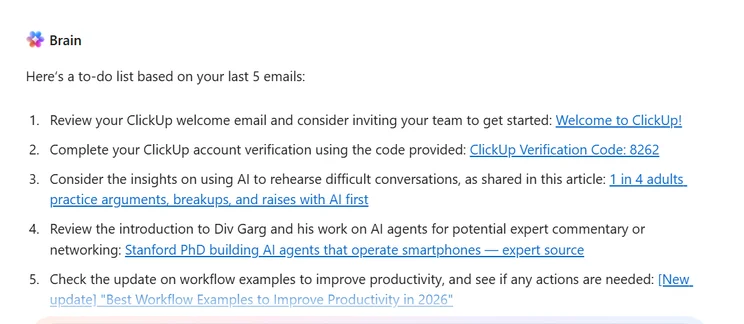
ClickUp Brain pulled actions from my last five emails in about 20 seconds. Source: Tech.co testing
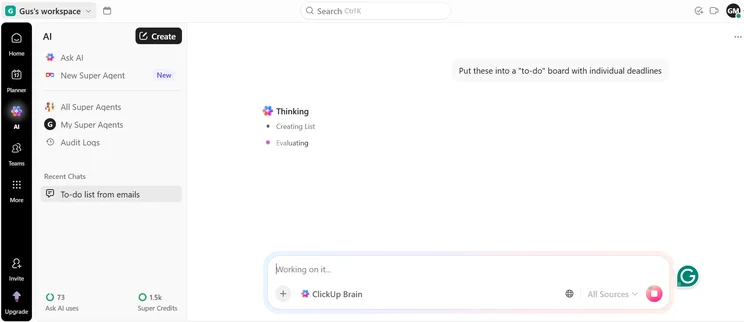
ClickUp Brain "thinking" before creating a "to-do" board from my prompt. Source: Tech.co testing
ClickUp Brain is the best AI project management tool that I’ve tested. Source: Tech.co testing
From here, I asked ClickUp Brain to put those actions into a “to-do” board. It duly obliged, populating the board with task cards, each with its own individual deadline and description.
How much does ClickUp cost?
ClickUp has four pricing plans, which you can see below.
- Free Forever — Free
- Unlimited — $7 per user, per month
- Business — $12 per user, per month
- Enterprise — custom pricing
ClickUp’s raft of features and generous free plan make it better value for money than monday Work Management overall.
Read our ClickUp pricing and monday work management pricing pages for more information.
3. Asana: Best monday work management Alternative for Displaying Project Data
- Price from: $10.99 per user, per month.
- Free plan? Yes
Asana is the best monday Work Management alternative for displaying project data. The platform has a strong selection of data visualization tools, including unlimited tasks and projects, time tracking, and status updates, all on its free plan.
Asana

In Short
-
Pros
- Unlimited storage
- Plenty of third-party integrations
- Incredibly clean and intuitive interface
- Easy-to-use dashboards and chart builder
-
Cons
- Most key features require the Advanced plan
- Very high prices for larger teams
- No phone-based support
Pricing
-
 Free plan available
-
Starter: $10.99/user/month
-
Advanced: $24.99/user/month
Images
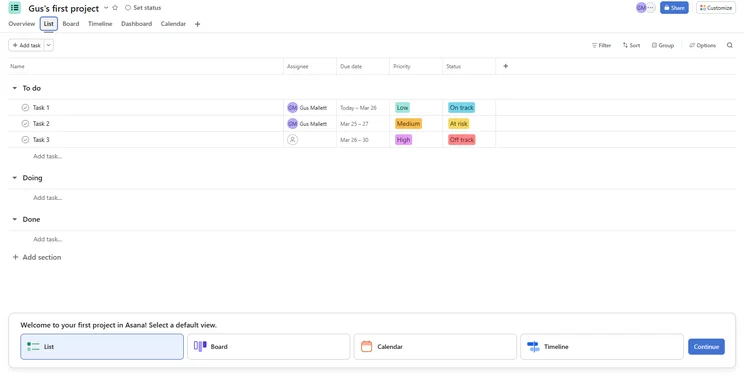
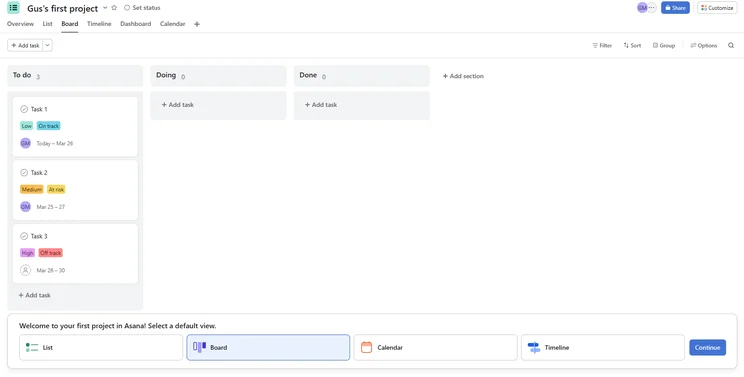
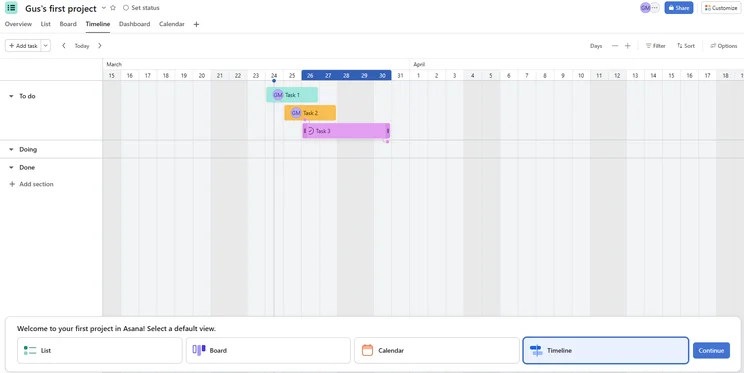
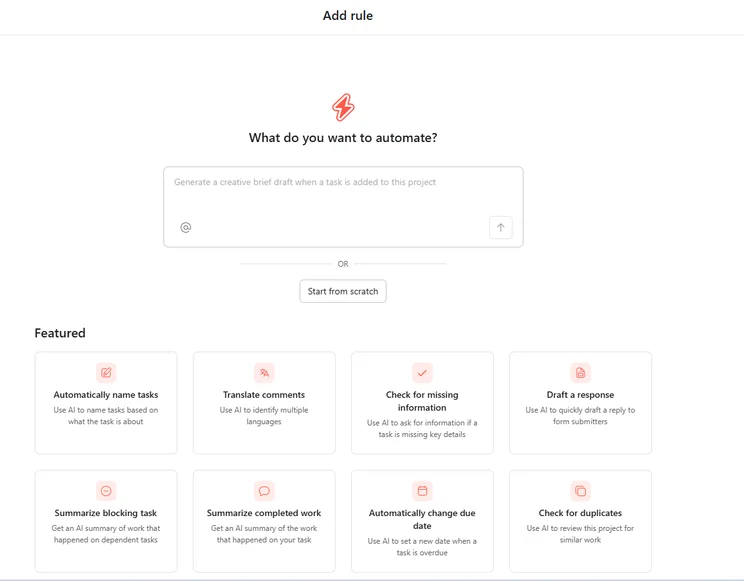
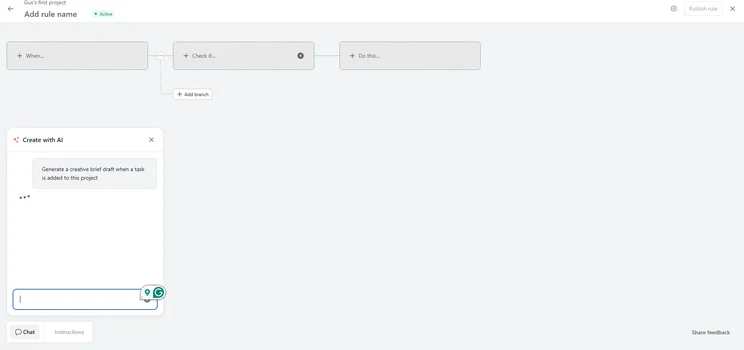
Notes from testing: Asana
“You can add custom fields on tasks, so for our commercial link tasks, I added fields for the brief, the article, the live link, the brand, and the date live.” — Katie, an SEO Campaign Executive and a member of Tech.co’s user testing team
What do we like about Asana?
Asana is the best monday Work Management alternative for displaying project data. With a strong selection of tools for viewing and organizing your work, including helpful widgets and charts, it’s a great platform for multi-disciplinary teams with complex workflows.
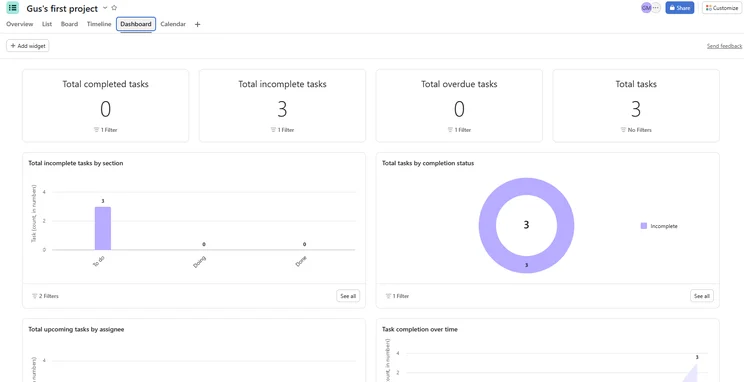
Asana’s dashboard breaks your tasks down with different types of graphs for ease of visualization. Source: Tech.co testing
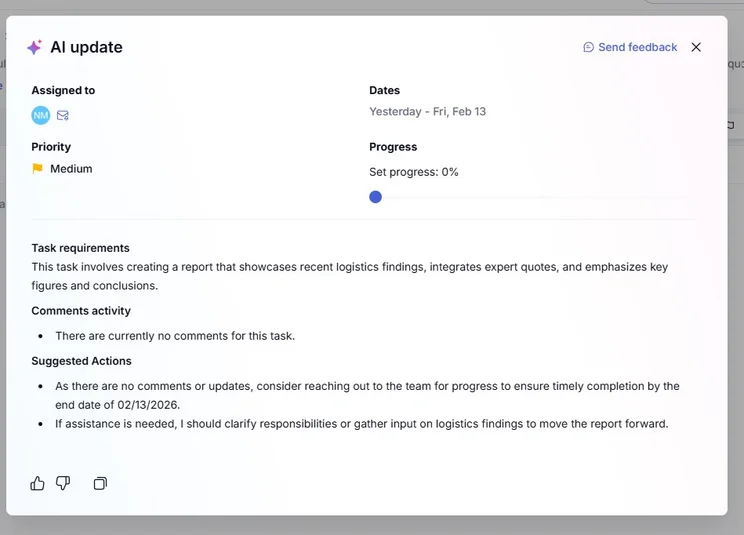
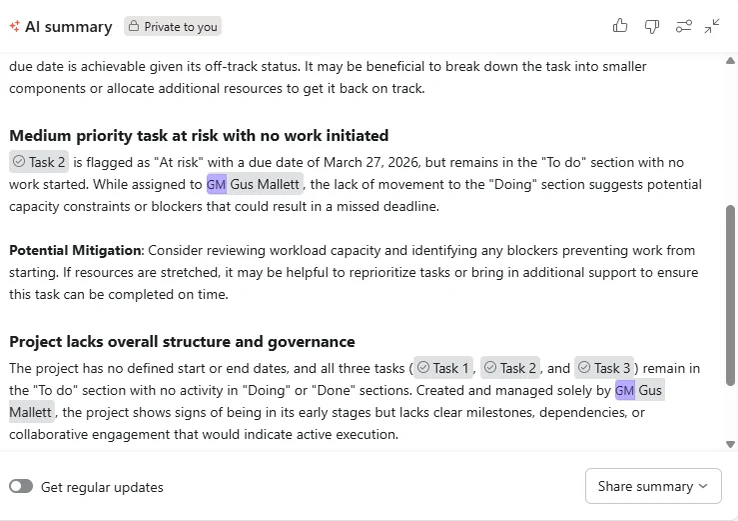
While testing Asana, I was highly impressed with how the platform has embedded AI into its offering. For example, you can access daily workload AI summaries from a widget in the Overview tab.
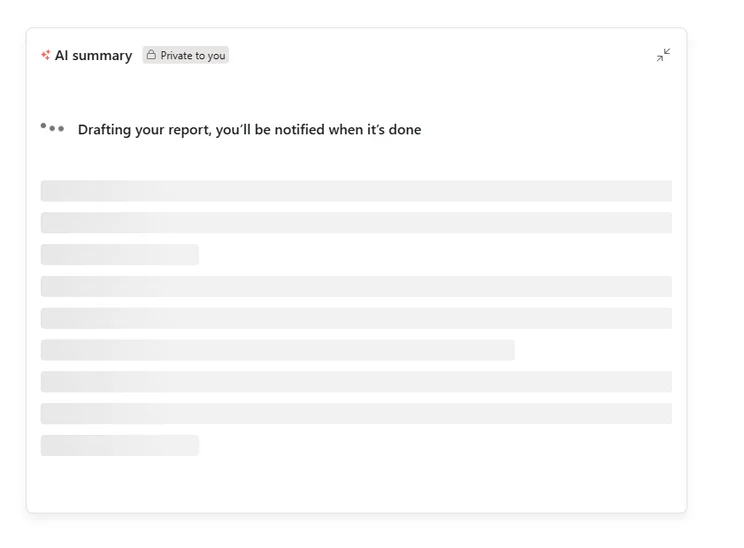
Asana AI took about 15 seconds to generate my first workload report, which is slower than ClickUp Brain. Source: Tech.co testing
I really liked that Asana’s reports link the relevant task cards and stakeholders, so you can immediately take action if a deadline is imminent.
Additionally, you can toggle on “regular updates” to receive daily AI updates, with such reports available via the dashboard and directly to your mailbox.
How much does Asana cost?
Asana has five pricing plans. Find out more about them below.
- Personal — Free
- Starter — $10.99 per user, per month
- Advanced — $24.99 per user, per month
- Enterprise — custom pricing
- Enterprise+ — custom pricing
monday Work Management is better value for money than Asana, which has a more expensive mid-tier plan ($24.99 per user, per month vs $19 per seat, per month), despite both offering similar functionality.
4. Wrike: Best monday work management Alternative for Integrations
- Price from: $10 per user, per month.
- Free plan? Yes
Wrike is the best monday Work Management alternative for integrations, with an outstanding selection of third-party apps available, including Google Suite, Office 365, MS Project, Excel, Slack, Salesforce, and more.
Wrike

In Short
-
Pros
- No-nonsense, robust feature catalog
- Lots of customizability
- Strong task management and data tools
- Huge integrations library
-
Cons
- Not entirely easy to use
- Difficult to use automation builder
- Not the best for collaboration
Pricing
- Free plan available
- Team: $10/user/month
- Business: $25/user/month
- Pinnacle: custom pricing
- Apex: custom pricing
Images
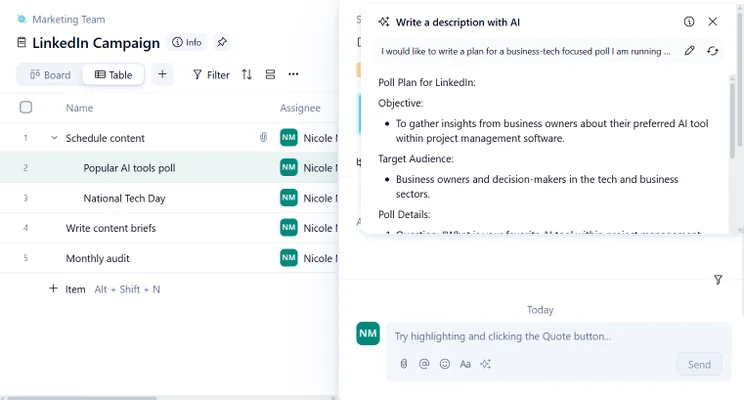
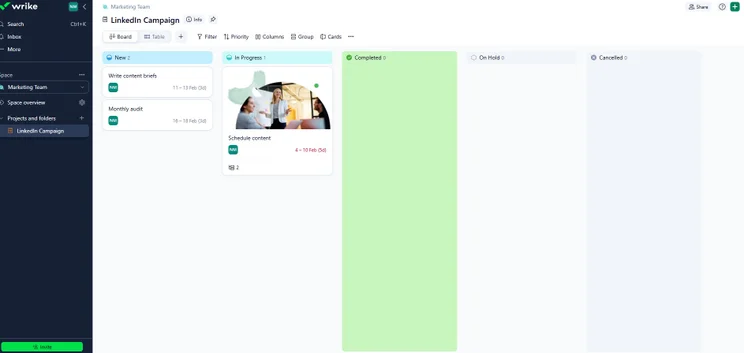
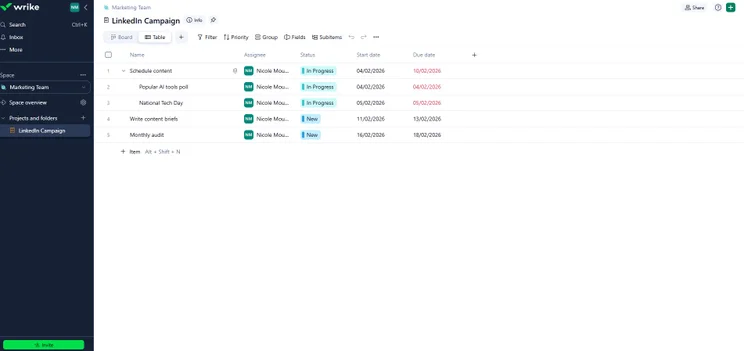
Overall, I found Wrike’s automation builder a lot clunkier than monday Work Management’s, which helped it edge Wrike on our ease-of-use tests.
When I was testing Wrike to build automations, it didn’t seem like there was a way to set a trigger around the assigning of tasks (if there was, it definitely wasn’t clear), and I thought this would be a basic style of automation that would be worth including.
What do we like about Wrike?
Wrike has the best range of available integrations out of all the providers on this page, with standout examples including Zoom, Miro, Zendesk, and many more.
Because of the breadth of external apps on offer, Wrike is well-suited to many different business types.
Alongside this, Wrike has a decent suite of task management features, including a useful employee capacity management feature, which is superior to the rudimentary monday work management version.
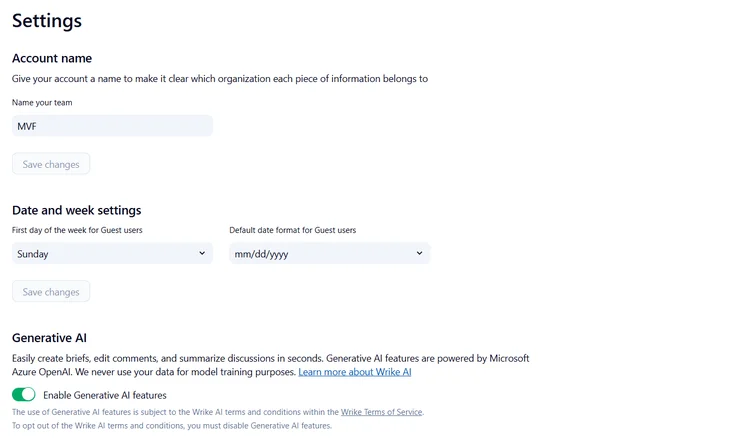
While testing Wrike, I encountered difficulties while tracking down its AI capabilities. Oddly, if you want to access AI features, you need to first enable them in Settings.
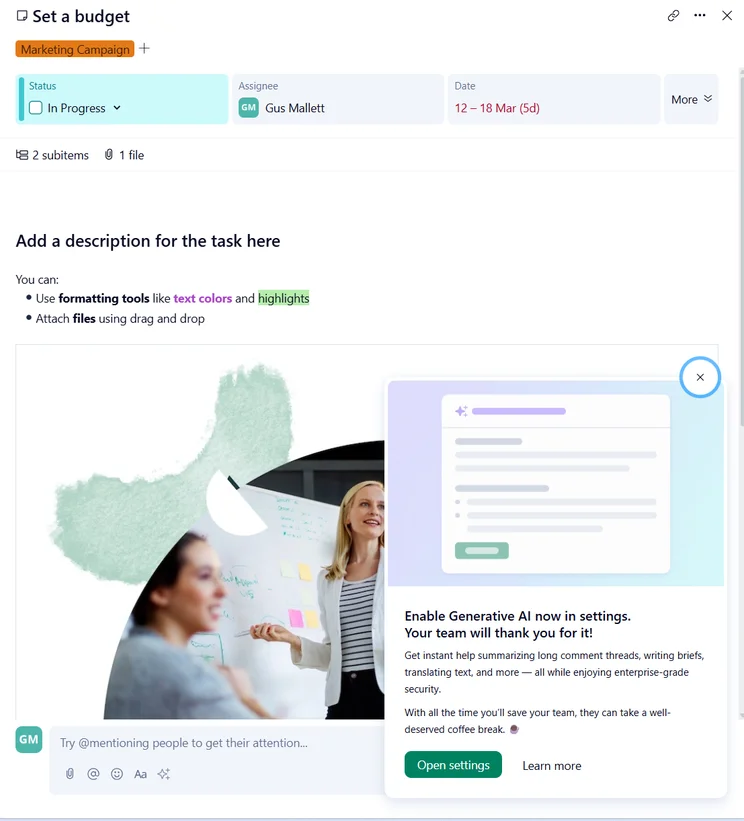
Wrike is the only provider that I’ve come across that requires you to opt-in to its AI features. Source: Tech.co testing
Once enabled, I also found it extremely difficult to locate Wrike’s AI features. Unlike Asana, which bakes them into its core offering, the platform seems almost unwilling to divulge its AI enhancements.
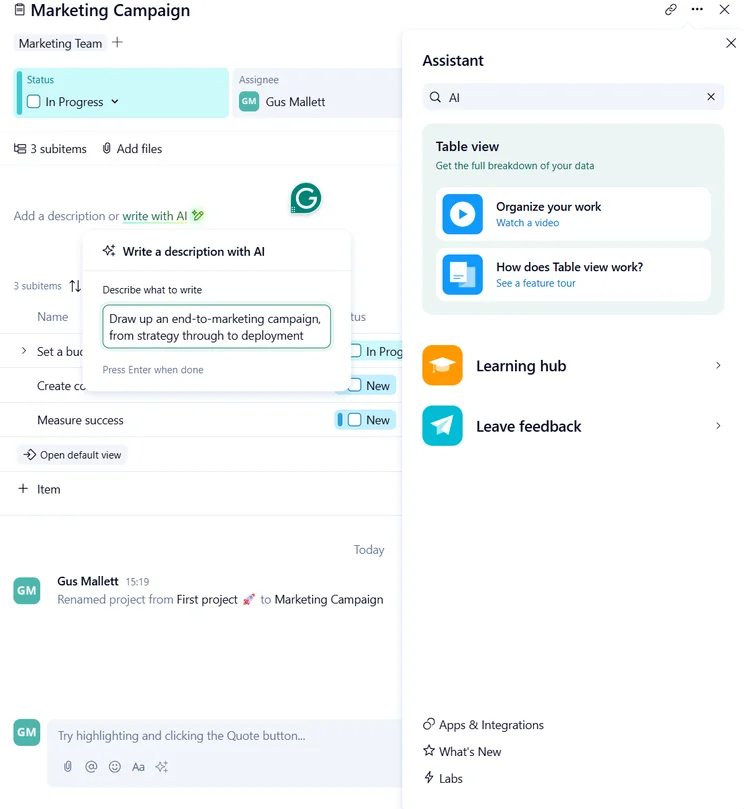
Finally, I tracked down an AI feature — a generative AI widget built into a task card. To put it to the test, I asked it to generate an end-to-end marketing campaign for me.
Impressively, it did so in literally two seconds, making it the fastest AI project management tool that I’d encountered.
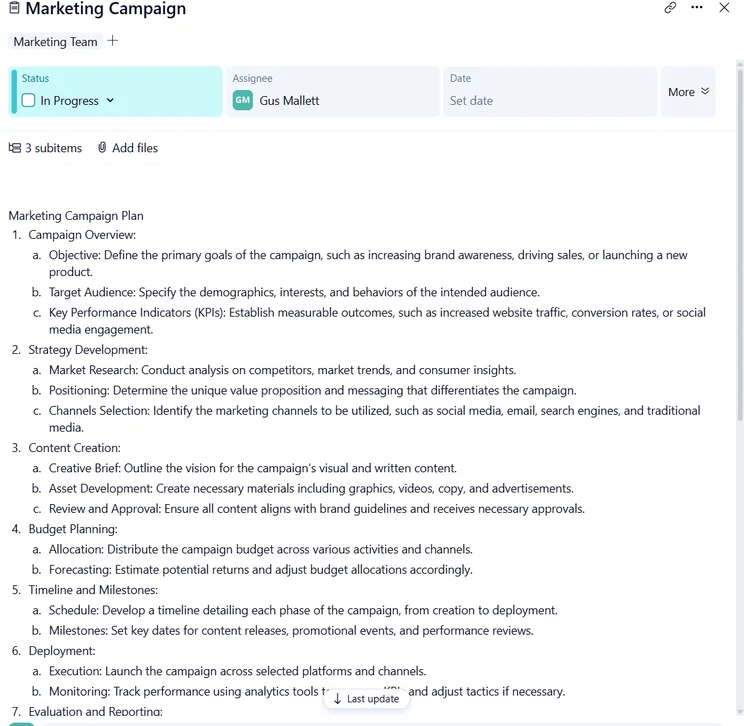
Once Wrike had generated the above marketing campaign, it was simple for me to post it in the linked task card for quick access. Source: Tech.co testing
How much does Wrike cost?
Wrike has five pricing plans, which you can learn about below.
- Free — Free
- Team — $10 per user, per month
- Business — $25 per user, per month
- Pinnacle — custom pricing
- Apex — custom pricing
monday Work Management is better value for money than Wrike, owing to its mid-tier plan, which is significantly cheaper than the Wrike equivalent ($19 per seat, per month vs $25 per user, per month).
Learn more about Wrike’s pricing plans here.
5. Trello: Cheapest monday work management Alternative
- Price from: $5 per user, per month
- Free plan? Yes
Trello is the cheapest monday Work Management alternative, with an entry-level plan that starts at just $5 per user, per month. Perhaps unsurprisingly, it’s also the most basic project management provider on this list.
Trello

In Short
-
Pros
- Kanban-dominant approach
- Automation is available on the free plan
- Cheaper than most competitors
- Live chat support on all paid plans
-
Cons
- Very simple project templates
- Basic functionality, not updated regularly
- Sparse collaboration tools
Pricing
- Free plan available
- Standard: $5/user/month
- Premium: $10/user/month
- Enterprise: $17.50/user/month
Images
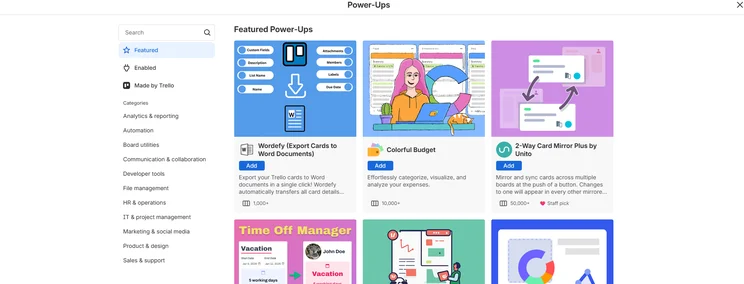
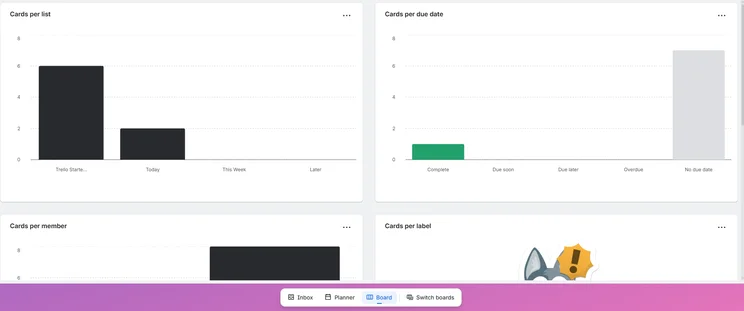
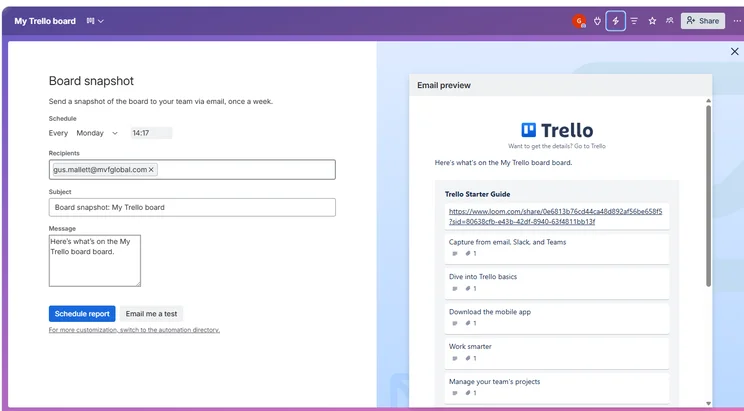
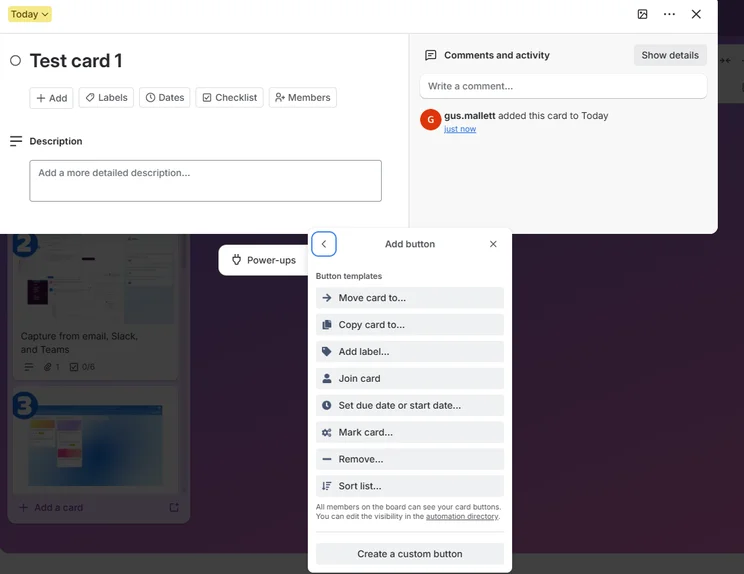
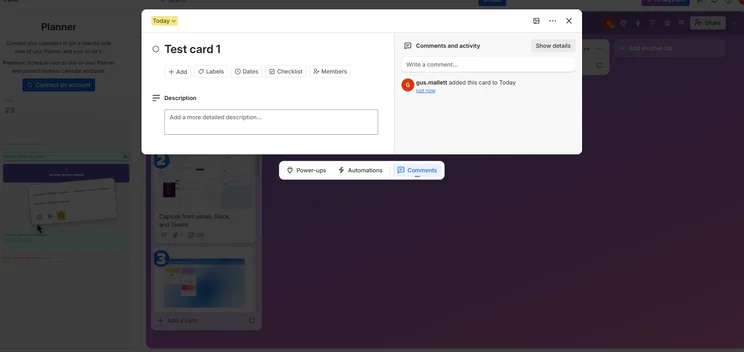
Trello is definitely one of the simpler monday work management alternatives — in other words, it’s very hard to get lost in the software. However, when I tried to do some slightly more complex tasks, such as building automations, I found it wasn’t quite as easy to use as monday Work Management, despite the super simple interface.
While both platforms offer a decent user experience, I’d only use Trello if I needed to track some basic tasks for a small team or a solo project. If you actually want to use a platform’s functions to save yourself time and manage work at a larger scale, I’d opt for the monday Work Management software.
What do we like about Trello?
Starting at just $5 per user, per month, Trello is by far the simplest platform on this list, with a warm, clean, and uncluttered interface that will appeal to users who are new to project management software.
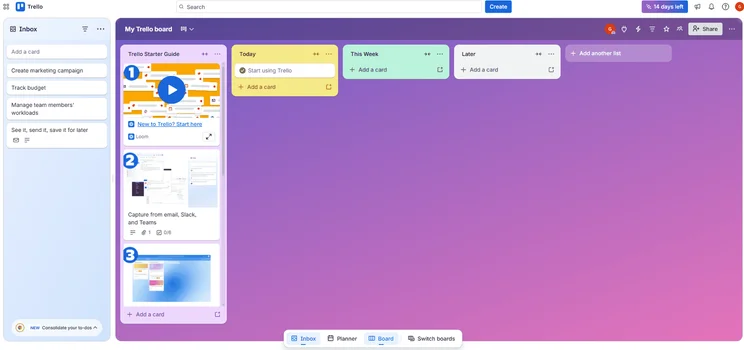
The Trello interface utilizes a warm, inviting color scheme to instill a sense of calm. Source: Tech.co testing
Trello does basic task management well, making it a great option for individuals or small teams that just want to track projects from inception to completion.
However, the software lacks key features like task dependencies, which monday Work Management offers on its Pro plan ($19 per seat, per month) and upwards.
I tested Trello myself, and I was struck by how limited its range of AI features was. While the platform boasts quite an intuitive automations builder, its content generation capabilities are pretty rudimentary.
Still, for the price point, Trello is a very capable project management platform for users who want a cheap monday Work Management alternative.
How much does Trello cost?
Trello has four pricing plans, which you can view below.
- Free — Free
- Standard — $5 per user, per month
- Premium — $10 per user, per month
- Enterprise — $17.50 per user, per month
Overall, while Trello is cheaper than monday Work Management, it is severely limited when compared to the rest of the providers on this list.
Looking for a PM Tool to Suit Your Specialism?
Use our free to be matched with a provider
Should You Choose monday Work Management Anyway?
monday Work Management is our favorite AI project management tool, due to its ease of use, customizability, and outstanding AI features, including one of the best automations builders on the market.
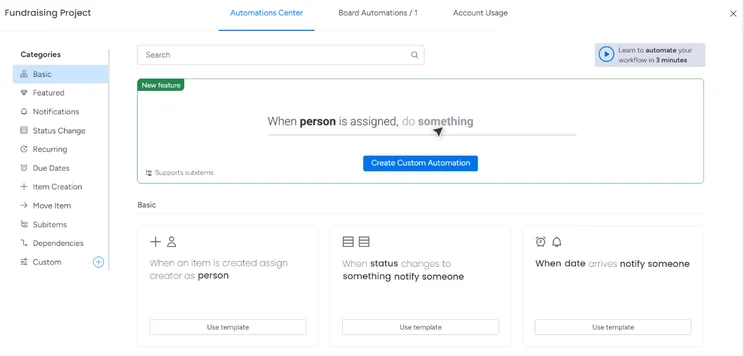
It’s easy to create powerful automations with monday Work Management’s drag-and-drop automations builder. Source: Tech.co testing
monday Work Management is also very fairly priced, with a generous free plan for up to two users, and an entry-level plan starting at $12 per seat, per month.
In truth, the platform is a great fit for most businesses, with a robust selection of task management features, several different project views, and 24/7 customer support on the Standard plan ($12 per seat, per month) and up.
|
Price (annually)
The amount you'll pay per month, when billed annually
|
Users
|
Projects/boards
|
||
|---|---|---|---|---|
|
|
|
|
|
|
|
Free |
Basic |
Standard |
Pro |
Enterprise |
|
Free |
$9/user/month |
$12/user/month |
$19/user/month |
Custom |
|
2 |
Unlimited |
Unlimited |
Unlimited |
Unlimited |
|
3 |
Unlimited |
Unlimited |
Unlimited |
Unlimited |
Are There Free Alternatives to monday Work Management?
Yes, there are several free project management platforms available, with every provider on this list offering a free plan.
Teamwork has one of the best free plans on the market, with a Gantt chart, phone-based support, custom automations, and up to five users.
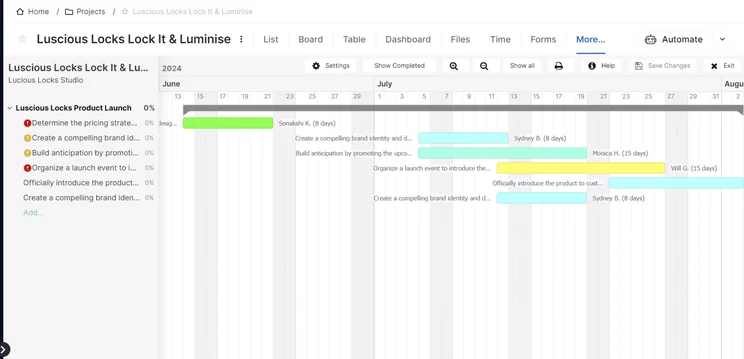
Teamwork’s Gantt chart is laid out simply, helping users check their workload at a glance. Source: Tech.co testing
Meanwhile, Wrike’s free plan has unlimited users and projects, as well as seamless integrations with Slack and Microsoft Teams, making it a great fit for larger, cost-conscious businesses.
However, free project management software platforms often lack advanced features, and many of them are only free on a limited time basis. For most businesses, the best option is to go for a paid solution.
About Our Research: How We Ranked monday work management Alternatives
At Tech.co we don’t write about products and services without conducting thorough research, and hands-on testing where applicable. While this process can be time consuming, it’s time well spent if it means we’re providing better, more useful information for your business.
When it comes to project management software, we test out each program first-hand, guided by an in-house research framework consisting of six core assessment areas that break down into a range of smaller subcategories. This framework is based on the factors companies and project managers have told us are important to their everyday usage. The six criteria are:
- Ease of use: After getting five to six participants to test each project management software for an hour, we assessed how easy it was to set up a project with the platforms, how clear their interfaces were, and how easy they were to navigate.
- Pricing: We look at all plan costs. Providers offering lots of features for lower costs will have better pricing scores than those that lock them away on higher-tier plans.
- Customer support: We assess the ways you can contact your project management software provider if something goes wrong. Providers offering 24/7 live support, as well as phone-based support and onboarding assistance, get the best scores.
- Security: For this area, we assess the security options offered by each provider. This includes user-level security features like two-factor authentication, as well as more administrative security measures like user permissions and IP restrictions.
- Integrations: We assess the quantity — and the quality — of the applications each project management software provider integrates with.
- Functionality: This part of our research involves assessing the full feature set that each product provides. We look at four function-based sub-categories as part of this, including task management, project and workflow creation, data visualization, and collaboration.
It’s important to note that not all of these criteria hold equal weight in our testing methodology. This is best practice and based on what businesses have told us is essential, compared with what’s simply “nice to have”.
Because of their central importance to project management, how easy each tool is to use, how much it costs, features for project and workflow creation, and task management had more of an impact overall than other criteria.
The best monday Work Management alternative is Teamwork. The platform balances a vast range of task management features with phone-based support on all plans, unlike monday work management.
However, monday Work Management is still a fantastic solution for most businesses. If you’re on the fence about which tool to choose, our project management deals chart might help. You’ll be able to see all the special offers that are available right now.
If you click on, sign up to a service through, or make a purchase through the links on our site, or use our quotes tool to receive custom pricing for your business needs, we may earn a referral fee from the supplier(s) of the technology you’re interested in. This helps Tech.co to provide free information and reviews, and carries no additional cost to you. Most importantly, it doesn’t affect our editorial impartiality. Ratings and rankings on Tech.co cannot be bought. Our reviews are based on objective research analysis. Rare exceptions to this will be marked clearly as a ‘sponsored’ table column, or explained by a full advertising disclosure on the page, in place of this one. Click to return to top of page


