

We may receive a commission from our partners if you click on a link to review or purchase a product or service. Click to Learn More
Cloud project management involves coordinating all of the different aspects of your project – from planning to collaborating to managing workflows – around a single, centralized digital space known as the cloud. Many of the best project management software solutions are now cloud-based.
Cloud-based project management software allows team members working remotely to access the same resources as their colleagues working in the office. This ensures everyone is on the same page, wherever they are.
In this guide, we take a closer look at cloud project management, the benefits of managing projects in this way, and a few of the top cloud-based project management software options currently available.
What Is Cloud Project Management?
A central part of modern-day project management, cloud-based project management is the concept of centering your project planning and delivery around a single, all-encompassing software program – in other words, managing everything in one digital space (i.e. “the cloud”).
This is most easily achieved with project management, work management, or Work OS software – all of which provide multi-purpose hubs for your project operations, documents, resource management, communications, task tracking, and more.
The opposite of cloud project management solutions are on-premise project management solutions, which are installed locally and deployed on a company’s server. Cloud-based software is one of the many ways technology has changed project management over the past decade, along with various other aspects of business.
What Are the Benefits of Cloud Project Management?
There are many advantages to cloud-based project management software. Some of the key benefits you’ll experience if you start to use it include:
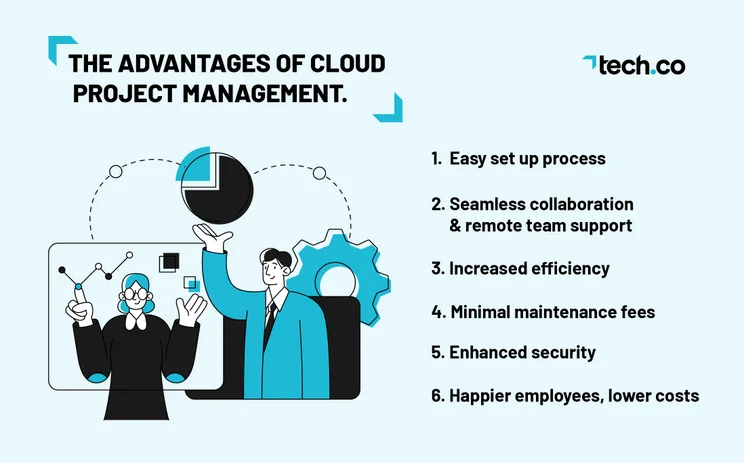
Easy setup process
The most immediate benefit you’ll discover if you opt for a cloud project management solution is that it’s relatively easy to set up. Everything is software-based, so you’re not going to need to deal with any physical installation. As most cloud-based project management software solutions are designed with usability in mind, onboarding can also typically be completed swiftly.
Seamless collaboration and remote team support
Cloud-based project management has a clear advantage over localized solutions in the context of collaboration. If you have an exclusively on-premise solution, you’re just not going to be able to collaborate as efficiently with people working remotely. Of course, cloud-based project management can also be carried out locally, but having the freedom to work with people all around the world has a myriad of benefits.
If you’re assembling a team for your project, for example, your hiring pool won’t be restricted to where your office or building is located. If you already have a team assembled, on the other hand, you’ll be able to grant them more flexibility. In addition, many cloud-based project management software tools – such as ClickUp – offer collaboration tools like messengers, online whiteboards, and project message boards to help teams work together more effectively wherever they are.
Increased efficiency across your team
With all the information relevant to your team located in one place, there’s less of a chance that mistakes will be made, documents lost, or project participants will become confused over tasks. Quite simply, cloud-based solutions connect everything together and make it easy to find what you need, when you need it.
What’s more, most cloud-based project management tools now boast a suite of automation features. These allow you and your team to streamline many of the mundane or repetitive administrative tasks that can easily dominate the workday. Instead, they can spend time completing more valuable or creative tasks. Increased efficiency is a major benefit of cloud project management tools.
Minimal maintenance fees
Cloud-based project management solutions are more cost-effective than on-premise ones. Firstly, your provider will manage the software updates and other program maintenance. Moreover, as you can just install the software on your existing devices, you don’t need to invest in additional hardware to get yourself up and running.
Although this applies to project management software in particular, it goes for pretty much any cloud-based vs. on-premise system. For example, the physical installation of private data centers or servers is going to cost significantly more than using ones in the cloud.
Enhanced security
In cloud-based systems, it’s easier to enforce cybersecurity rules like the principle of least privilege, which involves employees only having access to the minimum amount of data they need to complete their job.
It’s a lot harder to enforce these sorts of rules if you’re using reams of physical information in an office, or using other kinds of software that aren’t as security-minded as most project management software solutions are. What’s more, if your physical device is stolen, you can simply reconfigure your account security, and you’ll have all of your project data preserved.
Happier employees, lower costs
Ultimately, the biggest benefit of using cloud-based project management software is the fact that its ease of use makes for happy employees. This in turn helps build a more cohesive team unit and better working environment for everyone.
At the same time, cloud-based project management can positively affect your bottom line. Reduced maintenance costs will save any business money, but multi-purpose project management applications really cut down the need for additional spending on other tools fulfilling specific functions, such as a business communications platform.
Examples of Cloud-Based Project Management Software
Luckily for project managers, there’s a wealth of project management software tools currently available that cater to different use cases and specific project types.
1) ClickUp
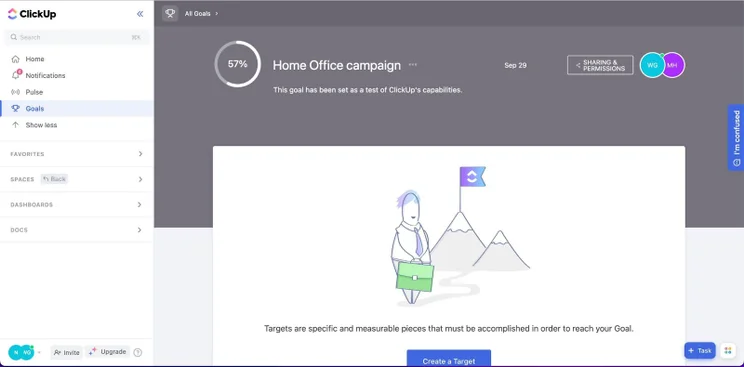
ClickUp offers by far the most complete package out of the best free project management software plans we’ve tested, with an impressive range of task management tools, a custom automation builder to streamline workflows, and a team messenger which reduces the need to invest in other communication platforms.
ClickUp also provides 24/7 customer support on all of its plans, so you’re unlikely to ever get stuck for long – and you don’t necessarily need an in-house IT team for troubleshooting.
2) monday work management
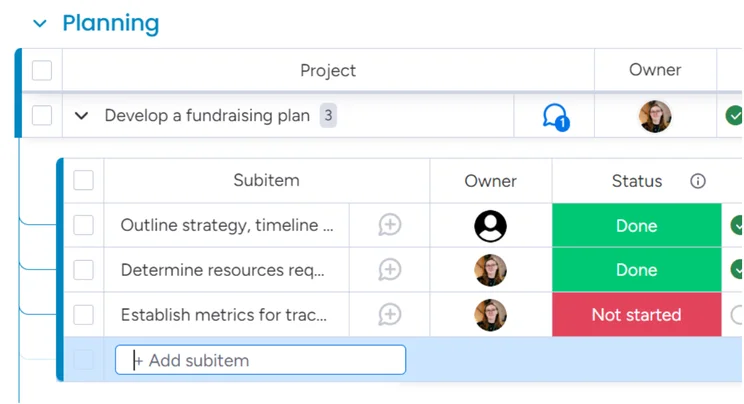
monday work management beats the competition for user experience thanks to a highly customizable interface and simple-to-understand boards, where you can organize all of your team’s tasks in one location. It’s an attractive, visual approach to project management, and it works brilliantly.
3) Smartsheet
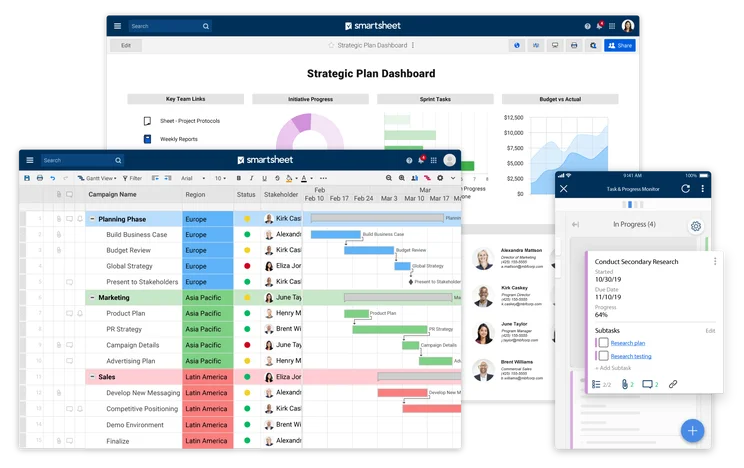
Smartsheet, on the other hand, is an excellent choice if you’re really into your spreadsheets – it sort of uses the spreadsheet format as a foundational base, but you can build on top of it with features that aren’t available in basic apps like Excel.
Smartsheet has a dedicated tool for almost everything, whether you’re managing resources visualizing project processes, creating data dashboards, or aligning staff workflows. Smartsheet’s pricing structure starts with a 30-day free trial, and then paid plans — Pro, Business, and Enterprise — geared towards small, medium and large businesses.
More Great Cloud Project Management Tools
Below is a full list of all the project management software tools we regularly test here at Tech.co – and you can check out some of the best project management software deals currently running too.
Alternatively, find out more about our research methodology.
|
Price from
All prices listed as per user, per month (billed annually)
|
Free plan
|
Verdict
|
|||||||
|---|---|---|---|---|---|---|---|---|---|
|
Best Overall
 |
Best for Building Automations
 |
Best for Task Management and Collaboration
 |
FEATURED: Best for Spreadsheet Fans
 |
 |
 |
 |
 |
 |
 |
|
monday work management |
Teamwork |
ClickUp |
Smartsheet |
Asana |
Wrike |
Trello |
Jira |
Zoho Projects |
Basecamp |
|
$9/user/month |
$9.99/user/month |
$7/user/month |
$9/user/month |
$10.99/user/month |
$10/user/month |
$5/user/month |
$7.91/user/month (300 users) |
$4/user/month |
$15/user/month |
|
|
|
|
|
|
|
10 users |
|
|
|
|
Incredibly easy to use, great for small businesses, and our top-performing provider on test — and there’s a generous free trial period |
A great user experience all round, with an easy-to-use automation builder and great budget tracking capabilities |
Powerful, feature-rich software suitable for teams of all sizes, with an impressive free tier for individuals and a great value plans for teams |
A great tool for spreadsheet-natives, which can take your Excel-based task planning to the next level |
A simple task-list-based project management platform with an acceptable free tier |
A very capable yet pricey service with a huge number of useful integrations, plus a free tier option to try |
A fairly-priced, stripped-down option, best for small teams who need a central location for basic task management |
A great value piece of software that’s ideal for tech, software development, and engineering teams |
A solid project management solution with an attractive free tier for small teams and a very affordable premium plan |
A very basic, relatively limited software that’s a lot simpler than its competitors |
Definitely. Locally hosted solutions are a thing of the past in most industries and carry severe limitations when compared to cloud-based project management software.
Most businesses want their employees to be able to work flexibly, and cloud-based project management software is highly amenable to such arrangements. Furthermore, having a centralized location will increase your efficiency, productivity, and employees’ clarity over the goals and aims of the projects they participate in.
Perhaps the biggest advantage, however, is that it’s much more cost-effective to simply purchase software than to invest in an on-premise solution. Considering the difficult economic conditions that are affecting most businesses at the moment, this factor will be doubly important for many companies. If you haven’t used a cloud-based project management solution yet, we’d recommend exploring what’s currently on offer.
If you click on, sign up to a service through, or make a purchase through the links on our site, or use our quotes tool to receive custom pricing for your business needs, we may earn a referral fee from the supplier(s) of the technology you’re interested in. This helps Tech.co to provide free information and reviews, and carries no additional cost to you. Most importantly, it doesn’t affect our editorial impartiality. Ratings and rankings on Tech.co cannot be bought. Our reviews are based on objective research analysis. Rare exceptions to this will be marked clearly as a ‘sponsored’ table column, or explained by a full advertising disclosure on the page, in place of this one. Click to return to top of page


