
We may receive a commission from our partners if you click on a link to review or purchase a product or service. Click to Learn More
Square came out better than Shopify during our latest round of POS testing. While both platforms offer a strong batch of features, it was Square’s high-quality hardware, user-friendly interface, and affordable starting prices that won it the competition.
That isn’t to say people should completely dismiss Shopify, however. For businesses looking to integrate an online store, Shopify is the best in the game, and our users were greatly impressed with the responsiveness of the front-end during testing.
In this guide, we break down Square vs Shopify to help you choose the best POS for your business’s needs. If you still want to shop around, you can compare custom quotes with our POS price comparison form.
- Square is a stronger option for retail businesses than Shopify, because of its modern and sleek hardware options, ease of use, and affordable pricing plan, which includes a free option
- Square is more affordable than Shopify, because of its free plan option, and Shopify’s retail plan will set you back $79/month
- Features-wise, Shopify has a better set of retail-specific capabilities, including a robust online store option
- Both Square and Shopify offer sleek and modern hardware options, but Shopify is missing tools such as its own brand terminal
- We found Square easier to use than Shopify during our usability tests, with users praising its intuitive and modern interface
- Shopify has better customer support options than Square, with better and more useful responses coming from its knowledge center
- Our research is based on in-depth user testing across many different parameters, and we’ve been testing POS systems for years
|
Price
The typical lowest starting price. The lowest price available for your business will depend on your needs
|
Free trial
|
Best for
Tech.co's verdict to help you identify the most suitable choice for your restaurant
|
Lowest transaction fee
The lowest possible fee that will be incurred with each transaction
|
Hardware
|
User limit
|
iPad app
Is there a version of the software made specifically for iPad use?
|
Android app
Is there a version of the software made specifically for Android tablet use?
|
24/7 support
|
Get started
|
||
|---|---|---|---|---|---|---|---|---|---|---|---|
 |
 |
||||||||||
|
Square |
Shopify POS |
||||||||||
|
From $0/month |
From $0/month |
||||||||||
|
30 days |
3 days |
||||||||||
|
Best overall for restaurants |
Best for ecommerce |
||||||||||
|
2.5% + 15¢ |
2.4% + 10¢ |
||||||||||
|
Sold by Square, separately or packaged with software. First card reader free. Compatible with most leading brands |
Sold by Shopify, but also works with iPads and Android tablets |
||||||||||
|
Unlimited (each till requires a new license) |
Single user/license across all plans |
||||||||||
|
|
|
||||||||||
|
|
|
||||||||||
|
|
|
||||||||||
| Visit Square | Try Shopify |
Shopify POS Overview
- Best for managing in-store and online sales in one platform
- Price from: $5/month
- Free plan: No
Here is a basic overview of what Shopify offers:
Shopify POS

In Short
-
Pros
- Strong ecommerce integration
- Highly adaptable
- Compatible with most POS hardware
- 14-day Free trial
- 24/7 support via phone, live chat, and email
-
Cons
- Slightly more expensive than some rivals
- Not great for quickly-scaling businesses
- Charges transaction fees unless you’re using Shopify’s own Payments processing system
Pricing
-
 14-day free trial
-
Starter: $5 per month
-
Retail: $79 per month
Images


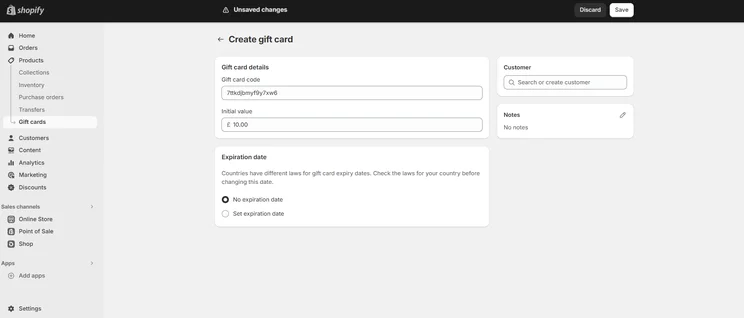
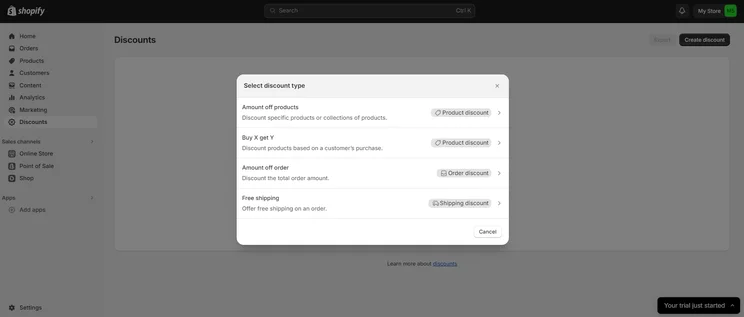
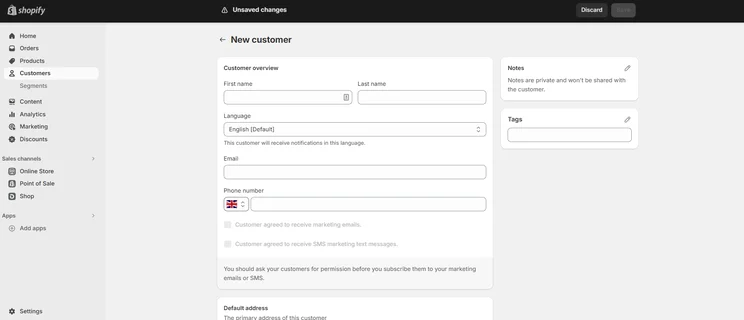
Who should choose Shopify?
- Owners who want to integrate an online store into their POS
- Business with extensive and varied inventories
- Users who want to make the most out of a wide range of apps
Who shouldn’t choose Shopify?
- Owners who want a physical terminal stand
- Owners that want to train staff with a specific training mode
- Businesses that want to make the most of a free plan
Square POS Overview
- Easiest retail POS system to use
- Price from: Free
- Free plan: Yes
Here’s what you can expect with Square:
Square POS

In Short
-
Pros
- Free to get started
- Serves businesses of all sizes and in all sectors
- Strong analytics, inventory, and third-party integrations
-
Cons
- Some necessary features for mid-sized businesses cost more
- 3.5% + 15¢ charge for keyed-in transactions on free plan
- Support options vary by plan
Pricing
-
 Square Free plan at $0/month
-
Square Plus plan at $49/month
-
Square Premium at $149/month
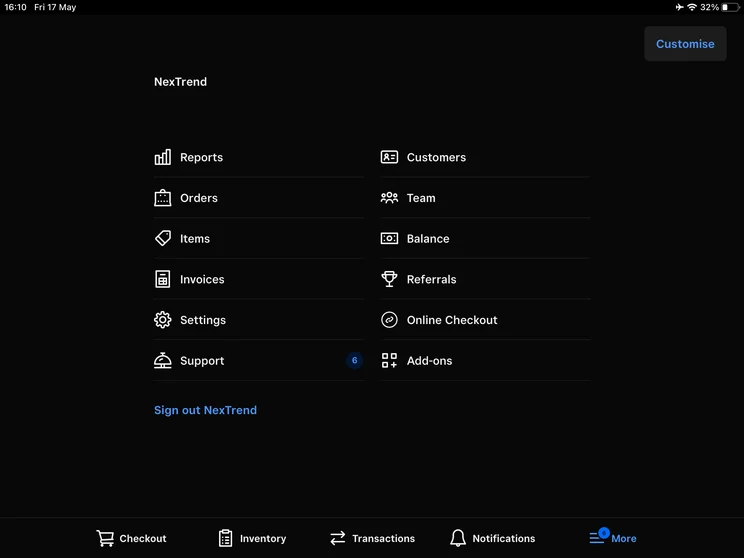
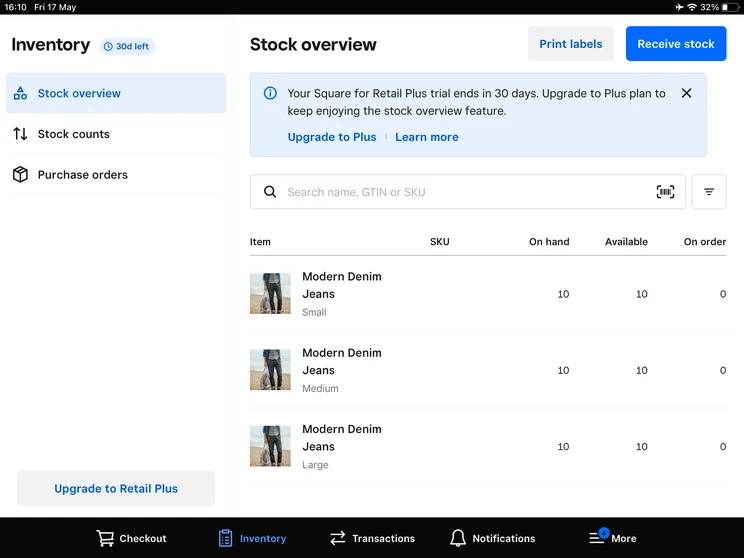
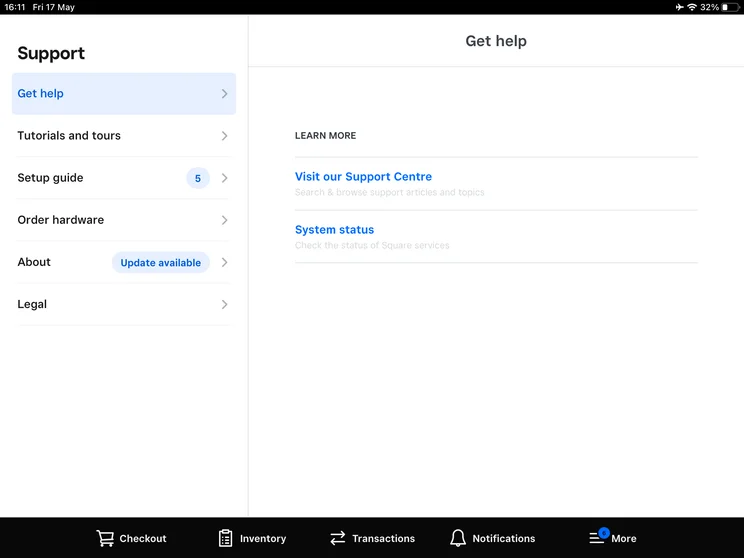
Images
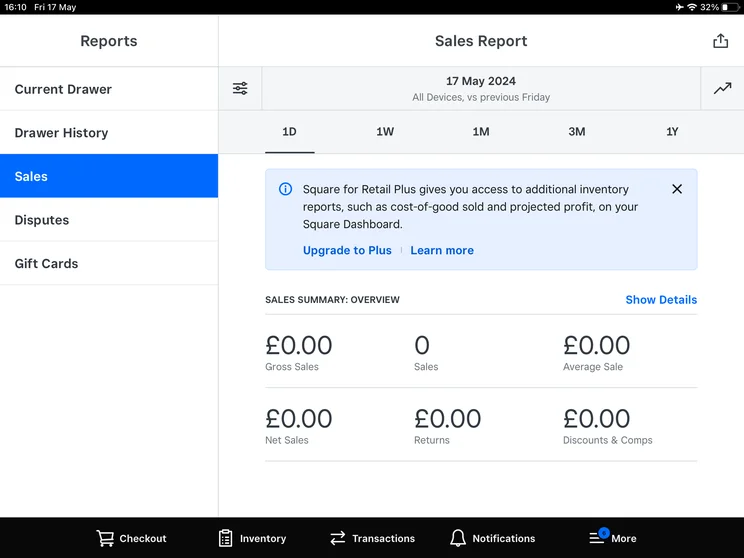
Who should choose Square?
- Businesses who are just starting out
- Owners who want an online presence
- Owners who would like to make the most of impressive hardware
Who shouldn’t choose Square?
- Businesses who want to extensively track inventory
- Owners who’d like a cost/profit management tool
- Owners who want to train staff on a specific training mode
Is Square or Shopify Better Value for Money?
We would say that Square is better value for money than Shopify, because of the features and hardware you get access to on its free plan. To get access to the same level of features on Shopify, retail businesses will have to opt for a paid plan of at least $5/month.
Not only does Square’s free offering have everything you need to get started – including a complimentary card machine – but Square’s paid plans offer a slightly better return on investment than Shopify’s.
Shopify’s starter plan is a lot cheaper than competitors, although this plan would generally not be enough for a small business. That being said, Shopify offers lower transaction fees than Square, so if your business has a particularly high turnover, Shopify could be a better long-term decision.
How much does Shopify POS cost?
Shopify POS offers two core pricing options. The first is Shopify Starter, which is included with all Shopify website builder plans, and starts at $5 per month. This plan is pretty rudimentary, with only a single login, order and product management, and basic customer profiles.
Other the other hand, you’ve got the Shopify Retail plan, which costs $79 per month per location when billed annually. This is where you get features like inventory management, omnichannel selling features, and in-store analytics. This Shopify plan is a more expensive option than Square’s second-tier option, but is way cheaper than Square’s Premium offering.
Learn more about Shopify POS pricing in our dedicated guide.
|
Plan
|
Price
Monthly cost of the software.
|
Transaction fees
|
|
|---|---|---|---|
|
|
|
||
|
Shopify Lite |
Shopify POS Pro |
||
|
$0/month (free with every base plan) |
$89/month |
||
|
Basic: 2.6% + 10¢ |
Basic: 2.6% + 10¢ |
How much does Square POS cost?
You can get started with Square completely for free. However, the plan does come with transaction fees. These are 2.6% + 10¢ for in-person sales and 3.3% + 30¢ for online sales.
Beyond its free option, Square offers the same plans across retail and restaurant, Square Plus and Square Premium. With Plus, you’ll get features such as email and text message marketing and staff management, for $49/month.
With Premium, you’ll get 24/7 priority customer support, advanced reporting, and no gift card load fees. It will set you back $149/month, however.
Square POS also offers a Custom plan that allows for custom processing rates. You’ll have to contact the Square sales department for more information on this plan.
Learn more about Square POS pricing in our dedicated guide
|
Plan
|
Price
Monthly cost of the software.
|
Transaction fees
|
|
|---|---|---|---|
 |
|
|
|
|
Free |
Plus |
Premium |
|
|
Free |
$49/month |
$149/month |
|
|
Card: 2.6% + 15¢ |
Card: 2.5% + 15¢ |
Card: 2.4% + 15¢ |
Best for Features: Shopify
Shopify narrowly edged Square in this area of our testing, mostly for its full set of retail-oriented features. In short, Shopify is specifically designed for ecommerce, while Square takes on a more general approach with capabilities for a range of scenarios. However, like we said, that’s not to say Square is much more inferior in terms of features.
Both platforms have strong inventory management features, allowing users to take control of stock through low & no stock alerts, the option to bulk upload inventory, and create modifier groups. Although, unlike Square, Shopify offers a cost/profit management tool. For businesses managing multiple locations and wanting to track product cost vs total profit, this tool would be highly beneficial.
Square and Shopify both have broad reporting capabilities, and achieved perfect scores in these areas. On both platforms, you can view reports related to discounts and refunds, as well as track sales across core metrics like items, categories, or team members. This video takes a look at how Square handles advanced reports:
https://www.youtube.com/watch?v=Zm4BaItAPGM&embeds_referring_euri=https%3A%2F%2Fsquareup.com%2F&source_ve_path=Mjg2NjY&feature=emb_logoWhile we were impressed with the analytics across Shopify, some of our users described the process of viewing them as “disorganized” and “unintuitive”. This directly contrasts our experience with Square, which many users called “intuitive” and “user-friendly”. Therefore, Square may be a better choice overall for businesses new to using POS systems.
In terms of integrations, both platforms offer extensive sets across CRM, accounting, ecommerce, and many others. With Square, you’ll get access to the Square App Marketplace, which includes integrations such as Xero and Wix.
Similarly, with Shopify, you can connect with social media channels like Instagram, and email marketing channels like Mailchimp. For businesses looking for a holistic approach to managing their business, these integrations are key.
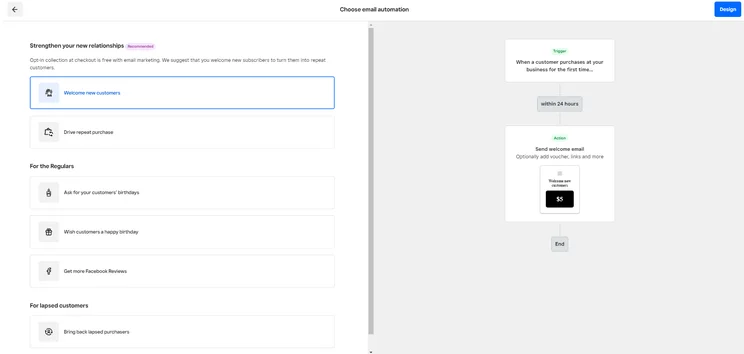
Square offers strong marketing tools to allow users to focus on building relationships with customers. Source: Tech.co testing
On the other hand, where Shopify seriously outshines Square is in its online store. Shopify offers one of the largest catalog of online store features, whereas Square’s online service, Square Online, doesn’t quite match up in terms of capabilities. with fewer sales and website-building features.
This makes Shopify a great choice for businesses who want a strong online presence alongside a platform with elite POS features. For the modern-day retail business, an online store is a must, which is why Shopify has taken the lead in this round.
Best For Hardware: Square
Square’s hardware was some of the most impressive during our testing. Its simple, iPad-based system was easy for our users to get to grips with, and its range of hardware options and additional accessories made it hard to beat in this category.
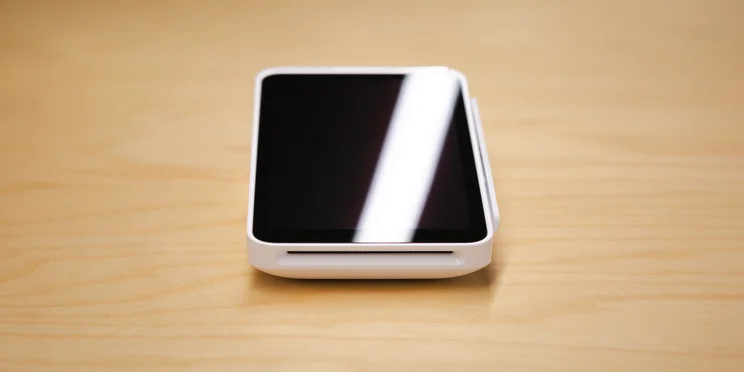
Square’s mobile card reader was both modern-looking and easy to use. Source: Tech.co testing
Like Square’s back-end, its front-end was described by our users as easy to navigate. While Clover certainly has the best hardware in the POS market currently, the modern and simple design of Square is a great alternative if you want to avoid hefty price tags.
Shopify’s hardware received similar praise. Our users described it as “smooth” and “intuitive”, and cited clear navigation and quick task execution as standouts. Likewise, users praised the platform’s sleek and modern look, and other said it was the best POS system they had used.
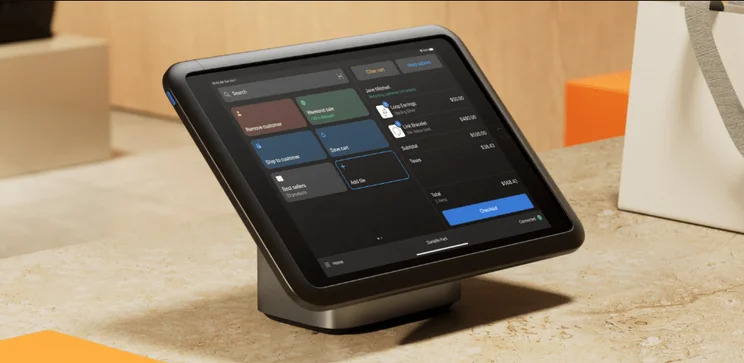
Shopify’s hardware offering looks good, and many of our users found the experience of using it smooth and intuitive. Source: Shopify
Compared to Square, however, Shopify just doesn’t offer as much in terms of hardware. While you can purchase a barcode scanner, receipt printer, and accessories such as cash drawers, stands, and scanners with both providers, Square offers its own terminal, and Shopify doesn’t.
For that reason, Square wins this round. It’s user-friendly hardware is both simple to get started with and nice to look at, compared to Shopify’s somewhat limited offering.
Best For Usability: Square
Simply put, our researchers named Square the easiest retail POS system to use. Both the front-end and back-end were easy to navigate and user-friendly, and completing tasks were often described as “effortless”.
While Shopify’s front-end received plenty of praise, the bulk of our struggles came from operating the back-end. Mostly, from the sheer amount of features available. In particular, our users struggled with managing both ecommerce functionality and in-person sales.
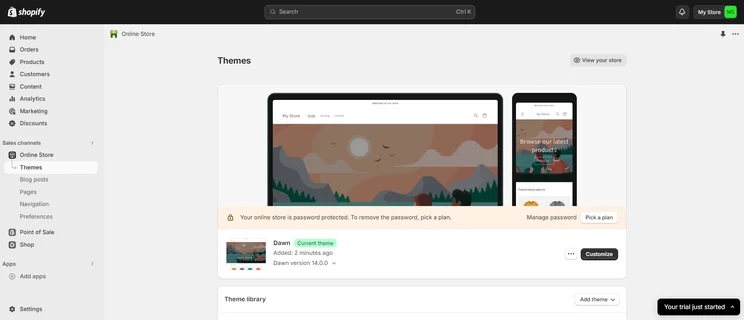
Shopify offers strong ecommerce functionality, but we found it difficult to manage the amount of features available. Source: Tech.co testing
For example, tasks like locating specific features caused some frustrations. In particular, adding staff accounts and managing discounts caused confusion because of unclear navigation between menus. For this reason, many users cited Shopify as uninviting for new POS users.
Ultimately, for a simple to use system, Square is the best option. If you’re looking for a retail POS system that is particularly high in usability, we would also recommend Lightspeed Retail.
Best for Help and Support: Shopify
Square and Shopify both some similar experiences when it comes to customer service. Both have 24/7 live support, a robust knowledge center for offline learning, and offer a solid community forum to glean information from other users.
However, our hands-on research found some of Shopify’s knowledge center responses were slightly better than Square’s: You’ll be able to figure out how to create product variants or view analytics with less hassle with Shopify’s help, giving them a slight edge when to comes to customer service overall.
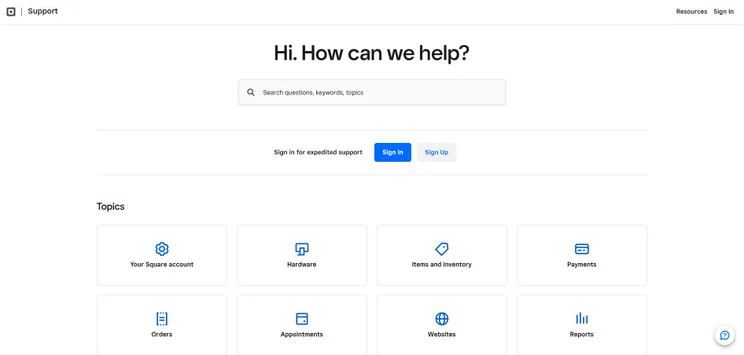
Square’s knowledge base covers a wide range of topics. Source: Tech.co testing
How Do Shopify and Square Compare to the Competiton?
Square and Shopify POS are two of the best point-of-sale options out there for businesses of all sizes. However, that doesn’t necessarily mean they’re right for your company.
Another top POS system we’ve tested is Clover, which impressed greatly with its set of professional and highly responsive hardware options, during our testing. Likewise, Clover offers customer engagement tools as a free add-on, whereas with Square, you’d have to pay extra. For retail businesses looking to expand, Clover’s advanced features are a perfect match.
SumUp is another great option if you’re looking for a straightforward and simple platform to get started with. In our research, our users highlighted the platform’s minimal, black and white UI, which was easy to follow. Compared to the sometimes convoluted backend of Shopify, SumUp is a good alternative.
Take a look at the table below for our picks of the best POS providers out there, and check out our best POS guide for retail businesses for more information.
|
Price
The typical lowest starting price. The lowest price available for your business will depend on your needs
|
Best for
Tech.co's verdict to help you identify the most suitable choice for your small business
|
Hardware
|
iPad app
Is there a version of the software made specifically for iPad use?
|
Android app
Is there a version of the software made specifically for Android tablet use?
|
24/7 support
|
Key benefits
|
Drawbacks
|
||
|---|---|---|---|---|---|---|---|---|---|
|
BEST OVERALL
|
 |
 |
 |
|
 |
 |
 |
||
|
Square |
Clover |
Toast |
SumUp |
Shopify POS |
Epos Now |
Lightspeed |
PayPal POS |
||
|
From $0/month |
From $16/month for 36 months (depending on plan) |
$0/month |
$0/month |
From $0/month |
Around $39-$79/month |
From $89/month |
Free |
||
|
Scaling and growing your business |
Professional hardware |
Restaurants with complex operations |
Speed, efficiency and data-driven sales insights |
Managing in-store and online sales |
Optimizing guest experiences |
Driving repeat business and loyalty |
Great value for money |
||
|
Sold by Square, separately or packaged with software. First card reader free. Compatible with most leading brands |
Sells a broad range of hardware, including full cash stations and mobile card readers |
Sells an impressive line of its own products. All splash-proof and durable to suit high-intensity food truck environment |
Sells a range of in-house hardware, including iPad stands, card readers, and KDS |
Sold by Shopify, but also works with iPads and Android tablets |
Works with a range of third-party peripherals |
Specialized hardware available. Not compatible with weighing scales |
Retails a range of hardware solutions, including card readers and cash registers |
||
|
|
|
|
|
|
|
|
|
||
|
|
|
|
|
|
|
|
|
||
|
|
|
|
|
|
|
|
|
||
|
|
|
|
|
|
|
|
||
|
|
|
|
|
|
|
|
How Did We Research and Test Shopify and Square?
We take our impartial research and analysis seriously, so you can have complete confidence that we’re giving you the clearest, most useful recommendations. After identifying the most relevant, popular POS platforms on the market, we put them through their paces with hands-on testing to better understand their strengths and weaknesses.
In total, we put 16 POS systems to the test, with a vigorous research and testing methodology. In our testing sessions, participants were asked to carry out tasks on POS software and describe their user journey, to help us understand what it’s like to use the systems first-hand. In addition to first-hand testing, we developed a detailed methodology that focuses on six categories of investigation, including criteria like software features and help and support centers.
These categories were broken down into further subcategories, so we were able to drill down further into certain topics, to make our insights as granular and useful as possible. Here’s an overview of our main testing categories for POS systems:
- Software: The capabilities provided by the POS product. Includes general features like ordering and payment functionality, as well as industry-specific tools like KSU uploads, and inventory-level stock tracking KDS software.
- Hardware: The quality of a POS’s hardware selection. The presence of an own-brand terminal, as well as hardware accessories like kitchen display systems, receipt printers, and barcode scanners.
- Pricing: The cost associated with acquiring and using the POS system, such as the initial purchase cost, transaction fees, licensing fees, subscription plans, and any additional charges or ongoing costs.
- Usability: We test out the software to gauge how intuitive and easy to navigate it is. We also consider how easy the software is to navigate, and whether any errors took place during testing.
- Help & Support: The assistance and resources available to users when they encounter issues or need guidance while using the POS system, including documentation, tutorials, or knowledge bases.
- Reputation: The aggregate score from customer review sites like Trustpilot and TrustRadius, to understand how POS providers are viewed by their own customer bases.
When it comes to calculating a product’s final score, not all testing areas are weighted evenly, as we know some aspects matter more to our readers than others, For example, we’ll prioritize certain industry-specific features for specific reviews, like an offline mode when reviewing POS systems for food trucks, or kitchen display systems (KDS) when reviewing restaurant POS systems.
At Tech.co, we have a number of full-time in-house researchers who re-run this testing process regularly to ensure our results remain reflective of the present day.
Learn more about our research.
Our research concluded that Square is a better option than Shopify, due to its more varied hardware options, impressive usability, and low price.
Despite having more retail-specific POS functions, Shopify’s frustrating back-end and lack of terminal option means Square won this matchup. Shopify remains an excellent option, however, particularly if you’re looking to expand your business through an online store.
Overall, both Square POS and Shopify POS are excellent options for business – it just depends on what you need them for. Be sure to check out our POS comparison page to get the best price and information on other popular options.
Square vs Shopify FAQs
Unfortunately, Square POS does not integrate with Shopify, but both offer great integrations with other systems, so this shouldn’t get in the way too much.
Yes, Square POS has no monthly fee for operation. However, it does have transaction fees, so a portion of your sales will go to the POS provider.
Currently, there is no integration available between Square and Shopify. However, you can connect the software through third-party apps, allowing you, for example, to sell in-store with Square and online with Shopify.
No, you can switch in just a few clicks from Shopify’s Store Migration app, which will allow you to import your customers and products.
If you click on, sign up to a service through, or make a purchase through the links on our site, or use our quotes tool to receive custom pricing for your business needs, we may earn a referral fee from the supplier(s) of the technology you’re interested in. This helps Tech.co to provide free information and reviews, and carries no additional cost to you. Most importantly, it doesn’t affect our editorial impartiality. Ratings and rankings on Tech.co cannot be bought. Our reviews are based on objective research analysis. Rare exceptions to this will be marked clearly as a ‘sponsored’ table column, or explained by a full advertising disclosure on the page, in place of this one. Click to return to top of page


