
We may receive a commission from our partners if you click on a link to review or purchase a product or service. Click to Learn More
Based on our evaluation of 11 leading point-of-sale (POS) platforms, Toast is the best for restaurants due to its automated kitchen display integrations and front-of-house hardware synergy.
Other top POS systems for restaurants include Square for smaller restaurants that need to keep costs low to start, Clover for top-of-the-line hardware, SpotOn for streamlined staff communication, and SumUp for its simple, easy-to-use interface.
We take our impartial research and analysis seriously, so you can have complete confidence that we’re giving you the clearest, most useful product recommendations.
Here’s how our POS systems for restaurants research came about, by the numbers:
- More than 100 hours
- Four categories of investigation
- 17 tested tasks
The primary categories of investigation included software (35%), hardware (20%), user experience (20%), value and cost-efficiency (10%), help and support (10%), and brand reputation (5%).
For more information on how we ranked these providers, please visit our research section.
|
Price
The typical lowest starting price. The lowest price available for your business will depend on your needs
|
Free plan
|
Best for
Tech.co's verdict to help you identify the most suitable choice for your restaurant
|
Lowest transaction fee
The lowest possible fee that will be incurred with each transaction
|
Hardware packages
|
|||
|---|---|---|---|---|---|---|---|
|
BEST OVERALL
 |
FREE PLAN
 |
 |
 |
 |
|||
|
Toast |
Square POS |
Clover POS |
SpotOn |
SumUp |
|||
|
$0/month |
$0/month |
$135/month |
$0/month |
$0/month |
|||
|
|
|
|
|
|
|||
|
Complex restaurant operations |
Scaling and growing your business |
Professional restaurant hardware |
Simplifying staff communications |
Providing a quick and efficient service |
|||
|
2.49% + 15¢ |
2.4% + 15¢ |
2.3% + 10¢ |
2.79% + $0.20 |
1.5% + 10¢ |
|||
|
Offers a full hardware suite for $1,024 but custom pricing is available on more expensive software tiers |
Options include: Square Stand Kit for $689 and Square Stand Kit for Restaurants at $1,199 |
Sells a range of proprietary hardware devices, from handheld tableside tablets to full POS terminals |
Offers several hardware options for businesses, including touchscreen monitors and payment terminals |
Sells a range of in-house hardware, including iPad stands, card readers, and kitchen display systems |
|||
| Visit Toast | Visit Square | Compare Quotes | Compare Quotes | Try SumUp |
- Toast is the best POS for restaurants, providing complex, multi-location features that can provide users with enterprise-level restaurant management tools.
- Alternative POS systems that are great for restaurants include Square for accessible features, Clover for advanced hardware options, SpotOn for easy staffing, and SumUp for minimalist design.
- The starting prices of restaurant POS systems range from $49 per month to $90 per month, with more expensive plans costing as much as $400 per month.
- Some POS providers offer free plans to get started at no cost, but they often come with limited features and high transaction fees.
- For the best POS for restaurants, you’ll want to look for features like inventory management, online ordering, loyalty programs, reservations, employee tracking, table service, and customer engagement.
What is the Best Restaurant POS System in 2026?
Click on the links below to jump to our reviews of each provider.
- Toast – Best for established restaurants with complex operations
- Square – Best for businesses wanting to scale
- Clover – Best for high-quality and durable hardware
- SpotOn– Best for simplifying staff communications
- SumUp – Best for speeding up restaurant operations
1. Toast: Best for Established Restaurants with Complex Operations
- Price: $69 per month
- Free plan: Yes
Toast is specifically designed for the food and beverage industry, providing vital tools for restaurants like offline mode, advanced kitchen display features, and 24/7 customer support.
Toast also offers an AI-powered assistant called Toast IQ that can recognize sales trends, suggest strategy, manage inventory, and consolidate data, giving you more valuable insights to improve your restaurant.
Check out our Toast POS review to learn more.
Toast

In Short
-
Pros
- Great for Android users with built-in interface
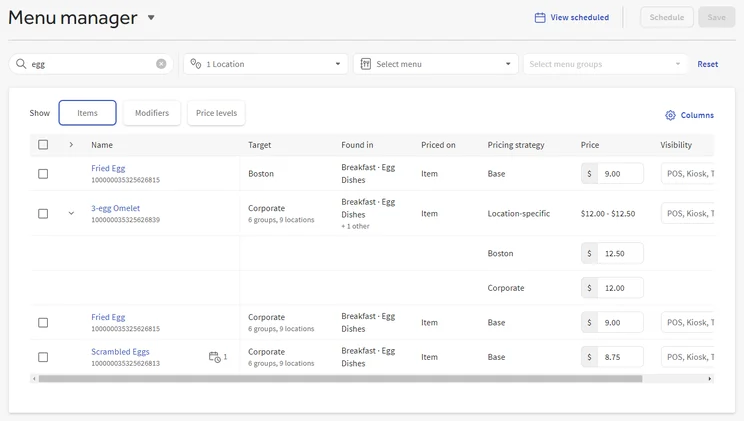
- Strong menu customization for your team
- Advanced inventory management tools, including cost management
-
Cons
- Limited functionality on iOS devices
- No knowledge center
Pricing
-
 Free Starter plan available
-
 Point of Sale plan starts at $69/month
-
Build your own plan, including hardware, with custom pricing
-
Transaction fees from 2.49% + 15¢
Images
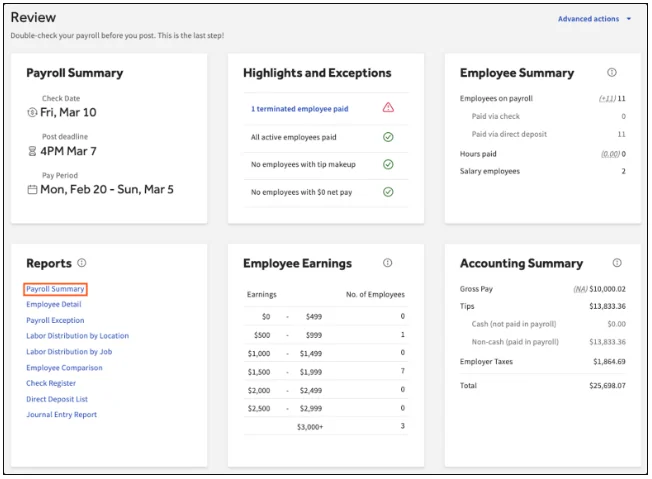
Toast POS key takeaways
- Dedicated inventory management features: Toast provides native, real-time inventory updates and low stock alerts, and the system will let you re-order goods when inventory is low.
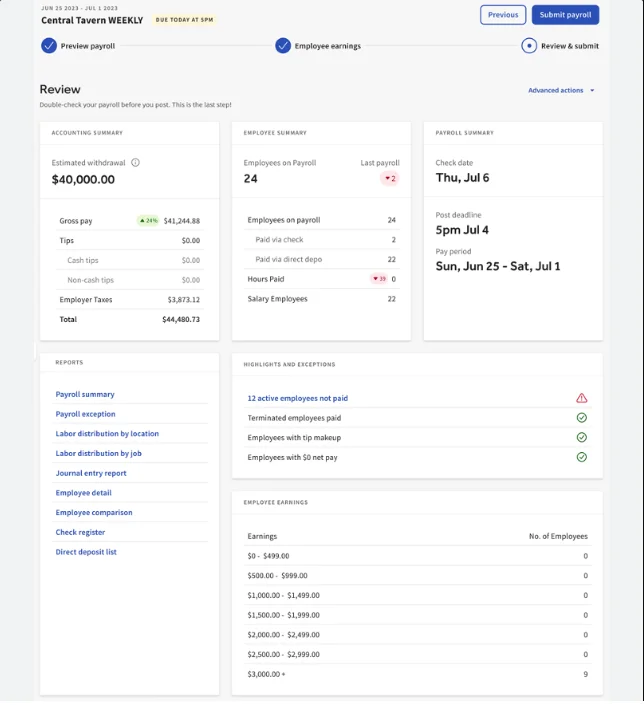
- Profit-focused tools: Toast offers an automatic tip-sharing feature, a profit margin calculator, and granular, mobile-friendly reports that will help restaurants consistently track incomings.
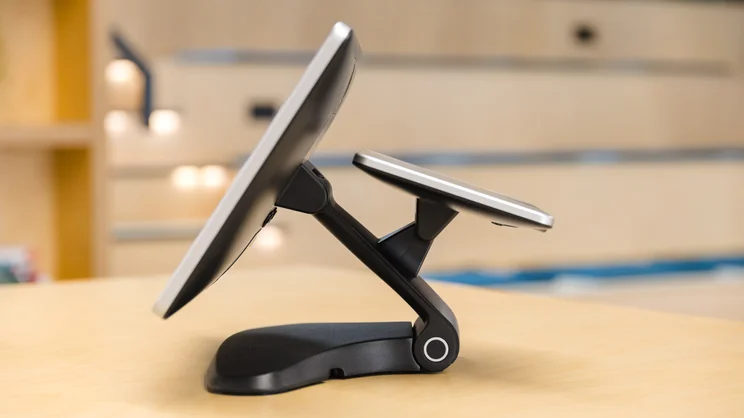
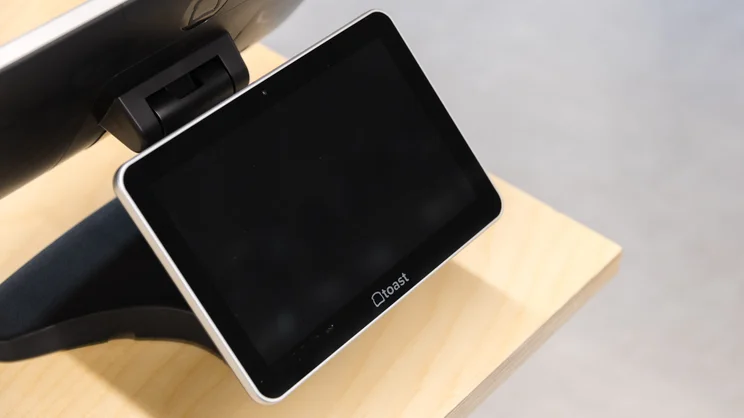
- Solid hardware packages: Toast has a server-friendly interface that our users deemed one of the easiest POS systems to use, because of its modern and intuitive interface.
- Paid add-ons: Toast provides access to a wide range of add-ons, like loyalty programs and mobile ordering, but they do cost extra, which can increase the overall cost.
We were impressed by Toast’s hardware options, as the POS lets businesses build specific hardware packages or just get started for free with its Handheld Starter Kit.
Toast isn’t compatible with iOS though, so if you’re after a simple iPad setup, Square is the better option. Square offers an equally competitive free plan, and its cost-effective software makes it ideal for smaller food businesses, like food trucks and cafes.
Clover and SpotOn are also worth checking out, especially if you manage full-service restaurants with large teams and need a platform that can keep up — although they aren’t quite as easy to use as Toast.

2. Square POS: Best for Businesses that Want to Scale with Growth Tools
- Price: $49 per month
- Free plan: Yes
Square is an accessible POS for small restaurants that want to scale. Its generous free plan can get you started with inventory management and sales analytics, while more expensive plans add robust restaurant tools, like staff management and native loyalty programs.
Square POS offers an intuitive user experience that make it easy to get started without a training mode. More specifically, the search bar feature allows you to quickly find what you need in the interface immediately.
Check out our Square POS review to learn more.
Square POS

In Short
-
Pros
- Free to get started
- Slick and stylish hardware that impresses customers
- Affordable restaurant package for small businesses
- Strong analytics, inventory, and third-party integrations
-
Cons
- No dedicated training mode to teach staff
- 3.5% + 15¢ charge for keyed-in transactions
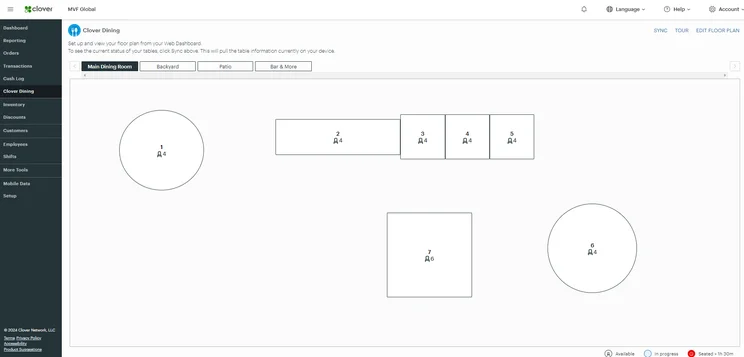
- No floor plan edits from the frontend
Pricing
-
Square Free plan at $0/month
-
Square Plus plan at $49/month
-
Square Premium at $149/month
Images
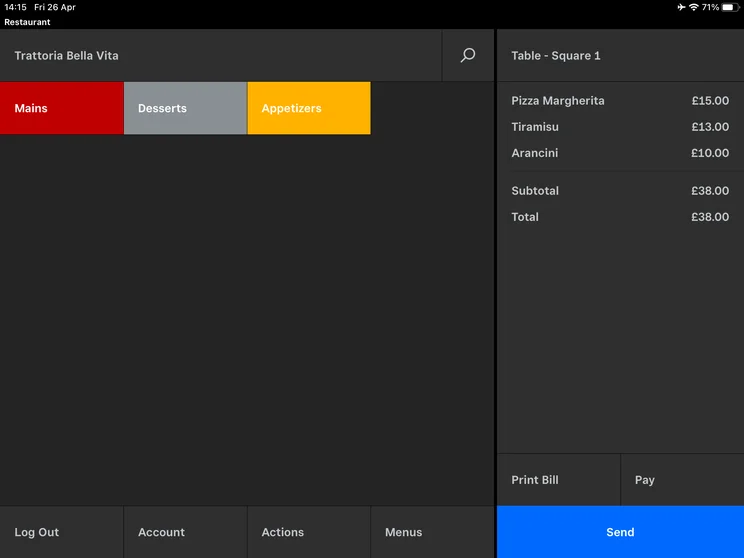
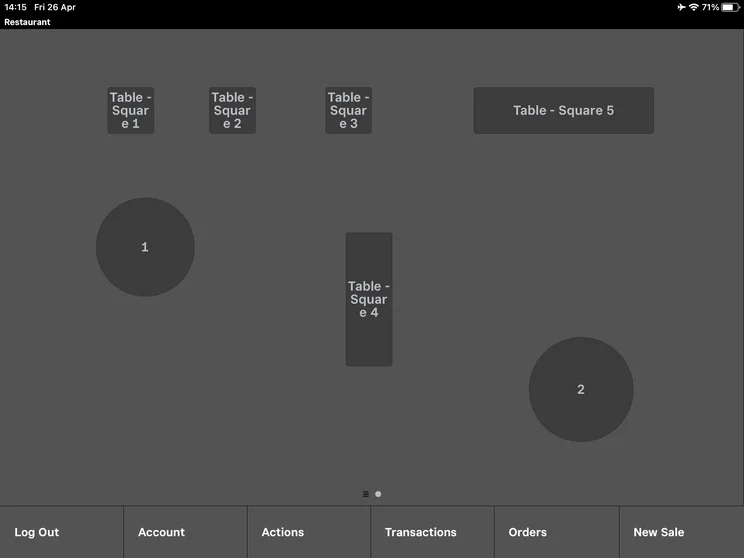
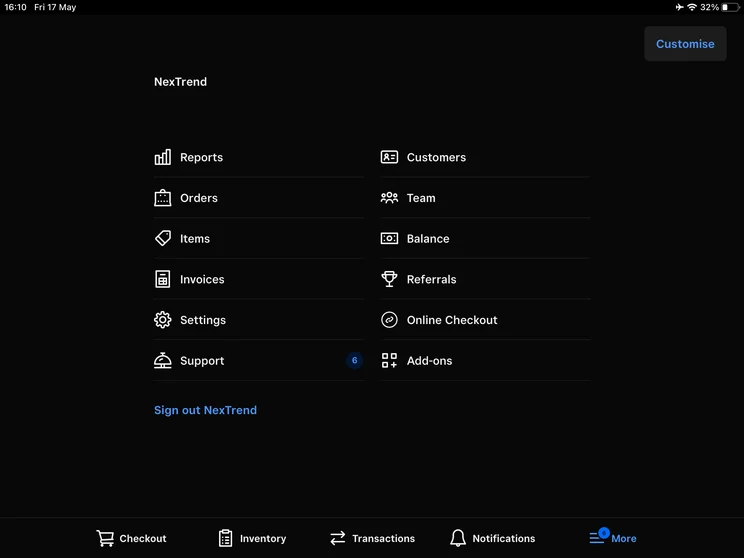
Square POS key takeaways
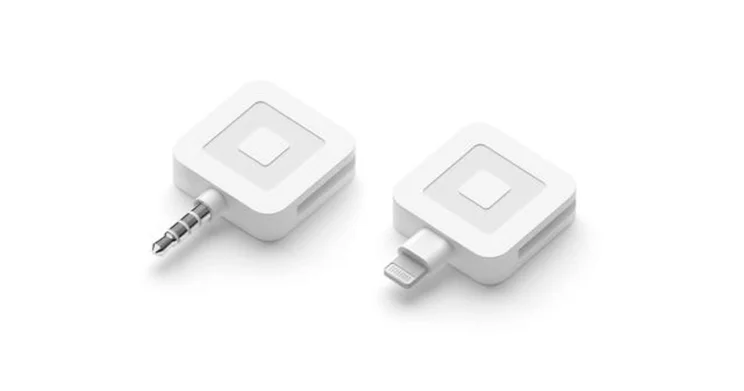
- Generous free tier: Square’s free plan offers flexible payment options, inventory management features, and sales analytics, as well as a complimentary Square Reader for magstripe.
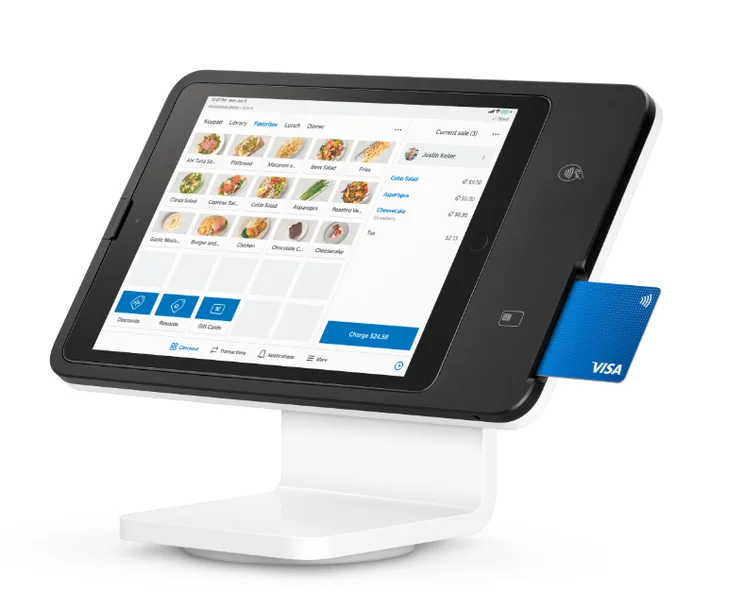
- Strong hardware options: Square has a range of POS hardware, including fully-fledged POS registers and payment terminals, that we found to be both durable and modern-looking in our tests.
- Restaurant-focused tools: Square has plenty of tools for restaurants, including menu management features and table-side ordering, and can help hospitality businesses become more efficient in core task areas, such as ordering.
- Large market share: Our research found that Square is the most dominant POS system in terms of market share, with 61% of small-to medium-sized businesses (SMBs) using it as their main POS vendor.
- No dedicated training mode: Square doesn’t offer a training mode for new users, unlike two of our other top choices, Clover and Toast. This is a barrier for restaurants that are growing and onboarding new staff at a fast pace, who need to become accustomed to the system.
- Limited profit management tools: Unlike Toast, Square is missing some profit-focused features, which isn’t ideal for restaurants that want to keep an eye on their bottom line.
Square is my favorite out of all the POS systems we tested. The frontend and backend were both simple to navigate and intuitive, because I found that every function was exactly where I naturally expected it to be.
There were also multiple options for completing the same task during testing, which I thought made the interface feel more flexible. For example, there were different ways in the backend to log a new product onto the system.
I became comfortable with Square quite quickly, compared with the other POS systems we tested. I’d recommend it for new businesses that want a system that they’ll be able to get to grips with easily.

3. Clover: Best for High-Quality and Durable Hardware
- Price: $89.95 per month
- Free plan: No
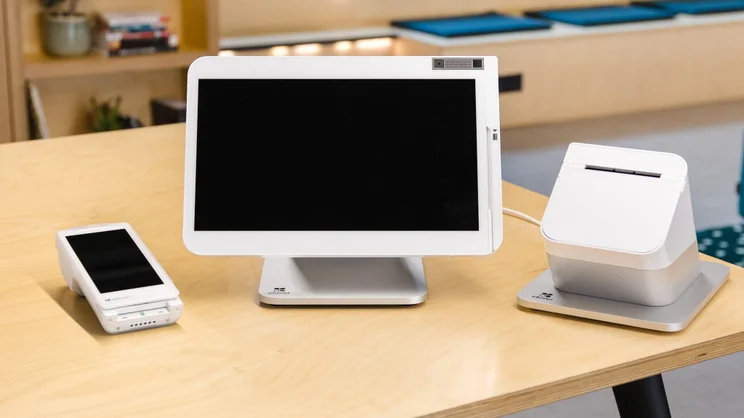
Clover is best for restaurants that want hardware that can withstand busy and sometimes messy environments, because of its durable and high-quality terminals that are as responsive as they are nice to look at.
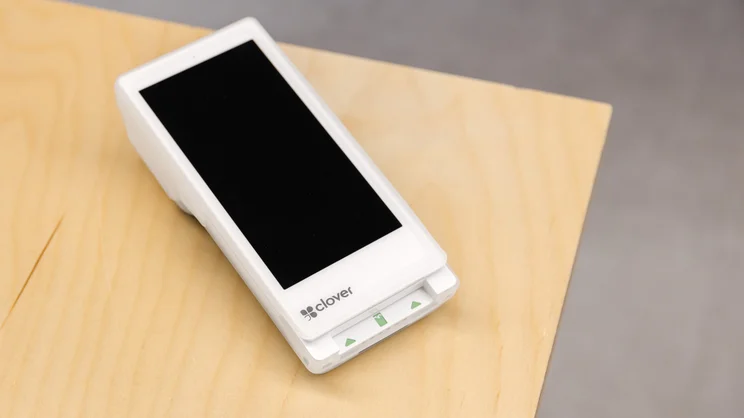
Clover offers an expansive set of additional hardware options that will ensure an overall smooth and cohesive experience for restaurants, including a receipt printer and a handheld POS option, the Clover Flex.
Check out our Clover POS review to learn more.
Clover POS

In Short
-
Pros
- Top-of-the-line hardware options for users
- Many features for staff and order efficiency
- In-depth and customizable analytics system
-
Cons
- High up-front cost for hardware
- Additional features cost extra and can become expensive
- No automated tip sharing tools
Pricing
-
Cheapest plan is $16/month (36-month contract)
-
Cheapest restaurant plan is $135/month for 36 months
-
Offers 'Quick-Service' and 'Full Service' dining plans
Images
Clover POS key takeaways
- Robust inventory management: Clover is a strong option for large businesses running a complex inventory, because of features such as stock alerts, custom inventory systems, and real-time stock analytics that can streamline how stock is managed.
- Solid customer engagement tools: Clover offers a unique CRM app, Clover Rewards, that allows users to build contact lists, share promotions and rewards, and collect private feedback.
- High-quality hardware: Clover has the best hardware on the market right now, because of the quick response times we recorded in our tests, and its durable and intuitive nature.
- Positive customer feedback: Based on our independent research, Clover holds the highest score in positive customer feedback, ranking as the most recommended POS system for 55% of users in Q1 2026.
- Expensive and long contracts: Clover isn’t the best option for smaller restaurants getting started who don’t have much budget, because its starting price for restaurants is $135 per month on a 36-month contract (or $89.95 per month, plus an $849 one-off payment).
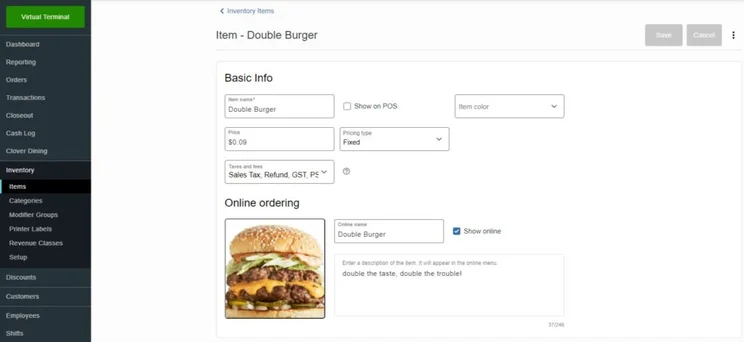
- Difficult backend: Some of our testers struggled with using Clover’s backend functions, such as bulk-uploading items or applying discounts.
Clover had by far the most impressive hardware options out of all the systems we tested. When we tried out Clover’s terminal in our testing, our testers found it incredibly easy to navigate to tasks such as adding a student discount when it was time to pay, because of how simple it was to find the function.
Likewise, Clover’s hardware is of a very high quality. I’d actually recommend it to family restaurants because of its ability to withstand the spills and stains that might come about from serving younger children and teenagers.
4. SpotOn: Best for Simplifying Staff Communications
- Price: $55 per month
- Free plan: Yes
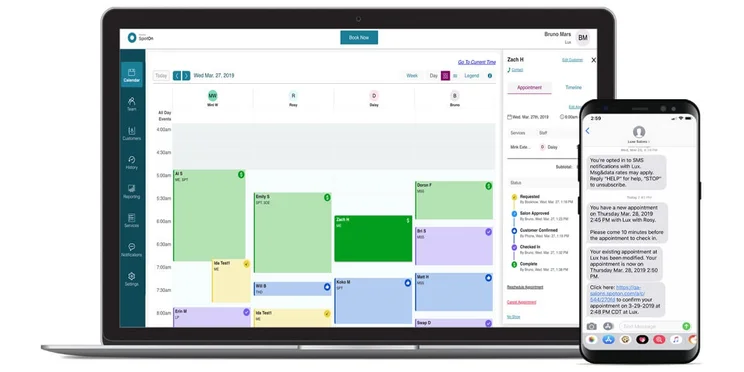
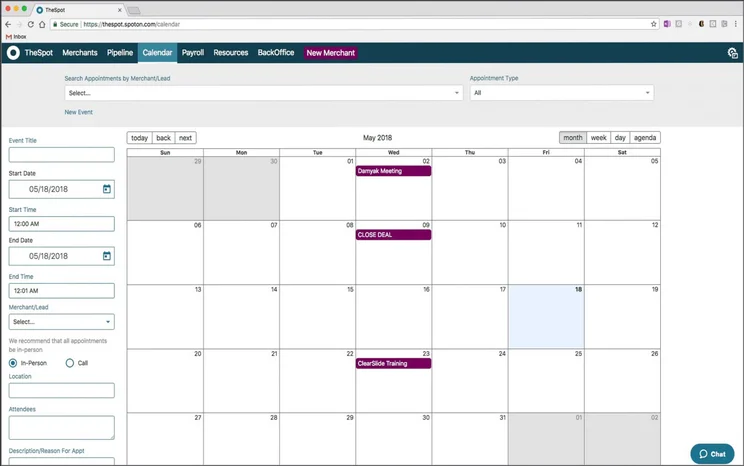
SpotOn is geared more towards night-time restaurants and establishments, providing highly flexible and automated menu setups and advanced scheduling tools to coordinate staffing more effectively.
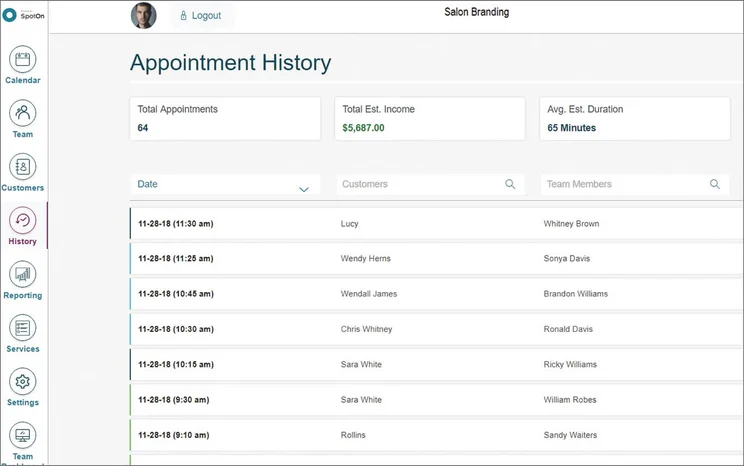
SpotOn has a dedicated labor management and staff scheduling integration, SpotOn Teamwork. Using Teamwork, restaurants can make use of features such as staff onboarding, shift management, and payroll administration.
Check out our SpotOn POS review to learn more.
SpotOn

In Short
-
Pros
- Customizable POS options
- Solid inventory management tools
- Affordable hardware
-
Cons
- Charges extra for lots of features
- Pricier than similar systems
- Business management features are lacking
Pricing
-
Free plan available
-
Restaurant plan from $55/month
-
Terminal from $25/month
-
Transaction fee: 2.45% + 15¢ to 3.79% + 20¢
Images
SpotOn key takeaways
- Staff scheduling software: SpotOn offers a labor versus revenue tool, as well as staff onboarding assistance, shift management, cost projections, and payroll administration through its labor management integration, Teamwork.
- Hospitality-focused features: SpotOn has features specifically for restaurants, including flexible stock management tools, QR ordering options, and bill and tip management. It also offers built-in reservation tools that can let customers add themselves to a waitlist from your website or Google profile page.
- Low transaction fees: SpotOn has the lowest transaction fees (2.45% + 15¢ on all plans) compared with all the other providers on this list, which we compare more below.
- Lack of integration options: SpotOn doesn’t integrate with CRM, ecommerce apps, floor management apps, or booking tools.
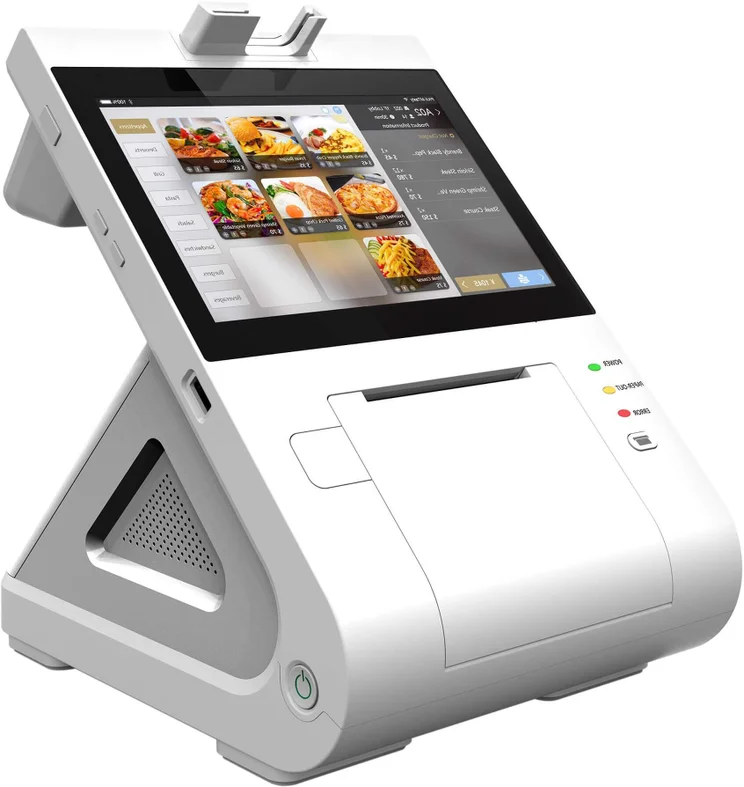
- Few hardware accessories: SpotOn doesn’t offer many hardware accessory options, lacking a printer, cash drawer, and scanner. It’s also incompatible for tablet-based systems, which is a drawback for restaurants hoping to save money on hardware.
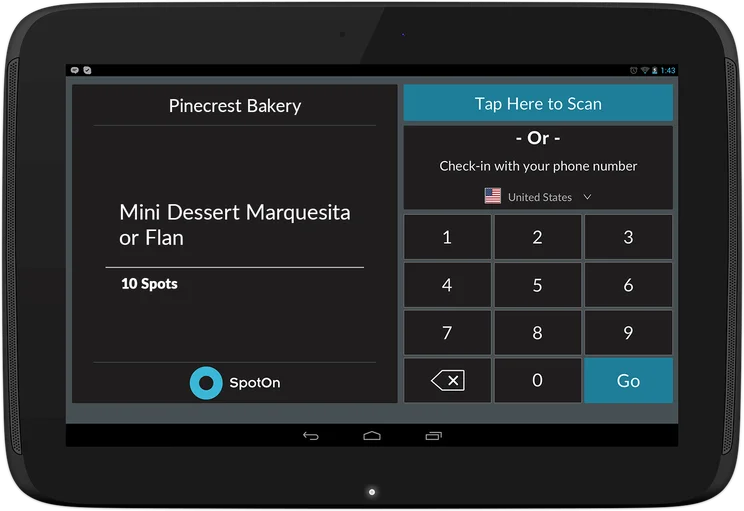
During testing, we struggled with SpotOn’s frontend functionality. The system was less intuitive than other platforms because tasks such as completing orders took multiple clicks, while on Square this could be done in one click.
Our testers also expressed some frustration with how SpotOn enables users to create floor plans, again suggesting the platform isn’t as intuitive. For example, instead of being able to drag and drop tables to arrange our floor plans, we had to click add or minus buttons. This seemed overly complicated and long-winded.
5. SumUp: Best for Restaurants Wanting to Speed Up Operations
- Price: $199 per month
- Free plan: Yes
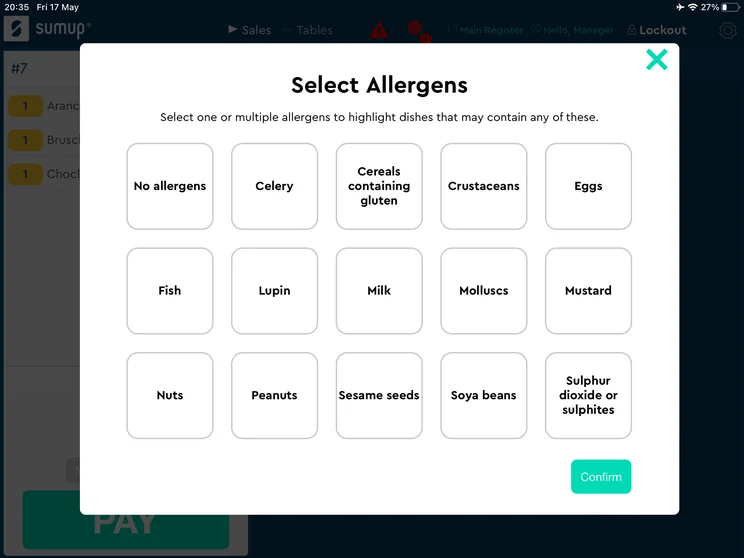
SumUp is the best choice for small restaurants and new POS users that want a quick and efficient system capable of speeding up operations. It provides a simple, minimalist interface that is easy to use, even for beginners.
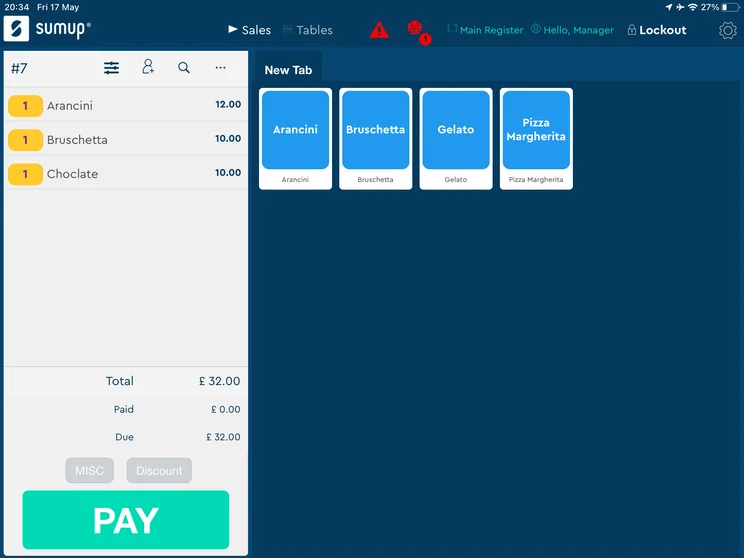
SumUp has speed-focused tools, as well, such as a park order function, that allows users to save open orders and retrieve them at a later time.
Check out our SumUp POS review to learn more.
SumUp

In Short
-
Pros
- Great range of hardware accessories for in-person selling
- Low monthly costs for small businesses on a budget
- Excellent stock management to track your inventory
-
Cons
- No customer display option
- No restaurant reservation system
- No handheld POS option
Pricing
-
Free plan: $0/month
-
POS with Connect Plus: $199/month
-
POS with Connect Pro: $289/month
Images
SumUp key takeaways
- Easy to use: SumUp achieved high usability marks in our testing due to a layout that isolates mandatory transaction inputs, minimizing the average clicks required per checkout order.
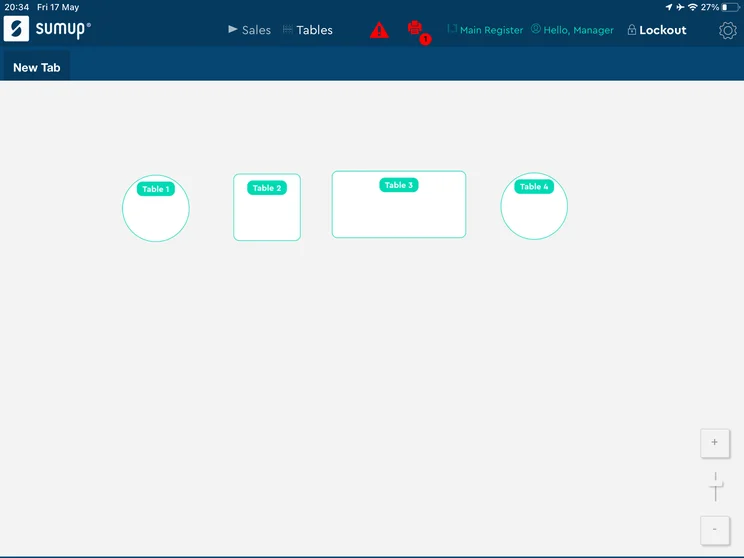
- Restaurant-focused features: SumUp offers strong table management and floor plan features, as well as an effective bill/order splitting function that will quickly help customers paying separately with how much they need to pay.
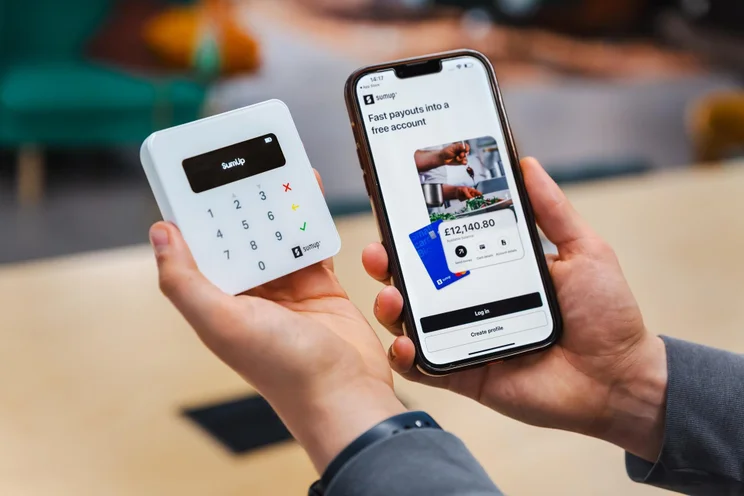
- Sleek and professional hardware: SumUp has a range of modern-looking and professional hardware options, including a kitchen display system (KDS), receipt printer, and terminal.
- Lacking effective knowledge center: SumUp’s knowledge center wasn’t as effective as Clover’s, for instance. A lot of our testers were turning to Google when they were using the platform, having not received useful answers.
- No handheld POS: SumUp doesn’t offer a handheld POS system like Square or Toast, meaning restaurants that enjoy providing a more flexible and mobile service might want to look to these providers instead.
Several of our testers named SumUp one of the easiest POS systems they’ve used, mostly because of a simple and intuitive frontend that prioritizes efficiency by only asking users for necessary information when carrying out a task, allowing it to be completed quickly.
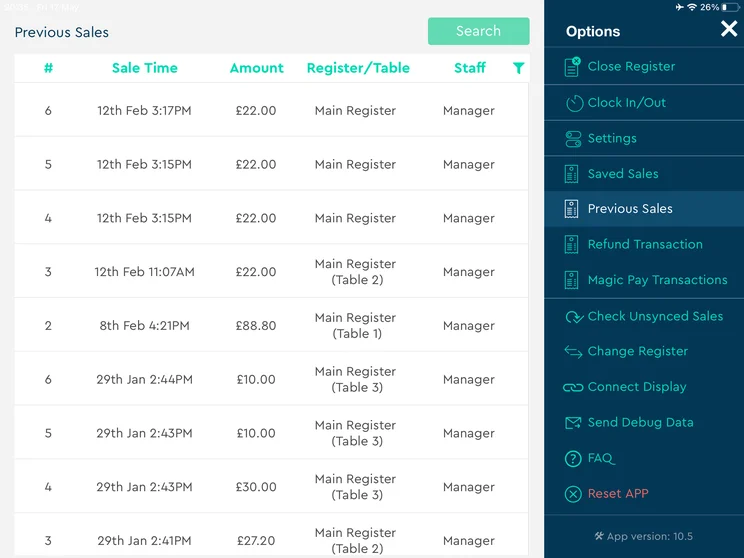
Users struggled more with SumUp’s backend, describing it as “clunky” and “unintuitive,” because of elements such as the layered sidebar menus, which ended up covering up other sections and making them harder to find.
What Should a Restaurant Look for in a POS System?
The POS system you choose for your restaurant’s operations should suit the type of restaurant you run, the size of your business, and the features you’ll need, while being within your budget.
Moreover, with POS use increasing by 36% month-on-month in April – likely due to new seasonal demand – it’s important to choose a system that helps keep business running smoothly, serve customers fast, and stay on top of everyday operations without hassle.
Here are the main questions restaurants should ask themselves before settling on a POS:
- What is my budget? Budget-conscious and small restaurants should consider free plans, like Square’s, or cheaper starter plans like those of SpotOn. You should also bear in mind transaction fees.
- What hardware do I need? POS providers offer proprietary hardware options, which range from handhelds to full-on terminals, so make sure your decision aligns with your hardware needs.
- Does the system have restaurant-specific features? Restaurants will need features such as inventory management, cost management, and staff scheduling, for example.
- How many locations do I want to supply? If your restaurant has multiple locations, you’ll want a system that can keep up with operations across all of them, as well as effectively store all of the individual data for reports.
- Is my restaurant on the move a lot? If you’re running a food truck, for example, you’ll need a system with offline functionality so that sales aren’t impacted by the absence of Wi-Fi.
- How much POS knowledge do my employees have? You’re not the only one who’s going to be using the system, so figuring out what kind of POS knowledge your employees already have can help you choose one that suits their skill level.
- What integrations will I need? POS systems can act as a centralized hub for restaurants where all operations take place, if they offer the right kinds of integrations. These can include for accounting, CRM, and ecommerce, for example.
A popular POS marketing strategy is the ‘$0 hardware’ model, in which higher transaction fees offset initial costs. Business owners often underestimate how quickly these increased transaction fees can eat into margins, especially in high-volume, low-margin sectors like Food & Beverage. Additionally, such systems usually come with incomplete configurations, such as missing cash drawers or printers, leading to additional costs later.
Always make decisions based on the effective blended rate (total fees divided by revenue). For example, a 0.5% fee difference on $500K annual revenue equates to $2,500 annually; this often exceeds the upfront hardware expense. If cash flow is a concern, a ‘0% hardware’ model may be a temporary solution. Otherwise, choose options with lower transaction fees and pay upfront costs.

Vatsal Bhandari is a Certified Anti-Money Laundering Specialist (CAMS) and a financial and business operations consultant. He has a Master’s of Business Administration from Imperial College London and an LLM (Master of Laws) in Banking & Finance Law from the University of Edinburgh.
How We Test POS Systems for Restaurants
We take our impartial research and analysis seriously, so you can have complete confidence that we’re giving you the clearest, most useful recommendations.
For these POS systems, we focused on the unique pressures of the food and beverage industry, specifically evaluating providers for tight profit margins, high employee turnover, and the need for efficient kitchen communication.
- Software (35%): The capabilities provided by the POS product. Includes general features like ordering and payment functionality, as well as industry-specific tools, like KSU uploads, and inventory-level stock tracking and KDS software.
- Hardware (20%): The quality of a POS’ hardware selection. The presence of an own-brand terminal, as well as hardware accessories like KDS, receipt printers, and barcode scanners.
- Value and cost efficiency (10%): The cost associated with acquiring and using the POS system, such as the initial purchase cost, transaction fees, licensing fees, subscription plans, and any additional charges or ongoing costs.
- User experience (20%): We test out the software to gauge how intuitive and easy to navigate it is. We also consider how easy the software is to navigate, and whether any errors took place during testing.
- Help and support (10%): We evaluate each POS provider on what kind of help and support options are available, including what channels you can reach them on and what hours are offered.
- Brand reputation (5%): We assess the market reliability of each provider, based on user feedback across the industry.
At Tech.co, we have a number of full-time in-house researchers who re-run this testing process regularly to ensure our results remain reflective of the present day.
Learn more about our research.
Toast is the best POS system for restaurants, because of its sophisticated, restaurant-specific features, industry-leading hardware packages, and powerful customer engagement tools.
There are a lot of good POS systems out there for restaurants, though, like Square, Clover, SpotOn, and SumUp, depending on your particular needs.
FAQs
Square, Clover, and Toast all offer integrations with Uber Eats. Likewise, Square, Toast, and SpotOn integrate with DoorDash.
Offline functionality varies from provider to provider when it comes to POS systems. In many cases, the ability to operate without connecting to the internet is reserved for more expensive pricing plans, so you should consider how much you’re willing to pay to shield your business from outages.
For a POS system with effective offline functionality, I’d recommend Square.
In most cases, free POS systems aren’t actually cheaper in the long run, as most free plans have higher transaction fees, which means your restaurant will end up spending more as it grows and sales ultimately increase.
I’d recommend that businesses start off with a free plan, like Square’s, and then move onto a paid plan once they have established themselves.
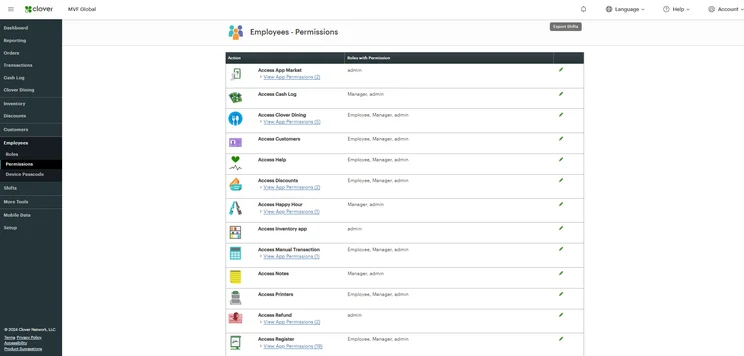
Restaurants can increase their security and prevent server theft by actively implementing the “principle of least privilege”, which essentially means employees only have access to the functions within the system that they need in order to conduct their role.
POS systems have other security measures in place to protect your restaurant’s data and revenue. Toast, for example, includes role-based user permissions and granular access controls, to protect sensitive data.
If you click on, sign up to a service through, or make a purchase through the links on our site, or use our quotes tool to receive custom pricing for your business needs, we may earn a referral fee from the supplier(s) of the technology you’re interested in. This helps Tech.co to provide free information and reviews, and carries no additional cost to you. Most importantly, it doesn’t affect our editorial impartiality. Ratings and rankings on Tech.co cannot be bought. Our reviews are based on objective research analysis. Rare exceptions to this will be marked clearly as a ‘sponsored’ table column, or explained by a full advertising disclosure on the page, in place of this one. Click to return to top of page


