We may receive a commission from our partners if you click on a link to review or purchase a product or service. Click to Learn More
After extensive research of free asset management platforms, AssetTiger is our top pick for the best free software. It’s ideal for tiny businesses, due to a useful alert system, unlimited cloud storage, and unlimited users for tracking up to 250 fixed assets — rare for a free plan.
Virtually all businesses have some physical assets, from laptops to forklifts, and avoiding lost, stolen, or damaged assets can cost a lot. However, for a small business with just a few assets, a free plan can do just fine.
Here are the best permanently free options, alongside paid options that offer free trials. Our favorite paid option is Samsara, which pairs great prices with industry-leading features.
- AssetTiger is the top permanently free solution for up to 250 fixed assets, with unlimited users and cloud storage with mobile-app maintenance alerts.
- Freshservice is best for IT businesses, due to its comprehensive IT service management tools.
- Samsara is best for movable assets, due to real-time GPS tracking and geofencing.
- Snipe-IT is a top open-source option for those with coding experience: it supports unlimited assets and users but lacks free support or hosting.
- Paid alternatives offer data backups, offline access, and dedicated support, which can lead to greater long-term cost savings.
Best Free Asset Tracking Software
Quickly compare all the top free asset tracking systems.
|
Price
|
Free trial
|
Permanently free
|
Best for
|
Tracks
|
Trackable assets
|
Type of tracking
|
|||
|---|---|---|---|---|---|---|---|---|---|
|
SPONSORED
 |
BEST OVERALL
 |
 |
 |
 |
 |
 |
 |
 |
|
|
Verizon Connect |
AssetTiger |
Freshservice |
Snipe-IT |
Samsara |
Spiceworks |
GLPI |
Zoho IT Asset Tracker |
SysAid IT Asset Management |
|
|
Custom |
$20/500 assets/month |
$49/user/month |
$39.99/month |
Custom |
Free |
€19/month |
$8/month |
Custom |
|
|
|
|
|
|
|
|
|
|
|
|
|
|
|
|
|
|
|
|
With Zoho Creator |
|
|
|
Larger companies |
Best overall |
IT businesses |
Programmers who want an open API |
Features |
Tracking documents alongside assets |
Simple open-source tracking |
Integrating with other Zoho apps |
On-premise hosting |
|
|
Vehicles and construction machinery |
Office equipment and unpowered construction tools |
Office and IT equipment |
Service tools, laptops and other office equipment |
From small office equipment to construction cranes |
Software, cloud services and users |
Computers, printers, and mobile devices |
Desktop computers, mobile devices, and software |
Office equipment and construction tools |
|
|
Unlimited |
Up to 250,000 assets with paid plan (250 assets max with free plan) |
100 on main plans |
Unlimited |
Unlimited |
Unlimited |
Unlimited |
Unlimited |
100 assets maximum, with free plan |
|
|
GPS |
Barcode, QR |
Barcodes, QR codes |
Barcode, QR |
GPS |
IP addresses and manual entry |
Manual data entry |
Manual entry |
Manual entry |
|
| Compare Quotes | Compare Quotes | Try Freshservice | Compare Quotes | See Pricing | Compare Quotes | Compare Quotes | Compare Quotes | Compare Quotes |
Free Asset Tracking Overview
Asset tracking software allows business managers to monitor their assets, and some platforms are entirely free — especially if the assets being tracked are smaller “fixed” assets, like desks, laptops, or filing cabinets, rather than active and movable assets, like machinery.
Lists or groups will track details like:
- Asset names
- Conditions
- Last-used dates
- Additional data
These systems often use asset tags: barcodes or QR codes might be free, but the most powerful type of tag, GPS, almost always costs money. That’s because GPS tags have more functions. They can send location data in real time and can flag engine problems or temperature changes in the assets.Don’t confuse asset tracking software with fleet tracking software, which tracks entire fleets of commercial vehicles, rather than just assets. The two can overlap, however, with brands like Samsara and Verizon offering feature-packed software for both categories.
Jump to each review summary with one click:
- AssetTiger: Best overall
- Freshservice: Best for IT businesses
- Snipe-IT: Best for customization with an open API
- Samsara: Best features
- Spiceworks: Best for tracking documents alongside assets
1. AssetTiger: Best Overall
AssetTiger offers a permanently free, stripped-down service that tracks your fixed assets. The free plan is capped at 250 assets, with paid plans supporting more assets.
Each cloud-based account allows for unlimited users, who will each receive their own permissions level.
AssetTiger is our top pick because it packs a lot of functionality into completely free software: notifications can even be set to remind users when maintenance is needed, which is an uncommon feature among free services. Barcode tags are heatproof, although there is no GPS functionality.
AssetTiger

In Short
-
Pros
- Unlimited users
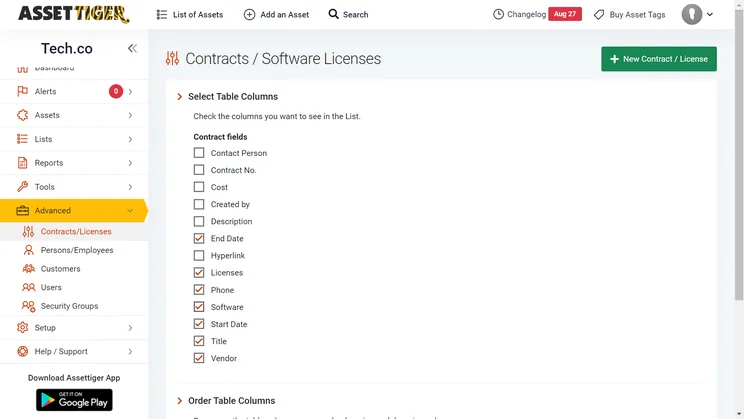
- Contract and license management tools
- Maintenance alerts
- Unlimited cloud storage
-
Cons
- Only tracks fixed assets
- Limited documentation
- Free plan capped at 250 asset tags
Images
What we liked about AssetTiger
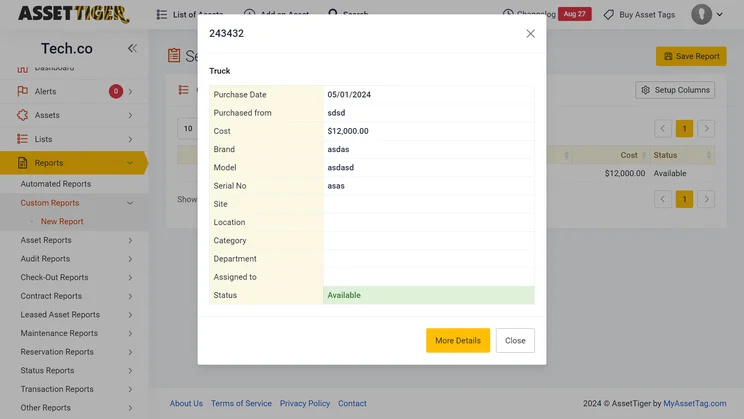
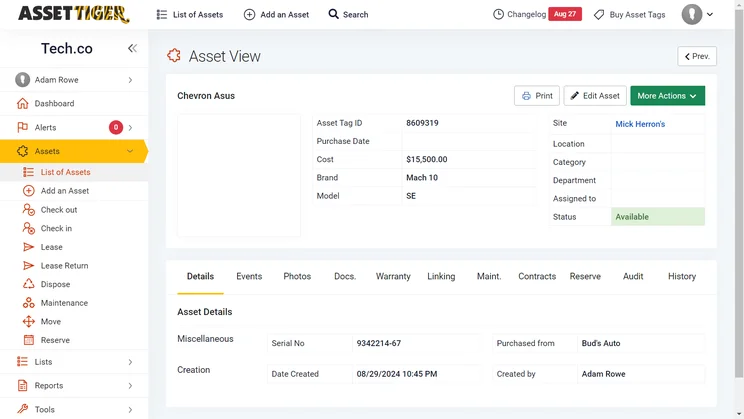
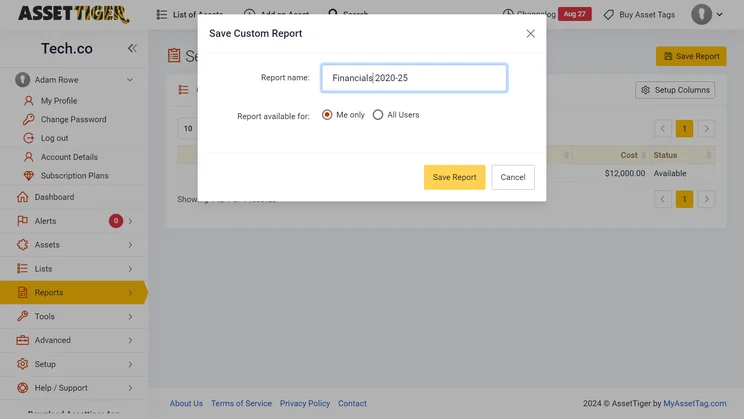
From AssetTiger’s dashboard, users can easily view a list of assets, add an asset, or sort through contracts, employees, customers, funding, insurance, users, and “groups” (the term for different sets of user permissions).
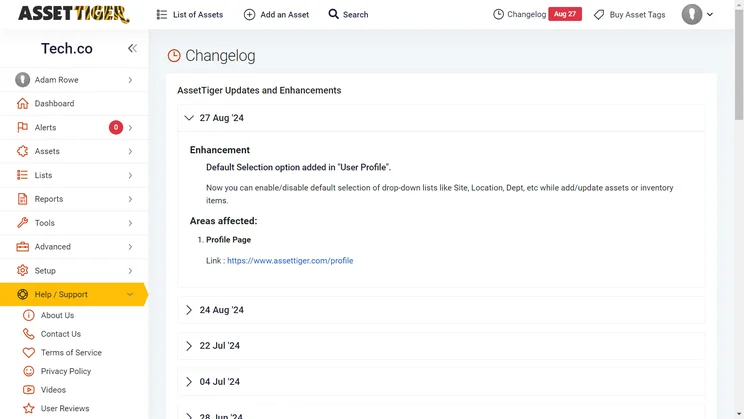
Alerts can also be managed with a checklist featuring different types of alerts to activate. Alerts can be triggered when contracts, warranties, or insurance policies are about to expire, when an asset needs maintenance, or when an asset is past due.
AssetTiger is ideal for a business with multiple floors, rooms, or sites, since managers can group assets and can further track activity with asset-specific notes.
Features include:
- Asset tag type: Barcodes, QR codes
- Mobile barcode creation and scanning
- Maintenance tracking
- Email alerts and notifications
- Contract tracking
- Great security features with customizable permissions
- iOS app rating: 3.3 stars
- Android app rating: 4.2 stars
While AssetTiger doesn’t offer the detailed depreciation tracking offered by Freshservice, it does support scheduled maintenance alerts.
Granted, there is no significant billing or facility management included — but you do have access to a technical support team via phone and email if needed. It is worth noting that this system is aimed at fixed assets, not movable ones, so facility and billing management aren’t essential.
We’ve found it to be a smart choice for small operations with fewer than 250 assets, because then it will be totally free, with every other aspect of the service fully available at no cost — unlimited users, unlimited cloud storage, and mobile compatibility are all great perks.
Read our full AssetTiger review to learn more.
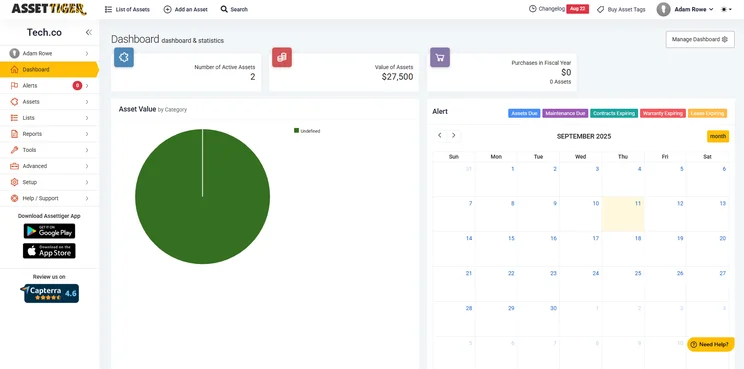
AssetTiger’s homepage can include graphs and a calendar. Source: Tech.co’s testing
Is AssetTiger software really free?
AssetTiger’s asset tracking software is completely free, but this service is capped at 250 assets. If you need to track more, its paid plans start at $20 per month for up to 500 assets, with tiers rising as high as $275 per month for 250,000 assets. (Costs have climbed: in 2025, 250,000 assets used to cost just $1,600 per year, compared with the 2026 annual bill of $3,025)
AssetTiger remains our highest-rated system to offer a completely free plan. Freshservice only offers free trials.
Staying in compliance with asset management regulations is crucial for any company for three big reasons.
First, it helps you avoid fines, fees, and legal troubles. Next, it helps your operation stay modern, keeping up with business standards that could otherwise slip. Finally, it helps stem problems before they sneak up on you, from asset misappropriation to unexpected breakdowns.
Check out our guide to asset tracking compliance for common challenges, the difference between internal and external compliance, and more.

2. Freshservice: Best for IT Businesses
Freshservice software is our research team’s top pick for asset tracking when it comes to IT service management. Users get a barcoding system, sure, but they can also set up a company knowledge base, multiple internal workspaces, and a ticket support system for customer service. Plus, all these management tools can be used from a central hub.
Freshservice

In Short
-
Pros
- Connects assets with work orders, so you know who has what
- Includes IT service management tools
- Free AI assistant available as an add-on
- Asset tracking starts at $49/user/month
-
Cons
- Capped at 100 assets
- Adding more costs $125/500 assets/month
- No GPS tracking offered
Images
What we liked about Freshservice
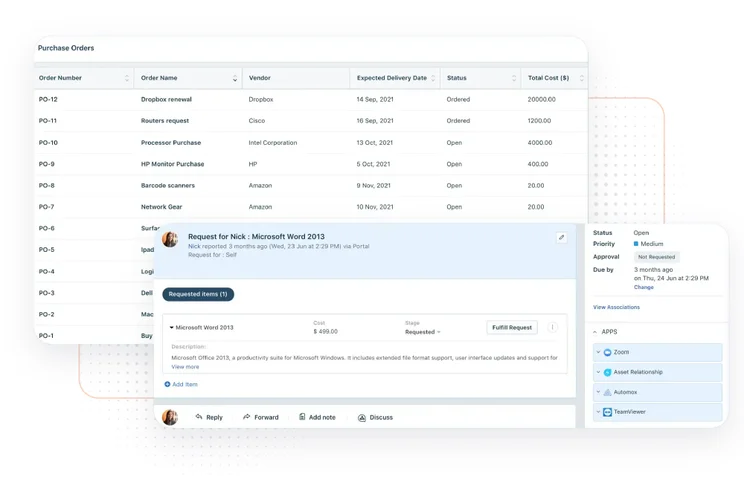
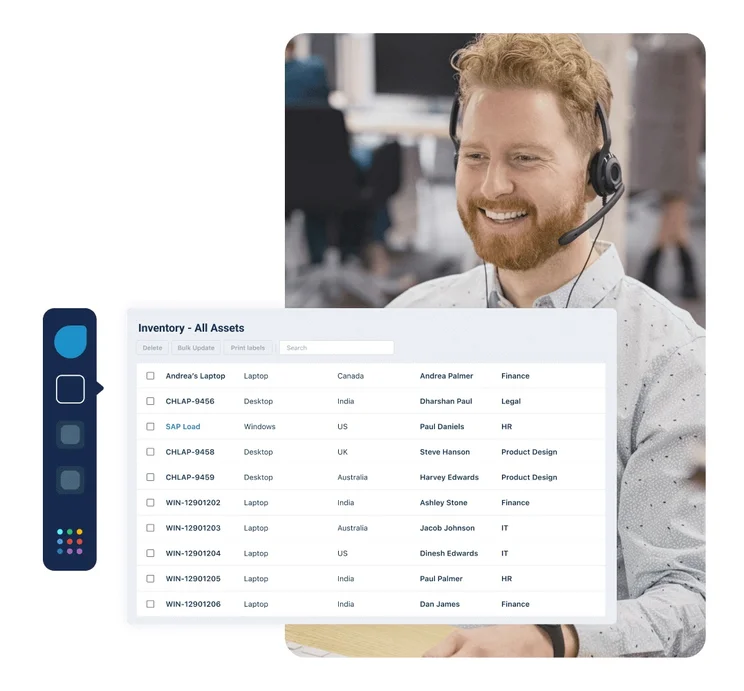
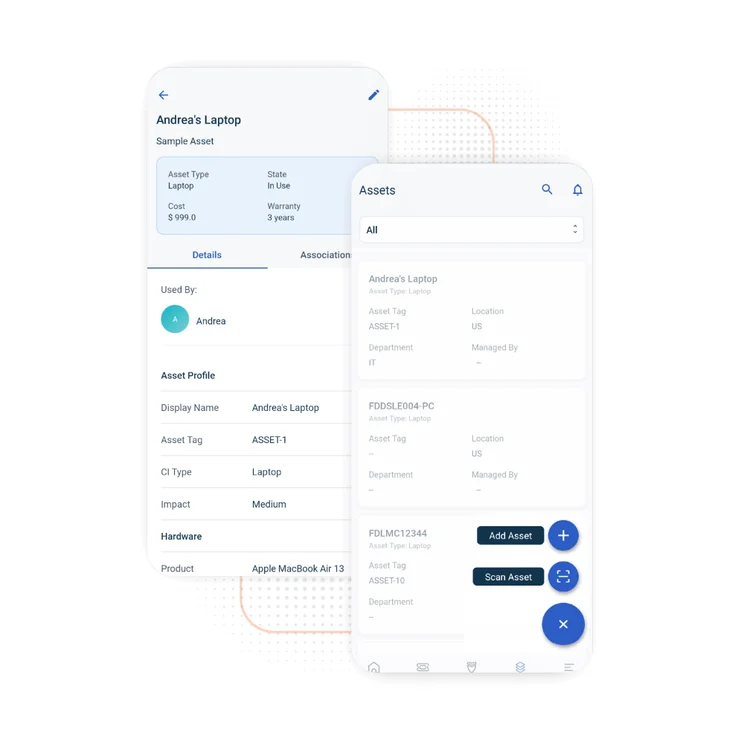
Like AssetTiger and Snipe-IT, Freshservice uses barcodes and QR codes to log assets, with support for 3G connectivity. Users won’t get automatic alerts for usage, but you can manually create an incident report.
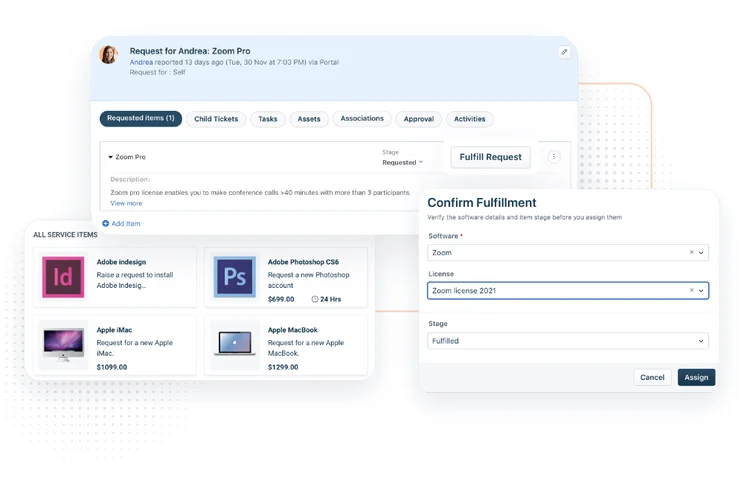
The system allows users with admin access to assign assets to specific agents in the organization, allowing for work order support.
Freshservice also lets users calculate depreciation in three modes: declining balance, straight line, and sum-of-the-years’ digits.
Features include:
- Asset tag type: Barcodes, QR codes
- Work orders
- Incident reports
- IT knowledge base
- 14-day free trial

Examples of asset lists within the Freshservice system. Source: Freshservice.
Is Freshservice really free?
No, Freshservice does not have a permanently free plan. It does offer a free 14-day trial. Paying users can choose from four plans, but only three include asset tracking.
- Growth: $49 per agent, per month
- Pro: $99 per agent, per month
- Enterprise: custom-priced
Plus, these plans only manage up to 100 assets; additional tags will cost $125 per month, per 500 assets (an increase since 2024, when it was $75 per month for 500 assets).
Read more in our Freshservice review.
3. Snipe-IT: Best for Customization With an Open API
As a web-based open source platform, Snipe-IT is a great choice for users who are comfortable adding third-party integrations to help build the asset tracking software needed for their business. It’s very secure and receives regular updates — a huge boon for any open-source program. However, you’ll need to manually update it each time.
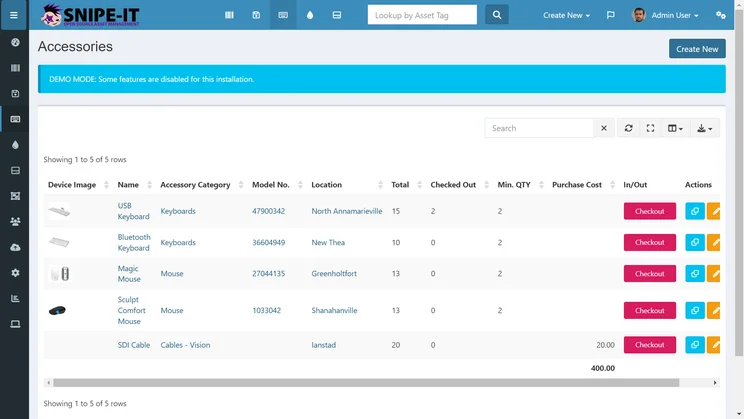
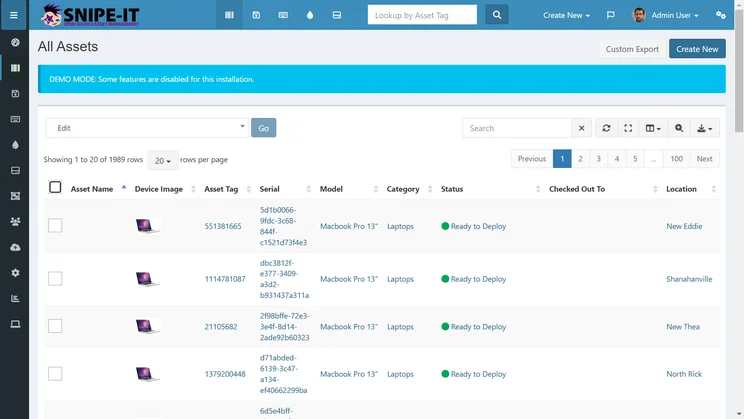
The software’s list of assets makes data easily viewable and sortable by:
- Device image
- Asset tag
- Serial number and model
- Category
- Status
- Which user the asset is checked out to
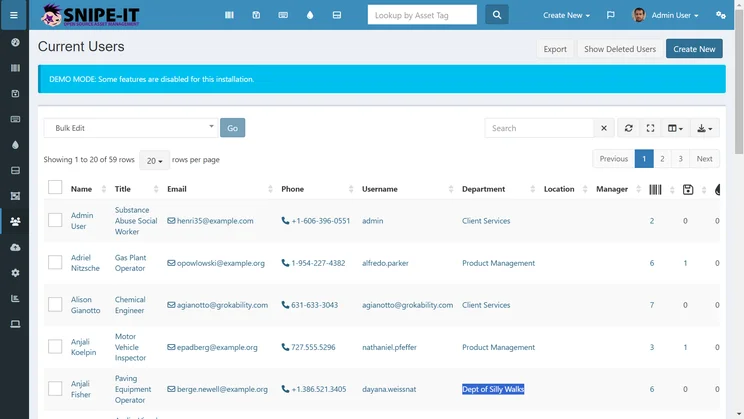
Each individual asset page gives you access to more data, from the purchase date, cost, and the supplier name, to the level of depreciation and the final date at which the asset is considered fully depreciated.
Snipe-IT

In Short
-
Pros
- Open source, open API — works on any device
- Unlimited users
- Unlimited assets
- Integrates with Slack
- SAML login integration
-
Cons
- No free support
- No free hosting
- May be too complex for beginners
Images
What we liked about Snipe-IT
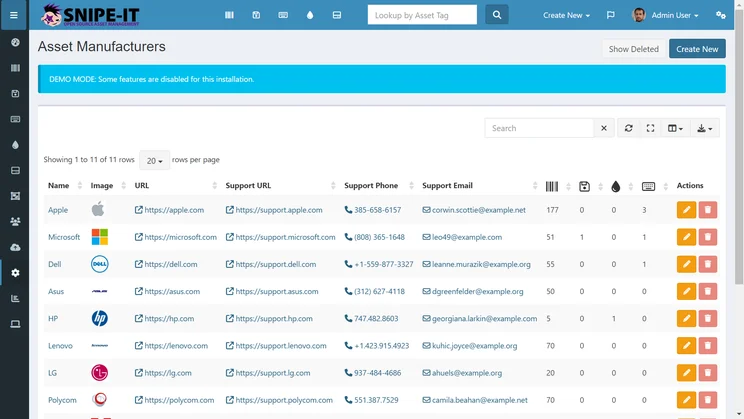
Snipe-IT is another barcode-based tracking system (although neither Freshservice nor AssetTiger has an open API). Snipe-IT works with standard USB or Bluetooth barcode scanners.
It offers unlimited assets and users, so it’s great for tight budgets.
However, you’ll need a software programmer or two to take full advantage of the open API. There’s no mobile app, but the mobile-friendly software is accessible from the web.
Features include:
- Asset tag type: Barcodes, QR codes
- Easily import and export assets
- Ability to group asset models by common features
- Customizable fields for additional asset attributes
- Pre-marked assets can be requested by a user
- Full history including checkouts, check-ins, and maintenance
- Optional digital signatures on asset acceptance
- Email alerts for expiring warranties and licenses
- Open API
- Fast and easy asset auditing
Snipe-IT for IT asset tracking
Snipe-IT is suitable for handling IT assets and work orders while offering users pretty basic functionality. Limitations include: limited alerts, no maintenance other than manually-entered data, and no network connectivity.
The service’s ability to track which assets have been checked in or out makes it a perfect fit for an IT department that supplies laptops or other equipment to workers on a rotating basis.
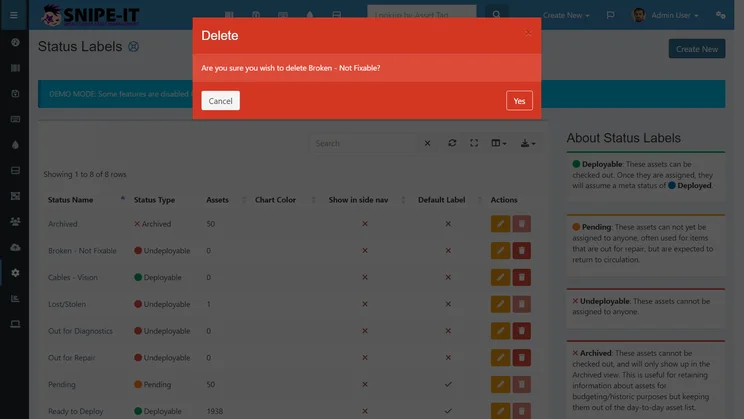
Each asset’s maintenance history is tracked, but unlike Freshservice and AssetTiger, no proactive maintenance alerts are available.
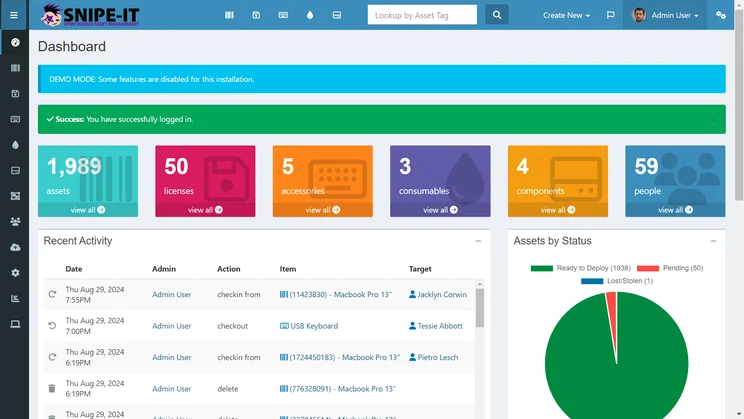
Snipe-IT’s homepage lists recent activity, like which assets have been checked out or returned. Source: Tech.co testing
Is Snipe-IT really free?
Yes, the Snipe-IT asset tracking software is free, and it also offers affordable hosting packages to businesses that also need support and security features.
A paid tier with Snipe-IT starts at $39.99 per month, and includes server maintenance, automated backups and upgrades, and access to a support team. Small Business Hosting costs $99.99 per month, and Dedicated Hosting costs $259.99 per month.
The CEO of Smile Art Design found managing equipment across their dental practice locations tough until they started using Snipe-IT, a free asset tracking software.
This tool made organizing everything from advanced dental tools to small parts easy, without needing a paid subscription. They could assign gear to places and people, making tracking and maintenance easier.
Although setting up Snipe-IT required some tech skills and certain features, like barcode scanning, weren’t free, it was incredibly helpful. With Snipe-IT, they saved time and were less worried about losing equipment.
4. Samsara: Best Features
Samsara is the top-paid asset tracking firm overall and beats any other option on this list for sheer functionality. We’ve included it here since it offers a free 30-day trial.
It’s completely wireless, feature-rich, and allows you to track assets of any size. Its software is one of the most widely trusted names in the business, for good reason.
Samsara Asset Tracking

In Short
-
Pros
- Great value for the cost
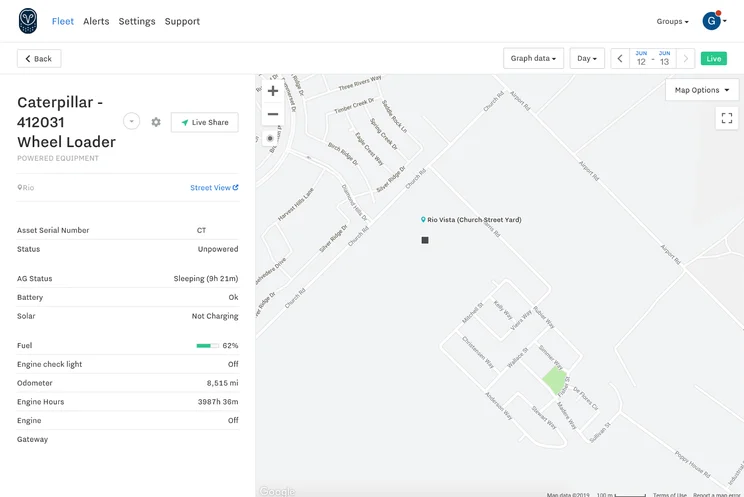
- Real-time GPS updates for continuous tracking
- Keeps you in the loop with auto-alerts
- Gleans insights with historical data and great reports
- Handles maintenance with tracking and alerts
-
Cons
- No barcode-based systems
- Continual updates can slow the app down
Images

What we liked about Samsara
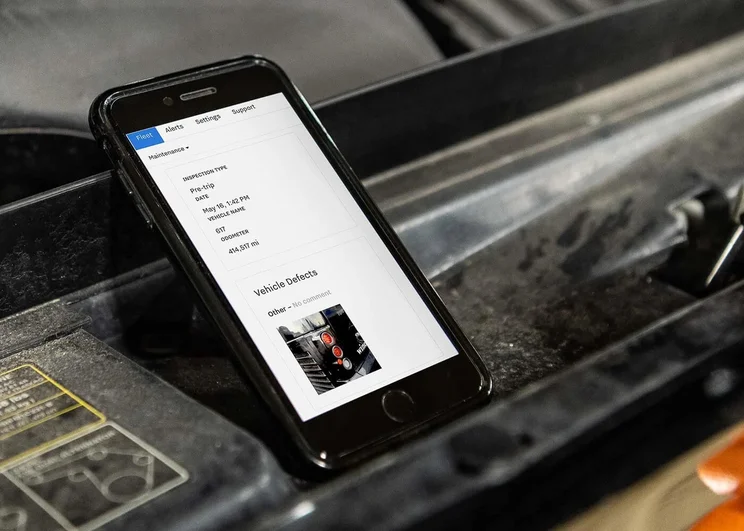
Samsara offers a range of rugged GPS tracking units with industry-leading weatherproofing.
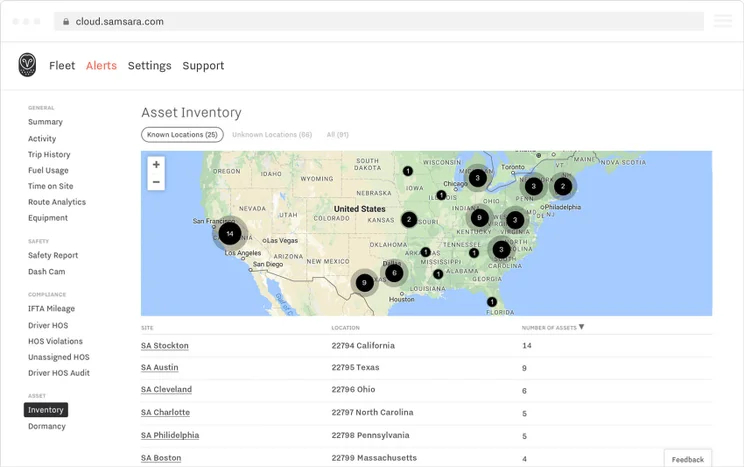
Reporting and analytics are also two of Samsara’s strongest core features, while its alerts will keep managers aware of geofencing violations, maintenance needs, and authorized usage. Features include:
- Asset tag type: GPS
- Geofencing alerts
- Automatic updates
- Historical data
- Maintenance tracking and alerts
- Inventory reporting
- Auto-generated reports
Network coverage includes North America, the EU, and the UK. Features will vary depending on which unit you choose, with some allowing you to track engine hours, diagnostics, and fault codes.
“If my generator or backhoe isn’t where it’s supposed to be and I need to find it, it only takes two clicks for me to track my machines down,” says Victor Miral, service manager at Ghilotti Bros.
Check-in rates are customizable, from near-real-time GPS updates to twice-a-day updates. Samsara’s active tracking provides you with more information about the location and activity of your assets than Freshservice, AssetTiger, or any service that relies on barcodes or manual data entry.
As a result, Samsara is a great choice for any business with movable machinery, from construction to landscaping.
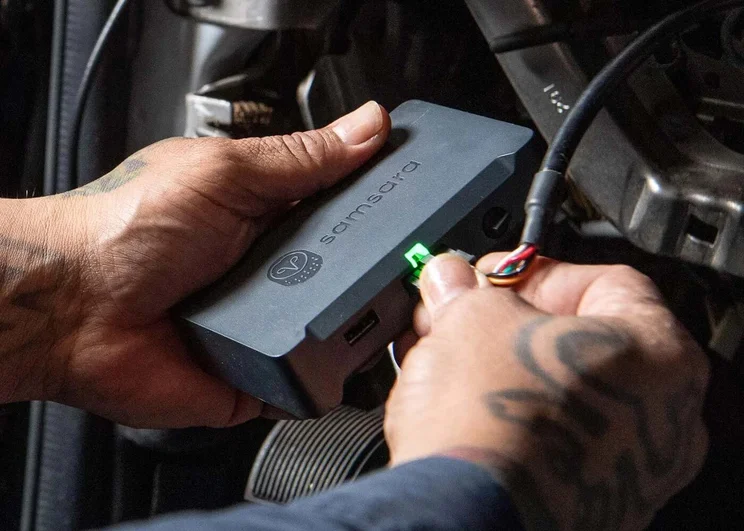
Installation is fast and easy with the Samsara asset tracking GPS device. Source: Samsara.
Is Samsara really free?
Samsara is not permanently free. The service offers free installation and a 30-day free trial, but you’ll have to pay once the trial ends. Prices will vary depending on your business’ needs. If you need a feature-rich platform with reliable asset tracking software, Samsara asset tracking software is your best bet.
Read our full Samsara fleet management review.
5. Spiceworks: Best for Tracking Documents Alongside Assets
Spiceworks asset tracking software is targeted at IT-focused businesses and operates on a unique revenue model: It’s ad-supported. Watch a few ads and Spiceworks enables you to create a hardware inventory, manage your network and licenses, and easily generate reports on your fixed assets, inventory, and latest network metrics.
Spiceworks

In Short
-
Pros
- Tracks and manages licenses
- Has automated email alerts
- Integrates with help desk tools
-
Cons
- Supports manual entry, not GPS or barcodes
- Some plugins incompatible with newest version
Images

What we liked about Spiceworks
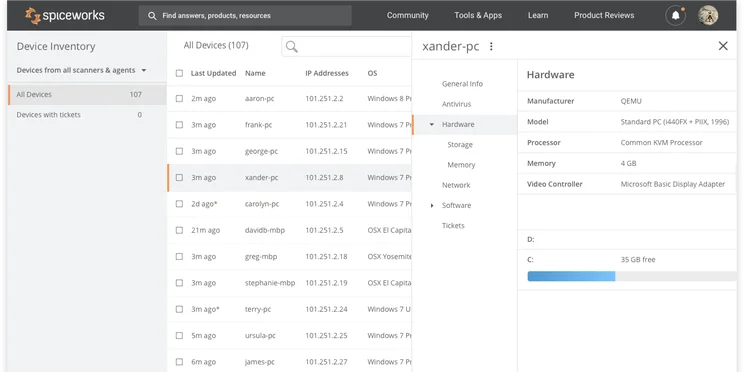
One feature scans subnets for all hardware with an IP address, letting users automatically add computers, routers, switches, and printers. That’s helpful, since users will have to manually enter data or upload spreadsheets: Spiceworks doesn’t support scannable barcodes or RFID tags.
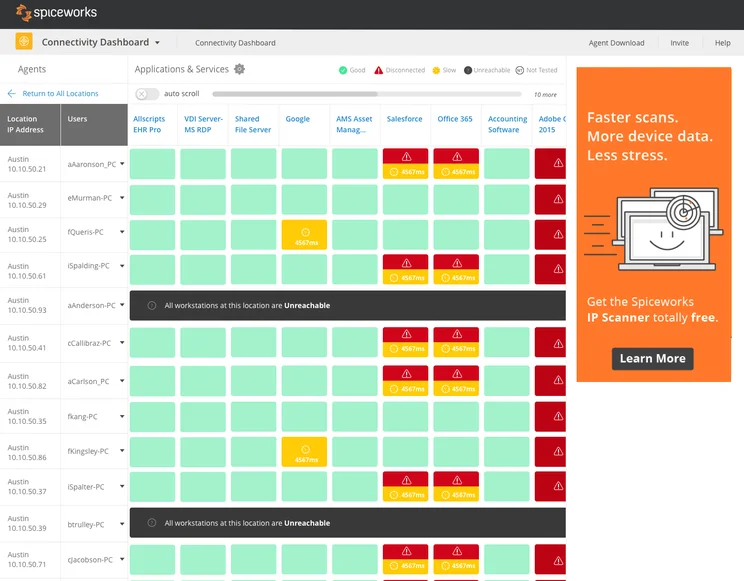
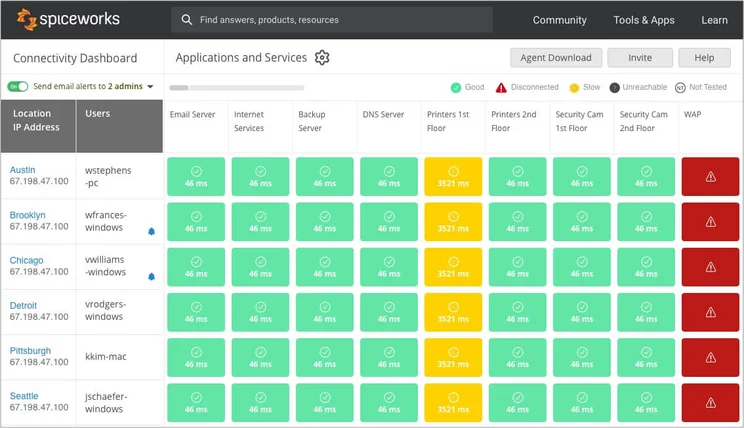
No alerts are offered, but users will get an email notification if resources are unreachable from remote sites.
Barcoding is supported via the linkIT app, but we’ve found that Spiceworks is best for office managers who need to keep track of documents and software as much as (if not more than) their physical assets.
Features include:
- Asset tag type: Manual entry (barcodes with integration)
- Automatically updates as devices are added and removed
- Reporting
- Auditing tools
- Compliance tools
- Detects and tracks cloud service assets
Spiceworks for IT Asset Tracking
Unlike Samsara’s GPS asset tracking system, Spiceworks is designed primarily for IT asset tracking, from laptops and mobile devices to software licenses and warranties.
It offers two benefits for IT assets: help desk integration, so support tickets can be easily tied to specific assets, and network monitoring, to automatically find any assets connected to your network, log details, and categorize them.
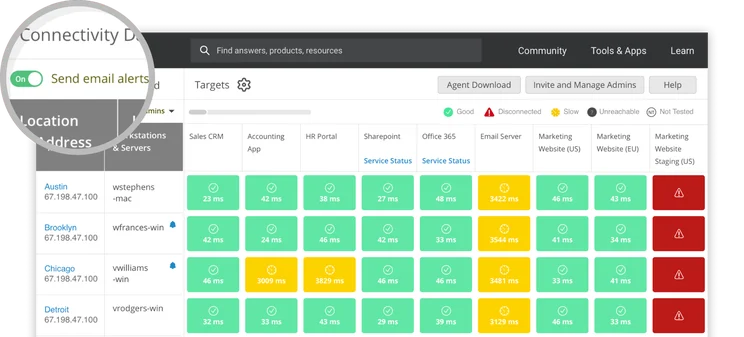
Email alerts can be toggled on or off within Spiceworks. Source: Spiceworks
Is Spiceworks really free?
Spiceworks asset tracking software comes with one totally free plan and one paid plan. Both are cloud-based (and the service has now retired the self-hosted free plan it used to offer).
The free option, Core Plan, is capped at five seats and comes with advertisements, but it supports nearly all the features you’ll need, including ticketing, incident tracking, reporting, alerts, and a portal for end users.
The paid plan, Premium, costs $5 per user, per month, when billed annually, or $6 per user, per month, when billed monthly. Ads are removed for Premium, and you’ll get access to two more features: bulk actions for tickets and the ability to create checklist workflows for recurring tasks.
Just like Freshservice, Spiceworks offers help desk software to handle work tickets and centralize your operation. It also offers access to troubleshooting forums.
Check out our Spiceworks review for more info.
Is Free Asset Tracking Software Worth It?
Free asset tracking software is only the right choice for small companies with no room in the budget for a paid alternative. Everyone else can afford better tools that will save you much more money, in the long run. Almost half of small companies (43%) are using ineffective tracking techniques — or none at all.
Typical limitations of free asset tracking software include:
- No data backups, which can restore your information if it’s lost in a power failure. Samsara and Freshservice offer backups or data exports, while others do not.
- No offline access, which prevents downtime during an internet failure.
- Asset caps or user caps, which limit company growth.
- No support or hosting, increasing time spent on administration tasks.
- No GPS tracking for movable assets.
Even open source software — as flexible as it is — requires in-depth IT knowledge to operate.
Best Paid-For Asset Tracking Software
Here’s what sets each of the best paid-for IT asset trackers apart:
- Samsara: A large, high-quality range of features, including powered and non-powered assets of any size, travel scheduling, driver monitoring, billable client hours, geofencing, and maintenance tracking. It also tracks inventory, so retailers can keep products safe as well.
- Tenna: While Samsara and Verizon offer GPS tracking, Tenna offers RFID and barcodes as well as GPS, making it a versatile pick. Features include maintenance tracking, historical data, geofencing, custom fields, work orders, and a well-rated mobile app for iOS and Android.
- Verizon Connect: GPS-powered asset tracking with weatherproof, battery-powered devices suitable for equipment, trailers, and other high-value assets. It integrates with other Verizon software, so field service and fleet management can be included in one package.
Some IT asset management solutions are stripped down while others are feature-rich, and either option might be right for you.
Check out our BLE tracking guide for more information.
How We Test Asset Tracking Software
In order to rate asset tracking providers and enable you to make the best decision for your business, here at Tech.co we take a hands-on approach. We are confident telling you which provider is best for you, because we’ve done the research.
We compare providers across multiple criteria, including the features that the software provides, how easy it is to use, and the customer service experience.
Here are just a few areas we look at in our in-depth research:
- Price: While price isn’t everything, we know that it’s important to many businesses. We rate the pricing of each provider, as well as telling you if there is a free tier, or even a free trial, so you can try it before you commit.
- Types of asset trackers: What sort of tools does the provider offer? Different types of asset tracker tags offer various levels of trackability. Barcodes might be a cheap option, and suitable for smaller businesses, but businesses operating across multiple sites will want something that can offer real-time tracking, like GPS or RFID tags.
- Alerts: When tracking assets, you want to be sure that you know where they are at all times. Some platforms can tell you when an asset leaves a certain location, or is being used outside of work hours. We factor these features into our research when rating each provider.
- Mobile apps: A good mobile app can make or break a platform. A good one makes every process seamless, while a bad one can render the whole platform nothing more than a headache. We look at the quality of the apps on offer, take into account user reviews, and rate them accordingly.
If you want to learn more about the process by which we rate and rank business software providers, take a look at our in-depth research guide for more information.
The best completely free asset tracking tool is AssetTiger, since it has a mobile app, custom alerts, unlimited users, and cloud storage. The downside: free users are capped at 250 assets.
Snipe-IT is a solid open-source option that supports unlimited assets as well as unlimited users, but it’s best for those with coding experience.
If you can pay for the best asset tracking software to ensure it’s secure, dependable, and caters to a variety of assets, the best solutions are Samsara (for GPS tracking) or Freshservice (for a barcoding system). Neither service is permanently free.
FAQs
Plenty of free asset tracking software offer secure, encrypted, and compliant options for IT and hardware inventory. AssetTiger, for instance, has encrypted connections, routine backups, and cloud infrastructure, while Snipe-IT lets organizations host software themselves, giving users full control and security.
However, IT and hardware inventories may require more robust security features like single-sign on or role-based access controls, which typically cost a fee.
Spreadsheets can be a good option for businesses managing very small inventories, but are very basic compared with dedicated asset management software.
Many free providers will offer barcode scanning as part of their asset tracking software. In our research, we found that AssetTiger and Freshservice both offer this.
If you click on, sign up to a service through, or make a purchase through the links on our site, or use our quotes tool to receive custom pricing for your business needs, we may earn a referral fee from the supplier(s) of the technology you’re interested in. This helps Tech.co to provide free information and reviews, and carries no additional cost to you. Most importantly, it doesn’t affect our editorial impartiality. Ratings and rankings on Tech.co cannot be bought. Our reviews are based on objective research analysis. Rare exceptions to this will be marked clearly as a ‘sponsored’ table column, or explained by a full advertising disclosure on the page, in place of this one. Click to return to top of page


