

We may receive a commission from our partners if you click on a link to review or purchase a product or service. Click to Learn More
Snipe-IT is an open-source asset management solution that businesses can use to track IT assets uses and software licenses using barcodes. Its open API makes it ideal for code-friendly businesses and a generous free plan with no asset or user limit makes it one of the best free asset tracking software solutions we’ve reviewed.
However, Snipe-IT’s free plan comes at a cost. Free users will have to host the service themselves and won’t get access to any customer support or security features.
Snipe-IT’s barcode-first tracking features come at the expense of GPS tracking, so if you require this feature, we’d recommend using Samsara or Tenna instead. Try our free comparison tool for obligation-free quotes from all the best asset tracking providers.
- Snipe-IT offers a generous free, self-hosted plan, with unlimited assets and users but no support or security features.
- Paid plans provide hosting and dedicated support, with prices ranging from $39.99 per month for the Basic plan to £4,999 per year for Enterprise Support.
- Snipe-IT’s open API allows businesses to adjust the software to fit their needs, but it can be off-putting to users with little coding experience.
- Snipe-IT tracks assets through barcodes and QR codes instead of GPS, making it less useful to businesses that require continual tracking or usage, out-of-hours, or in-motion alerts.
- Snipe-IT’s software works on desktop and mobile but has no dedicated mobile app, unlike competitors Tenna and Verizon.
Snipe-IT

In Short
-
Pros
- Open source, open API — works on any device
- Unlimited users
- Unlimited assets
- Integrates with Slack
- SAML login integration
-
Cons
- No free support
- No free hosting
- May be too complex for beginners
Images
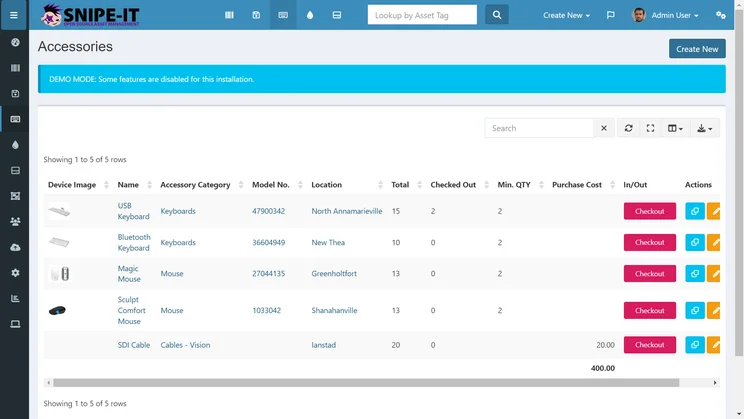
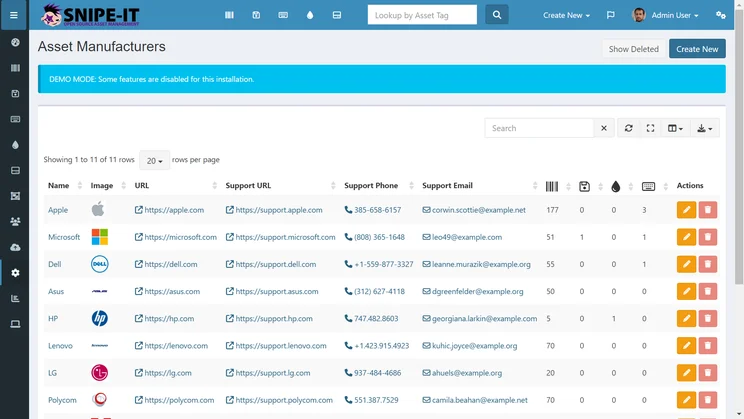
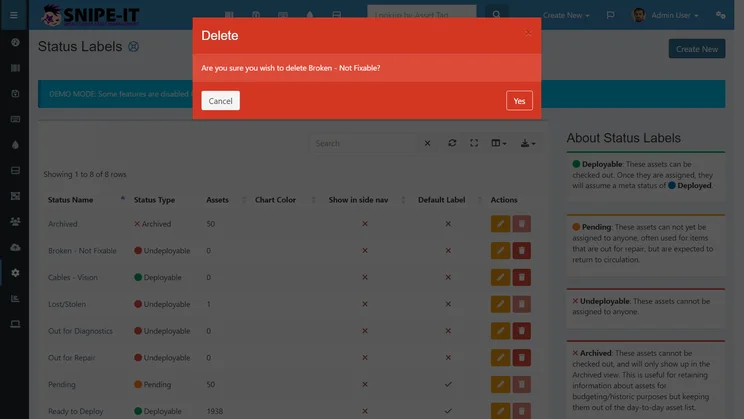
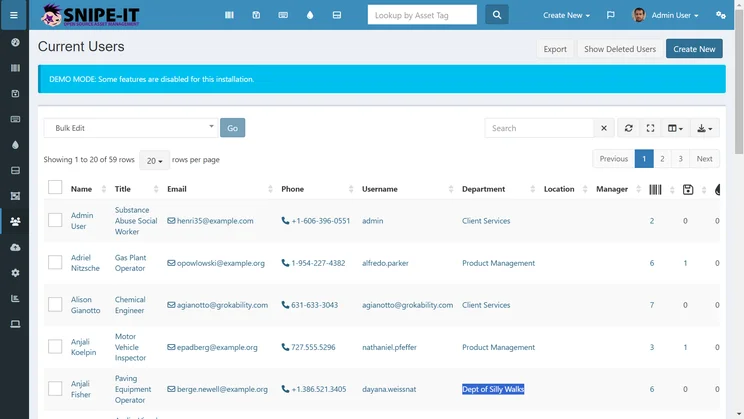
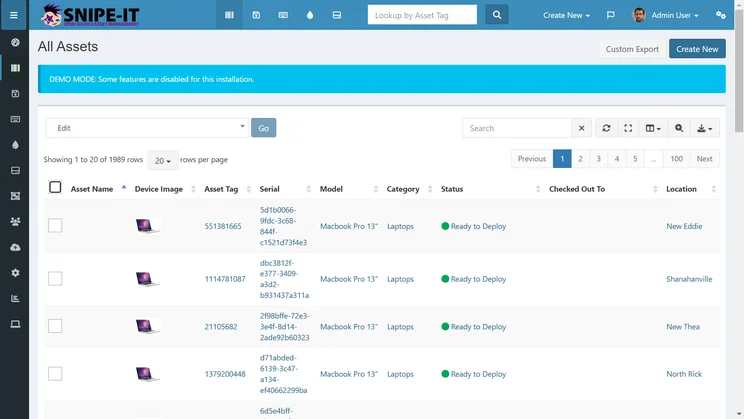
All of Snipe-IT’s plans have no user or asset limit. However, support options aren’t included in any of its core packages and are only available through paid add-ons.
Pricing: Is Snipe-IT Right for Your Business?
Check out how Snipe-IT’s pricing options compare.
|
Plan
|
Price
|
Automated upgrades
|
IP address restrictions
|
|
|---|---|---|---|---|
 |
|
|
|
|
|
Self-Hosted |
Basic-Hosted |
Small Business Hosting |
Dedicated Hosting |
|
|
Free |
$39.99/month |
$99.99/month |
$249.99/month |
|
|
|
|
|
|
|
|
|
|
|
|
After its free plan, Snipe-IT offers three paid packages:
- Basic Hosting: $39.99 per month
- Small Business Hosting: $99.99 per month
- Dedicated Hosting: $249.99 per month
It also offers a 16% discount on all plans when paid annually:
- Basic Hosting: $399.99 per year ($33.33 per month)
- Small Business Hosting: $999.99 per year ($83.33 per month)
- Dedicated Hosting: $2,499.99 per month ($208.33 per month)
All paid plans offer hosting options and have no user and asset limits, which makes them suitable for businesses of any size.
However, Snipe-IT’s Basic Hosting plan lacks important API safeguards, making it less favorable for businesses wanting to take full advantage of the provider’s open-source technology.
Snipe-IT’s most advanced package, Dedicated Hosting, offers everything in the previous tiers, with additional VPN connectivity, private server support, and IP address control, making it ideal for businesses with complex asset tracking needs.
All of the paid plans offer email and community support through platforms like GitHub and Discord. Two extra support packages are offered.
- Basic Support: $449 per year for phone support, helpdesk support, and priority feature requests
- Enterprise Support: $4,999 per year for everything in Basic, plus private Slack access and API support
Does Snipe-IT have a free plan?
Snipe-IT offers a generous free asset management plan with no cap on user or asset numbers.
Free users will need to host the service themselves and won’t get access to security safeguards or customer support — except through GitHub and Discord.
Snipe-IT’s free plan isn’t a catch-all solution and isn’t suitable for large businesses with advanced needs. Still, it’s the only asset management platform we reviewed that lets you track an unlimited number of assets at no cost. Snipe-IT is tied with AssetTiger as the best value asset tracker we’ve researched.
If you want to track your assets on the cheap, you can also learn how to build a custom asset tracking system here.
Snipe-IT Review: Key Features
Snipe-IT offers a number of unique features for businesses wanting to track and manage assets.
Asset Tracking
Snipe-IT’s asset tracking relies on barcode scanning and QR code generation, allowing businesses to keep tabs on physical assets automatically. This removes the need to track work equipment manually and the low up-front cost of barcodes helps keep the price of the service low.
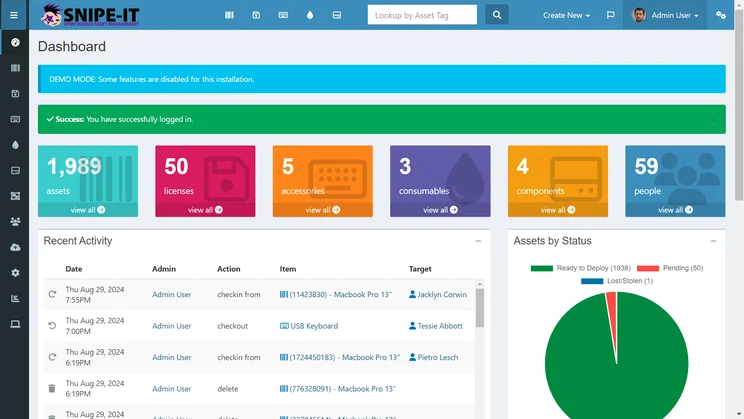
Snipe-IT’s homepage lists recent activity, including which assets have been checked out or returned. Source: Tech.co testing
Barcode tracking is less advanced than GPS tracking, which allows for continuous, autonomous, geographical tracking. If you’re tracking high-value assets and want extra peace of mind, we’d recommend using software with GPS tracking like Samsara, Tenna, or Verizon Connect.
License management
Businesses can also manage asset licenses in addition to the assets themselves, because Snipe-IT’s software tracks documents, expiration dates, and seat numbers. This helps businesses streamline the manual process and makes it easier to comply with software license renewal.
This feature is rarely available on free software (Wasp AssetCloud charges for it, for example), making Snipe-IT perfect for businesses looking to track and manage documents on a budget.
Open-source API access
Unlike many popular asset-management systems like Samsara and Verizon, Snipe-IT runs on JSON REST API, allowing businesses to develop their own custom automation and third-party integration. This is a huge win for code-friendly businesses looking to tailor the software to their liking.
However, Snipe-IT’s API access may be off-putting to less tech-savvy users who want a straightforward asset tracking system.
Reporting
Snipe-IT offers users more than 30 built-in asset tracking reports that businesses can schedule to run automatically, including an expiring license report, an expected check-in report, and a low inventory report.
The software even lets businesses create custom reports, which can give users granular control over performance metrics.
However, unlike industry-leading systems like Samsara, Tenna, and Verizon, Snipe-IT doesn’t offer detailed historical data tracking, making it slightly less adept at streaming insurance claims or verification processes.
System alerts
Tracking alerts help businesses gain clear oversight over their assets, users, and licenses, especially in the event of sudden changes. Snipe-IT has check-in alerts and can issue email alerts for expiring warranties and licenses, making it easier for users to remain compliant.
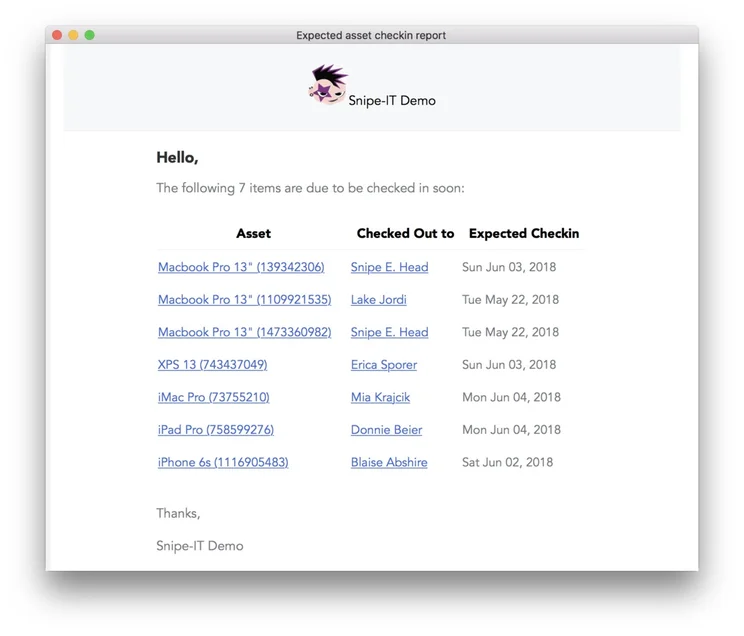
Alerts for Snipe-IT asset “checkins” will include relevant users and dates. Source: Snipe-IT
Unfortunately, the asset tracking system lacks a number of basic alert features offered by competitors, like ATTI and Wasp AssetCloud, including usage alerts, in-motion alerts, and geofencing alerts.
Customer support
Snipe-IT’s level of support depends on your plan. If you’re self-hosting with the provider’s free plan, your support will be limited to community support via GitHub and Discord.
Those subscribing to Snipe-IT’s paid plans will unlock email support channels, alongside community support.
You’re also able to purchase Snipe-IT’s Basic Support package at $449 a year, for helpdesk support, installation help, and priority feature requests, while the providers’ Enterprise Support plan — which also includes access to private Slack, hands-on API integration support, and security questionnaires — costs $4,999 per year.
How Does Snipe-IT Compare With Other Providers?
Tech.co data shows 19% of logistics firms prioritizing new technology are looking into asset tracking solutions, specifically. Snipe-IT might be one of the best fixed asset tracking software tools available, but it’s not the only option.
Overall, Samsara is the best asset tracking company we’ve reviewed, thanks to its impressive user experience and a variety of features that Snipe-IT lacks, such as real-time updates, geofencing warnings, and maintenance tracking alerts. But there’s no free Samsara plan, so the software is less suited to businesses on a tight budget.
The best low-cost alternative we’ve reviewed is AssetTiger. AssetTiger offers a permanent free plan, enhanced tracking features, and a mobile app. However, the free plan is capped at just 250 assets.
Our comparison table lists even more Snipe-IT alternatives.

Want to know if Snipe-IT is a good deal?
Compare it to other asset tracking software right now
|
Free version
|
Paid version
|
Best for
|
Pros
|
Cons
|
|||
|---|---|---|---|---|---|---|---|
|
|
BEST RATED
 |
 |
 |
 |
 |
 |
 |
|
Snipe-IT |
Samsara |
Tenna |
Verizon Connect |
AssetCloud by Wasp |
AssetTiger |
Azuga |
ATTI |
|
Yes |
No |
Demo |
Free demo |
Demo |
Yes |
Demo available |
Demo |
|
Price on request |
Starts at: $108/user/month |
$20/500 assets/month |
Price on request |
Price on request |
|||
|
Programmers who want an open API |
Features |
Diverse operations |
Larger companies |
Small companies with fixed assets |
Best overall |
Moveable assets |
Companies with heavy equipment |
|
|
|
|
|
|
|
|
|
|
|
|
|
|
|
|
Our Methodology
In order to rate asset tracking providers and enable you to make the best decision for your business, here at Tech.co we take a hands-on approach. We are confident telling you which provider is best for you, because we’ve done the research.
We compare providers across multiple criteria, including the features that the software provides, how easy it is to use, and the customer service experience.
Here are just a few areas we look at in our in-depth research:
- Price: While price isn’t everything, we know that it’s important to many businesses. We rate the pricing of each provider, as well as telling you if there is a free tier, or even a free trial, so you can try it before you commit.
- Types of asset trackers: What sort of tools does the provider offer? Different types of asset tracker tags offer various levels of trackability. Barcodes might be a cheap option, and suitable for smaller businesses, but businesses operating across multiple sites will want something that can offer real-time tracking, like GPS or RFID tags.
- Alerts: When tracking assets, you want to be sure that you know where they are at all times. Some platforms can tell you when an asset leaves a certain location, or is being used outside of work hours. We factor these features into our research when rating each provider.
- Mobile apps: A good mobile app can make or break a platform. A good one makes every process seamless, while a bad one can render the whole platform nothing more than a headache. We look at the quality of the apps on offer, take into account user reviews, and rate them accordingly.
If you want to learn more about the process by which we rate and rank business software providers, take a look at our in-depth research guide for more information.
If you need to track a high volume of assets, licenses, and users for free, Snipe-IT’s no-frills, barcode-based system is for you. The asset tracking software’s highly customizable API is great for code-friendly businesses that can build specific automation and integrations.
However, Snipe-IT falls short in several areas. Its software alerts are far behind advanced systems like Samsara and Verizon, with no geofencing warnings. Its pricy support options and code-heavy interface also make it less desirable for users with little technical know-how.
The asset tracking marketplace is crowded, and businesses with extremely valuable assets may be better off opting for GPS asset tracking solutions, as barcode tracking lacks real-time, geographical-based insights. Try our free asset tracking comparison tool to receive quotes from the best providers in minutes.
Snipe-IT Review FAQs
Snipe-IT supports standard USB/Bluetooth handheld scanners. You don’t have to use a scanner, either: smaller operations may prefer to use a phone.
Snipe-IT offers a range of security mechanisms to keep asset information safe, including two-factor authentication with Google Authenticator, one-way secure password hashing with bcrypt, and granular user-roles that restrict access.
Businesses handling assets have a responsibility to adhere to US regulations. Snipe-IT ensures businesses are in line with regulatory requirements by keeping accurate records of software licenses, warranties, and other relevant information.
Switching to Snipe-IT is a relatively simple process. All you need to do is install the software on your server and make sure your .env files, company database, upload files, and OAuth keys are transferred across to your new account.
If you click on, sign up to a service through, or make a purchase through the links on our site, or use our quotes tool to receive custom pricing for your business needs, we may earn a referral fee from the supplier(s) of the technology you’re interested in. This helps Tech.co to provide free information and reviews, and carries no additional cost to you. Most importantly, it doesn’t affect our editorial impartiality. Ratings and rankings on Tech.co cannot be bought. Our reviews are based on objective research analysis. Rare exceptions to this will be marked clearly as a ‘sponsored’ table column, or explained by a full advertising disclosure on the page, in place of this one. Click to return to top of page


