

We may receive a commission from our partners if you click on a link to review or purchase a product or service. Click to Learn More
After thoroughly researching and testing QuickBooks and Xero, we found that Xero is the better accounting software overall – especially for businesses with high turnovers – down to its superior expense management and billing features, and extensive library of integrations. There isn’t much in it though, with QuickBooks boasting a slicker interface, stronger help and support tools, as well as industry-leading cashflow projection features that make budgeting a breeze.
Truth be told, due to Xero and QuickBooks’s steep learning curves, extensive set-up requirements, and cluttered interfaces, both platforms are best suited for experienced accounting professionals willing to invest time into the platforms. For small businesses managing simpler processes, we recommend our best-rated accounting software – Zoho Books – instead, due to its intuitive design and smaller price tag.
Choosing between QuickBooks and Xero is by no means plain sailing. So, to guide you through the process, this article offers a granular comparison of their pricing plans, usability, stand-out features, and support options. Read on for our full research-backed details, and see how they weigh up at a glance below.
|
Tech.co review score
|
Starting price
|
Free trial
|
Best for
|
Core Benefit
|
Pros
|
Cons
|
Payroll processing
|
Office 365 integration
|
Phone support
|
Try now
|
||
|---|---|---|---|---|---|---|---|---|---|---|---|---|
 |
 |
|||||||||||
|
QuickBooks |
Xero |
|||||||||||
|
4.6
|
4.6
|
|||||||||||
|
|
|
|||||||||||
|
30 days |
30 days |
|||||||||||
|
Businesses needing advanced financial insights and customization |
Experienced accountants and established businesses with complex financial needs |
|||||||||||
|
Excellent help and support features, including dedicated on all plans and 24/7 support and training on Advanced plan |
Online integrations |
|||||||||||
|
|
|||||||||||
|
|
|||||||||||
|
|
|
|||||||||||
|
|
|
|||||||||||
|
|
|
|||||||||||
| Try QuickBooks | Try Xero now |
Xero vs QuickBooks: At a Glance
Xero and QuickBooks are two of the best accounting software available on the market today. Torn between the platforms? We sum up some key deciding factors straight off the bat, to help you determine their suitability for your business.
- Xero’s core accounting features are better than QuickBooks, with the platform boasting superior fixed asset tracking, billing, and bank reconciliation tools.
- Xero allows unlimited users on all of its plans, making it a slightly better choice than QuickBooks for larger teams with simpler accounting requirements.
- Xero lets users connect with more integrations than QuickBooks (1000+ vs 750+), allowing businesses to extend the capabilities of the platform further.
- QuickBooks is cheaper to get started on, although Xero is currently running a deal where you get its Premium plan for $1 per month, for the first six months.
- QuickBooks is a stronger choice over Xero for restaurants, because of QuickBooks’ built-in inventory management system and native point-of-sale (POS) integrations.
- QuickBooks has a more modern design, while Xero’s typography and interface make it feel quite dated in comparison.
- Xero and QuickBooks are both quite complex to get started on, but QuickBooks’ helpful tooltips and live chat options make it slightly easier to adjust to the steep learning curve.
Read on for a deeper dive into Xero and QuickBooks’s main comparison points, and check out which businesses each provider is best suited for below:
Who is Xero better for?
- Experienced accounting professionals managing complex workflows
- Businesses with high turnovers and consistent billing needs
- Users willing to invest time in a longer set-up process for heavier-duty features
Xero
In Short
-
Pros
- Over 1,000 third-party integrations available
- Useful client portal for clients to access financial information
- Robust fixed asset tracking functionality with depreciation values
-
Cons
- Steep learning curve for advanced features like workflows
- Outdated, poorly designed interface with difficult navigation
- Must give one-month notice before cancellation
Pricing
-
 Early: $27/month
-
Growing: $59/month
-
Established: $97/month
-
90% off all plans for the first 6 months with Tech.co deal
Images
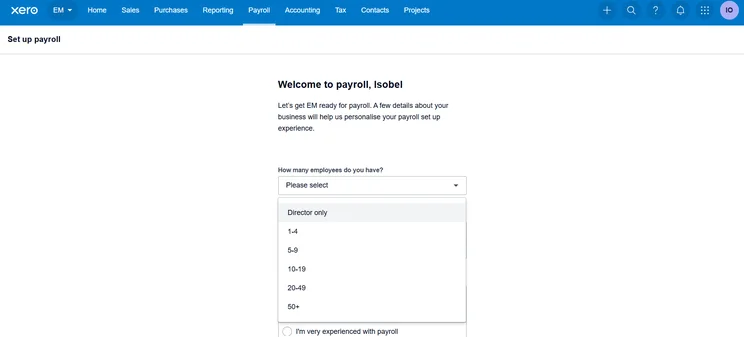
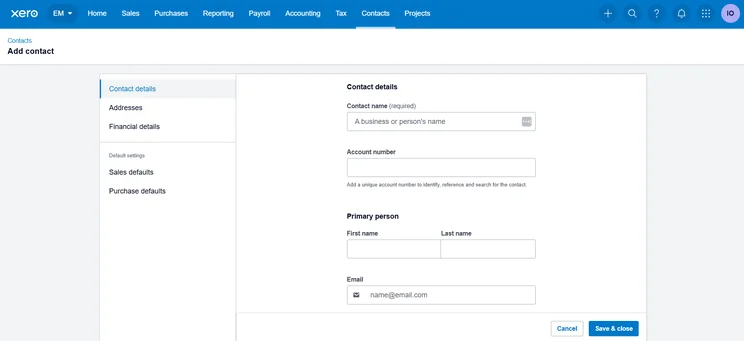
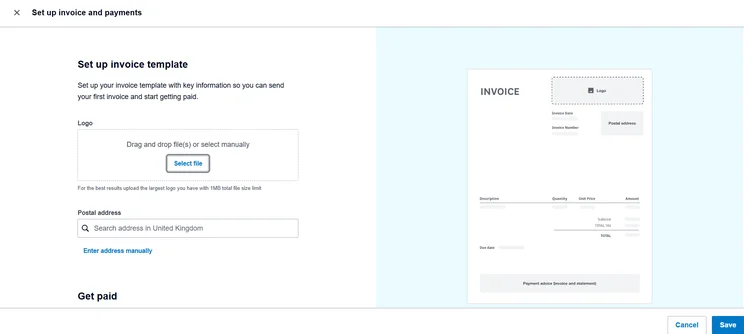
Who is QuickBooks better for?
- Businesses that want to improve budgeting efforts with advanced cash flow projection tools
- Businesses that would benefit from customized reporting tools to improve performance
- Users who prefer a modern-looking system with a clear set-up process
QuickBooks

In Short
-
Pros
- Extensive analytics template customization
- Automatic alerts for mismatched balances
- Built-in cash flow projection tools
-
Cons
- Steep learning curve for advanced functionality
- Limited customer support resources for self-help
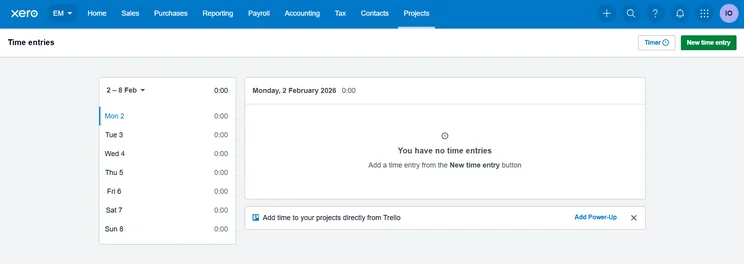
- No time tracking features
Pricing
-
Solopreneur: $20/month
-
Simple Start: $38/month
-
Essentials: $85/month
-
Plus: $140/month
-
Advanced: $340/month
-
50% off for first 3 months on all plans
Images
Xero vs QuickBooks: Top Features Comparison
QuickBooks and Xero both offer a bountiful array of accounting and financial management features. Here’s our comparison of how both of the provider’s toolkits compare head-to-head.
Tax preparation: Xero
If you’re planning to use accounting software to optimize your tax returns, you’ll be in safe hands with either QuickBooks or Xero. Both providers offer stand tax capabilities like tax rate calculations and tax form generation, scoring neck and neck in this research category.
However, with QuickBooks, you’ll need to set up VAT records first, and manually add tax categories to stock products, which might make the process a bit more daunting for a beginner than Xero. Xero supports a slightly broader range of tax types too, including goods and services tax (GST), making the platform’s tax preparation tools stronger than QuickBooks’ overall, especially for businesses navigating complex tax processes.
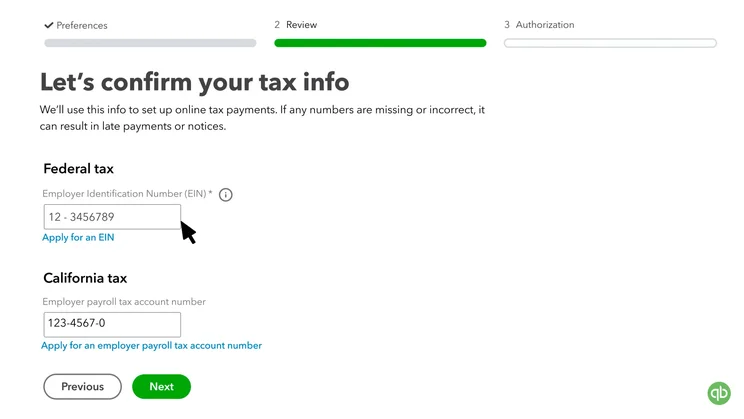
QuickBooks asks you for simple payroll tax information when setting up. Source: QuickBooks
Unfortunately, neither provider offers tax forecasting or planning tools, so if this is a dealbreaker for you we’d recommend using a competitor like FreeAgent, instead, which has both of them available.

Get Started with Accounting Software Today
We recommend Xero for the best value, and QuickBooks for a richer feature set
Invoicing: Tie
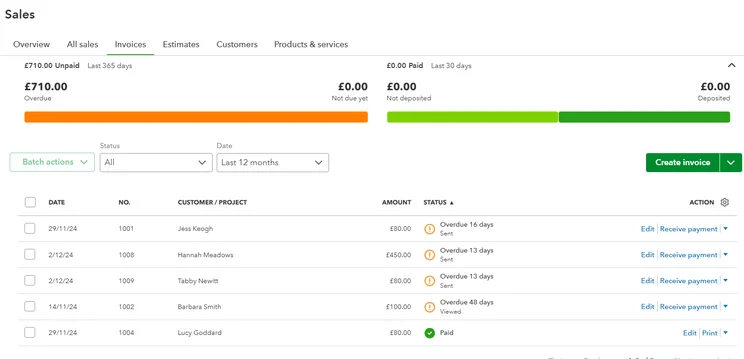
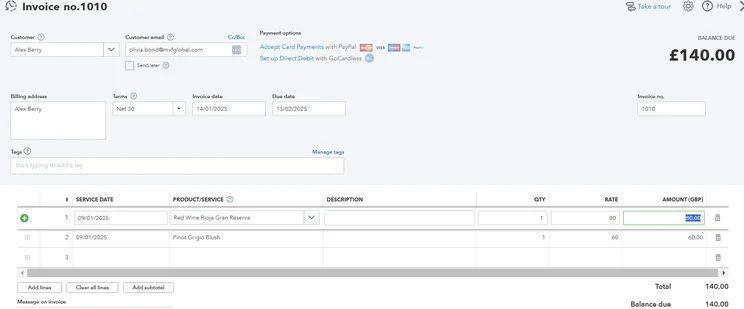
QuickBooks and Xero offer some of the best invoicing and quoting features in the industry. From recurring invoicing and automated invoice and quote sending, to useful payment reminders, the platforms provide you with any capability you’ll need to effectively track payments.
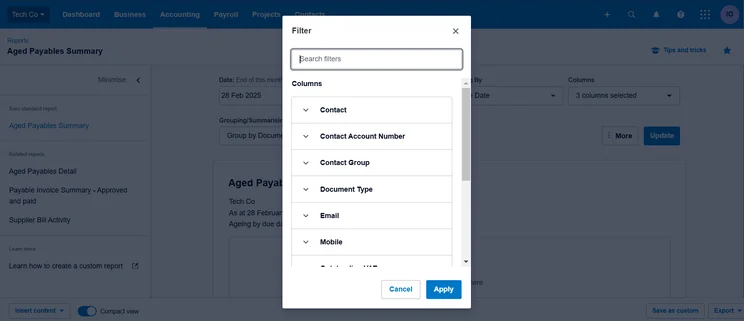
You’re able to search through Xero’s aged payable summaries through a variety of filters. Tech.co user testing
Both pieces of accounting software also notify you when a client has viewed an invoice, making it easier for your team to track and chase outstanding payments. Unlike budget providers like Wave, QuickBooks, and Xero offer multi-currency support for invoicing, helping them both to net a perfect score in our research subcategory, and making them a solid choice for international businesses.
All things considered, our research found that Xero’s and QuickBook’s invoicing features are neck-and-neck, and are actually some of the best we’ve researched – alongside those offered by Zoho Books.
Learn more about how QuickBooks compares to the free accounting software Wave.
Financial planning: QuickBooks
QuickBooks and Xero offer fairly similar reporting features, both letting users create new reports from scratch, export reports with embedded calculations, use build-in templates for key financial statements like balance sheets, and cash flow statements, and more.
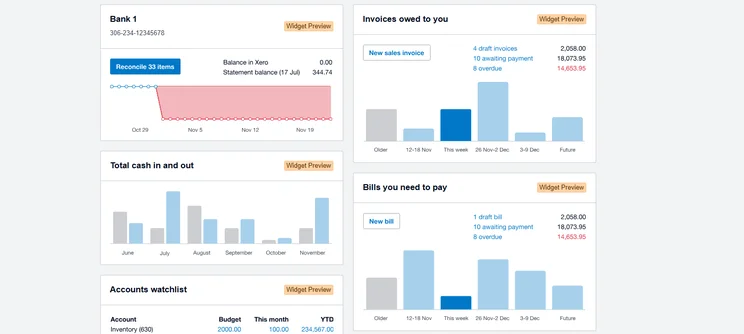
Xero’s reporting dashboard gives you an instant overview of how your business is tracking. Source: Tech.co user testing
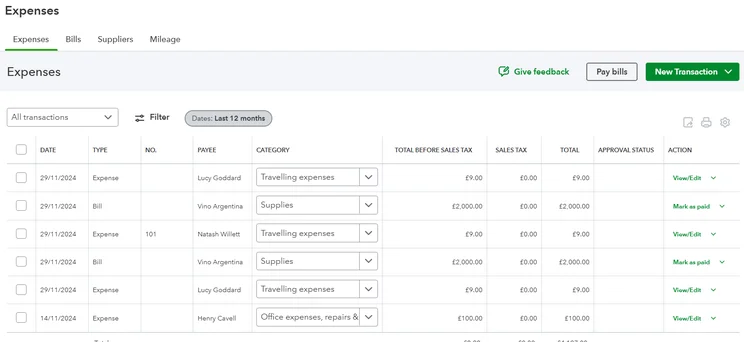
However, if you’re serious about protecting your company’s future finances, QuickBooks will be a slightly better option. Both providers offer expense tracking, cashflow projection, and budget-setting tools, but QuickBooks users can be alerted about potential cash shortfalls or surpluses with its Cash Flow planner add-on, which is a capability that isn’t available with Xero.
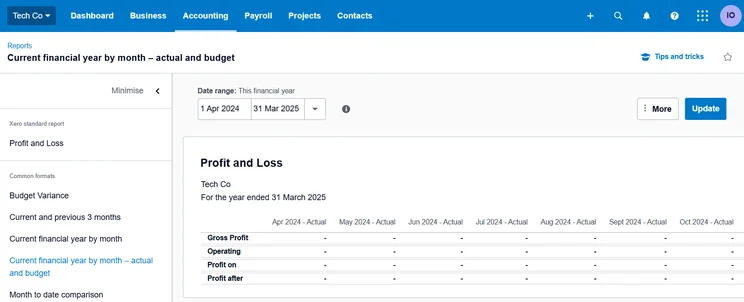
Xero’s profit and loss features give you a detailed overview over your businesses financial health. Source: Tech.co user testing
Collaboration: Xero
Whether you manage a big team or operate fully remotely, collaboration features help to improve the efficiency of the accounting process by streamlining employee and client communication.
After pitting the two providers head-to-head, we found that Xero’s collaboration features are stronger, namely because the software supports unlimited users on all pricing plans. QuickBooks, on the other hand, has pretty strict user limits on all plans, making the software less suitable for large teams with workers who need to view financial data simultaneously.
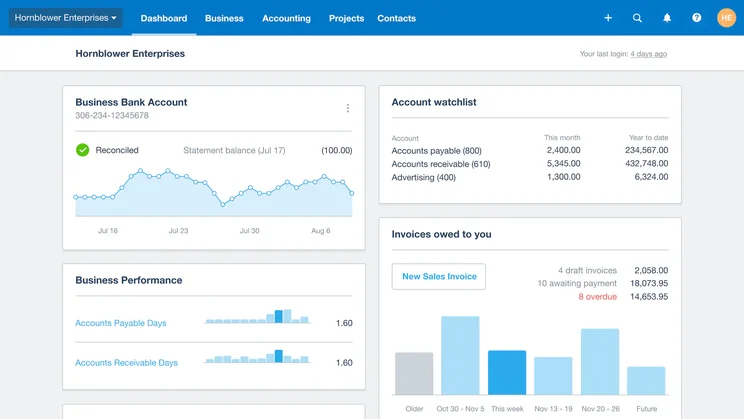
Xero’s unlimited user caps allow large teams to track and manage financial data simultaneously. Source: Xero
QuickBooks didn’t score badly in the category, however. Both providers include access to a client portal, giving customers a secure way to access their financial information and view and download invoices. QuickBooks also lets users collaborate on documents in real time, which will be especially useful for remote teams.
AI automation: Xero
Artificial intelligence is becoming increasingly central to accounting software, with the emerging technology helping to automate a wide range of repetitive tasks. Both providers are ahead of other options like ZohoBooks, Sage, and FreshBooks when it comes to AI. However, our research revealed that Xero’s AI toolkit is slightly more impressive, as the provider lets users automatically categorize budgets and forecasts – a capability not currently available with QuickBooks.
Truth be told, there isn’t much in it though. Both providers offer useful AI-powered insights and are capable of classifying expenses automatically, which can be a huge time-saver for businesses that are used to carrying out the process manually.
Third-party integrations: Xero
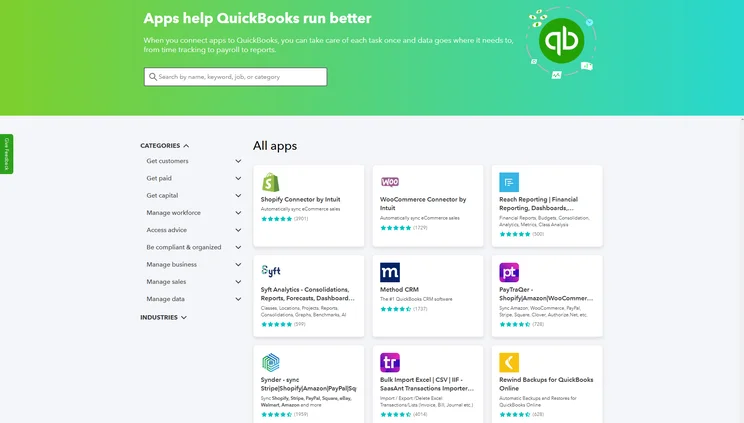
If you want to extend your accounting platform with third-party integrations, Xero has the edge. The platform offers over 1000 third-party apps for businesses to choose from, in comparison to QuickBooks’ still impressive selection of over 750.
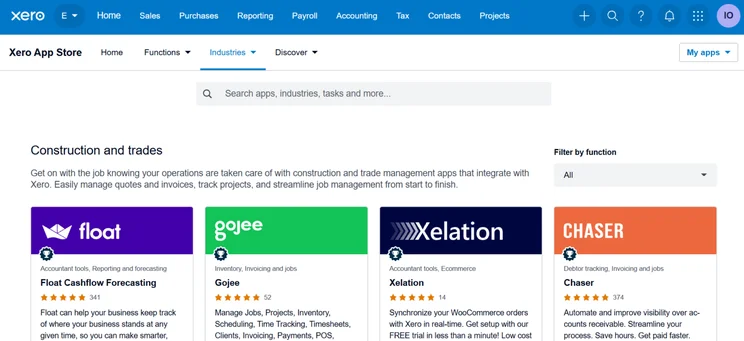
The Xero App Marketplace covers categories including CRM, invoicing, inventory, time tracking, ecommerce, and more, with new entries being added regularly. Xero also offers ten in-house apps that can help you access its features on your mobile device, and grants businesses open API access to build custom integrations.
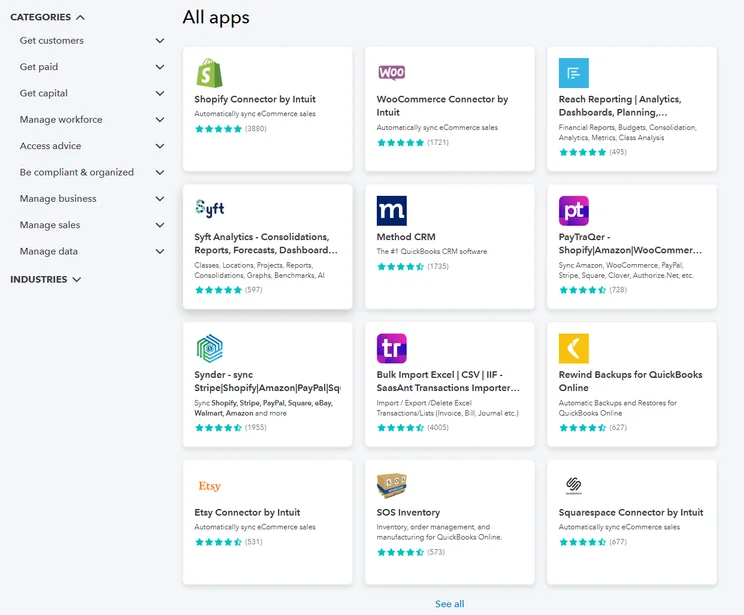
The QuickBooks app library provide us with access to more than 750 third-party integrations. Source: Tech.co testing
QuickBooks is no slouch, either. It also offers API support and its App Store lets you filter results by category and industry, making it easier for users to locate useful integrations. While its app marketplace isn’t quite as expansive as Xero’s, the options it offers are still head and shoulders above its closest competitors like ZohoBooks and FreshBooks, so it’s still a great option for businesses that rely heavily on other software services.
Xero vs QuickBooks: Help and Support
Xero and QuickBooks are powerful accounting platforms, but their complexity compared to other systems means that you may need to rely on help and support features from time to time.
After researching their features and testing the support lines, we determined that QuickBooks offers much more useful customer support than Xero. While both providers let you resolve queries with a user forum and knowledge center, QuickBooks goes above and beyond by giving users access to an AI chatbot 24/7, as well as live agents during traditional working hours.

Xero offers tons of resources to help you resolve issues independently. Source: Xero
While QuickBooks users will need to find the phone number separately on its support page, the provider also lets you talk to agents directly on the phone, which is a perk that Xero does not currently offer. All in all, this makes QuickBooks a better option for businesses that want to find resolutions quickly, without having to sift through tons of information.
It’s not quite a clean sweep though. After trialing out the QuickBooks knowledge center, a member of our testing team found that pages frequently failed to load, making it harder for them to access important resources quickly. In comparison, Xero’s support resources proved to be much more reliable, with one user tester praising their ability to help them resolve issues they were facing with specific tasks like changing currency.
Xero vs QuickBooks: Ease of Use
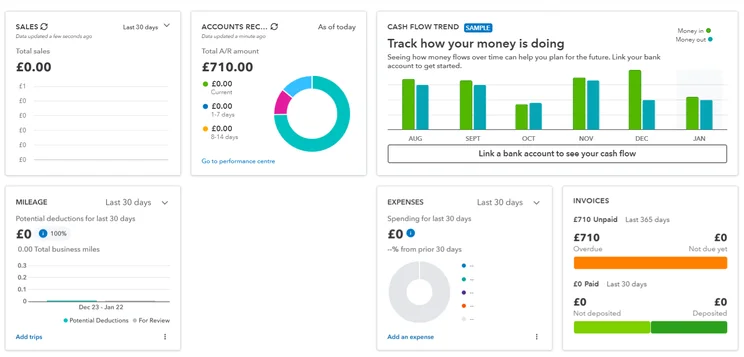
Frankly, neither Xero nor QuickBooks are particularly easy platforms to use. However, after trialing out both pieces of software, we preferred QuickBooks, due to its comparatively modern interface, beginner-friendly set-up process, and intuitive layout.
While QuickBooks’ is best suited for professionals or businesses willing to invest time into mastering its complexities, the platform offers a number of liferafts for the average user: including helpful tooltips, a well-organized dashboard, and prepopulated fields to streamline tasks. Our team did note a steep learning curve, however, particularly when it came to setting up tax and expense processes. Therefore, if you only need an accounting platform to handle simple tasks, we’d recommend going with a more beginner-friendly like FreshBooks, instead.
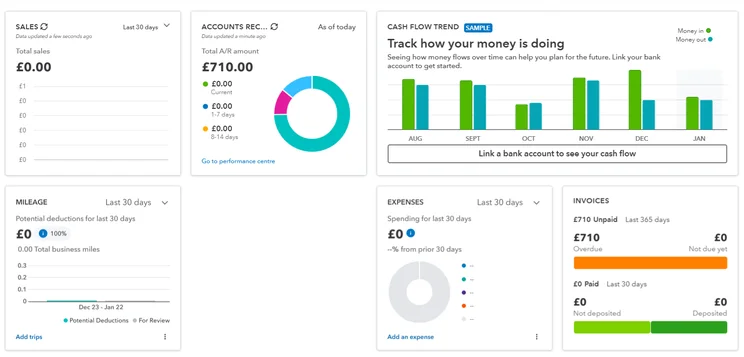
QuickBooks’ interface is much more modern and slick than Xero’s. Source: Tech.co user testing
Similarly to QuickBooks, Xero boasts a structured navigation that positions it well for professionals who are already experienced with accounting processes. We also found specific tasks – like personalizing emails and managing bills – particularly streamlined.
Yet, our overall experience with Xero was quite negative. Not only is Xero’s interface and typography quite outdated, but it also gives users poor visual feedback, which is why it wasn’t able to beat out QuickBooks in this category.
Learn more with our how-to guide for QuickBooks Online.
Xero vs QuickBooks: Pricing Plans
Overall, QuickBooks tends to be cheaper. Granted, this doesn’t necessarily mean QuickBooks is the most cost-effective option for your business needs.
Xero offers three price plans with differing levels of features. Xero’s pricing starts at $15 per month and reaches $80 per month. However, the provider is giving businesses an impressive 90% off for the first three months, bringing its entry price down to just $2 per month for its Early plan.
QuickBooks, meanwhile, offers five different plans: QuickBooks pricing plans range between $35 and $235 per month. QuickBooks is also running a deal that gives you 50% off for the first three months, helping to lower the barrier of entry for businesses getting started with the software.
Here’s how each accounting software vendor breaks down their services, so you can see how they compare.
|
Price
|
Users
|
Bookkeeping
Does it include bookkeeping functions?
|
Accounts payable
Does it include a range of accounts payable functions?
|
Accounts receivable
Does it include a range of accounts receivable functions?
|
Project accounting
Does it offer tools to track different projects?
|
Financial reporting
Does it offer financial reporting tools?
|
Budget and forecasting
Does it offer budgeting and forecasting tools?
|
Best for
|
||
|---|---|---|---|---|---|---|---|---|---|---|
|
|
|
|
|
|
|
|
|
|||
|
$20/month |
|
|
|
|
|
|
|
|||
|
1 |
Unlimited |
1 |
Unlimited |
3 |
Unlimited |
5 |
25 |
|||
|
|
|
|
|
|
|
|
|
|||
|
|
|
|
|
|
|
|
|
|||
|
|
|
|
|
|
|
|
|
|||
|
|
|
|
|
|
|
|
|
|||
|
|
|
|
|
|
|
|
|
|||
|
|
|
|
|
|
|
|
|
|||
Contracts
While Xero offers cheaper packages overall, the provider makes businesses sign a contract in order to move forward. Xero also charges you if you cancel your membership without giving one month’s notice, making it a less flexible choice for businesses after a part-time accounting solution.
Free Trials
Both services offer the same trial period: 30 days for free.
That said, both QuickBooks and Xero often offer a special entry deal for your first few months, although these deals can vary. At different seasons of the year, QuickBooks plans have been between 50% and 70% off for the first three months. Whatever the current deal, users will need to skip their free trial to qualify.
Similarly, all of Xero’s plans are often 50% off for the first three months. This means that Xero Early may be as cheap as $6.50 per month when 50% off, while QuickBooks Simple Start would cost just $9 a month, provided it is offering the same deal.
Neither QuickBooks nor Xero offers a permanent free plan. If that’s what you’re looking for, we have a guide to the best free accounting software.
How Does Xero vs Quickbooks Compare to Alternatives?
Xero and Quickbooks are both solid options for professionals with complex needs. But truth be told, our research found that Zoho Books will be a safer bet for smaller businesses, offering better core accounting features than both QuickBooks and Xero, with a smaller price tag. Zoho Books’ support features let it down, however, so if you expect to be reaching out for support often, we’d stick with QuickBooks.
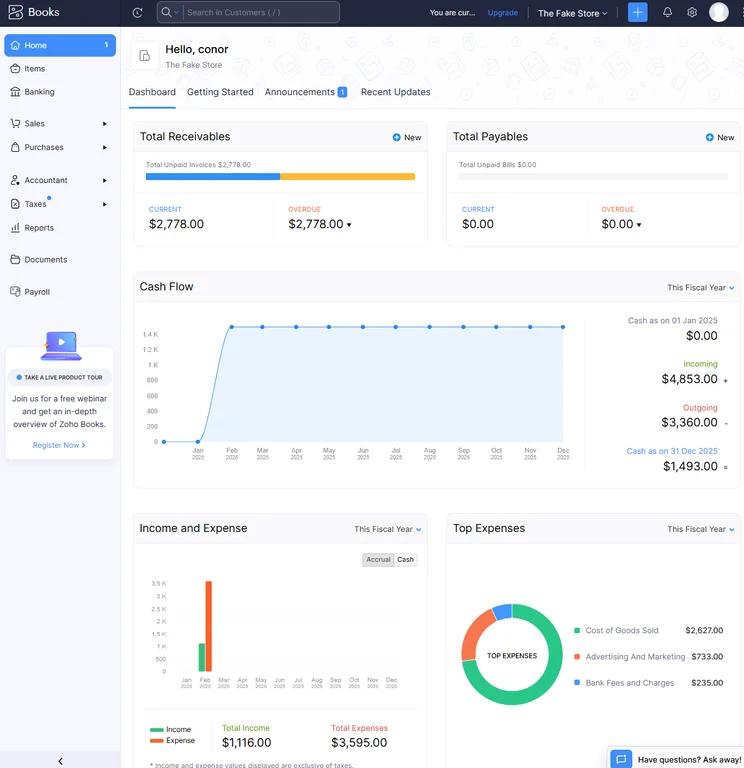
The home dashboard from Zoho Books provided us with lots of valuable data to keep us informed. Source: Tech.co testing
If you’re a freelancer or small business primarily focusing on invoicing and tracking expenses, FreshBooks is another great alternative. When we tested out the platform, we found it easier to use than Xero and QuickBooks, and its 24/7 help center rivals QuickBooks, making it a reliable option for businesses using accounting software for the first time.
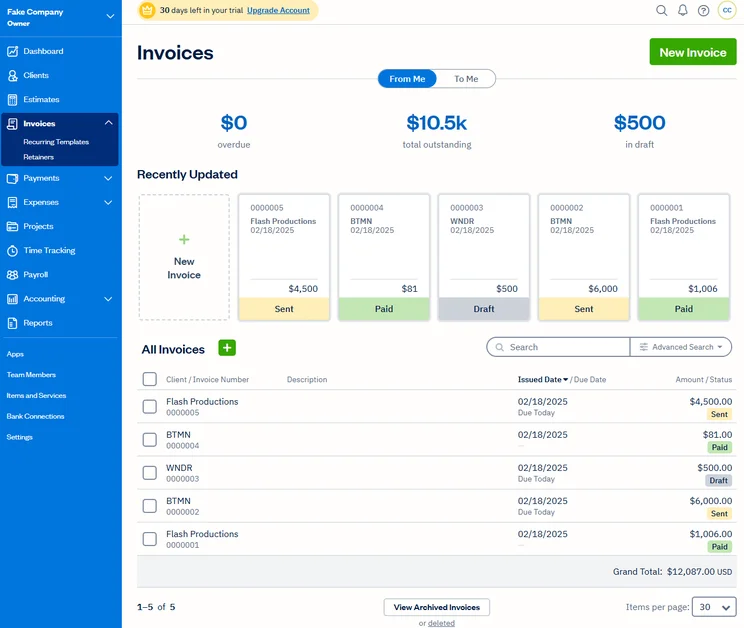
FreshBooks makes simple tasks like managing invoices straightforward. Source: Tech.co user testing
There’s no dearth of quality accounting solutions. Check out our comparison table below to see how the best contenders weigh up side-by-side:
|
Starting price
|
Free trial
|
Core Benefit
|
Deal
|
||||
|---|---|---|---|---|---|---|---|
|
FEATURED DEAL

|
|
|

|
 |

|
 |

|
|
Xero |
Zoho Books |
Sage 50 |
|||||
|
|
Free |
|
$128.67/month |
||||
|
|
|
30 days |
It’s free, no trial needed |
14 days |
|
30 days (demo only) |
|
|
Being an all-in-one, easy to use solution |
A broad range of accounting features, professional look and feel, helpful and free trial period |
Online integrations |
Basic accounting functionality for free |
Strong automation features |
Great features; a simple, slick interface; and a competitively low price |
Very user-friendly |
Easiest setup |
|
Save 50% for three months |
95% off for the first 6 months |
No active deals |
No active deals |
60% off for six months on all plans |
No active deals |
No active deals |
How Did We Compare Xero vs QuickBooks?
At Tech.co, we take our impartial research and analysis seriously, so you can have complete confidence that we’re giving you the clearest, most useful recommendations.
After conducting an initial investigation to identify the most relevant, popular, and established accounting tools in the market, we conducted further research, including testing six major accounting software platforms.
Based on years of market and user needs research, we’ve established an accounting software testing methodology that scores these platforms against six main categories, and 25 subcategories — with a total of 1,512 areas of investigation being considered overall.
We also put the platforms through their paces with hands-on testing to gain a deeper grasp of their average user experience. We dedicated 57 hours to carrying out 37 user tests, with a total of 555 tasks being completed in total.
Our main testing categories for accounting software are:
- Core accounting features: We check how adept a platform will be at managing accounting tasks, focusing on key bookkeeping features like invoicing, tax preparation, journal entry, time tracking, financial transactions, and payment support.
- Operational efficiency: We determine how capable a system is at ensuring day-to-day processes run seamlessly, paying close attention to third-party integrations, collaboration tools, AI automation, and customization options.
- Financial planning: We assess how capable a system will be at measuring income, profits, and losses. Specifically, we check for the presence and quality of forecasting and budgeting, inventory management, reporting, and compliance tools.
- Help and support: We assess how useful and reliable a platform’s support system is, focusing on support options, whether it’s 24/7 support or knowledge center accuracy, as well as cloud backup, and security safeguards.
- Pricing: We compare the overall cost of each platform, taking factors like monthly costs, set-up fees, hidden fees, and free plans into account. We also measure how strict contracts are, and how much it would cost for a business to terminate them early.
- User experience: An overall judgment of how easily users can interact with the platform. We tested each accounting platform and got our team to report how easy they were to use, how they felt when they were using them, and how likely they were to recommend the platform to another business.
When it comes to calculating a product’s final score, not all testing areas are weighted evenly, with factors like “core accounting features” and “operational efficiency” being prioritized for small businesses, while sector-specific features are valued more highly for businesses across different industries.
We understand that accounting software is always evolving. That’s why at Tech.co, we have full-time product researchers to re-run this testing process regularly. It’s the only way to ensure our results remain reflective of the present day.
Learn more about our research.
Our research almost positions QuickBooks and Xero neck-and-neck, but Xero is the better accounting platform overall, due to its superior bookkeeping and collaboration features, and its wider library of integrations. Due to these benefits over QuickBooks, we’d recommend Xero for businesses with high turnovers and consistent billing needs.
QuickBooks is still a powerful accounting platform, offering stronger cashflow projection software, more customizable reports, and a much more modern interface than Xero. This makes QuickBooks a safer bet for users after a lower learning curve, and businesses looking to grow by closely monitoring their financial health.
Despite their accolades, neither Xero nor QuickBooks are beginner-friendly platforms. So if you don’t have much time to invest in navigating the software complexities, we’d recommend foregoing both options altogether and using a simpler alternative like FreshBooks instead.
If you click on, sign up to a service through, or make a purchase through the links on our site, or use our quotes tool to receive custom pricing for your business needs, we may earn a referral fee from the supplier(s) of the technology you’re interested in. This helps Tech.co to provide free information and reviews, and carries no additional cost to you. Most importantly, it doesn’t affect our editorial impartiality. Ratings and rankings on Tech.co cannot be bought. Our reviews are based on objective research analysis. Rare exceptions to this will be marked clearly as a ‘sponsored’ table column, or explained by a full advertising disclosure on the page, in place of this one. Click to return to top of page


