





We may receive a commission from our partners if you click on a link to review or purchase a product or service. Click to Learn More
Wix is the best ecommerce website builder, according to more than 100 hours of in-depth research of twelve top website builders. It offers a highly customizable and intuitive interface, and a powerful AI tool in Wix Harmony, which can create an online for you with natural language prompts.
Some website builders might be better suited for your particular ecommerce business, though, including Shopify for larger stores, Squarespace for design-focused stores, Hostinger for low-budget stores, and GoDaddy for fast setup.
We take our impartial research and analysis seriously, so you can have complete confidence that we’re giving you the clearest, most useful product recommendations.
Here’s how our ecommerce website builder research came about, by the numbers:
- More than 100 hours
- Seven categories of investigation
- 36 subcategories
- 207 individual evaluations
The primary categories of investigation included website functionality (15%), design features (15%), sales features (35%), help and support (15%), reputation (5%), pricing (10%), and user experience (15%).
|
Cheapest price
The most affordable plan that offers ecommerce functionality
|
Special deal
|
Staff accounts
|
Products
|
Multi-currency display
|
App market
|
POS compatibility
|
Checkout customization
|
Multi-location inventory
|
||
|---|---|---|---|---|---|---|---|---|---|---|
|
BEST OVERALL
 |
 |
 |
 |
 |
||||||
|
Wix |
Squarespace |
Shopify |
Hostinger |
GoDaddy |
||||||
|
$26.10/month with code TAKE10 |
$17.10/month with code TC10 |
$1/month for first 3 months |
$3.59/month with code TECH |
Save 53% with annual contract |
||||||
|
Up to 15 |
Unlimited |
Up to unlimited |
1 |
1 |
||||||
|
50,000 |
Unlimited |
Unlimited |
1,000 |
Unlimited |
||||||
|
35+ |
100+ |
130+ |
75+ |
50+ |
||||||
|
|
|
|
|
|
||||||
|
Add-on |
Square integration |
|
|
|
||||||
|
|
|
|
|
|
||||||
|
|
Add-on |
|
|
|
- Best: Wix is the best ecommerce website builder, offering an intuitive interface with complex customization options and a powerful AI builder with Wix Harmony.
- Alternatives: Shopify is better for online stores with large inventories, Squarespace is better for design-focused stores, Hostinger is better for low-budget stores, and GoDaddy is better for fast and easy setup.
- Price: Starting plans for ecommerce website builders range from $5 per month to $299 per month. Ecommerce website builders generally do not offer free plans.
- AI features: Ecommerce website builders offer different AI features, from basic product description generators to vibe coding platforms to create online stores from natural language prompts.
Top Ecommerce Website Builders
Based on our thorough tests, these are our top ecommerce website builders:
- Wix – Best for smaller ecommerce ventures
- Squarespace – Best for marketing features
- Shopify – Best for larger ecommerce businesses
- Hostinger – Best for businesses on a budget
- GoDaddy – Best value for money
1. Wix — Best for Smaller Ecommerce Ventures
Wix is the best ecommerce website builder for smaller businesses that want to get up and running with an online store quickly, particularly because of its all-in-one ecommerce management interface that includes built-in marketing and sales tools.
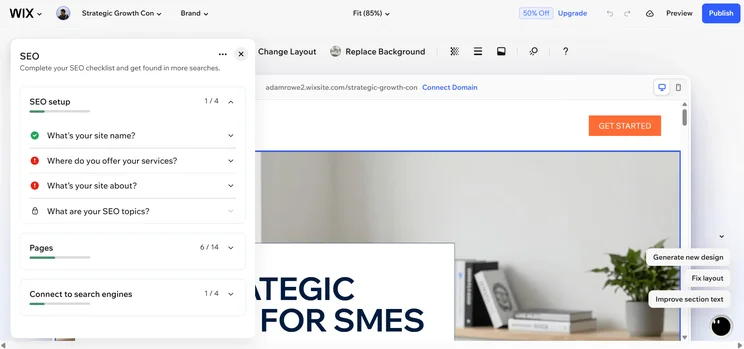
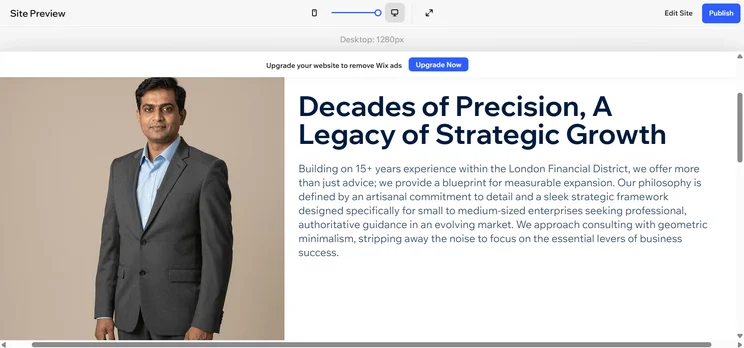
Likewise, Wix’s AI website builder generated a website for us in under a minute when testing, making it perfect for a rapid setup. Better yet, Wix’s new vibe coding platform, Wix Harmony, will create a site for you based on a single prompt, and you’ll be able to make changes as you go by simply conversing with the AI assistant. This makes it even quicker at building a fully functioning site.
Check out our Wix review to learn more
Wix

In Short
-
Pros
- Customizable AI chatbot builder
- Email marketing that matches site theme
- 24/7 expert support across all parts of site creation platform
- AI image generator and advanced editing tools
-
Cons
- Expensive processing fees compared with other builders
- Vast design functionality is intimidating for beginners
- Inability to change site theme after publishing
- AI can be repetitive and inaccurate
Pricing
- Free version available
- Light: $17/month
- Core: $29/month
- Business: $39/month
- Business Elite: $159/month
- Free domain with 1-yr contract
Images
Wix ecommerce key takeaways
- Payment integrations: In addition to Wix Payments, the ecommerce website builder integrates with 80+ third party payment options, including Stripe, PayPal, Apple Pay, and Google Pay.
- Native app builder: Our research shows that Wix provides users with a built-in app builder that can help your online store cater specifically to mobile buyers.
- AI tools: Wix Harmony is a powerful vibe coding tool that can create an online store for you and allow you to edit it with nothing but natural language prompts.
- Limited products: One major downside of Wix is that it only allows you to sell a maximum of 50,000 products, while we found other ecommerce website builders, like Shopify, allow for unlimited products.
- Template inflexibility: You’re unable to switch once you’ve chosen the website template you’re going to use in Wix, which is frustrating if you end up changing your mind.
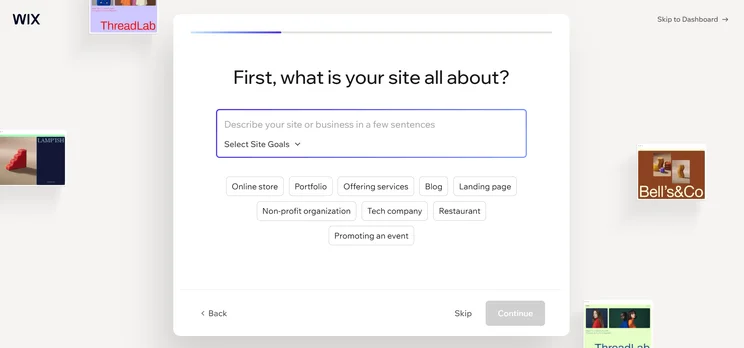
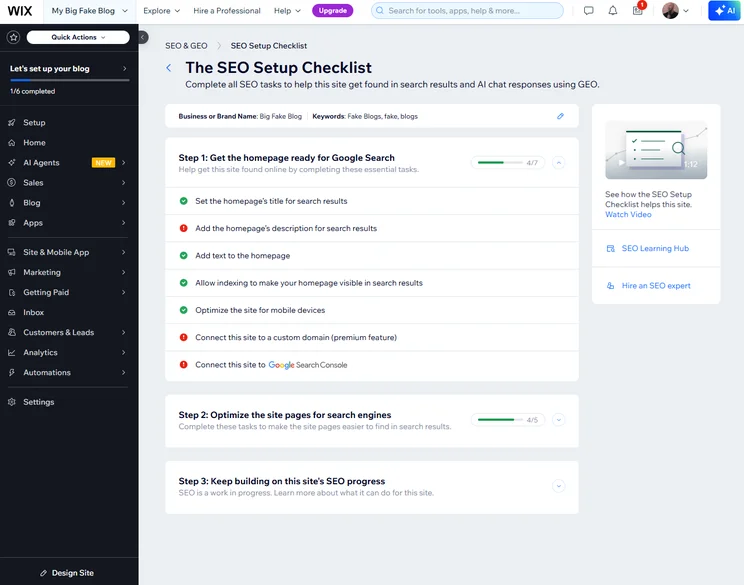
As soon as I opened up Wix, I was invited to interact with its AI website builder to get my site up and running.
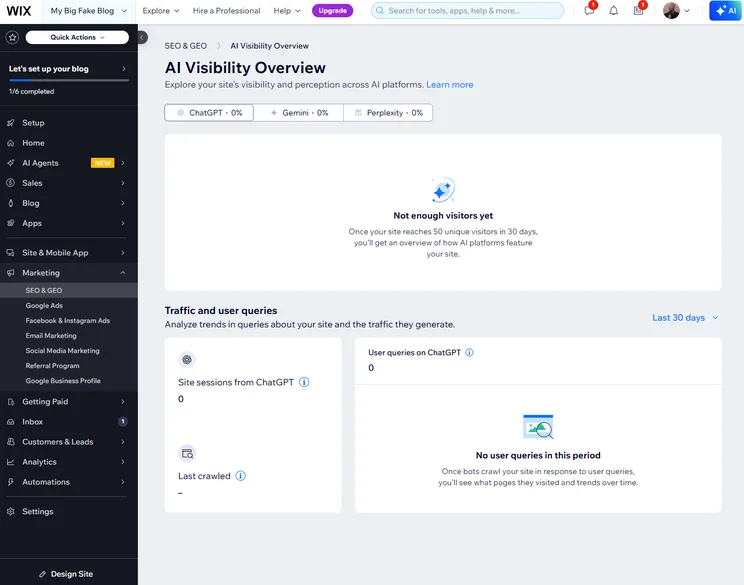
From this initial conversation, I was impressed with how Wix tailored itself to the preferences of my site. I told it I wanted to sell, and it set me up with ecommerce apps and marketing tools. Plus, it showed me which social platforms would be best suited for reaching my target audience, and added them to my dashboard.
This would definitely save a wealth of time for businesses that don’t want the hassle of slowly modifying a platform until it works for them.

2. Squarespace — Best for Marketing Features
Squarespace is great for ecommerce businesses that want to elevate their brand and reach their customers, thanks to its suite of marketing and sales features, including deeply integrated email marketing that helps you keep brand consistency across your website and campaigns.
Likewise, Squarespace offers some of the most beautiful and customizable templates we’ve ever used. These will give your business the opportunity to become instantly recognizable as a major player in a crowded industry, boosting conversion.
Check out our Squarespace ecommerce review to learn more
Squarespace

In Short
-
Pros
- AI site builder with flexible design controls
- Easiest to use interface for beginners across research
- Customizable checkout page with branding and guest checkout
- Some of the most stylish templates in the industry
-
Cons
- POS system is currently exclusive to the US
- Sorting and filtering of products requires add-on
- Not ideal for larger ecommerce stores
- No inventory reports available
Pricing
- Basic: $19/month
- Core: $29/month
- Plus: $49/month
- Advanced: $99/month
- No transaction fees
- 14-day Free Trial
Images




Squarespace ecommerce key takeaways
- Unlimited products: Squarespace allows users to sell unlimited products, services, and digital assets across all paid plans.
- Advanced shipping: Real-time shipping rates based on location and shipping carrier are available to the customer at checkout with Squarespace, offering accurate and personalized rates.
- AI tools: Squarespace has an AI website builder that generated us a site in under thirty seconds, which is great for businesses that want to get started quickly with a first draft. Squarespace also has AI tools that can write content, articles, and headlines.
- Limited inventory management: Squarespace is lacking when compared with options like Shopify, that offer customer wish list options and product bundles.
- Struggles with large quantities of stock: Squarespace lacks advanced options, like multi-location tracking, as a native feature, meaning larger businesses moving large quantities of stock would struggle.
What stuck out to me the most when I tested Squarespace was how good-looking the website it generated for me was.
Like Wix, I just had to answer a few questions about my site to get started. It actually took less time for Squarespace to create a website for me than Wix, and a better looking one at that.
3. Shopify — Best for Larger Ecommerce Businesses
Shopify provides the largest catalog of sales features among all 12 tested platforms, including 60+ performance reports, advanced multi-location inventory tracking, and built-in VR product compatibility
These features include strong inventory management and shipping options, as well as the ability for businesses to sell unlimited products in their online store.
Check out our Shopify review for more information.
Shopify

In Short
-
Pros
- Add unlimited products with your own CSV
- Customizable member areas
- Intuitive product-adding experience for beginners
- AI site builder can have you live in seconds
-
Cons
- Monthly fees for POS system integration
- Scheduling and booking requires add-on
- No tutorials for setup, so tough for beginners
- Limited SEO settings available
Pricing
- Starter plan: $5/month
- Basic plan: $29/month
- Grow plan: $79/month
- Advanced plan: $299/month
- Plus plan: $2,300/month
Images


Shopify ecommerce key takeaways
- Unlimited products: Shopify allows users to sell unlimited products in their online store across every single paid plan available, which we believe makes it perfect for larger businesses.
- POS functionality: Shopify offers a branded POS system, including card readers and full-on terminals, to help you combine online and in-person selling efforts.
- Analytics: Shopify offers robust analytics, including access to more than 60 reports to track your store performance, and custom reporting tools available for all users.
- AI tools: Shopify’s AI site builder took less than thirty seconds to generate us a site during our tests. Likewise, Shopify’s AI assistant, Sidekick, acts like a consultant on your team, with the ability to analyze data and operations in real time.
- Lack of functionality: One person who took part in our user testing described Shopify as the “inverse of Wix,” with a heavy emphasis on the management of inventory and sales channels integrations, rather than the actual design of the site.
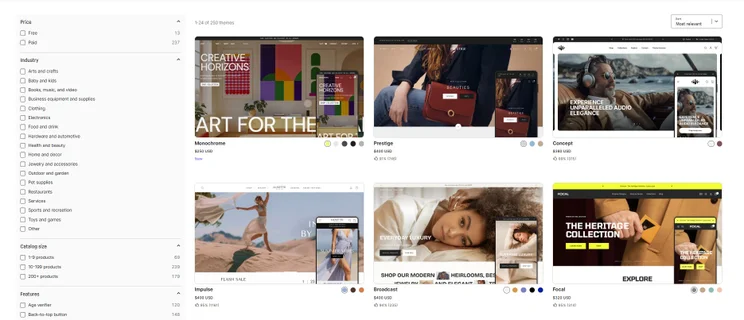
- Limited design interface: Shopify is less customizable than other options on this list, with a drag-and-drop editor that can change full sections rather than every small detail. This could be a challenge for businesses who are looking to effectively design their platform to their own unique standards.
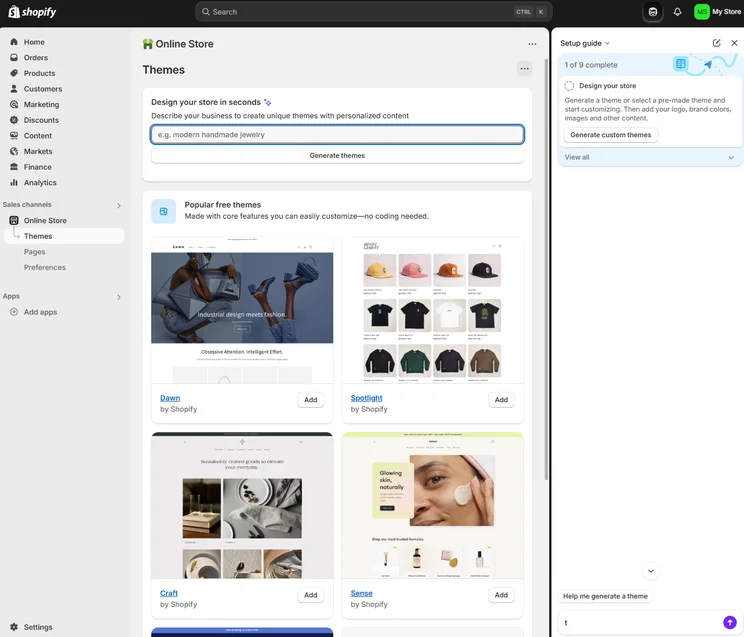
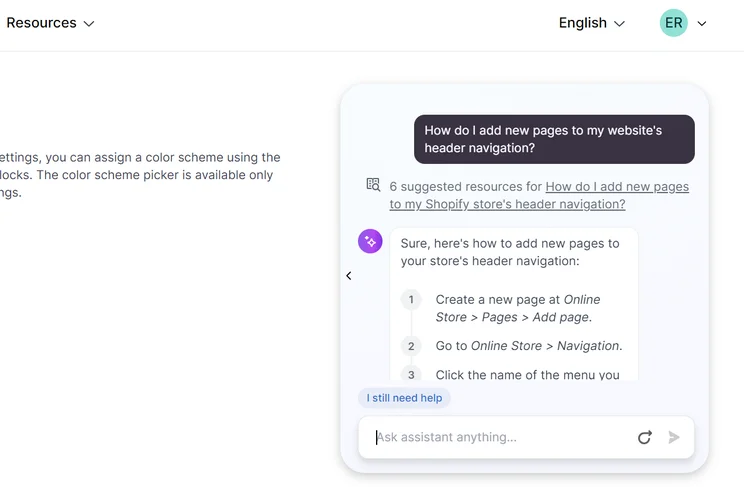
Shopify, in my opinion, has one of the strongest lineups of AI tools within an ecommerce builder. Not only is there a site builder, but Shopify’s AI assistant Sidekick can help with organizing and analyzing real-time data, which is a massive time-saver for businesses.
However, I did struggle to find and access these tools on occasion, and felt they could have been more visible on the platform.
4. Hostinger — Best for Businesses on a Budget
Hostinger offers some of the best in the industry, with an ecommerce plan that’s half the price of Wix’s.
In the process, it still offers a strong set of features. Therefore, it’s a great choice for businesses that are looking to save on an ecommerce builder, but don’t want to sacrifice some of the top features, such as AI tools that allowed us to get our site live as fast as possible.
Check out our Hostinger review for more information.
Hostinger

In Short
-
Pros
- Fastest site loading across research
- No transaction fees for selling products
- Most affordable website builder with special deals
- AI site theme builder for fast website setup
-
Cons
- Limited booking and scheduling tools
- No integrations with eBay, Amazon, or social media
- No POS compatibility
- No mobile app to manage your store on the go
Pricing
- 30-day money back guarantee
- Renewal price from $6.99/month
- Up to 10% off (deal active now)
- Standard price: $11.99/month
- Free 1 year of 1 domain included with plan
Images


Hostinger ecommerce key takeaways
- Transaction fees: Users pay 0% transaction fees on sales with Hostinger, which can be a huge boon when trying to keep costs low.
- PWYW functionality: Hostinger provides infrastructure in the platform to implement a Pay What You Want (PWYW) campaign for customers to encourage sales, no matter the cost.
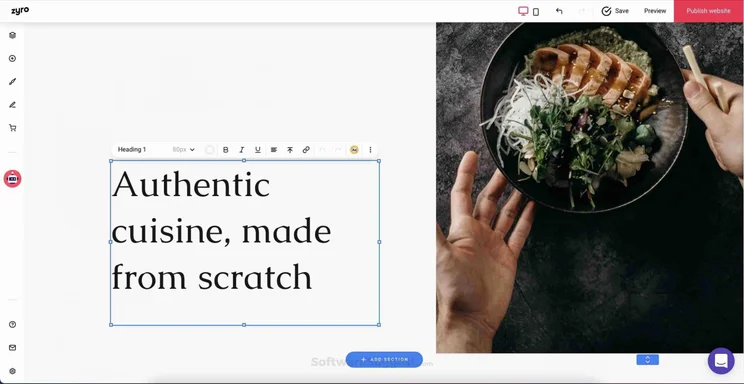
- AI tools: In addition to its drag-and-drop builder, Hostinger offers an AI-powered vibe coding builder that allows you to build a site entirely from natural language prompts.
- Fewer features: We found some some key features missing from Hostinger – including no email marketing features or advertorial marketing features, as well as no access to a third-party app store.
- Limited products: Hostinger limits the number of products you can sell to 1,000, so larger online stores will need to look elsewhere. We’d recommend an option like Shopify if your business is dealing with a particularly large product catalog.
The best thing about Hostinger is it’s price. Frequent deals on the provider mean you can snatch its Business plan for as little as $2.99 per month.
At that price, you’ll be able to access a wealth of AI tools, including an AI WordPress site builder.
Ultimately, I’d recommend Hostinger for businesses that want to utilize an AI-driven ecommerce solution, while paying very little in monthly fees and nothing in transaction fees.
5. GoDaddy — Best Value for Money
GoDaddy is a great middle-of-the-pack ecommerce website builder for businesses that want to take advantage of features available on most top providers, but at a slightly more affordable price, and with slightly more functionality than budget options.
Like the other options on our list, GoDaddy’s AI tools made it easy and quick for us to generate a website.
Check out our GoDaddy review to learn more
GoDaddy

In Short
-
Pros
- Built-in marketing platform
- Comprehensive mobile app for ecommerce
- Fastest setup process across research
- Customer interactions integrated into interface
-
Cons
- Less stylish design options
- Mobile optimization is limited
- Fewer integrations than competitors
- More difficult to use interface
Pricing
- Basic plan: $9.99/month
- Premium plan: $14.99/month
- Commerce plan: $20.99/month
Images

GoDaddy ecommerce key takeaways
- Unlimited products: GoDaddy allows users to sell an unlimited number of products with its Commerce pricing plan, which works well for businesses wanting sell plenty.
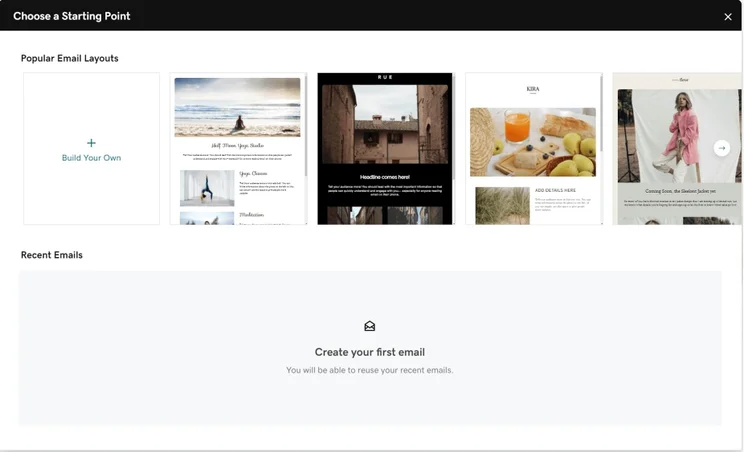
- Email marketing: GoDaddy gives users the opportunity to reach 100,000 users per month thanks to its email marketing features, allowing your business to reach as many customers as possible.
- POS functionality: GoDaddy offers a range of branded POS systems, including card readers and terminals, to combine your online sales with in-person selling.
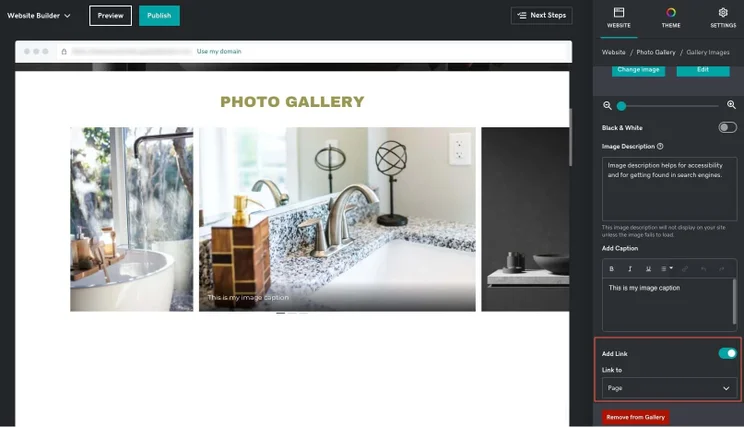
- AI tools: GoDaddy Airo is the provider’s collection of AI tools, with the ability to generate a site very quickly (less than thirty seconds, in our tests). Airo can also create blog posts, monitor and manage customer communications, create images, and boost your site’s SEO.
- Limited customizability: Our testing process found that GoDaddy’s templates are more rigid and don’t allow for the online store customizability that other builders have, which isn’t ideal for businesses that want to build a unique, eye-catching brand.
- Outdated templates: We found the template selection on GoDaddy to be somewhat outdated and dull, particularly when compared with the stunning designs of Squarespace.
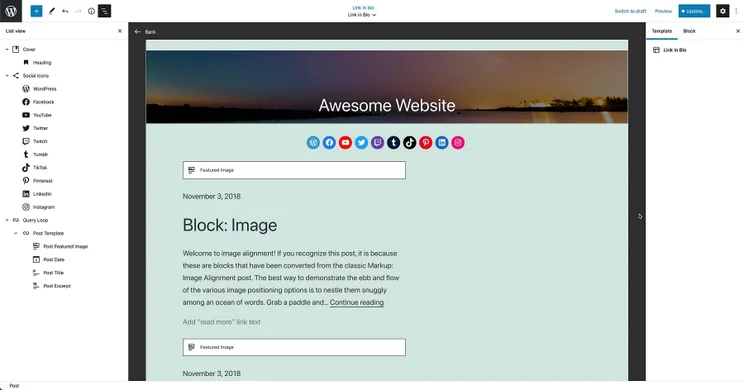
We found the GoDaddy set-up process was described as easy and smooth when we tested it, and many of our team highlighted the onboarding assistance and AI tools immediately available as among the more impressive aspects of the software.
However, in some cases, our users found the design options generated by the AI quite basic. We also weren’t too impressed with the images and text the AI had generated for us, with many expressing that they didn’t properly represent their brand.
How to Choose an Ecommerce Website Builder
We’ve ranked the top website builders for online stores based on their overall potential, but the right solution for you will depend on a variety of factors. We list some important considerations below:
- What type of business do you run? Different ecommerce builders have different specialisms. For example, if you’re selling products, you’d be better off going for a platform that prioritizes stock management like BigCommerce.
- How big is your budget? There’s no point opting for an ecommerce builder you can’t afford. Therefore, choosing a solution that complements your budget is a must, with prices ranging from $20 to $300 per month.
- Are you an omnichannel seller? If you sell goods in-store as well as online, you should be looking for ecommerce builders that integrate with POSs like Square Online, Shopify, or Squarespace.
- What kind of transaction fees do you want to pay? Some website builders charge extra transaction fees, particularly if you don’t use their dedicated payment processing system.
- Which online channels will you sell through? Not all ecommerce builders integrate with social channels, so if you want to sell goods through platforms like Facebook or Instagram, you should check if they offer this capacity first.
- How much design experience do you have? If you’re a beginner, choosing an ecommerce builder with a shallow learning curve and user-friendly design functions, like drag and drop builders, is a must.
- What kind of AI features do you need? Some website builders offers robust AI tools to create an online store from scratch with natural language prompts, while others offer basics like product description generators.
Methodology — How We Test and Rate Ecommerce Platforms
We rate our website builders based on six key criteria:
- Sales features (35%): The specific ecommerce features available from the platform, e.g. inventory limits, POS compatibility, and multi-channel selling.
- Website functionality (15%): The capabilities and functionalities offered by a website builder, e.g. blog functionality, SEO capability, and marketing capacity.
- Design features (15%): The aesthetic appeal and visual layout of a website created using a website builder.
- User experience (15%): How user-friendly and intuitive a website builder is for people with varying levels of technical expertise.
- Help and support (15%): The assistance and resources available to users when they encounter issues or need guidance.
- Pricing (10%): The balance between the cost of a website builder and the benefits it provides.
- Reputation (5%): This is the feedback and ratings given by customers who have used a particular website builder.
Our in-house researchers regularly update this data to reflect current pricing and features.
Learn more about our research.
Wix is the best website builder for ecommerce, with a vast selection of templates that are second to none, as well as a large feature catalog and easy to use interface. It’s a great choice for smaller businesses and beginners, as it offers robust AI tools to create a website in response to just a few simple questions.
Shopify is another good option, offering an unmatched catalog of sales features and solid design functionality. It’s ideal for larger businesses because it provides robust inventory management and reporting tools that can help you grow your business.
Frequently Asked Questions
Yes, most ecommerce website builders do charge extra transaction fees on sales, although there are some, like Hostinger, which do not. Many website builders also offer more affordable transaction fees if you pay for a more expensive plan.
Most all-in-one ecommerce website builders provide hosting with the monthly subscription cost. However, if you opt for an open-source platform like WooCommerce or Magento, you will have to pay for your own hosting.
You can export product and customer data, like descriptions and order history, but website designs and themes are not transferable between website builders, so you’ll likely have to start from scratch there.
Yes, most website builders allow you to sell internationally. However, the ease with which you can do so, through features like multi-currency acceptance, international shipping, and multilingual support vary dramatically from provider to provider.
If you click on, sign up to a service through, or make a purchase through the links on our site, or use our quotes tool to receive custom pricing for your business needs, we may earn a referral fee from the supplier(s) of the technology you’re interested in. This helps Tech.co to provide free information and reviews, and carries no additional cost to you. Most importantly, it doesn’t affect our editorial impartiality. Ratings and rankings on Tech.co cannot be bought. Our reviews are based on objective research analysis. Rare exceptions to this will be marked clearly as a ‘sponsored’ table column, or explained by a full advertising disclosure on the page, in place of this one. Click to return to top of page


