

We may receive a commission from our partners if you click on a link to review or purchase a product or service. Click to Learn More
According to our research, in a Smartsheet vs monday head-to-head, monday work management wins comfortably. You’ll find monday work management is much easier to use, has more integration options, and provides a better range of task management features available for just $9 per user, per month.
Starting at the same price, Smartsheet also provides solid security and customer support options, and remains a shrewd choice for large businesses that work with lots of confidential or sensitive data.
In this guide, we pit Smartsheet vs monday against each other. We compare their features, pricing, and how they stack up against other top project management providers. All of our findings are based on hands-on time with each platform.
- monday work management is a better project management tool than Smartsheet, thanks to a simpler and easier to use platform, strong security features, and solid integration options.
- Smartsheet provides better value for money over monday work management, as despite both providers starting at $9 per user, per month, Smartsheet offers more for this price in terms of features.
- monday work management provides visually clear and flexible software, making it one of the easiest project management tools we tested.
- monday work management offers a strong set of integrations, including Microsoft Teams, Slack, and Basecamp. Comparatively, Smartsheet offers a small amount.
- monday work management has a better selection of customer support options than Smartsheet, with a knowledge base, community forum, and 24/7 live chat support available.
- Alternatives to monday work management and Smartsheet include Zoho Projects, ClickUp, and Teamwork.
|
Price from
All prices listed as per user, per month (billed annually)
|
Score
The overall score obtained from our most recent round of project management software user testing
|
Free plan
|
Pros
|
Cons
|
Verdict
|
|||
|---|---|---|---|---|---|---|---|---|
 |
 |
|||||||
|
Smartsheet |
monday work management |
|||||||
|
$9/user/month |
$9/user/month |
|||||||
|
4.2
|
4.7
|
|||||||
|
|
|
|||||||
|
|
|||||||
|
|
|||||||
|
A great tool for spreadsheet-natives, which can take your Excel-based task planning to the next level |
A great task management system due to strong customizability and support team, with a generous free trial |
|||||||
| Visit Smartsheet | Visit monday |
I found monday work management easier to use than Smartsheet, as well as ClickUp, Asana, and Teamwork. It really is the ultimate user experience — most of the components of the software can be edited at the click of a button, and minimal menu-diving is required to find what you want.
When a piece of software says it’s going to make your team more productive, it’s always frustrating when it takes a long time to set up and configure — and some project management tools are guilty of this. monday work management certainly isn’t, though, and has one of the quicker setup processes available.
The layout is a breath of fresh air, too — Wrike, Asana, and ClickUp all feel slightly more cluttered.
Smartsheet disappointed me a little bit. It did really well when we tested it last year, but compared with monday work management, it’s actually quite hard to get your head around at first.
As a writer, I’ve not spent my life working in spreadsheets — and if you have, you might find it easier to use than me — but setting up custom fields, adding budgets, and drawing dependencies between tasks wasn’t as straightforward as I hoped.

Note: All the images used in this article were taken during Tech.co’s project management software user testing series. For more information on how we test project management tools, as well as other products, visit our product research page.
monday work management overview
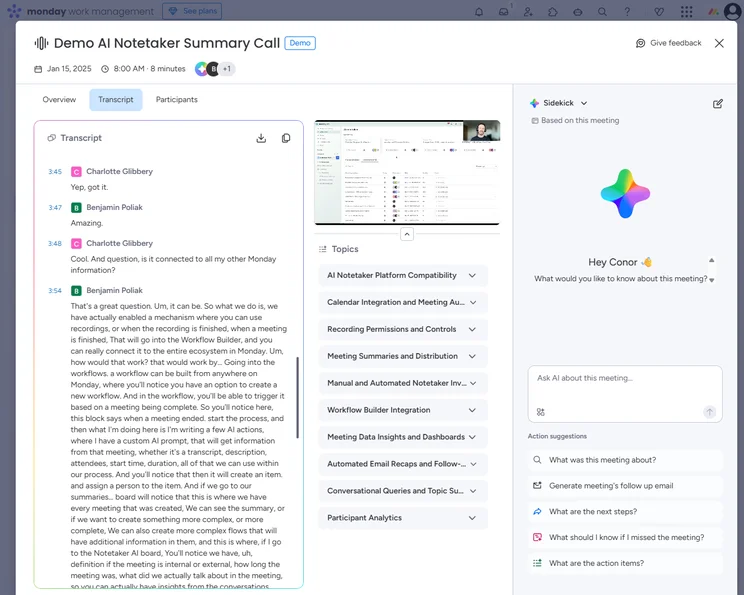
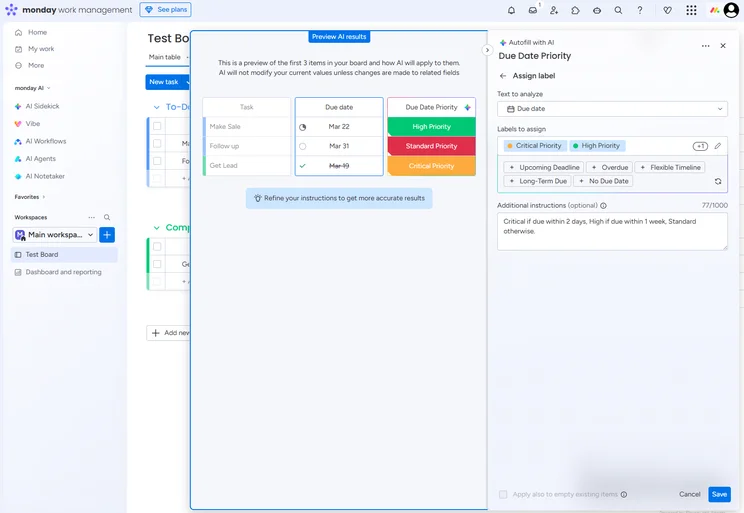
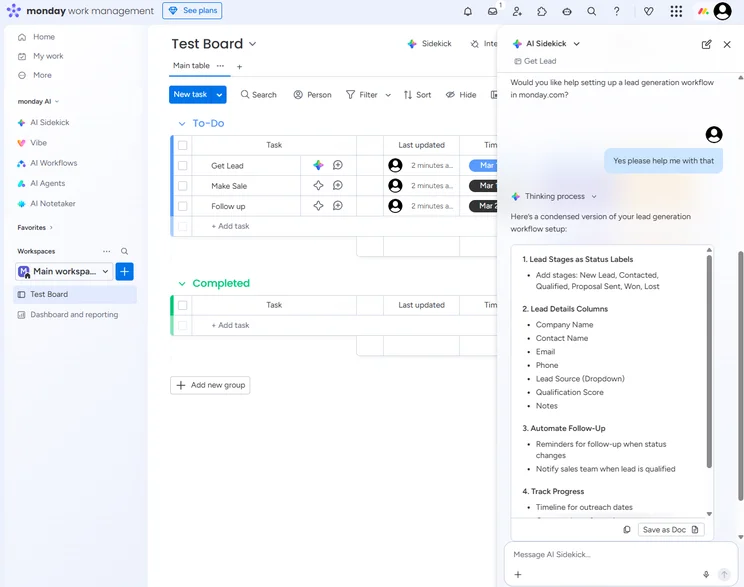
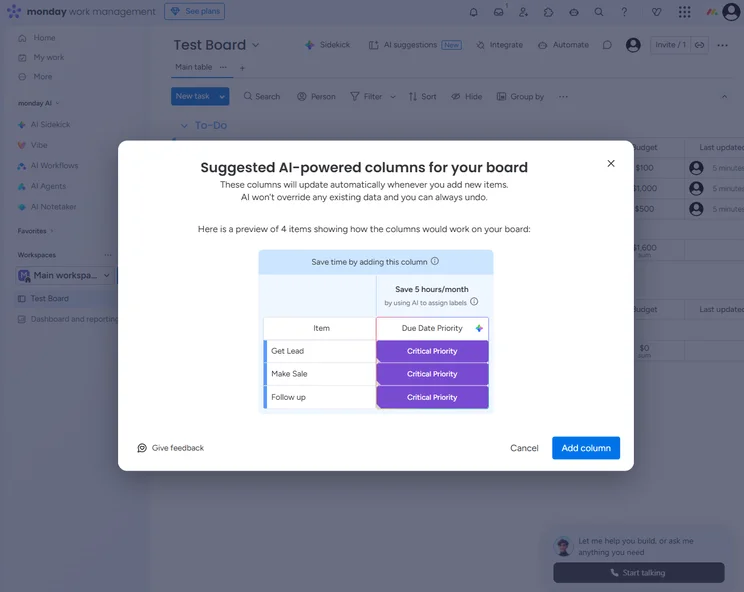
Along with screenshots from our recent testing series, below are some of the key advantages and disadvantages of monday work management you should be aware of before you purchase the software:
monday work management

In Short
-
Pros
- Robust automation features
- Built-in AI tools for workflows and note taking
- Extremely customizable
-
Cons
- Free plan has 2-person user limit
- Strict AI credit limits
- Can get expensive with high AI usage
Pricing
-
 Basic: $9/user/month
-
Standard: $12/user/month
-
Pro: $19/user/month
-
Enterprise: Custom
-
Free plan available
-
14-day free trial
Images
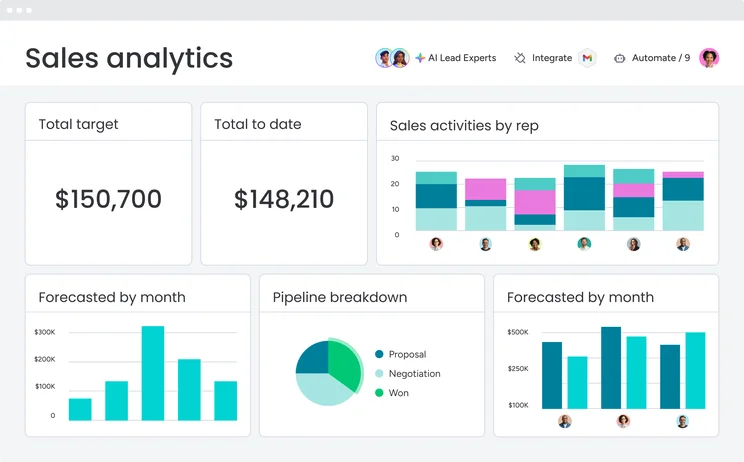
Smartsheet overview
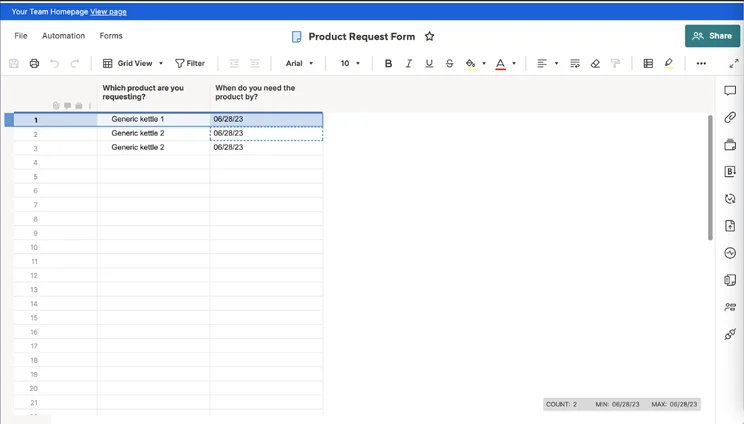
Below we’ve listed some of the key pros and cons of Smartsheet — as well as a few screenshots of the software’s interface that we took during testing, when one member of our testing group worked through a mock project (setting up a Mexican restaurant).
Smartsheet

In Short
-
Pros
- Free Trial available
- Familiar, spreadsheet-like interface
- Great for any sized company
- High scores for security and customer support
-
Cons
- Some features have limited functionality
- Not the easiest tool to use at first
- Competitors like ClickUp have better collaboration features, such as an online whiteboard
Pricing
-
 Free plan available
-
Pro: $9/user/month
-
Business: $19/user/month
-
Enterprise: Contact sales
-
Advanced Work Management: Contact sales
Images
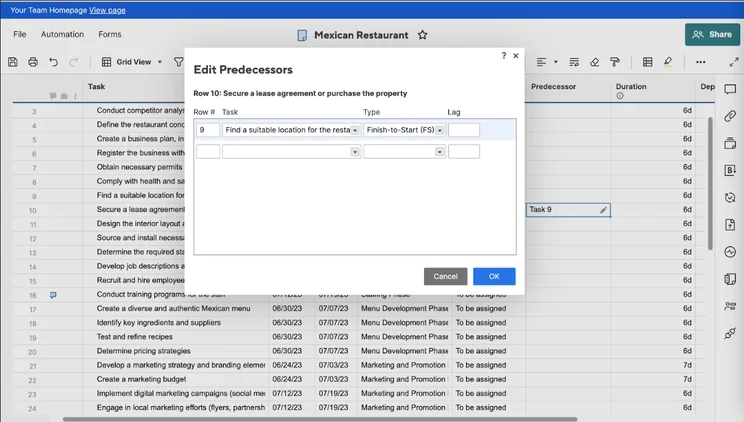
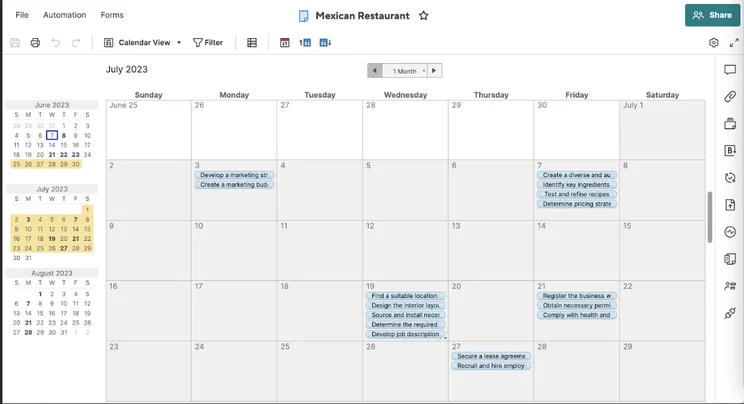
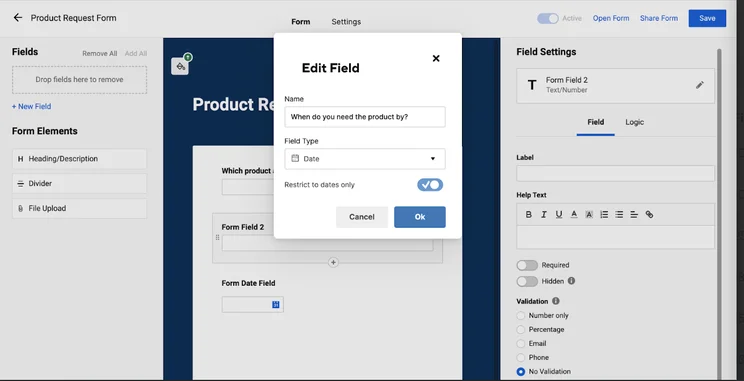
Smartsheet vs monday work management: Pricing
Here’s how Smartsheet and monday work management compare in terms of their pricing and individual plans. At the end of this section, we also directly compare each provider’s free plan.
Both Smartsheet and monday work management offer four paid plans in total. All prices are if paid annually.
Smartsheet
Pro: $9 per user, per month
- User cap of 10
- Users only get 10 projects, 10 guests, one dashboard and one custom chart builder
- 20GB storage cap
- 250 automations per month
- Gantt charts and kanban board available
- Email support and online knowledge center, no phone, live chat, or 24/7 support
- No resource management, online whiteboard, or document editing tools
Business: $19 per user, per month
- Everything in Pro plan
- Unlimited users, guests, automations, and integrations
- 1TB storage limit
- Projects capped at 100 per user
- Phone support available for an additional fee
- Unlimited dashboards and custom chart builders
- User permissions, resource management, and document editing added
Enterprise: Custom pricing
- Removes any remaining restrictions on projects per user and storage
- 24/7 phone support at no extra charge
- Single sign-on
- No onboarding assistance
Advanced Work Management: Custom pricing
- Everything in Enterprise plan
- Oriented towards organization managing large-scale work
- Salesforce and Jira integrations
- Calendar app
- Premium support
Check out our full guide to Smartsheet pricing for a full breakdown of how far your money will go.
monday work management
Basic: $9 per user, per month
- Unlimited users
- 5GB storage limit
- Kanban board, no Gantt chart or task dependencies
- Preset and custom project templates
- Two-factor authentication and user permissions
- Email support, no phone or live chat
- No automations, integrations, or resource management tools
Standard: $12 per user, per month
- Everything in Basic plan
- Integrations and automations (capped at 250 actions per month)
- Gantt chart view
- Ability to offer guest access
- Calendar
Pro: $19 per user, per month
- 100GB storage limit
- Expands integrations and automations to 25,000 actions per month
- Task dependencies, budget management, custom chart builder, resource management, and time tracking
Enterprise: Custom pricing
- Everything in Basic and Pro
- Onboarding assistance
- 1,000GB storage limit
- Expands integrations and automations (25,000 actions per month)
Check out our full page on monday work management work management pricing for an in-depth breakdown.
Smartsheet vs monday work management: Which has the best free plan?
Smartsheet offers a better free plan than monday work management overall, with a wider set of useful features. In the end, though, neither free option is likely to cut the mustard for any growing company, and we would recommend a plan with automations and integrations so you can really start to have an impact on your productivity.
Here are the main differences between the two free plans that you should know:
- Smartsheet’s free plan supports one user and two “editors” who can contribute to projects, whereas monday work management’s free plan has a two-person user limit.
- Smartsheet’s free plan includes features that monday work management’s doesn’t, such as milestones, task dependencies, custom automations, and a dashboard for your project data.
- monday work management’s free plan has some collaboration tools that Smartsheet doesn’t offer, such as real-time user updates.
- Neither Smartsheet nor monday work management offer much in terms of customer support. With monday work management, you’ll have access to email support, while Smartsheet has a community support center.
- In both Smartsheet and monday work management, storage is limited to 500MB.
In the end, though, neither free option is likely to cut the mustard for any growing company, and we would recommend a plan with automations and integrations so you can really start to have an impact on your productivity.
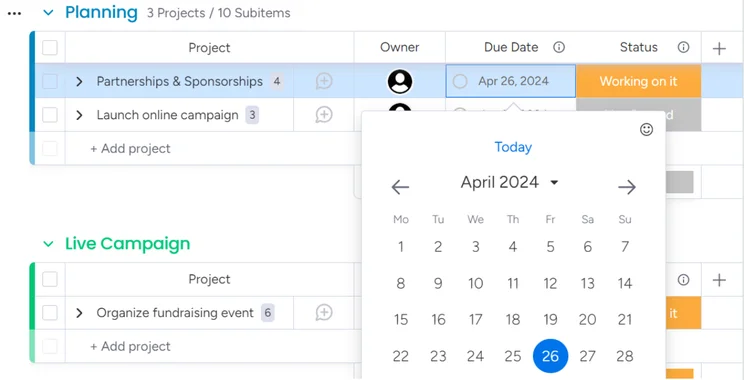
Assigning a date to a task on monday work management’s Board view. Image: Tech.co testing
Why Is Smartsheet Better Value for Money?
Smartsheet offers a better value for its cost, with a competitive fee. This is because monday work management’s starter plan, the Basic plan, costs $9 per user, per month, while Smartsheet’s comparable starter plan, Pro, also starts at $9 per user, per month — and has a better set of features.
In fact, Smartsheet’s Pro plan is probably more similar to monday work management’s $12 per user, per month Standard projects plan, so it’s definitely a much better option for businesses on a budget.
Both monday work management and Smartsheet’s two high-end (non-Enterprise) plans, cost $19 per user, per month.
That said, the two services offer a different range of features under all their plans, so the best option will depend on the needs of your business specifically.
It’s worth noting that we found more than a few other project management software options to offer a higher value for the price: ClickUp, Teamwork, Trello, and Zoho Projects all fared better in this category.
Best for Ease of Use: monday work management
monday work management is by far the easiest-to-use provider on the market currently, and provided the best experience during our latest round of testing. Undoubtedly, then, it tops Smartsheet in this round.
Both providers opt for very different approaches when it comes to their layouts — monday work management utilizes white space to create a calming, tidy interface, perfect for businesses looking to effectively organize multiple teams and projects.
On the other hand, Smartsheet tacks more closely to the appearance of a traditional spreadsheet. While Smartsheet feels like it has a bit more structure to it, monday work management’s interface is much clearer.
“Everything is placed very intuitively. It felt kind of like an Apple product in the way you just instinctively knew how to work it, which was good.”
— Alice Martin, a member of Tech.co’s user testing team
Smartsheet turned out to be a little more difficult for our users to get to grips with during testing.
“I think I was expecting it to be a bit more pre-set, but then I figured out that it’s basically just making spreadsheets with more control over what you can include.”
— Alice Martin
Once we got into the swing of things, updating the spreadsheets became a quick and easy process, whether we were reassigning tasks or tweaking budgets. Smartsheet also has a sidebar for extra tools, such as team messaging.
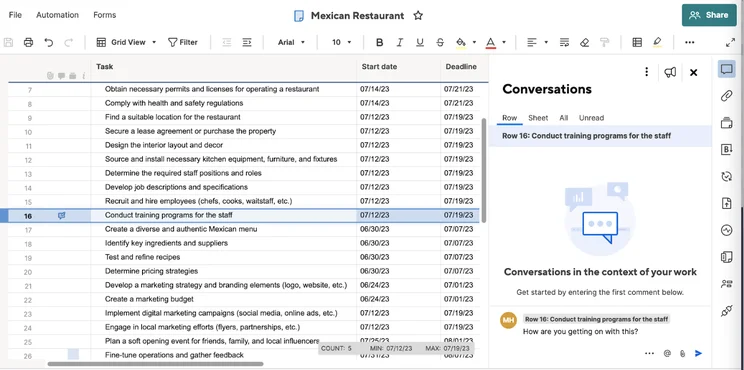
Smartsheet’s “Conversations” feature. Image: Tech.co testing
Furthermore, Smartsheet doesn’t offer any preset charts or a custom chart builder unless you opt for the Business or Enterprise plan, whereas monday work management will let you build charts on all of its plans.
While both options are customizable and fairly easy to use, monday work management wins in the end thanks to a simpler, quicker, and more pleasant setup process, and a less cluttered layout.
Best for Project and Workflow Creation: monday work management
While Smartsheet offers more workflow creation features on cheaper plans than monday work management, ultimately, the quality of monday work management’s features are better, which allowed it to (only just) beat Smartsheet in this research category.
Creating custom automations is a simple process with monday work management, since the service offers an undemanding text-based creator (pictured below), compared with Smartsheet’s complex flow-chart style builder. Although, automations are limited to between 250 and 25,000 actions per month, depending on the plan.
Plus, businesses should be aware that there are no automation capabilities on monday work management’s free and Basic projects plans.
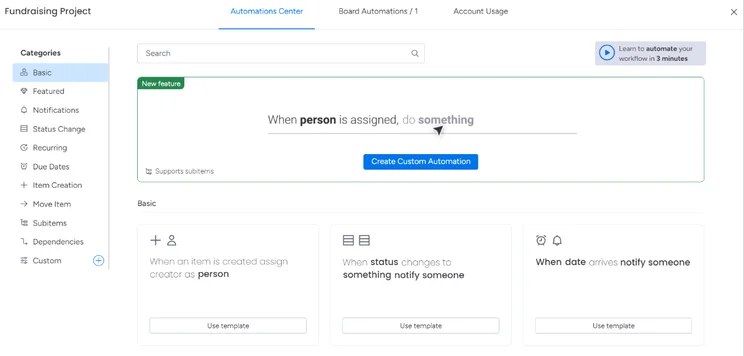
monday work management’s automation builder. Image: Tech.co testing
Smartsheet’s setup process is easy, too, with a design similar to Excel or Google Sheets. The service’s project management templates pre-populate columns for the name, duration, assignee, and start and finish dates for a task.
Custom workarounds can be added quickly for features Smartsheet doesn’t offer, like budgeting — which is good, since the limited amount of preset templates means that most users will eventually need to build their own.
Best for Task Management: monday work management
For task management features, monday work management once again triumphed over Smartsheet. While both monday and Smartsheet come with the essential task management tools, such as Gantt charts and kanban boards, monday work management’s offering was easier to use overall.
Milestones can be set up in both services: users on monday work management can use the “Groups” feature, with each group’s collection of tasks comprising one milestone.
On Smartsheet, you can set up a milestone by prompting the knowledge base, which ultimately made for a less straightforward process.
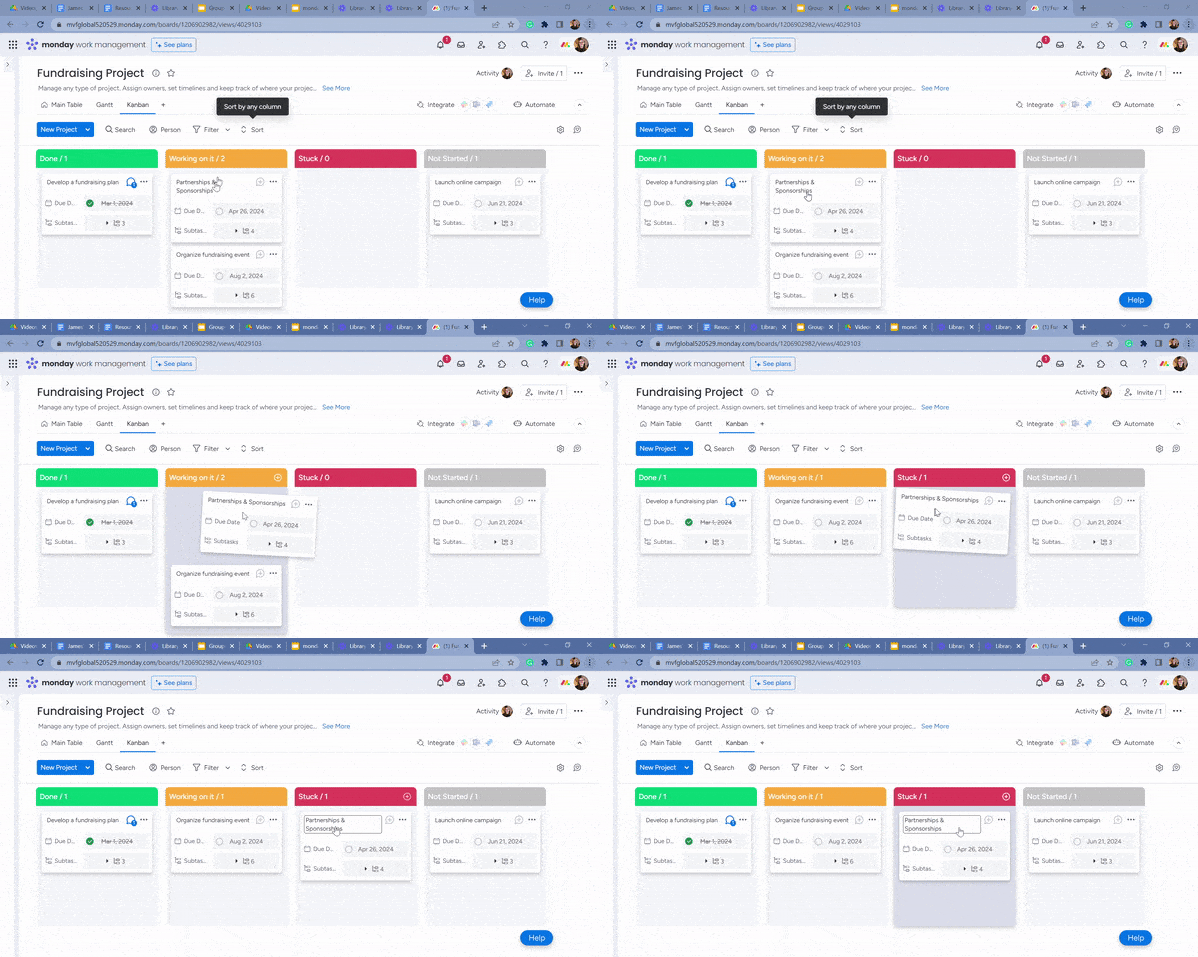
monday work management’s kanban board. Image: Tech.co testing
monday work management is very customizable, using a system called “Items” with rows to represent each task. Editing just takes a few clicks, speeding up the project setup process that any manager is familiar with by avoiding the need to fill in endless fields. For businesses that want to get started with tasks quickly, this monday work management feature is a great addition.
However, Smartsheet is no slouch when it comes to task management. It offers a lot of the same features as monday work management, but they just aren’t as easy to use.
“I found it hard to add task dependencies… It just seemed like quite a few steps were required to do that.”
– Isobel O’Sullivan, a member of Tech.co’s testing team
It was this exceptional ease of use that tipped monday work management in this category’s favor. However, we certainly wouldn’t rule out Smartsheet in this area completely.
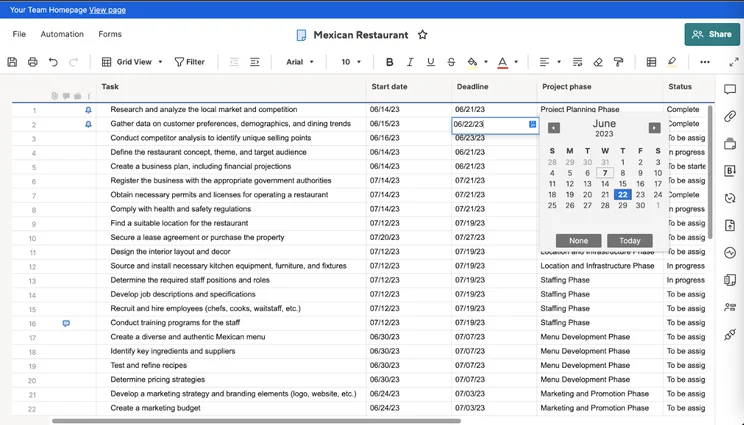
Smartsheet’s default spreadsheet interface. Image: Tech.co testing
Best for Customer Support: monday work management
monday work management earned a perfect score for customer support in our latest round of testing, which makes it the preferred choice in this category over Smartsheet. In particular, this is due to monday work management’s 24/7 live support function, which trumped many of the other providers in our research.
When I tested the software, the information in my main table wasn’t auto-populating my Gantt chart view like it did with the board view. Using the live chat, I was sent a video showing exactly where I was going wrong and how to fix my problem within minutes.
For businesses that are serving customers and clients every day, monday work management provides the assurance that experts will always be around to help out in this way.
Furthermore, with both Smartsheet and monday work management, you’ll get an online knowledge base and community forum for solving quick issues and common questions, as well as email-based support for tougher problems.
You can access 24/7 phone support with Smartsheet, although, this is only for the Business and Enterprise plans, and in the former it’s a paid add-on. monday work management also includes onboarding support, whereas Smartsheet doesn’t, but again, this is only for Enterprise customers.
All in all, with an impressive live chat function that is ready for anything the user throws at it, it’s hard to beat monday work management on customer support.
Alternative Platforms
Smartsheet and monday work management aren’t the only project management tools out there worth your time. Below, we’ve outlined the top alternatives, based on the results from our research and user testing, to help you get a full view of the competition.
If you’re trying to bag the best deal, you should consider Zoho Projects, which starts at only $4 per user, per month, $5 less than both monday work management and Smartsheet. While it isn’t as easy to use as monday work management, or as customizable as Smartsheet, you’ll still get access to plenty of collaboration tools and dedicated budgeting tools (which both monday work management and Smartsheet lack).
On the other hand, you have ClickUp, starting at $7 per user, per month. Like monday work management and Smartsheet, ClickUp has a great free plan businesses can take advantage of, that includes instant-messenger functionality and an AI assistant.
That being said, ClickUp is lacking in integration options, unlike monday work management, so if your business is looking to connect multiple elements of its operations, monday work management may be the better option.
For businesses that want to get up and running quickly, we’d also recommend Teamwork, starting at $9.99 per user, per month. Significantly, Teamwork performed better in our ease of use tests when compared with Smartsheet. And, you’ll get one of the best automation builders we tested, all in a simple and affordable package.
See how Smartsheet and monday work management stack up fully against these competitors:
|
Price from
All prices listed as per user, per month (billed annually)
|
Free plan
|
Best for
|
User limit
|
Pros
|
Cons
|
Automations
|
Help & Support
|
|||
|---|---|---|---|---|---|---|---|---|---|---|
|
|
|
 |
 |
 |
||||||
|
monday work management |
Smartsheet |
Zoho Projects |
ClickUp |
Teamwork |
||||||
|
$9/user/month |
$9/user/month |
$4/user/month |
$7/user/month |
$9.99/user/month |
||||||
|
|
|
|
|
|
||||||
|
Ease of use |
Great security and customer support options |
Cheapest first paid plan and great security features |
Complex projects |
Small teams |
||||||
|
|
|
Unlimited |
|
||||||
|
|
|
|
|
||||||
|
|
|
|
|
||||||
|
|
|
|
|
|
||||||
| Visit monday | Visit Smartsheet | Visit Zoho | Visit ClickUp | Compare Deals |
About Our Research
Here at Tech.co, we conduct research into all of the software and services we review. This consists of extensive market research to identify the key players in every vertical we cover, as well as interviews with small and medium-sized businesses to understand the challenges they face when shopping for tools designed to improve their day-to-day work lives.
We then use what we’ve learned to create testing criteria that are actually valuable to our readers making these decisions. For the project management software category, we analyzed and tested 10 platforms, focusing on six core assessment areas. These are:
- Integrations: This refers to integrations, security features, and other elements of the software that ensure the entire system works together and works with existing business software you might rely on.
- Customer support: This refers to the support options that are made available to the customers who use the project management service and may include online resources as well as email, live chat, and phone support.
- Pricing factors/value: This includes plan costs, features or limits included with each plan, and add-ons available at an extra cost.
- Functionality: Our feature testers split the project management software analysis into five more sub-categories: task management, project and workflow creation, data visualization, collaboration, and user-centric.
- Ease of use testing: This tested both what types of tasks could be completed using the software, as well as how quickly they could be completed and how simple this process was.
- Security: This consisted of analyzing the providers’ security options, including what authentication options are on offer.
Although we have commercial partnerships with some of the providers we write about, this never affects our product rankings or the conclusions we draw in our articles. These are solely determined by our research, which allows us to stay editorially independent.
monday work management is a better project management software app than Smartsheet: it has a better set of more accessible features, is easier to use, and offers better customer support options. In fact, our research says that monday work management is the best project management software platform you can currently purchase.
That said, Smartsheet and monday work management are both impressive tools, and Smartsheet has the kind of solid security and reporting features that will suit a larger business – plus, it’s $9 per user, per month Pro plan has quite a large set of features.
They’re not the only project management tools worth considering, though. From ClickUp’s unbeatable feature set to Zoho Projects’s low $4 per user, per month price, there’s a software option for every business.
FAQs
Smartsheet and monday work management are both easy-to-use project management software with a great selection of features. Smartsheet is slightly easier to use, but monday work management is ultimately better due to slightly more helpful features and lower pricing.
Yes, Smartsheet is designed to work as a customer relationship management (CRM) software. While it doesn’t offer every functionality, anything it is missing (like budgeting features) can be easily created through a workaround.
While both Smartsheet and Jira are for project management, Smartsheet is best for large projects that require collaboration, while Jira is best for internal issue management solutions such as IT fixes. The two services can be integrated.
Smartsheet offers over 175 integrations with a wide range of business software. Top integrations include Salesforce, Outlook, Slack, Microsoft Teams, Adobe, and various Google software services.
If you click on, sign up to a service through, or make a purchase through the links on our site, or use our quotes tool to receive custom pricing for your business needs, we may earn a referral fee from the supplier(s) of the technology you’re interested in. This helps Tech.co to provide free information and reviews, and carries no additional cost to you. Most importantly, it doesn’t affect our editorial impartiality. Ratings and rankings on Tech.co cannot be bought. Our reviews are based on objective research analysis. Rare exceptions to this will be marked clearly as a ‘sponsored’ table column, or explained by a full advertising disclosure on the page, in place of this one. Click to return to top of page


