

We may receive a commission from our partners if you click on a link to review or purchase a product or service. Click to Learn More
After researching and extensively testing the top 14 project management software tools currently out there, we found that the best Jira alternatives are:
- monday work management (4.7/5), which is the best Jira alternative for a simple layout with excellent customization
- ClickUp, which is the best free Jira alternative & our top-performing provider (4.8/5), with a cheap paid plan functioning as a “work OS”
- Smartsheet (4.6/5), which is the best Jira alternative for spreadsheet junkies that need a dedicated feature for every task
Jira is a titan in the project management software world, but many businesses may find creating projects and workflows demands a steep learning curve. Although Jira will be a great fit for you if you’re part of a tech or software development team, its automation system and hard-to-navigate interface aren’t the easiest to use and this can mean that some teams aren’t particularly fond of it, despite the affordable pricing. That being said, there are other cheap providers available.
If you’ve found out that Jira isn’t for your team, take a look at our top 7 Jira alternatives, which we think beat the tech-focused provider in one way or another. They may not all trump Jira in every single area, but each platform listed here will reign supreme in some regard.
|
Price from
All prices listed as per user, per month (billed annually)
|
Free plan
|
Pros
|
Cons
|
Verdict
|
|||
|---|---|---|---|---|---|---|---|
 |
FEATURED DEAL
 |
BEST FOR CUSTOMIZATION
 |
BEST FREE ALTERNATIVE
 |
BEST FOR SPREADSHEET JUNKIES
 |
BEST FOR TECH TEAMS
 |
 |
 |
|
Jira |
Wrike |
monday work management |
ClickUp |
Smartsheet |
Backlog |
Trello |
Asana |
|
$7.91/user/month (300 users) |
$10/user/month |
$9/user/month |
$7/user/month |
$9/user/month |
$35/month (30 users) |
$5/user/month |
$10.99/user/month |
|
|
|
|
|
|
|
10 users |
|
|
|
|
|
|
|
|
|
|
|
|
|
|
|
|
|
|
A great value piece of software that’s ideal for tech, software development, and engineering teams |
A feature-rich service with two plans for enterprises, and a free tier for new users to try |
A great task management system due to strong customizability and support team, with a generous free trial |
Slick software with a highly powerful core and an AI assistant, plus a genuinely usable free tier for individuals |
A great tool for spreadsheet-natives, which can take your Excel-based task planning to the next level |
A decent option for developers tired of Jira, but those looking for a general project management tool will find other options more attractive. |
A fairly-priced, stripped-down option, best for small teams who need a central location for basic task management |
A simple task-list-based project management platform with an acceptable free tier |
| Compare Deals | Visit Wrike | Visit monday | Visit ClickUp | Visit Smartsheet | Compare Deals | Compare Deals | Compare Deals |
Best Alternatives to Jira
There are loads of project management options out there – with more and more people have been using them since the pandemic broke out – and they all have different advantages over Jira. While we won’t cover them all, here are some of the major contenders for the project management crown.
When you’re looking for an alternative to Jira, be sure to check out precisely which project and workflow creation features a provider is offering, because Jira has quite a few on offer and there’s no point making the switch to a provider you won’t gain anything from. Asana, for example, has a much easier-to-use automation builder.
Task management features can vary wildly between both providers and plans (for example, providers don’t offer a Gantt Chart on their free plan), as can collaboration tools, which become increasingly important the more people you have working on your project. Tools that let you visualize data are crucial too, and Jira for instance offers a full suite of data visualization tools on its free software, but Wirke provides none.
Don’t know your Gantt chart from your PERT? Read our Gantt vs PERT breakdown to understand more about the tools.
monday work management – the best Jira alternative for customization
Tech.co’s monday work management test score: 4.7/5
Tech.co’s Jira test score: 4.3/5
The company monday.com is a prolific creator of multiple business-based software tools, one of which is their popular monday work management platform.
This platform comes with an easy-to-use automation builder, as well as many handy customization options which users can implement to make their experience a lot easier – the provider gained a score of 4.1/5 for usability on our last round of testing, higher than our top-rated provider ClickUp (4/5) and Jira (3.5/5).
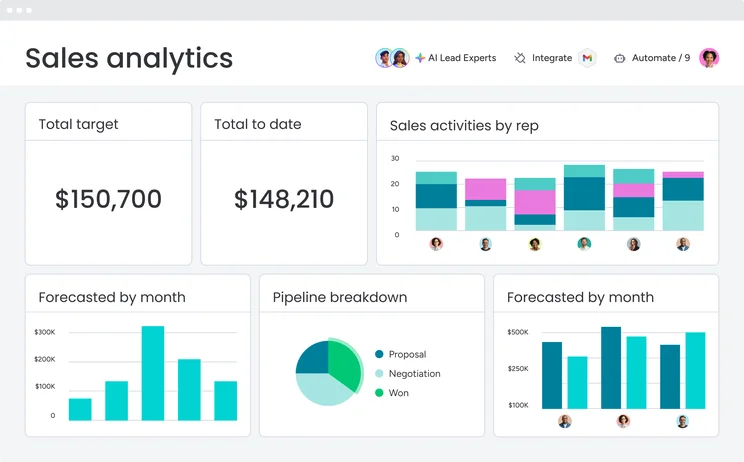
On the Standard plan and up, there are useful task management tools like a Gantt Chart, Kanban board, and Milestones too. However, Jira offers more data visualization tools on cheaper plans than monday work management. You’ll have to purchase monday’s Pro plan for advanced data display features, whereas a lot of tools for making charts and widgets are available on Jira’s free plan.
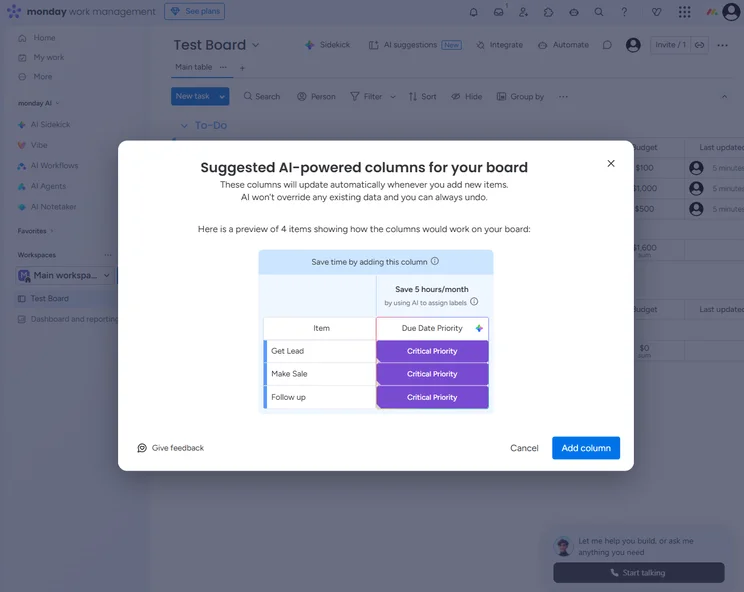
While monday work management isn’t exactly packed with options (as you can see from the picture below), that can sometimes be preferable for people who don’t want to be flooded with buttons and tools and want a simpler, cleaner experience that remains highly customizable.
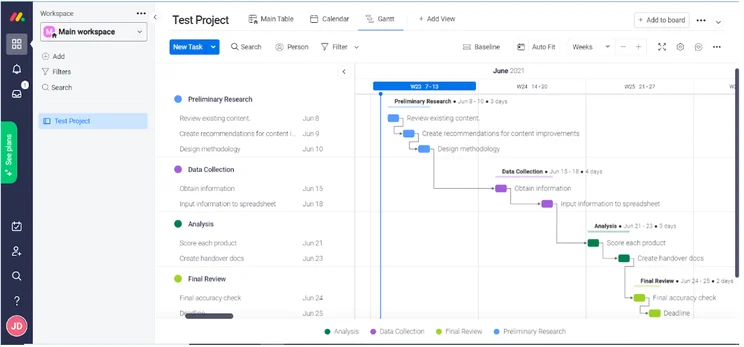
How easy monday work management is to use goes some way to explaining why it has such a high customer score (4.5/5) which was much higher than Jira’s (3.6/5). Clearly, customers who go for monday work management are, on average, more satisfied.
monday work management pricing vs Jira pricing
For monday work management’s pricing, it has one free tier, three priced tiers, and a bespoke tier. While the bespoke plan’s price varies based on what you include, the other plans cost $9 per user, per month (Basic plan), $12 per user, per month (Standard plan), and $19 per user, per month (Pro plan) (all prices billed annually).
When compared to Jira’s pricing, with two paid plans costing $7.75 and $15.25 per user per month, these prices are slightly more expensive, putting monday work management at a bit of a disadvantage – in terms of value for money, our team gave Jira a 4.2/5, while monday work management only gained a 3.9/5. It’s only a difference of a couple of dollars, though, so you shouldn’t make a call just based on that.
Is monday work management better than Jira?
One of Jira’s biggest failures is its tricky automation system, a problem which is entirely solved by monday work management. While Jira does come with a few features that monday work management doesn’t have, like live chat support and burndown charts, overall monday work management does have the edge over Jira.
monday work management

In Short
-
Pros
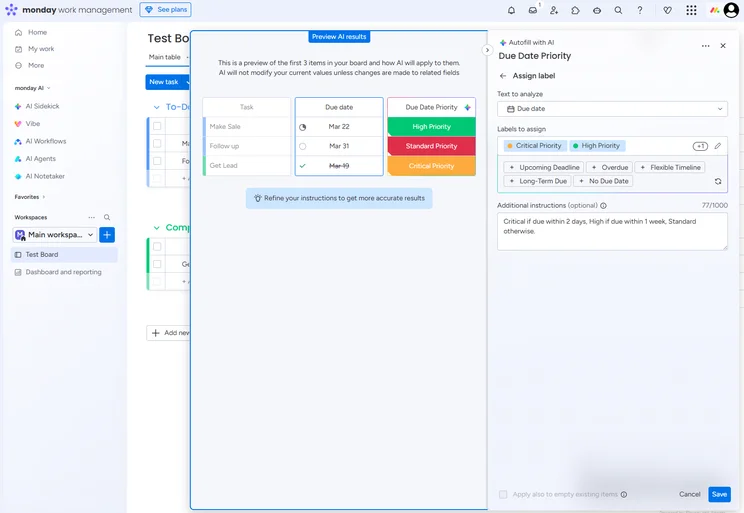
- Robust automation features
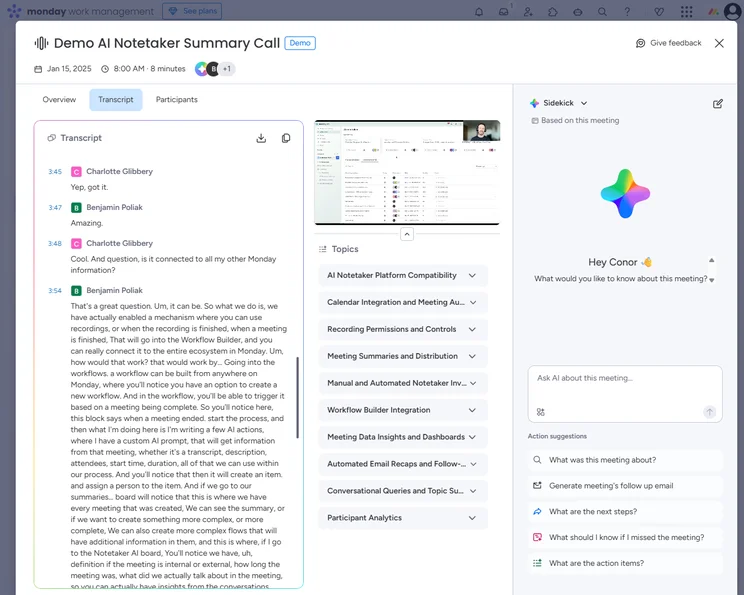
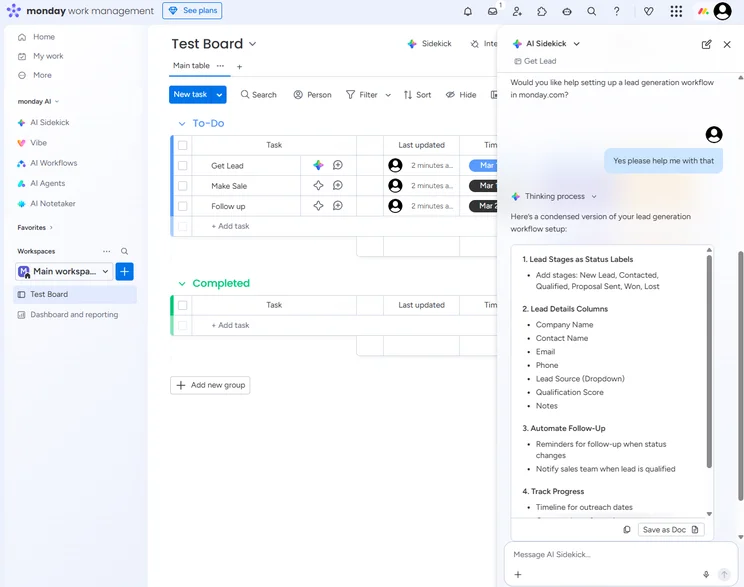
- Built-in AI tools for workflows and note taking
- Extremely customizable
-
Cons
- Free plan has 2-person user limit
- Strict AI credit limits
- Can get expensive with high AI usage
Pricing
-
 Basic: $9/user/month
-
Standard: $12/user/month
-
Pro: $19/user/month
-
Enterprise: Custom
-
Free plan available
-
14-day free trial
Images
ClickUp – the best free Jira alternative
Tech.co’s ClickUp test score: 4.8/5
Tech.co’s Jira test score: 4.3/5
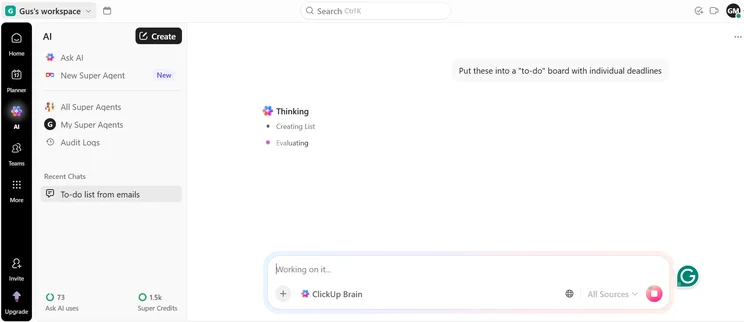
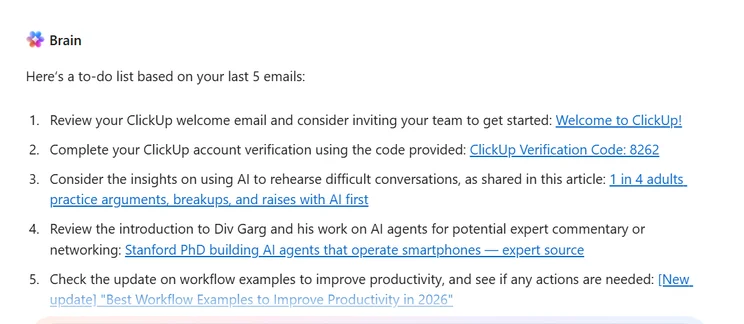
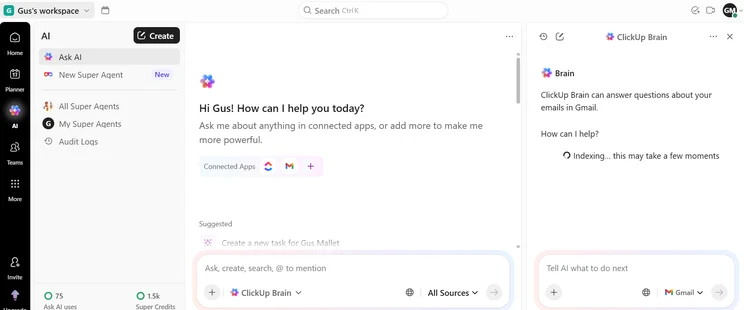
ClickUp wins our prize for the best project management free plan – as well as being our best-performing provider on test (4.8/5). While most competitors offer free plans, ClickUp’s unlimited users and integrations, coupled with their wide range of features that are often locked behind paid tiers (like time tracking and a team instant messenger) makes its no-fee offering stand out from the crowd.
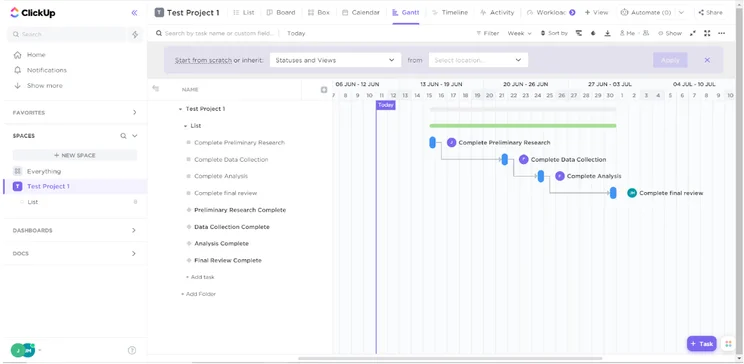
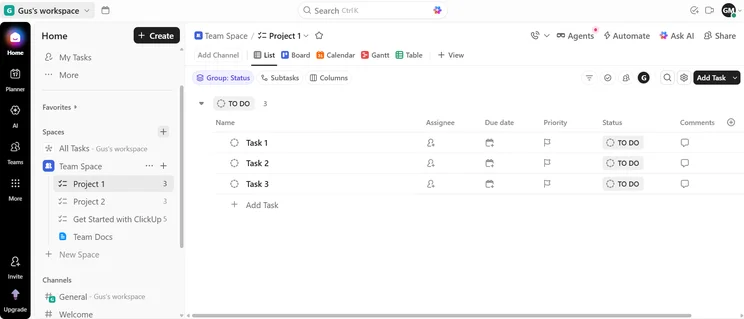
ClickUp topped the charts for task management (4.9/5) – simply because it has a broader range of features than almost all other providers, including a Gantt Chart (pictured below), yet they work smoothly and don’t take too much learning to master. Asana and Wrike score 4.4/5 and 4.6/5 in this assessment area respectively, and are also highly competent when it comes to managing complex tasks. There just aren’t as many dedicated tools released on either of their free or initial paid plans, whereas ClickUp provides you with a broad range regardless of the plan you choose.
ClickUp also performed well on usability tests (4/5), which was a higher score than Asana, and it has a pretty high customer score (4.3/5) than Smartsheet. That last one’s important too – if people already using ClickUp are having a good time, there’s a likelihood you will too – and Jira’s is only 3.8/5.
However, one area where Jira performed better was customer support (4/5 vs ClickUp’s 3.8/5), and the two providers were tied when it came to data visualization.
ClickUp pricing vs Jira pricing
Concerning ClickUp’s pricing, while they have a good free plan, the paid plans are still worth mentioning. They have a bespoke plan, as well as four paid tiers. The Unlimited plan costs $5 per user per month, the Business plan costs $12 per user, per month, the Business Plus plan costs $19 per user, per month, and there’s an Enterprise tier too.
Compared to Jira, these are a bit more expensive, but not deal-breakingly so. In any case, ClickUp’s free tier is still the most fairly priced (we awarded it a 4.4/5 for value for money), and its paid options should really only be considered if you find yourself a bit cramped by the free plan’s limits. Jira scores a similarly impressive 4.2/5 for pricing, but the slightly more expensive starting price that meant we couldn’t score Jira as highly as ClickUp for value.
Is ClickUp better than Jira?
It’s quite close, as there are several cases where one will fail to offer a feature that the other includes. For example, Jira doesn’t allow guest access while ClickUp does. But ClickUp fails to offer custom widgets or chart builders on its lowest tiers, while Jira has them on every tier. The overall amount of features is pretty even, so it comes down to cost and what your business needs.
ClickUp

In Short
-
Pros
- 11+ ways to view project progress and data
- Useful “Chat” view for collaboration
- Team view for organizing tasks by team member
- Cheaper than monday Work Management or Wrike
- Agile project management features
- Vast number of features, even on cheap plans
-
Cons
- Customizability can be overwhelming to new users
- Not great at compiling project feedback
- Comparatively clunky automation builder
- Slow to load on our tests
Pricing
- Free plan available
- Unlimited: $7/user/month
- Business: $12/user/month
- Enterprise: custom pricing
Images
Smartsheet – the best Jira alternative for Excel junkies
Tech.co’s Smartsheet test score: 4.6/5
Tech.co’s Jira test score: 4.3/5
As the name Smartsheet might imply, this platform is great for anyone who relies on a lot of spreadsheets to operate their business, as its spreadsheet interface is flexible and powerful. If your business uses Excel or Google Sheets, this is a great option to integrate your data into project management software.
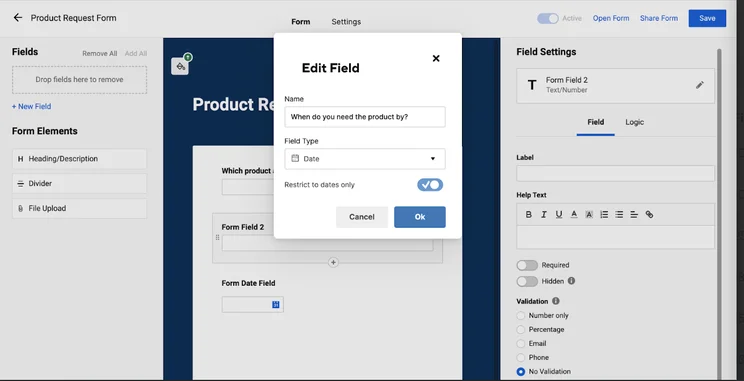
However, Smartsheet was our third-best performing provider overall with a score of 4.6/5, so it’s much more than just a slightly-more-helpful spreadsheet. It came joint first for project and workflow creation (4.3/5), but more impressively, it was our easiest-to-use provider. It had useful features for the project delivery phase like automations, but also features for post-project feedback gathering (see below).
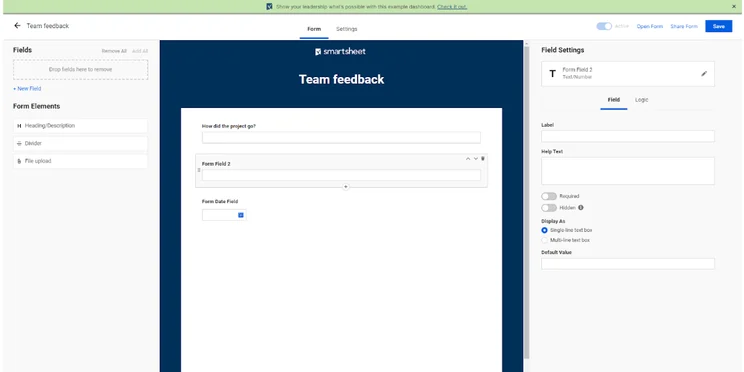
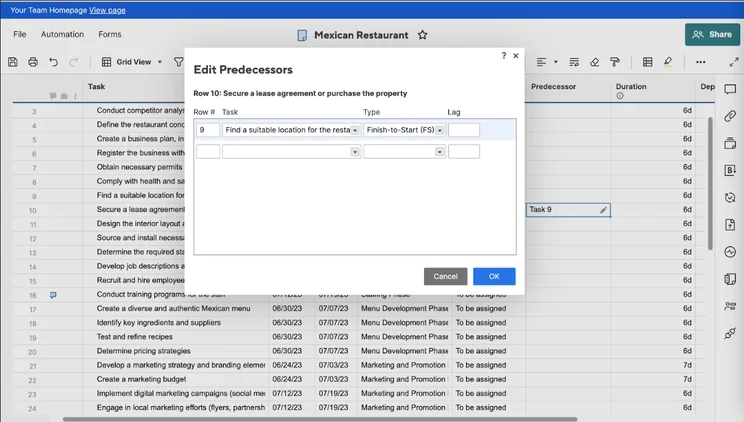
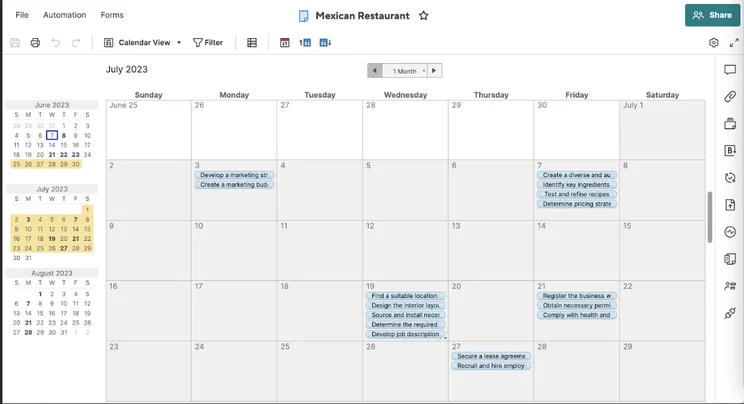
This puts it at the other end of the spectrum to Jira, which was only awarded a 3.5/5 for usability and is an order of magnitude harder to use. With Jira, you’re likely to run into a lot of dev/tech team-focused features that you’ll never end up using, whereas with Smartsheet, there’s a dedicated feature for almost every facet of general project management.
Smartsheet pricing vs Jira pricing
Once upon a time, there was no free plan on offer within Smartsheet’s pricing structure, but now, there’s one available. Smartsheet’s free plan is limited, however, to just one main user and two additional “editors” who able to make changes to aspects of projects. There’s also a Pro plan which costs $9 per user, per month, a Business plan costing $19 per user, per month, and an Enterprise plan without public pricing.
These plans are a bit more expensive than Jira and it’s easy to see that the value doesn’t quite stack up – but they’re by no means expensive.
Is Smartsheet better than Jira?
You’d really only opt for Smartsheet if you were a sucker for spreadsheets. Jira trumps or ties Smartsheet in almost every other capacity, like data visualization and customer support. The only way Smartsheet pulls ahead is in task management, due to its detailed spreadsheet features.
Smartsheet

In Short
-
Pros
- Free Trial available
- Familiar, spreadsheet-like interface
- Great for any sized company
- High scores for security and customer support
-
Cons
- Some features have limited functionality
- Not the easiest tool to use at first
- Competitors like ClickUp have better collaboration features, such as an online whiteboard
Pricing
-
 Free plan available
-
Pro: $9/user/month
-
Business: $19/user/month
-
Enterprise: Contact sales
-
Advanced Work Management: Contact sales
Images
Backlog – the best Jira alternative for tech/dev teams
Tech.co’s Backlog test score: 3.8/5
Tech.co’s Jira test score: 4.3/5
Backlog is a fairly barebones project management software platform, which goes some way to explaining why it didn’t score very highly on our last round of testing. In fact, it only scored 2/5 for features and its customer support (3.5/5) wasn’t as good as Jira’s (4/5).
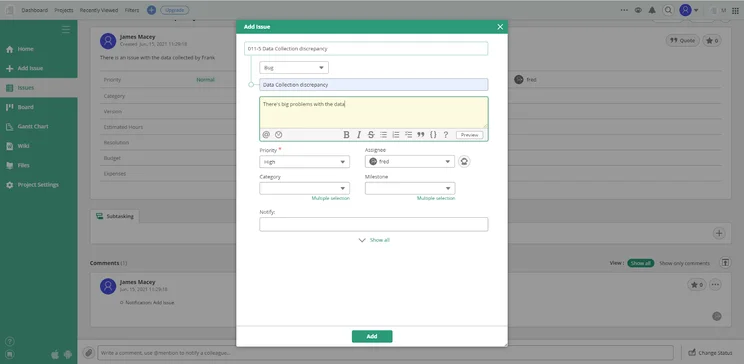
Backlog doesn’t have any collaboration or data visualization features to write home about, and only gained a 3.9/5 for task management compared to Jira’s 4.3/5. Key aspects that are missing include custom project templates, automations, and task dependencies, which are rolled into almost all the other project management software we tested – including Jira’s free plan.
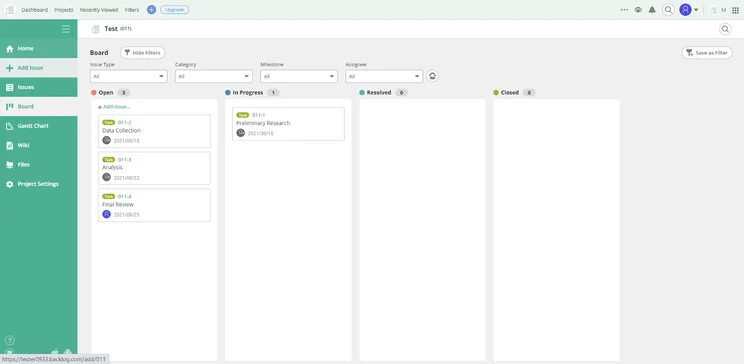
the features it does have do lend themselves to software development teams, like burndown charts and issue logs, which will suit teams deploying Agile project management frameworks to work efficiently and continuously on projects. This makes it much more directly comparable to Jira than any other product, but it just isn’t as good overall.
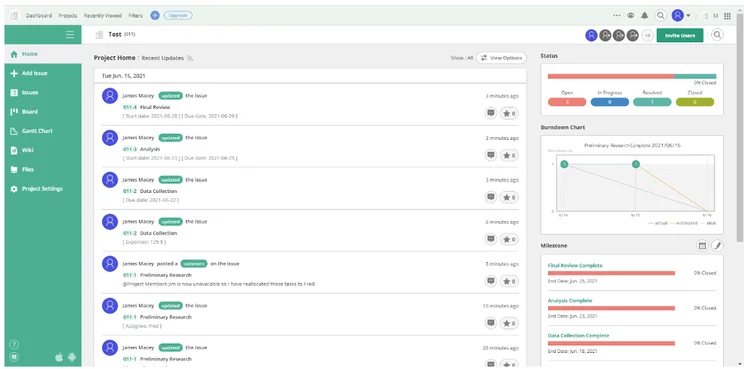
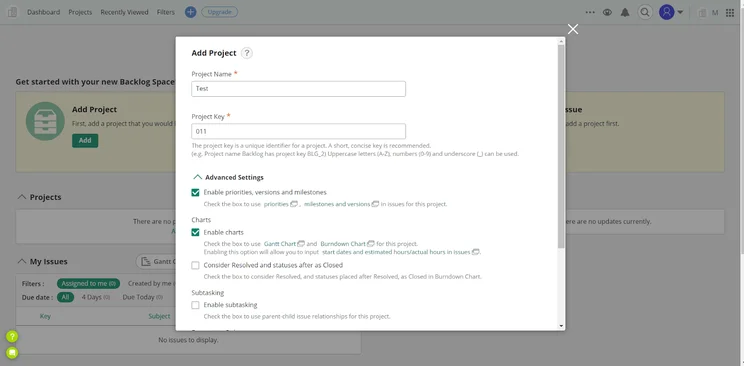
The home screen design (shown below) is a lot less cluttered than some competitors on this list, however, so Backlog has that going for it at least.
Backlog pricing vs Jira pricing
Backlog has a free tier, three paid tiers, and a bespoke tier. These paid plans are the Starter plan ($35 per month), Standard plan ($100 per month), and Premium plan ($175 per month). It’s worth noting that these prices don’t differ based on the number of users, so a team of 3 and a team of 100 will be paying the same price.
It’s hard comparing this to Jira’s plans, as its worth will only be easy to calculate if you know how many team members you have. A team of 30 will get a lot out of Backlog’s $35 per month plan, but the same team would be paying over $200 per month on Jira’s cheapest plan.
Is Backlog better than Jira?
For most businesses, Backlog would not be better than Jira. However, if you’re a tech or software development team that doesn’t need things like data visualization or collaboration resources, Backlog might be for you.
Backlog

In Short
-
Pros
- Provides dedicated features specifically for agile project management
- Free plan available
- Uses a ‘one price’ pricing structure rather than charging per user
-
Cons
- Unintuitive interface
- Custom fields are restricted to Business and Enterprise plans
- Does not provide automated workflows
Images
Wrike – the better than Jira for complex task management
Tech.co’s Wrike test score: 4/5
Tech.co’s Jira test score: 3.5/5
Wrike is a project management software that’s mercifully easy to operate and subsequently scored 4/5 for usability, the same as ClickUp, and a lot higher than Jira (3.5/5). Again, this is another provider that doesn’t demand as steep of a learning curve as Jira.
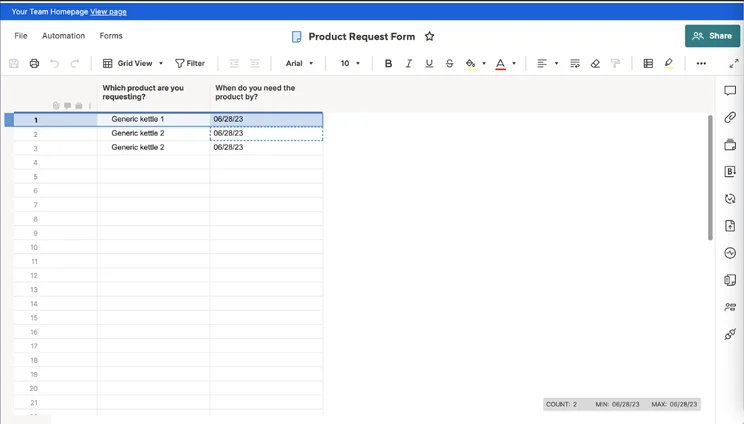
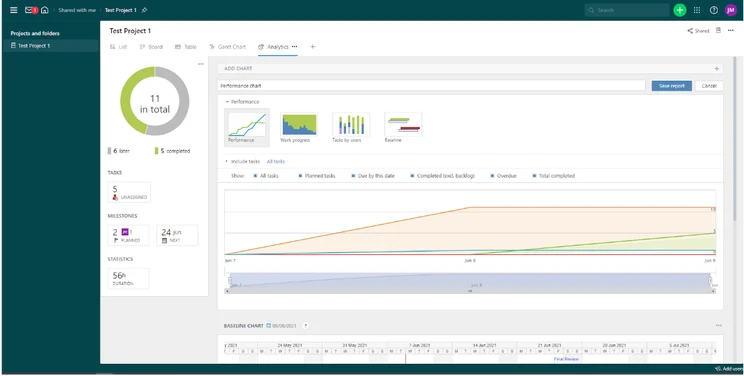
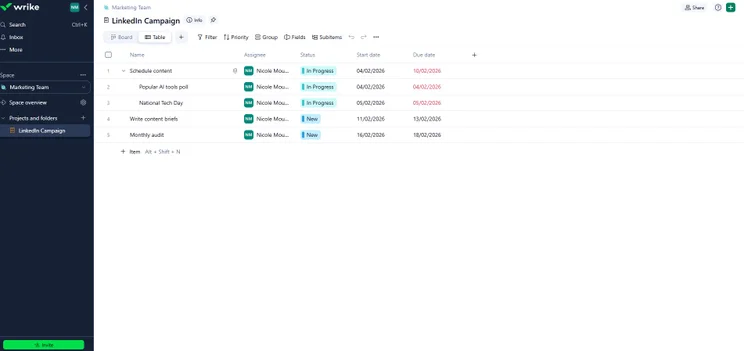
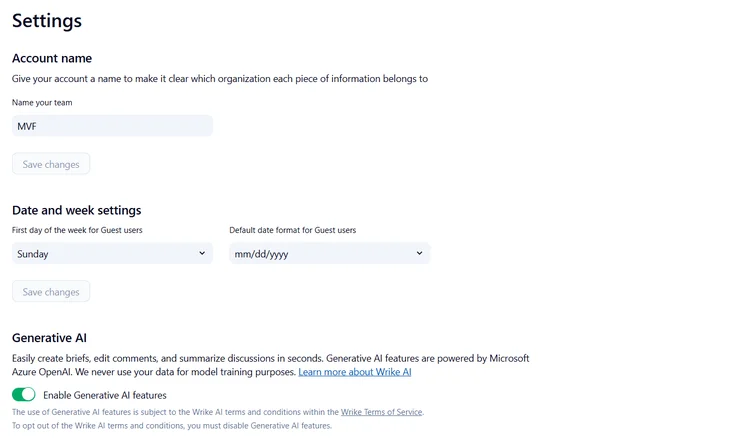
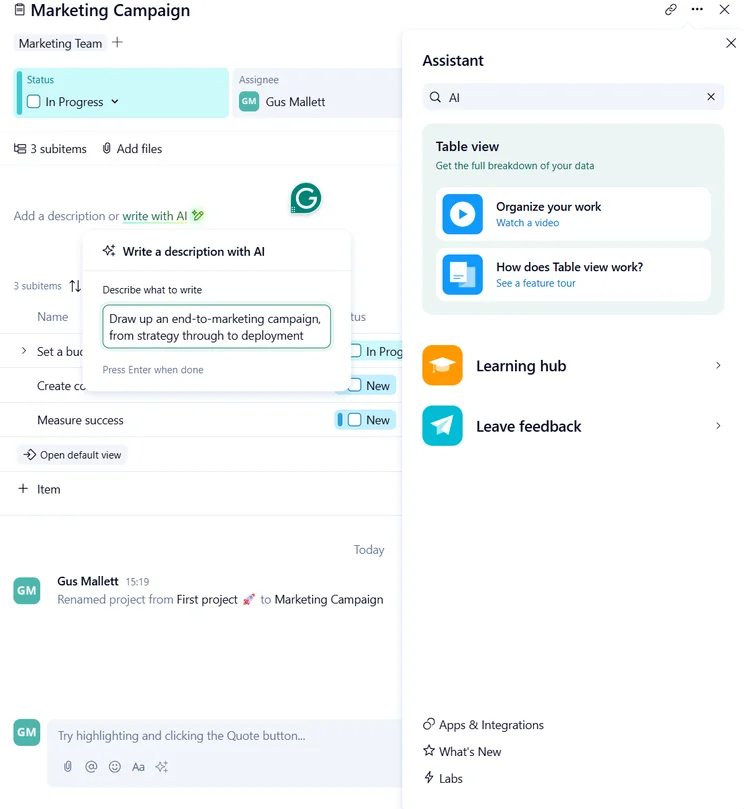
Wrike offers so many features in the realm of task management, like spreadsheet view, sub-tasks, milestones, and task dependencies, that making and tracking tasks is extremely easy and fluid. Overall, it scored 4.6/5 for task management, the third-highest out of all of the software we tested and higher than Jira. It scored a perfect 5/5 for data visualization, (see picture below from our testing) as did Jira.
Wrike pricing vs Jira pricing
When looking at Wrike’s pricing, aside from the free and custom enterprise-grade tiers, there are just two paid tiers. These are the Professional and Business tiers, priced at $10 per user, per month and $24.80 per user, per month respectively. However, you do need a minimum of five users on each plan, which can be a bit annoying for small teams.
These plans are steeper than Jira’s $7.75 and $15.25 per user, per month plans, especially when you factor in the five-user minimum. Jira is an overall better value product when looking at price, scoring 4.2/5 for value for money compared to Wrike’s 3.5/5.
Wrike’s Enterprise and Pinnacle plans have no public pricing and are full of features that larger businesses will find useful, such as user audit reports, single sign-on functionality, password policies, and a wider range of automation options – and Jira’s Enterprise plan offers a pretty similar suite of features.
Is Wrike better than Jira?
Wrike is around the same level as Jira, as they have around the same amount of shortcomings. Both aren’t great for building automations and while Jira falls short on collaboration, Wrike offers great support for teams to communicate. Wrike scores 3.3/5 for collaboration overall to Jira’s 2/5 and includes a project message board on all of its plans, whereas Jira does not offer this.
On the flip side, Wrike’s price is a bit steeper than Jira, putting them around the same level in the end.
Wrike

In Short
-
Pros
- No-nonsense, robust feature catalog
- Lots of customizability
- Strong task management and data tools
- Huge integrations library
-
Cons
- Not entirely easy to use
- Difficult to use automation builder
- Not the best for collaboration
Pricing
- Free plan available
- Team: $10/user/month
- Business: $25/user/month
- Pinnacle: custom pricing
- Apex: custom pricing
Images
Trello – the best for basic task management
Tech.co’s Trello test score: 4.1/5
Tech.co’s Jira test score: 4.3/5
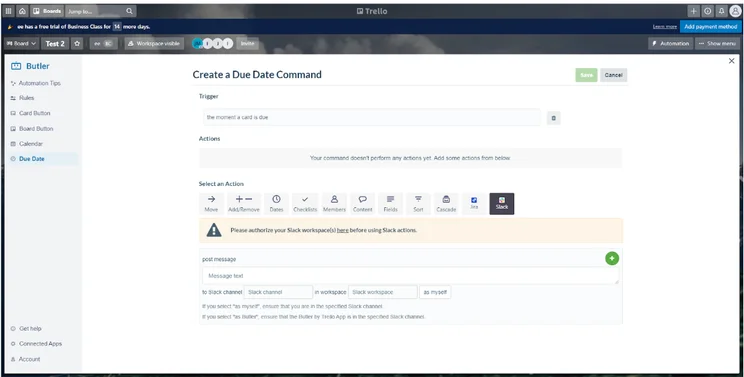
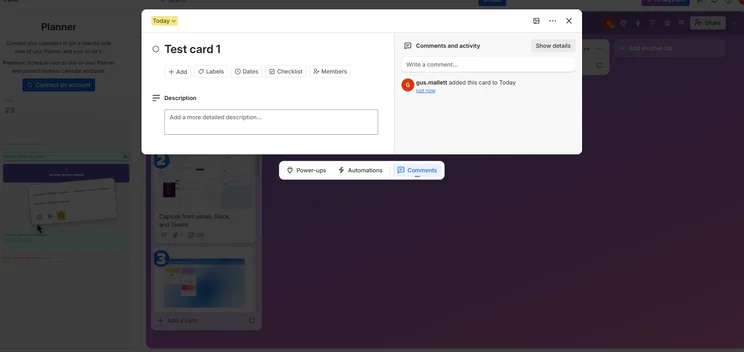
One of Jira’s weakest points is its automation, as while the options are there, the automation builder itself leaves a lot to be desired. That’s why Trello, which has an intuitive automation builder (shown in the image below) that even offers suggestions based on user behavior, is a great substitute for those looking to automate a lot of their project management.
However, we still rated Jira higher than Trello overall. It performed much better for customer support (4/5) than Trello (1.8/5), thanks in part to the inclusion of a live chat feature, which Trello does not provide. On top of this, Jira only scored 2/5 for collaboration, but that still beat Trello’s 1.8/5. It also got a perfect score for data visualization (5/5) whereas Trello only scored 1.8/5 for data visualization.
Trello pricing vs Jira pricing
Trello’s pricing is made up of a free plan and two paid plans – the Standard plan ($5 per user, per month), the Premium plan ($10 per user, per month), and the Enterprise plan ($17.50 per user per month).
While these costs don’t break the bank, Jira is one of the cheapest platforms out there, so they don’t quite reach Jira’s affordability. Compared to the rest of the market, however, these are definitely affordable prices.
Is Trello better than Jira?
Trello is one of the most popular project management software platforms on the market – and it’s actually owned by the same company as Jira – but it caters to a different audience. Trello is also a better option for small teams and projects, as it’s a lot more user-friendly, and easier to get up and running.
Jira beats Trello in data visualization resources, but everything else is pretty much neck and neck (apart from automation). So while it’s tight, the average user might get more out of Jira.
Trello

In Short
-
Pros
- Kanban-dominant approach
- Automation is available on the free plan
- Cheaper than most competitors
- Live chat support on all paid plans
-
Cons
- Very simple project templates
- Basic functionality, not updated regularly
- Sparse collaboration tools
Pricing
- Free plan available
- Standard: $5/user/month
- Premium: $10/user/month
- Enterprise: $17.50/user/month
Images
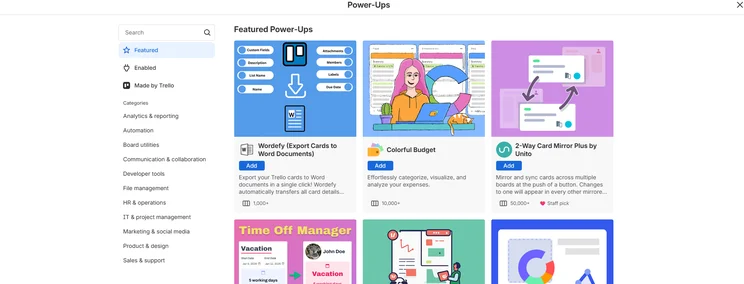
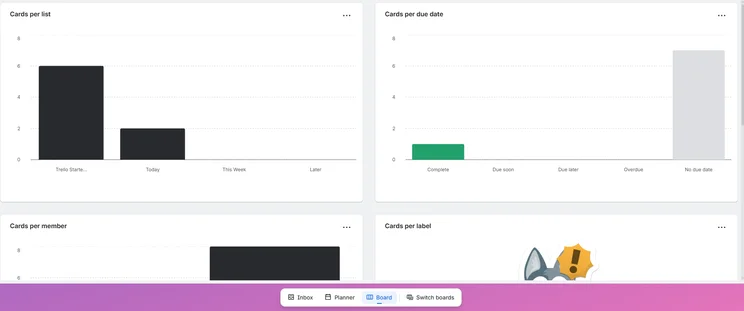
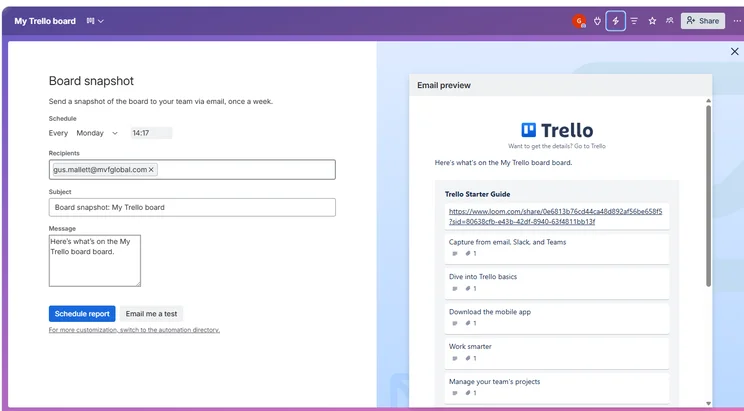
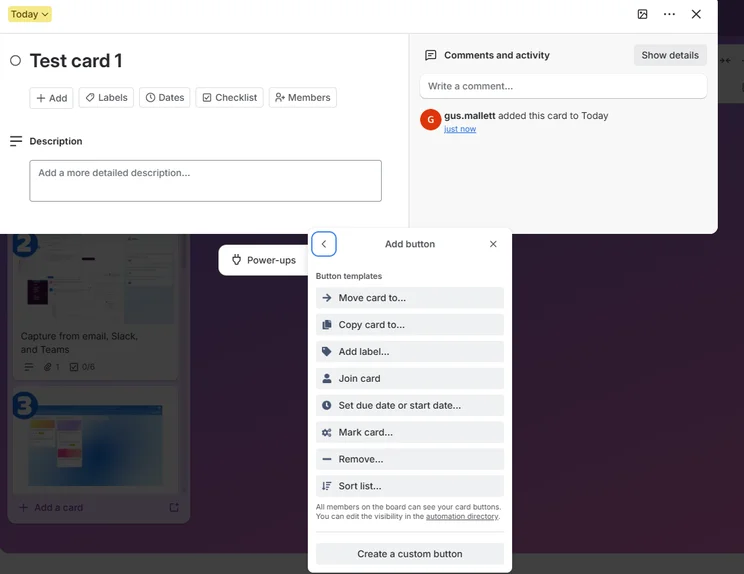
Asana – a cleaner interface and better automation builder than Jira
Tech.co’s Asana test score: 4.5/5
Tech.co’s Jira test score: 4.1/5
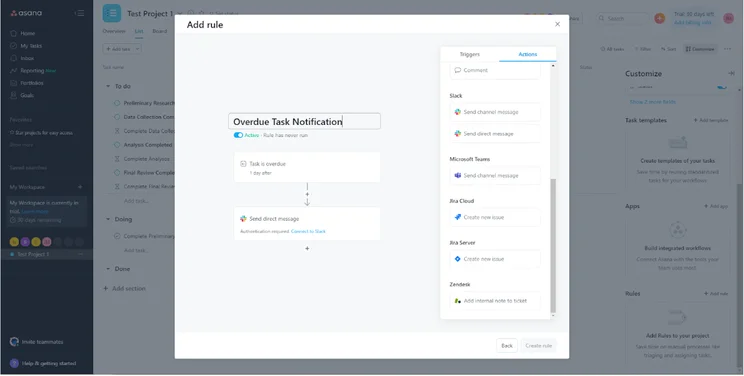
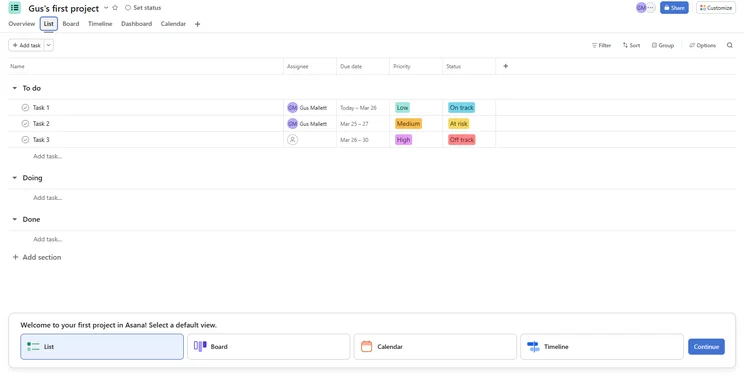
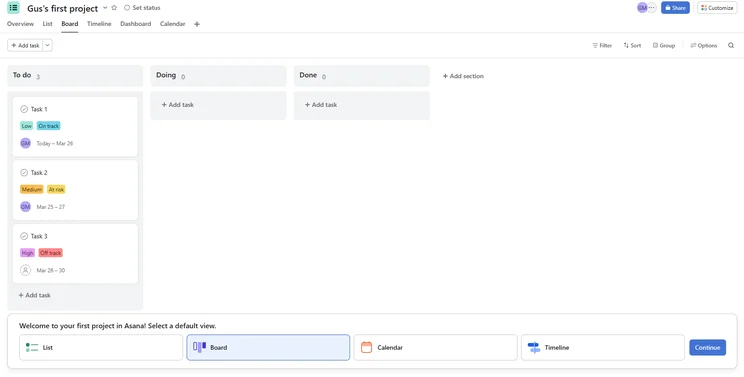
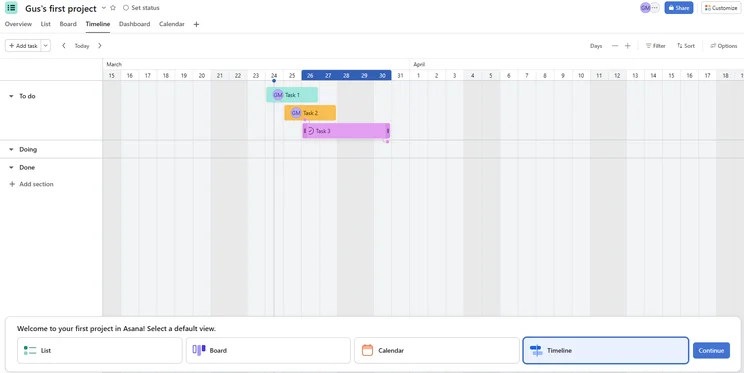
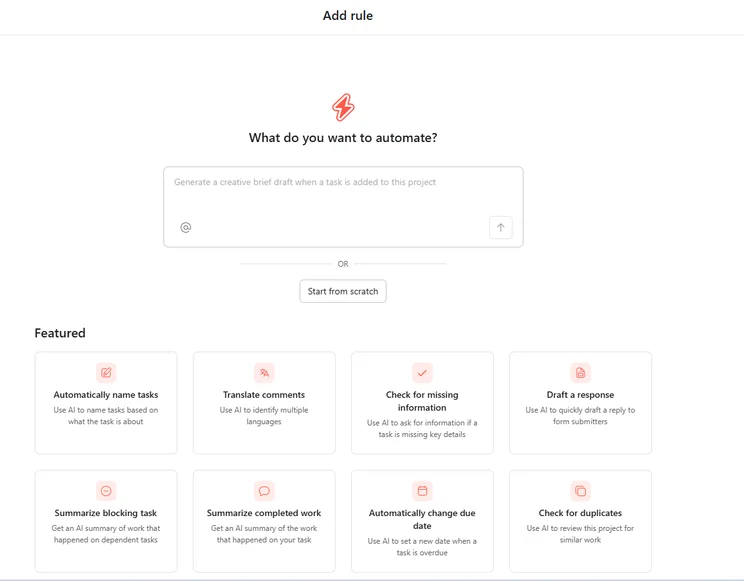
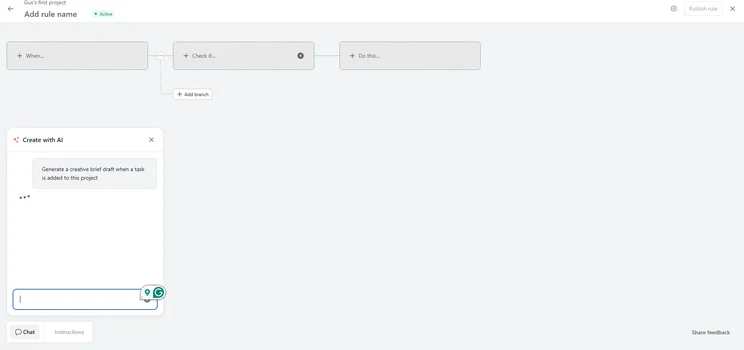
Sometimes, all you’re looking for is a smooth ride with little to no obstacles getting in your way. Asana ticks this box, with one of the sleekest user interfaces on the market. This extends not just to its interface, as its automation (pictured below), form, and chart builders are all very streamlined and intuitive.
But Asana’s a lot more than just a clean interface – on our last round of testing, it scored the same as ClickUp for project and workflow creation tools (4.3/5), and scored highly for features overall (4.3/5) thanks to high task management (4.4/5) and data visualization (5/5) scores.
Asana pricing vs Jira pricing
Outside of the free plan and the bespoke plan, Asana has two paid tiers. These are the Premium ($10.99 per user per month) and Business ($24.99 per user per month) tiers.
This is a lot more expensive than Jira, so Jira does have the edge over Asana when it comes to cost.
Is Asana better than Jira?
Asana is certainly a lot easier to use than Jira, but the cost can turn a lot of people away. Its features and builders are extremely useful and very robust – overall, there’s a better set for general project management contained within Asana – but pricing will be the main priority, especially for a lot of small businesses.
Find out more about how these two providers compare in our Asana vs Jira head-to-head.
Asana

In Short
-
Pros
- Unlimited storage
- Plenty of third-party integrations
- Incredibly clean and intuitive interface
- Easy-to-use dashboards and chart builder
-
Cons
- Most key features require the Advanced plan
- Very high prices for larger teams
- No phone-based support
Pricing
-
Free plan available
-
Starter: $10.99/user/month
-
Advanced: $24.99/user/month
Images
Should You Choose Jira Anyway?
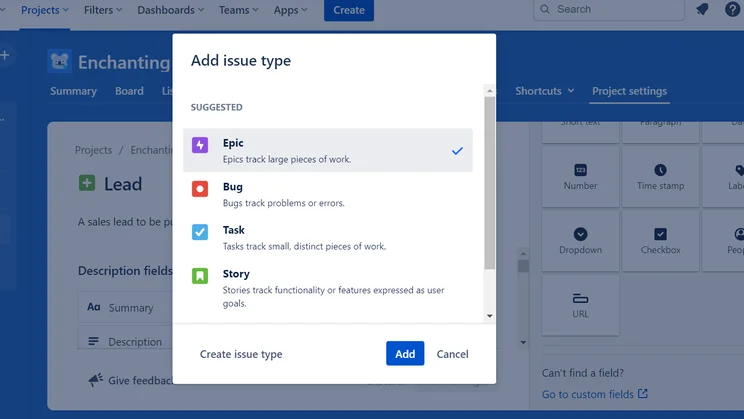
Jira is a big name in project management for a reason, so opting for them can definitely still be a good choice. Jira can be split up into two products: Jira Software and Jira Work Management. We’ll mainly be talking about Jira Software, as that is usually the product that people refer to when referencing Jira.
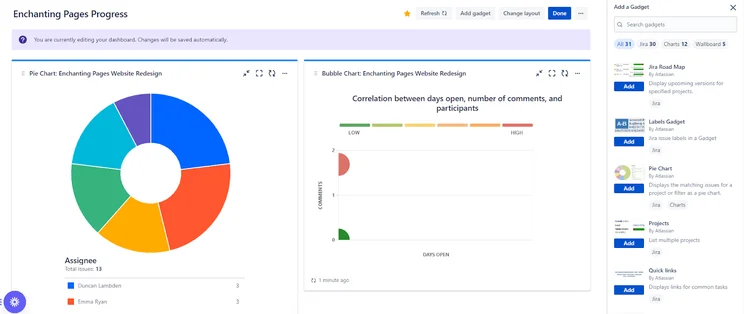
Jira is certainly on the lower end when it comes to price. Putting aside its free tier, its lowest tier is $7.75 per user, per month, and the upper, non-bespoke tier is only $15.25 per month, making it one of the cheapest options on the market.
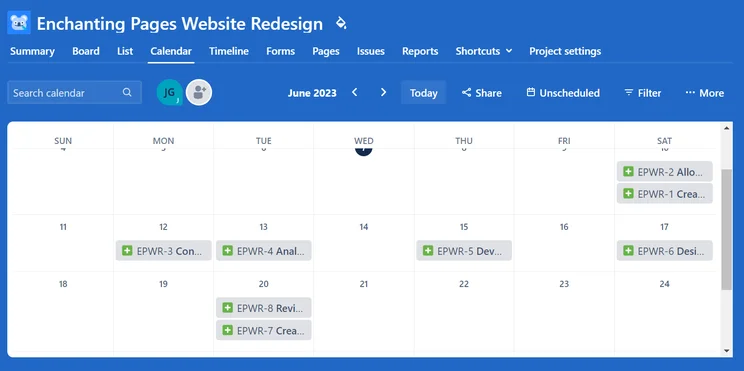
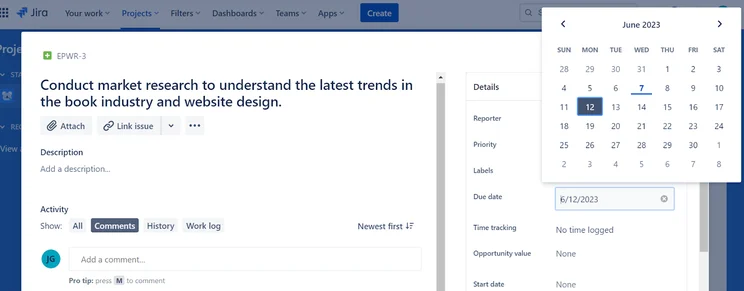
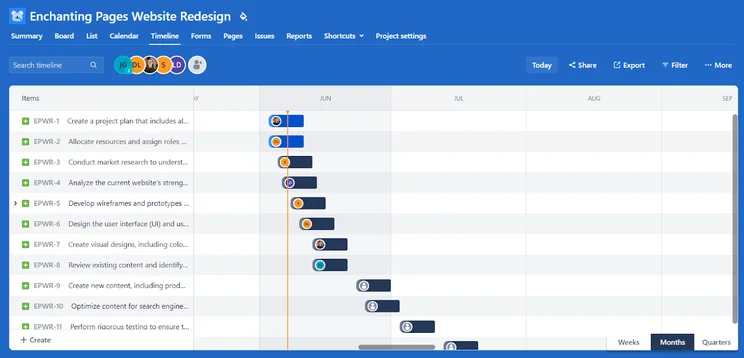
Where Jira shines is in its free plan, which is almost as robust as its paid plans, with the most significant differences coming in the form of limit increases. Manual tasks, like task reallocation and time-frame updates, can be completed very easily, saving you time.
As for downfalls, users can’t give access to guests, the terminology can be a bit tricky, and the automation builder is more complex than others, but these can mostly be fixed with some good ol’ determination.
Jira

In Short
-
Pros
- Single sign-on available on all plans
- Excellent value for money
- Custom automation available on free plan
-
Cons
- Lots of tech/dev jargon
- Integrations can be confusing
- Not the best for collaborating
Pricing
-
 Free plan available
-
Standard: $9.05/user/month
-
Premium: $18.30/user/month
Images
Free Alternatives to Jira
If you’re not looking to spend any money on your project management service, you’re in luck! A vast majority of project management software platforms offer free tiers.
Being transparent, Jira’s free tier is pretty solid. It has almost all the features of its lowest paid tier, with the only concession coming in the form of lower limits for things like users (10 users) and data storage (2GB).
However, Trello’s free plan is particularly generous, offering unlimited users and data storage (though each file does have a limit of 10MB). Its features are less inclusive than in a paid plan, but it’s still worth your consideration. Another solid free plan is Asana, which offers unlimited projects, integrations, data storage (100 MB file limit), and 15 users. The only missing features are Asana’s data visualization tools and some task management features.
However, our favorite free tier belongs to ClickUp. Unlimited users and integrations, 100MB of data storage, and almost all of the features included in the paid tiers. The only downside is that some of these features have limited uses (usually 100 uses), like Gantt charts and the data visualization dashboard.
All things considered, monday work management is the best Jira alternative for teams looking for highly customizable project management software. monday work management received a better feature score (4.4/5 vs 3.9/5) and was also easier to use than Jira (4/5 vs 3.5/5) and would suit both tech and dev. teams as well as a multitude of other businesses. For just $9 per user, per month, it’s also very competitively priced and only $0.50 less than Jira per user.
However, if you’re looking for a great free plan to match up against Jira’s free plan, go for ClickUp. It has the best free plan we’ve tested, and included automations, custom project templates, and a Gantt Chart, which other competitors often reserve for paid tiers. Lastly, it might be worth checking out Backlog if you’re a tech or development team who was using Jira and want a more simple solution to managing your workflows.
How Did We Choose the Best Jira Alternatives?
At Tech.co, we carry out in-depth research projects into the products and services we write about. This gives us the ability to inform our readers and impart the most accurate, up-to-date information possible.
Tech.co’s researchers spend their days creating research frameworks for every category of product we review, as well as road-testing the software itself in collaboration with our writing team.
For our project management software category, we scoured a software market that could be worth over $20.4 billion within the next decade to find the top providers. After that, we performed usability tests on project management software packages provided by 14 different companies.
Project management software testing criteria
Before testing project management software packages like the ones Jira has rolled out, we identified several key areas upon which to assess providers. These were:
- Price – is the product good value for money, considering the price point against the features on offer?
- Usability – how easy is the product to use? Is it difficult or easy to set up, and how much assistance is given to the user in the process?
- Features – what features are included in the software, how useful are they, and how do they hold up during a usability test?
- Customer Support – what customer support options are on offer, and do they function well?
There were other metrics upon which providers were tested that sat within these broader categories. Take “Features”, for instance, which is an amalgamated score made up of sub-scores awarded for:
- Task Management – what kind of task management features are provided, and how easy are they to use?
- Project and Workflow Creation – what kind of project and workflow creation features are provided, and how easy are they to use?
- Data visualization – what kind of data visualization tools are provided, and how useful are they for displaying project data?
- Collaboration – what kind of task management features are provided, and how easy are they to use?
The Best Jira Alternatives: Frequently Asked Questions
There are a number of different project management tools you can use instead of Jira. For example, monday work management is a highly customizable project management solution with a large range of features and a great customer score. However, ClickUp is our top-rated provider and has an even better free plan than Jira. Smartsheet, on the other hand, was the provider we found to have the most dedicated features for the largest range of tasks. Overall, Jira invoked a steeper learning curve than all three.
Jira’s biggest competitors are ClickUp, Asana, and Trello, which are brilliant for ease of use and automation, respectively, but there are lots of other competitors out there. Basecamp and Backlog are also well known for being decent fits for development teams, as Jira is. But nowadays, almost all project management software programs have provisions for Agile teams included – so Jira has a whole field of competitors.
According to our research, Smartsheet is the most usable project management tool available, ClickUp has the best free plan and was the best work OS overall, and monday work management is the most customizable. All three have excellent task management and workflow creation tools, as well as automation builders and data visualization tools.
Some of Jira’s downfalls are the fact that you can’t give access to guests, and that the automation builder is hard to get a handle on. It’s also loaded with a lot of new terminology that users might get lost in and, in general, you will find it more challenging to get to grips with than providers like ClickUp, which has a broader appeal than just tech teams. Jira is still a good program, it’s just not the easiest for beginners – and there are plenty of Jira alternatives that are.
Yes! Jira has a free tier that offers unlimited projects and a lot of the features that are included on the paid plans. In fact, it’s one of the best free plans out there. The main differences between the free plan and the paid plans are the limits on data storage and automation limits.
Both software have their strengths and weaknesses, but ClickUp edges Jira, scoring 4.8/5 on our last round of testing compared to Jira’s 4.3/5. ClickUp’s free plan is definitely better than Jira’s, and if you’re paying annually, ClickUp is overall cheaper than Jira. ClickUp also has better and more expansive collaboration and task management features.
If you’re looking for automation features, Trello is vastly superior, as Jira’s automation builder can be complicated and tricky to figure out. However, if you’re looking for data visualization, Jira is a better option, as Trello falls short there.
|
Ease of use
|
Pricing
|
Customer support
|
Functionality
|
Security
|
||||
|---|---|---|---|---|---|---|---|---|
|
|
 |
|
|
|
|
|
|
 |
|
monday work management |
Teamwork |
Asana |
ClickUp |
Wrike |
Trello |
Smartsheet |
Jira |
Zoho Projects |
|
4.5
|
4.3
|
4.2
|
3.9
|
4.1
|
4.1
|
3.6
|
3.2
|
3.2
|
|
3.9
|
4.4
|
3.7
|
4.4
|
3.7
|
4.1
|
4.2
|
4.8
|
4.6
|
|
4.5
|
3.8
|
4.5
|
3.3
|
4.0
|
5.0
|
4.5
|
3.5
|
2.7
|
|
4.2
|
3.7
|
4.1
|
4.6
|
3.7
|
2.9
|
3.2
|
3.1
|
3.3
|
|
5.0
|
5.0
|
4.4
|
4.3
|
5.0
|
4.4
|
4.4
|
4.2
|
4.8
|
If you click on, sign up to a service through, or make a purchase through the links on our site, or use our quotes tool to receive custom pricing for your business needs, we may earn a referral fee from the supplier(s) of the technology you’re interested in. This helps Tech.co to provide free information and reviews, and carries no additional cost to you. Most importantly, it doesn’t affect our editorial impartiality. Ratings and rankings on Tech.co cannot be bought. Our reviews are based on objective research analysis. Rare exceptions to this will be marked clearly as a ‘sponsored’ table column, or explained by a full advertising disclosure on the page, in place of this one. Click to return to top of page


