





We may receive a commission from our partners if you click on a link to review or purchase a product or service. Click to Learn More
Trello pricing starts at $5 per user, per month, with more expensive plans costing $10 per user, per month, and $17.50 per user, per month. There’s a limited free plan, too.
Trello is inexpensive and easy to use, setting it apart from complex, high-end competitors like monday work management. Our expert testers ranked it among the best simple project management providers for customer support options.
In this guide, we cover Trello pricing plans, features, and hidden costs.
- We recommend Trello for businesses that want an affordable and easy-to-use platform for simple projects by small teams.
- Pricing starts at $5 per user, per month, for the “Standard” plan, which is more affordable than most competitors.
- Trello’s free plan is very limited, and users will have to purchase add-ons for advanced functions.
- Trello lacks built-in automations and robust data dashboards.
- Better options for larger operations include monday work management, ClickUp, and Jira.
Trello: At a Glance
In this section, I’ll be taking you through Trello’s plans, with a focus on features, pricing, pros and cons, and more. For a quick at-a-glance rundown of the provider, take a look at the table below.
Trello

In Short
-
Pros
- Very easy to get to grips with
- Clean, uncluttered interface
- Great customer support options
- Excellent value, cheap first plan
-
Cons
- Very limited free option
- Too basic for larger teams
- Relies on paid add-ons too much
30 Second Facts
-
 Free plan available
-
Standard: $5/user/month
-
Premium: $10/user/month
-
Premium: $17.50/user/month
Images
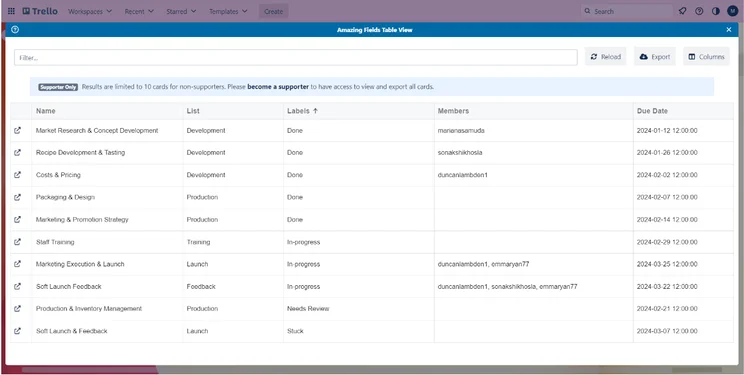
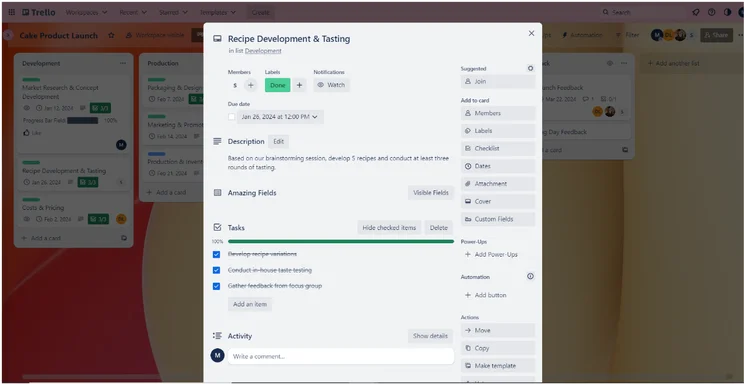
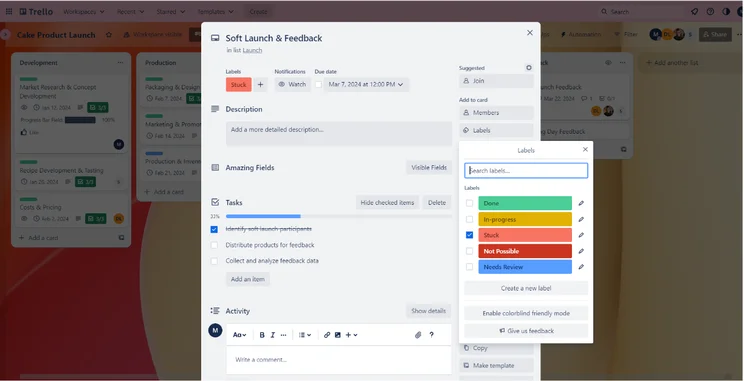
Is Trello Free?
Yes, Trello offers a 100% free plan and a free trial of its paid tiers. This means you can see if it’s right for your team without paying a dime.
Trello is a cheap, streamlined platform with somewhat limited functionality. It’s geared towards smaller businesses or people who want to access project management software without breaking the bank.
I found Trello easy to use for the basics. I’d recommend it to any team that just needs somewhere to track updates, tasks, and other information for a relatively straightforward project. The customer support options are pretty good too, which is a plus!
However, if you have some budget reserved for new software and you need a complete Work OS hub, I’d recommend Teamwork’s Starter plan. ClickUp’s free plan is also worth a look.

Trello Pricing Plans
Trello’s four plans are:
|
Price (annually)
The amount you'll pay per month, when billed annually
|
Users
|
Projects/boards
|
Automations
|
Kanban board
|
Gantt chart
|
Resource management
|
Time tracking
|
||
|---|---|---|---|---|---|---|---|---|---|
|
TRY IT FOR FREE
 |
|
|
|
||||||
|
Trello Free |
Trello Standard |
Trello Premium |
Trello Enterprise |
||||||
|
Free |
$5/user/month |
$10/user/month |
$17.50/user/month |
||||||
|
10 |
Unlimited |
Unlimited |
Unlimited |
||||||
|
10 |
Unlimited |
Unlimited |
Unlimited |
||||||
|
250/month |
1,000/month |
Unlimited |
Unlimited |
||||||
|
|
|
|
|
||||||
|
|
Available as Power-Up |
|
Available as Power-Up |
||||||
|
|
|
|
|
||||||
|
|
|
|
|
Trello Free plan: Best for individuals just getting started
Trello’s Free plan has unlimited cards (tasks) and 10 boards (projects) per workspace. Other features include:
- Unlimited lists
- 10MB per file attachment on task cards
- Unlimited Power-Ups
The free tier lacks data visualization tools and many collaboration features, making it best for individuals working alone. It’s not as useful as ClickUp’s free offering, which offers a wealth of collaboration features and data visualization tools.
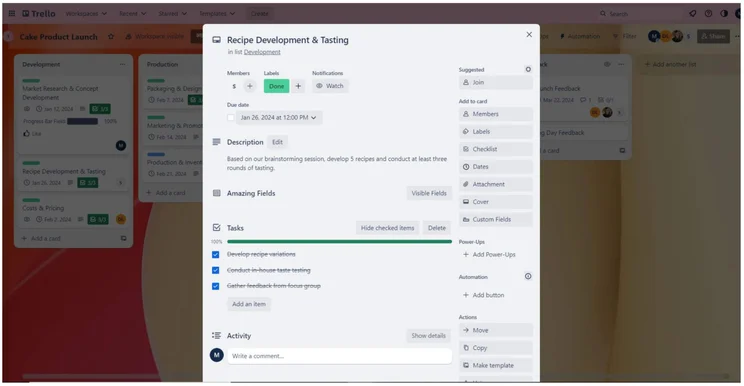
Every Trello project management card includes a list of smaller tasks. Source: Tech.co testing
Both ClickUp and Trello let users create automations on their respective free plans. This is a big plus for project managers who want to boost efficiency without spending anything.
Trello Free plan users will also have access to agile project templates and you’ll be able to integrate your project management software with Microsoft Teams, Hangouts, Telegram, and Slack, as well as CRM software like Pipedrive. As free plans go, it’s pretty good.
Trello Standard plan: Best for smaller teams that like the basic Trello interface
The Standard tier ($5 per user, per month) offers small businesses a more affordable option for project management. Additional features include:
- Unlimited project boards
- Advanced checklists (lets managers assign staff members and due dates to sub-items)
- Ability to add guests
- Custom fields
- 250MB per file attachment on task cards
The ability to add guests and use unlimited project boards is why smaller teams will feel more at home than with the free plan, despite not adding that many more features.
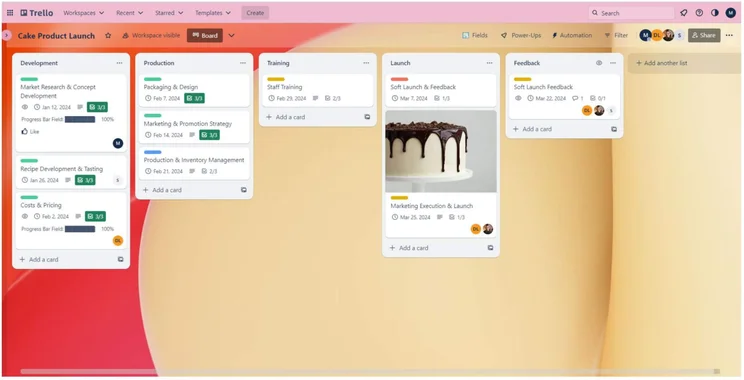
Trello offers unlimited project boards on its Standard plan. Source: Tech.co testing
Trello Standard lacks timeline view, table view, or dashboard view, and you’ll only get standard support, not priority.
Still, this is a decent entry-level option that is more affordable and better value than rival standard plans. For example, Wrike’s first plan is almost double the price of Trello’s.
Trello Premium plan: Best for businesses that need admin control
The Premium tier costs $10 per user, per month, billed annually. It supports the same unlimited personal boards, cards, and lists, and it adds features including:
- Additional views (Timeline, Calendar, Dashboard)
- Admin control
- Security features
- Simple data export
Most importantly, this is the first plan with proper admin control and advanced security features, too. This means you can truly manage your larger team in a more meaningful way.
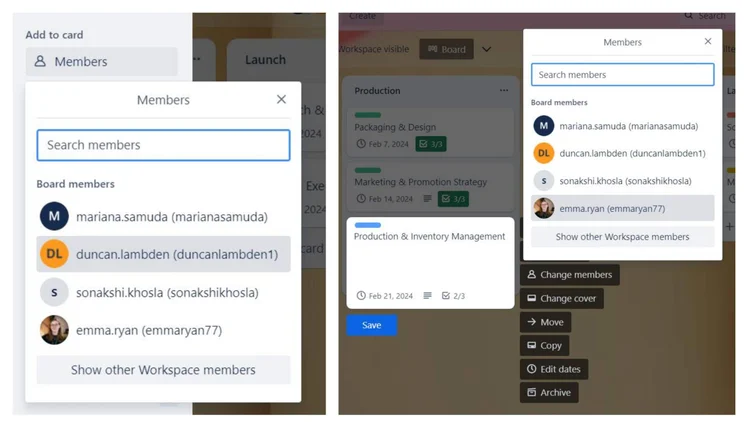
It’s easy to add new members to a Trello card. Source: Tech.co testing
You’ll get preset charts for visualizing data and milestones that highlight your project’s critical dates. You’ll be able to create sub-tasks that branch off main tasks.
Compared with a premium plan from the likes of ClickUp, monday work management, or Wrike, Trello still falls short. ClickUp’s similar Business plan is just $2 more per user, per month, than Trello’s Premium plan, with many more features. We think it’s a better deal, even before factoring in the additional cost of buying Trello add-ons.
Check out our monday work management review and Wrike pricing guide.
Trello Enterprise plan: Best for enterprise-level organizations
The Enterprise tier has variable pricing depending on the number of team members. The minimum is 50 Enterprise users for $17.50 per user, per month, billed annually. Per-user costs drop as you add more users.
Trello Enterprise has everything in Premium, plus:
- Organization visible boards
- Organization-wide permissions
- Unlimited workspaces
- Multi-board guests
- Attachment permissions
This plan is the best for large businesses that need a certain level of control over the platform and a whole lot of team members.
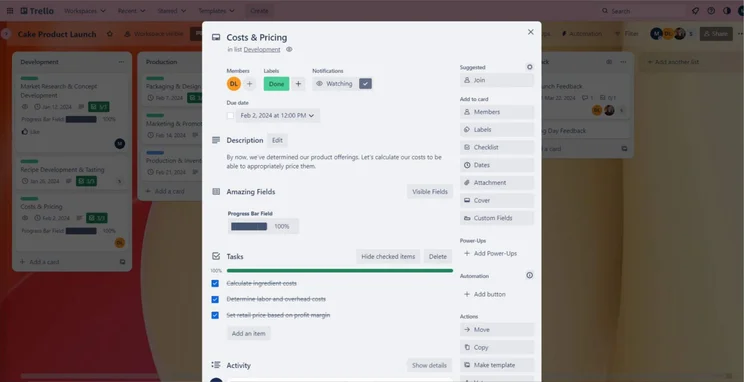
An example of a Trello card designed to track project costs. Source: Tech.co testing
Does Trello Have Any Hidden Costs?
Trello supplements shortcomings with an extensive directory of “Power-Ups”. Power-Ups are add-ons designed to complete specific tasks or to integrate with other software.
However, only about a third of these Power-Ups are completely free or have a free option. As a result, Trello’s initial low price tag will grow if you need these add-ons.
What Are Trello’s Main Features?
- Power-Ups: Trello’s third-party integrations and extensions for adding functionality, which can be created and submitted by other Trello users, third parties, or Atlassian itself. These can help with task automation, timeline views, Gantt charts, or integrate with popular work tools such as Slack, Google Calendar, Google Drive, and Salesforce.
- Board views: From the idea stage to the completed stage, you’ll be able to drag and drop tasks along a kanban board to keep track of it all. The Premium plan offers more board views, including calendar, timeline, dashboard, map, and team table.
- Limited task management: Trello doesn’t include a resource management tool, team view, or a task dependency function.
- Email to task card conversion: Every team member gains a personal email address for the board. They can then send an email to the board to add a new task or forward messages that are then automatically converted to tasks. Any attachments are included.
- AI-powered productivity tools: Trello’s Quick Capture AI tool lets Premium and Enterprise users browse through their Trello Inbox, finding due dates, priorities, and action items. Other capabilities include an AI writing assistant, brainstorming tool, and item organization.
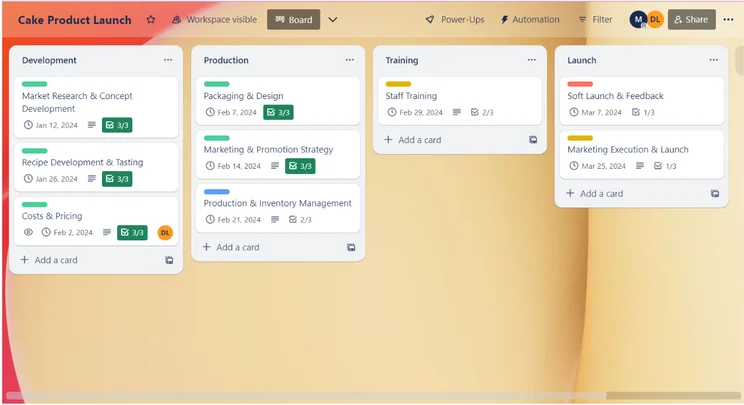
The kanban board interface in Trello. Source: Tech.co testing
What Are the Top Trello Alternatives?
If you’re looking for something with a bit more firepower, our best alternatives to Trello are monday work management, Teamwork, and ClickUp. Here’s how every big alternative compares with Trello.
|
Price from
All prices listed as per user, per month (billed annually)
|
Free plan
|
Best Trello alternative for
|
Pros
|
Cons
|
||||
|---|---|---|---|---|---|---|---|---|
|
|
BEST OVERALL
 |
 |
 |
 |
 |
 |
 |
 |
|
Trello |
monday work management |
Teamwork |
ClickUp |
Asana |
Wrike |
Smartsheet |
Zoho Projects |
Basecamp |
|
$5/user/month |
$9/user/month |
$9.99/user/month |
$7/user/month |
$10.99/user/month |
$10/user/month |
$9/user/month |
$4/user/month |
$15/user/month |
|
10 users |
|
|
|
|
|
|
|
|
|
N/A |
Ease of use |
Complex task management |
Free plan |
Automation |
Visualizing data |
Spreadsheet fans |
Value for money |
Collaboration |
|
|
|
|
|
|
|
|
|
|
|
|
|
|
|
|
|
|
| Compare Deals | Visit monday | Compare Deals | Visit ClickUp | Compare Deals | Visit Wrike | Visit Smartsheet | Visit Zoho | Compare Deals |
Trello Pricing: About Our Research
Here at Tech.co, we carry out in-depth research into all of the software and services we write about. We tested 10 of the top project management software tools currently available.
The main testing criteria we use are: pricing, usability, customer support, functionality, integrations, and security. We also have sub-criteria. For example, our “functionality” score is a composite of scores achieved in task management, workflow creation, data visualization, and collaboration tests.
Trello is a great tool for anyone who appreciates simplicity, with the features and intuitive drag-and-drop interface for basic task management.
However, Trello has a limited feature set, with many of the most advanced project management features gated behind costly Power-Ups. Teamwork’s free plan performed much better in our testing, as did their paid plans.
If you need a high level of functionality that’s easy to navigate, try monday work management, our top-rated provider. It holds the best score on our ease-of-use tests and has a better set of features than Trello.
FAQs
Trello doesn’t have as many native features as rivals like ClickUp or monday work management: there are no tools for displaying data on the free or Standard plan. The Premium plan has a smaller range of chart types (three) than rival providers like monday work management (six). You can’t pull data from custom fields for display.
Trello’s Enterprise plan gives access to onboarding assistance and 24/7 live support, with additional guidance over the phone. This plan is still cheaper than the Business plans provided by rivals Wrike and Asana (both retail at over $20 per user, per month).
Yes, Trello will let you import data from CSV files and top project management software tools, like monday work management and Asana, will let you export projects and boards as CSV files. So, you can convert your boards and then import them into Trello.
If you click on, sign up to a service through, or make a purchase through the links on our site, or use our quotes tool to receive custom pricing for your business needs, we may earn a referral fee from the supplier(s) of the technology you’re interested in. This helps Tech.co to provide free information and reviews, and carries no additional cost to you. Most importantly, it doesn’t affect our editorial impartiality. Ratings and rankings on Tech.co cannot be bought. Our reviews are based on objective research analysis. Rare exceptions to this will be marked clearly as a ‘sponsored’ table column, or explained by a full advertising disclosure on the page, in place of this one. Click to return to top of page


