

We may receive a commission from our partners if you click on a link to review or purchase a product or service. Click to Learn More
PioneerRx is the best pharmacy point of sale (POS) system, due to useful industry-specific features and top-notch patient safeguarding. The platform has advanced financial reporting tools, so it’s great for independent pharmacies aiming to expand, and it comes at a reasonable cost for a POS system. Plus, it’s the only provider we’ve analyzed that offers a full pharmacy management system alongside its point-of-sale service.
Other great pharmacy POS systems to consider include Square, a popular POS with plenty of features and a great free plan, as well as PrimeRx, which offers stellar automation features to help any pharmacy boost its efficiency.
Unlike lots of retail stores, today’s pharmacies don’t need a one-size-fits-all POS solution. Instead, specific tools like age verification, usage-based ordering, expiry management, integrations with key third-party software, and pricing that fits their budget are among their top priorities.
Here, we’ve selected the top seven best POS systems for pharmacies, along with their core features, pricing, and support. Ready to choose one now? Check out our POS comparison form.
- PioneerRx is the best POS for pharmacy management tools, featuring support for patient safeguarding, wholesale ordering, and custom reporting
- PrimeRx and BestPOS by BestRx are the other top pharmacy-specific POS systems
- Square POS is the best POS system in general, and a solid pick for small locations that need a broad range of features at affordable costs
- Clover is a great POS system for efficiency tools, thanks to complex inventory management, stock alerts, customizable display screens, and fingerprint-reading hardware
- Most POS systems costs range between $29 to more than $100 per month, but pharmacy management systems can cost upwards of $1,000 to $30,000 upfront, plus a monthly charge from $100 to $500
What’s the Best Pharmacy POS System?
Take a look at how the best POS systems for pharmacies compare side-by-side on pricing, features, and more.
|
Price
The typical lowest starting price. The lowest price available for your business will depend on your needs
|
Free trial
|
Best for
Tech.co's verdict to help you identify the most suitable choice for your pharmacy
|
iPad app
Is there a version of the software made specifically for iPad use?
|
Key benefits
|
Get started
|
||
|---|---|---|---|---|---|---|---|
|
BEST OVERALL

|
 |

|

|
 |
 |
 |
|
|
Square POS |
Clover |
SumUp |
Epos Now |
||||
|
Custom pricing |
Free |
Custom pricing |
From $16/month for 36 months (depending on plan) |
$0/month |
Around $39-$79/month |
||
|
|
30 days |
|
|
90 days |
Demo only |
30 days |
|
|
Best pharmacy POS overall |
Best overall POS system |
Chain pharmacies |
Mail-order pharmacies |
Employee efficiency |
Data-driven sales insights |
Best for complex inventory |
|
|
|
|
|
|
|
|
|
|
|
|
|
|
|
|
|
|
| Compare Prices | Try Square | Compare Prices | Compare Prices | Compare Prices | Try SumUp | Compare Quotes |
Our team has poured hours into comparing the best POS systems, while prioritizing factors that matter the most to pharmacies, like inventory management and usability. You can opt for a pharmacy-specific system or a standard retail POS system that fits your needs: Either way, these are the providers that came out on top:
- PioneerRx: Best overall pharmacy POS
- Square: Best overall POS system
- PrimeRx: Best for chain pharmacies
- BestPOS by BestRx: Best for mail-order pharmacies
- Clover: Best for employee efficiency
- SumUp: Best for data-driven sales insights
- Epos Now: Best for complex inventory

Looking for a POS system within your means?
Collect quotes now to get your pharmacy up and running.
1. PioneerRx – Best Overall Pharmacy POS
- Handles pharmacy management as well as POS functions
- Pricing from: Custom pricing
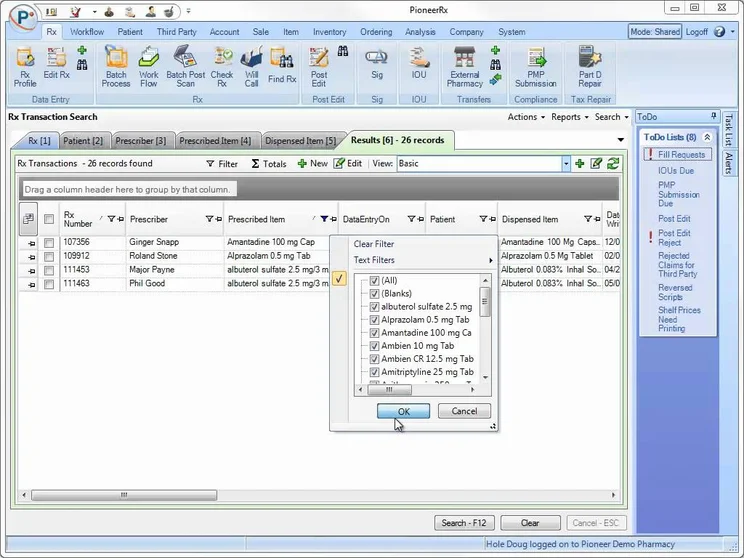
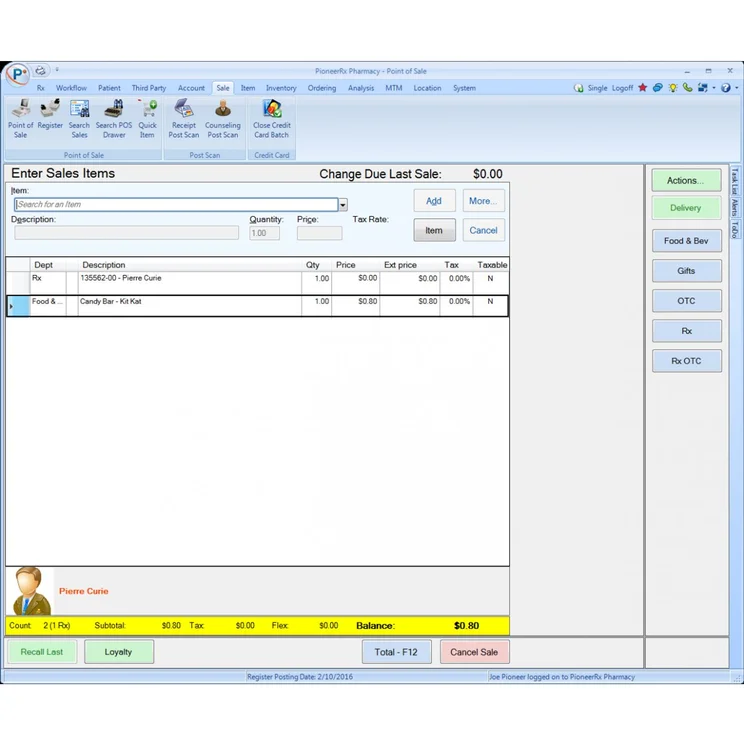
PioneerRx is a popular all-in-one pharmacy management and POS system that offers just about any feature a pharmacist would require – from patient safeguarding and workflow automation to more advanced capabilities, like multiple wholesale ordering and customizable financial reporting.
PioneerRx POS

In Short
-
Pros:
- Integrated POS and pharmacy management system
- Advanced patient safeguarding features
- Top-tier leaning and growth toolkit
-
Cons:
- Inventory features are less advanced than rivals
- Opaque pricing structure
- Interface is slightly dated
Pricing
-
 Custom pricing
-
Hardware and software packages
Images
PioneerRx features
PioneerRx’s integrated toolkit makes it an asset for most types of pharmacies. However, as part of its mission to “save and revitalize independent pharmacies” the POS offers a number of unique perks for budding independent pharmacies.
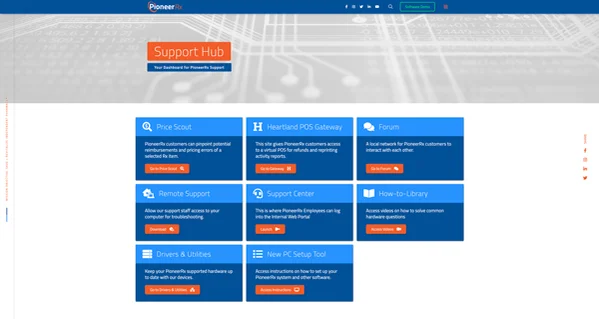
Learning tools include the video-based “Pioneer University” training portal, which includes separate courses for pharmacists, techs, and clerks. The software’s integrations and capabilities make it a good hub for handling tasks including interactive voice response (IVR), refill automation, and inventory management, among others.
The POS allows pharmacists to deliver exceptionally high standards to their patients too, making it a safe bet for businesses looking to grow their base. For example, PioneerRx’s software refills maintenance medications automatically so patients never miss out on their prescriptions.
The system also lets pharmacists identify high-risk patients, so they’re able to make the necessary interventions.
However, while PioneerRx offers a number of stand-out stock handling features like multiple wholesaler ordering, usage-based ordering, and shelf labels, its multi-venue inventory tools aren’t quite as capable as rivals like Prime Rx. This suggests PioneerRx may be a slightly poorer fit for chain pharmacies or businesses that keep stock across multiple locations.
In 2026, PioneerRx has a few still not-quite-released tools in the works to take advantage of new AI functionalities: SmartFax will be able to automatically send eScripts (electronic prescriptions) that come in as faxes to the fill queue, cutting out the need for manual sorting, while the data entry agent will be able to read eScripts and autofill prescription details, reducing keystrokes and human error.
PioneerRx pricing
Unfortunately, PioneerRx doesn’t make its pricing public. Hardware and software costs are determined by each pharmacy’s distinct needs but if you’re looking for an estimate, you can contact the sales team directly for quotes.
2. Square – Best Overall POS System
- Best range of features for the lowest prices
- Pricing from: Free (but transaction fees apply)
Square offers sleek, white hardware as well as an easy-to-use software application. Its products are well-suited for small, single locations due to the comprehensive features and low starting prices. They also offer more expensive, more advanced hardware and accessories for larger locations.
The platform also performed the best in our most recent round of research and testing. In short, Square POS is the top POS system for most businesses overall… not just pharmacies.
Square POS

In Short
-
Pros
- Free to get started
- Serves businesses of all sizes and in all sectors
- Strong analytics, inventory, and third-party integrations
-
Cons
- Some necessary features for mid-sized businesses cost more
- 3.5% + 15¢ charge for keyed-in transactions on free plan
- Support options vary by plan
Pricing
-
 Square Free plan at $0/month
-
Square Plus plan at $49/month
-
Square Premium at $149/month
Images
Square features and hardware
We ranked PioneerRx first for its pharmacy-specific toolset, but Square offers everything a pharmacy needs, and with some of the lowest starting costs on the market to boot.
To be precise: Square POS is entirely free to get started with, although you’ll still pay transaction fees. The free plan offers all the features a small business is likely to need. It lacks some complex data analysis tools (such as good cost versus profit tools), but a smaller operation won’t miss those, and will definitely appreciate the low cost of getting up and running with Square.
You’ll also be able to access a wide range of third-party integrations. The app marketplace includes a few pharmacy-specific integrations, including BestRx (which appears as its own entry in this guide as well) and some even more specific apps. Dermatology practices can pair Square with the EZDERM software, for example.
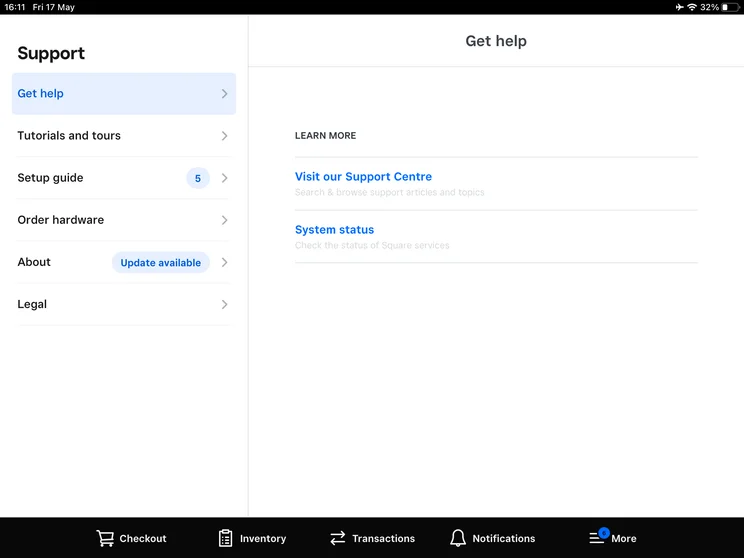
Square POS interface offers help and support options directly in the platform. Source: Tech.co testing
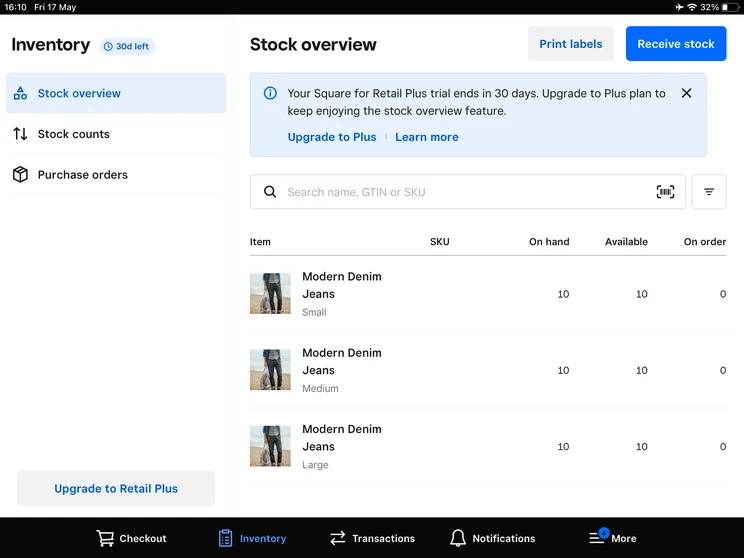
The Square POS's front-end view of inventory. Source: Tech.co testing
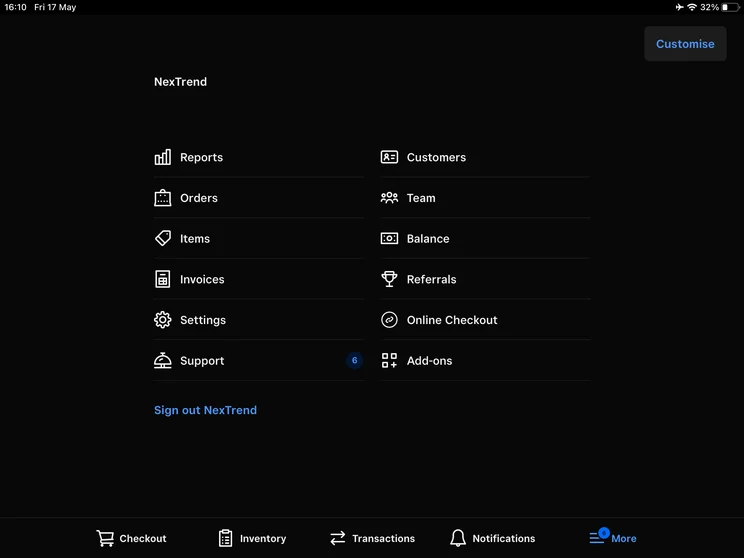
The Square POS menu, as viewed on the front end. Source: Tech.co testing
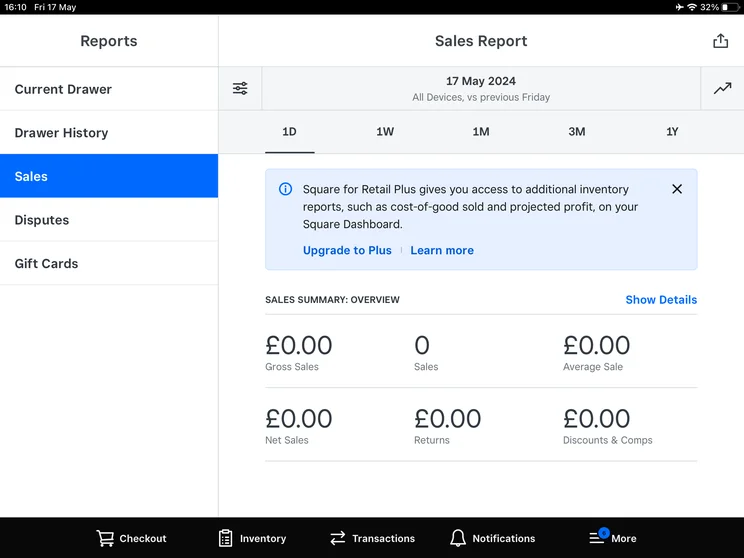
The Square POS includes reports like this sales summary. Source: Tech.co testing
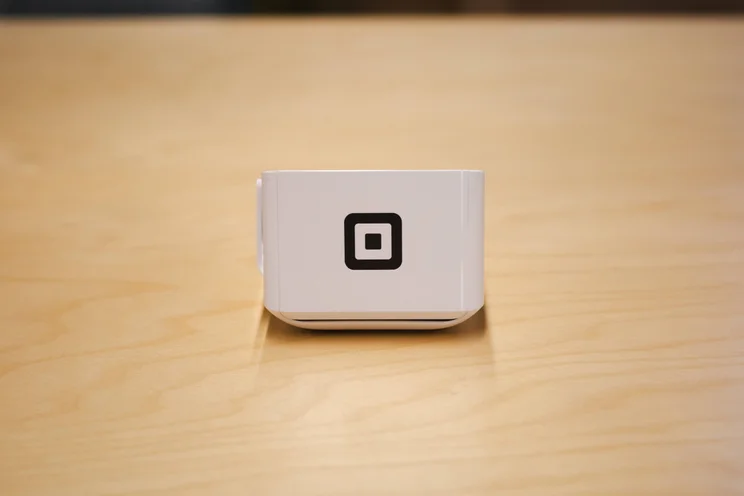
The Square POS terminal looks highly professional and polished. Source: Tech.co testing
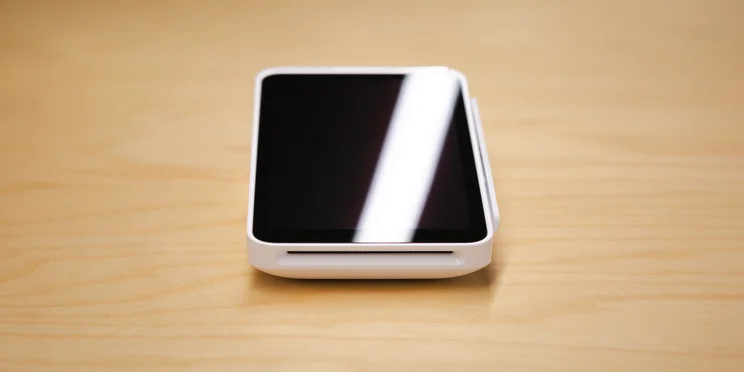
Square's POS Terminal lets you take payments and print receipts on the go. Source: Tech.co testing

The Square POS is an easy-to-use platform that we were able to test out in person. Source: Tech.co testing
The backend of Square’s intuitive interface is even easier to set up than the frontend, although there is one downside worth mentioning: Square doesn’t come with a dedicated training mode.
Granted, it’s already pretty easy for new staffers to pick up how to use it and it’s such a popular service that employees may have already used it at a previous retailer. Plus, Square comes with comprehensive support resources, including a knowledge center and live chat, which can help users figure out any sticking points when it comes to operating the POS solution.
Square POS pricing
Square’s free plan includes a free magnetic stripe card reader for iPhone or Android, although a contactless and chip reader will cost $59. Transaction fees will be 2.6% + 15¢ per in-person transaction and 3.3% + 30¢ per online transaction.
Transaction fees drop with Square’s paid plans: Square Plus costs $49 per month per location for a 2.5% + 15¢ per in-person transaction fee and 2.9% + 30¢ online fee, while Square Premium costs $149 per month per location while dropping the in-person fee to 2.4% + 15¢.
For a full breakdown of Square’s pricing plans, read our Square pricing guide, and check out how they compare at a glance below:
|
Plan
|
Price
Monthly cost of the software.
|
Transaction fees
|
|
|---|---|---|---|
 |
|
|
|
|
Free |
Plus |
Premium |
|
|
Free |
$49/month |
$149/month |
|
|
Card: 2.6% + 15¢ |
Card: 2.5% + 15¢ |
Card: 2.4% + 15¢ |
3. PrimeRx – Best for Chain Pharmacies
- Complex stock tracking features
- Custom pricing
PrimeRx is an adept POS system that’s ideal for pharmacies with multiple franchises due to its multi-pharmacy support tool, PrimeCENTRAL, and its advanced stock tracking features that let you manage inventories across different locations.
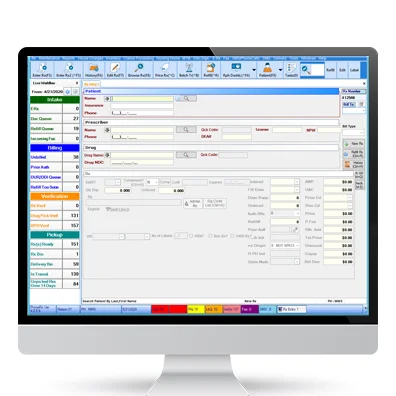
PrimeRx POS should also be a top choice for businesses looking to drive up efficiency, as it offers a number of unique tools like automatic reordering and wholesale integrations, automated refill management, and patient record management.
As of our July 2024 research update, PrimeRx has joined PioneerRx in bundling together two services – its pharmacy management system and its POS. This makes PrimeRx ideal for new pharmacies or those looking for a combined system.
PrimeRx POS

In Short
-
Pros:
- Wholesale pricing comparisons
- Automated refill management
- Meditation conflict management
-
Cons:
- Basic customer support
- Some basic features cost extra
Pricing
-
Custom pricing
Images
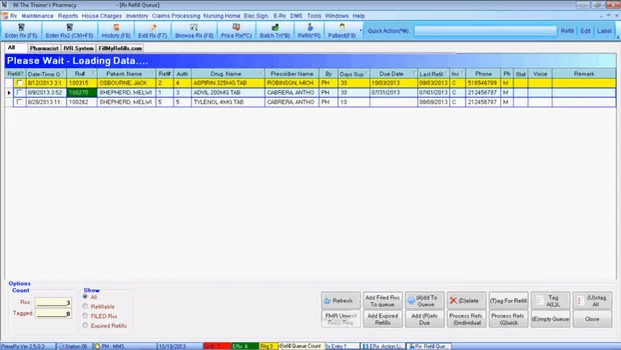
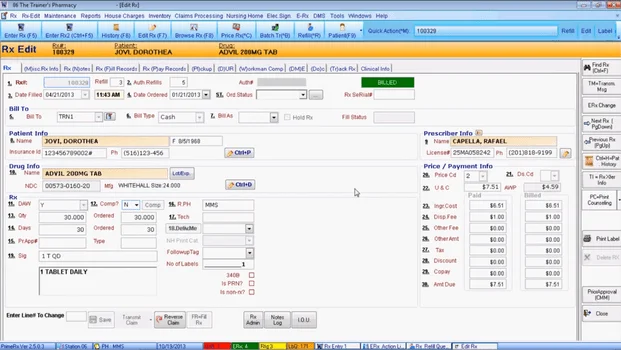
PrimeRx features
In addition to basic capabilities like federal legal compliance and stock tracking, PrimeRx’s pharmacy management also lets you view cost comparisons between wholesalers to help you price products competitively. The system lets pharmacists prioritize the health of their patients too, with a medication conflict management tool that identifies and flags potentially unsafe combinations of prescription medicine.
If your pharmacy accepts online or telephone orders, PrimeRx’s mobile POS tool lets you accept payments upon delivery or through a text ahead of time. Unlike general POS systems like Lightspeed, PrimeRx also offers remote signature capture, enabling you to keep up with HIPAA compliance while accepting curbside payments. Customers in 2026 expect ever faster payment acceptance, making these functions more important than ever.
PrimeRx provides powerful capabilities for pharmacy chains and large independent retailers. However, to unlock its full toolkit, pharmacists will need to purchase the provider’s PrimeRx pharmacy management system alongside its POS. This bumps up the price of the overall service, which may put it out of reach of smaller pharmacists.
PrimeRx customer testimonial
PrimeRx pricing
Like our pharmacy POS frontrunner, PioneerRx, PrimeRx isn’t transparent about its pricing structure.
According to POSQuote.com, its monthly prices start at $150. However, pharmacists can expect to pay an initial fee on top, and certain advanced features, like multi-location management, also come at a premium.
4. BestPOS by BestRx – Best for Mail-Order Pharmacies
- Multiple customer payment options
- Custom pricing
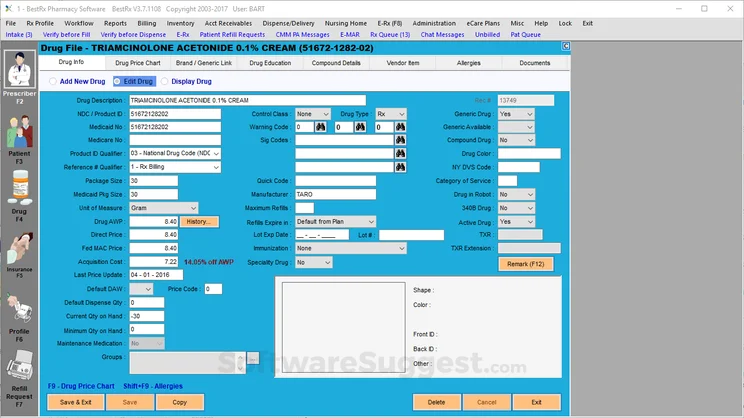
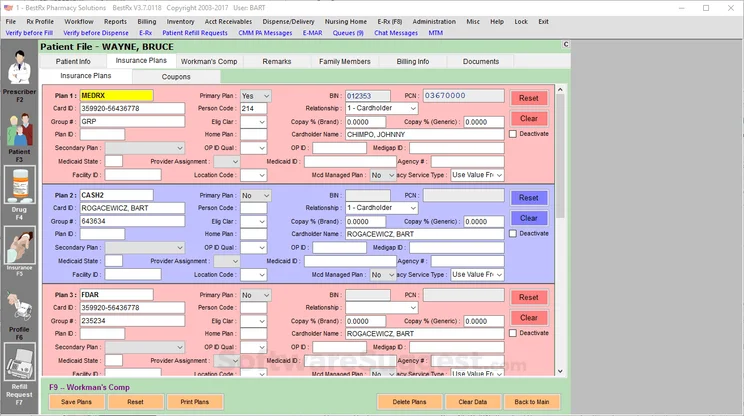
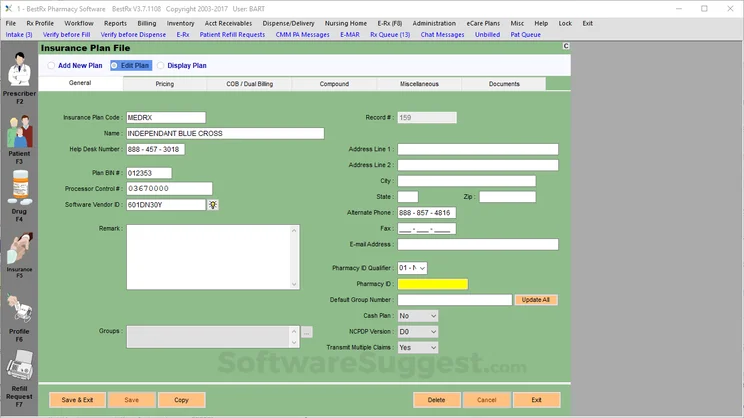
BestPOS by BestRx is a pharmacy-focused point-of-sale system with robust payment and delivery features, making it a match for mail-order pharmacies, which may find their fulfilment services aren’t as well supported by more traditional systems.
Like PrimeRx, BestRx’s service offers a text-to-pay option, allowing patients to pay online instead of in-store. The system will also let pharmacy owners streamline the delivery process with integrations with FedEx, UPS, and EasyPost, its very own mobile delivery app, and electronic delivery notifications.
However, to gain access to these features, and to manage other processes like prescription management and over-the-counter sales, you will need to integrate BestPOS by Best Rx with its pharmacy management system, BestRx.
BestPOS By BestRx

In Short
-
Pros:
- Advanced customer loyalty program to encourage repeat customers
- Electronic signature capture
- Flexible payment options for small businesses
-
Cons:
- POS and pharmacy management systems are separate
- Large up-front cost is not ideal for low budgets
- No online ordering site
Pricing
-
BestPOS costs $3,250-$4,250 upfront
-
BestRx management system costs $2,750 upfront
-
POS upkeep is $90 a month
Images
BestRx features
Alongside its impressive delivery toolkit, BestPOS accepts a wide range of payment options – including credit cards, electronic benefit transfer (EBT), and gift cards – letting patients pay in whichever way suits them.
BestRx’s POS is also a great tool for attracting and nurturing loyal customers. Its user-friendly customer loyalty program lets pharmacy owners reward repeat buying, issue custom perks, set reward values, and establish expiration guidelines.
However, unlike some providers on this list (such as Square), BestRx doesn’t offer any online integrations, making it a poor fit for omnichannel sellers and pharmacies with a preexisting online presence.
BestPOS by BestRx pricing
BestRx doesn’t list prices for its pharmacy management system or POS on its website. However, according to businesses currently using the services, prices for its POS system start at $90 a month, while its BestRx pharmacy management system starts at a steeper $210.
On top of these monthly fees, you will also need to pay an initial installation fee. Contact members of BestRx’s sales team for pricing estimates. Or, if you’re not looking for a point-of-sale to use alongside a pharmacy management system, use our free comparison form to receive quick quotes from leading POS providers.
5. Clover – Best for Employee Efficiency
- Great hardware
- Great reporting and analysis tools
- Pricing from: $16 per month (for retail)
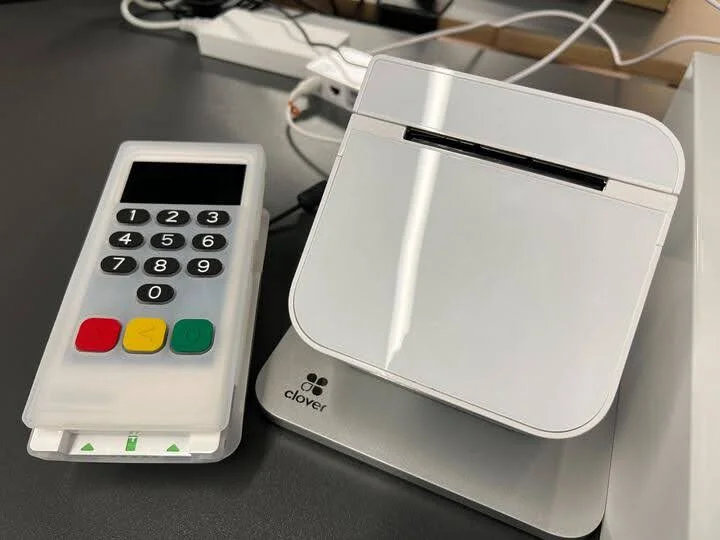
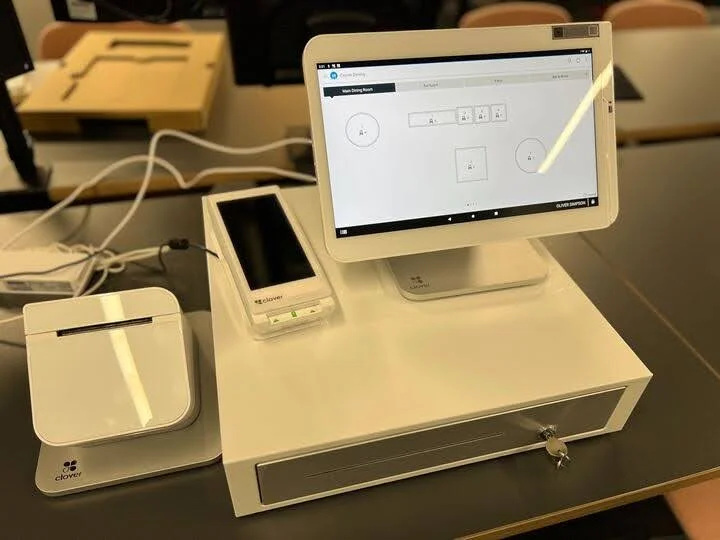
Clover POS stands out for its employee training and other efficiency-boosting tools. Our testers found it easy to add categories, products, and modifiers, and the platform offers low stock alerts that managers can rely on to remain proactive. Its hardware, the Clover Terminal, even offers a built-in fingerprint reader for faster staff sign-ins.
You can read our full Clover POS review for a more in-depth summary of the features and pricing to know.
Clover POS

In Short
-
Pros
- Solid range of hardware options
- 90-day free trial (software-only)
- Low transaction fees
-
Cons
- Need pre-existing website, unlike, for example, Shopify
- Additional features cost extra and can become expensive
- No inter-store transactions
Pricing
-
Cheapest Retail plan: $16/month
-
Transaction rates from 2.3% + 10¢ (Standard and Advanced)
Images
Clover features and hardware
If you require more than the basics, Clover’s software and hardware packages are a bit of an investment. However, we think its price point is justified, as not only is the POS extremely feature-rich, it’s very easy to use.
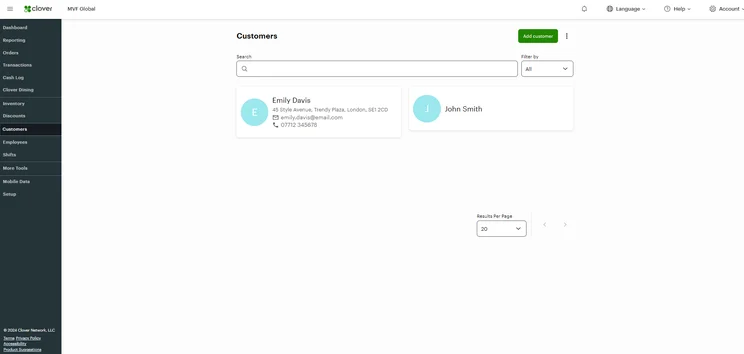
When we tested out Clover’s retail system, we found it super simple to get started on. From managing simple tasks like logging orders and adding discounts to handling slightly more complex processes like splitting payments, everything was straightforward with Clover.
While our researchers ultimately preferred Square POS over Clover, Clover is a great alternative for anyone who particularly hates Square’s downsides. Employees can track profits with Clover’s granular analytics, which can’t be found on Square’s free plan, and Clover has the employee training tools that Square lacks.
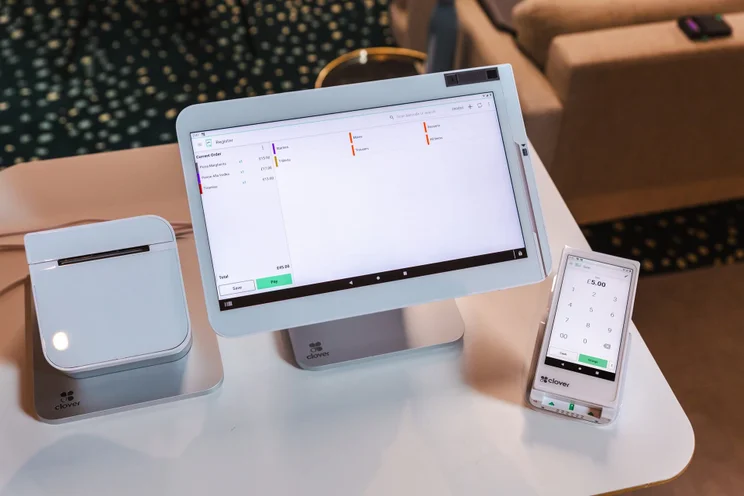
This suite of Clover POS products includes a tablet, card scanner, and mobile device. Source: Tech.co testing
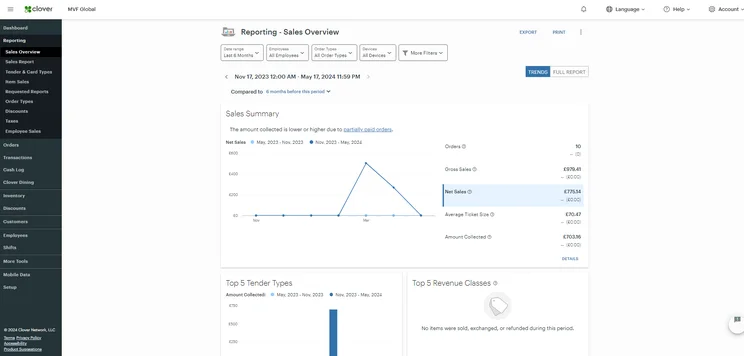
Clover's Reporting section comes with a customizable "Sales Overview" dashboard, so we could see how we were doing. Source: Tech.co testing
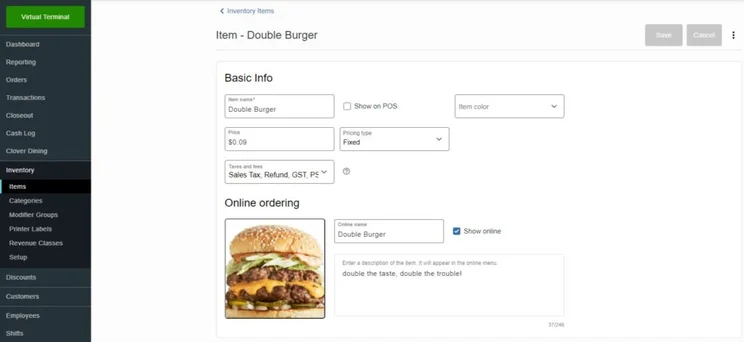
Clover POS's advanced packages lets you add modifiers to your menu items to increase accuracy. Source: Clover POS
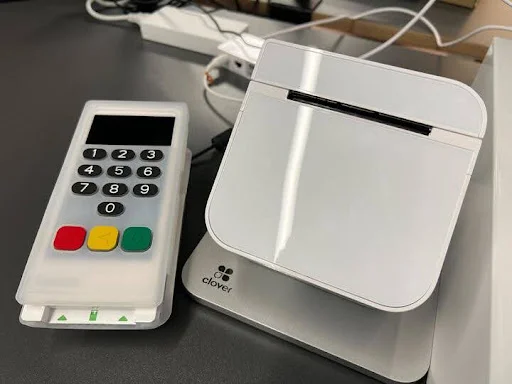
Clover POS card reader and receipt printer. Source: Tech.co
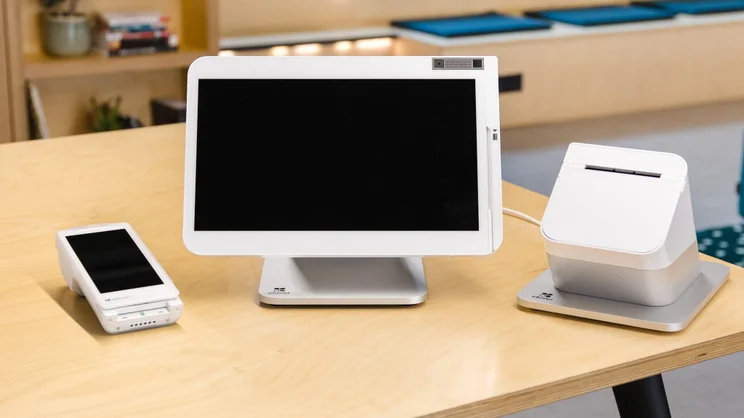
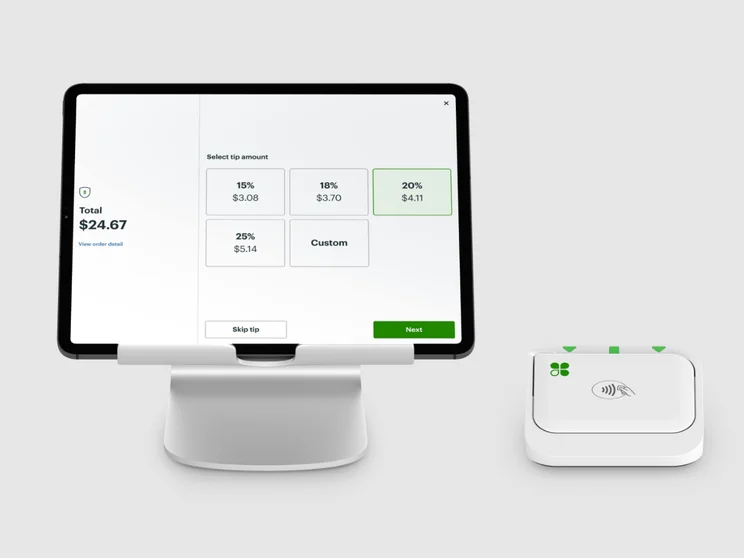
The Clover POS hardware range is a variety of sleek white devices. Source: Tech.co
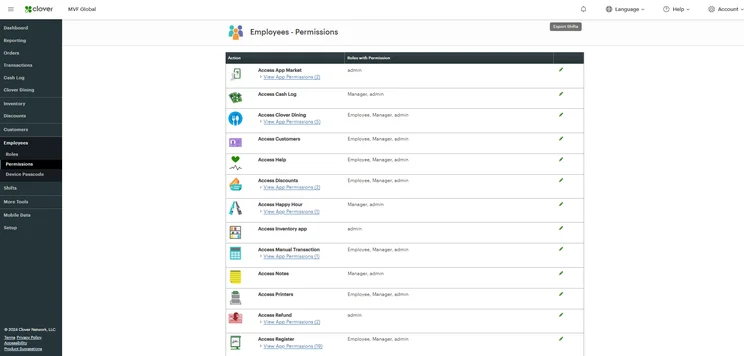
The employee permissions section in Clover made it easy for us to manage staff. Source: Tech.co testing
It should help customers speed through their pharmacy experience as well, since the frontend system offers an efficient interface that’s great for fast-paced services such as a crowded or popular pharmacy location.
Clover Pricing
Clover offers a wide range of pricing, with exact costs depending on the industry and whether users choose to pay an upfront cost in order to bring down their monthly charges.
Pharmacies will likely need the retail-specific system, which starts at $16 per month for 36 months, plus a 2.6% + 10¢ transaction fee for card sales. If you need a more established POS hardware set-up, Clover’s Retail Standard plan will cost $180 per month for the first 36 months, and the most comprehensive retail tier, Retail Advanced, comes in at $240 per month for 36 months.
Check out our Clover POS pricing guide for more information. Or you can compare all three retail plans, alongside several other Clover POS packages, at a glance in our table below:
|
Plan
|
Price
Monthly cost of the software.
|
Transaction fees
|
|
|---|---|---|---|
 |
|
|
|
|
Retail Basic |
Retail Standard |
Retail Advanced |
|
|
$16/month for 36 months |
$180/month for 36 months |
$240/month for 36 months |
|
|
|
|
6. SumUp – Best for Data-Driven Sales Insights
- Great data analysis tools
- Accepts mobile and QR code orders
- Pricing from: $99 per month
SumUp stands out in a lot of areas: It has detailed reporting and analytics functions, it offers all the inventory management tools a pharmacy is likely to need, and it has multi-store management options, so it can serve large or rapidly scaling operations.
These advanced data analysis functions make the platform a fit for a mid-size operation that can invest time into fine-tuning the types of deals it offers or products it sells based on data insights.
SumUp

In Short
-
Pros
- Great range of hardware accessories for in-person selling
- Low monthly costs for small businesses on a budget
- Excellent stock management to track your inventory
-
Cons
- No customer display option
- No restaurant reservation system
- No handheld POS option
Pricing
-
Free plan: $0/month
-
POS with Connect Plus: $199/month
-
POS with Connect Pro: $289/month
Images
SumUp features and hardware
According to our testers, the hardware is sleek, lightweight, and feels professional to use, with a frontend interface that stands out for seamless usability.
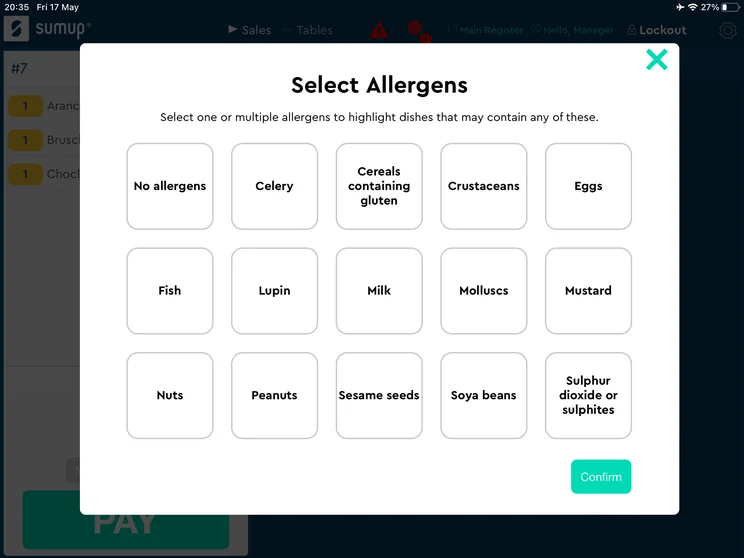
Users will get access to helpful features like the ability to bulk-upload inventory and set up stock alerts. SumUp also offers the cost-profit analysis tools that you won’t find with Square POS.
However, it comes with a few drawbacks as well. The biggest was the lack of a reliable offline functionality. If your pharmacy’s internet connection isn’t always stable, you may want to choose a POS solution that can still accept orders even when offline.
Our testers also noted some technical difficulties while navigating the backend, including the need to manually type out discount amounts and names, a lack of pre-set options, and some annoying pop-ups that hurt intuitiveness. It’s a safe, useable system on the surface, but comes with some behind-the-scenes usability challenges.
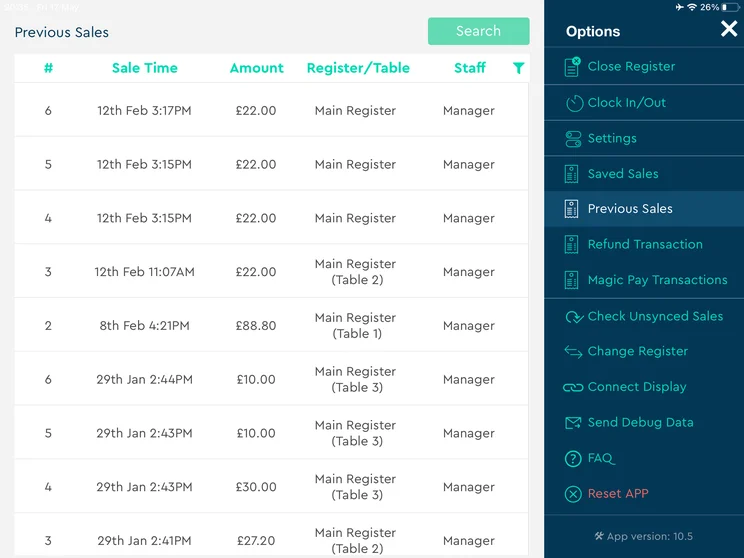
We were able to easily view sales history on the SumUp POS. Source: Tech.co testing
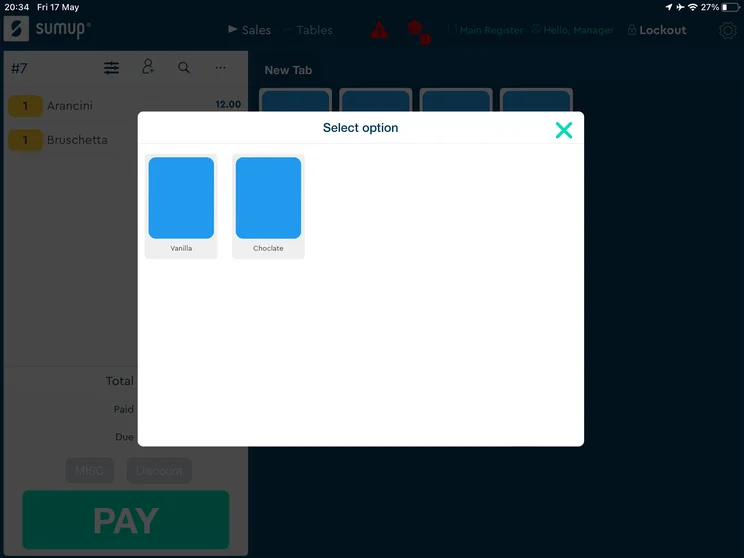
Thanks to the SumUp product variant function, users can pick different types, flavors, or styles of product. Source: Tech.co user testing
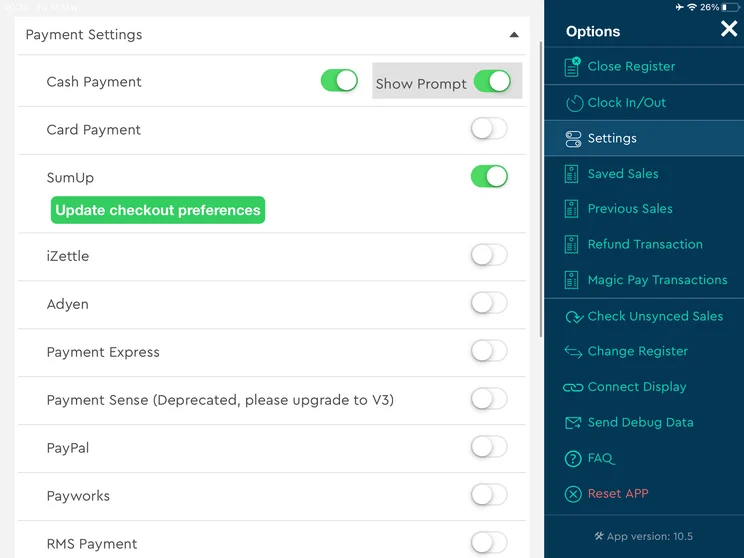
SumUp's payment options can be toggled on or off within the software's settings page. Source: Tech.co user testing
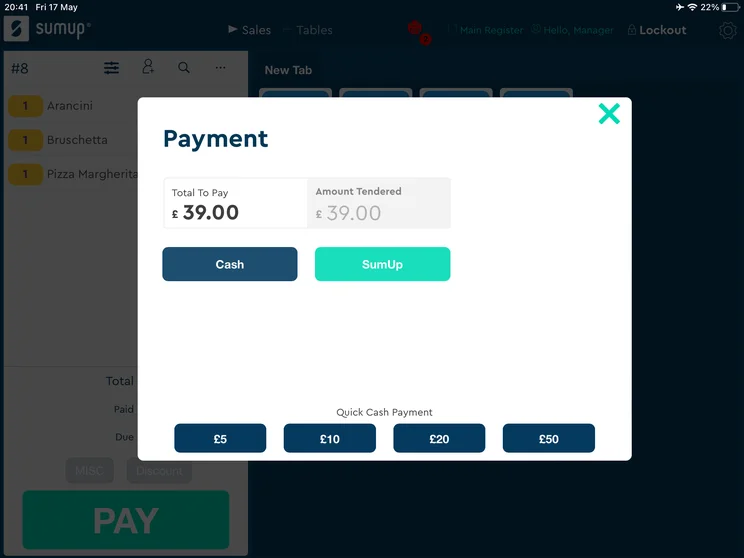
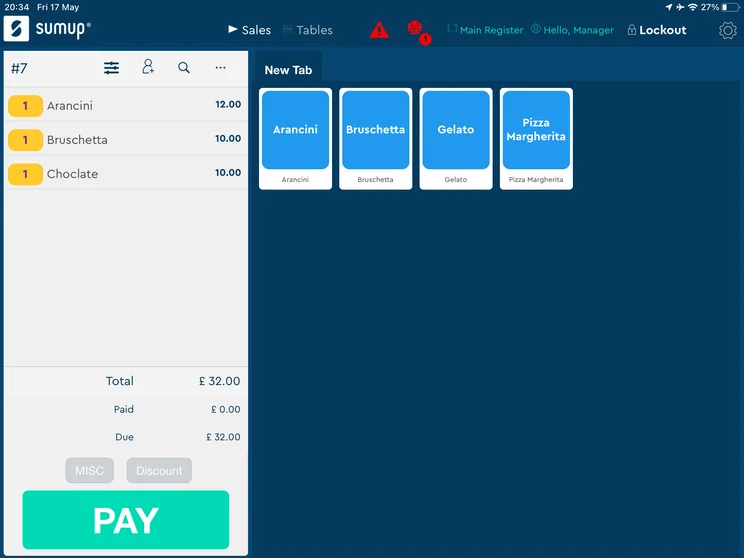
SumUp's easy-to-use interface supports cash payments. Source: Tech.co user testing
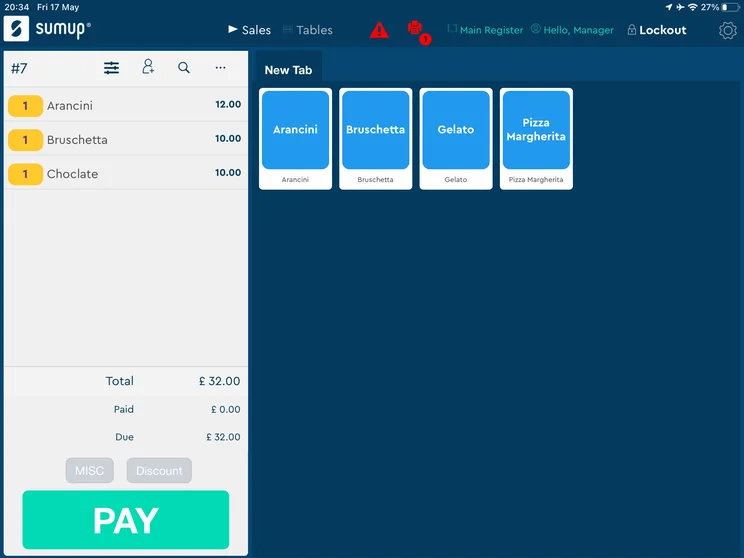
SumUp's quick-service feature let us make orders faster. Source: Tech.co user testing
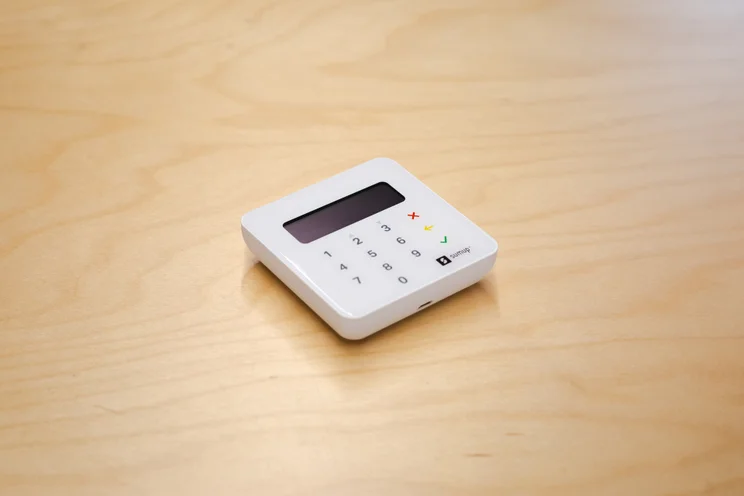
SumUp EPOS card reader. Source: Tech.co
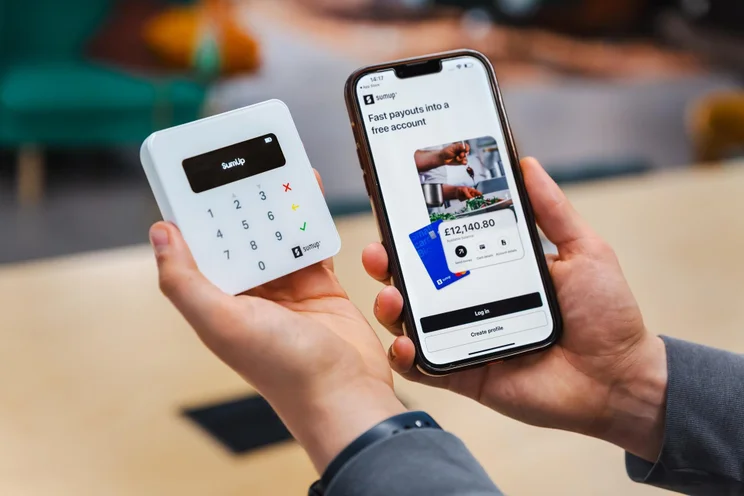
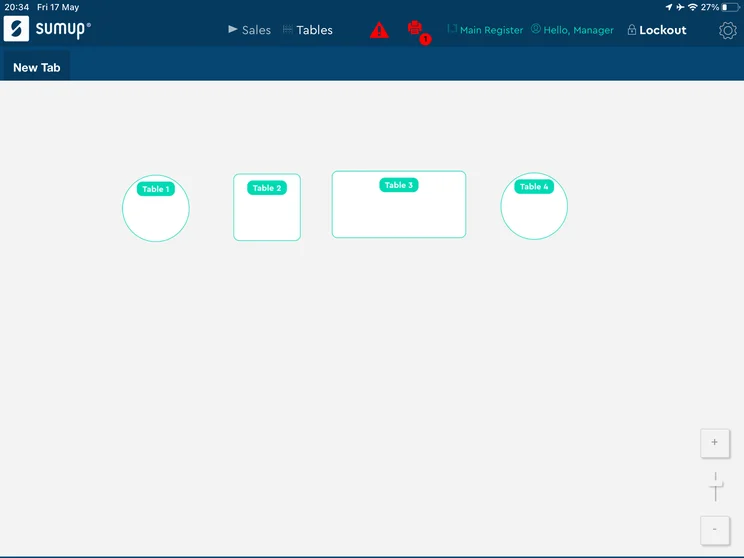
The SumUp offers hardware and software platforms that are simple and easy to use. Source: Tech.co testing
Mobile orders are an increasingly common way for millennials and Gen Zers to seek out prescription fulfillments, and SumUp makes them easy. If your pharmacy has a younger customer demographic, SumUp might be the POS system for you, since it can accept mobile orders and process QR codes. Customers may prefer using QR codes to quickly refill a prescription by scanning the previous order’s receipt.
Overall, the service’s fast ordering system, great data analysis tools, and support for modern ordering methods makes it well worth considering as a pharmacy POS.
SumUp Pricing
SumUp offers three plans. The starting software and hardware package costs $99 per month, which includes basic features. Next up is a $199 per month plan that includes customer loyalty tools and automated marketing features. Finally, a $289 per month plan adds extra growth tools, such as unlimited marketing promotions.
Learn more with our full SumUp POS review.
|
Plan
|
Price
Monthly cost of the software.
|
Transaction fees
|
|
|---|---|---|---|
 |
|
|
|
|
Free |
SumUp Connect Plus |
SumUp Connect Pro |
|
|
$0/month |
$199/month |
$289/month |
|
|
2.6% + 10¢ (in-person card) |
2.6% + 10¢ (in-person card) |
2.6% + 10¢ (in-person card) |
7. Epos Now – Best for Complex Inventory
- Software works on tablets and on custom hardware
- Pricing from: $79 per month
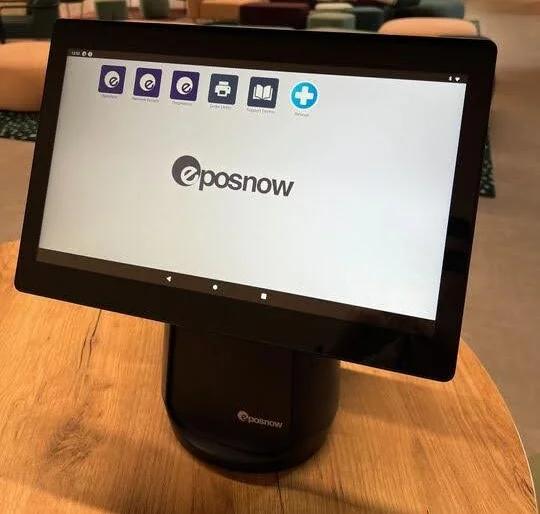
Epos Now delivers great hardware with big HD screens, and it stands out for its inventory tools, which include granular stock tracking abilities. It’s a solid pick for a pharmacy that has complex inventory needs.
It also offers cost-profit reporting tools, so you’ll be able to better understand which decisions can minimize your monthly overheads. However, it’s not a particularly cheap option, even if it does deliver the reporting tools needed to justify the investment.
Epos Now

In Short
-
Pros
- Robust and granular inventory management tools
- Dedicated training mode to easily get staff used to software
- High quality hardware options available
-
Cons
- No option for automated tip sharing
- Can be confusing for users new to POS systems
- Hefty upfront fees
Pricing
-
Plans start at $39-$69/month
-
Additional registers are around $24/month
-
Hardware starts at around $299/month
Images
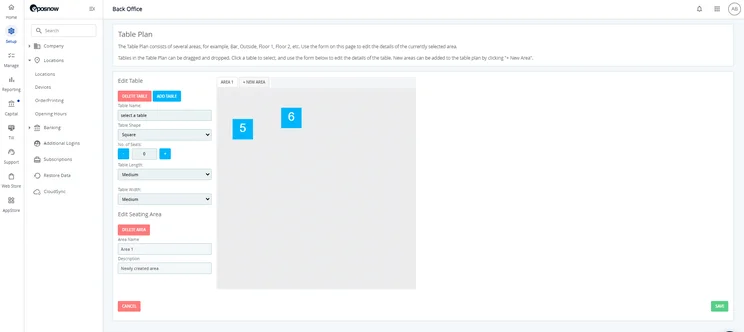
Epos Now features and hardware
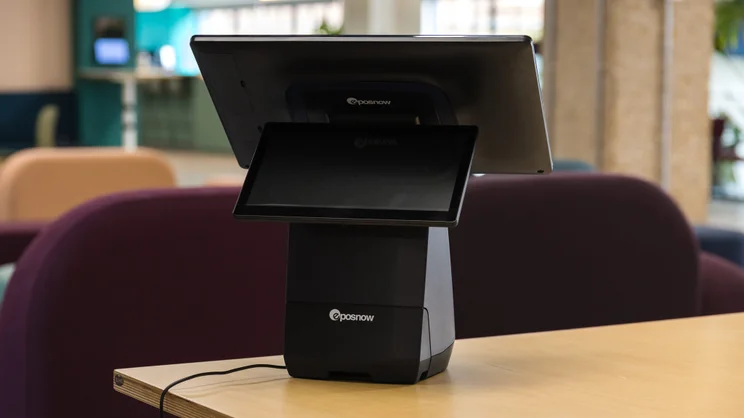
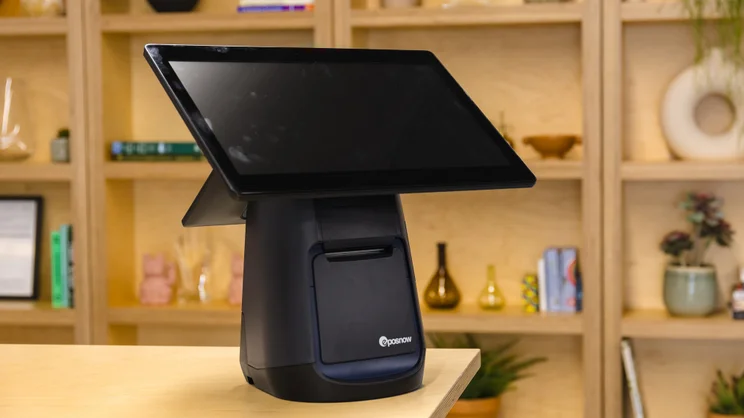
Like Clover, Epos Now has great hardware, and offers a terminal with a 14-inch HD screen for easy visibility, as well as a large customer-facing display for quicker, easier ordering.
Not every pharmacy has a complex inventory, but the industry typically needs to fulfill prescriptions on short notice. Epos Now’s functionality to quickly match products to prescriptions can go a long way towards speeding up those fulfillments. Even better, the platform helps users track which items are most profitable or what discounts and deals will be most effective.
Epos Now also one-ups SumUp in one area: it comes with an automatic offline mode to avoid lost payments in the event of an internet outage.
The platform doesn’t offer automated tip sharing, but this is likely not a priority for a pharmacy. You can learn even more about the provider’s features in our Epos Now review.

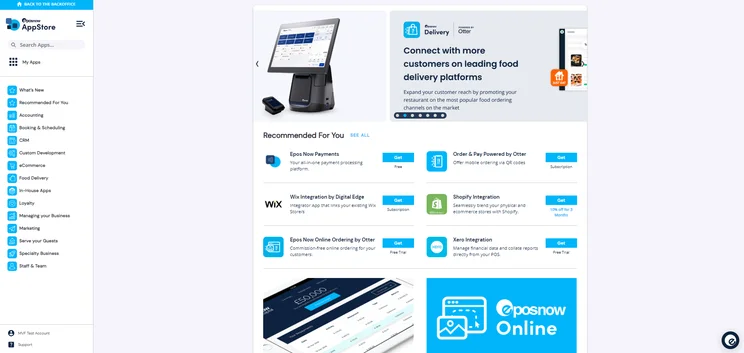
Epos Now's app store gives businesses a chance to integrate with a wide range of third-party software providers. Source: Tech.co user testing
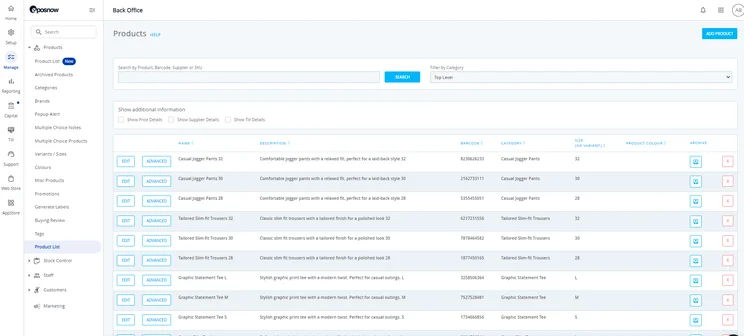
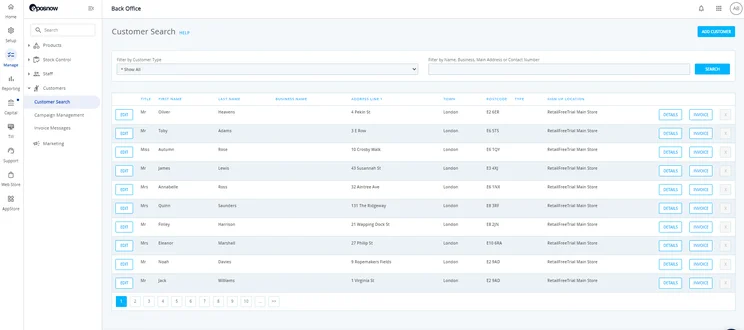
Epos Now let me sift through products via category, product name, barcode supplier, or SKU. Source: Tech.co testing
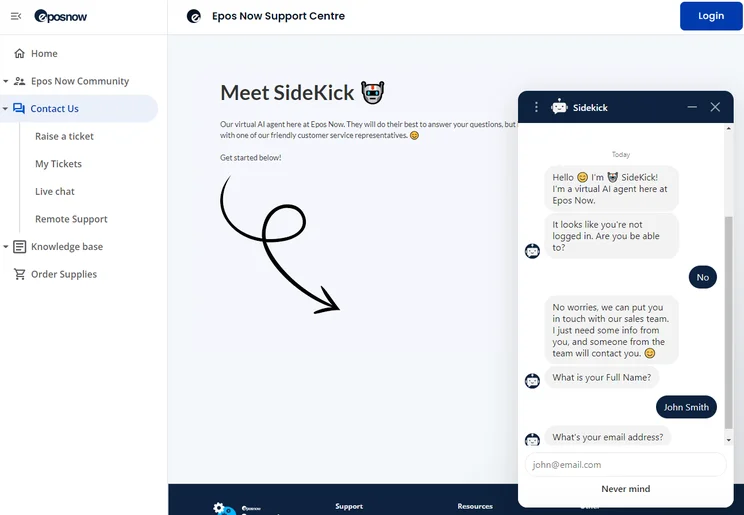
Epos Now's new AI customer service Sidekick feature responded to my queries instantly. Source: Tech.co user testing
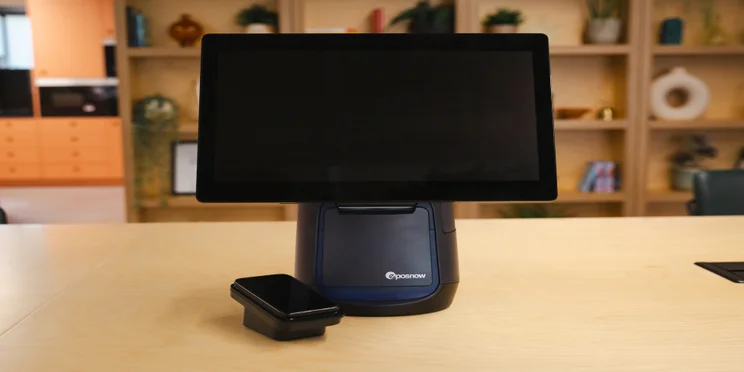
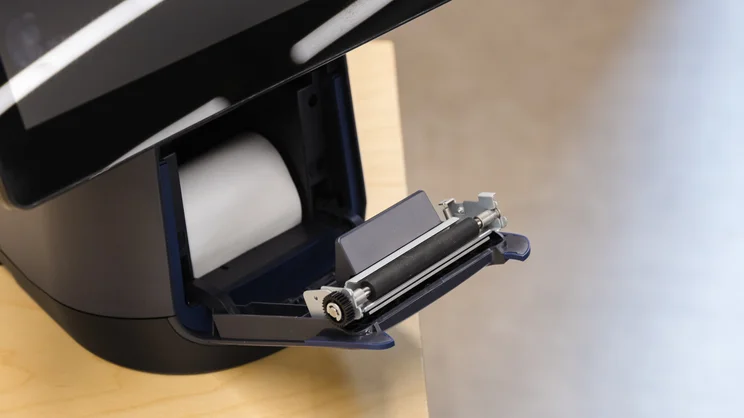
Epos Now receipt printer in its Countertop POS terminal. Source: Tech.co
Epos Now Pricing
Epos Now’s pharmacy-specific system starts at $79 per month for the full system. Prices also start at $39 per month for the software-only option, which lacks analytics.
You’ll have to get in touch with them for a specific quote and list of included features. Its pricing is not public, beyond a few examples of starting costs.
|
Plan
|
Price
Monthly cost of the software.
|
Best for
|
Benefits
|
|
|---|---|---|---|---|
|
|
|
|
||
|
Full System |
Software Only |
Enterprise |
||
|
$79/month |
$39/month |
Custom quote |
||
|
Full-service locations that need terminals, card readers, and software |
Small, single location businesses that don’t need heavy-duty hardware |
Large or complex full-service businesses |
||
|
|
|
What Should You Look for in a Pharmacy POS System?
Due to the responsibility that comes with handling prescriptions, storing medical information, and serving patients, pharmacies can’t choose just any POS system. Instead, they require a system that’s either stacked with a full range of industry features or fully compatible with a pharmacy management system that can take care of these functions for them.
Here are some stand-out features to look out for when searching for your ideal point-of-sale system:
- Compliance management — Legal compliance should be a top concern for pharmacies. To adhere to federal and state laws, you’ll need a POS that offers tools like ID and signature capture, HIPAA compliance, pharmacist counseling, and child safety caps.
- Wholesale distribution — If your pharmacy purchases medication directly from manufacturers, you should make sure your POS can facilitate wholesale distribution, either as an in-app function or through an add-on.
- Advanced inventory management — In order for US pharmacies to comply with legal regulations, their stock management tools need to be capable of a number of duties, including tracing drugs as they move through the supply chain, recording accurate stock records and storing them for a minimum of two years, and calculating the presence of hazardous waste.
- Expiry control — Since lots of medications have a shelf life, pharmacies should also opt for POS systems with built-in expiry management software. This system should keep a record of every perishable drug in stock, and notify the business owner when its expiry date is approaching.
- Analytics and reporting — To gain valuable insights into your business’s performance, solid reporting software is a must. Some top reports for pharmacies include daily cash, sales analysis, methods of payments, and tax breakdown reports.
- Customer loyalty — Retaining loyal customers is instrumental to a pharmacy’s success. Therefore, to drive up prescriptions and over-the-counter sales, it’s important for pharmacists to select a POS with a high-performing customer loyalty program.
- Software integrations — Unless your POS system was designed with pharmacies in mind, it’s likely you’ll need to integrate it with your store’s pharmacy management and medical billing system. Not all POS systems offer this compatibility, so it’s important to check for these add-ons before securing a solution.
How Much Does a Pharmacy POS System Cost?
A basic POS system for selling over-the-counter goods may cost between $29 to over $100 per month, depending on your hardware and software needs. You can also try free POS solutions, like Square and Zettle, but they will take a percentage of each sale.
If you need an industry-specific POS system to manage pharmaceutical sales, or a POS and pharmacy management combined system, it will cost anywhere from $1,000 to $30,000 upfront, in addition to monthly expenses of $100 to $500.
For more clarity on how much a point-of-sale system costs, read our detailed guide to POS pricing.
How Did We Compare Pharmacy POS Systems?
When comparing the top pharmacy POS systems, we collected data from the leading POS systems and scored them on a number of factors including inventory management, price, and till features, to determine how capable they are overall.
On top of researching retail-focused POS systems that would work for a range of stores, we included point-of-sale systems that have specifically been designed for pharmacies, and accounted for pharmacy-specific features, like age verification and healthcare integrations, to assess their suitability.
After narrowing down the best options on the market, we compared them against a number of factors including the quantity and quality of their industry-specific features, their value offering, and whether or not they included a pharmacy management system.
This data helped us to compare them against multi-use POS systems, like talech and Vend, and conclude which systems are the most well-equipped for pharmacies. We rank and review every product and service slightly differently at Tech.co, but it’s always based on impartial analysis. You can learn more about our research.

Looking for zero fuss quotes?
Time to take the next step: Collect pricing quotes for pharmacy POS systems.
According to our research, PioneerRx is the best pharmacy-focused POS system available. The all-in-one system lets pharmacy owners manage a wide range of pharmaceutical and patient-based processes, and its educational and training resources are stronger than the other providers on the list, too.
Square and BestPOS by BestRx are other capable point-of-sale systems, but both require you to purchase pharmacy management software separately, which drives up their price.
Every POS on this list should work well with your pharmacy’s existing management systems. However, every business’s needs are unique. Use our free comparison tool to receive personalized POS quotes today.
If you click on, sign up to a service through, or make a purchase through the links on our site, or use our quotes tool to receive custom pricing for your business needs, we may earn a referral fee from the supplier(s) of the technology you’re interested in. This helps Tech.co to provide free information and reviews, and carries no additional cost to you. Most importantly, it doesn’t affect our editorial impartiality. Ratings and rankings on Tech.co cannot be bought. Our reviews are based on objective research analysis. Rare exceptions to this will be marked clearly as a ‘sponsored’ table column, or explained by a full advertising disclosure on the page, in place of this one. Click to return to top of page


