



We may receive a commission from our partners if you click on a link to review or purchase a product or service. Click to Learn More
Zoho Books is the best accounting software for Mac users due to its detailed range of features, fair pricing, and easy-to-use interface, which we love to navigate.
The platform delivers all the core functions you’ll need to handle the banking and tax needs for businesses small and large. It also handle inventory tracking, order fulfilment, and automatic mileage calculation to ensure that your invoices won’t miss a cent.
However, there are plenty of other accounting platforms, all of which are designed to sync seamlessly across your Mac and your iPhone. Thanks to our long hours of testing and research, we know exactly which features are worth praising and which interfaces give you a tough learning curve.
Read on for all the tools, prices, and support details to know about the top accounting software for Apple fans.
The Best Accounting Software for Mac
Check out our table for the highlights about each software, or click on any of the providers listed below to jump directly to our mini-review of what that provider has to offer Mac lovers.
- Zoho Books: Best Overall
- Xero: Most iOS Mobile Apps
- QuickBooks: Best for Custom Reporting
- FreeAgent: Best for Forecasting and Prediction
- FreshBooks: Best for Apple Pay
- Clear Books: Best for Multi-Currency Invoicing
Zoho Books: Best Overall
It’s not a surprise to see Zoho Books at the top of our guide to Mac-focused accounting software. After thorough research, we think Zoho Books is the best accounting software for any small business.
This is because it delivers on core needs. It’s easy to use, with helpful tools including a dedicated reminder button and advanced reporting. Plus, you’ll be well equipped for most unique business models. Thanks to the software’s automatic mileage calculation, you can create complex invoices easily, while its inventory tracking tools can help any business with stock or inventory balance their books. You’ll even get order delivery fulfillment support.
Zoho Books

In Short
-
Pros
- Extensive data import/export features built in
- Time tracking tools with billable hours conversion for invoicing
- Highly effective transaction documentation
-
Cons
- No customer support outside business hours (no weekends)
- Limited third-party integrations outside of Zoho
- Shorter free trial than most other accounting platforms
Pricing
-
 Free: $0/month
-
Standard: $15/month
-
Professional: $40/month
-
Premium: $60/month
-
Elite: $120/month
-
Ultimate: $240/month
Images
Why is Zoho Books good for Mac users?
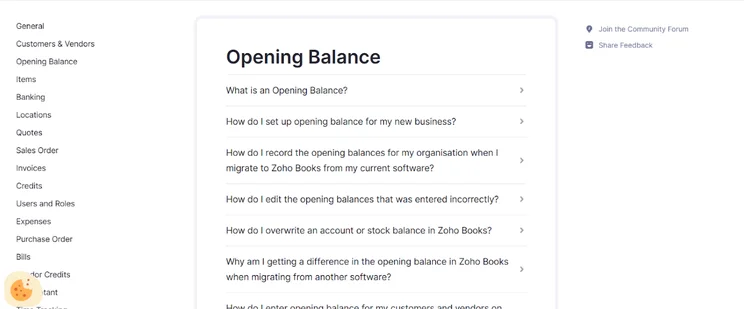
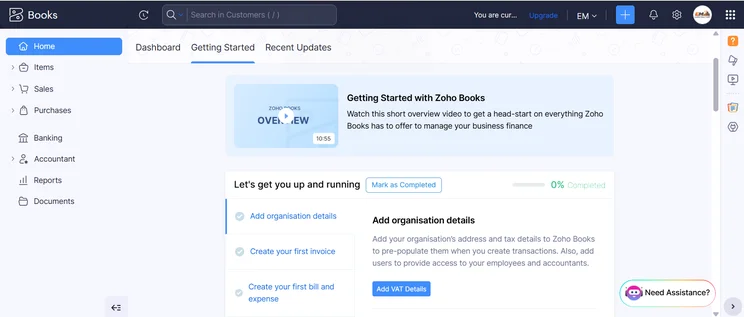
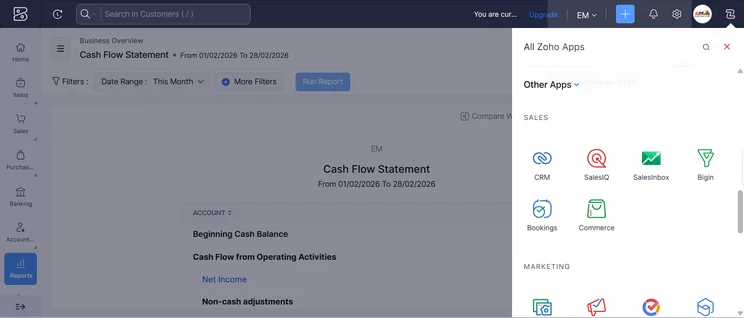
Zoho Books is the best accounting solution for Mac lovers, thanks to fully macOS-compatible desktop software that works on iPads as well, along with a comprehensive iOS mobile app that offers wide functionality, rather than just a handful of token functions. Zoho Books is even compatible with Apple Watches: You’ll be able to track time spent on each project, set bill payment reminders, email customers, and more.
It’s a cloud-based system, too, so all your work will sync up across all devices, making it a good pick for someone with a combination of Apple and non-Apple hardware.
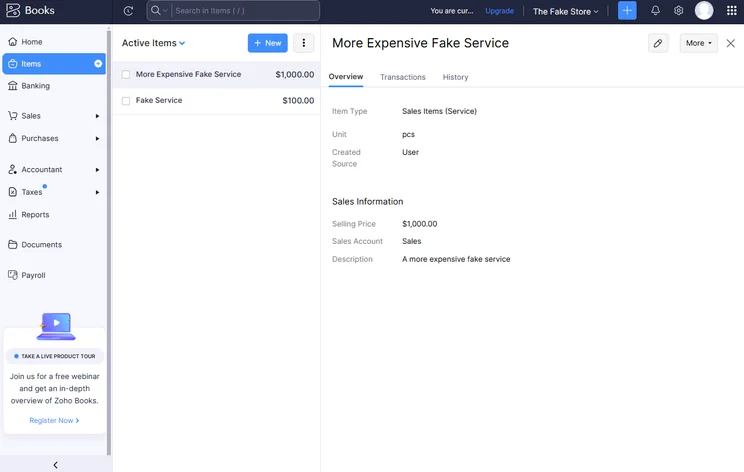
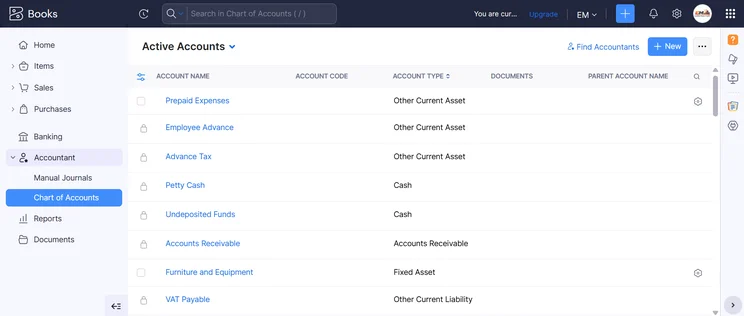
Zoho Books allowed us to track inventory directly in the platform. Source: Tech.co testing
Our experience with Zoho Books
“They seem to be taking inspiration from email platforms with how they lay things out, such as invoices. This makes it quite intuitive and familiar.” -Tech.co tester, about Zoho Books
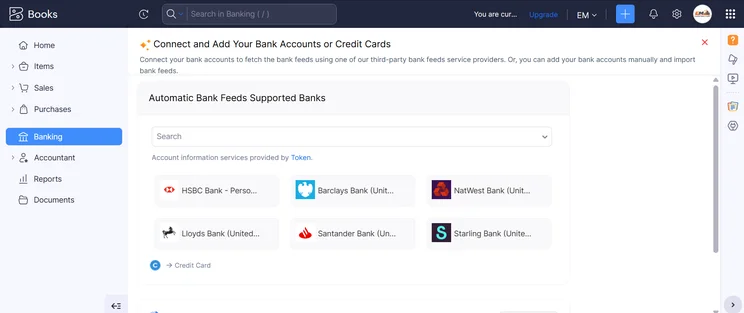
Zoho Books handles all the standard accounting needs: Quotes, invoices, sales, bills, banking, expensing, and reporting can all be tracked within a centralized platform. It handles slightly less common accounting needs, too: Retailers will appreciate that it logs inventories, records online payments, and manages projects.
Our tests found that the platform supports time-tracking, which allows users to easily include all relevant billable hours on their invoices. It makes it a great fit for the types of solopreneurs who tend to enjoy using Macs, from web designers to artists. It also offers importing and exporting functionality, making it a flexible option for those with diverse needs or hardware.
Zoho Books pricing
Zoho Books has five plans, starting at $15 per month and going all the way up to $240 per month, with increasing features, higher caps on functionality, and more users supported as prices increase.
You can check out the table here for a quick look at the key differences between plans, or read our full Zoho Books pricing review for more detail. There’s a 14-day free trial of Zoho for any plan you’re interested in.
There’s even a permanently free plan with limited functionality, too, although there’s a catch: It’s only usable for businesses with an annual revenue of less than $50,000.
|
Price
|
Users
|
Create and send invoices
|
Track expenses
|
Track bills
|
Record fixed assets
|
Multi-currency transactions
|
Advanced analytics
|
Budget management
|
Custom reports
|
||
|---|---|---|---|---|---|---|---|---|---|---|---|
 |
|
|
|
|
|
||||||
|
Free |
Standard |
Professional |
Premium |
Elite |
Ultimate |
||||||
|
Free |
$15/month |
$40/month |
$60/month |
$120/month |
$240/month |
||||||
|
1 |
3 |
5 |
10 |
10 |
15 |
||||||
|
1,000/year |
5,000/year |
10,000/year |
25,000/year |
100,000/year |
100,000/year |
||||||
|
1,000 expenses |
5,000 expenses |
10,000 expenses |
25,000 expenses |
100,000 expenses |
100,000 expenses |
||||||
|
|
|
|
|
|
|
||||||
|
|
|
|
|
|
|
||||||
|
|
|
|
|
|
|
||||||
|
|
|
|
|
|
|
||||||
|
|
|
|
|
|
|
||||||
|
|
10 reports |
25 reports |
50 reports |
Unlimited |
Unlimited |
Xero: Best for Online Businesses
Xero stands out for all the tools tailored to fit the needs of an ecommerce-first operation. You’ll get the same helpful inventory tracking functions that Zoho Books offers, bolstered by extra ecommerce integrations for popular brands including Amazon, Shopify, and others. Common website builders can be integrated as well, including Squarespace and Square Online.
Your entire team will be able to get hands-on with Xero, whether they use Macs or not: The platform one-ups Zoho Books and QuickBooks by supporting unlimited users across all plans. You’ll need to get over a bit of a learning curve, but Xero remains our recommended accounting solution for anyone with a direct-to-customer sales approach and a website with shopping cart functionality.
Xero
In Short
-
Pros
- Over 1,000 third-party integrations available
- Useful client portal for clients to access financial information
- Robust fixed asset tracking functionality with depreciation values
-
Cons
- Steep learning curve for advanced features like workflows
- Outdated, poorly designed interface with difficult navigation
- Must give one-month notice before cancellation
Pricing
-
Early: $27/month
-
Growing: $59/month
-
Established: $97/month
-
90% off all plans for the first 6 months with Tech.co deal
Images
Why is Xero good for Mac users?
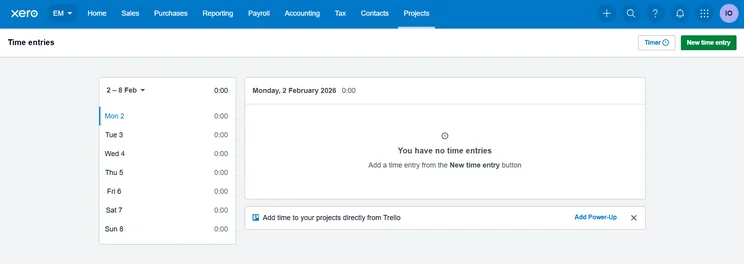
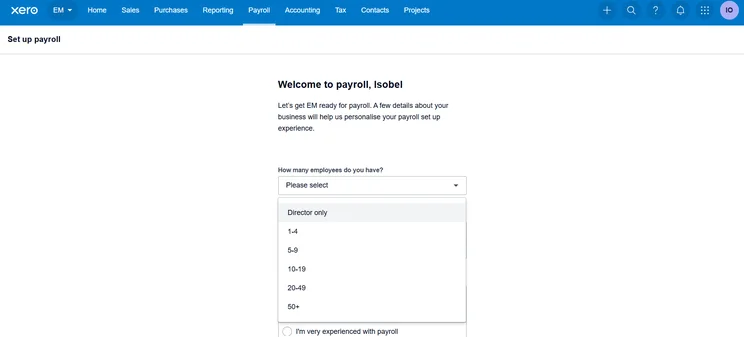
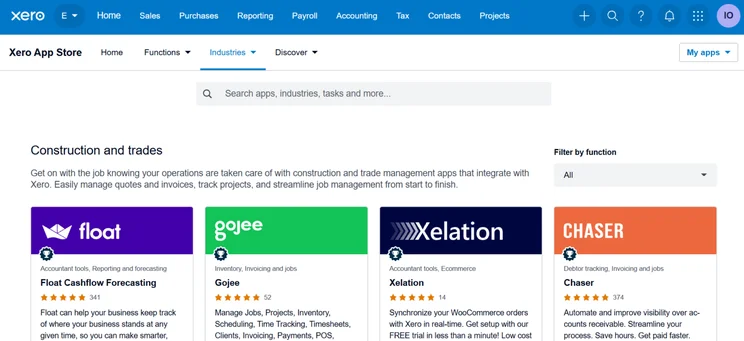
Xero offers an impressive range of iOS apps, including the main “Xero Accounting for Business” app, a verification app, an expense management app, and the Hubdoc app for scanning and tracking documents like receipts, bills, and invoices. Users can also download a dedicated project management app on iOS (and Android), Xero Projects, which can track time and costs across every element of a project and integrate that information into reports or the invoicing process.
The cloud-based desktop platform will sync up across Macs and PCs alike.
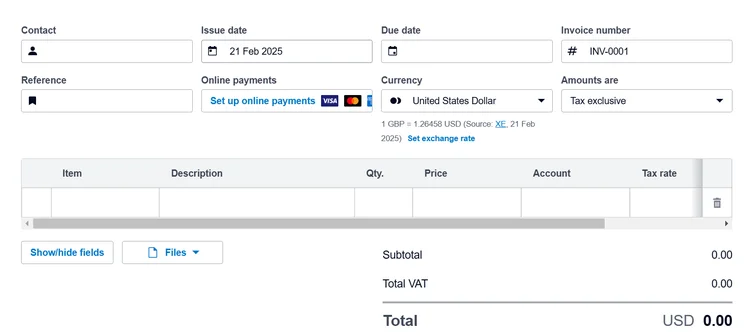
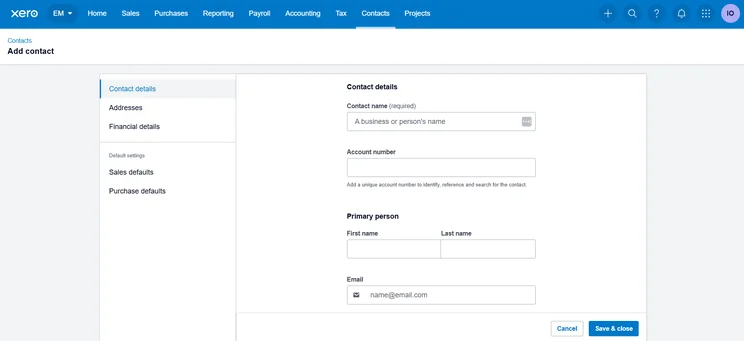
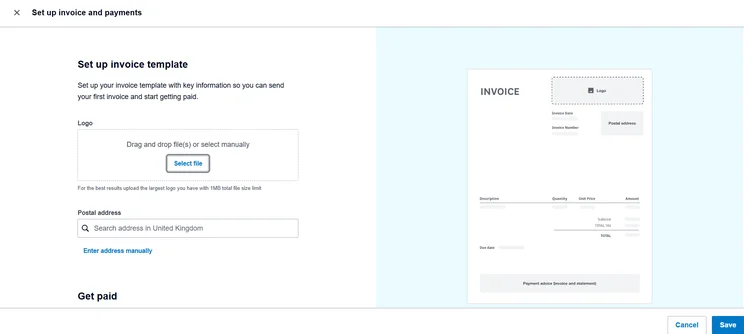
Creating invoices with Xero was a straightforward process. Source: Tech.co testing
Our experience with Xero
“The bills function was easy to add. I could make a client within this, add in the description easily. Changing the currency within this was easy too.” -Tech.co tester, about Xero
Just as with Zoho Books, Xero offers all the staples of accounting functionality. You’ll be able to track expenses easily, track quotes, run bank reconciliation, manage fixed assets, and even run cashflow projections. Invoice generation is particularly quick, with a feature that lets you confirm if recipients have read them or if they’ve been paid.
In addition to the many ecommerce integrations (which include Amazon, Shopify, and Etsy) and the project management app, Xero’s comprehensive inventory tracking tools are yet another reason why it’s a great pick for online businesses. You’ll also get access to a client portal so that customers and clients can view key financial data on their own timelines.
However, our testers didn’t love the interface. Some complaints included a lack of signposting and an “overwhelming” amount of information to keep track of within the main dashboard. Hopefully, Mac lovers who are used to Apple’s sleek, white-space-friendly design will still be able to make it over the poor interface design speed bump.
Xero pricing
Xero is available with three plans: Early, for $20 per user, per month; Growing, for $47 per user, per month; and Established, for $80 per user, per month. Currently, the brand is running a 90% off deal for the first six months of any plan, dropping the starting price all the way down to $2 per user, per month.
The Early plan offers most of the functionality that a small business will need, although it does come with a restrictive limit of just 20 invoices per month. Check out the other differences with this table, or learn more from our full Xero pricing guide.
|
Price
|
Users
|
||
|---|---|---|---|
|
|
|
|
|
|
|
|
|
|
Unlimited |
Unlimited |
Unlimited |
QuickBooks: Most iOS Mobile Apps
QuickBooks offers a total of six different iOS apps, with dedicated applications for Payments, Workforce, and kiosk businesses, among others. Only Xero rivals QuickBooks’ iOS app dominance with five apps, since FreshBooks and Zoho Books only have two apps, and FreeAgent and Clear Books offer one iOS app each.
This is just one example of QuickBooks’ complex toolset. Our testers found the platform to offer just about all the accounting functionality your business is likely to need, from a large range of report templates to uncommon tools like adjustable cash flow projection that can help your operation plan for the long-term future as well as the next quarterly report.
QuickBooks

In Short
-
Pros
- Extensive analytics template customization
- Automatic alerts for mismatched balances
- Built-in cash flow projection tools
-
Cons
- Steep learning curve for advanced functionality
- Limited customer support resources for self-help
- No time tracking features
Pricing
-
Solopreneur: $20/month
-
Simple Start: $38/month
-
Essentials: $85/month
-
Plus: $140/month
-
Advanced: $340/month
-
50% off for first 3 months on all plans
Images
Why is QuickBooks good for Mac users?
QuickBooks’ wealth of iOS apps means you’ll be able to more easily operate your business from your iPhone, which is a useful perk for any small business owner who’s constantly running errands. You won’t want to forget about confirming your latest invoice just because you first saw the alert while you were out picking up more printer paper over your lunch break.
In addition to the cloud-based version, which can be operated from any laptop, QuickBooks offers a Mac-specific downloadable version of its accounting software plan, QuickBooks Online.
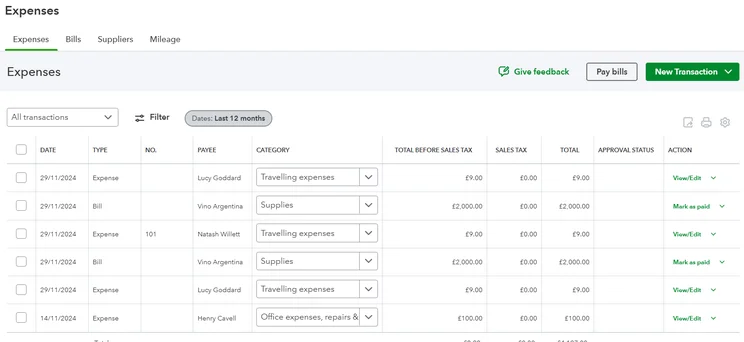
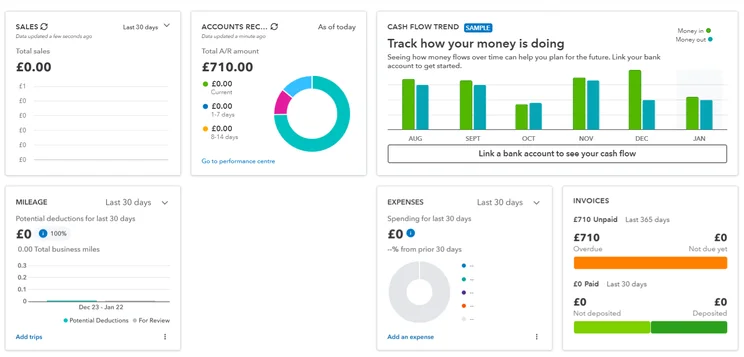
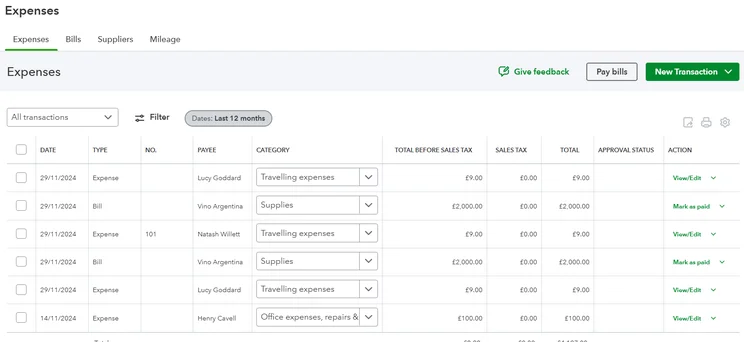
QuickBooks’ wide range of features includes core functions like expense management. Source: Tech.co testing
Our experience with QuickBooks
“Though the platform requires some time to fully understand, it delivers robust features suitable for more advanced companies, making it a worthwhile investment for managing business operations.” -Tech.co tester, about QuickBooks
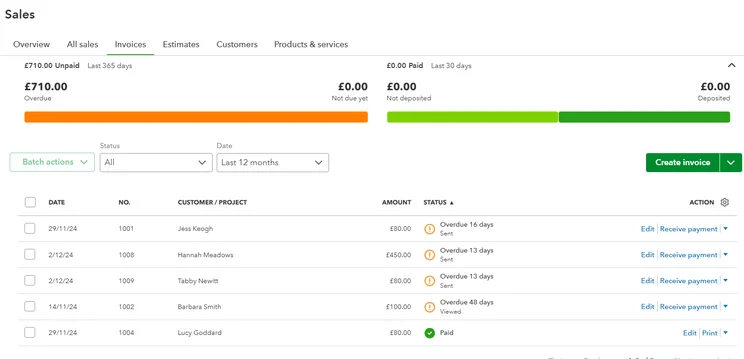
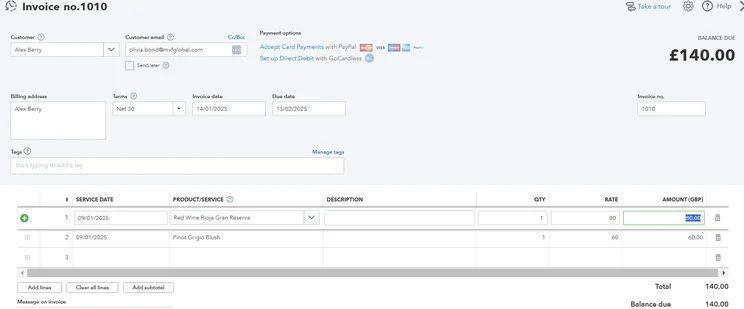
Some areas of the QuickBooks platform are easier to figure out than others. Estimates, bills, and invoices were intuitive to find and use, for example, while we had a tougher time with payment reminders, which required us to build an automation workflow by ourselves, and we didn’t find the tax-related help and support that answered our questions.
Still, the platform supports every typical accounting task – and then some – with complex analytics and reporting that offers more detailed configuration than most rivals. You’ll get a ton of report templates, and you can customize your menus and pre-populate many fields. We found the setup guide to be beginner-friendly, as well.
Overall, QuickBooks is our recommended accounting solution for a business that needs a customized, optimized workflow, and has the resources to fully benefit from the platform’s complex toolkit.
QuickBooks pricing
QuickBooks Online offers five pricing plans, starting with the pared-down Solopreneur plan for $20 per month and going as high as $235 per month for the feature-heavy Advanced plan. If you waive the 30-day free trial, you can get 50% off any plan for three months. As always, you can learn more by checking out our QuickBooks Online pricing guide or skimming the table here.
|
Price
|
Users
|
Bookkeeping
Does it include bookkeeping functions?
|
Accounts payable
Does it include a range of accounts payable functions?
|
Accounts receivable
Does it include a range of accounts receivable functions?
|
Project accounting
Does it offer tools to track different projects?
|
Financial reporting
Does it offer financial reporting tools?
|
Budget and forecasting
Does it offer budgeting and forecasting tools?
|
Best for
|
||
|---|---|---|---|---|---|---|---|---|---|---|
|
|
|
|
|
||||||
|
$20/month |
|
|
|
|
||||||
|
1 |
1 |
3 |
5 |
25 |
||||||
|
|
|
|
|
|
||||||
|
|
|
|
|
|
||||||
|
|
|
|
|
|
||||||
|
|
|
|
|
|
||||||
|
|
|
|
|
|
||||||
|
|
|
|
|
|
||||||
FreeAgent: Best for Forecasting and Prediction
FreeAgent stands out for its dependable forecasting and scenario prediction features, tools which can help businesses focus on their future success without getting bogged down in the details. These tools are aided by tax timeline alerts, which ensure that you won’t miss any tax-related deadlines. Plus, the platform is simple and easy to use, contrasting with the complexities of other platforms like QuickBooks. It all adds up to make FreeAgent a great pick for a small or micro business that wants to stick to the essentials.
FreeAgent

In Short
-
Pros
- Simple, low cost pricing options for businesses
- Built-in tax forecasting tools for future financial planning
- Helpful cash flow alerts for surpluses and shortfalls
-
Cons
- Overly complex and unhelpful support options
- Difficult to navigate for basic feature usage
- Distracting call-to-action buttons everywhere
Pricing
-
Billed monthly: $27/month
-
Billed annually: $270/year
-
30-day free trial
Images
Why is FreeAgent good for Mac users?
FreeAgent’s simple approach is reminiscent of a major selling point for Apple products. The platform is designed to make life easy for the user by offering a streamlined service. Simplicity and user-friendliness are core values at Apple. So, if what you love about your Mac is the straightforward design, then you’ll be a fan of FreeAgent.
Practically, you shouldn’t have any issues using FreeAgent with your Apple products, as the cloud-based software works great on a Mac and supports an iOS app. The company notes on its website that it periodically tests screen readers using Voiceover on Mac OS, so any users with vision impairment should be well served.
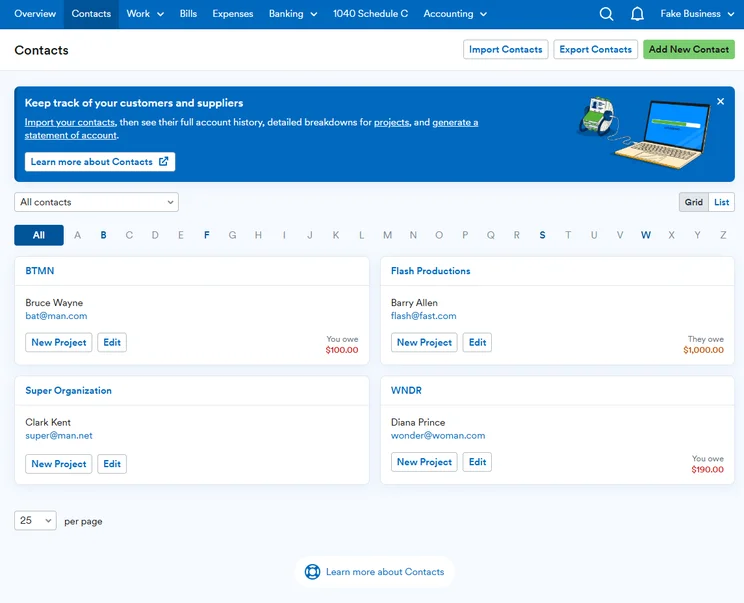
Each entry on FreeAgent’s searchable list of contacts can be edited with one click. Source: Tech.co testing
Our experience with FreeAgent
“It notifies you within the main dashboard — like your tax timeline — of what’s expected and when it’s due. Unlike other platforms, it really felt trustworthy in keeping you on track.” -Tech.co tester, about FreeAgent
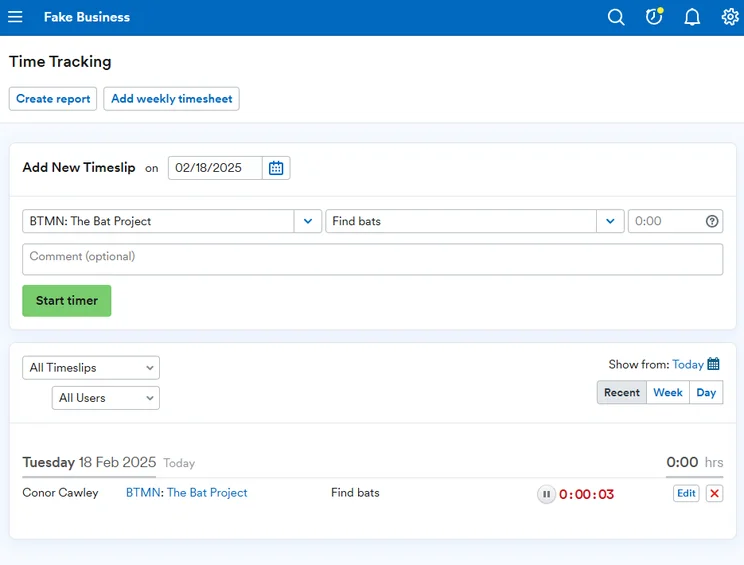
FreeAgent offers estimates, invoicing, expenses, time tracking, and project management, all within an easy-to-use interface that keeps things simple and prompts users to stay on top of their workflow.
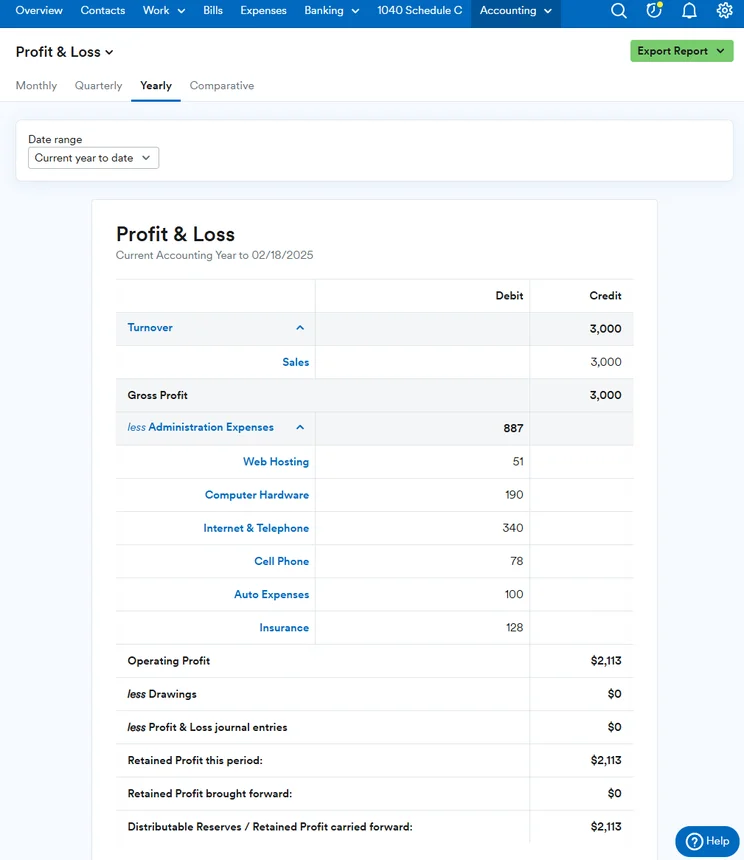
The templates for invoices and estimates will give users a running start toward creating custom-fitted versions for their own needs. Other helpful features include end-of-year reports and cash flow projection tools that include alerts so that users can be immediately aware of cash surpluses or shortfalls.
Our testers recommend this service for small businesses that would like to streamline their accounting process as much as possible. However, it’s worth noting that even this easy-to-use platform isn’t perfect. We struggled with locating some features, including currency settings and overdue reminders.
FreeAgent pricing
FreeAgent only offers a single plan, although you can save money by paying for the entire year at once: Billed monthly, FreeAgent will cost $27 per month, and billed annually, the price drops to $270 per year. They’re running a 50% off deal as well, so you’ll actually pay $13.50 per month for the first six months, or $135 a year for the first year.
The platform offers a few paid add-ons, too: A Smart Capture receipt-scanning tool will cost an additional $6 per month if you decide it’s worth getting.
FreshBooks: Best for Apple Pay
FreshBooks will let your clients pay invoices using Apple Pay, thanks to its Payments feature, which is available through Stripe. If your client base loves Apple as much as you do, FreshBooks is the platform to opt for.
In addition, it has several perks that help make it the easiest platform on this list for core accounting functions, even beating FreeAgent. First, it has 24/7 phone support, so you’ll always be able to get help in an accounting emergency. Second, our testers found the software intuitive, making it pretty simple to accomplish standard tasks, from invoicing to banking. It’s a great fit for small businesses and self-employed freelancers since it makes things easy.
FreshBooks

In Short
-
Pros
- Intuitive, easy-to-use interface for beginners
- Time tracking features with invoice compatibility
- 24/7 customer support options for platform help
- Automated reminders are included on all plans
-
Cons
- Limited functionality in mobile app
- No forecasting or budgeting features for future analysis
- Few custom reporting options
- Lower-tier plans restrict the number of active clients you can bill
Pricing
-
Lite: $23/month
-
Plus: $43/month
-
Premium: $70/month
-
90% off all plans for the first 3 months
Images
Why is FreshBooks good for Mac users?
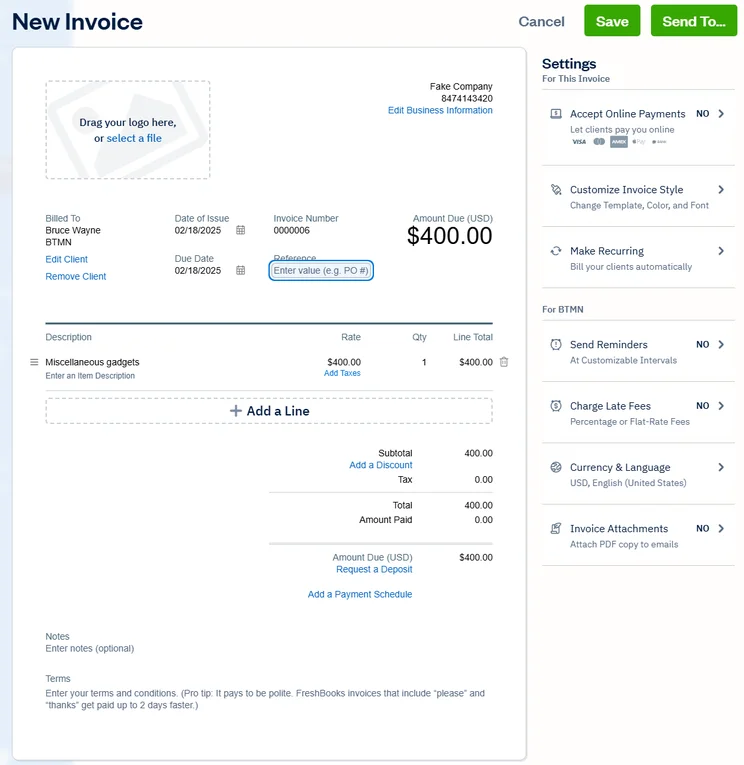
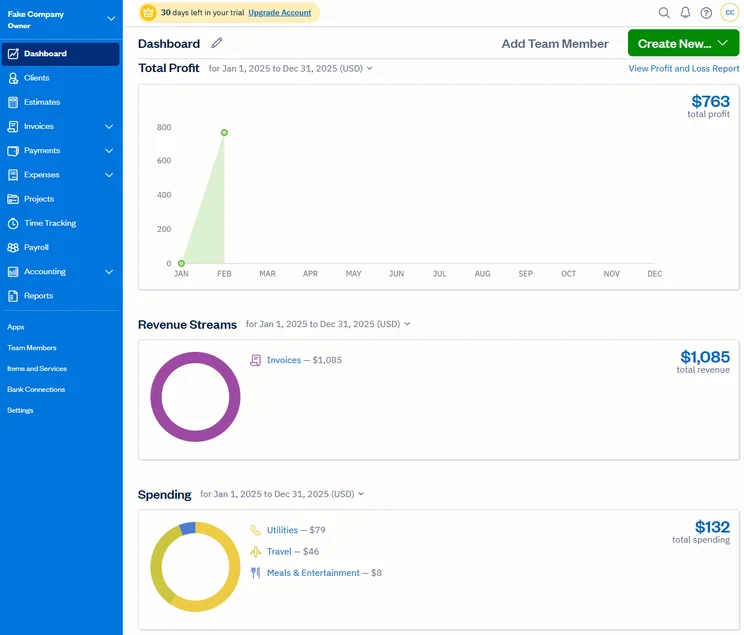
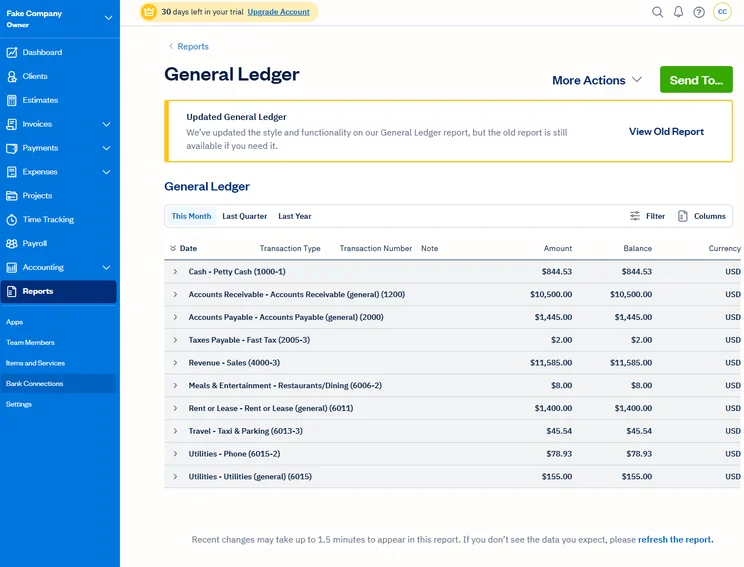
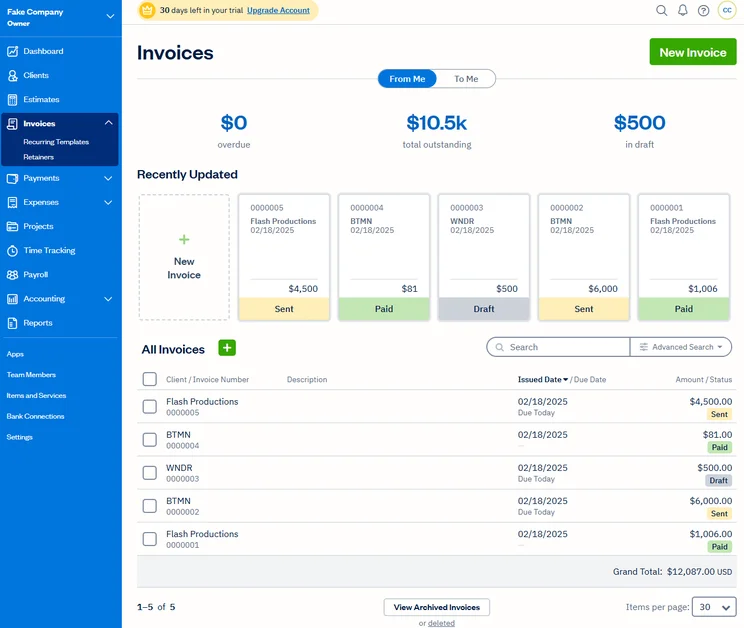
In addition to the main FreshBooks iOS app and the ability to use Apple Pay, users can use the dedicated FreshBooks Invoicing iOS app to create invoices and track expenses, mileage, and time. It handles automated online payments as well, giving users plenty of functionality straight from their iPhones. In addition, the main desktop app works on Mac.
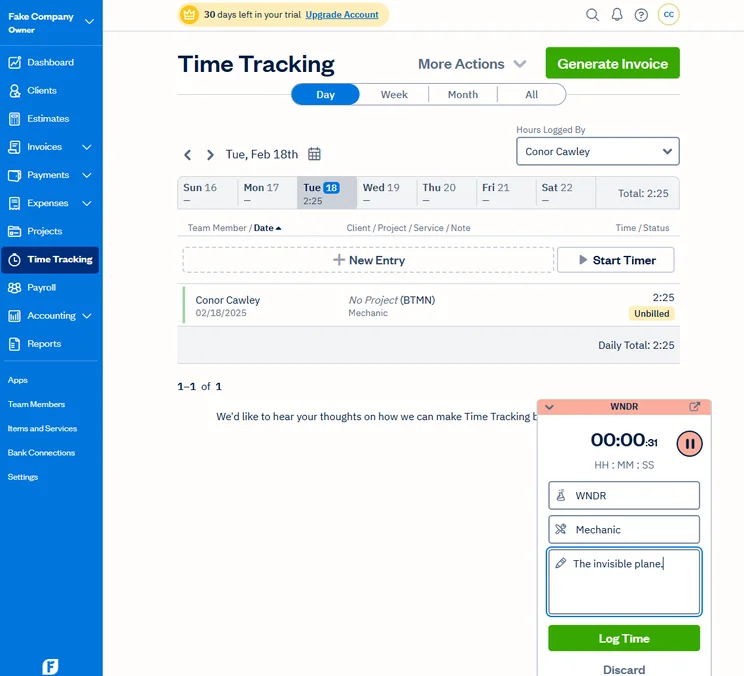
FreshBooks lets you track time with the timer, or by logging time manually. Source: Tech.co user testing
Our experience with FreshBooks
“I did think it was very intuitive to use, and finding things was easy. […] Editing aspects, e.g., on invoices, were all in the same place, so you know where to look the next time.” -Tech.co tester, about FreshBooks
What makes the FreshBooks interface so helpful? It’s clean, visually appealing, and comes with a comprehensive vertical navigation bar, while keeping editing tools in consistent locations across all software subcategories, making them easy to reach for when needed.
In addition, the platform delivers payment reminders and lets users set automatic late fees, two ways in which it automates the process. Standout tools include the timer function and inventory tracking.
Once again, however, the platform wasn’t perfect: Some terms were unclear, and one tester noted that the client messaging function might not be easy to figure out on the client end. Plus, you won’t get any forecasting tools. While you won’t find that accounting becomes a complete breeze with this software, FreshBooks is as close as you’re likely to get.
FreshBooks pricing
FreshBooks has four plans. It starts at $23 per month for the Lite plan, followed by the Plus plan for $43 per month and Premium for $70 per month. The fourth plan, Select, requires a custom quote, so you’ll have to get in touch to find out what it will cost your business. FreshBooks only charges $11 per month for additional users after each plan’s cap has been reached, however, so costs will drop for particularly large teams.
Check out our FreshBooks pricing guide for more details, or see the table included here.
|
Price
|
Users
|
||
|---|---|---|---|
|
CHEAPEST PLAN

|
|
|
|
|
|
|
|
|
|
1 |
1 |
1 |
3 |
Clear Books: Best for multi-currency invoicing
Based in the UK, Clear Books has multi-currency support, so you’ll be able to bill clients across multiple regions and countries. It also handles custom tax rates, which will likely be another key concern for anyone creating invoices across multiple countries. If you’re a small business that worries about currency issues in your accounting workflow, Clear Books offers all the core tools in addition to the multi-currency invoicing you’ll need.
Clear Books

In Short
-
Pros
- Modern, intuitive interface for beginners
- User-friendly search button for simple information location
- Extensive functionality for different tax types
-
Cons
- Unhelpful and unavailable customer support
- No cash flow projection tools
- Limited customization for dashboards and reports
Pricing
-
 Sole Trader Free: £0/month
-
Small: £16/month
-
Medium: £34/month
-
Large: £44/month
Images
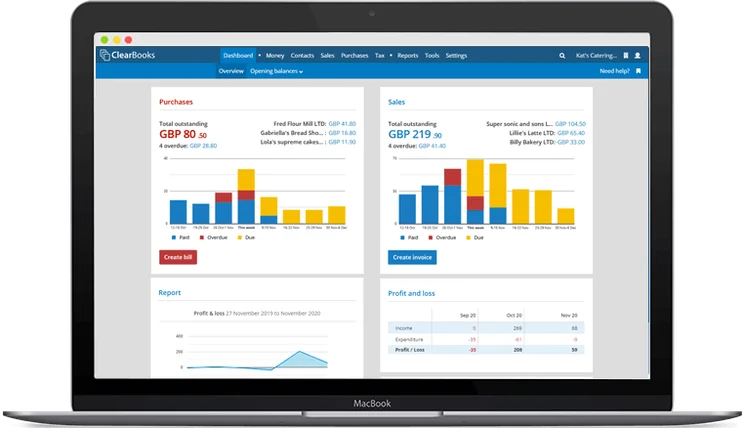
Why is Clear Books good for Mac users?
Clear Books is available as an iOS app with iPad support and can be used on Mac through the cloud-based software. It doesn’t offer the integrated Apple Pay functionality you’ll get with FreshBooks or the entire handful of iOS apps that QuickBooks has, but you’ll get full desktop and mobile functionality on your Apple devices.
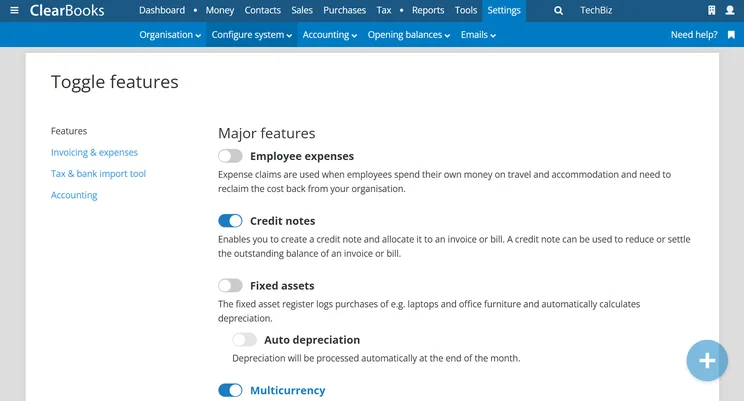
Major features can be toggled on or off through the Clear Books interface. Source: Tech.co testing
Our experience with Clear Books
“It feels like it was built for a larger business, but they want to get freelancers on board as well. So they’re sort of saying you can use it, but maybe use it in this way.” -Tech.co tester, about Clear Books
Clear Books is convenient to use for some functions: Searching and navigation is fast, with core elements like contacts, sales, and purchases easy to locate with a click. Plus, project creation can be accomplished through modern-feeling pop-up fields. Customization is easy, streamlining tasks like filling out quotes.
However, we found some interface challenges as well. Naming conventions were unclear, leading to a learning curve for locating certain tasks, like setting up payment reminders. The onboarding process could have been more clear, and some reports were formatting inconsistently.
Overall, the learning curve was higher than those that you’ll find for Xero, QuickBooks, or Zoho Books.
Clear Books pricing
Clear Books has three plans for its accounting software. Its Small plan is available for £12.15 (about $15.70 USD) per month, followed by Medium for £14.50 (about $18.75 USD) per month and Large for £32.40 (about $42 USD) per month. Features increase as the plan size grows.
US-based customers should be careful to note that multi-currency support isn’t available on the Small or Medium plans.
|
Price
|
Price (Billed yearly)
|
Create and send invoices
|
Record fixed assets
|
Project accounting
Does it offer tools to track different projects?
|
Budget management
|
||
|---|---|---|---|---|---|---|---|
|
CHEAPEST PLAN

|
|
|
|||||
|
Small |
Medium |
Large |
|||||
|
£12.15/mo |
£26.10/mo |
£32.40/mo |
|||||
|
£145.8/mo |
£313.2/mo |
£388.8/year |
|||||
|
|
|
|
|||||
|
|
|
|
|||||
|
|
|
|
|||||
|
|
|
|
Other Accounting Solutions for Mac
If a feature-rich, full-fledged accounting solution is too much, you may want to consider a few simple but trusted alternatives.
Numbers is one of the best stripped-down tools for anyone who needs to do simple accounting on their Mac. It’s essentially Apple’s version of Excel, although, unlike Excel, it’s available for free.
It’s a beginner-friendly way to handle tasks including creating tables, custom templates, and calculations using formulas. Once you’ve created your spreadsheet, you can convert it to other formats (Microsoft Excel, CSV, and PDF) to use it off of Numbers.
Other small, low-cost accounting tools designed to work with Mac include the $2.49-per-month MobiSheets and the free iSpreadsheet, a mobile-first iPhone and iPad app. Both of these spreadsheet services are designed to be equally compatible with Excel and Numbers.
Methodology: How We Tested Accounting Software
At Tech.co, we take our impartial research and analysis seriously, so you can have complete confidence that we’re giving you the clearest, most useful recommendations.
After conducting an initial investigation to identify the most relevant, popular, and established accounting tools in the market, we conducted further research, including testing six major accounting software platforms.
Based on years of market and user needs research, we’ve established an accounting software testing methodology that scores these platforms against six main categories, and 25 subcategories — with a total of 1,512 areas of investigation being considered overall.
We also put the platforms through their paces with hands-on testing to gain a deeper grasp of their average user experience. We dedicated 57 hours to carrying out 37 user tests, with a total of 555 tasks being completed in total.
Our main testing categories for accounting software are:
- Core accounting features: We check how adept a platform will be at managing accounting tasks, focusing on key bookkeeping features like invoicing, tax preparation, journal entry, time tracking, financial transactions, and payment support.
- Operational efficiency: We determine how capable a system is at ensuring day-to-day processes run seamlessly, paying close attention to third-party integrations, collaboration tools, AI automation, and customization options.
- Financial planning: We assess how capable a system will be at measuring income, profits, and losses. Specifically, we check for the presence and quality of forecasting and budgeting, inventory management, reporting, and compliance tools.
- Help and support: We assess how useful and reliable a platform’s support system is, focusing on support options, whether it’s 24/7 support or knowledge center accuracy, as well as cloud backup, and security safeguards.
- Pricing: We compare the overall cost of each platform, taking factors like monthly costs, set-up fees, hidden fees, and free plans into account. We also measure how strict contracts are, and how much it would cost for a business to terminate them early.
- User experience: An overall judgment of how easily users can interact with the platform. We tested each accounting platform and got our team to report how easy they were to use, how they felt when they were using them, and how likely they were to recommend the platform to another business.
When it comes to calculating a product’s final score, not all testing areas are weighted evenly, with factors like “core accounting features” and “operational efficiency” being prioritized for small businesses, while sector-specific features are valued more highly for businesses across different industries.
We understand that accounting software is always evolving. That’s why at Tech.co, we have full-time product researchers to re-run this testing process regularly. It’s the only way to ensure our results remain reflective of the present day.
Learn more about our research.
Zoho Books is the best accounting software for Mac users, since it blends core features like invoicing and bank reconciliation with less-common tools like a dedicated reminder button and advanced reporting. It also includes support for accounting services that retailers need, including inventory tracking and order deliver fulfilment.
While our top pick is Zoho Books, any of the accounting providers listed in this guide could be right for you. QuickBooks has the most types of iOS apps, while FreshBooks supports Apple Pay directly from invoices, so clients can pay you with a single tap.
If you’re ready to trial-run an option, check out our accounting software comparison page for the best deals around.
If you click on, sign up to a service through, or make a purchase through the links on our site, or use our quotes tool to receive custom pricing for your business needs, we may earn a referral fee from the supplier(s) of the technology you’re interested in. This helps Tech.co to provide free information and reviews, and carries no additional cost to you. Most importantly, it doesn’t affect our editorial impartiality. Ratings and rankings on Tech.co cannot be bought. Our reviews are based on objective research analysis. Rare exceptions to this will be marked clearly as a ‘sponsored’ table column, or explained by a full advertising disclosure on the page, in place of this one. Click to return to top of page


