
We may receive a commission from our partners if you click on a link to review or purchase a product or service. Click to Learn More
The best website builder for SEO is Wix, because it offers an automated process that does a lot of the work for you, like image optimization and schema markup. The popular tool also provides an in-depth setup process with the SEO Checklist and thorough customization options, like the Redirect Manager for advanced sites.
We’ve done the hands-on research to analyze which website builders provide the most functional SEO features, so you can find the best fit for your business.
In this guide, we’ll outline which website builders are best for SEO, showcasing what they can do and how much they cost, so you can make the right decision for your website.
- Wix is the best website builder for SEO because of its vast automation features, like Site Inspection, and integrations, like Semrush.
- Other top SEO website builders include Squarespace, WordPress, GoDaddy, and Hostinger.
- Users should look for features like mobile optimization, SEO customization and uptime reliability, when it comes to website builders.
- Generative Engine Optimization (GEO) describes a form of digital marketing that targets results on AI models like ChatGPT, Gemini, and Claude, rather than search engines.
After conducting an initial exploration to identify the most relevant, popular, and established tools in the market, we put them through their paces with hands-on testing to see their real strengths and weaknesses. In this case, we put 16 website builder products to the test across 398 areas of investigation.
Based on years of market and user needs research, we’ve established a website builder testing methodology that scores each product in six core categories of investigation and 33 subcategories. This covers everything, from customer feedback to design, ease of use, and more.
Best Website Builders for SEO
We took the time to carry out hands-on research with website builders, to see how they matched up on important SEO features.
|
Cheapest price
|
Free plan
|
SEO best practice prompts
|
Keyword support
|
Mobile friendly?
|
||
|---|---|---|---|---|---|---|
|
BEST FOR SEO
 |
 |
 |
 |
 |
||
|
Wix |
Squarespace |
WordPress |
GoDaddy |
Hostinger |
||
|
$4/month |
||||||
|
|
|
|
|
|
||
|
|
|
|
|
|
||
|
|
|
|
|
|
||
|
|
|
|
|
|
Wix: Best All-in-One SEO Automation Tool
- Price: $17 per month
- Free plan: Yes
Wix is the best website builder for SEO, providing a largely automated system that takes care of all the behind-the-scenes functionality to get you noticed on search engines without a lot of work. It automates image optimization by automatically converting them to WebP format and automatically generating schema markup for products, blog posts, and local businesses.
Beyond that, Wix is just a great website builder in general. It offers a massive feature catalog and third-party app library, so you can do anything and everything with your site.
There’s also Wix Harmony, which uses modern AI technology to generate a site for you with nothing but natural language prompts, so you can get a site customized, launched, and optimized for search engines in minutes.
Wix

In Short
-
Pros
- Unrivaled selection of website features across design, sales, and support
- AI features can create a site in 60 seconds
- Quality free forever plan available
-
Cons
- No template switching once published
- Number of features can be overwhelming for some beginners
- Steep price increase for scaling businesses
Pricing
-
 Light: $17/month
-
Core: $29/month
-
Business: $39/month
-
Business Elite: $159/month
-
10% off any plan with code TAKE10
-
Free plan
Images
Wix SEO features and AI tools
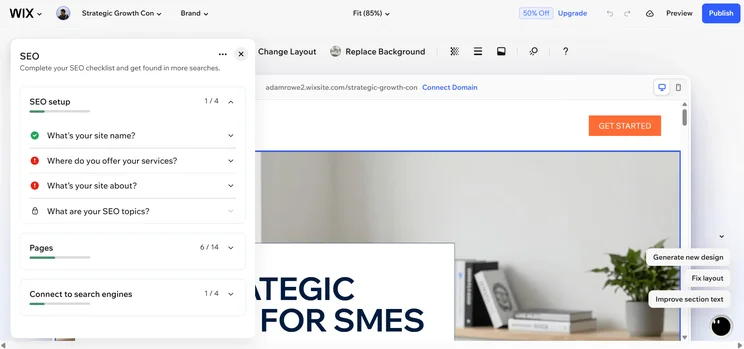
- SEO Setup Checklist: Wix offers a dedicated SEO Setup Checklist that walks you through all the steps to go through with your site to optimize through a deep integration with Google.
- Semrush integration: Wix is one of few website builders with a native integration with Semrush, which allows you to access advanced analytics like search volume and “Keyword Difficulty.”
- AI Site Inspection tool: Wix automatically scans your site and provides you with actionable suggestions to fix errors and issues, to improve your ranking.
Check out our Wix review to learn more.
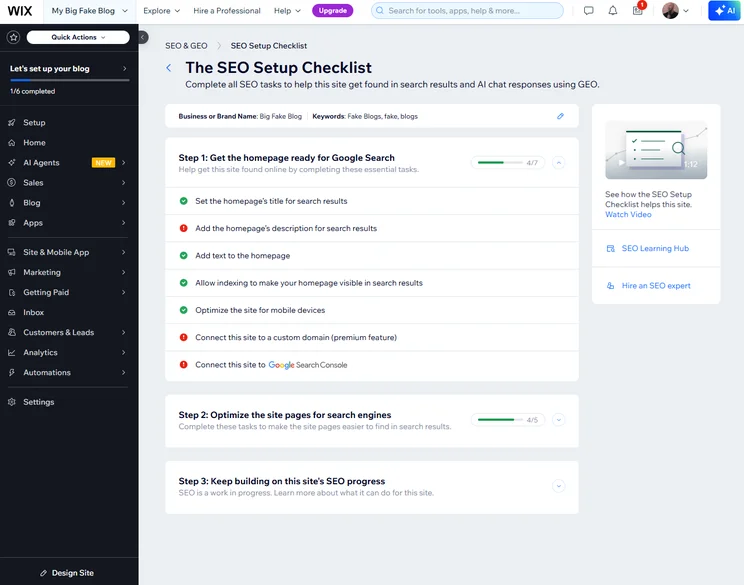
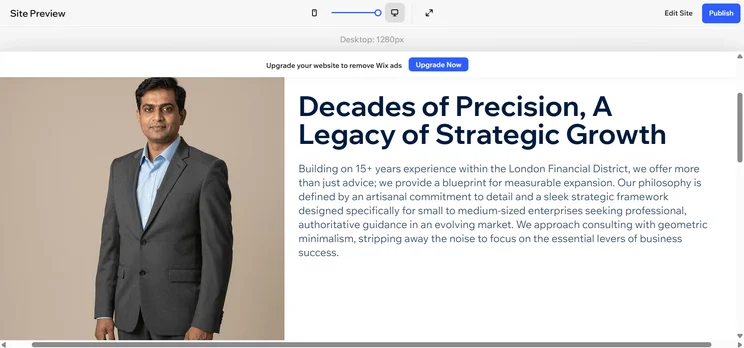
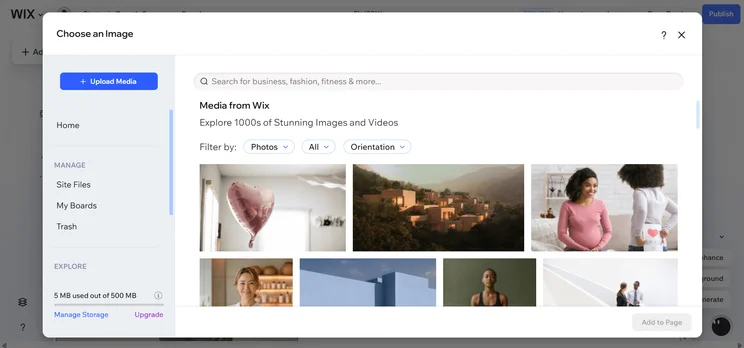
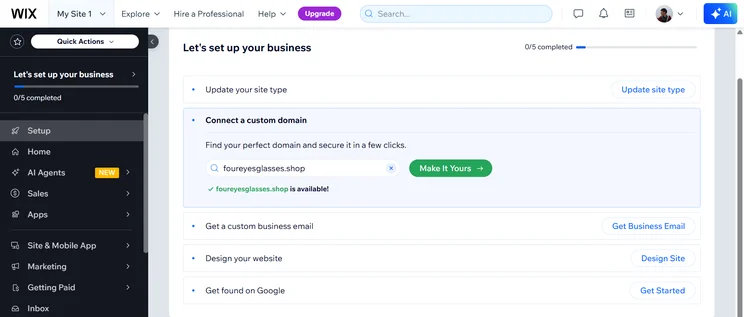
Wix provides a step-by-step guide to ensure your site is optimized for search engines like Google. Source: Tech.co testing
Squarespace: Best for Mobile SEO
- Price: $19 per month
- Free plan: No
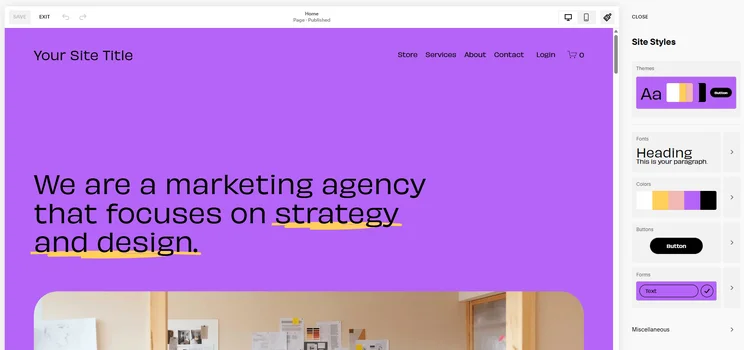
Squarespace is a good website builder for mobile SEO because its editor automatically optimizes all edits for mobile and allowed us to immediately check what the site looks like on desktop and mobile, with virtually no lag.
Overall, Squarespace is a website builder that focuses on design more than anything, and Google and other search engines generally reward that level of detail. Squarespace is also the easiest website builder to use, according to our hands-on research.
Squarespace

In Short
-
Pros
- Easiest website builder to use across our research
- Plenty of content-focused features for blogging
- Integrates with Acuity for booking and appointments
-
Cons
- Limited language support for international businesses
- AI site builder creates fairly generic output
- No autosave feature for website editor
Pricing
-
Basic: $19/month
-
Core: $29/month
-
Plus: $49/month
-
Advanced: $99/month
-
10% off with code TC10
-
14-day free trial
Images
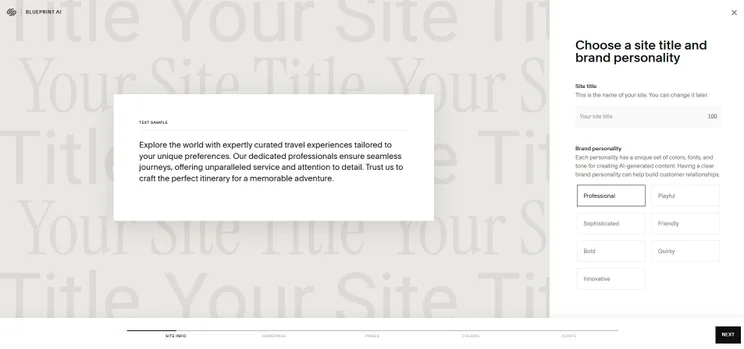
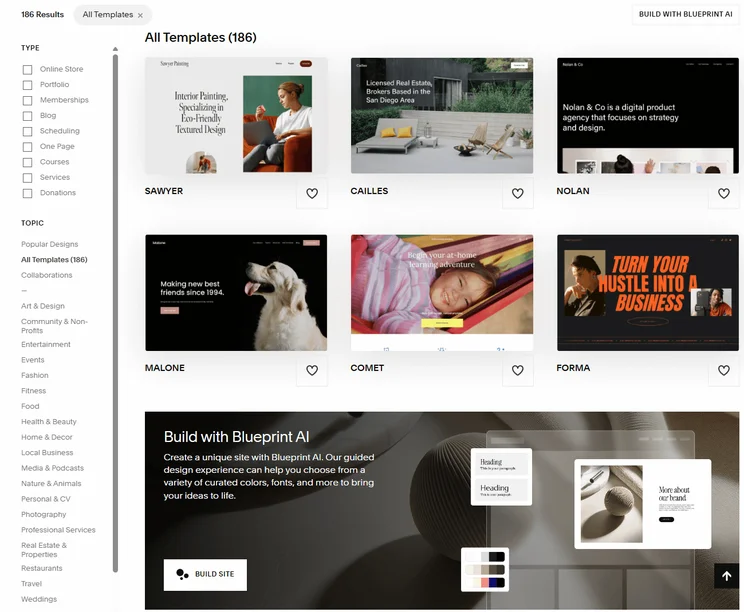
Squarespace SEO features and AI tools
- Google Search Console: Squarespace provides users with a fully integrated app from Google that shows analytics like click-through rates, average position, and other valuable SEO metrics.
- SEO appearance: Every page of your Squarespace website has an SEO appearance editor that shows exactly how your site will look in mobile and desktop results.
- Native AMP Toggle: You can easily speed up load times on blogs with the Accelerated Mobile Pages (AMP) toggle on certain pages.
Check out our Squarespace review to learn more.
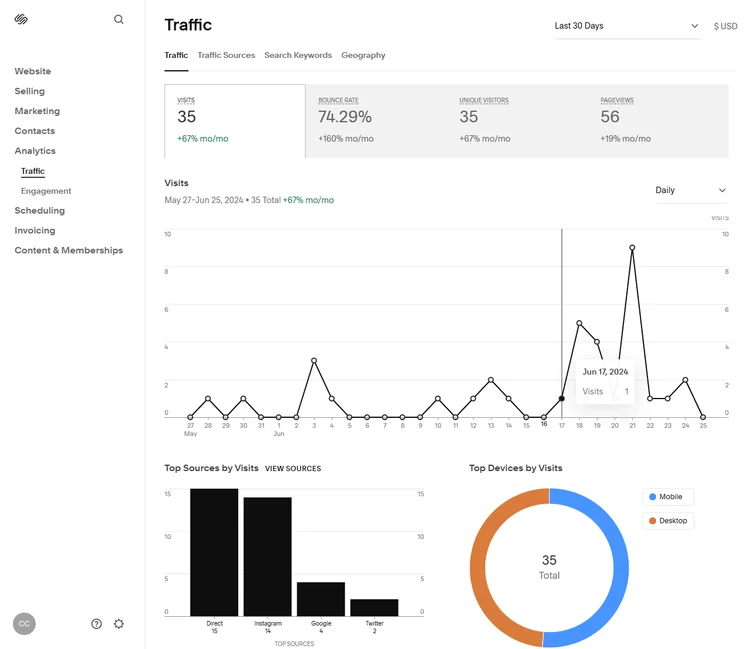
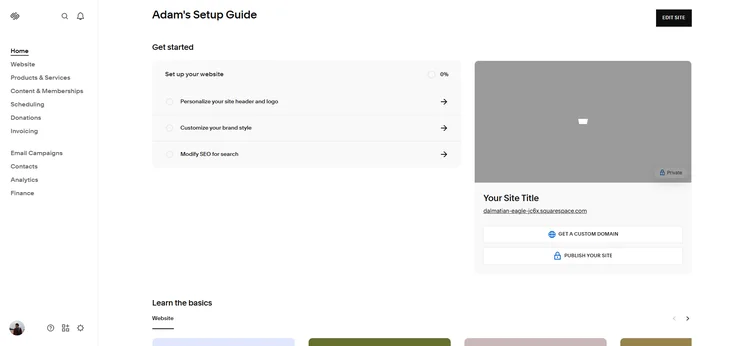
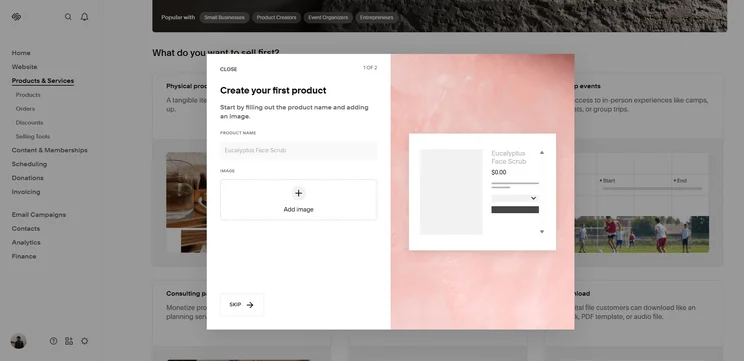
Squarespace search analytics provide a clear picture of where your visits come from. Source: Tech.co testing
WordPress: Best for Bloggers
- Price: $4 per month
- Free plan: Yes
WordPress is one of the most well-known platforms out there — particularly as a blogging website builder — and has a great range of SEO features that put it alongside the best in the business, such as being mobile-friendly, and supplying custom URLs and canonical tags.
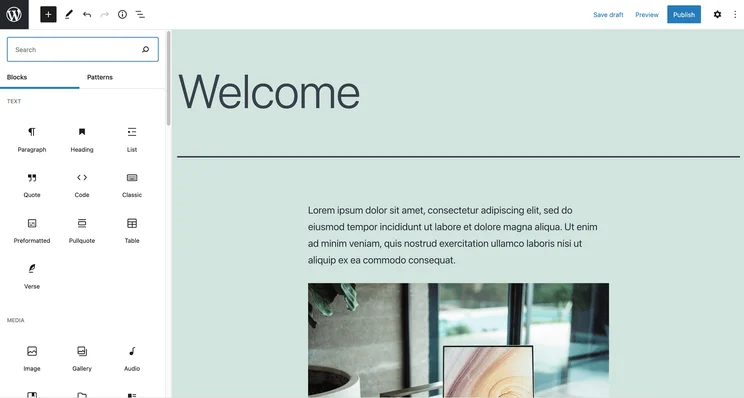
The true value of WordPress when it comes to SEO is that it flawlessly integrates with Yoast SEO, another popular platform that provides all the insights and instruction you need to properly approach your SEO strategy.
Yoast allows you to change search engine content, like meta description and meta titles, and gives you grades on how SEO friendly your content is. It even provides suggestions beneath your content for ways to take your page from red (bad SEO) to yellow (good SEO), then to green (great SEO).
WordPress

In Short
-
Pros
- Brilliant for bloggers with lots of features
- Easy to set up for beginners
- Large and helpful user community
- Super mobile friendly (great for SEO)
-
Cons
- Mastering the platform may take some time
- Slightly inflexible editor
Pricing
- Plans start from $4/month
- $8/month Premium plan is its most popular
- $25/month Business plan has plug-in library access
- $45/month Commerce plan will let you accept payments in 60+ countries
- Free plan available
- Remove ads with $4/month plan
Images
WordPress SEO features and AI tools
- Link management: WordPress offers access to AI-driven tools like LinkWhisper, that can provide guidance on internal linking, such as suggesting articles and anchor text.
- Site verification: WordPress can verify your site, which ensures that your sites get indexed by search engines faster.
- Google Analytics integration: WordPress integrates with Google Analytics natively, but you will have to pay at least $8 per month for the Premium plan.
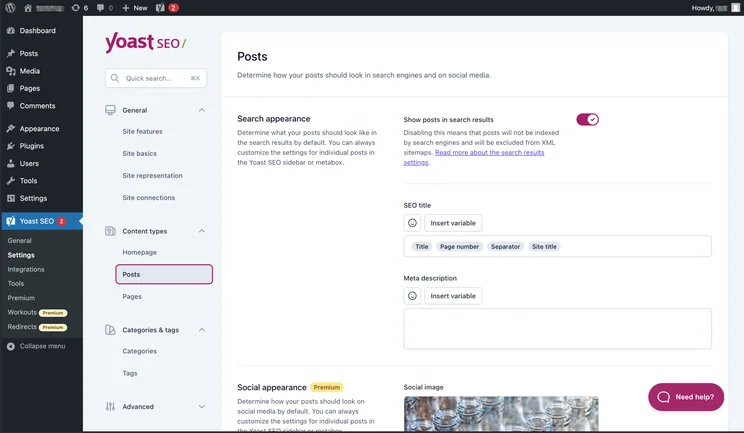
WordPress integrates directly with Yoast SEO to give users tips. Source: WordPress
GoDaddy: Best for Quick Setup
- Price: $9.99 per month
- Free plan: Yes
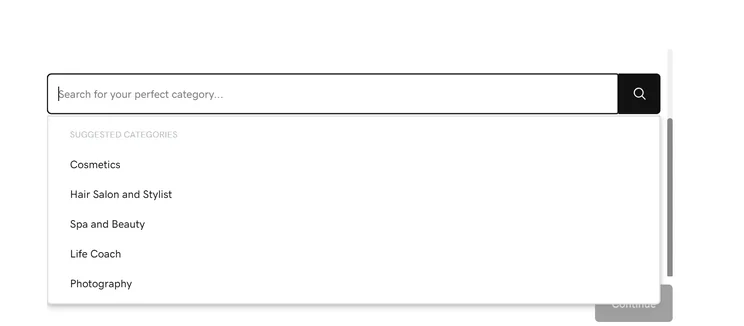
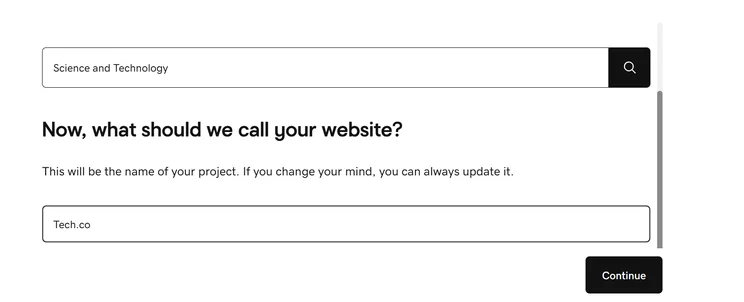
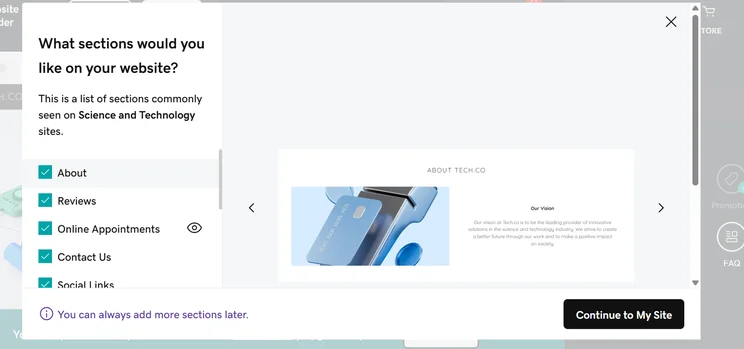
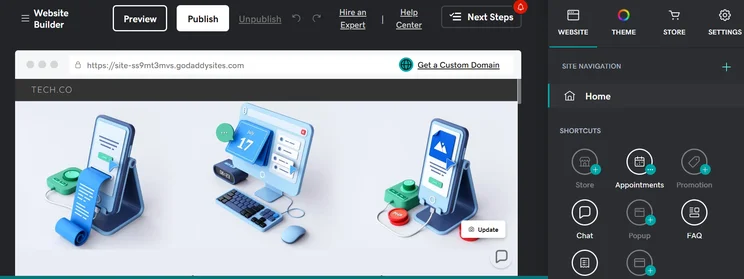
GoDaddy is a good SEO website builder because it offers an extremely handy SEO tool, called SEO Wizard, that can walk you through optimization setup with a simple step-by-step guide that makes the process quick and easy.
The downside, however, is that SEO Wizard and most of GoDaddy’s available SEO features will cost a bit extra. Almost all of the SEO features are either paid add-ons or reserved for more expensive plans, so you’ll want to factor that into your pricing decision.
GoDaddy

In Short
-
Pros
- AI generated websites in two steps (30 seconds)
- 24/7 phone support available for all plans
- Free forever plan can publish site
-
Cons
- No mobile website editor to modify pages on the go
- Overly generic website design with fewer templates than other builders
- No app market to branch out functionality across your site
Pricing
-
Basic: $9.99/month
-
Premium: $14.99/month
-
Commerce: $20.99/month
Images
GoDaddy SEO features and AI tools
- Google Business Profile: GoDaddy allows you to connect and integrate your Google Business Profile directly into your home dashboard for easy editing to improve rankings.
- SEO Wizard: This basic conversational assistant will ask simple questions and take care of most SEO decisions based on your answers.
- InSight scores: GoDaddy compares your site with other sites in your industry, measuring SEO performance and social media engagement.
Check out our GoDaddy review to learn more.
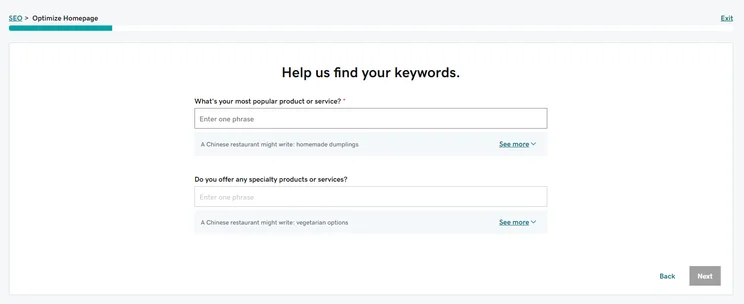
GoDaddy’s SEO Wizard features help you set up your keywords. Source: Tech.co testing
Hostinger: Best for Low Cost Plans
- Price: $1.99 per month
- Free plan: No
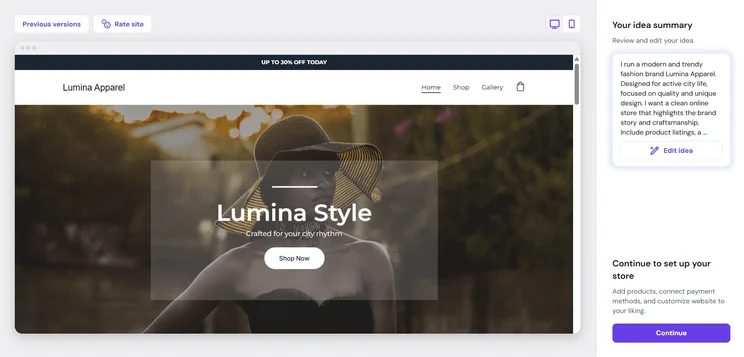
Hostinger is an excellent budget choice for an SEO website builder, with a very low starting price and great deals at all times. It provides fast loading speeds and content generation tools for meta titles and descriptions, so setup is easy.
In fact, Hostinger provides a lot of AI-powered tools that can streamline your site building. The AI website builder will create a site for you with just natural language prompts, and the Hostinger Horizons platform can generate full-on apps for you.
Check out our Hostinger review for more information.
Hostinger

In Short
-
Pros
- AI generated site in three steps (60 seconds)
- Built-in heatmap for advanced site analytics
- Language translations capabilities
-
Cons
- No app market for third-party integrations
- No email marketing in any paid plans
- No free trial or free plan for users
Pricing
- Premium: $2.99/month
- Business: $3.99/month
Images

Hostinger SEO features and AI tools
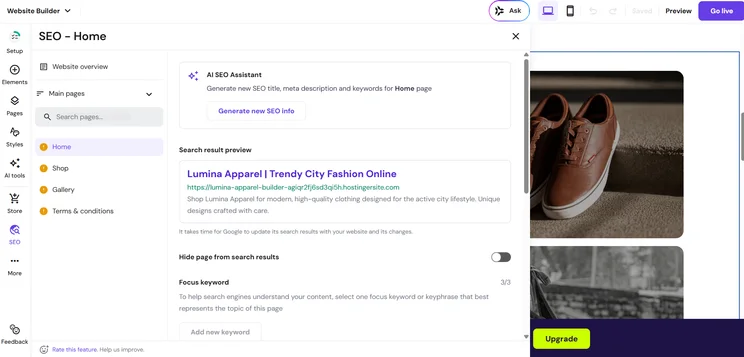
- SEO roadmap: Like Wix, Hostinger provides a clear, step-by-step guide to SEO basics to get your site started on the right foot.
- AI Writer: Hostinger provides users with its AI Writer, which can generate SEO-friendly content throughout your site, including meta titles and descriptions.
- SEO settings: Every page on your Hostinger website allows you to access SEO settings, where you can change keyword focus and page visibility.

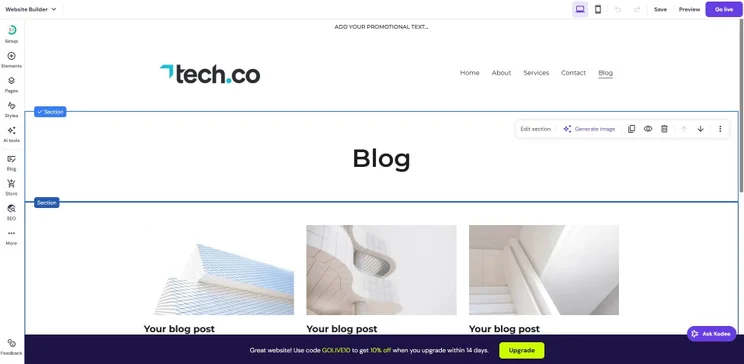
Hostinger’s AI Writer can help you craft content for SEO. Source: Tech.co testing
How To Choose the Right Website Builder for SEO
There are lots of techniques you can employ to find the right website builder for your particular SEO needs. Most providers offer some, if not all, of the options listed below, but there are some ways to differentiate that can help you make a decision.
- Mobile optimization: 60% of Google searches come from mobile devices, so it’s important to get a site that is mobile optimized to stay ranked highly on those devices.
- Customization: Being able to edit how your pages present at specific times can help your entire site rank much better on search engines.
- Uptime reliability: Site speed is one of the most important metrics for Google search results, so uptime guarantees can go a long way in improving your rankings.
If your company has niche SEO needs, like security specifications or keyword requirements, you should make sure your given provider provides those in spades.

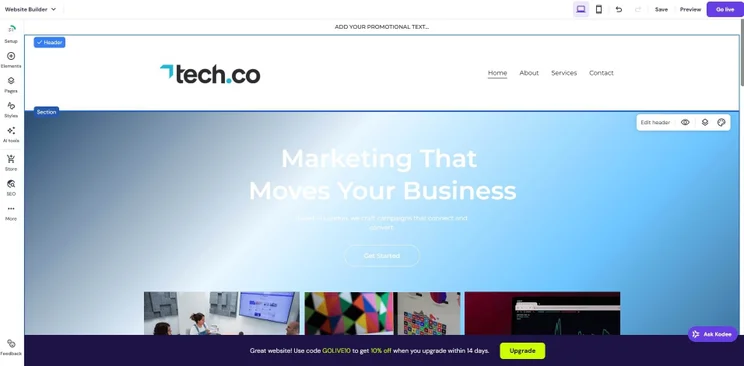
Wix allowed us to edit what the mobile website looks like with a simple editor. Source: Tech.co testing
What Is Generative Engine Optimization (GEO)?
Like SEO, GEO is a digital marketing metric that allows businesses to see how their sites are performing on AI models like ChatGPT, Claude, and Gemini. The goal is to get your site more noticeable on these platforms, which will drive more traffic and therefore drive revenue.
GEO has become necessary over the last few years with Google and other search engines adding AI to the process, substantially disrupting the way in which businesses make money in the search engine era. All in all, the practice is poised to replace SEO as the most important analytics tools for marketing businesses.
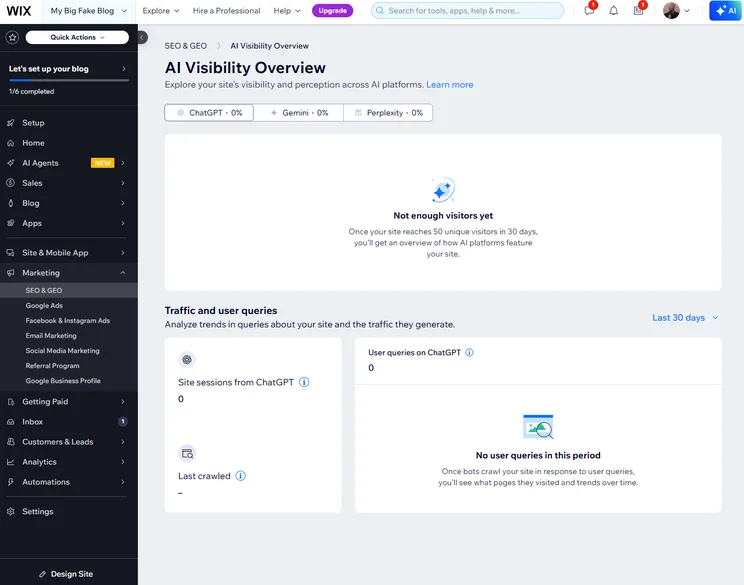
Wix now offers a full-on AI Visibility board that tracks how your site performs on AI models like ChatGPT. Source: Tech.co testing
How We Evaluate Website Builders
We take our impartial research and analysis seriously, so you can have complete confidence that we’re giving you the clearest, most useful product recommendations. Our main testing categories for website builders are:
- Website features: The capabilities and functionalities offered by a website builder, e.g. blog functionality, SEO capability, and marketing capacity.
- Design functionality: The aesthetic appeal and visual layout of a website created using a website builder. It encompasses aspects such as page templates and customizable themes.
- Customer satisfaction: External customer opinion. This is the feedback and ratings given by customers who have used a particular website builder — the market position and reputation a website builder holds.
- User experience: How user-friendly and intuitive a website builder is for people with varying levels of technical expertise.
- Value for money: The balance between the cost of a website builder and the benefits it provides. It considers factors such as pricing plans, subscription models, and available features.
- Help and support: The assistance and resources available to users when they encounter issues or need guidance while using a website builder.
When it comes to calculating a product’s final score, not all testing areas are weighted evenly, as we know some aspects matter more to our readers than others, which are simply “nice to have”. After hundreds of hours, our process is complete, and the results should ensure you can find the best solution for your needs.
At Tech.co, we have a number of full-time in-house researchers, who re-run this testing process regularly, to ensure our results remain reflective of the present day.
Learn more about our research.
Wix is the best website builder for SEO, combining its vast feature catalog and app library with SEO tools that automate much of the process so users don’t have to be technical to rank well.
Meanwhile, Squarespace provides good mobile support, WordPress is ideal for bloggers, GoDaddy offers a fast setup process, and Hostinger is an affordable SEO tool for businesses on a budget.
FAQs
The best way to optimize your website for search engines is to use a website builder with SEO functions built in, like Wix or Squarespace. They allow even an SEO novice to optimize content by giving your helpful tips and keyword support, to ensure you’re creating pages that Google’s algorithm will consider to be useful for searchers.
Some website builders in 2026 optimize for AI search by generating llms.txt files automatically and creating structured FAQ Schema to get indexed by Google AI Overviews.
It depends on your website builder. WordPress makes it easy because you own your code, but hosted builders like Wix and Squarespace make it a bit harder. You’ll have to download third party services to do so, and you’ll likely still have to do some manual input to get it right.
If you click on, sign up to a service through, or make a purchase through the links on our site, or use our quotes tool to receive custom pricing for your business needs, we may earn a referral fee from the supplier(s) of the technology you’re interested in. This helps Tech.co to provide free information and reviews, and carries no additional cost to you. Most importantly, it doesn’t affect our editorial impartiality. Ratings and rankings on Tech.co cannot be bought. Our reviews are based on objective research analysis. Rare exceptions to this will be marked clearly as a ‘sponsored’ table column, or explained by a full advertising disclosure on the page, in place of this one. Click to return to top of page


