
We may receive a commission from our partners if you click on a link to review or purchase a product or service. Click to Learn More
Toast is a better point of sale (POS) system for hospitality businesses than Clover, based on our latest round of POS research and testing, which evaluated 16 of the top providers on the market.
Toast has an exceptional breadth of hospitality-focused features, including sophisticated menu engineering and tableside ordering, that optimize table turnover speeds to keep your service running smoothly.
Meanwhile, Clover has some of the best hardware available, with robust, user-friendly tools built to both withstand the intense kitchen environment and enable quick, intuitive service for front of house staff.
- Based on our research, Toast is a better choice for hospitality businesses than Clover, because of a hospitality-specific feature set that can help hospitality businesses weather rising costs and labor shortages through automation and cost-efficiency tools.
- Clover is more expensive than Toast, with its cheapest hospitality plan starting at $135 per month, compared with Toast, which starts at $69 per month.
- Toast beat Clover in terms of features and usability, due to its hospitality-focused software offering, such as inventory management, and the strength of its backend compared with Clover’s.
- Clover had the edge when it came to hardware and customer support. It offers the best hardware on the market, with slick and intuitive options, and Toast is lacking key email support for users, unlike Clover.
- We put several top POS providers to the test in our latest round of research, pitting systems against each other based on categories including software, hardware, help and support, usability, and many more.
To identify the best restaurant POS systems, our researchers pinpointed 16 of the top POS systems in the market right now, which we then tested across 40 user testing sessions.
We also conducted in-depth research across six core categories, including software (30%), hardware (15%), ease of use (20%), pricing (10%), help and support (15%), and reputation (10%), broken down into a further 41 subcategories.
All of our writers understand the needs and pain points of the hospitality industry, and can evaluate products effectively to get you fitted with the right solution.
You can read more thoroughly about our research and testing process at the end of the article.
Toast vs Clover: At a Glance
|
Price
The typical lowest starting price. The lowest price available for your business will depend on your needs
|
Free plan
|
Overall rating
|
Best for
Tech.co's verdict to help you identify the most suitable choice for your restaurant
|
Lowest transaction fee
The lowest possible fee that will be incurred with each transaction
|
Highest transaction fee
The highest possible fee that will be incurred with each transaction
|
24/7 support
|
Key benefits
|
Drawbacks
|
Get started
|
||
|---|---|---|---|---|---|---|---|---|---|---|---|
 |
 |
||||||||||
|
Toast |
Clover |
||||||||||
|
$0/month |
From $16/month for 36 months (depending on plan) |
||||||||||
|
|
|
||||||||||
|
4.6
|
4.1
|
||||||||||
|
Complex restaurant operations |
Professional hardware |
||||||||||
|
2.49% + 15¢ |
2.3% +10¢ |
||||||||||
|
3.50% + 15¢ |
3.5% +10¢ |
||||||||||
|
|
|
||||||||||
|
|
||||||||||
|
|
||||||||||
| Visit Toast | Compare Prices |
I’d recommend Toast for restaurants dealing with a lot of complex operations simultaneously, particularly across several locations. This is because Toast’s robust set of restaurant-specific features, such as automatic tip sharing tools, makes it well equipped to control and increase the efficiency of operations.
I’d recommend Clover for restaurants that want a high quality set of durable and attractive hardware because of Clover’s vast range of hardware options and the impressive response time we discovered during our tests, making it a great choice for a fast-paced service.
In particular, Clover is a great fit for family restaurants, because its hardware is able to withstand the spills or accidents that may occur from serving young children.

Is Toast a Good Hospitality POS?
Yes, Toast is an excellent POS for hospitality businesses and superior to Clover.
Toast has an outstanding selection of hospitality-specific features, with standouts including automatic tip sharing, ingredient-level inventory tracking, and integrated customer engagement tools.
Because of these features, Toast is an excellent solution for midsized full-service restaurants that need tools to handle high-volume table turnover.
Toast

In Short
-
Pros
- Great for Android users with built-in interface
- Strong menu customization for your team
- Advanced inventory management tools, including cost management
-
Cons
- Limited functionality on iOS devices
- No knowledge center
Pricing
-
 Free Starter plan available
-
 Point of Sale plan starts at $69/month
-
Build your own plan, including hardware, with custom pricing
-
Transaction fees from 2.49% + 15¢
Images
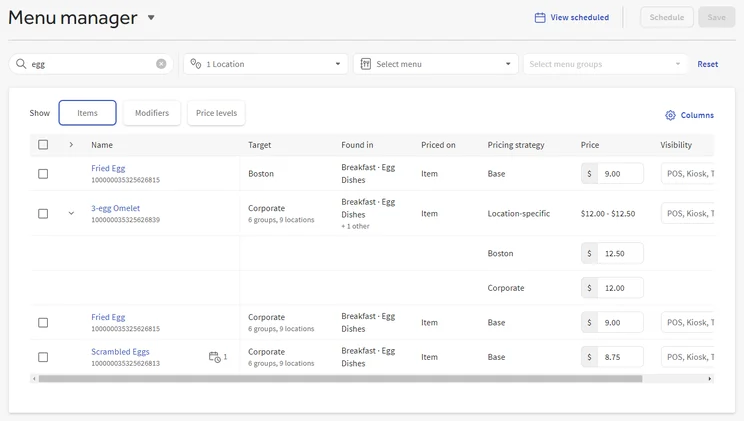
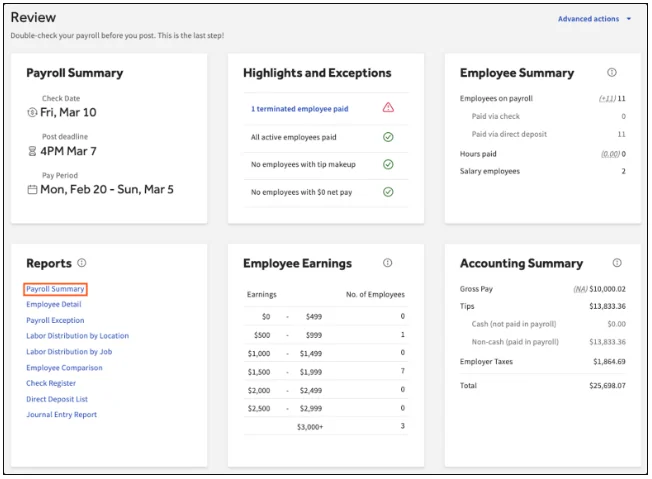
Toast has low/no stock alerts and a cost/profit management tool, which is great for businesses managing big inventories or multiple locations.
In addition, Toast has strong table management and floor plan capabilities, giving users the option to customize floor plans to optimize their space.
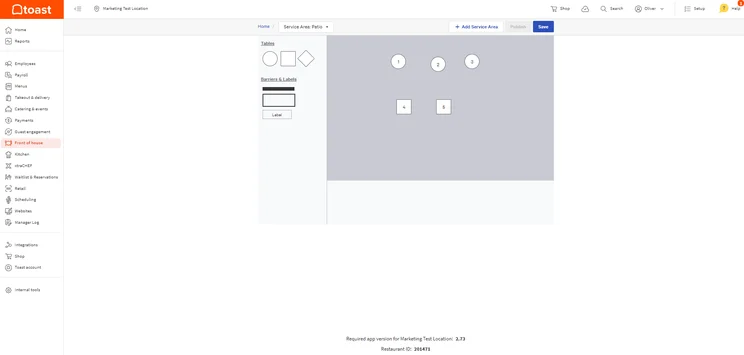
Toast has plenty of table management features on offer, which is great for businesses that need to be able to customize their floor plans. Source: Tech.co testing
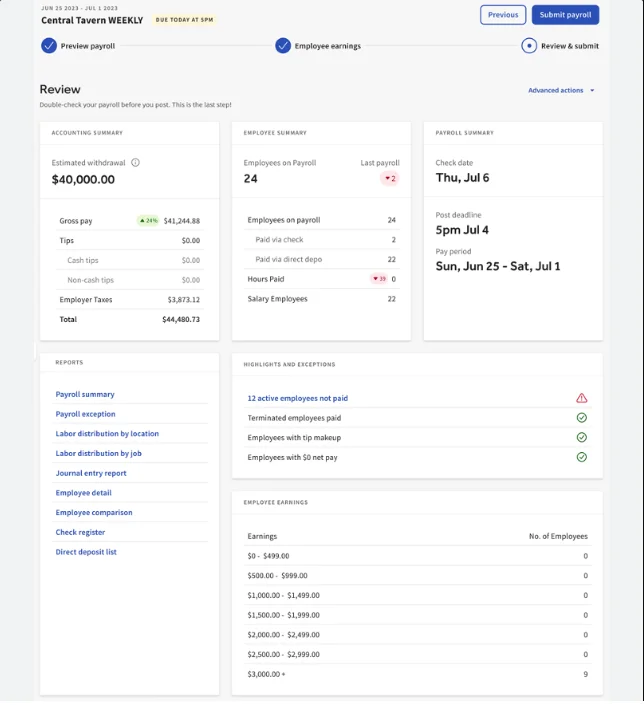
Toast is an excellent platform for businesses that want to scale. Users can track ingredient stock, access built-in reservation tools and integrations for floor management and ecommerce platforms, and utilize excellent customer engagement tools.
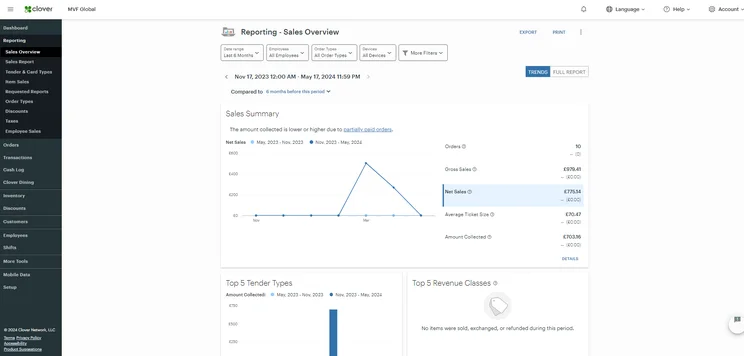
Clover’s reporting and analytics tools were highly customizable, allowing hospitality businesses to fully understand key cost metrics, such as sales performance. Source: Tech.co testing
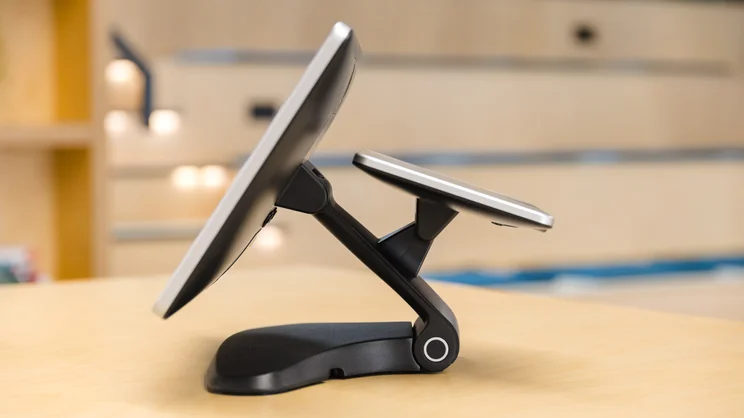
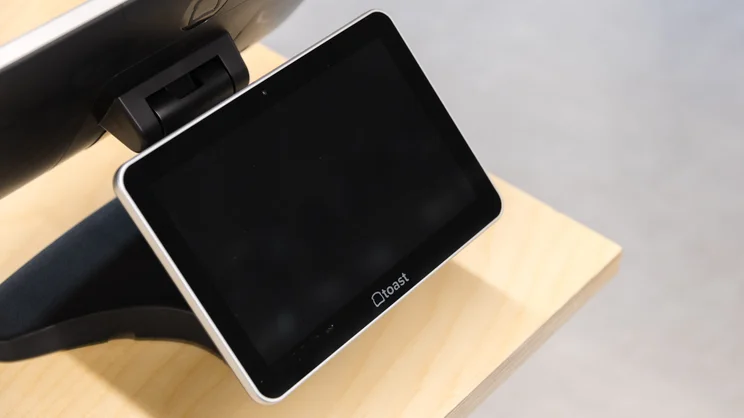
Toast has a great range of available hardware, including a kitchen display system, receipt printer, and terminal, as well as cash drawers, scales, stands, docks, and cases.
Our researchers noted Toast’s clean design, clear and separate sections for orders, and an intuitive search tool. These elements are a great fit for hospitality businesses running a quick-service operation.
Some of our researchers had to rely on Toast’s search bar because the system wasn’t clearly signposted. This prevents staff members from being able to carry out tasks efficiently, which affects the service of your business.
In terms of help and support, Toast has phone, live chat, knowledge center, and video/image tutorial support, as well onboarding support for new users. Its knowledge center is quite hard to navigate, however.
Is Clover a Good Hospitality POS?
Yes, Clover is a good POS for hospitality businesses, especially businesses with multiple locations or complex inventories, due to its excellent table management features, as well as low/no stock alerts and a cost/profit management tool.
Clover POS

In Short
-
Pros
- Top-of-the-line hardware options for users
- Many features for staff and order efficiency
- In-depth and customizable analytics system
-
Cons
- High up-front cost for hardware
- Additional features cost extra and can become expensive
- No automated tip sharing tools
Pricing
-
Cheapest plan is $16/month (36-month contract)
-
Cheapest restaurant plan is $135/month for 36 months
-
Offers 'Quick-Service' and 'Full Service' dining plans
Images
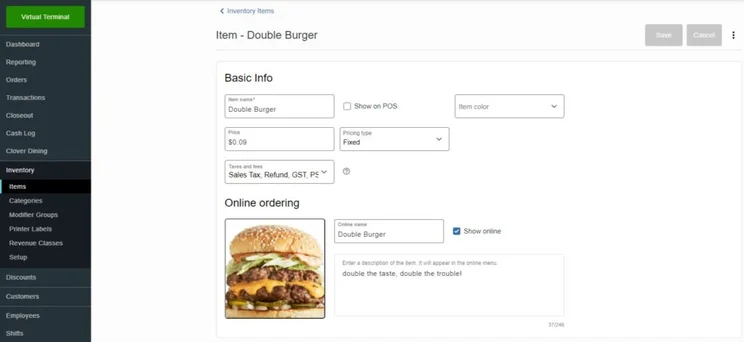
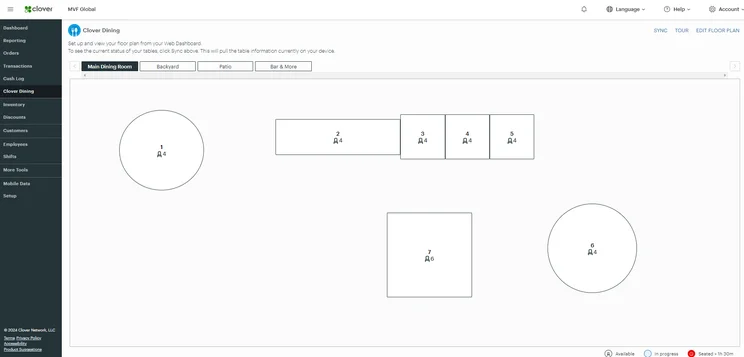
We found it easy to select items and split bills with Clover, and our testers also highlighted that the touchscreen interface was responsive and intuitive.
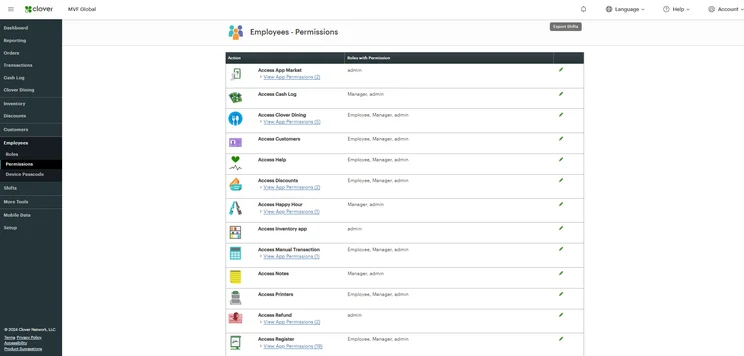
Our testers felt that Clover wasn’t mapped out very logically, with discounts particularly difficult to find. This will make the system harder for staff members to navigate, and potentially introduce bottlenecks to your service.
Clover has great help and support options, giving users an extensive range of support channels, including email, phone, live chat, knowledge base, video/image tutorials, and onboarding support.
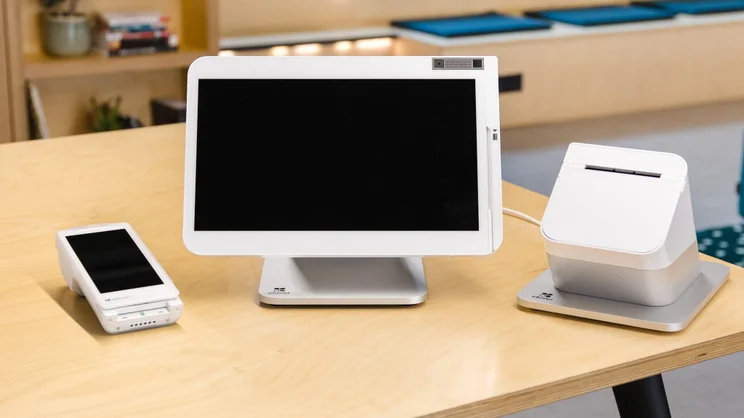
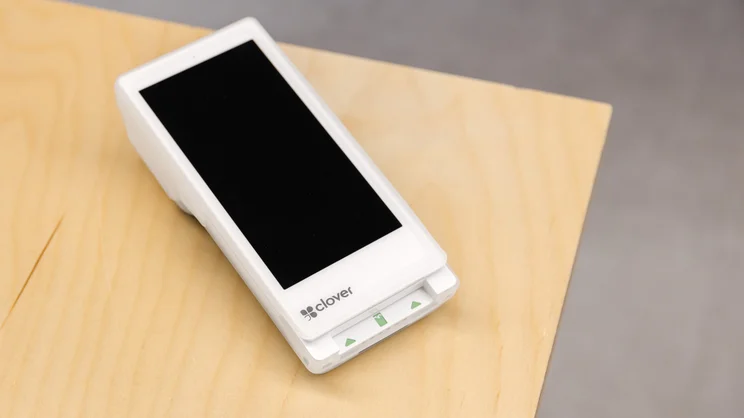
Clover also has some of the best hardware on the market. Offering a kitchen display system (KDS), receipt printer, and terminal, as well as cash drawers, scales, stands, docks, and cases, its products offer sheer quality and durability.
Our researchers found Clover’s hardware to be highly responsive, with specific time-saving features like fingerprint scanning.
One of our researchers, Matt, noted:
“The tablet is highly functional. Much of the difficulty comes from trying to modify things on the fly, as certain features need to be programmed by other Clover apps (via the backend on its website or from third-party apps via the Clover Store). Otherwise, it’s a breeze to use its register, with quick search functions and clear obvious buttons.”
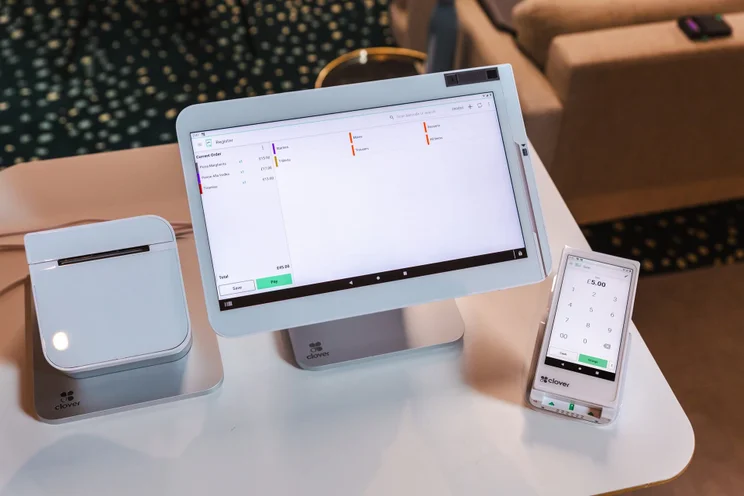
Clover’s hardware suite was the most impressive out of all the providers we researched, being equal parts responsive and durable in our tests, making it a reliable option for bars or family restaurants that might have to deal with frequent spills. Source: Tech.co testing
Is Toast Better Value for Money Than Clover?
In terms of value for money, Toast is a better option for scaling full-service restaurants or businesses with multiple locations. Clover represents better value for money for smaller, counter-service businesses, such as a cafe.
How much does Toast cost?
- Starter Kit: Free
- 3.09% + 15¢ (starts from)
- Point of Sale: $69 per month
- 2.49% + 15¢ card
- 3.5% + 15¢ keyed-in
- Build Your Own: Custom
- 2.49% + 15¢ card
- 3.5% + 15¢ keyed-in
How much does Clover cost?
- Quick Service Starter: $135 per month
- 2.3% + 10¢ card
- 3.5% + 10¢ keyed-in
- Quick Service Standard: $185 per month
- 2.3% + 10¢ card
- 3.5% + 10¢ keyed-in
- Quick Service Advanced: $245 per month
- 2.3% + 10¢ card
- 3.5% + 10¢ keyed-in
- Full Service Starter: $179 per month
- 2.3% + 10¢ card
- 3.5% + 10¢ keyed-in
- Full Service Standard: $239 per month
- 2.3% + 10¢ card
- 3.5% + 10¢ keyed-in
- Full Service Advanced: $354 per month
- 2.3% + 10¢ card
- 3.5% + 10¢ keyed-in
How Do Toast and Clover Compare With Other Providers?
Toast and Clover are two of the best restaurant POS systems we’ve tested, because of their advanced, hospitality-focused features, high-quality hardware offerings, and flexible pricing options.
Other options include:
- Square: Square is the best POS for small businesses. I tested it myself, and found it to be a pleasure to use, with a responsive, intuitive interface that made it simple to perform routine tasks, such as adding items to an order.
- SpotOn: SpotOn is an ideal option for businesses that want to prioritize staff communications, because of its labor-focused integration, Teamwork.
- SumUp: SumUp is a stripped-back POS platform that micro businesses, such as cafés, will love. One of our researchers, Nicole, noted that it “could be too simplistic at times”.
|
Price
The typical lowest starting price. The lowest price available for your business will depend on your needs
|
Free plan
|
Best for
Tech.co's verdict to help you identify the most suitable choice for your restaurant
|
Lowest transaction fee
The lowest possible fee that will be incurred with each transaction
|
Highest transaction fee
The highest possible fee that will be incurred with each transaction
|
iPad app
Is there a version of the software made specifically for iPad use?
|
Android app
Is there a version of the software made specifically for Android tablet use?
|
24/7 support
|
Key benefits
|
Hardware packages
|
Loyalty features
|
Who should
What kind of business should use this POS system?
|
Who shouldn't
What kind of business shouldn't use this POS system?
|
||
|---|---|---|---|---|---|---|---|---|---|---|---|---|---|---|
 |
 |
 |
|
|
||||||||||
|
Square POS |
SpotOn |
SumUp |
Toast |
Clover |
||||||||||
|
$0/month |
$0/month |
$0/month |
$0/month |
From $16/month for 36 months (depending on plan) |
||||||||||
|
|
|
|
|
|
||||||||||
|
Scaling and growing your business |
Simplifying staff communications |
Providing a quick and efficient service |
Complex restaurant operations |
Professional hardware |
||||||||||
|
2.4% + 15¢ |
2.79% + $0.20 |
1.5% + 10¢ |
2.49% + 15¢ |
2.3% +10¢ |
||||||||||
|
3.3% + 30¢ |
3.79% + $0.20 |
3.25% + $0.15 |
3.50% + 15¢ |
3.5% +10¢ |
||||||||||
|
|
|
|
|
|
||||||||||
|
|
|
|
|
|
||||||||||
|
|
|
|
|
|
||||||||||
|
|
|
|
|
||||||||||
|
Options include: Square Stand Kit for $689 and Square Stand Kit for Restaurants at $1,199 |
Offers several hardware options for businesses, including touchscreen monitors and payment terminals |
Sells a range of in-house hardware, including iPad stands, card readers, and kitchen display systems |
Offers a full hardware suite for $1,024 but custom pricing is available on more expensive software tiers |
Sells a range of proprietary hardware devices from handheld tableside tablets to full POS terminals |
||||||||||
|
|
|
|
|
|
||||||||||
|
|
|
|
|
||||||||||
|
|
|
|
|
How Did We Evaluate Toast and Clover?
After identifying the most relevant, popular POS platforms on the market, we put them through their paces with hands-on testing to better understand their strengths and weaknesses.
In total, we put 16 POS systems to the test, with a vigorous research and testing methodology. In our testing sessions, participants were asked to carry out tasks on POS software and describe their user journey, to help us understand what it’s like to use the systems first-hand. Here’s an overview of our main testing categories for POS systems:
- What software features are available? (30%) The capabilities provided by the POS product. Includes general features like ordering and payment functionality, as well as industry-specific tools like inventory-level stock tracking and KDS software.
- What hardware can you use? (15%) The quality of a POS system’s hardware selection. The presence of an own-brand terminal, as well as hardware accessories like KDS, receipt printers, and barcode scanners.
- How much does it cost? (10%) The cost associated with acquiring and using the POS system, such as the initial purchase cost, transaction fees, licensing fees, subscription plans, and any additional charges or ongoing costs.
- Is it easy to use? (20%) We test out the software to gauge how intuitive and easy to navigate it is. We also consider whether any errors took place during testing.
- What support options are available? (15%) The assistance and resources available to users when they encounter issues or need guidance while using the POS system, including documentation, tutorials, or knowledge bases.
- What is the provider’s reputation? (10%) The aggregate score from customer review sites like Trustpilot and TrustRadius, to understand how POS providers are viewed by their own customer bases.
When it comes to calculating a product’s final score, not all testing areas are weighted evenly, as we know some aspects matter more to our readers than others. For example, we’ll prioritize certain industry-specific features for specific reviews, like an offline mode when reviewing POS systems for food trucks, or KDS when reviewing restaurant POS systems.
At Tech.co, we have a number of full-time in-house researchers who re-run this testing process regularly to ensure our results remain up to date.
Learn more about our research.
Toast is a better option for hospitality businesses than Clover, because it offers purpose-built features, like automatic tip management and built-in customer engagement tools, that keep businesses efficient as costs rise and labor shortages persist.
That being said, I’d recommend Clover for businesses wanting responsive and high-quality hardware, such as high-intensity kitchens or restaurants with high table turnover.
FAQs
Yes, Toast is a better option than Clover for small coffee shops and bakeries. This is because Toast offers a decent free plan and its cheapest paid hospitality plan is significantly cheaper than the Clover equivalent ($69 per month versus $135 per month).
Both providers have offline mode, during which you’ll be able to process payments (they won’t be authorized immediately, but when the connection is restored).
You cannot use Toast hardware with other payment processors, as the devices are specifically designed to be used exclusively with Toast’s own payment processing service. Clover, on the other hand, is more flexible than Toast. As it’s designed by Fiserv, Clover devices can be used with several payment processors that operate on the Fiserv platform.
However, for both Clover and Toast, hardware is locked once it’s purchased from a specific processor, and cannot be easily switched from one to the other.
High volume restaurants that process a lot of sales would be able to save the most with Clover, as it offers the lowest transaction fee out of the three.
However, on Square’s custom prices, transaction fees dip to 2.4% + 15¢ for card payments, which is still not as cheap as Clover but cheaper than Toast. Plus, businesses will likely have to pay a higher monthly fee in order to enjoy these low transaction rates.
If you’re switching from Clover to Toast, or the other way round, you’ll need to export your data from one device and import it into another to make sure it’s not lost. This will not automatically mean all of your settings reconfigure, however, as not all systems are organized in the same way.
I’d recommend businesses looking to switch POS providers backup all of their data beforehand to a CSV or Excel file, and edit these files to match the format required by either Clover or Toast.
If you click on, sign up to a service through, or make a purchase through the links on our site, or use our quotes tool to receive custom pricing for your business needs, we may earn a referral fee from the supplier(s) of the technology you’re interested in. This helps Tech.co to provide free information and reviews, and carries no additional cost to you. Most importantly, it doesn’t affect our editorial impartiality. Ratings and rankings on Tech.co cannot be bought. Our reviews are based on objective research analysis. Rare exceptions to this will be marked clearly as a ‘sponsored’ table column, or explained by a full advertising disclosure on the page, in place of this one. Click to return to top of page


